

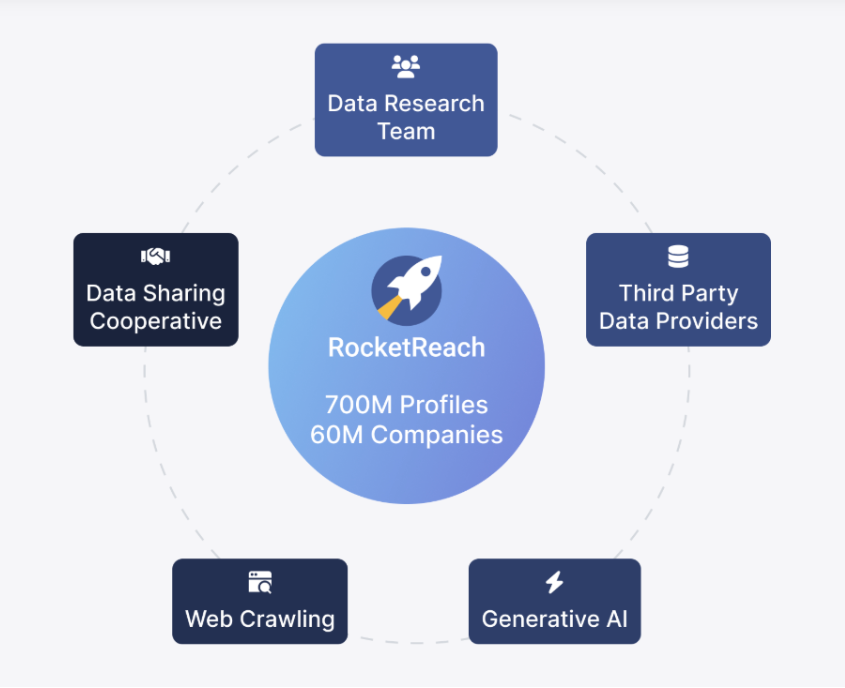
RocketReach has built one of the largest verified contact databases in B2B, with 700M+ professional profiles across 60M+ companies and a user base of 26M+ professionals, including 95% of the S&P 500. It combines real-time email verification, 100+ search filters, and a Chrome extension with 300,000+ users, making it a standard tool for sales, recruiting, and marketing teams that need verified contact data fast.
But RocketReach only stores the data. It does not run your CRM, fire your email sequences, or alert your team when a high-value contact is unlocked.
The right integrations close that gap. They push verified contacts into the systems where your team works, trigger outreach the moment a prospect is sourced, keep CRM records current without manual exports, and connect RocketReach to the thousands of tools in your stack that sit outside its six native connectors.
This guide covers the strongest integration for each job RocketReach users most commonly need done:
Push verified contacts into your enterprise CRM with field-level control
Enrich inbound leads and build outbound lists inside a marketing-first CRM
Move verified contacts into active sales sequences without an export step
Feed multi-channel cadences and AI-powered revenue intelligence with verified data
Source passive candidates and push them directly into your recruiting ATS
Connect RocketReach contact data to any tool in your stack without code
Build multi-step enrichment pipelines with conditional logic and branching
Each section covers how the integration connects with RocketReach, what data flows between the platforms, pricing, and who benefits most.
Best RocketReach Integrations at a Glance |
|---|
Best RocketReach Integration for Enterprise CRM Record Control Pushes verified contacts into Salesforce as Leads or Contact-Account pairs with admin-controlled field mapping across 50+ attributes, pre-export deduplication, and re-export updating that keeps CRM data current as RocketReach profiles change. |
Best RocketReach Integration for Enriching Inbound Leads and Building Outbound Lists Exports verified contact data into HubSpot with custom property mapping, auto-export on lookup, and a verified-data quality gate that prevents undeliverable records from inflating marketing contact costs. |
Best RocketReach Integration for Real-Time Sales Sequence Assignment Delivers verified contacts directly into active Outreach sequences via a native connector, eliminating the CSV export-import cycle and getting prospects into cadences within seconds of being sourced. |
Best RocketReach Integration for Multi-Channel Cadence Execution Connects verified prospecting data to Salesloft cadences via Quick Sync, with phone data enabling multi-channel sequences and contact attributes feeding Salesloft's Rhythm AI prioritization and email personalization. |
Best RocketReach Integration for Staffing and Recruiting Firms Exports sourced candidate profiles directly into Bullhorn as structured ATS records, with access to RocketReach's healthcare vertical data including NPI-searchable provider records. |
Best RocketReach Integration for Connecting Contact Data to Any Tool in Your Stack Routes verified contact data to 8,000+ apps without code, enabling real-time Slack alerts, auto-populating Google Sheets databases, and inbound lookup workflows triggered by events in other tools. |
Best RocketReach Integration for Multi-Step Enrichment Pipeline Automation Connects RocketReach to 3,000+ apps through visual scenarios with conditional routing, Iterator/Aggregator data transformation, and webhook-triggered batch enrichment. |
What Is RocketReach?
RocketReach is a lead and sales intelligence platform built on a verified contact database of 700M+ professional profiles and 60M+ companies, spanning 250 industries across 254 countries with 125M phone numbers and 4.5B total records accessible via the API.
Source: RocketReach
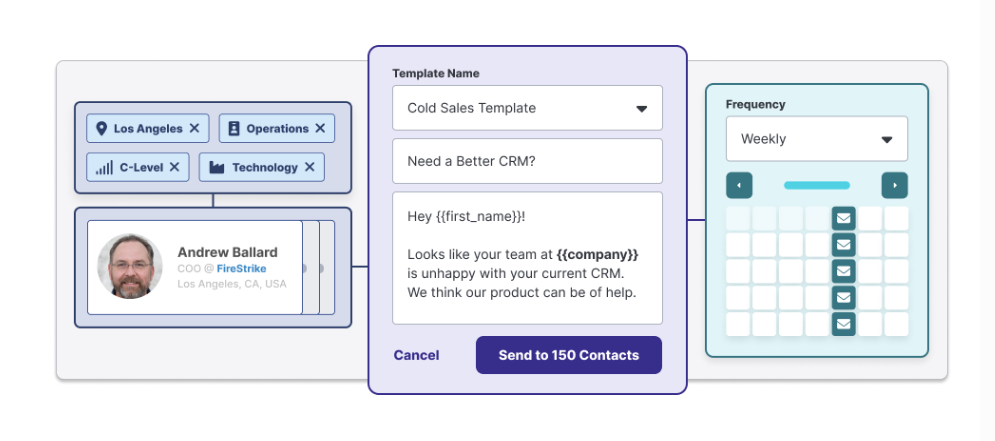
The platform works as a prospecting workspace where teams find contacts, verify deliverability, and engage prospects from a single interface. Recent additions (including multi-step Sequences, Autopilot for recurring automated prospecting, and Intent Data covering 35,000+ topics) have expanded RocketReach beyond contact lookup into a platform that handles discovery, prioritization, and outreach in one workflow.
Source: RocketReach
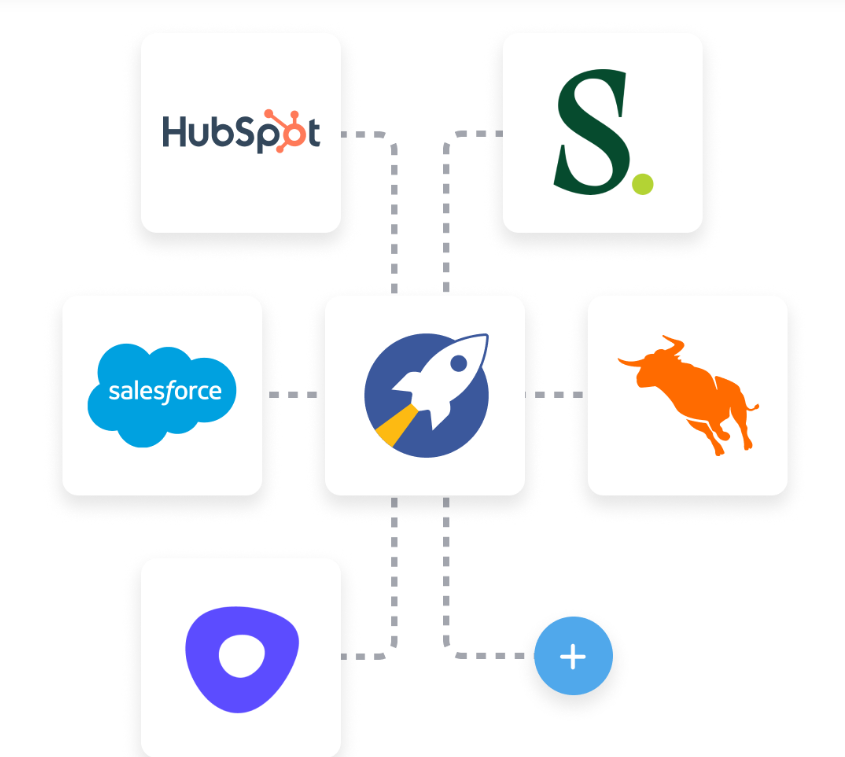
RocketReach's integration ecosystem connects the platform to the tools where teams execute.
The platform offers six native integrations: Salesforce, HubSpot, Outreach, Salesloft, Bullhorn, and Zapier. Beyond these, the RocketReach API with Universal Credits supports programmatic access for custom integrations, and a Model Context Protocol (MCP) server exposes RocketReach data to AI agents including Claude and ChatGPT. Automation platforms like Make extend connectivity to thousands of additional tools through RocketReach's API.
Source: RocketReach
The integration categories available to RocketReach users include:
CRM and sales data management: Salesforce, HubSpot, with field mapping, deduplication, and record updating
Sales engagement: Outreach, Salesloft, with direct sequence and cadence enrollment
Recruiting and staffing: Bullhorn ATS integration for candidate pipeline management
Workflow automation: Zapier (8,000+ apps) and Make (3,000+ apps) for no-code and visual automation
AI agents: MCP server for Claude, ChatGPT, and Cursor
Programmatic access: REST API with Universal Credits for custom enrichment pipelines
With that ecosystem as context, here are the seven integrations we selected as the best options for extending RocketReach across the categories that matter most to prospecting and revenue teams.
1. Salesforce: Best RocketReach Integration for Enterprise CRM Record Control
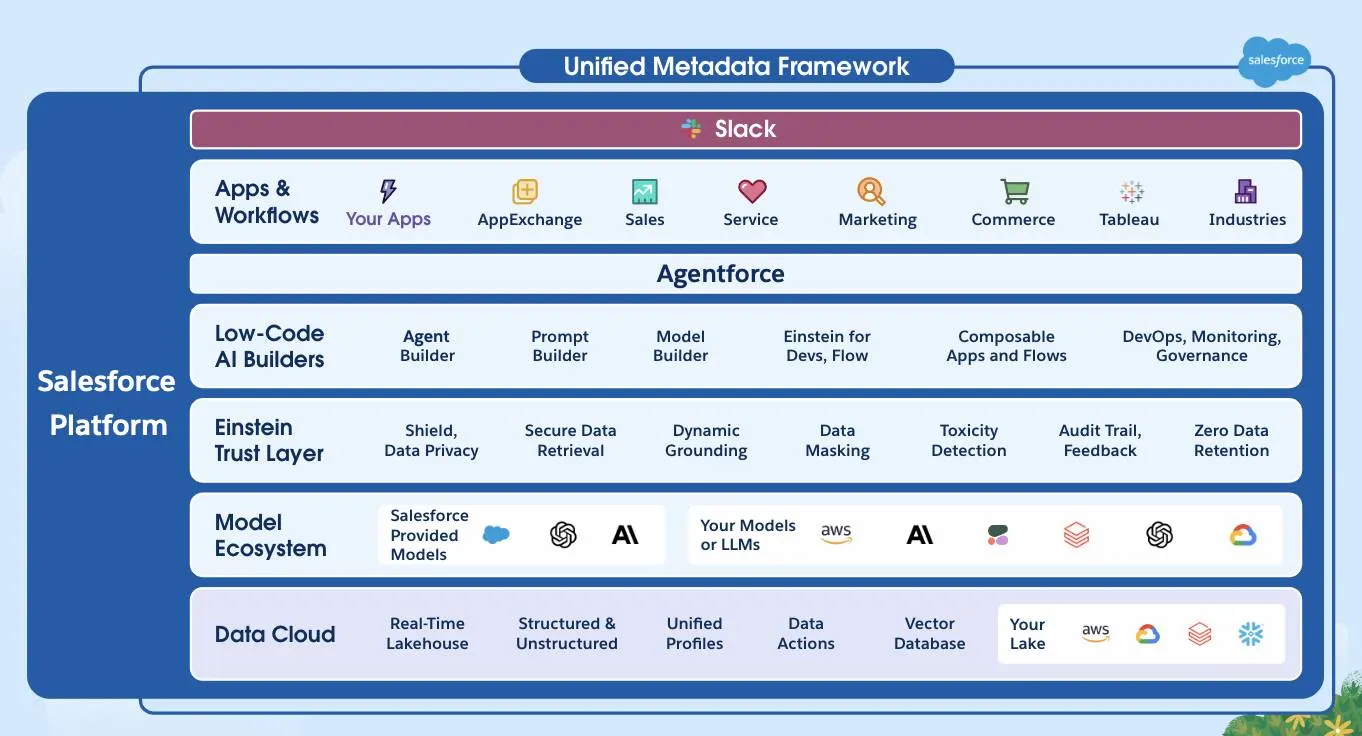
Salesforce is the #1 CRM by IDC revenue market share. It integrates with RocketReach to push verified contact and company data directly into Sales Cloud records with full control over how those records are created, mapped, and deduplicated.
Source: Salesforce
Key integration capabilities include:
Configurable record type selection, with contacts landing as Salesforce Leads or as Contact-and-Account pairs to match your existing org structure
Admin-controlled field mappings across 50+ attributes that propagate automatically across the team (Ultimate and Enterprise plans)
Pre-export deduplication that checks for existing Salesforce records before pushing, preventing duplicates regardless of how many reps export at once
Re-export updating that overwrites existing Salesforce records when a contact's RocketReach profile changes
A verified-data quality gate: only contacts with at least one verified (green) email or phone number can be exported via the integration
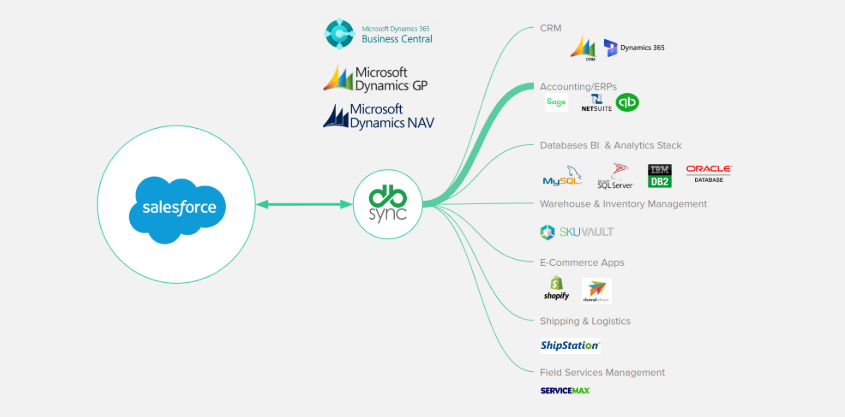
How Salesforce Integrates with RocketReach
RocketReach's Salesforce connection is a native integration available on Pro, Ultimate, and Enterprise (Custom) plans. Setup takes about one minute via OAuth from RocketReach's integration settings. Essentials plan subscribers must route data through Zapier or the RocketReach API instead.
Source: Salesforce
1. Lead or Contact-and-Account Export.
When pushing a contact from RocketReach into Salesforce, teams choose whether the record lands as a standard Salesforce Lead or as a Contact record paired with an Account. This matters because Salesforce orgs follow different structural approaches.
Marketing teams running net-new campaigns can export as Leads, preserving their qualification and conversion workflow. Sales teams with named-account motions can route exports directly as Contact-Account pairs, keeping their account hierarchy intact. Each team's workflow is respected without org-level compromises.
2. 50+ Field-Level Mappings with Team-Wide Admin Control.
On Ultimate and Enterprise plans, admins can map any RocketReach contact attribute to any standard or custom Salesforce field. Work email, personal email, direct phone, mobile phone, job title, company, LinkedIn URL, department, seniority, location, and other data fields each route to the precise Salesforce property.
These mappings are configured once and apply across every export by every team member. For teams relying on Salesforce's activity-based reporting, sequence enrollment triggers, or territory-based routing, this admin-controlled consistency makes RocketReach data immediately usable for downstream automation.
Pro plan users can push contacts via the native integration but use default field assignments without custom mapping.
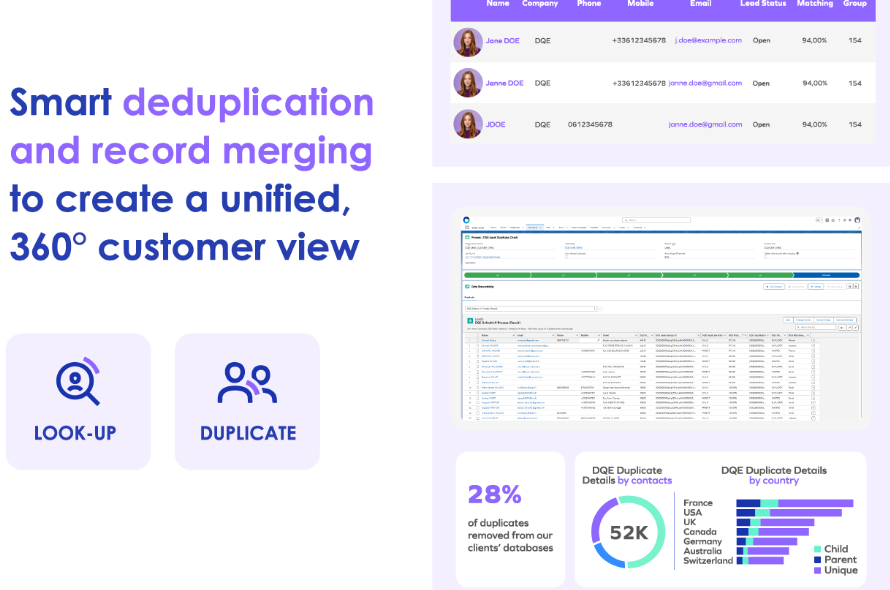
3. Deduplication and Re-Export Record Updates.
Before any contact is pushed, RocketReach runs a deduplication check against existing records in the org. If a match is found, the export updates it rather than creating a duplicate. This check applies regardless of which team member initiates the export.
For outbound teams where multiple reps prospect into overlapping account lists, this keeps the CRM clean without periodic deduplication campaigns.
The re-export update behavior, added in late 2025, addresses data decay. When a contact's RocketReach profile changes (a job change, a new verified email, an updated phone number), re-exporting that contact overwrites the existing CRM record with current data.
The update applies only to fields in the admin-configured mapping, so Salesforce-native fields managed by other tools or entered manually by reps are not overwritten.
Source: Salesforce
Salesforce Pricing
Salesforce uses a per-user, annual-contract pricing model. The editions most relevant to teams running RocketReach alongside Sales Cloud:
Enterprise: $175/user/month, billed annually. Full Sales Cloud capabilities including pipeline management, workflow automation, AI deal insights, custom objects and fields, and API access
Unlimited: $350/user/month, billed annually. All Enterprise features plus the full Einstein AI suite, conversation intelligence, and Premier Success support with higher API request allocations
Agentforce 1: $550/user/month, billed annually. Adds autonomous Agentforce AI agents, Tableau Next analytics, and Slack Enterprise+
On the RocketReach side, the native Salesforce integration requires Pro ($52/month billed annually), Ultimate ($115/month billed annually), or Custom Enterprise ($6,000+/year for teams of 5+). Custom field mapping is exclusive to Ultimate and Enterprise subscribers.
Who Should Use the Salesforce Integration?
Sales teams running their pipeline inside Salesforce Sales Cloud that need verified contact data landing in specific CRM fields with consistent formatting enforced by admin-set rules, not a generic bulk import that requires post-processing
Organizations with multiple reps prospecting into overlapping accounts that need automatic deduplication to prevent duplicate Lead or Contact records across parallel outbound activity
Teams on RocketReach Ultimate or Enterprise that want admin-level control over how RocketReach data maps to standard and custom Salesforce fields, with consistency enforced team-wide
2. HubSpot: Best RocketReach Integration for Enriching Inbound Leads and Building Outbound Lists Inside HubSpot
HubSpot is a CRM and customer platform that integrates with RocketReach to push verified contact data directly into HubSpot records, enriching inbound leads, building outbound lists, and keeping the CRM current without manual data entry or platform-switching.
Source: HubSpot
Key integration capabilities include:
Custom property mapping from any RocketReach field to any standard or custom HubSpot contact, company, or deal property
Bulk contact export from RocketReach prospect lists and individual export from the browser extension, both with automatic deduplication
A verified-data quality gate: only contacts with at least one verified (green-grade) email or phone number can be pushed to HubSpot
Auto-export on lookup, so every contact unlocked in RocketReach is automatically pushed to HubSpot in real time
How HubSpot Integrates with RocketReach
The native connector is available on RocketReach's Pro, Ultimate, and Enterprise plans. Essentials subscribers connect via Zapier or the RocketReach API with reduced property mapping flexibility.
1. Custom Property Mapping.
The connector lets users map any RocketReach field (work email, personal email, direct phone, mobile phone, job title, company, LinkedIn URL, department, seniority, location) to the corresponding HubSpot property, whether standard or custom.
A team using a custom HubSpot property called "RR_Direct_Phone" can route RocketReach's phone data to that field, keeping their segmentation filters, smart list criteria, and sequence enrollment triggers intact. RocketReach data lands in the right fields, feeding existing automation and reporting without a cleanup pass.
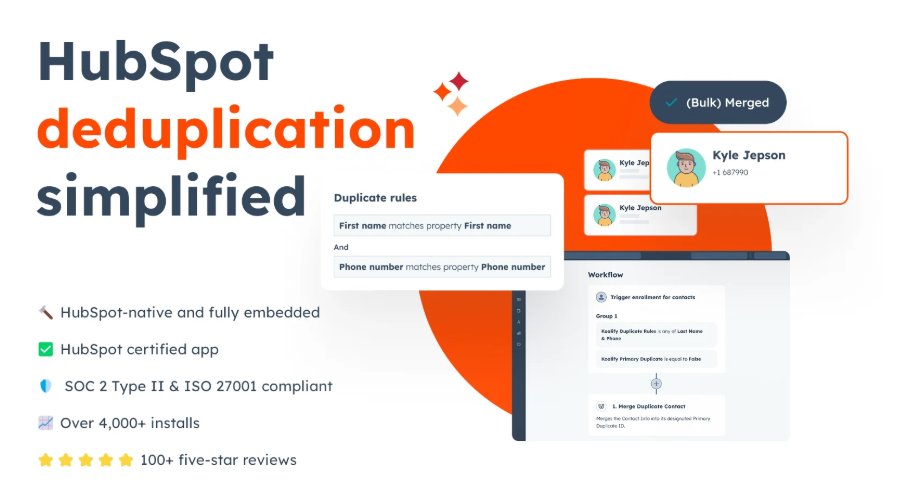
2. Bulk and Individual Contact Export with Deduplication.
Individual lookup via the RocketReach Chrome extension lets reps push a single contact to HubSpot directly from a LinkedIn profile or company website. Bulk export works through RocketReach's Prospect Lists feature, pushing entire filtered lists to HubSpot in one action.
Both paths include automatic deduplication and the verified-data quality gate. This matters for HubSpot especially: Marketing Hub plans charge based on marketing contact count, so importing unverified records inflates costs without contributing to deliverable outreach.
3. Auto-Export on Lookup.
When active, every contact unlocked in RocketReach (through manual search, Autopilot, or the browser extension) flows to HubSpot automatically. For teams using HubSpot's smart lists or lifecycle stage automation triggered by contact creation events, auto-export means newly discovered prospects enter HubSpot's workflow engine immediately rather than waiting for the next manual batch push.
Source: HubSpot
HubSpot Pricing
HubSpot uses a hybrid pricing model combining per-seat fees, contact tier limits, and flat monthly rates by Hub:
Sales Hub Professional: $90/seat/month (annual) or $100/seat/month (monthly), with a mandatory $1,500 one-time onboarding fee. Full deal pipeline management, sequences, and meeting scheduling
Sales Hub Enterprise: $150/seat/month (annual only), with a mandatory $3,500 one-time onboarding fee. Custom objects, predictive lead scoring, and advanced permissions
Marketing Hub Professional: $800/month (annual) for 3 Core Seats and 2,000 marketing contacts, with a mandatory $3,000 one-time onboarding fee. Full marketing automation, smart lists, and workflow builder
Note: When subscribing to multiple Hubs at different tiers, all Core Seats are billed at the highest subscription tier's rate. Marketing Hub also charges for marketing contacts above the included tier, so importing large RocketReach lists can trigger overage fees if contact capacity is limited.
Who Should Use the HubSpot Integration?
Teams running HubSpot as their primary CRM and marketing automation platform that want to supplement HubSpot's inbound database with verified outbound contact data from RocketReach, keeping both motions in a single system of record
Organizations with custom HubSpot properties, smart lists, and workflow automations that need property-level mapping to route incoming data to exact fields rather than accepting defaults that break downstream automations
SDRs and AEs who prospect on LinkedIn daily and want a single-click path from the RocketReach browser extension into HubSpot, eliminating tab-switching and manual export
3. Outreach: Best RocketReach Integration for Real-Time Sales Sequence Assignment
Outreach is an AI revenue workflow platform that integrates with RocketReach to move verified contact data directly into active sales sequences without any intermediate export or import step.
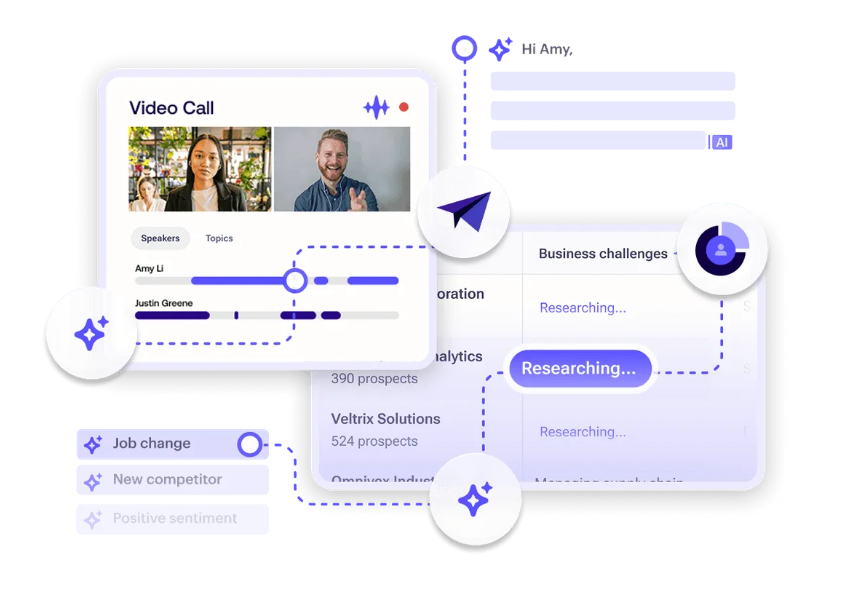
Source: Outreach
Key integration capabilities include:
One-time OAuth login connecting RocketReach to Outreach, after which every unlocked contact is available in Outreach immediately
Full contact record transfer: verified email, direct phone, job title, company name, industry, and location passed directly into Outreach for personalized sequence steps
Native deduplication on every push, preventing duplicate prospect records
Elimination of the manual export-import cycle (download CSV, format columns, import, map fields, fix errors) that typically sits between prospecting and outreach
How Outreach Integrates with RocketReach
The Outreach connection is a native integration available on Pro, Ultimate, and Custom (Enterprise) plans. The sync is one-way: contact records flow from RocketReach into Outreach. Engagement data does not flow back.
1. Real-Time Contact Transfer with Full Data.
When a contact is unlocked in RocketReach (through manual lookup, bulk list generation, or an Autopilot job), the verified record appears in Outreach immediately. Only contacts with at least one verified email or phone number can be exported.
The data includes verified email, direct phone (on Pro and Ultimate plans), job title, company name, industry, and location. When a rep assigns a prospect to an Outreach sequence, the platform can pull these attributes into email personalization tokens and apply industry-level messaging variants without manual data entry.
2. Eliminating the Export-Import Cycle in SDR Workflows.
Without a native Outreach connection, the typical SDR workflow looks like this: search and unlock contacts in RocketReach, download CSV, reformat columns to match Outreach's field structure, import the CSV, map columns during the import wizard, review and correct errors, locate imported contacts, and assign to sequences.
With the native integration enabled, that chain collapses to two actions: unlock a contact in RocketReach, and it appears in Outreach. The integration also eliminates formatting errors that accumulate in manual CSV workflows: phone numbers losing leading zeros, job titles importing into the wrong field, company names truncating due to column width mismatches.
3. Auto-Export and Autopilot Integration.
Auto-export can be configured so every unlocked contact flows into Outreach without a manual push each time. This is the recommended setup for teams using RocketReach's Autopilot for recurring prospecting jobs, where every new verified contact should arrive in Outreach without human handoff.
Outreach Pricing
Outreach uses a per-user pricing model with annual contracts. Per-seat pricing is not publicly disclosed; all pricing requires a sales conversation:
Amplify Core: Entry-level tier with Research, Revenue, and Personalization AI Agents, Sequences and Triggers, Integrated Dialer, and 250,000 bundled API calls. Sufficient for teams that want the RocketReach integration for contact delivery and sequence execution
Amplify Plus: Adds Smart Meeting and Deal Assist, Real-time Transcription, AI-Assisted Coaching, Deal Health Score, and Pipeline Management
Amplify Pro: Adds Scenario Planning, Forecast Rollups, AI Projection, and multi-currency support
Voice calling uses a separate usage-based model billed independently from the base seat license.
Who Should Use the Outreach Integration?
SDR teams running high-volume outbound that need contacts to move from prospecting into active sequences without manual CSV export or import
Teams already on Outreach that want RocketReach's verified contact data feeding directly into the sequences reps run daily
Organizations using RocketReach's Autopilot for recurring prospecting jobs that want every new verified contact arriving in Outreach immediately, without human handoff
4. Salesloft: Best RocketReach Integration for Multi-Channel Cadence Execution
Salesloft is an AI revenue orchestration platform that integrates with RocketReach to connect verified prospecting data to multi-channel sales cadences, deal management, and pipeline forecasting.

Source: Salesloft
Key integration capabilities include:
Quick Sync pushing contacts from RocketReach into Salesloft cadences in a single click, with verified email and phone data carried through automatically
Contact attributes informing Salesloft's AI email personalization and cadence step recommendations
Phone data from Pro and Ultimate RocketReach plans enabling multi-channel Salesloft cadences with call tasks, not email-only sequences
Deduplication on every push, preventing duplicate records across the CRM and engagement layers
How Salesloft Integrates with RocketReach
The RocketReach-Salesloft connection is a native, one-way integration that pushes contact records from RocketReach into Salesloft's cadence system. No API configuration or middleware is required; setup takes about one minute from RocketReach's integration settings. The integration is available on RocketReach's Pro, Ultimate, and Custom (Enterprise) plans.
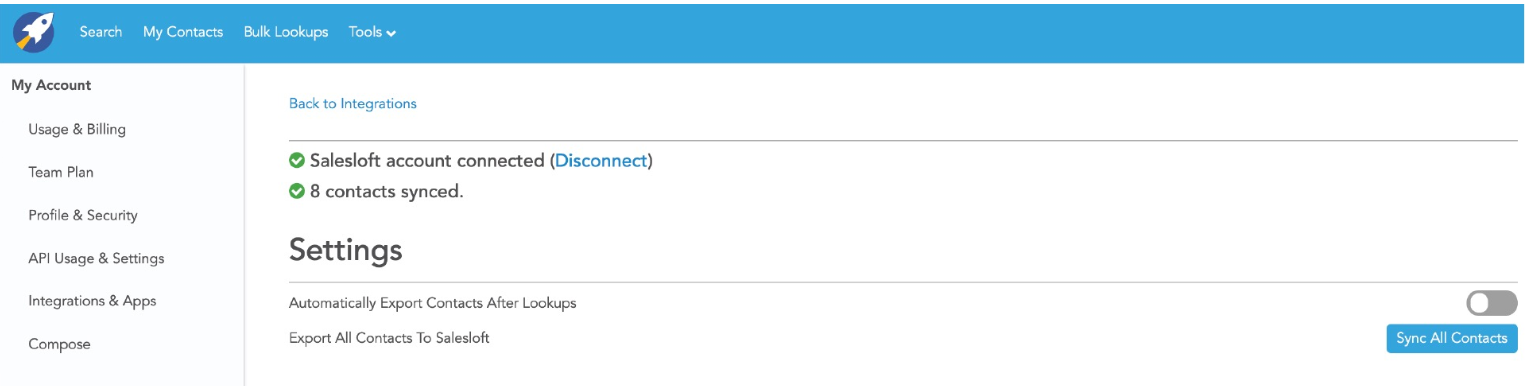
Source: Salesloft
1. Quick Sync: Single-Click Contact-to-Cadence Routing.
Quick Sync pushes a contact's verified data directly into a Salesloft cadence without CSV export, import mapping, or manual data entry. The transferred data includes verified email, direct phone number (on Pro and Ultimate plans), job title, company name, and other contact attributes.
Only contacts with at least one verified (green) email or phone number can be exported, acting as a quality gate for cadence enrollment. A rep can go from identifying a target in RocketReach to having that contact active in a Salesloft cadence in under a minute.
2. Phone Data Enables Multi-Channel Cadences.
Salesloft supports email, call tasks, SMS, and LinkedIn touchpoints in cadences. But call steps only work when the rep has an accurate direct phone number. RocketReach's Pro and Ultimate plans include direct phone numbers (including mobile) alongside email in data pushed via Quick Sync, letting cadence managers include call tasks from day one. Combined with Salesloft's built-in dialer, which logs calls directly to the connected CRM, verified phones from RocketReach eliminate both the data gap and the lookup interruption that would break a rep's workflow mid-cadence.
3. Verified Contact Attributes Feed Salesloft's AI.
Salesloft's Rhythm AI engine prioritizes seller actions based on buyer engagement signals. The quality of the contact record influences how cleanly Rhythm attributes engagement to the correct person and account. A record arriving with verified email and accurate attributes (title, department, company size, industry) supports cleaner signal tracking. Salesloft's AI Email Agents also use contact and account attributes to generate personalized email content at each cadence step. When RocketReach's continuously verified data (85 million profiles refreshed monthly) feeds those attributes, the personalization inputs are more reliable than manually researched profiles.
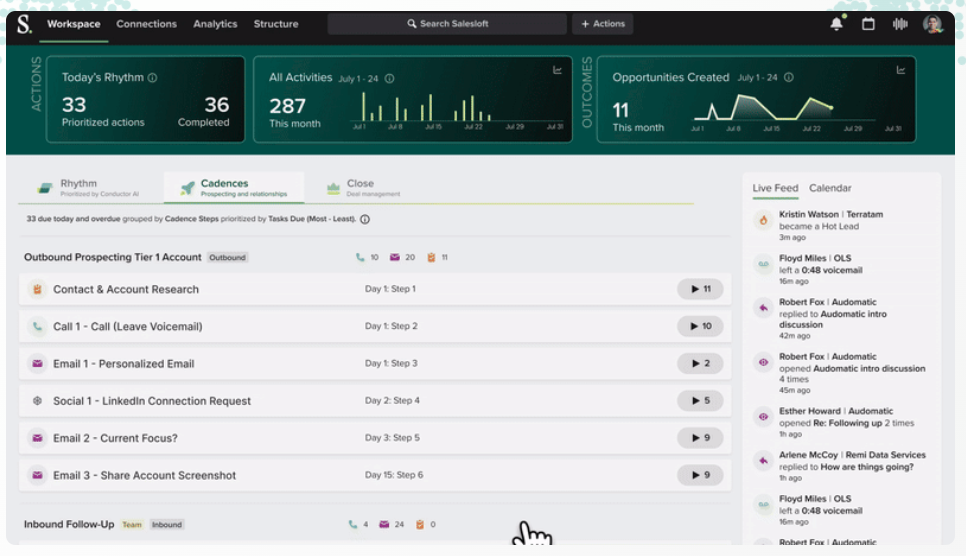
Source: Salesloft
Salesloft Pricing
Salesloft does not publish pricing publicly. Two packages are available on a quote-only, seat-licensed subscription model:
Advanced: Covers pipeline generation, cadence automation, conversation intelligence, opportunity management, and seller coaching. Requires demo request at salesloft.com/pricing
Elite: Adds multi-team management, sandbox environments, and no-code custom object signals from Salesforce. Enterprise governance controls including custom roles and regional security configurations
Additional costs: dialer usage outside unlimited plan coverage accrues per-minute fees; the Account Research Agent AI feature includes 100 runs per user per month with overages purchasable separately.
Who Should Use the Salesloft Integration?
Teams already using Salesloft as their primary cadence and revenue orchestration platform that want to eliminate CSV export-import friction when adding new contacts to active sequences
Organizations running multi-channel cadences that need both verified emails and direct phone numbers flowing from RocketReach into Salesloft call tasks
Sales teams relying on Salesloft's Rhythm AI and AI email personalization that want better data quality feeding those systems with verified contact attributes from RocketReach
5. Bullhorn: Best RocketReach Integration for Staffing and Recruiting Firms
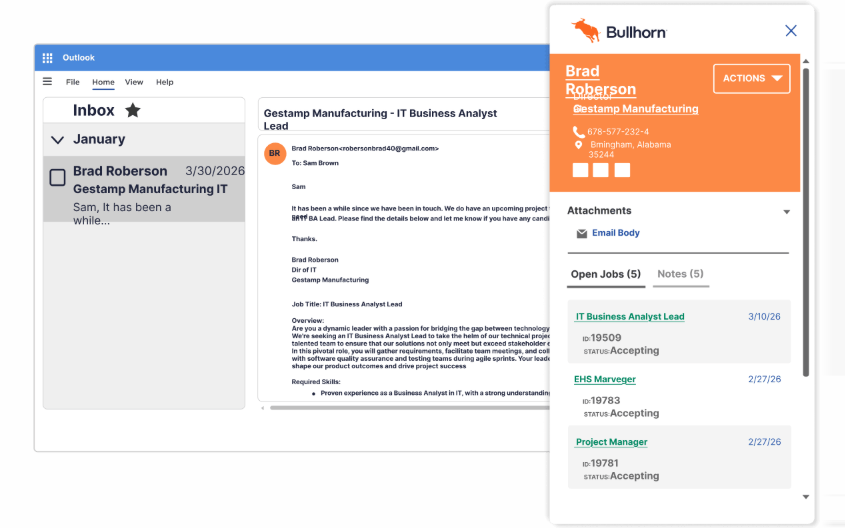
Bullhorn is a cloud-based applicant tracking system and recruiting CRM built for staffing agencies. It integrates with RocketReach to turn sourced candidate profiles into structured ATS records with a single click.
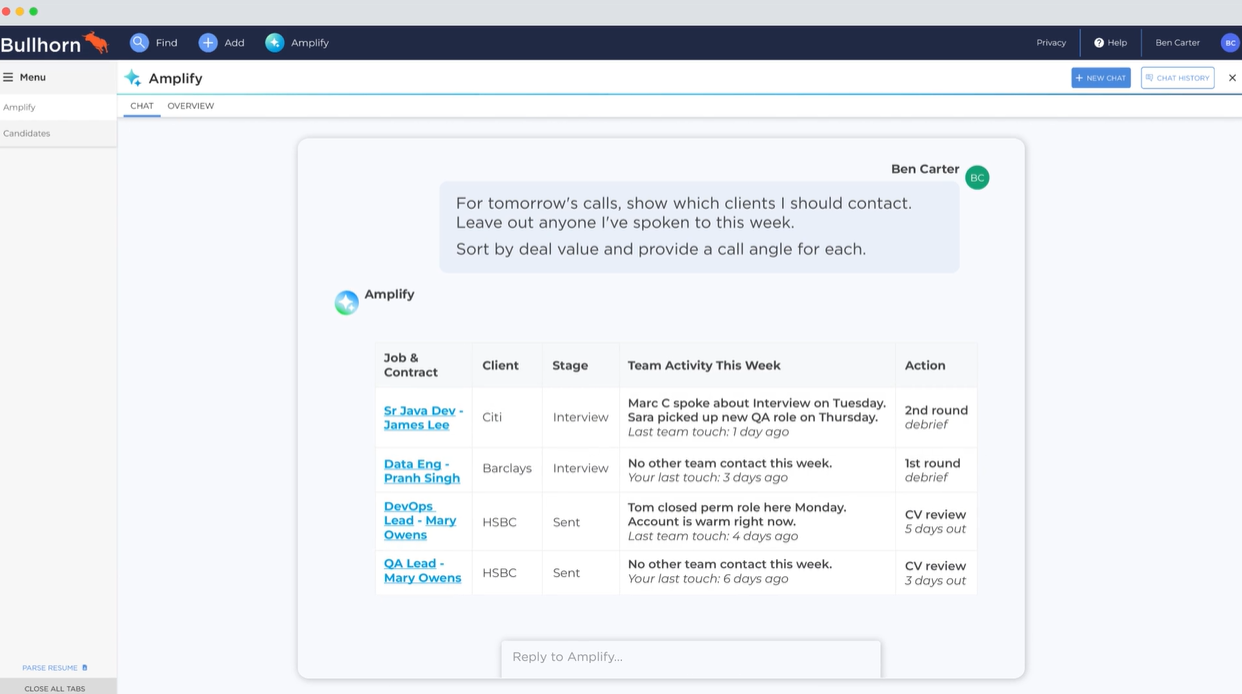
Source: Bullhorn
Key integration capabilities include:
One-click export of any RocketReach profile (personal email, direct phone, social links) directly into Bullhorn as a candidate or contact record
Access to RocketReach's specialist talent pools in healthcare (2M+ physicians, 3M+ nurses with NPI number searchability), legal, and technology verticals
Pre-filtered candidate lists that arrive in Bullhorn already screened through RocketReach's 100+ search filters
Deduplication on export to prevent duplicate records when the same candidate is sourced across multiple searches
How Bullhorn Integrates with RocketReach
The Bullhorn integration is a native, one-way connector that pushes RocketReach contact data into Bullhorn as candidate or contact records. It is available on RocketReach's Pro plan and above. Data flows from RocketReach into Bullhorn; changes made inside Bullhorn (status updates, notes, submissions) do not sync back.
Source: Bullhorn
1. One-Click Candidate Export with Full Contact Data.
When a recruiter identifies a candidate in RocketReach (through web search, the Chrome extension on a LinkedIn profile, or a prospect list), they push that profile directly into Bullhorn as a structured record with a single click.
The exported record carries verified work email, personal email, direct phone, mobile phone, and social profile links, all pre-populated into Bullhorn fields. RocketReach's recruiting research notes that personal email outreach can achieve response rates above 40%, compared to roughly 18% for LinkedIn InMail, but that advantage only works if the personal email is captured in the system where recruiters manage their pipeline.
When a candidate already exists in Bullhorn, the integration updates the existing record rather than creating a duplicate.
2. Specialist Talent Pool Access for Hard-to-Fill Roles.
The Healthcare solution includes 6.3M+ contacts across 200+ job titles, 2M physicians, 3M nurses, and 700K pharmacists, with NPI number search as a filter. Healthcare staffing agencies can identify candidates by provider type, specialty, and licensing credentials, then push the list directly into Bullhorn.
For technology staffing firms, RocketReach's 100+ search filters covering skills, education, current employer, recent job changes, and seniority level allow precise sourcing before any data enters the ATS.
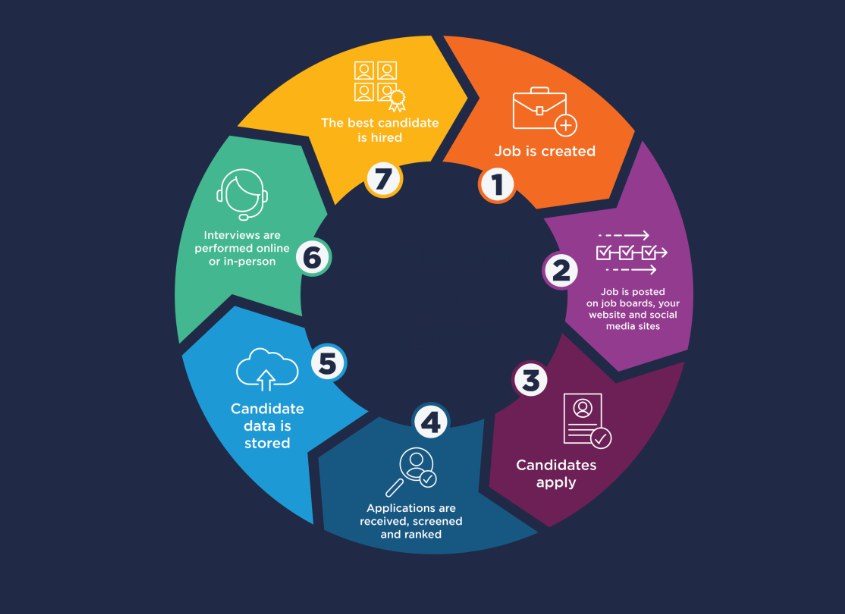
3. Pre-Qualified Candidates Arrive Ready for ATS Pipeline Management.
Because RocketReach's filters run before export, candidates landing in Bullhorn have already passed the sourcing criteria.
A search for software engineers in Austin with Python and AWS experience who changed jobs within six months produces a filtered list that, when pushed to Bullhorn, arrives as a pre-qualified group. Bullhorn Automation workflows triggered by candidate status can fire immediately on this group rather than waiting for internal screening.
Source: Bullhorn
Bullhorn Pricing
Bullhorn uses a per-seat, per-month pricing model:
Bullhorn Starter: $99/user/month (1-2 users only). Includes applicant tracking, resume parsing, client management, and email/calendar sync. Does not include Marketplace access or custom fields
Bullhorn Core: $165/user/month. Adds Marketplace access (300+ partners), custom fields and workflows, LinkedIn integration, and the email sidebar
Bullhorn Pro: Custom pricing. Adds Recruitment CRM, AI Assistant, Automation, real-time analytics, and a dedicated account manager
Enterprise agencies access Bullhorn through Recruitment Cloud tiers (Front Office, Middle Office, 360), all priced by custom quote. To use the RocketReach-Bullhorn integration, the requirement is on the RocketReach side (Pro plan or above, starting at $52/month annually). Any Bullhorn plan with Marketplace/API access will receive the data export.
Who Should Use the Bullhorn Integration?
Staffing and recruiting agencies using Bullhorn as their ATS that want to source passive candidates with verified personal email addresses and direct phone numbers, contact types that LinkedIn InMail cannot reliably provide
Teams filling hard-to-source roles in healthcare, legal, or technology that need candidate data (including NPI-searchable provider records) beyond what general job boards surface
Agencies where sourcing and ATS workflows are separate and recruiters manually re-enter candidates into Bullhorn, creating a copy-paste bottleneck the native integration eliminates
6. Zapier: Best RocketReach Integration for Connecting Contact Data to Any Tool in Your Stack
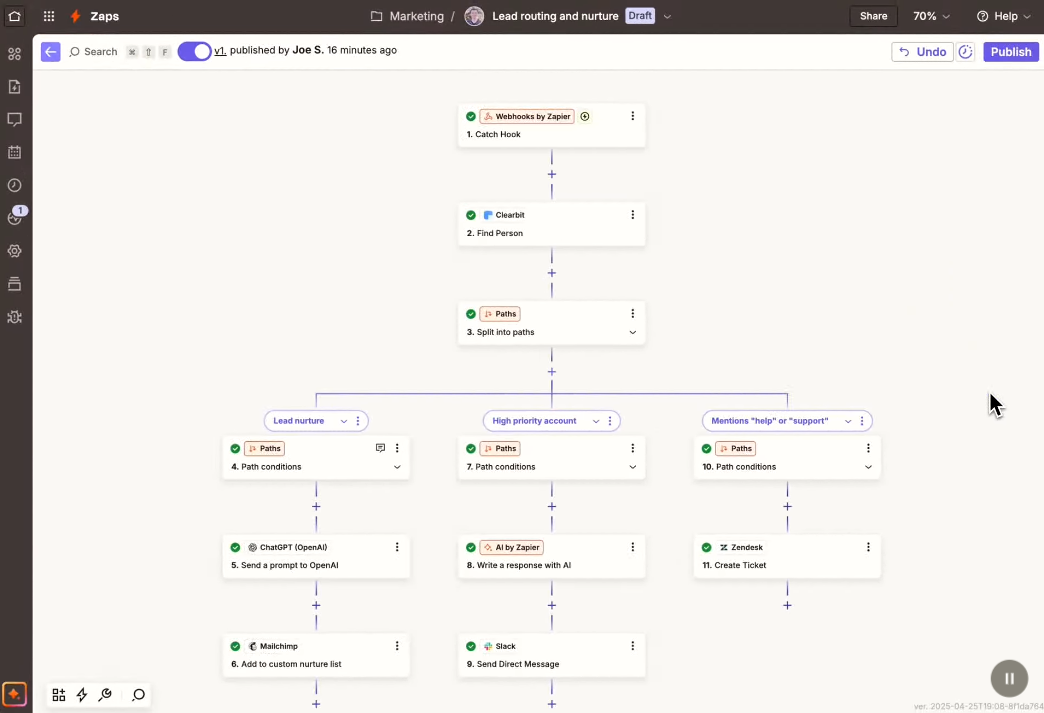
Zapier is a no-code automation platform that integrates with RocketReach to route unlocked contact data into more than 8,000 downstream applications, covering every tool in a modern sales, marketing, or recruiting stack that sits outside RocketReach's five other native integration slots.
Source: Zapier
Key integration capabilities include:
Connect RocketReach contact data to 8,000+ apps, including Google Sheets, Airtable, Slack, Microsoft Teams, Gmail, Notion, Pipedrive, and thousands of others without writing code
Trigger real-time Slack or Microsoft Teams notifications when a qualifying contact is unlocked in RocketReach
Automatically write each newly unlocked contact as a new row in Google Sheets or Airtable, creating a lightweight contact database for teams without a CRM
Build inbound lookup Zaps where events in other tools trigger RocketReach contact searches that pass results back into the originating workflow
Chain RocketReach data through multi-step automation pipelines with conditional logic and data transformation
How Zapier Integrates with RocketReach
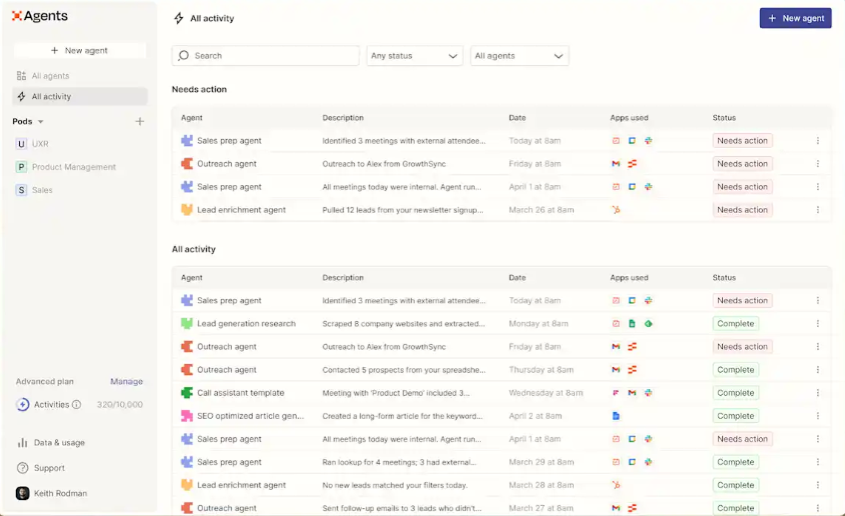
RocketReach is a native integration partner in Zapier's app directory, configured entirely inside Zapier's dashboard. After authenticating a RocketReach account via OAuth, users select RocketReach as the trigger or action app and configure the workflow.
Source: Zapier
The RocketReach knowledge base maintains a dedicated Zapier setup guide. The integration requires a RocketReach Pro, Ultimate, or Custom plan.
1. No-Code App Connectivity Beyond RocketReach's Five Native Integrations.
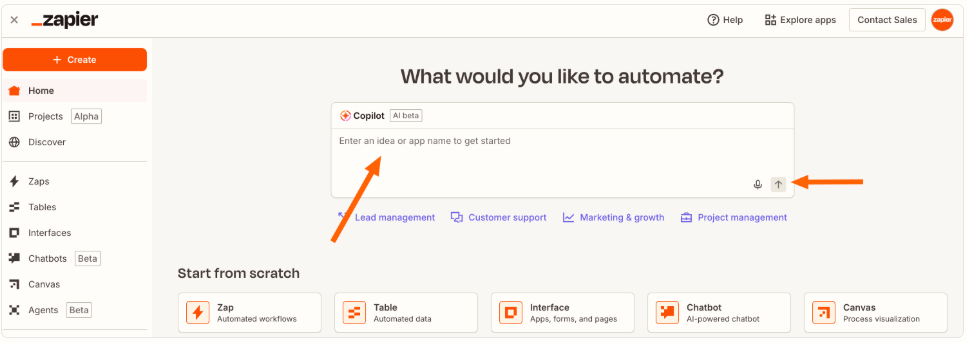
RocketReach's native suite covers Salesforce, HubSpot, Outreach, Salesloft, and Bullhorn. Any tool outside those five has no direct connection. Zapier fills that gap without engineering involvement. Zapier's Copilot accepts plain-language descriptions ("when I unlock a RocketReach contact, add a row to my Google Sheet and send me a Slack message") and generates the Zap automatically.
A recruiting team using Greenhouse can route RocketReach candidate data to their ATS. A startup sequencing outbound through Instantly can push verified contacts automatically.
2. Real-Time Alerts for High-Value Contact Unlocks.
A Zap with a Filter step passes only contacts meeting specific criteria (VP-level or above, at a company with 200+ employees, in a target industry) and fires a Slack or Microsoft Teams notification to the responsible SDR.
Filters do not consume tasks, so added selectivity carries no extra cost. The notification can include every field RocketReach surfaces: verified email, email grade, direct phone, company name, job title, and LinkedIn URL.
3. Lightweight Contact Databases and Two-Way Pipeline Automation.
For teams without a CRM (or with one outside RocketReach's native list), Zapier offers a lightweight alternative: a Zap that writes each newly unlocked contact as a row in Google Sheets or a record in Airtable, creating a self-populating contact database.
Zapier also supports inbound flows where events in other tools trigger RocketReach lookups. A new company record in Salesforce can trigger a lookup against RocketReach to return verified decision-maker contacts, pushing results back without any rep opening RocketReach. Multi-step Zaps support up to 100 steps, and Paths add conditional branching.
Source: Zapier
Zapier Pricing
Zapier uses task-based pricing where each successful action step consumes one task:
Free: $0/month. 100 tasks/month, two-step Zaps only, 15-minute polling interval, single user
Professional: Starts at $19.99/month billed annually for 750 tasks. Multi-step Zaps (up to 100 steps), Paths, Filters, Formatter, 2-minute polling, webhooks
Team: Starts at $69/month billed annually for 2,000 tasks. Up to 25 users, shared app connections, SAML SSO, 1-minute polling
Enterprise: Custom pricing. Unlimited users, SCIM provisioning, custom data retention, advanced governance
Project task consumption before committing: a three-step Zap (RocketReach, Sheets, Slack) consumes three tasks per contact unlock. Overages bill at 1.25x the per-task rate, capped at 3x the plan's monthly limit.
Who Should Use the Zapier Integration?
Teams whose primary tools sit outside RocketReach's five native integrations that need contact data routing without a custom API integration or engineering ticket
SDRs or recruiters who need real-time Slack or Teams alerts when high-priority contacts are unlocked, enabling faster outreach without monitoring the RocketReach dashboard
Operations or growth teams that want to use RocketReach as an enrichment step inside existing automation pipelines, where events in other tools trigger contact lookups
7. Make: Best RocketReach Integration for Multi-Step Enrichment Pipeline Automation
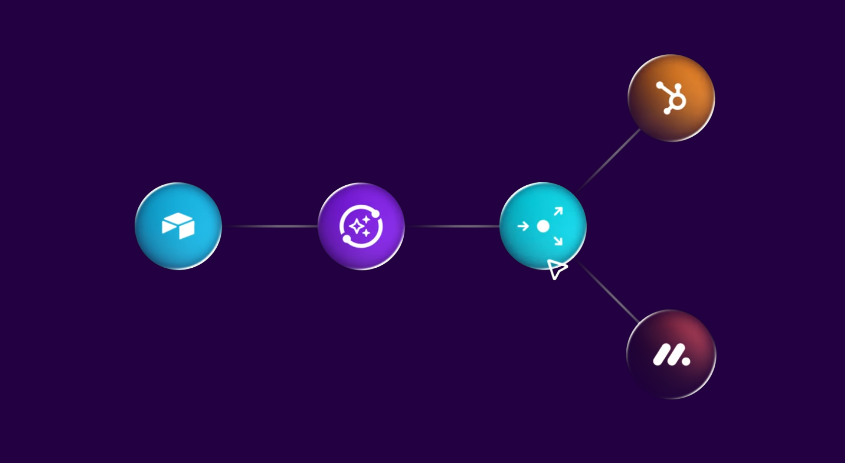
Make is a visual automation platform that integrates with RocketReach through its API via Universal Credits to enable multi-step enrichment workflows with conditional logic, data transformation, branching paths, and error-handling fallbacks.
Source: Make
Key integration capabilities include:
Visual scenario builder connecting RocketReach person lookup and company search to downstream CRMs, databases, and collaboration tools on a drag-and-drop canvas
Conditional filtering via the Router module that applies ICP criteria before a contact record is created in the target CRM
Pre-built RocketReach modules (Lookup Profile, Search Profiles, Watch Lookups, Make API Call) for graphical API access
Webhook-triggered asynchronous batch enrichment via RocketReach's bulk lookup API
Iterator and Aggregator modules for fan-out and fan-in data transformation across large contact lists
How Make Integrates with RocketReach
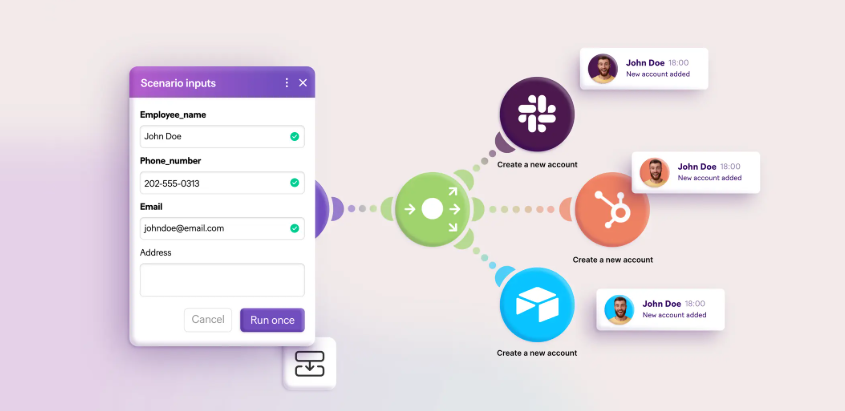
Make connects to RocketReach through its native RocketReach connector, which surfaces directly in Make's Visual Scenario Builder. Authentication uses RocketReach's API key, entered once into Make's connection manager. The integration supports both synchronous single-record lookups and asynchronous batch enrichment via webhooks.
Source: Make
1. Visual Enrichment Pipeline with Conditional Routing.
A typical pipeline starts with a trigger (a Google Sheets row added, a Pipedrive contact created, a Monday.com item updated) that fires a Make scenario pulling the contact's name and employer into RocketReach's person lookup module.
The lookup returns verified email and phone data via Universal Credits, and Make routes that enriched data downstream. The Router module branches the scenario on filter conditions: one path accepts ICP-matching records (Director or above, 100-500 employees, software industry) and pushes them to the CRM.
A second path routes off-target records to a log for review. A fallback catches lookups with no verified data. This filter-before-write design prevents the CRM from accumulating noise.
2. Iterator/Aggregator Data Transformation.
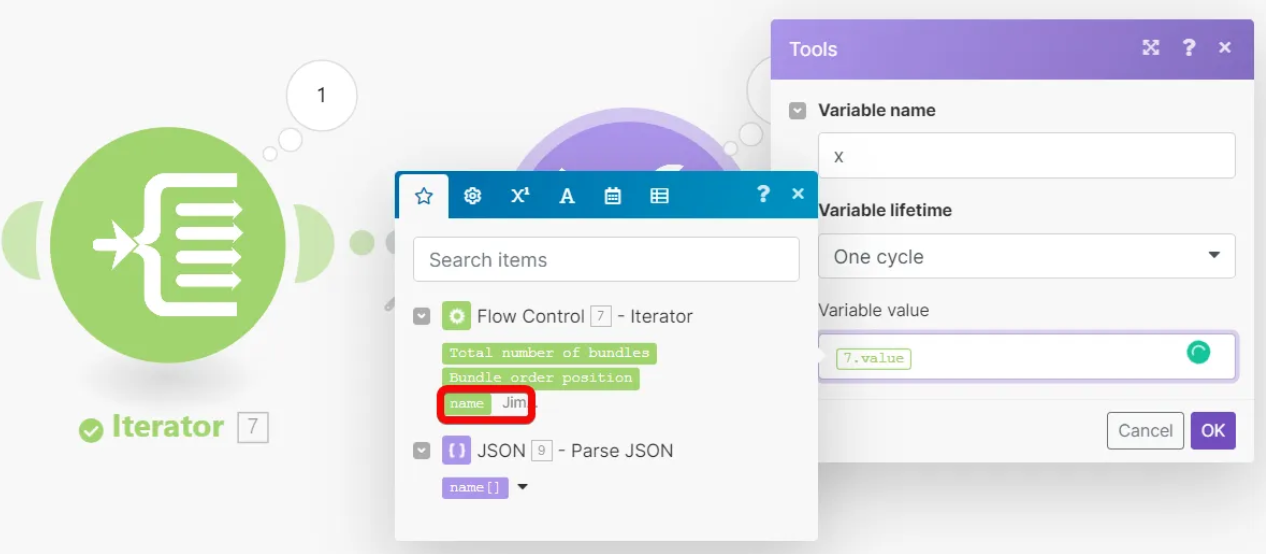
An Iterator converts a list of employees returned from a RocketReach company search into individual bundles processed sequentially, one person lookup per bundle. An Aggregator collapses multiple lookup results back into a single batch for downstream bulk export.
This fan-out and fan-in pattern is essential for enrichment operations where the trigger delivers a list and each record must be looked up individually before results are consolidated. It requires three or four connected modules in Make but cannot be expressed in tools that only support sequential, single-record trigger-action chains.
3. Webhook-Triggered Batch Enrichment.
For teams enriching large contact lists, Make supports Instant Trigger modules that fire via webhook when RocketReach delivers bulk lookup results. A scheduled scenario submits a batch to RocketReach's Bulk Person Lookup endpoint with a Make webhook URL as the callback target.
A second scenario fires when RocketReach POSTs the results back, iterating over returned profiles and routing each through the ICP filter. This async model bypasses the per-minute rate limit (50 requests/minute on Pro) that constrains real-time single-record enrichment.
Source: Make
Make Pricing
Make uses credit-based pricing where each module action consumes credits:
Free: $0/month. 1,000 credits, 2 active scenarios, 15-minute minimum interval
Core: $12/month (10,000 credits). Unlimited scenarios, 1-minute interval, API access at 60 calls/minute
Pro: $21/month (10,000 credits). Priority execution, full-text log search, 120 API calls/minute
Teams: $38/month (10,000 credits). Parallel scenario execution, shared templates, team roles
Enterprise: Custom pricing. On-prem agent, audit logs, SSO enforcement
Make's credit consumption should be planned alongside RocketReach's Universal Credits cost. A pipeline that looks up professional emails consumes 2 Universal Credits per profile in RocketReach, plus approximately 4 Make credits per contact processed end-to-end (trigger, lookup call, router evaluation, CRM write).
Who Should Use the Make Integration?
Data operations and RevOps teams that need conditional routing and ICP filtering before records reach the CRM, where a linear trigger-action tool cannot express the branching logic
Teams building enrichment pipelines that connect RocketReach to systems without a native connector: Pipedrive, Monday.com, Google Sheets, or Bullhorn at scale
Organizations running periodic batch enrichment (monthly CRM refreshes, inbound lead enrichment, Autopilot-generated contact sets) that need webhook-triggered async processing to handle volume without hitting rate limits
Also Worth Considering: ZoomInfo
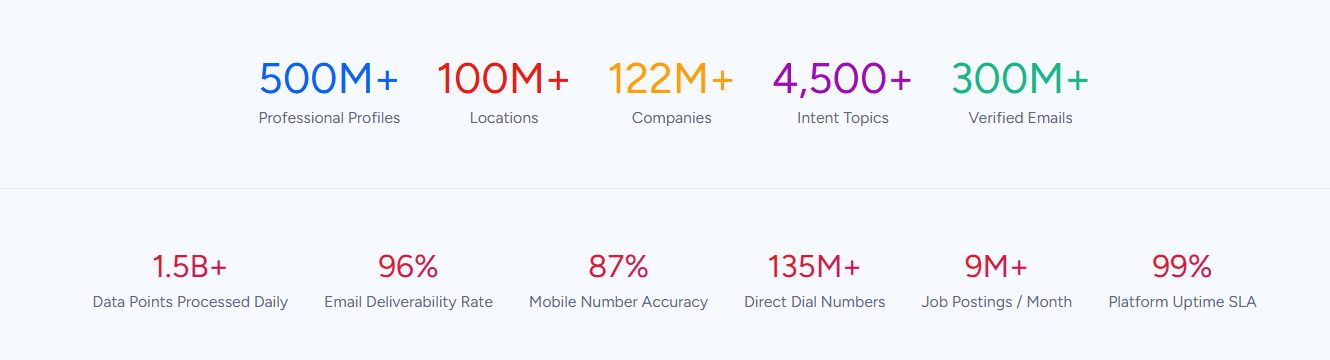
ZoomInfo is a B2B data and intelligence platform built on 500M contacts, 100M companies, 135M+ verified phone numbers, and 200M+ verified business email addresses. While ZoomInfo and RocketReach do not share a direct integration, both platforms serve the same audience: B2B revenue teams that depend on accurate contact data to build pipeline.
Source: ZoomInfo
Teams using RocketReach for contact discovery often hit a ceiling when their needs expand beyond verified emails and phone numbers into buyer intent signals, technographic intelligence, and AI-driven GTM orchestration. ZoomInfo fills that gap.
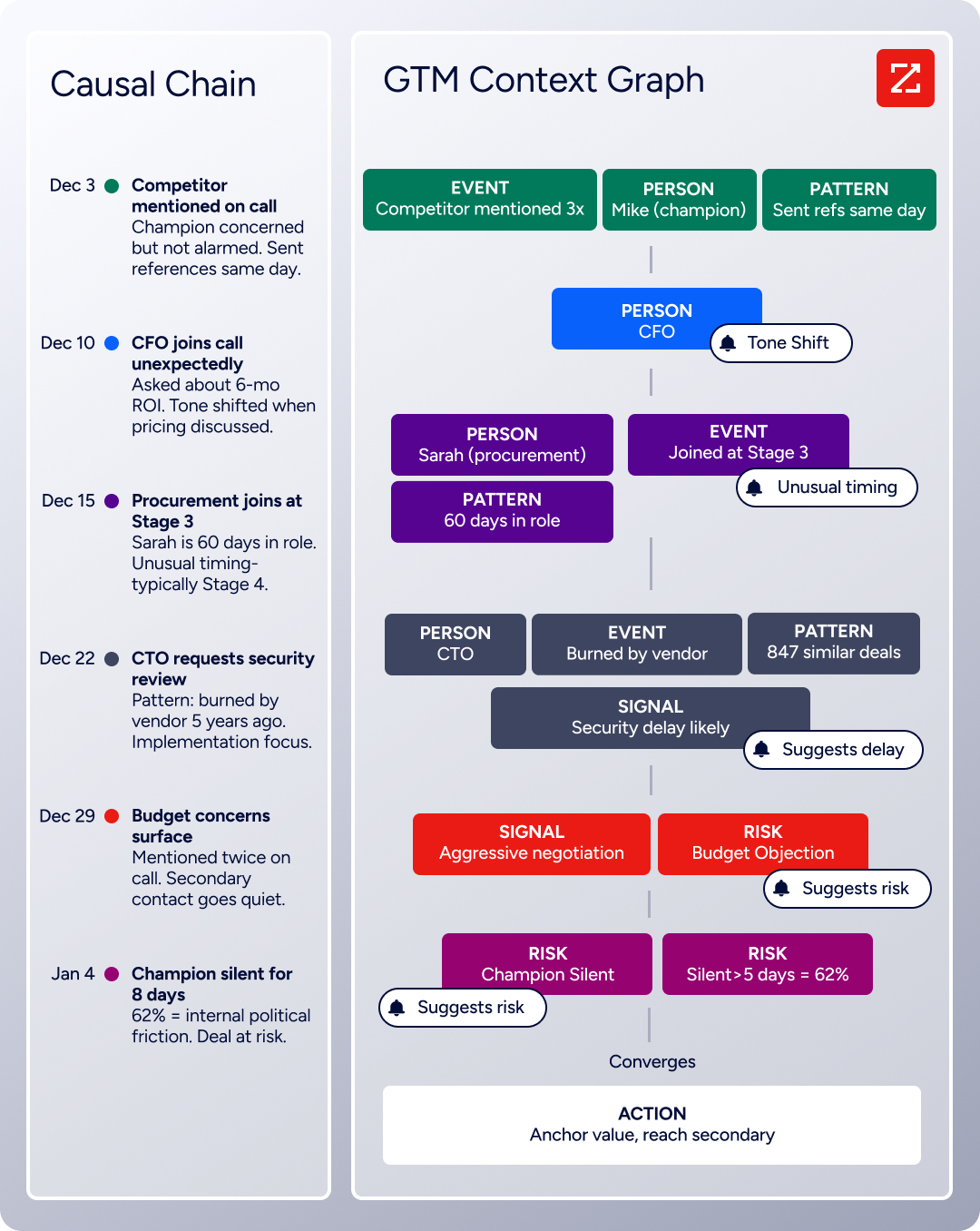
Where RocketReach delivers verified contact data and basic intent signals via its Intentsify partnership, ZoomInfo's GTM Context Graph processes 1.5B+ data points daily, combining its B2B database with CRM records, conversation intelligence, and behavioral signals into a single intelligence layer.
Source: ZoomInfo
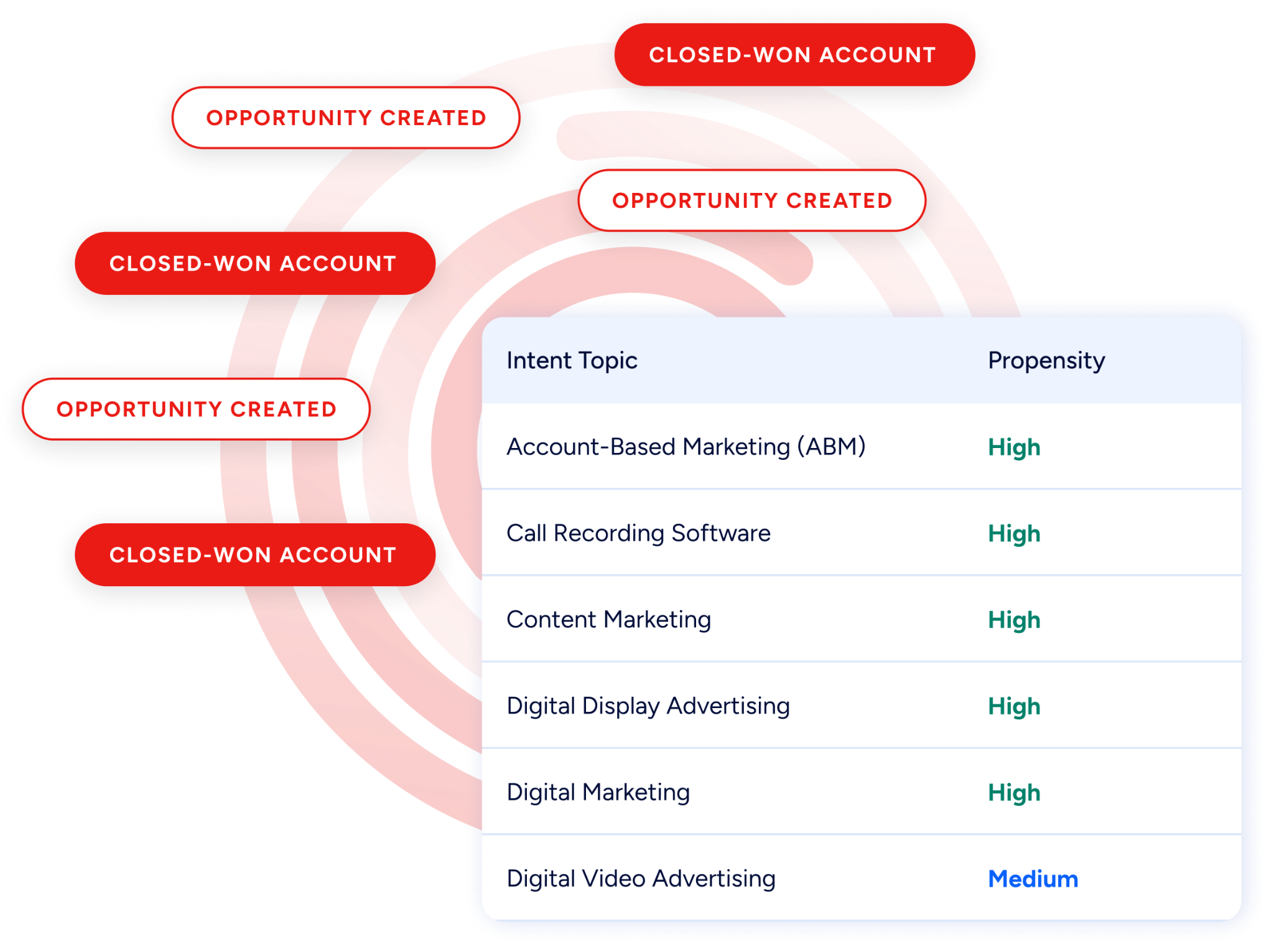
Buyer Intent tracks signals from 210 million IP-to-Organization pairings and 6 trillion+ new keyword-to-device pairings monthly, and Guided Intent (exclusive to ZoomInfo) identifies the research topics historically correlated with deal success in your business. Technographic data covers 30,000+ technologies across 30+ million companies.
Source: ZoomInfo
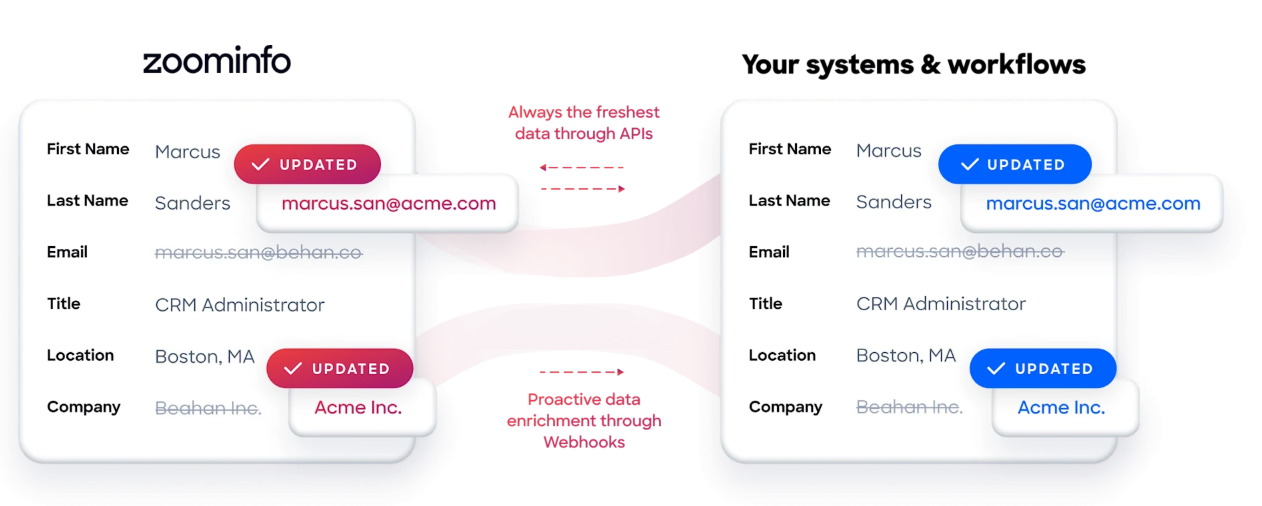
ZoomInfo integrates natively with many of the same tools in the RocketReach ecosystem, including Salesforce and HubSpot, and offers API and MCP access that extends its intelligence to any tool or AI agent. For teams whose pipeline depends on more than contact lookup (knowing which accounts are actively in-market, what technology stack they run, and why deals move or stall), ZoomInfo provides the data depth and contextual intelligence that contact discovery platforms are not built to deliver.
Source: ZoomInfo
ZoomInfo uses a consumption-based pricing model with custom quotes. ZoomInfo Lite is a permanent free tier (no credit card, no time limit) with 10 monthly export credits, searches, the Chrome extension, and CRM integrations.
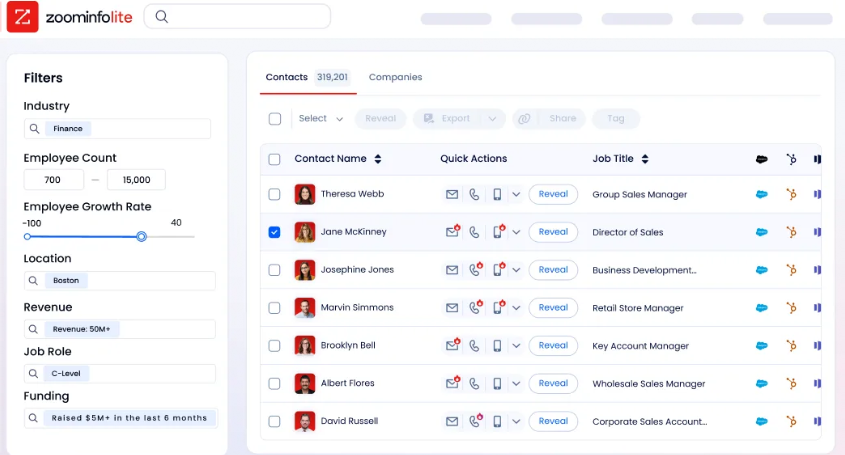
Source: ZoomInfo
Seismic's sales team attributed 39% of active pipeline to opportunities identified or influenced by ZoomInfo signals, reporting 54% productivity gains and saving 11.5 hours per week per seller. (Seismic Case Study)
Final Verdict
The best RocketReach integrations move verified contact data into the systems where your team works:
Salesforce: enterprise CRM record control with 50+ field mappings, deduplication, and re-export updating
HubSpot: inbound lead enrichment and outbound list building with custom property mapping and auto-export
Outreach: real-time sequence assignment that eliminates the CSV export-import cycle
Salesloft: multi-channel cadence execution with AI personalization fed by verified contact data
Bullhorn: recruiting ATS integration with specialist healthcare, legal, and technology talent pool access
Zapier: no-code connectivity to 8,000+ apps for alerts, lightweight databases, and inbound lookup workflows
Make: multi-step enrichment pipelines with conditional routing, batch processing, and webhook-triggered automation
These integrations also work together. A team might run Salesforce as the CRM, Outreach or Salesloft for sequencing, Slack alerts via Zapier for high-value contact notifications, and Make for batch enrichment of existing CRM records, all fed by the same RocketReach contact data.
If your prospecting needs extend beyond contact data into buyer intent signals, technographic intelligence, and AI-driven GTM orchestration, ZoomInfo provides the depth that contact discovery platforms are not built for. ZoomInfo Lite is a permanent free tier, so you can evaluate how verified data and intent signals complement your existing RocketReach workflow before committing.
Frequently Asked Questions
How many integrations does RocketReach support?
RocketReach offers six native integrations: Salesforce, HubSpot, Outreach, Salesloft, Bullhorn, and Zapier.
Beyond these, the RocketReach REST API with Universal Credits supports programmatic connections to any tool with an API, and a Model Context Protocol (MCP) server extends RocketReach data to AI agents including Claude and ChatGPT. Through Zapier and Make, RocketReach data can reach more than 8,000 additional applications without custom code.
Do RocketReach integrations work on the free or Essentials plan?
Native integrations (Salesforce, HubSpot, Outreach, Salesloft, Bullhorn) require a Pro plan or higher. Essentials subscribers cannot access native connectors and must use the Zapier integration or the RocketReach API to bridge data to external tools.
The Zapier integration itself also requires Pro or above. API access is available on all paid plans, though rate limits and monthly quotas scale by tier.
Can I connect RocketReach to tools without a native integration?
Yes. Zapier connects RocketReach to 8,000+ applications through no-code trigger-action workflows. Make provides a visual scenario builder with conditional routing and batch processing for more complex pipelines, connecting to 3,000+ apps.
For fully custom integrations, the RocketReach REST API supports person search, company search, and bulk lookup endpoints with webhook delivery for asynchronous processing. The MCP server allows AI agents to call RocketReach search and lookup as named tools.
Is RocketReach data pushed to integrations in real time?
Native integrations (Salesforce, HubSpot, Outreach, Salesloft, Bullhorn) push contact data when a user exports a contact or when auto-export is enabled, both of which happen in near real time. Zapier uses polling triggers that check for new events at intervals tied to the plan tier: every 15 minutes on Free, 2 minutes on Professional, and 1 minute on Team and Enterprise. Make supports both polling and instant webhook triggers for real-time execution.
How does RocketReach prevent duplicate records in my CRM?
All native integrations include automatic deduplication. Before pushing a contact, RocketReach checks for existing records in the connected system. If a match is found, the export updates the existing record rather than creating a duplicate.
The Salesforce integration also supports re-export updating: re-exporting a contact whose RocketReach profile has changed overwrites the existing CRM record with current data, keeping records fresh without a separate enrichment tool.
Does RocketReach send engagement data back from connected tools?
Native integrations are primarily one-way: RocketReach pushes contact data into external tools, but engagement data (email opens, reply rates, sequence completions) from tools like Outreach and Salesloft does not flow back into RocketReach.
The Salesforce integration added bidirectional sync in late 2025, enabling RocketReach data updates to overwrite existing Salesforce records. For teams needing engagement data alongside contact data, reporting stays in the engagement or CRM platform.
What is the best way to add verified B2B data and buyer intent signals to a RocketReach workflow?
For teams whose pipeline depends on more than contact lookup, a dedicated B2B intelligence platform provides the most complete data layer. ZoomInfo covers 500M contacts, 100M companies, 135M+ verified phone numbers, and 200M+ verified business email addresses.
Its Buyer Intent data tracks signals from 210 million IP-to-Organization pairings monthly, with Guided Intent identifying the research topics historically correlated with deal success in your business.
ZoomInfo integrates natively with Salesforce and HubSpot (the same CRMs in the RocketReach ecosystem), and its API and MCP access extend the intelligence to any tool or AI agent. ZoomInfo Lite is a permanent free tier for evaluating data quality before committing.
