

Wappalyzer is a technographic intelligence platform that helps sales and GTM teams identify the technologies websites use and turn those insights into prospect lists. With over 2.5 million browser extension users and a catalog of 8,028 web technologies across 106 categories, it's a solid entry point for technology-based prospecting.
But as your go-to-market strategy grows, you may find that knowing what technologies a prospect uses is only one piece of the puzzle. Wappalyzer's contact data is provided "on an as-is basis" with no accuracy guarantees, it cannot detect server-side or hidden technologies, and it offers no behavioral intent data or buying signals beyond website stack changes.
That's where this guide comes in. Whether you're looking to:
Access verified B2B contact data alongside technographic intelligence
Analyze historical technology adoption trends spanning decades for strategic decisions
Build verified outbound lists combining technographics with job-level targeting on an SMB budget
Detect proprietary code implementations and niche technologies at the source code level
Identify backoffice and enterprise software adoptions invisible to web scrapers
Get unlimited, free technology detection with no account or budget required
Perform simple, affordable CMS and platform identification without enterprise complexity
We'll explore alternatives that address each of these needs.
Some teams will use these tools alongside Wappalyzer to fill gaps. Others will replace it with a platform better suited to their needs. This isn't about finding a "better" tool. It's about finding the right fit for your go-to-market needs.
Here are the Wappalyzer alternatives, and what each does best.
The Best Wappalyzer Alternatives | |
|---|---|
Best Alternative for B2B Intelligence Beyond Technographics We chose ZoomInfo because it combines B2B data (500M contacts, 100M companies, 200M+ verified emails) with buyer intent signals, AI-powered GTM workflows, and technographics in one platform, giving teams what technology detection alone cannot. | |
Best Alternative for Historical Technology Intelligence and Market Analysis We chose BuiltWith because its 41+ years of historical technology tracking data and market share analysis tools provide the intelligence needed for strategic decisions, competitive benchmarking, and investment analysis. | |
Best Alternative for Verified Contacts with Technographic Filtering We chose UpLead because it combines 95% verified email accuracy with technographic and job-level filtering in a single query, giving SMB sales teams prospect lists without the "as-is" contact data risk. | |
Best Alternative for Source Code-Level Technology Detection We chose NerdyData because it searches actual website source code rather than relying on predefined technology catalogs, making it the only tool that can detect proprietary SDKs, custom implementations, and niche technologies that standard scanners miss. | |
Best Alternative for Detecting Non-Web Backoffice Technologies We chose Bloomberry because it detects CRMs, ERPs, DevOps platforms, and AI products that leave no website footprint, using DNS records and certificate transparency logs to surface buying signals months before web scrapers can. | |
Best Free Alternative for Zero-Cost Technology Detection We chose WhatRuns because it provides unlimited technology detection, including fonts and WordPress themes, with no account signup, no usage caps, and no paid tier required. | |
Best Alternative for Simple, Affordable CMS and Platform Detection We chose StackCrawler because it delivers CMS, ecommerce, and hosting detection at the lowest price in the category, with bulk scanning and lead list features that cover the basics without enterprise overhead. |
What is Wappalyzer?
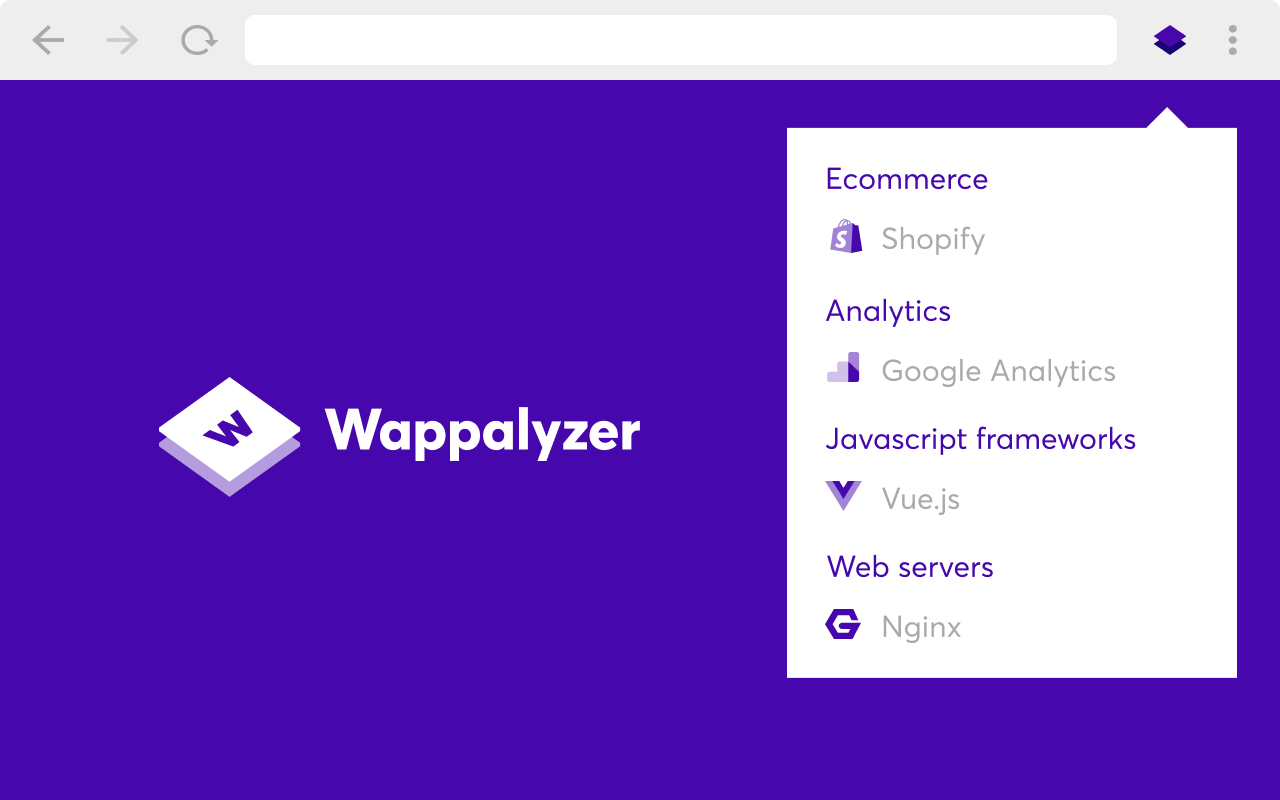
Wappalyzer is a technographic intelligence platform for sales and go-to-market teams. It identifies the technologies websites use and turns those signals into prospect lists and CRM enrichment data. Founded in 2008 as a browser extension by Elbert Alias, Wappalyzer grew from a developer utility into a SaaS platform serving sales teams at B2B companies.
Its key features include:
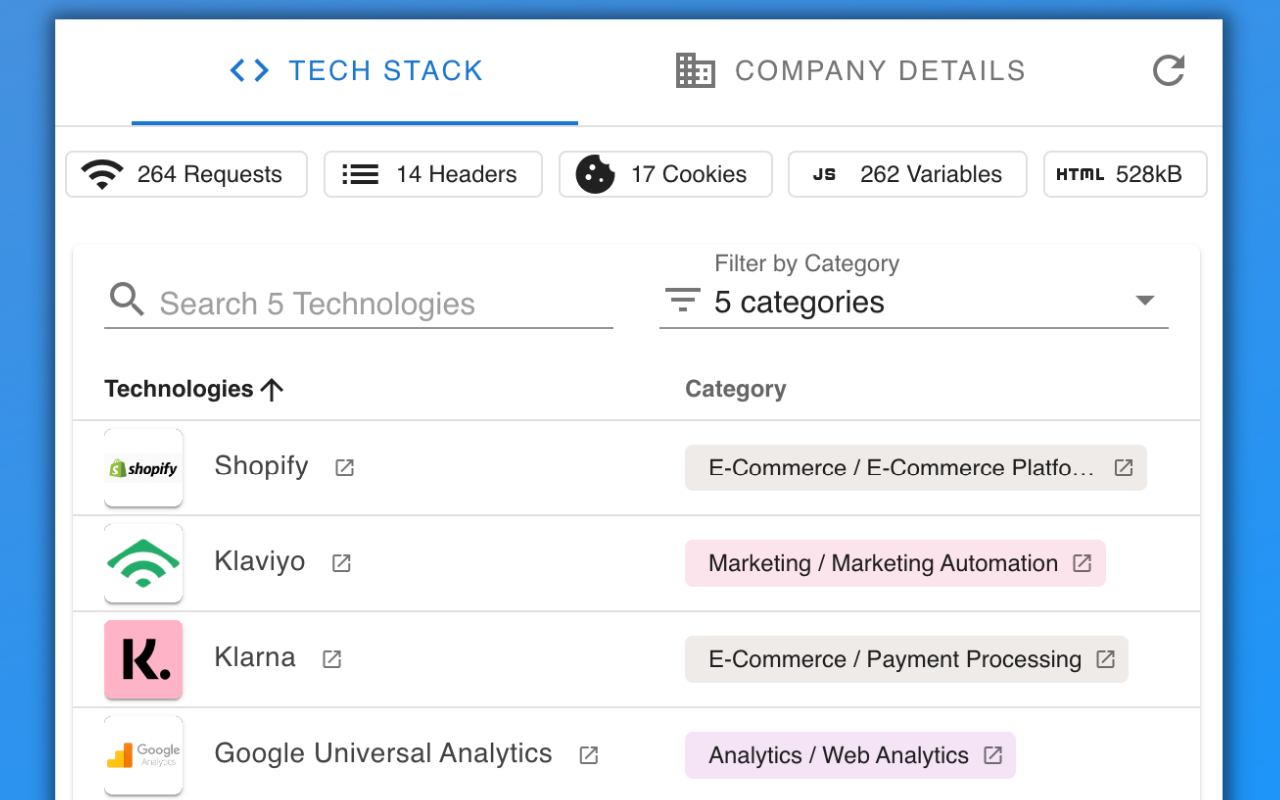
Lead lists filtered by technology, keyword, industry, company size, traffic, and geography
Technology lookup for identifying the full tech stack of any website
Email verification to reduce bounce rates before outbound campaigns
Website alerts that notify you when a tracked site adds or removes a technology
Browser extensions for Chrome, Firefox, Edge, and Safari
CRM integrations for Salesforce, HubSpot, and Pipedrive
API and MCP access for automated enrichment workflows
Source: Chrome Web Store
Wappalyzer detects technologies by analyzing public website signals, including HTML code, scripts, headers, cookies, and other fingerprints, combining data from its in-house crawlers with anonymized signals from its 2.5 million browser extension users. Technologies are re-verified at least once a month, and company details are refreshed quarterly.
The platform excels for teams whose ICP is defined by technology fit, such as SaaS vendors targeting HubSpot users or agencies prospecting Shopify stores. But as your needs grow beyond technology-first prospecting, you may need verified contact data with accuracy guarantees, buyer intent signals that reveal when accounts are actively researching, historical trend analysis for strategic decisions, or detection of backend technologies invisible to web scrapers.
That's why we've focused on platforms that address gaps in Wappalyzer's approach.
Looking for B2B intelligence beyond technographics? ZoomInfo combines verified contact data, buyer intent signals, and AI-powered GTM workflows. Learn more about ZoomInfo.
How We Curated Our List of Wappalyzer Alternatives
After testing Wappalyzer and researching the technographic intelligence market, we found that teams often need more than technology-based prospecting for an effective go-to-market motion. While Wappalyzer is strong at identifying which technologies a website uses, many businesses need more:
Verified B2B contacts, buyer intent signals, and AI-driven GTM intelligence in one platform
Decades of technology adoption trend data for market research and strategic investment decisions
Affordable, verified prospect lists that combine technographics with job-level targeting
Detection of proprietary or custom code implementations that standard technology catalogs miss
Identification of enterprise software adoptions (CRMs, ERPs, DevOps tools) that leave no public website trace
Reliable technology detection at zero cost with no usage limits
Quick, affordable CMS and platform lookups without enterprise complexity
Each tool on this list leads in one of these areas. You might use them alongside Wappalyzer to fill a gap, or adopt one as a more complete replacement; it depends on what your GTM strategy needs.
DISCLAIMER: We aren't covering every single tool in the market! Our focus is on highlighting the best alternatives that address some of Wappalyzer's limitations for various use cases. The goal is to provide insights into tools that cater to specific business needs. |
|---|
1. ZoomInfo: Best Alternative for B2B Intelligence Beyond Technographics
ZoomInfo is an AI GTM platform built on a B2B data foundation of 500M contacts, 100M companies, 135M+ verified phone numbers, 120M direct-dial phone numbers, and 200M+ verified business email addresses. Its key features include:
B2B data: Verified contacts, company attributes, org charts, and technographics tracking 30,000+ technologies across 30M+ companies
Buyer intent signals: 210 million IP-to-Organization pairings and 6 trillion+ keyword-to-device pairings that reveal when accounts are actively in-market
GTM Context Graph: A single intelligence layer that processes 1.5B+ data points daily to capture not just what happened in a deal, but why it happened
Multiple interfaces: GTM Workspace for sellers, GTM Studio for marketers and RevOps, and APIs and MCP for any third-party tool or AI agent
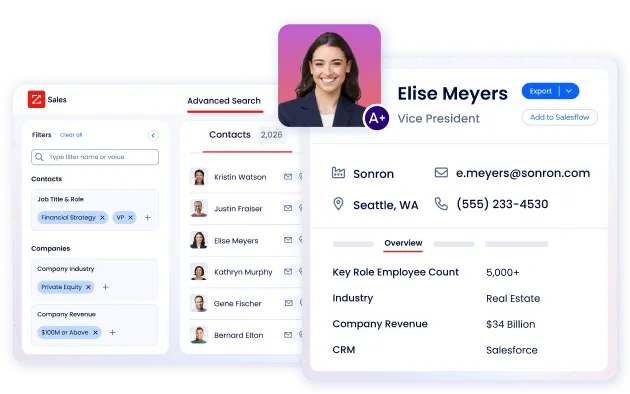
For teams that have outgrown technology-first prospecting, ZoomInfo provides everything Wappalyzer offers in technographics, plus verified contact data, intent signals, conversation intelligence, and AI-powered execution. An independent consultant analyzing 25 million contacts across vendors concluded "no other competitor came even close" to matching ZoomInfo's data.
Why Choose ZoomInfo Over Wappalyzer for Full-Stack GTM Intelligence
While Wappalyzer helps you identify which technologies a prospect uses, ZoomInfo gives you the full picture: who to contact, when to engage, and what to say. Here's where ZoomInfo expands beyond what technology detection alone can deliver.
Verified B2B Contact Data: Reach Decision-Makers Directly
Wappalyzer provides contact information "on an as-is basis" with no accuracy guarantees, so teams exporting lead lists can't count on the emails or phone numbers working. ZoomInfo addresses this with 200M+ verified business email addresses and 135M+ verified phone numbers, verified through a process using NLP, AI, ML, and 300+ human researchers that achieves up to 95% accuracy on first-party data.
Beyond accuracy, ZoomInfo's contact data goes deeper than a technographics-only platform can: department org charts with decision-makers' direct dials, 300+ company attributes for market segmentation, job-change alerts via Contact Tracker, and parent-child company hierarchy relationships. For teams building outbound campaigns, the difference between "as-is" contact data and verified, enriched profiles determines whether a list generates pipeline or damages sender reputation.
ZoomInfo in Action: Your team identifies Shopify Plus merchants using Wappalyzer's technographic data, but needs to reach the VP of Ecommerce, Director of Marketing, and Head of Analytics at each company. With ZoomInfo, you search those specific job titles at Shopify-using companies, see their verified direct dials and business emails, review the org chart to understand reporting relationships, and export directly to your CRM or sequencing tool. No separate enrichment step, no bounced emails.
SpringDB enabled precise targeting for their clients using ZoomInfo's enriched data, achieving 2x-3x increases in campaign conversions across channels and a 300% increase in database usability. (SpringDB Case Study)
Buyer Intent Signals: Know When Accounts Are Ready to Buy
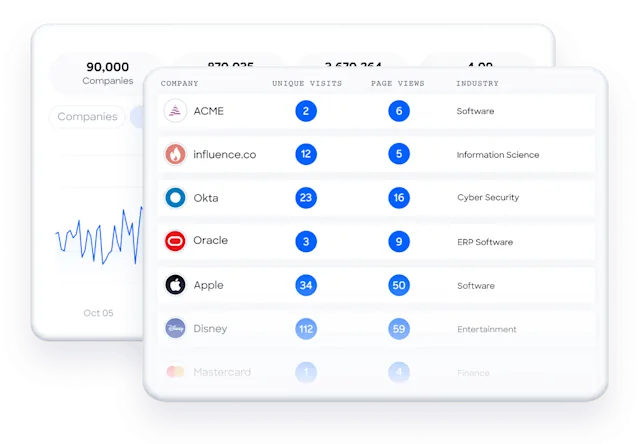
Wappalyzer's Website Alerts notify you when a tracked site adds or removes a technology, a useful timing signal. But technology stack changes represent only a fraction of buying behavior. ZoomInfo's Intent Data tracks signals from 210 million IP-to-Organization pairings and 6 trillion+ keyword-to-device pairings sourced monthly, revealing when companies are actively researching topics relevant to your product, before they make any visible technology change.
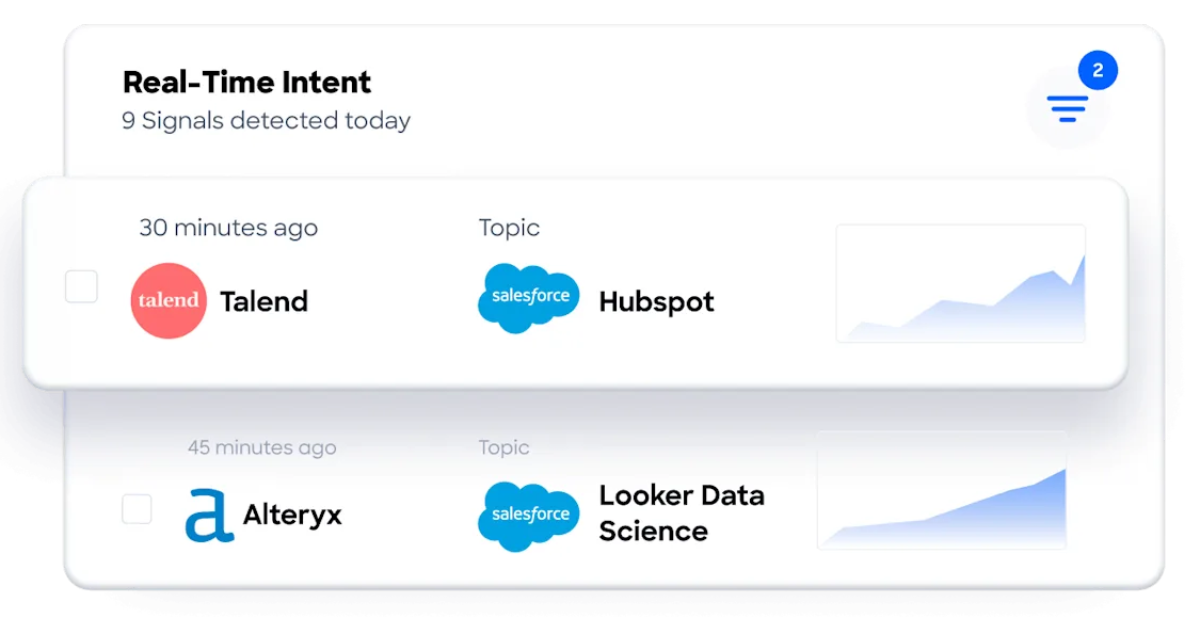
Guided Intent (exclusive to ZoomInfo) identifies topics historically correlated with your closed-won deals rather than requiring manual topic selection. Combined with WebSights, which resolves anonymous website traffic to companies and includes Automatic Traffic Filtering to separate real visitors from bots, ZoomInfo turns technology data into deal intelligence.
ZoomInfo in Action: Instead of waiting for a prospect to drop their current analytics platform (which Wappalyzer might eventually detect), ZoomInfo surfaces that the prospect's team is actively researching analytics solutions right now, that three decision-makers visited your pricing page last week, and that the company just hired a VP of Data. Those signals, layered together, tell you this account is in-market today, not three months from now when the code change finally appears on their website.
Seismic attributed 39% of active pipeline to opportunities identified or influenced by ZoomInfo signals, with their sales team boosting productivity by 54% and saving 11.5 hours per week. (Seismic Case Study)
Technographics Plus AI Context: See the Full Picture
ZoomInfo's own technographics layer tracks 30,000+ technologies across 30M+ companies from 20+ source types covering 200+ categories, with nearly 90% of active pairings updated within three months. But technology data alone, whether from Wappalyzer or ZoomInfo, only tells you what tools a company uses. ZoomInfo's GTM Context Graph combines technographics with CRM records, conversation transcripts, email interactions, and behavioral signals to capture the connections between signals and outcomes.
This is what makes AI-powered GTM work. As ZoomInfo's CPO Dominik Facher puts it: "The CRM recorded the state change. It has no record of why it happened." The GTM Context Graph captures that context, enabling AI agents to draft outreach that addresses the specific concern a prospect raised on the last call, target accounts matching your actual win patterns, and surface deal risk before it appears in CRM stage fields.
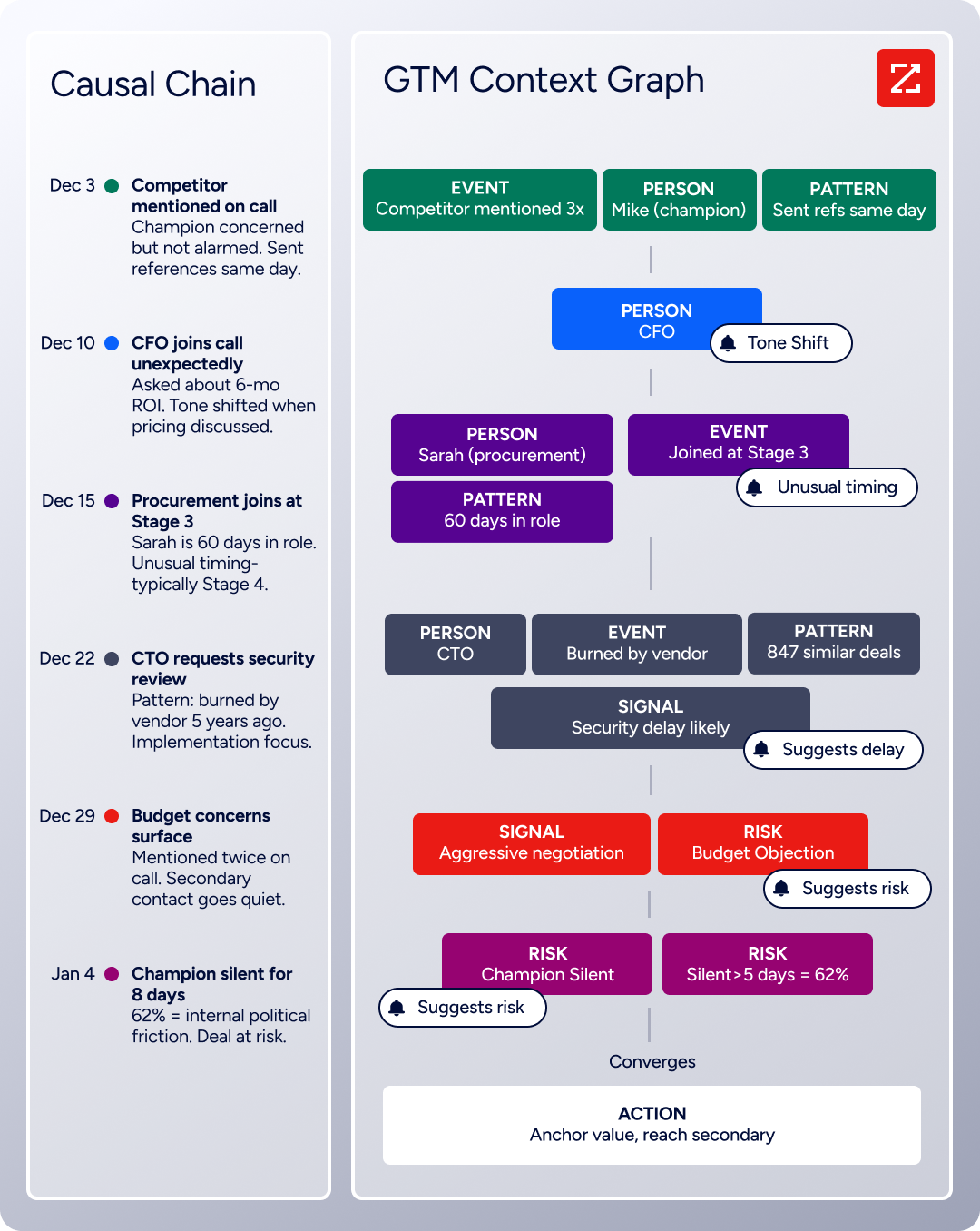
ZoomInfo in Action: You know from technographic data that a target account uses Salesforce. But ZoomInfo's GTM Context Graph tells you the CFO just joined the evaluation committee, the champion has been asking about ROI timelines (suggesting budget pressure), and accounts with this exact signal combination close 40% faster in your segment. Your AI-drafted follow-up addresses the CFO's ROI concern directly, because the system understands why it matters right now.
Access Across Tools: Use Intelligence in Any Interface
ZoomInfo's intelligence is not locked inside a single interface. GTM Workspace gives sellers one place where prioritized accounts, AI-drafted outreach, and deal execution converge. GTM Studio gives marketers and RevOps a builder where they define audiences and orchestrate campaigns in natural language. And for teams building beyond ZoomInfo's own products, APIs and MCP expose the same intelligence to any custom agent, internal tool, or partner platform. All three draw from one GTM Context Graph: the same data, the same intelligence, the same model.
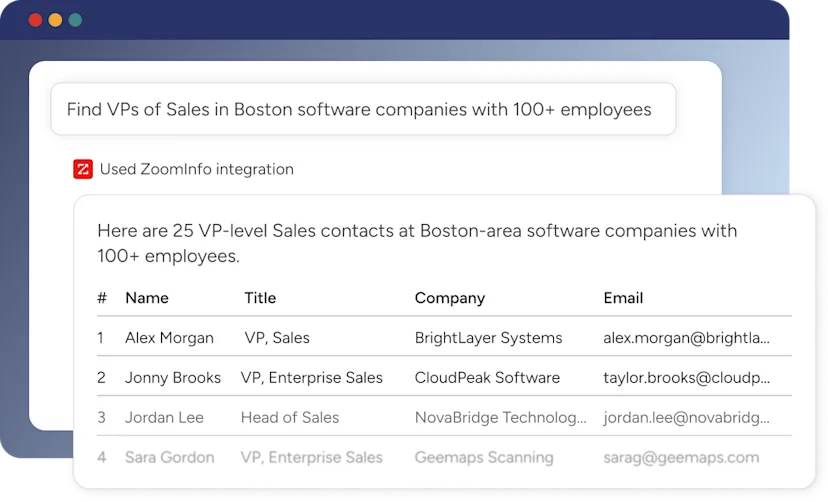
ZoomInfo in Action: A marketer in GTM Studio describes an audience in plain language ("mid-market SaaS companies using HubSpot that showed intent signals for our category in the last 30 days"), launches a multi-channel play, and watches pipeline impact in real time. The accounts that convert are automatically routed to GTM Workspace, where the seller sees an AI-generated account brief with contact details, company insights, and recommended next steps. Meanwhile, your engineering team queries the same data through MCP to power an internal lead-scoring agent. One data layer, every interface.
BDO Canada activated high-quality data directly within internal systems, achieving an 87% reduction in time spent on data dashboard updates thanks to ZoomInfo's API. "The plug-and-play aspect of the API means I can integrate it very easily into any process." (BDO Canada Case Study)
ZoomInfo Pricing
ZoomInfo uses a custom-quoted, consumption-based pricing model with no publicly listed prices for paid tiers. Pricing depends on license agreements, data access, API consumption, and AI usage, so customers pay for what they use. Costs depend on the number of seats, monthly credit volume, features required, company size, and contract length.
The platform is organized into three product lines: Sales plans (Professional, Advanced, Enterprise), Marketing plans (Marketing Demand, ABM Lite, ABM Enterprise), and standalone products like Chorus and Chat.
ZoomInfo Lite is a permanent free tier (not a trial) that includes access to ZoomInfo's B2B database with 10 monthly export credits, individual and company searches, the ReachOut Chrome Extension, WebSights Lite (up to 10 website visitor reveals per day), and HubSpot integration. No credit card or time limit required.
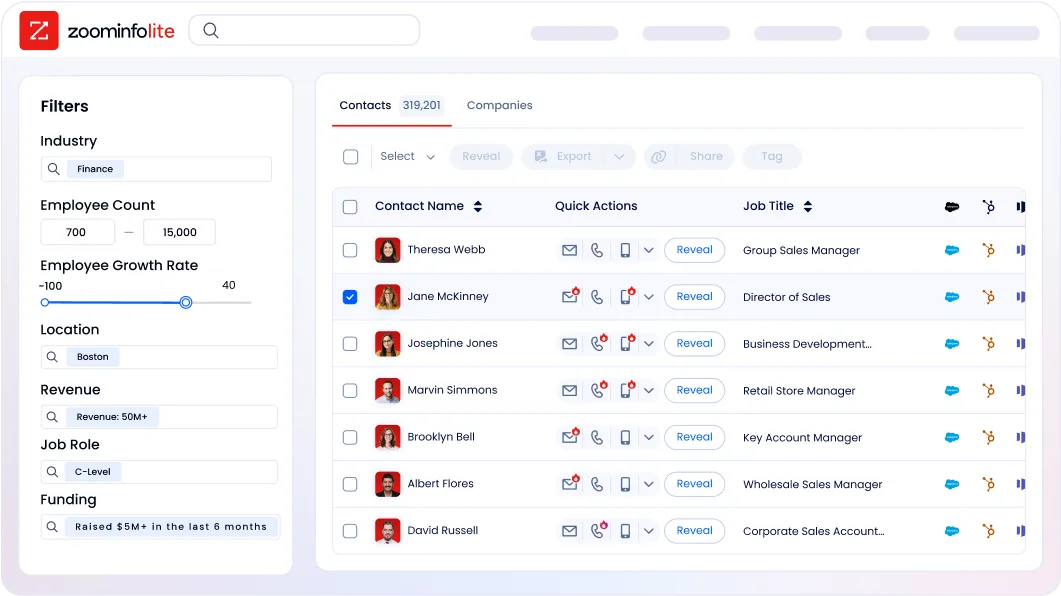
A separate 7-day free trial is also available with access to core platform features, including contact and company search, intent signals, and email outreach.
API access is included in all relevant plans.
Who Should Use ZoomInfo?
Choose ZoomInfo if:
You need more than technographic data to run your GTM motion: verified contacts with direct dials, buyer intent signals, org chart visibility, and AI-powered outreach in one platform, instead of stitching together separate tools for technology detection, contact enrichment, and intent monitoring.
You're an enterprise or mid-market B2B team with multi-stakeholder deal cycles, and you need buying committee mapping, conversation intelligence, and deal insights that technology detection alone cannot provide.
You want your intelligence layer accessible everywhere (in your CRM, in dedicated seller and marketer interfaces, via API for custom builds, or through MCP for AI agents) without being locked into a single application.
Ready to go beyond technographics? Start with ZoomInfo Lite for free or request a demo to see how B2B intelligence can improve your go-to-market execution.
2. BuiltWith: Best Alternative for Historical Technology Intelligence and Market Analysis
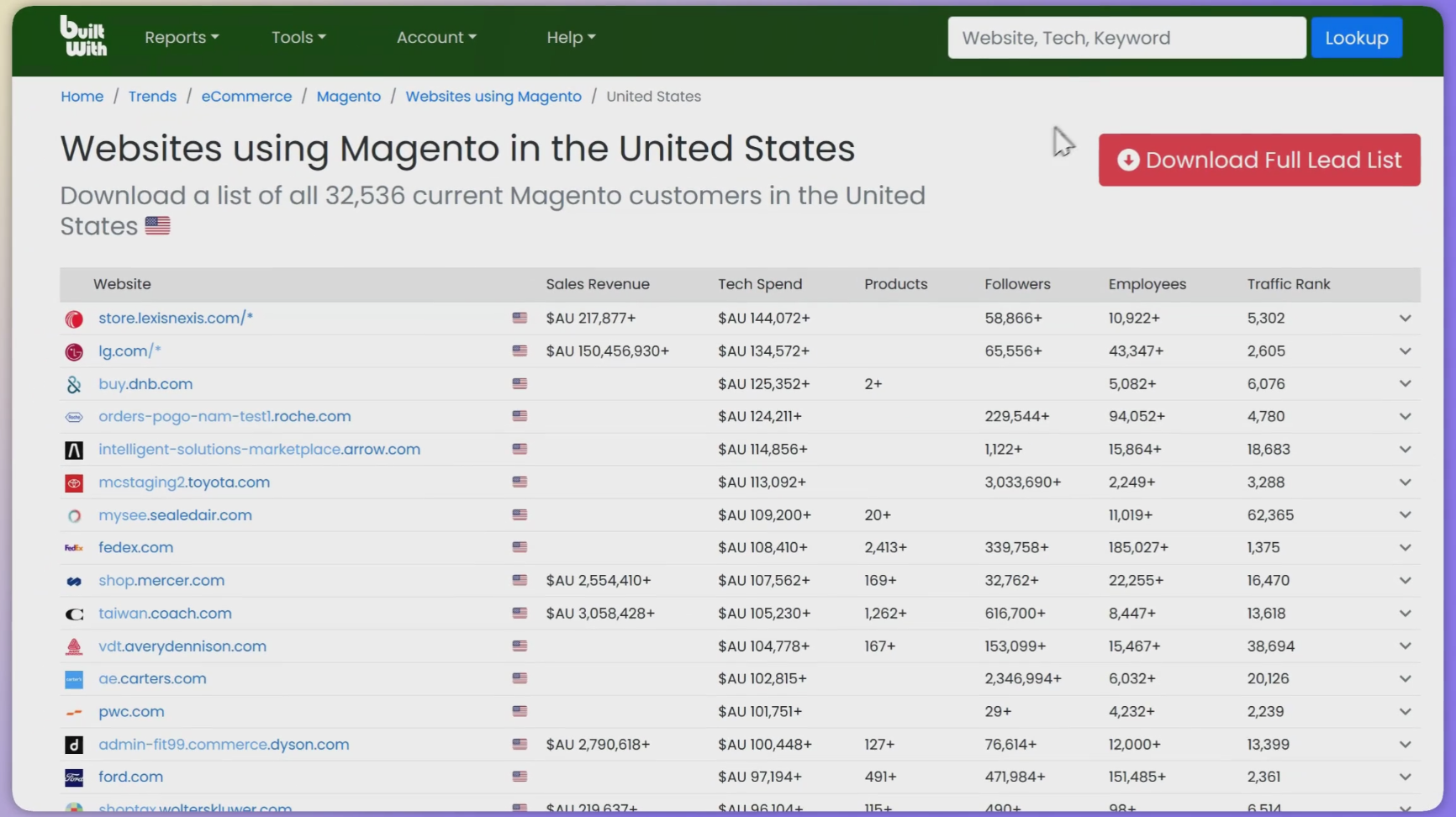
BuiltWith is a website profiling, lead generation, competitive analysis, and business intelligence platform that delivers insights into technology adoption, market share, and web usage trends. Unlike Wappalyzer's current-state detection, BuiltWith is built on historical depth and market analysis that no competitor matches. Its key features include:
Coverage: 520+ million root domains indexed across 115,907+ web technologies, with infrastructure performing at least 8.1 billion GET requests per month
Historical tracking spanning 41+ years: Technology usage data dating back to January 1985, a repository for long-term trend analysis
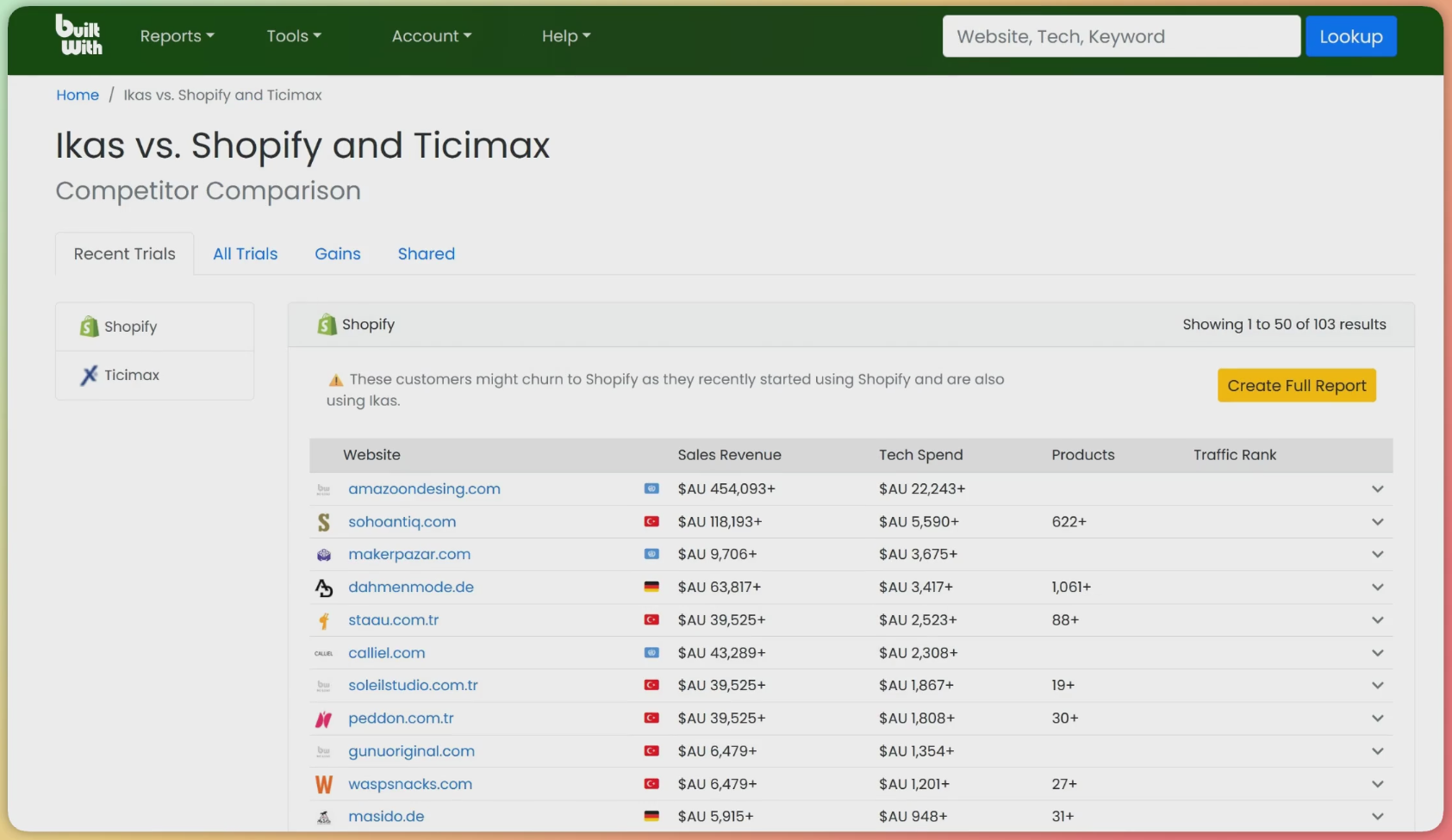
Market share and competitor analysis: Track technology customer acquisition and loss patterns with exportable competitor comparison reports
CRM integrations and API: Native connections to Salesforce, HubSpot, Pardot, Zoho, Microsoft Dynamics 365, and Close.io, plus multiple specialized API endpoints
BuiltWith serves teams that need technographic intelligence as a strategic layer, not just a prospecting tool.
Source: BuiltWith
Why Choose BuiltWith Over Wappalyzer for Enterprise Technology Intelligence
BuiltWith stands out in the following areas:
Historical Depth for Trend Analysis
BuiltWith provides technology tracking data back to January 1985, spanning 41+ years of records that capture technology installs, removals, and migrations. Wappalyzer offers up to 12 months of historic technographic data grouped by month. For teams charting how a technology's market share evolved over years, identifying inflection points, or building predictive models from observed migration patterns, no other tool in this category matches BuiltWith's depth. Its Future Customers capability recommends technologies a target site isn't using yet, based on patterns across similar websites.
Institutional-Grade Data Validation
Major institutions validate BuiltWith's data: Winton Capital, the world's sixth largest hedge fund, uses BuiltWith data for technology benchmarking, while Harvard Business School and MIT Technology Review have cited it in research. BuiltWith demonstrated its coverage through a year-long test tracking a secret domain that no competitor ever detected. This rigor makes BuiltWith suitable for strategic investment and competitive intelligence work.
Market Intelligence Beyond Technology Lookup
BuiltWith offers market share analysis covering 115,907+ technologies across nearly half a billion domains, organized into different market segments including the entire internet, top 10K, top 100K, and top 1 Million websites. The platform enables competitor comparison reports showing which websites switched between technologies, and recently launched Actionable Insights to flag companies showing buying signals through experimentation and platform migrations.
Source: BuiltWith
NOTE: We also evaluated SimilarTech (now part of Similarweb) and NerdyData for this archetype. While SimilarTech excels at technology intelligence integrated within Similarweb's broader digital market intelligence suite, BuiltWith offers the strongest combination of historical depth, database scale, and market analysis for enterprise teams.
BuiltWith Pricing
BuiltWith operates on a subscription-based pricing model with free individual site lookups forever:
Free Plan: Permanently free for individual website technology lookups
Basic Plan: $295/month or $2,950/year, limited to 2 technologies for list-based reports, 1 system login, and 2,000 upload analysis credits per month
Pro Plan: $495/month or $4,950/year (Most Popular), unlimited technologies and keywords, 1 system login, 20,000 upload analysis credits
Team Plan: $995/month or $9,950/year, unlimited logins, 100,000 API credits per month
Monthly plans can be canceled at any time.
Who Should Use BuiltWith?
Choose BuiltWith if:
Your team needs historical technology adoption data to identify long-term market trends, predict migrations, or build competitive intelligence reports based on decades of observed patterns.
You require data rigor for financial analysis, investment decisions, or board-level competitive intelligence where accuracy must withstand due diligence scrutiny.
Your primary use case centers on market intelligence and competitive analysis rather than generating prospect lists for immediate outreach.
3. UpLead: Best Alternative for Verified Contacts with Technographic Filtering
UpLead is a B2B sales intelligence platform that flips Wappalyzer's model: it starts with verified contact data and adds technographic filtering as one layer of a broader search. Where Wappalyzer provides contact information "as-is," UpLead guarantees 95% email accuracy with real-time verification at the moment of download. Its key features include:
180M+ B2B contacts with a 95% accuracy guarantee backed by a credit-refund policy
Technographic search across 27,000+ technologies integrated with 50+ search filters
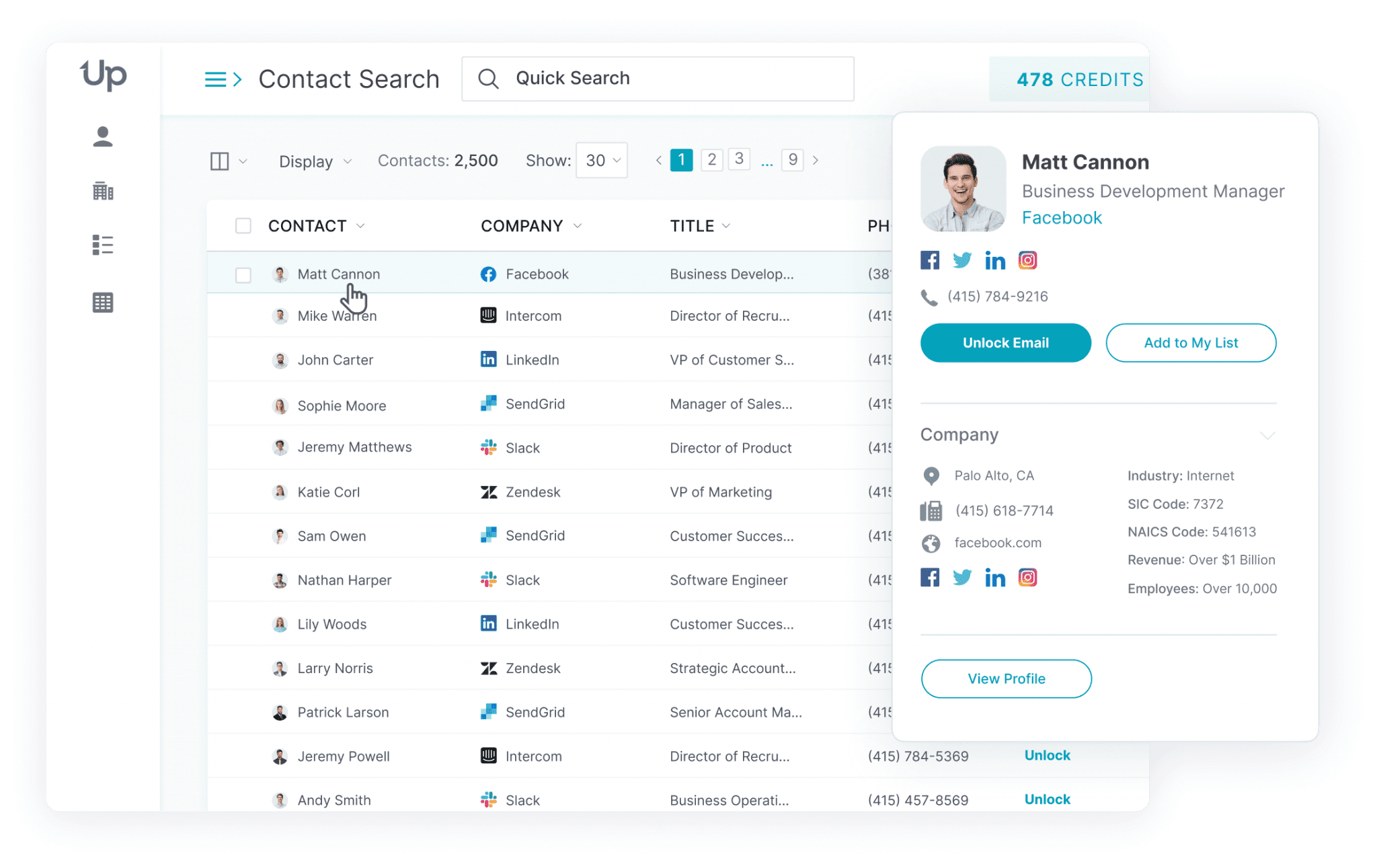
Multi-dimensional filtering: Layer technology, job title, job function, management level, company size, revenue, funding, and location in a single query
Native CRM integrations with Salesforce, HubSpot, Pipedrive, Zoho, Microsoft Dynamics 365, and 15+ outreach tools
Source: UpLead
Why Choose UpLead Over Wappalyzer for SMB Technographic Prospecting
UpLead stands out in the following areas:
Real-Time Email Verification with a 95% Accuracy Guarantee
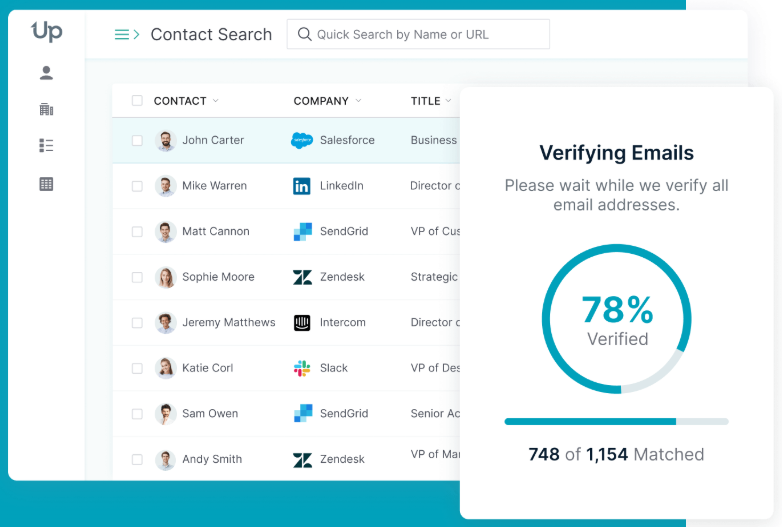
Every time a user unlocks a contact, UpLead verifies the email in real-time and assigns a status: Valid (97%+ confidence), Accept All, or Invalid. If the email is invalid, UpLead won't show it and won't charge the credit. Wappalyzer explicitly states that contact data is provided "on an as-is basis". For cold email campaigns, this gap decides whether your list produces replies or bounces.
Multi-Dimensional Filtering in One Query
Wappalyzer's lead list builder filters by technology, industry, company size, traffic, and country, but does not offer job-level targeting within the same interface. UpLead lets users filter for companies using a specific technology AND contacts with specific job titles, seniority levels, and skills in a single prospecting query, so you don't need to export a domain list and enrich contacts separately.
Transparent, Affordable Pricing for SMB Teams
UpLead's Essentials plan starts at $99/month ($74/month annual) with 170 credits, and technographic filters unlock at Plus for $199/month ($149/month annual) with 400 credits. Both include a 7-day free trial with no credit card required. Wappalyzer's Pro plan at $250/month caps users at only two technology targets per lead list, and the jump to Business at $450/month is steep for smaller teams.
Source: UpLead
NOTE: We also evaluated LeadIQ and Lusha for this archetype. While LeadIQ excels at real-time prospecting from LinkedIn, and Lusha is strong for European mobile coverage and GDPR-compliant data, UpLead offers the best combination of technographic filtering, verified contacts with a 95% accuracy guarantee, and SMB-friendly pricing.
For a full breakdown of UpLead's features and data quality, see our UpLead Review.
UpLead Pricing
UpLead operates on a credit-based subscription model:
Free Trial: 7 days, 5 credits, verified emails and mobile phones, no credit card required
Essentials: $99/month ($74/month annual), 170 credits, verified emails and direct dials, CRM integrations, additional credits at $0.60 each
Plus: $199/month ($149/month annual), 400 credits, all Essentials features plus technographics (27,000+ technologies), data enrichment, advanced filters, additional credits at $0.50 each
Professional: Custom pricing (annual only), all Plus features plus buyer intent data, full API access, bi-directional CRM sync, and dedicated success manager
For a detailed look at credits and tier inclusions, see our UpLead Pricing guide.
Who Should Use UpLead?
Choose UpLead if:
You're building cold outbound lists where email deliverability directly impacts campaign ROI and sender reputation, and you need guaranteed accuracy rather than "as-is" contact data.
Your prospecting workflow requires layering technology signals with job title, seniority, and intent filters in a single search without exporting and enriching separately.
You need affordable access to both technographic intelligence and verified contacts without enterprise contracts or sales calls.
4. NerdyData: Best Alternative for Source Code-Level Technology Detection
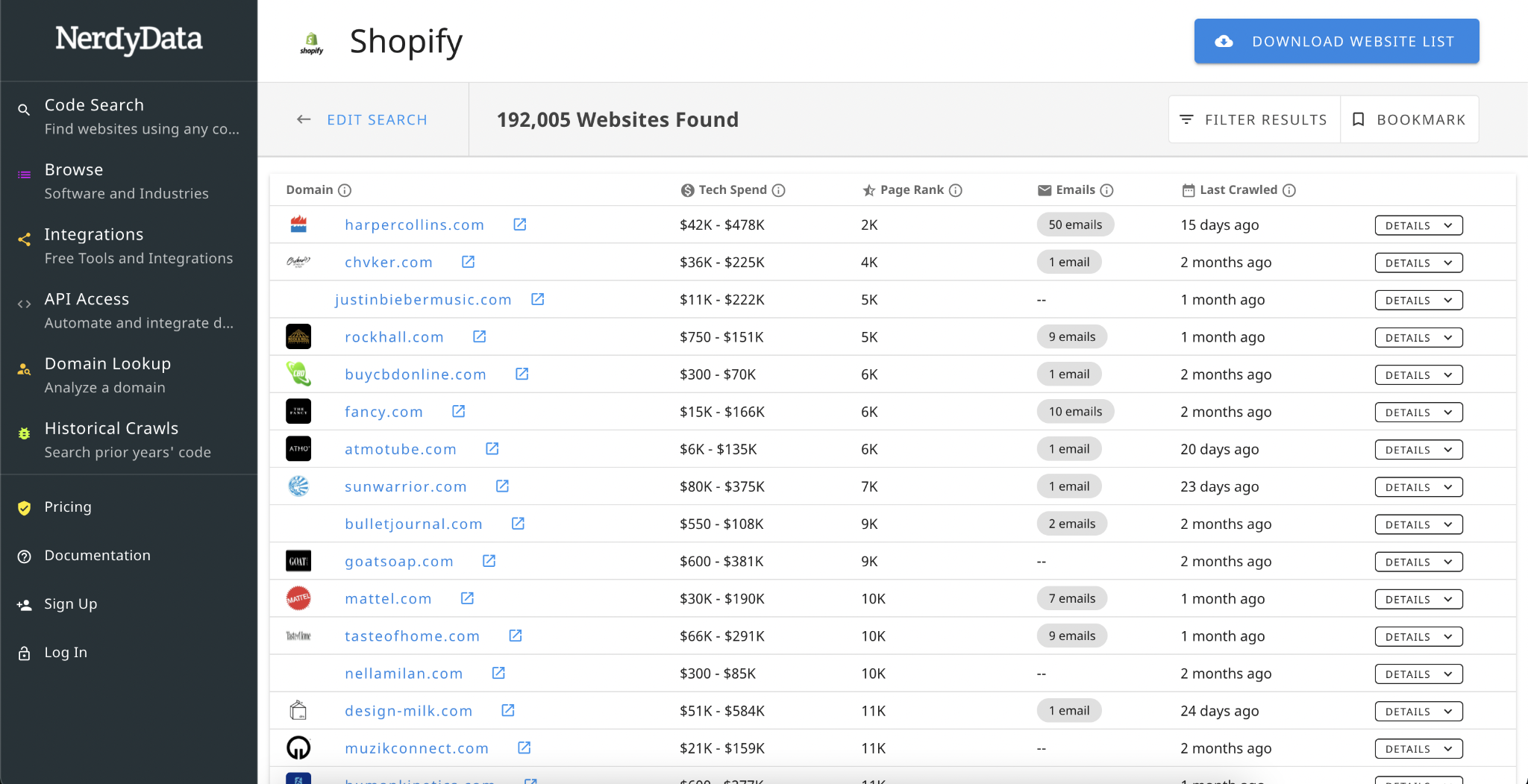
NerdyData is a technographic intelligence platform that searches the actual source code of websites rather than relying on technology signature matching. It lets users search for specific code snippets, script URLs, cookie names, and custom implementations across 20+ million websites. Its key features include:
Raw code search across HTML, JavaScript, CSS, HTTP headers, cookies, and XHR URLs
Full JavaScript rendering before scanning, catching dynamically loaded technologies that signature-based tools miss
1,000+ tracked technologies with daily data refreshes across 20M+ sites
Unlimited report downloads on all paid plans starting at $200/month
Source: G2
Why Choose NerdyData Over Wappalyzer for Source Code-Level Detection
NerdyData stands out in the following areas:
Raw Code Search Beyond Named Technology Catalogs
Wappalyzer's detection is built around a curated catalog of 8,028 named technologies. If a technology isn't in that catalog (a proprietary SDK, a custom analytics implementation, or a niche vendor), Wappalyzer cannot surface it. NerdyData lets users search for any arbitrary code pattern, making it the only technographic tool that supports custom code fingerprinting. This matters for SaaS vendors whose ICP is defined by a unique code signature rather than a mainstream platform.
Full JavaScript Rendering Detects Dynamically Loaded Tools
Many modern websites load third-party tools asynchronously through tag managers. NerdyData renders pages including JavaScript execution, seeing the fully constructed DOM with all dynamically loaded scripts. While Wappalyzer also uses browser extension and crawler data, its signature-matching approach means unrecognized tools remain invisible even after rendering.
Unlimited Downloads and Flexible API Pricing
Wappalyzer's Pro plan ($250/month) limits users to two technology targets per lead list, and API credits expire after 60 days. NerdyData offers unlimited report downloads on every paid plan, and its API is available on pay-as-you-go pricing with no expiration penalty.
NOTE: We also evaluated Bloomberry and SimilarTech for this archetype. While Bloomberry excels at non-web technology detection and SimilarTech offers strong adoption trend analysis, NerdyData offers the most flexible source code search for detecting technologies outside standard catalogs, with unlimited downloads and daily refreshes at mid-market pricing.
NerdyData Pricing
NerdyData uses a flat-fee subscription model with the same feature set across all tiers:
Basic: $200/month, 5,000 rows per download, 1,000 domain enrichments/month, unlimited list downloads
Pro (Most Popular): $300/month, 200,000 rows per download, 5,000 domain enrichments/month
Enterprise: $1,000/month, 1,000,000 rows per download, 10,000 domain enrichments/month
API access is pay-as-you-go and is NOT included with monthly subscriptions. A free Chrome and Firefox extension is available for in-browser lookups.
Source: Chrome Web Store
Who Should Use NerdyData?
Choose NerdyData if:
Your ICP is defined by proprietary or custom code implementations rather than off-the-shelf platforms, and you need to search for specific code patterns to build prospect lists.
You need to detect technologies loaded dynamically through tag managers that standard signature-based scanners miss.
You're running high-volume technographic research and need predictable pricing with unlimited downloads rather than per-report or per-credit fees.
5. Bloomberry: Best Alternative for Detecting Non-Web Backoffice Technologies
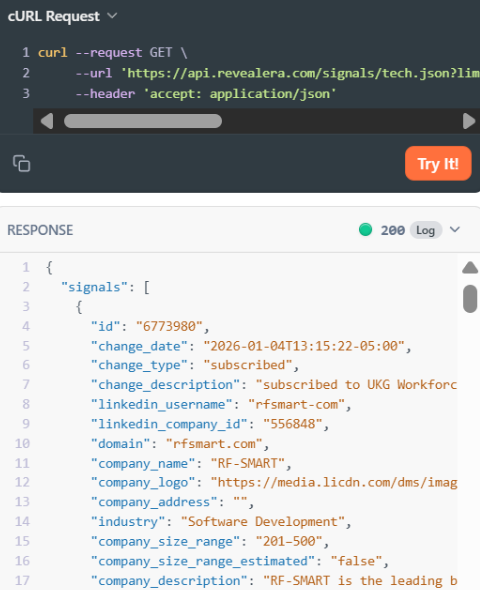
Bloomberry is a real-time technographic intelligence platform that detects technology adoption and churn events for B2B software that leaves no website footprint. While Wappalyzer scans public website code, Bloomberry operates at the infrastructure layer, analyzing DNS records, certificate transparency logs, and subprocessor list changes to surface CRMs, ERPs, DevOps platforms, and AI products that enterprises purchase but never expose on their public web pages. Its key features include:
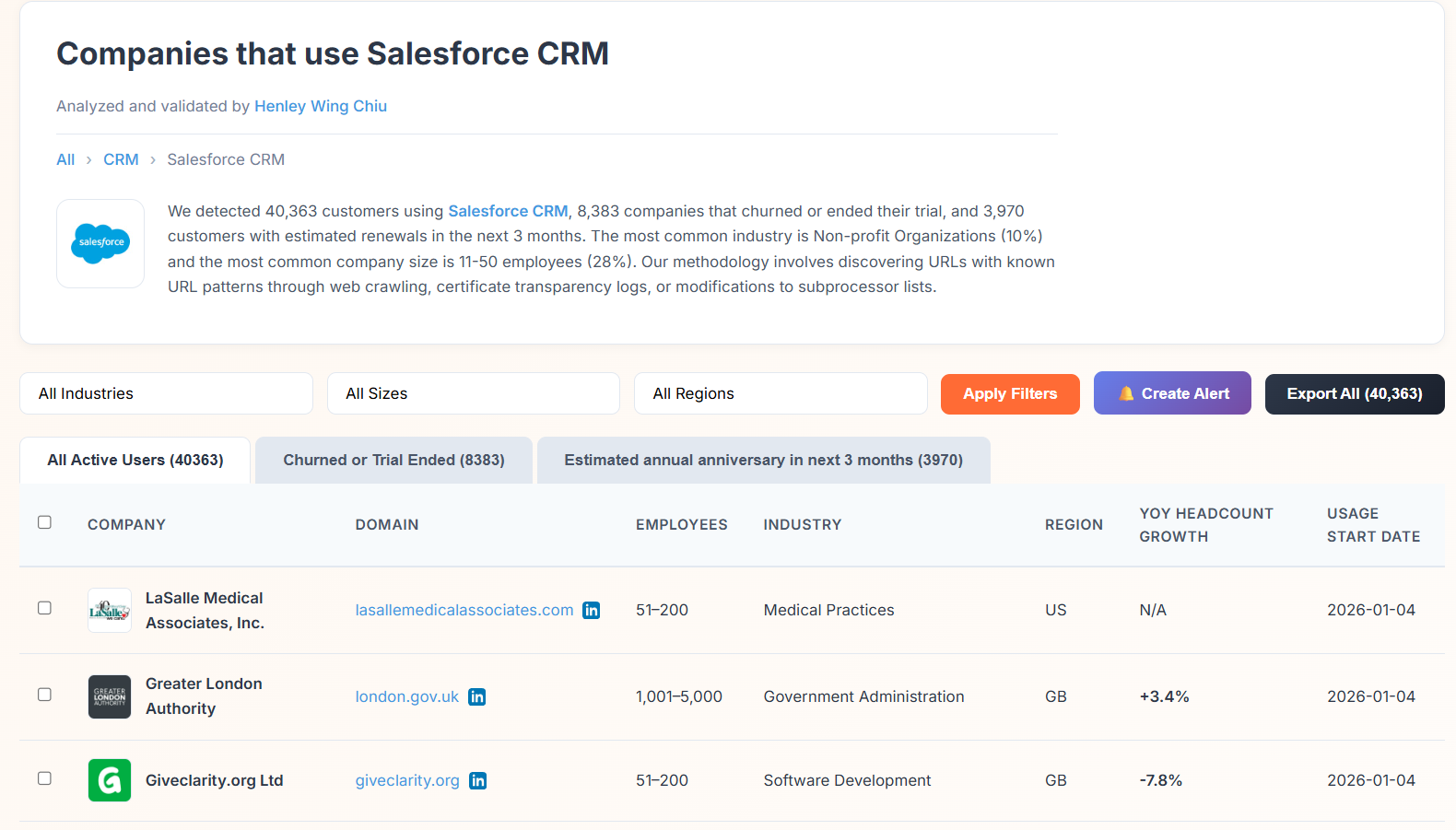
1,200+ backoffice and enterprise technologies across 175-180 categories, including tools like Salesforce, Jira, Acumatica, and ChatGPT that return zero results in web scrapers
Real-time purchase and churn signals with detection typically within 3 days of adoption, surfacing over 200,000 subscribe/churn events monthly
ML-powered detection via DNS records, certificate transparency logs, DNS query traffic changes, and subprocessor list changes
API-first design for use with Clay, n8n, Make, and workflow automation tools
Source: Bloomberry
Why Choose Bloomberry Over Wappalyzer for Detecting Backoffice Technologies
Bloomberry stands out in the following areas:
Coverage of Technologies Invisible to Web Scrapers
When a company adopts Salesforce, deploys Gainsight, or subscribes to Cursor for AI-assisted development, none of these appear on the company's public website. Wappalyzer is structurally limited to technologies visible from public website signals. Bloomberry detects actual software purchases by analyzing infrastructure signals, covering 1,200+ products that web scrapers cannot see.
Detection Timing Advantage of 2-3 Months
Companies typically deploy software internally weeks or months before any public-facing integration goes live. Bloomberry detects actual adoption rather than script presence, so its signals fire 2-3 months earlier. By the time a script appears on a website and Wappalyzer surfaces it, the account has been live on the product for months and the displacement window has closed.
Accurate Churn Detection Without False Positives
Wappalyzer determines technology usage by checking whether code is present on a website, which produces false positives because companies routinely cancel subscriptions without removing the vendor's code. Bloomberry verifies whether an integration is functionally active, not just whether code is present, providing cleaner signals for competitive displacement campaigns.
Source: Bloomberry
NOTE: We also evaluated StackCrawler and TechPeeker for this archetype. Bloomberry offers the most mature infrastructure-based detection, with validation from its parent company Revealera (selling this data to hedge funds since 2018) and a documented free API tier.
Bloomberry Pricing
Bloomberry does not publish a standard pricing page. The only publicly documented structure is the credit-based API model:
Free Tier: 200 API credits with a free API key, no credit card required
Credit Consumption: Company Tech Stack Enrichment (1 credit per company), Tech Stack Changes/signals (10 credits per event), Tech Stack Customers (5 credits per company), Job Postings Data (0.20 credits per posting)
Who Should Use Bloomberry?
Choose Bloomberry if:
You sell to or against B2B products that have no public website presence, such as CRMs, ERPs, DevOps platforms, and AI products that Wappalyzer structurally cannot detect.
Timing is core to your sales motion, and you run competitive displacement plays where knowing about an adoption or churn event 2-3 months earlier than competitors is commercially significant.
You already use Clay, n8n, Make, or another workflow automation tool and want an API-first technographic data source to integrate into your existing stack.
6. WhatRuns: Best Free Alternative for Zero-Cost Technology Detection
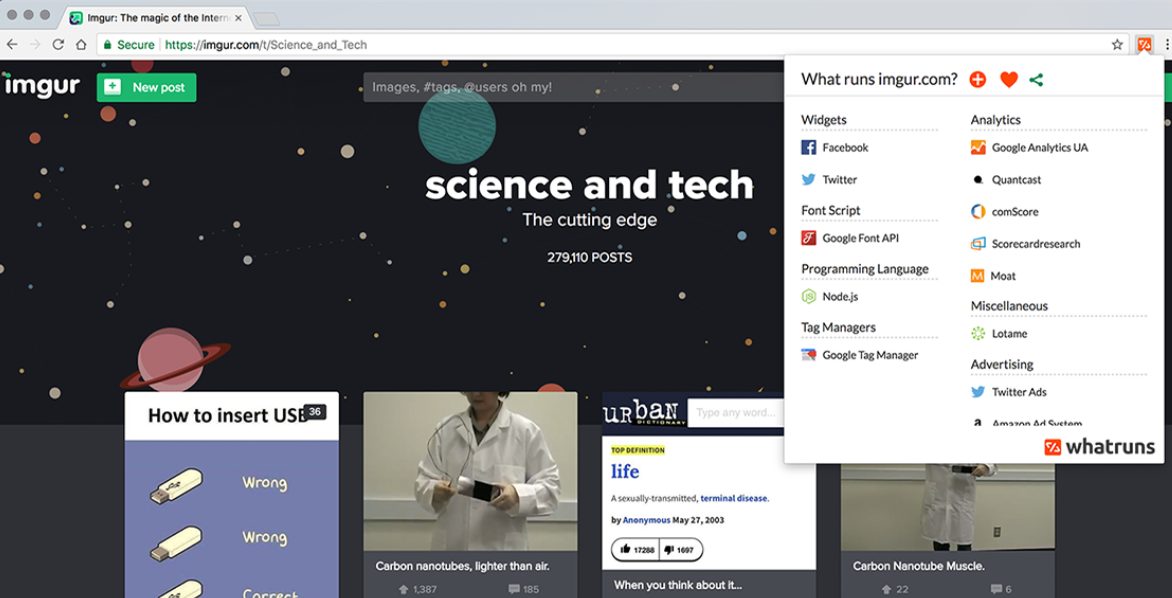
WhatRuns is a free browser extension that reveals the technology stack of any website in one click. No account, no credit card, no usage limits. Unlike Wappalyzer's freemium model, which caps free users at 50 lookups per month and reserves advanced features for paid plans, WhatRuns provides unlimited detection across all categories at zero cost. Its key features include:
Free with no paid feature gates: No account creation, no usage caps, no upsell
Real-time technology detection across CMS, frameworks, analytics, CDNs, plugins, and more, with the team adding 50-100 new applications daily
Font, color, and WordPress theme identification that most competing tools do not offer
Free website follow notifications for technology changes, with no volume caps
450,000+ active users across Chrome and Firefox
Source: Chrome Web Store
Why Choose WhatRuns Over Wappalyzer for Zero-Cost Technology Detection
WhatRuns stands out in the following areas:
Free with No Feature Gates or Usage Caps
WhatRuns is permanently free with no account signup and no usage limits. Wappalyzer's free tier caps lookups at 50 per month and reserves lead list generation, API access, and CRM enrichment for paid plans starting at $250/month. For developers, freelancers, and students doing regular competitive research, WhatRuns eliminates quota management and upgrade prompts.
Font, Color, and WordPress Theme Detection
WhatRuns identifies fonts, color palettes, and WordPress themes on any website. Wappalyzer's catalog covers 8,028 web technologies optimized for sales intelligence, but does not extend into these design-layer details. For designers, agencies, and front-end developers, no competing tool offers this.
Free Website Follow and Change Notifications
WhatRuns lets users follow any number of websites and receive notifications when technologies change, providing free competitive monitoring. Wappalyzer's comparable Website Alerts feature is capped at 5 on the free tier, with meaningful volume requiring paid plans.
Source: WhatRuns
NOTE: We also evaluated BuiltWith's free tier and Wappalyzer's own free plan. While BuiltWith offers free individual lookups, it gates lead lists and historical data behind $295+/month plans. WhatRuns is the only tool providing ungated, unlimited detection at zero cost with no account required.
WhatRuns Pricing
WhatRuns operates on a free model with no paid tier:
Free (Permanent): $0, no account required, unlimited technology detection, website follow notifications, available on Chrome and Firefox in 24 languages
Who Should Use WhatRuns?
Choose WhatRuns if:
You need unlimited technology detection with zero budget and Wappalyzer's 50-lookup cap is too restrictive.
You're a designer or agency team analyzing fonts, colors, and WordPress themes that pure technographic tools don't cover.
You work solo or on a small team with no need for API, CRM integrations, or bulk exports, and your workflow is browser-based manual lookups.
7. StackCrawler: Best Alternative for Simple, Affordable CMS and Platform Detection
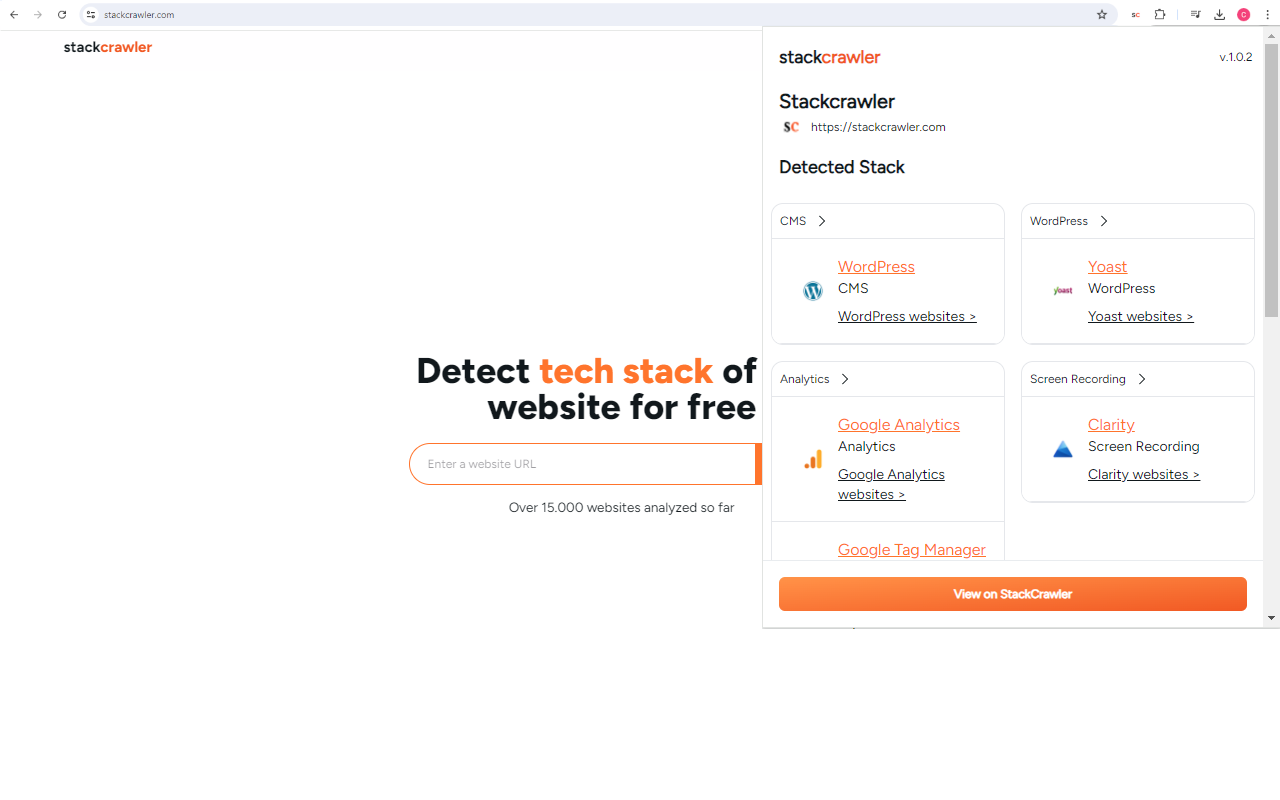
StackCrawler is a website technology detection tool that gives you straightforward answers about what a website runs on. Launched in 2024, it serves developers, agencies, and small sales teams that need occasional technology lookups. Its key features include:
Unlimited website scans starting at $9/month, the lowest paid entry point in the category
Focused detection across 500+ technologies covering CMS, ecommerce, hosting, frameworks, and plugins
Bulk scanning of up to 50 URLs at once with CSV, Excel, and JSON export
Daily-updated lead lists filtered by technology, language, and PageSpeed score on the Advanced plan
Free Chrome extension for instant in-browser detection
Source: Chrome Web Store
Why Choose StackCrawler Over Wappalyzer for Simple, Affordable Tech Detection
StackCrawler stands out in the following areas:
Price Advantage for Occasional Lookups
StackCrawler's entry tier at $9-$19/month for unlimited lookups is 12x-27x cheaper than Wappalyzer's Pro plan at $250/month. For developers auditing competitor sites, agencies doing pre-call discovery, or ecommerce consultants identifying themes, StackCrawler delivers what they need without paying for capabilities they never use.
Ecommerce-Focused Detection Depth
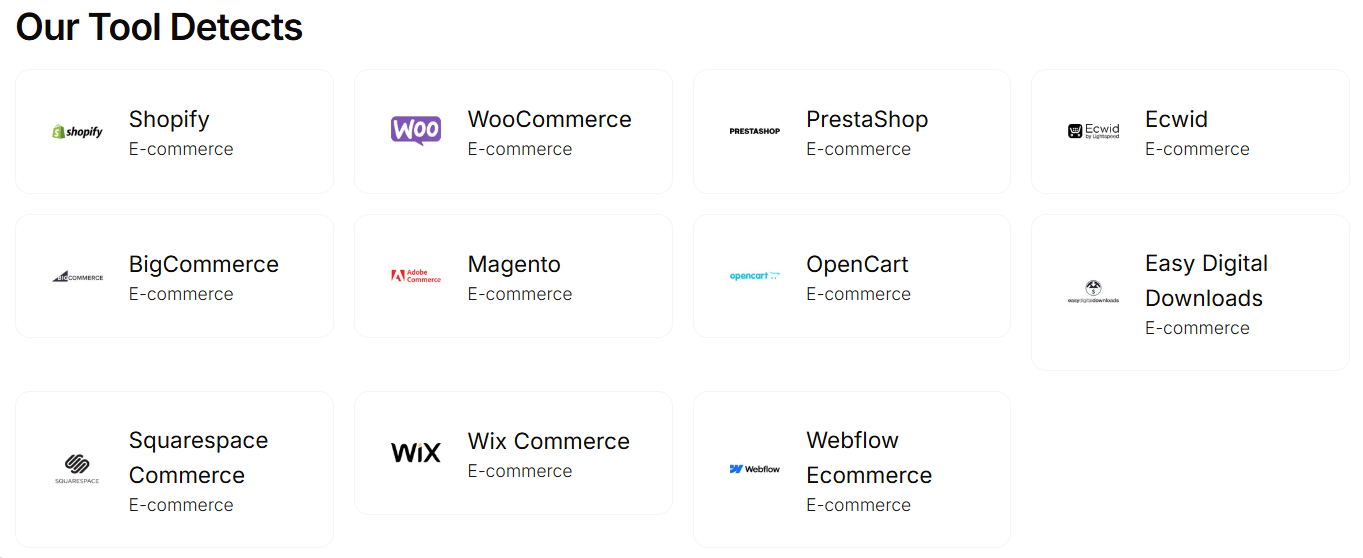
StackCrawler is strong at identifying Shopify stores, WooCommerce installations, and WordPress plugins, with dedicated detectors for Shopify apps, hosting, and ecommerce platforms. Its 500+ technology catalog focuses on categories relevant to agencies and ecommerce consultants.
No API Credit Expiry or Technology-Target Caps
Wappalyzer's API credits expire after 60 days and its Pro plan limits users to two technology targets per lead list. StackCrawler's Advanced plan provides a REST API with unlimited monthly requests subject to fair-use limits, without expiration penalties.
Source: StackCrawler
NOTE: We also evaluated WhatRuns and TechPeeker for this archetype. While WhatRuns excels as a free browser extension, StackCrawler is the simplest and most affordable platform checker with bulk export and basic lead list capabilities for teams that need more than a browser extension but far less than an enterprise intelligence platform.
StackCrawler Pricing
StackCrawler uses a flat-fee subscription model:
Free Plan: 30 website profilings per month, no signup required, free Chrome extension
Basic/Paid: $9-$19/month, unlimited website profilings, bulk export
Pro: Unlimited scan reports, bulk scanning up to 50 URLs, CSV/Excel/JSON export (pricing not publicly disclosed)
Advanced: All features plus REST API access, daily-refreshed lead list reports, and priority support (pricing not publicly disclosed)
Who Should Use StackCrawler?
Choose StackCrawler if:
You need occasional CMS and ecommerce platform lookups without committing to $250+/month enterprise pricing.
Your primary use case is Shopify theme detection, WordPress plugin audits, or ecommerce merchant prospecting.
You want bulk URL scanning and export without API integration complexity or developer resources.
The Final Verdict
Wappalyzer excels at technology-first prospecting with its broad detection catalog and browser extension, but growing GTM teams often need capabilities a technographics-only platform can't provide. Based on our research, here are the best alternatives:
ZoomInfo for B2B intelligence combining verified contacts, buyer intent signals, AI-powered GTM workflows, and technographics in one platform
BuiltWith for historical technology intelligence and market share analysis spanning decades
UpLead for verified contact lists with technographic filtering at SMB-friendly pricing
NerdyData for source code-level technology detection of custom and proprietary implementations
Bloomberry for detecting non-web backoffice technologies like CRMs, ERPs, and DevOps tools invisible to web scrapers
WhatRuns for unlimited, free technology detection with no account or budget required
StackCrawler for simple, affordable CMS and platform identification without enterprise overhead
You don't have to choose between Wappalyzer and these alternatives. Many teams combine a technographic tool with a broader intelligence platform, covering both technology signals and the verified contacts, intent data, and AI workflows needed to act on them.
Ready to go beyond technographic data? ZoomInfo combines B2B intelligence, buyer intent signals, and AI-powered GTM workflows in one platform. Start with ZoomInfo Lite for free or request a demo to see how GTM intelligence can improve your go-to-market execution.
Wappalyzer Alternatives FAQ
Why do businesses look for Wappalyzer alternatives?
Wappalyzer is strong at identifying the technologies websites use, but businesses often outgrow its capabilities in several areas. Its contact data is provided "as-is" with no accuracy guarantees, it cannot detect server-side or hidden technologies, and it offers no behavioral intent data beyond website stack changes. The Pro plan's two-technology-target cap and 60-day API credit expiry also create friction for teams with complex or variable prospecting needs.
What is the best overall Wappalyzer alternative?
No single best alternative exists because Wappalyzer serves multiple use cases. ZoomInfo is the top choice for teams needing B2B intelligence beyond technographics, BuiltWith leads for historical technology analysis and market research, and UpLead is the strongest option for SMB teams needing verified contacts with technographic filtering at affordable pricing.
Is there a free alternative to Wappalyzer?
Yes. WhatRuns is a free browser extension with no usage caps, no account signup, and no paid tier, offering unlimited technology detection including fonts and WordPress themes. ZoomInfo Lite is a permanent free tier with 10 monthly export credits, access to ZoomInfo's B2B database, and WebSights Lite. BuiltWith offers free individual website lookups, and StackCrawler provides 30 free website profilings per month.
Which Wappalyzer alternative is best for detecting backend technologies?
Bloomberry is built to detect non-web technologies like CRMs, ERPs, DevOps platforms, and AI tools that leave no public website footprint. It uses DNS records, certificate transparency logs, and subprocessor list changes to surface software adoptions that web-scraping tools like Wappalyzer structurally cannot see, with detection typically occurring within 3 days of adoption.
How does ZoomInfo compare to Wappalyzer for technographic intelligence?
ZoomInfo tracks 30,000+ technologies across 30M+ companies from 20+ source types, compared to Wappalyzer's 8,028 web technologies detected via public website signals. Beyond technographics, ZoomInfo provides 500M contacts with verified emails and direct dials, buyer intent signals from 210 million IP-to-Organization pairings, AI-powered GTM workflows, and conversation intelligence, making it a full GTM platform rather than a technology detection tool.
Which alternative is best for small businesses on a budget?
StackCrawler starts at $9/month for unlimited website scans, making it the most affordable paid option. UpLead offers technographic filtering with verified contacts starting at $149/month annual. WhatRuns provides free, unlimited technology detection for teams that only need browser-based lookups without API, CRM, or bulk export features.
Can I use Wappalyzer alongside these alternatives?
Yes. Many teams use Wappalyzer's browser extension for quick technology identification alongside a broader platform. For example, pairing Wappalyzer with ZoomInfo gives you technology detection at the browser level plus verified contacts, intent signals, and AI-powered workflows for turning those insights into pipeline. Similarly, combining Wappalyzer with Bloomberry covers both frontend technologies (via Wappalyzer) and backend software purchases (via Bloomberry).
Which Wappalyzer alternative offers the best historical technology data?
BuiltWith has the deepest historical repository, with technology tracking data dating back to January 1985 spanning 41+ years. This enables long-term trend analysis, market share evolution tracking, and predictive modeling based on decades of observed technology migration patterns. Wappalyzer offers up to 12 months of historic data grouped by month, and most other alternatives focus on current-state detection only.
