
The ten lead routing tools below cover three kinds of buyer. RevOps teams that need lead-to-account matching on a complex CRM look at ZoomInfo, LeanData, Traction Complete, and LeadAngel. Teams that want routing and meeting scheduling in one product look at Chili Piper and Default. Teams that want routing inside the CRM they already run look at HubSpot, LeadSquared, Pipedrive, and Bitrix24.
Every one of them can assign a lead. The hard part comes first: working out which account the lead belongs to. Get that wrong and the lead lands with the wrong rep, a duplicate account appears, and two reps end up working the same target account.
ZoomInfo publishes this guide, and ZoomInfo is on the list. We checked each competitor's features and pricing on its own website in October 2026. The seven criteria below are the ones to test any of them against. For the basics of how assignment works, start with ZoomInfo's guide to lead routing.
What Is Lead Routing Software?
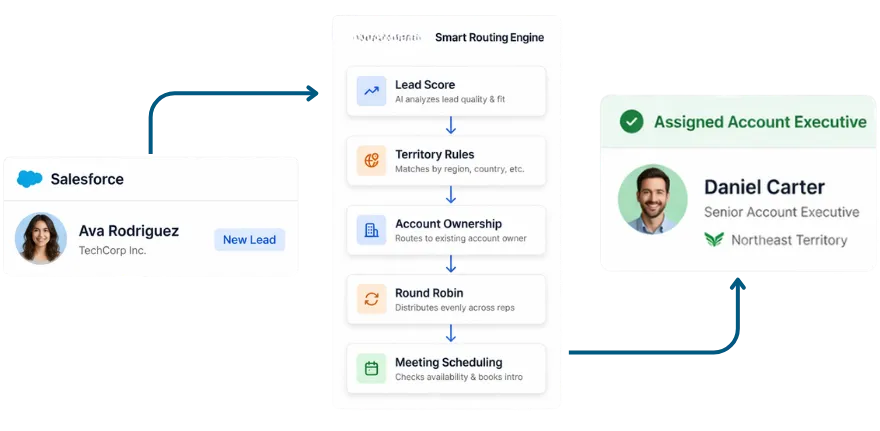
Lead routing software assigns each inbound lead to the right rep automatically, using rules for territory, account ownership, rep capacity, and lead source. The better tools add lead-to-account matching: before a lead is assigned, they link it to the account it belongs to in your CRM, so it reaches that account's owner.
Buyers often treat matching and routing as one feature. They're two steps. Matching decides which account a lead belongs to. Routing decides who gets it. Without matching, routing only sees the lead's own fields.
Good routing software assigns leads against your full assignment logic:
Territory, account ownership, and deal size
Product interest, lead source, and engagement level
Rep capacity management, workload, and quota attainment
Intent signals and buying committee activity
For account-based marketing (ABM) programs, matching is the layer that gets leads from target accounts to the assigned AE instead of a generic queue.
How Lead-to-Account Matching Works
Dedicated matching platforms follow roughly the same sequence. The quality of the matching logic decides whether it holds up on enterprise data:
A lead enters the CRM via web form, list import, or direct entry
The matching engine evaluates the lead's attributes against existing account records
A confidence score is calculated based on how closely the attributes align
Above threshold, the lead is linked to the matched account and routed to the owner
Below threshold, the lead is flagged for manual review or routed via fallback rules
Matching logic types
Most matching engines combine three types of rules:
Exact match compares strings character by character. "Acme Corp" does not match "ACME Corporation." It's fast and reliable on clean data, and enterprise CRMs rarely have clean data.
Fuzzy match uses similarity scoring to resolve name variations, so "Acme Corp," "ACME Corporation," and "Acme Inc." land on the same account.
Domain match uses the email domain as the matching key, linking jsmith@acmecorp.com to the Acme Corp account with high confidence. Free-mail domains (Gmail, Yahoo, Hotmail) have to be excluded, and those leads fall back to company name and website matching.
One sequencing rule matters more than any feature: matching runs first, routing second. Route before matching completes and leads reach the wrong rep, who then has to look up ownership and reassign by hand.
Where Native CRM Routing Falls Short
Native CRM routing is built for simple assignment. Salesforce lead assignment rules, for example, send a lead to a user or queue based on the lead's own fields, and only one rule can be active at a time. That covers a single territory model with clean data. For GTM operations teams it breaks down in four places:
No account lookup. Assignment rules route on the lead's fields, so a lead from an existing customer can land with a new-business rep.
Fuzzy matching stops at duplicates. Salesforce matching rules can fuzzy-match company names, but they're built for duplicate management. That logic doesn't route the lead.
No hierarchy awareness. Assignment rules don't know a subsidiary lead should go to the parent account's owner, or the other way around.
Duplicates get flagged, not merged. Salesforce duplicate rules alert or block a rep who creates a duplicate. The merge itself, the real work of deduplication, stays manual.
Fix duplicates first. Duplicate account records are a common cause of matching failures: a lead matches the wrong duplicate and routes to the wrong rep. Deduplicate before you switch matching on, using the email domain as the key, and keep doing it, because reps recreate accounts they can't find.
Native tools are fine for small teams with clean data, one territory, and business emails on most forms. Salesforce's Omni-Channel can also route leads, though it needs separate setup. ABM programs and complex hierarchies need a dedicated platform.
How to Evaluate Lead Routing Software
These seven criteria separate the tools in this guide:
Fuzzy matching: Ask how a platform handles "Acme Corp" vs. "ACME Corporation" vs. "Acme Inc.", and how it scores confidence. Exact-match-only tools misroute on inconsistent data.
Account hierarchy awareness: Enterprise territories include subsidiaries. A regional-office lead may belong to the subsidiary owner, the parent owner when the parent holds the contract, or a named enterprise rep, and each needs different routing logic.
Matching before routing: Confirm matching runs as step one in the workflow.
Real-time deduplication: Batch dedup lets duplicates pile up between runs. Real-time dedup across leads, contacts, and accounts catches them at the point of entry.
Intent and capacity routing: Better platforms prioritize leads showing buying signals and weight assignment by rep capacity, on top of static territory-based routing.
Native CRM integration: Native, two-way sync updates in real time without middleware. API connectors add latency and a maintenance job that revenue operations (RevOps) ends up owning.
No-code configuration: Territories and coverage change constantly. If updating routing rules needs an engineering sprint, your routing will always lag your model.
The case for a dedicated platform starts at more than one territory model, any recurring matching failure in your CRM, or any ABM program that reports on account-level routing.
Best Lead Routing Software
Here are the ten tools, starting with ZoomInfo. Features and prices come from each vendor's own website.
1. ZoomInfo
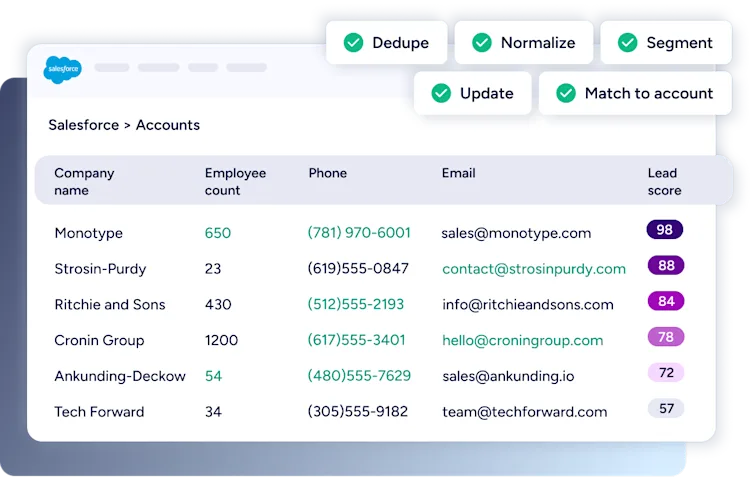
ZoomInfo is an all-in-one AI GTM platform, and its Operations product handles lead routing and lead-to-account matching. It matches leads to existing accounts using company hierarchies and domain intelligence, then routes each one with round-robin distribution, workflow-based territory rules, and conditional logic. It can also route leads and trigger actions using buying signals.
What sets it apart is the data underneath it. ZoomInfo covers 500M+ contacts and 100M+ companies, and its waterfall enrichment pulls alternative contact data from 25+ vendors to fill in missing emails and mobile numbers. The GTM Context Graph reasons across ZoomInfo data, your CRM, conversations, and buying signals to show why accounts are moving. Routing workflows are no-code, and RevOps teams and marketers launch plays without engineering support in GTM Studio.
Key features
Lead-to-account matching on company hierarchies and domain intelligence
Routing by round robin, territory rules, and conditional logic, with weighted distributions and lead limits by day, week, or month
Data management for deduplication, enrichment, and standardization
Waterfall enrichment from 25+ vendors on top of ZoomInfo's own data
No-code, multi-step workflows
Pros
Matching, enrichment, deduplication, and routing in one platform
Multi-vendor enrichment appends missing company and contact attributes automatically
Momentive cut lead follow-up from 20 minutes to 60 seconds with ZoomInfo
No. 1 in 142 G2 Spring 2026 reports, including the Enterprise Grid for Account Data Management
Cons
Routing rules and enrichment mappings need setup before they pay off
Consumption-based pricing means you forecast usage to manage credits
Best for
Enterprise B2B teams running ABM, managing account hierarchies, or replacing separate enrichment, deduplication, and routing tools with one platform.
Pricing
Free to start with ZoomInfo Lite (10 monthly credits, no credit card). Paid plans are custom-quoted on consumption credits.
Here's what that looked like at Momentive, which runs data hygiene and routing end to end on ZoomInfo Operations.

"Thanks to ZoomInfo, we no longer have to question the source or reliability of the data in our systems."
2. Chili Piper
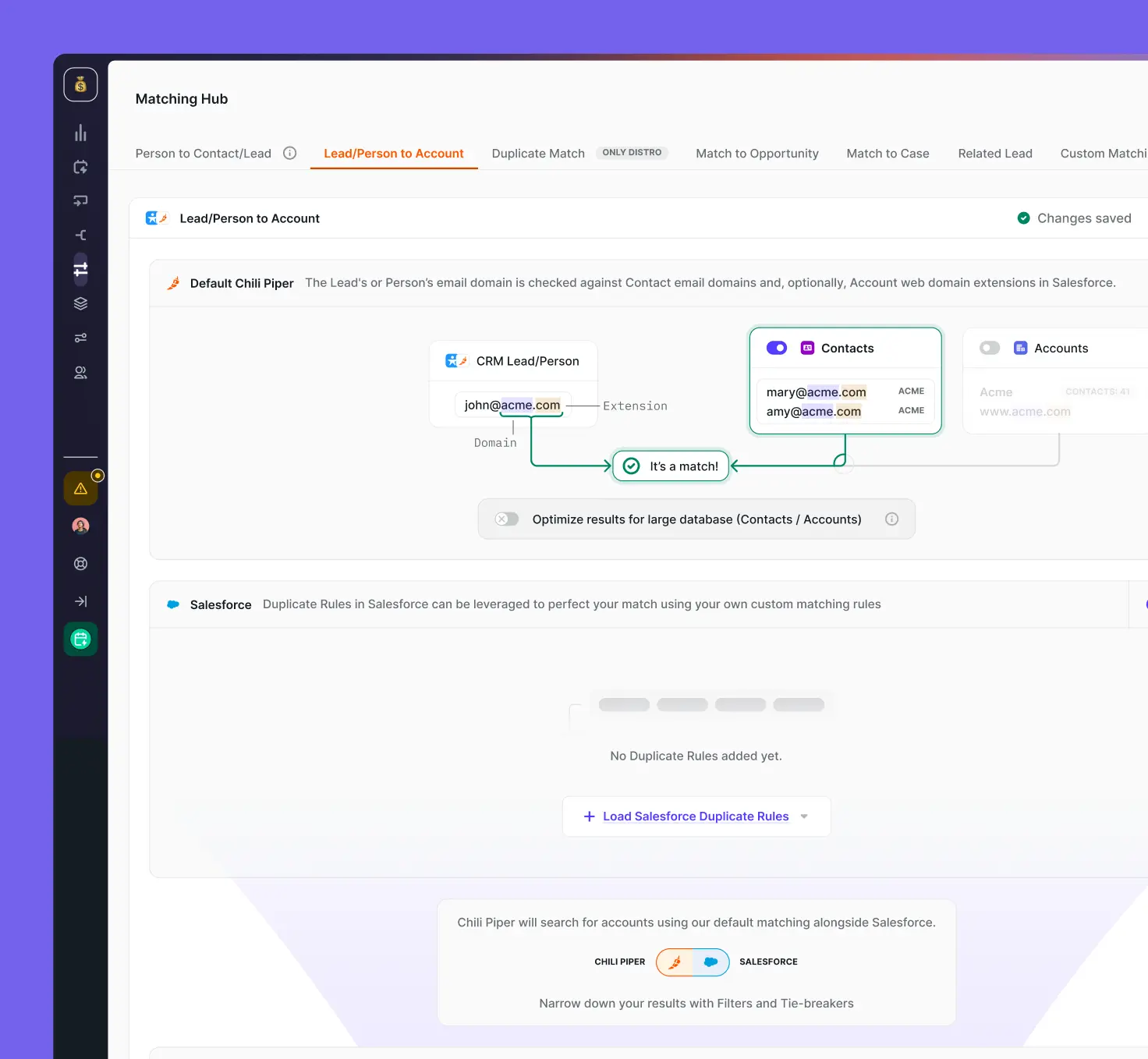
Chili Piper describes itself as a way to "Turn visitors into pipeline with AI-led experiences." Three of its products handle routing. Form Concierge qualifies and routes a lead the moment it submits a form, then books the meeting. Distro routes leads inside Salesforce, with fuzzy lead-to-account matching, round robin, weighting and capping rules, and reassignment when an SLA is missed. Handoff passes a qualified prospect to the next available rep.
Scheduling sits at the center of the product, so it fits teams whose main goal is turning form fills into booked meetings. Intent routing comes with the Experiences plan, and its account identification needs a 6sense or Bombora relationship or Chili Piper credits.
Key features
Form routing and instant booking with Form Concierge
Lead routing and fuzzy lead-to-account matching in Salesforce with Distro
Round robin, weighting, capping, and SLA reassignment
Intent routing on the Experiences plan
Pros
Routing and meeting booking in one workflow
Published pricing
Cons
Distro, its lead routing product, only integrates with Salesforce
Plans are billed annually, with no monthly option
Best for
Inbound teams that want meeting booking from the same vendor as their lead routing.
Pricing
Routing & Scheduling costs $1,250 a month for up to 15 seats, then $45 per seat per month. Experiences costs $3,500 a month for up to 30 seats, then $50 per seat per month. All plans are billed annually.
→ Booking speed your priority? Compare Calendly vs. Chili Piper to see which converts inbound faster.
3. LeanData
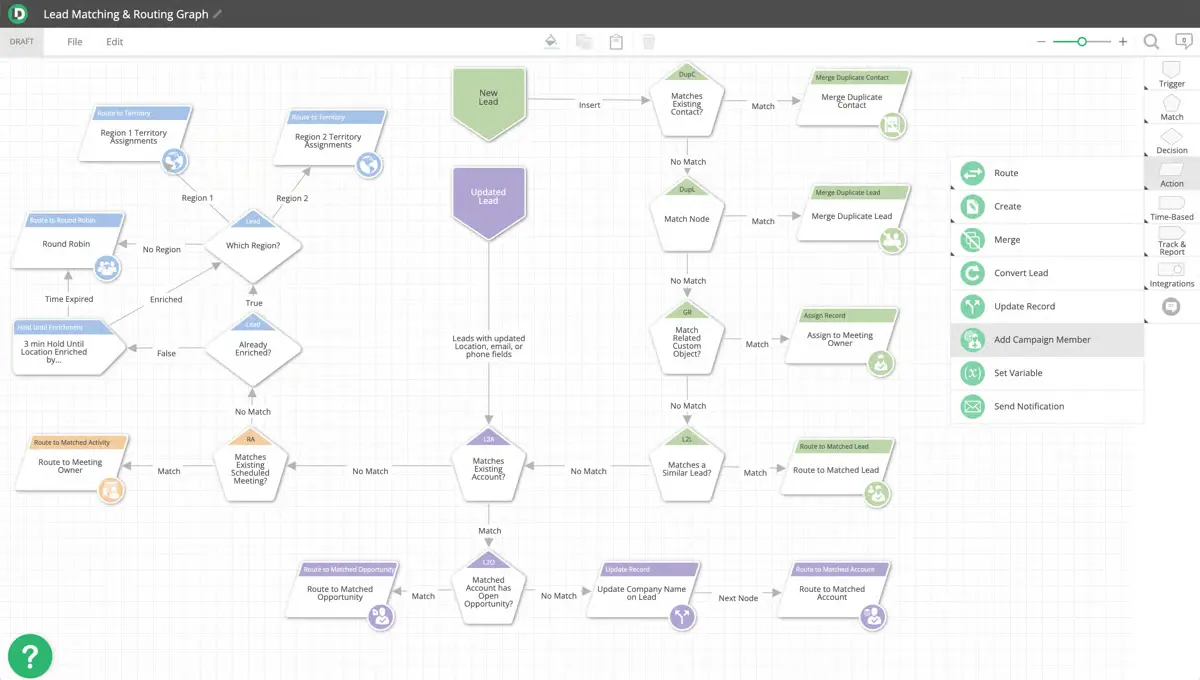
LeanData pitches itself as the way to "Orchestrate every signal across your go-to-market motion." It's built natively inside Salesforce and also supports Microsoft Dynamics 365. RevOps teams map the whole lead flow, from match to assignment to notification, in FlowBuilder, its visual workflow builder, which makes complex routing easier to configure and audit.
Matching uses proprietary fuzzy logic to connect each inbound record to the right account, and routing covers territory, round robin, capacity, and SLAs. BookIt adds meeting scheduling. The Standard plan includes lead deduplication and enrichment, while intent data comes through integrations, listed on the Advanced plan, with providers including ZoomInfo, 6sense, and Demandbase.
Key features
Fuzzy lead-to-account matching
Routing by territory, round robin, capacity, and SLAs
FlowBuilder visual workflow builder
BookIt meeting scheduling
Pros
Visual builder makes complex routing easy to audit
Fuzzy matching and account hierarchy views inside Salesforce
Cons
Supports Salesforce and Dynamics 365 only
SLA tracking and escalations sit in the Advanced plan
No published pricing
Best for
Salesforce RevOps teams that want their routing logic visible on a canvas.
Pricing
Contact sales. Standard, Advanced, and Premium plans are priced on features, objects, and the number of Salesforce users or queues.
→ On Salesforce and comparing orchestration tools? See LeanData vs. RingLead head to head.
4. LeadSquared
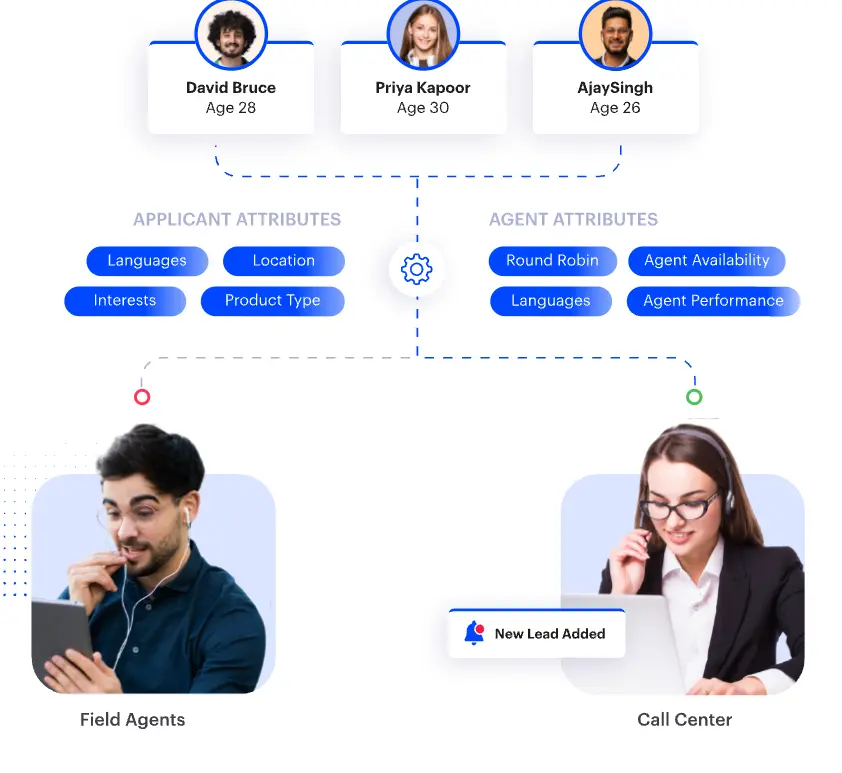
LeadSquared is an AI CRM built, in its own words, with a "consumer-first DNA." Its distribution engine assigns leads by skill, availability, location, performance, or workload, tracks an SLA on every record, and reassigns leads that sit too long.
It suits high-volume teams in consumer-facing industries such as financial services and education. Lead-to-account matching is basic: it groups leads from the same company by email domain, and its site describes no fuzzy or hierarchy matching.
Key features
Lead distribution by skill, availability, location, performance, or workload
SLA tracking with automatic reassignment
Lead scoring on engagement
Workflow automation for routing on custom criteria
Pros
Built for high lead volumes across channels
Published per-user pricing
Cons
Account matching is described only as email domain grouping
Built for consumer-facing sales more than complex B2B account structures
Best for
High-volume inbound teams that need flexible distribution rules and SLA enforcement.
Pricing
Sales Pro costs $60 per user per month and Sales Super $100 per user per month, billed annually.
→ Weighing LeadSquared against Salesforce? Read LeadSquared vs. Salesforce for the trade-offs.
5. HubSpot
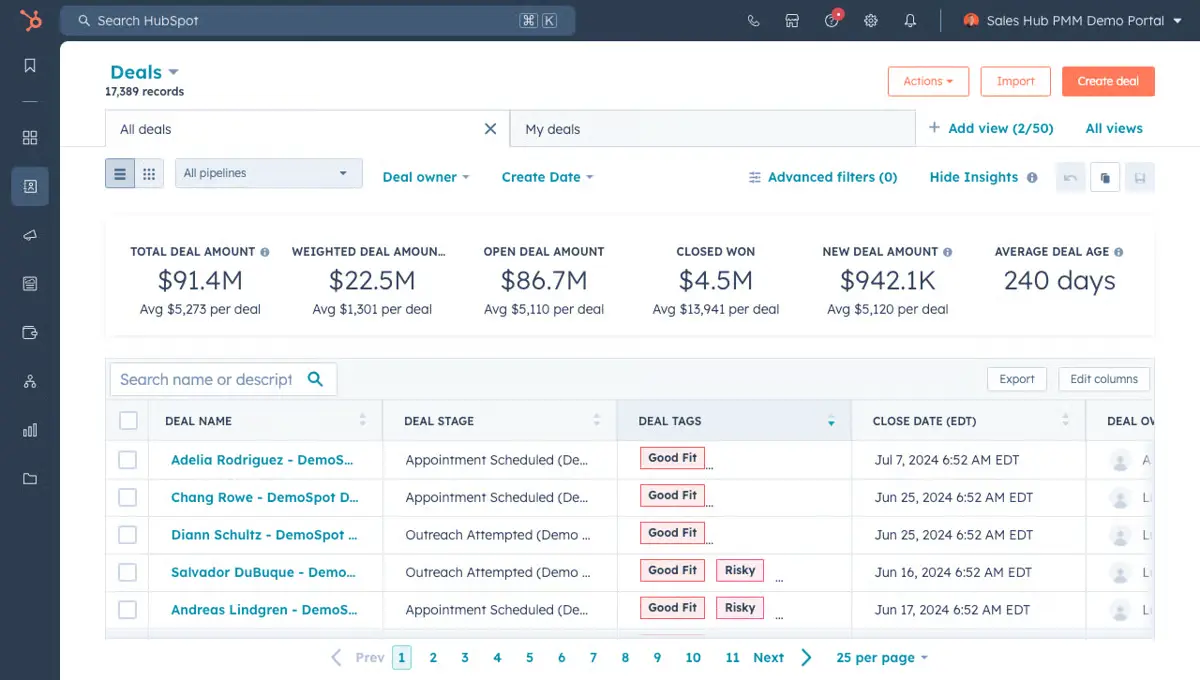
HubSpot routes leads inside its own CRM. Workflows rotate records to owners on Sales Hub and Service Hub Professional and Enterprise, and leads can be assigned through workflows (in beta) by round robin, load balancing, or random distribution, with an option to skip users set to Away. Lead form routing comes with Sales Hub Enterprise.
Because routing sits alongside HubSpot's marketing automation, leads can be reassigned on behavior and lifecycle stage, with tasks and notifications triggered automatically. Account matching works through automatic association, a setting that links each contact to the company whose domain matches the contact's email. For inbound-heavy teams already on HubSpot, routing inside the CRM means less integration overhead.
Key features
Rotate-record-to-owner workflows
Round robin and load-balanced lead assignment
Automatic contact-to-company association by email domain
Intent signals in Sales Hub
Pros
CRM, marketing automation, and routing in one platform
Lifecycle-based routing for inbound-heavy teams
Cons
Routing workflows need Professional or Enterprise
Lead assignment through workflows is still in beta
Account matching relies on email domain association
Best for
Teams already on HubSpot that want routing without adding another platform.
Pricing
Sales Hub Professional starts at $90 per seat per month billed annually ($100 billed monthly), plus a one-time $1,500 onboarding fee. Enterprise starts at $150 per seat per month, plus a one-time $3,500 onboarding fee.
→ Want the data layer under the routing? See how HubSpot and ZoomInfo compare.
6. Pipedrive
Pipedrive bills itself as "The easy and effective CRM for closing deals." Its automatic assignment rules route leads and deals to a specific user, to a team by round robin, or to the existing organization owner, and its visual pipeline shows where every lead sits.
It's designed for small and mid-size teams that want clean pipeline management and simple assignment without dedicated RevOps. It has no dedicated lead-to-account matching or capacity weighting, and website visitor tracking is a paid add-on (Web Visitors).
Key features
Automatic assignment to a user, a round-robin team, or the organization owner
LeadBooster lead capture with automatic routing
Visual pipeline for tracking every lead
Follow-up reminders
Pros
Simple setup for teams without RevOps
Published per-seat pricing and a free trial
Cons
No lead-to-account matching beyond the organization owner
Round robin has no capacity weighting
Best for
Small and mid-size teams that need straightforward pipeline management and basic lead assignment.
Pricing
Plans run from $14 to $79 per seat per month, billed annually. Automatic assignment starts on Premium ($59), which also includes LeadBooster for capturing and routing leads; other plans can add LeadBooster. Free 14-day trial.
→ Comparing lightweight CRMs? See GoHighLevel vs. Pipedrive on features and fit.
7. Traction Complete
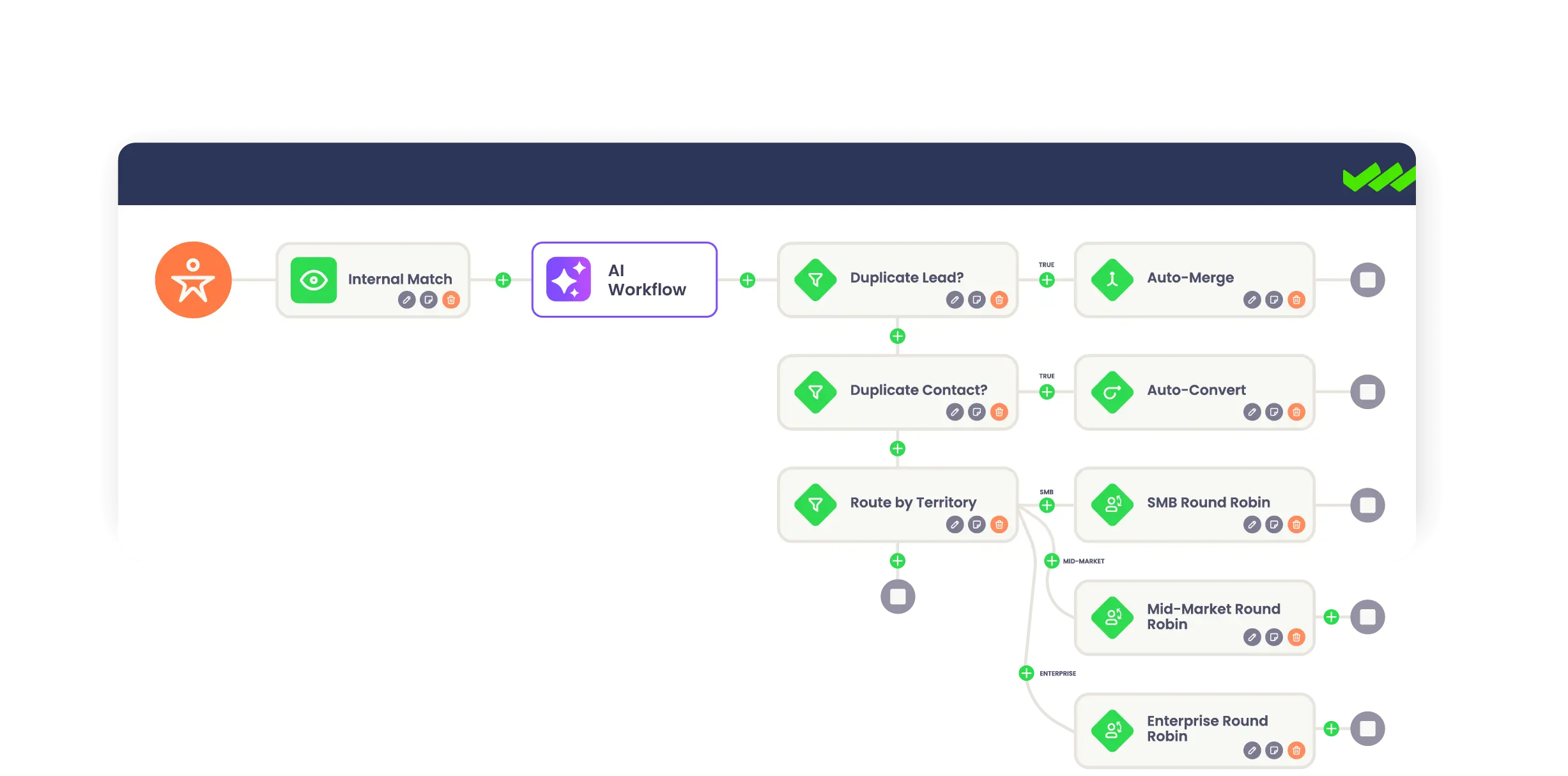
Traction Complete is a data management suite that installs directly into Salesforce. Complete Leads handles lead-to-account matching and routing, and goes past email domain matching with any-object and hierarchy matching. Complete Hierarchies manages parent-child account structures, Complete Clean finds and merges duplicates, and Complete Influence maps each stakeholder's role and decision influence.
Routing covers basic, weighted, capped, and availability-based round robin, SLA timers with automatic reassignment, and triggers on changes in the intent scores already in Salesforce. Data cleansing and deduplication are core to the suite, which makes it a good fit for Salesforce teams whose main problem is messy hierarchies and duplicate records.
Key features
Lead-to-account matching on any object, including hierarchy matching
Weighted, capped, and availability-based round robin
SLA timers with automatic reassignment
Duplicate detection and mass merging with Complete Clean
Pros
Hierarchy matching and management built in
Native to Salesforce, with no integration to maintain
Cons
Salesforce only
No public pricing
Best for
Salesforce RevOps teams that need account hierarchy management alongside lead-to-account matching.
Pricing
Contact sales.
→ Cleaning up Salesforce first? Start with a Salesforce data enrichment game plan to get records match-ready.
8. Bitrix24
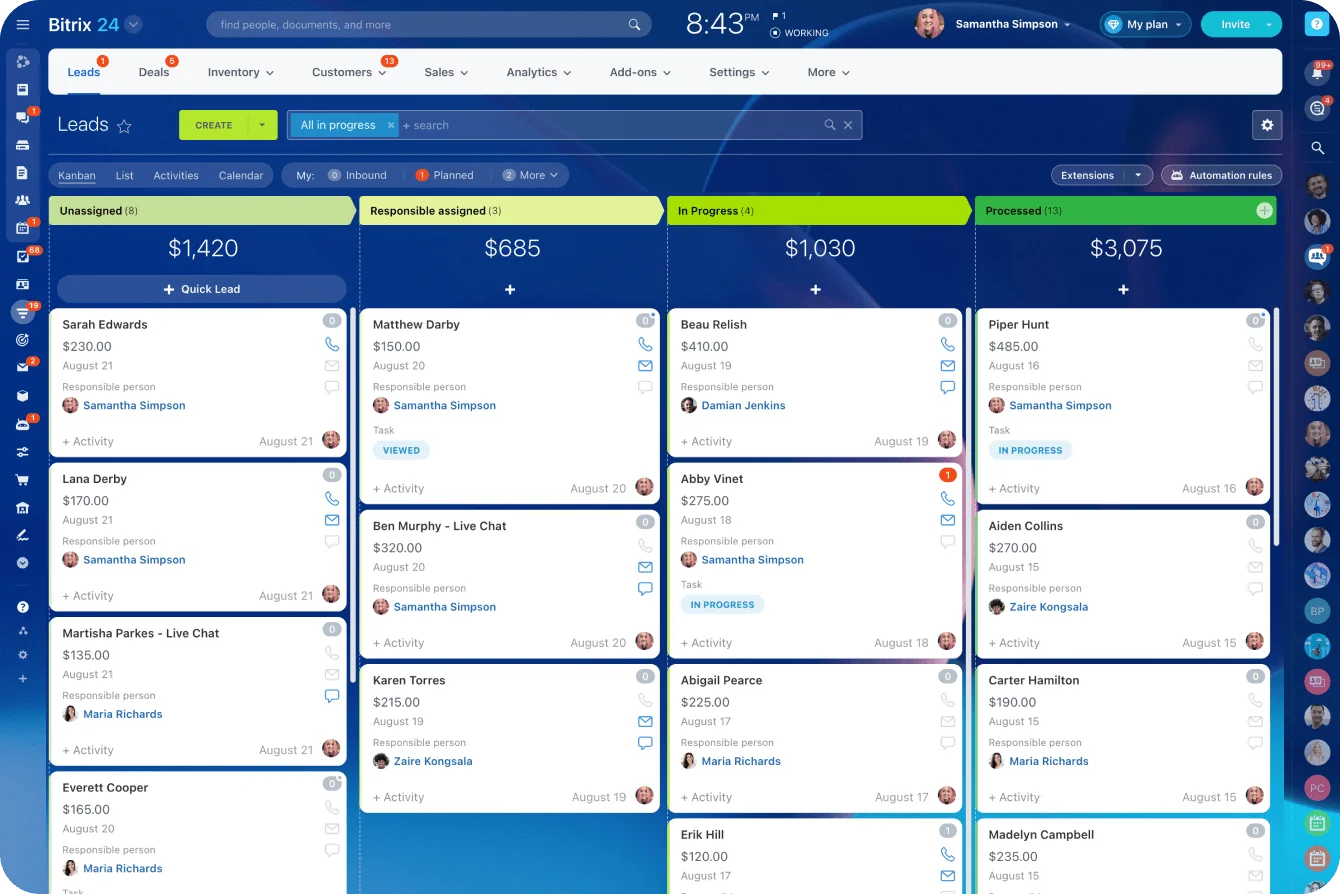
Bitrix24 is a broad CRM and collaboration suite that calls itself "Your ultimate workspace." Leads from forms and email are distributed among responsible employees in turn, and on plans with work time tracking it can skip reps whose workday hasn't started or who are on a break. Workflows add condition-based assignment.
It fits teams that want an all-in-one, budget-friendly CRM with basic routing. There's no dedicated lead-to-account matching, though a lead linked to an existing contact or company is treated as a repeat sale.
Key features
Lead distribution in turn among responsible employees
Assignment that respects work hours and breaks on plans with work time tracking
Condition-based assignment through workflows
CRM, tasks, and collaboration in one suite
Pros
CRM, collaboration, and routing in one tool
Flat pricing per organization, not per user
Cons
No dedicated lead-to-account matching
No capacity-weighted routing or intent signals
Best for
Small teams that want an all-in-one CRM and collaboration platform with basic routing.
Pricing
Free for 1 to 2 users. Paid plans are flat monthly rates per organization, from $49 a month billed annually for 5 users. Sales automation and employee hours tracking are listed on Professional, at $199 a month billed annually.
→ Torn between all-in-one suites? Compare Bitrix24 vs. HubSpot before you pick.
9. LeadAngel
LeadAngel describes itself as "a one-stop solution for automated lead assignment." It integrates natively with Salesforce, Dynamics 365, and HubSpot, with an API for other CRMs. Lead-to-account matching uses fuzzy company-name logic and email domain, with configurable match rules, a match score cutoff, and tie-breakers.
Routing covers round robin, weighted, and queue assignment, territory rules, lead caps per rep, and re-routing and escalation when an SLA slips. Meeting booking comes through ScheduleNow, an add-on on the Professional plan and included in Professional Plus.
Key features
Fuzzy and domain-based lead-to-account matching
Round robin, weighted, and territory routing
Lead caps per rep and SLA escalation
ScheduleNow meeting booking
Pros
Matching and routing are the core of the product
Native support for Salesforce, Dynamics 365, and HubSpot
Cons
No intent or buying-signal features listed
No published pricing
Best for
RevOps teams on Salesforce, Dynamics 365, or HubSpot that want dedicated matching and routing without a broader platform.
Pricing
Contact sales. Plans are Professional and Professional Plus.
10. Default
Default pitches itself as "The marketing engine behind the best teams," one platform for workflows, enrichment, lead routing, and scheduling on Salesforce and HubSpot, with Attio listed as coming soon. It matches leads to accounts by company domain, with tiebreakers when several accounts match, and routes by round robin, availability, recency, or capacity across territories and segments.
Enrichment is bundled through third-party providers such as Apollo.io, Clearbit, and People Data Labs, and website de-anonymization comes on every plan. Website intent signals can trigger workflows when a target account shows buying intent, and every rule change is versioned, with one-click rollback. Its docs list no SLA setting that alerts when a rep doesn't act on a record.
Key features
Domain-based lead-to-account matching
Round robin, availability, and capacity routing by territory
Bundled waterfall enrichment and website de-anonymization
Scheduling with routing queues
Pros
Routing, scheduling, and enrichment in one product
Versioned rules with rollback
Published pricing
Cons
Matching is domain-based, with company name only as a fallback
No built-in SLA alert setting listed in its docs
Best for
Teams on Salesforce or HubSpot that want routing, scheduling, and enrichment from one vendor.
Pricing
Growth costs $1,250 a month ($15,000 a year, billed annually), plus $45 per user per month for routing and scheduling seats. Scale costs $3,000 a month.
Lead Routing Software Comparison
The columns below are the ones that separate these tools. Every platform here handles basic assignment inside or alongside your CRM.
Software | Lead-to-account matching | Capacity routing | Intent signals | Pricing |
ZoomInfo | Yes, hierarchies and domain | Yes, weighted with lead limits | Yes, buying signals | Free to start; paid plans quoted |
Chili Piper | Yes, fuzzy (Salesforce) | Yes, weighting and capping | Experiences plan | From $1,250/month, billed annually |
LeanData | Yes, fuzzy | Yes | Through integrations | Contact sales |
LeadSquared | Email domain grouping | Yes, workload-based | Engagement scoring only | From $60/user/month, billed annually |
HubSpot | Email domain association | Load balancing (lead assignment in beta) | Yes, Sales Hub | From $90/seat/month for routing, billed annually |
Pipedrive | Organization owner only | No, unweighted round robin | Web Visitors add-on | From $59/seat/month for routing, billed annually |
Traction Complete | Yes, any object and hierarchy | Yes, weighted and capped | Uses scores in Salesforce | Contact sales |
Bitrix24 | No | No | No | Free for 1 to 2 users; from $49/month, billed annually |
LeadAngel | Yes, fuzzy and domain | Yes, lead caps | Not listed | Contact sales |
Default | Yes, domain | Yes | Yes, de-anonymization and intent | From $1,250/month, billed annually |
Lead-to-Account Matching for ABM Programs
An ABM program with a strong account list and a coordinated sales-marketing motion still stalls if inbound leads can't reach the right account and rep. Matching is that layer, in three ways:
It gets target-account leads to the assigned AE. Without matching, a named-account lead enters the same queue as everything else and the owner may never see it. With matching, it's identified as a target account and routed straight to the owner, however the company name was entered.
It prevents fragmented account views. Duplicate records split activity across objects, so the AE sees partial history, marketing miscounts touches, and scoring undercounts intent. Deduplication and matching together keep everything under one canonical account.
It enables account-level scoring. A lead score on its own misses the buying-committee signal. When several contacts from one account are active at once, the account score should reflect it, and that only works if leads are correctly linked. Account-level attribution depends on the same linkage. Without it, your attribution reflects routing logic rather than buying behavior.
Put together, that's what account-based routing delivers for ABM: every target-account lead linked, deduplicated, and sent to the right owner, so the account view and the attribution built on top of it hold up.
SDR Productivity and the Lead Routing Connection
Without matching, every new lead means a manual CRM search: does this prospect belong to an existing account, who owns it, is there an open opportunity, what's the history. If each SDR handles 30 leads a day and each lookup takes five minutes, that's two and a half hours a day per rep on work the matching engine could do automatically. With matching, the lead arrives with account context already populated and personalized outreach starts in minutes.
The wasted time is the smaller cost. The bigger one is the lead that reaches the wrong rep, who then contacts a buyer with an existing relationship the rep knows nothing about. The prospect sees the internal breakdown before the sales conversation even starts.
Choosing Your Lead Routing Software
The right platform comes down to your account complexity, your CRM's data quality, and the routing your territory model needs. Simple, clean, single-territory setups can run on native CRM tools. But the moment you're running ABM, managing parent-child hierarchies, or watching leads scatter to the wrong reps, you need matching that runs before routing, matching that holds up on messy data, and real-time deduplication underneath it all.
ZoomInfo brings those together on one platform: matching, enrichment, deduplication, and routing, running on verified data and the GTM Context Graph. At Momentive, ZoomInfo's Operations suite runs enrichment and validation checks in parallel, which improved its speed-to-lead: leads now reach reps in under 60 seconds, down from 20 minutes.
Book a demo to see how ZoomInfo matches and routes inbound leads to the right owner.
Frequently asked questions
What is lead routing software?
Lead routing software assigns each inbound lead to the right rep automatically, using rules for territory, account ownership, rep capacity, and lead source. Tools such as ZoomInfo, LeanData, and Traction Complete also match each lead to its existing account first, so it reaches that account's owner. For the basics, see ZoomInfo's guide to lead routing.
What is lead-to-account matching in CRM systems?
Lead-to-account matching is the automated process of connecting inbound leads to the right account in a CRM by comparing lead attributes (email domain, company name, website URL) against existing account records. When a match is found, the lead is linked to that account and routed to the account owner.
Should lead-to-account matching happen before or after routing?
Before, always. Matching after routing defeats the point: leads get routed before the matching engine has found the correct account owner, so they reach the wrong rep and need manual reassignment. Match leads to accounts first, then route on account ownership.
What are the limitations of Salesforce's native lead routing?
Salesforce lead assignment rules route a lead to a user or queue based on the lead's own fields, and only one rule can be active at a time. Salesforce matching rules can fuzzy-match company names, but only to flag duplicates, and duplicate rules alert or block reps instead of merging records. Omni-Channel can route leads, but it needs separate setup. Dedicated tools add lead-to-account matching, hierarchy-aware routing, and deduplication at the point of entry, and ZoomInfo Operations matches leads on company hierarchies and domain intelligence before routing them.
What happens when a lead is submitted with a personal email address?
Personal email domains (Gmail, Yahoo, Hotmail) should be excluded from domain matching. The matching engine falls back to company name and website URL. If no match is found, the lead goes to a manual review queue or routes through standard fallback rules. Platforms that don't exclude free-mail domains bucket these leads into generic accounts, which breaks routing accuracy and CRM data quality.
How does lead-to-account matching affect speed-to-lead?
Manual matching adds time to every lead, because reps look up account ownership before anyone follows up. Automation shortens the wait. At Momentive, ZoomInfo runs enrichment and validation checks in parallel, so leads reach reps in under 60 seconds instead of 20 minutes.
Why is lead-to-account matching important for ABM?
ABM depends on treating target accounts as single units. Without lead-to-account matching, leads from target accounts get routed to the wrong reps, duplicate records pollute the CRM, and account owners lose sight of their pipeline. Matching gets every lead from a target account to the assigned AE and counts it under the correct account for attribution.
How do lead routing platforms enforce response SLAs?
Through automatic escalation and reassignment. If a lead sits unworked past the SLA window, the system reassigns it, notifies a manager, or triggers an alert. Chili Piper, LeanData, LeadSquared, Traction Complete, and LeadAngel all offer SLA-based reassignment or escalation. Default's docs list no SLA alert setting.
How much does lead routing software cost?
Prices vary widely. Bitrix24 is free for 1 to 2 users and charges flat organization rates from $49 a month. Pipedrive routing starts on Premium at $59 per seat per month, LeadSquared at $60 per user per month, and HubSpot routing workflows start with Sales Hub Professional at $90 per seat per month, all billed annually. Chili Piper and Default start at $1,250 a month, billed annually. LeanData, Traction Complete, and LeadAngel quote on request. ZoomInfo is free to start with ZoomInfo Lite, with paid plans custom-quoted on consumption credits.