

Teams that run Acuity Scheduling for appointment booking and Ontraport for CRM and marketing automation usually discover the same problems within a quarter:
new client bookings sit in Acuity while the contact record in Ontraport stays empty until someone copies the data over manually,
appointment details and intake form responses never reach the CRM, so follow-up campaigns fire blind,
and a client who rescheduled or cancelled hours ago still receives the original confirmation sequence because the two systems don't know what the other is doing.
However, the two platforms ended up coexisting (a service business that outgrew basic email tools and added Ontraport for automation, a coaching practice scaling from solo scheduling into CRM-driven sales, or separate teams choosing tools independently), the longer both run without a connection, the wider the gap between booking data and marketing execution.
Connecting Acuity Scheduling and Ontraport eliminates that gap.
New appointments flow into Ontraport contact records, so booking a session automatically enrolls the client in the right nurture sequence. Cancellations and reschedules update the CRM so automation reacts to what actually happened, not what was originally booked.
Intake form responses populate custom fields in Ontraport so sales and support teams see the client's needs before the first conversation.
There is no native integration between the two platforms. Acuity does not list Ontraport as an integration partner, and Ontraport does not include a built-in Acuity connector.
The primary connection method is Zapier, which Ontraport's integration directory supports for syncing appointment and calendar data. Custom API development is also possible, since both platforms expose REST APIs with webhook support.
One problem no connection method solves: the integration moves appointment data into the CRM, but it does not verify or complete the contact information behind those bookings.
That is where ZoomInfo comes in. ZoomInfo integrates with Ontraport through middleware connectors and direct API access, feeding verified B2B contact data, company attributes, and intent signals into Ontraport records so that contacts arriving from Acuity bookings carry complete profiles rather than just a name and email address.
This article covers the Acuity Scheduling and Ontraport integration: which methods are available, what data each one handles, how to set them up, the use cases that justify connecting both platforms, and the limitations to plan for.
It also covers how ZoomInfo fits in as a data enrichment layer for the contact records flowing between the two systems.
Let's start with an overview of the integration.
Integration Overview
Does a native integration exist?
No. Acuity Scheduling and Ontraport do not offer a direct connector between them. Acuity's integrations page does not list Ontraport, and Ontraport does not include a built-in Acuity module. Ontraport does, however, officially document Acuity Scheduling as a supported calendar integration through Zapier.
What data can sync?
Appointment details (date, time, type, duration), client contact information (name, email, phone), intake form responses, cancellation and rescheduling events, and package or subscription purchases. The specific fields depend on the method and how triggers and actions are configured.
Is the sync bidirectional?
No. Data flows one direction: Acuity Scheduling to Ontraport. Acuity generates the booking events, and Ontraport receives them as contact records, tags, or automation triggers. Ontraport data does not flow back into Acuity through any standard connector.
Is it real-time or batch?
Zapier processes triggers within 1 to 15 minutes depending on plan tier. Acuity's webhooks fire immediately on appointment events, so a custom API integration can achieve near real-time sync.
What are the available methods?
Third-party automation (Zapier) and custom API development using Acuity's REST API and webhooks alongside Ontraport's REST API.
Method | Setup Difficulty | Data Flow | Real-time? | Cost |
|---|---|---|---|---|
Zapier | Low | Acuity to Ontraport | Near real-time (1-15 min) | From $19.99/mo |
Custom API | High | Configurable | Near real-time via webhooks | Developer time + hosting |
One distinction worth settling upfront: Zapier syncs new events as they occur. It does not migrate historical appointment data. A custom API build handles both backfill and ongoing sync, but the development investment is higher.
Integration Methods
Zapier (Primary Method)
Source: Zapier
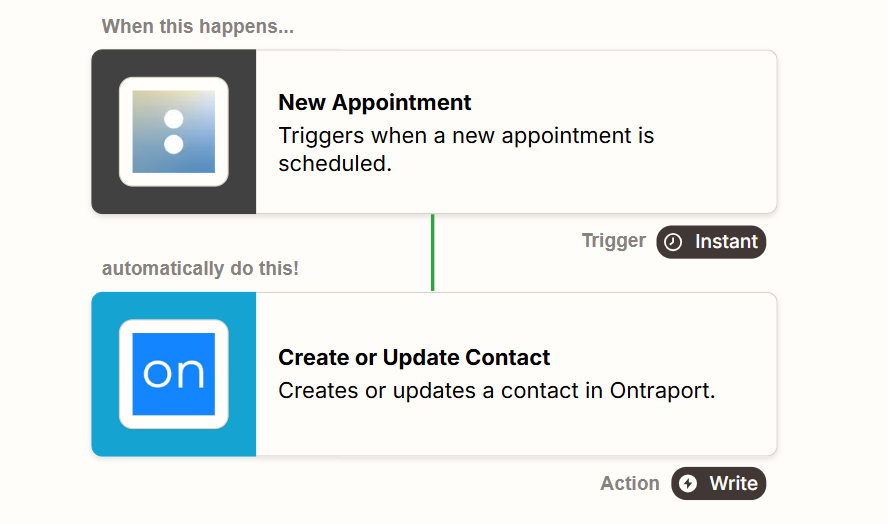
How it works: Zapier connects Acuity Scheduling and Ontraport through event-driven automations called Zaps. Each Zap pairs a trigger (an event in Acuity, such as a new appointment) with one or more actions (what happens in Ontraport, such as creating or updating a contact).
Ontraport officially lists Acuity Scheduling as a supported integration
through Zapier, and Acuity maintains a native Zapier integration connecting to 500+ apps.
What it syncs: New appointments, cancelled appointments, rescheduled appointments, and appointment changes. Each trigger exposes client data (name, email, phone), appointment details (type, date, time, duration, calendar), and intake form responses.
On the Ontraport side, actions can create or update contacts, add or remove tags, subscribe contacts to sequences, and trigger campaign automations.
Fits: Ongoing sync of new appointment events into Ontraport's CRM and automation engine. Not a migration tool for historical booking data.
Setup process:
Create a Zapier account and connect both your Acuity Scheduling account (using your API credentials from Acuity's Integrations settings) and your Ontraport account (using your API Key and App ID from Ontraport's Administration settings).
Create a new Zap. Choose Acuity Scheduling as the trigger app and select the trigger event (e.g., "New Appointment" or "Appointment Canceled").
Choose Ontraport as the action app and select the action (e.g., "Create or Update Contact," "Add Tag to Contact," or "Add Contact to Sequence").
Map fields from the Acuity trigger to Ontraport contact fields. Use the client's email as the unique identifier, and route appointment type, date, time, and intake form responses into the appropriate Ontraport custom fields or tags.
Test the Zap by creating a sample appointment in Acuity and verifying the contact appears in Ontraport with the correct data and tags.
Turn the Zap on. For additional workflows (e.g., syncing cancellations separately from new bookings), create additional Zaps with different trigger events.
Strengths: Fastest setup with no coding required. Both Acuity and Ontraport are established Zapier connectors with documented trigger and action options. Zapier's filter and formatter steps can route different appointment types to different Ontraport tags, sequences, or pipelines. Ontraport officially supports this connection path.
Limitations: Each Zap handles one trigger-action pair, so syncing new appointments, cancellations, and reschedules requires separate Zaps (each counting against your Zapier plan's task allocation). The sync is one-directional (Acuity to Ontraport). Complex intake form data may require Zapier formatter steps to map correctly to Ontraport custom fields.
Zapier charges by task count, and high-volume booking operations accumulate costs. Historical appointments booked before the Zap was activated do not sync.
Best for: Service businesses, coaches, and consultants who want appointment data flowing into Ontraport's CRM and automation without development work. Teams that need new bookings to trigger Ontraport nurture sequences, follow-up campaigns, or pipeline stage changes automatically.
Custom API Integration
How it works: Both platforms expose REST APIs with webhook support.
Acuity's REST API (v1.1) covers appointments, availability, calendars, and client data, with webhooks that fire on appointment events (scheduled, rescheduled, canceled, changed, and order.completed).
Ontraport's REST API exposes contacts, custom objects, tags, sequences, transactions, and campaign elements. A custom integration connects these APIs through middleware that listens for Acuity webhook events, transforms the appointment data, and writes it into Ontraport's contact and object records.
What it syncs: Anything both APIs expose. Acuity's API returns appointment details, client information, intake form responses, package purchases, and calendar metadata.
Ontraport's API accepts contact creation and updates, tag operations, sequence subscriptions, task creation, and custom object writes.
This is the only method that handles complex mapping scenarios (e.g., creating Ontraport custom object records for each appointment, linking appointments to deals, or triggering different automations based on intake form answers).
Fits: Both one-time migration of historical appointment data and ongoing event-driven sync. The only method that covers both.
Setup process:
Obtain API credentials from both platforms: Acuity's User ID and API Key from Integrations settings (requires Premium plan for API access), and Ontraport's API Key and App ID from Administration settings.
Design the data mapping between Acuity appointment fields and Ontraport contact fields, tags, and custom objects. Decide which Acuity appointment types map to which Ontraport tags or pipeline stages.
Build a server-side application that registers Acuity webhooks for the relevant events (scheduled, rescheduled, canceled). When a webhook fires, the application fetches the full appointment record from Acuity's API, transforms the data, and writes it to Ontraport using the Contacts merge-or-create endpoint (upsert by email) and tag operations.
Implement webhook signature verification using HMAC-SHA256 on the Acuity side for security.
Add logging and error handling. Acuity retries failed webhook deliveries with exponential backoff over 24 hours. Ontraport enforces a 180 requests per minute rate limit.
Deploy, monitor, and maintain the integration. Both platforms may update their APIs over time.
Strengths: Full control over what data syncs and how it transforms. Near real-time sync via Acuity webhooks. Can migrate historical appointment data through Acuity's appointment list endpoint.
Can implement complex business logic (e.g., different Ontraport automations based on appointment type, intake form answers, or package status). No per-operation fees from a third-party connector.
Limitations: Requires development resources to build and maintain. Acuity API access is restricted to the Premium plan ($49/month annual) and Enterprise. You own the infrastructure, monitoring, and error recovery. The initial build takes days to weeks depending on complexity.
Ontraport's default response page size of 50 records and 180 req/min rate limit require careful handling for bulk operations.
Best for: Businesses with complex data mapping requirements that Zapier cannot handle. Teams that need to migrate historical appointment data into Ontraport. Organizations with in-house development resources and a long-term commitment to both platforms.
Key Use Cases
1. Automated Client Onboarding After Booking
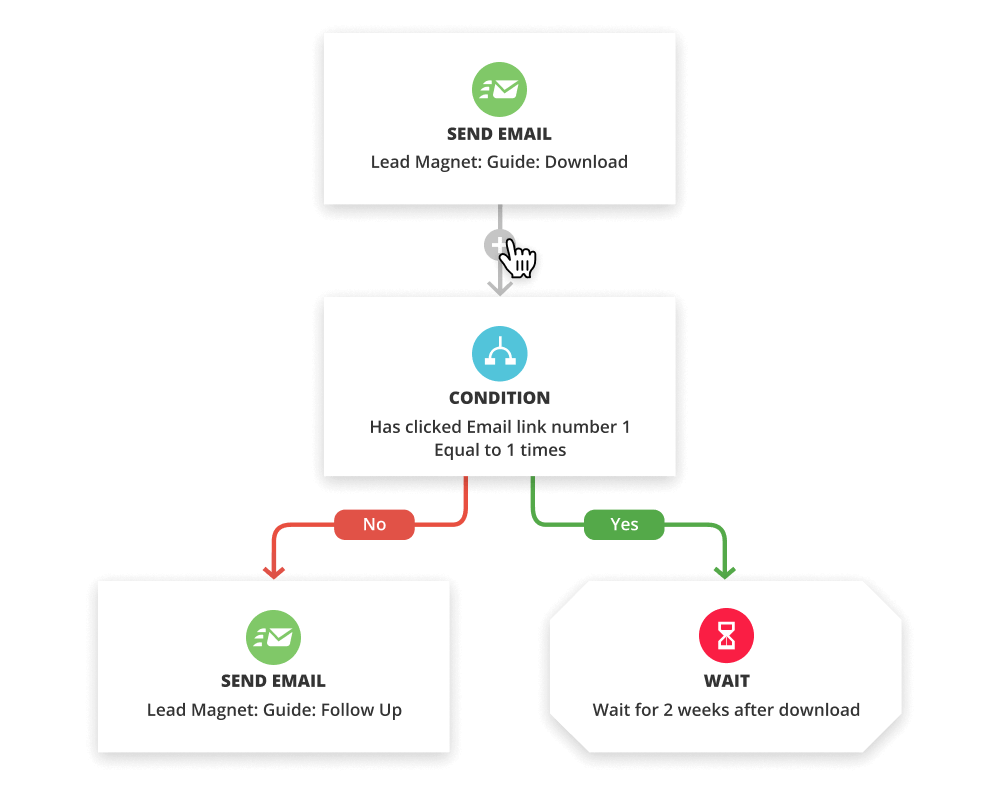
A new client books a discovery call through Acuity Scheduling. A Zap triggers on the new appointment event and creates or updates the contact in Ontraport, adding a tag like "Booked Discovery Call."
That tag kicks off an Ontraport campaign automation that sends a pre-call questionnaire, a welcome email with preparation instructions, and a reminder sequence timed to the appointment date.
Source: Ontraport
Best integration method: Zapier (event-triggered, one-directional).
2. Intake Form Data Powering Segmented Follow-Up
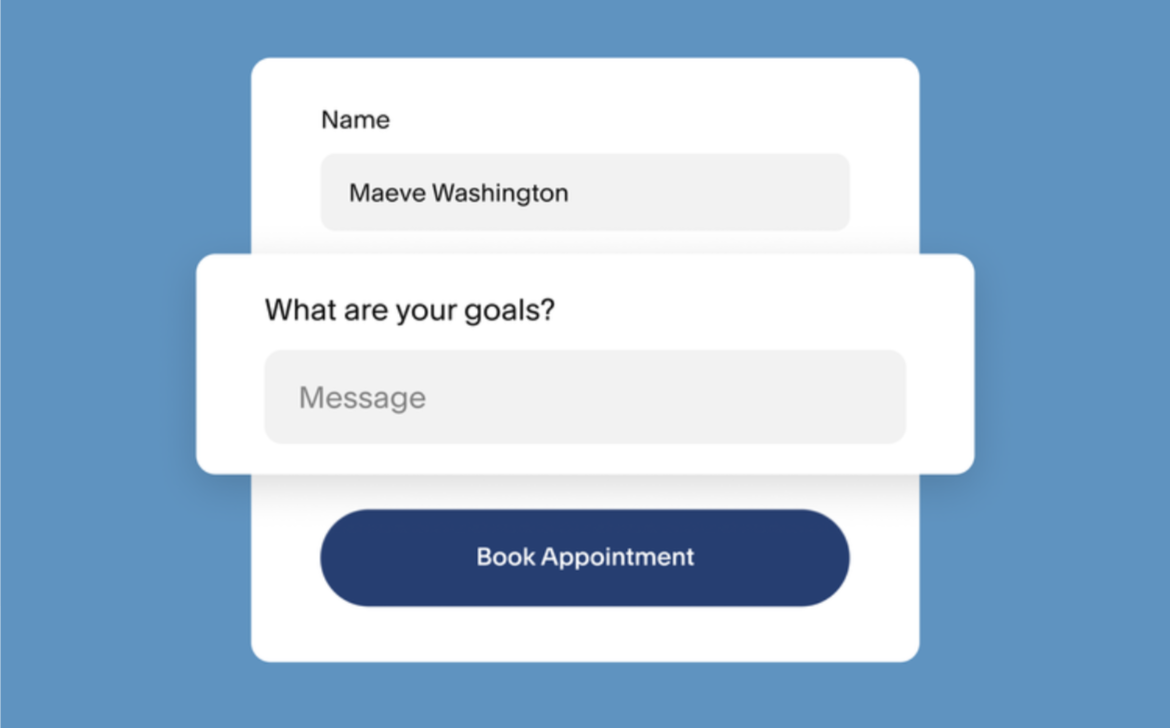
Acuity's custom intake forms collect information about client needs, budget range, or service preferences before the appointment. A Zap maps these intake responses to Ontraport custom fields, letting the CRM segment contacts by their stated needs.
Source: Acuity
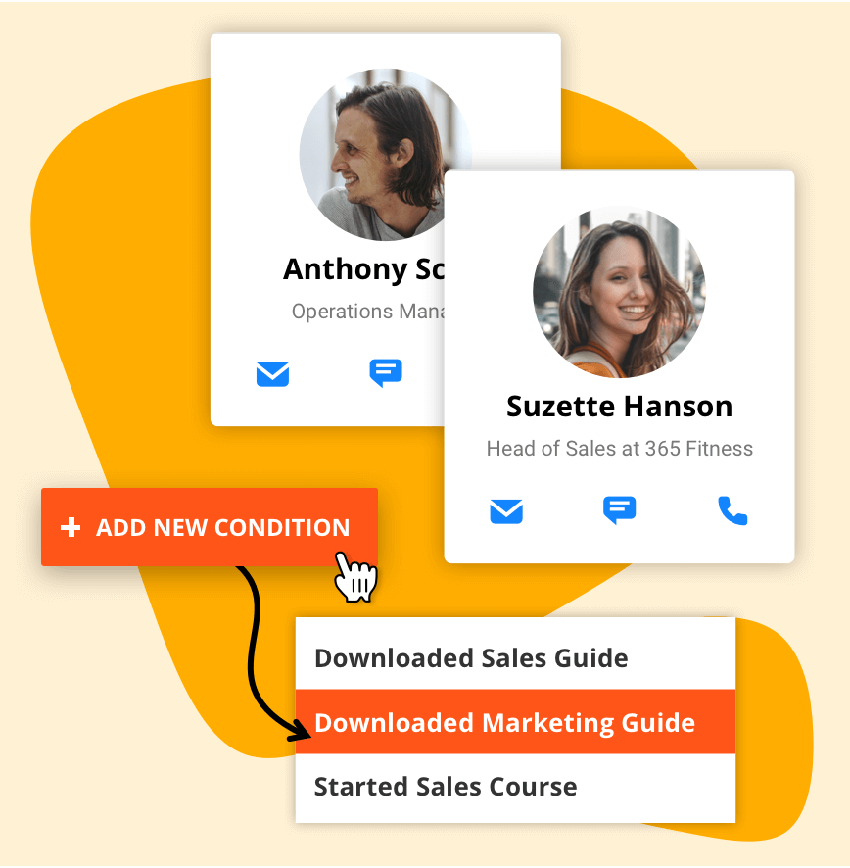
Ontraport's dynamic groups then route each contact into the right nurture sequence based on what they reported during booking.
Source: Ontraport
Best integration method: Zapier (with formatter steps for complex field mapping) or custom API for high-volume or multi-field scenarios.
3. No-Show and Cancellation Handling
When a client cancels or no-shows in Acuity, a Zap fires on the cancellation event and updates the Ontraport contact with a "Cancelled" or "No-Show" tag. That tag triggers an Ontraport automation: a rebooking email, a follow-up survey, or a task for the sales team.
This turns a lost appointment into an automated recovery workflow instead of a silent gap in the calendar.
Best integration method: Zapier (separate Zap for cancellation events).
4. Package and Subscription Purchase Tracking
Acuity supports appointment packages, subscriptions, and gift certificates. When a client purchases a package, a Zap (or a custom webhook listening for the order.completed event) creates a transaction record or tag in Ontraport.
The CRM can then track which clients have active packages, how many sessions remain, and when to trigger a renewal campaign.
Best integration method: Custom API (the order.completed webhook event provides the richest data) or Zapier for simpler tag-based tracking.
5. Multi-Staff Appointment Routing
A business with multiple staff members uses Acuity's staff management to assign appointments to specific providers. A custom API integration can read the calendar ID from the Acuity appointment record and route the Ontraport contact to the right sales rep or account manager using Ontraport's lead routing or task assignment.
Best integration method: Custom API (requires reading calendar/staff metadata from Acuity's API).
Limitations and Considerations
No Native Integration
No first-party connector exists between Acuity Scheduling and Ontraport. Every integration method runs through Zapier or custom development. The integration is only as reliable as the middleware layer, and neither platform's support team can troubleshoot the connection directly.
One-Directional Data Flow
Data flows from Acuity to Ontraport only. Ontraport contact updates, tag changes, or pipeline movements do not flow back into Acuity. If a sales rep updates a client's phone number in Ontraport, Acuity's client record keeps the old number.
Teams that need both systems to reflect the same contact data must update each one manually or build a separate reverse sync through the API.
Acuity API Access Requires Premium Plan
Acuity's REST API is restricted to the Premium plan ($49/month annual) and Enterprise tier. Teams on Acuity's Starter ($16/month) or Standard ($27/month) plans cannot build custom API integrations but can still use Zapier, which connects through Acuity's native Zapier integration rather than direct API access.
Data Model Differences
Acuity organizes data around appointments, calendars, and appointment types. Ontraport organizes data around contacts, custom objects, tags, and pipeline stages. Mapping between the two requires decisions: does an Acuity "appointment type" become an Ontraport tag, a custom field value, or a pipeline stage?
Intake form fields in Acuity are dynamic and per-appointment-type, while Ontraport custom fields are defined at the contact level. Complex mappings may require Zapier formatter steps or custom transformation logic.
Zapier Task Volume and Cost
Each synced appointment event counts as a Zapier task. A business booking 500 appointments per month across new bookings, cancellations, and reschedule events could consume 1,000+ tasks per month if separate Zaps handle each event type.
Zapier's pricing scales with task volume, so high-volume businesses should calculate the ongoing cost against the value of automation.
Maintenance
Both platforms evolve independently. Acuity (a Squarespace product) receives updates through Squarespace's development cycle. Ontraport updates its API and features on its own schedule. Custom fields added in either platform after the initial setup will not sync unless someone updates the configuration.
Zapier may change how its connectors work, and custom API integrations need maintenance when either platform updates its API.
What No Method Fixes: The Data Itself
Every method above moves appointment data from Acuity into Ontraport. None checks whether the contact information behind those bookings is accurate, complete, or current. A client who books with an outdated email syncs as a contact with an outdated email. A prospect whose job title changed three months ago still appears in Ontraport with the old title.
The integration ensures both systems share the same booking data. It does not ensure the contact profiles are right.
Where ZoomInfo Fits In
Every method in this guide moves appointment data from Acuity Scheduling into Ontraport. None improves the contact data behind those bookings.
When the integration runs but CRM records remain incomplete (missing company details, wrong job titles, unverified emails, no phone numbers), the bottleneck is no longer the connector.
That is the gap ZoomInfo closes.
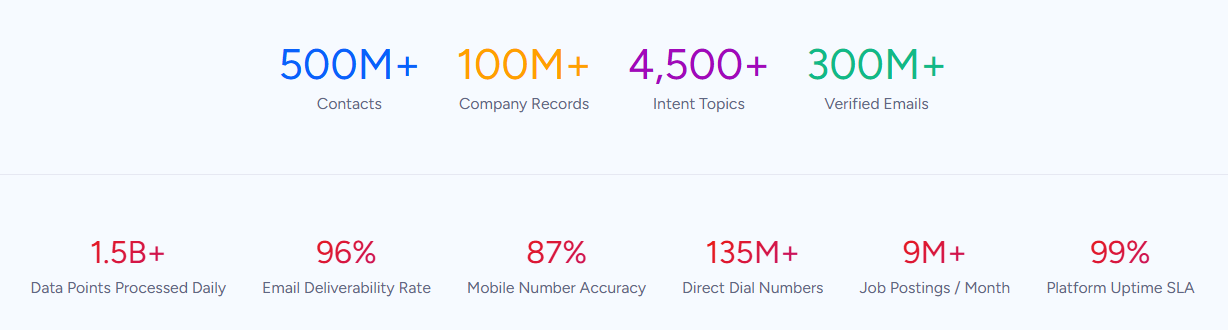
ZoomInfo is a B2B data and go-to-market platform covering 500M contacts, 100M companies, 135M+ verified phone numbers, and 200M+ verified business email addresses. A verification process run by 300+ human researchers reaches up to 95% accuracy on first-party data.
For teams running Acuity for booking and Ontraport for CRM and marketing, ZoomInfo addresses the data quality layer that no appointment sync handles.
ZoomInfo integrates with Ontraport through middleware connectors like Commercient SYNC and Tray.ai, as well as direct API connections. These paths let verified contact data, firmographics, technographics, and Buyer Intent signals flow into Ontraport records automatically.
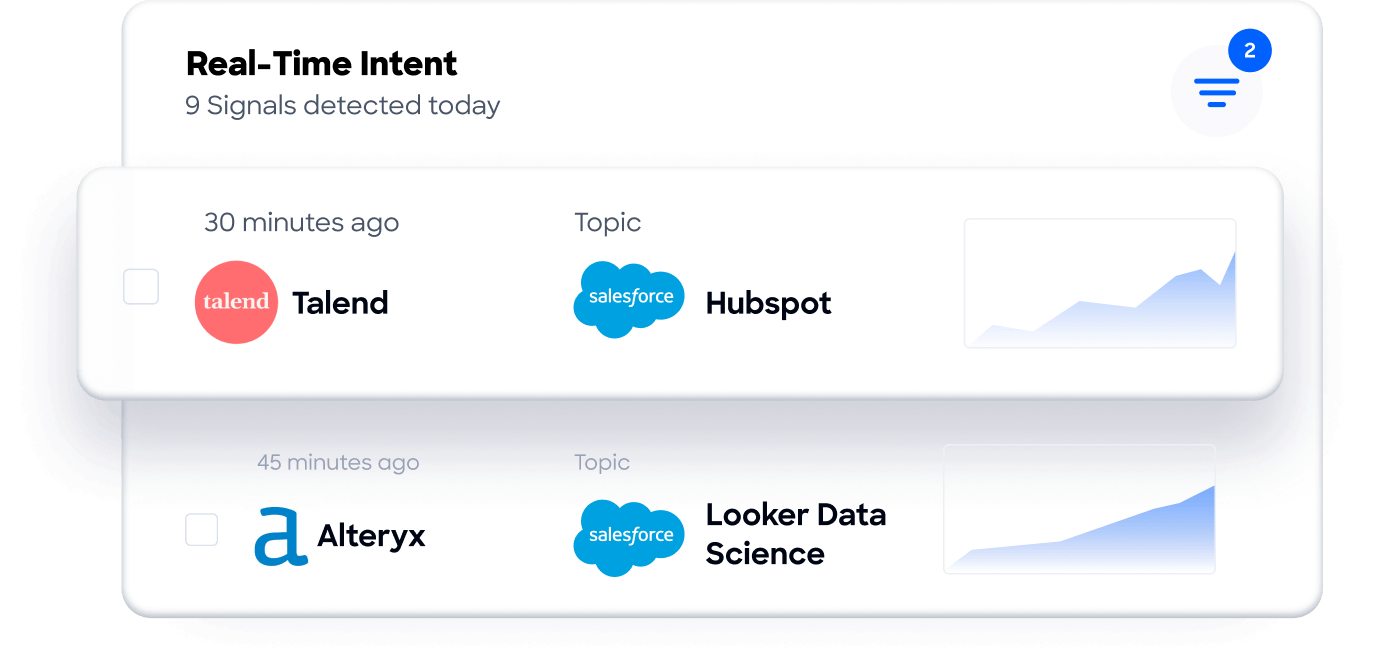
When a new client books through Acuity and their contact record lands in Ontraport via Zapier, ZoomInfo can enrich that record with a verified business email, direct-dial phone number, company size, industry, and tech stack, turning a bare booking into a fully profiled lead.
In practice, a coaching or consulting business running both platforms can use the Acuity-Ontraport integration to capture bookings and trigger automation, then use ZoomInfo to enrich those contacts with B2B intelligence.
The enriched data improves every downstream workflow: Ontraport's lead scoring becomes more accurate because firmographic fields are populated, segmentation with dynamic groups can filter by company size or industry rather than just appointment type, and outreach campaigns reach verified contact details rather than whatever the client typed into the booking form.
ZoomInfo's GTM Context Graph processes 1.5B+ data points daily and surfaces intent signals showing which accounts are actively researching relevant solutions.
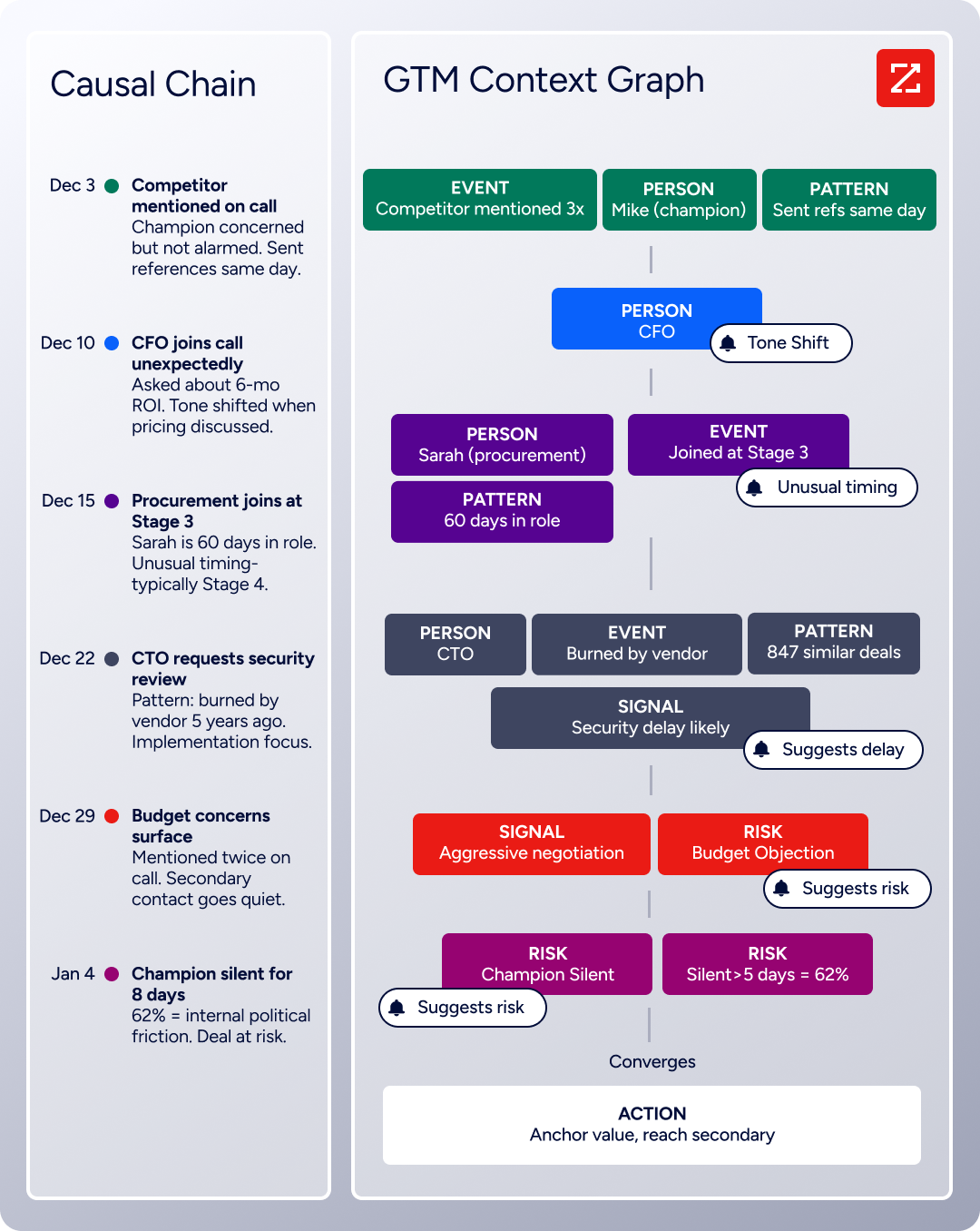
For service businesses selling to other businesses, this means the Ontraport pipeline is not just populated by who booked, but prioritized by who is actually in-market.
Seismic's sales team attributed 39% of active pipeline to opportunities identified or influenced by ZoomInfo signals, while boosting productivity by 54% and saving 11.5 hours per week. (Seismic)
Final Verdict
No native integration exists between Acuity Scheduling and Ontraport. Every connection runs through Zapier or custom API development. The right choice depends on scale and complexity.
Small service businesses and solo practitioners syncing new bookings into Ontraport should start with Zapier. It requires no code, sets up in under an hour, and handles the core use case: turning Acuity appointments into Ontraport contacts with tags and sequence enrollment.
Teams with complex data mapping needs (multi-staff routing, intake form logic, package tracking, or historical data migration) should invest in a custom API integration, provided they have Acuity's Premium plan and development resources.
Businesses that need Ontraport data to flow back into Acuity should evaluate whether both platforms are the right long-term choice, since no current method supports a reverse sync.
Before committing to a method, clarify why both platforms need to coexist.
If Acuity handles client-facing booking while Ontraport handles everything after the booking (nurture, sales, payments, membership delivery), the integration is structural and worth investing in properly.
If the business is outgrowing Acuity and considering Ontraport's built-in calendar as a replacement, keep the sync simple while evaluating consolidation. Either way, the quality of the contact data in Ontraport determines whether the automation built on those bookings delivers value or just operates on incomplete records.
ZoomInfo, with its Ontraport integration paths and API access, is the data enrichment layer that ensures contacts arriving from Acuity carry verified, complete B2B profiles.
FAQ
Can I connect Acuity Scheduling and Ontraport without writing code?
Yes. Zapier offers no-code connectors for both platforms and is the method most teams use. Ontraport officially documents Acuity Scheduling as a supported appointment integration through Zapier. A basic workflow (new appointment creates or updates an Ontraport contact with a tag) can be configured through Zapier's visual interface in under an hour.
Does either platform offer a built-in connector to the other?
No. Acuity Scheduling does not list Ontraport on its integrations page, and Ontraport does not include a native Acuity module. Ontraport's support documentation does cover Acuity as an integration partner through Zapier, making it a recognized connection path even without a direct connector.
Can I sync historical appointment data from Acuity into Ontraport?
Not through Zapier, which only processes events that occur after a Zap is activated. For historical data, a custom script using Acuity's REST API (available on the Premium plan) can retrieve past appointments via the appointments list endpoint and write them into Ontraport through its API.
This requires development resources and careful handling of Ontraport's 180 requests per minute rate limit.
What Acuity plan do I need for the integration?
For Zapier, any paid Acuity plan works (Starter, Standard, or Premium). Zapier connects through Acuity's native Zapier integration, available across all tiers. For custom API development, you need the Premium plan ($49/month annual) or Enterprise, since Acuity restricts REST API access to those tiers.
What happens if an appointment is rescheduled or cancelled?
With Zapier, you create separate Zaps for each event type. A "New Appointment" Zap creates the contact; a "Canceled Appointment" Zap adds a cancellation tag or triggers a different Ontraport automation. With a custom API integration, you register webhooks for the rescheduled and canceled events and handle each with the appropriate Ontraport update logic.
Can Ontraport data flow back into Acuity Scheduling?
Not through any standard method. The sync is one-directional: Acuity generates booking events, and Ontraport receives them. Contact updates made in Ontraport (new phone numbers, updated email addresses, changed tags) do not propagate back to Acuity's client records.
A custom API build could push Ontraport data into Acuity, but Acuity's API is designed for reading and creating appointments rather than bulk-updating client profiles.
Does Ontraport have its own scheduling feature that could replace Acuity?
Yes. Ontraport includes a built-in calendar with shareable booking links, two-way Google Calendar sync, and automated reminder and follow-up campaigns.
For teams that need simple appointment scheduling as part of a CRM workflow, Ontraport's native calendar may work.
Acuity offers deeper scheduling capabilities: per-appointment-type availability controls, class scheduling with capacity limits, built-in payment collection (Stripe, Square, PayPal), packages and subscriptions, HIPAA compliance, multi-location management, and a branded booking page builder.
Teams that need these features will likely keep running both platforms.
How does ZoomInfo improve an Acuity-Ontraport integration?
ZoomInfo solves the data quality problem that no appointment sync tool addresses. When a client books through Acuity, the contact record in Ontraport contains whatever the client typed into the booking form, which may be incomplete or wrong.
ZoomInfo enriches Ontraport records with verified business email addresses, direct-dial phone numbers, company firmographics, technographics, and job titles. Its integration with Ontraport through middleware connectors and API access means enrichment can happen automatically.
The result: Ontraport's lead scoring, segmentation, and outreach campaigns operate on verified data rather than self-reported booking form entries.
Other ways to integrate Acuity Scheduling:
