

Teams that run Acuity Scheduling for client bookings and Pipedrive for sales pipeline management usually discover the same problems within a quarter:
appointment data lives in Acuity while deal records live in Pipedrive, so reps toggle between tools to connect a booked consultation to the right pipeline opportunity,
new leads who book through Acuity never appear in Pipedrive unless someone creates them manually,
and when a high-value prospect reschedules or cancels, the rep working the deal in Pipedrive has no idea until it is too late to act.
However, the two platforms ended up coexisting (a service business adding a CRM to an existing scheduling workflow, a sales team adopting Acuity for prospect consultations, or different departments choosing tools independently), the longer they run without a connection, the more booking activity goes untracked in the CRM and the harder it becomes to tie appointments to revenue.
Connecting Acuity Scheduling and Pipedrive closes that gap.
New appointment bookings flow into Pipedrive as activities or deals so the pipeline reflects real buyer engagement. Intake form responses collected at booking travel with the record, giving reps context before the call.
When a prospect reschedules or cancels, the change updates the CRM automatically, so follow-up timing stays accurate, and no signal gets lost.
A native marketplace integration exists (built by Ulgebra and available in the Pipedrive Marketplace), and third-party automation tools like Zapier and Make offer additional connection methods. Custom API development is also possible, since both platforms expose REST APIs with webhook support.
Each method differs in setup complexity, sync direction, data coverage, and cost.
There is also one problem no connection method solves: the sync moves appointment records into the CRM, but it does not tell you whether the contact behind the booking is the right person, still at the company, or reachable at the email they submitted.
That is where ZoomInfo comes in. ZoomInfo integrates natively with Pipedrive, pushing verified contact and company data directly into the CRM through bidirectional sync.
Its Enterprise API and MCP server can extend that same intelligence to any workflow touching Acuity data, so the records behind every booked appointment are accurate and complete.
This article covers the Acuity Scheduling and Pipedrive integration: which methods are available, what data each one handles, how to set them up, the use cases that justify connecting both platforms, and the limitations to plan for.
It also covers how ZoomInfo fits as a data enrichment layer that strengthens the records flowing between Acuity and Pipedrive.
Let's start with an overview of the integration.
Integration Overview
Does a native integration exist?
Source: Pipedrive
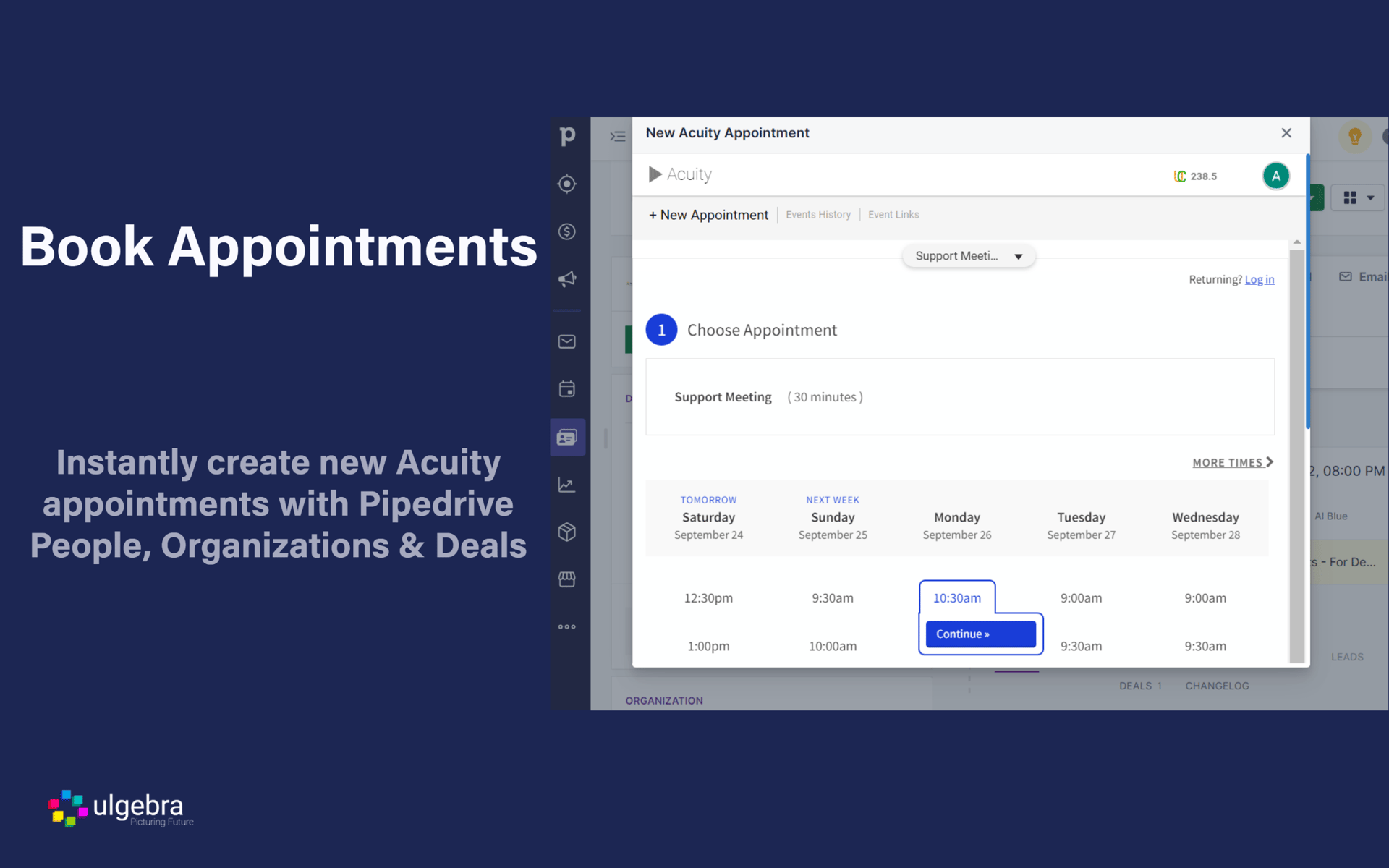
Yes. An Acuity Scheduling integration app built by Ulgebra is available in the Pipedrive Marketplace. It lets users schedule Acuity appointments from Pipedrive contacts and sync incoming Acuity events into Pipedrive modules.
What data can sync?
Appointment details (date, time, type, status), client contact information (name, email, phone), and intake form responses from Acuity. On the Pipedrive side, contact and deal data can inform which appointments are scheduled.
The specific fields depend on the integration method: the marketplace app handles core appointment and contact data, while Zapier and Make can map additional custom fields with finer control.
Is the sync bidirectional?
The marketplace app supports scheduling from Pipedrive into Acuity and syncing Acuity events back into Pipedrive, making it bidirectional for appointment data. Zapier and Make handle one-way flows per automation, so bidirectional sync requires separate workflows in each direction.
Is it real-time or batch?
The marketplace app syncs events as they occur. Zapier triggers within 1 to 15 minutes depending on plan tier. Make scenarios can run on triggers or configurable schedules. Acuity supports webhooks that fire on appointment events, which custom API integrations can use for real-time sync.
What are the available methods?
Native marketplace app (Ulgebra), third-party automation (Zapier, Make), and custom API development.
Method | Setup Difficulty | Data Flow | Real-time? | Cost |
|---|---|---|---|---|
Native Marketplace App (Ulgebra) | Low | Bidirectional | Near real-time | App subscription (varies) |
Zapier | Low | One-way per Zap | Near real-time (1-15 min) | From $19.99/mo |
Make | Medium | Configurable per scenario | Near real-time or scheduled | From $10.59/mo |
Custom API | High | Fully customizable | Real-time via webhooks | Developer time + hosting |
One distinction worth settling upfront: the marketplace app and automation tools handle ongoing sync of appointment activity as part of daily workflows. Custom API development is the only method that can handle both a full historical migration of past appointment data and ongoing real-time sync, though it requires the most resources to build and maintain.
Integration Methods
Native Marketplace App (Ulgebra)
Source: Pipedrive
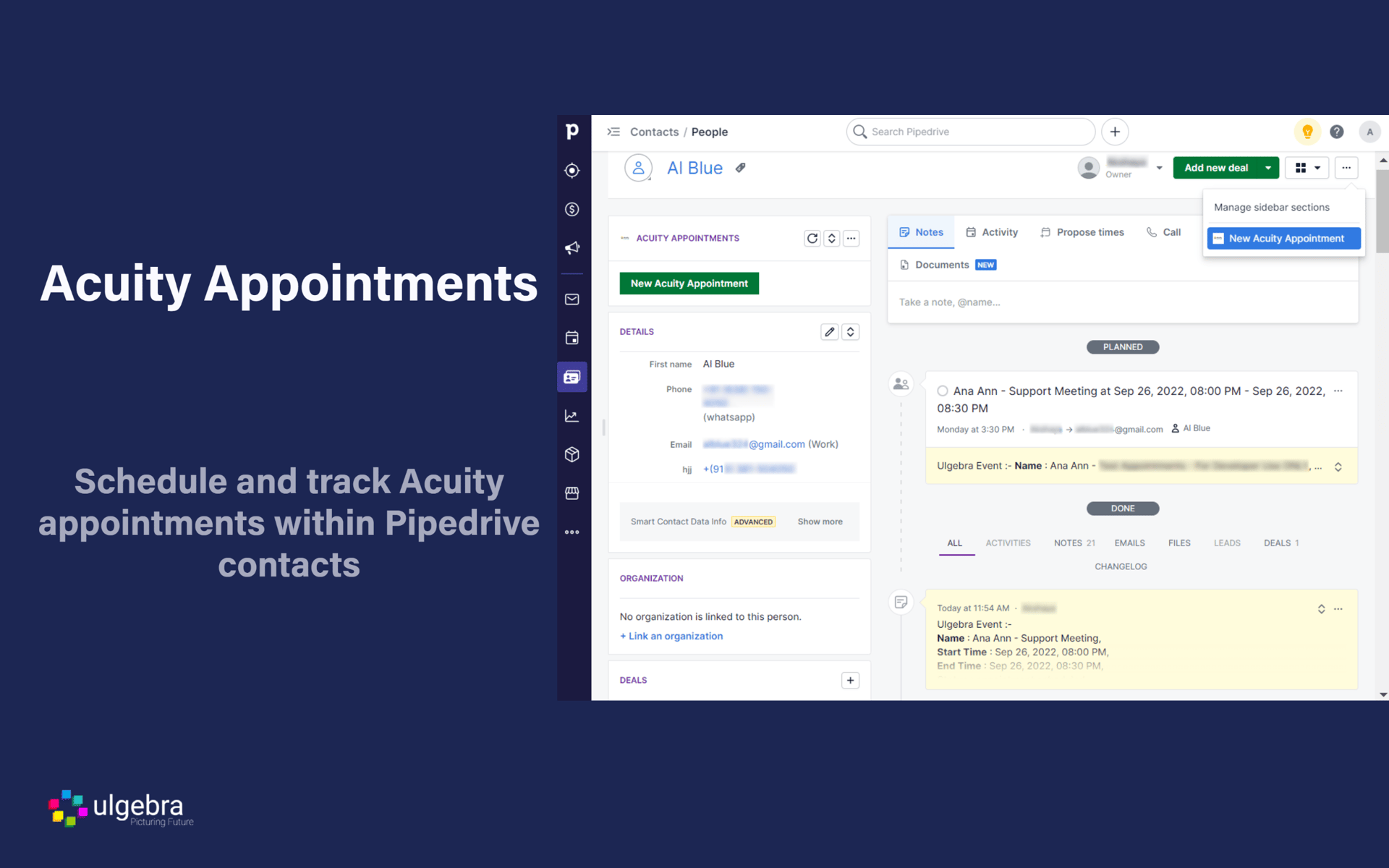
How it works: The Acuity Scheduling for Pipedrive app, built by Ulgebra, connects the two platforms through a direct integration in the Pipedrive Marketplace.
Users schedule Acuity appointments from within Pipedrive contact records, and incoming Acuity appointment events sync into Pipedrive modules, keeping both platforms aligned without leaving either interface.
What it syncs: Appointment type, date, time, client name, email, and status flow between both platforms. Incoming Acuity events (new bookings, reschedules, cancellations) sync into Pipedrive. Users can also trigger new Acuity appointments from Pipedrive contacts.
Fits: ongoing sync of appointment activity; not designed for bulk historical migration.
Setup process:
In Pipedrive, navigate to the Marketplace and search for "Acuity Scheduling." Install the Acuity Scheduling for Pipedrive app by Ulgebra.
Authorize the app to access your Pipedrive account. Admin-level access is required.
Connect your Acuity Scheduling account by entering your Acuity credentials or API key (found under Acuity's Integrations settings at secure.acuityscheduling.com).
Configure which Acuity appointment types should sync into Pipedrive and map the corresponding fields (client name, email, phone, appointment type) to Pipedrive contact and activity fields.
Test by booking an appointment in Acuity and confirming the event appears on the correct Pipedrive contact record.
Enable the integration for ongoing sync. Verify that scheduling from within Pipedrive creates the appointment in Acuity as expected.
Strengths: The most direct connection between the two platforms, available through Pipedrive's official Marketplace. No third-party automation tool required. Reps who live in the CRM can schedule without switching tools. Setup requires no coding.
Limitations: Feature depth depends on the Ulgebra app's capabilities and update cycle, which operates independently from both Acuity and Pipedrive. Custom field mapping may be more limited than automation tools offer. The app carries its own subscription cost separate from both platforms.
Best for: Teams that want a direct, low-maintenance connection between Acuity and Pipedrive without configuring a third-party automation tool. Sales teams that need to schedule client appointments from within the CRM.
Zapier
How it works: Zapier connects Acuity Scheduling and Pipedrive through event-driven automations called Zaps. Each Zap pairs a trigger (an event in one app) with one or more actions (what happens in the other). Both platforms have established Zapier connectors with a wide range of trigger and action options.
What it syncs: Contacts, deals, activities, and notes. Acuity triggers include new appointments, rescheduled appointments, canceled appointments, and new clients. Pipedrive actions include creating or updating persons, deals, activities, and notes.
Custom fields can be mapped manually in the setup flow. Each data flow requires its own Zap.
Fits: ongoing sync of new appointment events; not a migration tool for historical data.
Setup process:
Create a Zapier account and connect both your Acuity Scheduling and Pipedrive accounts using OAuth or API key authentication.
Choose Acuity Scheduling as the trigger app and select the trigger event (e.g., "New Appointment").
Choose Pipedrive as the action app and select the action (e.g., "Create Activity" or "Create Deal").
Map fields from the Acuity trigger (client name, email, appointment type, date, intake form responses) into the corresponding Pipedrive fields.
Test the Zap with a sample appointment to verify the field mapping produces the expected result in Pipedrive.
Turn the Zap on. For bidirectional sync (e.g., new Pipedrive deals triggering Acuity bookings), create a second Zap with the trigger and action apps reversed.
Strengths: Fast setup with no technical knowledge required. Zapier's template library includes pre-built Acuity-Pipedrive workflows for common use cases. Reliable for simple, single-event syncs. Supports intake form data mapping, so pre-appointment information collected in Acuity can populate Pipedrive fields.
Limitations: Each Zap handles one trigger-action pair, so syncing new appointments, reschedules, and cancellations requires separate Zaps (each counting against your plan's task allocation). No built-in deduplication.
Historical appointments created before the Zap was activated do not sync. Zapier charges by task count, and high-volume appointment activity accumulates costs.
Best for: Small teams that need a quick, affordable connection between specific Acuity appointment events and Pipedrive records. Teams that want to route new bookings into the sales pipeline without building a custom integration.
Make (Formerly Integromat)
How it works: Make uses a visual scenario builder where modules (app actions) connect in a flowchart. Each module represents a step: watch for a trigger, transform data, create or update a record. Scenarios can branch, filter, loop, and handle errors, offering more control than Zapier's linear structure.
Both Acuity Scheduling and Pipedrive have dedicated Make modules.
What it syncs: The same objects as Zapier (contacts, deals, activities, notes), with more flexibility in how data transforms between platforms. Make supports iterators for batch processing, routers for conditional paths, and aggregators for combining records before writing.
Acuity's webhooks can serve as instant triggers in Make scenarios for faster response times.
Fits: ongoing sync with conditional logic; handles more complex routing rules than Zapier.
Setup process:
Create a Make account and add Acuity Scheduling and Pipedrive as connections via API key or OAuth.
Build a new scenario. Add the Acuity Scheduling module and select a trigger (e.g., "Watch Appointments").
Add a Pipedrive module and select an action (e.g., "Create/Update a Deal" or "Create an Activity").
Connect the modules and map fields. Make provides functions for transforming data between platforms (e.g., converting Acuity appointment type names into Pipedrive activity types or deal stage values).
Add error-handling modules to catch failures (e.g., log to a spreadsheet or send a Slack notification).
Set the scenario to run on every trigger event or on a time-based schedule (e.g., every 5 minutes).
Strengths: Fine control over data transformation and conditional routing. The visual builder makes complex workflows easier to follow than code. Supports scenarios like "only create a Pipedrive deal for appointments of type X with a value above Y" or "route rescheduled appointments to a specific pipeline stage." Per-operation pricing is lower than Zapier at higher volumes.
Limitations: Steeper learning curve than Zapier's guided setup. Both platforms' APIs impose rate limits that may require throttling at high volumes. Bidirectional sync still requires careful configuration to prevent infinite loops.
Best for: Teams with conditional sync requirements (e.g., only sync paid consultation appointments into the sales pipeline, or route appointments to different pipeline stages based on service type). Mid-size teams whose appointment volumes make Zapier's per-task pricing expensive.
Custom API Integration
How it works: Both Acuity Scheduling and Pipedrive provide REST APIs with webhook support.
Acuity's API (v1.1) covers appointments, availability, calendars, and client data, with webhooks for real-time notifications on appointment events (scheduled, rescheduled, canceled, changed, order.completed).
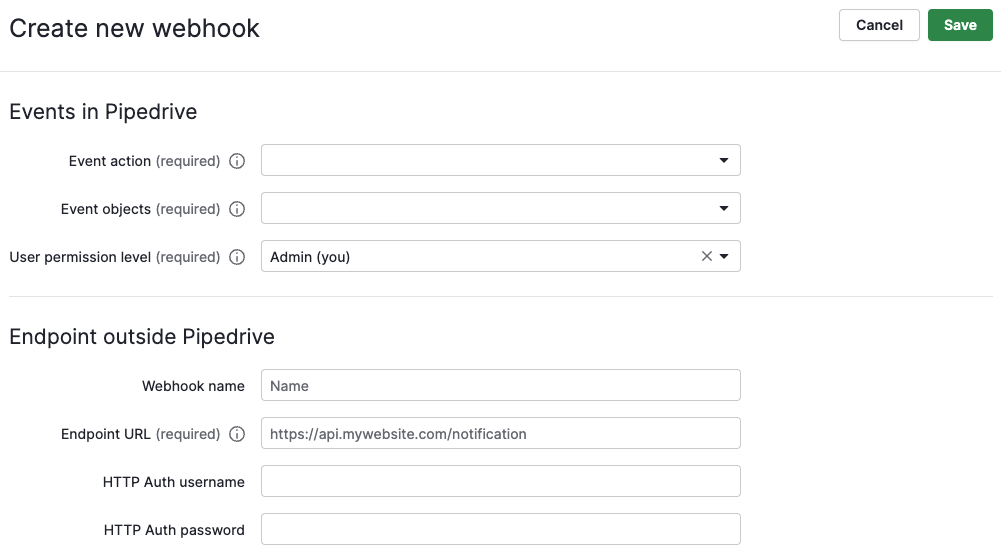
Pipedrive's API covers deals, persons, organizations, activities, and more, with Webhooks v2 for event-driven notifications. A custom integration connects these APIs directly, with middleware handling authentication, field mapping, transformation, and error recovery.
What it syncs: Anything both APIs expose. This is the only method that supports complex sync scenarios like matching Acuity clients to existing Pipedrive contacts by email, syncing intake form responses into custom Pipedrive fields, or enforcing business rules beyond simple field mapping (e.g., only create a deal when a paid appointment is confirmed).
Fits: either one-time migration of historical appointment data or ongoing sync; the only method with no ceiling on either.
Setup process:
Obtain API credentials for both platforms: Acuity API key from Integrations settings (requires Premium plan for API access), and Pipedrive API token or OAuth app credentials from the Developer Hub.
Design the data model mapping: which Acuity appointment fields map to which Pipedrive objects (Persons, Deals, Activities) and fields, including a cross-reference strategy for matching existing records.
Build the sync service: a server-side application that listens for Acuity webhooks and transforms appointment data into Pipedrive API calls. Verify webhook authenticity using HMAC-SHA256 signatures delivered in the x-acuity-signature header.
Implement matching logic: before creating a new Pipedrive contact, search for existing records by email using Pipedrive's Item Search endpoint to prevent duplicates.
Add logging, error handling, and retry logic. Pipedrive's token-based rate limiting allocates a daily budget based on plan tier and seat count. Acuity's API does not publish explicit rate limits but defaults to 100 results per call.
Deploy, monitor, and maintain the integration. Both platforms update their APIs (Pipedrive released API v2; Acuity's API is at v1.1), so plan for ongoing compatibility checks.
Strengths: Full control over what syncs, when, and how. Real-time sync via webhooks on both sides. Can implement business logic that no off-the-shelf tool supports (e.g., create a deal only for first-time clients, attach intake form responses as structured custom fields, sync package purchases alongside appointments). No per-record or per-operation fees from a third-party connector.
Limitations: Requires development resources to build and maintain. Acuity API access is restricted to the Premium plan ($49/month annual) and above. The initial build takes weeks, not hours. You own the infrastructure, monitoring, and error recovery.
Best for: Teams with sync requirements that no off-the-shelf tool can satisfy. Organizations with in-house development resources and complex business logic that must be enforced during sync (e.g., routing logic based on appointment type, payment status, or intake form responses).
Key Use Cases
1. New Consultation Bookings Create Pipeline Deals
A prospect books a paid consultation through Acuity's booking page. The integration creates a new deal in Pipedrive with the client's name, email, appointment type, and scheduled date, placing it in the appropriate pipeline stage.
The rep sees the upcoming consultation on their Pipedrive activity calendar and can prepare using the intake form responses that traveled with the record.
Best integration method: Zapier or Make (one-directional, triggered by new Acuity appointment).
2. Scheduling Sales Calls from the CRM
A sales rep working a deal in Pipedrive wants to book a discovery call. Using the marketplace app, they schedule an Acuity appointment from the contact record without switching tools. The appointment appears in both Acuity's calendar (preventing double-booking) and on the Pipedrive deal timeline.
Best integration method: Native marketplace app (Ulgebra), which supports scheduling from within Pipedrive.
3. Cancellation and Reschedule Alerts for Active Deals
When a prospect tied to an open deal reschedules or cancels their appointment in Acuity, the integration updates the corresponding Pipedrive activity and can notify the assigned rep. The rep reacts immediately (follows up on cancellations, adjusts preparation for rescheduled times) instead of discovering the change when they show up for the original slot.
Best integration method: Make (conditional logic can route cancellations and reschedules differently) or custom API (for precise control over which deal stages trigger which actions).
4. Post-Appointment Deal Stage Progression
After a consultation is completed, the integration moves the associated Pipedrive deal to the next pipeline stage (e.g., from "Consultation Scheduled" to "Proposal Sent"). This keeps the pipeline accurate without requiring reps to update deal stages manually after every call.
Best integration method: Make or custom API (requires conditional logic tied to appointment completion status).
5. Lead Qualification Through Intake Form Data
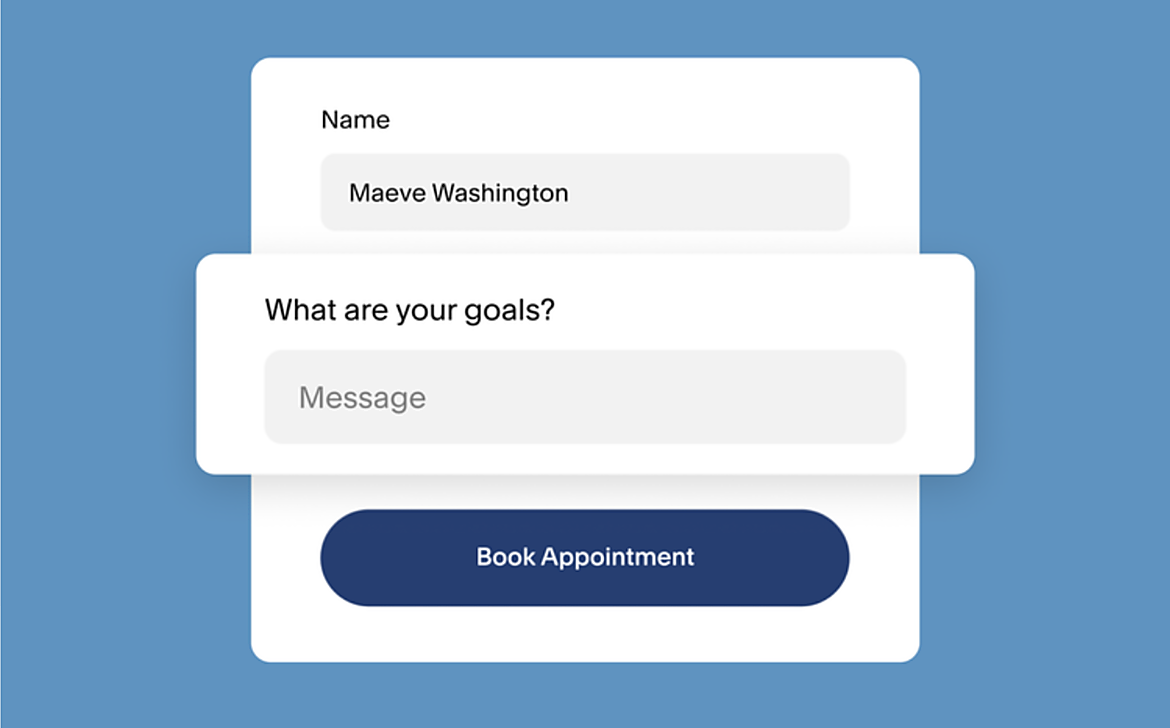
Acuity's custom intake forms collect qualifying information before appointments (budget, timeline, company size, specific needs). The integration maps these responses into Pipedrive custom fields on the contact or deal record, giving the rep a qualified lead profile before the first conversation.
Source: Acuity
Best integration method: Zapier (supports intake form field mapping) or custom API (for complex field transformations).
Limitations and Considerations
Data That Doesn't Sync Easily
Acuity and Pipedrive model data differently. Acuity organizes around appointments and clients; Pipedrive organizes around deals, persons, and organizations.
Mapping between these models requires decisions: does a new Acuity appointment become a Pipedrive deal, an activity on an existing deal, or both? These decisions depend on the business workflow, and no off-the-shelf connector handles them automatically.
Acuity's monetization features (packages, subscriptions, gift certificates) have no natural equivalents in Pipedrive's deal model. Teams that sell session packages through Acuity and track revenue in Pipedrive will need custom logic to reconcile package purchases with deal values.
Sync Conflicts
If contact information is updated in both platforms independently (e.g., a client changes their phone number through Acuity's booking page while a rep updates the same contact in Pipedrive), the integration tools will not reconcile the difference. Most methods default to "last write wins," which may overwrite the correct data with the stale version.
Pricing Implications
Acuity's API access requires the Premium plan ($49/month annual), necessary for custom API integrations. The marketplace app and Zapier/Make integrations work through Acuity's standard authentication and do not require API-tier access.
Pipedrive's token-based rate limiting allocates a daily API budget based on plan tier and seat count (Lite plans start at 30,000 base tokens; Ultimate plans offer 210,000 base tokens multiplied by seat count). High-volume appointment sync can consume a significant share of this budget.
Third-party tools carry their own costs. Zapier charges by task count (each synced appointment counts as a task). Make charges by operations. The marketplace app has its own subscription fee. For teams booking hundreds of appointments weekly, these costs compound.
Permissions and Access
Setting up the integration requires admin access on both sides. In Acuity, you need admin rights to access integration settings and generate API keys. In Pipedrive, admin-level access is required to install Marketplace apps and authorize OAuth connections.
If your Pipedrive account uses visibility groups or permission sets, the integration user's role must have access to the relevant pipelines, deal stages, and contact fields.
Maintenance
Both platforms evolve independently.
Acuity is a Squarespace company, and its integration surface may change as Squarespace develops the product.
Pipedrive is releasing API v2 and has transitioned to Webhooks v2 as a breaking change. Custom fields added after the initial setup will not sync unless the integration configuration is updated.
Source: Pipedrive
Third-party apps and automation tools may change pricing, deprecate features, or alter authentication methods. Plan for periodic reviews of the integration's health and accuracy.
What No Method Fixes: The Data Itself
Every method above moves appointment records from Acuity into Pipedrive. None checks whether the contact data behind those appointments is accurate, complete, or current.
A prospect who books a consultation with an outdated email address creates a Pipedrive record with that same outdated email. A contact whose job title changed two months ago appears in the CRM with stale information.
The integration keeps both systems aligned; it does not ensure the data in either one is right.
Where ZoomInfo Fits In
Every method in this guide moves appointment data between Acuity Scheduling and Pipedrive. None improves the contact data being moved.
When the integration is live but the CRM records behind booked appointments are incomplete (wrong titles, missing company details, unverified emails, dead phone numbers), the bottleneck is no longer the connector.
That is the gap ZoomInfo closes.
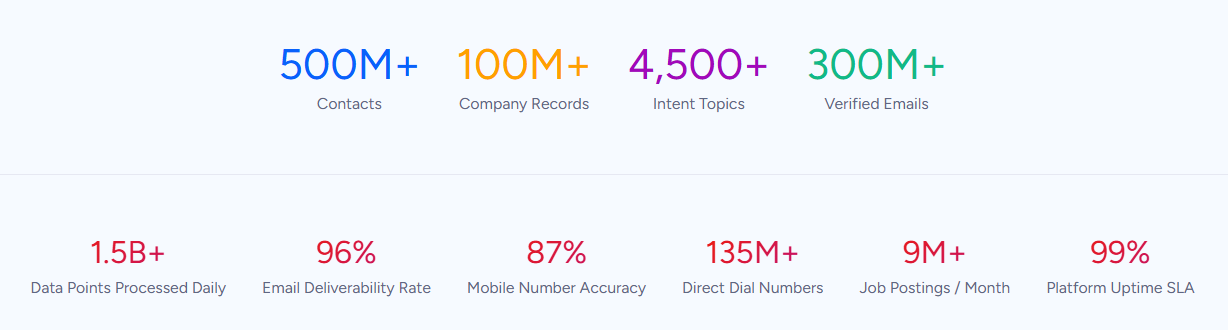
ZoomInfo is a B2B data and go-to-market platform with 500M contacts, 100M companies, 135M+ verified phone numbers, and 200M+ verified business emails. That data is verified through a multi-source pipeline backed by 300+ human researchers, reaching up to 95% accuracy on first-party data.
For teams running an Acuity-Pipedrive integration, ZoomInfo addresses the data quality layer that no appointment sync tool handles.
ZoomInfo integrates natively with Pipedrive, pushing verified contact and company data into the CRM through bidirectional sync.
Before a rep walks into a consultation booked through Acuity, ZoomInfo ensures the Pipedrive contact record has a verified business email, an accurate job title, current company details, and company context (industry, headcount, revenue).
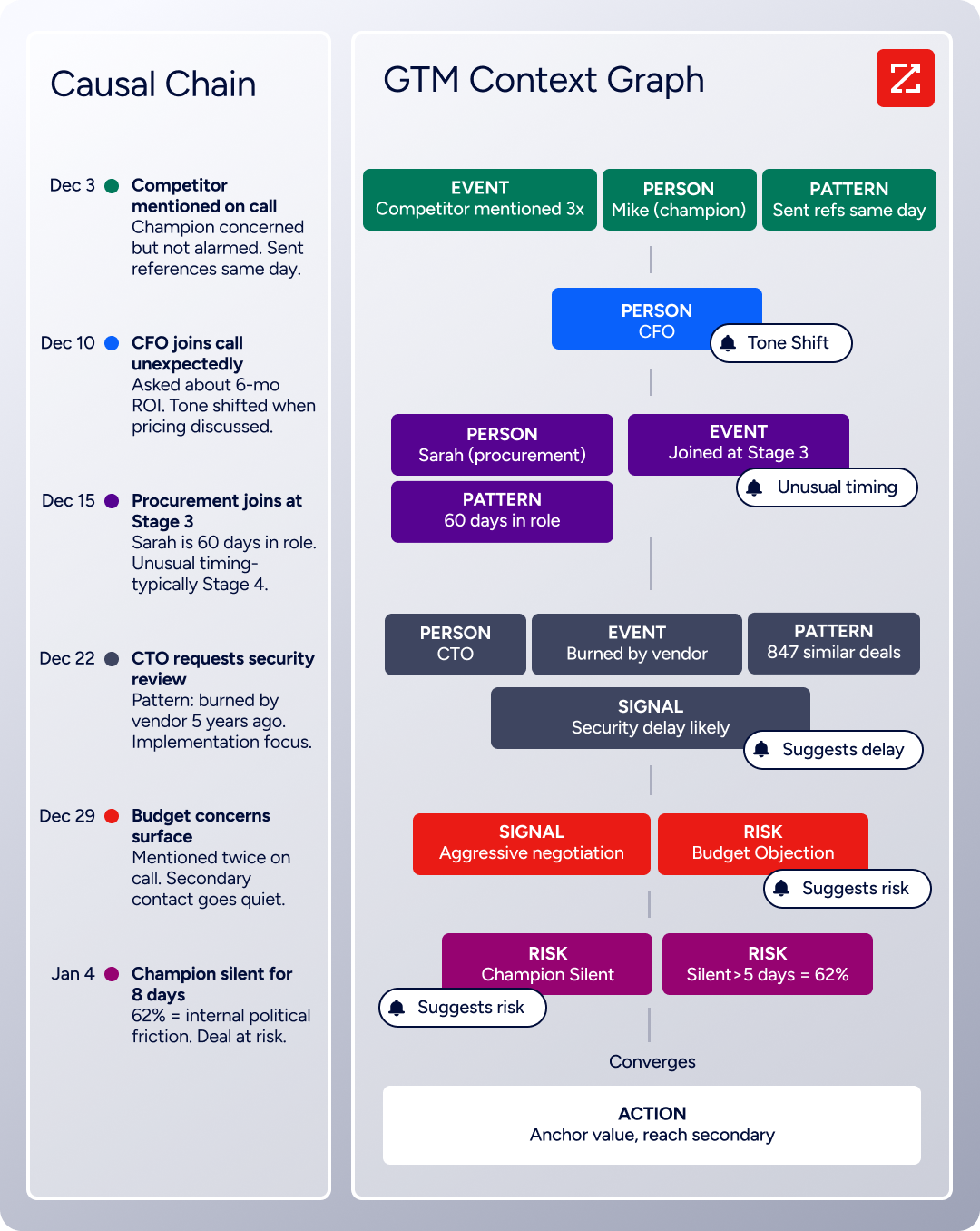
The same data feeds ZoomInfo's GTM Context Graph, which processes 1.5B+ data points daily by combining ZoomInfo's B2B data with your CRM records, conversation transcripts, and behavioral signals to surface not just what happened in a deal, but why.
In practice, a team using Acuity for prospect consultations and Pipedrive for pipeline management can use ZoomInfo to enrich Pipedrive records as they arrive from Acuity.
A prospect books a discovery call through the Acuity booking page; the integration creates a contact and deal in Pipedrive; ZoomInfo enriches that record with verified direct dials, company data, technographic profiles, and org chart intelligence.
The rep walks into the call knowing the company's size, tech stack, and decision-making structure, not just the name and email from the booking form.
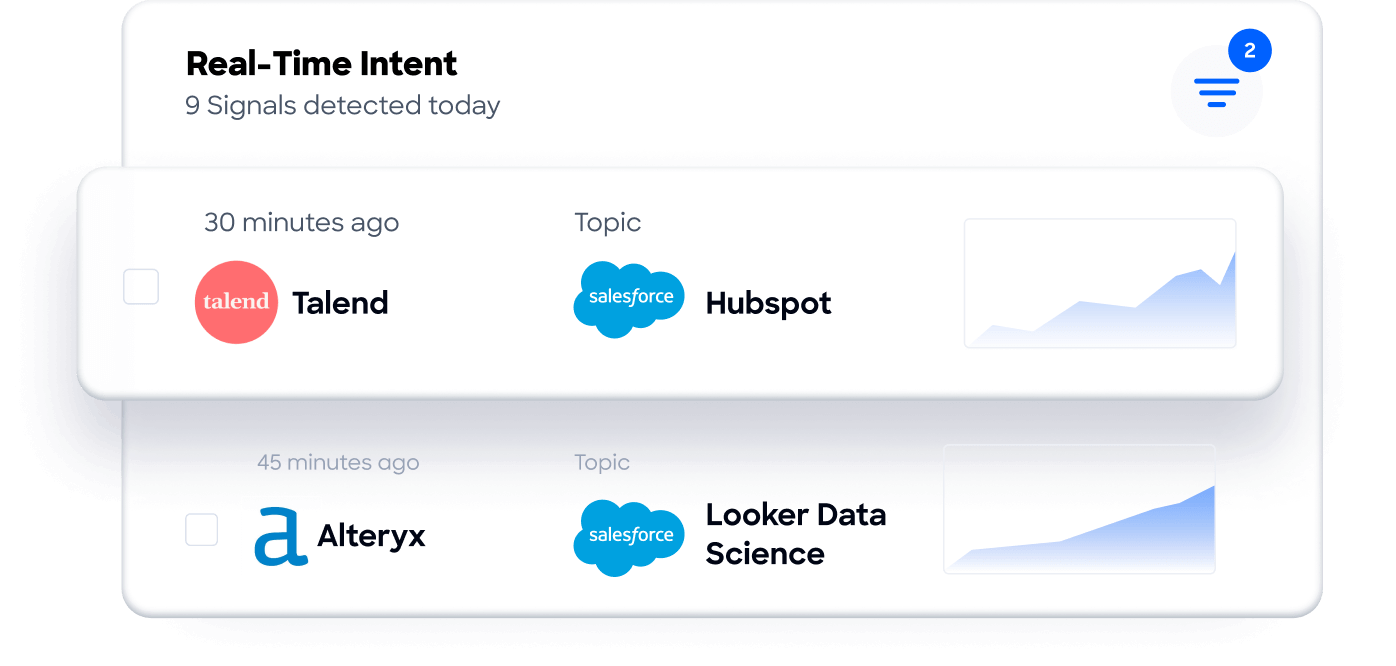
Buyer Intent data from ZoomInfo, tracking signals from 210 million IP-to-Organization pairings, can also prioritize which booked appointments deserve the most preparation. When a prospect's company is actively researching relevant solutions, that intent signal in Pipedrive tells the rep this is a high-priority consultation, not a routine introductory call.
For teams building custom workflows, ZoomInfo's Enterprise API and MCP server can feed the same verified data into any system or AI agent, extending enrichment beyond what the native Pipedrive connector covers.
Seismic's sales team attributed 39% of active pipeline to opportunities identified or influenced by ZoomInfo signals, while boosting productivity by 54% and saving 11.5 hours per week. (Seismic)
Final Verdict
A native marketplace integration exists between Acuity Scheduling and Pipedrive, and third-party automation tools provide additional connection methods with varying flexibility. For most teams, the right choice depends on appointment volume, workflow complexity, and technical resources.
Small teams syncing a handful of appointment types into the sales pipeline should start with Zapier. It is fast to set up, affordable at low volumes, and requires no engineering resources.
Teams that want to schedule appointments from within Pipedrive and see incoming Acuity events without leaving the CRM should install the native marketplace app. It handles the core bidirectional use case with the simplest setup.
Teams with conditional sync requirements (only sync certain appointment types, route reschedules differently than new bookings, transform intake form data into deal fields) should use Make, which offers the visual logic builder for these workflows.
Organizations with complex data models or business logic that must be enforced during sync (matching Acuity clients to existing Pipedrive contacts, creating deals only for specific payment statuses, syncing historical appointment data) should invest in a custom API integration.
Before committing to a method, clarify the business purpose of connecting the two platforms.
If the goal is keeping the sales pipeline informed about upcoming consultations so reps can prepare, a Zapier Zap or the marketplace app is sufficient.
If the goal is building a closed-loop system where appointment activity drives pipeline progression, deal scoring, and revenue reporting, invest in a method with conditional logic and custom field mapping.
Either way, the quality of the contact data in Pipedrive determines whether the integration delivers value or just replicates booking form entries into incomplete CRM records.
ZoomInfo, with its native Pipedrive integration and API and MCP access, is the data enrichment layer that ensures the records behind every booked appointment are verified, current, and actionable.
FAQ
Does Acuity Scheduling integrate natively with Pipedrive?
Yes. An Acuity Scheduling integration app built by Ulgebra is available in the Pipedrive Marketplace. It lets users schedule Acuity appointments from within Pipedrive contacts and sync incoming Acuity events into Pipedrive modules. Additional integration methods are available through Zapier, Make, and custom API development.
Can I sync Acuity intake form responses into Pipedrive?
Yes, through Zapier, Make, or a custom API integration. Acuity's custom intake forms collect client information before appointments, and automation tools can map those responses into Pipedrive custom fields on contact or deal records.
The native marketplace app handles core appointment data but may have more limited intake form field mapping than automation tools.
Does the integration work with Acuity's group classes and packages?
Appointment-level data (bookings, cancellations, reschedules) syncs through all methods. Acuity's monetization features (packages, subscriptions, gift certificates) are more complex: the marketplace app and automation tools can capture new bookings under a package, but tracking remaining package balances or subscription billing cycles in Pipedrive requires custom API work or manual reconciliation.
Do I need a specific Acuity plan to use the integration?
The marketplace app and Zapier/Make integrations work with Acuity's standard authentication and are available on all paid plans. Custom API development requires Acuity's Premium plan ($49/month annual), the only tier that includes API access.
SMS reminders, relevant if you want appointment reminder data to flow into CRM activity logs, require the Standard plan ($27/month annual) or above.
What happens when a client reschedules or cancels in Acuity?
It depends on the method. Acuity fires separate webhook events for rescheduled and canceled appointments. Zapier and Make can trigger separate workflows for each event type (e.g., update the Pipedrive activity for reschedules, add a note or change the deal stage for cancellations).
The marketplace app syncs event changes into Pipedrive. Custom API integrations can implement any business logic around these events.
How do I prevent duplicate contacts in Pipedrive?
Use email address as a matching key. Before creating a new person in Pipedrive, the integration should search for an existing record with the same email. Zapier provides a "Find Person" step before "Create Person" for this purpose. Make has built-in search modules. Custom API integrations should use Pipedrive's search endpoint to check for matches before creating new records.
What does the integration cost?
Costs depend on the method. The Ulgebra marketplace app has its own subscription fee (check the Pipedrive Marketplace listing for current pricing). Zapier plans start at $19.99/month for 750 tasks. Make starts at $10.59/month for 10,000 operations. Custom API integrations have no platform fees but require developer time plus ongoing hosting and maintenance.
All methods are subject to Pipedrive's API rate limits, which may require higher-tier plans at large sync volumes.
How does ZoomInfo improve an Acuity-Pipedrive integration?
ZoomInfo solves the data quality problem that no sync tool addresses. Contact records created from Acuity booking forms contain only what the client entered: name, email, and intake form responses.
ZoomInfo enriches those records in Pipedrive with verified contact data, company attributes, technographics, org charts, and intent signals through its native Pipedrive integration.
The result: the rep walking into a consultation booked through Acuity has a complete picture of the prospect's company, role, and buying context, not just a name and email from a booking form.
See Acuity Scheduling with your other tools:
