
Teams that run Clay for data enrichment and HubSpot as their CRM usually discover the same problems within a quarter:
contacts enriched in Clay never reach HubSpot, so reps work from incomplete records while ops works from a different, richer dataset,
leads captured in HubSpot sit unenriched because no one built the workflow to push them through Clay's providers,
and someone on the team is copying and pasting between the two platforms, introducing errors with every transfer.
However the two platforms ended up coexisting (an ops team adopted Clay for enrichment while sales lives in HubSpot, a marketing team needed waterfall data coverage that HubSpot's native enrichment couldn't match, or a GTM engineer built Clay workflows before the CRM team standardized on HubSpot), the longer both run independently, the wider the gap between what ops knows about an account and what reps can see in their CRM.
Connecting Clay and HubSpot eliminates that gap.
Contacts enriched across Clay's 150+ data providers flow into HubSpot records so reps work from verified emails, direct dials, and firmographic data without leaving the CRM. Leads captured in HubSpot route back into Clay for enrichment and scoring, so every new form fill gets the same data treatment as a manually researched prospect.
Signal-triggered workflows in Clay can create, update, or tag HubSpot contacts and companies automatically, turning Clay from a standalone enrichment tool into a live data layer for the CRM.
Clay offers a native HubSpot integration on the Growth plan and above, and HubSpot lists Clay as a Premier-tier partner app in its marketplace. For teams on Clay's Launch or Free plans, third-party automation tools like Zapier and Make can bridge the two platforms with narrower data coverage.
Custom API development is also possible, since both platforms expose full APIs. Each method differs in setup complexity, sync direction, data coverage, and cost.
One problem no connection method solves: the integration moves enriched records into the CRM, but the quality of that enrichment depends entirely on the data providers feeding it.
That is where ZoomInfo comes in. ZoomInfo is one of the data providers available inside Clay's enrichment marketplace, with a native Clay integration offering Enrich Company, Enrich Contact, and Search Contacts actions.
ZoomInfo also integrates natively with HubSpot through the HubSpot App Marketplace. Its Enterprise API and MCP server can feed verified data into either platform independently, so the records flowing through the Clay-HubSpot integration start from a verified foundation.
This article covers the Clay-HubSpot integration: which methods are available, what data each one handles, how to set them up, the use cases that justify connecting both platforms, and the limitations to plan for. It also covers how ZoomInfo fits in as the data layer that strengthens what Clay enriches and HubSpot stores.
Let's start with an overview of the integration.
Integration Overview
Source: HubSpot
Does a native integration exist?
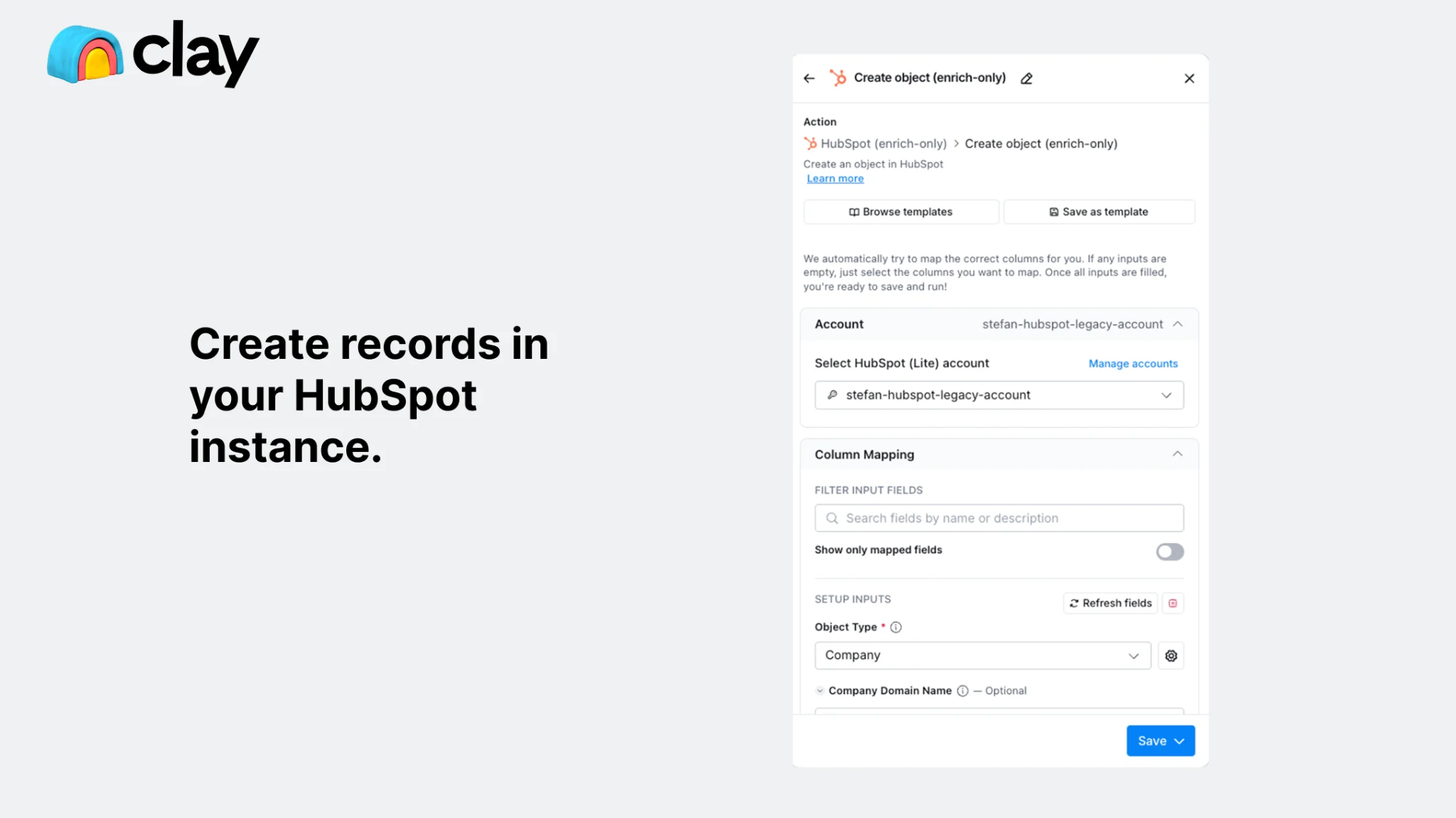
Yes. Clay offers a native bidirectional HubSpot integration that lets users import, create, update, and look up HubSpot objects within Clay tables. On the HubSpot side, Clay is listed as a Premier-tier partner app in the HubSpot App Marketplace. The native integration requires Clay's Growth plan or above.
What data can sync?
Contacts, companies, and deals. Clay can pull HubSpot records into tables for enrichment and push enriched data back as new or updated records. Custom properties on HubSpot objects can be mapped to Clay table columns.
The enrichment layer is where Clay adds the most value: once a HubSpot record is in a Clay table, it can be enriched with data from any of Clay's 150+ providers before syncing back.
Is the sync bidirectional?
Yes, through the native integration. Clay can read from HubSpot (import contacts, companies, deals) and write back (create or update records). Each direction is configured separately within Clay workflows, and the same table can both pull from and push to HubSpot.
Is it real-time or batch?
The native integration runs on a workflow basis: Clay pulls HubSpot data when a table runs or a signal triggers, and pushes enriched records back on completion. It is not a continuous real-time sync. Zapier and Make can add near-real-time triggers (1 to 15 minutes depending on plan).
Custom API integrations using HubSpot's webhooks can get closer to real-time.
What are the available methods?
Native Clay-HubSpot integration, third-party automation (Zapier, Make), and custom API development.
Method | Setup Difficulty | Data Flow | Real-time? | Cost |
|---|---|---|---|---|
Native (Clay Growth+) | Low | Bidirectional | Workflow-triggered | Included with Clay Growth ($446+/mo annual) |
Zapier | Low | One-way per Zap | Near real-time (1-15 min) | From $19.99/mo |
Make | Medium | Configurable per scenario | Near real-time or scheduled | From $10.59/mo |
Custom API | High | Fully customizable | Real-time via webhooks | Developer time + hosting |
One distinction worth settling upfront: the native integration is built for ongoing enrichment workflows where Clay processes HubSpot records through its data providers and pushes results back.
Zapier and Make handle event-triggered flows (a new HubSpot contact triggers a Clay enrichment, or vice versa) but lack the depth of Clay's native field mapping and multi-provider waterfall.
Custom API development is the only option for teams needing continuous bidirectional sync with conflict resolution, but it requires significant engineering investment.
Integration Methods
Native Clay-HubSpot Integration (Growth Plan and Above)
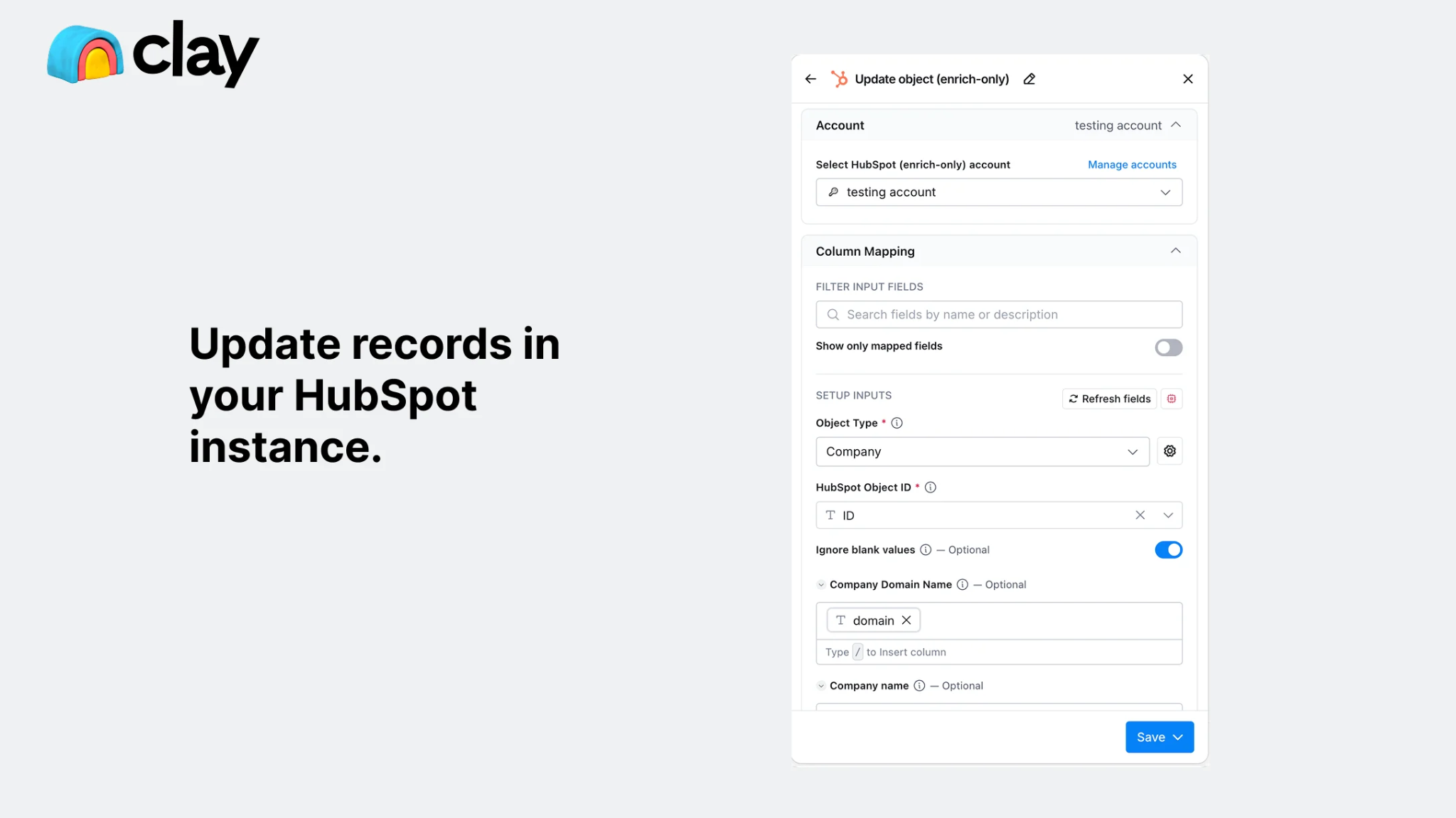
How it works: Clay's native HubSpot integration connects the two platforms through OAuth. Once connected, HubSpot objects (contacts, companies, deals) can be imported into Clay tables as data sources, and enriched records can be pushed back to HubSpot as new or updated records.
Source: HubSpot
The integration supports both reading from HubSpot (via import or lookup) and writing to HubSpot (via create or update actions), making it the only method that handles bidirectional data flow without a third-party intermediary.
What it syncs: Contacts, companies, and deals. On import, Clay pulls standard and custom HubSpot properties into table columns. On export, Clay can map any table column (including enrichment results from its 150+ providers) to HubSpot contact, company, or deal properties. Custom HubSpot properties are accessible for both read and write.
Fits: ongoing enrichment workflows and periodic CRM data maintenance; also suitable for one-time bulk enrichment of existing HubSpot records.
Setup process:
Confirm your Clay workspace is on the Growth plan or above. The HubSpot CRM integration is not available on Free or Launch plans.
In Clay, navigate to your workspace integrations and search for HubSpot. Click Connect and authenticate via OAuth, granting Clay permission to read and write contacts, companies, and deals in your HubSpot account.
To import HubSpot data: create a new Clay table, select HubSpot as the data source, choose the object type (contacts, companies, or deals), and apply any filters to narrow the import.
Add enrichment columns to the table using Clay's data providers (email waterfall, phone waterfall, firmographic enrichment, Claygent AI research, or any of the 150+ available integrations).
To push enriched data back: add a HubSpot action column (Create Contact, Update Contact, Create Company, Update Company) and map the enriched Clay columns to the corresponding HubSpot properties.
Run the table. Clay processes each row through the enrichment steps, then executes the HubSpot write action. For ongoing workflows, configure Signals to trigger the table automatically when new records appear or existing records change.
Strengths: Direct, bidirectional connection with no third-party tool required. Full access to Clay's enrichment marketplace within the same workflow. Custom HubSpot properties supported for both read and write.
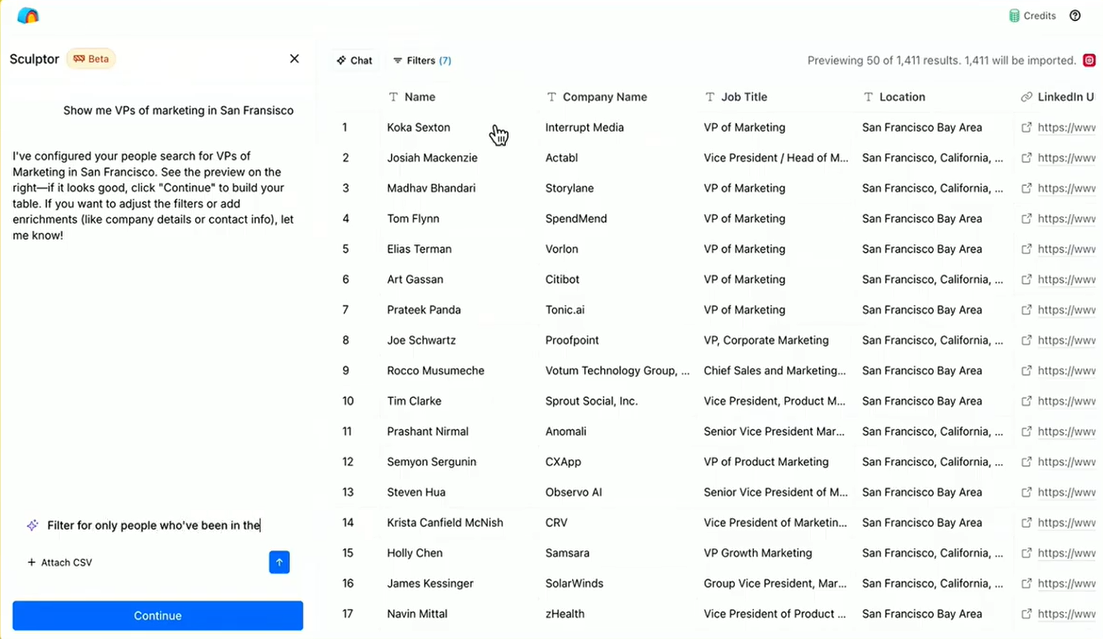
Tables can be rerun on schedule or triggered by signals for ongoing enrichment. Sculptor can help build these workflows from natural language descriptions.
Source: YouTube
Limitations: Requires Clay Growth ($446+/month annual), a meaningful cost commitment on top of HubSpot's subscription. The integration is workflow-based, not a continuous sync: records flow when a table runs, not in real time.
There is no built-in conflict resolution for bidirectional updates; if the same record changes in both systems between table runs, the last write wins.
Clay's dual-currency pricing (Actions and Data Credits) means each enrichment step consumes credits, and high-volume workflows can accumulate costs quickly.
Best for: GTM operations teams and GTM engineers who use Clay as their enrichment engine and HubSpot as their CRM. Teams that need to enrich HubSpot records across multiple data providers in a single workflow, then push verified data back into the CRM for sales and marketing.
Zapier
Source: HubSpot
How it works: Zapier connects Clay and HubSpot through event-driven automations called Zaps. Each Zap pairs a trigger (an event in one app) with one or more actions (what happens in the other). Both platforms have Zapier connectors, enabling basic record transfers between them without requiring Clay's Growth plan.
What it syncs: Contacts, companies, and deals as individual records. Each object type requires its own Zap. Field mapping is manual. Zapier handles one record at a time per trigger event, so it works best for syncing individual new records rather than batch processing.
Fits: ongoing sync of new records only; not a bulk enrichment or migration tool.
Setup process:
Create a Zapier account and connect both your Clay and HubSpot accounts using OAuth.
Choose the trigger app and event. For example, select HubSpot as the trigger with "New Contact" as the event, or select Clay with a webhook trigger when a table row completes enrichment.
Choose the action app and event. For example, select Clay to trigger an enrichment workflow, or select HubSpot to "Create or Update Contact."
Map the available fields between the two platforms. Zapier displays fields from the trigger step and lets you map them into the action step's fields.
Test the Zap with a sample record to verify the field mapping produces the expected result in the target platform.
Turn the Zap on. For bidirectional sync, create a second Zap with the trigger and action reversed, and add a filter step to prevent infinite loops.
Strengths: Available to Clay users on any plan, including Free and Launch, bypassing the Growth-plan requirement of the native integration. No technical knowledge required. Quick to set up for simple, single-object transfers.
Limitations: No access to Clay's waterfall enrichment within the Zap itself; Zapier transfers data between the platforms but does not trigger Clay's enrichment pipeline unless configured with webhooks. Each Zap handles one trigger-action pair, so syncing contacts, companies, and deals requires separate Zaps.
Zapier charges by task count, and each transferred record counts as a task. No built-in deduplication.
Best for: Small teams on Clay's Free or Launch plans that need a lightweight connection between Clay and HubSpot for transferring specific records. Teams that want new HubSpot leads to appear in a Clay table for manual enrichment, or enriched Clay records to create HubSpot contacts, without upgrading to Clay Growth.
Make (Formerly Integromat)
Source: HubSpot
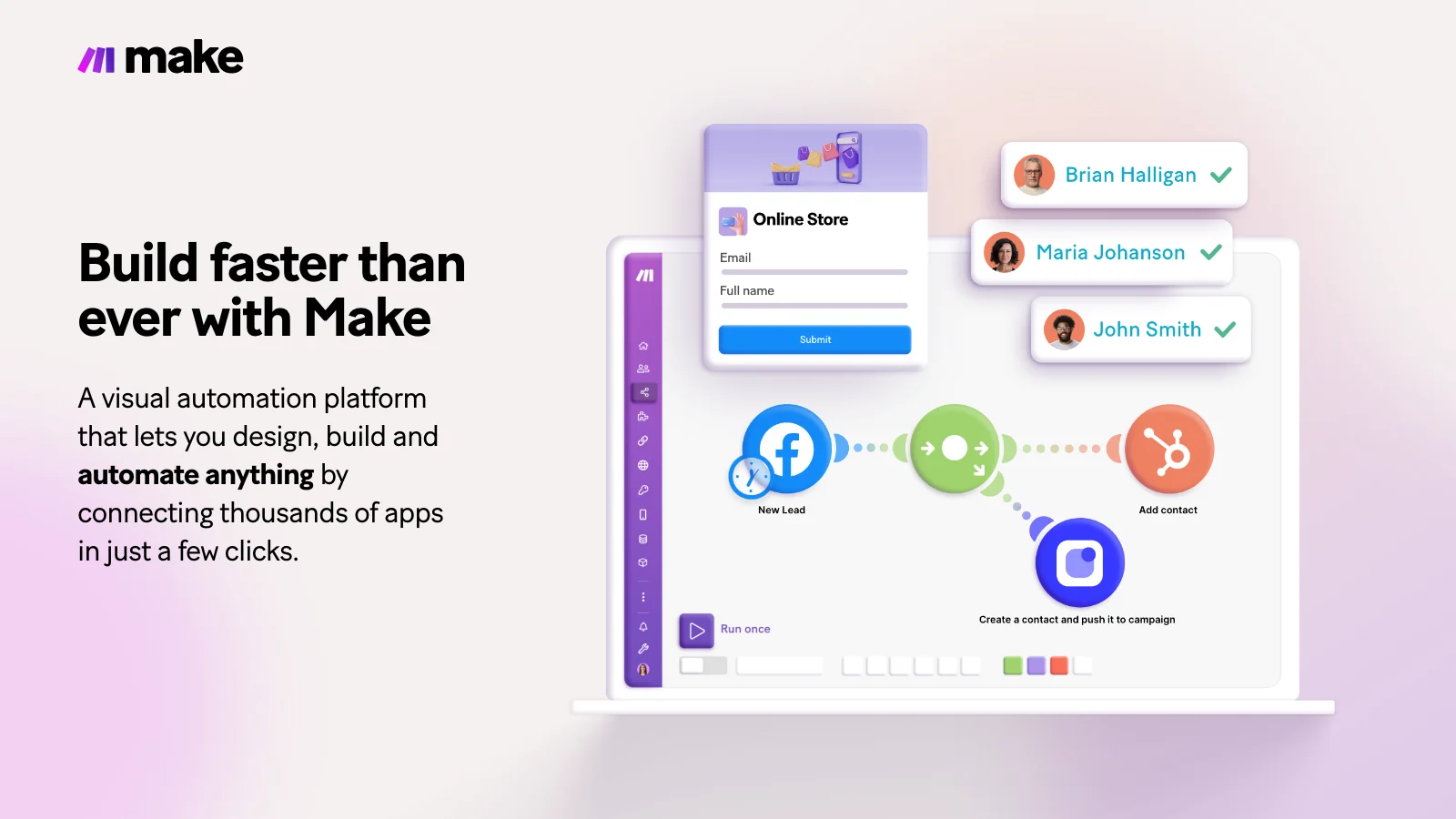
How it works: Make uses a visual scenario builder where modules (app actions) connect in a flowchart. Each module represents a step: watch for a trigger in one platform, transform data, create or update a record in the other. Scenarios can branch, filter, loop, and handle errors, offering more control than Zapier's linear structure.
What it syncs: The same objects as Zapier (contacts, companies, deals), with more flexibility in how data transforms between platforms. Make supports iterators for batch processing, routers for conditional paths, and aggregators for combining records.
This makes it possible to build more complex flows, such as enriching a batch of HubSpot contacts through Clay's webhook endpoint and routing the results back based on enrichment quality.
Fits: ongoing sync with conditional logic; can handle batch processing for periodic enrichment runs.
Setup process:
Create a Make account and add Clay and HubSpot as connections via OAuth.
Build a new scenario. Add a HubSpot module as the trigger (e.g., "Watch Contacts" to monitor new or updated contacts).
Add a Clay module or HTTP module to send the contact data to a Clay webhook endpoint for enrichment.
Add a second HubSpot module to update the original contact with the enriched data returned from Clay.
Add error-handling modules to catch failures (e.g., log to a spreadsheet or send a Slack notification when an enrichment fails).
Set the scenario to run on every trigger event or on a time-based schedule (e.g., every hour for batch processing).
Strengths: Fine control over data transformation and conditional routing. The visual builder makes complex workflows easier to follow than code. Batch processing support lets teams process groups of records efficiently. Per-operation pricing is lower than Zapier at higher volumes.
Limitations: Steeper learning curve than Zapier's guided setup. Requires understanding of Clay's webhook integration to trigger enrichment workflows from Make. Both the HubSpot and Clay APIs impose rate limits that high-volume scenarios need to account for.
Best for: Teams with conditional sync requirements (e.g., only enrich contacts from specific HubSpot lists, or route enriched records to different HubSpot pipelines based on Clay's ICP scoring). Mid-size teams whose sync volumes make Zapier's per-task pricing expensive.
Custom API Integration
How it works: Both Clay and HubSpot provide programmatic access points that can be connected directly.
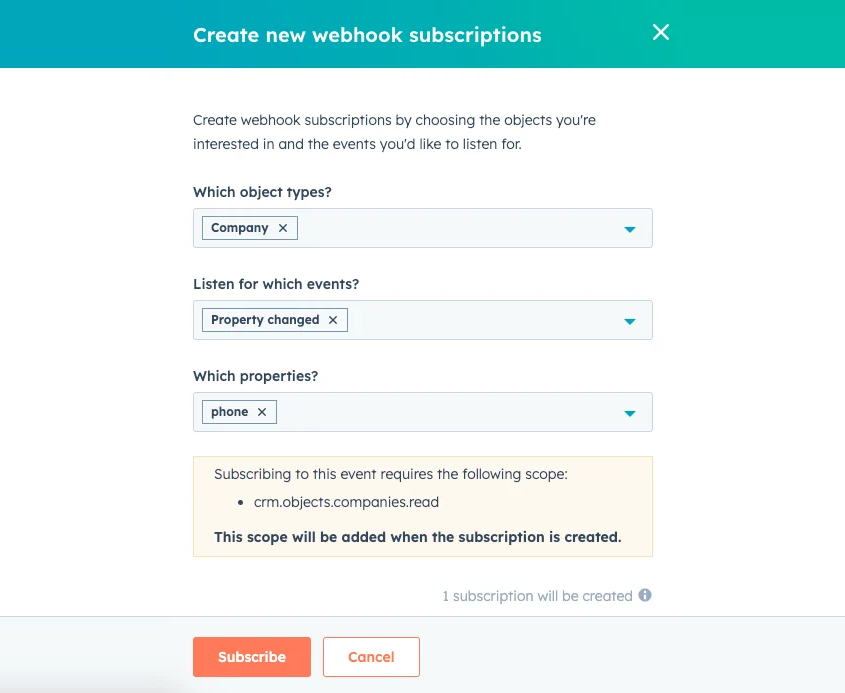
HubSpot offers a REST API covering all standard and custom CRM objects, with webhook support for event-driven notifications.
Source: HubSpot
Clay accepts inbound data via webhooks (HTTP POST to a unique table URL) and can send data out via its HTTP API action. A custom integration connects these endpoints with your own middleware handling authentication, field mapping, transformation, and error recovery.
What it syncs: Anything both platforms expose. HubSpot's API covers contacts, companies, deals, tickets, custom objects, activities, and more. Clay's webhook endpoint accepts any JSON payload and triggers the full enrichment pipeline.
This is the only method that supports complex scenarios like syncing custom HubSpot objects that the native integration and third-party tools don't cover, or enforcing business logic that goes beyond field mapping.
Fits: either one-time bulk enrichment or ongoing continuous sync; the only method with no ceiling on either.
Setup process:
Register API credentials in both platforms. In HubSpot, create a Private App with the required scopes (contacts, companies, deals) to generate an access token. In Clay, locate your table's webhook URL or generate a Clay API key.
Design the data flow: which HubSpot events trigger enrichment in Clay, which enriched fields map back to HubSpot properties, and how records match between systems (typically by email address or HubSpot record ID).
Build the integration service: a server-side application that listens for HubSpot webhooks, sends records to Clay's webhook endpoint, waits for enrichment to complete, and writes the results back to HubSpot via the CRM API.
Implement matching logic to prevent duplicate records. HubSpot's API supports upsert operations using email as the unique identifier for contacts and domain for companies.
Add logging, error handling, and retry logic. HubSpot enforces rate limits (100-190 requests per 10 seconds depending on plan). Clay's webhook tables have a 50,000 submission capacity.
Deploy, monitor, and maintain the integration over time.
Strengths: Complete control over what syncs, when, and how. Can implement arbitrarily complex business logic. Real-time sync via HubSpot webhooks. No per-record fees from a third-party connector. Supports custom HubSpot objects and any Clay enrichment workflow.
Limitations: Requires development resources to build and maintain. You own the infrastructure, monitoring, and error recovery. HubSpot versions its API with date-based releases (current version: 2026-03), and Clay's webhook capacity limits require planning for high-volume use cases. The initial build takes weeks, not hours.
Best for: Teams with engineering resources and sync requirements that no off-the-shelf tool satisfies. Organizations with custom HubSpot objects, complex enrichment logic, or high-volume continuous sync needs that exceed what the native integration or third-party tools support.
Key Use Cases
1. Waterfall Enrichment of Inbound HubSpot Leads
Marketing captures leads through HubSpot forms, landing pages, and chatbots. These records typically contain a name, email, and company, but lack verified phone numbers, job titles, firmographic details, and technographic data.
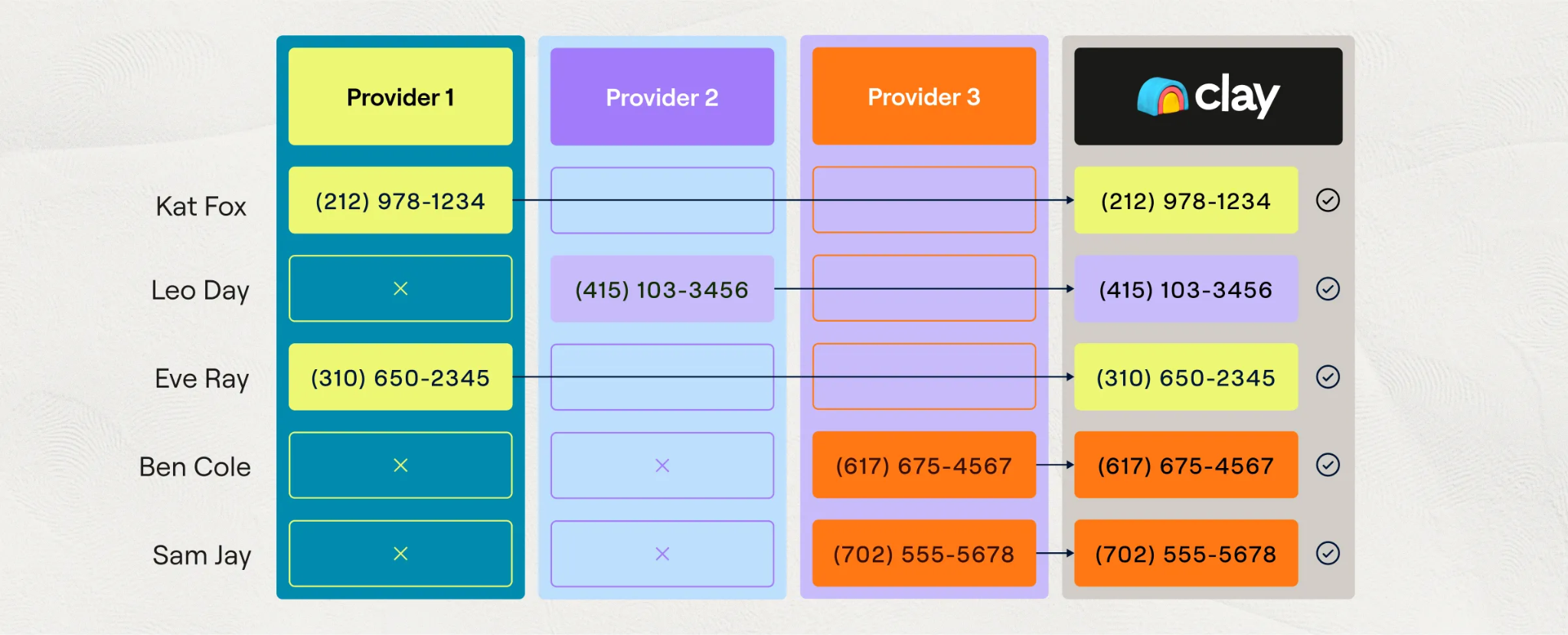
The native Clay-HubSpot integration pulls new contacts into a Clay table, runs them through a waterfall enrichment sequence across multiple data providers, and pushes the enriched record back to HubSpot with verified direct dials, accurate titles, company revenue, headcount, and tech stack.
Source: Clay
Reps see a complete record in HubSpot without manual research.
Best integration method: Native Clay-HubSpot integration (Growth+ plan, bidirectional).
2. ICP Scoring and Lead Routing
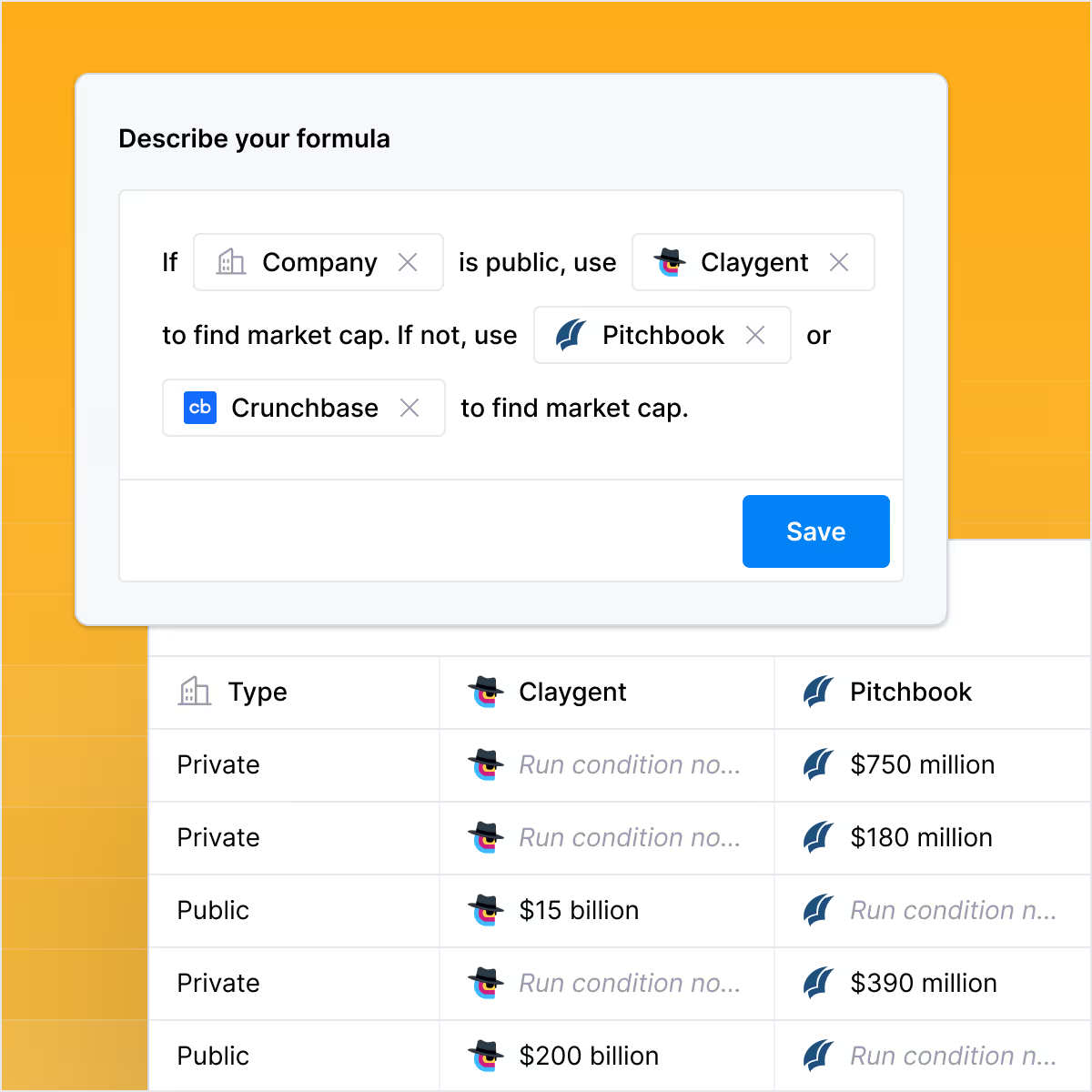
RevOps builds an ideal customer profile in Clay using firmographic filters, technographic signals, and custom AI formulas.
Source: Clay
HubSpot contacts flow into a Clay table, get scored against the ICP criteria, and return to HubSpot with a score property that triggers automated lead routing. High-score leads go to AEs; mid-score leads enter nurture sequences; low-score leads get deprioritized.
The scoring logic lives in Clay, where it is easy to iterate, while the routing logic lives in HubSpot, where reps already work.
Best integration method: Native Clay-HubSpot integration (Growth+ plan).
3. Signal-Triggered Outreach Preparation
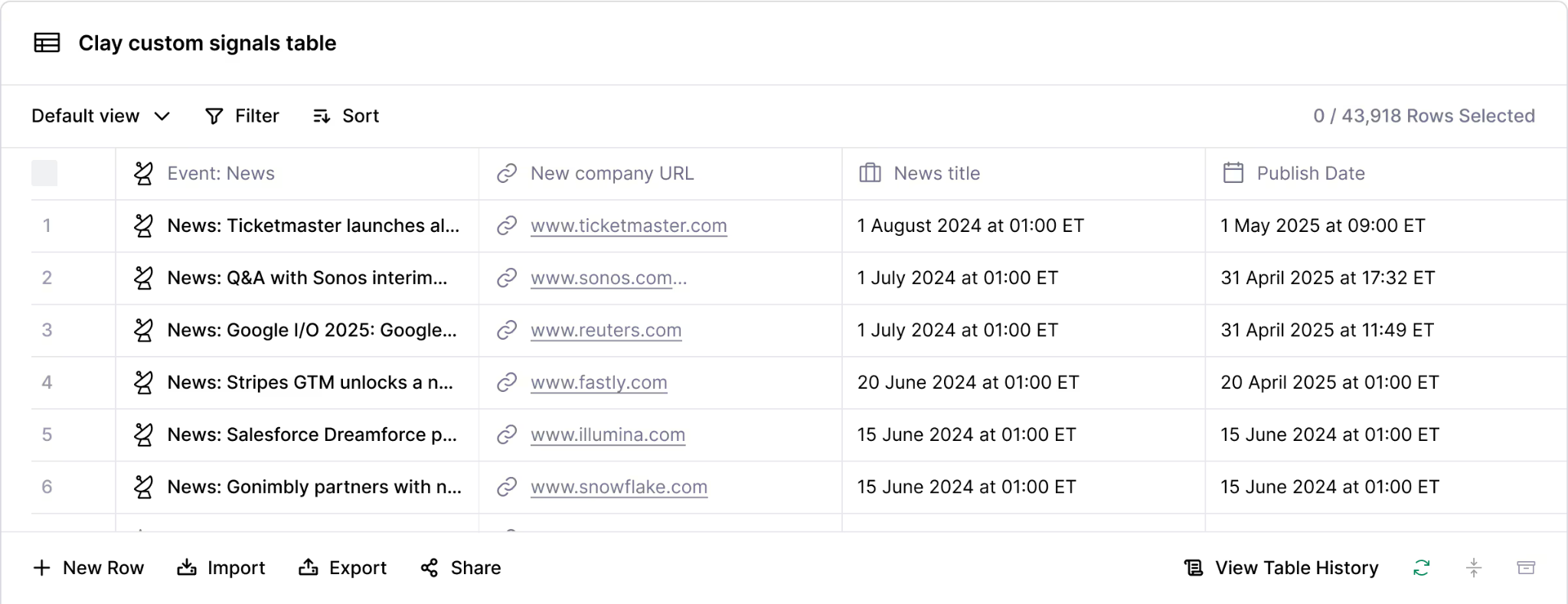
Clay's Signals monitor real-world events: job changes, funding rounds, technology adoptions, hiring patterns.
Source: Clay
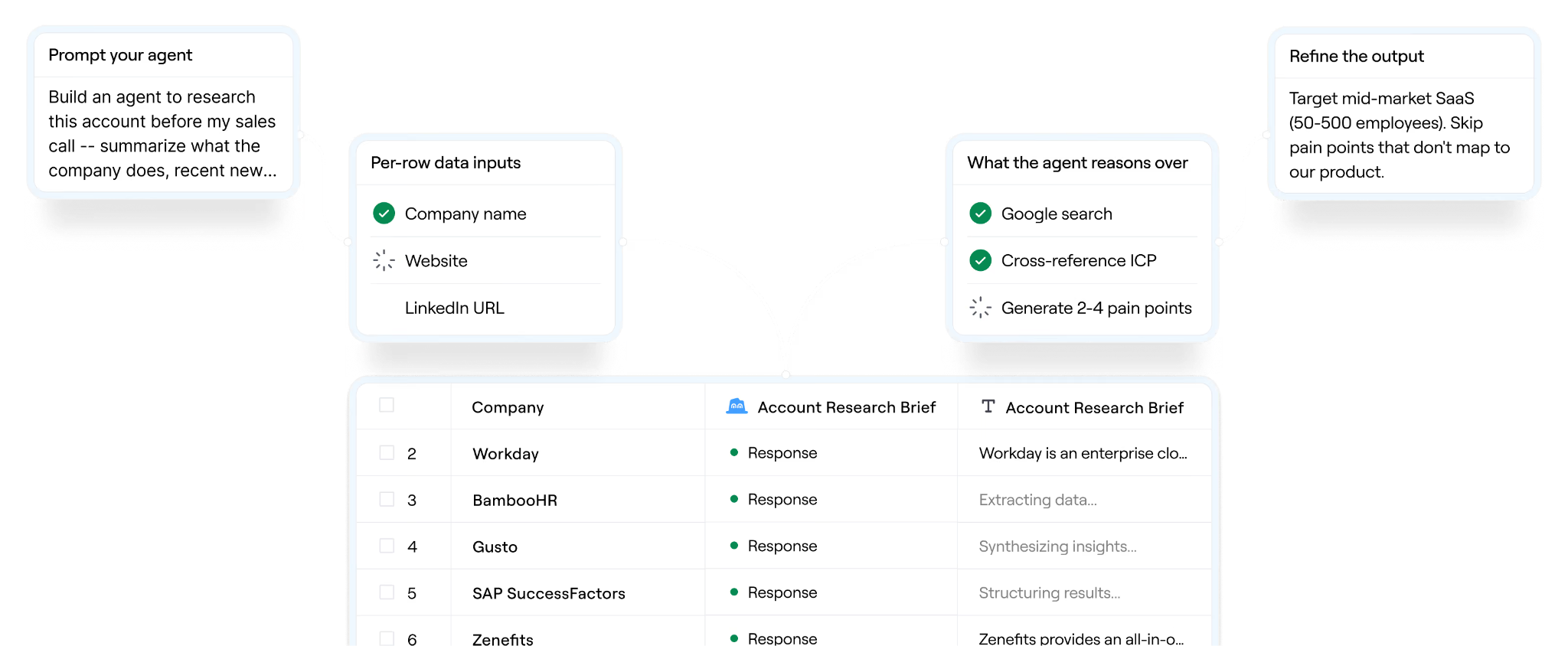
When a signal fires for an account in HubSpot, Clay enriches the relevant contacts, generates a personalized email draft using Claygent or an AI model, and pushes the enriched contact with the draft into HubSpot as a task or note on the contact record.
Source: Clay
The rep sees the signal context and a ready-to-send message without leaving the CRM.
Best integration method: Native Clay-HubSpot integration with Signals (Growth+ plan).
4. CRM Data Hygiene and Re-Enrichment
Over time, HubSpot records decay: people change jobs, phone numbers go inactive, companies rebrand or get acquired.
A scheduled Clay table pulls a segment of HubSpot contacts (e.g., all contacts not enriched in the past 90 days), re-runs them through Clay's waterfall enrichment providers, and updates the HubSpot records with current information. This keeps the CRM database accurate without manual audits.
Best integration method: Native Clay-HubSpot integration on a scheduled table run (Growth+ plan).
5. Event-Triggered Contact Creation for Lightweight Teams
A small sales team on Clay's Free or Launch plan wants every new enriched Clay prospect to appear as a HubSpot contact automatically.
A Zapier Zap triggered by a Clay webhook (fired when a row completes enrichment) creates a HubSpot contact with the enriched fields mapped to HubSpot properties. No native integration upgrade required.
Best integration method: Zapier (available on any Clay plan).
Limitations and Considerations
Plan Gating on Clay's Side
The native bidirectional Clay-HubSpot connection requires Clay's Growth plan, starting at $446/month on an annual contract. Teams on Clay's Free plan (500 actions/month, 100 data credits) or Launch plan (from $167/month annual) cannot use the native HubSpot integration.
CRM integrations are a Growth-tier feature. For teams that cannot justify the upgrade, Zapier and Make are the alternatives, but they lack Clay's waterfall enrichment depth and bidirectional field mapping.
Workflow-Based, Not Continuous Sync
The native integration runs when Clay tables run, not as a continuous background sync. If a HubSpot contact is updated between table runs, Clay won't reflect the change until the next run. If a Clay enrichment completes but the table's HubSpot export action hasn't executed, the enriched data sits in Clay without reaching the CRM.
Teams needing real-time sync must use HubSpot webhooks via a custom API integration or a third-party automation tool.
Credit Consumption at Scale
Clay's dual-currency pricing means every enrichment action consumes both an Action and (when data is returned) Data Credits. A waterfall enrichment that checks multiple providers before finding a valid email may consume one Data Credit for the match, but the Actions count against the monthly allotment regardless.
For teams enriching thousands of HubSpot contacts through multi-step workflows, costs accumulate quickly. Clay's variable-price AI models add per-row cost uncertainty for Claygent and advanced reasoning tasks.
Field Mapping Complexity
HubSpot and Clay model data differently.
HubSpot uses a fixed object model (Contacts, Companies, Deals) with custom properties.
Clay uses a spreadsheet-style table where columns represent enrichment steps.
Mapping between the two requires understanding both platforms' data models. Calculated properties, multi-select fields, and association relationships in HubSpot may not map cleanly to Clay table columns without intermediate formatting steps using AI formulas.
Permissions and Access
Setting up the native integration requires Clay workspace admin rights and HubSpot account access with sufficient permissions to authorize OAuth connections.
If your HubSpot account uses field-level security or team-based permissions, the integration user must have write access to every property you intend to sync. On Clay's side, workspace editors can build and modify integration workflows, but viewers cannot.
Maintenance
Both platforms update independently. Clay overhauled its pricing model in March 2026, replacing a single credit system with dual-currency Actions and Data Credits. HubSpot introduced date-based API versioning in March 2026, with versions supported for 18 months.
Custom integrations built on either platform's API require ongoing maintenance as these changes roll out. Third-party tools (Zapier, Make) may also change connector behavior or pricing.
What No Method Fixes: The Data Itself
Every method above moves records between Clay and HubSpot. The native integration adds enrichment from Clay's marketplace of 150+ providers. But the quality of that enrichment depends on which providers are in the waterfall and how broad their coverage is.
A waterfall that queries five providers and gets no match on a contact's phone number delivers an enriched record still missing the phone number.
The integration moves and enriches data, but it does not guarantee that the provider network covers every contact, every geography, or every data point the team needs.
Where ZoomInfo Fits In
Every method in this guide moves data between Clay and HubSpot, and Clay's enrichment marketplace adds data from whichever providers are in the waterfall. But the coverage of that waterfall depends on the providers feeding it, and no single provider covers every contact or company with the same depth.
When the integration is live but enriched records still have gaps (missing direct dials, outdated job titles, incomplete company data), the bottleneck is no longer the connector or the workflow. It is the data layer underneath.
ZoomInfo closes that gap from two directions.
ZoomInfo is an AI-powered GTM platform built on one of the largest B2B datasets available: 500M contacts, 100M companies, 135M+ verified phone numbers, and 200M+ verified business emails. That data is verified through a multi-source pipeline backed by 300+ human researchers, reaching up to 95% accuracy on first-party data.
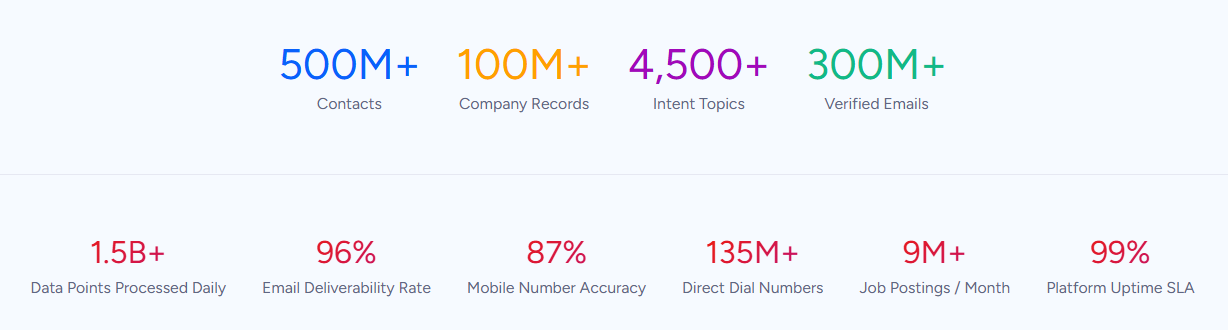
For teams running a Clay-HubSpot integration, ZoomInfo strengthens the data quality layer at both ends of the pipeline.
Inside Clay, ZoomInfo is available as a native integration with four built-in actions: Enrich Company, Enrich Contact, Enrich Contacts by ID, and Search Contacts. Teams can add ZoomInfo as a provider in their Clay waterfall enrichment sequences, giving the waterfall access to ZoomInfo's verified direct dials, business emails, company attributes, and technographic profiles.
Because Clay's waterfall only charges a Data Credit when a provider returns a result, teams can position ZoomInfo in the sequence where its coverage adds the most value (often as a primary source for phone numbers and verified emails) without wasting credits on misses.
On the HubSpot side, ZoomInfo integrates natively through the HubSpot App Marketplace, providing CRM enrichment, lead routing, and real-time data updates inside HubSpot records.
Teams can enrich HubSpot records through ZoomInfo independently of Clay, catching records that bypass the Clay workflow (manual CRM entries, imported lists, records from other lead sources).
Buyer Intent data from ZoomInfo, tracking signals from 210 million IP-to-Organization pairings, can feed into HubSpot to prioritize accounts showing active research activity.
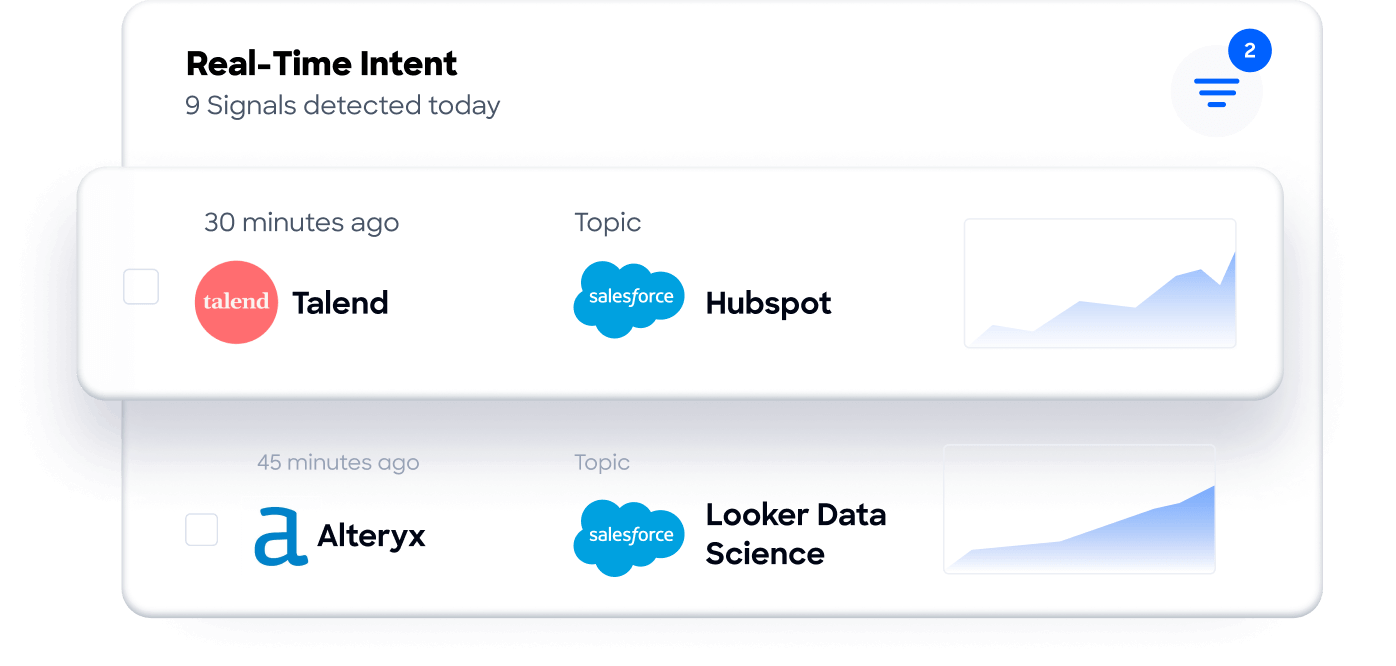
The same data feeds ZoomInfo's GTM Context Graph, an intelligence layer that processes 1.5B+ data points daily by unifying third-party intelligence with CRM records, conversation transcripts, and behavioral signals to surface not just what happened in a deal, but why.
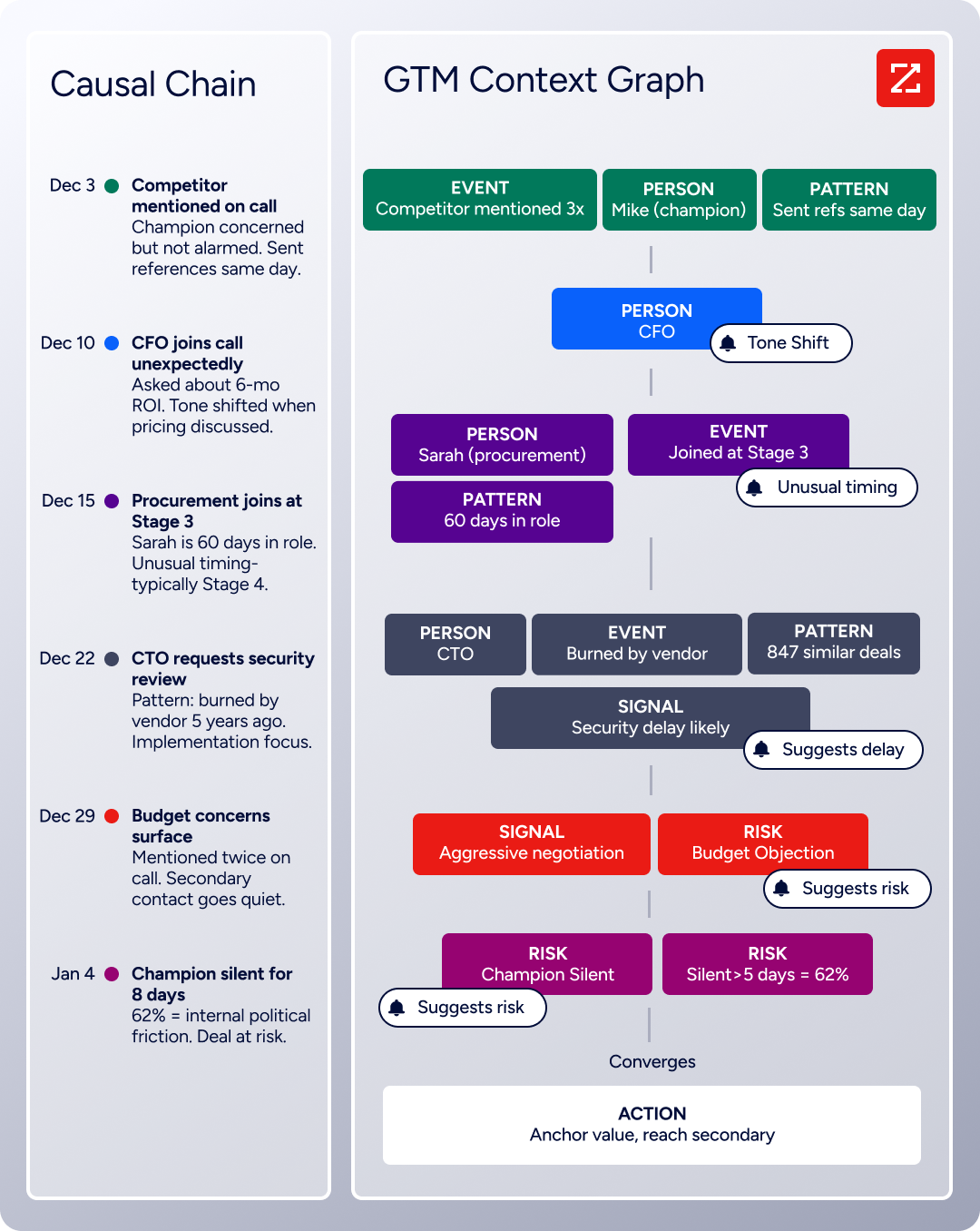
For teams that want to move beyond enrichment into AI-powered prospecting and account intelligence, ZoomInfo's API and MCP server can feed the same verified data and contextual intelligence into any custom workflow or AI agent.
In practice, a team running the Clay-HubSpot integration can layer ZoomInfo in at multiple points: as a provider inside Clay's waterfall to widen enrichment coverage, as a direct HubSpot enrichment layer for records that skip the Clay pipeline, and as an intent signal source that tells both systems which accounts are worth prioritizing.
The result is a Clay-HubSpot integration where the data moving between the two platforms is as accurate and complete as the provider ecosystem allows, and where ZoomInfo's proprietary dataset fills the gaps that other providers in the waterfall cannot reach.
Seismic's sales team attributed 39% of active pipeline to opportunities identified or influenced by ZoomInfo signals, while boosting productivity by 54% and saving 11.5 hours per week. (Seismic)
Final Verdict
A native integration between Clay and HubSpot exists, and it is the strongest option for teams already on Clay's Growth plan.
For teams on lower Clay tiers, Zapier and Make provide lightweight alternatives, and custom API development handles edge cases that no off-the-shelf tool covers. For most teams, the right choice depends on scale and complexity.
Small teams on Clay's Free or Launch plan that want basic record transfers should start with Zapier or Make. Both are fast to set up, affordable at low volumes, and require no engineering resources or Clay plan upgrade.
GTM operations teams on Clay Growth that use Clay as their primary enrichment engine should activate the native HubSpot integration. It is the only method that combines waterfall enrichment, AI research, signal detection, and CRM sync in a single workflow.
Organizations with custom HubSpot objects, high-volume continuous sync requirements, or business logic that must be enforced during data transfer should invest in a custom API integration.
Before committing to a method, clarify what role each platform plays in your stack.
If Clay is a temporary enrichment tool for specific campaigns, keep the connection simple (Zapier) and evaluate whether the results justify a Growth-plan upgrade for the native integration.
If Clay is the permanent enrichment layer for a HubSpot CRM that the entire GTM team relies on, invest in the native integration and build workflows that keep the CRM continuously enriched.
Either way, the quality of the data flowing through the integration depends on the providers in Clay's waterfall.
ZoomInfo, with its native Clay integration, HubSpot marketplace connector, and API and MCP access, is the data layer that fills the coverage gaps other providers leave behind.
FAQ
Does Clay integrate natively with HubSpot?
Yes. Clay offers a native bidirectional HubSpot integration that supports importing, creating, updating, and looking up HubSpot contacts, companies, and deals within Clay tables. The integration is available on Clay's Growth plan and above, starting at $446/month on an annual contract. Clay is listed as a Premier-tier partner app in HubSpot's App Marketplace.
Can I connect Clay and HubSpot without upgrading to Clay's Growth plan?
Yes, through Zapier or Make. Teams on Clay's Free or Launch plans can use these third-party automation tools to transfer records between Clay and HubSpot. These tools handle individual record transfers but do not provide access to Clay's waterfall enrichment pipeline, field-level mapping, or signal-triggered workflows within the same flow.
What HubSpot objects can Clay sync?
The native integration supports contacts, companies, and deals. Custom properties on these objects can be mapped to Clay table columns for both import and export. Custom HubSpot objects (beyond the standard three) are not supported by the native integration and require a custom API build.
How does Clay's enrichment work with HubSpot data?
When HubSpot records are imported into a Clay table, they become rows that can be enriched using any of Clay's 150+ data providers. Enrichment steps (email waterfalls, phone waterfalls, firmographic lookups, AI research) run as table columns, processing each row sequentially. Once enrichment completes, the results can be pushed back to HubSpot as updated properties on the original record or as new records.
Does the integration require admin access on both platforms?
Yes. On Clay's side, workspace admin or editor access is needed to configure the HubSpot integration and build enrichment workflows. On HubSpot's side, the user connecting the integration needs sufficient permissions to authorize the OAuth connection and write to the objects and properties the integration will use. If HubSpot uses field-level security, the integration user's role must have access to every field being synced.
What happens to enriched data if the integration breaks?
Records already synced to HubSpot remain intact. New enrichment results in Clay stop flowing to HubSpot until the connection is restored. The bigger risk is partial workflows: a table may complete enrichment but fail on the HubSpot export step, leaving enriched data in Clay without reaching the CRM. Clay provides table-level error indicators, and HubSpot API errors appear in the table's action column. Regular monitoring is necessary to catch and resolve failures.
How does ZoomInfo compare to Clay's other data providers for HubSpot enrichment?
ZoomInfo is one of the 150+ providers available in Clay's enrichment marketplace. Its differentiator is the scale and verification depth of its proprietary dataset: 500M contacts, 100M companies, 135M+ verified phone numbers, and 200M+ verified business emails, verified by 300+ human researchers. Within a Clay waterfall, ZoomInfo typically provides the broadest coverage for direct-dial phone numbers and verified business emails. ZoomInfo also integrates with HubSpot through its own marketplace connector, so it can enrich HubSpot records independently of Clay for records that bypass the Clay pipeline.
For a broader look at how Clay and ZoomInfo compare as GTM platforms, see our Clay vs ZoomInfo analysis.
Can I use ZoomInfo inside Clay and directly in HubSpot at the same time?
Yes. ZoomInfo's native Clay integration lets teams include ZoomInfo in their Clay waterfall enrichment workflows. ZoomInfo's native HubSpot integration enriches CRM records inside HubSpot. Running both creates a layered enrichment strategy: Clay handles bulk, multi-provider enrichment workflows, and ZoomInfo's HubSpot integration catches records that enter the CRM outside of Clay's workflows (manual entries, imported lists, form fills). The two integrations operate independently and do not conflict.
See what else plugs into HubSpot:
