

Doodle has been a household name in scheduling since 2007, when two ETH Zurich students built a tool to end the email chains that plague group coordination. Nearly two decades later, that simple idea serves 30 million people monthly across 70,000+ businesses. The core promise hasn't changed: find a meeting time without the back-and-forth.
To create this Doodle review, we analyzed the platform closely. We believe it's the right choice if:
You regularly coordinate meetings across people who don't share a calendar system
You need scheduling where participants don't need accounts or software
You value privacy compliance (GDPR, HIPAA, SOC 2 Type II) for regulated industries
You want multiple scheduling formats in one platform (group polls, booking pages, 1:1s, sign-up sheets)
You want a tool that requires no IT involvement to deploy
However, Doodle coordinates when you meet. It doesn't address who you should meet or whether those meetings will convert. For B2B sales and business development teams, scheduling logistics are only half the equation. The harder problem is identifying the right accounts, reaching verified decision-makers, and walking into every meeting with the intelligence to close.
This is where ZoomInfo completes the picture: an AI GTM platform built on the largest B2B data foundation in the industry. ZoomInfo identifies in-market accounts, surfaces verified contacts with direct dials and business emails, and provides the account intelligence that turns scheduled meetings into pipeline. Where Doodle handles the calendar, ZoomInfo handles the context.
We've included a look at ZoomInfo later in this review as the complement that makes meeting time productive for revenue teams. If you want to see how AI-powered intelligence can sharpen your sales meetings, learn more about ZoomInfo here.
What is Doodle?
Source: Doodle
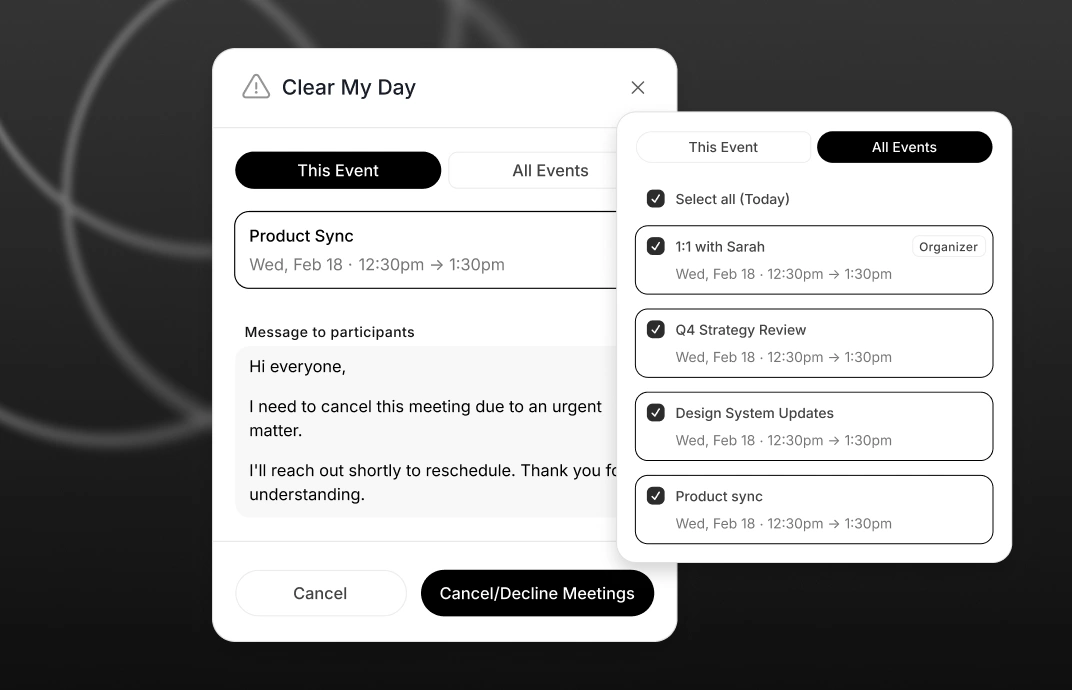
Doodle is a cloud-based scheduling platform founded in 2007 by Michael Naf and Paul E. Sevinc, two ETH Zurich students who wanted a simpler way to find a time that works for everyone. The product launched as a free poll-based time-finder: propose some times, send a link, let people vote.
In 2014, Swiss media group Tamedia (now TX Group) acquired the company outright. With corporate backing, Doodle expanded from a consumer utility into a professional scheduling platform. In 2016, Doodle acquired Meekan, an AI scheduling chatbot, signaling early interest in intelligent automation. Integrations with Zoom, Microsoft Teams, and Cisco Webex followed between 2020 and 2022.
Today, Doodle positions itself as an AI-powered scheduling platform rather than a utility. The product suite covers four scheduling patterns: Group Poll for multi-party consensus, Booking Page for always-on availability sharing, 1:1 for single-meeting scheduling, and Sign-up Sheet for event registration with capacity tracking.
The company is headquartered in Zurich with roughly 100+ employees and offices in Berlin and Belgrade.
The platform serves a broad audience: universities scheduling faculty office hours, healthcare networks coordinating providers, non-profits managing volunteers, and professional services firms booking client consultations. Its strongest differentiator remains the original one: participants don't need a Doodle account to respond.
Doodle Pros & Cons
Pros | Cons |
|---|---|
No account required for participants | Free plan shows ads to all participants |
Group Poll handles cross-organization scheduling without shared calendars | Calendar sync reliability issues reported by users |
GDPR, HIPAA, and SOC 2 Type II compliance for regulated industries | Paid plans feel expensive relative to features unlocked |
Four scheduling modes in one platform | Free tier capped at 10 time slots per poll |
No native CRM integrations (Salesforce, HubSpot) | |
Setup takes under 15 minutes with no IT involvement | Microsoft Teams and Webex locked behind paid plans |
Swiss-built with EU data hosting | No built-in communication layer within polls |
Automatic timezone conversion for global teams | Time OS (most-marketed features) still in early access |
Doodle Review: How it Works & Key Features
Group Poll: Doodle's original product finds the time that works for everyone, without shared calendar access.
Group Poll is the feature that made Doodle famous and remains its strongest differentiator. The organizer proposes a set of time slots, shares a link, and participants vote on which options work. No Doodle account is required to vote.
Source: Doodle
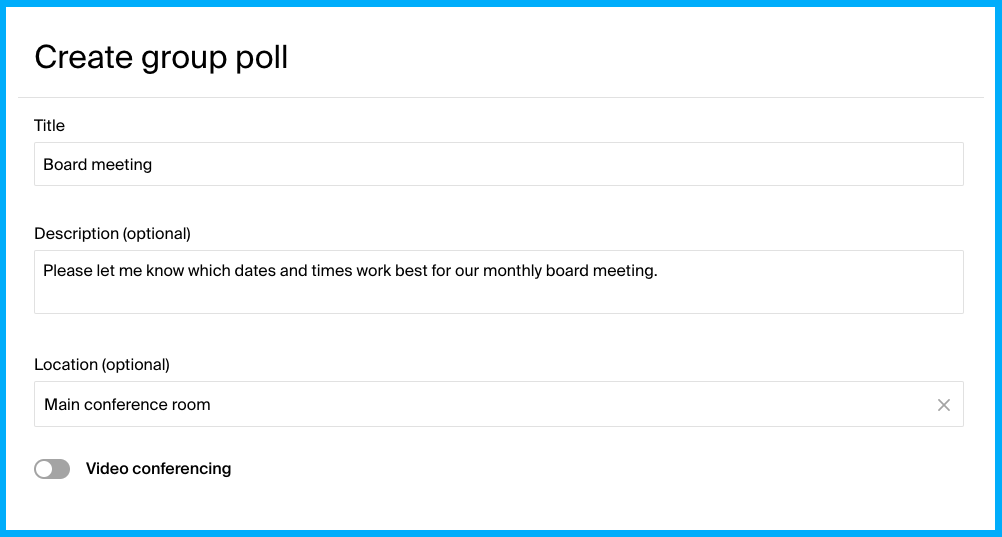
Creating a poll takes three steps: enter event details, propose times on a calendar grid, and share the link. Doodle supports custom durations from 5 minutes to 12 hours, including all-day options. You can mix multiple durations within a single poll, proposing both 30-minute and 60-minute slots for the same meeting.
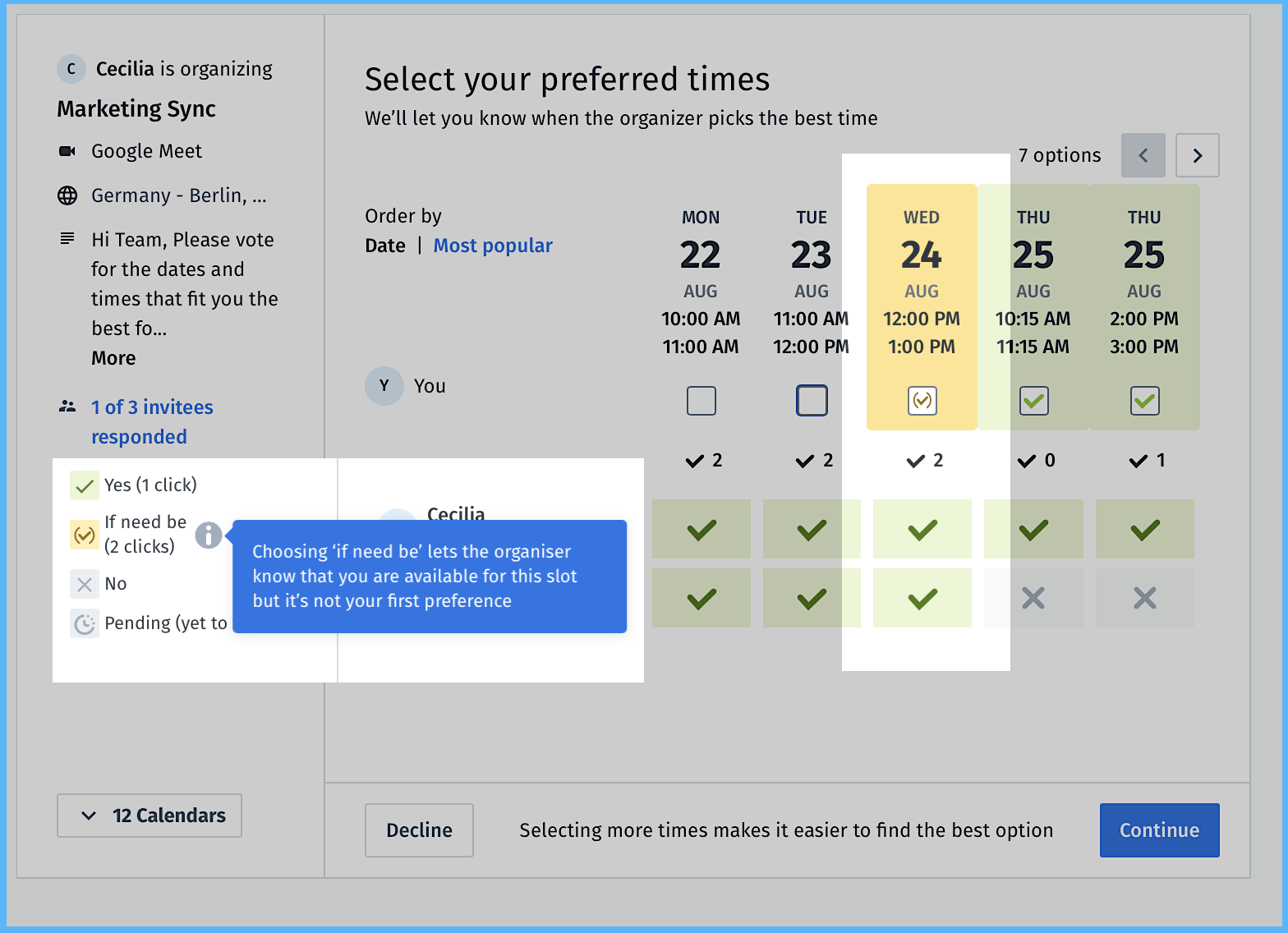
What sets the voting apart is the three-state response system. Participants click once for "yes" (green), twice for "if-need-be" (yellow), or leave a slot blank. That middle option gives organizers richer signal than a binary yes/no, especially in large groups where perfect consensus is unlikely. Up to 1,000 people can respond to a single poll.
Source: Doodle
Once voting closes, the organizer selects the winning time and clicks "Book it." Participants receive an email with event details and a calendar invite if the organizer has connected their calendar. Video conferencing links from Google Meet, Zoom, Microsoft Teams, or Webex can be attached at creation.
Professional plan users unlock additional controls: voting deadlines, participant caps per slot, automatic reminders, hidden participant lists, and up to 1,000 time slots per poll. Free accounts are limited to 10 time slots. Poll results can be exported to Excel for offline analysis.
Doodle estimates each poll saves about an hour of coordination time. For organizations running dozens of polls weekly, that adds up.
Booking Page: An always-on scheduling link synced to your real-time calendar availability.
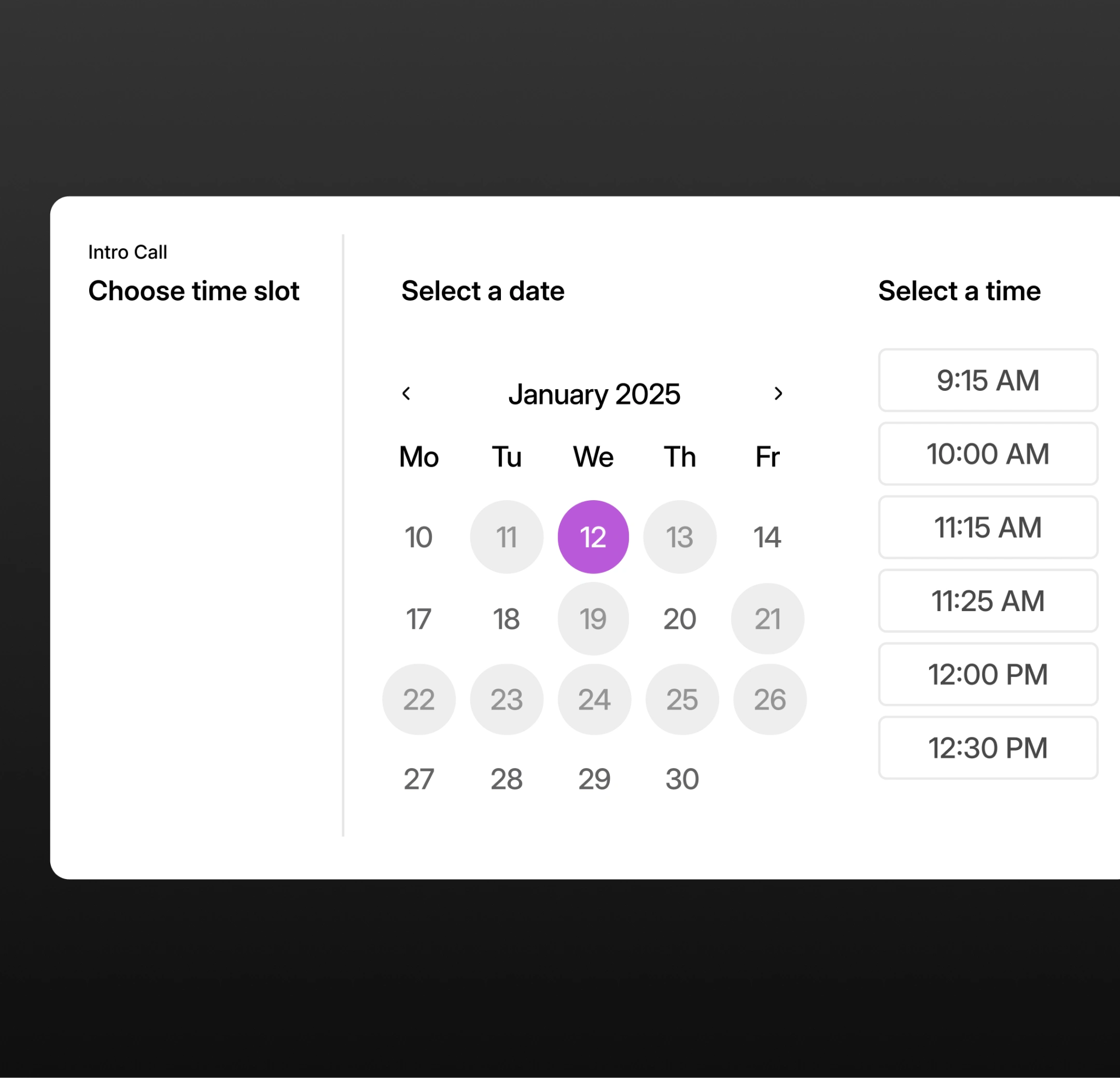
Booking Page is Doodle's answer to always-on scheduling. The host sets availability rules once, and a permanent link shows only open slots based on connected calendars.
Source: Doodle
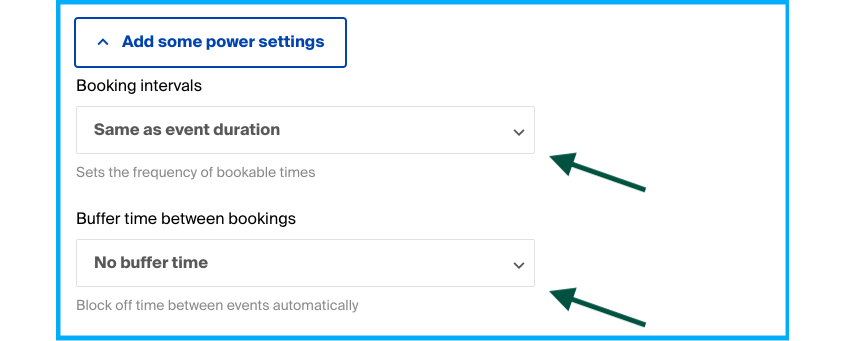
Setup requires a connected Google or Microsoft Office 365 calendar. The host defines available days and time windows, sets a meeting duration, and configures optional controls: booking intervals (how frequently slots appear), buffer times (gaps between meetings), daily booking caps, and minimum advance notice. Participants see only available slots and cannot view the contents of connected calendars.
A useful detail: booking intervals decouple meeting duration from slot frequency. A host running 60-minute meetings can offer slots every 15 minutes, quadrupling available booking windows compared to a duration-matched default.
Source: Doodle
Hosts can collect payment via Stripe at booking time, add custom intake questions, and enable automatic 24-hour reminders. On the Team plan, up to 5 hosts can share a single booking page, with the system checking all hosts' calendars at once. A book-on-behalf mode lets assistants manage scheduling for executives.
The booking link is designed for email signatures, Slack profiles, websites, and corporate directories. Once created, it requires no maintenance.
1:1 Scheduling: Hand-pick the times you want to offer, then let the invitee choose.
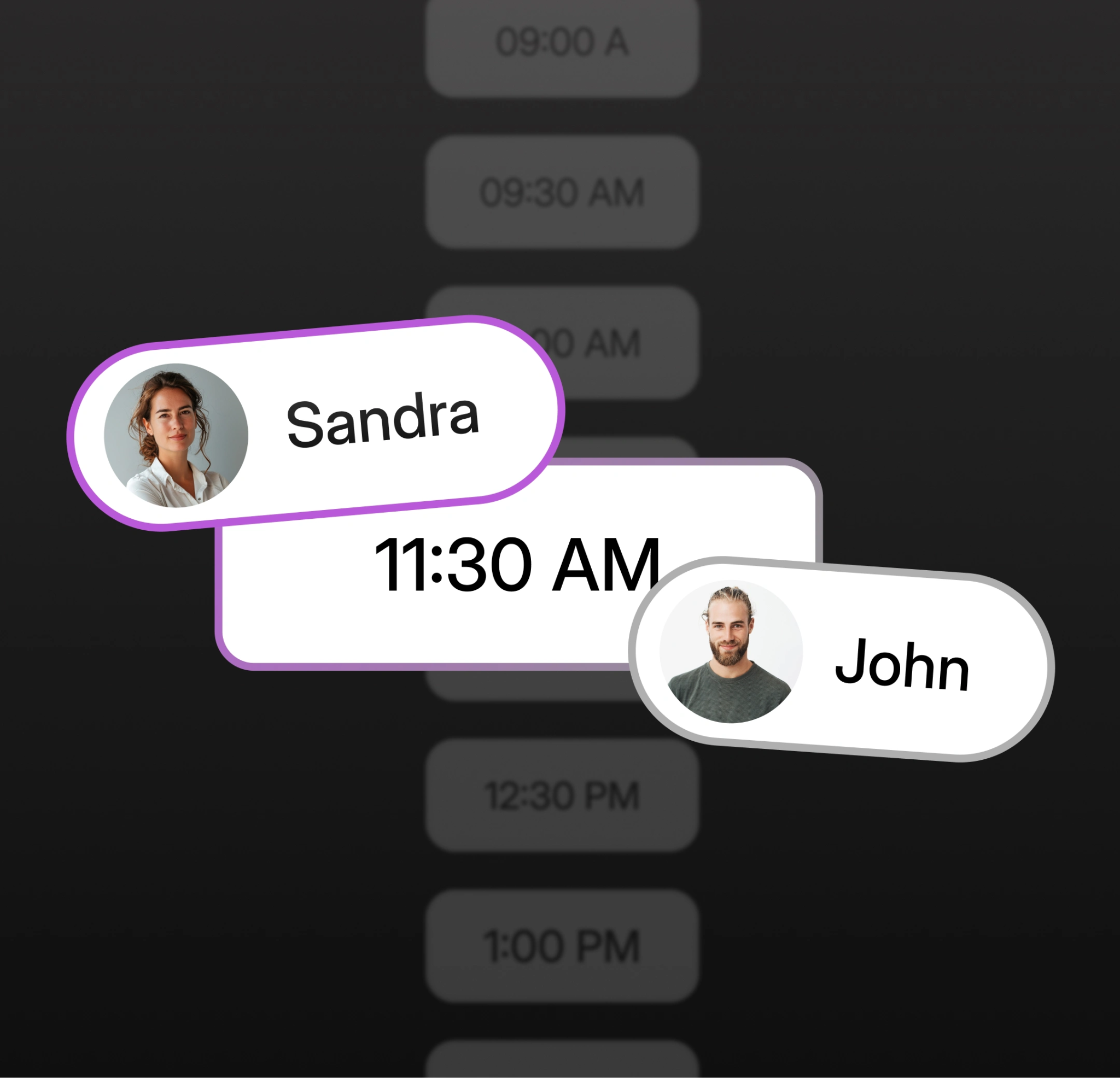
Doodle's 1:1 sits between Group Poll and Booking Page. Where Booking Page runs on autopilot using availability rules, 1:1 gives the organizer full control over every date and time offered. Where Group Poll collects votes from many people, 1:1 is designed for a single invitee selecting one slot.
Source: Doodle
The use case is specific: interviews, annual reviews, client consultations, parent-teacher conferences, lab inspections. The organizer selects slots on a calendar, shares a link, and the invitee clicks a highlighted day to reveal available times, picks one, and books. No Doodle account is required.
A useful feature for hiring: a single 1:1 invitation can be sent to multiple people. Each person books one slot, and individual selections stay private from other participants. Once a slot is booked, it's removed from availability in real time.
Professional users can connect Stripe for payment collection at booking time and add custom pre-meeting questions. Free users are limited to one active 1:1 with 10 time slots; Professional users get unlimited 1:1s and unlimited slots. Calendar data is never stored on Doodle's servers; the integration only reads availability to surface conflicts.
Sign-up Sheet: Self-service event registration with per-session capacity tracking.
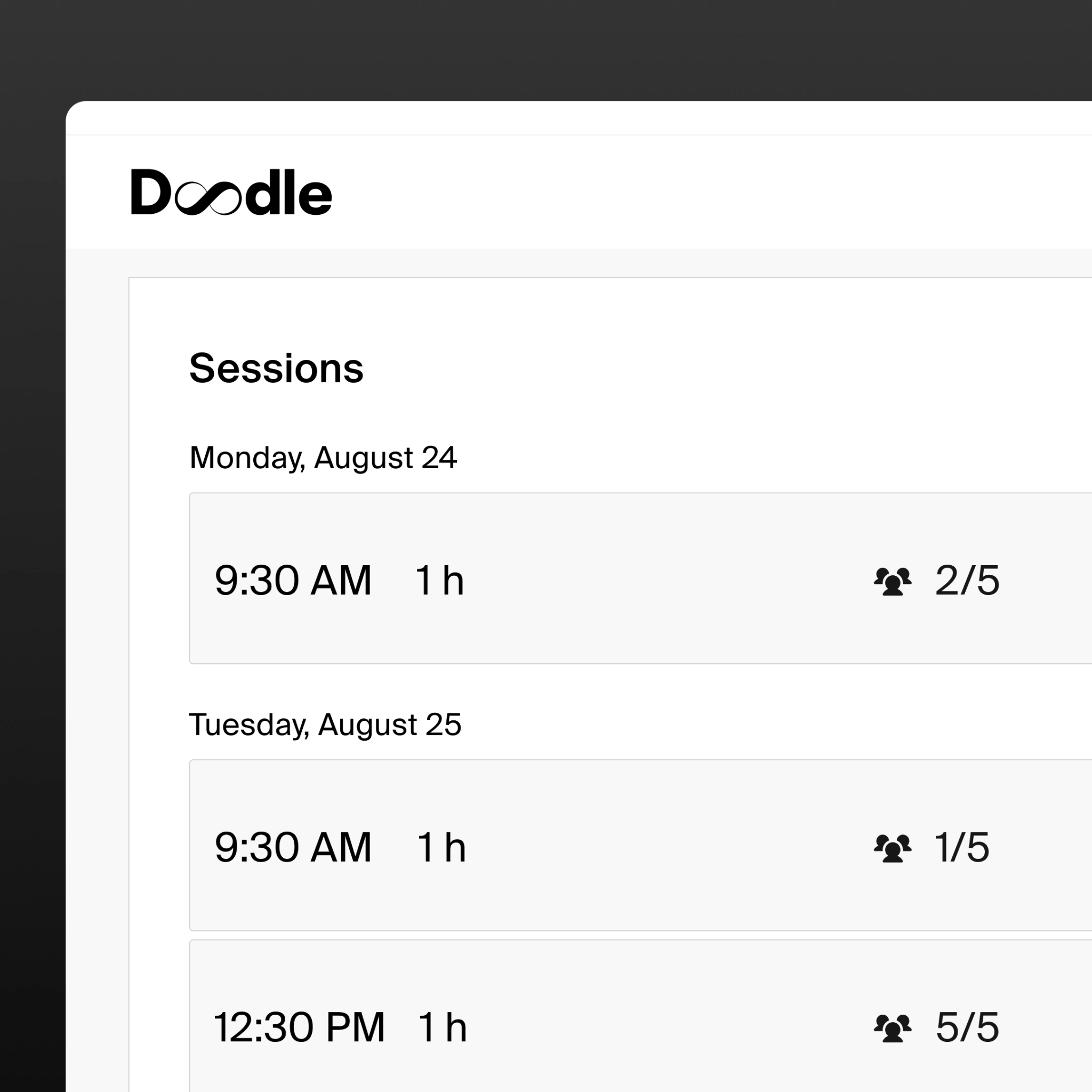
Sign-up Sheet solves a different problem than Doodle's other tools. Instead of finding mutual availability, it lets organizers publish a set of sessions and have participants self-select. Think workshop registrations, volunteer shifts, training orientations, and webinar enrollments.
Source: Doodle
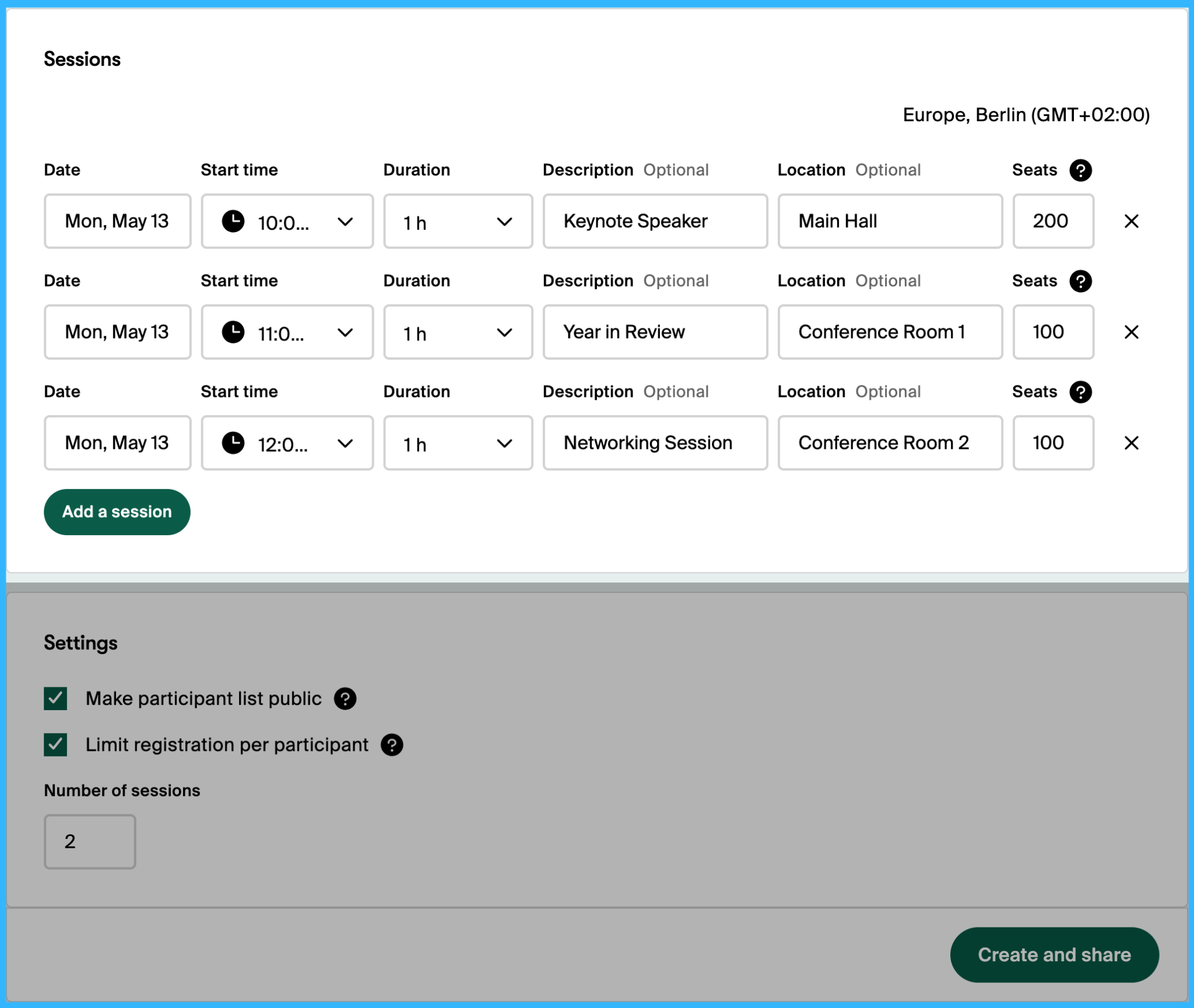
Each session gets its own capacity limit (up to 999 seats), preventing overbooking without manual tracking. Unlike basic form tools that set a single overall cap, Doodle applies independent seat limits per session. An organizer running five workshop sessions with different capacities can enforce different limits on each.
Organizers can add unlimited custom questions (optional or required), cap how many sessions each person can book, and export enrollment data (including custom question answers) to Excel. Times display automatically in each participant's local timezone.
Source: Doodle
Distribution works through direct links, WhatsApp, text, or QR codes for embedding on flyers and signage. Participants don't need a Doodle account to register. Free accounts support up to 20 sessions; Pro supports up to 99.
Integrations: Doodle connects with calendars and video tools, with Zapier bridging everything else.
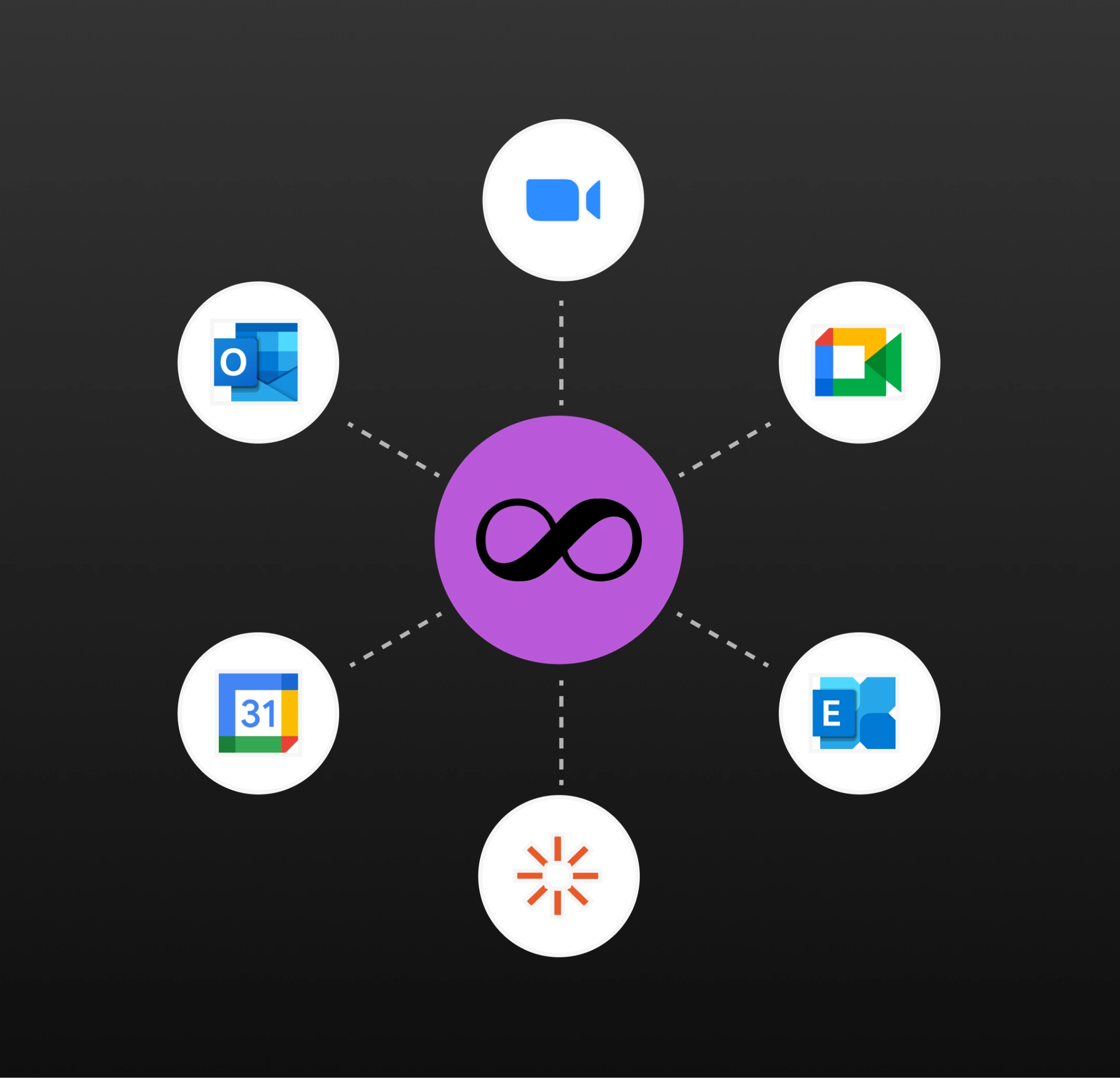
Doodle's integration list is focused rather than broad. Calendar connections cover Google Calendar, Microsoft Outlook / Office 365, and Apple iCloud Calendar (listed as beta). Video conferencing links from Google Meet and Zoom work on all plans; Microsoft Teams and Webex require a Professional or Team plan.
Source: Doodle
Stripe integration enables payment collection on Booking Pages and 1:1 scheduling, supporting USD, EUR, GBP, CHF, and CAD. Free plan users pay a 3% Doodle commission on transactions; Professional users pay none (Stripe's own processing fees still apply).
The only automation bridge is Zapier, which connects Doodle to 1,500+ web services through triggers like "Meeting Booked" and "Meeting Updated." Zapier requires a Professional plan.
One notable gap: Doodle no longer supports a public API. As of June 2024, new API access was discontinued. Organizations that need programmatic scheduling integration must use Zapier or look elsewhere. There are also no native CRM connections to Salesforce, HubSpot, or any sales platform.
Pricing Structure: A free tier, a single-user Pro plan, and a team tier with per-seat pricing.
Doodle offers three tiers below its Enterprise level:
Free
A permanent free plan with no credit card required. Includes group polls (capped at 10 time slots), sign-up sheets (capped at 20 sessions), one booking page, and one 1:1 page. Ads display to all participants. Microsoft Teams, Webex, Zapier, custom branding, and automated reminders are excluded.
Pro (single-user)
$15/month (monthly) or $132/year (~$11/month). Unlocks unlimited polls, booking pages, and 1:1s. Adds an ad-free experience for organizers and participants, all video integrations, automated reminders, custom branding, Zapier, direct invite sending, and priority support.
Team (2-100 users)
$8.95/user/month (annual) or $19.95/user/month (monthly). Includes everything in Pro plus shared booking pages, admin controls for role assignment and permissions, consolidated billing, and faster priority support. Minimum 2 users required.
Enterprise
Custom pricing for organizations over 100 users. Adds SSO/SAML authentication, dedicated account management, custom training, advanced analytics, and uptime guarantees.
Annual plans offer a 14-day refund window; monthly plans allow prorated refunds at any time. All subscriptions auto-renew, with a reminder email sent seven days before renewal.
Where Doodle Falls Short
Doodle is good at what it was built for: finding a time that works. But several limitations surface when teams try to use it beyond basic scheduling. These reflect deliberate design choices rather than defects.
Free Plan Friction. The free tier displays ads to all participants, including external invitees. Sending a client or partner a poll with ads undermines professionalism. Automated reminders, Microsoft Teams integration, custom branding, and Zapier are all locked behind paid plans. With polls capped at 10 time slots, the free plan works for occasional personal use but falls short for teams.
Calendar Sync Reliability. Users report that changes in external calendars don't always sync correctly with Doodle, creating double-booking risk. For a scheduling tool, calendar accuracy is foundational. When busy/free data is stale, the tool creates the problem it's supposed to solve.
No CRM or Sales Workflow Integration. Doodle has no native connection to Salesforce, HubSpot, Pipedrive, or any CRM. For sales teams, meeting data lives in isolation. There's no automatic logging of meetings against accounts or opportunities, no triggering of follow-up sequences, and no visibility into whether the person you're meeting is a qualified prospect.
The API was deprecated in June 2024, so building custom integrations isn't an option either.
Limited Communication Within Polls. Participants cannot add notes, ask questions, or attach context within a Doodle poll. Any coordination that requires context still spills into email. This matters when scheduling meetings that need background information or preparation materials.
Pricing vs. Perceived Value. Multiple reviewers note that paid plans feel expensive for what they unlock. The jump from free to Pro ($15/month) removes ads and lifts limits, but the core scheduling experience is similar. For teams, per-user pricing adds up quickly, especially when the feature set stays focused on scheduling mechanics.
Support Gaps. Phone support is not available; all escalations route through email. Response time commitments exist only at the Enterprise tier, with Severity 1 issues guaranteed under 6 hours. Free and Pro users have no guaranteed response times, which reviewers on G2 and Gartner Peer Insights flag as a problem for time-sensitive scheduling.
Time OS Remains a Promise. Doodle's most ambitious features (agentic scheduling, automatic meeting creation, focus protection, Day Flow) are part of the Doodle Time OS, which is still in early access as of mid-2026. Buyers evaluating the platform today should base decisions on what's available now, not what's on the waitlist.
These limitations stem from Doodle's focus on scheduling coordination as its core problem. For teams where scheduling is the bottleneck, that focus is a strength. But for revenue teams where meeting productivity matters as much as meeting logistics, the gaps become clear.
The Missing Half of Meeting Productivity: ZoomInfo
Doodle solves the calendar problem. But for sales and business development teams, the calendar is the last step. Before you schedule a meeting, you need to know who's worth meeting. Before you walk in, you need to know what matters to them. And after the meeting, you need that intelligence connected to your pipeline.
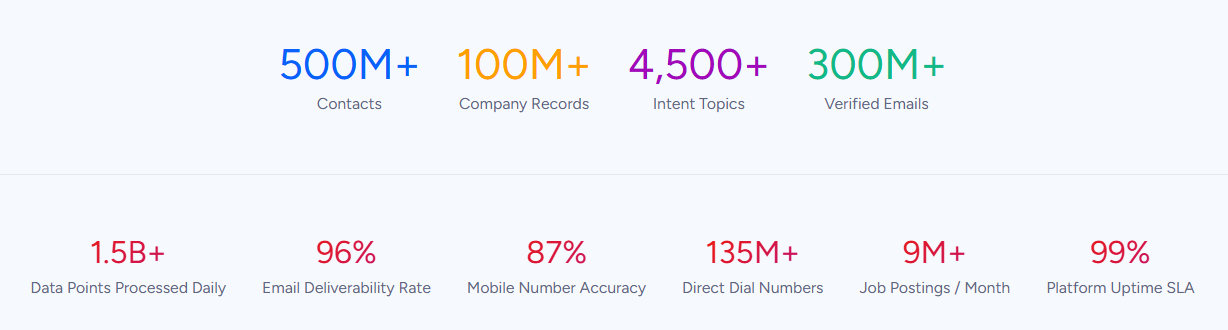
ZoomInfo is an AI GTM platform that handles the intelligence side of the meeting equation. Built on 500M contacts, 100M companies, 135M+ verified phone numbers, and 200M+ verified business emails, ZoomInfo identifies who you should meet, surfaces the signals that tell you when to reach out, and provides the account context that makes every conversation count.
Comprehensive B2B Data: Know who you're meeting before you schedule.
Where Doodle manages availability, ZoomInfo manages identity and context. The platform provides 300+ company attributes for market segmentation, department org charts with decision-makers' direct dials and verified emails, and up to 95% accuracy on first-party data.
For sales teams, this means the meetings you schedule are with verified, reachable contacts. You're not sending a booking link to a generic info@ address or someone who left the company six months ago. ZoomInfo's data pipeline, backed by 300+ human researchers and automated ML scanning of 28 million site domains daily, keeps contact information current.
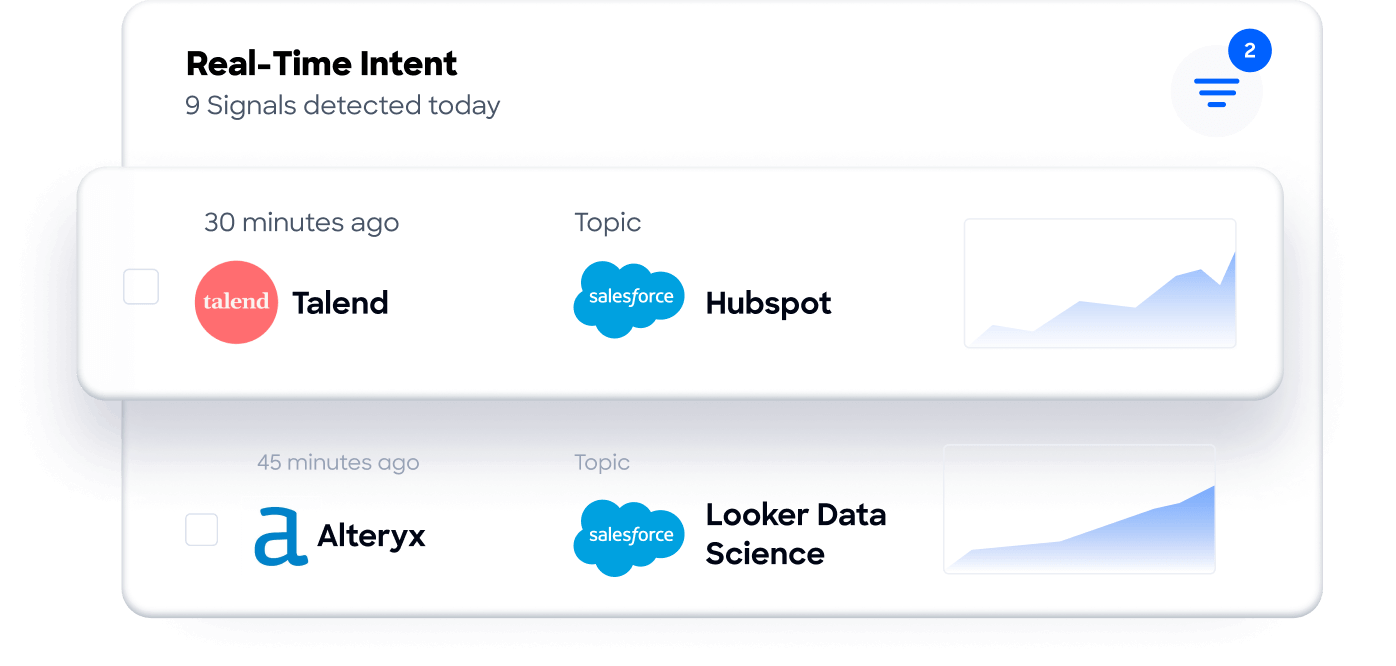
Buyer Intent data tracks signals from 210 million IP-to-Organization pairings, identifying companies actively researching topics related to your product. Instead of scheduling meetings with anyone willing to take a call, sales teams can prioritize accounts showing buying signals.
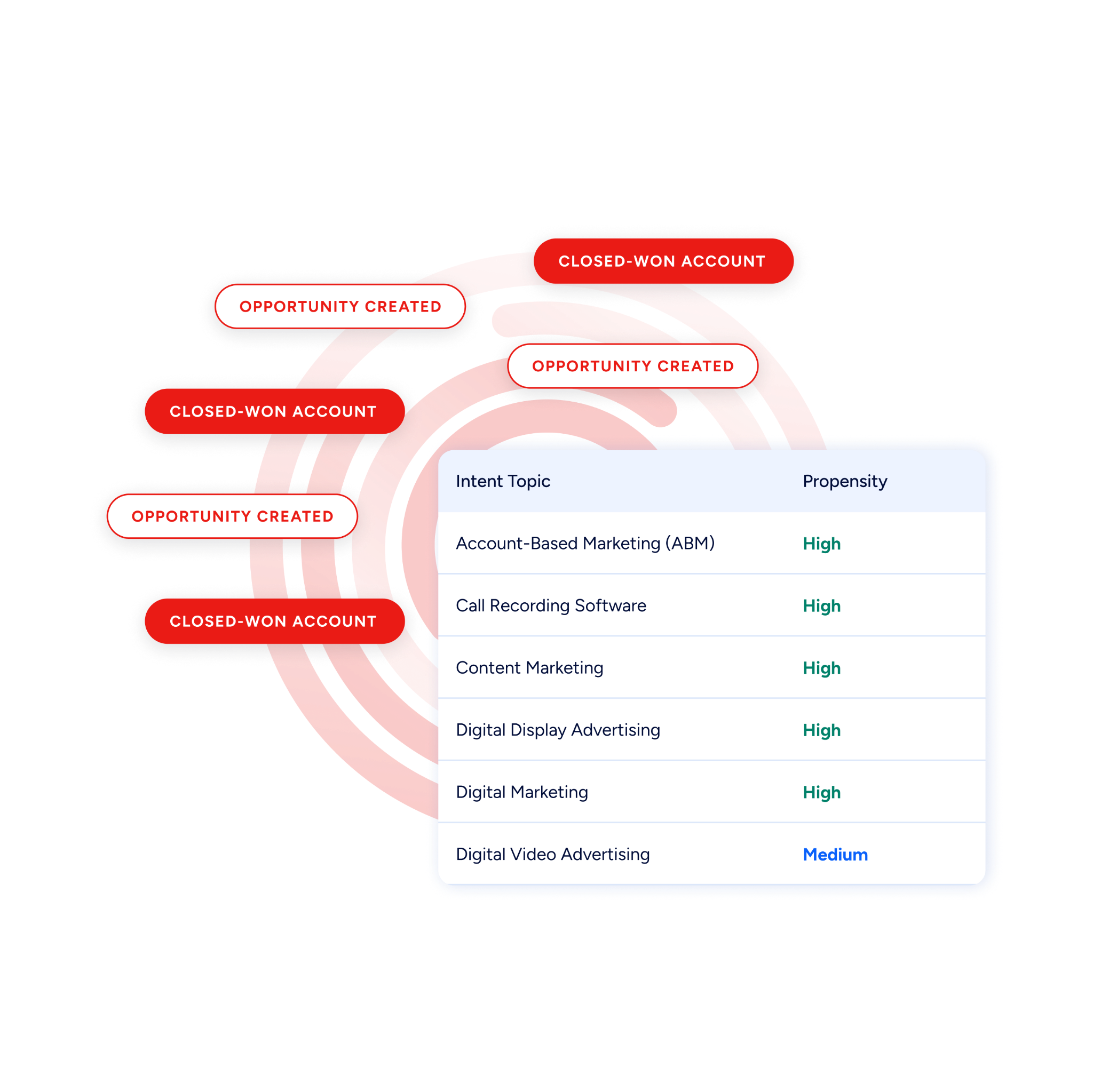
Guided Intent, exclusive to ZoomInfo, identifies the topics historically correlated with deal success rather than requiring manual topic selection.
Seismic's sales team attributed 39% of active pipeline to opportunities identified or influenced by ZoomInfo signals, reporting 54% higher productivity and saving 11.5 hours per week. (Seismic)
GTM Workspace: AI-powered execution for sellers who need more than a calendar.
GTM Workspace is ZoomInfo's front-end for sales teams. It addresses fragmentation: the average enterprise runs 23 GTM technologies, forcing sellers to bounce between tools for research, outreach, scheduling, and CRM updates.
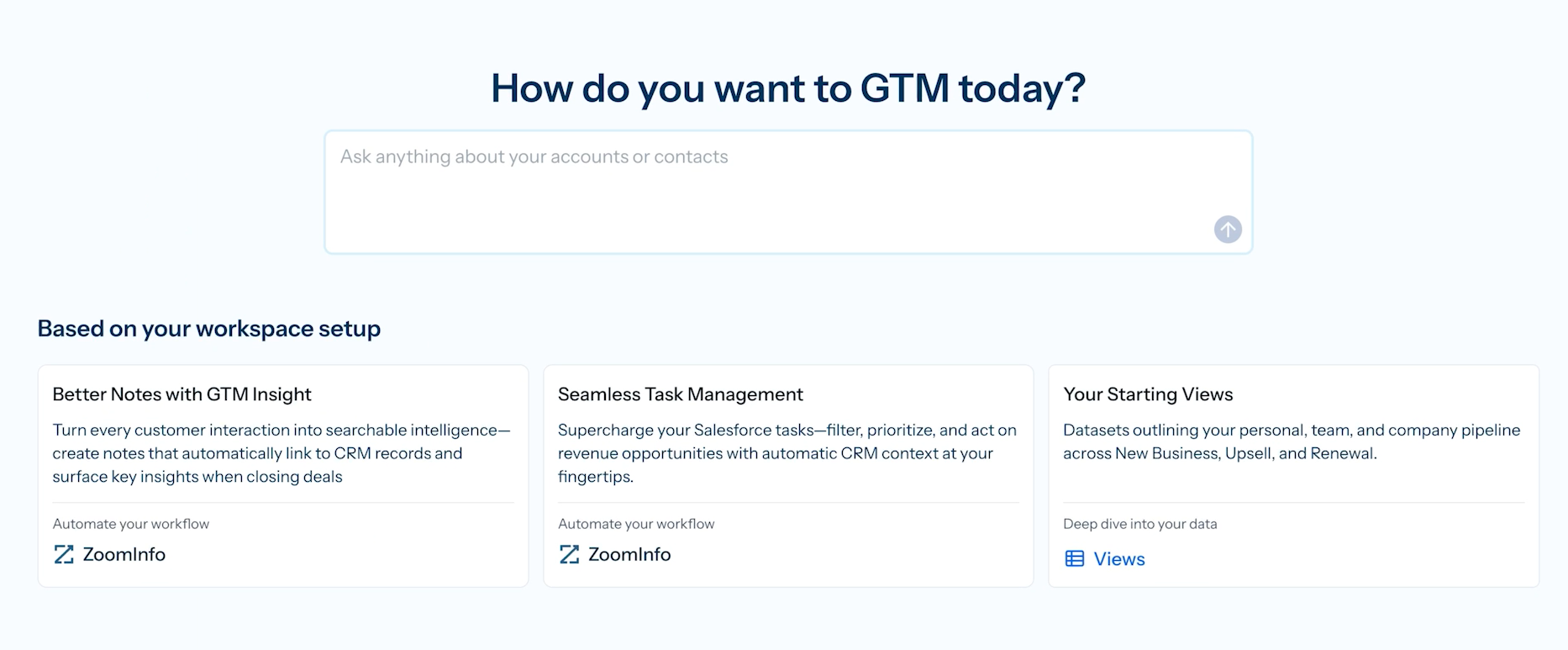
The workspace consolidates prioritized accounts, AI-drafted outreach, deal intelligence, and buying group identification into a single view. AI agents handle account research, outreach drafting, CRM updates, and signal monitoring.
An Action Feed surfaces in-market buyers matched to target criteria, with pre-drafted actions on every signal (G2 comparisons, funding events, executive hires).
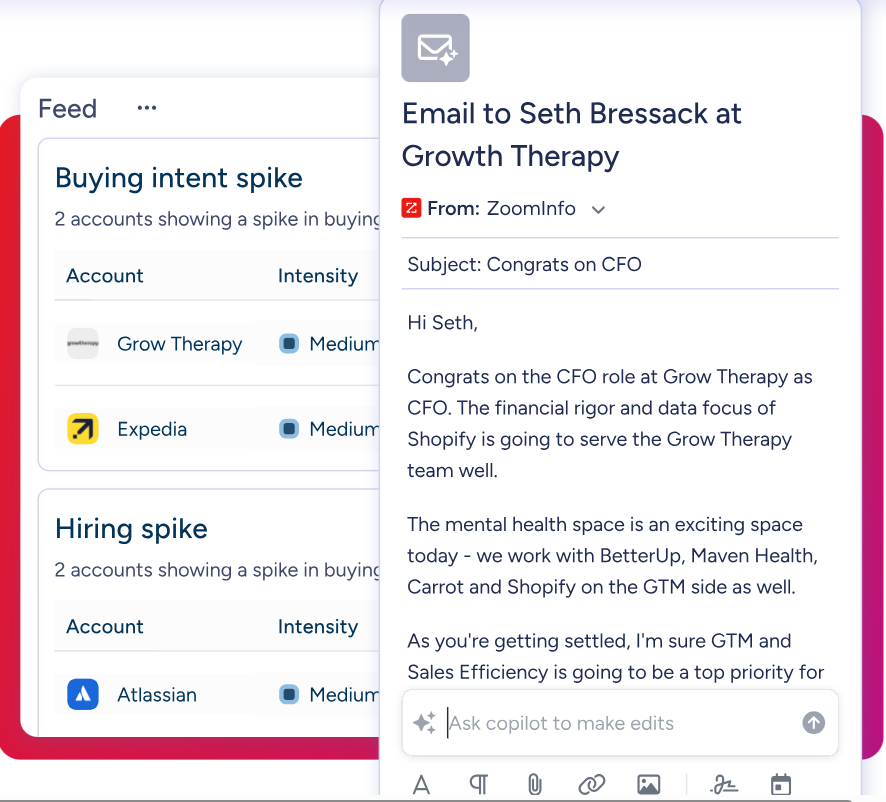
An AI Assistant generates one-click account briefs that pull CRM history, company news, ZoomInfo signals, and stakeholder context into a 10-second summary.
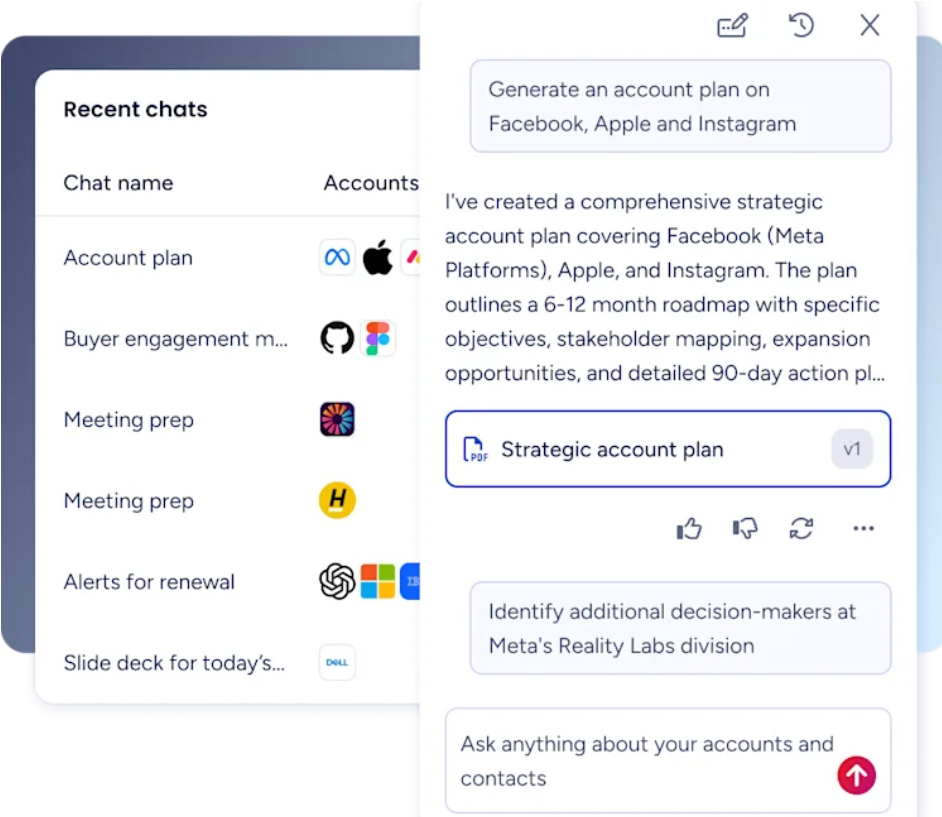
The practical result: before a seller schedules a meeting, GTM Workspace has already surfaced the account's intent signals, identified the buying committee, and drafted personalized outreach based on concerns from previous conversations. The meeting gets scheduled because the right preparation happened first, and the seller walks in knowing the deal context instead of scrambling through notes.
Spekit found that opportunities at higher-scoring accounts were 43% more likely to become qualified pipeline and moved 58% faster through qualification. (Spekit)
GTM Studio: Campaign orchestration for marketers and RevOps.
While GTM Workspace serves sellers, GTM Studio gives marketers, RevOps, and GTM engineers a builder environment where audience definition, campaign orchestration, and pipeline measurement happen in natural language rather than engineering tickets.
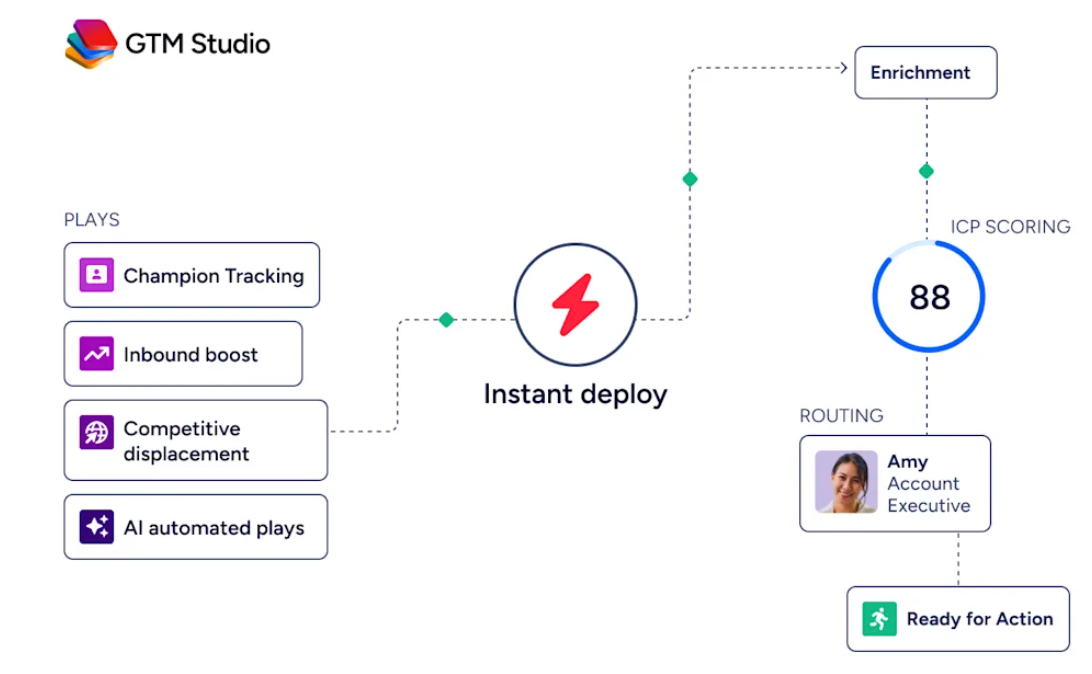
RevOps teams can build audiences using plain-language prompts, enrich them with first- and third-party data, define triggers, and activate plays across email, calls, ads, and direct mail. Pre-built GTM plays cover inbound acceleration, champion tracking, competitive displacement, and ICP targeting, each launchable in one click.
Waterfall enrichment evaluates 25+ alternative data sources and returns the highest-confidence result at no additional cost.
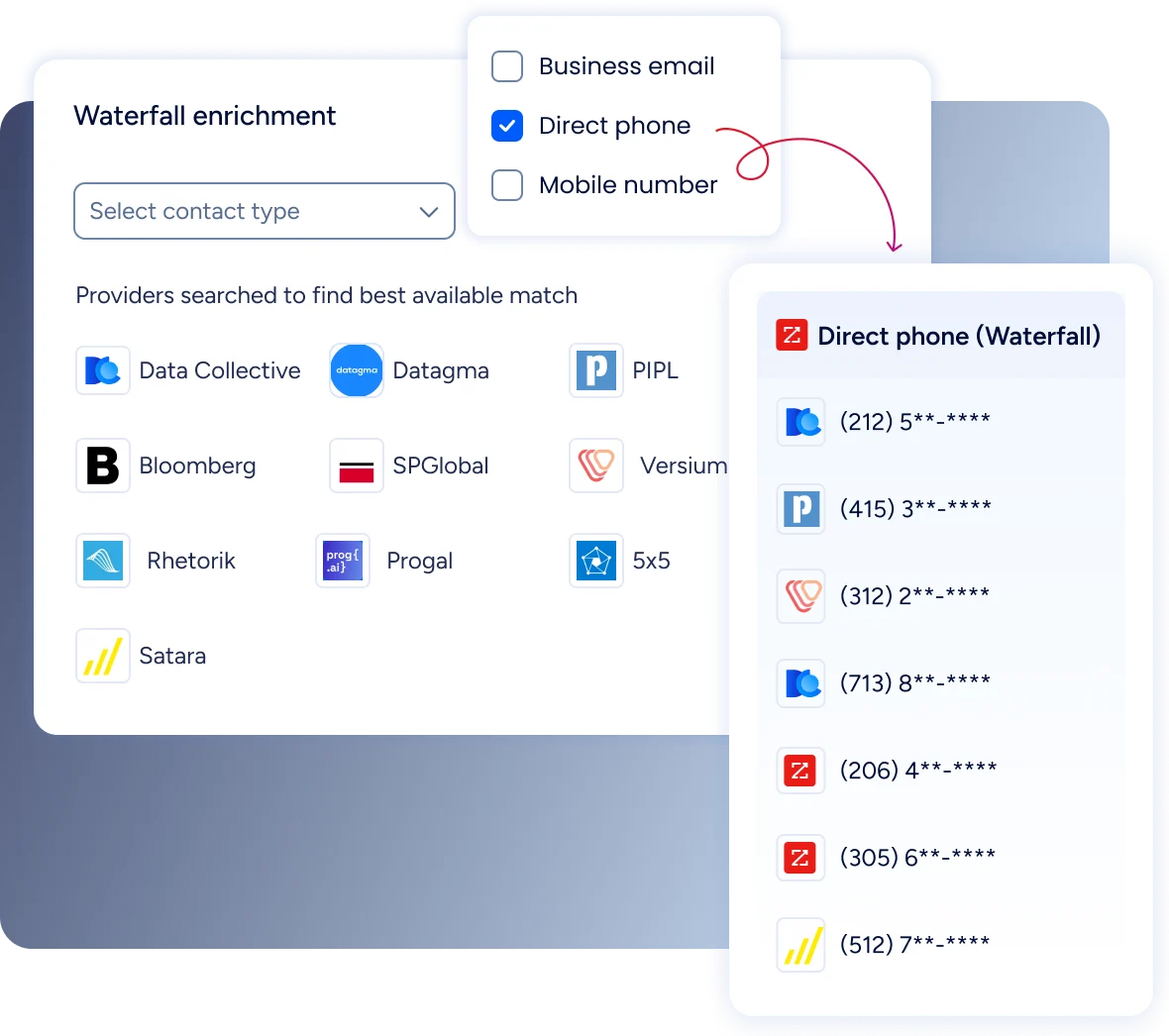
For organizations where marketing and sales need to coordinate around the same accounts, GTM Studio and GTM Workspace draw from the same GTM Context Graph: accounts that marketing identifies as in-market flow directly into sellers' action feeds. That coordination happens automatically, not through meetings about who to call next.
Universal Access: APIs and MCP for any tool in your stack.
ZoomInfo's intelligence isn't locked inside its own products. APIs and MCP (Model Context Protocol) expose the same data and context to any third-party tool, custom agent, or internal workflow. The MCP server supports Claude and ChatGPT, enabling natural-language queries against ZoomInfo's B2B database from any MCP-compatible AI assistant.
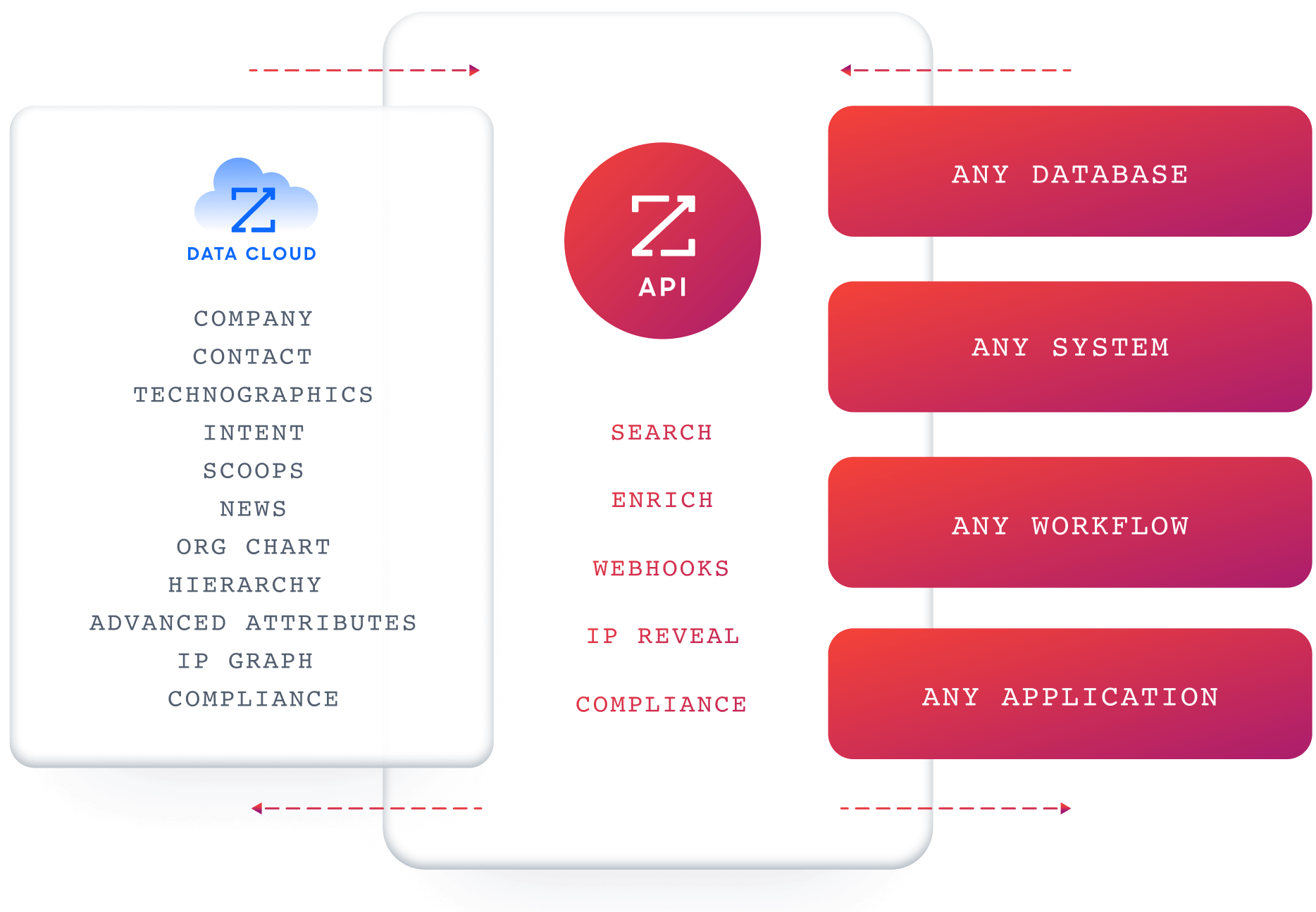
For teams that use Doodle alongside Salesforce, HubSpot, or custom internal tools, ZoomInfo's open architecture means account intelligence flows wherever it's needed.
A meeting booked through any scheduling tool becomes more valuable when the CRM record is enriched with verified contacts, intent signals, and competitive context. API access is included in all relevant plans, and ZoomInfo integrates natively with Salesforce, HubSpot, and Microsoft Dynamics plus 120+ partners in the App Marketplace.
BDO Canada achieved an 87% reduction in time spent updating their internal data dashboards using ZoomInfo's API. (BDO Canada)
Pricing: Custom-quoted with a permanent free tier.
ZoomInfo uses custom-quoted, consumption-based pricing with no publicly listed prices. Costs scale based on usage, seats, credit volume, and feature access. Paid tiers are organized into Sales, Marketing, and Operations product lines with Professional, Advanced, and Enterprise levels.
A permanent free tier, ZoomInfo Lite, provides access to 100M+ verified profiles, 10 monthly export credits, company and contact search, the ReachOut Chrome Extension, and WebSights Lite (up to 10 website visitor reveals per day).
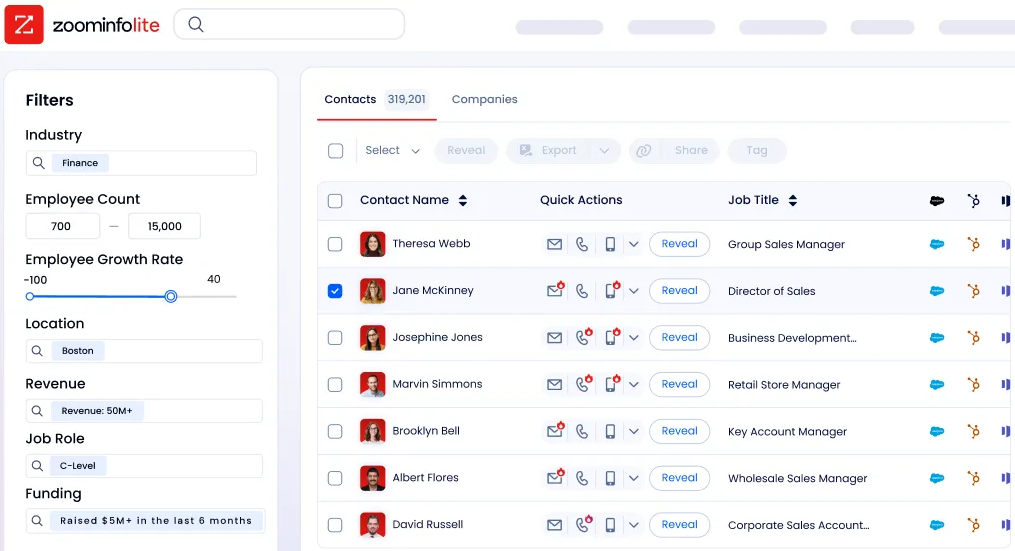
A separate 7-day free trial with broader feature access is also available, no credit card required.
Doodle and ZoomInfo: Where They Fit
Aspect | Doodle | ZoomInfo |
|---|---|---|
Primary function | Meeting scheduling and time coordination | B2B intelligence and go-to-market execution |
Core question answered | When should we meet? | Who should we meet, and what do we need to know? |
Target users | Anyone coordinating meetings (teams, educators, non-profits, sales) | B2B sales, marketing, RevOps, and GTM teams |
Participant friction | None (no account needed) | N/A (used by the selling team, not the prospect) |
CRM integration | None | Salesforce, HubSpot, Microsoft Dynamics and 120+ marketplace partners |
Data layer | Calendar availability only | 500M contacts, 100M companies, intent signals, technographics |
AI capabilities | Time OS (early access/waitlist) | |
API access | Deprecated (June 2024) | REST API + MCP server, included in all relevant plans |
Compliance | ||
Free tier | Permanent (limited features, ads shown) | ZoomInfo Lite (permanent, 10 exports/month) |
Paid pricing | $15/month (Pro) or $8.95/user/month (Team, annual) | Custom-quoted, consumption-based |
Final Verdict
Doodle and ZoomInfo solve different problems. The right choice depends on which problem is your bottleneck.
Choose Doodle if your primary challenge is coordinating meeting times across people who don't share calendar access. It works well for organizations that regularly schedule with external parties (volunteers, board members, clients, partners, candidates) and need participation with no account required.
Group Poll remains one of the most efficient ways to find consensus in a large group, and GDPR, HIPAA, and SOC 2 Type II compliance makes it a fit for regulated industries. Doodle does one thing well: it removes the scheduling back-and-forth.
Add ZoomInfo if you're a B2B sales or business development team where the value of a meeting depends on who's in the room and what you know about them. ZoomInfo identifies the right accounts with buyer intent signals, surfaces verified decision-makers with direct dials and business emails, and provides the account intelligence that turns a 30-minute call into pipeline.
Through GTM Workspace, sellers can research accounts, draft outreach, and update CRM from one surface. Through APIs and MCP, that intelligence flows into any tool in your stack.
Get started with ZoomInfo here.
For revenue teams, the scheduling tool handles logistics. The competitive advantage lies in what happens before and after the meeting: knowing which accounts to pursue, which contacts to reach, and what to say when you get there. That's the layer ZoomInfo provides.
Doodle FAQ
Is Doodle free to use?
Yes. Doodle offers a permanent free plan with no credit card required. It includes group polls (capped at 10 time slots), sign-up sheets (capped at 20 sessions), one booking page, and one 1:1 page. The free tier displays ads to all participants, and features like automated reminders, Microsoft Teams integration, custom branding, and Zapier are locked behind paid plans.
ZoomInfo also offers a permanent free tier called ZoomInfo Lite, which provides access to 100M+ verified profiles and 10 monthly export credits.
How much does Doodle Pro cost?
Doodle Pro costs $15 per month on monthly billing or $132 per year (about $11 per month). The Team plan (for 2 to 100 users) costs $8.95 per user per month on annual billing or $19.95 per user per month on monthly billing. Enterprise pricing for organizations over 100 users is custom-quoted. Annual plans offer a 14-day refund window, and monthly plans allow prorated refunds at any time.
Does Doodle integrate with CRM platforms like Salesforce or HubSpot?
No. Doodle does not offer native CRM integrations. Its integrations cover calendars (Google, Outlook, iCloud), video conferencing (Google Meet, Zoom, Teams, Webex), payment (Stripe), and automation (Zapier). The Doodle API was deprecated in June 2024, so building custom CRM integrations is not possible. Organizations needing CRM connectivity must use Zapier as an intermediary.
ZoomInfo, by contrast, integrates natively with Salesforce, HubSpot, and Microsoft Dynamics and offers 120+ partner integrations through its App Marketplace.
Do participants need a Doodle account to respond?
No. Participants can vote on Group Polls, book 1:1 meetings, register on Sign-up Sheets, and use Booking Pages without creating a Doodle account. This no-account participant experience is one of Doodle's primary differentiators and a key reason organizations adopt it for external-facing scheduling with clients, volunteers, candidates, and partners.
How does Doodle handle time zones?
Doodle converts proposed times into each participant's local timezone based on their browser settings. Organizers don't need to adjust times manually for global participants. This works across Group Polls, Sign-up Sheets, 1:1 scheduling, and Booking Pages, making it practical for organizations coordinating across countries and regions.
What is Doodle Time OS?
Doodle Time OS is the company's upcoming product, currently in early access with a waitlist. Announced features include automatic meeting creation, focus protection rules, agentic calendar orchestration, and Day Flow (a continuous timeline replacing the traditional calendar grid). These represent Doodle's strategy to evolve from a scheduling tool into a full calendar operating layer.
As of mid-2026, Time OS is not generally available, so buyers should evaluate the platform based on its current feature set.
Is Doodle HIPAA compliant?
Doodle lists HIPAA compliance alongside GDPR and SOC 2 Type II on its marketing materials and healthcare solutions pages. All infrastructure is hosted on AWS in the EU, and the company has a Data Protection Officer. However, detailed information about Business Associate Agreement availability is not publicly documented, so healthcare organizations that require a BAA should contact Doodle's sales team directly.
What happened to Doodle's API?
Doodle deprecated and discontinued new API access as of June 11, 2024. No new API integrations can be established. Customers who previously configured API access under Enterprise accounts are directed to contact Doodle's support team. All connectivity now routes through native integrations (calendars, video conferencing, Stripe) and Zapier, which requires a Professional plan.
This is a meaningful limitation for organizations that need programmatic scheduling integration or custom automation beyond what Zapier offers.
Looking beyond Doodle? These comparisons and alternatives help you decide:
