
CRM hygiene: what it is and why it can't wait
Every growth initiative your GTM team runs, territory modeling, lead scoring, AI-powered outreach, pipeline forecasting, inherits the quality of the data beneath it. The team at ZoomInfo, an all-in-one AI GTM Platform, has worked with thousands of revenue operations teams on this exact problem, and the pattern is consistent: CRM data is the foundation, and most foundations are cracked.
According to the State of CRM Data Management survey, CRM data decays by about 34% annually, with nearly half of users estimating their companies lose more than 10% in annual revenue because of poor data quality. The stakes have risen sharply: dirty CRM data no longer just wastes a rep's time. When stale records feed automated decisions at machine speed, the errors compound faster than any human review cycle can catch. This guide walks through ZoomInfo's five-step CRM hygiene framework so your team can build a data foundation that GTM workflows can actually trust.
What is CRM hygiene?
CRM hygiene is the ongoing practice of keeping your CRM data accurate, complete, and current. It covers deduplication, standardization, removal of stale records, and continuous enrichment. For the RevOps practitioner, CRM hygiene meaning is precise: it is a continuous discipline that starts at data ingestion, not after problems appear.
It helps to distinguish CRM hygiene from two related but different practices. Data cleansing is reactive and typically one-time: you run a cleanup project when the CRM becomes unusably messy. Data enrichment is additive: you append missing fields (phone numbers, job titles, firmographics) to existing records. CRM data hygiene is neither of these alone. It is the ongoing maintenance layer that keeps what you have accurate so that enrichment has a clean foundation to build on and cleansing projects become rare rather than routine.
The cost of skipping it is significant. According to Validity's 2024 State of CRM Data Management report, 31% of CRM admins say bad data costs their organization more than 20% of annual revenue. Gartner estimates poor data quality costs organizations an average of $12.9 million per year. These are not edge-case outcomes. They are the structural consequence of treating hygiene as optional.
Why CRM data decays, and why it matters more now
The natural decay problem
B2B contact data decays at 22-30% annually. Professionals change jobs (the primary driver), companies get acquired or rebranded, email addresses change, and phone numbers are reassigned. The State of CRM Data Management survey puts the annual decay rate at approximately 34% for a typical CRM database. This is not a process failure, it is a structural reality of how the business world works. Companies that treat data decay as a one-time problem to solve will solve it once and watch it return within a year.
For a CRM with 50,000 contacts, that decay rate means somewhere between 11,000 and 17,000 records become inaccurate every year without active hygiene. Territory models, scoring models, and routing rules built on that database inherit every one of those gaps.
The AI-era multiplier
Dirty data no longer just wastes a rep's time. When stale contact data feeds an AI-powered outbound sequence, the sequence fires personalized messages to wrong job titles, bounced emails, and contacts who left the company. The AI does not know the data is stale. It executes at scale on whatever it is given.
A CRM with 30% stale contact data feeding an AI-powered outbound sequence produces a qualitatively different failure mode than the same data in a manual outreach workflow. A rep might notice something is off and skip a record. An AI agent will process every record in the queue, at volume, without hesitation. The errors are not just more frequent, they are systematic. Misrouted leads, irrelevant outreach, and scoring models that degrade over time are the downstream result. Clean CRM data is the prerequisite for reliable AI-driven GTM execution, not a nice-to-have.
A framework for CRM data hygiene: the five-step process
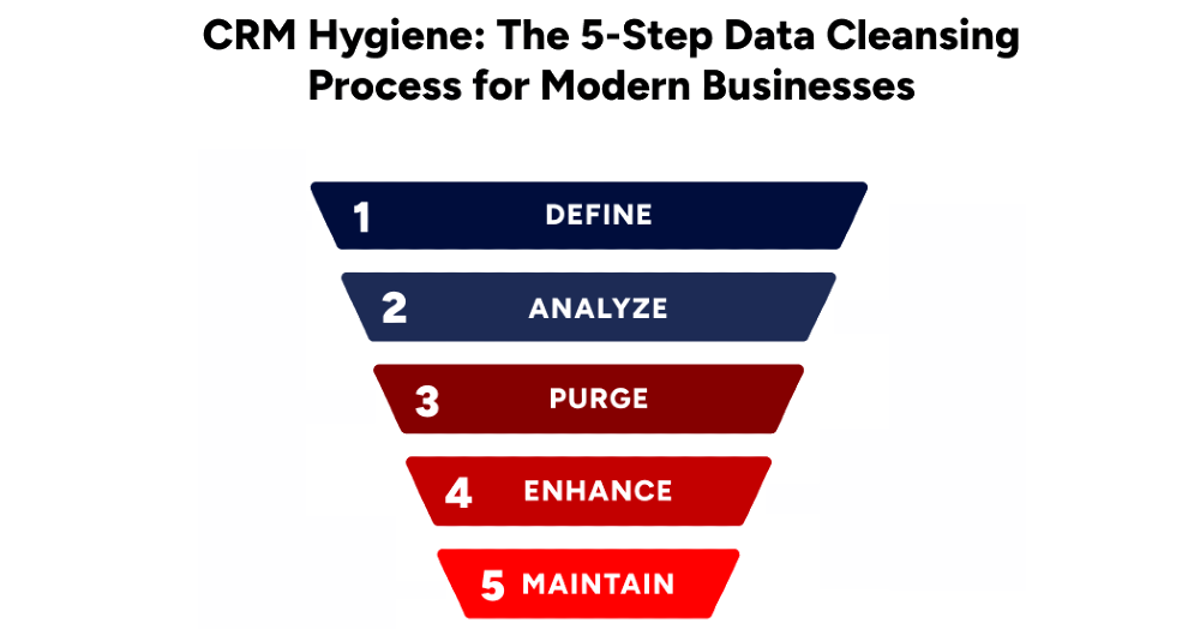
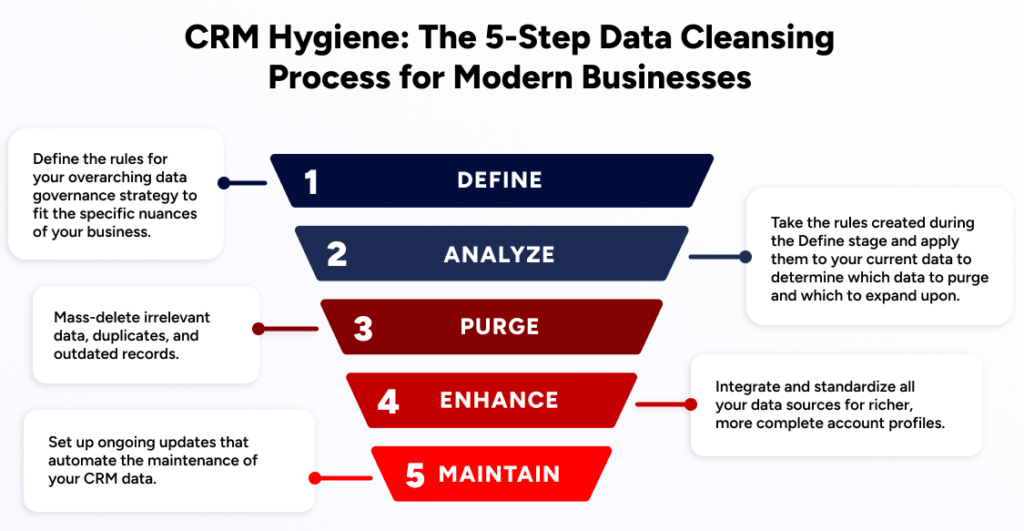
ZoomInfo's CRM Hygiene Framework is a five-step methodology designed for ongoing hygiene, not one-time cleanup. The distinction matters operationally: a one-time cleanup addresses the symptom; the framework addresses the system. Each step builds on the previous one, and the cycle repeats on a scheduled cadence so that hygiene runs continuously rather than accumulating as backlog.
The best data cleansing solutions provide deduplication, enrichment, and standardization from multiple sources with the help of automation. The framework below shows you how to sequence those capabilities effectively.
Step 1: Define data governance rules
The first step in any CRM cleanup is defining the rules for an overarching data governance strategy, and tailoring company standards to fit the specific nuances of your business.
Properly defining your data governance system will have massive downstream effects, so take care to do it thoroughly. The definition stage requires answering a few key questions. Once those rules are defined, software with rule-based workflows can apply them at scale.
Here are some key steps in the initial Define stage:
Total Addressable Market (TAM) of businesses: The largest possible group of businesses that could potentially buy your product or service. Often expressed in terms of total revenue or number of customers.
Ideal Customer Profile within your TAM: Of that larger TAM, the characteristics of the typical business that is best positioned to become a customer.
TAM of business professionals: Similar to TAM of businesses, but focusing on the number of potential end users or individual buyers within companies.
Ideal Persona Profile within your TAM: The specific traits of individual professionals you're targeting in these businesses.
Characteristics of duplicate data: Signs of repeated information in your system, such as shared corporate HQ addresses.
Duplicate survivorship rules: Deciding which record "survives" in the event of a duplicate or multiple records that need to be merged into one.
Matching rules: Specify how your system will know if it's found a match, if two records share the same HQ address but have slightly different names, is it considered a match?
Enrichment survivorship rules: Similar to duplicate survivorship, when records are enriched with new data, these decide which data points remain in place and which get updated.
Naming conventions: Standard ways to render identifying data for companies, titles, departments, and other key data points.
Record assignment rules: How your system will distribute data to members of the team, such as in a lead-routing system.
Governance rules only work when ownership is assigned. In practice, the CRM admin typically owns field standards and naming conventions, RevOps owns routing rules and TAM definitions, and marketing ops owns enrichment survivorship logic. Without named owners, even well-designed governance rules drift as teams make ad hoc exceptions. The most common failure in this step is not writing bad rules, it is writing good rules with no one accountable for enforcing them.
Step 2: Analyze existing data
Now you can take those rules and apply them to your current data, determining which data to purge and which to expand upon. Robust data management helps GTM teams do this at scale, relying on sophisticated algorithms that can evaluate a record's validity, rate of duplication, and completeness to deliver a more comprehensive picture of your data's current state.
For example, imagine your CRM has three entries for "Tech Innovations Inc." under slightly different names, with each record containing unique contact and sales details. By applying Duplicate Survivorship Rules, you decide the record with the latest "Last Modified Date" will dictate which details persist post-merge. Details like the "Sales Representative" from the entry with the highest sales will be retained. Next, you merge these entries into a single, updated record for "Tech Innovations," ensuring the most accurate and relevant information is preserved.
Consider the following steps:
Rate of duplication: Check how often the same information shows up more than once.
Completeness ratio against TAM: Measure how much of your total addressable market is covered by your current data.
Completeness level of existing records: Evaluate how full and detailed each piece of information in your system is, are there crucial missing fields?
Validity rate of existing records: Overall, how much of your data is accurate and up-to-date?
The completeness ratio against TAM is worth making concrete. If your TAM is 50,000 accounts and your CRM has firmographic data for only 18,000, your completeness ratio is 36%. That gap directly limits territory modeling and scoring accuracy, you are building segmentation logic on less than half your addressable market. Identifying this gap in the Analyze step is what makes the subsequent Purge and Enhance steps purposeful rather than arbitrary. Maintaining precision and uniformity in large data sets is the core challenge here: failing to ensure accuracy and consistency in this step weakens every decision that follows.
Step 3: Purge bad data
Removing bad data from your CRM sharpens accuracy, boosts smart decision-making, and increases productivity. It also improves customer relationships, targets marketing more effectively, reduces waste, and helps ensure regulatory compliance.
Follow this three-step process with the help of a robust data management solution:
Remove duplicate records: The simplest step, this can dramatically clean up a database and reduce myriad errors.
Mass-delete businesses and professionals outside TAM: Companies and individuals who aren't part of your target market can quickly clutter databases and cause wasted spend and effort.
Mass-delete outdated records: Old or irrelevant information that's no longer useful prevents targeting of accounts or individuals that no longer fit or have changed roles.
The risk in this step is over-purging, deleting records that appear stale but represent accounts that re-entered your TAM after a merger or pivot. Apply survivorship rules from Step 1 before any mass-delete operation. A record with no activity in 18 months might look like dead weight, but if the company recently raised a Series B or changed leadership, it may be exactly the kind of account your scoring model should be prioritizing. Carefully removing incorrect or unnecessary data while preserving essential account information is the central challenge of the Purge phase, ensure any tooling you use can demonstrate its ability to eliminate bad data while preserving your market-ready records.
Step 4: Enhance your CRM data
Enhancing your CRM fills the gaps in first-party data that can easily go stale. Once a data team has cleaned its CRM, enriching with customer and prospect data points you don't already have provides an immediate lift to your data's tactical value.
Say your CRM has records for "Acme Corp." with incomplete contact information and outdated details on decision-makers. Enhancing and enriching the data allows the information gathered from all your crucial data points, including web forms, sales, and list uploads, to be appended onto their original records, including custom fields to collect supplementary information. By integrating data from all your data points, you automatically update "Acme's" record with the latest email addresses, phone numbers, and job titles for key contacts. You might also include new information, such as company revenue and industry trends that were previously missing. At this point, your CRM contains a richer, more complete profile of "Acme Corp." for hyper-targeted marketing campaigns and truly personalized customer engagement.
Key steps for enhancing CRM data:
Fill gaps of existing records in the TAM: Update incomplete information for businesses and professionals you're targeting, such as additional contact information or details on subsidiaries and territories.
Add businesses and professionals not currently in the database: Enriching your data with new contacts and prospect accounts drives immediate value for go-to-market teams.
Standardize field values: Making sure all information follows the same formatting rules creates uniform, scalable data that drives more consistent, predictable results.
Segment data populations: Grouping similar types of customers or data points together makes management, modeling, and forecasting simpler and more powerful.
Score records: Not all prospects are created equal, scoring is a key step that turns a massive data set into a more actionable, prioritized asset for GTM teams.
Assign records: Allocate customer information to the appropriate team members for follow-up or action, based on the routing system that fits your sales team's needs and priorities.
When enrichment runs before routing, not after, the difference is dramatic. Momentive compressed speed-to-lead from 20 minutes to 60 seconds after building enrichment into the front of their routing flow. The key challenge in this step is ensuring proper data ingestion and survivorship to prevent data loss: apply the survivorship rules you established in the Define phase to maintain data integrity as first- and third-party data are blended.
Step 5: Maintain your CRM
Don't let all your hard work go to waste. The final and critical step in the CRM data hygiene process is careful maintenance, to ensure that your CRM doesn't backslide into a messier version that needs another wholesale hygiene update. This includes ongoing updates that reflect the changing nature of your TAM, such as adjusting parent/child linkages to reflect mergers and acquisitions as they happen.
Many teams use the hiring, funding, and leadership-change signals surfaced through ZoomInfo's GTM Context Graph to stay informed about such changes in real time. CRM Enrichment keeps the underlying records current as those signals surface, so your CRM reflects account reality rather than a snapshot from the last time someone ran a manual refresh.
GTM Studio lets RevOps teams schedule enrichment refreshes, deduplication passes, and routing rule updates without engineering tickets, so maintenance runs on a predetermined cadence rather than accumulating as backlog.
To maintain optimal CRM hygiene:
Apply steps 2, 3, and 4 on a scheduled cadence: Regularly analyze, clean, and enhance your data to keep it up to date and infused with the most accurate information.
Set up and maintain automated rule-based triggers: Leveraging automation to schedule key CRM maintenance activities keeps this important work moving on a predetermined timeline, reducing the chances you build up a backlog of critical cleanup work.
Review and adjust your strategies based on performance insights: Regularly assess how well your CRM maintenance strategies are working and make adjustments accordingly, so your CRM isn't locked into an outdated strategic framework.
Scalable flexibility is the core challenge of the Maintain phase: maintenance requires continuously adapting and updating processes to keep data accurate in the face of frequent market changes, such as mergers and acquisitions. Automated cadences and rule-based triggers are what make that flexibility sustainable at scale.
CRM hygiene checklist: tasks by cadence
The five-step framework defines the process. This checklist translates it into a repeatable operating rhythm. Each cadence tier includes a brief note on why the task matters, so the checklist functions as a practitioner artifact your team can use independently.
Daily
Log all interactions to the CRM immediately: Delays create gaps that enrichment can't fill and attribution models can't reconcile.
Flag new inbound leads for duplicate check before routing: Routing a duplicate to the wrong rep is harder to fix after the fact than catching it at entry.
Validate web form submissions for business email addresses: Personal email submissions break account matching and misroute leads into generic buckets.
Weekly
Review new records created in the past 7 days for duplicates: Reps create duplicate accounts when they can't find existing records, a weekly check catches these before they compound.
Validate routing assignments on new records: Confirm that enrichment ran before routing, not after, to prevent misrouted leads from aging in the wrong queue.
Audit field completeness on high-priority accounts: Incomplete firmographics on accounts in active pipeline stages directly degrade scoring and forecasting accuracy.
Monthly
Audit stale records against current TAM definition: Accounts that have moved outside your ICP or gone dark for 90+ days should be flagged for review, not left to clutter active segments.
Run a completeness ratio check against TAM: Compare your CRM's firmographic coverage to your defined TAM. A completeness ratio below 60% signals that territory and scoring models are operating on a partial picture.
Refresh enrichment on high-priority accounts: Priority accounts change faster than annual enrichment cycles can track, monthly refreshes keep scoring inputs current.
Review routing rule performance: Check whether leads are landing with the right reps and whether enrichment is running in the correct sequence.
Quarterly
Run a full deduplication pass across the database: Duplicates accumulate faster than weekly spot checks can catch, a quarterly pass addresses systemic patterns.
Refresh enrichment across the full database: B2B contact data decays at 22-30% annually. A quarterly full refresh keeps your completeness ratio above the threshold your models need to function.
Review and update governance rules: TAM boundaries shift, ICP definitions evolve, and new product lines change routing logic. Governance rules that aren't reviewed go stale as fast as the data they govern.
Reassess TAM boundaries and ICP criteria: Territory models built on a TAM definition from 12 months ago may be assigning reps to segments that no longer reflect your actual market opportunity.
How ZoomInfo powers CRM hygiene at scale
Keeping your CRM data clean enhances decision-making, strengthens customer relationships, streamlines marketing and sales, and builds the foundation your AI-powered workflows depend on. ZoomInfo is an all-in-one AI GTM Platform built on three layers that make clean CRM data actionable at scale: verified data at depth, the GTM Context Graph as the intelligence layer, and universal access across every tool and workflow your team uses.
The data layer is the foundation. ZoomInfo's database covers 500M contacts, 100M companies, and 135M+ verified phone numbers, maintained by 300+ human researchers and delivering up to 95% accuracy on first-party data. For RevOps teams running completeness ratio checks against TAM, that coverage depth means enrichment gaps close rather than persist.
The GTM Context Graph processes 1.5B+ data points daily. It fuses cleansed CRM records with conversation intelligence and behavioral signals into a unified reasoning layer that surfaces not just what accounts look like, but why deals move. AI agents running inside GTM Workspace can only surface accurate account briefs and draft relevant outreach when the CRM data beneath them is clean and continuously refreshed, the GTM Context Graph's reasoning is only as reliable as the foundation it builds on. For teams wiring ZoomInfo data directly into AI agents and custom tools, APIs and MCP connect verified B2B intelligence to those agents through a single integration point.
Universal access means the same clean, continuously refreshed data reaches every part of your GTM stack. GTM Studio gives RevOps teams a codeless interface to build enrichment workflows and routing rules without engineering tickets. GTM Workspace puts the same intelligence in front of sellers. APIs and MCP extend it to any custom tool or AI agent your team is building.
Snowflake saw 90% higher opportunity rates on ZoomInfo-scored accounts, a result that depends entirely on the data quality and scoring accuracy that the hygiene framework above is designed to produce.
Request a demo to see how ZoomInfo helps teams like Snowflake and Momentive build the data foundation their GTM teams rely on.
Frequently asked questions
What is CRM hygiene and why does it matter?
CRM hygiene is the ongoing practice of keeping your CRM data accurate, complete, and current, covering deduplication, enrichment, standardization, and removal of stale records. It differs from one-time data cleansing: hygiene is a continuous discipline that starts at data ingestion, not after problems appear. Every downstream workflow, routing, scoring, forecasting, and AI-powered outreach, inherits the data quality of the records beneath it, which is why hygiene is a prerequisite for reliable GTM execution, not an optional cleanup project.
How often should you clean your CRM data?
CRM hygiene should run on a continuous cadence, not as a one-time event. Daily: log interactions and flag new leads for duplicate checks. Weekly: review new records and validate routing. Monthly: audit stale records and refresh enrichment on priority accounts. Quarterly: run a full deduplication pass and review governance rules. B2B contact data decays at 22-30% annually, so a quarterly-only approach means operating on CRM data hygiene that is already significantly stale by the time the next pass runs.
What causes CRM data to go stale?
CRM data decays naturally because the business world is constantly changing: professionals change jobs (the primary driver), companies get acquired or rebranded, email addresses change, and phone numbers are reassigned. Industry estimates put B2B contact data decay at 22-30% per year. This means a CRM with 50,000 contacts loses accurate data on 11,000-15,000 of them every year without active hygiene.
What is the difference between CRM hygiene and data enrichment?
CRM data hygiene is the ongoing maintenance practice, removing duplicates, correcting errors, standardizing formats, and archiving stale records. Data enrichment is the process of adding new information to existing records (for example, appending missing phone numbers, job titles, or firmographics). Hygiene keeps what you have accurate; enrichment makes it more complete. Both are necessary, and they work in sequence: hygiene first establishes a clean foundation, then enrichment builds on it. ZoomInfo's CRM Enrichment product handles the enrichment layer once hygiene has established the clean foundation.
How does CRM hygiene support AI and automation tools?
AI-powered tools, outbound sequences, lead scoring models, routing automation, and account briefs, are only as accurate as the data they run on. When CRM data is stale or incomplete, AI models make decisions based on outdated firmographics, wrong job titles, or missing contact information. The result is misrouted leads, irrelevant outreach, and scoring models that degrade over time. Clean CRM data is the prerequisite for reliable AI-driven GTM execution. The GTM Context Graph is ZoomInfo's intelligence layer that reasons across clean CRM data, conversation signals, and behavioral data to surface why deals move, not just what accounts look like.
What tools help with CRM data hygiene?
CRM hygiene tools fall into four categories: (1) data enrichment platforms that append missing fields and refresh stale records (for example, ZoomInfo Operations); (2) deduplication tools that identify and merge duplicate records; (3) CRM-native automation (Salesforce flows, HubSpot workflows) for validation rules at the point of entry; and (4) orchestration platforms that sequence enrichment, deduplication, and routing in a single pipeline. The most effective approach combines enrichment coverage with automated governance rules so hygiene runs continuously rather than requiring manual intervention. See ZoomInfo's data cleansing solutions page for a deeper look at how these capabilities work together.