
Attio has become the CRM that fast-moving startups and growth-stage teams reach for first. Its flexible data model, AI-native architecture, and developer-friendly design have attracted 5,000 paying customers and backing from GV, Redpoint Ventures, and Balderton Capital. It gives teams the customization depth of an enterprise CRM with the speed of modern no-code tools.
But a CRM only knows what happens inside it.
Attio captures deal stages, email threads, and relationship history. It cannot, on its own, surface team conversations about pipeline changes, stream product usage signals from your application layer, track subscription billing events as they happen, run multi-step sales engagement sequences at scale, or translate customer requests into engineering tickets. That context lives in other tools your team uses every day.
The right integrations close those gaps. They feed your CRM product behavior it cannot observe on its own, push deal updates into the channels where your team coordinates, sync billing data for revenue-aware decisions, and connect customer signals to engineering execution, so your GTM team operates from one complete picture instead of fragments.
This guide covers the strongest integration for each of the jobs Attio users most commonly need done:
Surface CRM events and query account context directly in your team communication layer
Stream product behavior and usage signals into CRM records for product-led growth motions
Sync billing and subscription data for revenue-aware deal management
Enroll contacts in structured, multi-step sales engagement sequences from CRM records
Connect your CRM to 8,000+ apps without writing code
Close the loop between customer requests and engineering execution
Each section walks through how the integration connects with Attio, what data flows between the platforms, pricing, and who benefits most.
Best Attio Integrations at a Glance |
|---|
Best Attio Integration for Real-Time CRM Notifications and AI-Powered Record Lookups Surfaces deal updates, record changes, and workflow alerts into Slack channels, and brings Attio's AI assistant into Slack conversations so reps can query CRM context and suggest record updates without leaving Slack. |
Best Attio Integration for Streaming Product Behavior Into GTM Records Sends product analytics and behavioral event data into Attio People and Company records through native Identify, Group, and Track event mapping, turning your CRM into a live view of user activation and engagement for product-led growth teams. |
Best Attio Integration for Revenue-Aware Go-to-Market Execution Syncs subscription status, invoice history, and payment events into dedicated Attio objects through two native App Store integrations, giving sales, CS, and revenue teams billing context on every contact record. |
Best Attio Integration for Sales Engagement Sequence Enrollment and CRM Sync Enables single-click and bulk enrollment of CRM contacts into Outreach sequences, with bidirectional workflow triggers that keep Attio records current as prospects advance through outbound cadences. |
Best Attio Integration for No-Code Workflow Automation Across 8,000+ Apps Extends Attio's reach to tools that lack native connectors, with trigger-based automation, bidirectional record sync, and multi-step workflows that close integration gaps without code or engineering resources. |
Best Attio Integration for Connecting CRM Signals to Engineering Execution Transforms customer requests captured in Attio into structured Linear issues, links call transcript excerpts to engineering tickets, and feeds issue progress back into CRM records so product and sales teams share one view of customer-requested work. |
What Is Attio?
Attio is an AI-native CRM that gives go-to-market teams a flexible, developer-friendly system of record for managing customer relationships, deal pipelines, and revenue operations.
The company positions itself as "the AI CRM for GTM", built on the conviction that CRM has been trapped in a 20-year-old paradigm and needs rebuilding from AI primitives rather than bolting AI features onto legacy architecture. Attio's data model lets teams create custom objects that mirror their actual business, and its Ask Attio AI assistant provides natural-language access to every record, call, email, and connected data source through a context layer called Universal Context.
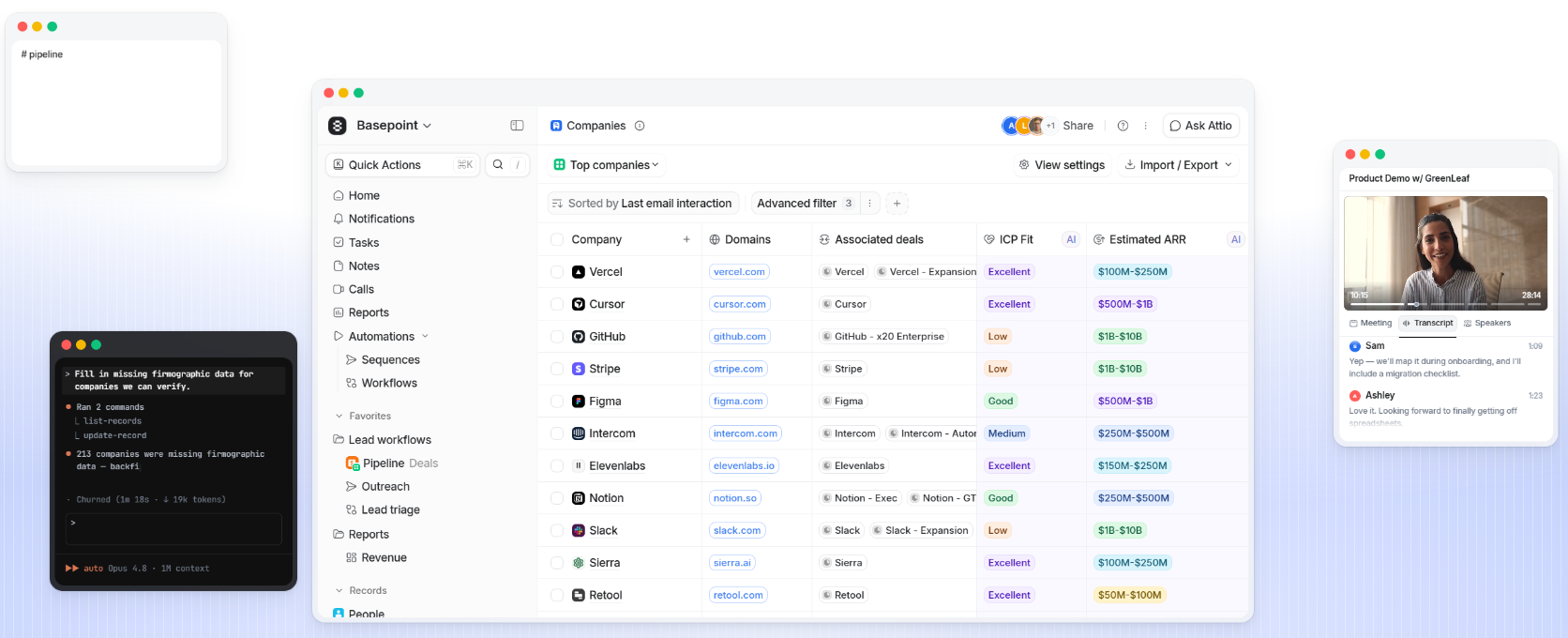
Source: Attio
Attio's integration ecosystem is a growing strength.
The Attio App Store houses over 100 native integrations and third-party apps spanning CRM tooling, email, sales engagement, data enrichment, communication, automation, and developer platforms.
On the technical side, Attio provides a REST API with full read and write capabilities, OAuth 2.0 authentication, real-time webhooks with at-least-once delivery guarantees, an App SDK for building embedded applications, and a hosted MCP server for AI agent connectivity. API and webhook access is available on all plans, including Free.
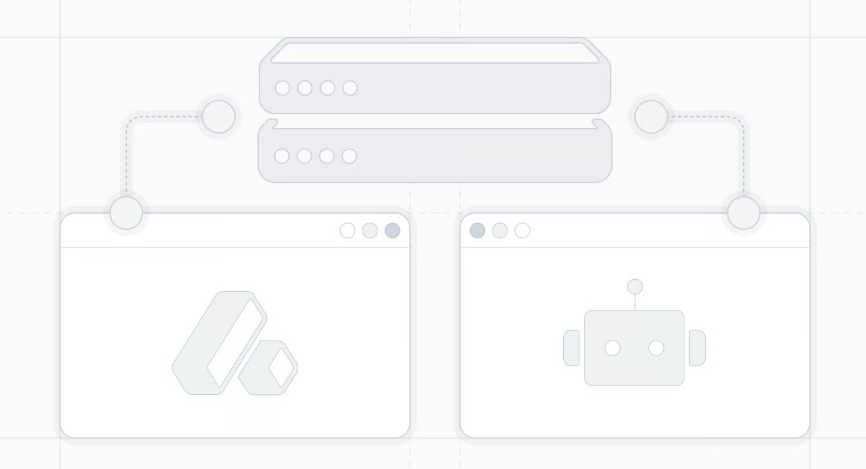
Source: Attio
The integration categories available to Attio users include:
Email and calendar: Gmail, Outlook, Google Calendar sync with automatic activity logging
Team communication: Slack, Microsoft Teams for real-time CRM event notifications
Sales engagement: Outreach, Mixmax, Lemlist for multi-step sequence enrollment
Customer data platforms: Segment for streaming product analytics into CRM records
Payments and billing: Stripe Subscriptions, Stripe Invoicing for live revenue data
Workflow automation: Zapier, Pipedream, Make for no-code cross-app orchestration
Product development: Linear, Notion, Airtable for engineering and project management
With that ecosystem as context, here are the six integrations we selected as the best options for extending Attio across the categories that matter most to go-to-market teams.
1. Slack: Best Attio Integration for Real-Time CRM Notifications and AI-Powered Record Lookups
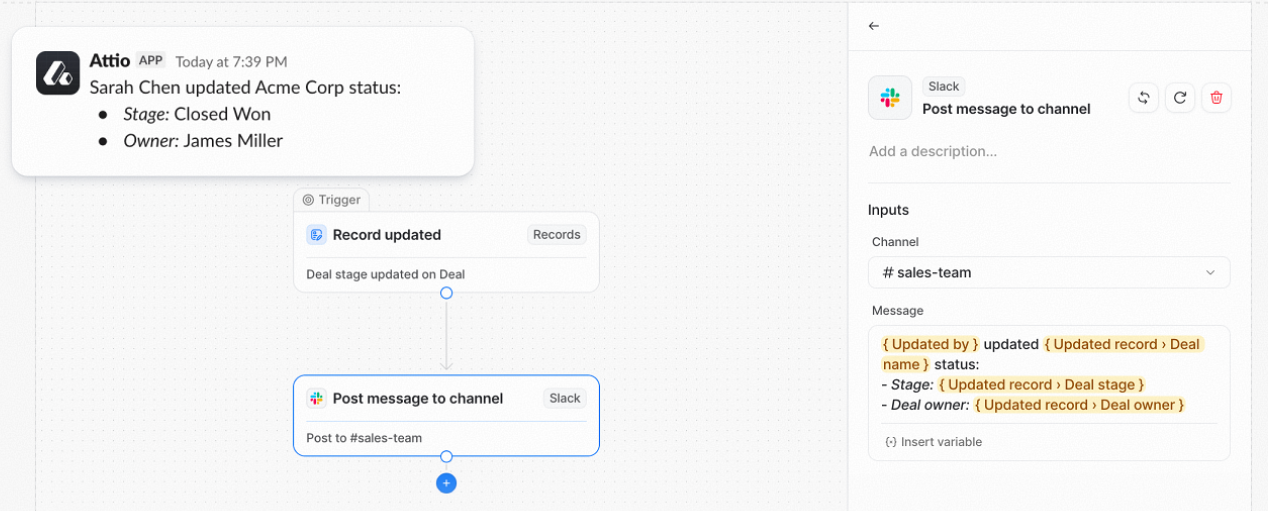
Slack is a team communication platform that integrates with Attio to pipe CRM events into team channels and bring Attio's AI assistant into Slack conversations. Instead of requiring every teammate to monitor Attio individually, the integration surfaces deal updates, record changes, and account context where your team already works. This is a native first-party connector available in the Attio App Store and the Slack Marketplace, connected via OAuth.
Source: Slack
Key integration capabilities include:
Automated channel notifications triggered by Attio workflow conditions, delivered as structured Slack messages with record context
Dynamic message content built with variable interpolation from the triggering Attio record
Ask Attio AI assistant invoked from Slack DMs and channel mentions for natural-language CRM queries
Two-way record updates suggested by Ask Attio from within Slack, executed after user approval
How Slack Integrates with Attio
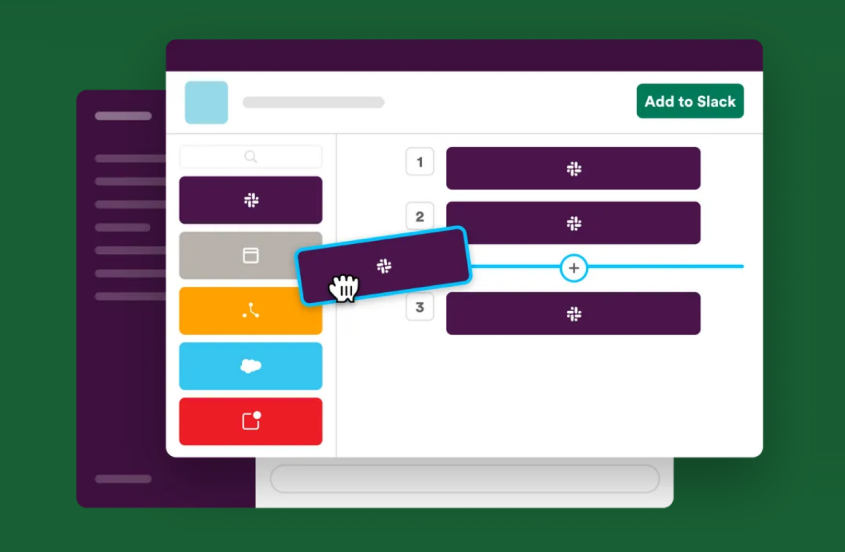
The integration works through two channels: Attio's native Workflow Builder, which fires outbound Slack messages as a workflow action, and Ask Attio, Attio's AI assistant, which connects to Slack for conversational CRM queries and record updates.
Source: Slack
1. Workflow-Triggered Channel Notifications.
When a team connects the Slack integration, a Slack message step becomes available as an action block inside any Attio workflow. Any condition Attio can detect on a record or list entry becomes a Slack notification.
A workflow set to fire when a deal's status changes to "Negotiating" can send a structured message to #sales-pipeline the instant that attribute updates. Teams tracking PLG signals can route upgrade-ready account alerts to shared channels so the covering AE acts immediately.
2. Dynamic Message Content from Record Attributes.
Each Slack message block can pull attribute values from the triggering record and embed them in the message body: company name, deal value, assigned owner, current stage, and any custom attribute.
Because Attio supports custom objects, notifications can represent non-standard CRM events (a subscription renewal date approaching within 30 days, complete with the subscription value and customer engagement score).
3. Ask Attio AI Queries from Slack.
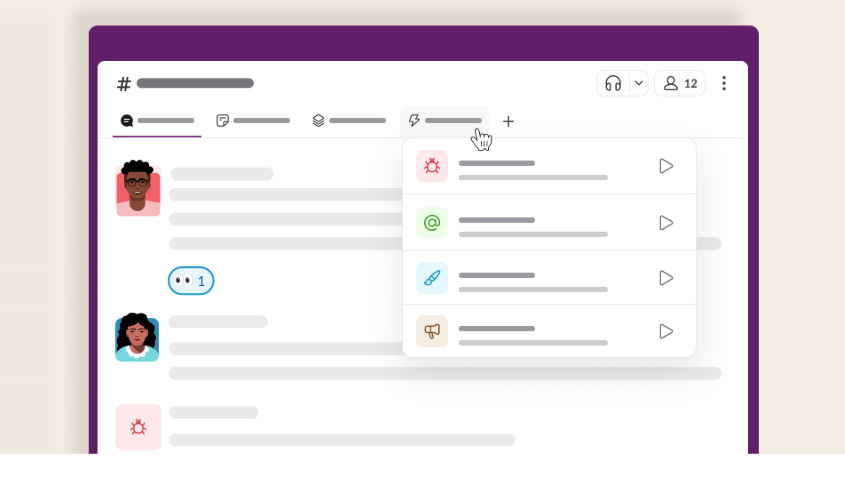
Ask Attio is accessible from Slack DMs and channel mentions. Reps can ask questions like "What were the last three interactions with Acme Corp?" or "Which deals in negotiation are missing a next step?" and receive answers sourced from actual Attio records. The integration respects existing workspace permissions, so Ask Attio only surfaces data the querying user is authorized to view in Attio.
4. Two-Way Record Updates from Slack.
Beyond read-only queries, Ask Attio in Slack can suggest record updates based on conversation context. If a rep learns a deal stalled because the champion left the company, they can prompt Ask Attio within the same thread to update the deal's status and add a note. All suggested changes require user approval before writing to Attio, preserving the human-in-the-loop model that Attio enforces across the product.
Source: Slack
Slack Pricing
Slack uses per-seat pricing:
Free: $0 (90-day message history, up to 10 app integrations)
Pro: $7.25/user/month (annual) (unlimited history, unlimited apps, full workflow support)
Business+: $15/user/month (annual) (SAML SSO, audit logs, Slack AI features)
Enterprise+: Custom pricing (multi-workspace management, DLP, HIPAA compliance)
The Attio integration works on all paid Slack plans. On the Attio side, standard workflow blocks (including the Slack action) consume one workspace credit per execution; the Pro plan includes 10,000 workspace credits per month, while the Plus plan includes 1,500.
Who Should Use the Slack Integration?
GTM teams that coordinate in Slack and need deal stage changes, high-value record creation, and task assignments to surface in channels automatically, without requiring teammates to monitor the CRM individually
Reps who want CRM context during active conversations and prefer querying account history, deal status, and recent interactions from Slack DMs rather than switching to a separate application
Teams running Attio workflows tied to product usage signals or custom object events that need those signals to trigger human action in Slack rather than sitting unread in a CRM dashboard
2. Segment: Best Attio Integration for Streaming Product Behavior Into GTM Records
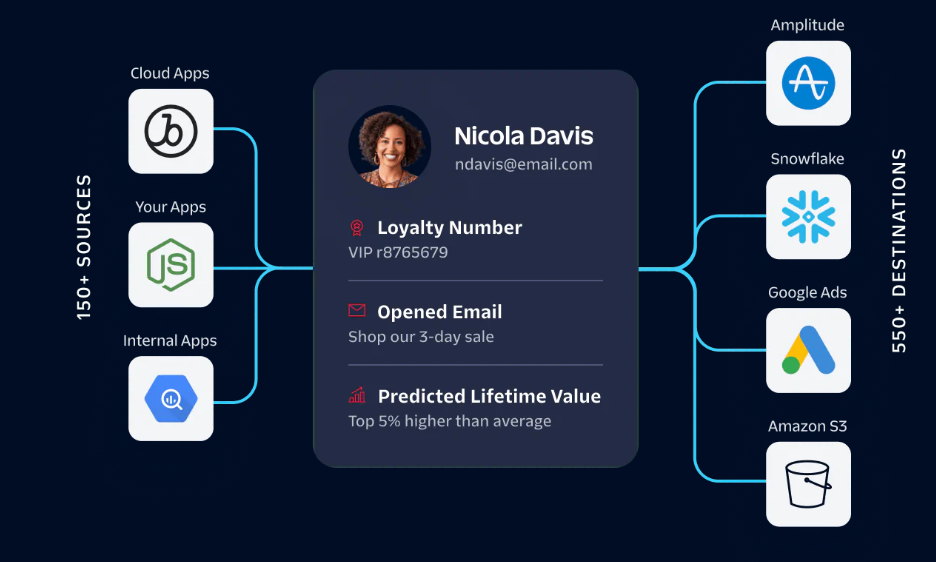
Twilio Segment is a customer data platform that integrates with Attio to stream product analytics and behavioral event data into CRM records, giving every GTM team member activation and usage context on every contact and company.
Source: Twilio
For PLG and SaaS teams running Attio, the Segment integration closes the gap between what your product knows about users and what your sales and CS teams can see. The integration uses a native Attio destination available in both the Attio App Store and Segment's Destinations Catalog.
Key integration capabilities include:
Identity resolution between Segment user profiles and Attio People records via Identify calls
Company-level product usage synced to Attio Company and Workspace objects via Group events
Custom product event properties mapped to specific Attio attributes via the Destination Actions framework
Attio Workflow triggers that fire when product-signal attributes cross configurable thresholds
How Segment Integrates with Attio
Attio ships a native Segment integration that listens to Segment's standard event spec (Identify, Group, and Track calls) and translates each call type into the appropriate Attio record operation. No Zapier, reverse ETL tool, or custom API code is required.
1. Identify Event Mapping to Attio People Records.
When your product fires an analytics.identify() call, Segment routes it to the Attio destination, which creates or updates the corresponding Person record. User traits in the Identify call (name, email, plan tier, MRR, onboarding completion date) are written as Attio attributes automatically.
Every time the user's product state changes, Segment fires a new Identify call and the Attio record updates in real time. Reps see activation status, current plan, and key trait history on the CRM record they are already working in.
2. Group Event Mapping to Company Records.
Segment Group calls associate users with accounts and pass group-level traits: company name, ARR, seat count, product tier, billing plan. The Attio destination routes Group events to Company or Workspace objects, writing group-level traits as company attributes and establishing the relationship between the user (Person record) and their account.
AEs and CSMs can open a Company record and immediately see how many seats are active, what plan tier the account is on, and how recently anyone at that company touched the product.
3. Custom Event Property Mapping for Activation Tracking.
Beyond Identify and Group calls, Segment's Track calls carry event-specific properties representing discrete product behaviors. The Attio destination's Destination Actions framework lets you map any Track event and its properties to custom Attio attributes.
An Activation Score Updated event can write to a custom numeric attribute on the Person or Company record every time it fires, keeping activation scores, feature adoption flags, and product milestones current without manual updates.
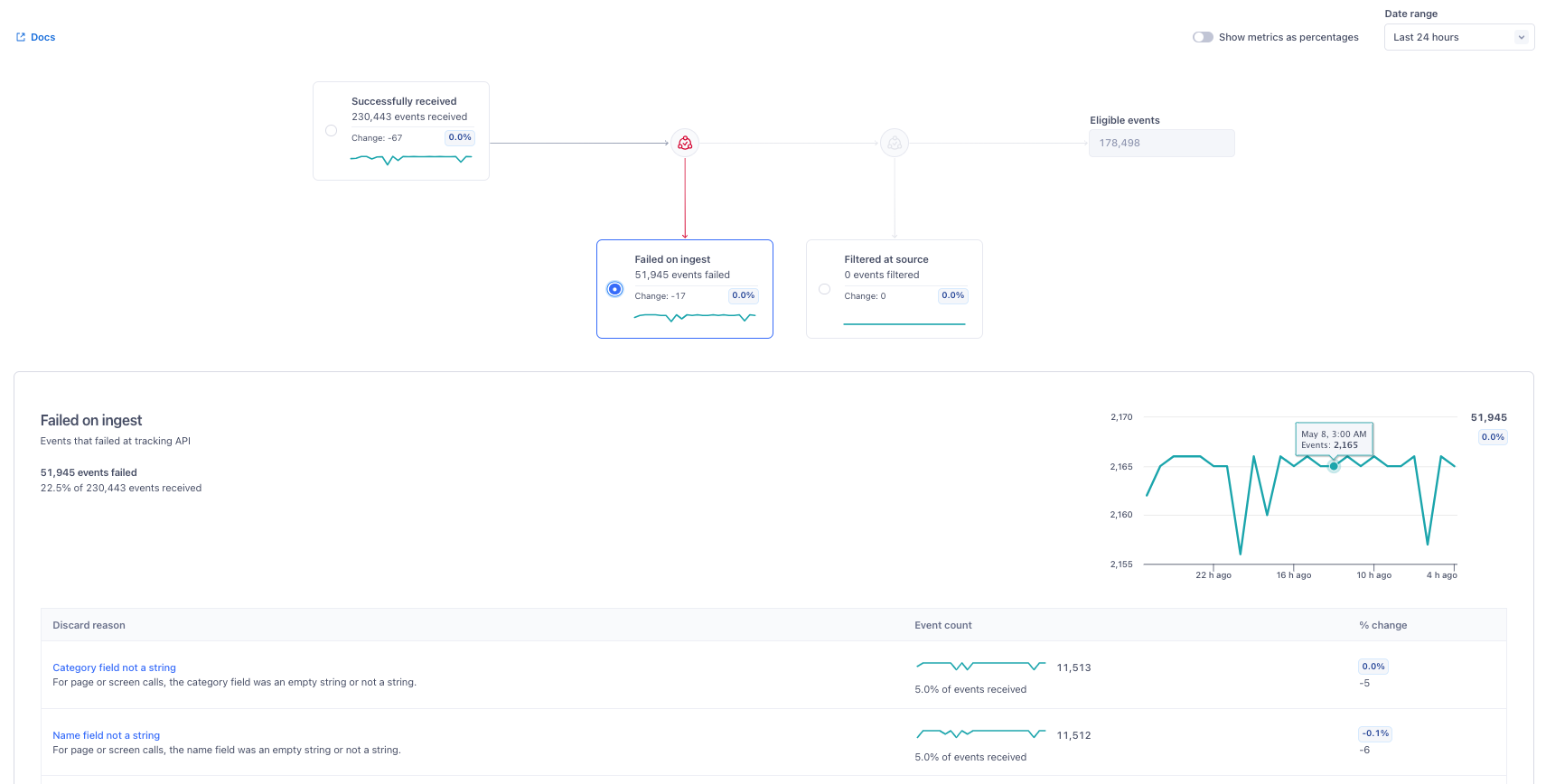
4. Workflow Triggers from Product Signal Thresholds.
Once Segment events write data to Attio attributes, Attio Workflows can fire based on those values. When a contact's activation score exceeds a threshold, a workflow enrolls them in a trial-conversion sequence.
When a company's weekly active users drop below its 30-day average (a churn risk signal written by a Segment Group event), a workflow alerts the responsible CSM in Slack and creates a follow-up task on the Company record.
Source: Twilio
Segment Pricing
Segment uses usage-based pricing tied to Monthly Tracked Users (MTUs):
Free: $0 (up to 1,000 MTUs, 2 sources, access to the Attio destination)
Team: From $120/month (10,000 MTUs, unlimited sources, public API access)
Business: Custom pricing (custom MTU volume, Protocols data governance, HIPAA eligibility)
The Attio destination is accessible on all Segment plans including Free. On the Attio side, the Segment integration is available on the Plus plan ($29/user/month annual) and above.
Who Should Use the Segment Integration?
PLG teams that need product usage signals on CRM records automatically (activation scores, feature adoption flags, onboarding completion) without manual exports or dashboard switching
B2B SaaS companies with multi-seat accounts that want company-level workspace usage synced to Attio so AEs see account-wide product health alongside deal pipeline data
Teams that want Attio Workflows to fire on product behavior: enrolling contacts in sequences at activation thresholds, alerting CSMs on usage drops, or advancing deals when users complete key product milestones
3. Stripe: Best Attio Integration for Revenue-Aware Go-to-Market Execution
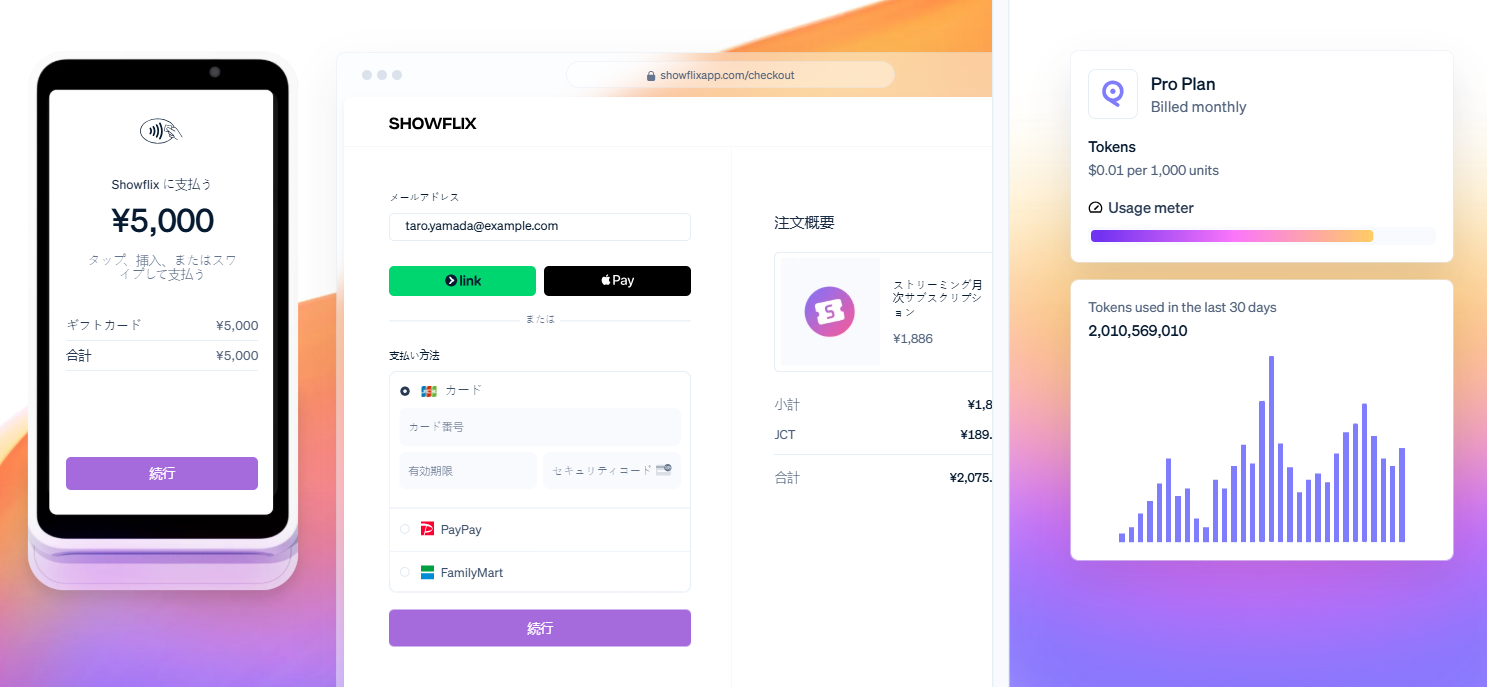
Stripe is a financial infrastructure platform processing $1.9 trillion in payment volume in 2025 that integrates with Attio through two dedicated native apps, syncing billing data into CRM records. Both the Stripe Subscriptions and Stripe Invoicing apps connect via OAuth to a Stripe account and begin syncing automatically after authorization, with no API keys required and no Attio credits consumed.
Source: Stripe
Key integration capabilities include:
Subscription object sync covering status, product name, recurring amount, billing interval, seat quantity, trial end date, and cancellation flag
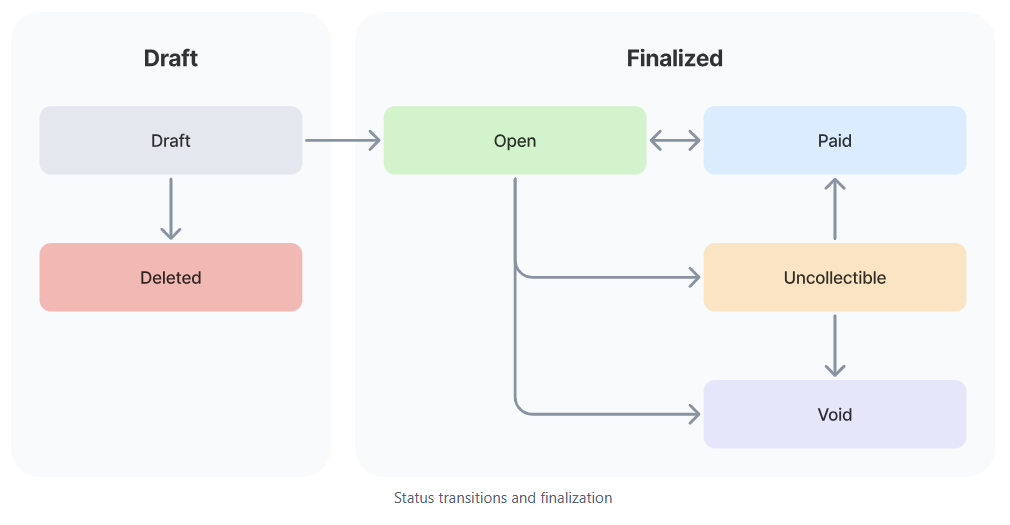
Invoice lifecycle tracking with real-time status updates as invoices are finalized, paid, fail payment, or are voided
Email-based person linkage placing billing relationships alongside sales history and deal data on unified contact records
Churn and expansion workflow triggers driven by subscription attribute changes
How Stripe Integrates with Attio
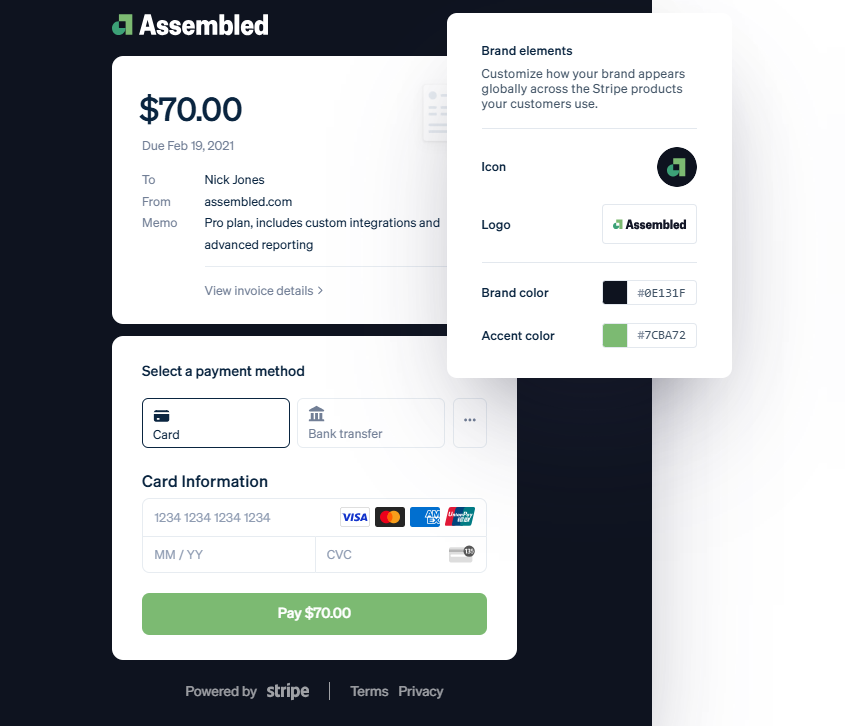
Stripe connects through two separate native apps in the Attio App Store: Stripe Subscriptions and Stripe Invoicing. Each creates its own object type in the Attio workspace. Teams running SaaS billing typically install both; teams using Stripe for one-time invoicing can install only the Invoicing app.
Source: Stripe
1. Subscription Status Sync.
The Stripe Subscriptions app creates a dedicated Subscriptions object in Attio populated with the full billing relationship: subscription status (active, trialing, past_due, canceled), product name, recurring amount and currency, billing interval, seat quantity, current period dates, and a cancel-at-period-end flag.
All fields update automatically as subscriptions change in Stripe. Revenue teams can build lists of active subscribers sorted by recurring amount to find expansion candidates; CS teams can filter for contacts with trials ending in the next seven days.
2. Invoice Lifecycle Tracking.
The Stripe Invoicing app mirrors invoices into a separate Invoices object linked to People records, updating status in real time as invoices move through Stripe's billing cycle (draft, open, finalized, paid, payment failed, voided). A CS rep reviewing an account before a QBR sees complete payment history on the contact record alongside call transcripts, emails, and deal data.
3. Churn and Expansion Workflow Triggers.
Because Stripe subscription attributes land as native Attio fields, they drive Attio Workflows without Zapier or custom webhooks.
When a customer cancels (the cancel-at-period-end flag flips to true), a workflow can create a CSM task, enroll the contact in a retention sequence via Attio Sequences, or post a Slack alert. Trial end dates trigger conversion campaigns on a configurable schedule. Plan upgrades notify account executives and create expansion follow-up tasks automatically.
Source: Stripe
Stripe Pricing
Stripe operates on a pay-as-you-go model with no monthly fees or minimum commitments. The Attio integration carries no additional cost on either side; both apps connect via OAuth at no extra charge and the data sync consumes no Attio credits:
Standard: 2.9% + $0.30 per successful domestic card transaction; +1.5% for international cards; +1.0% for currency conversion
Custom plans: Interchange-plus pricing available at high processing volume (contact Stripe sales)
On the Attio side, App Store integrations require the Plus plan ($29/user/month annual) or above.
Who Should Use the Stripe Integration?
SaaS companies billing via Stripe subscriptions whose CS or sales teams currently toggle between Stripe dashboards and Attio to get a full account picture before calls or renewal conversations
PLG teams where subscription status, trial end dates, and plan tier are the most actionable signals for identifying expansion opportunities, churn risk, or trial conversion targets
Revenue teams that want billing events to trigger Attio automations (trial-expiration sequences, cancellation alerts, plan upgrade notifications) without building middleware outside the CRM
4. Outreach: Best Attio Integration for Sales Engagement Sequence Enrollment and CRM Sync
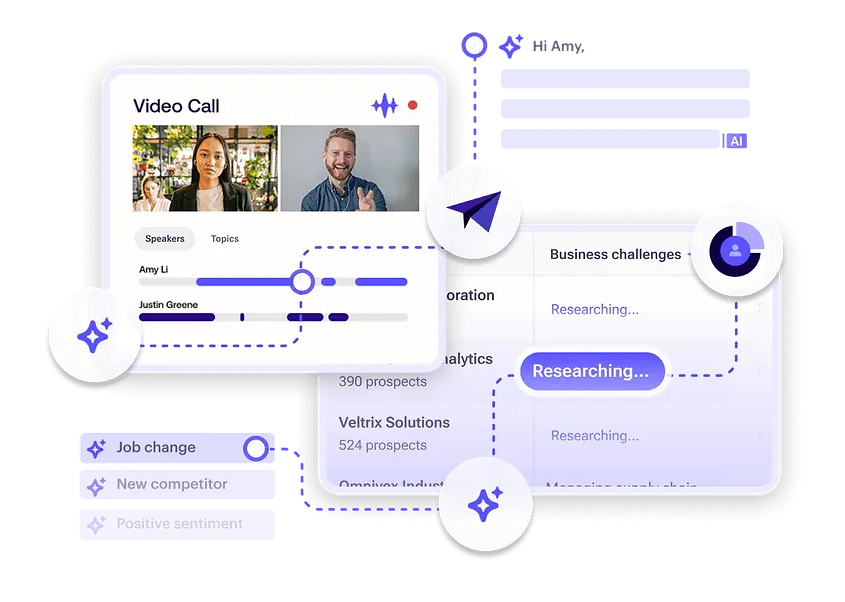
Outreach is a sales engagement platform that integrates with Attio to let sales teams enroll CRM contacts into multi-step engagement sequences and surface sequence progression data back into Attio records.
Source: Outreach
The integration creates a live handoff: Attio's filtering logic identifies who to reach, the integration pushes them into Outreach, and stage-change signals flow back to keep the CRM current. This is a native first-party integration available in the Attio App Store, with a dedicated block in Attio's Workflows block library.
Key integration capabilities include:
Single-click sequence enrollment from Attio Person records, with prospect creation handled automatically in Outreach
Bulk enrollment from filtered Attio list views using any combination of custom attributes
Attio workflow triggers on sequence stage advancement for automated CRM record updates
Attio workflow triggers on sequence enrollment for immediate downstream tagging and notifications
How Outreach Integrates with Attio
Outreach is a native integration in Attio's App Store with bidirectional data flow: it pushes Attio contacts into Outreach sequences and pulls Outreach sequence events back into Attio via the Workflows engine. Setup requires an active Outreach account on a paid plan (Amplify Core or higher) and an Attio workspace on Plus, Pro, or Enterprise.
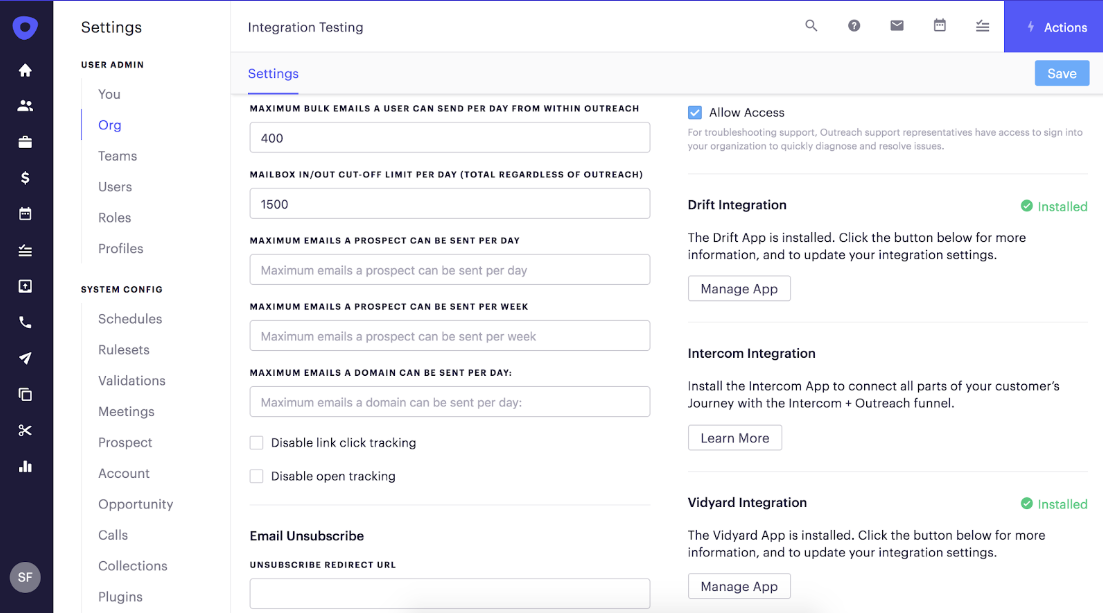
Source: Outreach
1. Single-Click and Bulk Sequence Enrollment.
A rep can open any Person record in Attio and enroll that contact in an Outreach sequence with a single click. The integration creates the prospect in Outreach if they do not already exist and adds them to the designated sequence.
For larger campaigns, bulk enrollment from Attio People list views uses any combination of custom attributes (deal stage, intent signals, company size, product usage data) to define the target segment before pushing to Outreach. The targeting logic runs within Attio's data layer, so Attio's filtering precision carries directly into the sequence population.
2. Workflow Triggers on Sequence Stage Advancement.
Outreach's webhook system fires on sequence state events as prospects advance through steps. Attio's Workflows engine receives these events and executes downstream CRM actions: updating a custom attribute to reflect the current stage, logging a timestamped note, creating follow-up tasks, or triggering Slack notifications. A six-step Outreach sequence no longer produces a CRM that shows every prospect at the same static state. Each advancement generates a record update visible and queryable inside Attio.
3. Workflow Triggers on Sequence Enrollment.
A separate trigger fires at the point of enrollment. When a contact enters a specific Outreach sequence, Attio workflows can tag the Person record with the sequence name, update a custom status attribute, route a Slack notification to the account owner, or remove the record from lists tracking unsequenced prospects.
This closes a feedback loop that most CRM-to-sales-engagement integrations leave open, making "who is actively being sequenced right now" answerable from Attio without cross-referencing Outreach.
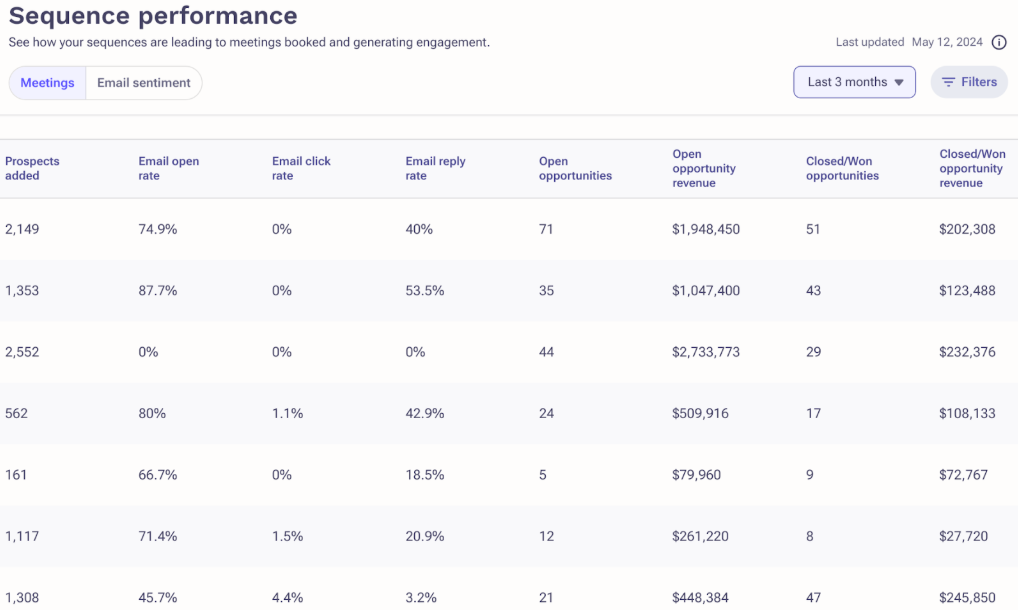
Source: Outreach
Outreach Pricing
Outreach operates on a per-user pricing model with no publicly listed prices. All tiers require a sales conversation:
Amplify Core: Includes sequences, triggers, integrated dialer, 250,000 API calls/month, and Slack integration
Amplify Plus: Adds Smart Meeting and Deal Assist, real-time transcription (Kaia), and AI-assisted coaching
Amplify Pro: Adds Scenario Planner, AI forecast projections, and multi-currency support
Amplify Core is the minimum tier required to access the Attio integration. On the Attio side, the integration is available on the Plus plan ($29/user/month annual) and above.
Who Should Use the Outreach Integration?
Sales teams running structured, multi-step sequences that need sequence progression to automatically update Attio records without manual logging by reps
RevOps teams that need Attio to be a reliable source of truth for who is actively being sequenced, without depending on rep self-reporting to keep that data current
Organizations running outbound at scale where Outreach's platform (AI agents, conversation intelligence, deal health scoring, multi-channel cadences) complements Attio's CRM data model
5. Zapier: Best Attio Integration for No-Code Workflow Automation Across 8,000+ Apps
Zapier is a no-code automation platform that integrates with Attio to connect the CRM to over 8,000 applications through automated trigger-action workflows called Zaps, with no code or developer resources required. The integration is native, listed in both the Attio App Store and Zapier's integration catalog, and is powered by Attio's webhook infrastructure for near-real-time trigger delivery on paid Zapier plans.
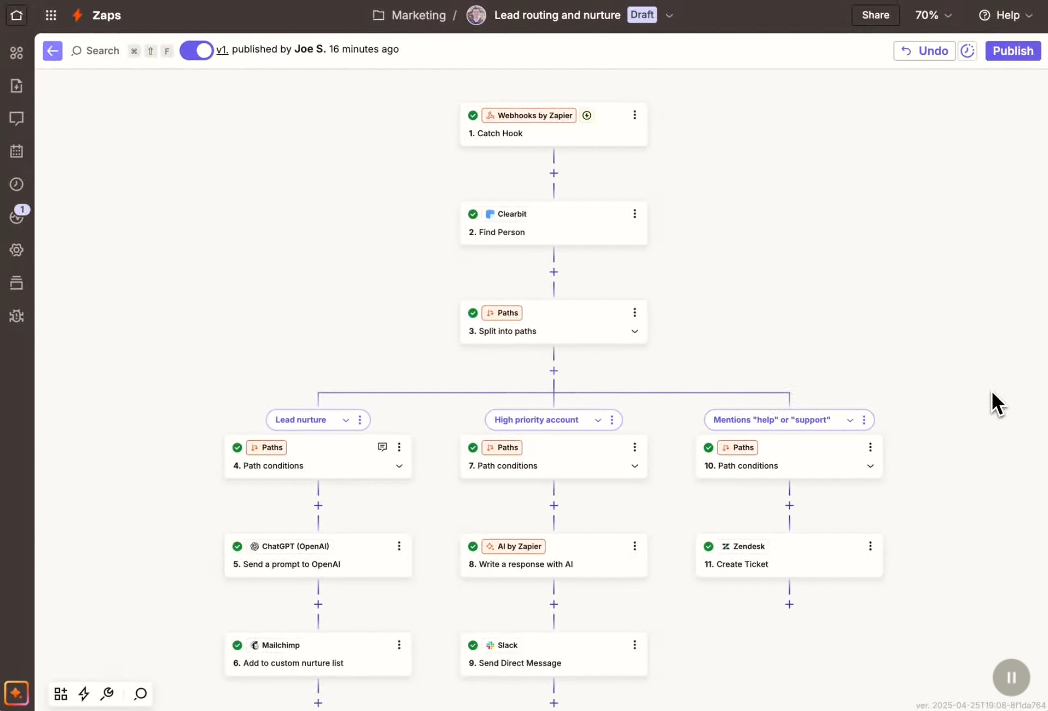
Source: Zapier
Key integration capabilities include:
Attio record events (created, deleted, attribute updated, task created) available as Zapier triggers for downstream automation in any connected app
Zapier actions supporting create, update, and upsert operations on any Attio record type including custom objects
Pre-built Zap templates for common Attio workflows covering Google Sheets, Typeform, HubSpot, and Salesforce
Multi-step Zaps chaining enrichment lookups with Attio record writes as no-code data pipelines
How Zapier Integrates with Attio
Zapier connects to Attio through a native integration authenticated via OAuth. Attio's webhook infrastructure powers the connector, enabling near-real-time trigger delivery on paid Zapier plans rather than slower polling intervals.
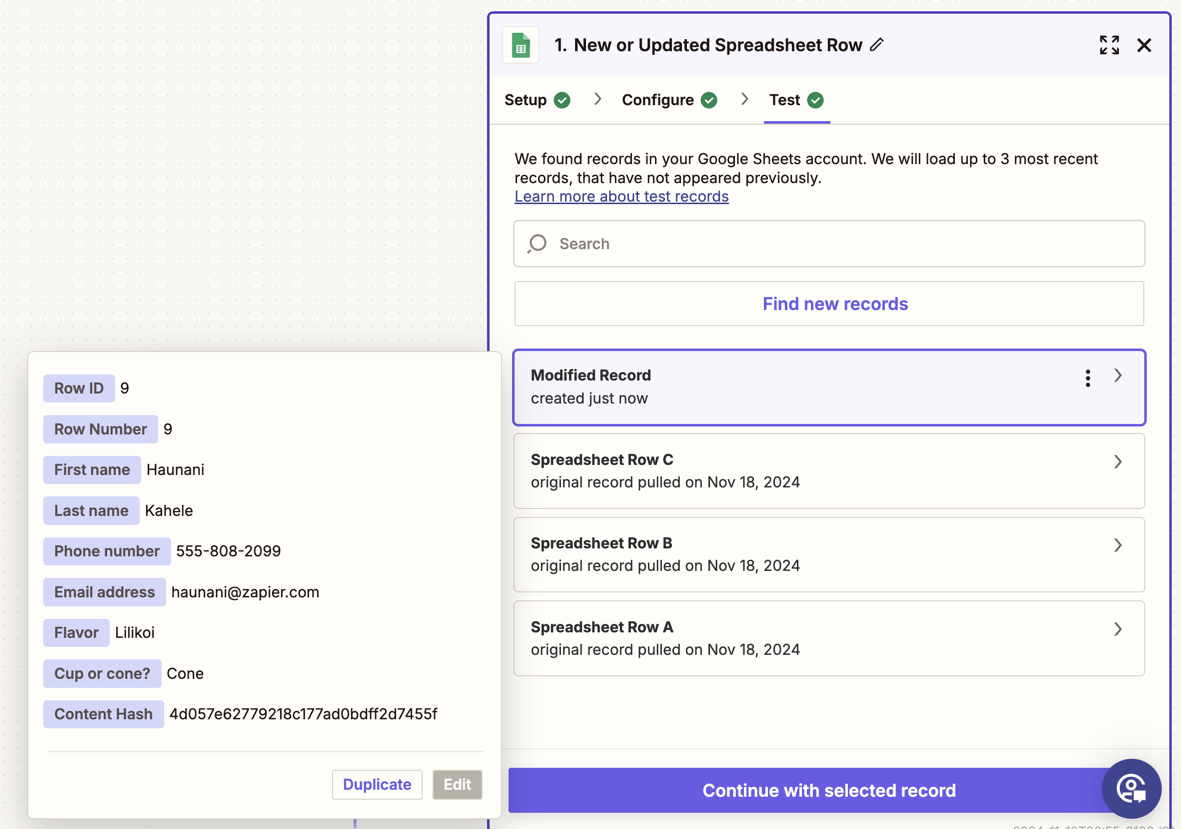
Source: Zapier
1. Attio Events as Zapier Triggers for Downstream Automation.
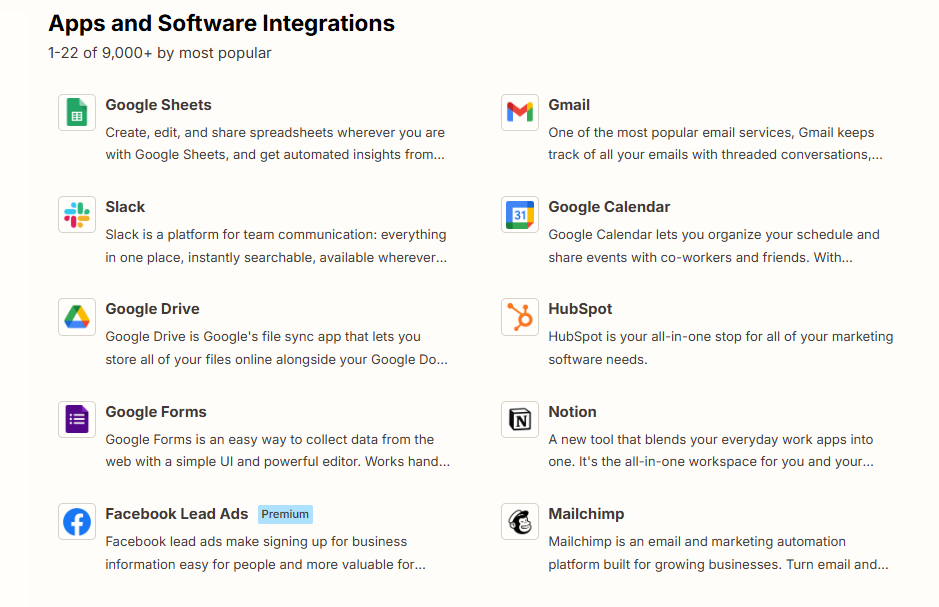
Attio exposes CRM events as Zapier trigger options: a record added to a list, an attribute updated on a list entry, a record created or deleted, and a task created. Each change inside Attio can fire a Zap across any of Zapier's 8,000+ connected apps. When a deal is created, Zapier can send a Slack notification, create a task in Linear, and log a row in Google Sheets, all as parallel actions in a single multi-step Zap.
2. Writing External App Data Back into Attio Records.
Zapier's Attio action steps support creating or updating records with upsert logic that checks for a matching record by email, domain, or another identifier and updates it if found, or creates a new one if not.
This prevents duplicate records when the same contact touches multiple inbound channels at once. A Typeform submission automatically creates a Person record in Attio; a Calendly booking creates an assigned task; a new Stripe customer triggers a Company record update.
3. Pre-Built Zap Templates for Common Workflows.
Zapier's template library includes ready-to-use blueprints for Attio connections: Google Sheets row to Attio record creation, Typeform submission to Attio contact creation, and record syncing from HubSpot or Salesforce. Each template provides a pre-configured trigger-action structure with field mappings already suggested, reducing setup time for teams new to workflow automation.
4. Multi-Step Zaps as No-Code Enrichment Pipelines.
Multi-step Zaps (available on the Professional plan and above) chain multiple actions within a single workflow, including calls to enrichment services, before writing results back to Attio. A new company domain entered in an intake form triggers a Zap that calls an enrichment service, then writes employee count, funding stage, and tech stack back to the Attio company record.
This fills a gap in Attio's native enrichment, which does not support on-demand enrichment of custom attributes from external data sources.
Source: Zapier
Zapier Pricing
Zapier uses task-based pricing where each action step counts as one task:
Free: $0 (100 tasks/month, 2-step Zaps only, 15-minute polling interval)
Professional: From $19.99/month (annual) (multi-step Zaps, conditional logic, 1-2 minute polling)
Team: From $69/month (annual) (shared workspace, up to 25 users, SAML SSO)
Enterprise: Custom pricing (unlimited users, SCIM provisioning, advanced admin controls)
The Free plan's 100-task limit and 2-step restriction make it insufficient for most useful Attio workflows. Professional is the practical starting tier. Zapier charges overages at 1.25x the per-task cost once the monthly quota is exhausted, so teams running high-frequency automations should model their monthly task consumption before committing to a plan tier.
Who Should Use the Zapier Integration?
Teams that need to route data from tools without native Attio connectors (forms, payment processors, scheduling apps, marketing platforms) into CRM records automatically
Non-technical GTM teams that want Attio CRM events to trigger workflows across their stack without writing code or waiting on engineering resources
Teams handling multi-source lead intake (website forms, event registrations, inbound webhooks) that need duplicate-safe upsert logic to keep Attio records clean while centralizing lead data
6. Linear: Best Attio Integration for Connecting CRM Signals to Engineering Execution
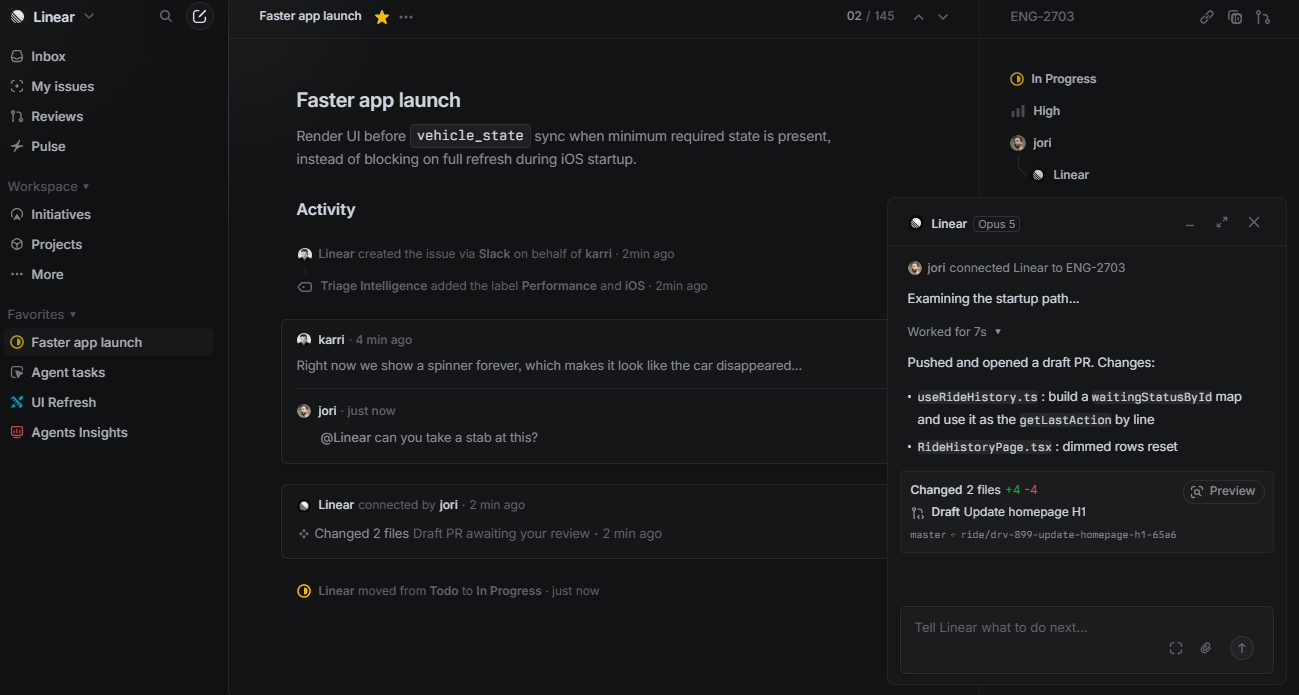
Linear is an issue tracking platform used by over 37,000 engineering-led teams that integrates with Attio to transform customer signals captured in the CRM into structured engineering work and feed engineering progress back into CRM records. The integration is a native first-party connector in the Attio App Store with dedicated action blocks and triggers built into Attio's workflow engine, connected via OAuth.
Source: Linear
Key integration capabilities include:
Customer request logging from any Attio record (Company, Person, or Deal) into Linear issues
Call transcript to Linear issue creation with the recording automatically linked
Attio workflow actions that create and update Linear issues when CRM conditions are met
Linear issue events as Attio workflow triggers for closing the feedback loop between product and customer-facing teams
How Linear Integrates with Attio
Linear connects to Attio through the App Store, exposing actions and triggers within Attio's visual workflow builder. No API key management or custom webhook configuration is required for the capabilities below.

Source: Linear
1. Customer Request Logging from Attio Records.
From any Company, Person, or Deal record, team members can log a customer request into a Linear issue without leaving Attio.
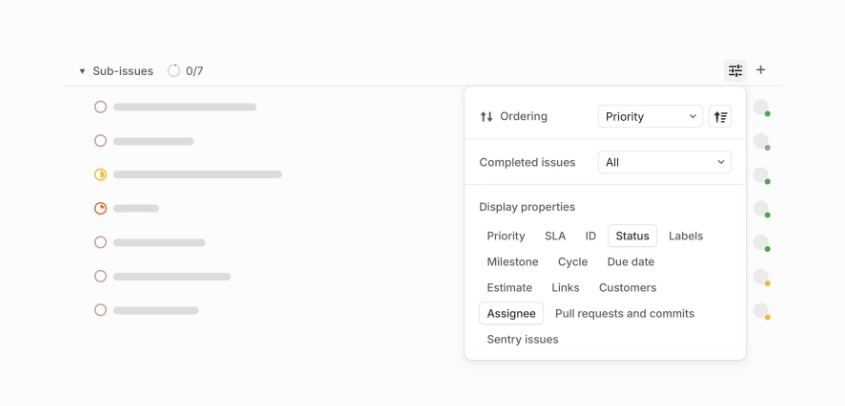
The result is a formal link between the CRM record and the engineering ticket, captured in the same motion as logging a note. Requests accumulate against records so product managers can see all open issues a given customer has requested, sorted by count or priority.
2. Call Transcript to Linear Issue.
Attio's Call Intelligence records, transcribes, and stores meeting conversations natively in the CRM. The Linear integration extends this: during or after a recorded call, users can highlight a transcript excerpt (a feature request, a bug description, a blocker) and create a Linear issue from that selection with the call recording automatically linked.
Engineers access the customer's exact words rather than a rep's secondhand summary, eliminating one of the most persistent information-loss points in product-engineering collaboration.
3. Workflow Actions That Create and Update Linear Issues.
Attio's workflow builder supports automated Linear issue creation and updates as native action steps. When a Deal enters "Closed Won," a workflow creates a Linear issue in the customer onboarding project.
When a Company's subscription tier changes to "Enterprise," a workflow creates a feature request issue with context from the deal. The issue description populates with dynamic values from Attio record attributes (company name, deal value, assigned rep), so the ticket arrives with full customer context.
4. Linear Issue Events as Attio Workflow Triggers.
The connection is bidirectional: Linear issue events (new issue created, issue updated) are available as trigger conditions in Attio's workflow builder. When a customer-linked issue is closed, an Attio workflow can notify the account owner in Slack, update a "Feature Delivered" attribute on the Company record, or create a follow-up task for the rep to inform the customer.
This closes the feedback loop that typically breaks in fast-moving startups: a customer asks for something, the engineering team builds it, and nothing flows back to the person who can tell the customer it shipped.
Source: Linear
Linear Pricing
Linear operates on a per-seat model. API and webhook access is available on all plans including Free, meaning the Attio integration's core capabilities are not gated by Linear plan tier:
Free: $0 (unlimited members, 250 issues, 2 teams)
Basic: $10/user/month annual (removes issue cap, raises team limit to 5)
Business: $16/user/month annual (Triage Intelligence, Loops, Insights analytics, SCIM provisioning)
Enterprise: Custom pricing (SAML SSO, granular admin controls, dedicated account manager, uptime SLA)
On the Attio side, workflows and App Store integrations are available on the Plus plan ($29/user/month annual) and above.
Who Should Use the Linear Integration?
Engineering-driven teams where product and sales work in separate tools with no shared view of customer-requested features, and need CRM records linked to the issues tracking those requests
Teams using Attio Call Intelligence that want customer conversations to drive engineering priorities with the customer's exact words in the ticket, not a summarized handoff
Organizations that need engineering updates to flow back into CRM records, enabling automated notifications and follow-up tasks when customer-linked issues are resolved
Also Worth Considering: ZoomInfo
While the six integrations above connect to Attio through native App Store connectors, Attio's built-in enrichment covers only basic company attributes (employee range, ARR estimates, social profiles) and does not support on-demand enrichment from external B2B data sources. For teams whose pipeline depends on verified direct dials, buyer intent signals, technographic data, or company intelligence, that gap matters.
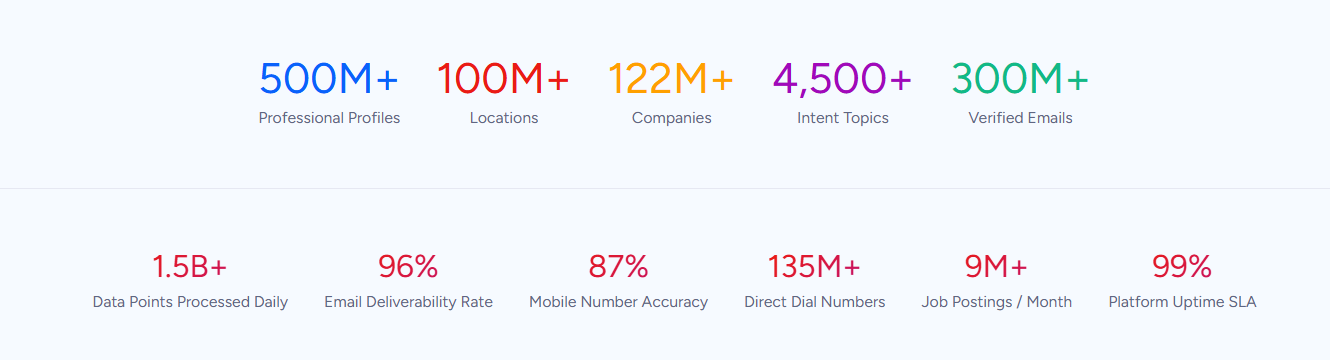
ZoomInfo is a B2B data and go-to-market platform built on 500M contacts, 100M companies, 135M+ verified phone numbers, and 200M+ verified business email addresses.
Source: ZoomInfo
Its GTM Context Graph processes 1.5B+ data points daily, fusing this data with your CRM records and behavioral signals to show not just what happened in an account, but why.
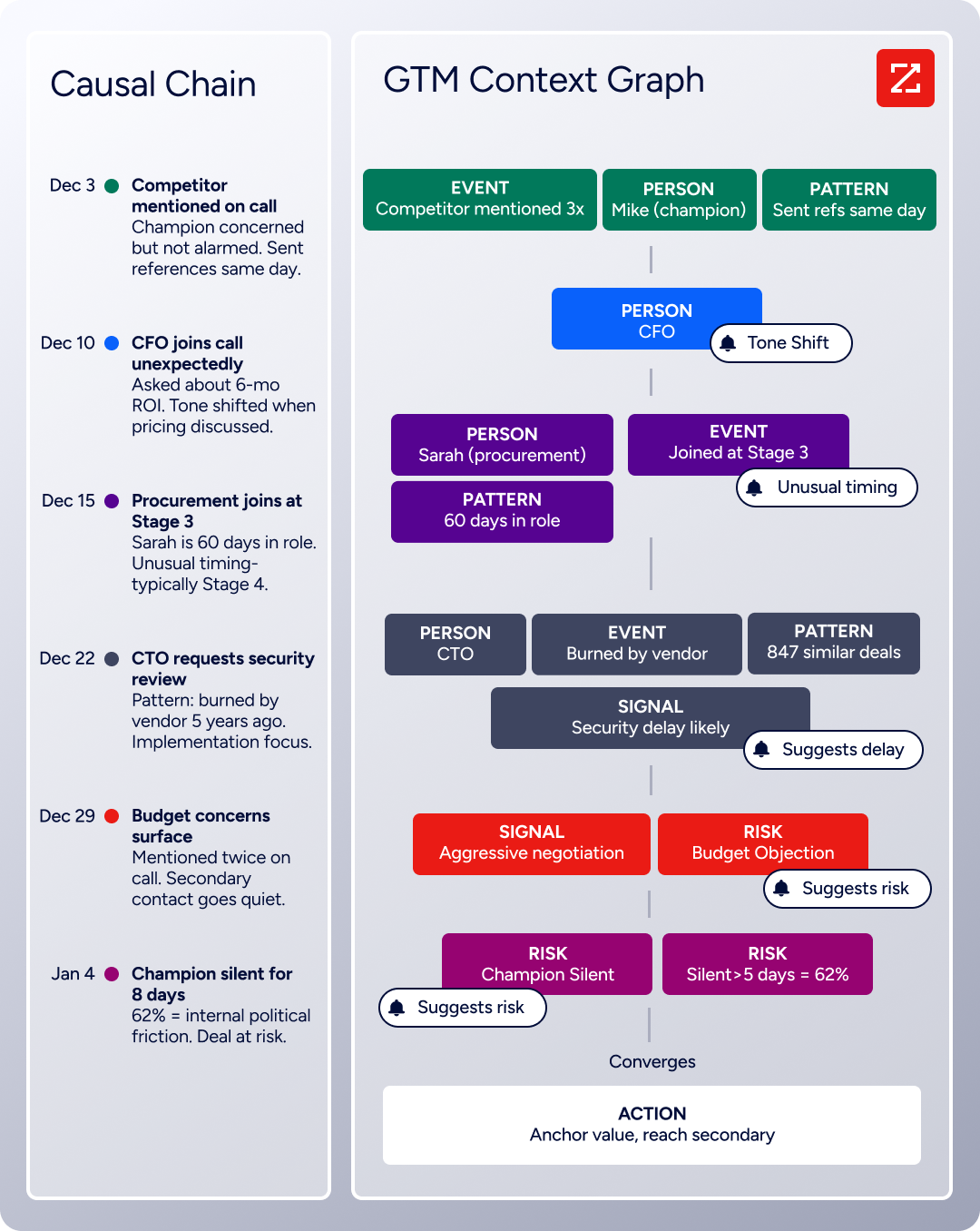
Source: ZoomInfo
There is no native Attio connector today, but Attio teams can access ZoomInfo's data through ZoomInfo's Enterprise API and MCP server, or by connecting the two platforms through Zapier.
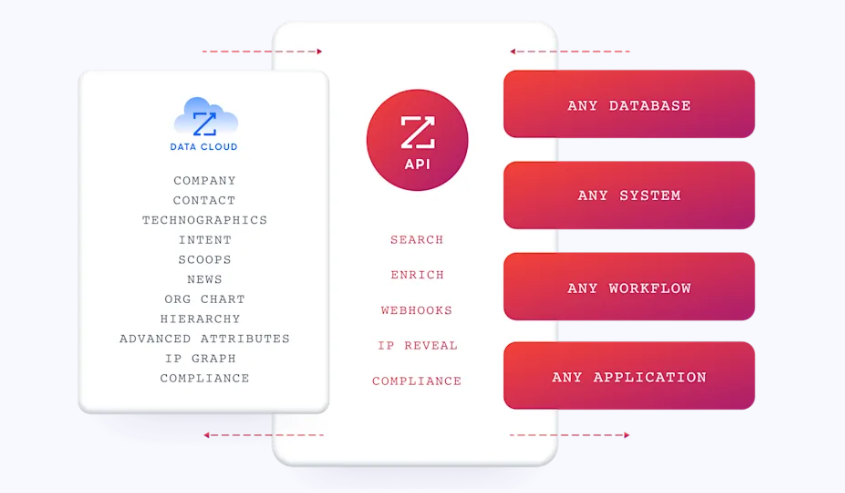
Source: ZoomInfo
The data flows through a verification pipeline backed by 300+ human researchers, reaching up to 95% accuracy on first-party data, which means the enrichment filling your Attio records is data your reps can act on: direct dials that ring and emails that land.
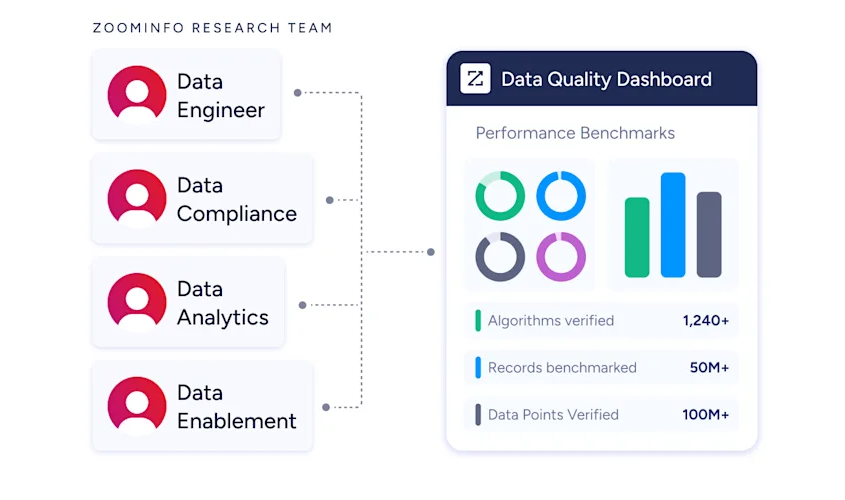
For Attio users running B2B go-to-market motions, ZoomInfo addresses the same enrichment challenge that drives adoption of Segment for product data and Stripe for billing data: getting the intelligence your team needs onto the CRM record where decisions happen. ZoomInfo Lite is a permanent free tier (no credit card, no time limit) with 10 monthly export credits, searches, and the Chrome extension, so teams can evaluate data quality before committing.
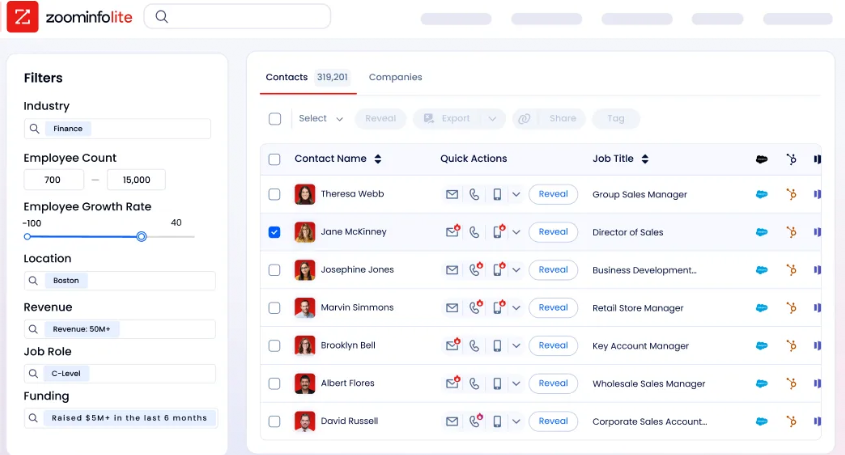
Source: ZoomInfo
Seismic's sales team attributed 39% of active pipeline to opportunities identified or influenced by ZoomInfo signals, reporting 54% productivity gains and saving 11.5 hours per week per seller. (Seismic Case Study)
Final Verdict
The best Attio integrations feed your CRM context it cannot generate on its own:
Slack: deal updates and AI-powered CRM queries in the channels your team already uses
Segment: product behavior and usage signals streaming into CRM records for PLG motions
Stripe: subscription and invoice data powering revenue-aware deal management
Outreach: multi-step sales engagement sequences enrolling from CRM records with bidirectional stage sync
Zapier: no-code reach into 8,000+ apps where native connectors stop
Linear: customer requests flowing into engineering tickets with progress feeding back to CRM records
These integrations compound: you might run Slack for notifications, Segment for product data, Stripe for billing context, and Outreach for sales engagement on the same Attio workspace, each adding context that makes the others more valuable.
For B2B teams whose pipeline depends on data quality beyond what any CRM's built-in enrichment provides, ZoomInfo's Enterprise API and MCP server can push verified contact data, intent signals, and company intelligence into Attio through Zapier or direct API integration. ZoomInfo Lite is free to start, so you can test the data quality before building the connection.
Frequently Asked Questions
How many integrations does Attio support?
Attio's App Store houses over 100 native integrations and third-party apps spanning email, sales engagement, data enrichment, communication, payments, automation, and developer platforms. Beyond the App Store, Attio's REST API supports custom integrations with any system that can make HTTP requests, and the hosted MCP server enables AI agent connectivity. Zapier extends Attio's reach to 8,000+ additional apps without custom code.
Do Attio integrations work on the free plan?
Attio's free plan includes API and webhook access, making basic developer integrations available at no cost. However, most App Store integrations (including Slack, Segment, Stripe, Outreach, and Linear) require the Plus plan ($29/user/month annual) or above. Workflow automations are available on all plans, but the free plan includes only 250 workspace credits per month, which limits the volume of automated actions you can run.
How does Attio's workflow automation work with integrations?
Attio's visual workflow builder uses triggers (record created, attribute changed, list entry updated, task created, recurring schedule) to fire action blocks that include native integration steps for Slack, Outreach, Mailchimp, Mixmax, Linear, and more.
Workflows support conditional branching, AI-powered classification, delay and loop logic, HTTP requests for external API calls, and variable interpolation from triggering records. Each standard action block consumes one workspace credit per execution; AI and research blocks consume more.
Can I connect Attio to tools that are not in the App Store?
Yes. Attio's public REST API covers all CRM objects (People, Companies, Deals, custom objects, lists, notes, tasks) with full read and write capabilities. Webhooks deliver real-time event notifications for record changes, list updates, note creation, and more. For no-code solutions, Zapier connects Attio to 8,000+ apps with pre-built trigger and action templates. The MCP server also enables AI tools and coding agents to interact with CRM data programmatically.
Does Attio's credit system affect integration costs?
Attio uses two credit types: workspace credits (shared across the team for workflows and AI features) and seat credits (individual monthly allocations for Ask Attio). Standard workflow blocks, including Slack notifications and Outreach enrollment, consume one workspace credit per execution.
AI-powered blocks like the Research agent consume 10 credits per question. The Plus plan includes 1,500 workspace credits per month; the Pro plan includes 10,000. Teams running high-volume automations should monitor credit consumption and consider additional credit packs ($70/month for 5,000 credits on annual billing) if needed. The Stripe integration is an exception: its data sync consumes no Attio credits.
How do I migrate data from another CRM into Attio?
Attio provides Import2, a free migration service available on Plus, Pro, and Enterprise plans that supports imports from Salesforce, HubSpot, Pipedrive, Zoho, and Notion. The platform also supports Excel and CSV imports for manual data transfer. For ongoing CRM-to-CRM sync, Zapier offers pre-built templates that mirror records between HubSpot or Salesforce and Attio without custom integration work.
What is the best way to enrich Attio contact data for B2B teams?
Attio's built-in enrichment automatically populates company and person records with data drawn from hundreds of sources, covering standard fields like employee range, ARR estimates, social profiles, and location.
For teams whose pipeline depends on verified direct dials, intent signals, technographic profiles, and company intelligence, connecting a dedicated B2B data platform closes the gap between what Attio captures and what reps need to act on.
ZoomInfo's Enterprise API and MCP server can push enrichment data from 500 million contacts and 100 million companies into Attio records, either through Zapier workflows or direct API integration, backed by a verification pipeline with 300+ human researchers reaching up to 95% accuracy on first-party data. ZoomInfo Lite is a permanent free tier that lets teams evaluate data quality before building the connection.
Keep exploring:
