

Even the most driven sales teams need the right tools to target prospects, build relationships, and close deals.
There's no shortage of B2B sales tools promising to help. The challenge is that overlapping use cases and competing claims make it hard to assemble a tech stack that works together. We reviewed third-party rankings, vendor documentation, and our own research to build this list of the 18 best B2B sales tools for 2026, covering data, buyer intent, sales engagement, LinkedIn automation, conversation intelligence, website visitor identification, and lead routing. If you're focused specifically on finding new accounts, our roundup of the best sales prospecting tools goes deeper on that category.
What B2B sales tools do for revenue teams
B2B sales tools are software platforms that help revenue teams identify prospects, engage buyers, and close deals faster. They combine contact and company data, workflow automation, and insights that guide sellers through prospecting, outreach, and deal management.
Most sales stacks draw from five core capabilities:
Data and prospecting: Verified contacts, firmographics, technographics, and signals that help you find and prioritize accounts
Buyer intent: Research signals that show which accounts are actively evaluating solutions like yours
Engagement automation: Multi-channel sequences across email, phone, and LinkedIn, with tracking and follow-up
Conversation intelligence: Call recording, transcription, and analysis that surface deal risk and coaching moments
Data orchestration and routing: CRM enrichment, lead-to-account matching, and routing that keep systems accurate
The payoff is time. Reps spend less of their week on manual research and data entry, and more of it in conversations with buyers who are ready to talk. Better targeting and faster follow-up shorten deal cycles and let you scale pipeline without scaling headcount at the same rate.
The 18 best B2B sales tools for 2026
Each tool below includes what it's best for, its key features, pricing, and honest pros and cons. Competitor pricing reflects publicly listed rates at the time of writing and changes often, so confirm current plans on each vendor's site.
1. ZoomInfo
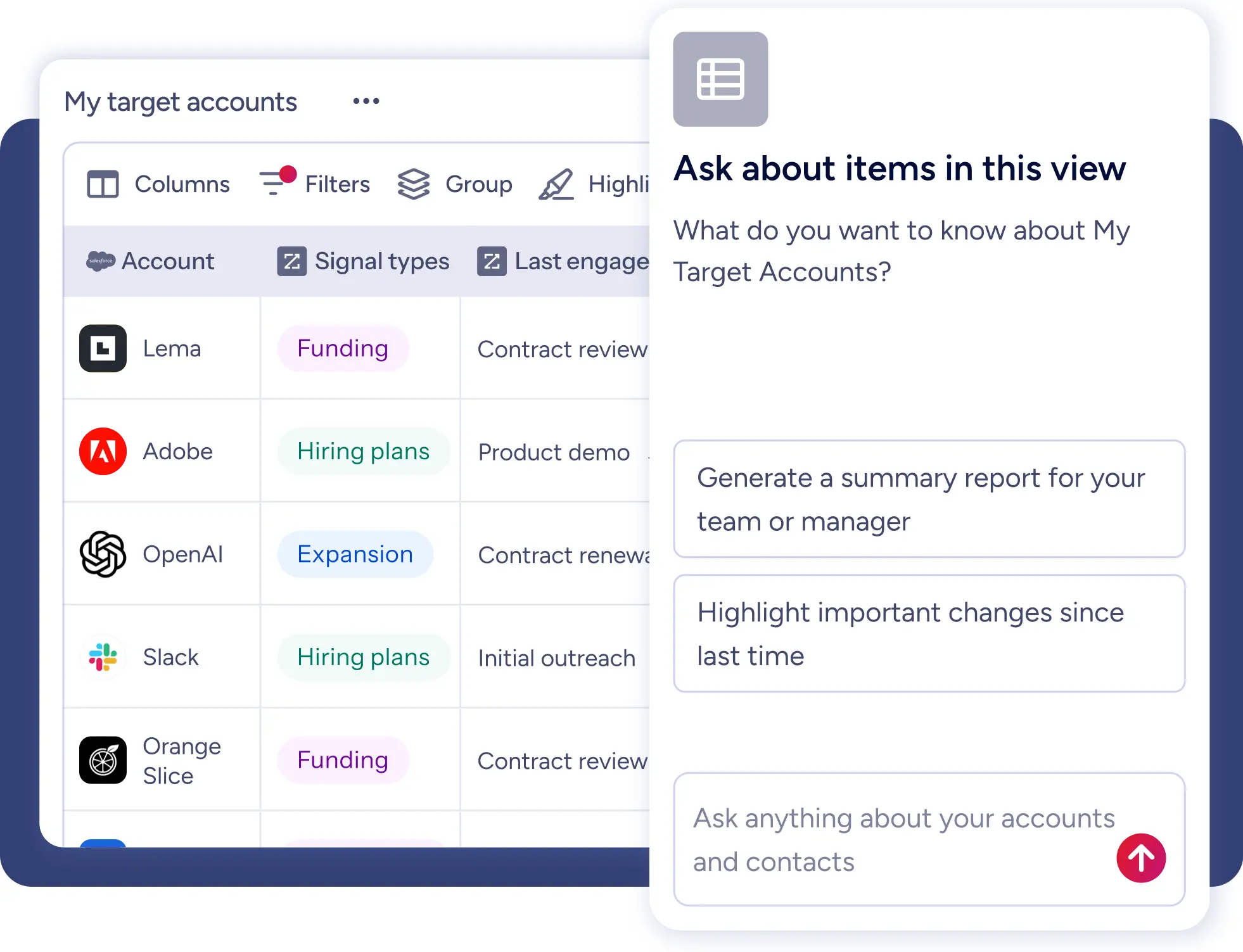
ZoomInfo is an all-in-one AI GTM Platform built as three layers: a data foundation, an intelligence layer on top of it, and universal access so every team can use it where they already work.
The foundation is B2B data at scale: 500M contacts, 100M companies, 135M+ verified phone numbers, and 200M+ verified business emails, verified by more than 300 human researchers. On that foundation sits the GTM Context Graph, which processes 1.5B+ data points daily and fuses ZoomInfo's data with your CRM records, conversations, and behavioral signals. The result captures not just what happened in an account, but why.
You consume that intelligence three ways, with no lock-in. Sellers work in GTM Workspace, where AI agents surface buying signals, research accounts, and draft outreach in context. Marketers, RevOps, and GTM engineers use GTM Studio to build audiences and plays. Teams that want ZoomInfo inside their own tools and agents connect through GTM.AI, the headless API and MCP option.
Because it's one platform, ZoomInfo covers several categories on this list without a separate vendor for each:
Buyer intent: ZoomInfo Intent tracks research activity across 4,500+ topics and flags surging accounts.
Website visitor identification: WebSights matches anonymous traffic to companies and ties it to contacts and intent.
Conversation intelligence: Chorus records and analyzes calls, tracks competitor mentions, and feeds deal context back into the GTM Context Graph.
Data orchestration and routing: ZoomInfo Operations enriches CRM records, deduplicates data, and routes leads with no-code workflows.
Best for: Mid-market and enterprise teams that want data, signals, and execution in one platform across sales, marketing, and RevOps.
Key features:
500M contacts and 100M companies, with 45M+ mobile numbers and 200M+ professional profiles outside North America
GTM Context Graph reasoning across ZoomInfo data, your CRM, conversations, and behavioral signals
AI agents in GTM Workspace that prioritize accounts and draft outreach
Intent signals, website visitor identification, and job change alerts
Conversation intelligence through Chorus
No-code CRM enrichment and lead routing
Native integrations with Salesforce, HubSpot, Outreach, and Salesloft
Compliance with ISO 27001, ISO 27701, SOC 2 Type II, and TRUSTe GDPR/CCPA
Pricing: Free to start with consumption credits based on usage.
Pros:
Named a Leader in The Forrester Wave: Marketing and Sales Data Providers for B2B, Q1 2026
Replaces several point tools with one platform
Works in any tool or agent through its API and MCP server
Cons:
The full platform can be more than a solo seller or very small team needs
Getting value across GTM Workspace, GTM Studio, and Chorus takes rollout planning
Here's what that looks like for a digital sales team that added intent and website visitor signals to its workflow:

"The greatest benefit of ZoomInfo Sales is the ability to enhance the productivity of the Digital Sales team, while keeping headcount flat."
2. LinkedIn Sales Navigator
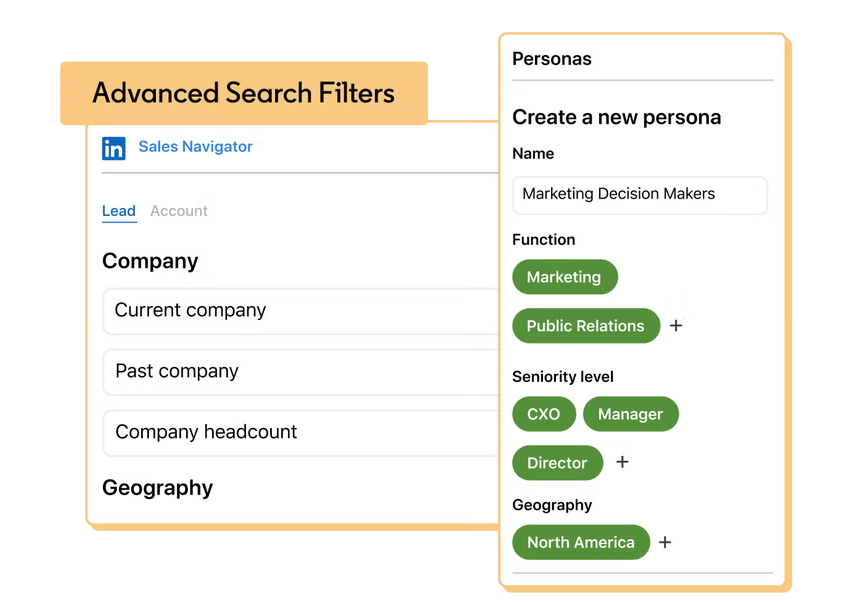
LinkedIn Sales Navigator is LinkedIn's paid prospecting product for sellers. Sales Navigator Core gives you 50+ search filters across LinkedIn's member network, plus lead and account recommendations based on your saved searches.
Its strength is relationship context. Relationship mapping shows warm paths into an account, real-time alerts flag job changes and company news, and InMail lets you reach people outside your network. It's the natural home for social selling, and most teams pair it with a data platform for verified emails and direct dials.
Best for: Relationship-driven sellers who prospect and engage primarily on LinkedIn.
Key features:
50+ lead and account search filters
Real-time lead and account alerts
InMail credits for outreach beyond your network
Relationship mapping for warm introductions
Custom lead and account lists
CRM sync for Salesforce and Microsoft Dynamics
Pricing: Core starts around $99 per seat per month and Advanced around $149 per seat per month (billed annually). Advanced Plus is custom priced. See our full LinkedIn Sales Navigator pricing breakdown.
Pros:
Unmatched view into LinkedIn profiles, activity, and connections
Strong for account research and warm introductions
Cons:
No verified email addresses or direct dials
Per-seat pricing with no bulk data export
How LinkedIn Sales Navigator compares against ZoomInfo
LinkedIn Sales Navigator gives sellers the richest view of professional profiles and network relationships. ZoomInfo's edge is 135M+ verified phone numbers and 200M+ verified business emails, intent signals, and bulk CRM enrichment. See the LinkedIn Sales Navigator vs. ZoomInfo comparison for the full head-to-head.
3. Apollo
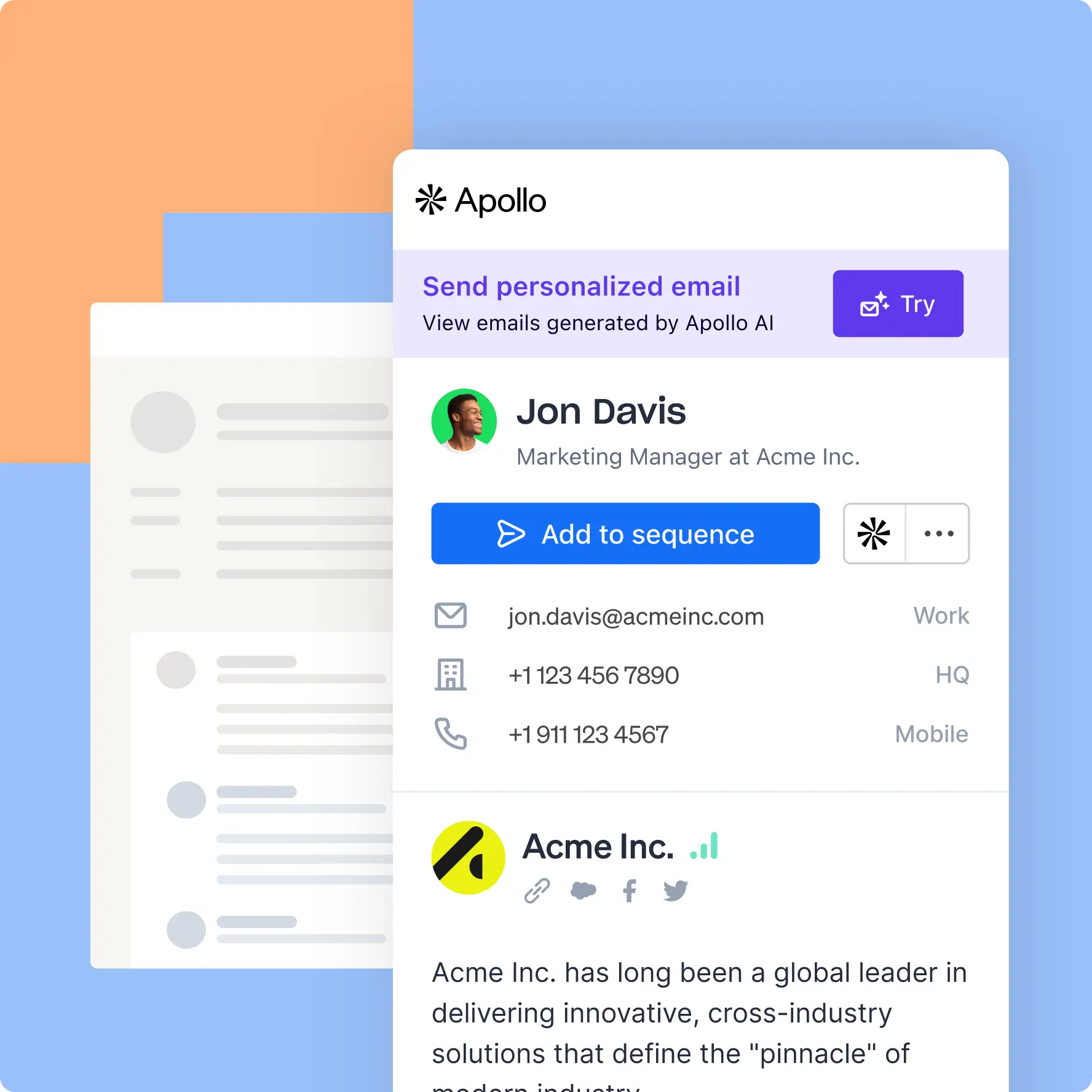
The Apollo AI Sales Platform combines a B2B contact database with built-in sequencing, so you can move from finding a lead to contacting them without switching tools. Recent releases add AI prospecting agents and AI-drafted emails on top of its core data and engagement features.
Apollo includes email verification, a dialer, call logging, A/B testing, and campaign analytics. A Chrome extension lets you prospect on LinkedIn and company websites, and CRM integrations sync activity back to Salesforce and HubSpot. Its free plan makes it a common first tool for startups.
Best for: SMB and mid-market teams that want data and engagement in one lower-cost tool.
Key features:
B2B contact and company database (Apollo cites 230M+ contacts)
Multi-channel sequences with AI-drafted emails
Email verification and deliverability tools
Built-in dialer and call logging
Chrome extension for LinkedIn and web prospecting
A/B testing and campaign analytics
Pricing: Free plan available. Paid plans run $49, $79, and $119 per seat per month (billed annually), with custom Enterprise pricing. See our full Apollo pricing breakdown.
Pros:
Generous free plan and low entry cost
Data and sequencing in one interface
Cons:
Smaller database than enterprise platforms
Lighter enterprise proof and governance features
How Apollo compares against ZoomInfo
Apollo gives SMB teams a fast, affordable way to combine contact data with outreach. ZoomInfo's edge is 500M contacts versus Apollo's 230M, the GTM Context Graph reasoning across CRM, intent, and conversation signals, and Chorus conversation intelligence. See the Apollo vs. ZoomInfo comparison for the full head-to-head.
4. Cognism
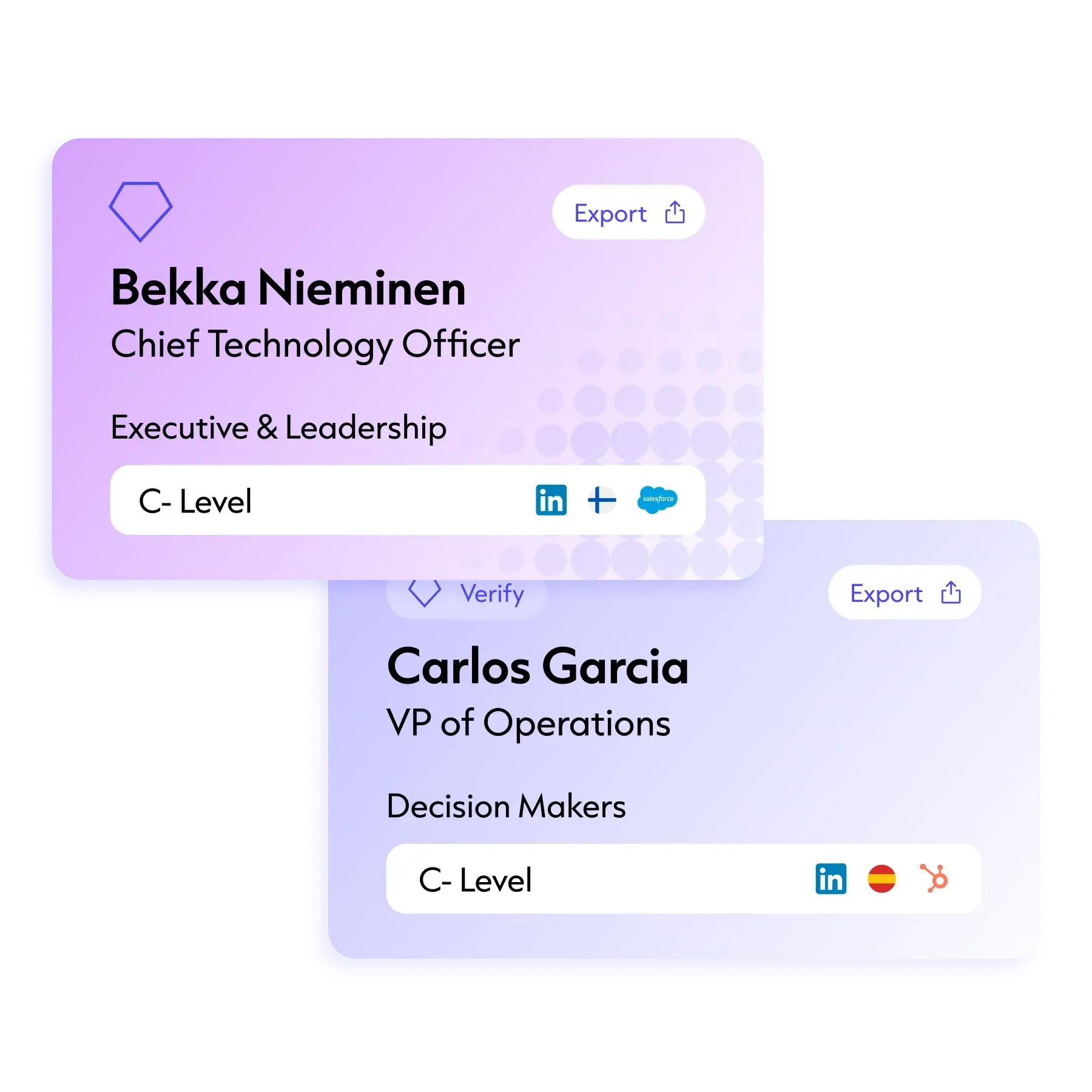
Cognism Pro focuses on GDPR-compliant B2B contact data with particular depth in European markets. Its Diamond Verified data consists of mobile numbers that Cognism's team has phone-checked, which is its main quality claim.
Cognism layers intent data from a third-party partner onto its contact records, and a Chrome extension brings its data into LinkedIn and company websites. It integrates with major CRMs and sales engagement platforms for enrichment and list building.
Best for: Teams selling into EMEA that prioritize compliant, phone-verified mobile numbers.
Key features:
Diamond Verified phone-checked mobile numbers
GDPR-compliant data with European coverage
Intent data integration to spot in-market accounts
Chrome extension for LinkedIn and web prospecting
CRM enrichment and sales trigger alerts
Pricing: Custom pricing across Standard and Pro plans; Cognism doesn't publish rates. See our full Cognism pricing breakdown.
Pros:
Strong European mobile coverage
Compliance-first data practices
Cons:
Smaller overall dataset than global platforms
No native conversation intelligence or ABM
How Cognism compares against ZoomInfo
Cognism is a strong choice for compliant European mobile data. ZoomInfo's edge is 200M+ professional profiles outside North America, native Chorus conversation intelligence, and the GTM Context Graph. See the Cognism vs. ZoomInfo comparison for the full head-to-head.
5. Lusha
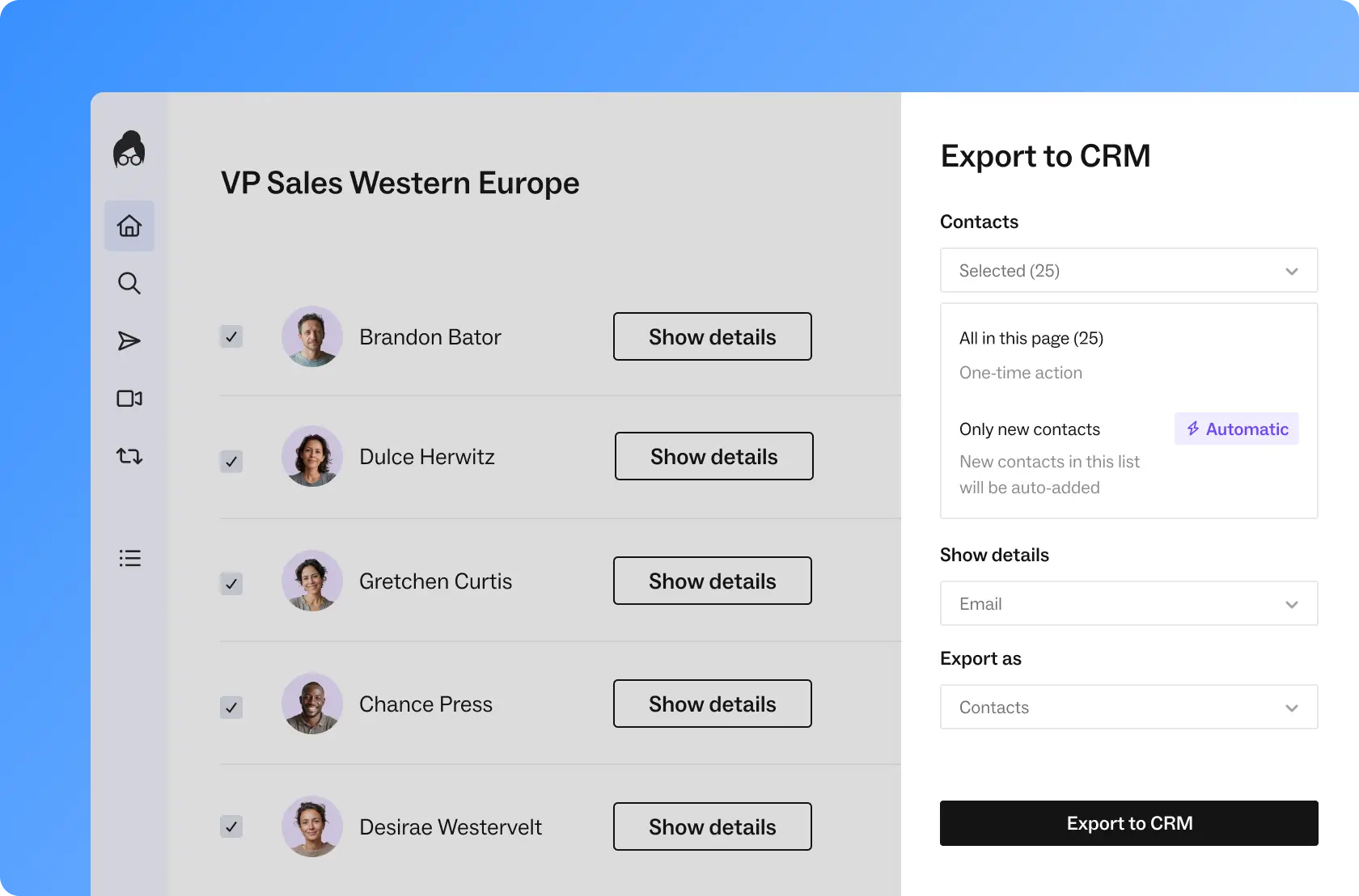
Lusha is a prospecting platform built around a browser extension that shows verified contact and company data instantly on LinkedIn and websites. It's popular with individual sellers who need quick lookups without a heavy rollout.
Beyond lookups, Lusha adds intent signals, job change alerts, CRM enrichment, and in-platform email sequencing, so smaller teams can find and contact leads in one place.
Best for: Individual sellers and small teams that need fast contact lookups.
Key features:
Browser extension for instant contact details
Verified emails and phone numbers with real-time enrichment
Intent signals and job change alerts
Built-in email sequencing
CRM integrations and bulk enrichment
Pricing: Free plan with 40 credits per month. Paid plans start at $37.45 per month (Starter), with Pro at $52.45, Premium at $299.95, and custom Scale pricing. See our full Lusha pricing breakdown.
Pros:
Very fast to set up and use
Low-cost entry point
Cons:
Focused on contact lookup, with limited account intelligence
Credit limits can constrain high-volume prospecting
How Lusha compares against ZoomInfo
Lusha makes quick contact lookups easy and affordable for individual sellers. ZoomInfo's edge is intent signals across 4,500+ topics, website visitor identification, and a reasoning layer that tells reps why an account is worth pursuing. See the Lusha vs. ZoomInfo comparison for the full head-to-head.
6. Bombora
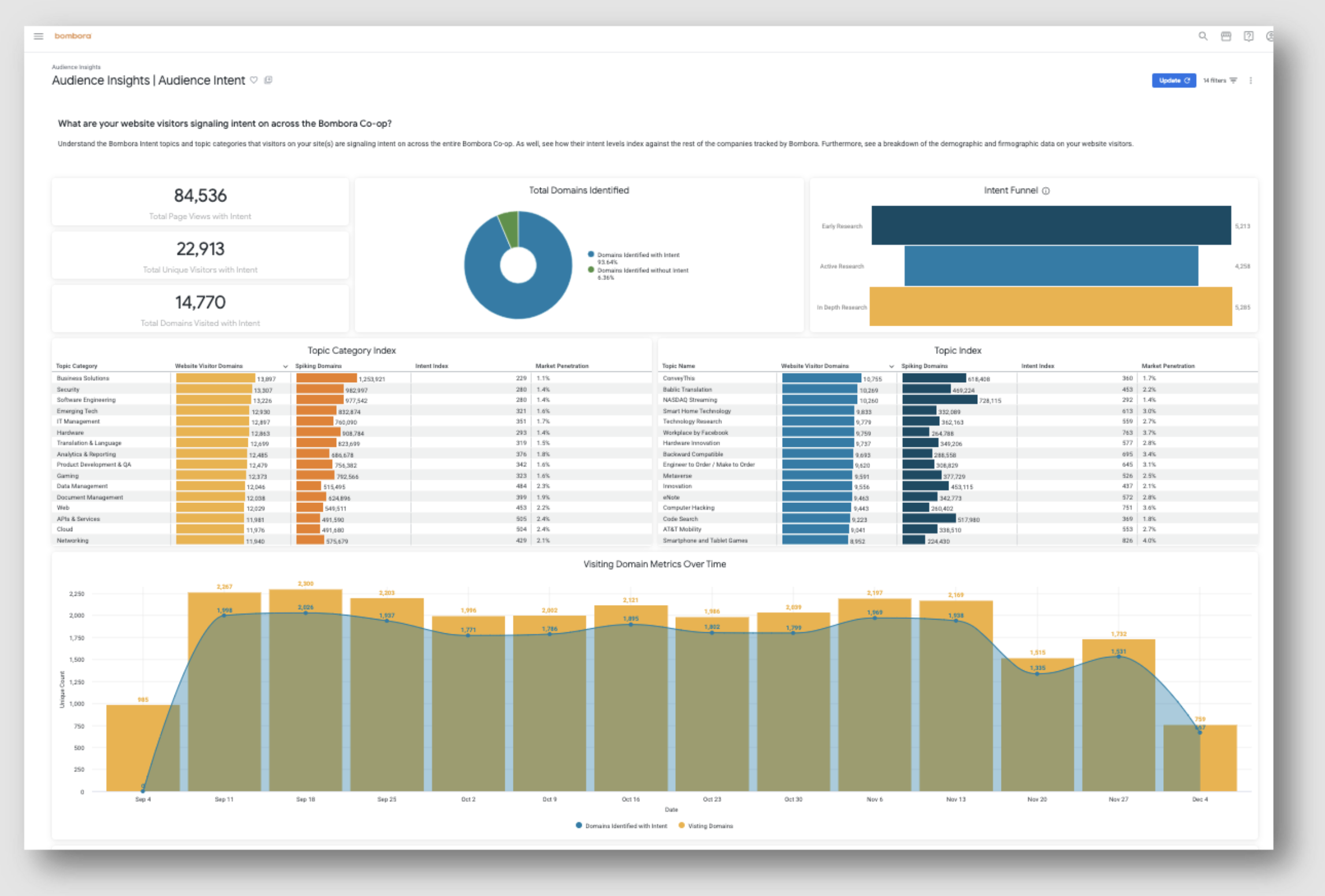
Bombora Company Surge is a B2B intent data product that tracks content consumption across a cooperative of business websites. Member sites contribute anonymized browsing data, and Bombora maps that research activity to a taxonomy of 20,100+ intent topics.
Bombora doesn't sell to end users through its own seller interface. Instead, its Surge scores flow into marketing automation, CRM, and advertising platforms, where teams use them to prioritize accounts and target campaigns.
Best for: ABM and demand gen teams that want third-party intent signals inside existing tools.
Key features:
Company Surge scoring on 20,100+ topics
Data cooperative network across B2B publishers
Buying-stage mapping for surging accounts
Integrations with MAPs, CRMs, and ad platforms
Historical intent for trend analysis
Pricing: Custom pricing; Bombora doesn't publish rates. See our full Bombora pricing breakdown.
Pros:
Large, established co-op intent network
Delivered into many partner platforms
Cons:
No contact data, so you need a separate data source
No seller workspace to act on signals
How Bombora compares against ZoomInfo
Bombora offers one of the broadest third-party intent networks available. ZoomInfo's edge is intent signals paired with 500M contacts in the same platform and AI agents in GTM Workspace that turn surges into outreach. See the Bombora vs. ZoomInfo comparison for the full head-to-head.
7. 6sense
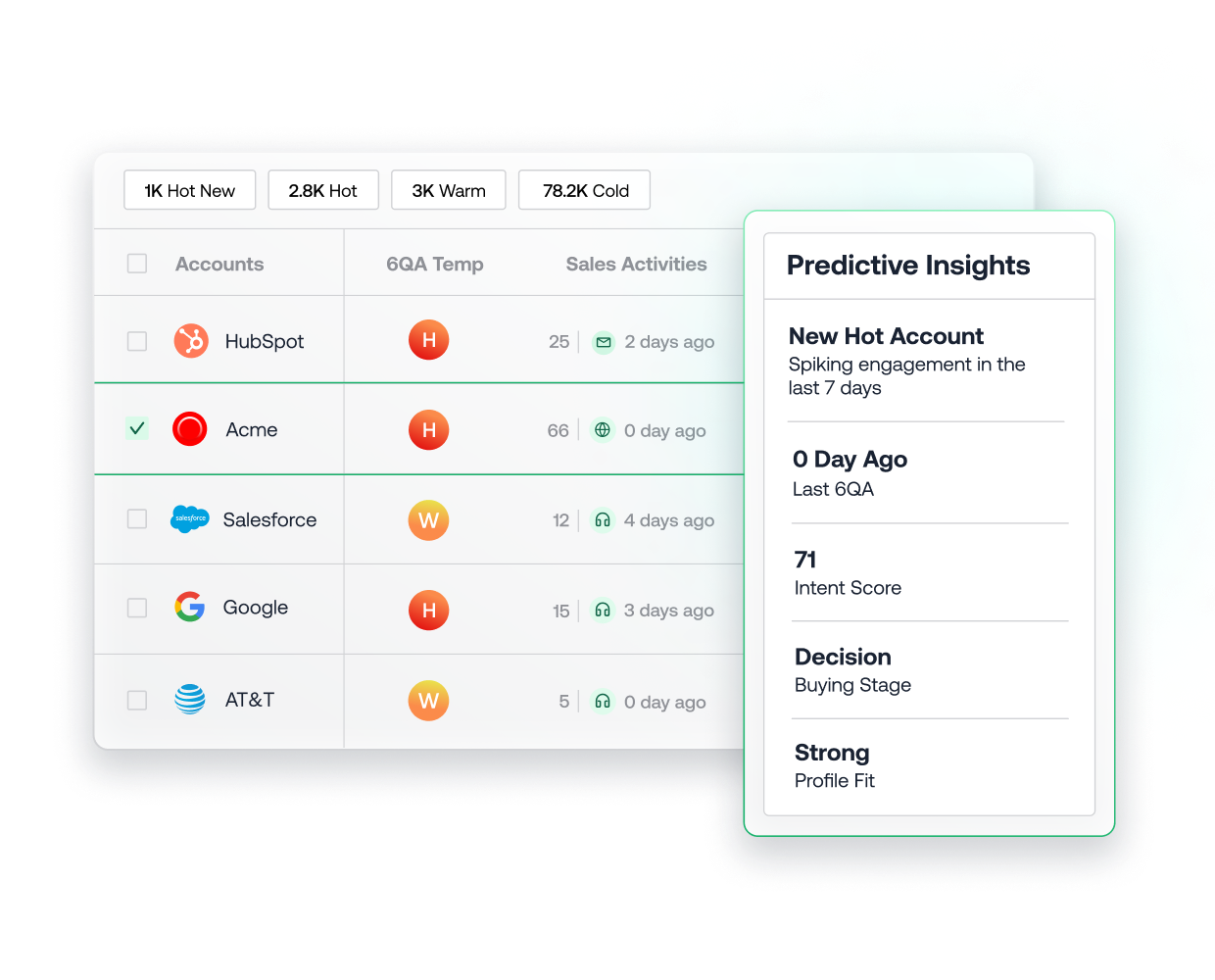
The 6sense ABM Platform combines intent data with predictive models to identify accounts that are in-market and estimate their buying stage. It also de-anonymizes website visitors at the account level.
6sense orchestrates multi-channel campaigns across advertising, email, and sales engagement tools, and includes predictive scoring and pipeline analytics built for enterprise ABM programs.
Best for: Enterprise marketing and ABM teams running coordinated account-based programs.
Key features:
Predictive in-market account identification
Buying-stage detection and journey mapping
Account-level website visitor identification
Multi-channel ABM orchestration and advertising
Pipeline influence analytics
Pricing: Free plan with 50 credits per month. Paid plans are custom priced. See our full 6sense pricing breakdown.
Pros:
Deep predictive and ABM capabilities
Strong for marketing-led account programs
Cons:
Long implementation and learning curve
No native conversation intelligence
How 6sense compares against ZoomInfo
6sense is a leading choice for predictive, marketing-led ABM. ZoomInfo's edge is contact-level data on 500M people, Chorus conversation intelligence, and a seller workspace that acts on the same signals. See the 6sense vs. ZoomInfo comparison for the full head-to-head.
8. Outreach
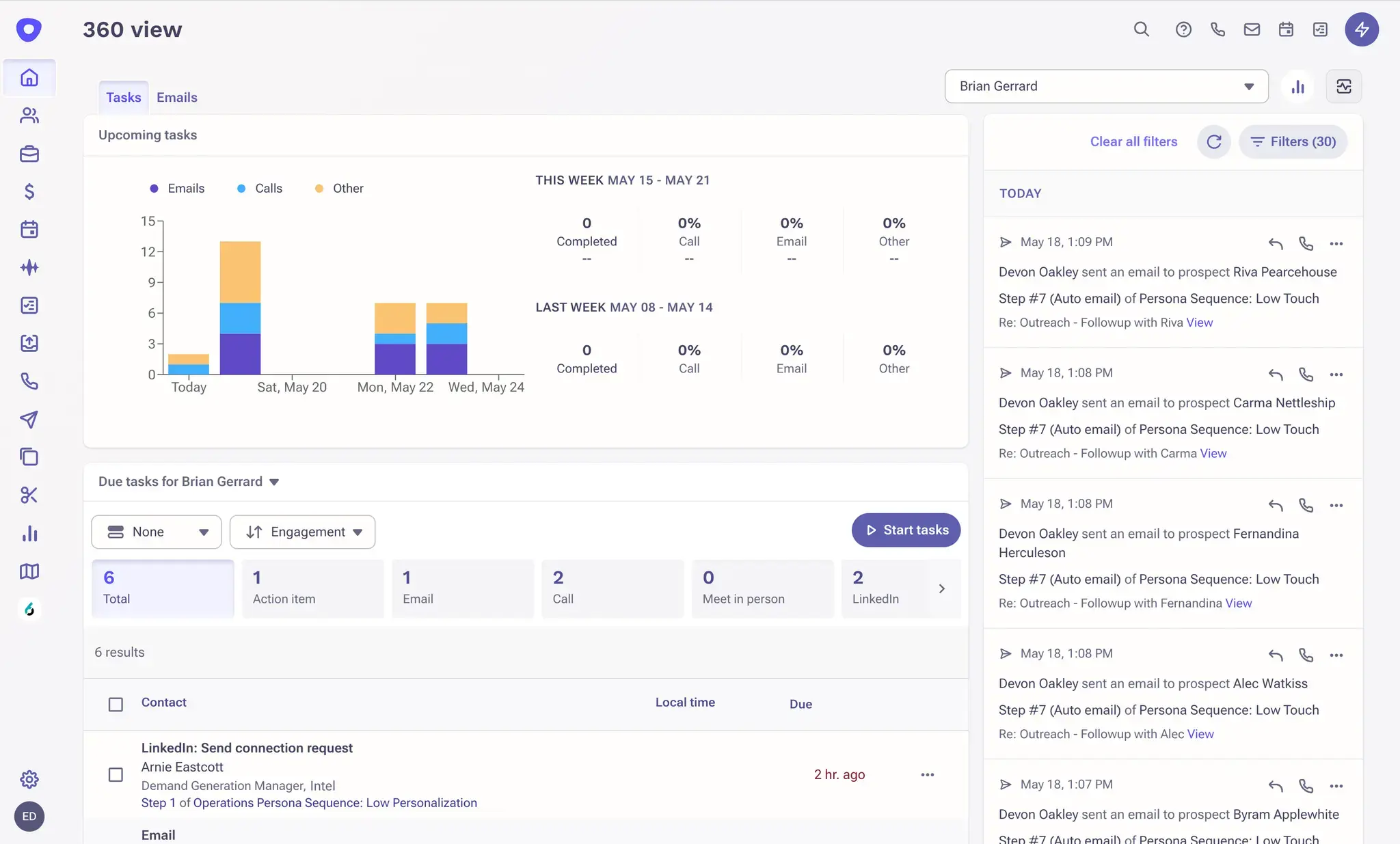
Outreach is a sales engagement platform for building multi-channel sequences across email, phone, LinkedIn, and SMS. Its Outreach AI Agents add autonomous prospecting and draft messages based on past conversations.
Outreach tracks opens, clicks, and replies, supports A/B testing, and gives managers pipeline and forecasting views. It integrates with Salesforce, Microsoft Dynamics, and conversation intelligence tools. Compare it with its closest rival in our Outreach vs. Salesloft breakdown.
Best for: High-velocity outbound teams that run structured, multi-step cadences.
Key features:
Multi-channel sequences with email, phone, LinkedIn, and SMS
AI agents for prospecting and message drafting
Email tracking and A/B testing
Dialer integration with call recording
Pipeline analytics and forecasting
Pricing: Custom pricing, combining seats and consumption; Outreach doesn't publish rates.
Pros:
Mature sequencing and governance for large teams
Strong analytics for managers
Cons:
No built-in B2B data, so you need a data source
Complex to configure for smaller teams
9. Salesloft
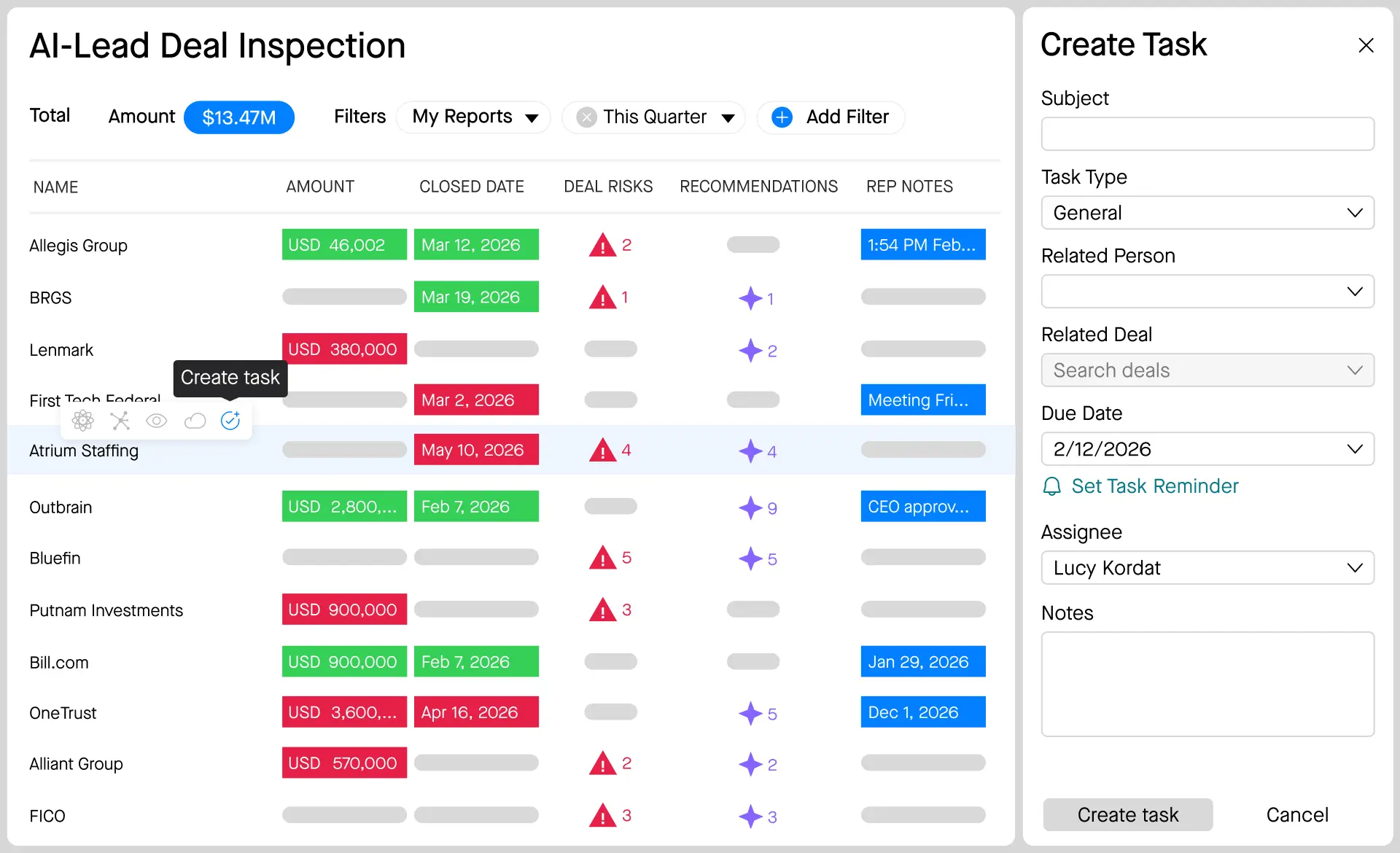
Salesloft is a revenue orchestration platform that combines cadences, deal management, and forecasting. Salesloft AI Agents use buyer signals to recommend and automate next steps across the revenue cycle.
Its Cadence engine handles multi-channel outreach, and add-ons cover a dialer, forecasting, and a Coaching Agent for call analysis. CRM integrations keep activity and deal data in sync.
Best for: Enterprise revenue teams that want engagement, deals, and forecasting in one workflow.
Key features:
Cadence automation across email, phone, and social
Signal-informed AI agents for next steps
Deal management and pipeline views
Dialer, forecasting, and Coaching Agent add-ons
Bi-directional CRM sync
Pricing: Custom pricing across Advanced and Elite plans, plus add-ons; Salesloft doesn't publish rates. See our full Salesloft pricing breakdown.
Pros:
Broad coverage from outreach through forecasting
Strong for enterprise process and coaching
Cons:
Many key capabilities are paid add-ons
No native B2B data foundation
10. HubSpot Sales Hub
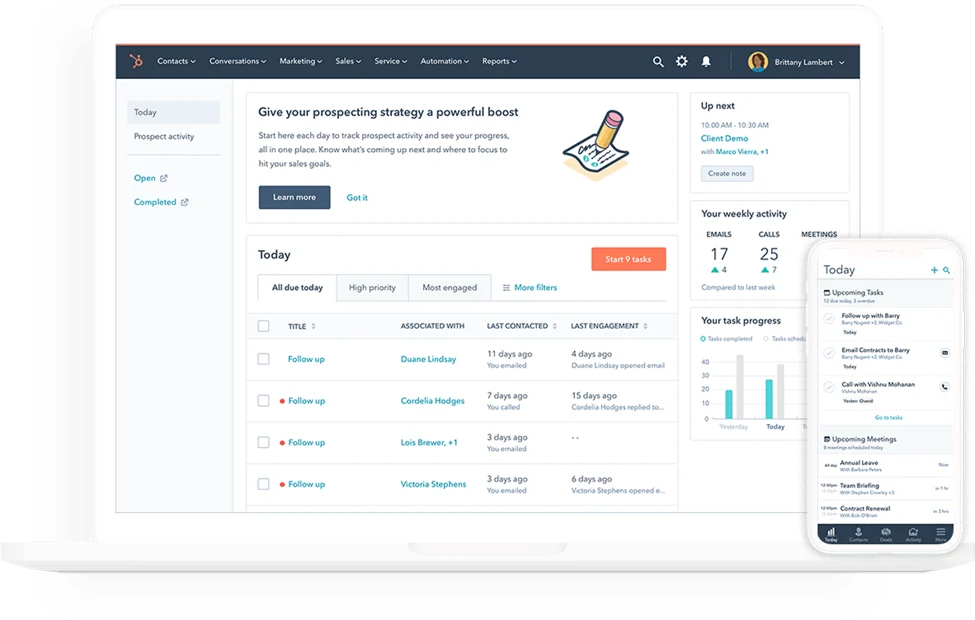
HubSpot Sales Hub is a sales engagement tool built into the HubSpot CRM. It provides sequences, meeting scheduling, call logging, and pipeline management in one interface connected to HubSpot's marketing and service tools.
Email tracking alerts reps when prospects open messages or click links, and automation triggers tasks based on prospect behavior. Quotes, deal tracking, and forecasting round out the pipeline side.
Best for: SMB and mid-market teams already on HubSpot CRM.
Key features:
Sequences, templates, and email tracking
Meeting scheduling with calendar sync
Built-in calling and call recording
Deal pipelines, quotes, and forecasting
Behavior-based automation workflows
Pricing: Free tools available. Starter runs about $15 to $20 per seat per month, Professional $100 per seat per month plus onboarding, and Enterprise $150 per seat per month plus onboarding.
Pros:
Easy to adopt, especially for HubSpot users
CRM, marketing, and sales data in one place
Cons:
No third-party B2B database included
Advanced features sit in higher, pricier tiers
How HubSpot Sales Hub compares against ZoomInfo
HubSpot Sales Hub gives teams already on HubSpot CRM an easy, unified place to run sequences, calls, and deals. ZoomInfo's edge is a B2B data foundation of 500M contacts and 100M companies, intent signals across 4,500+ topics, and the GTM Context Graph reasoning across your CRM, conversations, and buying signals. See the HubSpot vs. ZoomInfo comparison for the full head-to-head.
11. HeyReach
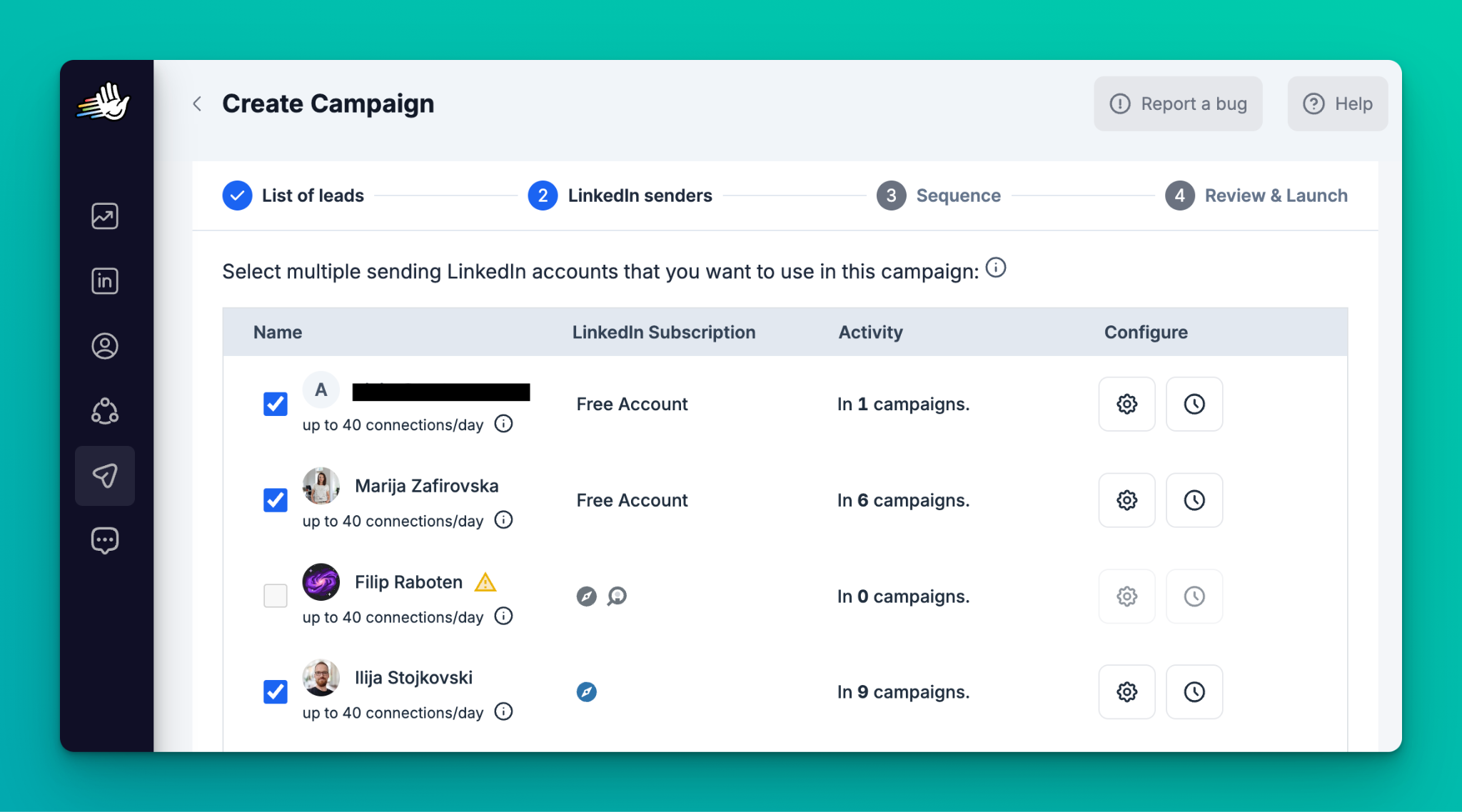
HeyReach is an outreach automation tool that helps users streamline their LinkedIn and email prospecting through personalized, automated messaging campaigns. It's designed for lead generation agencies and sales teams.
HeyReach stands out thanks to advanced features such as:
Multi-channel personalization: Create highly personalized outreach across multiple channels from a single workflow
Multi-account rotation: Safely and automatically rotate between multiple accounts while running campaigns
Unibox: Consolidate all conversations from multiple accounts into a single, unified inbox without sharing your private messages
HeyReach MCP: HeyReach says it's currently the only LinkedIn automation tool that lets you connect your favorite LLM and instruct an AI agent to audit campaign data, clean lists, and personalize outreach across tools
With HeyReach Workspaces, you can organize your clients' accounts however you prefer. HeyReach also offers Master View, which lets you instantly monitor performance against KPIs across multiple workspaces, manage all conversations with powerful filtering options, and eliminate time wasted switching between individual workspaces. Whitelabeling is included in the Agency plan at no extra cost, so you can rebrand the platform to your own style. For more options in this category, see our guide to LinkedIn automation tools.
Best for: Lead generation agencies and sales teams running LinkedIn-led outreach across many sender accounts.
Key features:
Multi-channel personalization from a single workflow
Multi-account sender rotation
Unibox for all conversations across accounts
HeyReach MCP for connecting your LLM and AI agents
Workspaces and Master View for multi-client management
Whitelabeling included in the Agency plan
Pricing: 14-day free trial. Growth starts at $79 per sender per month, Agency at $999 per month (25 senders, whitelabeling included), and Unlimited at $2,999 per month, with discounts for quarterly and annual billing.
Pros:
Built for scaling LinkedIn outreach across many accounts
Strong multi-client management for agencies
Cons:
Focused on LinkedIn and email outreach, so you still need a data source for verified contacts
Per-sender pricing adds up for large in-house teams
12. Instantly
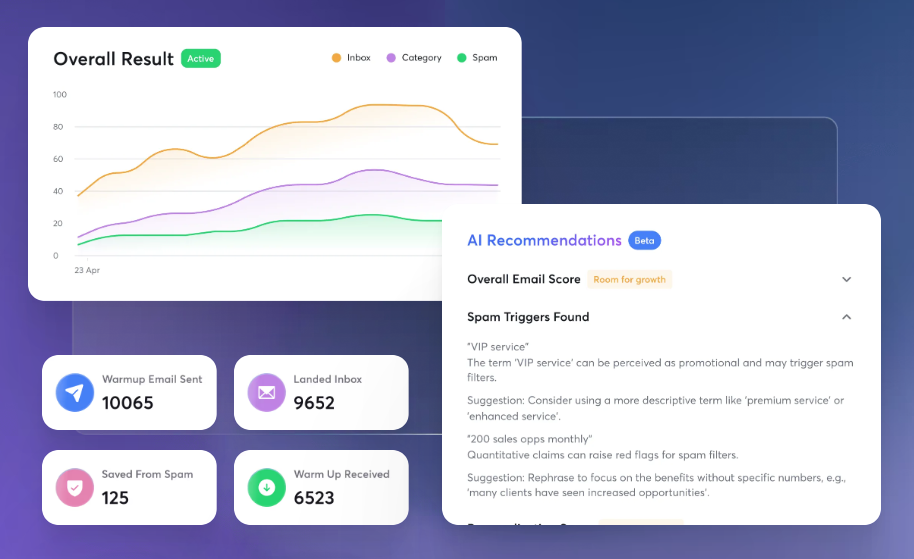
Instantly Outreach is a cold email platform built for high-volume sending. It supports unlimited email accounts with automated warmup and inbox rotation to protect deliverability, and a unified inbox for managing replies.
Instantly adds AI personalization prompts and a lead database with natural language search, making it popular with agencies and outbound-focused SMBs.
Best for: Agencies and SDR teams sending high volumes of cold email.
Key features:
Unlimited email accounts with automated warmup
Inbox rotation and deliverability tools
Unified inbox for replies
100+ prebuilt personalization prompts
Lead database with natural language search
Pricing: Free trial available. Outreach plans start at $47 per month (Growth), with Hyper Growth at $97 and Light Speed at $358. Lead data is billed separately.
Pros:
Affordable at high sending volumes
Strong deliverability tooling
Cons:
Email-first, with lighter multi-channel sequencing
Separate subscriptions for sending and lead data
13. Agent Frank by Salesforge
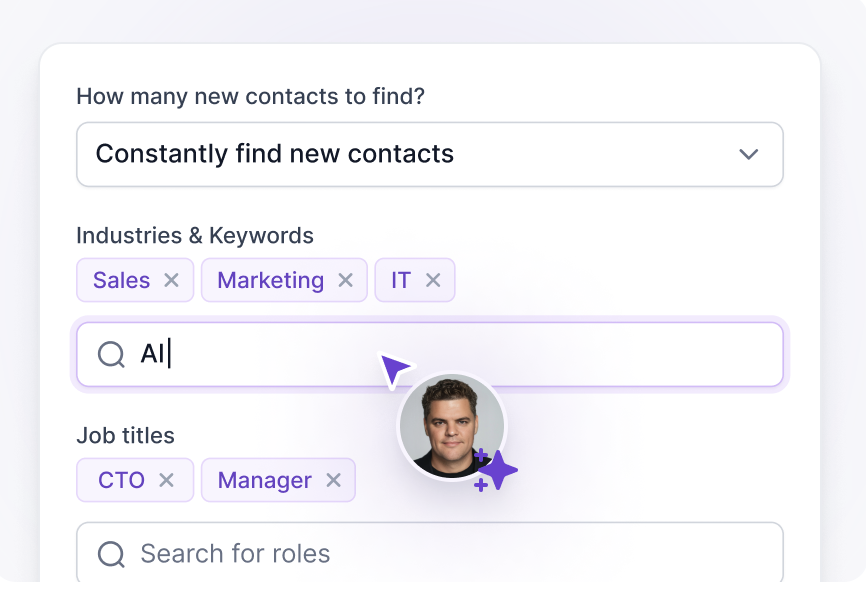
Agent Frank is an AI SDR from Salesforge that runs outbound for you in Auto-Pilot mode or with your approval in Co-Pilot mode. It sources leads from Salesforge's Leadsforge database, writes personalized emails, and handles follow-ups.
Agent Frank works in 20+ languages and runs on Salesforge's deliverability infrastructure, which makes it appealing to founders and agencies that want to scale outbound without adding headcount.
Best for: Founders, agencies, and small teams that want to automate outbound email.
Key features:
Auto-Pilot and Co-Pilot modes
Lead sourcing from Leadsforge's database
Personalized email writing and follow-ups
Outreach in 20+ languages
Built-in deliverability infrastructure
Pricing: About $416 per month billed annually, or $499 per month billed quarterly, for up to 1,000 active contacts.
Pros:
Automates the full outbound email loop
Multilingual outreach
Cons:
Limited CRM integration
Outbound email only, with no call or conversation analysis
14. Gong
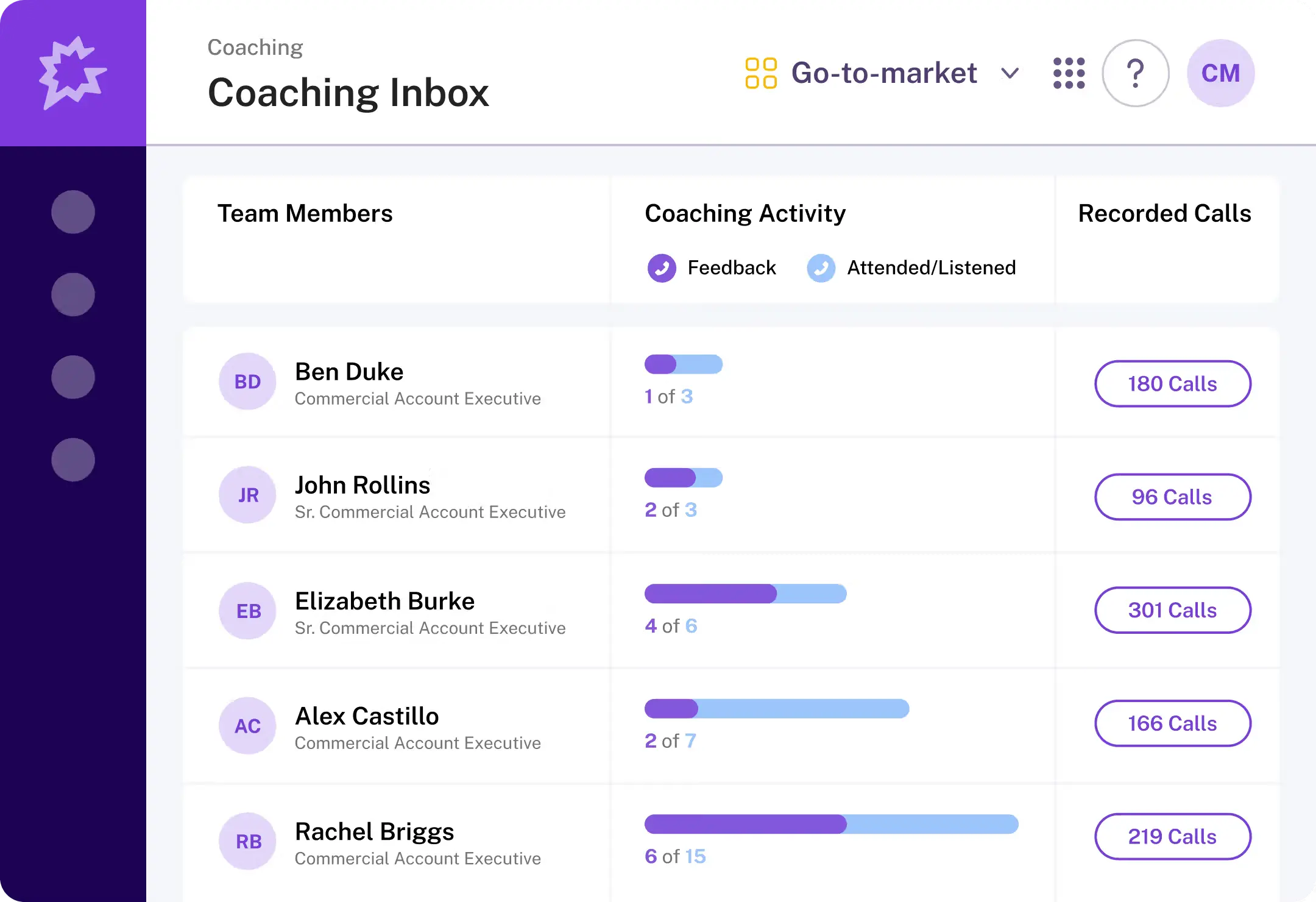
Gong Capture records and analyzes customer interactions across calls, emails, and video meetings. Gong's revenue intelligence connects that conversation data to pipeline outcomes, deal risk, and forecasts.
Gong highlights what top performers do differently, flags at-risk deals, and supports win/loss analysis. It integrates with CRMs, engagement tools, and conferencing platforms. For a broader look at this category, see our guide to the best conversation intelligence software.
Best for: Enterprise revenue teams focused on coaching and forecast accuracy.
Key features:
Call, email, and meeting capture
Conversation analytics and coaching insights
Deal risk alerts and forecasting
Win/loss and competitive mention tracking
CRM and engagement tool integrations
Pricing: Custom pricing, typically a platform fee plus per-seat licenses; Gong doesn't publish rates. See our full Gong pricing breakdown.
Pros:
Deep conversation analytics and coaching
Strong forecasting tied to deal activity
Cons:
No B2B data foundation or intent signals
Premium pricing for smaller teams
How Gong compares against ZoomInfo
Gong is a category leader in conversation analytics and coaching. ZoomInfo's edge is Chorus conversation intelligence connected to 500M contacts and intent signals in the same platform, with call context feeding the GTM Context Graph. See the Gong vs. ZoomInfo comparison for the full head-to-head.
15. Lead Forensics
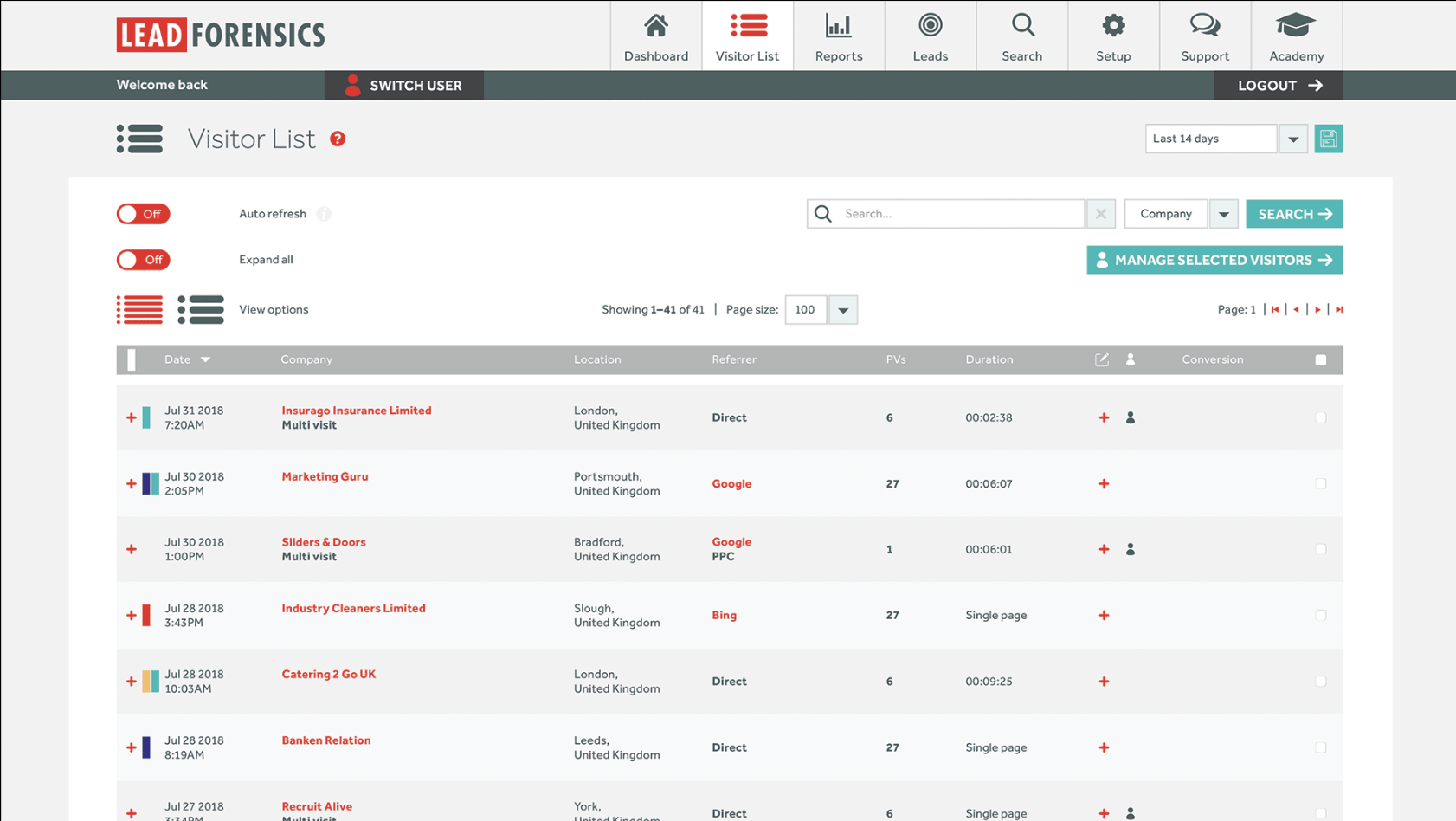
Lead Forensics identifies the companies visiting your website using reverse-IP matching, then provides contact details for identified organizations. Real-time and daily email alerts tell sellers which accounts are browsing.
It tracks pages viewed, time on site, and visit frequency, and scores leads based on engagement. Our roundup of website visitor identification tools compares it with other options, and our Lead Forensics vs. Leadfeeder breakdown covers its closest rival.
Best for: B2B teams that want simple alerts on which companies visit their site.
Key features:
Reverse-IP company identification
Real-time and daily visitor alerts
Page view and session tracking
Contact details for identified companies
Lead scoring and CRM integration
Pricing: Custom pricing across Essential and Automate plans, with a 14-day free trial. See our full Lead Forensics pricing breakdown.
Pros:
Simple setup and clear alerts
Useful for turning web traffic into outreach lists
Cons:
Weaker match rates on remote and SMB traffic
Contact data is limited to identified visitors
16. Leadfeeder
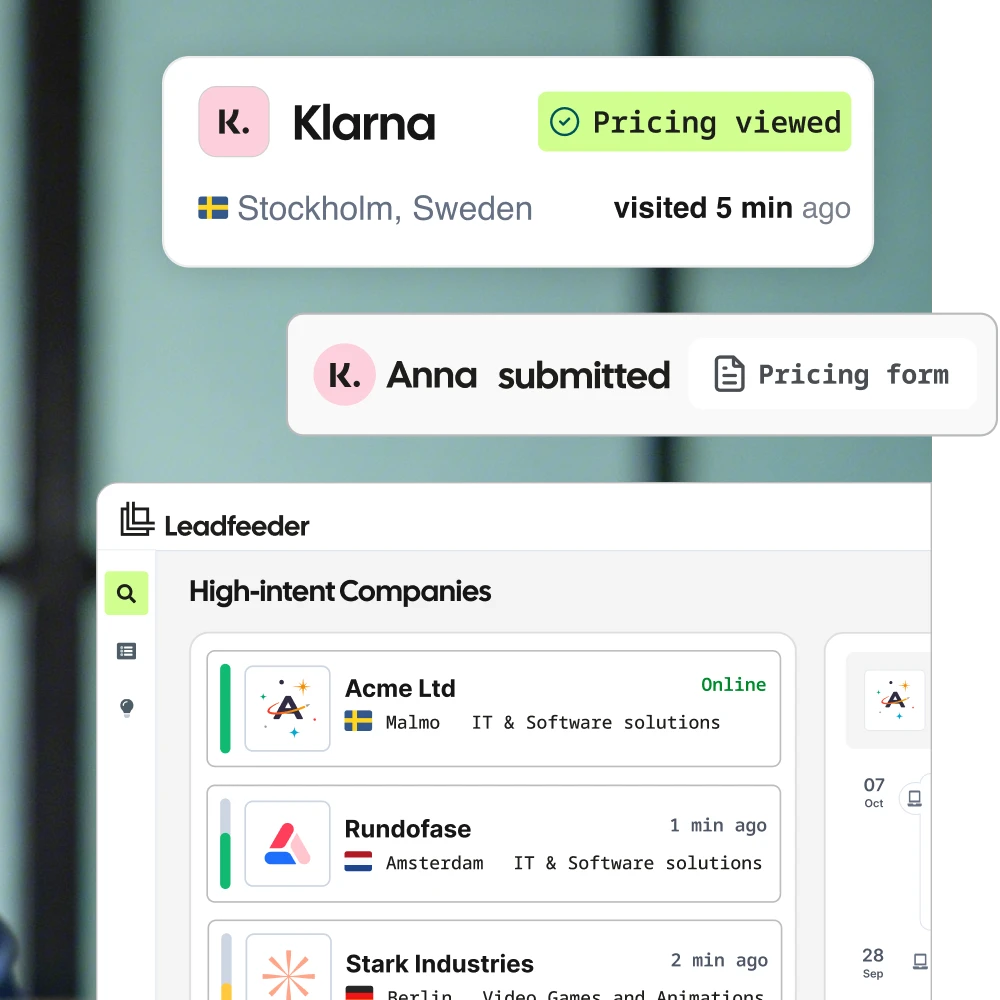
Leadfeeder identifies the companies visiting your website, with a focus on GDPR-compliant practices for European markets. The company recently returned to the Leadfeeder name after operating as Dealfront, and website visitor identification remains the core of the platform. Leadfeeder says it can identify up to 45% of visiting companies.
Real-time alerts flag high-intent companies as they browse, and 100+ segmentation filters let you narrow visitors by industry, location, revenue, and trigger events. Identified companies push to your CRM and marketing automation tools.
Best for: EMEA-focused marketing and sales teams.
Key features:
GDPR-compliant website visitor identification
Real-time alerts on high-intent companies
Firmographic enrichment for identified companies
100+ segmentation filters
CRM push and marketing automation integrations
Browser extension for prospecting
Pricing: Free Lite plan for up to 100 identified companies per month, plus a 14-day free trial of paid plans. Paid plans start at €79 per month (Discover, billed annually), with Activate from €369 per month and Scale from €599 per month. See our full Leadfeeder pricing breakdown.
Pros:
Compliance-first for European teams
Free plan and unlimited users on every plan
Cons:
Lighter intent data depth
No conversation intelligence
17. Chili Piper
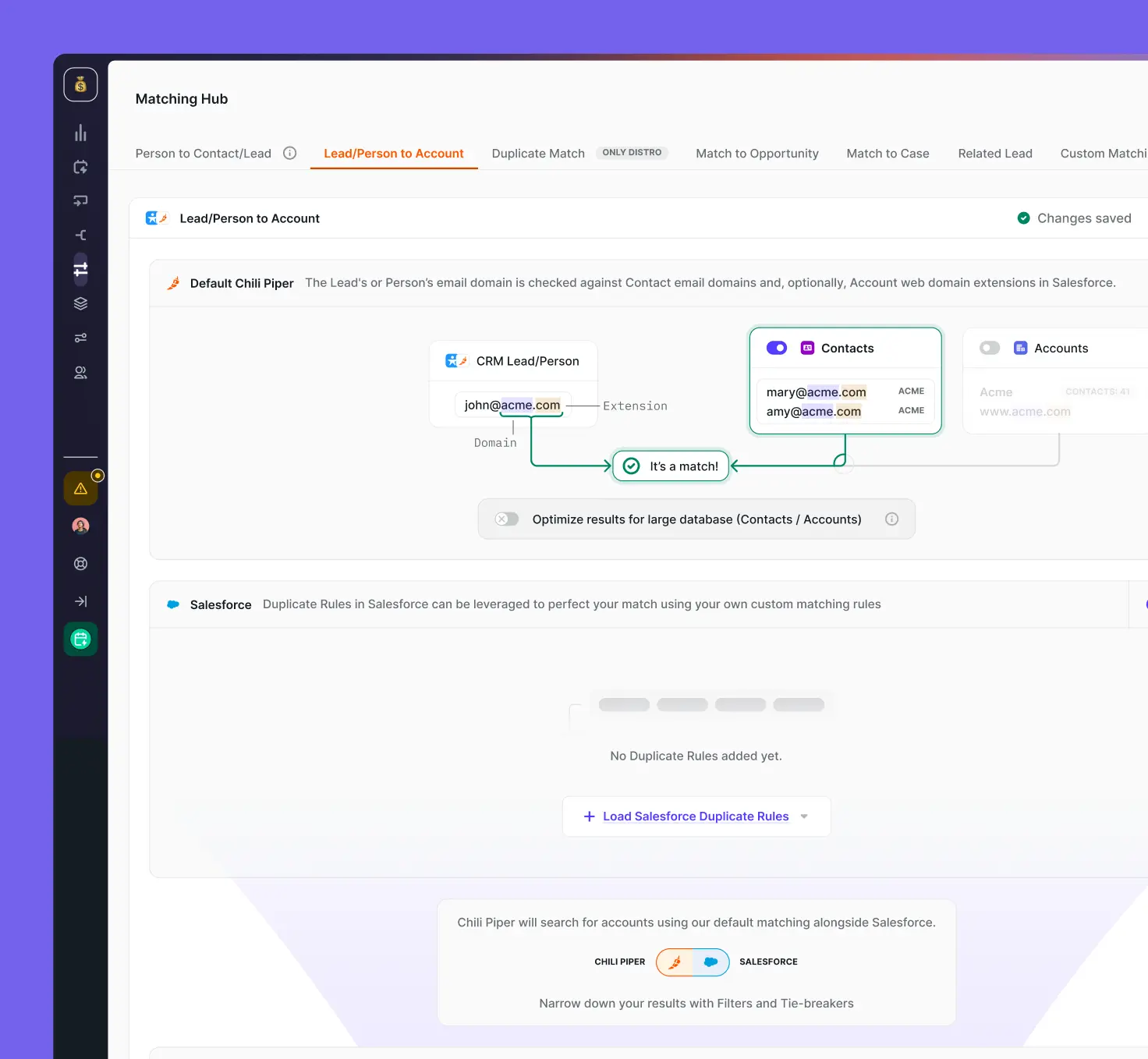
Chili Piper Form Concierge routes inbound leads the moment they submit a form and lets them book a meeting instantly, which removes back-and-forth scheduling and shortens time to first conversation.
Routing rules assign prospects by territory, account ownership, and qualification. Calendar and CRM integrations keep scheduling and records in sync, and analytics track booking rates and speed to lead. Learn more about routing options in our lead routing software buyer's guide.
Best for: Inbound teams that want to convert form fills into booked meetings.
Key features:
Instant meeting booking from web forms
Rules-based lead routing and qualification
Round-robin and weighted distribution
Calendar and CRM sync
Speed-to-lead analytics
Pricing: ChiliCal starts at $12 per user per month (200-seat minimum). Routing starts at $15,000 per year, and Experiences at $42,000 per year.
Pros:
Fast inbound conversion
Flexible routing logic
Cons:
Depends on third-party data for enrichment
Annual contracts only
18. LeanData
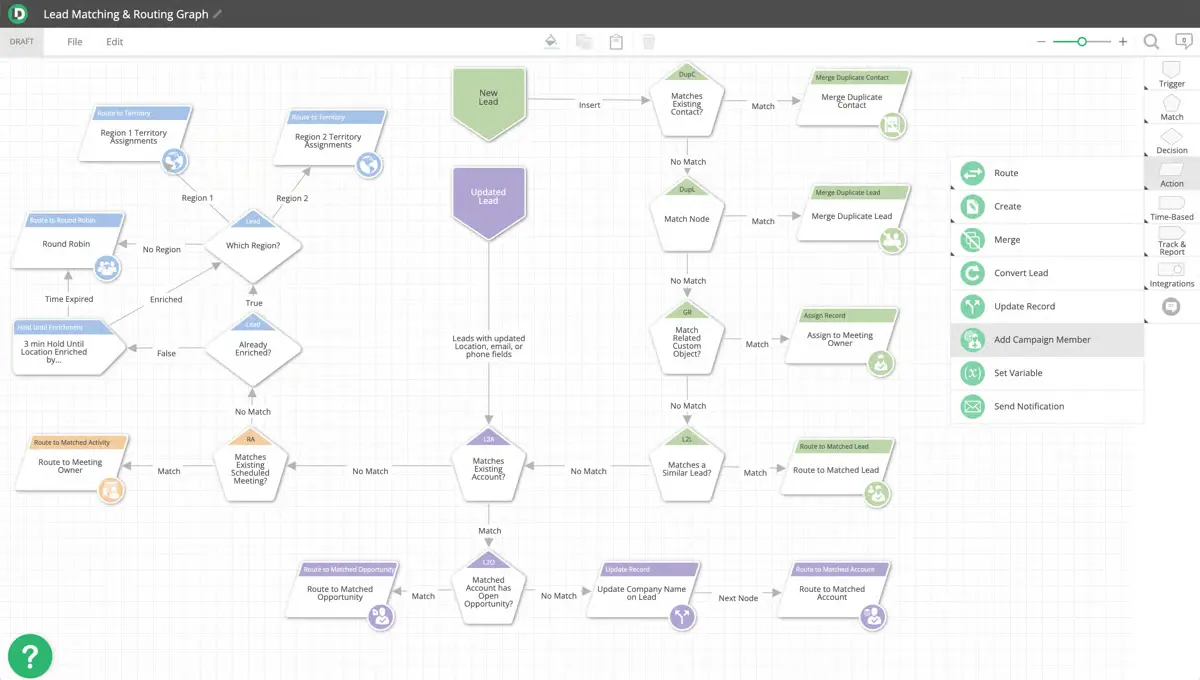
LeanData Routing is a Salesforce-native lead routing and matching tool. Its lead-to-account matching connects inbound leads to existing accounts, and FlowBuilder lets RevOps teams design routing workflows visually.
LeanData handles round-robin assignment, territory logic, and buying group routing, which makes it a common choice for enterprise Salesforce orgs with complex rules. See how it stacks up in our Chili Piper vs. LeanData comparison.
Best for: Enterprise RevOps teams running complex routing inside Salesforce.
Key features:
Lead-to-account matching (LeanData cites 95% accuracy)
Visual FlowBuilder for routing workflows
Territory and round-robin assignment
Buying group routing
Routing analytics and audit trails
Pricing: Custom pricing across Standard, Advanced, Premium, and Enterprise plans; LeanData doesn't publish rates. See our full LeanData pricing breakdown.
Pros:
Powerful, Salesforce-native routing
Visual workflow design
Cons:
No proprietary B2B data or intent
Best suited to Salesforce environments
B2B sales tools compared side by side
Every tool above solves part of the sales workflow. The question is how many you need to stitch together. Momentive, for example, used ZoomInfo Operations to cut lead enrichment, validation, and routing from 20 minutes to under 60 seconds (Momentive case study).
Tool | Category | Best for | Pricing |
|---|---|---|---|
ZoomInfo | All-in-one AI GTM Platform | Mid-market to enterprise GTM teams | Free to start with consumption credits based on usage |
LinkedIn Sales Navigator | Social selling | Relationship-driven sellers | From about $99/seat/month |
Apollo | Data + engagement | SMB to mid-market | Free plan; from $49/seat/month |
Cognism | Contact data | EMEA-focused teams | Custom |
Lusha | Contact lookup | Individual sellers, SMB | Free plan; from $37.45/month |
Bombora | Intent data | ABM and demand gen | Custom |
6sense | Intent + ABM | Enterprise ABM programs | Free plan; paid plans custom |
Outreach | Sales engagement | High-velocity outbound teams | Custom |
Salesloft | Revenue orchestration | Enterprise revenue teams | Custom |
HubSpot Sales Hub | CRM + engagement | HubSpot customers | Free tools; from about $15/seat/month |
HeyReach | LinkedIn outreach automation | Lead gen agencies, sales teams | From $79/sender/month |
Instantly | Cold email | Agencies, SDR teams | From $47/month |
Agent Frank by Salesforge | AI SDR | Founders, agencies | From about $416/month |
Gong | Conversation intelligence | Enterprise coaching | Custom |
Lead Forensics | Website visitor ID | Traffic-to-lead alerts | Custom |
Leadfeeder | Website visitor ID | EMEA marketing teams | Free plan; from €79/month |
Chili Piper | Inbound routing + scheduling | Inbound lead teams | From $12/user/month |
LeanData | Lead routing | Enterprise Salesforce orgs | Custom |
How to choose the right B2B sales tools
Start with your biggest bottleneck, not the longest feature list. Then evaluate each tool against six criteria:
Data quality and coverage: Check database size in your target regions, verification methods, refresh frequency, and whether you get direct dials and mobile numbers.
Integrations: Confirm native, bi-directional sync with your CRM, engagement platform, and marketing automation, plus API access for custom workflows.
Workflow automation: Look for no-code builders that automate enrichment, routing, and follow-up without engineering tickets.
Intelligence: Assess whether signals like intent, job changes, and conversation insights are core to the product or bolted on.
Pricing and scalability: Compare per-seat, per-sender, and credit-based models, and model costs at your team size a year from now.
Compliance and security: Require GDPR and CCPA compliance, SOC 2 certification, and transparent data sourcing.
Consolidation is often the biggest win. Syncro launched 35 campaigns through GTM Studio in a couple of months, more than it had launched in the previous two years combined, and its website visitor de-anonymization play alone generated over $100,000 in ARR (Syncro case study).
Frequently asked questions
What are the best B2B sales tools?
The best B2B sales tools for 2026 include ZoomInfo for data and GTM intelligence, LinkedIn Sales Navigator for social selling, Apollo for SMB prospecting, Outreach and Salesloft for sales engagement, HeyReach for LinkedIn outreach automation, Gong for conversation intelligence, and Chili Piper and LeanData for lead routing. The right mix depends on your team size, motion, and existing CRM.
How much do B2B sales tools cost?
Entry-level tools start free or around $15 to $50 per user per month, while enterprise platforms often use custom or consumption-based pricing. Apollo, Lusha, HubSpot, and Leadfeeder offer free plans, and ZoomInfo is free to start with consumption credits based on usage. Factor in onboarding fees, data credits, and add-ons when you compare total cost.
What's the difference between sales intelligence and sales engagement platforms?
Sales intelligence platforms provide contact data, company insights, and buying signals, while sales engagement platforms automate outreach sequences and track communication. Many teams connect the two, for example feeding ZoomInfo data into Outreach or Salesloft, or choose a platform that covers both.
Do I need multiple B2B sales tools or one platform?
A consolidated platform reduces integration work, data silos, and cost. Cart.com added 400%+ more licenses across ZoomInfo Sales and Chorus while paying less than the combined cost of its previous sales intelligence and conversation intelligence tools (Cart.com case study). Specialist tools still make sense for narrow jobs like LinkedIn automation or inbound scheduling.
What integrations should B2B sales tools have?
At minimum, look for native integrations with your CRM (Salesforce, HubSpot, or Microsoft Dynamics), your sales engagement platform, and your marketing automation system. Increasingly, teams also want tools that plug into AI agents, such as the ZoomInfo MCP server, so assistants can use verified B2B data inside any workflow.
How do B2B sales tools improve conversion rates?
They help you target accounts showing intent, personalize outreach with accurate data, and follow up at the right moment. Radware's digital sales team saw a 23% increase in meetings and opportunities after adding ZoomInfo signals to its workflow (Radware case study).