
If you're comparing Pipedrive vs. PipelineDeals (now rebranded to Pipeline CRM), you're choosing between two CRMs that share the same promise: help your sales team track deals and close more business. The real differences show up in these questions:
Do you need a CRM built for office-based teams with automations, or one designed for field reps who spend their days on job sites?
How important is a large integration ecosystem versus industry-specific features like map views and route planning?
Is your team outgrowing spreadsheets for the first time, or migrating from another CRM?
Do you trust that the contacts in your pipeline are accurate and current?
Would better prospecting data and buyer signals improve your results more than a better pipeline interface?
In short, here's what we recommend:
Pipedrive is a visual CRM for small and medium-sized sales teams that want fast setup and growing AI capabilities. Founded in 2010 by salespeople frustrated with bloated enterprise tools, Pipedrive pioneered the kanban-style pipeline view and now serves 100,000+ companies in 179 countries. Its strength is intuitive pipeline management: drag-and-drop deal cards, automated follow-ups, AI-drafted emails, and 500+ marketplace integrations. Starting at $14/seat/month, Pipedrive includes features at lower tiers that competitors lock behind premium plans.
The limitation: it's a pre-sale pipeline tool with no native customer service, and its prospecting database requires a paid add-on.
Pipeline CRM is built for field-heavy industries where sales happen on job sites, not in conference rooms. Founded in 2006 and acquired by saas.group in 2022, it targets construction, manufacturing, and professional services teams with features like map views and route planning for field reps, built-in eSign for closing on-site, and a support team that reports 97.6% customer satisfaction with 1-minute chat response times. Starting at $25/user/month, Pipeline CRM trades breadth for depth in its target industries.
The tradeoff: a smaller integration ecosystem, and reviewers on G2 and Capterra consistently flag email sync reliability and reporting depth as weak points.
Both CRMs manage your pipeline well. But a pipeline is only as valuable as the data inside it. If your contacts have stale phone numbers, your emails bounce, or you're reaching the wrong person at the wrong time, no CRM interface will save the deal. That's where data quality matters.
ZoomInfo is a B2B data and GTM platform that provides the data foundation both CRMs lack on their own. With 500M contacts, 100M companies, 135M+ verified phone numbers, and 200M+ verified business email addresses, ZoomInfo gives sales teams verified intelligence on who to call, when to reach out, and what to say. Its GTM Context Graph processes 1.5B+ data points daily, combining your CRM records with buyer intent signals, conversation intelligence, and market data to show which accounts are actively in-market.
ZoomInfo isn't a CRM replacement. It's the data platform that fills your CRM with accurate contacts and buying signals. It integrates directly with Pipeline CRM and connects to Pipedrive through its API and integration platforms like Zapier.
If building your pipeline on verified data and real-time buying signals sounds like the missing piece, see ZoomInfo in action with a free trial.
Pipedrive vs. Pipeline CRM vs. ZoomInfo at a glance
Pipedrive | Pipeline CRM | ZoomInfo | |
|---|---|---|---|
Primary function | Sales CRM and pipeline management | Sales CRM for field-heavy industries | B2B data intelligence and GTM platform |
Pipeline views | Kanban, list, forecast | Kanban, list, map | GTM Workspace (AI-prioritized accounts) |
Contact database | CRM-stored contacts | CRM-stored contacts | 500M contacts, 100M companies |
Lead sourcing | Prospector add-on (400M+ profiles) | Auto Enrich add-on ($19/mo) | Native: 200M+ verified emails, 135M+ phone numbers |
Buyer intent signals | None | None | Native intent from 210M+ IP pairings |
AI capabilities | AI email writer, AI Sales Assistant, AI reports | AI Email Assistant (OpenAI) | GTM Context Graph, AI agents, AI-drafted outreach |
Field sales tools | Mobile app with Nearby feature | Map views, route planning, business card scanner | N/A (operates upstream of CRM) |
Integrations | 500+ marketplace | 40+ native + Zapier | 120+ marketplace + API + MCP |
Starting price | $14/seat/month | $25/user/month | Free (Lite); paid plans custom-quoted |
Free trial | 14 days, no credit card | 14 days, no credit card | 7 days + permanent free Lite tier |
Best for | SMB sales teams wanting automation and AI | Field sales in construction, manufacturing, services | Teams needing verified B2B data and buying signals |
Both CRMs handle pipeline management well, with different strengths
Pipeline management is the core feature both platforms were built around, and both deliver it capably.
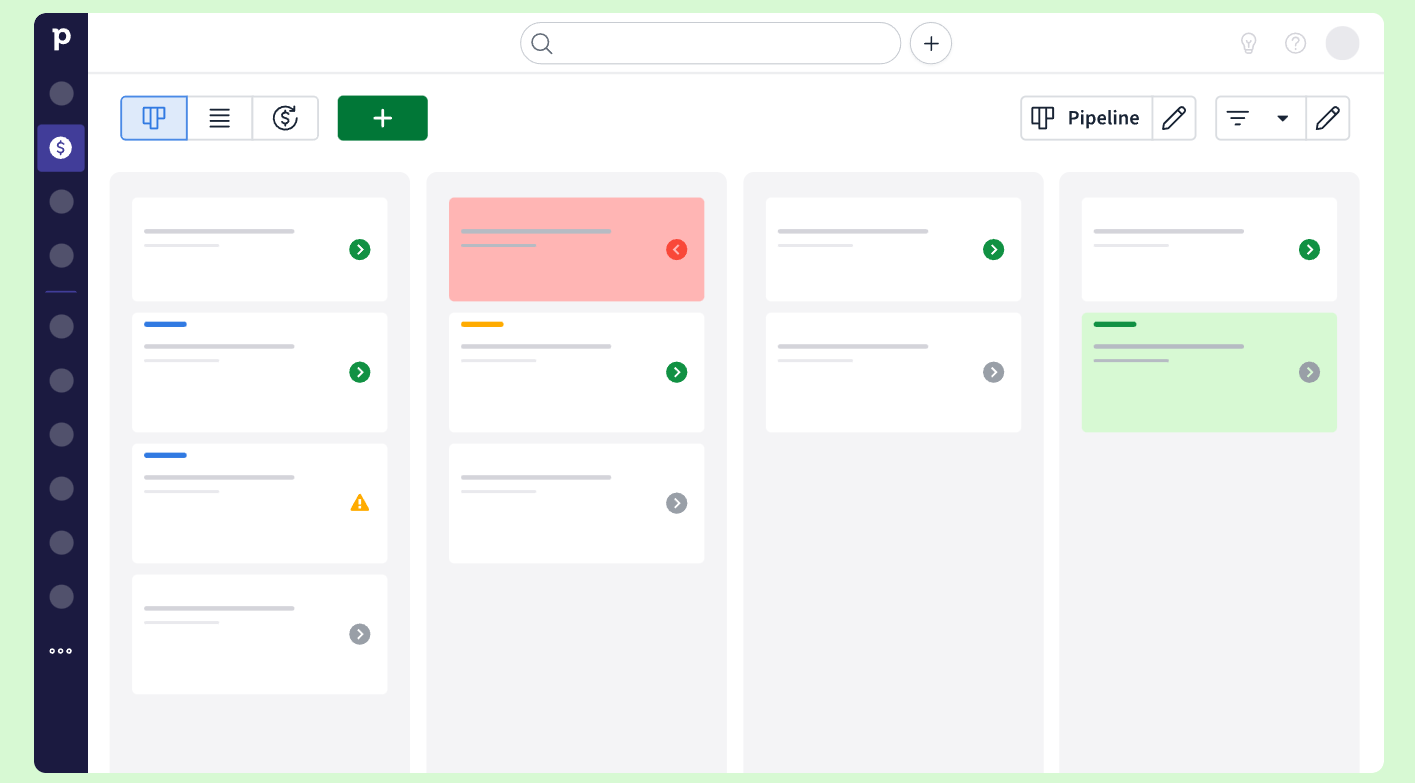
Pipedrive's pipeline is visual and drag-and-drop by design, with three views: kanban (the default board), list, and forecast. Deals sit as cards on the board, color-coded with "deal rotting" indicators when they've been idle too long. You can create multiple custom pipelines with custom stages, toggle feature modules on or off, and track activities from each deal card.
Source: Pipedrive
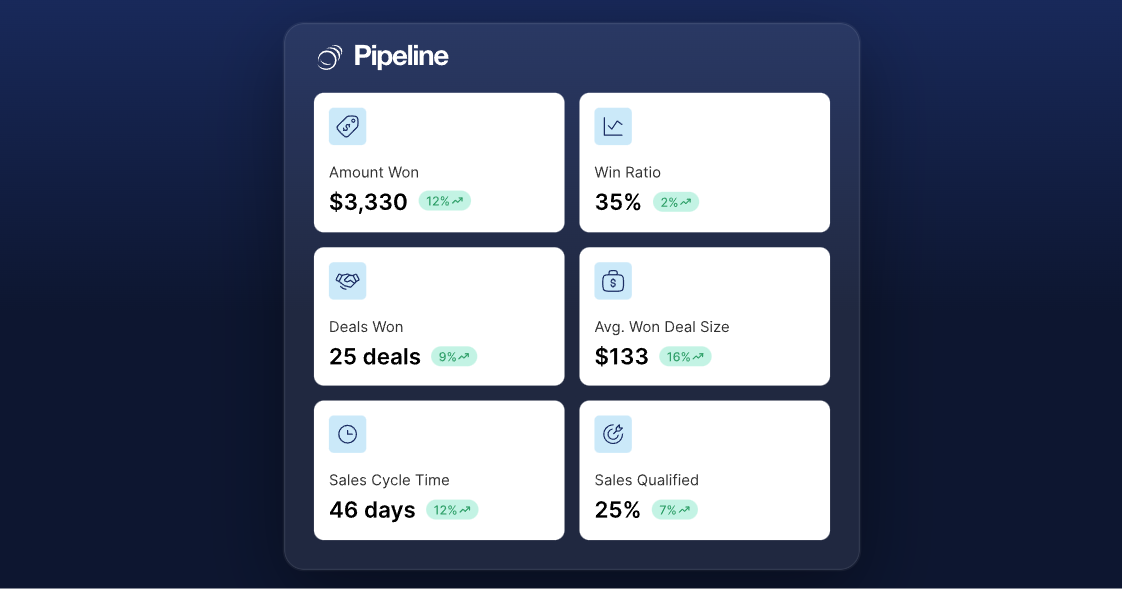
Pipeline CRM offers the same kanban board plus list views and something Pipedrive doesn't: map-based views that plot deals geographically. Its deal health system uses color-coded statuses (green, yellow, red) alongside an orange "!" icon for stalled deals with no scheduled follow-up. One useful distinction: Pipeline CRM lets you copy a deal to a new pipeline while keeping the original intact, preserving reporting accuracy during sales-to-delivery handoffs. Its weighted forecast calculates deal value times probability and updates in real time.
Source: Pipeline CRM
Both tools use activity-based selling philosophies. Both flag deals going cold. The difference is scope: Pipedrive gives you unlimited pipelines across all plans, while Pipeline CRM caps pipelines by tier (1 on Start, 2 on Develop, 5 on Grow) and limits active deals to 250 on the entry plan.
For teams that manage deals from a desk, Pipedrive's interface and automation depth make it the stronger choice. For teams whose deals are tied to physical locations (construction projects, client sites, service routes), Pipeline CRM's geographic views give it an edge Pipedrive can't match.
Prospecting data: The gap that determines pipeline quality
A CRM manages existing deals. But the quality of those deals depends on how accurately you identified and reached the right prospects in the first place.
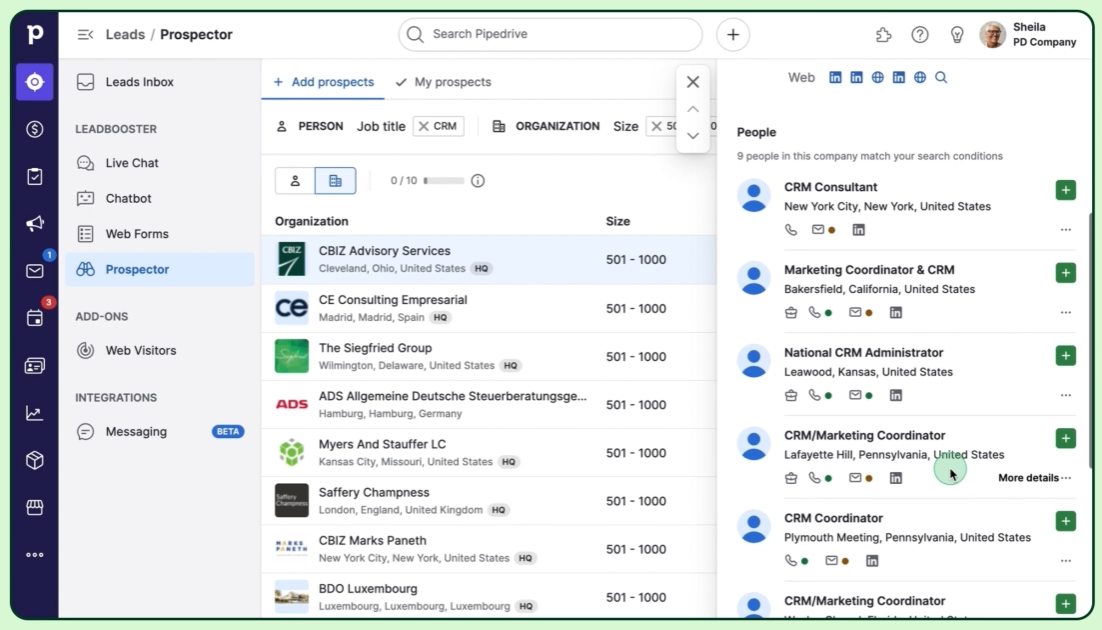
Pipedrive addresses prospecting through its LeadBooster add-on ($32.50/company/month, included on Premium plans). The Prospector tool sources leads from a database of over 400 million profiles and 10 million companies, with an AI engine that verifies and updates up to 800,000 profiles daily. Credits reveal verified emails, direct-dial phones, and social profiles. The newer Pulse toolkit adds data enrichment, lead scoring, and automated sequences that pause when prospects engage.
Source: Pipedrive
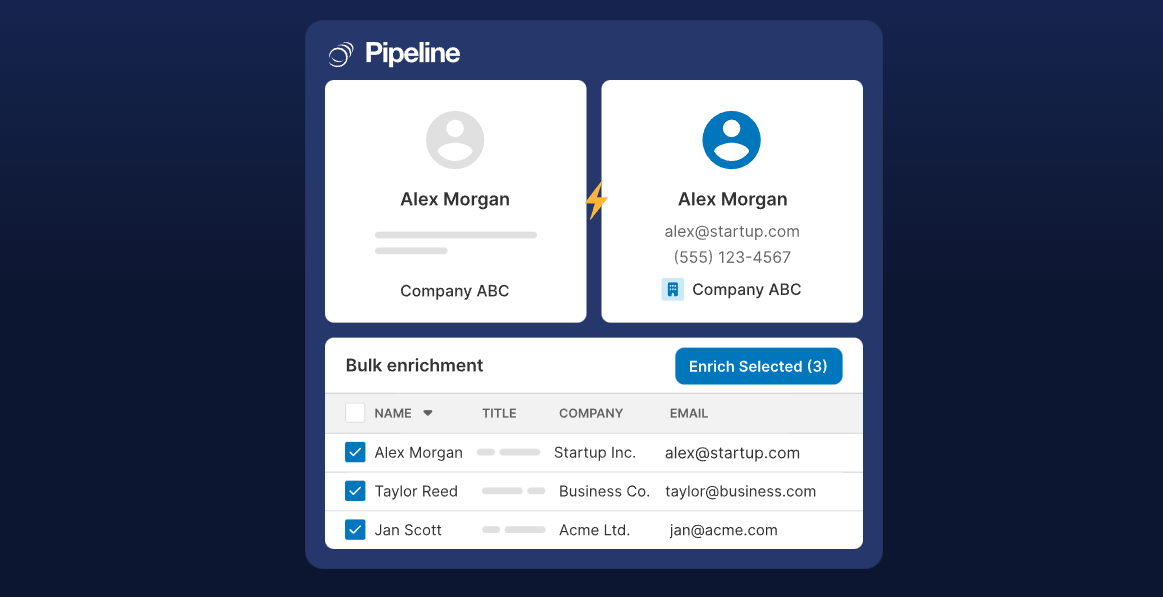
Pipeline CRM takes a lighter approach. Its Auto Enrich add-on fills in missing job titles, phone numbers, and company details using a work email or website URL. Pricing starts at $19/month for 250 credits. It's a data hygiene tool, not a prospecting engine: it fleshes out records you already have rather than finding new ones. Pipeline CRM also lists ZoomInfo as a lead generation integration, acknowledging the gap.
Source: Pipeline CRM
ZoomInfo operates at a different scale. Its database spans 500M contacts, 100M companies, 135M+ verified phone numbers, 120M direct-dial phone numbers, and 200M+ verified business email addresses, maintained through a multi-source pipeline that includes automated ML scanning of 28 million site domains daily and a Data Training Lab of 300+ human researchers. First-party data reaches up to 95% accuracy. In a Fortune 500 competitive RFP analyzing 25 million contacts across vendors, an independent consultant concluded that "no other competitor came even close."
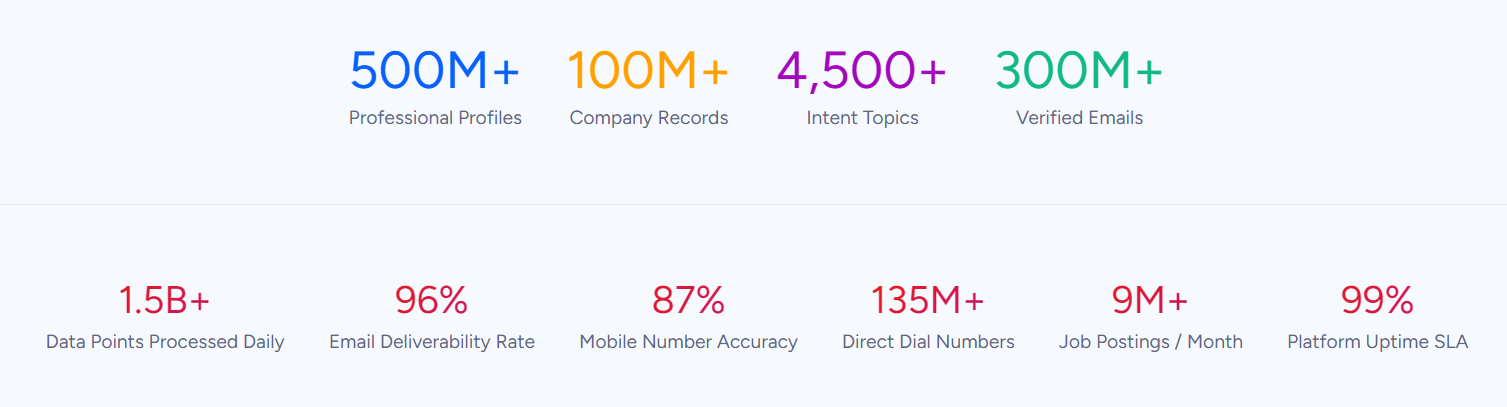
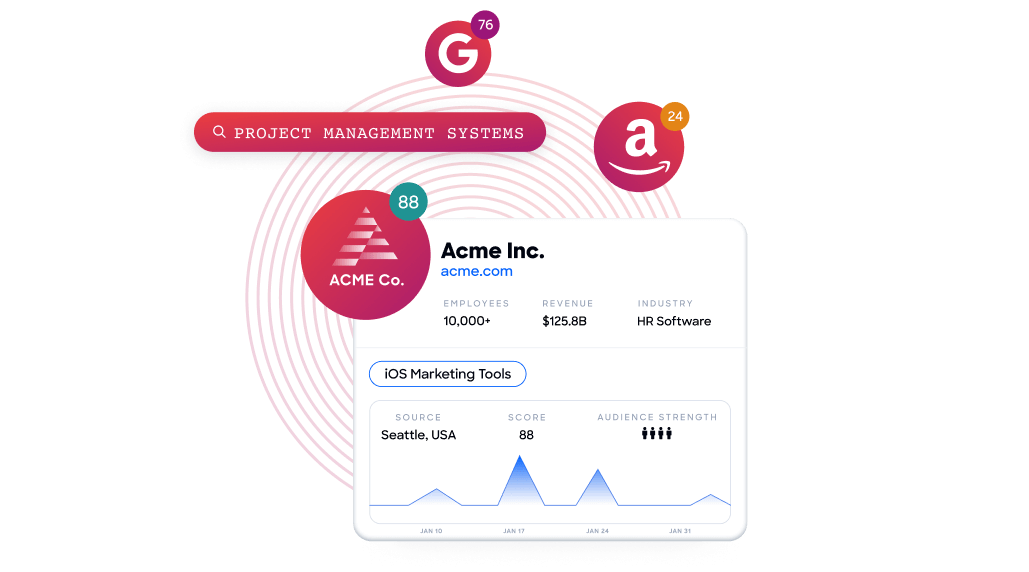
Beyond raw contacts, ZoomInfo provides Buyer Intent data tracking signals from 210 million IP-to-Organization pairings and 6 trillion+ new keyword-to-device pairings monthly. Its Guided Intent feature identifies topics historically correlated with deal success rather than requiring manual topic selection. Neither Pipedrive nor Pipeline CRM offers anything comparable.
Vensure scaled prospecting with ZoomInfo's data: "ZoomInfo gives us the information we need to execute. We don't have to go through and spend our time digging. It's already there, so we can be three steps ahead." (Vensure)
Email, AI, and communication tools
All three platforms include email capabilities, but the scope varies.
Pipedrive offers two-way email sync with Gmail, Outlook, Office 365, Exchange, and any IMAP account, feeding into a built-in Sales Inbox. It includes email templates with auto-populated fields, group email to up to 100 contacts, scheduled sends, and real-time open and click tracking.
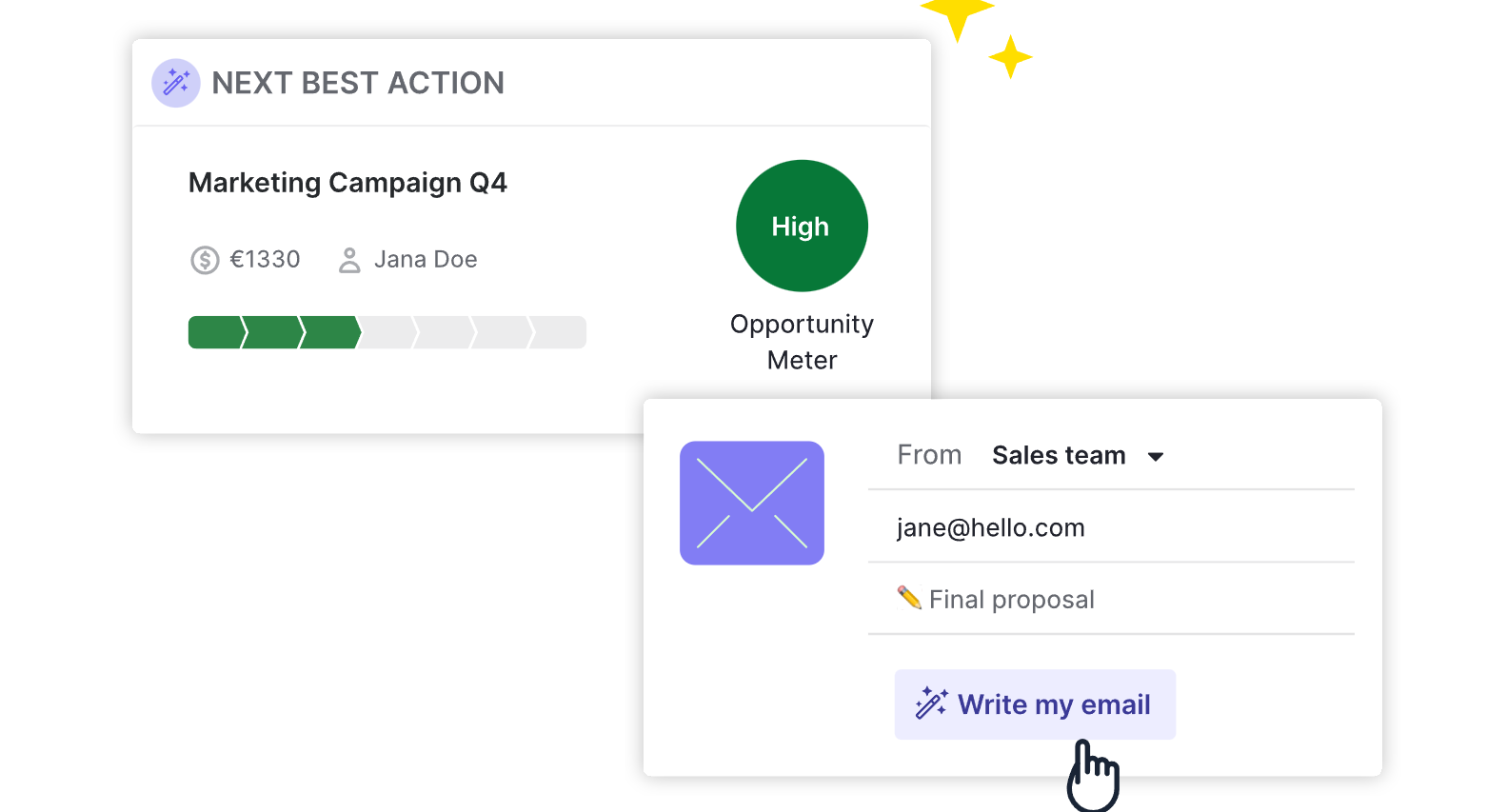
The AI email writer generates drafts from prompts with configurable tone and length, while AI email summarization (currently in beta) condenses threads into key themes with a readiness-to-buy score.
Pipedrive also includes a meeting scheduler integrated with Zoom, Teams, and Google Meet, and Smart Docs for creating, tracking, and e-signing documents inside the CRM.
Source: Pipedrive
Pipeline CRM connects Gmail and Outlook through email sync with a built-in inbox. For teams not ready for full sync, BCC tracking logs emails by copying a designated address. The AI Email Assistant, powered by OpenAI, works inside the email editor, bulk composer, campaign editor, and template editor, with monthly prompt quotas (25 on Start to 250 on Enterprise).
Pipeline CRM also offers multi-step drip campaigns triggered by CRM events (deal creation, stage changes) that stop automatically when a contact replies or a deal stage changes. Its Instant Docs with built-in eSign generates and signs contracts from CRM data with no per-signature fees.
One caveat: email sync reliability is the most common technical complaint among reviewers, with syncing failures and Outlook integration issues reported across multiple review platforms.
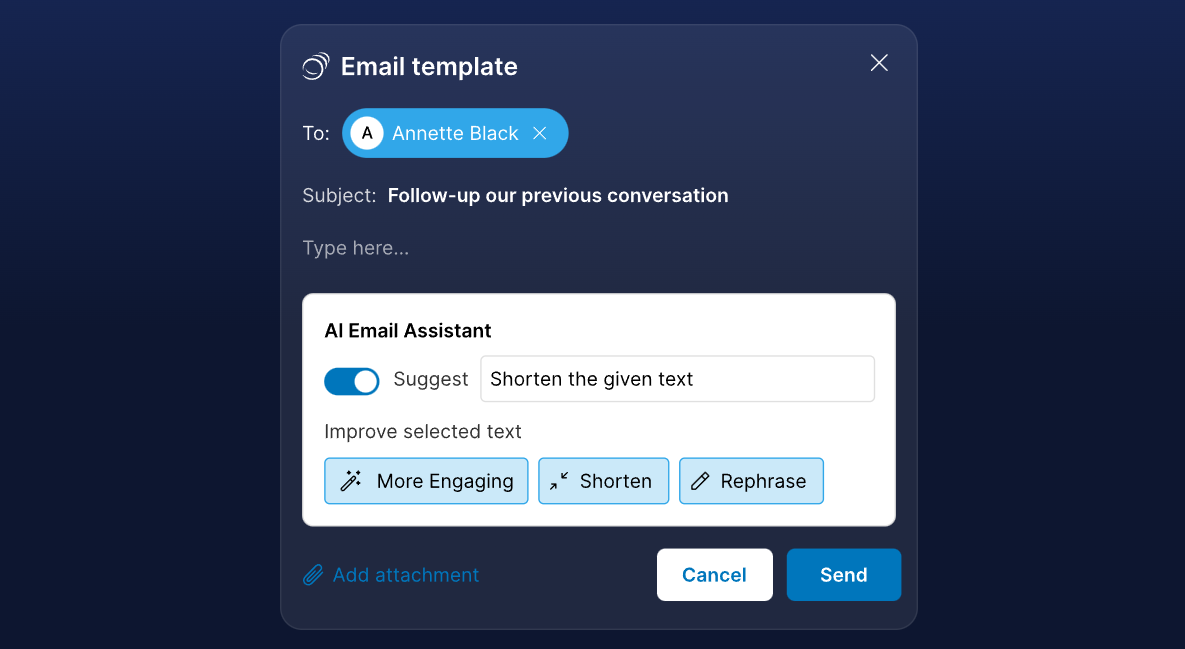
Source: Pipeline CRM
ZoomInfo doesn't replace your email client. It improves outreach quality. GTM Workspace's AI agents draft personalized emails using full account context: company news, stakeholder relationships, intent signals, and conversation history.
The AI doesn't generate from a blank prompt. It draws from the GTM Context Graph, which captures not just who your contacts are but what they care about and when they're ready to engage. The result is outreach that addresses the specific concern behind the conversation, not a generic template with a name swapped in.
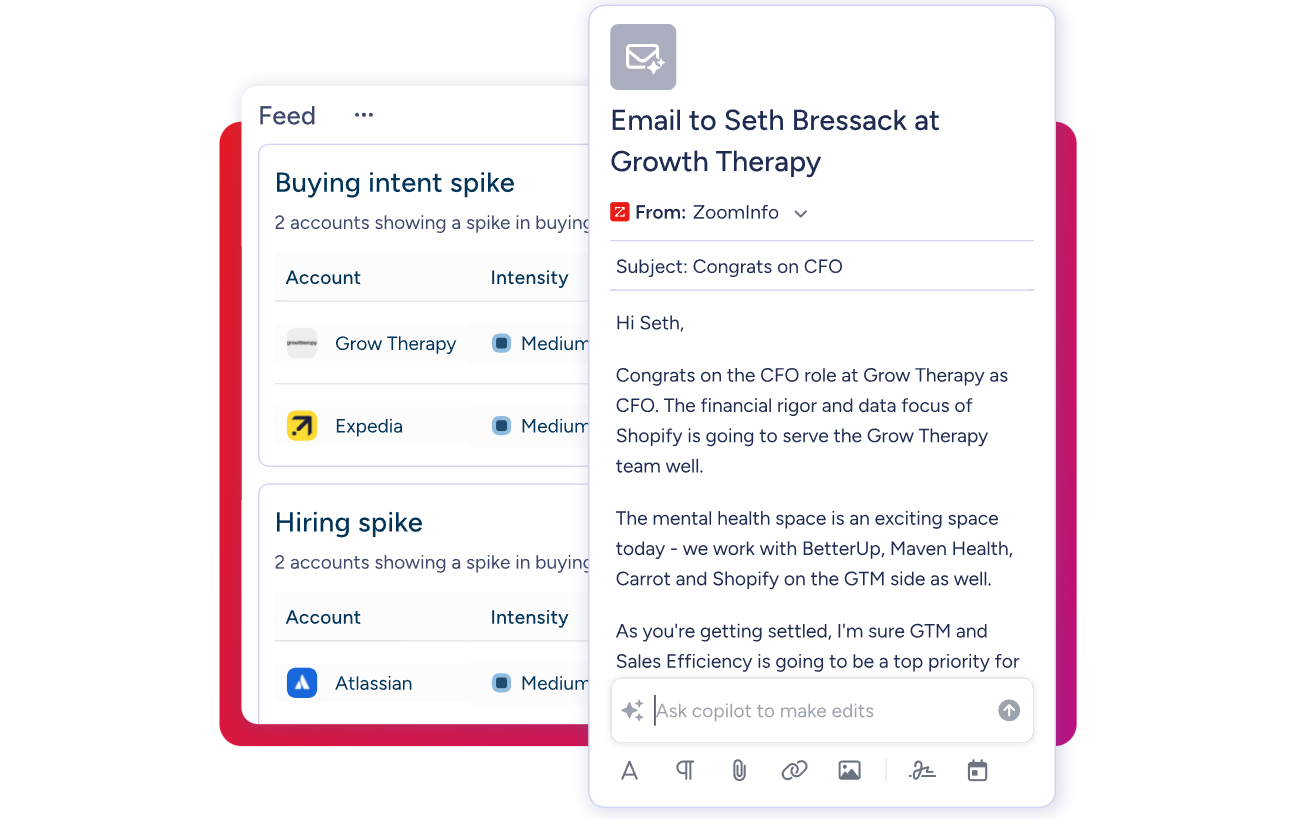
Seismic attributed 39% of active pipeline to opportunities influenced by ZoomInfo signals and saw 54% higher sales productivity: "That combination of our internal CRM data, external signals, and AI has helped us craft very specific account- and persona-based messages." (Seismic)
Automation and workflow depth
Automation separates CRM users who save time from those who burn it on manual work.
Pipedrive offers the stronger automation engine. Available from the Growth plan, its automations support event triggers (record created, updated, deleted) and date triggers (fire on, before, or after a date field). Actions include sending emails, creating activities, updating records, firing webhooks, and sending notifications to Slack, Teams, Trello, or Asana.
The standout feature: if/else branching and "wait until event" conditions that split automations into multiple paths based on deal behavior. Limits scale by plan: 50 automations on Growth, 150 on Premium, 250 on Ultimate.
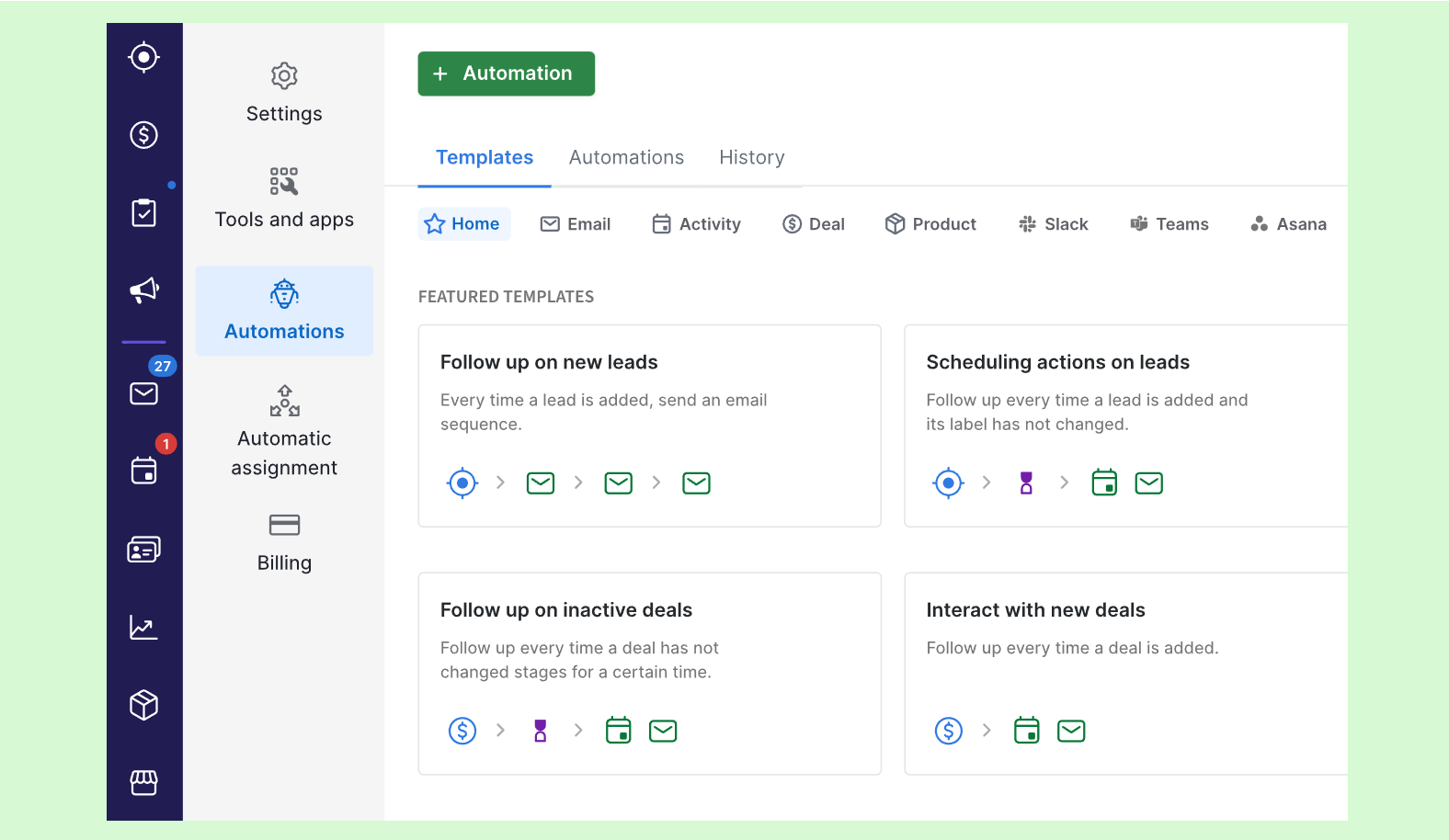
Source: Pipedrive
Pipeline CRM keeps automation simpler. Its automations use a trigger-condition-action model with data-based triggers (record created, updated, deleted) and time-based triggers (relative to date fields). Actions include creating tasks, creating deals, sending internal email notifications, applying to-do templates, updating fields, and moving or copying deals between pipelines.
The limits are tighter: 1 automation on Start, 10 on Develop, 20 on Grow, 100 on Enterprise. There is no documented if/else branching or webhook support. The simplicity suits Pipeline CRM's target buyer, but teams needing conditional workflows will feel constrained.
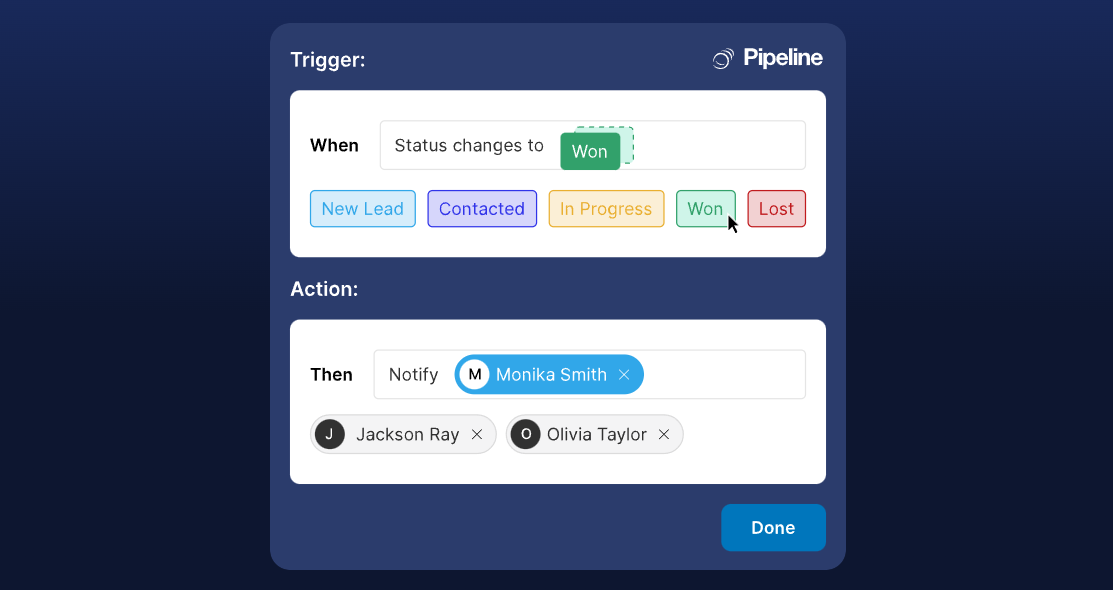
Source: Pipeline CRM
ZoomInfo automates at the data layer. GTM Studio lets marketers and RevOps teams build GTM plays using natural language: define an audience, set signal-based triggers, and launch multi-channel campaigns that run continuously and get smarter as prospects respond.
Plays can target accounts showing intent signals, competitor research, hiring patterns, or funding events, then route those accounts to sellers in GTM Workspace with pre-drafted actions on every signal. Where CRM automations react to events inside your pipeline, ZoomInfo automations react to events across the entire market.

Field sales, mobile, and industry fit
This is where Pipeline CRM pulls ahead of Pipedrive for a specific audience.
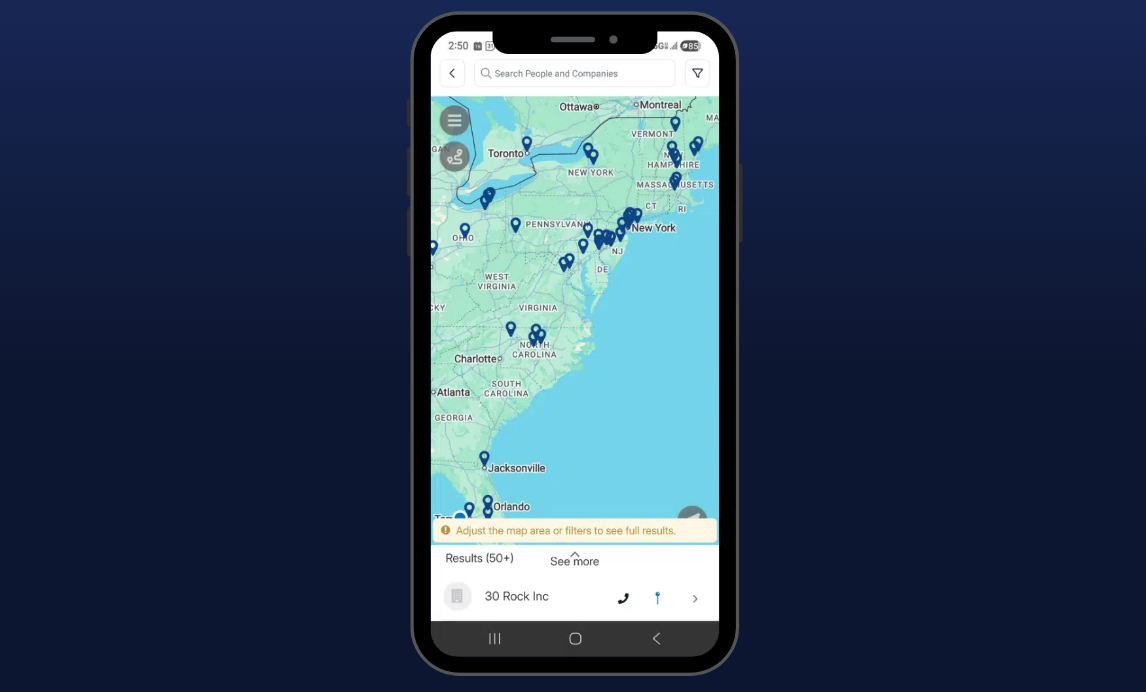
Pipeline CRM was built for teams that sell in person. Its map views display companies, contacts, and deals as icons on an interactive map, with the ability to import saved list filters into the map view. The route planning feature lets mobile reps select 3 to 10 locations, optimize the route, and hand off to Google Maps with pre-loaded stops. The Nearby feature shows all contacts and companies near a rep's GPS location. A business card scanner creates contact records from event badges. Talk-to-text activity logging lets reps dictate notes from the field.
These features explain why Pipeline CRM's customer base clusters in construction, manufacturing, and logistics, where sales happen at job sites rather than behind desks.
Source: Pipeline CRM
Pipedrive has a capable mobile app with a Nearby feature for geographically close clients, in-app calling with automatic call logging, offline activity scheduling, and a business card scanner on iOS. It works well as a mobile CRM, but it doesn't match Pipeline CRM's dedicated map views and multi-stop route optimization for field-heavy workflows.

Source: Pipedrive
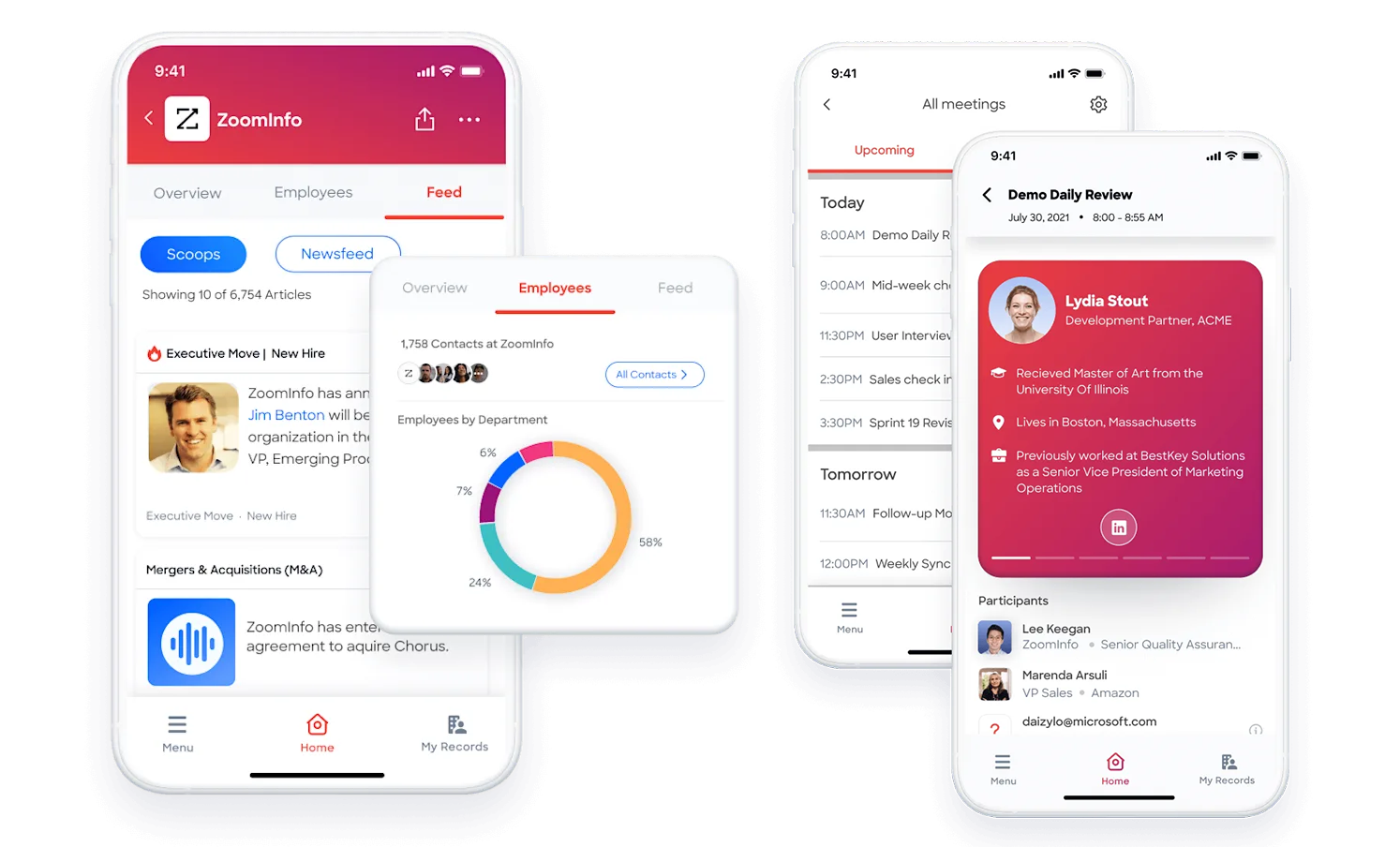
ZoomInfo doesn't compete in field sales tools. Its value for mobile teams is upstream: ensuring the contacts your field reps visit are accurate, their phone numbers work, and your team knows which accounts show buying signals before anyone gets in a truck.
Pricing reflects different audiences
The three platforms target different buyer segments, and their pricing shows it.
Pipedrive starts at $14/seat/month for the Lite plan, with up to 42% off on annual billing. It offers four tiers (Lite, Growth, Premium, Ultimate), with useful features available at lower levels: unlimited pipelines, product catalogs, customizable reports, and custom fields on all plans. Email sync and automations start on Growth. Premium includes LeadBooster, Smart Docs, and Projects without add-on fees. The Campaigns email marketing module is a separate add-on scaling by subscriber count. 14-day free trial, no credit card required.
Pipeline CRM starts at $25/user/month annually or $29 monthly for the Start plan. The entry tier is restrictive: 1 pipeline, 250 active deals, 1 automation, no bulk email or drip campaigns. The Grow plan at $49/user/month unlocks what most teams actually need: 5 pipelines, unlimited deals, 20 automations, eSign, conditional fields, and multi-currency support. Add-ons include Data Enrichment ($19-69/month) and Email Validation ($25/month). 14-day free trial on the Grow plan, no credit card required. An account pause option (1, 3, or 6 months) is available for seasonal businesses.
ZoomInfo uses custom-quoted, consumption-based pricing with no publicly listed prices. Annual contracts are standard. However, ZoomInfo offers two free entry points: ZoomInfo Lite, a permanent free tier with 10 monthly export credits, access to the B2B database, a Chrome extension, and WebSights Lite for up to 10 website visitor reveals per day; and a 7-day free trial of the full platform.
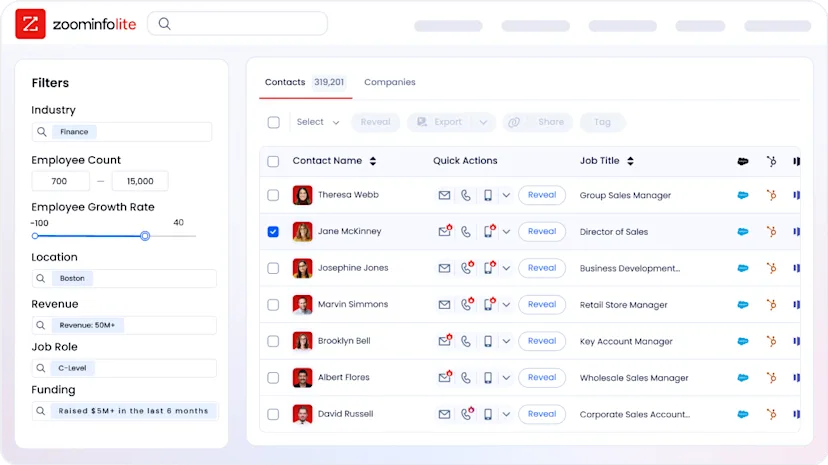
ZoomInfo costs more than either CRM, but it solves a different problem. The real comparison isn't ZoomInfo's price versus a CRM subscription. It's the cost of prospecting with bad data (bounced emails, wrong numbers, missed buying windows) versus the cost of verified data that fills your pipeline with real opportunities.
Redwood Logistics achieved a 99% reduction in cost-per-click and 310% increase in clickthrough rate with ZoomInfo's targeting: "It's not just the data itself. It's more about the right data at the right time to help us reach out with the right message across that full buyer journey." (Redwood Logistics)
Pipedrive vs. Pipeline CRM vs. ZoomInfo: Which should you choose?
The right choice depends on where your sales process needs the most help.
Choose Pipedrive if:
You need a visual, automation-rich CRM
Your sales team works primarily from a desk or remotely
You want AI features (email writing, deal prioritization, natural-language reports) built into the CRM
A broad integration ecosystem matters for connecting your existing tools
You want strong CRM functionality starting at a low price point
Choose Pipeline CRM if:
Your team sells in the field (construction, manufacturing, logistics, professional services)
Map-based views and multi-stop route planning would save real time
You value responsive, personal support over a large feature set
You're replacing spreadsheets with your first CRM and need fast onboarding
Built-in eSign and document generation matter for closing deals on-site
Add ZoomInfo to either if:
You want verified contact data (direct dials, business emails) instead of guessing
Knowing which accounts are actively researching your category would change how you prioritize
Your pipeline suffers from bad data: bounced emails, wrong numbers, outdated contacts
You need AI-driven prospecting and outreach built on real-time market intelligence
You want one data platform that works across any CRM, any tool, and any AI agent
See ZoomInfo in action with a free trial, or start with ZoomInfo Lite at no cost.
The CRM you choose manages your pipeline. ZoomInfo fills it with the right accounts, the right contacts, and the right timing. For teams serious about pipeline quality, the answer isn't one or the other. It's a CRM for deal execution and a data platform for everything upstream.
Pipedrive vs. Pipeline CRM vs. ZoomInfo FAQ
What is the main difference between Pipedrive, Pipeline CRM, and ZoomInfo?
Pipedrive and Pipeline CRM are both sales CRMs for small and medium-sized businesses to manage deals, track pipeline stages, and automate sales tasks. Pipedrive is broader and more automation-rich, while Pipeline CRM focuses on field-heavy industries with features like map views and route planning. ZoomInfo is not a CRM. It is a B2B data and intelligence platform that provides verified contacts, company data, buyer intent signals, and AI-driven insights to fill your CRM with accurate, actionable data.
Can ZoomInfo replace Pipedrive or Pipeline CRM?
No. ZoomInfo operates upstream of both CRMs. It provides the data and intelligence (who to contact, when to engage, what to say), while the CRM manages deals once they enter the pipeline. ZoomInfo integrates directly with Pipeline CRM and connects to Pipedrive through its API and platforms like Zapier. Many teams use ZoomInfo alongside their CRM rather than choosing between them.
Which CRM is better for field sales teams?
Pipeline CRM has a clear advantage for field sales. Its map views display contacts and deals geographically, route planning optimizes multi-stop drives with Google Maps handoff, and the Nearby feature shows prospects near a rep's current location. Pipedrive has a capable mobile app with a Nearby feature and in-app calling, but lacks dedicated map views and route optimization.
How does pricing compare across the three platforms?
Pipedrive starts at $14 per seat per month, making it the most affordable CRM option. Pipeline CRM starts at $25 per user per month, though the entry plan limits you to 1 pipeline and 250 active deals. ZoomInfo uses custom-quoted, consumption-based pricing with no published rates, but offers a permanent free tier (ZoomInfo Lite with 10 monthly export credits) and a 7-day free trial.
Which platform has better AI features?
ZoomInfo has the most developed AI capabilities through its GTM Context Graph, which combines CRM data, conversation intelligence, and buyer intent signals to power AI-drafted outreach, account prioritization, and deal insights. Pipedrive offers an AI email writer, AI Sales Assistant for deal prioritization, and natural-language AI-generated reports across all plans. Pipeline CRM has an AI Email Assistant powered by OpenAI for drafting emails, with prompt quotas ranging from 25 to 250 per month depending on plan tier.
Which platform offers better lead sourcing and prospecting?
ZoomInfo provides the largest B2B database at 500 million contacts and 100 million companies, with 200 million verified business emails and 135 million verified phone numbers. Pipedrive's Prospector (part of the LeadBooster add-on) draws from over 400 million profiles. Pipeline CRM's Auto Enrich add-on fills in missing data on existing records starting at $19 per month for 250 credits, but is not a prospecting tool for finding new leads.
Do any of these platforms offer a permanent free plan?
Pipedrive and Pipeline CRM offer 14-day free trials but no permanent free plans. ZoomInfo offers both a 7-day free trial and ZoomInfo Lite, a permanent free tier with access to the B2B database, 10 monthly export credits, a Chrome extension, and limited website visitor identification. No credit card is required to start any of the three trials.
What are the biggest limitations of each platform?
Pipedrive has no native customer service or post-sale tools and charges extra for its prospecting database through the LeadBooster add-on. Pipeline CRM has a smaller integration ecosystem, reviewers report inconsistent email sync reliability, and the entry plan caps active deals at 250 with a single pipeline. ZoomInfo does not manage deals or pipelines and requires a separate CRM for day-to-day sales execution. Its paid plans require custom quotes with annual contracts, making it a larger commitment than either CRM.
See how Pipedrive compares across other platforms:
