

Choosing between Pipedrive and Salesflare for your sales CRM comes down to a few questions:
Do you need a CRM your team configures to match their process, or one that fills itself in automatically?
Is your priority pipeline visibility for managers, or less admin work for reps?
Are you a small team where everyone wears multiple hats, or a growing org that needs scalable workflows?
How important is prospecting data, and how much do you need?
Do you want a tool that manages deals, or a platform that tells you which deals to pursue?
Here's what we recommend:
Pipedrive is the CRM for teams that want control over their sales process. Its visual, kanban-style pipeline (a format Pipedrive pioneered in CRM software) makes deal tracking intuitive, and features like deal rotting alerts, activity-based selling, and customizable pipelines let teams build the workflow they need. With 500+ integrations, an AI Sales Assistant, and pricing starting at $14/month per seat, Pipedrive delivers good value for SMBs that need a structured, visual sales process.
The tradeoff: Pipedrive relies on reps to keep records current, and its prospecting tools can't match dedicated intelligence platforms.
Salesflare is the CRM for small B2B teams that hate data entry. It automatically captures data from contact details, emails, meetings, and interactions across Gmail, Outlook, calendars, and LinkedIn, so the CRM stays current without reps updating records by hand. With relationship intelligence, automated follow-up reminders, and a built-in lead finder, Salesflare solves the biggest reason CRMs fail: adoption. Starting at $29/user/month on an annual plan, it's ideal for teams under 50 people.
The tradeoff: reporting is limited compared to larger platforms, and Salesflare's prospecting database doesn't disclose its total record count, which may limit coverage in certain markets.
Both are solid CRMs. But a CRM only manages deals you already know about. The harder question for most sales teams isn't how to track their pipeline. It's how to fill it with the right opportunities, at the right time, with the right intelligence. That's a different problem.
ZoomInfo is an AI GTM platform built on the largest B2B data foundation in the industry: 500M contacts, 100M companies, 135M+ verified phone numbers, and 200M+ verified business emails. Where Pipedrive and Salesflare manage deals after you find them, ZoomInfo helps you find the right deals first and gives you the intelligence to work them.
Its GTM Context Graph combines this data with your CRM records, conversation transcripts, and behavioral signals to reveal not just what's happening in your deals, but why. Teams access this intelligence through GTM Workspace (a seller-facing AI workspace), GTM Studio (for marketers and RevOps), or APIs and MCP in any tool, including Pipedrive.
If your team needs more than a CRM, if the real bottleneck is finding the right accounts, understanding when buyers are ready, and knowing what to say, see how ZoomInfo works.
Pipedrive vs. Salesflare vs. ZoomInfo at a glance
Pipedrive | Salesflare | ZoomInfo | |
|---|---|---|---|
Primary function | Visual pipeline CRM | Automated CRM for B2B | AI GTM intelligence platform |
Data entry | Manual with some automation | Automated from email, calendar, LinkedIn | Automated enrichment from 500M+ contact database |
Contact database | Built-in lead finder (database size undisclosed) | ||
Buyer intent signals | Not available | Lead/account hotness scoring | |
AI capabilities | AI email writer, AI Sales Assistant, AI reports | AI timeline analysis, AI email writing | GTM Context Graph, AI agents, conversation intelligence |
Integrations | Zapier, Make, native integrations | ||
Starting price | Custom pricing; free Lite tier available | ||
Free option | 14-day trial | Free trial (extendable) | ZoomInfo Lite (permanent) + 7-day trial |
Best for | SMBs wanting structured pipeline control | Small B2B teams wanting zero-input CRM | Teams needing data, signals, and intelligence at scale |
Two CRM philosophies: visual control vs. automated input
Pipedrive and Salesflare solve the same problem (managing a B2B sales pipeline) but approach it from opposite directions.
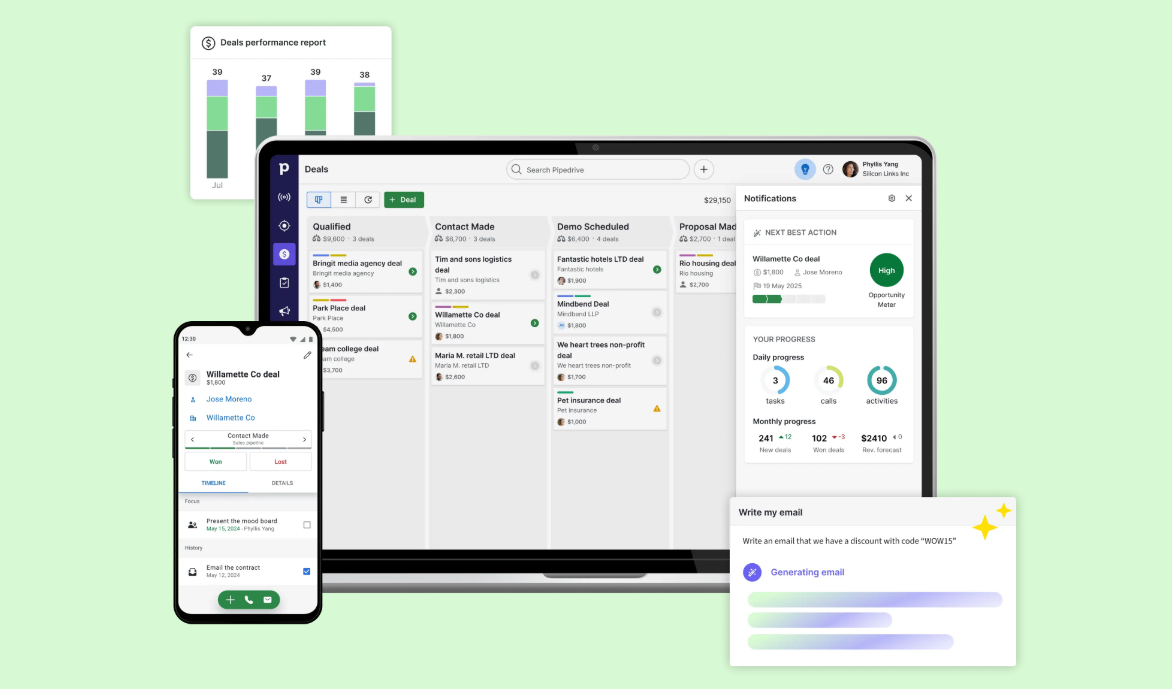
Pipedrive assumes you want control. Five salespeople frustrated with CRMs built for managers founded the platform, and the design reflects that origin. The kanban board is the primary workspace. You create deals, assign values, set expected close dates, and drag cards between custom stages. When a deal sits idle, colored cues flag it as "rotting" to prompt action. Every deal has activities attached (calls, meetings, emails, tasks) scheduled in a built-in calendar. The system asks "what's next?" and trusts you to answer.
Source: Pipedrive
This approach works well for teams with defined sales processes. Multiple custom pipelines let you separate new business from renewals from partnerships. Custom fields across deals, contacts, and organizations let you track whatever matters.
The cost of this control is maintenance. Reps need to log activities, update deal stages, and enter contact data. Pipedrive makes this easier than most CRMs, but the burden remains.
Salesflare assumes you don't want to do data entry at all. The platform automatically pulls contact details from email signatures, logs emails and meetings from connected inboxes, and tracks phone calls on Android. The CRM populates itself.
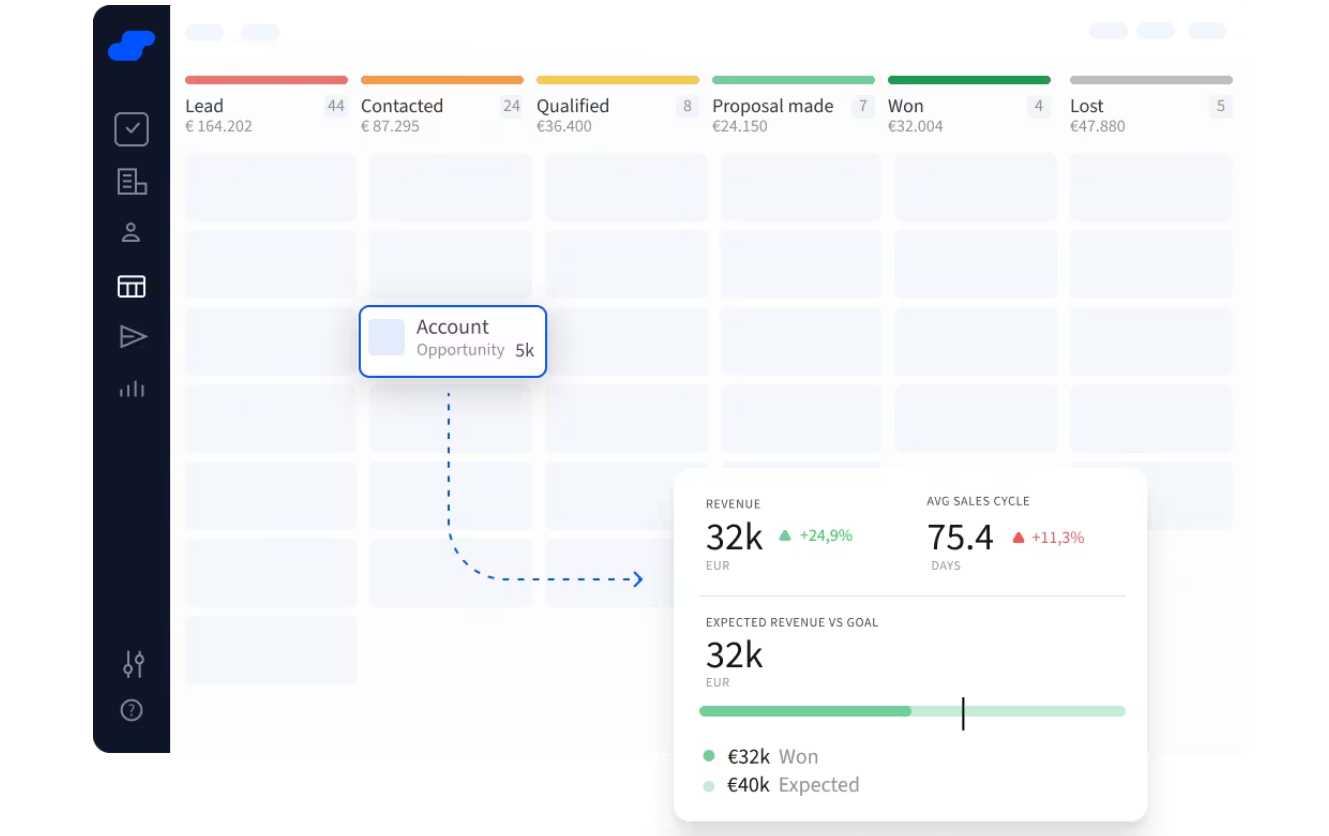
Salesflare's pipeline uses the same kanban model as Pipedrive, with drag-and-drop stages and multiple pipelines. But the real value is what happens around it: automated follow-up reminders when leads go quiet, live notifications when contacts open emails or visit your website, and an automated address book built from team email and calendar data.
Source: Salesflare
The tradeoff is flexibility. Salesflare's automation works because it makes assumptions about your workflow. Teams with unusual processes or complex custom field requirements may find it constraining.
Keeping CRM data current: three different approaches
The value of any CRM depends on the data inside it. Each platform takes a different approach to keeping records accurate.
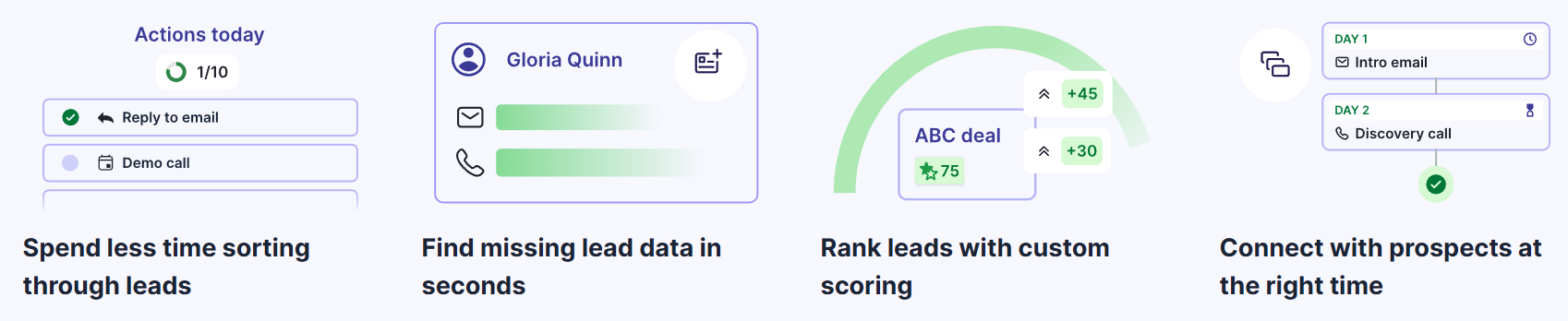
Pipedrive relies on manual input with some automation. Reps enter contact information, log activities, and update deal stages. Email sync (available from the Growth plan) links email conversations to the right contacts automatically. The newer Pulse toolkit adds data enrichment that surfaces firmographic details like industry, revenue, and employee count on lead records. But the core contact database still depends on what reps put in.
Source: Pipedrive
Salesflare automates data capture from existing tools. By connecting Gmail, Outlook, or Microsoft 365, it imports email signature data automatically (phone numbers, titles, addresses, social profiles) without anyone typing them in. For accounts, it enriches records automatically using the company website URL to pull company size, office addresses, and social profiles from public sources. A lightning bolt icon marks recently enriched records. It also suggests new accounts to add based on email and meeting patterns.

Source: Salesflare
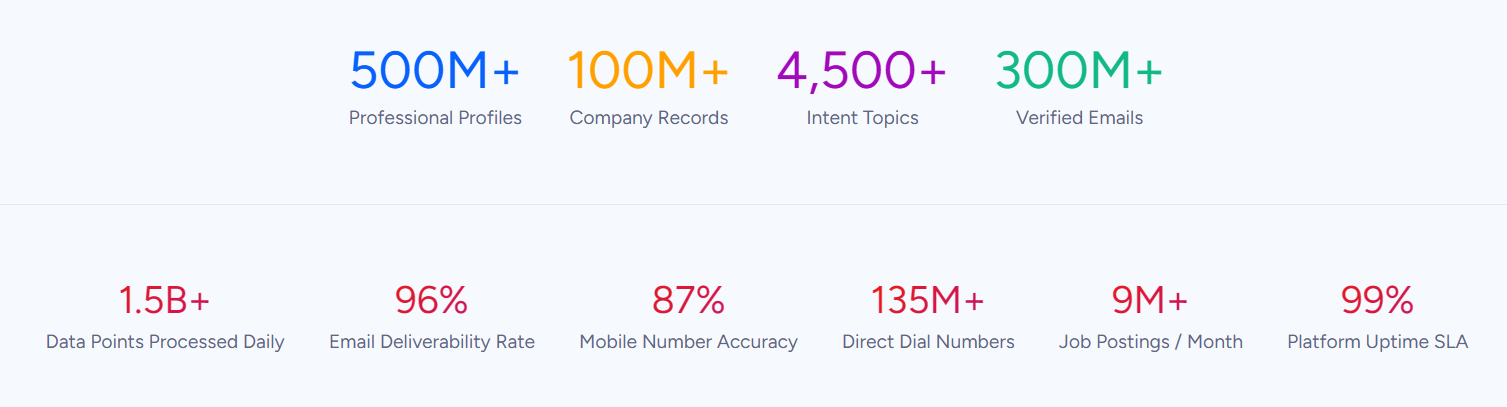
ZoomInfo operates at a different scale. Instead of scraping email signatures or enriching from public web sources, ZoomInfo maintains a verified database of 500M contacts and 100M companies through a multi-source pipeline backed by 300+ human researchers and automated ML scanning of 28 million site domains daily. First-party data reaches up to 95% accuracy. This data flows into your CRM through integrations and APIs, giving Pipedrive or Salesflare verified contact information, org charts, technographics, and company attributes that neither CRM can generate on its own.
SpringDB saw 2x to 3x increases in campaign conversions, a 300% increase in database usability, and 30 to 50% uplift in average deal size after enriching their data with ZoomInfo. "You'll get 10x the value if you think of ZoomInfo as a full platform and not just a tool for one team," said John Kotsuros, Founder and CEO. (SpringDB)
Prospecting: where your next deal comes from
Both Pipedrive and Salesflare have added prospecting capabilities. The depth varies significantly.
Pipedrive's LeadBooster add-on ($32.50/company/month billed annually) bundles four tools: a customizable chatbot, live chat, embeddable web forms, and a Prospector with over 400 million profiles and 10 million companies. An AI engine verifies and updates up to 800,000 profiles daily. This is a useful prospecting layer for an SMB CRM, though it's a paid add-on on the Lite and Growth plans (included on Premium and Ultimate).
Pipedrive's Pulse toolkit adds a Feed workspace with follow-ups, overlooked deals, and opportunities, plus custom lead scoring and automated sequences that pause on engagement signals. It's Pipedrive's move toward sales intelligence.
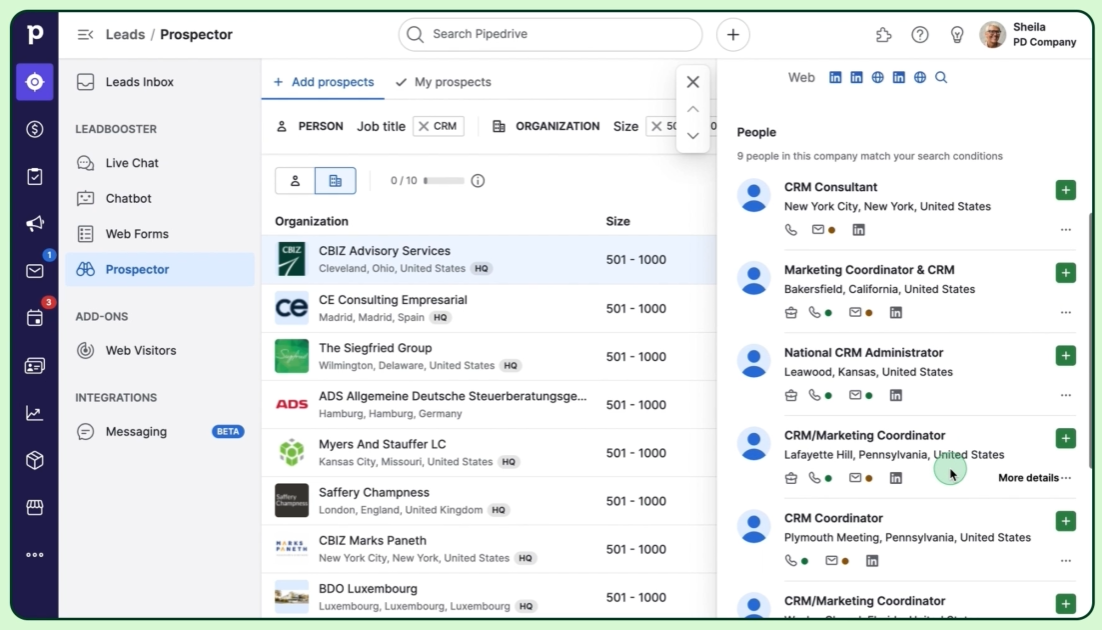
Source: Pipedrive
Salesflare's lead generation suite includes a built-in Lead Finder, LinkedIn CRM integration via a Chrome extension sidebar, and an Email Finder that claims over 72% accuracy. Credits are only charged when a quality result is returned. The LinkedIn sidebar stands out, letting users create accounts, contacts, and opportunities from any LinkedIn profile with a single click.
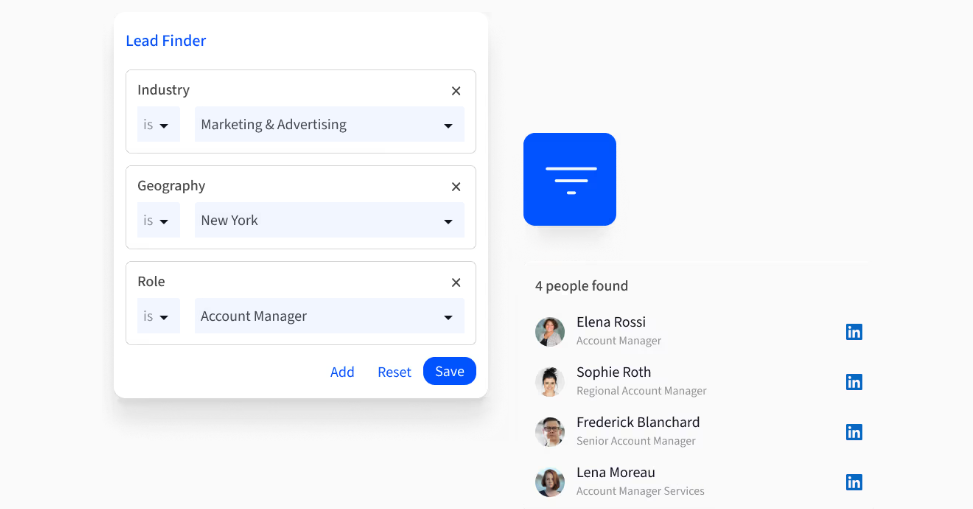
Source: Salesflare
However, Salesflare's lead database doesn't disclose its total record count, and the company acknowledges that "for some companies, no or limited results may show." Lead credits are limited by plan: 5/month on Growth, 100/month on Pro, 250/month on Enterprise.
ZoomInfo's prospecting data is in a different category. The platform covers 500M contacts with 120M direct-dial phone numbers and 200M+ verified business email addresses, searchable across 300+ company attributes. Beyond contact data, ZoomInfo adds layers neither CRM can match: buyer intent data tracking signals from 210 million IP-to-Organization pairings, technographics covering 30,000+ technologies across 30+ million companies, and website visitor identification that resolves anonymous traffic to companies.
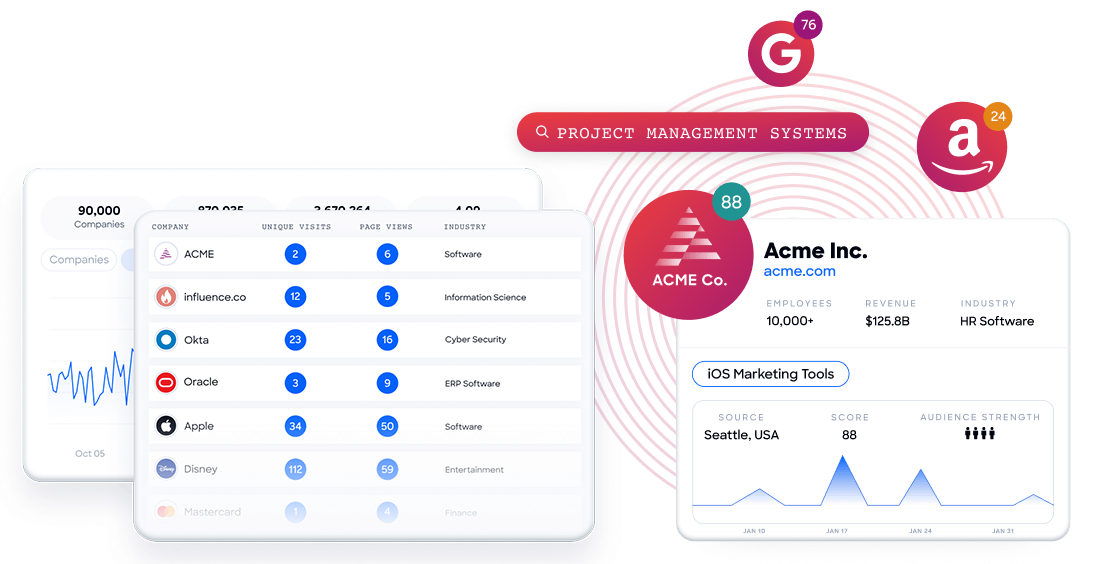
This isn't just a bigger database. It's a different approach to finding deals. Where Pipedrive and Salesflare help you prospect by searching contacts, ZoomInfo tells you which accounts are actively researching solutions like yours right now.
Sago Health accelerated pipeline generation with better visibility into target buyers. "We realized we had a huge opportunity to better leverage data to upscale our sales team and really put revenue growth and potential in their hands," said Ashley Wade, CRO. (Sago Health)
The intelligence gap CRMs can't close
Here's what neither Pipedrive nor Salesflare addresses: understanding why deals move or stall.
Both CRMs record state changes. A deal moved from "Proposal" to "Negotiation." A contact opened your email. An account went cold for two weeks. But they can't tell you why. Was the delay caused by a budget battle? Did a new stakeholder enter the decision? Is the company evaluating a competitor?
Pipedrive's AI Sales Assistant offers win probability predictions and deal activity reminders. Salesflare's hotness scoring tracks email opens, link clicks, and website visits on a rolling seven-day window. Both are useful. Neither captures the context behind buyer behavior.
ZoomInfo's GTM Context Graph solves this problem. It combines your CRM records, conversation transcripts from Chorus (ZoomInfo's conversation intelligence engine, backed by 14 technology patents), email interactions, and behavioral signals with ZoomInfo's third-party data, processing 1.5B+ data points daily. The result: an intelligence layer that captures not just what happened, but why it happened.
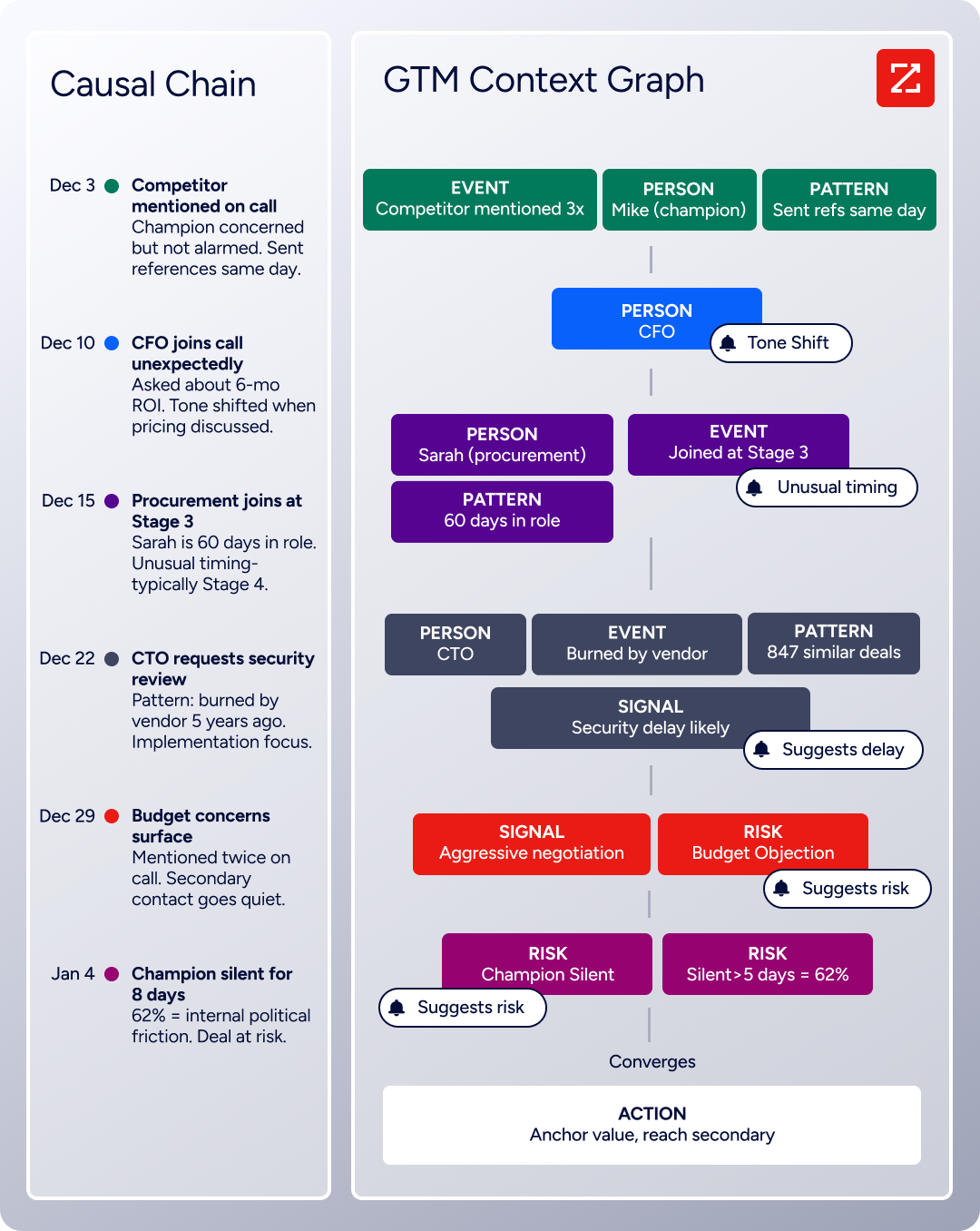
In GTM Workspace, this intelligence surfaces as prioritized accounts, AI-drafted outreach that addresses specific buyer concerns, and signals that connect buyer behavior to deal outcomes across thousands of similar deals. It's the difference between knowing a deal is stalling and understanding that executive sponsorship entering at a specific stage, combined with ROI-focused questions, matches the pattern behind your closed-won deals.
Seismic's sales team attributed 39% of active pipeline to opportunities identified or influenced by ZoomInfo signals, boosted productivity by 54%, and saved 11.5 hours per week. "That combination of our internal CRM data, external signals, and AI that's given all that context has helped us craft very specific account- and persona-based messages. And people have responded to them right away," said Toby Carrington, Chief Business Officer. (Seismic)
Email, outreach, and engagement tools
All three platforms handle email, but with different priorities.
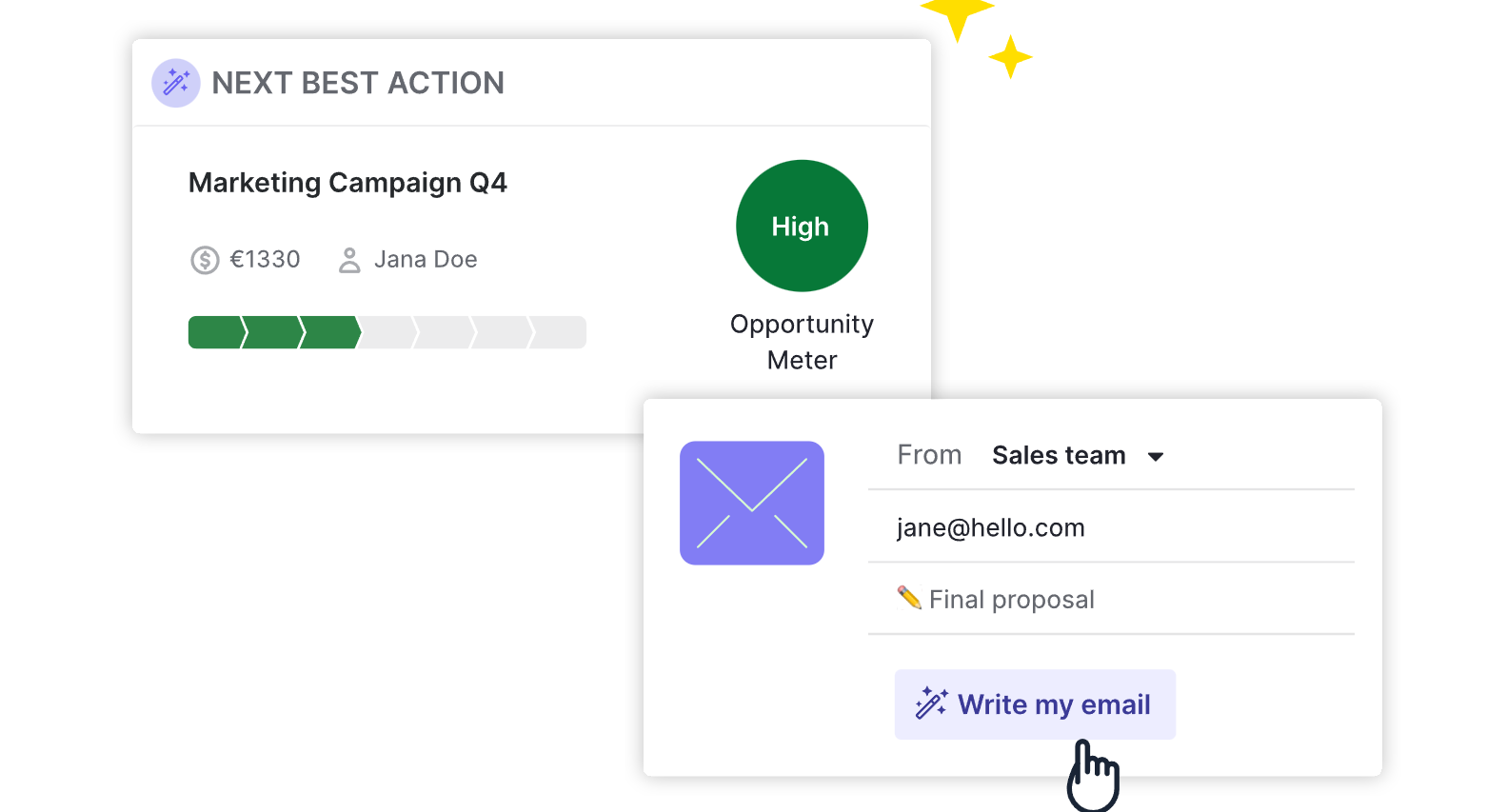
Pipedrive builds email directly into the CRM with two-way email sync for Gmail, Outlook, and any IMAP account. Emails link automatically to deals and contacts. The platform offers email templates, group email to up to 100 contacts, scheduling, and open/click tracking. An AI email writer generates drafts from prompts with configurable tone and length. Smart Docs adds document generation, tracking, and built-in eSignature. A meeting scheduler integrates with Zoom, Microsoft Teams, and Google Meet.
Pipedrive's Campaigns add-on extends into email marketing with a drag-and-drop builder, segmentation from CRM data, and marketing automation. Email marketing inside the CRM means engagement data flows back to contact records automatically.
Source: Pipedrive
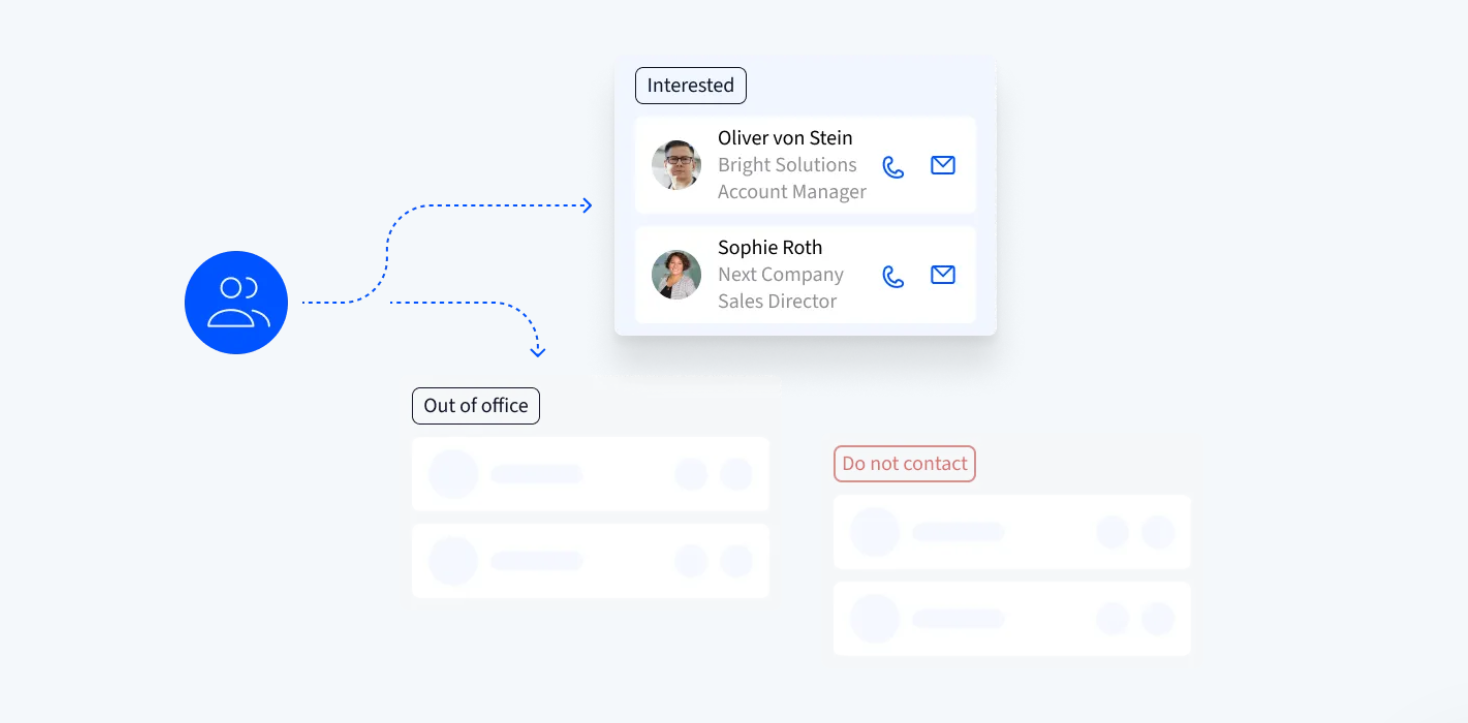
Salesflare takes a more integrated approach. Email sequences (called "workflows") are built into the CRM, with contacts entering automatically when they match CRM filter criteria. Sequences use the rep's own connected inbox, preserving sender reputation. Goal-based exit logic stops sending when a contact replies, clicks, or opens, preventing over-emailing of engaged leads. Website tracking ties email clicks to subsequent page visits, giving reps a cross-channel view of prospect activity in the CRM timeline.
Multi-step sequences require the Pro plan ($49/user/month annual). Sending limits follow inbox provider caps: up to 2,000 emails/day for Google Workspace or Microsoft 365.
Source: Salesflare
ZoomInfo's engagement capabilities operate at enterprise scale. GTM Workspace generates AI-powered outreach from full account context, drawing on conversation history, intent signals, and deal patterns rather than just a contact name and company. Workflows trigger automated actions when buying signals fire. Through the Salesloft partnership, ZoomInfo connects buyer signals directly to multi-channel sequencing.
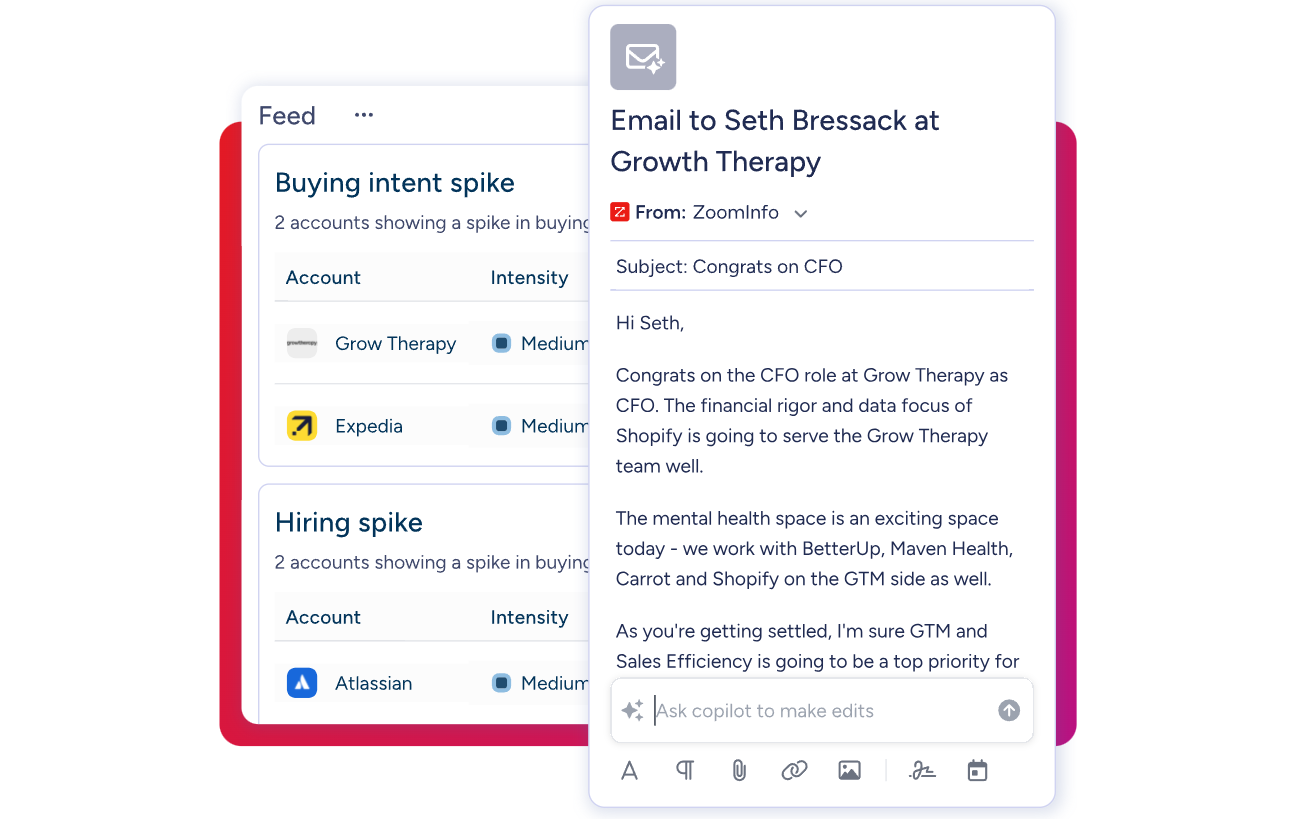
The distinction matters most at scale. Pipedrive and Salesflare handle outreach well for small teams sending hundreds of emails. ZoomInfo's advantage emerges when outreach needs data beyond what's in your inbox: intent signals, org chart changes, competitive mentions in calls, and patterns across thousands of similar deals.
Pricing reflects different markets
Each platform prices for a different buyer.
Pipedrive offers four tiers billed per seat per month:
Lite: Entry tier with customizable pipelines, Leads Inbox, Pulse feed, API access, and mobile apps. 2,500 leads+deals per seat.
Growth: Adds email sync, automations with if/else conditions, sequences, meeting scheduler, and forecast view. 5,000 leads+deals per seat, 50 automations.
Premium: Includes Smart Docs, Projects, LeadBooster, AI email creation, phone support, and automatic assignment. 15,000 leads+deals per seat, 150 automations.
Ultimate: Highest limits, contact data enrichment, security alerts. 20,000 leads+deals per seat, 250 automations.
Annual billing saves up to 42%. The 14-day free trial requires no credit card.
Salesflare uses three tiers billed per user per month:
Growth ($29 annual / $39 monthly): Full automated data capture, email tracking, LinkedIn sidebar, mobile apps, 5 lead credits/month.
Pro ($49 annual / $64 monthly): Adds email sequences, custom dashboards, user permissions, 100 lead credits/month.
Enterprise ($99 annual / $124 monthly, 5-user minimum): Adds dedicated account manager, data migration, custom training, 250 lead credits/month.
No limits on contacts, accounts, or opportunities on any plan. No credit card required for the trial.
ZoomInfo uses custom-quoted, consumption-based pricing with no publicly listed prices. Costs depend on seats, credit volume, features, and contract length. Three product lines (Sales, Marketing, and Chorus) each have their own tier structure, from Professional through Enterprise.
Two free entry points lower the barrier: ZoomInfo Lite is a permanent free tier with access to the B2B database, 10 monthly export credits, individual and company searches, a Chrome extension, and WebSights Lite for up to 10 website visitor reveals per day. A separate 7-day free trial provides broader access to core features.
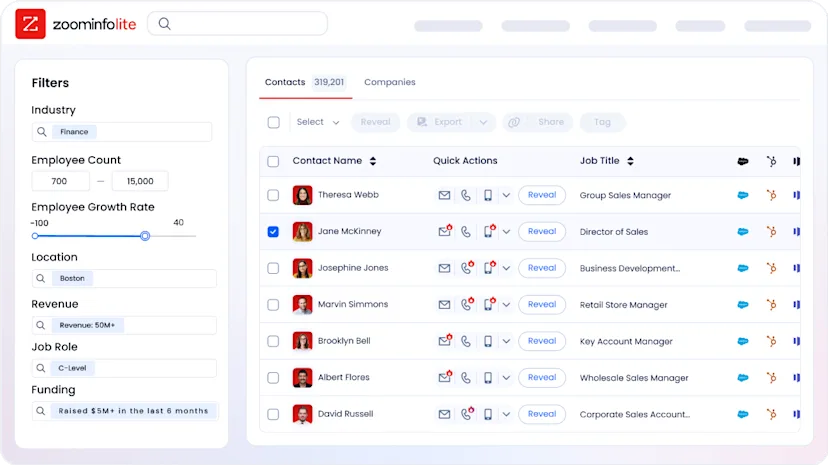
ZoomInfo costs more than either CRM, but it serves a different function. For teams evaluating the investment, the math often comes down to pipeline impact. Snowflake saw 90% higher opportunity open rates and 2x higher customer conversion rates on accounts scored using ZoomInfo data.
Integrations and where each platform fits your stack
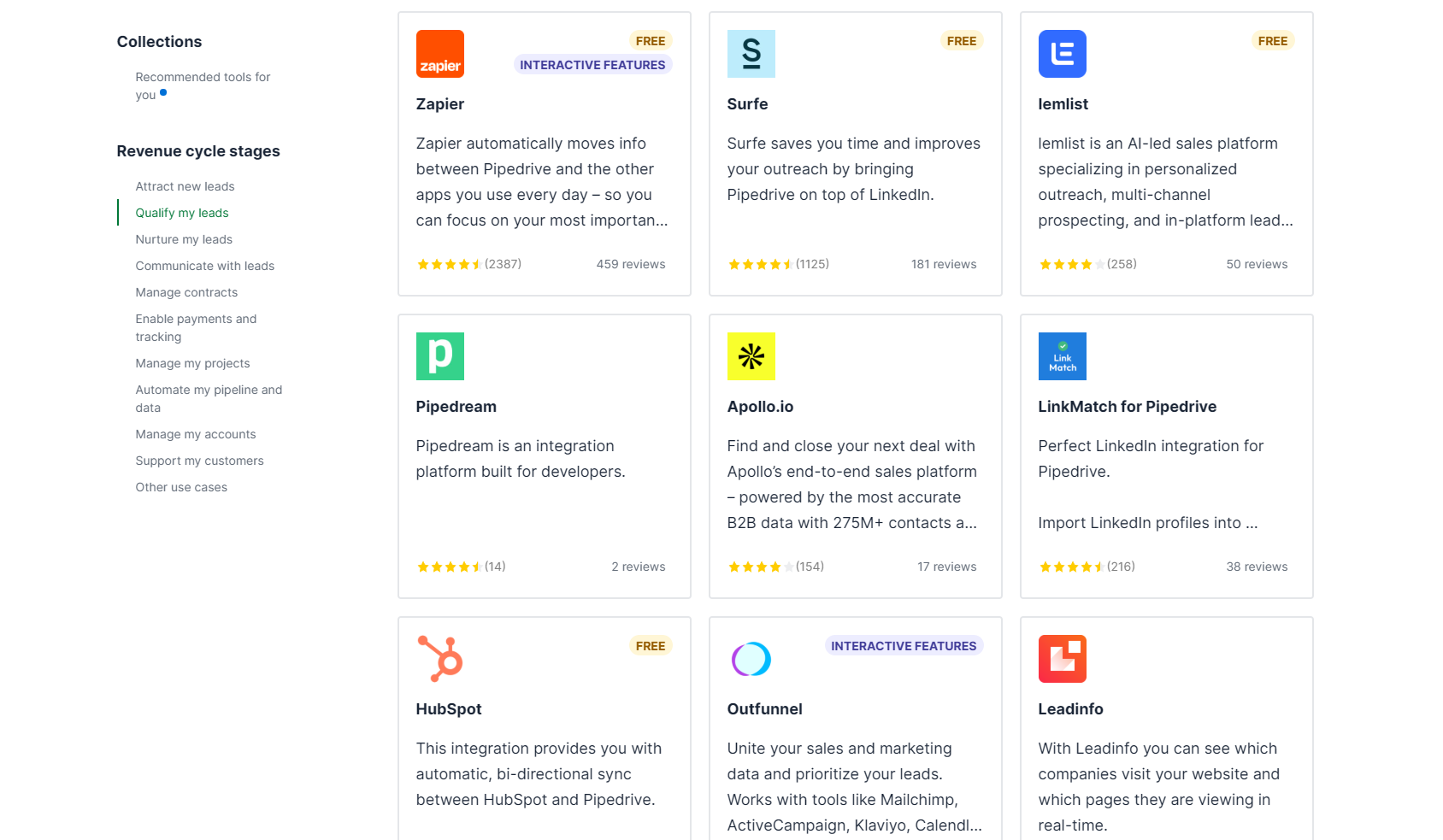
Pipedrive has the broadest CRM integration ecosystem of the three, with over 500 integrations in its Marketplace covering accounting (QuickBooks, Xero), automation (Zapier, Make), communication (Slack, Microsoft Teams), and e-signatures (PandaDoc, DocuSign). The REST API is free on all plans, with a developer sandbox and official clients for Node.js and PHP.
Source: Pipedrive
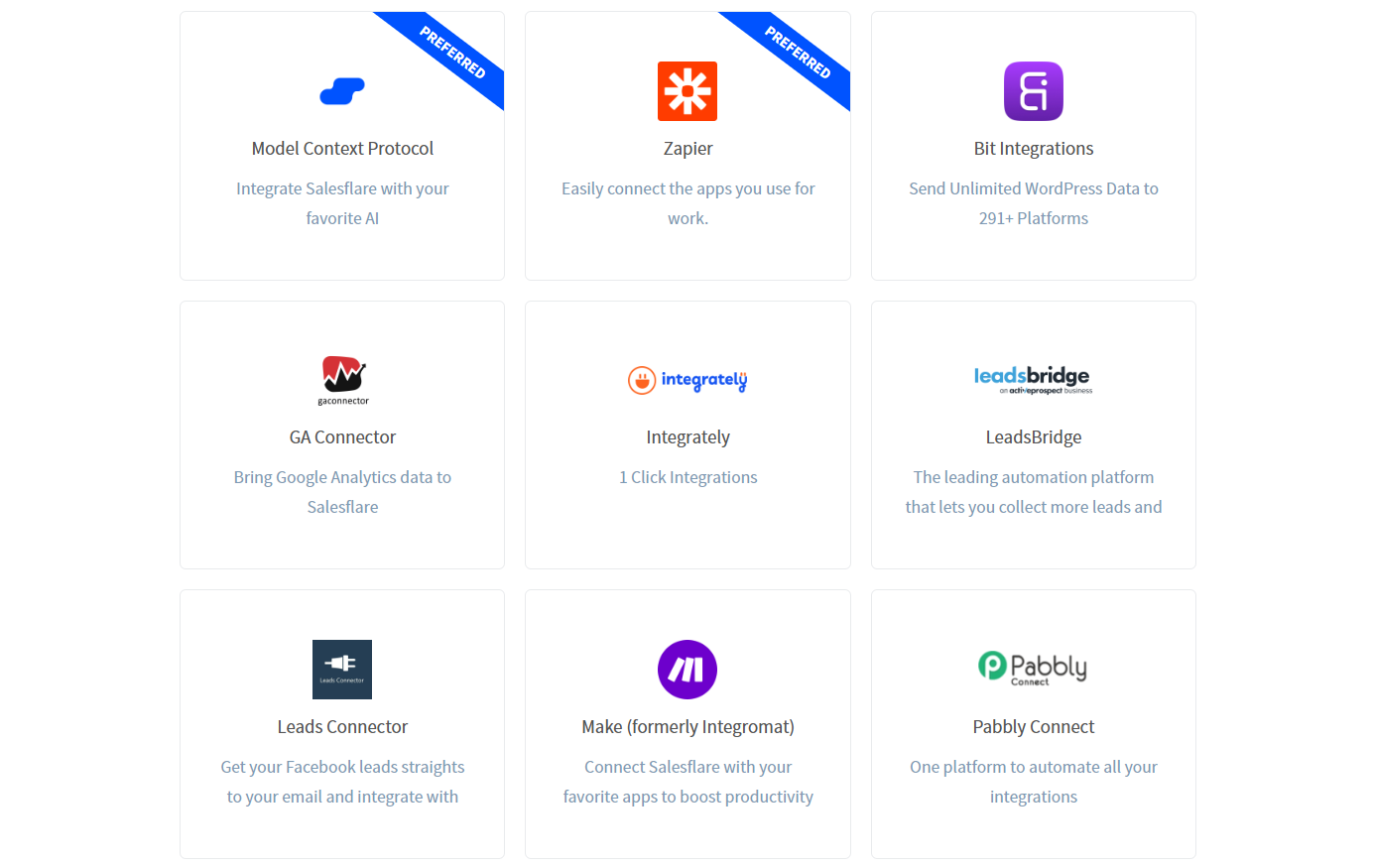
Salesflare takes a lighter approach: native integrations with tools like Better Proposals and StoryChief, plus connectivity through Zapier, Make, and Blendr.io (2,000+ apps). A REST API and an MCP server in beta enable custom connections and AI assistant integration with ChatGPT and Claude.
Source: Salesflare
ZoomInfo integrates at the infrastructure level. The App Marketplace lists 120+ integrations, including major CRM and data platforms such as Salesforce, HubSpot, Microsoft Dynamics 365, Snowflake, and Outreach. The Enterprise API provides programmatic access to the full data and intelligence layer. The MCP server connects ZoomInfo data to AI models including Anthropic Claude and ChatGPT, so any AI agent can query ZoomInfo's 500M contacts, enrich records, and research accounts through natural language.
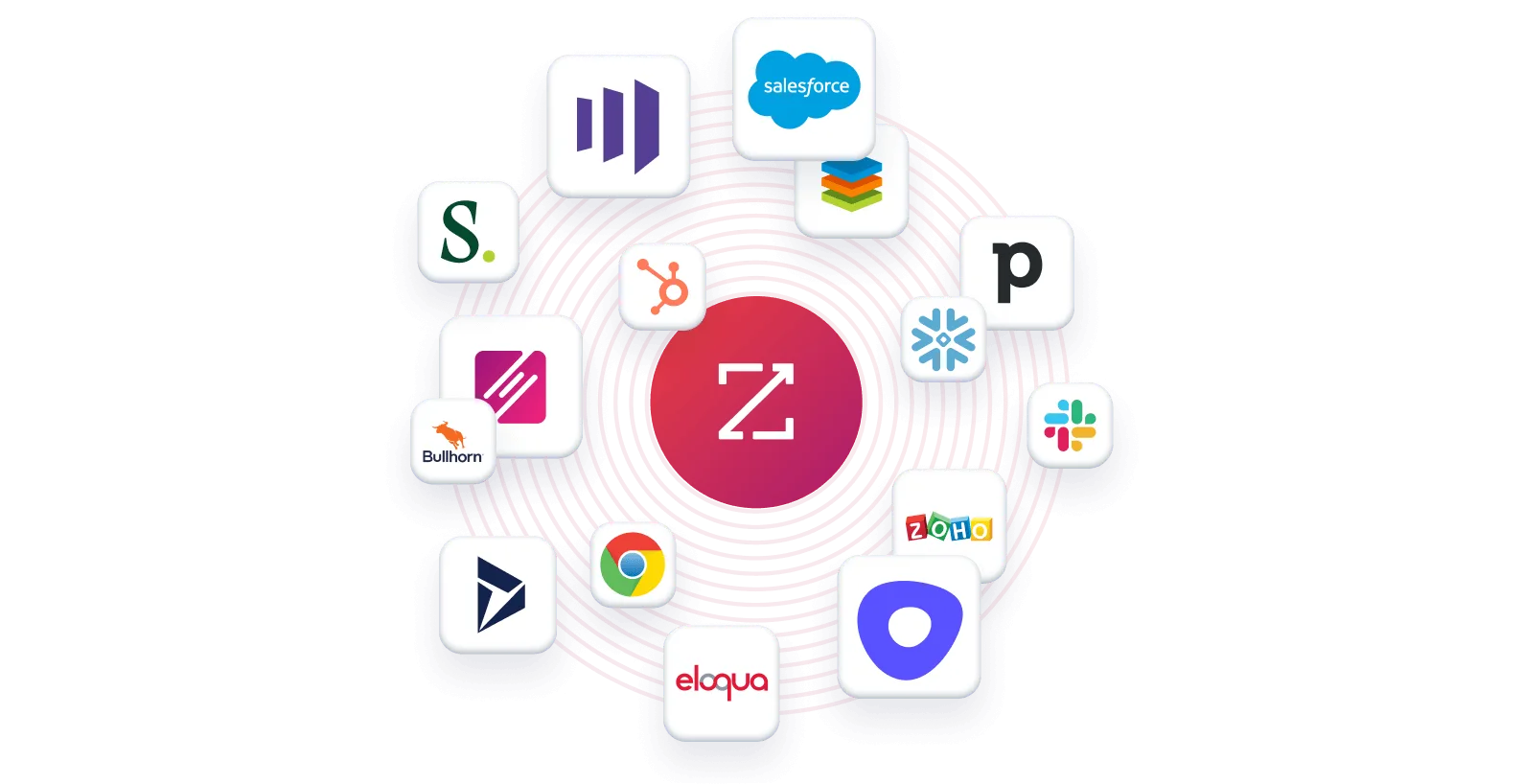
ZoomInfo works alongside both Pipedrive and Salesflare rather than replacing them. ZoomInfo's data can enrich either CRM through Zapier, APIs, or direct integration. The intelligence layer and the CRM layer serve different functions in the same stack.
"The plug-and-play aspect of the API means I can integrate it very easily into any process and get information at a moment's notice," said Jerry Wilson, Senior Marketing Intelligence Analyst at BDO Canada, which saw an 87% reduction in time spent on data dashboard updates using ZoomInfo's API. (BDO Canada)
Pipedrive vs. Salesflare vs. ZoomInfo: Which should you choose?
The right choice depends on what's actually slowing down your sales team.
Choose Pipedrive if:
You want control over your sales process with a visual, customizable pipeline
Your team is disciplined about logging activities and updating records
You need a wide integration ecosystem to connect with your existing tools
You're an SMB that values structured pipeline management over automation
Budget is a primary concern and you need a capable CRM under $20/month per seat
Choose Salesflare if:
You're a small B2B team under 50 people and CRM adoption has failed before
Eliminating manual data entry is your top priority
You prospect heavily through LinkedIn and email
You want a CRM that fills itself in from your existing tools
You need CRM, email sequences, and lead generation in one affordable platform
Choose ZoomInfo if:
Your biggest challenge isn't managing deals, it's finding the right ones
You need verified contact data, direct dials, and business emails at scale
Buyer intent signals and account intelligence would change how your team prioritizes
You want AI that understands your deals, not just your CRM fields
You're ready for an intelligence platform that powers your entire GTM motion
Explore ZoomInfo Lite for free, or request a demo to see the full platform.
Pipedrive and Salesflare both solve real problems for SMB sales teams. The choice between them comes down to whether you value pipeline control (Pipedrive) or automated data capture (Salesflare). ZoomInfo addresses a different layer entirely: the intelligence that tells you who to sell to, when they're ready, and what to say. For many teams, the most effective setup isn't choosing one over the others. It's combining a CRM that fits your workflow with an intelligence platform that makes every deal in it more informed.
Pipedrive vs. Salesflare vs. ZoomInfo FAQ
What is the core difference between Pipedrive, Salesflare, and ZoomInfo?
Pipedrive is a visual, pipeline-first CRM that gives sales teams control over customizing and managing their deal stages. Salesflare is an automation-first CRM that fills itself in from email, calendar, and LinkedIn data to minimize manual data entry. ZoomInfo is an AI-powered go-to-market intelligence platform with the largest B2B database in the industry (500M contacts, 100M companies), buyer intent signals, and conversation intelligence, serving as the data and intelligence layer that powers prospecting and sales execution.
Can ZoomInfo replace Pipedrive or Salesflare?
ZoomInfo serves a different function. It's not a deal-management CRM. It's the intelligence platform that tells you which accounts to target, when they're in-market, and who the decision-makers are. Most teams use ZoomInfo alongside a CRM like Pipedrive or Salesflare, with ZoomInfo providing the data and signals while the CRM manages the pipeline. ZoomInfo's GTM Workspace provides a workspace for sellers, but it's designed to complement CRMs, not replace them.
Which platform is cheapest for a small sales team?
Pipedrive starts at $14/seat/month, making it the most affordable entry point. Salesflare starts at $29/user/month on an annual plan, but includes automated data capture and email tracking features that Pipedrive reserves for higher tiers. ZoomInfo uses custom pricing for paid plans, but its permanent free Lite tier provides access to the B2B database with 10 monthly export credits at no cost.
Which platform is best for prospecting and finding new leads?
ZoomInfo has the largest prospecting database: 500M contacts with 200M+ verified business emails and 135M+ verified phone numbers, verified through 300+ human researchers and automated scanning of 28 million domains daily. Pipedrive's Prospector covers over 400 million profiles and 10 million companies. Salesflare's lead finder doesn't publicly disclose its database size and acknowledges that results may be limited for some companies.
How does data accuracy compare across the three platforms?
ZoomInfo reports up to 95% accuracy on first-party data, validated through a multi-source verification pipeline. In a Fortune 500 competitive RFP analyzing 25 million contacts across vendors, an independent consultant concluded that no other competitor came close to ZoomInfo's data quality. Pipedrive's Prospector verifies and updates up to 800,000 profiles daily. Salesflare's Email Finder claims over 72% accuracy and only charges credits when results meet its certainty threshold.
Do any of these platforms offer buyer intent data?
Only ZoomInfo provides dedicated buyer intent signals, tracking activity from 210 million IP-to-Organization pairings and over 6 trillion keyword-to-device pairings sourced monthly. Its Guided Intent feature identifies topics historically correlated with deal success. Salesflare offers lead and account hotness scoring based on email opens, link clicks, and website visits, which are useful behavioral indicators but not third-party intent data. Pipedrive does not offer intent data.
Which platform is easiest to set up and start using?
Salesflare has the lowest barrier to entry, with G2 awarding it "Fastest Implementation" in its category. Most users are productive within 30 minutes of connecting their email. Pipedrive requires more initial configuration (custom pipeline stages, fields, and activity types) but remains straightforward for non-technical users. ZoomInfo's full platform requires a more structured onboarding (the company designed a 30-to-90-day program), but ZoomInfo Lite and the Chrome extension can be used immediately.
Which platform works best for enterprise or large sales teams?
ZoomInfo is the clear choice for enterprise teams, serving customers including Adobe, Snowflake, PayPal, and Thomson Reuters. It offers conversation intelligence via Chorus, intent signals, AI-powered GTM Workspace and Studio, and APIs that integrate into complex tech stacks. Pipedrive serves some larger teams but targets SMBs and lacks native customer success, ticketing, or enterprise compliance features. Salesflare's Enterprise plan requires only five users and is designed for small organizations rather than enterprise complexity.
See how Pipedrive compares against other CRMs and platforms:
