
If you're comparing Pipedrive and SuperOffice, you're choosing between two different CRM philosophies. One is built for salespeople who want to close deals faster. The other is built for European B2B companies that want sales, marketing, and service under one roof.
But the comparison raises a question most CRM reviews skip: once you pick a CRM, where does the data come from?
The real questions you should be asking are:
Do you need a CRM focused purely on sales pipeline, or one that also covers marketing and customer service?
Is European data residency and GDPR compliance a hard requirement for your business?
How much time does your team spend searching for prospect contact information before they can actually sell?
Do you want the simplest possible CRM, or a platform that also tells you which accounts to prioritize?
Are you looking at CRMs in isolation, or thinking about the full intelligence stack your sales team needs?
Here's what we recommend:
Pipedrive is the CRM built for salespeople. Its visual, kanban-style pipeline makes tracking deals intuitive, and features like deal rotting alerts and activity-based selling keep reps focused on next steps rather than data entry. With 100,000+ companies using it across 179 countries and plans starting at $14/month per seat, Pipedrive gets small and mid-sized sales teams up and running fast. It has no native marketing automation or customer service module, so you'll need additional tools as your business grows beyond pure sales.
SuperOffice is the European CRM that unifies sales, marketing, and service, with European data residency and GDPR tools built into every plan. For B2B companies in manufacturing, IT, construction, or finance that need one system for the entire customer lifecycle, SuperOffice eliminates the integration work of connecting separate tools. Its 35 years serving European mid-market companies means local teams, local-language support, and familiarity with regional business culture. The trade-off is higher pricing (starting at €45/user/month), limited relevance outside Europe, and a mobile app that users have reported as inconsistent.
Both CRMs manage customer relationships well once you have the data. But neither solves the problem that comes before pipeline management: finding the right prospects, knowing when they're ready to buy, and reaching them with verified contact information. That's a different problem, and it requires a different kind of tool.
ZoomInfo is a go-to-market intelligence platform that provides the intelligence layer CRMs lack. Built on a B2B dataset of 500M contacts, 100M companies, 135M+ verified phone numbers, and 200M+ verified business emails, ZoomInfo doesn't just store contact records. Its GTM Context Graph processes 1.5B+ data points daily, combining this data with your CRM records, conversation transcripts, and behavioral signals to show not just what's happening in your accounts, but why deals move or stall. That intelligence reaches your team through the GTM Workspace for sellers, GTM Studio for marketers and RevOps, or APIs and MCP that connect to any CRM or third-party tool.
If knowing who to sell to matters as much as managing your pipeline, see how ZoomInfo works.
Pipedrive vs. SuperOffice vs. ZoomInfo at a glance
Pipedrive | SuperOffice | ZoomInfo | |
|---|---|---|---|
Primary function | Sales pipeline CRM | Unified CRM (Sales + Marketing + Service) | GTM intelligence and execution platform |
Target market | SMBs globally | European B2B mid-market | Enterprise and upper mid-market |
Starting price | Consumption-based (free tier available) | ||
Free option | 14-day trial | No free trial or plan | ZoomInfo Lite (permanent free tier) + 7-day trial |
Contact database | Your own data only | Your own data only | 500M contacts, 200M+ verified emails |
Buyer intent data | None | None | 210M IP-to-org pairings, 6T+ keyword signals monthly |
AI features | AI email writer, Sales Assistant, report generation | AI writing, summaries, meeting capture, agent orchestration (coming soon) | GTM Context Graph, AI agents, AI-drafted outreach |
Marketing tools | Add-on (Campaigns) | Built-in (email, forms, flows) | ABM platform, DSP advertising, FormComplete |
Service/support tools | None | Built-in ticketing and self-service portal | None |
GDPR compliance | GDPR compliant, EU/US data hosting | European data residency at all tiers | ISO 27701, TRUSTe GDPR validated |
Integrations | 120+ marketplace integrations + APIs + MCP |
Pipeline CRM vs. unified platform vs. intelligence layer
These three platforms solve different problems. Understanding which problem matters most to your business is the key to choosing.
Pipedrive starts and ends with the sales pipeline. The company pioneered the kanban pipeline view in CRM software, and that visual, deal-centric approach still defines the product. Every feature, from deal rotting alerts to activity-based selling, is designed to answer one question: what do I need to do next to close this deal?
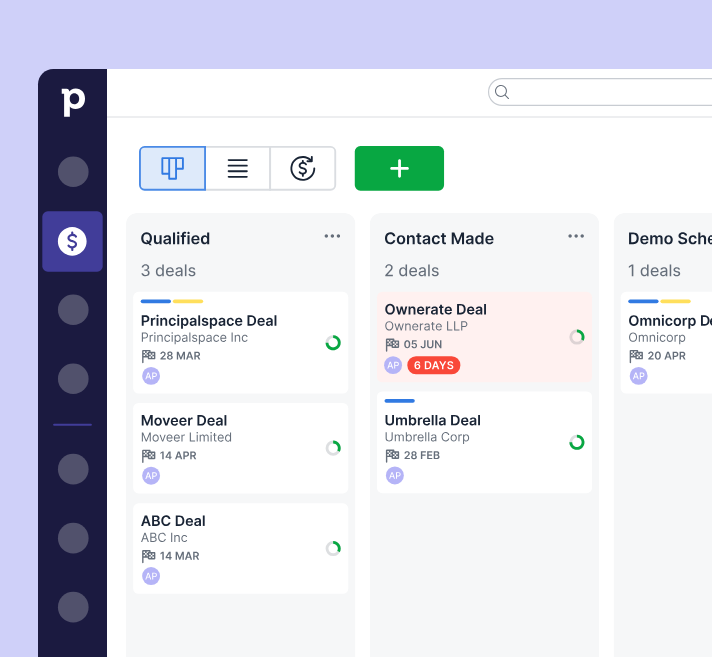
Source: Pipedrive
This focus is Pipedrive's greatest strength and its clearest limitation. If your business needs email marketing, customer service ticketing, or post-sale account management, you'll need separate tools. Pipedrive's Campaigns add-on handles basic email marketing, but it's no substitute for a dedicated platform.
SuperOffice takes the opposite approach. Sales, marketing, and service all share the same customer database. A service agent resolving a ticket sees the customer's full sales history and marketing engagement. A sales rep following up on a lead can see every service interaction.
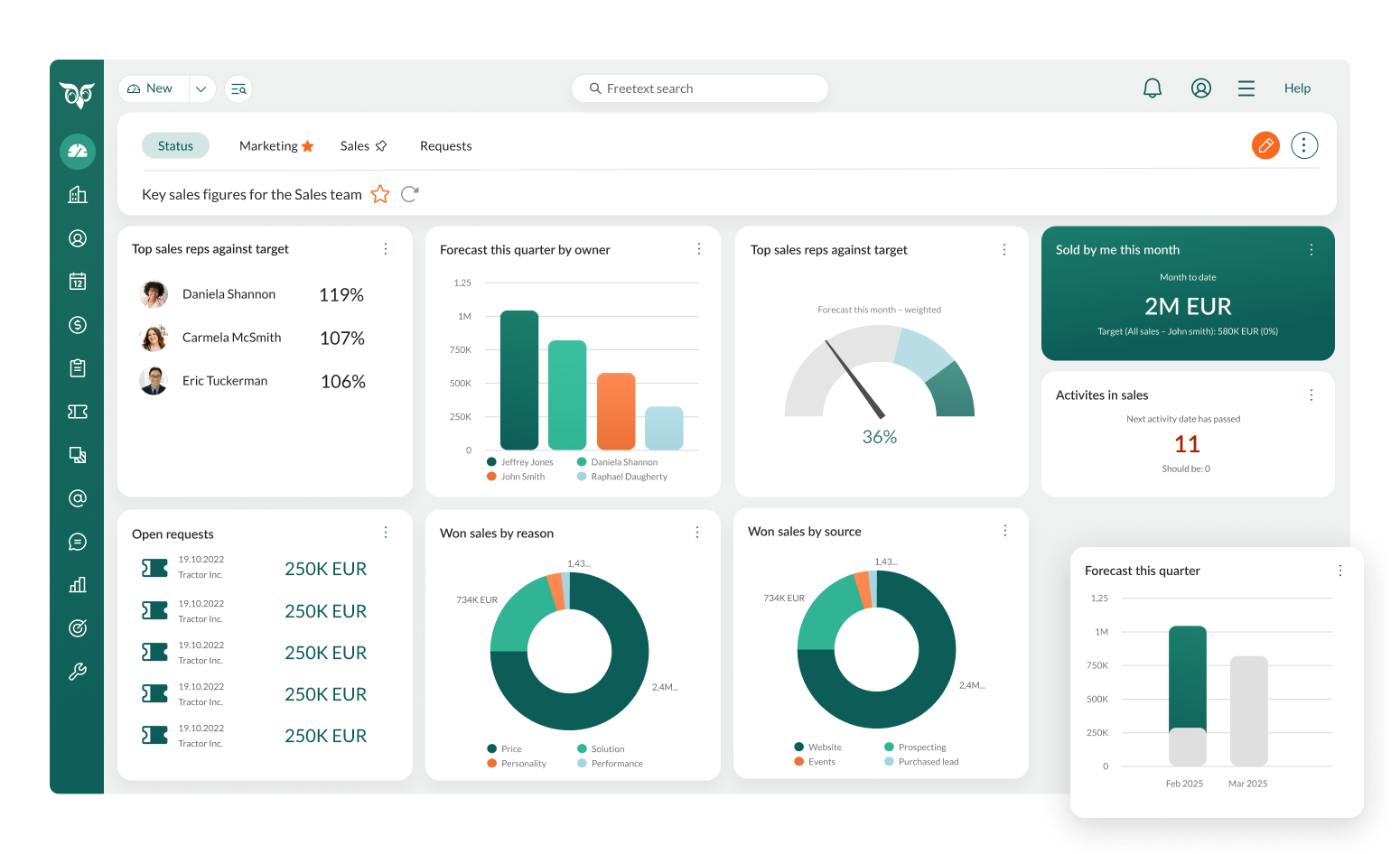
Source: SuperOffice
The cost of this breadth is complexity. SuperOffice has been evolving for 35 years, and while the interface keeps common actions within two clicks, meaningful customization typically requires partner involvement from SuperOffice employees or certified consultants.
ZoomInfo operates at a different level. It doesn't manage your deals or your service tickets. It answers the question that comes before any CRM interaction: who should you be talking to, and why now?
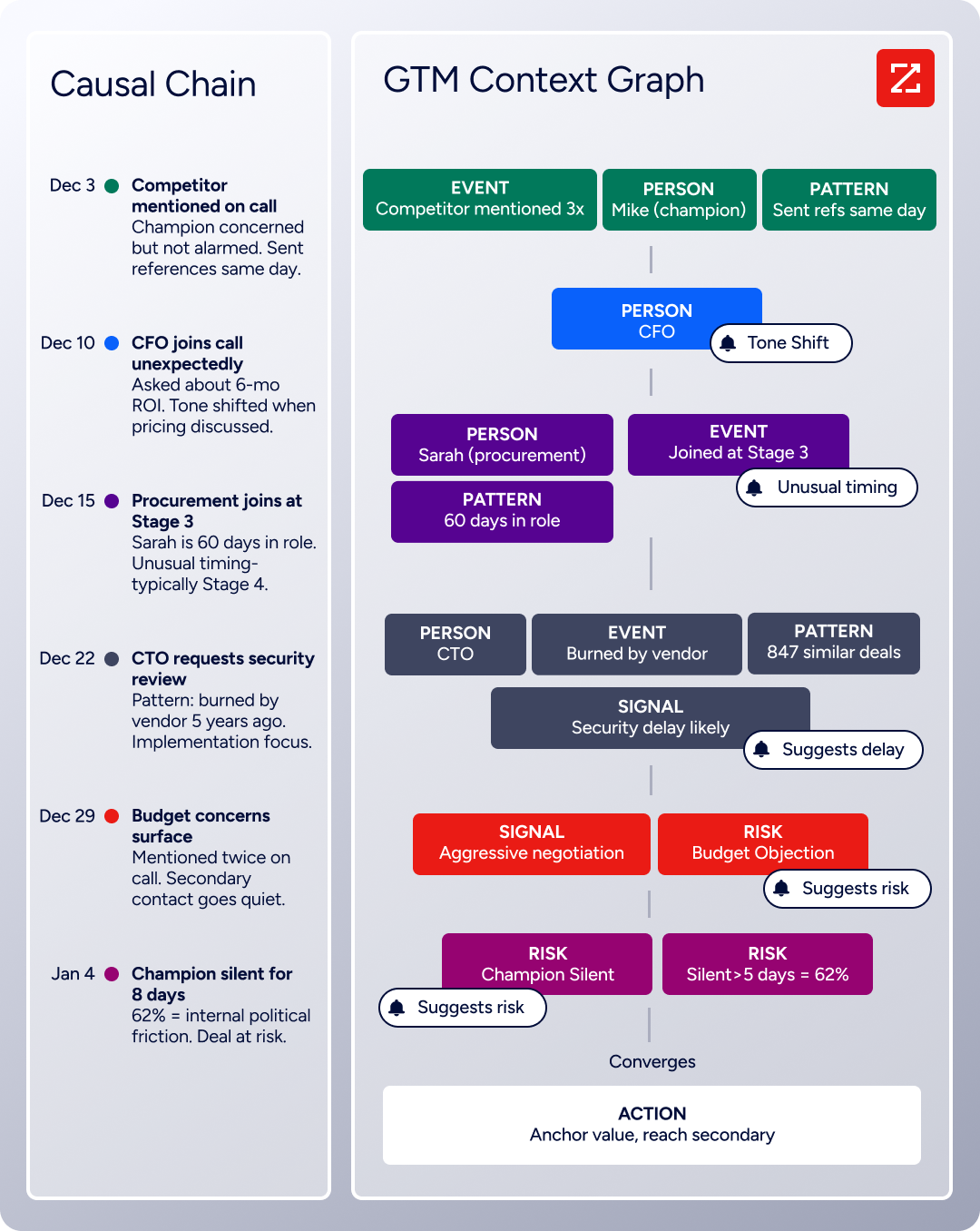
The GTM Context Graph processes 1.5B+ data points daily, combining verified B2B data with your CRM records, conversation transcripts, and behavioral signals to surface accounts that are actively ready to buy.
Both CRMs share the same blind spot: prospecting intelligence
Pipedrive has the Prospector tool within its LeadBooster add-on, offering access to 400M+ profiles and 10 million companies.
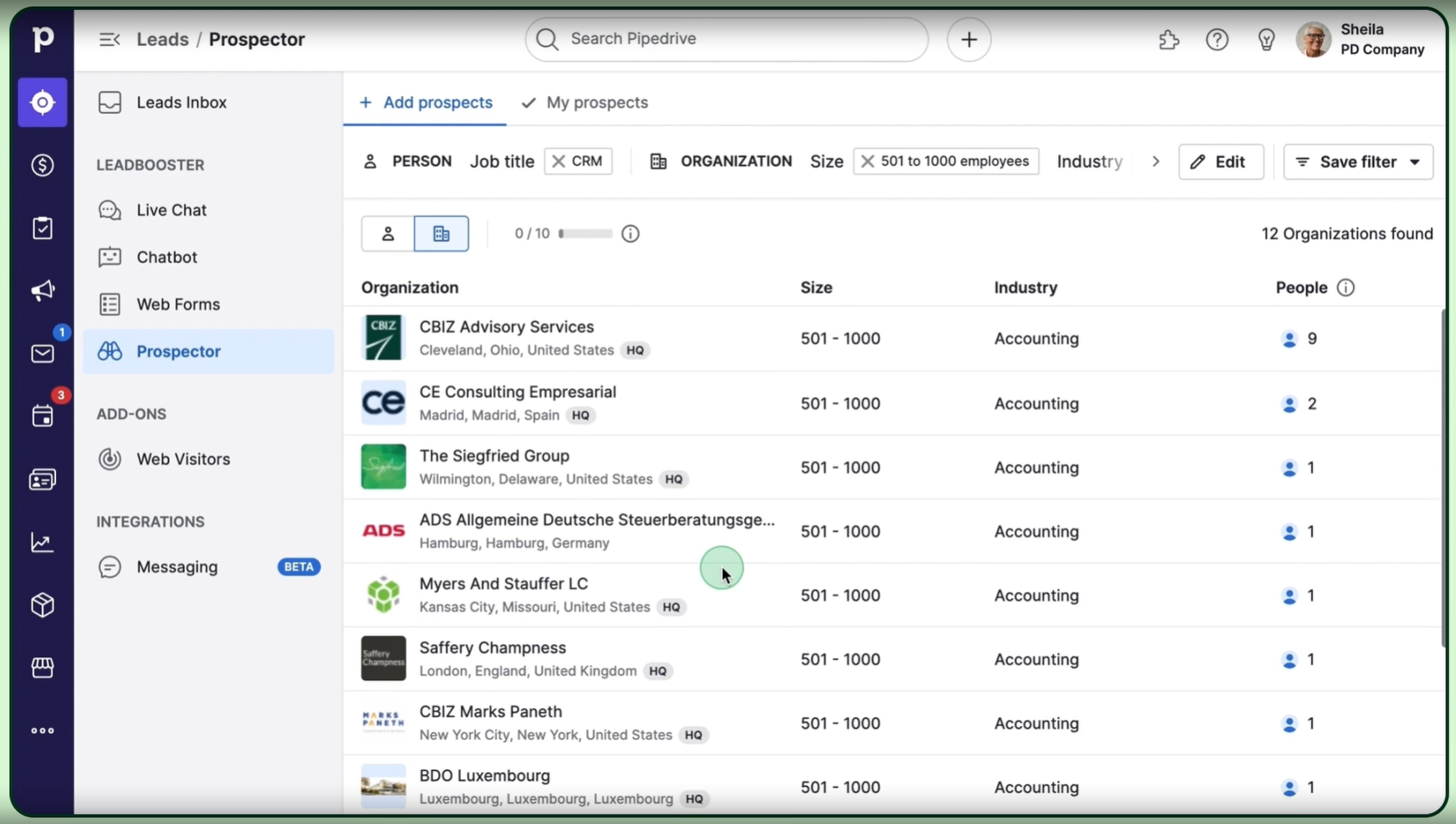
Source: Pipedrive
Its newer Pulse toolkit adds data enrichment, lead scoring, and automated sequences. These are useful additions, but prospecting is a secondary function for Pipedrive, not its core architecture.

Source: Pipedrive
SuperOffice's prospecting capabilities are thinner. The platform focuses on managing relationships you already have, with lead capture through web forms and basic lead routing by region, industry, or company size. For finding new prospects at scale, SuperOffice relies on third-party tools.
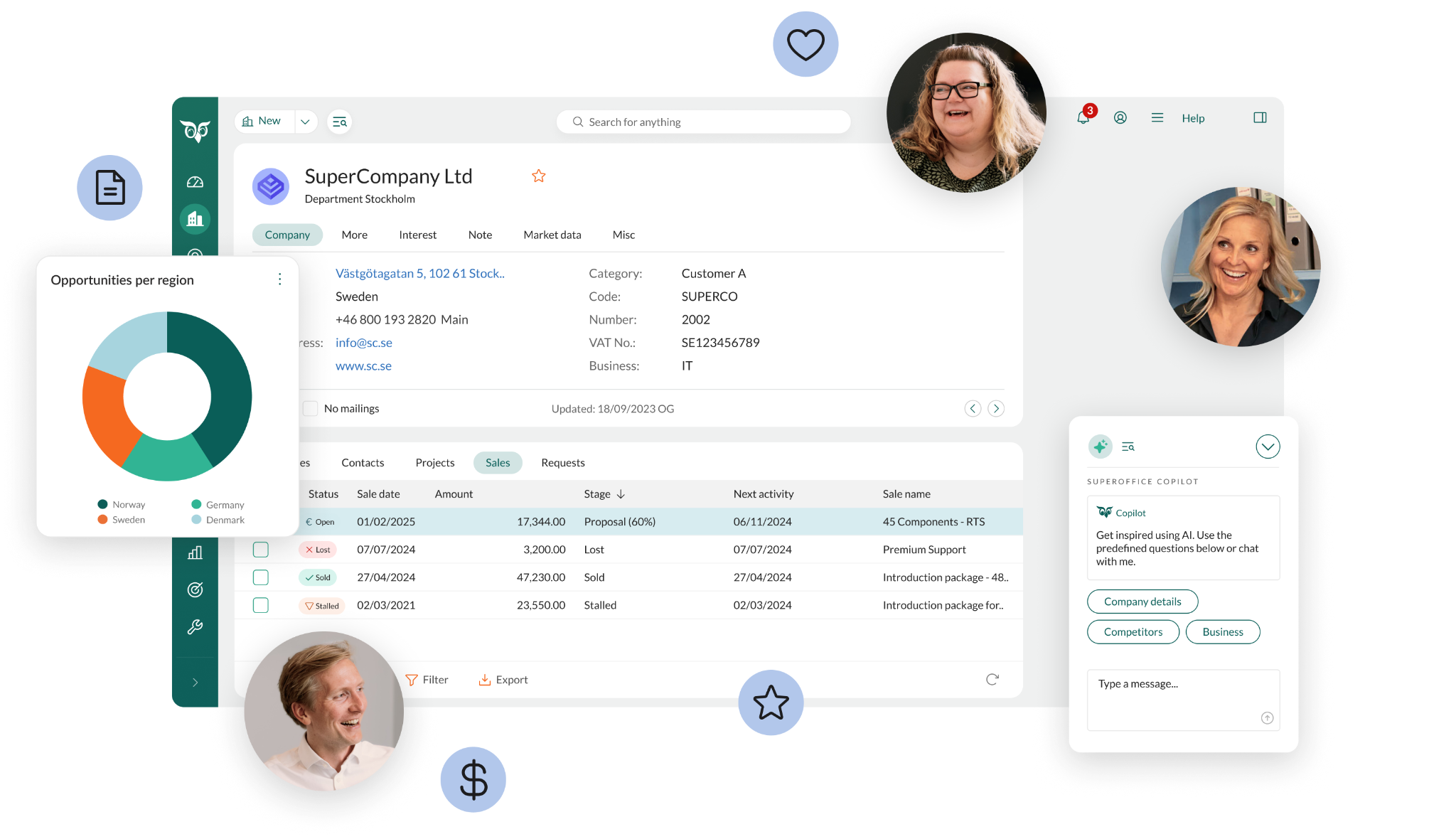
Source: SuperOffice
ZoomInfo was built for this problem. The platform's 500M contacts and 100M companies aren't a static database. The data flows through a verification system backed by 300+ human researchers and achieves up to 95% accuracy on first-party data.
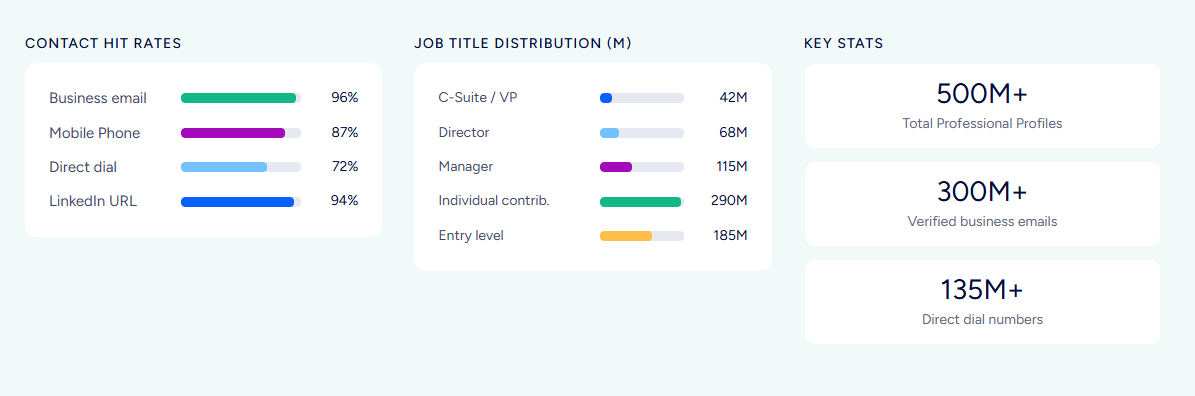
In a Fortune 500 competitive RFP analyzing 25 million contacts across vendors, an independent consultant concluded that "no other competitor came even close."
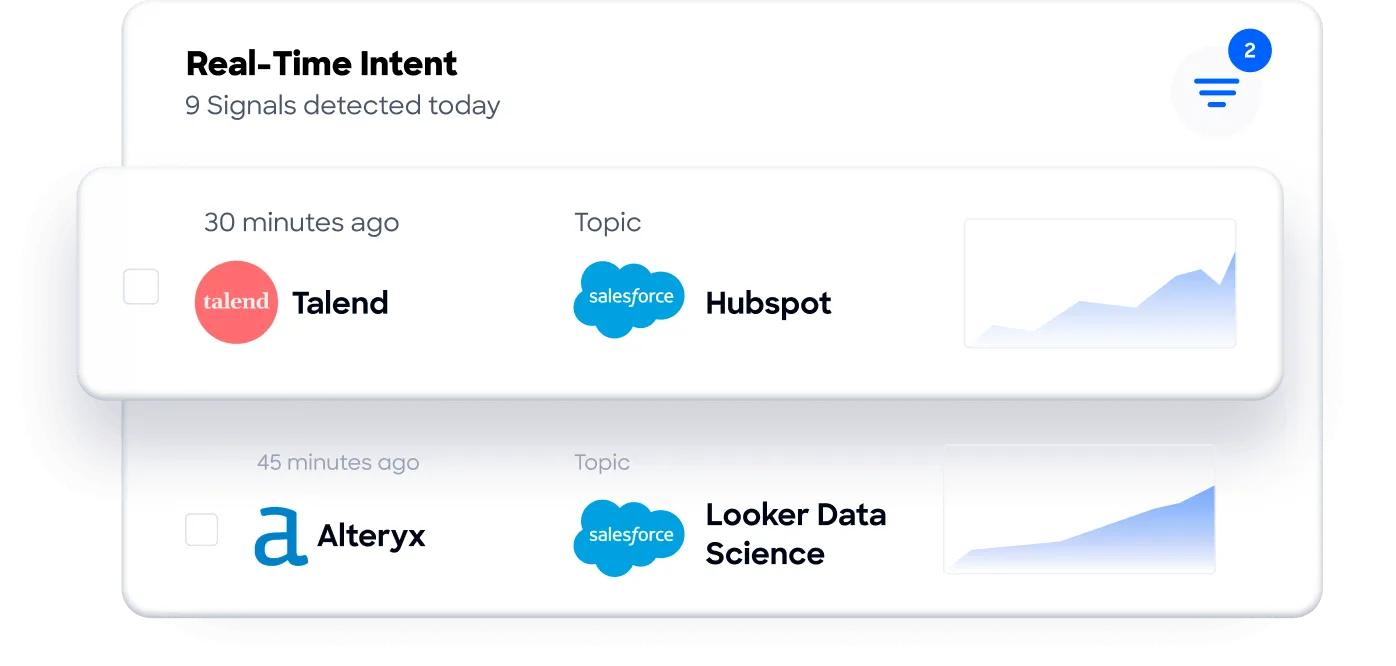
Beyond contact data, ZoomInfo provides the signals that tell you when to act. Buyer Intent data tracks signals from 210M IP-to-org pairings and 6 trillion+ new keyword-to-device pairings monthly. Guided Intent (exclusive to ZoomInfo) identifies topics historically correlated with deal success rather than requiring you to guess which keywords to track.
For a CRM user, the difference is practical. In Pipedrive or SuperOffice, you search for contacts using the data you've already entered. In ZoomInfo, you search across 300+ company attributes, find 120M direct-dial phone numbers and verified business emails, and export directly to your CRM with the intelligence needed to prioritize outreach.
"We don't have to go through and spend our time digging. It's already there, so we can be three steps ahead." (Vensure)
AI approaches reflect each platform's priorities
All three platforms have invested in AI, but the implementations reveal different ambitions.
Pipedrive frames its current phase as "Pipedrive 3.0", an AI-native CRM. Today, that means an AI Sales Assistant that surfaces win probability predictions and deal recommendations, an AI email writer for generating personalized outreach, and AI-generated reports from natural-language prompts.

Source: Pipedrive
These features work within the data already in your Pipedrive account. The AI email summarization feature is still in beta. Pipedrive has stated publicly that it does not permit third parties to use client data to train AI models.
SuperOffice takes a tiered approach. AI writing assistance is included in every plan for spelling, grammar, tone adjustment, and content drafting. Higher tiers unlock more: AI summaries and smart capture on Core, a conversational Workspace Assist sidepanel on Growth, and AI-suggested replies based on customer history on Plus.
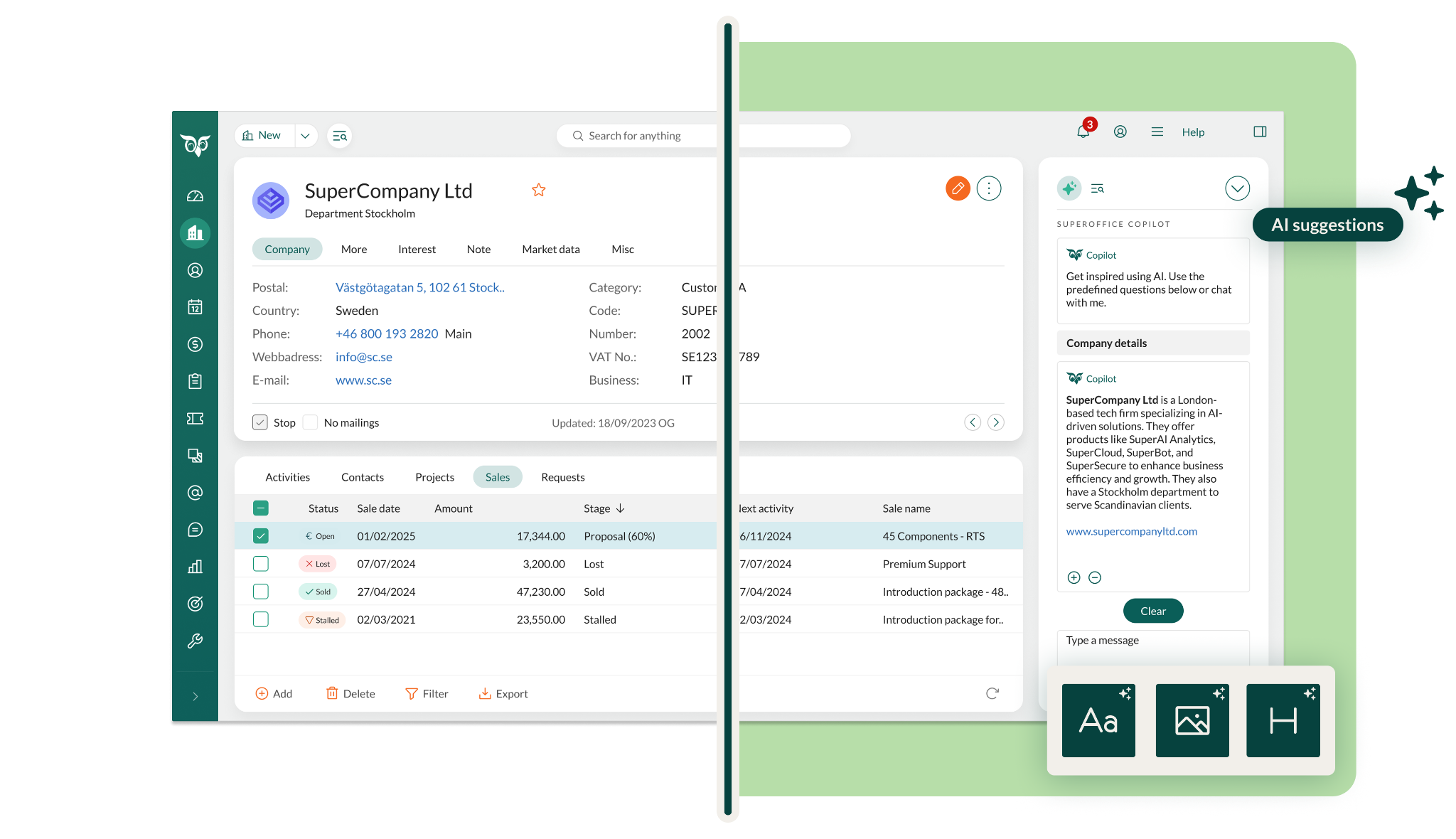
Source: SuperOffice
The Super tier promises AI agent orchestration with multiple agents working across sales, marketing, and service at once, though this is marked "coming soon." SuperNotes, an add-on available on all plans, joins scheduled meetings to capture notes and generate follow-up actions, with all processing within the EU/EEA. Neither platform uses customer data for model training.
ZoomInfo's AI is different because it draws on different data. While Pipedrive and SuperOffice's AI operates on whatever you've entered into your CRM, ZoomInfo's AI is built on the GTM Context Graph, which combines your internal CRM records with ZoomInfo's external intelligence: verified contacts, org charts, intent signals, and conversation transcripts.
The result is AI that understands not just what happened in a deal, but why it happened.
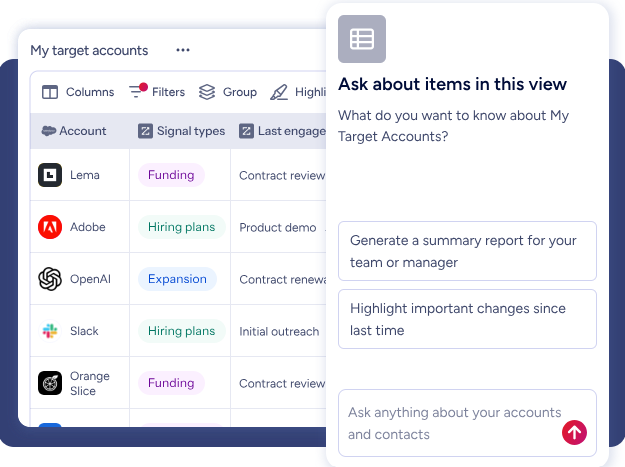
The GTM Workspace delivers this through specialized AI agents that research accounts, generate follow-ups, monitor signals, and draft outreach based on the full context of each opportunity.
The practical difference: Pipedrive's AI can suggest your next action based on your pipeline data. SuperOffice's AI can summarize a customer's history across sales, marketing, and service. ZoomInfo's AI can tell you that the CFO joined the last call and asked about six-month ROI, that this pattern matches your closed-won deals in this segment, and that the company is also researching your competitor, then draft a follow-up addressing the specific concern raised.
Seismic's sales team attributed 39% of active pipeline to opportunities identified or influenced by ZoomInfo signals, reported 54% more productivity, and saved 11.5 hours per week per seller. (Seismic)
European compliance drives a real wedge between these platforms
For European companies, CRM selection is often a compliance decision before it's a feature decision.
Pipedrive is GDPR compliant with data hosting on AWS data centers in Europe and the US. It holds ISO 27001, ISO 27701, and SOC 2 Type 2 certifications, with AES-256 encryption and separate databases per customer. For most companies outside Europe that need strong compliance without data sovereignty as a legal mandate, Pipedrive's security credentials are more than sufficient.
SuperOffice has the strongest position here. European data residency is included at every tier without surcharge. GDPR tools (consent management, data requests, processing records, anonymization) are built into the architecture, not bolted on as a compliance layer. The company has six European subsidiaries with local teams who understand regional regulations. SuperOffice is capitalizing on the European shift away from U.S. software, reporting record growth tied to digital sovereignty concerns.
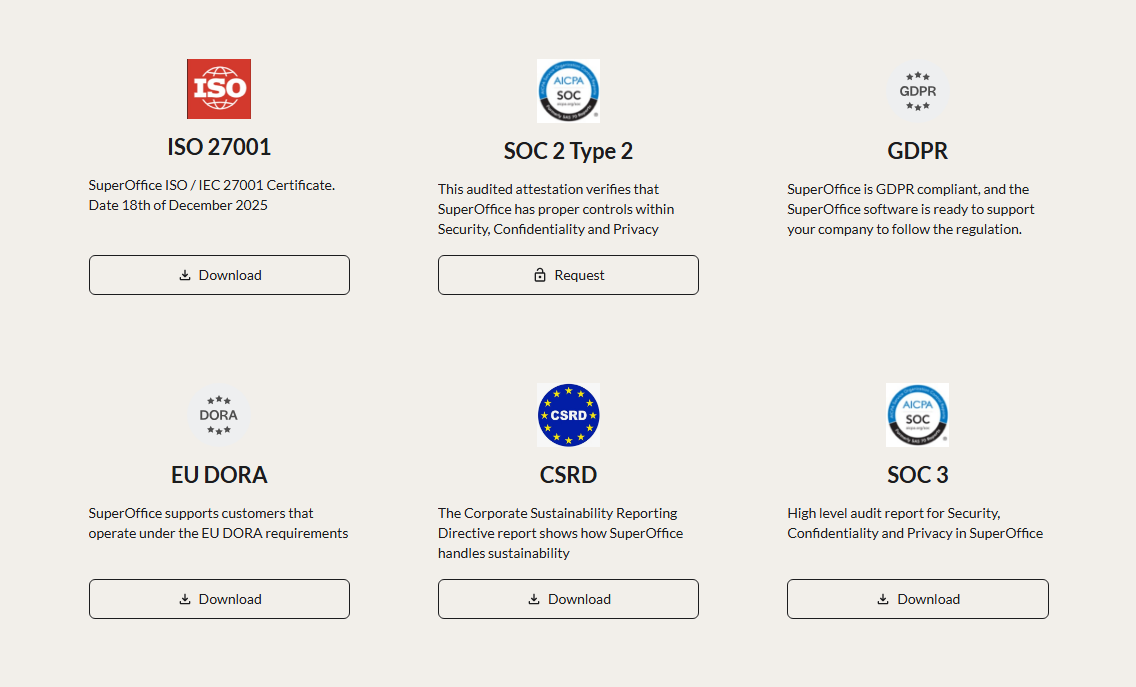
Source: SuperOffice
ZoomInfo holds ISO 27001, ISO 27701, SOC 2 Type II, TRUSTe GDPR, and TRUSTe CCPA certifications, all renewed annually. The company is a registered data broker in California and Vermont and maintains a dedicated Trust Center.
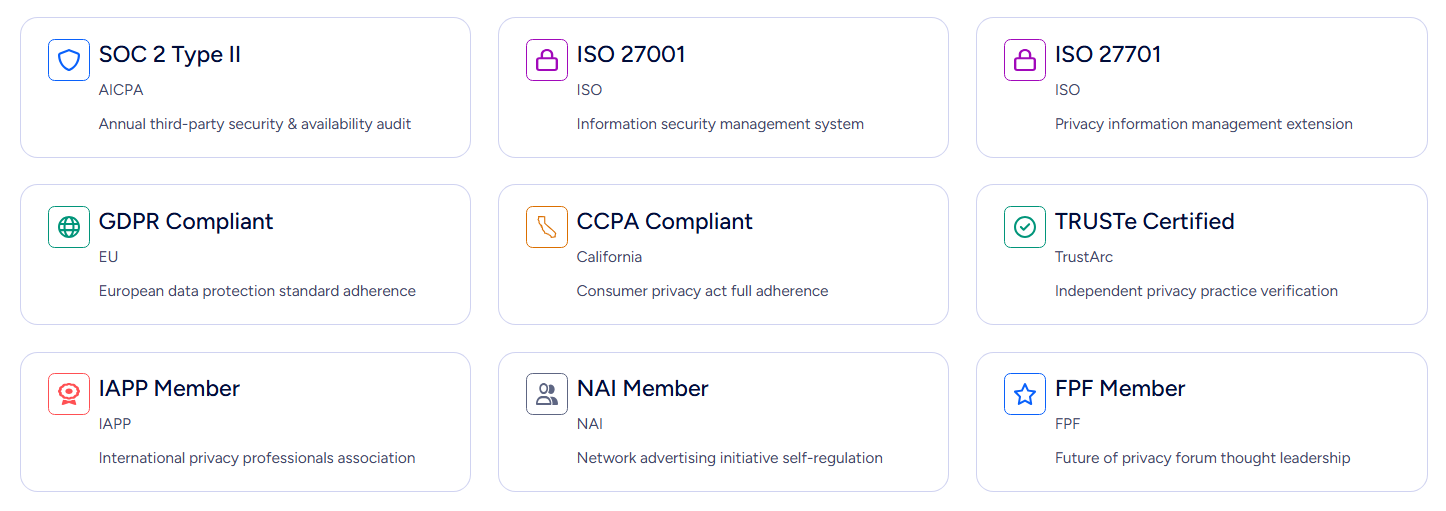
If European data sovereignty is a non-negotiable requirement, SuperOffice has a structural advantage. If compliance is important but not a geographic constraint, all three platforms meet enterprise security standards.
Pricing reveals each platform's target buyer
Pipedrive is the most affordable option. Four plans (Lite, Growth, Premium, Ultimate) are priced per seat, per month, with add-ons billed per company. Entry starts at $14/month per seat, and annual billing offers up to 42% discount. Unlimited pipelines, product catalogs, and customizable reports are available across all plans. A 14-day free trial requires no credit card.
The catch: key features are gated by tier. Email sync, automations, sequences, and the forecast view require Growth or higher. Smart Docs, Projects, and LeadBooster are included only on Premium and above. And personalized onboarding support requires spending more than $1,000/month.
SuperOffice costs more. Five tiers range from Starter (€45/user/month, max 5 users) to Super (€160/user/month). All users within an account must be on the same plan, which eliminates mix-and-match flexibility. Sales guides and quote management require Growth (€95). Automated marketing flows require Plus (€130). Unlimited flows and data mirroring require Super (€160). No free trial or free plan is publicly available.
ZoomInfo uses consumption-based pricing with no published per-seat prices. Costs scale around user access, credit volume, features, and contract length. For teams testing the platform, ZoomInfo Lite provides permanent free access with 10 monthly export credits, and a 7-day free trial opens access to core features. ZoomInfo's pricing reflects its enterprise focus and the depth of intelligence it provides.
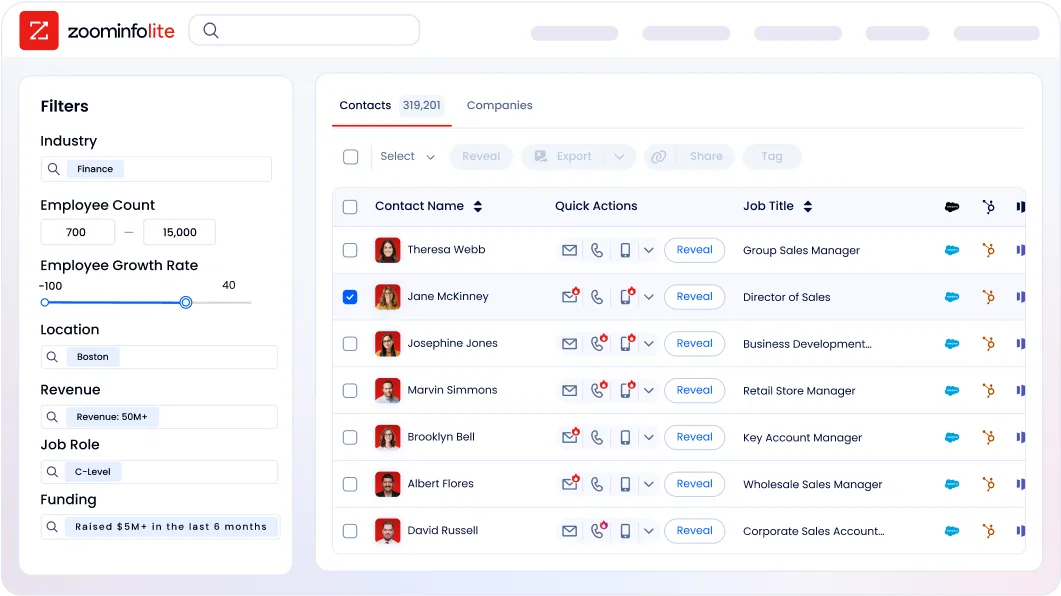
For a five-person sales team, Pipedrive is the clear budget choice. SuperOffice costs 3-4x more per seat but includes marketing and service capabilities that eliminate separate tool subscriptions. ZoomInfo is a separate investment in the intelligence layer that powers prospecting, account prioritization, and CRM data quality, regardless of which CRM you choose.
Integration ecosystems and workflow fit
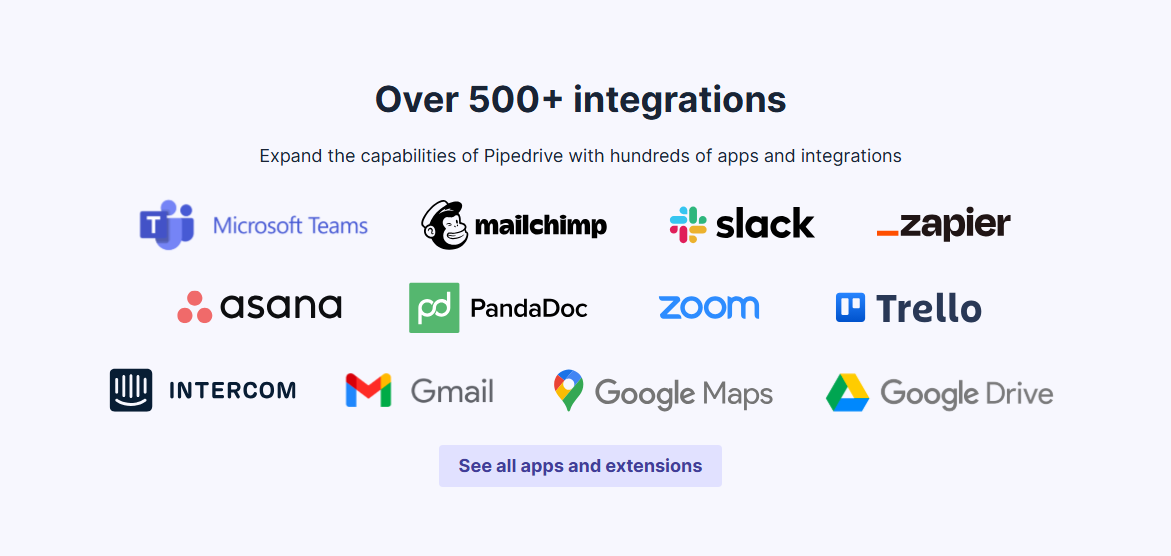
Pipedrive has the broadest CRM integration ecosystem of the three, with 500+ apps in its Marketplace. Key integrations include Zapier, Google Meet, Microsoft Teams, Mailchimp, PandaDoc, DocuSign, QuickBooks, Slack, and JustCall.
Source: Pipedrive
The platform provides a free open API on all plans, with API v2 and webhooks supporting real-time event notifications. Pipedrive recently launched a ChatGPT integration that lets reps query CRM data directly in ChatGPT, though it's currently unavailable for EU accounts using data residency.
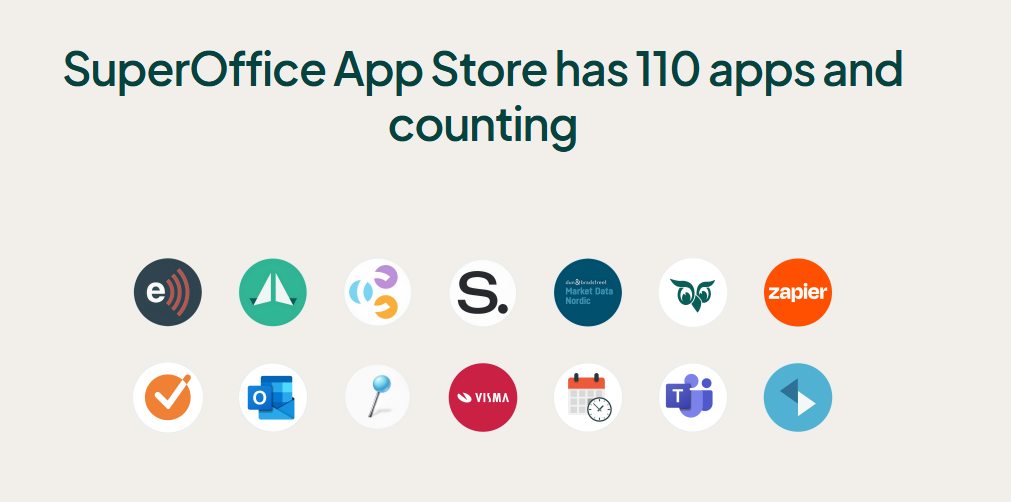
SuperOffice has a smaller but focused ecosystem. Its App Store lists 110+ apps, and the platform's standout integrations are with Microsoft's ecosystem: Outlook, SharePoint, Teams, and Google Workspace. Zapier connectivity opens access to 1,000+ additional apps.
Source: SuperOffice
SuperOffice also offers ERP integration for pulling live pricing and product data into quotes, though this typically requires partner implementation. API access and custom integrations require Core or above.
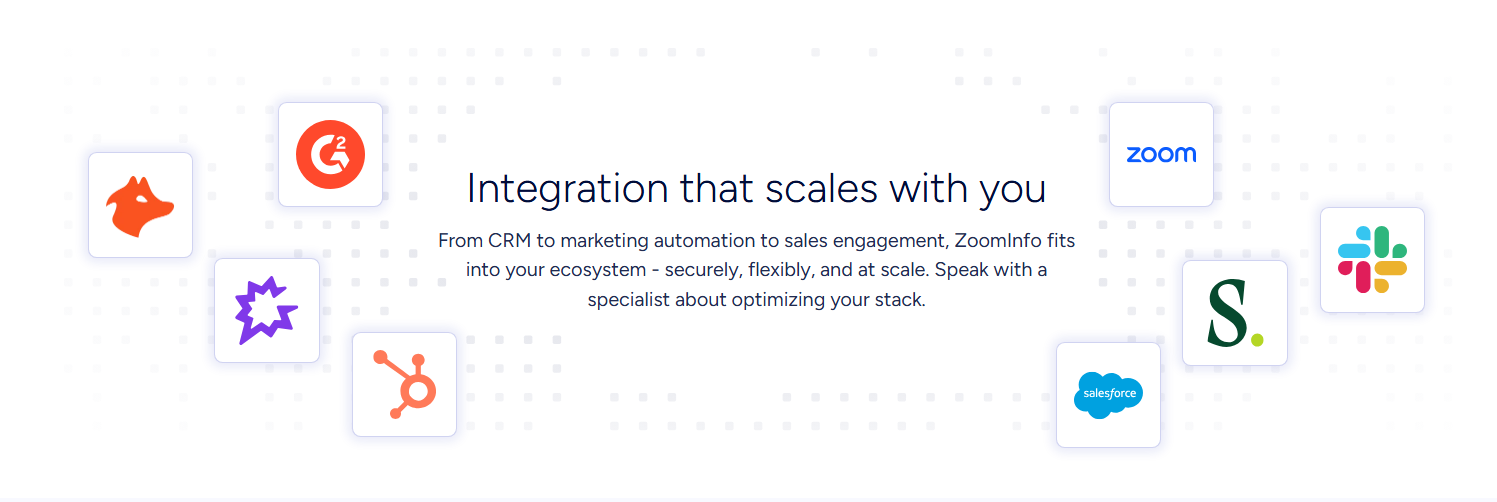
ZoomInfo integrates natively with the CRMs and engagement tools most sales teams already use: Salesforce, HubSpot, Microsoft Dynamics 365, Outreach, and Salesloft. Its App Marketplace lists 120+ partner integrations across CRM, marketing automation, data warehouse, and communications categories.
What sets ZoomInfo apart is the depth of data flow. The Enterprise API provides programmatic access to search, enrich, and manage audiences at scale. The MCP server connects AI models directly to ZoomInfo's B2B data, currently supporting Claude and ChatGPT. API access is included in all relevant plans.
"Anything that minimizes our team's need to switch contexts is beneficial. ZoomInfo gives us one view, so we don't have to jump between systems." (Ben Perceval, RevOps Manager, Spekit)
Pipedrive vs. SuperOffice vs. ZoomInfo: Which should you choose?
The right choice depends on what problem you're solving first.
Choose Pipedrive if:
Your priority is a simple, visual sales pipeline that reps will actually use
You're a small or mid-sized team that needs to get started quickly
Budget matters and you want strong CRM features starting at $14/month per seat
You don't need marketing automation or customer service built into your CRM
Your team sells globally and needs 22-language support
Choose SuperOffice if:
You're a European B2B company where GDPR compliance and data residency are non-negotiable
You need sales, marketing, and customer service in one platform
Your sales cycles are long and involve multiple stakeholders across buying committees
Microsoft Outlook and Office 365 integration is critical to your workflow
You value local support teams who understand your region's business culture
Choose ZoomInfo if:
You need verified contact data, direct-dial phone numbers, and business emails at scale
Knowing which accounts are actively in-market matters to your outreach strategy
You want AI that draws on both your CRM data and external intelligence to prioritize accounts
You need the intelligence layer that makes your CRM data complete and actionable
Your team builds across multiple tools and needs data accessible via API or MCP
Try ZoomInfo free and see the data for yourself.
Pipedrive and SuperOffice are both strong CRMs that serve distinct audiences well. Pipedrive wins on simplicity and affordability for sales-focused teams. SuperOffice wins on breadth and European compliance for B2B companies that need a unified platform. ZoomInfo isn't competing with either. It's the intelligence layer that tells you who to sell to, when to engage, and what to say, making whichever CRM you choose more effective.
"ZoomInfo's not just a contact data company anymore. They've built a full system of execution. GTM Intelligence works the list, writes the outreach, triggers the play, and helps drive predictable growth." (Ian Brodie, CEO & Co-Founder, Levanta)
Pipedrive vs. SuperOffice vs. ZoomInfo FAQ
What is the core difference between Pipedrive, SuperOffice, and ZoomInfo?
Pipedrive is a sales-focused CRM built around visual pipeline management for small and mid-sized businesses. SuperOffice is a European CRM that unifies sales, marketing, and customer service in one platform, with GDPR compliance and European data residency built into every plan. ZoomInfo is a go-to-market intelligence platform that provides verified B2B contact data, buyer intent signals, and AI-driven account insights. It works alongside a CRM rather than replacing one.
Which platform is cheapest for a small sales team?
Pipedrive is the most affordable, starting at $14/month per seat with a 14-day free trial and no credit card required. SuperOffice starts at €45/user/month with a maximum of 5 users on the Starter plan and no publicly available free trial. ZoomInfo uses consumption-based pricing but offers ZoomInfo Lite, a permanent free tier with 10 monthly export credits, plus a 7-day full-access trial.
Can ZoomInfo replace Pipedrive or SuperOffice?
No. ZoomInfo is not a CRM. It doesn't manage sales pipelines, track deal stages, or handle customer service tickets. It's the intelligence layer that feeds your CRM with verified contact data, buying signals, and account insights. ZoomInfo integrates natively with Salesforce, HubSpot, and Microsoft Dynamics, and its data can connect to other CRMs through APIs, MCP, Zapier, or CSV export.
Which platform is best for European B2B companies with strict data residency requirements?
SuperOffice has the strongest European compliance positioning. European data residency is included at every pricing tier, GDPR tools are built into the platform architecture, and the company operates six European subsidiaries with local teams. Pipedrive is GDPR compliant with AWS hosting in both Europe and the US, plus ISO 27001 and SOC 2 Type 2 certifications. ZoomInfo holds TRUSTe GDPR validation, ISO 27701 certification, and renews all compliance certifications annually.
How do the AI capabilities compare across the three platforms?
Pipedrive's AI focuses on pipeline intelligence: deal recommendations, email drafting, and natural-language report generation, all operating on data already in your CRM. SuperOffice includes AI writing assistance on all plans, with higher tiers adding summaries, suggested replies based on customer history, and meeting note capture via SuperNotes. ZoomInfo's AI draws on both internal CRM data and its external dataset of 500M contacts plus intent signals, enabling it to identify buying patterns, draft outreach based on full account context, and surface accounts that match your actual win patterns.
Does Pipedrive have prospecting tools comparable to ZoomInfo?
Pipedrive's Prospector tool (part of the LeadBooster add-on) provides access to over 400 million profiles and 10 million companies, and the newer Pulse toolkit adds data enrichment and lead scoring. However, Pipedrive lacks buyer intent signals, technographic data, org charts, and the multi-source verification pipeline that ZoomInfo operates with 300+ human researchers. For teams where prospecting is a primary activity rather than an occasional task, ZoomInfo provides deeper intelligence.
Which platform has the best mobile app for field sales?
Pipedrive has the strongest mobile experience, with native iOS and Android apps supporting offline activity scheduling, in-app calling with automatic call logging, a "Nearby" feature for finding geographically close clients, and a business card scanner. SuperOffice offers mobile CRM on Core plans and above, but users have reported inconsistent functionality. ZoomInfo provides a mobile app and Chrome extension for on-the-go prospecting and contact search.
Can I use ZoomInfo together with Pipedrive or SuperOffice?
ZoomInfo integrates natively with Salesforce, HubSpot, and Microsoft Dynamics. For Pipedrive and SuperOffice, connection is possible through ZoomInfo's open APIs, MCP server, or automation platforms like Zapier. ZoomInfo data can also be exported to CSV for manual import. The key benefit is that ZoomInfo enriches your CRM with verified contacts, company attributes, and intent signals regardless of which CRM you use.
More Pipedrive comparisons:
