
Choosing between Calendly and Mixmax for sales scheduling comes down to five questions:
Do you need a dedicated scheduling platform that anyone can use, or a sales tool that lives inside Gmail?
Is scheduling the bottleneck in your pipeline, or is it the outreach, follow-up, and deal intelligence surrounding those meetings?
Do you want your scheduling tool to work independently of your email client, or embedded directly in it?
Are you booking meetings with external prospects and clients, or coordinating internal workflows and sequences?
Would your team benefit more from better scheduling, or from knowing exactly who to schedule with and why?
In short, here's what we recommend:
Calendly is the scheduling standard for a reason. With over 20 million users across 230+ countries and adoption by 86% of Fortune 500 companies, it turns meeting coordination into a one-click experience. Calendly's strength is scope: it handles everything from individual coaching sessions with payment collection to lead routing through Salesforce and HubSpot lookup.
The AI-powered Notetaker adds meeting intelligence, and the Contacts feature builds a relationship record from booking activity. For teams where scheduling is the core workflow, Calendly removes friction. The limitation: Calendly tells you nothing about whether the person booking that meeting is worth your time.
Mixmax approaches scheduling from the opposite direction. Instead of a standalone booking platform, it's a Gmail-native sales tool where scheduling is one capability inside a broader workflow. Reps type /meeting in a compose window and embed clickable time slots directly in outgoing emails.
Around that scheduling layer sit multi-channel sequences, email tracking, AI-generated follow-ups, and Meeting Copilot for call transcription and next steps. For sales teams running outbound from Gmail, Mixmax keeps everything in one place. The tradeoff: it only works inside Gmail (with limited Outlook support), and its scheduling capabilities are narrower than Calendly's.
Both tools solve scheduling well. But scheduling is a means to an end. The meeting itself only matters if you're talking to the right person with the right context. That's the gap neither tool addresses on its own.
ZoomInfo is an AI-powered go-to-market platform that provides the data and context both Calendly and Mixmax lack. Built on 500M contacts, 100M companies, 135M+ verified phone numbers, and 200M+ verified business emails, ZoomInfo's GTM Context Graph processes 1.5B+ data points daily. It combines this data with your CRM records, conversation transcripts, and behavioral signals to reveal not just who to meet, but why now.
Sellers work from GTM Workspace, where AI agents flag priority accounts, draft outreach, and handle CRM updates. Marketers and RevOps build plays in GTM Studio. And because ZoomInfo integrates with both Calendly and Mixmax (plus Salesforce, HubSpot, and 120+ other tools), it doesn't replace your scheduling workflow. It makes it smarter.
If knowing who deserves a meeting and why sounds more valuable than booking meetings faster, see how ZoomInfo works.
Calendly vs. Mixmax vs. ZoomInfo at a glance
Calendly | Mixmax | ZoomInfo | |
|---|---|---|---|
Core function | Scheduling automation platform | Gmail-native sales execution | AI go-to-market platform |
Scheduling approach | Standalone booking pages and links | Inline time slots embedded in emails | Integrated via GTM Workspace + partner tools |
Email client requirement | None (works with any) | Gmail required (limited Outlook) | Works with any via integrations |
Sales sequences | No | Yes, multi-channel | Yes, via GTM Workspace and Salesloft partnership |
Meeting intelligence | Notetaker (AI recaps) | Meeting Copilot (transcription + next steps) | Chorus (conversation intelligence + deal context) |
Contact data | Captured from bookings only | Gmail contacts + CRM sync | 500M contacts, 200M+ verified emails, 135M+ verified phones |
Buyer intent signals | No | Email open/click tracking | Intent data from 210M IP-to-Org pairings |
CRM integration | Salesforce, HubSpot, Dynamics 365 | Salesforce, HubSpot | Salesforce, HubSpot, Dynamics 365, and 120+ more |
Free plan | Yes (1 event type) | Yes (limited tracking and sequences) | Yes (ZoomInfo Lite, 10 exports/month) |
Starting price | $10/seat/month | $29/user/month | Custom pricing |
Calendly owns dedicated scheduling, Mixmax owns inbox-native engagement
Calendly and Mixmax solve the same surface problem (booking meetings) from different starting points.
Calendly is a scheduling platform first.
It treats the meeting as the primary outcome and optimizes every step leading to it. A prospect clicks a link, sees available times in their own time zone, picks a slot, and receives a calendar invite with a video conferencing link. No account required. The booking page works whether the link was shared via email, LinkedIn, a website embed, or a text message. Calendly doesn't care where the conversation started.
This platform independence is an advantage. Calendly's four embed formats (inline, pop-up widget, pop-up text, and form embed) work with Wix, Squarespace, WordPress, Webflow, Shopify, and Unbounce.
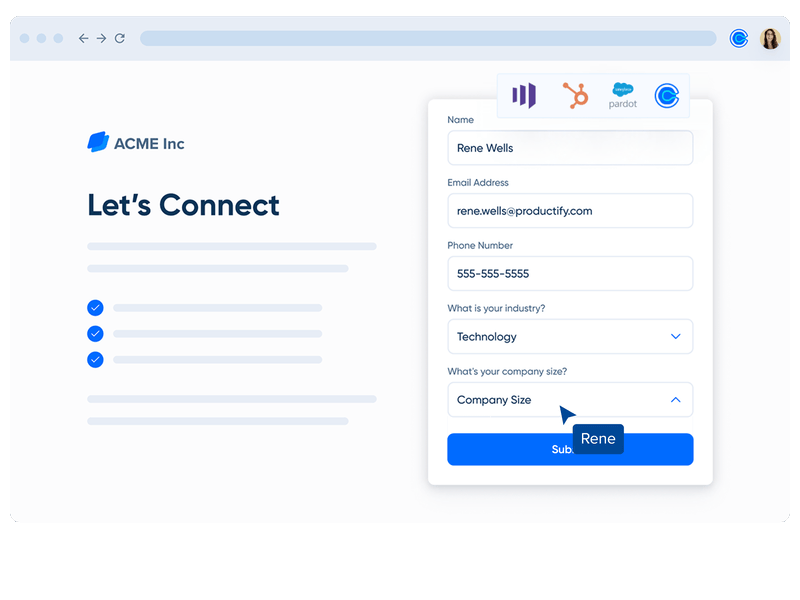
Routing Forms qualify visitors before they reach a booking page, and CRM lookup routing matches inbound leads to their assigned account owner in real time.
Source: Calendly
Mixmax takes the opposite approach.
It treats the email as the primary context and embeds scheduling inside it. A rep composing a follow-up in Gmail types /meeting, selects from their available slots, and the recipient sees clickable time tiles in the email body. No link to click, no external page to load.
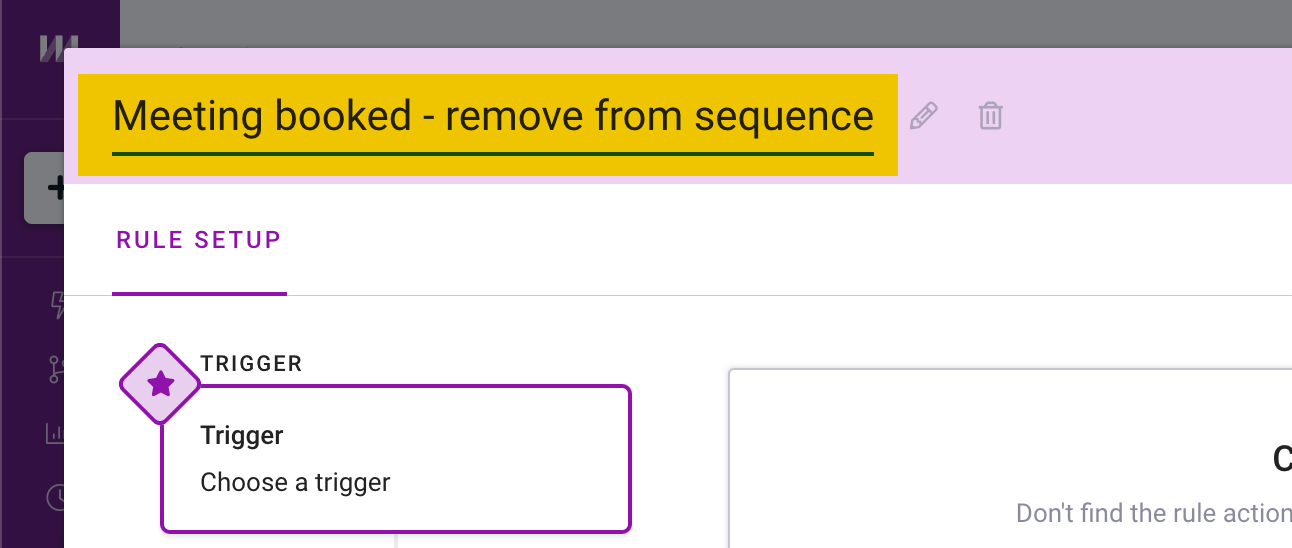
This inbox-native approach means Mixmax scheduling works naturally inside multi-step outreach sequences. A rep's automated follow-up can include fresh availability slots. When the prospect books, a Rule removes them from the active sequence, preventing the awkward "just following up" email that arrives after the meeting is already on the calendar.
Source: Mixmax
The cost of each approach is clear.
Calendly's scheduling is deeper, handling one-on-one, group, collective, and round-robin meeting types, plus Meeting Polls with automatic calendar hold-and-release, plus payment collection at booking. But Calendly does nothing about the emails, sequences, and follow-ups surrounding those meetings.
Mixmax's scheduling is simpler (no payment collection, no routing forms, less flexible availability controls), but it's woven into a complete outreach workflow.
Meeting intelligence takes different forms
Both Calendly and Mixmax have invested in what happens before, during, and after the meeting. Both use AI meeting bots. Both produce transcripts and summaries. But the intelligence serves different purposes.
Calendly's Notetaker joins Zoom, Google Meet, and Microsoft Teams calls as a bot participant, records the conversation, and delivers a summary with key points and action items after the call ends.
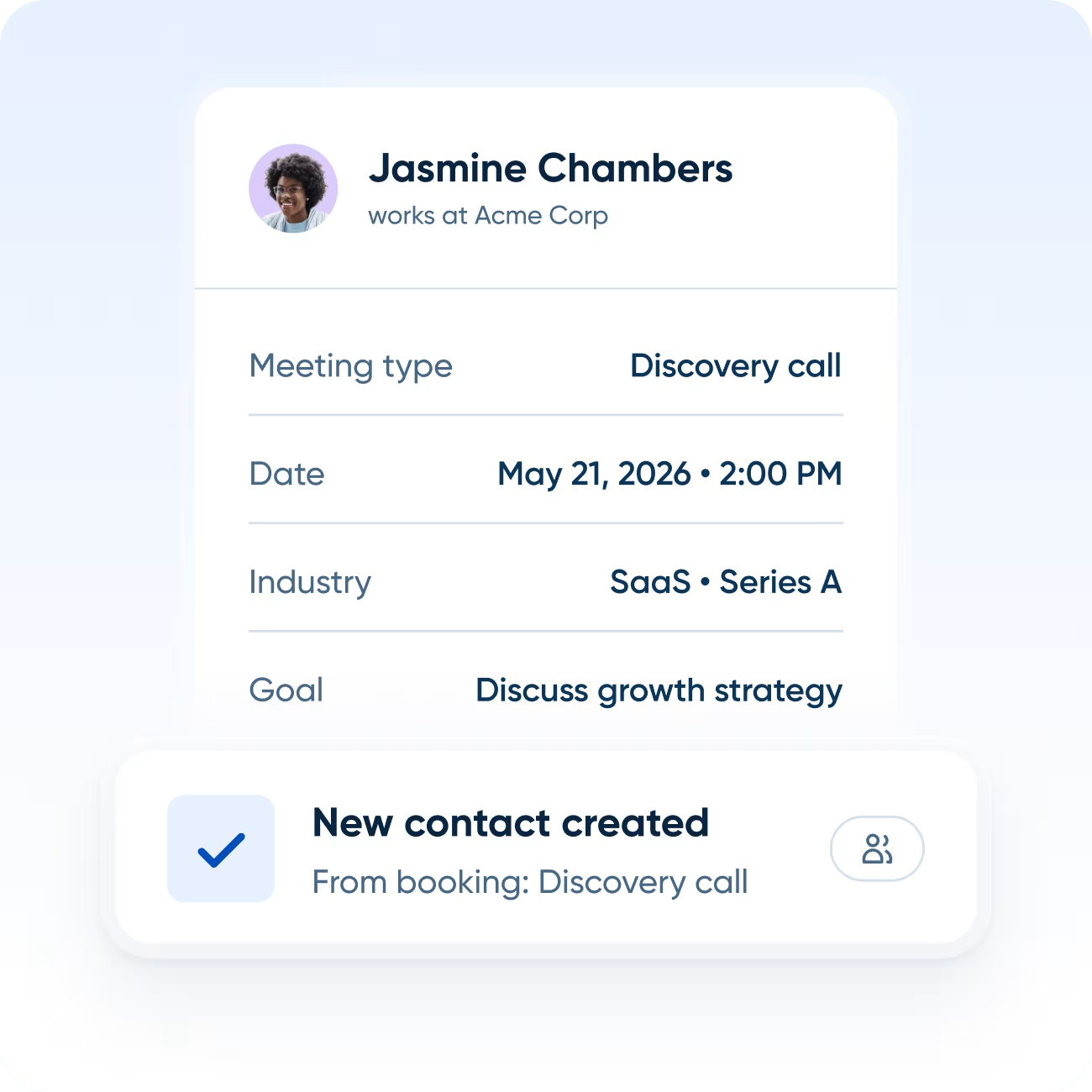
The "Ask Notetaker" feature lets users query the transcript conversationally. Because Notetaker connects to Calendly Contacts, the recap links to the contact's full scheduling history, so reps can review past discussions before the next meeting. Notetaker is included in all paid plans with unlimited recaps.
Source: Calendly
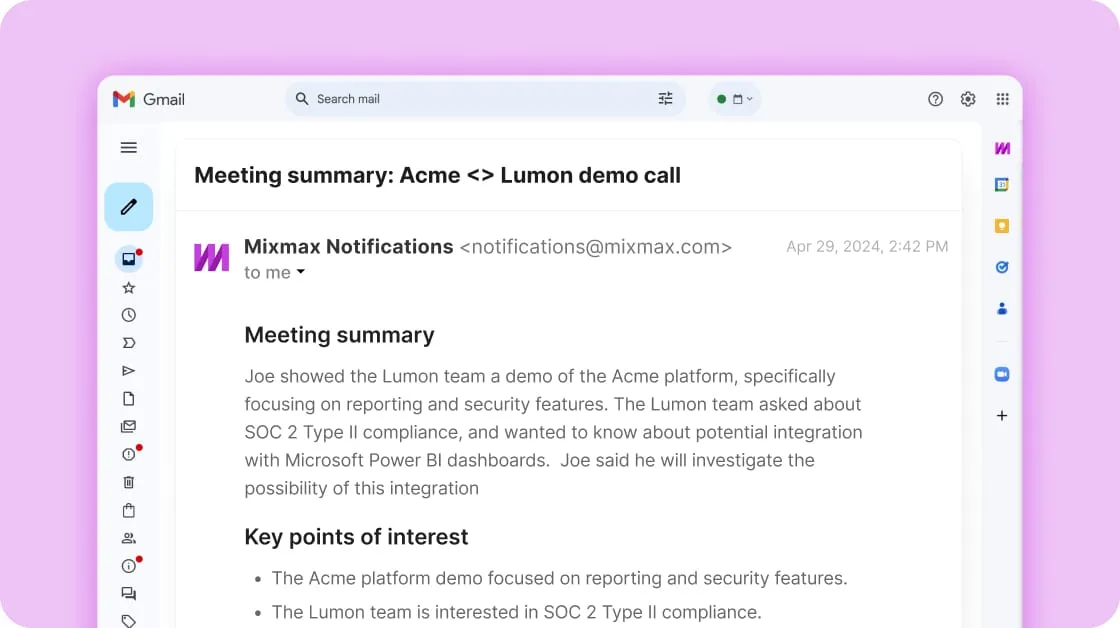
Mixmax's Meeting Copilot covers similar ground (recording, transcription, AI summaries) but adds a pre-meeting layer.
Meeting Prep generates a briefing email 24 hours before an external meeting, pulling context from the rep's email history and prior transcripts. The post-meeting summary includes a "Generate follow-up email" button that opens a pre-drafted message in Gmail. Transcripts and summaries sync to Salesforce and HubSpot automatically.
Source: Mixmax
Both tools capture what was said. Neither tells you what it means for the deal.
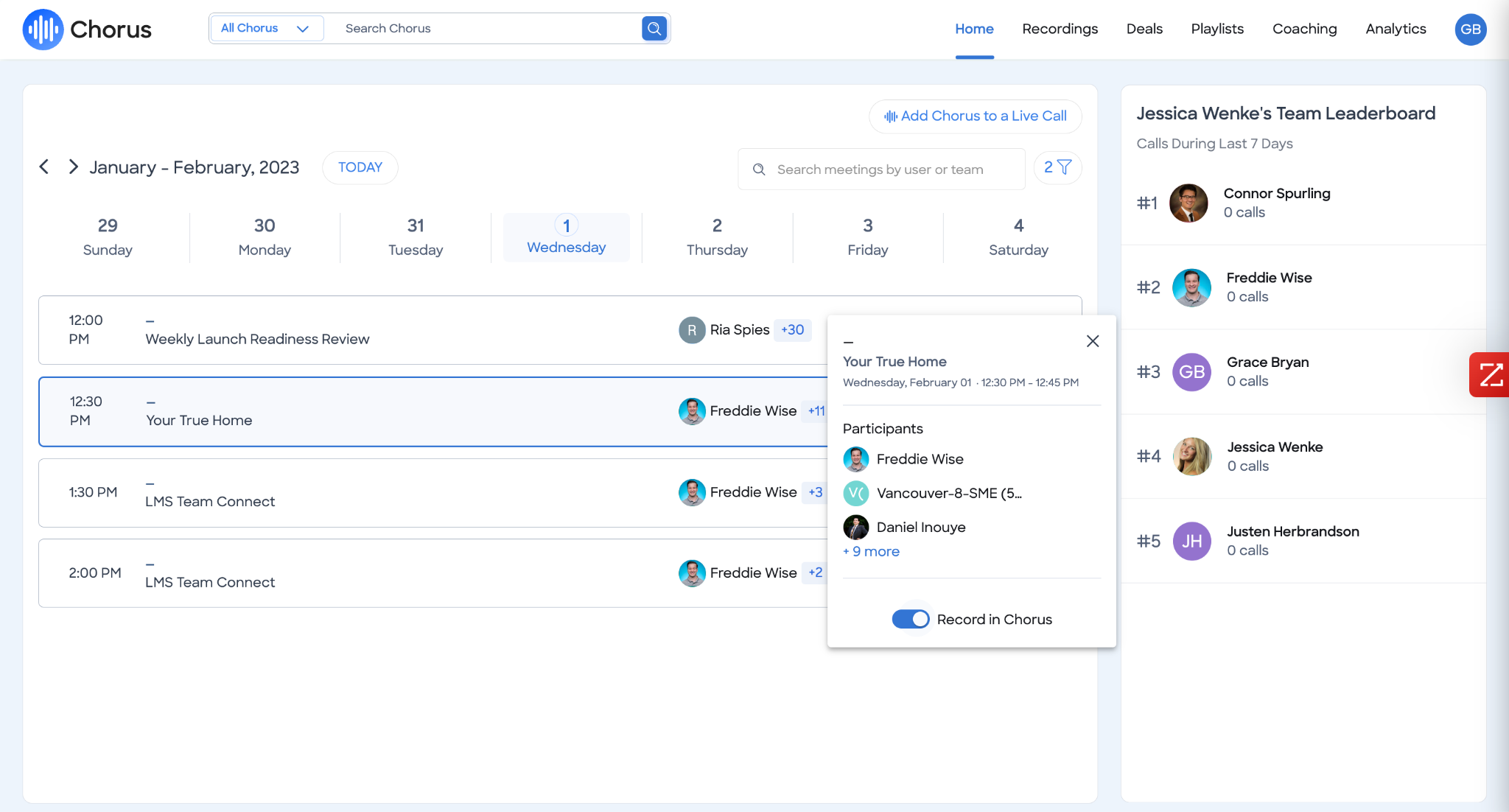
ZoomInfo's Chorus works on a different level.
Source: ZoomInfo
It captures every customer call, meeting, and email, then reads the underlying signals. When a CFO joins a call and asks about ROI timelines, Chorus doesn't just transcribe the question. It recognizes that executive sponsorship at this stage, combined with ROI-focused questions, matches the pattern behind closed-won deals.
That context feeds into the GTM Context Graph, where it connects with intent signals, org chart changes, and CRM data to surface deal risk or acceleration.
"That combination of our internal CRM data, external signals, and AI that's given all that context has helped us craft very specific account- and persona-based messages. And people have responded to them right away." (Seismic)
The data gap changes who you meet
Calendly and Mixmax both help you book meetings faster. Neither helps you decide whether the person on the other end is worth your time.
Calendly's Contacts builds a relationship record from booking activity: name, email, scheduling history, and any Notetaker recaps.
That's useful context, but it's limited to people who've already booked with you. Calendly knows nothing about the 99% of your market that hasn't clicked your link yet.
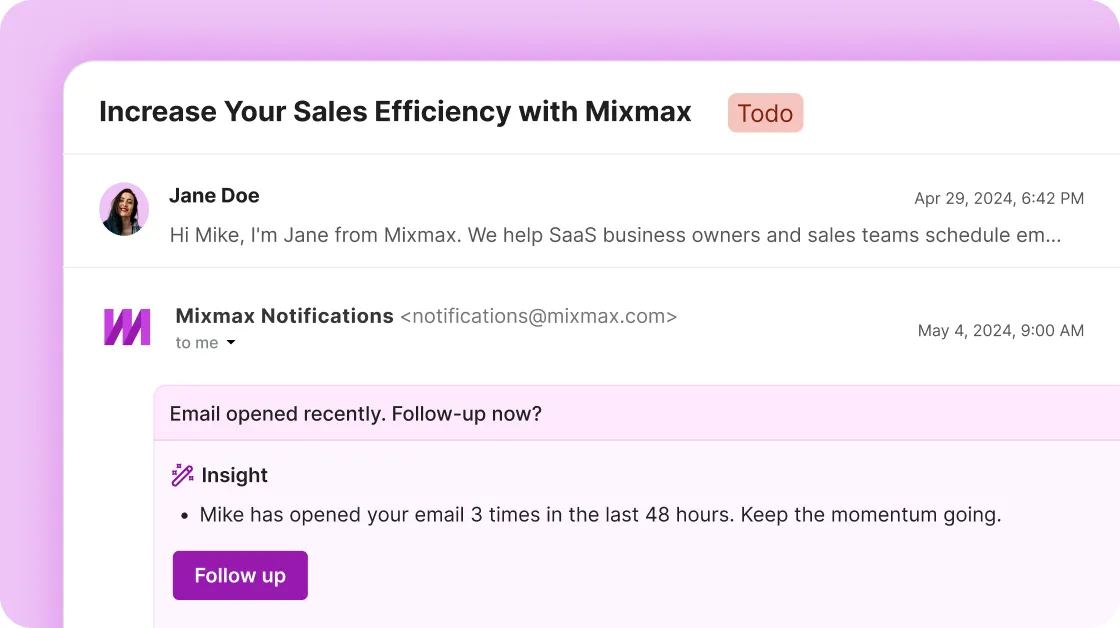
Mixmax's engagement signals (opens, clicks, "opened but silent" detection) help reps time their follow-ups based on real behavior.
The Inbox Copilot prioritizes contacts based on these signals and surfaces conversations that have gone quiet. But Mixmax's visibility ends at the inbox. It tracks what prospects do with your emails. It doesn't know what they're doing elsewhere.
Source: Mixmax
ZoomInfo fills both gaps.
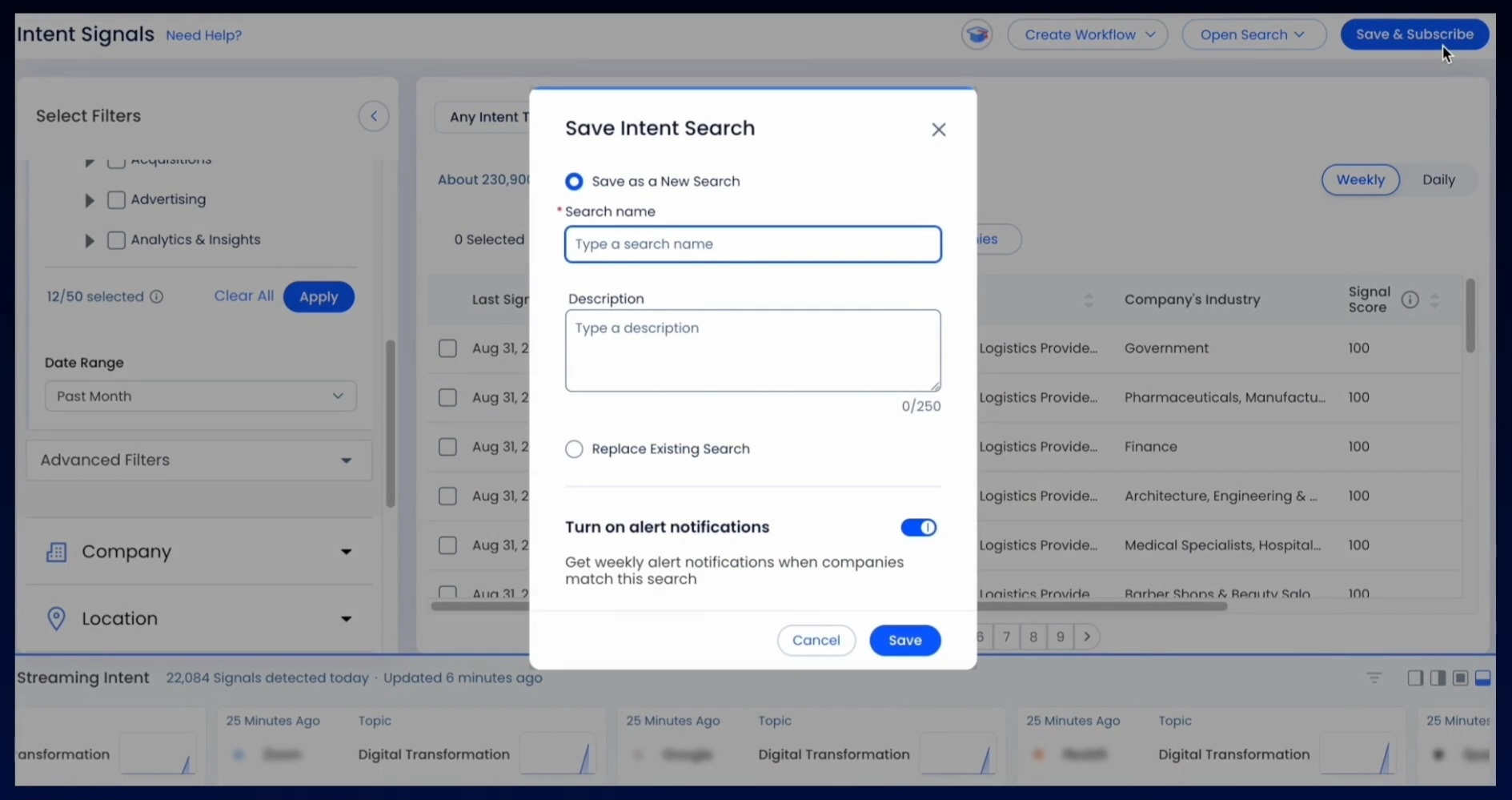
Its buyer intent data tracks signals from 210 million IP-to-Organization pairings and 6 trillion+ new keyword-to-device pairings sourced monthly, revealing when companies are researching solutions before they visit your website or respond to an email. Guided Intent, exclusive to ZoomInfo, identifies topics historically correlated with deal success rather than requiring manual topic selection.
Source: ZoomInfo
When a prospect books a meeting (whether through Calendly or Mixmax), ZoomInfo gives the rep a complete picture: the company's org chart with decision-makers' direct dials, its tech stack, recent funding rounds, hiring patterns, and intent signals showing what the buying committee has been researching.
The difference between walking into a meeting with a name and email versus walking in with full account context is the difference between a discovery call and a deal-advancing conversation.
"ZoomInfo gives us the information we need to execute. We don't have to go through and spend our time digging. It's already there, so we can be three steps ahead." (Vensure)
Automation and workflows reflect each platform's focus
How each tool handles automation reveals what it considers the core workflow.
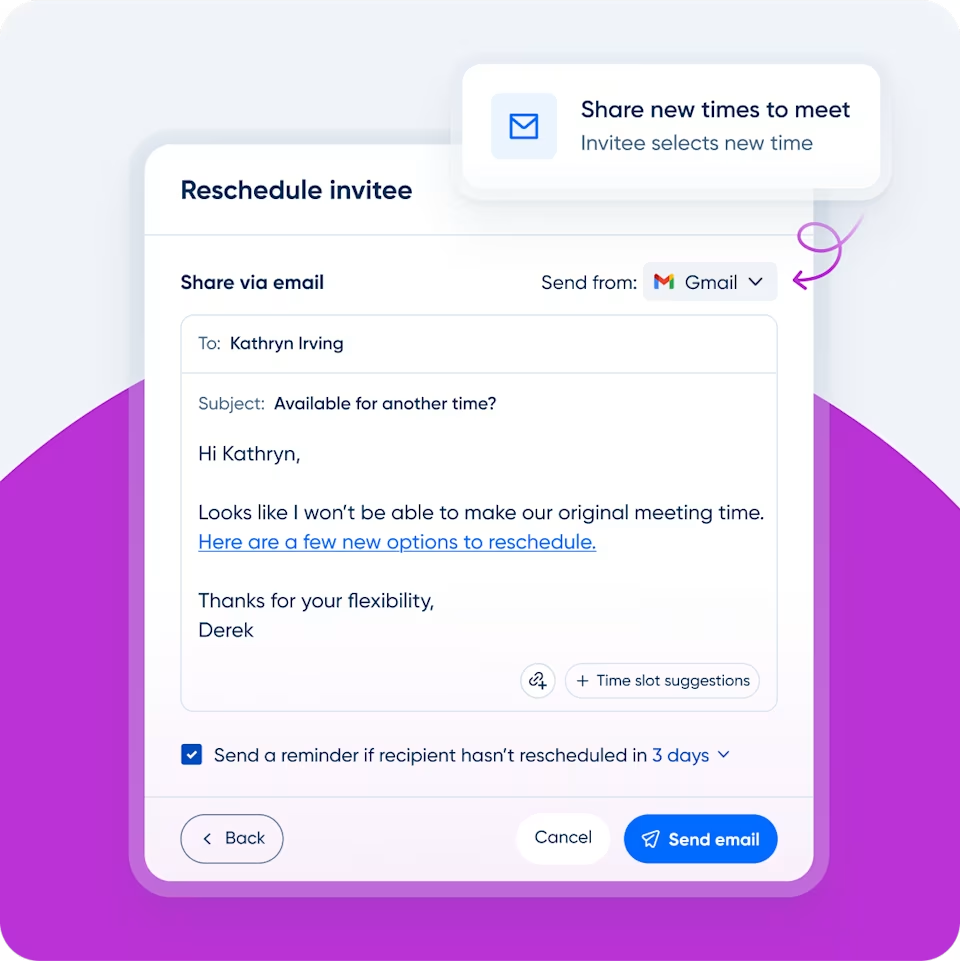
Calendly's automation centers on the meeting lifecycle.
Workflows send pre-meeting email and SMS reminders, post-meeting follow-ups, and no-show recovery sequences. These fire on booking events (confirmed, rescheduled, canceled, no-show), not engagement signals.
Source: Calendly
Routing Forms automate lead qualification before booking using conditional logic, CRM ownership lookup, or hidden field enrichment from Clearbit or ZoomInfo. The scope is narrow but well-executed: everything revolves around getting the right person into the right meeting.
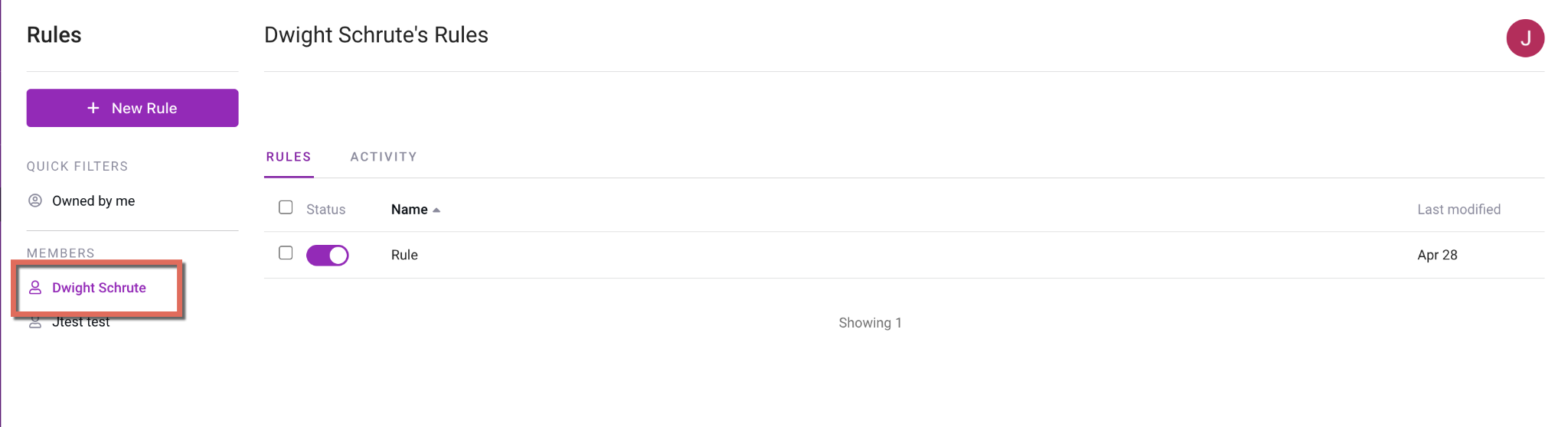
Mixmax's Rules engine is broader.
Source: Mixmax
It connects engagement signals to automated actions through trigger-filter-action logic. Triggers include email opens, link clicks, sequence stage completions, meeting bookings, and Salesforce field updates. Actions include sequence enrollment, CRM record updates, Slack notifications, SMS messages, and webhook posts.
A single Rule can detect that a prospect opened an email three times, create a LinkedIn connection request task, and notify the rep via Slack. Hiretual's RevOps manager credits Mixmax Rules with saving the sales team 90 hours per week.
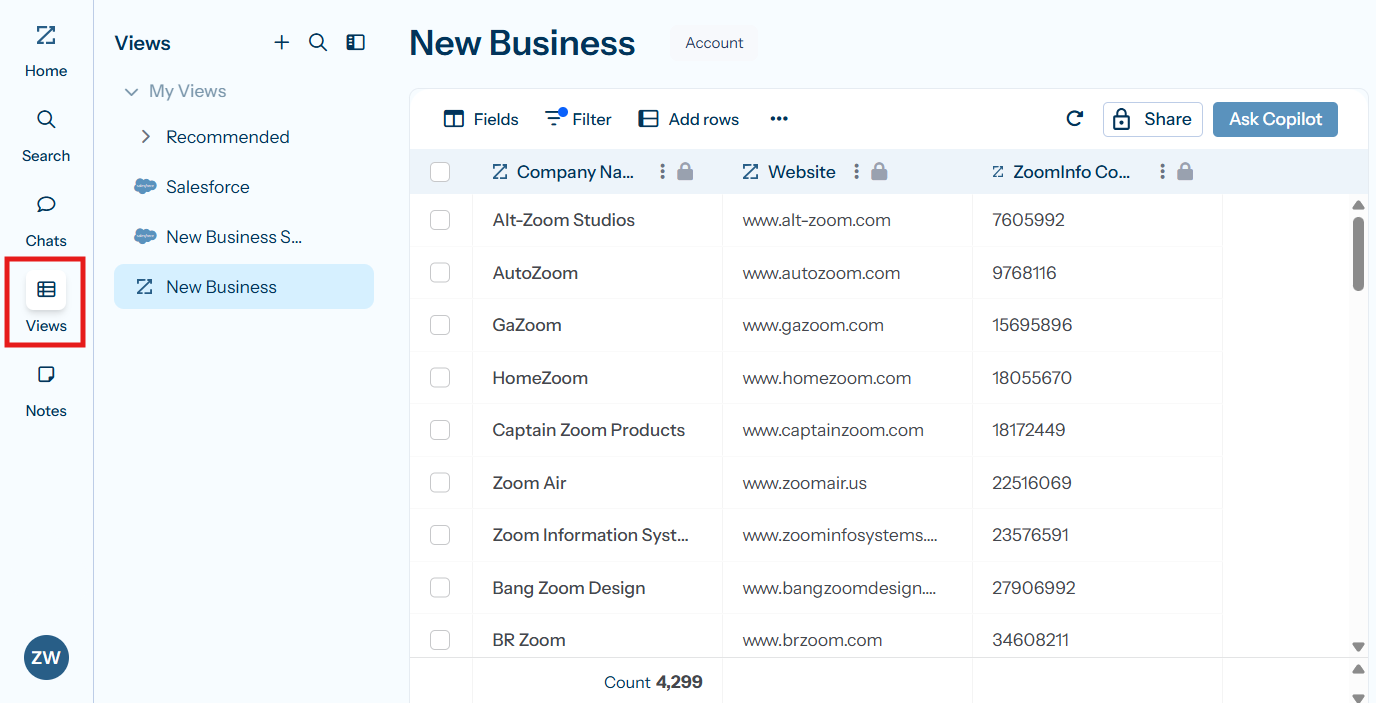
ZoomInfo's automation works at a broader level.
GTM Workspace AI agents research accounts, draft outreach, monitor buying signals, and update CRM records without rep intervention.
Source: ZoomInfo
GTM Studio lets marketers and RevOps describe audiences in natural language, launch multi-channel plays, and track pipeline impact in real time. Expansion plays that used to take three weeks now launch in 30 minutes. The automation goes beyond saving time on repetitive tasks; it surfaces which tasks matter most.
"It's not just the data itself. It's more about the right data at the right time to help us reach out with the right message across that full buyer journey." (Redwood Logistics)
Pricing structures reflect different value propositions
Calendly prices by seat with clear tiers.
The Free plan includes one event type and one calendar connection. Standard costs $10/seat/month (annual) and unlocks unlimited event types, six calendar connections, and integrations with HubSpot, Stripe, and PayPal.
Teams at $16/seat/month adds round-robin distribution, Salesforce integration, and routing forms. Enterprise starts at $15,000/year with dedicated support, SAML SSO, SCIM provisioning, and advanced Salesforce routing.
The free tier is useful for individuals, but sales teams will hit walls fast. Round-robin scheduling, Salesforce integration, and routing all require Teams or above. SAML SSO is a paid add-on at the Teams tier; only Enterprise includes it. Each renewal term may include a price increase equal to CPI + 3%, a clause worth reading before signing a multi-year deal.
Mixmax structures its pricing around three modular Copilots.
Inbox Copilot and Meeting Copilot each cost $29/user/month (annual). Engagement Copilot costs $49/user/month. The Mixmax Suite bundles all three for $89/user/month. Mixmax for Teams (custom pricing, 5+ user minimum) adds custom branding, the dialer, Salesforce Insights, and advanced workflow rules.
A permanent free tier includes limited email tracking (20/month) and limited sequences (50 recipients/month).
The modular approach sounds flexible, but the costs add up. A team that needs sequences, meeting intelligence, and inbox prioritization pays $89/user/month, nearly six times Calendly's Teams tier. The dialer, which many SDR teams consider essential, is only available on the Teams plan with additional per-user fees ($10-$20/month) and per-minute charges.
ZoomInfo uses custom-quoted, consumption-based pricing with no published prices.
ZoomInfo Lite provides a permanent free tier with access to the B2B database, 10 monthly export credits, the Chrome extension, and HubSpot integration. Paid plans scale around seats, credit volume, and feature tiers across Sales, Marketing, and Operations product lines. The investment is higher than either Calendly or Mixmax, but the scope is different.
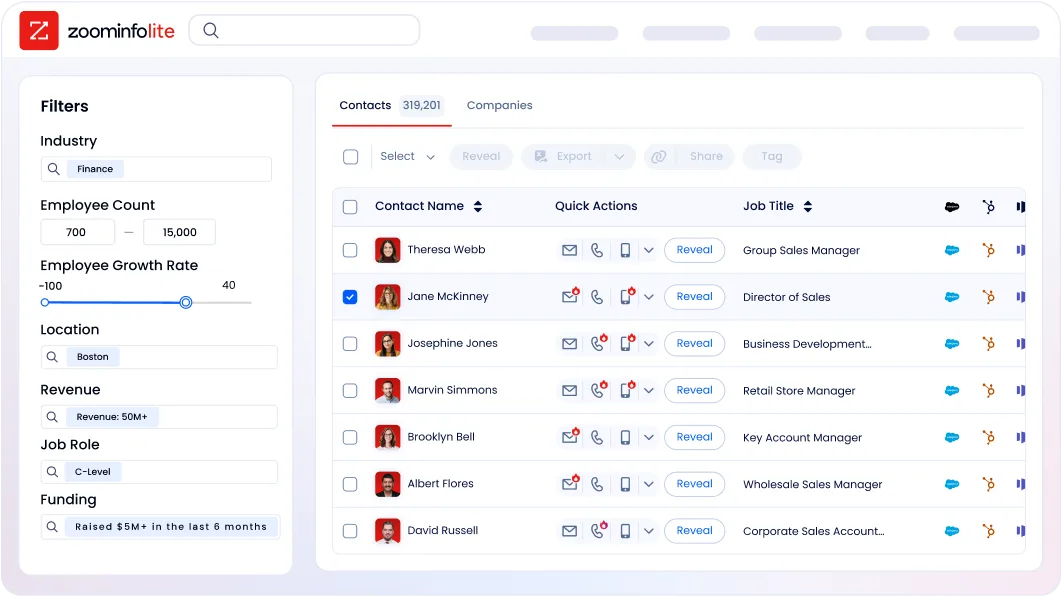
ZoomInfo replaces multiple point solutions (data provider, intent platform, conversation intelligence, sales engagement) rather than covering one function.
Integration ecosystems show where each tool fits in your stack
Calendly publishes 100+ integrations across calendars (Google, Outlook, Exchange), video conferencing (Zoom, Google Meet, Microsoft Teams), CRMs (Salesforce, HubSpot, Microsoft Dynamics 365), marketing automation (Marketo, Pardot, ActiveCampaign, Mailchimp), payments (Stripe, PayPal), and AI assistants (Claude, ChatGPT).
The Scheduling API lets developers build scheduling into any app without redirects or iframes, and the Calendly MCP Server connects AI agents to scheduling natively. Calendly plays well in any stack because it doesn't try to be the stack.
Mixmax's integrations focus on the sales workflow.
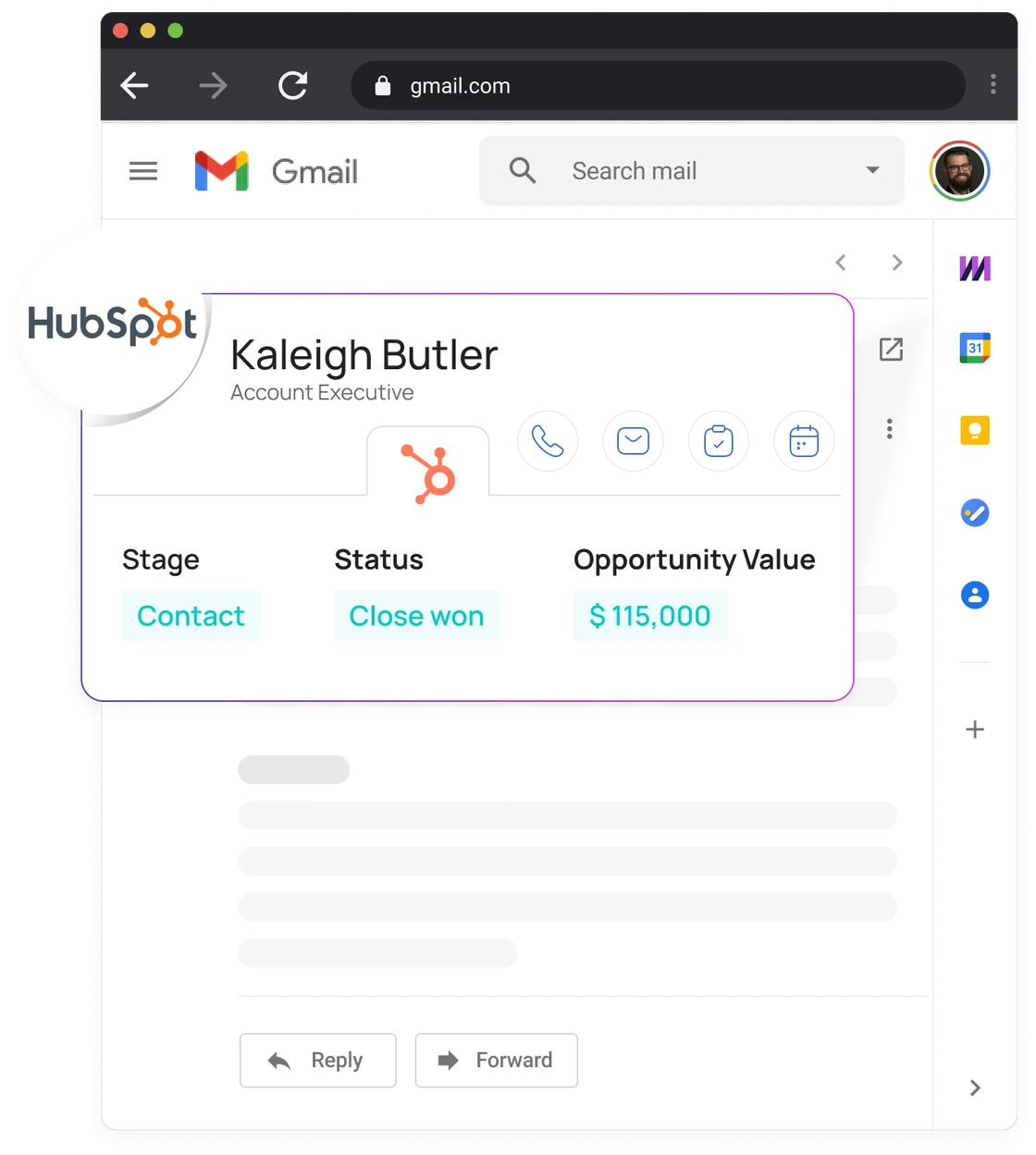
Salesforce and HubSpot get native bidirectional sync. LinkedIn Sales Navigator enables InMail and connection requests as sequence stages. Gong pairs revenue intelligence with engagement data. The Mixmax MCP Server connects sales data to Claude and ChatGPT.
Source: Mixmax
Integrations outside the Gmail-Salesforce-HubSpot axis are thinner. Pipedrive users have no native sync. Microsoft Dynamics support is available only through Zapier.
ZoomInfo's Marketplace lists 172+ integrations spanning CRM, marketing automation, sales engagement, revenue intelligence, cloud data platforms, communications, and AI.
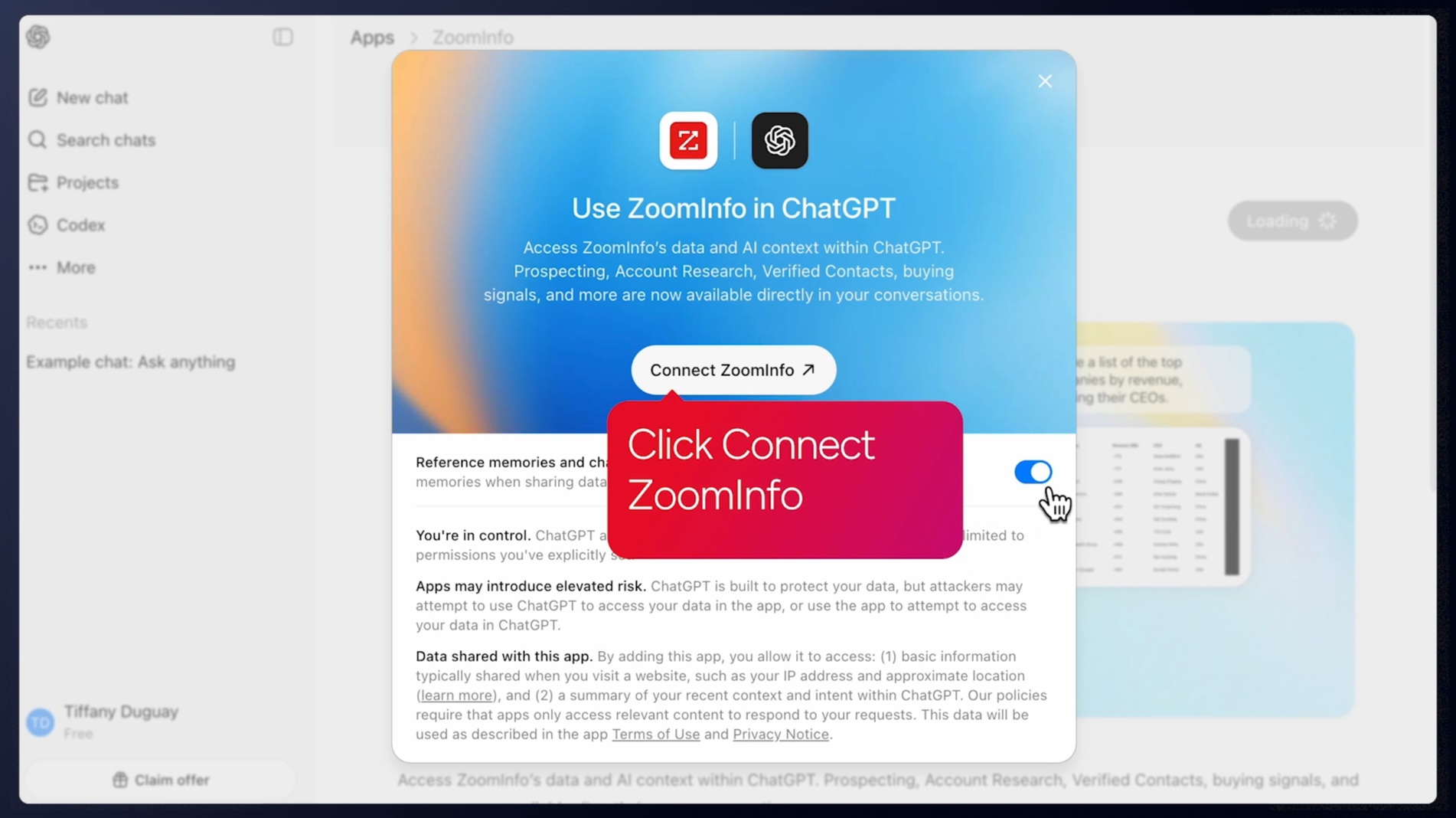
The Enterprise API and MCP server make ZoomInfo data available in any tool. Data cubes deliver directly into AWS, Google Cloud, Snowflake, and Databricks. Because ZoomInfo serves as the data layer rather than the execution layer, it enhances whatever tools you already use rather than competing with them.
Source: ZoomInfo
"The plug-and-play aspect of the API means I can integrate it very easily into any process and get information at a moment's notice." (BDO Canada)
Platform limitations worth knowing
Every tool has constraints worth evaluating before you commit.
Calendly's free tier is restrictive. One event type, one calendar connection.
Capterra reviewers frequently call it barely functional for real business use. Branding customization is limited even on paid plans, with no white-label or custom domain booking pages. There's no native Apple Calendar/iCloud integration, a recurring frustration for Mac-heavy teams. Updating availability requires editing each event type separately rather than applying a single master schedule.
Mixmax is tied to Gmail.
Outlook support launched in 2024, but key features including Meeting Copilot remain Gmail-only. There's no mobile app. Reporting is limited. G2 reviewers note that sequence analytics lack A/B testing and funnel attribution. The built-in dialer scores 7.3/10 on G2, well below comparable tools. Mixmax branding appears on emails and booking pages on sub-Teams plans.
ZoomInfo requires investment.
There are no published prices, and the platform's breadth means onboarding takes time. ZoomInfo redesigned its onboarding from 30 to 90 days to account for this. The platform is built for B2B teams with outbound and data-driven motions. B2C companies or businesses without a CRM won't see the full benefit.
Calendly vs. Mixmax vs. ZoomInfo: Which should you choose?
The right tool depends on where your biggest bottleneck sits.
Choose Calendly if:
Scheduling coordination is your primary friction point
You need a booking tool that works across every channel (email, web, social, SMS)
Your team spans sales, recruiting, customer success, and education
You want CRM-driven routing with Salesforce and HubSpot lookup
Payment collection at booking matters for your business
You value a tool anyone can adopt in minutes with no training
Choose Mixmax if:
Your sales team lives in Gmail and hates switching between tools
Outbound sequences with embedded scheduling are your primary motion
You need email tracking, engagement signals, and CRM auto-logging in one tool
AI meeting prep and follow-up would save your reps time
Your team is small enough (under 50 reps) that Mixmax's analytics limitations don't matter
Choose ZoomInfo if:
You need to know who to meet, not just how to schedule them
Buyer intent signals and account context would change how your team prioritizes
You want AI that surfaces the next best action across your book of business
Your stack needs a data layer that powers every downstream tool
You're ready to move from scheduling optimization to pipeline intelligence
See how ZoomInfo can strengthen your go-to-market with a free trial.
The honest answer for many sales teams is that you don't have to pick just one. Calendly or Mixmax handles the scheduling. ZoomInfo provides the intelligence that determines which meetings matter.
A scheduling tool paired with a go-to-market intelligence platform creates a workflow where every booked meeting is backed by real account context, verified contact data, and signals that tell you why this meeting, with this person, right now.
That's the difference between a full calendar and a full pipeline.
Calendly vs. Mixmax vs. ZoomInfo FAQ
What is the core difference between Calendly, Mixmax, and ZoomInfo?
Calendly is a scheduling automation platform that eliminates back-and-forth meeting coordination through shareable booking links and pages.
Mixmax is a Gmail-native sales tool that embeds scheduling inside email workflows alongside sequences, engagement tracking, and AI meeting intelligence.
ZoomInfo is an AI-powered go-to-market platform built on 500M contacts and 100M companies, providing the data, intent signals, and account intelligence that determine who to meet and why.
Which platform is best for booking meetings with inbound website leads?
Calendly is the strongest choice for inbound website scheduling. Its Routing Forms qualify visitors with conditional logic, match leads to their assigned CRM owner via real-time Salesforce or HubSpot lookup, and route directly to a booking page. One customer reported 70% of qualified leads booking demos from their website after enabling routing.
Mixmax can embed calendar links on websites but lacks Calendly's form-based qualification and CRM-driven routing.
ZoomInfo complements either by identifying anonymous website visitors and connecting them to verified contact records and intent data.
Can I use Mixmax if my team is on Microsoft Outlook?
Mixmax added Outlook support in 2024, but it remains incomplete. Key capabilities including Meeting Copilot are limited to Gmail. Teams split between Gmail and Outlook will hit feature gaps.
If your organization runs on Microsoft 365, Calendly (which works independently of email client) or ZoomInfo's GTM Workspace (which integrates with Salesforce, HubSpot, and Dynamics 365 regardless of email platform) may fit better.
How do the meeting intelligence features compare?
Calendly's Notetaker records meetings on Zoom, Google Meet, and Microsoft Teams, producing AI-generated summaries with action items. It's included in all paid plans with unlimited recaps.
Mixmax's Meeting Copilot covers similar ground but adds Meeting Prep, a pre-meeting briefing generated from the rep's email and meeting history, delivered 24 hours before external meetings.
ZoomInfo's Chorus goes further by analyzing conversations for deal signals, competitive mentions, and buying behavior patterns, then feeding that context into the GTM Context Graph where it connects with intent signals, CRM data, and org chart intelligence.
Which platform is cheapest for a small sales team?
Calendly is the most affordable for scheduling alone, starting at $10/seat/month on the Standard plan.
Mixmax starts at $29/user/month for a single Copilot or $89/user/month for the full Suite.
ZoomInfo uses custom pricing but offers ZoomInfo Lite for free with 10 monthly export credits and access to the B2B database. For a team of 10 reps focused on scheduling, Calendly would cost roughly $160/month on the Teams plan. Mixmax Suite for the same team would run $890/month.
Does ZoomInfo replace Calendly or Mixmax?
Not directly. ZoomInfo's GTM Workspace includes AI-generated outreach and integrates with scheduling and engagement tools, but it serves as a data and orchestration layer rather than a scheduling replacement.
ZoomInfo integrates with both Calendly (as an integration partner for enrichment-based routing) and Mixmax (listed in ZoomInfo's Marketplace). The most effective setup for many sales teams is ZoomInfo for intelligence and data, paired with Calendly or Mixmax for scheduling.
Which platform has the best CRM integration?
All three integrate with Salesforce and HubSpot. Calendly syncs meeting data to CRM records and supports routing based on CRM ownership (Teams plan for HubSpot and Salesforce; Enterprise for Salesforce field-level filtering and Microsoft Dynamics 365).
Mixmax auto-logs email activity, sequence enrollment, and meeting data to Salesforce and HubSpot, and can create new Leads or Contacts from sequence recipients.
ZoomInfo offers the deepest CRM integration, enriching records with verified contact data, company attributes, and intent signals, while GTM Workspace combines CRM data with ZoomInfo intelligence in one view.
Which tools offer AI agent or MCP server access?
All three support the AI agent ecosystem. Calendly offers an MCP Server that lets AI agents schedule meetings natively, plus connectors for Claude and ChatGPT.
Mixmax launched its MCP Server in April 2026, giving AI tools read-only access to meeting transcripts, sequence metrics, and deal history.
ZoomInfo's MCP server connects AI models to its full B2B database, supporting search, enrichment, account research, and contact recommendations through natural language queries in Claude, ChatGPT, and other compatible clients.
Related breakdowns to help you choose:
