
Teams that run CallRail for call tracking and Salesforce as their CRM usually discover the same problems within a quarter:
call attribution data (which campaign, which keyword, which source) lives in CallRail while the corresponding leads and deals live in Salesforce, with no connection between the two,
sales reps handle inbound calls without knowing which marketing effort drove the prospect to pick up the phone,
and marketing reports call volume in one dashboard while pipeline metrics live in another, making closed-loop ROI reporting impossible without manual spreadsheet work.
However, the two platforms ended up in the same stack (a marketing team adopting CallRail to measure phone leads while the org already runs on Salesforce, an agency implementing call tracking for a client's existing CRM, or a team adding attribution to a mature sales workflow), the longer they operate without a connection, the wider the gap between call data and sales data grows.
Connecting CallRail and Salesforce closes that gap.
Call tracking data flows into Salesforce records so reps can see which marketing source drove each inbound call without leaving the CRM. Attribution metadata (campaign, keyword, landing page, referring source) attaches to Leads, Contacts, and Activities, so marketing spend ties to actual phone conversations rather than clicks alone. When a first-time caller reaches a tracked number, the integration can create a new Lead in Salesforce automatically, so no call falls through the cracks because someone forgot to log it.
CallRail offers a native Salesforce integration that handles call logging and lead creation with custom field mapping out of the box. For teams that need different trigger logic or conditional workflows, third-party automation tools like Zapier and Make can bridge the two platforms with narrower data coverage. Custom API development using CallRail's REST API and Salesforce's REST API is also possible for teams with specific requirements. Each method differs in setup complexity, data coverage, sync direction, and cost.
There is also one problem no connection method solves: the integration delivers call data to CRM records, but it does not verify whether those records are accurate, current, or complete.
And that is where ZoomInfo comes in. ZoomInfo integrates natively with Salesforce and offers API and MCP access that can feed verified, enriched contact and company data into any CRM workflow, so the records behind every inbound call are accurate and complete before a rep picks up.
This article covers the CallRail-Salesforce integration landscape: which methods are available, what data each one handles, how to set them up, the use cases that justify connecting both platforms, and the limitations to plan for. At the end, it also covers how ZoomInfo fits in as a data enrichment layer that strengthens the records flowing between CallRail and Salesforce.
Let's start with an overview of the integration.
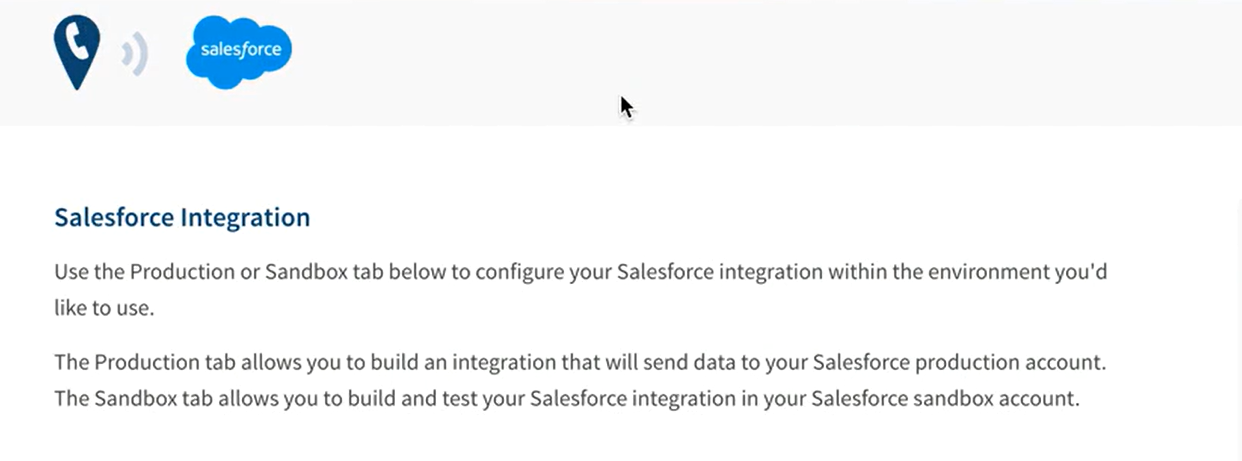
Integration Overview
Source: CallRail
Does a native integration exist?
Yes. CallRail offers a native Salesforce integration that tracks and logs call data into Salesforce with custom field mapping support. The integration is available through CallRail's in-app integrations library and handles lead creation, call logging, and attribution data push into Salesforce objects.
What data can sync?
Call records, caller information, attribution metadata (source, campaign, keyword, landing page, referring URL), call duration, call type, recording links, tags, and notes. CallRail's native integration supports custom field mapping, letting teams control which CallRail data populates which Salesforce fields. For teams using CallRail's Form Tracking add-on, form submission data can also flow into Salesforce.
Is the sync bidirectional?
No. The native integration flows one direction: CallRail to Salesforce. Call tracking data, attribution metadata, and lead information push into Salesforce records, but Salesforce data (deal stages, account details, lead scores) does not flow back into CallRail. Zapier workflows are also one-directional per Zap. Bidirectional sync requires custom API development.
Is it real-time or batch?
The native integration pushes call data into Salesforce shortly after each call completes, operating in near real-time. Zapier processes triggers within 1 to 15 minutes depending on plan tier. Custom API integrations can achieve near real-time sync through CallRail's webhooks, which fire immediately on call events.
What are the available methods?
Native CallRail-Salesforce integration, third-party automation (Zapier, Make), and custom API development.
Method | Setup Difficulty | Data Flow | Real-time? | Cost |
|---|---|---|---|---|
Native (CallRail) | Low | CallRail to Salesforce | Near real-time | Included with CallRail plan |
Zapier | Low | One-way per Zap | Near real-time (1-15 min) | From $19.99/mo |
Custom API | High | Customizable | Via webhooks | Developer time + API usage |
One distinction worth settling upfront: the native integration and Zapier sync new call events as they occur. Neither is designed for migrating historical call data into Salesforce. Custom API development is the only method that can backfill historical records, since it can pull from CallRail's API with date-range filtering and write to Salesforce in bulk.
Integration Methods
Native CallRail-Salesforce Integration
How it works: CallRail's native Salesforce integration connects the two platforms through CallRail's integrations library. When a call comes in on a tracked number, CallRail captures the caller's information and the attribution chain (which marketing source, campaign, keyword, and landing page drove the call).
Source: CallRail
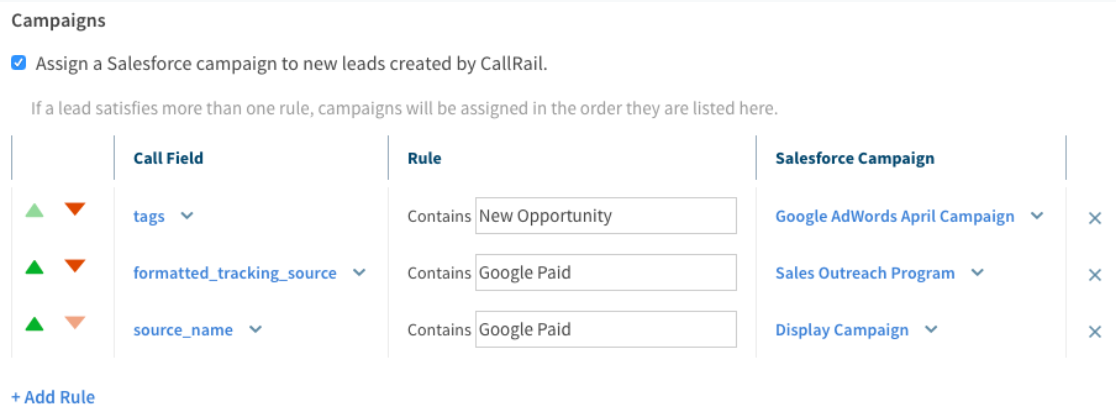
The integration then pushes that data into Salesforce, either creating a new Lead or logging activity on an existing record. Custom field mapping controls which CallRail data fields populate which Salesforce fields, so teams can tailor the data flow to their CRM structure.
What it syncs: Call records with attribution metadata: marketing source, campaign name, keyword, landing page URL, referring URL, caller phone number, call duration, call type, tracking number, tags, notes, and recording links.
For teams using CallRail's Conversation Intelligence, additional data points like call summaries and lead qualification tags may also be available. The integration can create new Leads in Salesforce from first-time callers and log calls as Activities on existing Leads, Contacts, or Accounts.
Fits: ongoing sync of call events into Salesforce as part of daily marketing and sales workflows; not a historical migration tool.
Setup process:
In CallRail, navigate to the integrations library (Settings > Integrations) and select Salesforce. Authenticate with your Salesforce org using OAuth, granting CallRail permission to write data to your CRM.
Configure which CallRail companies (tracking number groups) should push data to Salesforce. Each CallRail company can be mapped independently.
Set up field mapping between CallRail data points and Salesforce fields. Map call attribution fields (source, campaign, keyword) to the corresponding Salesforce fields on Leads, Contacts, or custom objects.
Configure lead creation rules: choose whether CallRail should create a new Salesforce Lead when it detects a first-time caller, or only log activity on existing records. Set matching logic (typically by phone number) to prevent duplicate records.
Define which call types trigger the sync (inbound calls, outbound calls, or both) and any filters (minimum call duration, specific tracking numbers, tagged calls only).
Test by placing a call to a tracked number and verifying the data appears on the correct Salesforce record with the expected field values.
Strengths: First-party integration maintained by CallRail. No third-party tool to configure or pay for separately. Attribution data attaches to CRM records automatically, giving marketing visibility into which campaigns generate phone leads without manual logging.
Custom field mapping lets teams control how data lands in Salesforce. API usage charges do not apply to data pushed through CallRail's native integrations, keeping costs predictable.
Source: CallRail
Limitations: The sync is one-directional (CallRail to Salesforce only). Salesforce data does not flow back into CallRail, so call tracking reports in CallRail cannot incorporate deal stages or revenue data from Salesforce.
Full call recordings are accessible via a link back to CallRail rather than stored natively in Salesforce. CallRail's deepest CRM integration is with HubSpot (which includes features like Voice Assist data sync and specific performance metrics), and the Salesforce integration does not match the HubSpot integration's feature depth. Setup requires Salesforce System Administrator access and CallRail admin rights.
Best for: Marketing and sales teams that need call attribution data inside Salesforce with minimal setup. The standard choice for any organization already using both platforms that wants call tracking data flowing into CRM records automatically.
Zapier
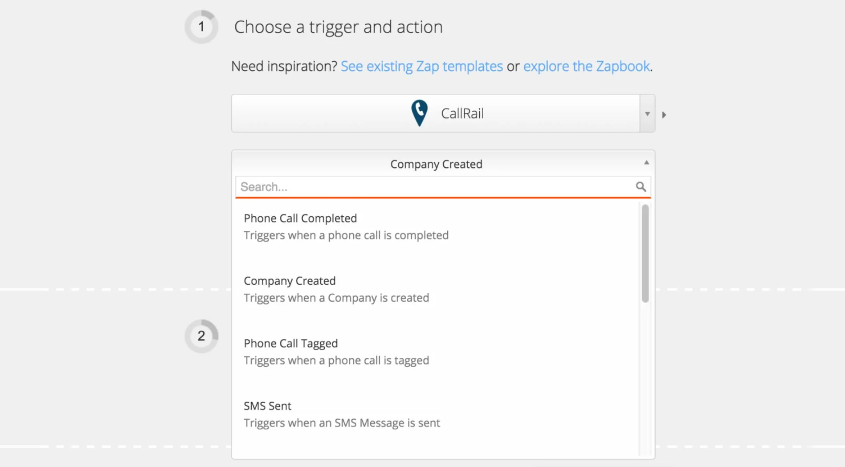
How it works: Zapier connects CallRail and Salesforce through event-driven automations called Zaps. Each Zap pairs a trigger (an event in CallRail) with one or more actions (what happens in Salesforce).
CallRail's Zapier connector supports 13 triggers covering calls, texts, form submissions, and tagging events. Salesforce's Zapier connector provides actions for creating and updating records across all standard objects.
Source: CallRail
What it syncs: Depending on the trigger selected, Zapier can capture inbound call completions, outbound call completions, SMS messages, form submissions, call tagging events, and more. Each trigger passes call metadata (caller number, duration, tracking number, tags) into the Zap, where field mapping routes that data to Salesforce record fields.
One important limitation: CallRail currently offers no Zapier actions, meaning it functions as a data source only within Zaps. Data flows from CallRail to Salesforce, not the reverse.
Fits: ongoing sync of specific call events into Salesforce with conditional logic; not a migration tool.
Setup process:
Create a Zapier account and connect both your CallRail and Salesforce accounts using OAuth.
Choose CallRail as the trigger app and select the trigger event (e.g., "Phone Call Completed Inbound" or "Form Captured").
Choose Salesforce as the action app and select the action (e.g., "Create Lead," "Create Task," or "Update Record").
Map fields from the CallRail trigger to Salesforce action fields. Zapier displays all available fields from both sides and lets you pull data from the trigger step into the action.
Test the Zap with a sample record to verify the field mapping produces the expected result in Salesforce.
Turn the Zap on. Each matching CallRail event will trigger the configured Salesforce action.
Make offers a similar connection with a visual scenario builder and triggers for inbound call received, call changed after ending, and SMS received. Make's per-operation pricing is lower than Zapier at higher volumes, and its conditional routing and error-handling modules give more control over complex workflows.
Strengths: Available to any team with a Zapier account, regardless of which CallRail plan they use. No engineering resources required.
Zapier's filter and formatting steps can add conditional logic (e.g., only sync calls over a certain duration, or route calls to different Salesforce record types based on tags). Multiple Zap templates exist for common CallRail-Salesforce workflows.
Limitations: Each Zap handles one trigger-action pair, so syncing calls, texts, and forms requires separate Zaps (each counting against your plan's task allocation).
Detailed call attribution data (keyword, campaign, landing page) may not be available through all Zapier triggers with the same granularity as the native integration. No bidirectional sync. Historical calls made before the Zap was activated do not sync. Zapier charges by task count, and high call volumes can accumulate costs.
Best for: Teams that need conditional workflows beyond what the native integration supports, such as routing calls to different Salesforce record types based on tags, triggering specific automations on form submissions, or creating custom notification flows alongside CRM updates.
Custom API Integration
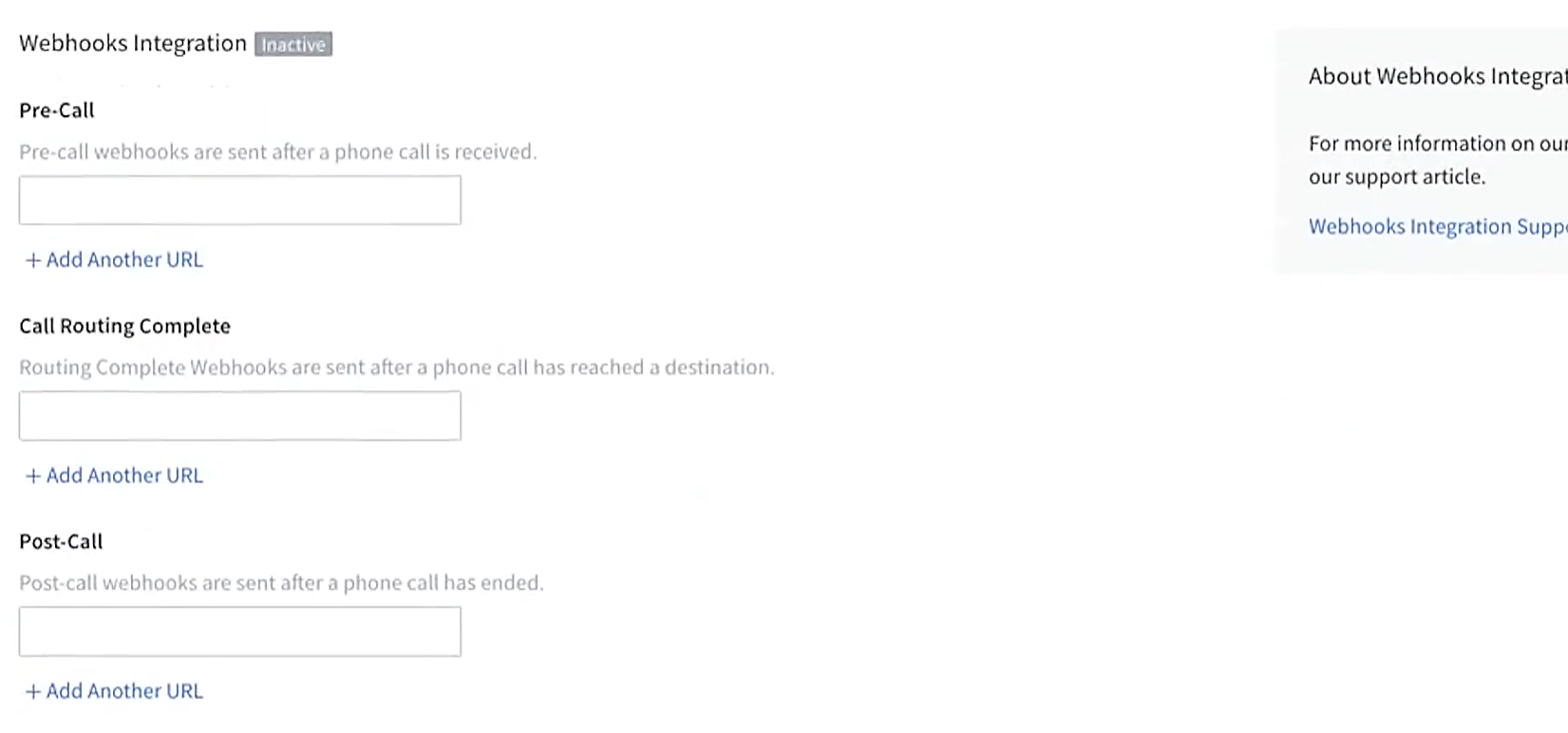
How it works: Both platforms provide full APIs. CallRail's REST API v3 covers calls, form submissions, text messages, companies, trackers, and tags, with webhook support for ten event types including pre-call, post-call, call modified, text message received, form submission, and Convert Assist completion.
Source: CallRail
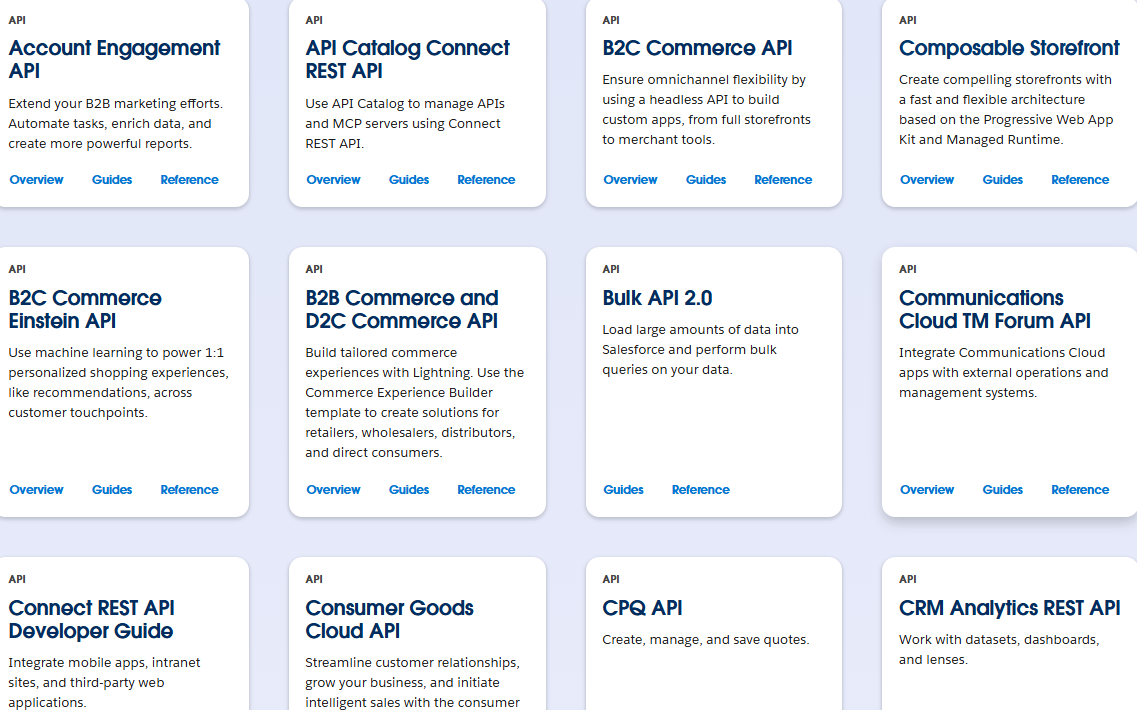
Salesforce's REST API covers all standard and custom objects, with Platform Events and Change Data Capture for event-driven sync. A custom integration connects these APIs directly, with your own middleware handling authentication, field mapping, transformation, and error recovery.
Source: Salesforce
What it syncs: Anything both APIs expose. This is the only method that supports complex scenarios like syncing Conversation Intelligence data (transcripts, sentiment scores, AI summaries) into custom Salesforce objects, building cross-reference logic between CallRail tracking numbers and Salesforce campaigns, or enforcing business rules that exceed the native integration's field mapping.
Fits: either historical backfill (using CallRail's API with date-range filtering and Salesforce's Bulk API 2.0) or ongoing sync; the only method with no ceiling on either.
Setup process:
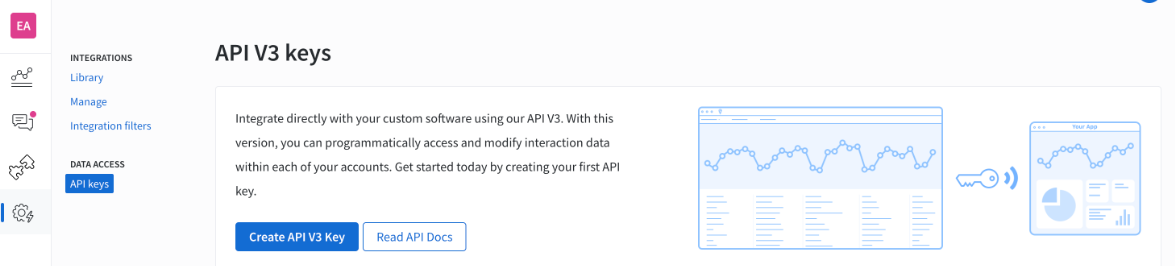
Generate a CallRail API token from your account settings. The token authenticates via the HTTP Authorization header (Authorization: Token token="YOUR_API_KEY"). Set up a Salesforce Connected App with OAuth 2.0 credentials for API access.
Design the data model mapping between CallRail call records and Salesforce objects, including field-level transformations and a cross-reference table for matching caller phone numbers to Salesforce record IDs.
Build the sync service: a server-side application that listens for CallRail webhooks (JSON POST payloads on call events), transforms data according to the mapping, and writes changes to Salesforce via the REST API.
Implement deduplication logic to check whether a matching Salesforce record exists before creating a new one. Use upsert operations where possible.
Add logging, error handling, and retry logic. CallRail enforces rate limits of 1,000 requests per hour and 10,000 per day for general API calls. Salesforce's API limits start at 100,000 requests per 24 hours for Professional and Enterprise editions, plus per-license allocations.
Deploy, monitor, and maintain the integration. CallRail's data retention policy retains communication records for 25 months before auto-deletion, which constrains how far back a historical backfill can reach.
Strengths: Full control over what syncs, when, and how. Can implement complex business logic, including syncing Conversation Intelligence outputs, building Salesforce Campaign attribution from CallRail tracking data, and handling multi-company CallRail setups that map to different Salesforce business units.
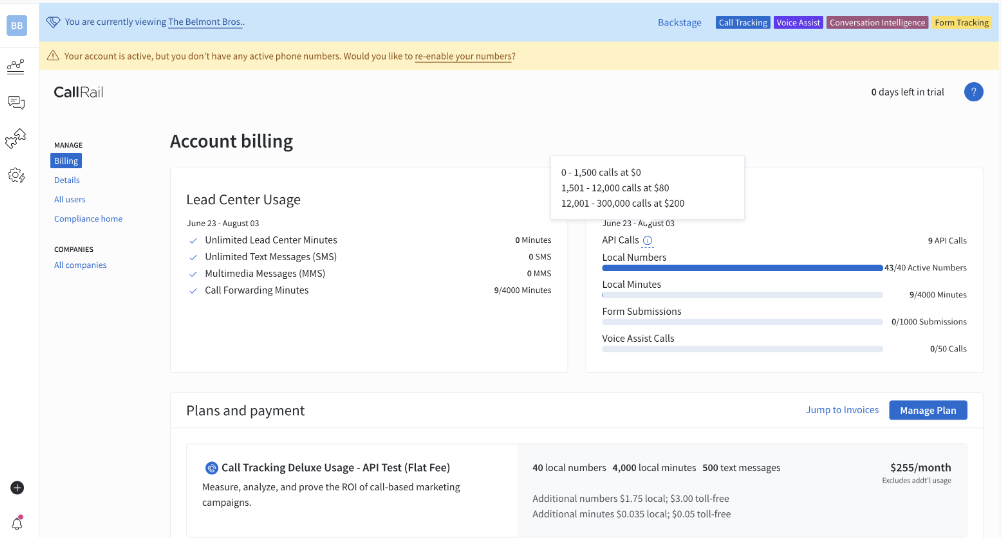
Real-time sync via CallRail webhooks. No per-operation fees from a third-party connector (though CallRail's API usage is metered and billed separately from its native integrations).
Source: CallRail
Limitations: Requires development resources to build and maintain. You own the infrastructure, monitoring, and error recovery. CallRail's API usage charges apply to custom integrations (unlike the native Salesforce connector, which is exempt).
Both APIs evolve independently: Salesforce versions its API with each seasonal release (the current version is Summer '26, API version 67.0), and CallRail updates its API surface (most recently with the Convert Assist Complete webhook event in December 2024). The initial build takes weeks, not hours.
Best for: Teams with sync requirements that the native integration and Zapier cannot satisfy: syncing Conversation Intelligence data into custom Salesforce objects, building complex matching logic across CallRail companies and Salesforce business units, or backfilling historical call data. Requires in-house development resources and a long-term commitment to maintaining the integration.
Key Use Cases
1. Marketing Attribution Inside the CRM
The most common reason to connect CallRail and Salesforce is to answer a question neither platform can answer alone: which marketing campaigns generate revenue-producing phone calls? CallRail captures the attribution chain (source, campaign, keyword, landing page) for every inbound call.
The native integration pushes that data into Salesforce, where it attaches to the Lead or Contact record. When that lead converts to an Opportunity and closes, the attribution chain connects marketing spend to closed revenue without manual reconciliation.
Best integration method: Native CallRail-Salesforce integration.
2. Automated Lead Creation from Inbound Calls
Service businesses in legal, healthcare, home services, and real estate rely on phone calls as a primary lead source. Without integration, someone must manually create a Salesforce Lead for every inbound caller.
The native integration automates this: when a first-time caller reaches a tracked number, CallRail creates a Lead in Salesforce with the caller's phone number, the tracking source, and any call metadata. The rep opens Salesforce and sees the lead already logged, ready for follow-up.
Best integration method: Native CallRail-Salesforce integration.
3. Call Activity Logging for Sales Reporting
Sales managers need complete activity records to evaluate rep performance and forecast accurately. When CallRail logs every call as a Salesforce Activity (with duration, recording link, and attribution), managers see total call volume, call outcomes, and engagement patterns alongside email and meeting data in Salesforce reports.
This matters most for teams where phone outreach is a primary sales motion and call activity needs to appear in the same reporting layer as other touchpoints.
Best integration method: Native CallRail-Salesforce integration.
4. Conditional CRM Updates Based on Call Events
Some teams need more granular control than the native integration provides. For example, an agency might want to create a Salesforce Task only when CallRail tags a call as "qualified," or a team might want to update a custom field on a Contact when a call exceeds a certain duration.
Zapier's filter and formatting steps enable these conditional workflows: set a CallRail trigger, add a filter condition, and route the result to a specific Salesforce action based on the call's attributes.
Best integration method: Zapier or Make (event-triggered with conditional logic).
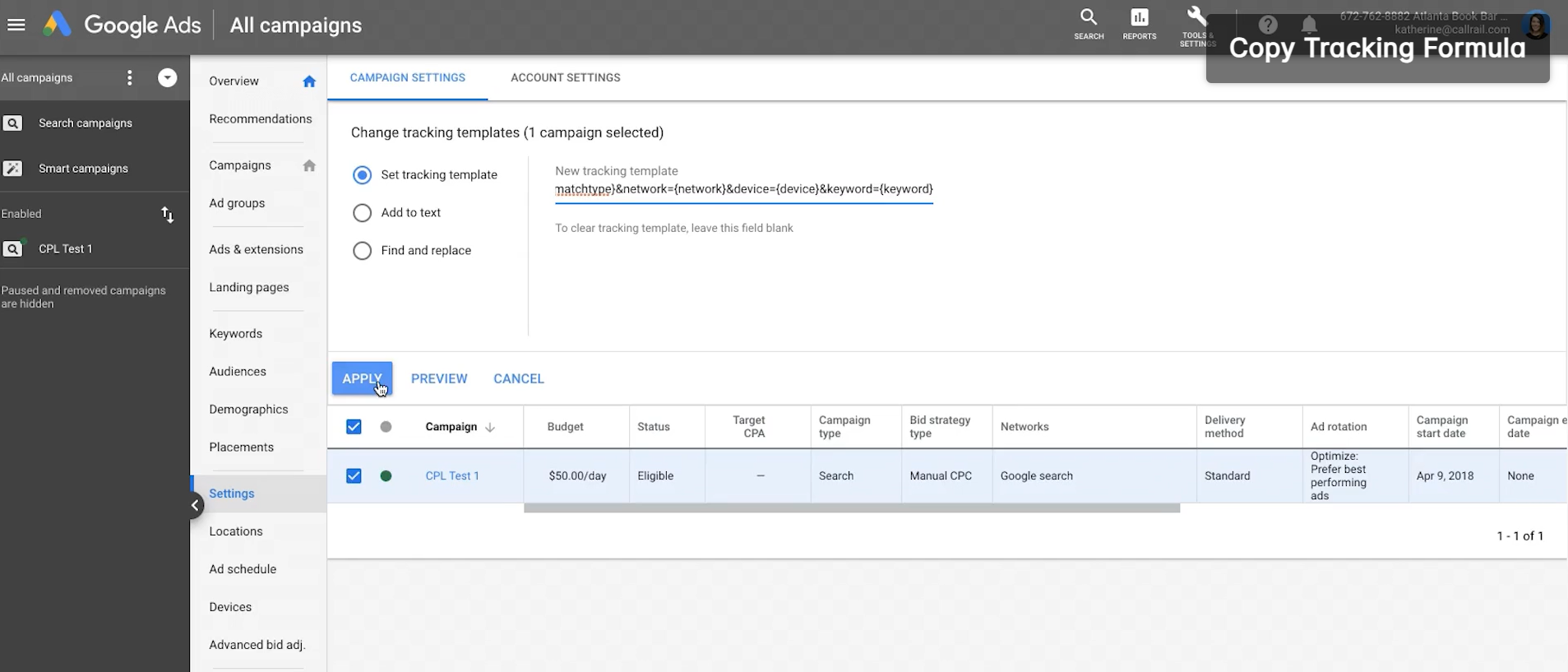
5. Google Ads Optimization Through CRM-Connected Call Data
CallRail's Google Ads integration already pushes call conversions back into Google Ads for Smart Bidding. Connecting CallRail to Salesforce adds a second feedback loop: marketing can track which keywords and campaigns generate not just calls, but calls that produce qualified pipeline and closed revenue.
Source: CallRail
This closed-loop view, available in Salesforce reports, lets teams optimize ad spend against revenue outcomes rather than call volume alone.
Best integration method: Native CallRail-Salesforce integration (combined with CallRail's Google Ads connector).
Limitations and Considerations
One-Way Data Flow
The native integration and Zapier both push data in one direction: CallRail to Salesforce. Salesforce data does not flow back to CallRail.
This means call tracking reports in CallRail cannot incorporate deal stage, opportunity value, or close date from Salesforce. Teams that want to analyze call attribution against revenue outcomes must build those reports in Salesforce (where both datasets converge) rather than in CallRail.
Recording and Transcript Access
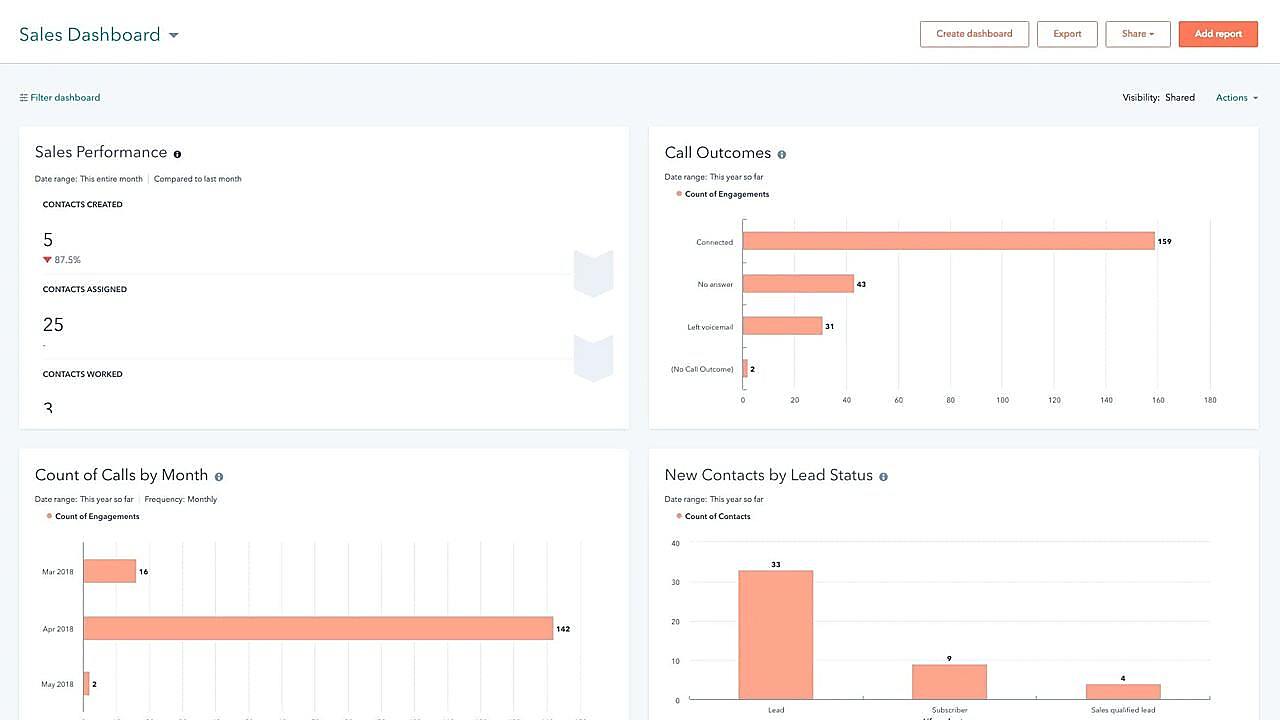
Call attribution metadata syncs into Salesforce fields, but full call recordings are not stored natively in Salesforce. The integration provides a link back to CallRail where the recording can be played. Reps who want to listen to a call must click through to CallRail.
For teams using CallRail's Conversation Intelligence, AI-generated summaries, sentiment scores, and keyword tags add value, but the CI data available through the native Salesforce integration may not match what the HubSpot integration offers. HubSpot remains CallRail's most developed CRM connector.
Source: CallRail
Duplicate Record Management
When CallRail creates new Leads in Salesforce from inbound callers, duplicate records can accumulate if the matching logic is not configured carefully. A caller's phone number is the most reliable matching key, but variations in formatting (with or without country code, dashes, spaces) can cause mismatches.
Teams should configure matching rules in the integration setup and consider Salesforce's built-in duplicate management rules as a secondary safeguard.
Pricing Implications
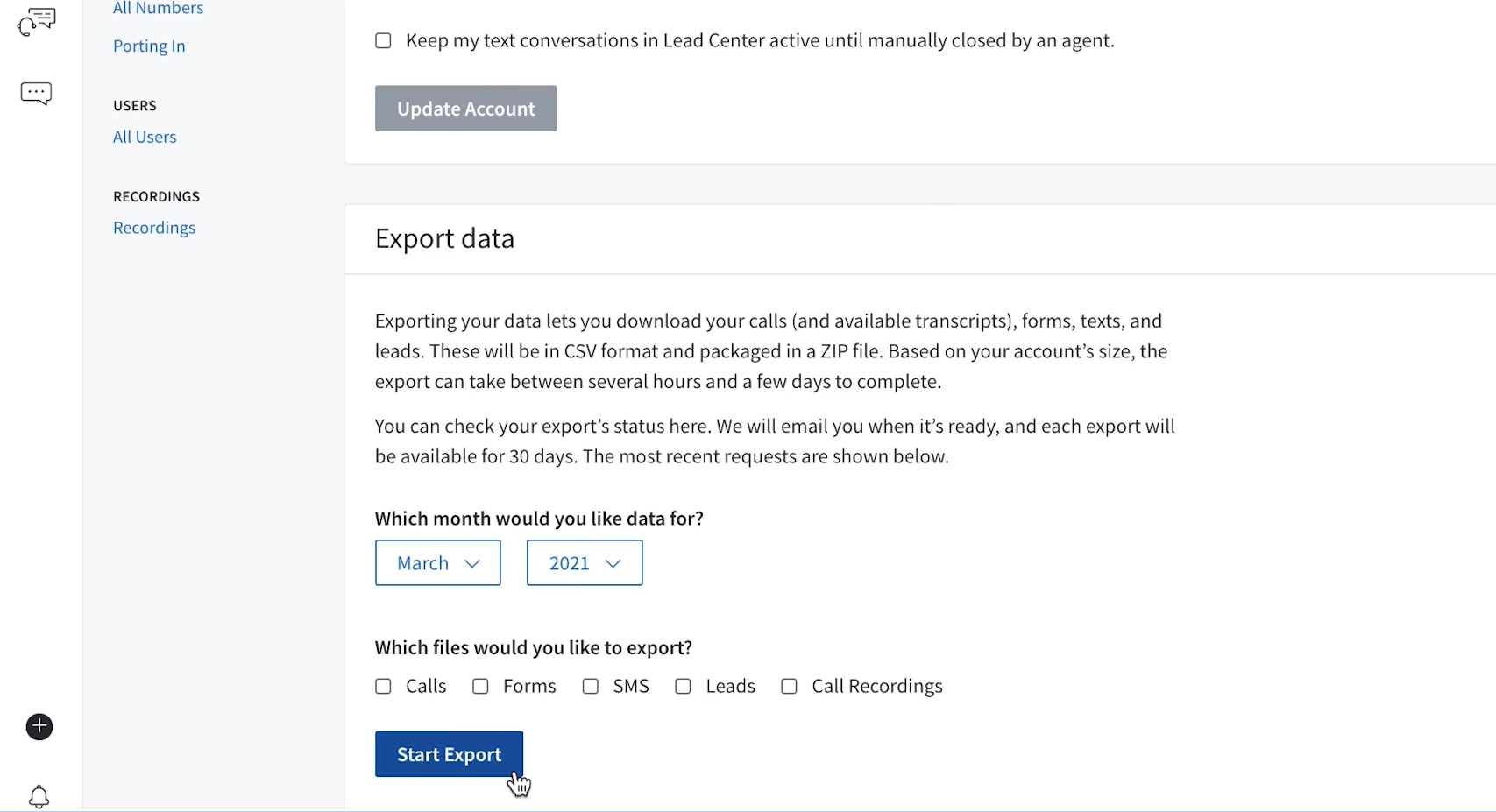
The native Salesforce integration is included with CallRail plans at no additional cost, and API usage charges do not apply to data pushed through native integrations. Custom integrations that go beyond the standard connector do incur metered API charges based on call volume.
CallRail's API enforces rate limits of 1,000 requests per hour and 10,000 per day. On the Salesforce side, API limits are tied to edition and license count, starting at 100,000 requests per 24 hours for Professional and Enterprise editions. Third-party tools carry their own costs: Zapier charges by task count (each synced call event counts as a task), starting at $19.99/month.
Permissions and Access
Setting up the integration requires admin access on both sides. In CallRail, you need account admin rights to configure integrations and manage tracking number settings. In Salesforce, System Administrator access is required to authorize the OAuth connection and configure field-level permissions.
If your Salesforce org uses field-level security or sharing rules, the integration user's profile must have write access to every field you intend to populate with CallRail data.
Maintenance
Both platforms update independently. Salesforce versions its API with each seasonal release. CallRail adds new webhook event types and modifies its API surface (the most recent addition was the Convert Assist Complete webhook event in December 2024).
Custom fields added to either platform after the initial setup will not sync unless the integration configuration is updated. CallRail's data retention policy automatically deletes communication records after 25 months, which affects historical data availability for any retroactive analysis.
Source: CallRail
What No Method Fixes: The Data Itself
Every method above moves call tracking data from CallRail into Salesforce. None of them checks whether the contact records in Salesforce are accurate, complete, or current. A Lead with a disconnected phone number sits in Salesforce with zero call activity, and there is no way to tell whether the silence means disinterest or a stale record.
A Contact with an outdated title still receives the same call routing, even though they changed roles two quarters ago. The integration faithfully logs calls on records that may have been wrong before the phone ever rang.
Where ZoomInfo Fits In
Every method in this guide moves call tracking data from CallRail into Salesforce. None of them improves the contact data that determines whether inbound calls match the right CRM records, whether follow-up reaches the right person, or whether the Lead record sitting at zero activity is genuinely cold or just carrying a dead phone number.
That is the gap ZoomInfo closes.
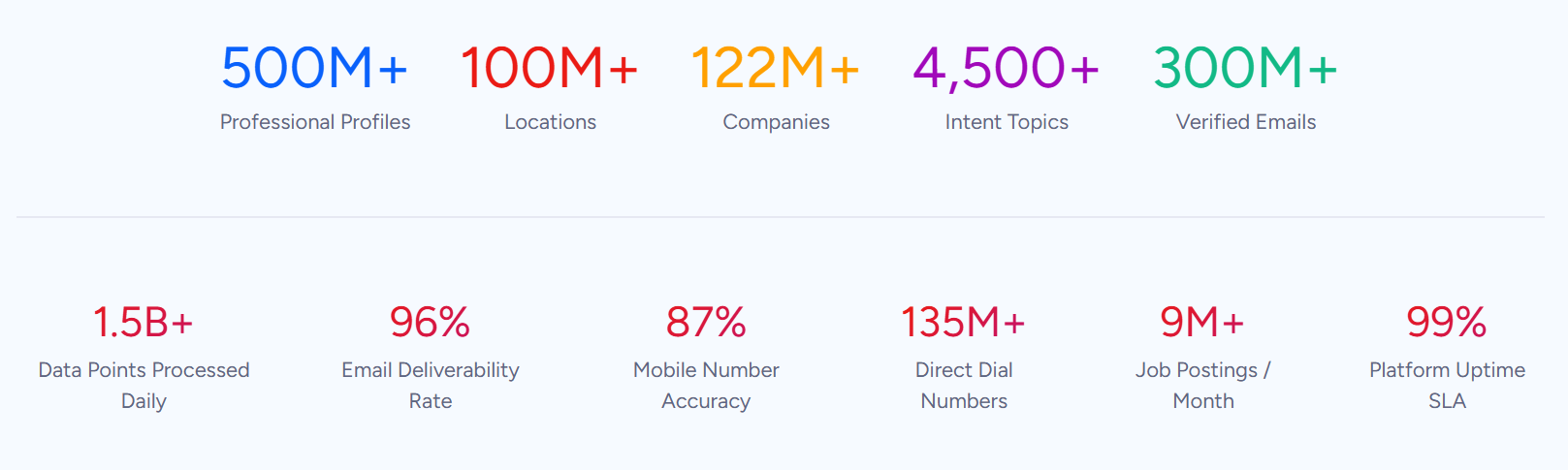
ZoomInfo is a B2B data and go-to-market platform built on 500M contacts, 100M companies, 135M+ verified phone numbers, and 200M+ verified business emails. That data is verified through a multi-source pipeline backed by 300+ human researchers and reaching up to 95% accuracy on first-party data. For teams running a CallRail-Salesforce integration, ZoomInfo addresses the data quality layer that no call tracking connector handles.
ZoomInfo integrates natively with Salesforce through its marketplace, providing CRM enrichment, lead routing, and real-time data updates inside Salesforce records. Before a rep follows up on an inbound call logged by CallRail, ZoomInfo ensures the Salesforce record has a verified business email, an accurate job title, current company details, and company context.
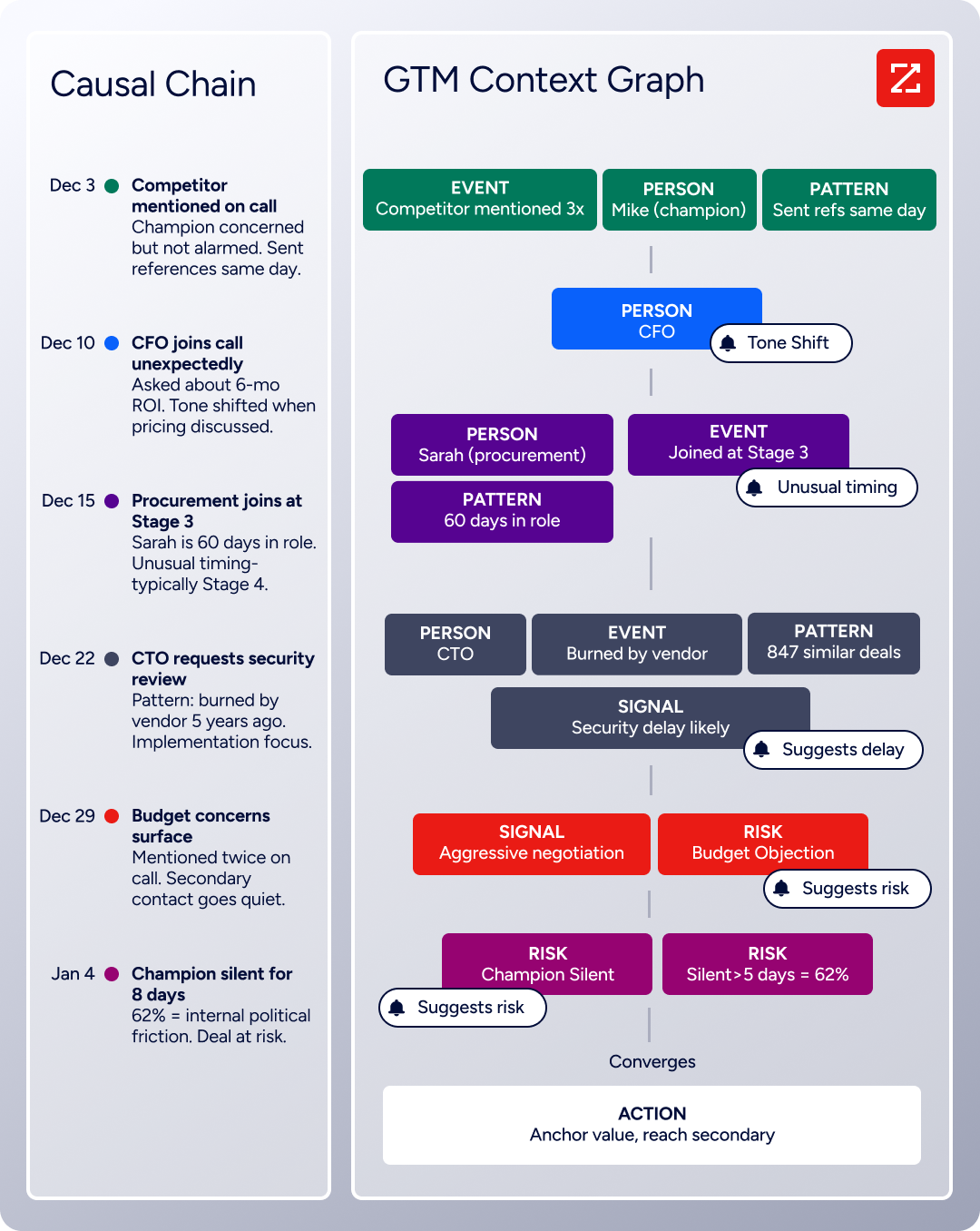
The same data feeds ZoomInfo's GTM Context Graph, which processes 1.5B+ data points daily and unifies third-party intelligence with CRM records, conversation transcripts, and behavioral signals to surface not just what happened in a deal, but why.
In practice, a team running CallRail and Salesforce together can use ZoomInfo to enrich Salesforce records before and after call activity lands. When CallRail creates a new Lead from an inbound caller, ZoomInfo enrichment can automatically append the caller's company, title, department, and verified contact details, turning a bare phone number into a complete record.
When CallRail logs attribution data on an existing Contact, ZoomInfo ensures the underlying record is current, so the marketing attribution attaches to someone who is still at the company and still reachable.
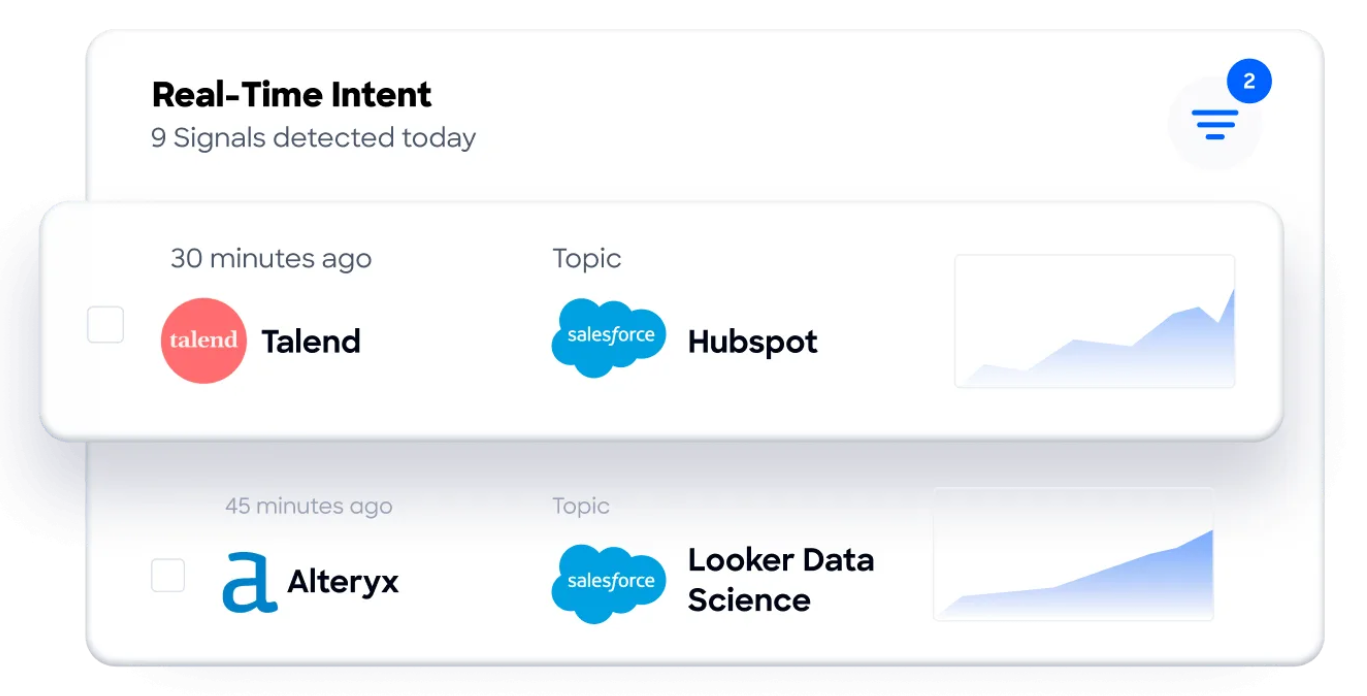
Buyer Intent data from ZoomInfo, tracking signals from 210 million IP-to-Organization pairings, can layer onto the same Salesforce records, helping teams prioritize follow-up on inbound calls from accounts that are actively researching relevant solutions.
Enriched records also make the integration itself more reliable. Fewer blank fields mean fewer matching failures when CallRail tries to associate an inbound caller with an existing Salesforce record.
Consistent phone number formatting across records reduces the false negatives that cause duplicate Leads. And verified contact data ensures that when a rep sees CallRail's call attribution on a Salesforce record, they are reaching out to the right person at the right company, not chasing a stale entry.
Seismic's sales team attributed 39% of active pipeline to opportunities identified or influenced by ZoomInfo signals, while boosting productivity by 54% and saving 11.5 hours per week. (Seismic)
Final Verdict
A native integration between CallRail and Salesforce exists, and for most teams it is the right starting point. It handles the core job (pushing call attribution data into CRM records) with minimal setup and no additional cost. The right choice depends on the complexity of your call tracking workflow and how much control you need over the data flow.
Teams that need call attribution data in Salesforce with minimal configuration should activate the native CallRail-Salesforce integration. It covers the primary use case (marketing source, campaign, and keyword data on CRM records, plus automated lead creation from inbound calls) and requires no third-party tool or engineering resources.
Teams with conditional workflows (routing calls to different Salesforce record types based on tags, triggering specific automations on certain call events, or syncing form submission data alongside calls) should add Zapier or Make to the native integration, not replace it.
Organizations with complex requirements (syncing Conversation Intelligence data into custom Salesforce objects, backfilling historical call records, or building cross-reference logic across multiple CallRail companies and Salesforce business units) should invest in a custom API integration.
Before committing to a method, clarify what data you need flowing between the two platforms and in which direction.
If the goal is straightforward call attribution in the CRM, the native integration is sufficient and ready in minutes. If the goal is bidirectional data flow that incorporates call transcripts, AI insights, and revenue attribution, custom development is the path, and it requires sustained engineering investment. Either way, the quality of the contact data in Salesforce determines whether the call attribution insights produce actionable follow-up or attach to records that are already stale.
ZoomInfo, with its native Salesforce integration and API and MCP access, is the data enrichment layer that keeps CRM records accurate while the connector keeps call data flowing.
FAQ
Does CallRail integrate natively with Salesforce?
Yes. CallRail offers a native Salesforce integration that logs call data into Salesforce with custom field mapping support. The integration creates new Leads from first-time callers and logs call activity (duration, recording links, attribution data) on existing Leads, Contacts, and Accounts. It is available through CallRail's integrations library and does not require a third-party tool.
What data does CallRail send to Salesforce?
The native integration pushes call attribution metadata (marketing source, campaign, keyword, landing page, referring URL), caller phone number, call duration, call type, tracking number, tags, notes, and recording links. Custom field mapping lets you control which CallRail data populates which Salesforce fields. For teams with CallRail's Form Tracking add-on, form submission data can also sync.
Can Salesforce data flow back into CallRail?
Not through the native integration or Zapier, both of which are one-directional (CallRail to Salesforce). There is no built-in mechanism to push Salesforce deal stages, lead scores, or account data into CallRail. A custom API integration could pull data from Salesforce and write it to CallRail (via CallRail's API), but this is not a standard use case and would require development resources.
Do I need a specific CallRail plan for the Salesforce integration?
CallRail lists Salesforce as a native CRM integration available through its integrations library. The native integration does not incur CallRail API usage charges, which only apply to custom integrations that go beyond the standard connector behavior. Exact plan availability should be confirmed at callrail.com/pricing, as plan structures and feature inclusions can change.
What happens if CallRail cannot match an inbound caller to an existing Salesforce record?
The behavior depends on your configuration. The integration can create a new Salesforce Lead when no matching record is found, or skip the record entirely. If lead creation is enabled, the integration uses the caller's phone number and any captured details to populate the new Lead. Configure matching logic carefully to avoid duplicates from phone number formatting variations.
Is the Salesforce integration affected by CallRail's API rate limits?
No. Data pushed through CallRail's native integrations is exempt from API usage charges and rate limits. The API rate limits (1,000 requests per hour, 10,000 per day) apply only to custom integrations built on CallRail's REST API. On the Salesforce side, the native integration operates within standard Salesforce API allocations, which are tied to edition and license count.
How does ZoomInfo improve a CallRail-Salesforce integration?
ZoomInfo solves the data quality problem that no call tracking connector addresses. When CallRail logs an inbound call on a Salesforce Lead, it attaches attribution data to whatever record exists. If that record has an outdated title, a disconnected phone number, or missing company details, the attribution data is accurate but the follow-up is compromised. ZoomInfo's native Salesforce integration enriches those records with verified contact data, company attributes, technographics, and direct dials, so the call attribution from CallRail attaches to records that are current and complete. Intent signals from ZoomInfo can also help prioritize follow-up on inbound calls from accounts actively researching relevant solutions.
Can I sync CallRail's Conversation Intelligence data to Salesforce?
The native integration primarily handles call metadata and attribution data. Advanced Conversation Intelligence outputs (AI-generated summaries, sentiment scores, keyword detection) may have limited availability through the native connector. Teams that need full CI data in Salesforce fields should evaluate the custom API path, which can access call transcription data and AI outputs through CallRail's API endpoints and write them to custom Salesforce objects or fields.
Build out your Salesforce stack:
