
Teams that run Amperity and Salesforce side by side usually discover the same problems within a quarter:
customer profiles unified in Amperity never reach the sales reps working deals in Salesforce,
campaign audiences built from Amperity's identity-resolved data go stale by the time they land in Salesforce Marketing Cloud,
and someone on the team is always exporting CSVs to bridge the gap between the customer data platform and the CRM.
However the two platforms ended up coexisting (a marketing team adopting Amperity for identity resolution while the sales org runs on Salesforce, a data team unifying customer records across dozens of sources while Salesforce remains the system of record for pipeline, or different departments choosing tools independently), the longer they operate without a connection, the more the unified profiles in Amperity diverge from the records reps actually work with.
Connecting Amperity and Salesforce closes that gap.
Identity-resolved customer profiles flow from Amperity into Salesforce so every contact and account carries the most complete, deduplicated data available. Audience segments built on Amperity's 200+ out-of-the-box attributes and predictive models (CLV, churn propensity, product affinity) push into Salesforce Marketing Cloud for campaign activation, so marketers work from segments grounded in unified data rather than fragmented CRM records.
Enriched contact records land in Salesforce Sales Cloud so reps see accurate emails, phone numbers, and company context without manual updates.
Amperity offers pre-built destination connectors for Salesforce Sales Cloud (via SOAP API), Salesforce Marketing Cloud (via CSV and SFTP), and Salesforce Commerce Cloud (via SFTP). On the ingest side, Amperity can also pull data from Salesforce Sales Cloud and Salesforce Marketing Cloud as sources.
The integration is not a single toggle but a set of configurable connectors covering different Salesforce products, each with its own data flow, sync direction, and setup process.
One problem no connection method solves: the integration moves unified profiles and audiences into Salesforce, but it does not verify whether the underlying contact data (phone numbers, email addresses, job titles) is still accurate.
That is where ZoomInfo comes in. ZoomInfo integrates with Salesforce through the AppExchange, providing CRM enrichment with verified B2B contact data, and offers API and MCP access that can feed the same data into any system in the stack.
This article covers the Amperity-Salesforce integration: which methods are available, what data each one handles, how to set them up, the use cases that justify connecting both platforms, and the limitations to plan for. It also covers how ZoomInfo fits in as a data enrichment layer that strengthens the records flowing between Amperity and Salesforce.
Let's start with an overview of the integration.
Integration Overview
Source: Amperity
Does a native integration exist?
Yes, but not as a single connector. Amperity offers pre-built destination connectors for Salesforce Sales Cloud, Salesforce Marketing Cloud, and Salesforce Commerce Cloud, and can ingest data from Salesforce Sales Cloud and Salesforce Marketing Cloud as sources. Each connector is built for a specific Salesforce product and protocol.
Source: Amperity
What data can sync?
Identity-resolved customer profiles, audience segments, contact records, account data, and transactional attributes from Amperity can flow into Salesforce. On the ingest side, Salesforce contact, lead, account, opportunity, and campaign data can flow into Amperity for identity resolution.
The specific objects depend on which Salesforce product (Sales Cloud, Marketing Cloud, Commerce Cloud) is connected and which protocol (SOAP API, SFTP, CSV) is used.
Is the sync bidirectional?
Functionally, yes. Amperity can both ingest data from Salesforce (as a source) and send resolved profiles and segments to Salesforce (as a destination). But these are configured as separate connections rather than a single bidirectional sync.
Data flows are directional per connector: source connectors pull data into Amperity, and destination connectors push data to Salesforce.
Is it real-time or batch?
Batch. Amperity processes data through its identity resolution pipeline and pushes results to destinations on a configurable schedule (campaigns, orchestrations, or manual runs). Salesforce source ingestion is also batch-based. Neither side supports real-time event triggers through the native connectors.
What are the available methods?
Amperity's pre-built Salesforce connectors (Sales Cloud via SOAP API, Marketing Cloud via CSV/SFTP), Amperity Orchestrations (scheduled data delivery to any destination), and custom API integration using Amperity's REST API alongside Salesforce's APIs.
Method | Setup Difficulty | Data Flow | Real-time? | Cost |
|---|---|---|---|---|
Amperity Sales Cloud Connector (SOAP API) | Medium | Amperity to Salesforce | No (batch/scheduled) | Included with Amperity |
Amperity Marketing Cloud Connector (CSV/SFTP) | Medium | Amperity to Salesforce | No (batch/scheduled) | Included with Amperity |
Amperity Source Connectors | Medium | Salesforce to Amperity | No (batch/scheduled) | Included with Amperity |
Custom API Integration | High | Fully customizable | Depends on implementation | Developer time + hosting |
One distinction worth settling upfront: the pre-built connectors handle scheduled delivery of unified profiles and audiences from Amperity into Salesforce, making them suited for recurring campaign activation and CRM enrichment. Custom API integration offers more flexibility for one-time migrations, complex object mapping, or event-driven flows, but requires development resources the native connectors eliminate.
Integration Methods
Amperity to Salesforce Sales Cloud (SOAP API Connector)
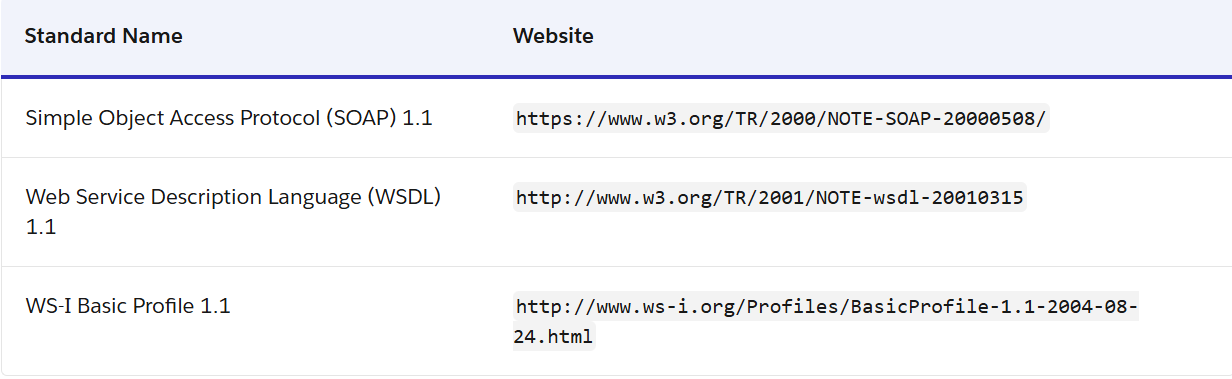
How it works: Amperity's Salesforce Sales Cloud destination pushes data into Salesforce Sales Cloud using the Salesforce SOAP API. Amperity sends identity-resolved customer profiles (contact details, account attributes, and custom fields) into Salesforce objects (Contacts, Accounts, Leads) via scheduled orchestrations or campaigns.
Source: Salesforce
The connector maps Amperity's unified profile fields to Salesforce object fields and uses Salesforce's upsert capability to create new records or update existing ones based on a matching key.
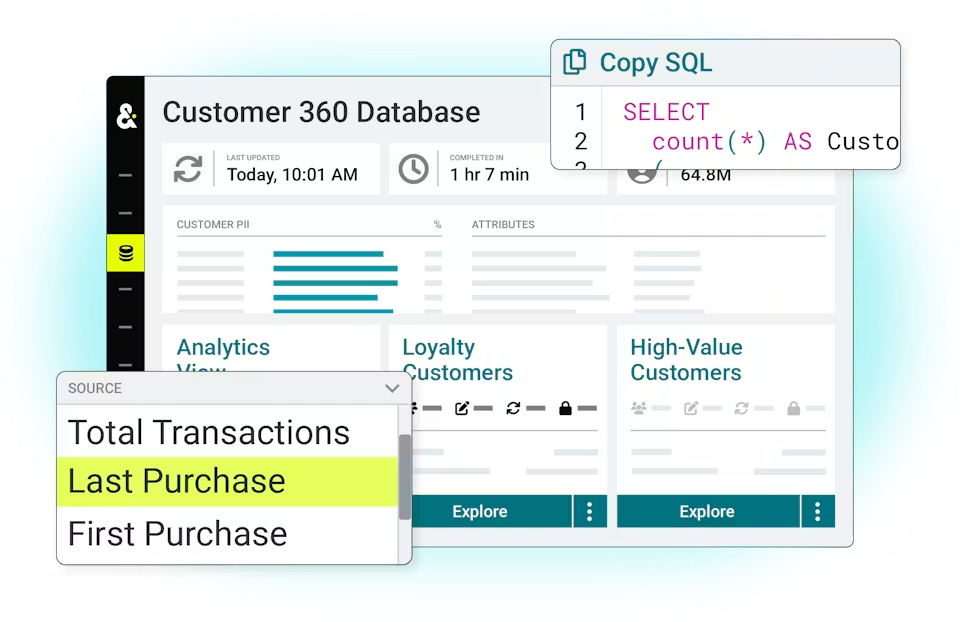
What it syncs: Contact records, account data, and custom fields from Amperity's Customer 360 table. The specific fields depend on how the data template is configured. Standard mappings include name, email, phone, company, title, and address fields.
Custom fields can be mapped manually. The connector writes to Salesforce standard and custom objects.
Fits: scheduled delivery of unified profiles and enriched contact data into Salesforce Sales Cloud; also usable for initial bulk loads.
Setup process:
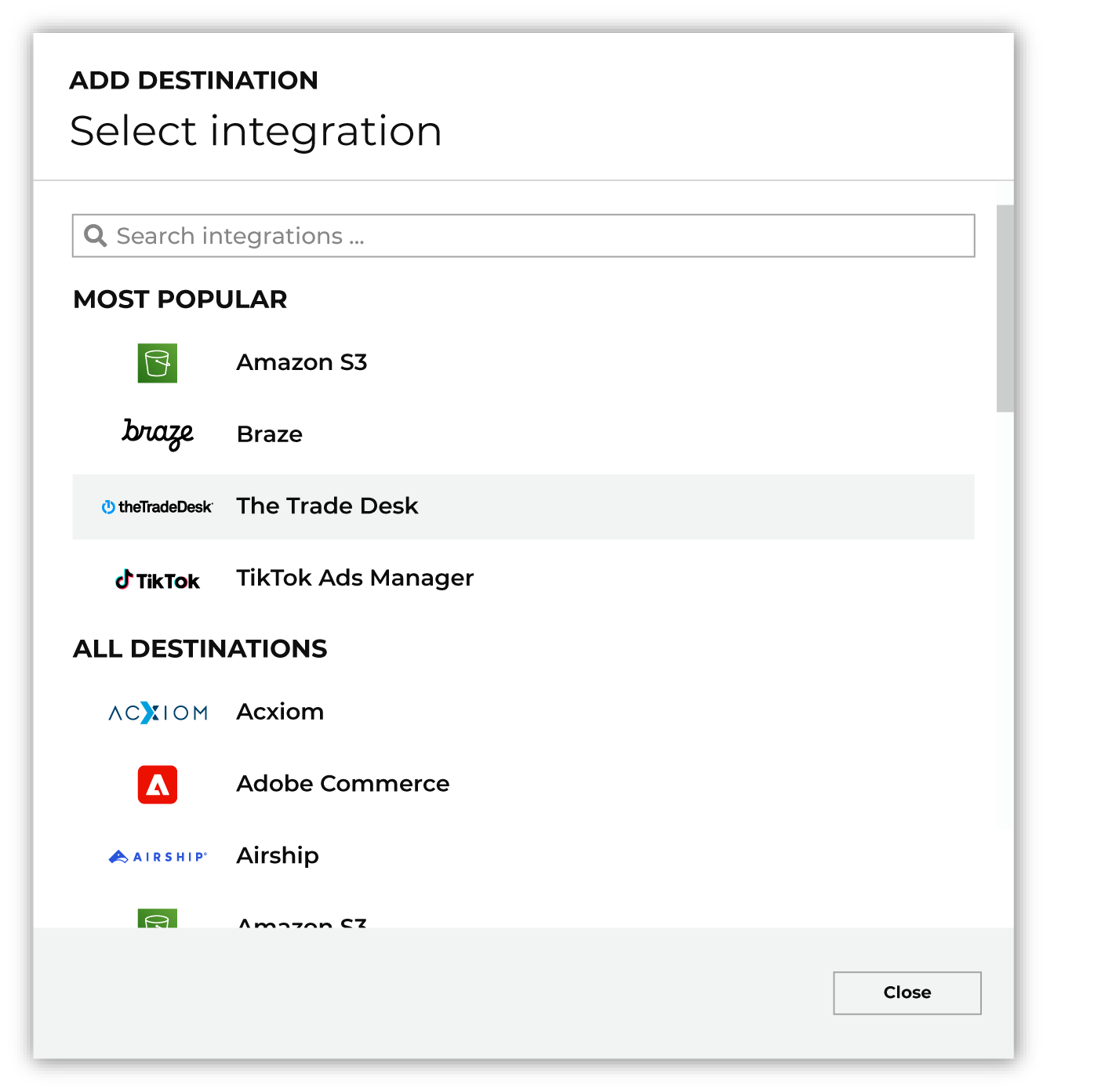
In Amperity, navigate to the Destinations tab and add Salesforce Sales Cloud as a new destination. You will need a Salesforce account with API access enabled and an integration user with the appropriate profile permissions.
Authenticate the connection using Salesforce OAuth or the Salesforce security token associated with the integration user's credentials.
Create a data template that maps Amperity fields (from your Customer 360 or a custom query) to Salesforce object fields. Specify the target Salesforce object (Contact, Account, Lead, or a custom object) and the external ID or matching key for upsert logic.
Configure an orchestration or campaign to deliver data on a schedule (daily, weekly, or triggered by pipeline completion). Select the segment or query that defines which records to send.
Run a test delivery with a small segment to verify field mapping, upsert behavior, and data accuracy in Salesforce.
Activate the orchestration. Monitor the first few runs for errors in the workflow log and adjust field mappings or Salesforce field-level security as needed.
Strengths: Direct API-level integration maintained by Amperity. Uses Salesforce's native upsert capability, reducing duplicate risk. Scheduled delivery means the latest identity-resolved data flows into Salesforce automatically. No third-party middleware required.
Limitations: Batch-only (no real-time push on record changes in Amperity). Requires a Salesforce user with API access, which is tied to Salesforce edition and license type (API access is not available on all Salesforce plans).
The SOAP API has daily request limits that scale by Salesforce edition and license count, which may constrain high-volume deliveries. Field mapping requires familiarity with both Amperity's data model and Salesforce's object schema.
Best for: Organizations using Salesforce Sales Cloud as the system of record for sales that want to keep CRM records enriched with Amperity's identity-resolved, deduplicated customer profiles on a recurring schedule.
Amperity to Salesforce Marketing Cloud (CSV/SFTP)
How it works: Amperity's Salesforce Marketing Cloud destination delivers audience segments and customer data to Salesforce Marketing Cloud via CSV files transferred over SFTP. Amperity exports the audience as a structured file, uploads it to a designated SFTP location, and Salesforce Marketing Cloud imports the file into Data Extensions for use in campaigns, journeys, and personalization workflows.
What it syncs: Audience segments with profile attributes (name, email, phone, address, custom fields), predictive scores (CLV tier, churn propensity, product affinity), RFM segments, and any other attributes included in the Amperity query or segment definition.
The data lands in Salesforce Marketing Cloud Data Extensions, where it can drive Journey Builder entry criteria, email personalization, and audience-based ad activation.
Fits: recurring delivery of audience segments and enriched profiles for marketing activation; also suitable for one-time audience exports.
Setup process:
In Salesforce Marketing Cloud, configure an SFTP account or use the existing Marketing Cloud SFTP endpoint. Note the SFTP host, port, username, and credentials.
In Amperity, add Salesforce Marketing Cloud as a destination. Enter the SFTP connection details (host, port, username, private key or password).
Create a data template specifying the CSV structure: which Amperity fields to include, column naming conventions matching Salesforce Marketing Cloud Data Extension field names, and file naming patterns.
Build a segment or query in Amperity that defines the audience to deliver. Attach it to a campaign or orchestration.
Configure the delivery schedule and run a test export. Verify the file lands in the SFTP directory and imports correctly into the target Data Extension in Salesforce Marketing Cloud.
Activate the campaign or orchestration. Salesforce Marketing Cloud's automation tools can import the file automatically on arrival, triggering downstream journeys or audience refreshes.
Strengths: File-based delivery is reliable and well understood by marketing operations teams. Supports large audience volumes without hitting API rate limits. Amperity's segment builder lets non-technical users define audiences using 200+ out-of-the-box attributes and predictive models, then deliver them to Marketing Cloud.
No Salesforce API license required on the Marketing Cloud side for SFTP import.
Limitations: File-based sync introduces latency: the audience reflects the data at the time the file was generated, not real-time changes. SFTP configuration requires coordination between Amperity operators and Salesforce Marketing Cloud administrators. Data Extension schema in Marketing Cloud must match the CSV structure; schema mismatches cause import failures.
This connector does not support bidirectional sync (Marketing Cloud data flows into Amperity through a separate source connector).
Best for: Marketing teams using Salesforce Marketing Cloud for email, journey orchestration, and paid media activation who need identity-resolved audiences from Amperity on a recurring schedule.
Salesforce to Amperity (Source Connectors)
How it works: Amperity provides source connectors for Salesforce Sales Cloud and Salesforce Marketing Cloud that pull CRM and marketing data into Amperity for identity resolution.
Salesforce Sales Cloud data is ingested via the Salesforce API, pulling standard and custom objects. Salesforce Marketing Cloud data is pulled via SFTP or API, depending on the data type.
What it syncs: From Sales Cloud: contacts, leads, accounts, opportunities, activities, campaign members, and custom objects. From Marketing Cloud: subscriber data, Data Extensions, and engagement data.
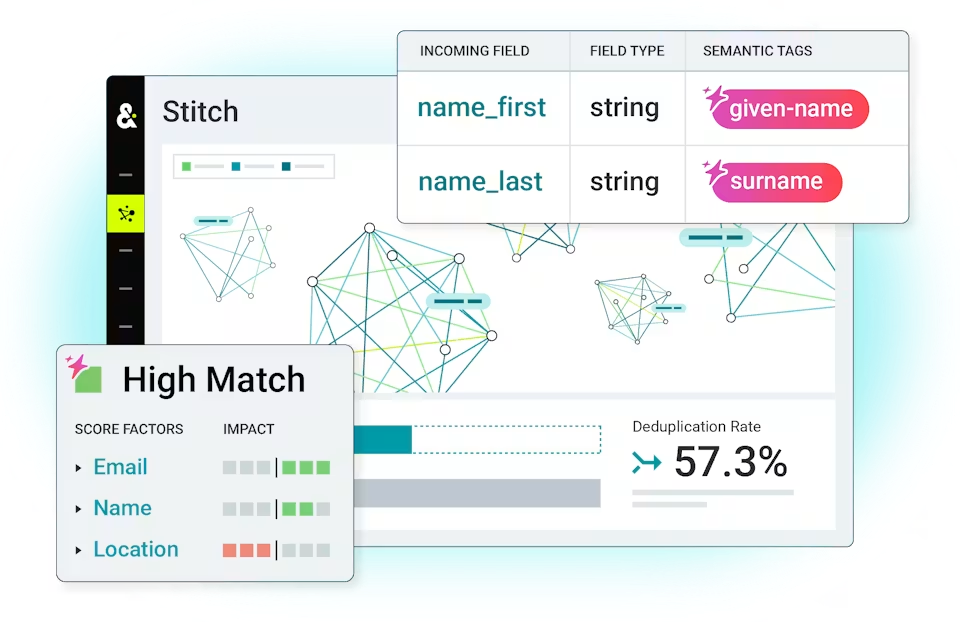
All ingested data passes through Amperity's semantic tagging and Stitch identity resolution pipeline, where it merges with data from other sources to produce unified customer profiles.
Fits: recurring ingestion of CRM and marketing data into Amperity's identity resolution pipeline; essential for building a Customer 360 that includes Salesforce records.
Setup process:
In Amperity, navigate to the Sources tab and add Salesforce Sales Cloud or Salesforce Marketing Cloud as a new source.
Authenticate the connection. For Sales Cloud, provide OAuth credentials or a security token for an integration user with API access. For Marketing Cloud, configure SFTP credentials or Marketing Cloud API credentials.
Select which Salesforce objects to ingest (Contacts, Leads, Accounts, Opportunities, etc.). Configure feed settings including the primary key and last-updated field for incremental ingestion.
Apply semantic tags to the ingested fields (given-name, surname, email, phone, address) so Stitch can use them for identity resolution.
Test the source by running a manual ingestion and verifying the data appears in domain tables with the expected schema and row counts.
Schedule the source to run on a recurring basis (daily or as frequently as needed). Salesforce data will merge with all other sources during the next Stitch run.
Strengths: Brings CRM data into Amperity's identity resolution pipeline, where it merges with data from dozens of other sources. Incremental ingestion via the last-updated field minimizes API call consumption. Semantic tagging handles schema differences between Salesforce and other data sources without manual ETL.
Limitations: Ingestion is batch-only. Salesforce API limits apply to the integration user's profile and may constrain the volume of records pulled per run, particularly for orgs on lower Salesforce editions. Complex Salesforce object relationships (multi-level lookups, junction objects) may require domain SQL transformations in Amperity.
Best for: Data teams building an identity-resolved Customer 360 in Amperity that needs to include Salesforce CRM records alongside data from e-commerce, loyalty, point-of-sale, and other systems.
Custom API Integration
How it works: Both platforms expose broad APIs. Amperity offers a REST API covering campaigns, segments, workflows, and ingest jobs, a Profile API for real-time unified profile lookups, and a Streaming API for real-time data ingestion.
Salesforce provides REST, SOAP, Bulk, and Pub/Sub APIs covering all standard and custom objects plus event-driven architecture. A custom integration connects these APIs through middleware that handles authentication, field mapping, transformation, and scheduling.
What it syncs: Anything both APIs expose. This is the only method that supports use cases beyond the pre-built connectors: real-time profile lookups from Amperity's Profile API surfaced inside Salesforce via custom Lightning components, event-driven sync triggered by Salesforce Platform Events, or complex multi-object writes the SOAP connector doesn't support natively.
Fits: specialized use cases where the pre-built connectors fall short, including real-time profile access, event-driven workflows, or complex object mapping.
Setup process:
Create API credentials in both platforms. In Amperity, generate an API key under Settings and obtain a Bearer token via the authentication flow. In Salesforce, create an External Client App with OAuth 2.0 credentials.
Design the data model mapping between Amperity's unified profile schema and Salesforce's object model, including field-level transformations and a cross-reference strategy for matching records.
Build a middleware service that reads from one platform and writes to the other. For scheduled batch sync, use Amperity's API to trigger workflows and Salesforce's Bulk API for high-volume writes. For real-time access, use Amperity's Profile API on the read side and Salesforce's REST API for writes.
Implement error handling and retry logic. Amperity's API allows 10 requests per second; Salesforce's limits scale by edition and license count.
Deploy, monitor, and maintain. Both platforms version their APIs. Amperity uses date-based versioning with at least one year of support per version; Salesforce versions with each seasonal release.
Strengths: Full control over what syncs, when, and how. The only method that can call Amperity's Profile API for real-time unified profile lookups or Salesforce's Pub/Sub API for event-driven triggers. Can implement complex business logic. No per-record fees from a third-party connector.
Limitations: Requires development resources to build and maintain. You own the infrastructure, monitoring, and error recovery. Amperity's REST API is primarily read-oriented (the only mutation endpoints are workflow start/stop), which constrains what can be written back into Amperity programmatically. The initial build takes weeks.
Best for: Enterprise teams with in-house development resources and use cases that exceed the pre-built connectors, such as real-time profile embedding in Salesforce, event-driven workflows, or complex multi-object sync.
Key Use Cases
1. Unified Customer Profiles in Salesforce Sales Cloud
A retail brand collects customer data across 20+ sources: e-commerce, point-of-sale, loyalty, email, mobile app, and customer service. Amperity's Stitch identity resolution unifies these into a single profile per customer, deduplicating records and assigning a persistent Amperity ID.
Source: Amperity
The Salesforce Sales Cloud connector pushes these unified profiles into Salesforce Contacts and Accounts, so sales reps see a complete customer history (purchase frequency, lifetime value, preferred channels) in the CRM without switching tools.
Best integration method: Amperity Sales Cloud connector (SOAP API, scheduled delivery).
2. Predictive Audience Activation in Salesforce Marketing Cloud
A marketing team builds audiences in Amperity using predictive CLV tiers, churn propensity scores, and product affinity segments. These audiences, built with 200+ attributes, are delivered to Salesforce Marketing Cloud Data Extensions via the SFTP connector.
Source: Amperity
Marketing Cloud uses the segments as Journey Builder entry criteria, targeting high-CLV customers with retention campaigns and at-risk customers with re-engagement sequences.
Best integration method: Amperity Marketing Cloud connector (CSV/SFTP, scheduled delivery).
3. Post-Acquisition Customer Database Merge
After an acquisition, two brands need to merge their customer databases. Each brand's data lives in separate Salesforce orgs and other systems.
Amperity ingests data from both Salesforce orgs (plus loyalty, e-commerce, and other sources), resolves identities across all systems, and pushes the unified, deduplicated profiles back into the surviving Salesforce org.
Best integration method: Amperity source connectors (ingestion from Salesforce) combined with the Sales Cloud destination connector (delivery of resolved profiles).
4. Suppression Audiences for Paid Media via Salesforce
A demand generation team runs paid acquisition campaigns through Salesforce Marketing Cloud's advertising audiences. To avoid wasting media spend on existing customers, the team builds a suppression audience in Amperity containing all known customers (identified across every touchpoint, not just CRM records).
This audience is delivered to Salesforce Marketing Cloud via SFTP, where it feeds suppression logic for Meta, Google, and display campaigns. Because Amperity resolves identities across sources, the suppression list catches customers who exist in the loyalty database but not yet in Salesforce, preventing spend on people the brand already knows.
Best integration method: Amperity Marketing Cloud connector (CSV/SFTP, scheduled delivery).
5. CRM Data Enrichment via Identity Resolution
Salesforce Sales Cloud contains contact records that have degraded over time: missing phone numbers, outdated titles, incomplete company information.
Rather than cleaning the data manually, the team ingests Salesforce records into Amperity as a source, where they merge with higher-quality data from other systems (e-commerce transactions with verified emails, loyalty programs with updated addresses, customer service records with recent phone numbers).
Amperity's merge policy selects the best value for each field based on source reliability, then pushes the enriched records back into Salesforce.
Best integration method: Amperity source connector (ingestion from Sales Cloud) + Sales Cloud destination connector (delivery of enriched profiles).
Limitations and Considerations
Batch-Only Sync
All pre-built Amperity-Salesforce connectors operate on batch schedules. There is no real-time event-driven sync between the two platforms through the native connectors. A profile update in Amperity does not push to Salesforce until the next scheduled orchestration runs.
Teams that need sub-minute latency (for example, triggering a Salesforce workflow the moment a customer's identity resolves) would need a custom integration using Amperity's Profile API or Streaming API.
Data Model Differences
Amperity produces a single unified customer profile per person (anchored by the Amperity ID), while Salesforce separates contacts into Leads and Contacts tied to Accounts with a conversion process between them.
Mapping Amperity's unified profile to the correct Salesforce object (Lead vs. Contact) requires business logic the connector does not enforce automatically. Teams must define this mapping in the data template and handle lead conversion workflows on the Salesforce side.
Salesforce API Limits
The Sales Cloud connector uses the Salesforce SOAP API, which is subject to daily request limits tied to Salesforce edition and license count. Professional and Enterprise editions start at 100,000 requests per 24-hour period plus per-license allocations. Large Amperity audiences delivered in a single run can consume a significant portion of this budget.
Teams with high-volume delivery requirements should consider the Bulk API via custom integration, or coordinate delivery schedules to avoid limit conflicts with other Salesforce integrations.
Amperity Pricing and Consumption
Amperity's "Amps" pricing model charges by platform consumption, not by flat feature license. Activities that consume Amps include processing records, building segments, running campaigns, and activating data through destination connectors. Frequent, high-volume deliveries to Salesforce consume Amps accordingly.
Premium connectors carry a flat surcharge of 25,000 Amps per connector per month for certain advertising destinations (though the Salesforce connectors are not listed among the premium surcharge group).
Permissions and Access
Setting up the Salesforce Sales Cloud connector requires a Salesforce integration user with API access and permissions to read and write the target objects. Salesforce API access depends on edition: it is included with Enterprise, Unlimited, and Developer editions but may require an add-on for lower tiers.
On the Amperity side, connector configuration requires operator-level access. Salesforce orgs using field-level security or sharing rules must ensure the integration user's profile has access to every field being written.
Maintenance
Both platforms evolve on independent release cycles. Amperity maintains a date-based API versioning system with at least one year of support per version. Salesforce versions its API with each seasonal release (currently Summer '26, API version 67.0).
Changes to Amperity's data model (new semantic tags, updated merge policies) or Salesforce's object schema (custom fields added after initial setup) require corresponding updates to the connector's data template. Review the integration's health and accuracy periodically.
What No Method Fixes: The Data Itself
Every method above moves identity-resolved profiles and audiences between Amperity and Salesforce. Amperity excels at deduplication and unification: it determines that five records across five systems belong to the same person and selects the best available value for each field. But it works with the data it receives.
If every source system has the same outdated phone number for a contact, Amperity's unified profile carries that same outdated phone number into Salesforce. Identity resolution improves profile completeness and eliminates duplicates; it does not verify whether a phone number still rings or an email address still delivers.
Where ZoomInfo Fits In
Every method in this guide moves identity-resolved data between Amperity and Salesforce. None of them verifies whether the contact data inside those profiles is still accurate. When the integration is live but outreach fails because phone numbers are dead, email addresses bounce, or job titles are six months stale, the bottleneck is no longer the connector or the identity resolution.
That is the gap ZoomInfo closes.
ZoomInfo is a B2B data and go-to-market platform built on 500M contacts, 100M companies, 135M+ verified phone numbers, and 200M+ verified business emails.
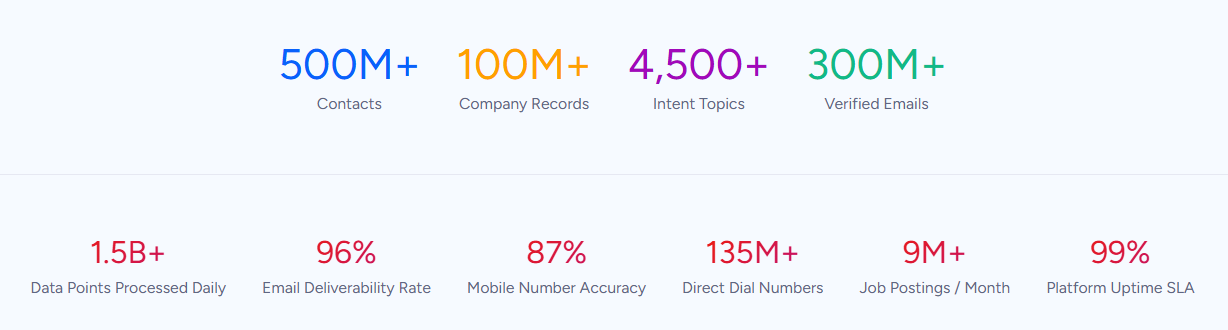
Its GTM Context Graph processes 1.5B+ data points daily, unifying this data with your CRM records, conversation transcripts, and behavioral signals to show the full context of your accounts.
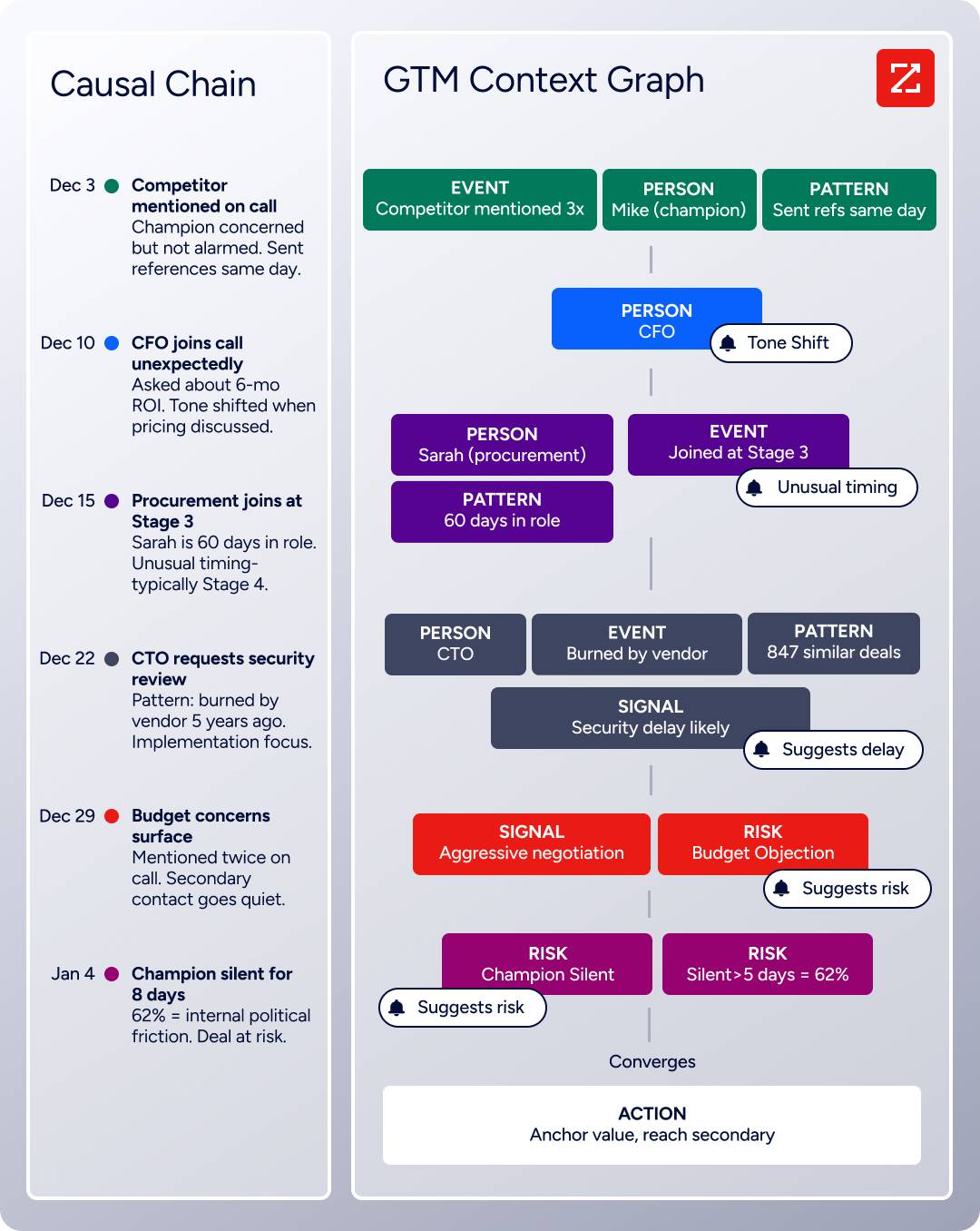
That context tells AI not just what happened, but why, and which actions to take next. Teams can run sales motions from the GTM Workspace, build plays in GTM Studio, or pipe verified data into their own tools through the API and MCP. For teams running an Amperity-Salesforce integration, ZoomInfo provides the contact verification layer that neither platform handles.
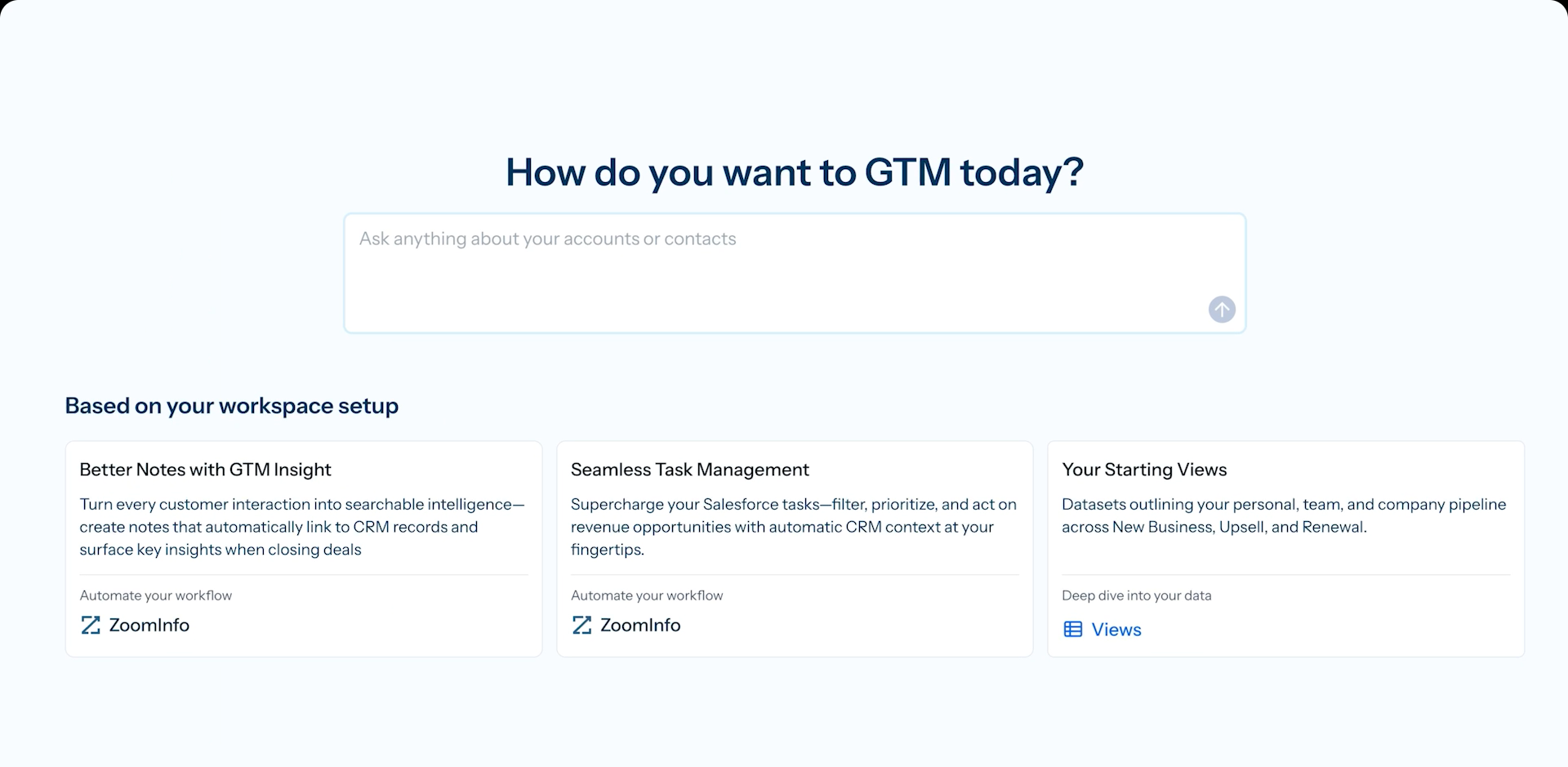
Amperity and ZoomInfo solve different problems. Amperity unifies fragmented customer records across dozens of systems, resolving identities with probabilistic and deterministic matching and producing a single profile per person.
ZoomInfo verifies and enriches the contact data inside those profiles: confirmed business emails, direct-dial phone numbers, current job titles, company attributes, and technographic profiles covering 30,000+ technologies.
One platform answers "who is this person across all our systems?" The other answers "can we actually reach them, and is what we know about them still true?"
ZoomInfo integrates with Salesforce through the AppExchange, providing CRM enrichment, lead routing, and real-time data updates inside Salesforce records.
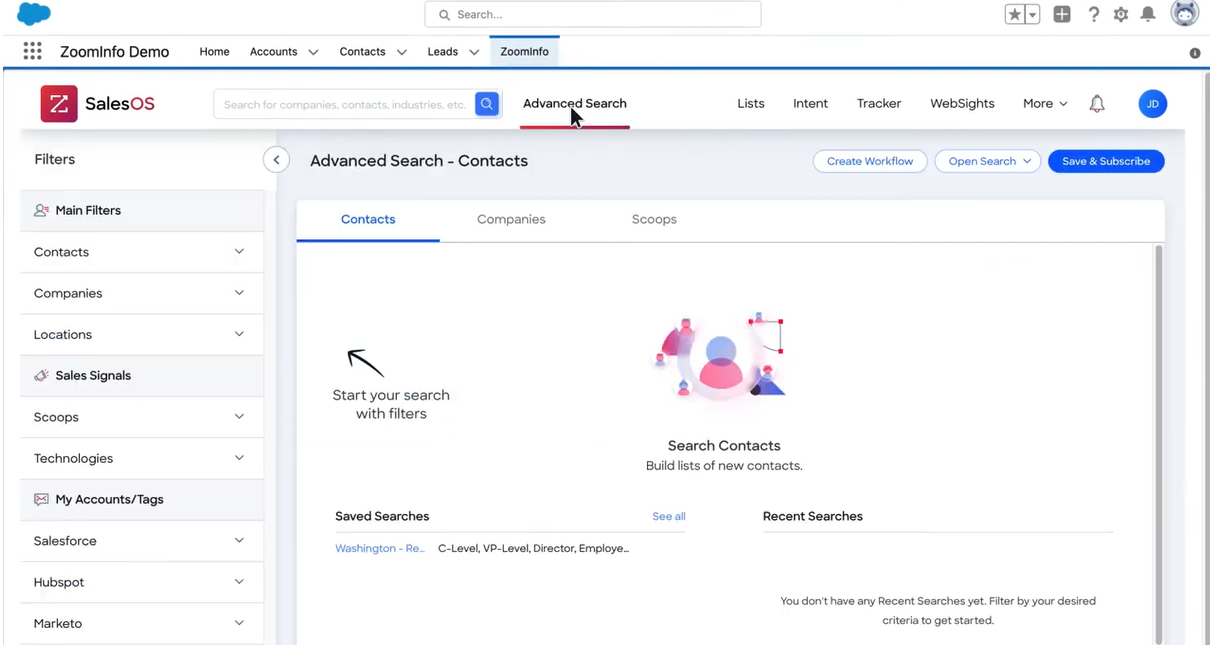
A team can use Amperity to unify and deduplicate customer profiles, push them into Salesforce via the native connectors, and then use ZoomInfo's Salesforce integration to verify and enrich those records with confirmed contact data.
The result: Salesforce contains profiles that are both identity-resolved (from Amperity) and contact-verified (from ZoomInfo).
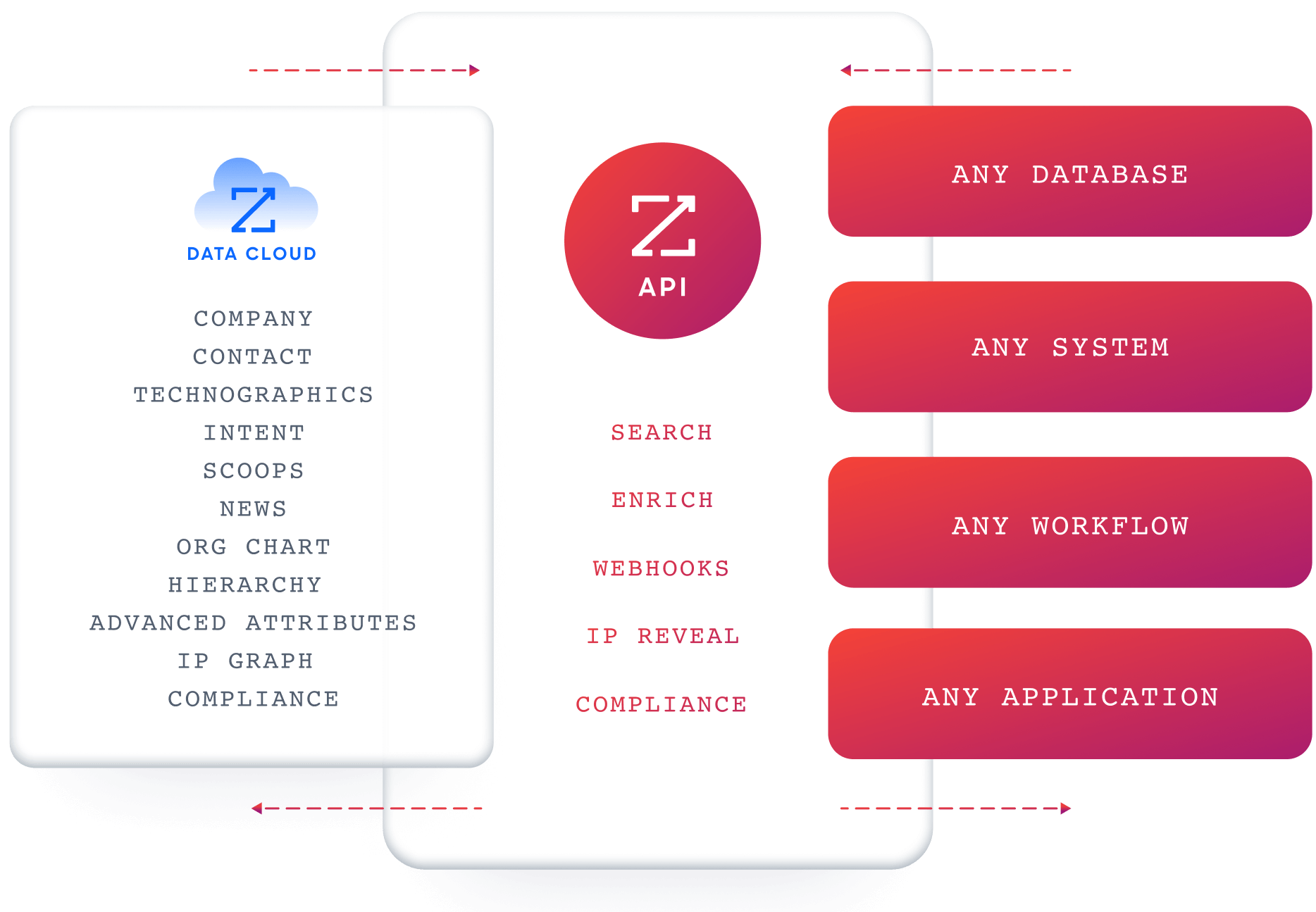
For teams building workflows beyond the native integrations, ZoomInfo's Enterprise API and MCP server expose the same verified data to any custom agent, internal tool, or partner platform.
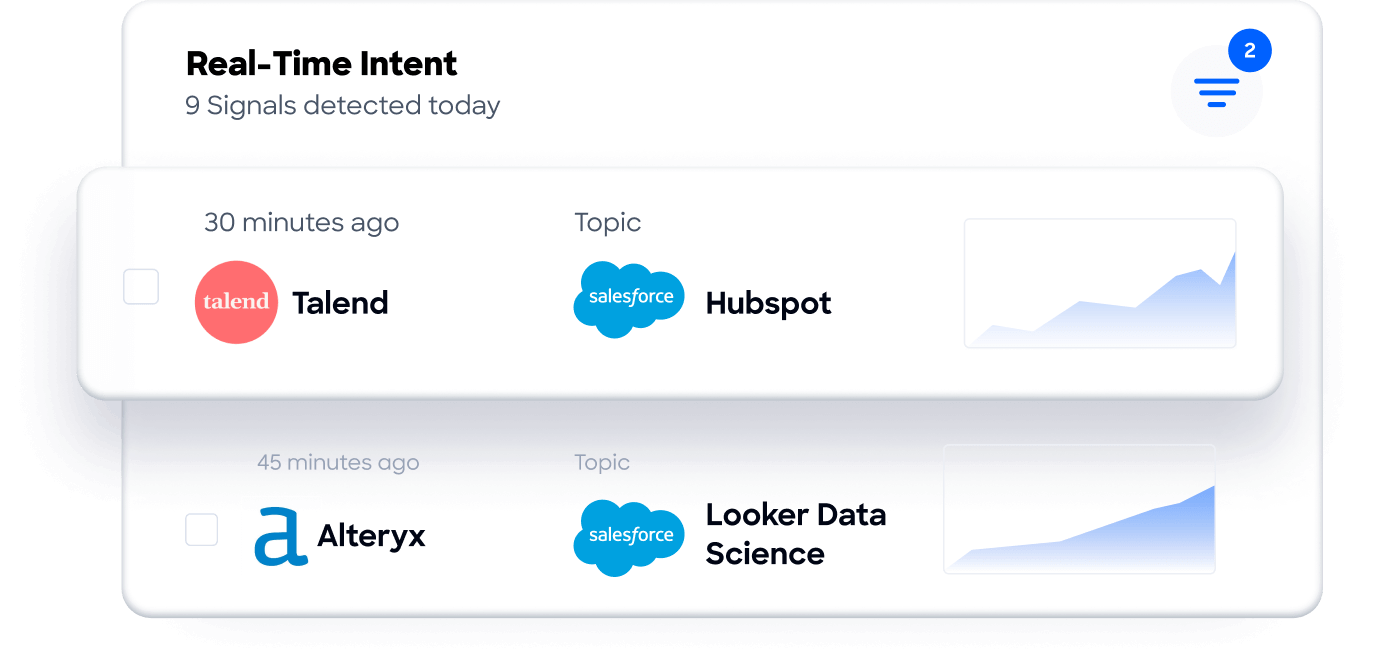
Buyer Intent data from ZoomInfo, tracking signals from 210 million IP-to-Organization pairings, can route into Salesforce to prioritize accounts actively researching relevant solutions, adding a buying-signal layer that neither Amperity's identity resolution nor Salesforce's CRM provides natively.
Seismic's sales team attributed 39% of active pipeline to opportunities identified or influenced by ZoomInfo signals, while boosting productivity by 54%. (Seismic)
Final Verdict
Amperity and Salesforce integrate through pre-built connectors covering Sales Cloud (SOAP API), Marketing Cloud (CSV/SFTP), and Commerce Cloud (SFTP), plus source connectors for ingesting Salesforce data into Amperity's identity resolution pipeline.
There is no single-button integration, but the connectors are maintained by Amperity, require no third-party middleware, and cover the most common data flows between the two platforms.
For most teams, the right choice depends on which Salesforce products are in play and what data needs to move.
Marketing teams activating audiences in Salesforce Marketing Cloud should start with the SFTP connector, which delivers identity-resolved segments into Data Extensions for journey orchestration and paid media activation.
Sales operations teams enriching CRM records in Salesforce Sales Cloud should use the SOAP API connector to push unified, deduplicated profiles on a recurring schedule.
Data teams building a Customer 360 that includes Salesforce data should configure Salesforce as a source in Amperity, bringing CRM records into the identity resolution pipeline alongside data from other systems.
Enterprise teams with use cases beyond the pre-built connectors (real-time profile lookups, event-driven workflows, complex multi-object mapping) should invest in a custom API integration.
Before committing to a specific method, clarify what job the integration needs to do.
If the goal is activating unified audiences for marketing campaigns, the Marketing Cloud connector handles it with minimal setup.
If the goal is keeping every Salesforce record enriched with the most complete customer profile available, the Sales Cloud connector on a daily schedule delivers that.
If the goal is building a single source of truth across dozens of systems with Salesforce as one of many inputs, Amperity's source connectors bring CRM data into the identity resolution pipeline where it merges with everything else.
In every scenario, the quality of the contact data flowing through the integration determines whether unified profiles translate into reachable, accurate records.
ZoomInfo, with its Salesforce integration, API, and MCP access, is the verification layer that ensures records in Salesforce are not just unified and deduplicated, but confirmed and current.
FAQ
Does Amperity integrate directly with Salesforce?
Yes. Amperity provides pre-built connectors for Salesforce Sales Cloud (via SOAP API), Salesforce Marketing Cloud (via CSV/SFTP), and Salesforce Commerce Cloud (via SFTP). These connectors are configured within Amperity's platform and do not require third-party middleware. Amperity can also ingest data from Salesforce Sales Cloud and Salesforce Marketing Cloud as sources for identity resolution.
Can Amperity send data to Salesforce in real time?
Not through the pre-built connectors. All native Amperity-Salesforce integrations operate on batch schedules (daily, hourly, or triggered by pipeline completion). For real-time access to Amperity's unified profiles, a custom integration using the Amperity Profile API would be needed, but this requires development resources and custom middleware.
What Salesforce editions support the Amperity integration?
The Salesforce Sales Cloud connector uses the SOAP API, which requires API access. API access is included with Salesforce Enterprise, Unlimited, Performance, and Developer editions. Professional edition may require an API access add-on. The Marketing Cloud connector uses SFTP, which does not require CRM API access but does require a Marketing Cloud account with SFTP capabilities.
Does the integration deduplicate records in Salesforce?
Amperity deduplicates records within its own platform through Stitch identity resolution, producing a single unified profile per person. When that profile is pushed to Salesforce, it uses upsert logic (update if a matching record exists, create if not) based on a configured matching key. T
his prevents the connector from creating duplicates on each delivery, but it does not clean up duplicates that already exist in Salesforce from other sources.
Can I use Amperity's predictive models inside Salesforce?
Yes, indirectly. Amperity calculates predictive CLV, churn propensity, product affinity, and RFM scores as part of its Customer 360 platform. These scores can be included as fields in the data delivered to Salesforce via either the Sales Cloud or Marketing Cloud connector.
In Salesforce, they appear as custom fields on the Contact, Account, or Data Extension, where they can drive reporting, lead scoring, and campaign targeting.
How does ZoomInfo complement an Amperity-Salesforce integration?
Amperity resolves identities and deduplicates records, but it works with the data it receives from source systems. If every source has the same stale phone number, the unified profile carries that stale number into Salesforce.
ZoomInfo independently verifies and enriches contact data with confirmed business emails, direct-dial phone numbers, current job titles, and company attributes. Its Salesforce integration handles enrichment inside the CRM, so records pushed from Amperity arrive deduplicated and are then verified by ZoomInfo.
What does the Amperity-Salesforce integration cost?
Amperity's native Salesforce connectors are included in the platform (no additional connector fee for standard Salesforce destinations). However, Amperity uses consumption-based pricing ("Amps"), so data delivery activities consume Amps based on the volume and frequency of runs. Amperity does not publish pricing publicly; all contracts are custom-quoted.
On the Salesforce side, the primary cost consideration is ensuring the Salesforce edition includes API access for the Sales Cloud connector.
Can Salesforce data flow back into Amperity?
Yes. Amperity provides source connectors for Salesforce Sales Cloud and Salesforce Marketing Cloud. These ingest CRM and marketing data into Amperity, where it passes through semantic tagging and Stitch identity resolution.
This is how organizations include Salesforce records in their Customer 360 alongside data from other systems. The source and destination connectors are configured separately, creating a functional bidirectional data flow managed through independent connections.
More Salesforce integrations:
