
If you're comparing Copper vs. Pipedrive, you're choosing between two different philosophies of customer relationship management.
Copper was built inside Gmail. It assumes your team lives in Google Workspace and wants a CRM that disappears into their existing workflow. Pipedrive was built around the sales pipeline. It assumes your team's primary job is moving deals forward, and everything else orbits that visual board.
Both are good CRMs. But here's what neither one solves: finding the right accounts to pursue in the first place.
The questions that matter:
Does your team run on Google Workspace, or do you need platform flexibility?
Are you managing long-term client relationships and project delivery, or focused on closing deals through a defined sales process?
Do you need a tool that manages contacts you already have, or one that helps you find and prioritize the right contacts to pursue?
How important are automation and AI-powered insights to your daily workflow?
Is your biggest bottleneck managing deals or filling the pipeline with qualified prospects?
Here's what we recommend:
Copper is the CRM for service businesses that live in Gmail. Its native Google Workspace integration, the only CRM officially Recommended by Google, means contacts, emails, and calendar events sync automatically without switching tabs. Copper bridges the gap between winning a deal and delivering the work with built-in project management. For agencies, consultancies, and professional services firms with 5 to 50 people, this continuity from sales to delivery is a real differentiator. However, Copper is limited to Google Workspace users, caps contacts at 15,000 on the Professional plan, and lacks the prospecting data and intelligence tools that growing sales teams eventually need.
Pipedrive is the CRM built by salespeople, for salespeople. It pioneered the kanban-style pipeline view that became an industry standard, and everything in the product revolves around advancing deals. With 500+ integrations, pricing starting at $14/month per seat, and AI features including an AI Sales Assistant and AI email writer, Pipedrive gives small sales teams real capability at a fair price. The trade-off: Pipedrive stops at the sale. There's no native post-sale project delivery, and the platform's prospecting data is limited to its Prospector add-on with 400 million profiles.
Both CRMs help you manage deals once you have them. But neither tells you which accounts to pursue, when they're in-market, or gives you verified direct-dial phone numbers for the buying committee. That gap is where most sales teams lose before they even open their CRM.
ZoomInfo is an AI-powered GTM platform that solves the problem upstream of any CRM. Built on a B2B database of 500M contacts, 100M companies, 135M+ verified phone numbers, and 200M+ verified business emails, ZoomInfo doesn't just store relationships. It finds them. The GTM Context Graph processes 1.5B+ data points daily, combining this data with your CRM records, conversation transcripts, and behavioral signals to reveal not just who to contact, but why and when. Sellers access this intelligence through GTM Workspace, where prioritized accounts, drafted outreach, and deal context converge in a single view. Marketers and RevOps teams build and launch GTM plays in GTM Studio. And for teams that build beyond ZoomInfo's own products, APIs and MCP deliver the same intelligence into any tool or AI agent.
If your pipeline problem isn't deal management but finding the right deals to manage, see how ZoomInfo works.
Copper vs. Pipedrive vs. ZoomInfo at a glance
Copper | Pipedrive | ZoomInfo | |
|---|---|---|---|
Primary function | CRM for service businesses on Google Workspace | Sales pipeline CRM for SMBs | AI-powered GTM platform |
Contact database | Your contacts only (up to 15K on Professional) | Your contacts + Prospector add-on (400M profiles) | 500M contacts, 100M companies, 135M+ verified phone numbers |
Pipeline management | Visual pipeline with project conversion | Kanban pipeline with deal rotting alerts | GTM Workspace with AI-prioritized accounts |
Post-sale capability | Built-in project management | Projects add-on (included on Premium+) | Account management and customer health monitoring |
AI features | CopperGPT, email templates, Gemini integration | AI Sales Assistant, AI email writer, AI reports | GTM Context Graph, AI agents, AI-drafted outreach |
Key integration | Google Workspace (native) | 500+ marketplace integrations | Salesforce, HubSpot, Dynamics + API/MCP for any tool |
Buyer intent data | None | None | Intent signals from 210M IP-to-Organization pairings |
Starting price | $23/seat/month (Basic) | $14/seat/month (Lite) | Custom-quoted; free tier available (ZoomInfo Lite) |
Best for | Agencies, consultancies, professional services | Sales-driven small businesses | Revenue teams needing data, signals, and execution |
Copper and Pipedrive solve different problems
Copper and Pipedrive look similar on paper. Both are CRMs with visual pipelines and contact management. But they're built for different businesses with different daily workflows.
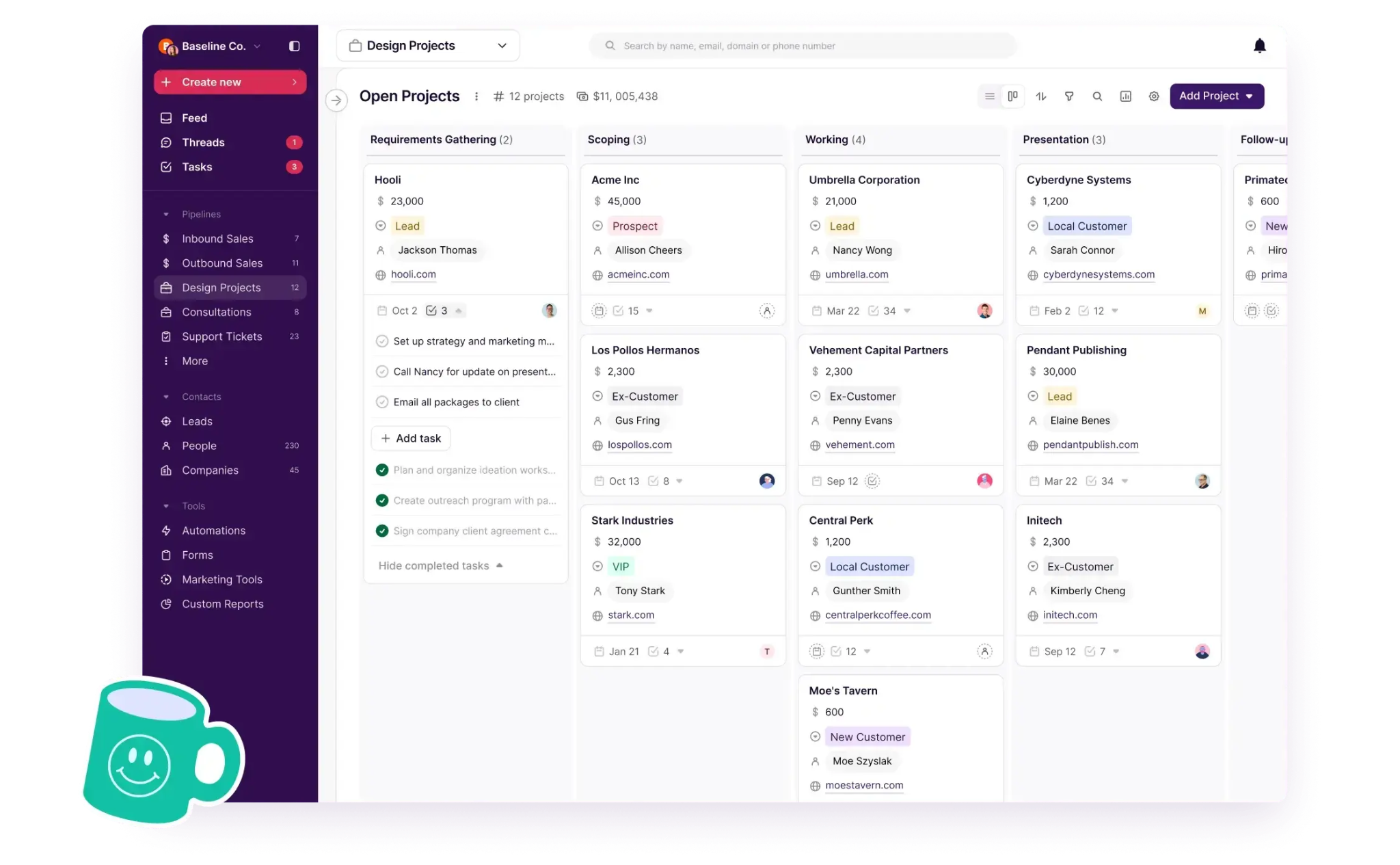
Copper is designed for the full client lifecycle. An agency wins a project, and Copper converts closed deals into projects without re-entering data. The contact history, emails, files, and notes carry forward from sales to delivery. This matters for service businesses where the sale is just the beginning. The real work (and the real revenue) comes from delivering and retaining.
Source: Copper
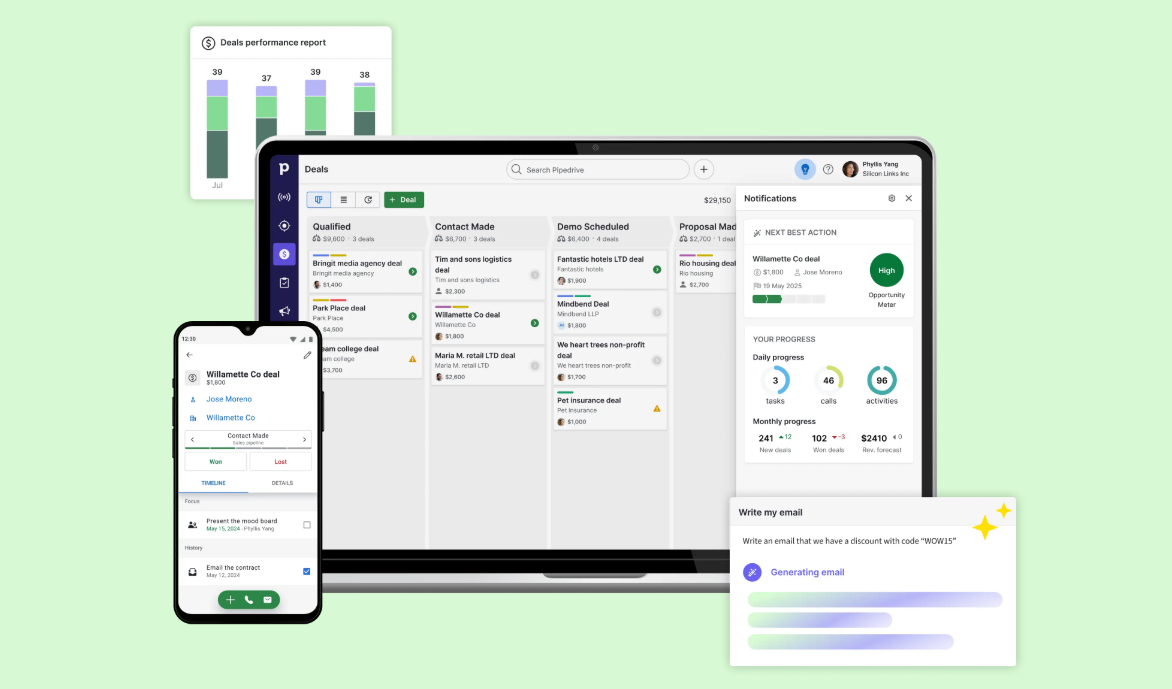
Pipedrive focuses on the sale itself. Everything in the product pushes deals forward: the kanban pipeline with deal rotting indicators, the activity-based selling approach that surfaces deals with no upcoming activity, and the Leads Inbox that separates unqualified contacts from active pipeline. Pipedrive's founders were salespeople who found existing CRMs built for managers rather than reps, and the product still reflects that origin.
Source: Pipedrive
The choice between these two is structural: do you need a tool that spans sales and delivery, or one that optimizes the sales process itself?
The data gap both CRMs share
Here's the problem neither Copper nor Pipedrive solves: where do the contacts in your CRM come from?
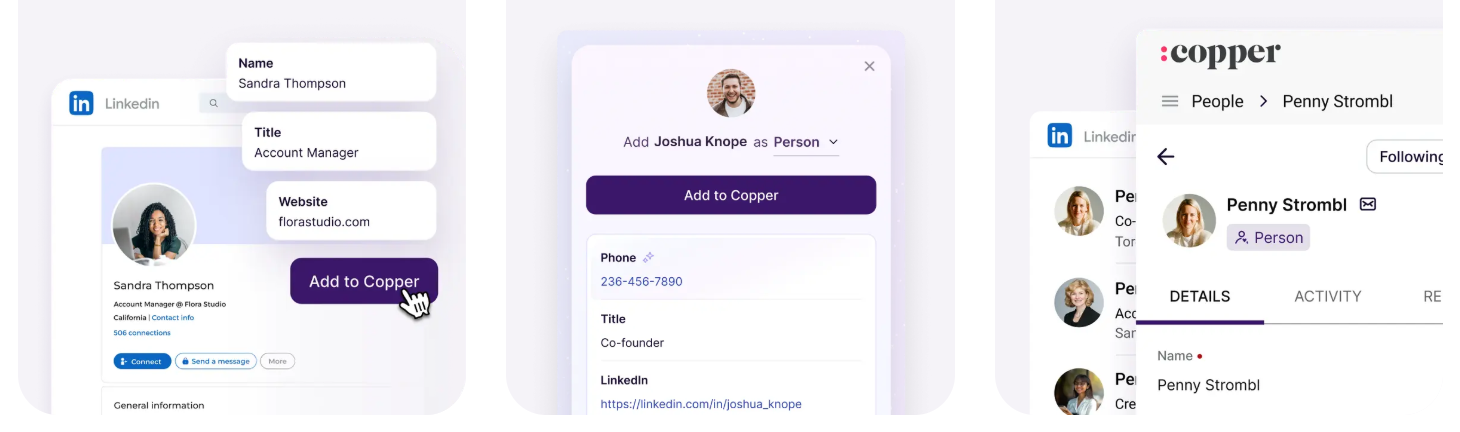
Copper's data capture relies on Gmail interactions (auto-syncing recent email from the last 90 days), web forms, a LinkedIn Chrome Extension, and manual entry. It offers AI-powered contact enrichment that pulls phone numbers and social profiles, but this enrichment works on contacts you already have. It doesn't help you find new ones.
Source: Copper
Pipedrive's Prospector tool (part of the LeadBooster add-on, included on Premium and above) provides access to a database of over 400 million profiles and 10 million companies, with an AI engine that verifies and updates up to 800,000 profiles daily. It's a step up from Copper's approach, but the data is gated behind credits and limited in depth compared to dedicated intelligence platforms.
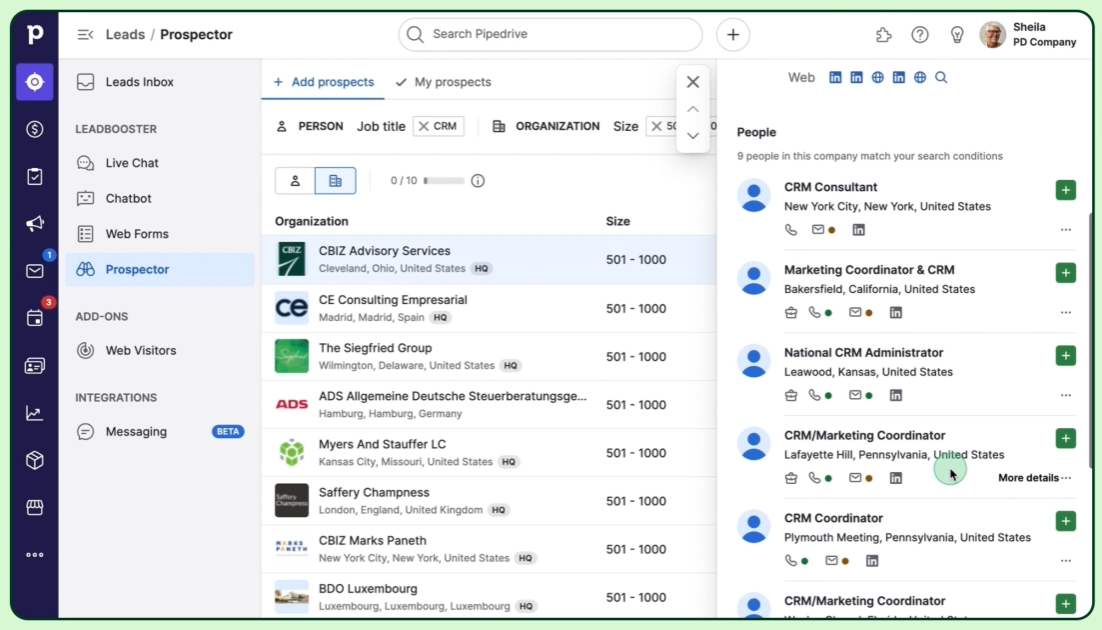
Source: Pipedrive
ZoomInfo operates at a different scale. The platform covers 500M contacts, 100M companies, 135M+ verified phone numbers, 120M direct-dial phone numbers, and 200M+ verified business email addresses. A multi-source pipeline backed by 300+ human researchers maintains this data, achieving up to 95% accuracy on first-party data. In a Fortune 500 competitive RFP analyzing 25 million contacts across vendors, an independent consultant concluded that "no other competitor came even close."
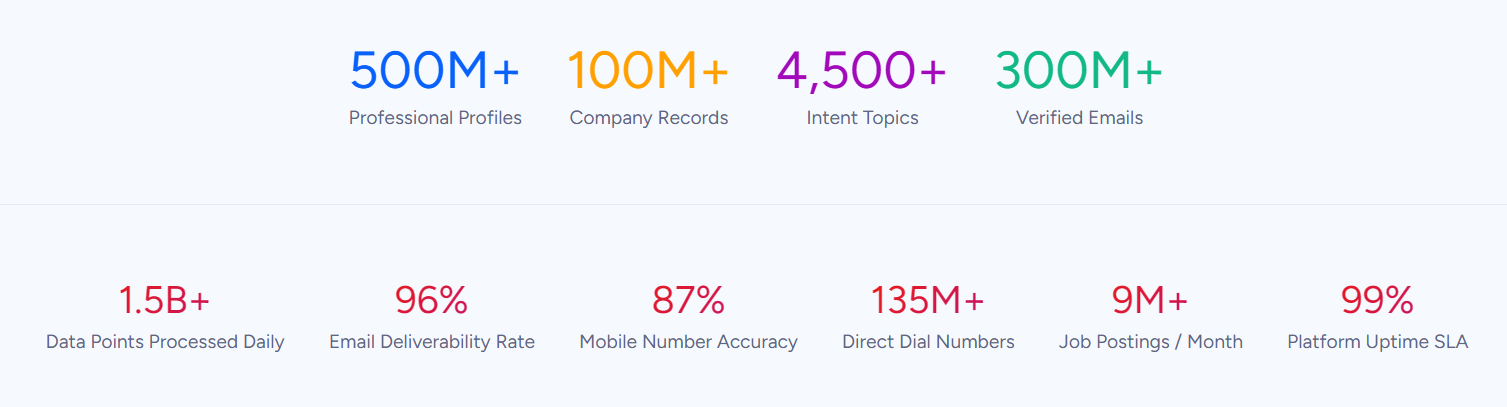
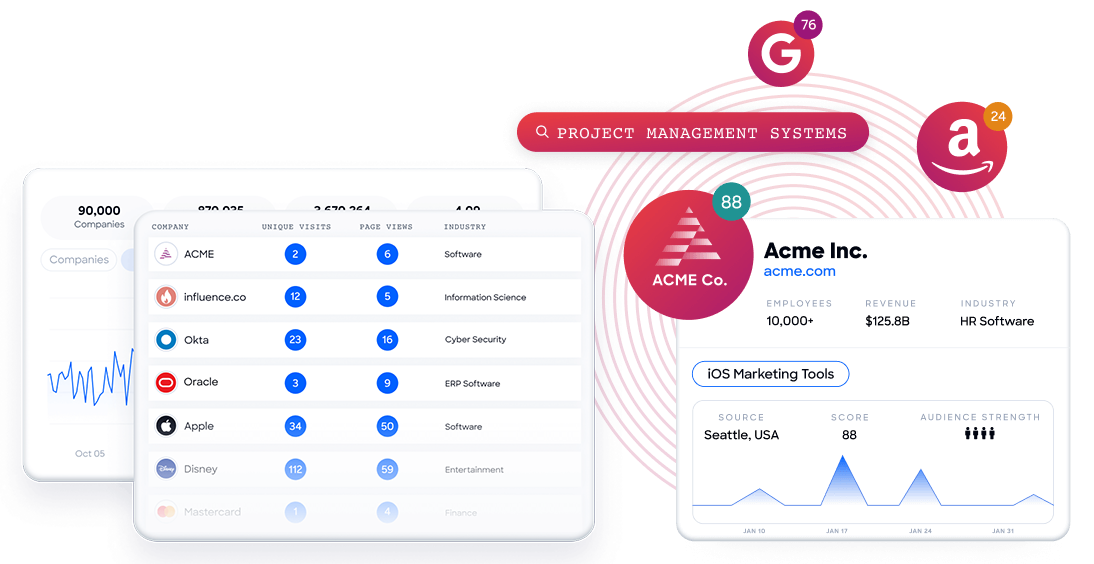
Beyond raw contact data, ZoomInfo tracks buyer intent signals from 210 million IP-to-Organization pairings, monitors tech stacks across 30+ million companies, and identifies anonymous website visitors at the contact level. Neither Copper nor Pipedrive offers anything comparable.
"ZoomInfo gives us the information we need to execute. We don't have to go through and spend our time digging. It's already there, so we can be three steps ahead." — William Kenimer, VP of Revenue Operations, Vensure (Vensure Case Study)
Google Workspace integration is Copper's defining advantage (and limitation)
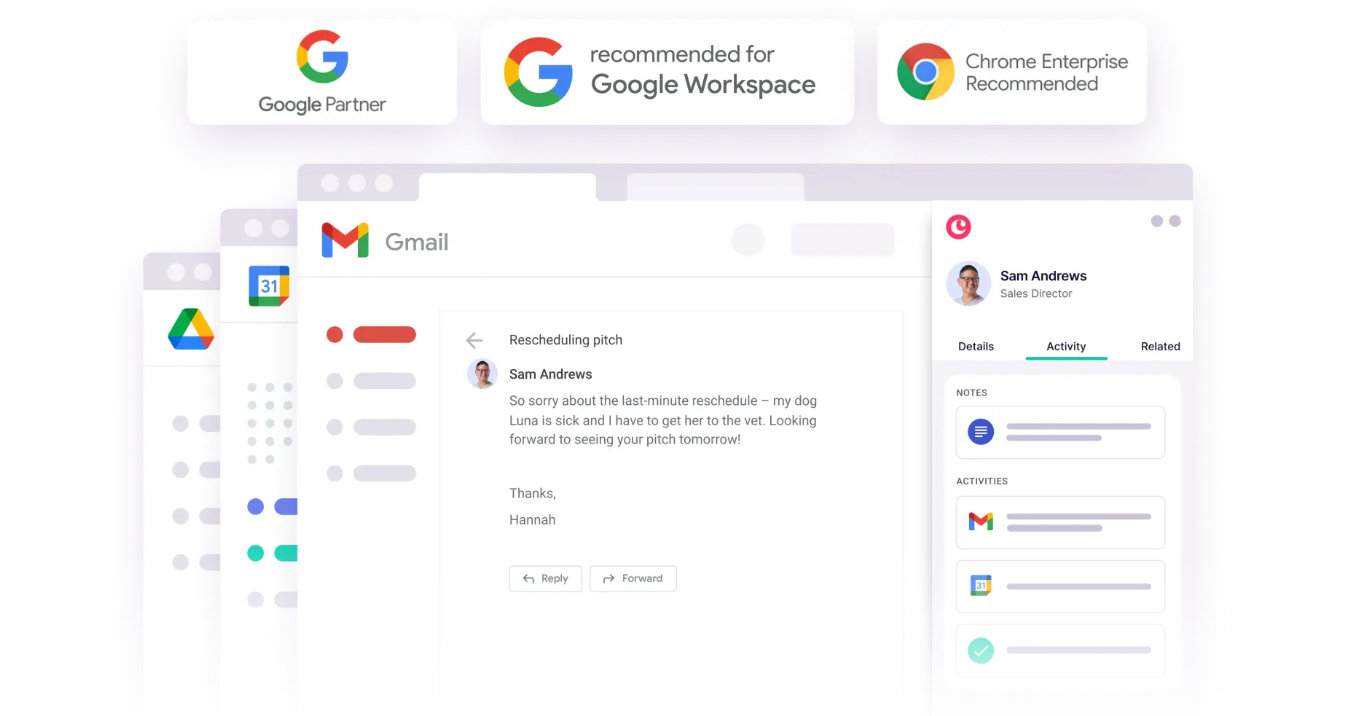
Copper's Chrome Extension embeds the full CRM inside Gmail. Open an email, and the sender's contact record, deal history, and past communications appear in a sidebar. Emails sync automatically, with no BCC hacks and no manual logging. Calendar events sync bidirectionally. Google Drive files auto-attach to contact records. Google's Gemini AI is integrated for email drafting and meeting transcription.
This isn't a plugin bolted onto a standalone product. Copper was built for Google Workspace and holds Google's official "Recommended for Google Workspace" designation.
Source: Copper
But this strength is also a hard filter. If your team runs on Microsoft 365, Copper offers no comparable integration. Roughly half of SMBs in some markets use Microsoft's stack, and for them, Copper's core value doesn't apply.
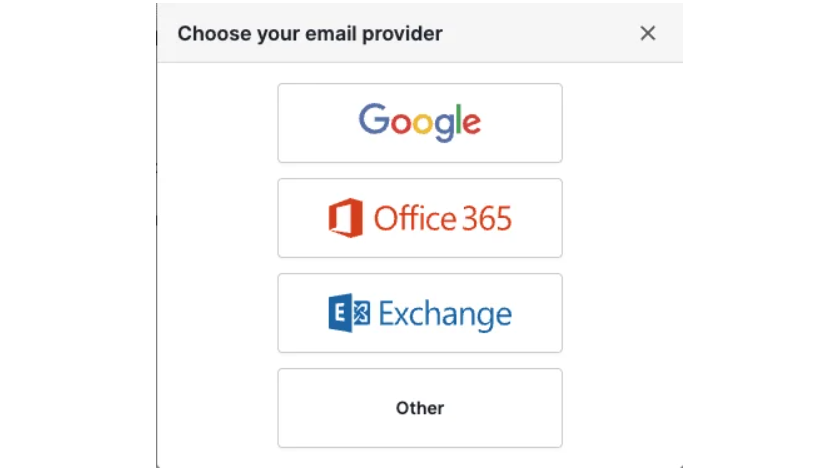
Pipedrive takes a platform-agnostic approach. It connects to Gmail, Outlook, Office 365, Microsoft Exchange, or any IMAP-compatible account, with emails syncing to a built-in Sales Inbox. The integration isn't as deep as Copper's Gmail experience, but it works regardless of which email platform your team uses. For teams split across email ecosystems or planning to switch providers, that flexibility matters.
Source: Pipedrive
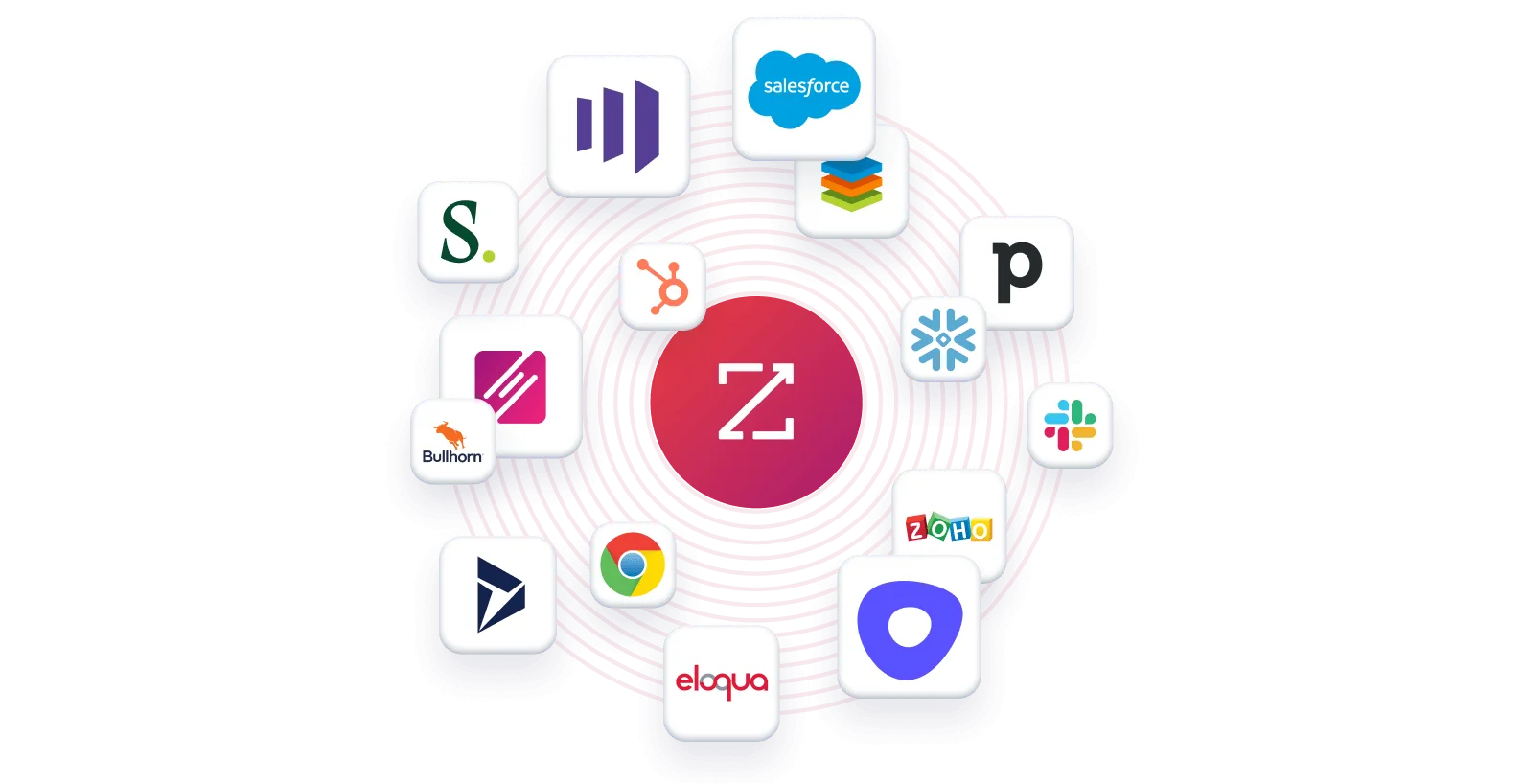
ZoomInfo also works across email platforms and integrates natively with Salesforce, HubSpot, and Microsoft Dynamics, with API and MCP access extending its intelligence into any tool.
Pipeline management: Pipedrive is built for sales velocity
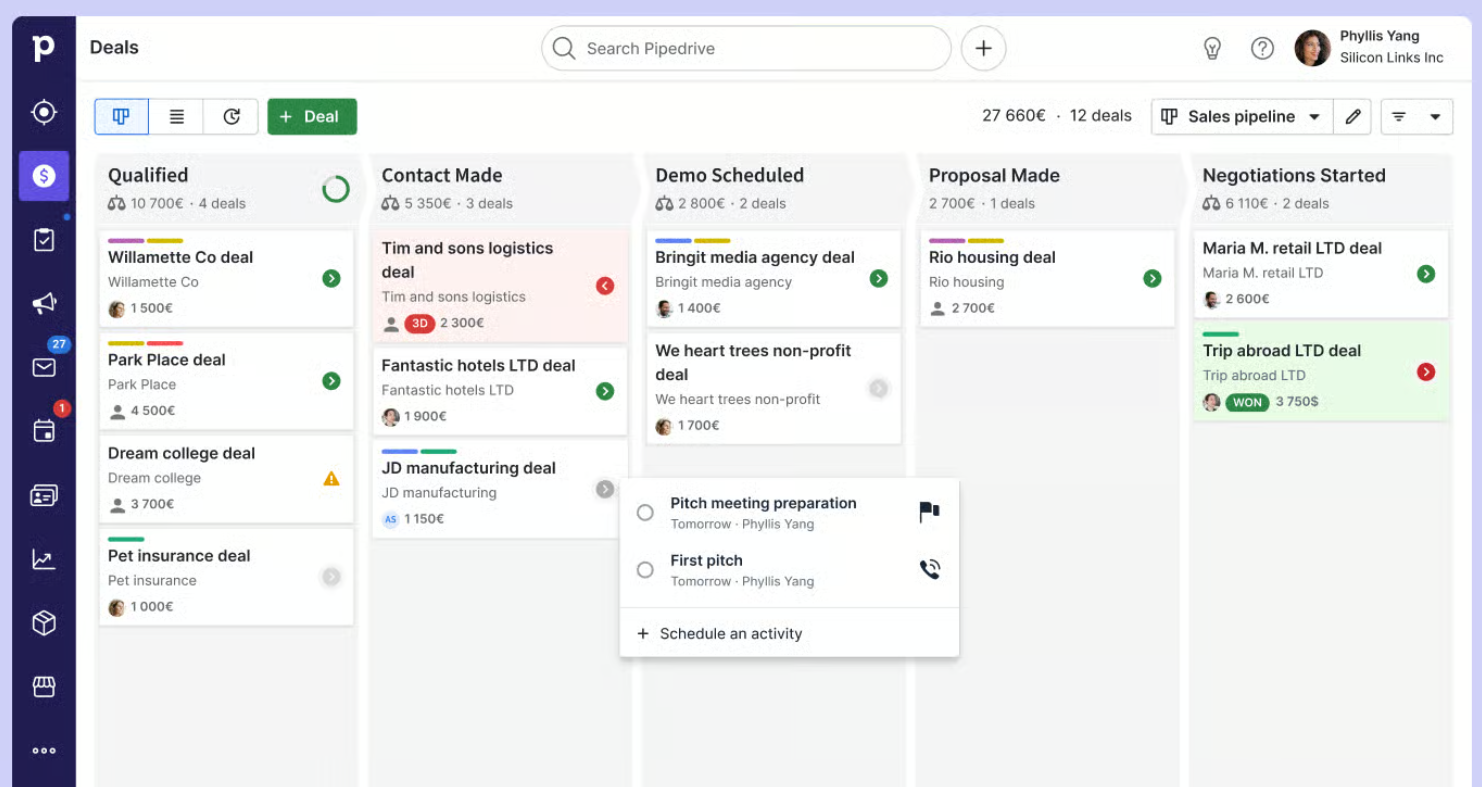
Pipedrive's pipeline management is the most refined of the three for day-to-day selling. The kanban board with color-coded deal rotting cues makes it obvious which deals need attention. Multiple custom pipelines accommodate different sales motions. The Leads Inbox keeps unqualified contacts out of the pipeline, preventing clutter.
Source: Pipedrive
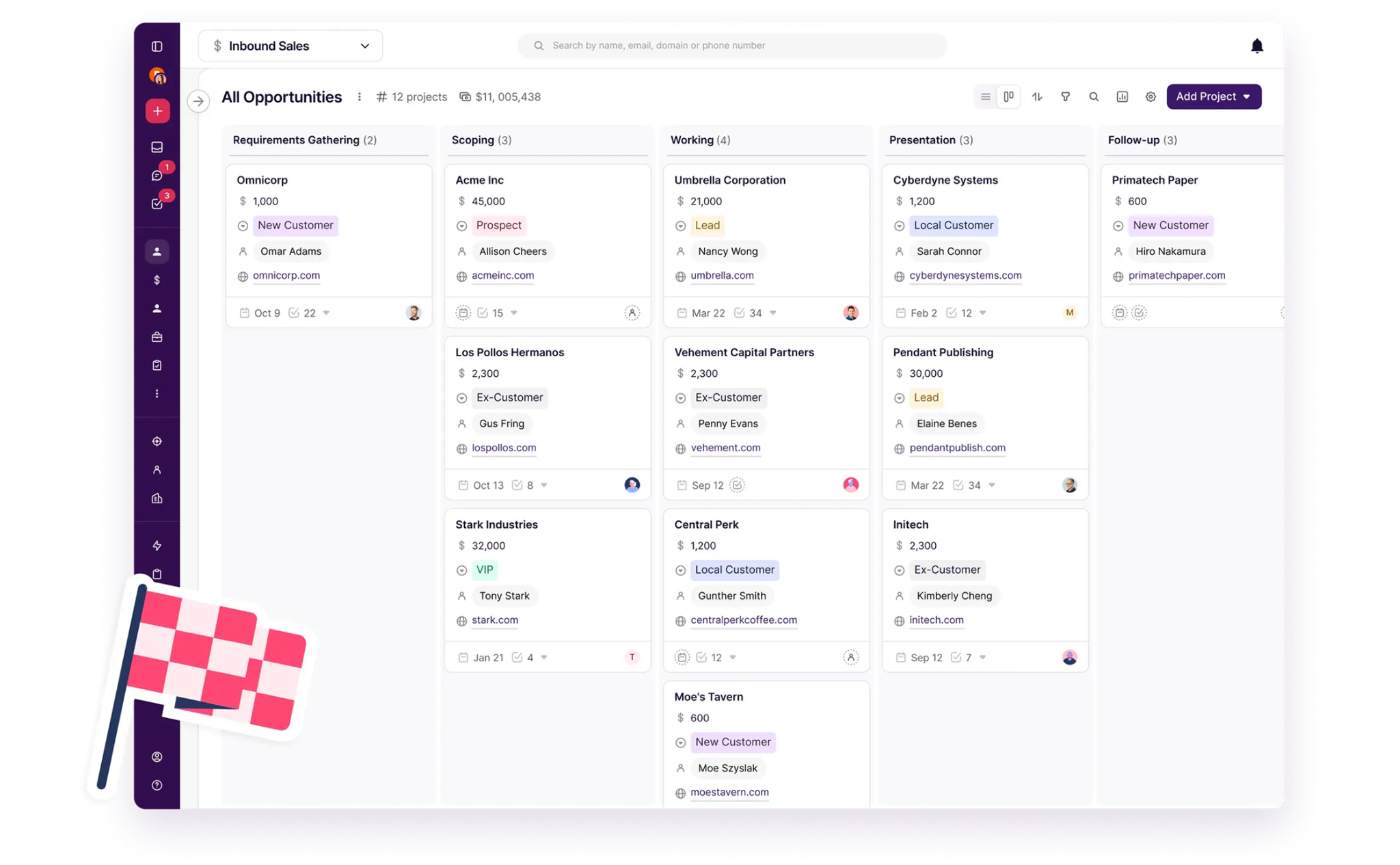
Copper's pipeline works well for simpler deal flows. It supports multiple pipelines with three record types (Opportunity, Project, and Item), and its Pipeline Flags surface high-value and slipping deals on the board. But Copper's pipeline was designed for relationship-based sales with fewer stages, not high-volume transactional selling. Teams above roughly 100 users or with complex enterprise sales motions will hit limitations in reporting, access controls, and data governance.
Source: Copper
ZoomInfo's GTM Workspace approaches pipeline from a different direction. Instead of starting with deals you already have, it starts with accounts you should be pursuing. AI agents prioritize accounts based on buying signals, draft personalized outreach, and surface the right contacts within each account, all informed by the GTM Context Graph that captures why deals move or stall. Sellers see their complete book of business in one view, with real-time signals triggering pre-drafted actions when target accounts show buying behavior.
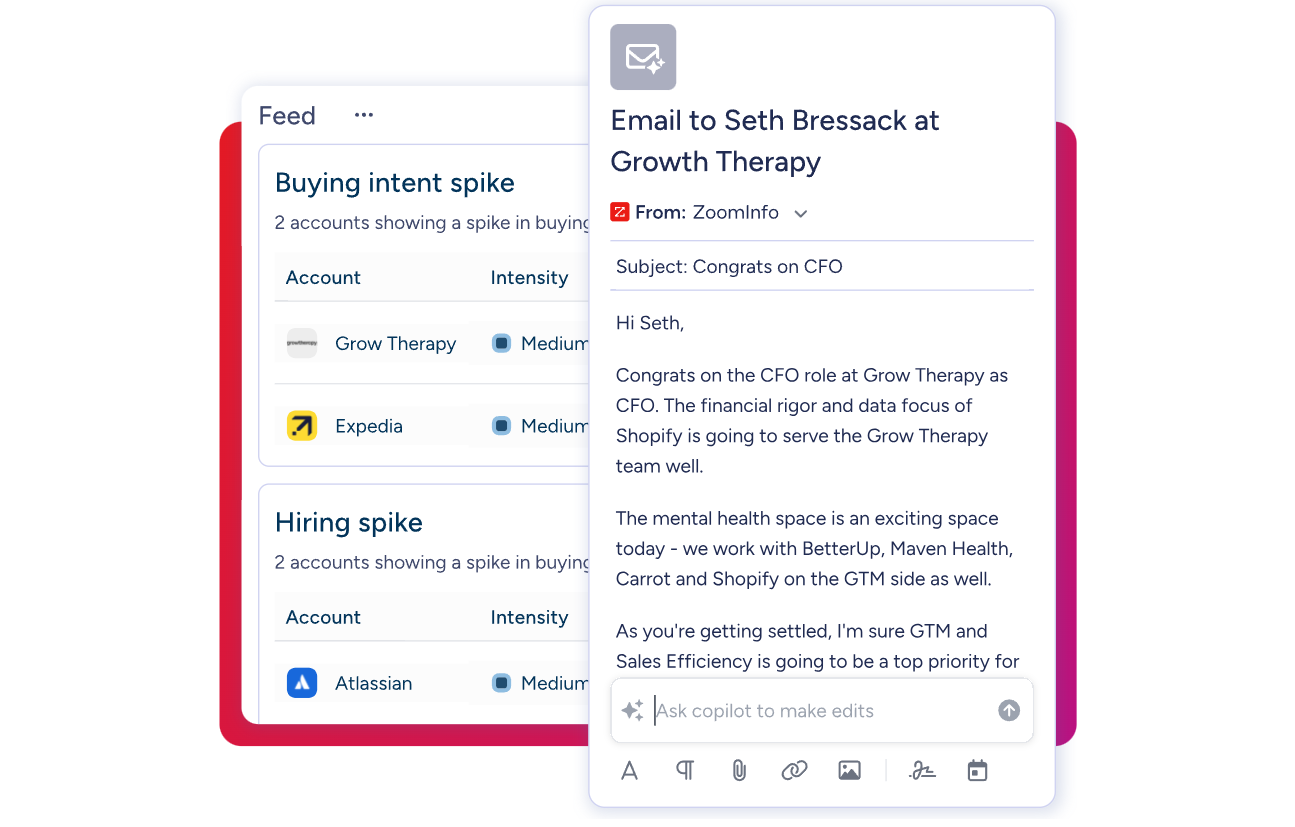
"ZoomInfo's not just a contact data company anymore. They've built a full system of execution. GTM Intelligence actually works the list, writes the outreach, triggers the play, and helps drive predictable growth." — Ian Brodie, CEO & Co-Founder, Levanta (Levanta Case Study)
AI capabilities show different levels of ambition
Copper's AI is early-stage. CopperGPT helps draft emails and generate templates, and Google's Gemini integration adds meeting transcription and email assistance. But there's no AI-driven lead scoring, no predictive deal forecasting, and no conversation intelligence. AI features are limited to Professional and Business tiers.

Source: Copper
Pipedrive is further along. The AI Sales Assistant provides win probability predictions, deal activity reminders, and proactive recommendations. The AI email writer generates drafts with configurable tone and length. AI-generated reports let managers describe what they want in plain language instead of configuring filters. The company is investing in what it calls "Pipedrive 3.0", an AI-native CRM vision, though certain AI features like email summarization remain in beta.
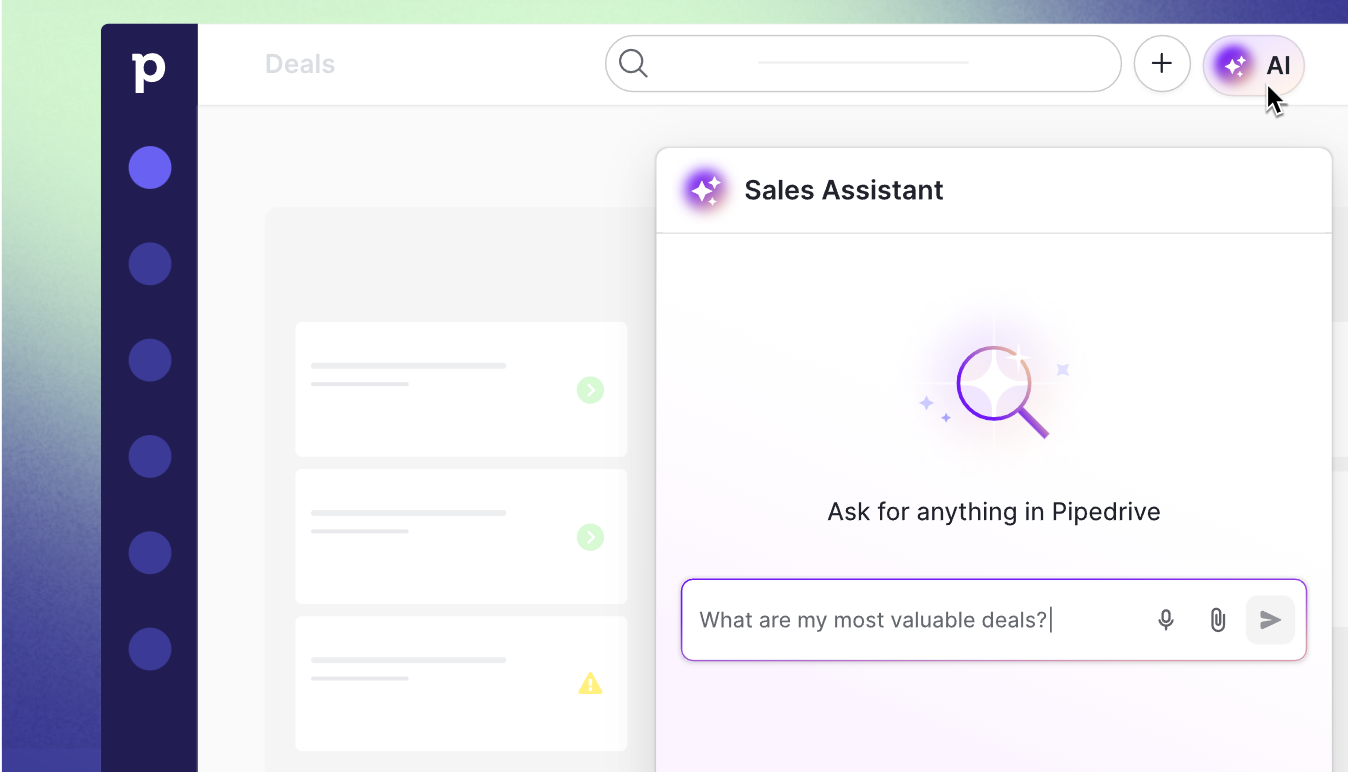
Source: Pipedrive
ZoomInfo's AI operates at a structural level. The GTM Context Graph doesn't just analyze your CRM data. It combines CRM records with conversation transcripts, intent signals, and behavioral data to understand why deals move or stall. AI agents in GTM Workspace automate account research, generate follow-ups based on full account context, monitor signals, and update CRM fields. In GTM Studio, marketers describe audiences in plain language and launch multi-channel plays that get smarter as prospects respond.
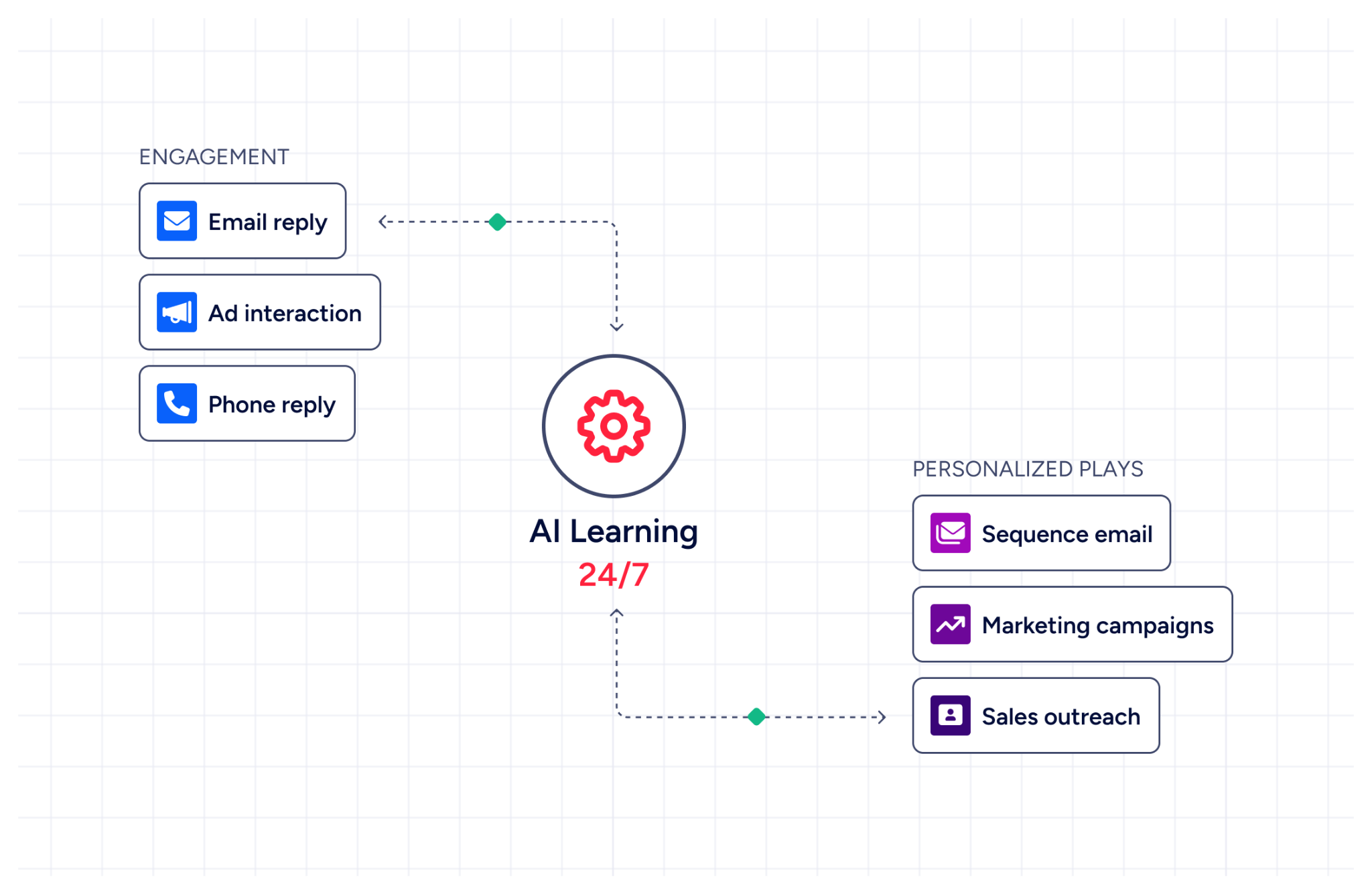
The difference: Copper and Pipedrive use AI to help you work faster within the CRM. ZoomInfo uses AI to change what you work on, identifying which accounts to pursue and why.
"That combination of our internal CRM data, external signals, and AI that's given all that context has helped us craft very specific account- and persona-based messages. And people have responded to them right away." — Toby Carrington, Chief Business Officer, Seismic (Seismic Case Study)
Automation and workflow comparison
Copper's automation lives at the Professional tier ($59/seat/month) and above. Workflow automations trigger task assignments, emails, and field updates when deals change stages or meet conditions. Email series of up to 7 steps require the Business plan at $99/seat/month. The automation is competent for its target market but limited: bulk emails cap at 200 contacts, and there's no if/else branching logic.
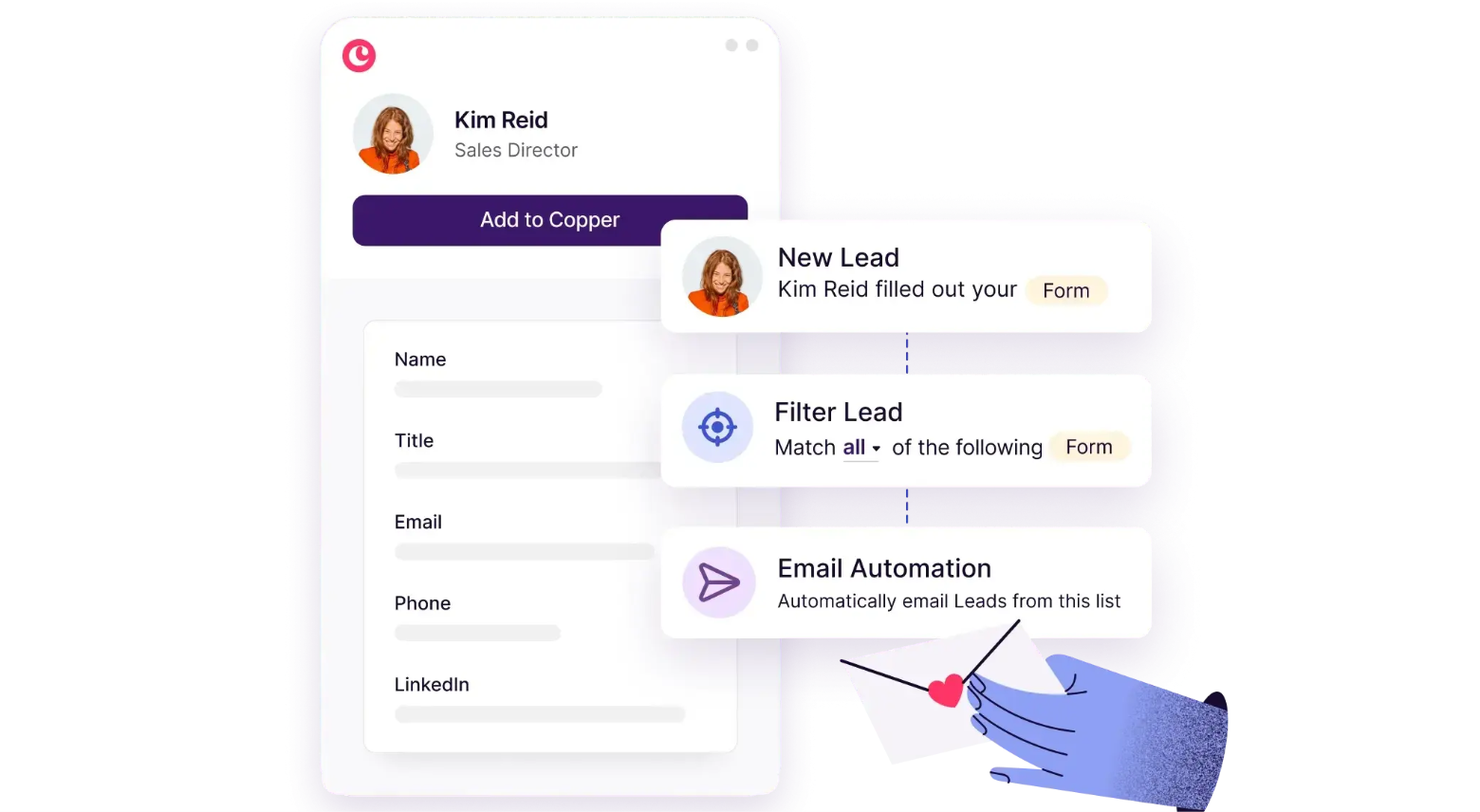
Source: Copper
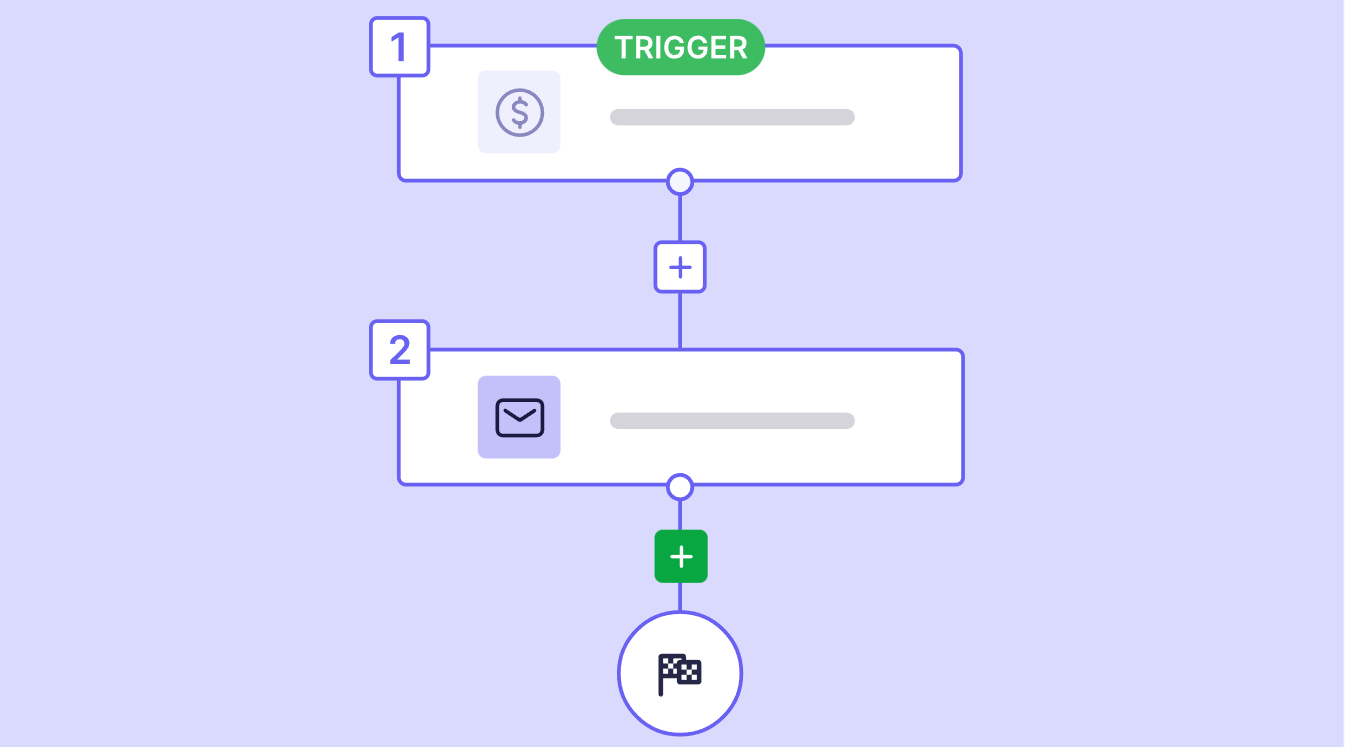
Pipedrive offers more sophisticated automation starting at the Growth tier. If/else conditions, "wait until event" logic, and multi-step workflows with native Slack, Teams, Trello, and Asana notifications provide depth that Copper lacks. Sequences (automated multi-step follow-up flows) pause automatically when a prospect engages, avoiding the problem of sending a pitch email to someone who already replied.
Source: Pipedrive
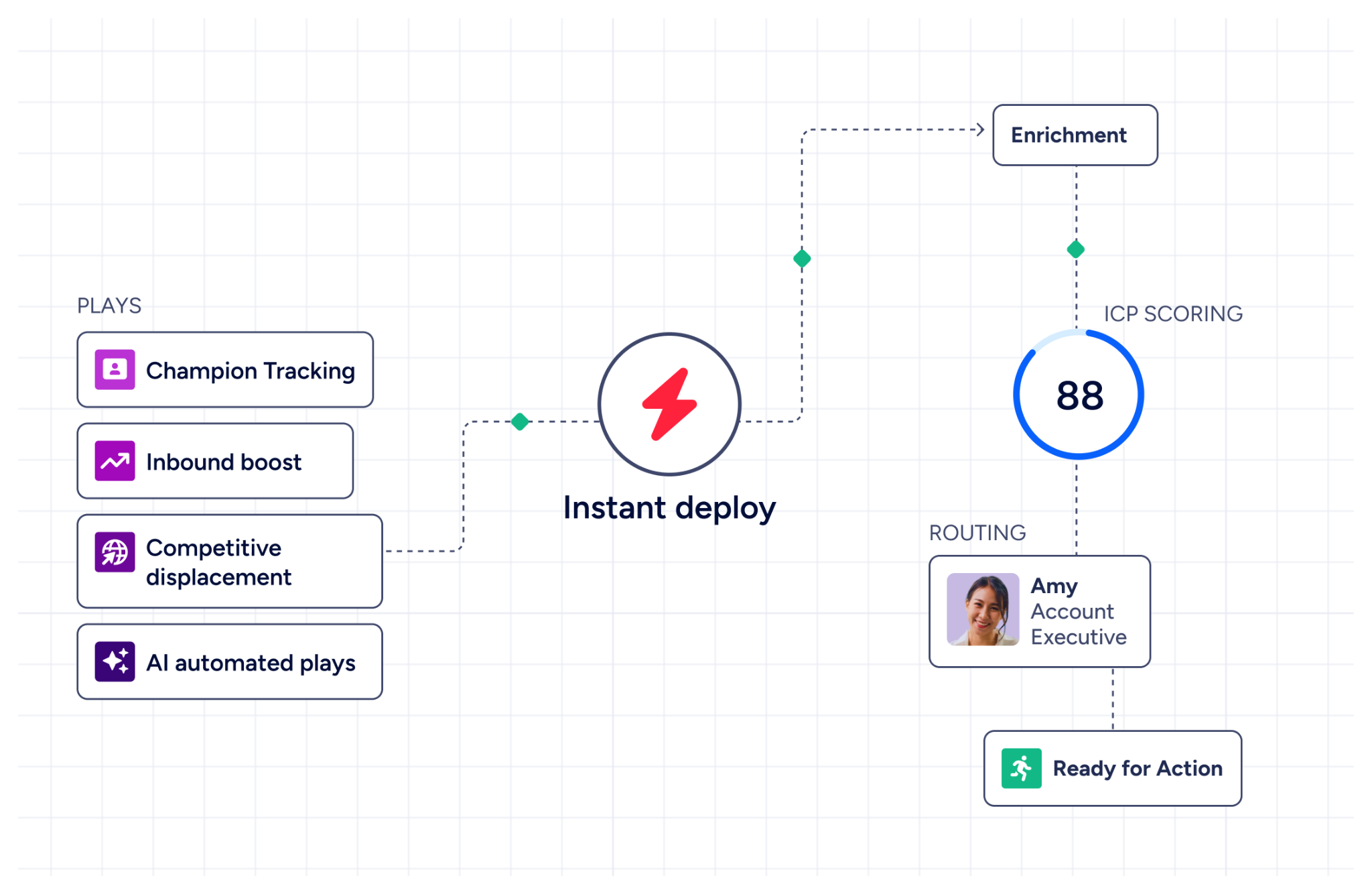
ZoomInfo automates at a different layer. GTM Studio runs pre-built GTM plays (inbound acceleration, champion tracking, competitive displacement) across email, calls, ads, and direct mail. These plays trigger automatically from buyer behavior signals and route hot accounts into GTM Workspace for seller execution. Expansion plays that used to take 3 weeks now launch in 30 minutes, without engineering support.
Pricing tells you who each platform is built for
Copper uses per-seat pricing across four tiers:
Basic: $23/seat/month. Adds deal pipelines and project management. Still no workflow automation or bulk email.
Professional: $59/seat/month. Adds automation, bulk email, reporting, and integrations. Contact limit: 15,000.
Business: $99/seat/month. Adds email series, custom reports, multi-currency, and unlimited contacts.
Pipedrive also uses per-seat pricing across four tiers (add-ons billed per company):
Lite: $14/seat/month. Customizable pipelines, Leads Inbox, Pulse toolkit, AI report creation, and API access. No email sync or automations.
Growth. Adds email sync, automations with if/else logic, meeting scheduler, sequences, and forecast view.
Premium. Includes Smart Docs, Projects, and LeadBooster (Chatbot, Live Chat, Prospector, Web Forms). AI email creation and summarization.
Ultimate. Highest limits across the board, plus contact data enrichment and security alerts.
Annual billing saves up to 42% on Pipedrive and 17-26% on Copper.
ZoomInfo uses custom-quoted, consumption-based pricing. ZoomInfo Lite is a permanent free tier with access to the B2B database, 10 monthly export credits, Chrome extension, and WebSights Lite. Paid plans span Professional, Advanced, and Enterprise tiers for Sales, plus separate Marketing and ABM tiers. The investment is higher than either CRM, reflecting the scope: B2B data, intent signals, conversation intelligence, AI agents, and multi-channel execution tools.
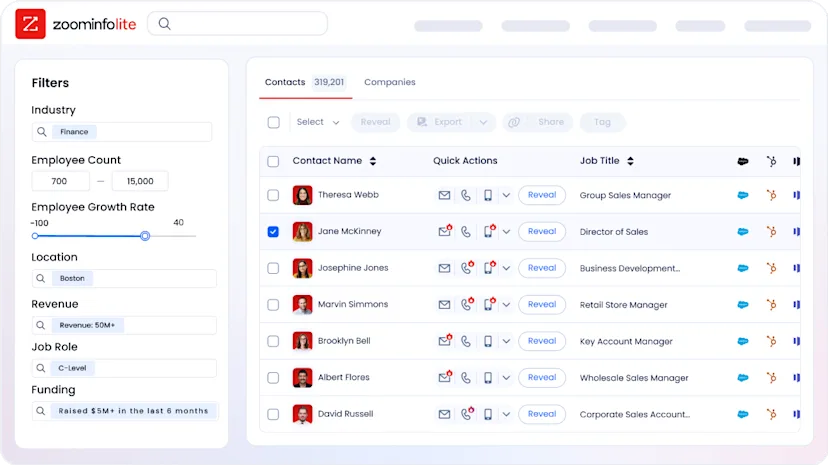
For a 10-person sales team, Copper's Professional plan runs roughly $590/month. Pipedrive's Growth or Premium plan comes in lower. ZoomInfo requires a custom quote, but it addresses a different need: filling the pipeline with verified, prioritized prospects rather than managing deals once they exist.
Security and compliance comparison
Pipedrive has the strongest security credentials among the three: ISO/IEC 27001:2022, SOC 2 Type 2, ISO/IEC 27701:2019, and SOC 3, along with GDPR compliance and SecurityScorecard grade A. Data is hosted on AWS with separate databases per customer and daily backups going back three months.
Copper holds GDPR, CPRA, and Data Privacy Framework certifications but does not claim SOC 2 certification and states it is not HIPAA compliant. Customer data is stored in the United States with no data residency options for other countries.
ZoomInfo maintains ISO 27001, SOC 2 Type II, ISO 27701, TRUSTe GDPR, and TRUSTe CCPA certifications, all renewed annually. As a company handling B2B contact data at scale, compliance is built into the data layer itself. ZoomInfo is a registered data broker in California and Vermont.
Copper vs. Pipedrive vs. ZoomInfo: Which should you choose?
The right choice depends on what problem you're solving.
Choose Copper if:
Your team runs entirely on Google Workspace and wants a CRM that lives in Gmail
You're a service business that needs to track both sales and project delivery in one system
Speed of setup matters, and you need to be operational in days, not weeks
You have fewer than 15,000 contacts and a straightforward deal flow
Relationship continuity from sale through delivery matters more than prospecting power
Choose Pipedrive if:
Sales pipeline management is your team's central activity
You need a platform-agnostic CRM that works with Gmail, Outlook, or any IMAP email
You want automation with if/else logic, sequences, and multi-channel workflows
Your budget favors CRM capability below $30/seat/month
You value a 500+ integration marketplace and open API on all plans
Choose ZoomInfo if:
Your biggest challenge isn't managing deals but finding the right accounts and contacts to pursue
You need verified B2B data at scale: direct dials, business emails, org charts, and technographics
Buyer intent signals and real-time account intelligence would change how your team prioritizes
You want AI that doesn't just draft emails but understands why deals move and which accounts to target next
Your team needs the intelligence layer that makes any CRM more effective
See ZoomInfo in action, or start with ZoomInfo Lite for free.
Copper and Pipedrive are both strong CRMs for small teams: Copper for service businesses on Google Workspace, Pipedrive for sales-driven organizations that need pipeline clarity. But as teams grow, the bottleneck shifts from managing deals to finding them. That's where ZoomInfo changes the equation: B2B data, intelligence that reveals which accounts are ready to buy, and AI-powered execution that puts the right message in front of the right person at the right time.
A CRM manages relationships. ZoomInfo helps you find the relationships worth managing.
Copper vs. Pipedrive vs. ZoomInfo FAQ
What is the core difference between Copper, Pipedrive, and ZoomInfo?
Copper is a CRM built for service businesses on Google Workspace, covering both sales and project delivery inside Gmail. Pipedrive is a sales-focused CRM built around visual pipeline management for small and mid-sized businesses. ZoomInfo is an AI-powered GTM platform that provides B2B data (500M contacts, 100M companies, 135M+ verified phone numbers), buyer intent signals, and AI-powered execution tools. It solves the upstream problem of finding and prioritizing the right accounts before they enter any CRM.
Which is the most affordable option for a small sales team?
Pipedrive starts at $14/seat/month (Lite) and offers meaningful CRM capability at lower tiers, including unlimited pipelines and custom fields on all plans. Copper's entry tier is $23/seat/month but excludes deal pipelines and reporting, so most teams need the Professional plan at $59/seat/month. ZoomInfo uses custom-quoted consumption-based pricing, though ZoomInfo Lite provides a permanent free tier with access to the B2B database and 10 monthly export credits.
Can I use ZoomInfo alongside Copper or Pipedrive?
ZoomInfo integrates natively with Salesforce, HubSpot, and Microsoft Dynamics. For Copper or Pipedrive, teams can connect via Zapier or ZoomInfo's API and MCP access, which deliver ZoomInfo's data and intelligence into any tool or workflow. Many teams use ZoomInfo for prospecting and data enrichment, then push qualified contacts into their CRM of choice for deal management.
Which platform has the strongest AI capabilities?
ZoomInfo's AI is the most advanced. The GTM Context Graph combines B2B data with CRM records, conversation intelligence, and intent signals to understand why deals move, not just that they moved. AI agents in GTM Workspace automate account research, outreach generation, and CRM updates. Pipedrive's AI Sales Assistant provides deal prioritization and win probability predictions, plus an AI email writer and natural-language report generation. Copper's AI is the most limited, offering email template generation and Google Gemini integration for email drafting and meeting transcription.
Which platform handles post-sale project management?
Copper has the strongest native project management, with the ability to convert closed deals into project pipelines while preserving all contact history, emails, and files. Pipedrive includes a Projects feature on Premium and above, but it's secondary to the sales pipeline. ZoomInfo does not include project management. Its focus is upstream: finding accounts, monitoring buying signals, and powering outreach.
Does either CRM offer buyer intent data?
Neither Copper nor Pipedrive tracks buyer intent signals. Copper focuses on managing relationships with contacts you already know. Pipedrive's Pulse toolkit offers data enrichment and deal prioritization but not third-party intent monitoring. ZoomInfo tracks buyer intent from 210 million IP-to-Organization pairings and over 6 trillion keyword-to-device pairings sourced monthly, identifying when companies are actively researching solutions before they contact a vendor.
Which platform works best for teams not using Google Workspace?
Pipedrive is the most platform-agnostic, connecting to Gmail, Outlook, Office 365, Microsoft Exchange, or any IMAP-compatible account. ZoomInfo also works across email platforms and integrates with major CRMs regardless of email provider. Copper is the weakest option for non-Google teams. Its core value requires Google Workspace, and it offers no comparable integration depth for Microsoft 365 or Outlook users.
How do the integration ecosystems compare?
Pipedrive has the broadest CRM-level integration marketplace with 500+ apps, plus a free open API on all plans. Copper integrates natively with Google Workspace tools and connects to QuickBooks, DocuSign, PandaDoc, Slack, and others, with Zapier support. ZoomInfo offers 120+ partner integrations through its marketplace, native connections with major CRMs and sales engagement platforms, and API and MCP access that makes its data and intelligence available inside any tool or AI agent.
Want more Copper and Pipedrive comparisons? These related breakdowns go deeper:
