
Choosing between Copper and Salesforce for your CRM comes down to five questions:
Do you run your business on Google Workspace, or does your team use a mix of tools?
Are you a small service business managing client relationships, or a sales organization tracking complex deal cycles?
Do you need a CRM you can set up in days, or are you willing to invest months for deeper capabilities?
Is your primary challenge organizing contacts and projects, or is it finding and engaging the right buyers at scale?
How important is it that your CRM data stays accurate, enriched, and connected to buying signals?
Here's what we recommend:
Copper is built for small service businesses on Google Workspace that need a CRM inside Gmail. Its Chrome Extension puts contact records, deal pipelines, and project tracking in the inbox, so teams spend less time switching tabs. At $23–$99/seat/month, Copper is affordable and quick to deploy.
But Copper's strengths are also its boundaries. It requires Google Workspace, caps contacts at 15,000 on its second-highest tier, and lacks the data intelligence, AI prospecting, and enterprise sales features that growing teams eventually need.
Salesforce is the dominant CRM, serving over 150,000 companies worldwide with a platform spanning sales, service, marketing, commerce, and analytics. Agentforce AI agents handle case resolution and deal coaching, Data Cloud unifies customer records across systems, and 17 industry-specific clouds serve verticals from financial services to healthcare. But this depth costs.
Salesforce requires dedicated administrators, implementation stretches from weeks to months, and pricing starts at $25/user/month but climbs past $175/user/month before add-ons for AI, analytics, and support.
Both platforms solve the CRM problem from opposite ends. Copper keeps things simple for small teams. Salesforce provides enterprise infrastructure. But neither answers a question that matters just as much as where you store your data: how do you find the right buyers, understand when they're ready to engage, and know what to say when you reach them?
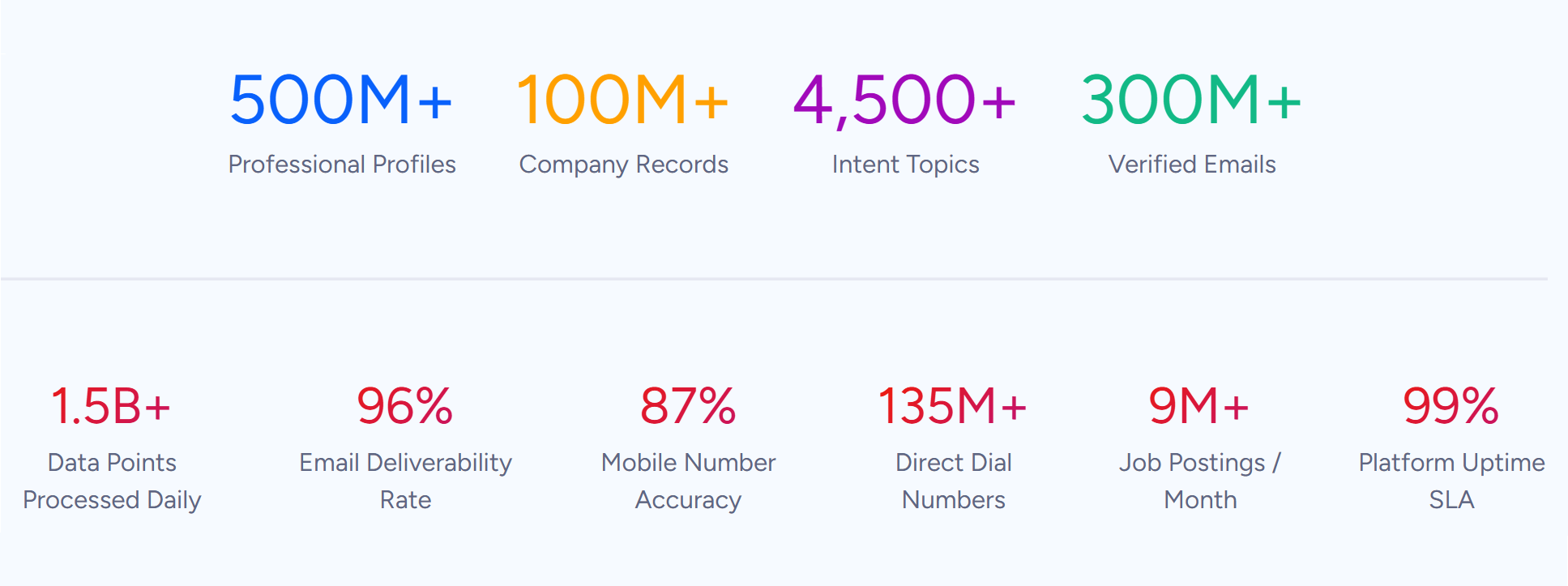
ZoomInfo is a GTM platform that provides the intelligence layer both Copper and Salesforce lack on their own. Built on a B2B dataset of 500M contacts, 100M companies, 135M+ verified phone numbers, and 200M+ verified business emails, ZoomInfo's GTM Context Graph processes 1.5B + data points daily.
It fuses this data with your CRM records, conversation transcripts, and behavioral signals to reveal not just what's happening in your deals, but why. That intelligence reaches your team through GTM Workspace for sellers, GTM Studio for marketers and RevOps, or the API and MCP that pipe it into any tool you already use, including Copper or Salesforce.
To see how ZoomInfo's intelligence layer changes your sales process, start with a free trial.
Copper vs. Salesforce vs. ZoomInfo at a glance
Copper | Salesforce | ZoomInfo | |
|---|---|---|---|
Primary function | CRM for service businesses on Google Workspace | Enterprise CRM and business platform | GTM intelligence and execution platform |
Starting price | $25/user/month (free for up to 2 users) | Free tier (ZoomInfo Lite); paid plans custom-quoted | |
Setup time | Days | Weeks to months | |
B2B contact database | AI-enriched from email and LinkedIn | No native B2B database | 500M contacts, 200M+ verified emails, 135M+ verified phones |
Buyer intent signals | None | Limited (via add-ons) | Native intent data from 210M IP-to-Organization pairings |
AI capabilities | Email drafting, pipeline flags | Agentforce autonomous agents, Einstein AI | GTM Context Graph, AI-drafted outreach, account research agents |
Project management | Built-in (deal-to-project conversion) | Basic (via add-ons) | Not a project management tool |
CRM integrations | Google Workspace native | Native platform (is the CRM) | |
Ecosystem | Google Workspace + Zapier + native integrations | 9,000+ AppExchange apps, 14M+ installs | 120+ integrations, APIs, MCP for any AI agent |
Best for | Small service teams (5–50 people) on Gmail | Mid-market to enterprise organizations | B2B sales, marketing, and RevOps teams |
They solve different problems
Copper, Salesforce, and ZoomInfo occupy different positions in the sales and marketing stack. Understanding where each fits prevents buying the wrong tool for the wrong job.
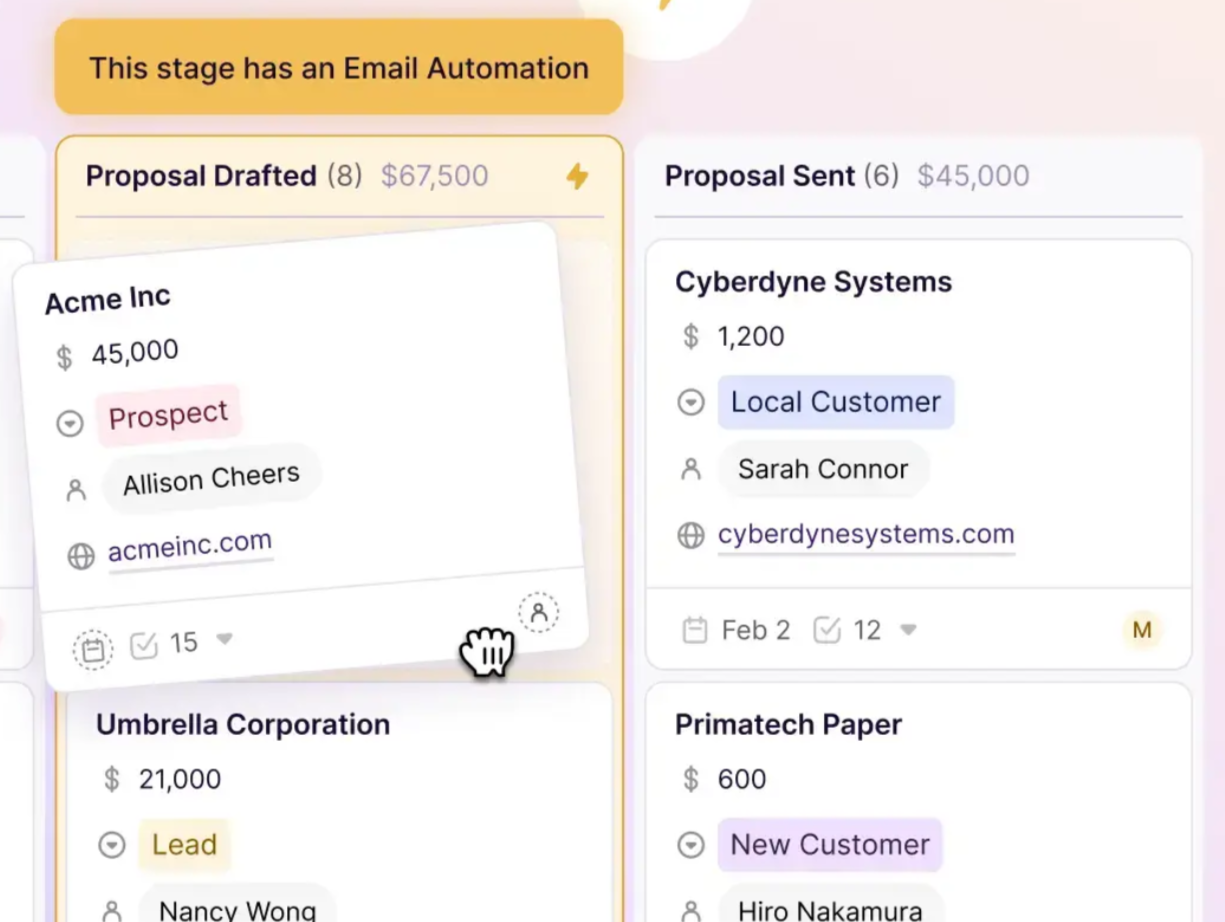
Copper is a relationship management tool for service businesses. The idea is that the CRM should disappear into the tools you already use. For a 15-person consulting firm or creative agency on Gmail, that means contact records auto-populate from email threads, meetings sync from Google Calendar, and deal pipelines update without leaving the inbox.
Copper's Connect, Win, Deliver, Repeat framework tracks the full client lifecycle from first conversation through project delivery and renewal. For businesses where revenue depends on repeat client relationships rather than high-volume prospecting, this is the right model.
Source: Copper
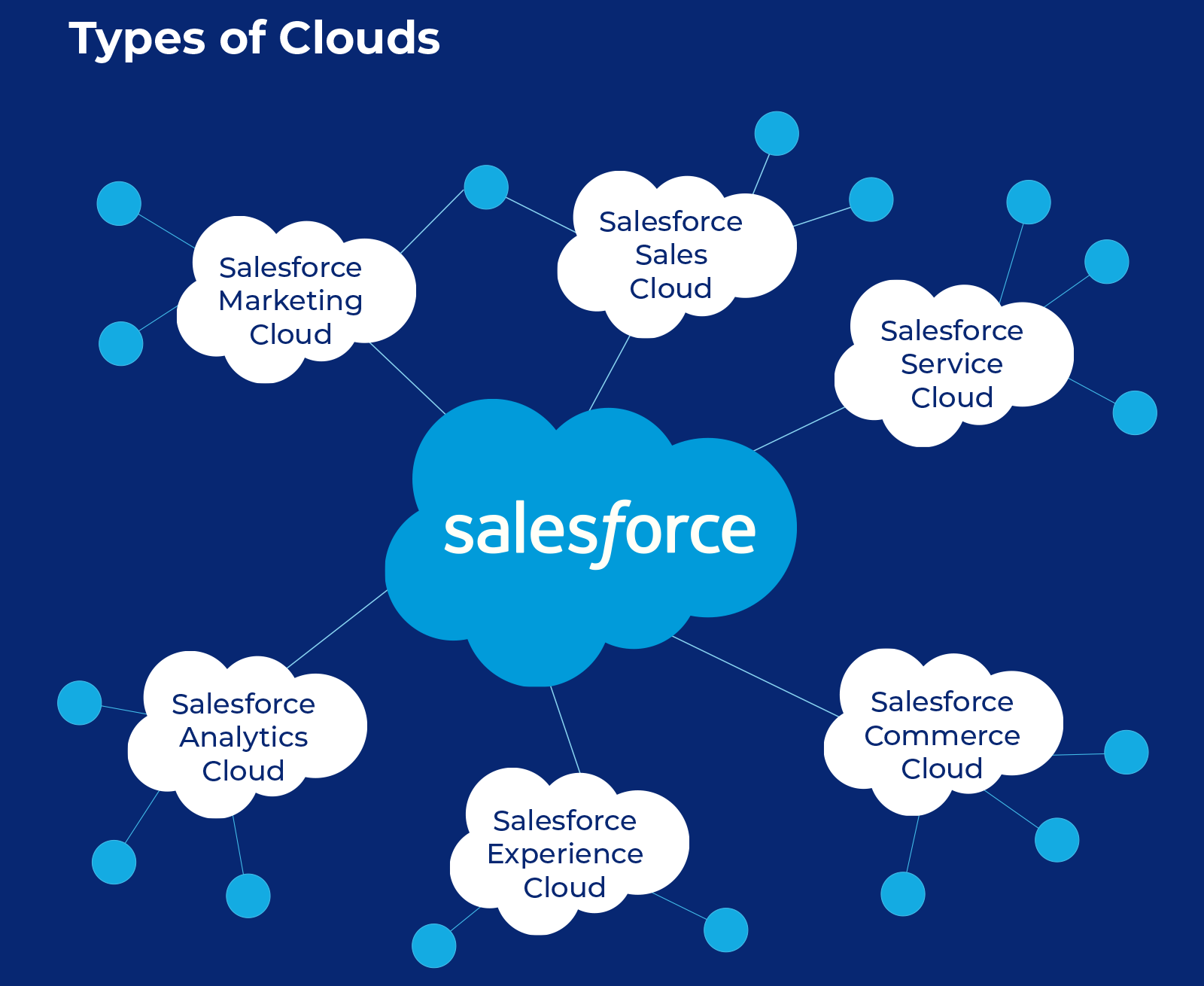
Salesforce is an enterprise operating system. It doesn't just track contacts and deals; it runs entire business functions. Sales Cloud manages pipeline. Service Cloud handles support tickets. Marketing Cloud runs campaigns. Commerce Cloud powers storefronts. Data Cloud unifies customer records across all of them.
Source: Salesforce
For organizations with hundreds of users across multiple departments, Salesforce provides a single platform where every team works from the same customer data. The trade-off is complexity: configuration requires trained administrators, and the platform's full value shows up only after significant investment in setup and customization.
ZoomInfo is the intelligence engine. It answers a different question than either CRM: who should you be talking to, and why now? While Copper and Salesforce store and organize the data you already have, ZoomInfo provides the data you don't: verified contact information, company attributes, technographic profiles, organizational charts, and buying signals that indicate when an account is actively researching solutions.
Source: ZoomInfo
This intelligence feeds into both Copper and Salesforce through native integrations, or your team can work from it directly inside GTM Workspace.
Copper makes CRM frictionless for Gmail teams
Copper's strongest claim is that it eliminates the gap between email and CRM. For teams that live in Gmail, this matters.
The Chrome Extension embeds a full CRM sidebar inside Gmail. Open an email, and Copper displays the sender's contact record, deal history, associated projects, and past communications without opening a separate tab. When a new contact emails you, one click creates their CRM record. Gmail sync activates on signup, importing the last 90 days of email history and then logging every conversation going forward.
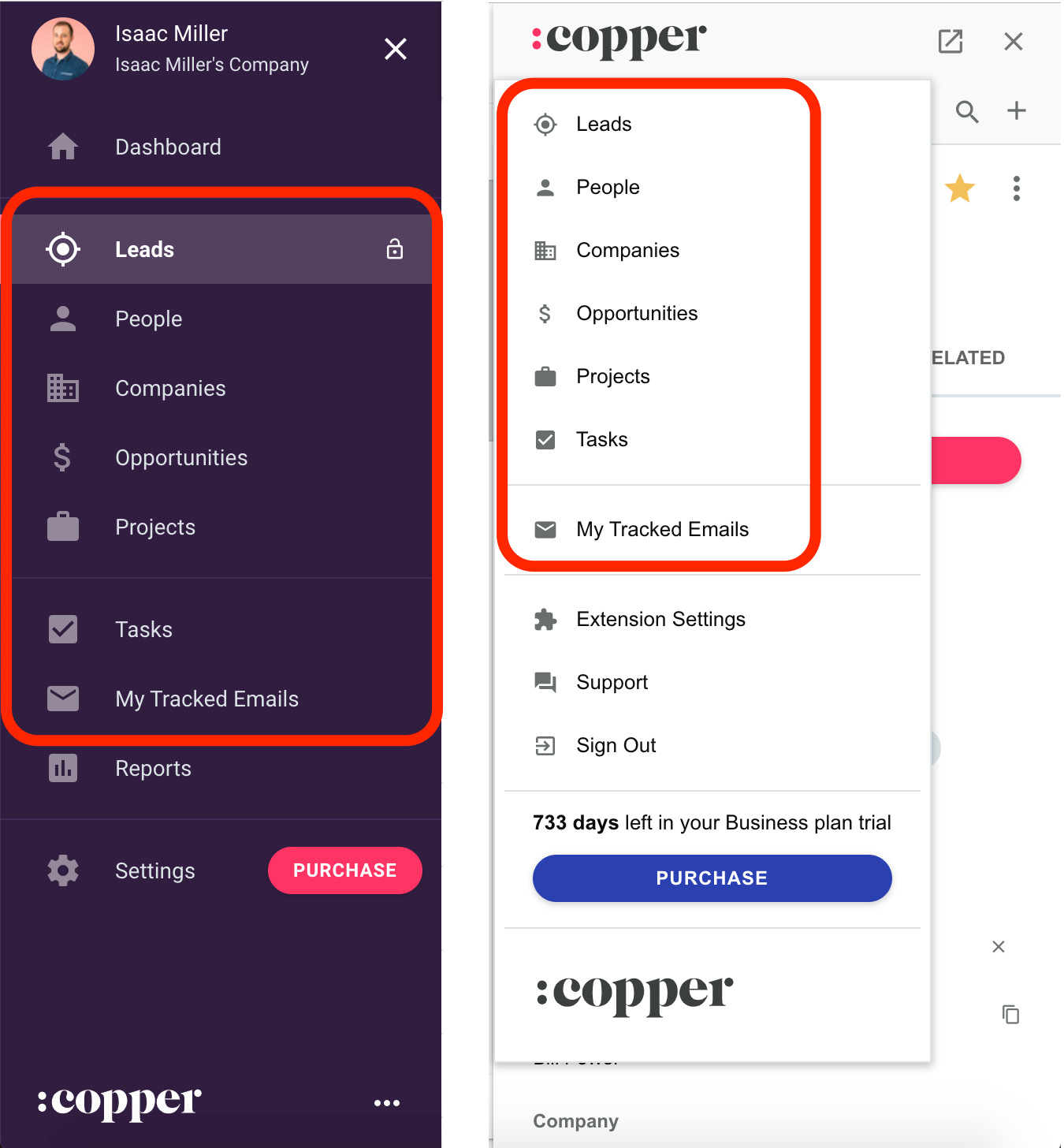
Source: Copper
This extends to the full Google suite. Calendar events sync bidirectionally, so meetings logged in either place appear in both. Google Drive files auto-link to contact records from email attachments. Google Gemini integration enables meeting transcription and AI-assisted email drafting inside the CRM.
Copper also bridges the gap between winning work and delivering it. When a deal closes, teams can convert it into a project pipeline, carrying over all contact history, emails, and files. For agencies managing campaign deliverables or consultancies tracking engagement milestones, this continuity between sales and delivery is a real differentiator against CRMs that stop at the signed contract.
The limitation is equally clear: Copper is built only for Google Workspace. Organizations on Microsoft 365 or Outlook get no comparable integration. And Copper's feature set is scoped for small teams. There's no territory management, no CPQ, no multi-org data structures. Teams above roughly 100 users or with complex enterprise sales motions will hit ceilings.
Salesforce provides depth no other CRM matches
Salesforce earned its position as the #1 CRM by IDC revenue market share by building a platform that covers nearly every customer-facing function a business needs.
Sales Cloud alone includes lead scoring, account planning with AI-generated SWOT analysis, pipeline management with deal insights, forecast rollups, conversation intelligence, and revenue lifecycle management from quoting through billing.
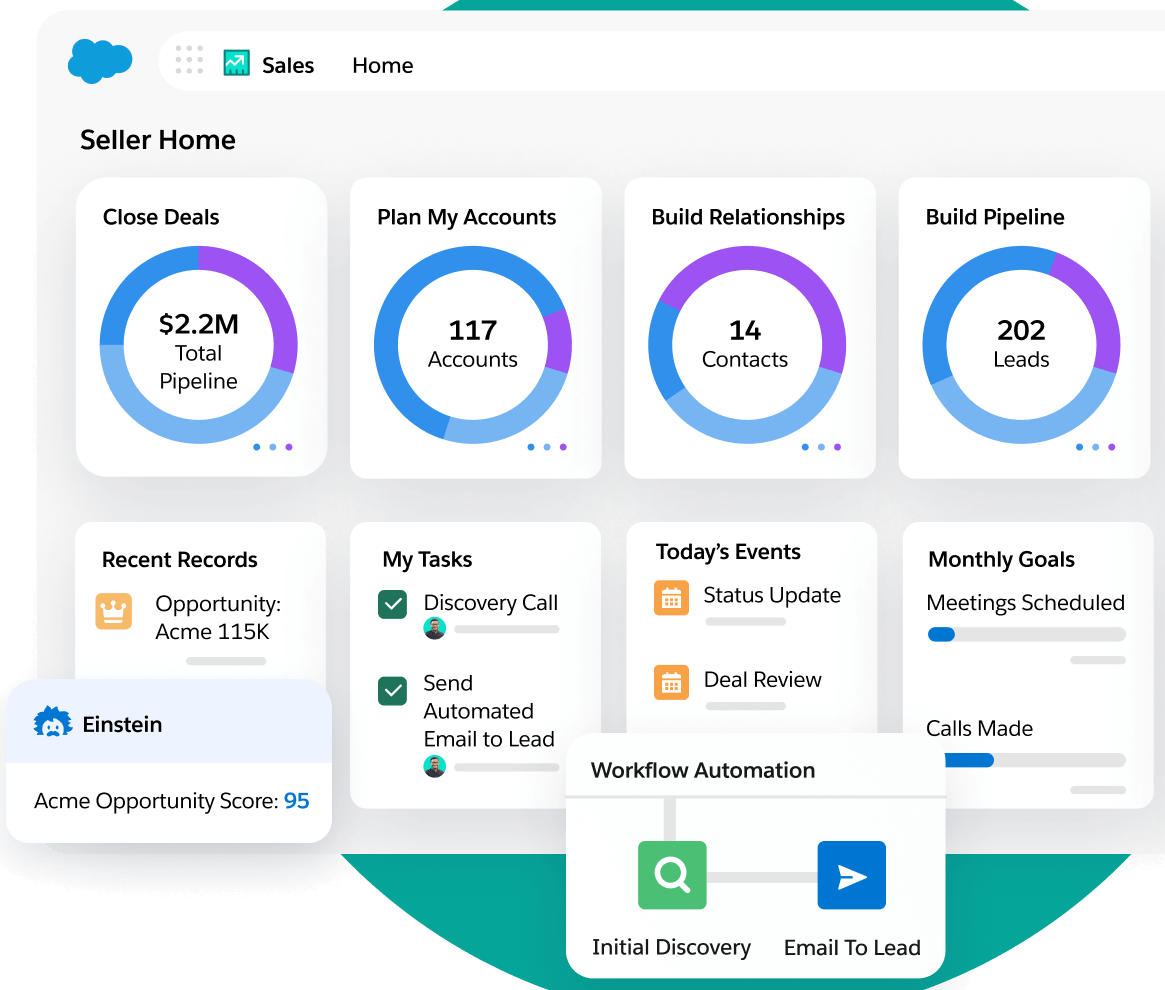
Source: Salesforce
Agentforce AI agents go further: a prospecting agent researches accounts and drafts outreach, a coaching agent reviews calls and suggests improvements, and a quoting agent generates proposals (reportedly 75% faster than manual workflows).
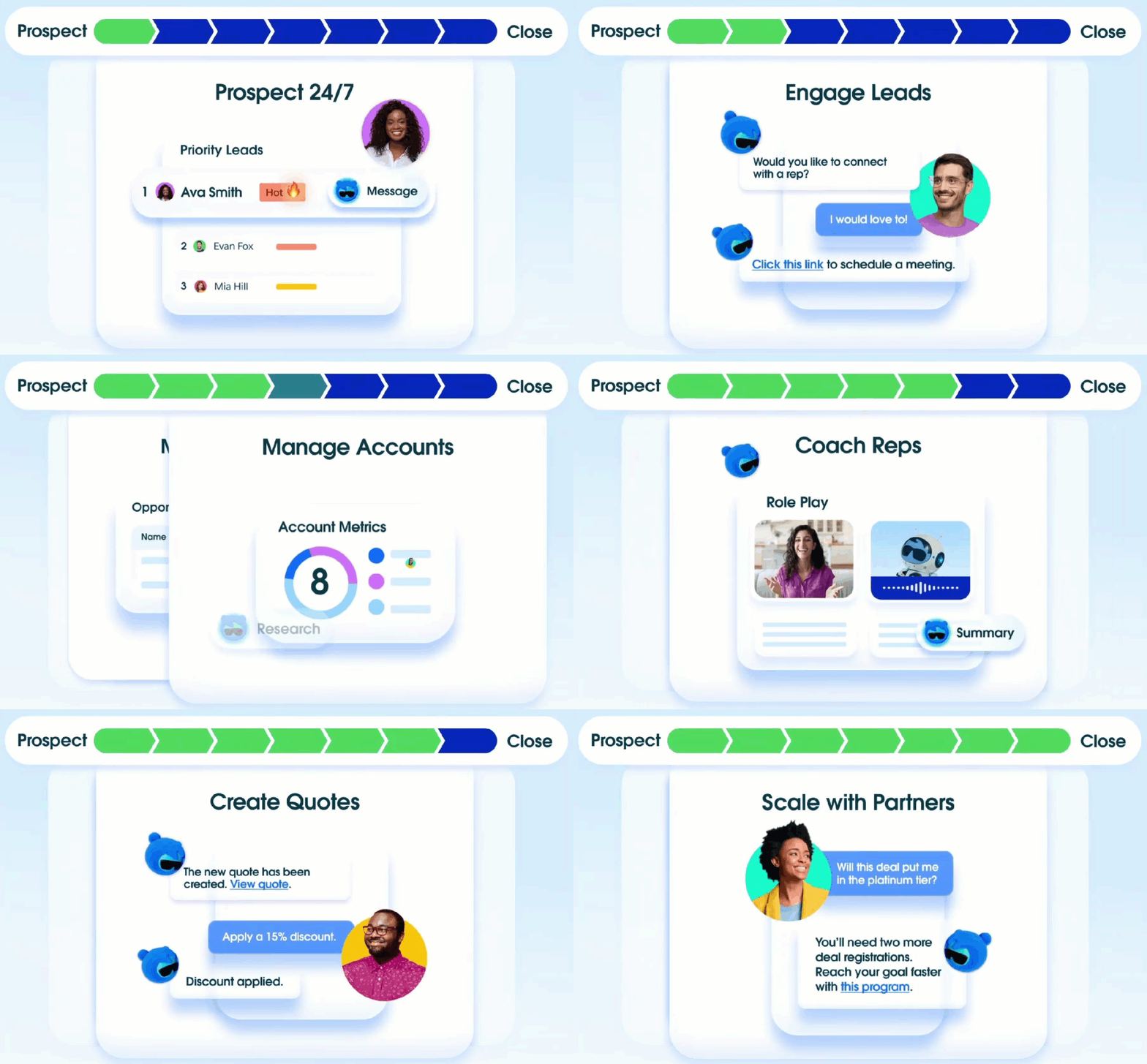
Source: Salesforce
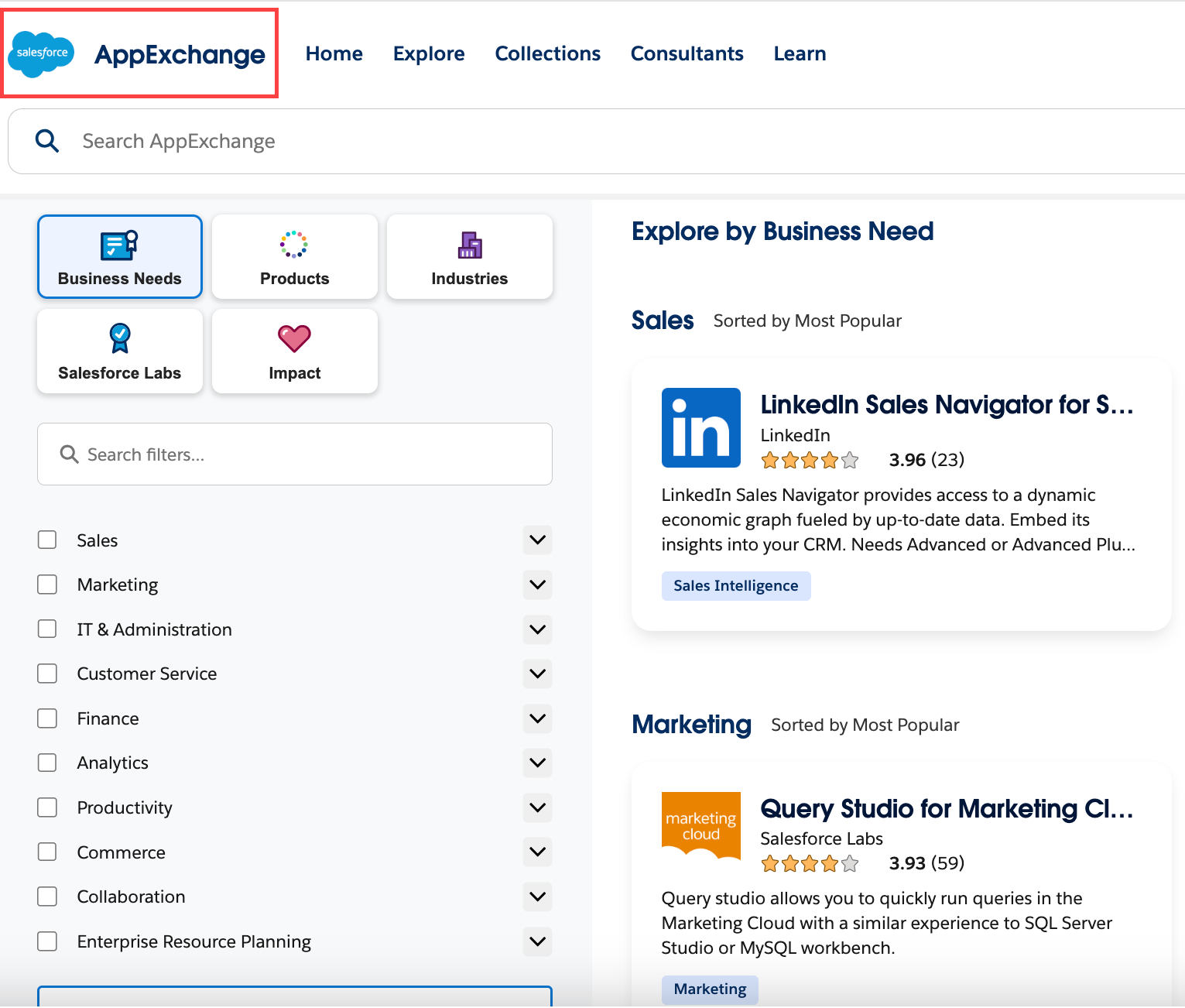
Beyond sales, Salesforce extends into customer service (omnichannel case management, autonomous resolution), marketing (journey orchestration, B2B lead nurturing, CDP), commerce (B2C and B2B storefronts), and analytics (Tableau). The AppExchange marketplace adds 9,000+ partner apps with 14 million installs, covering nearly any business function Salesforce doesn't handle natively.
This breadth is Salesforce's greatest strength and its most common criticism. The platform was built for large enterprises, and even with free and Starter tiers available, full value requires dedicated administration, partner-led implementations (which account for over 70% of deployments), and ongoing investment in training through Trailhead.
A five-person agency that needs a place to track contacts and deals would spend more time configuring Salesforce than using it.
Both CRMs share the same blind spot: data intelligence
Copper and Salesforce both organize the customer data you already have well. Neither tells you much about the customers you don't have yet.
Copper's contact enrichment pulls basic company and social data when you create a new record, but it doesn't offer a searchable database of prospects outside your existing network. There are no buyer intent signals, no technographic profiles, no organizational charts for target accounts. If a prospect hasn't emailed you or filled out your web form, they don't exist in Copper.
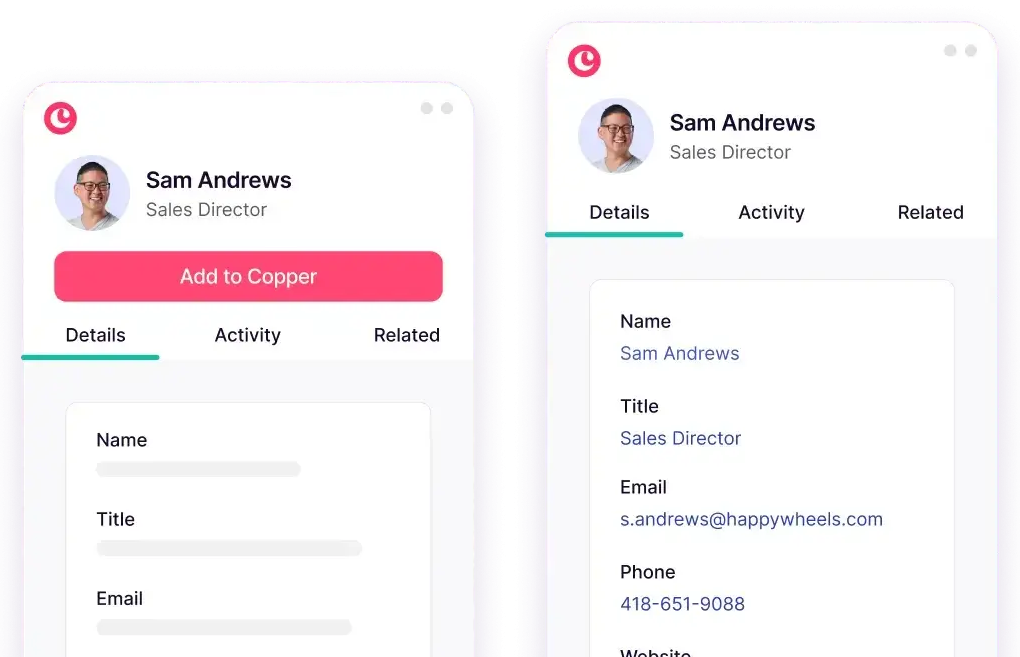
Source: Copper
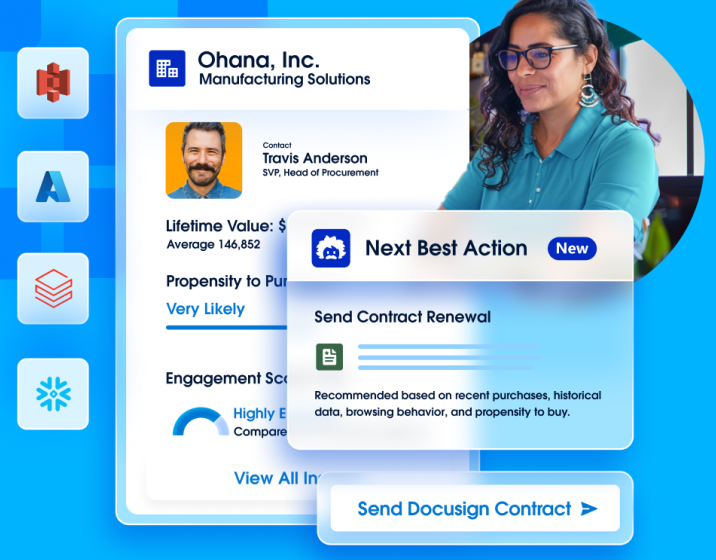
Salesforce offers more through its data ecosystem, particularly Data Cloud for unifying customer records and Einstein AI for scoring existing leads. But Salesforce is not a B2B data provider. It doesn't ship with a database of 500 million contacts. Prospecting data, intent signals, and contact enrichment come through add-ons, third-party AppExchange integrations, or separate platforms.
Source: Salesforce
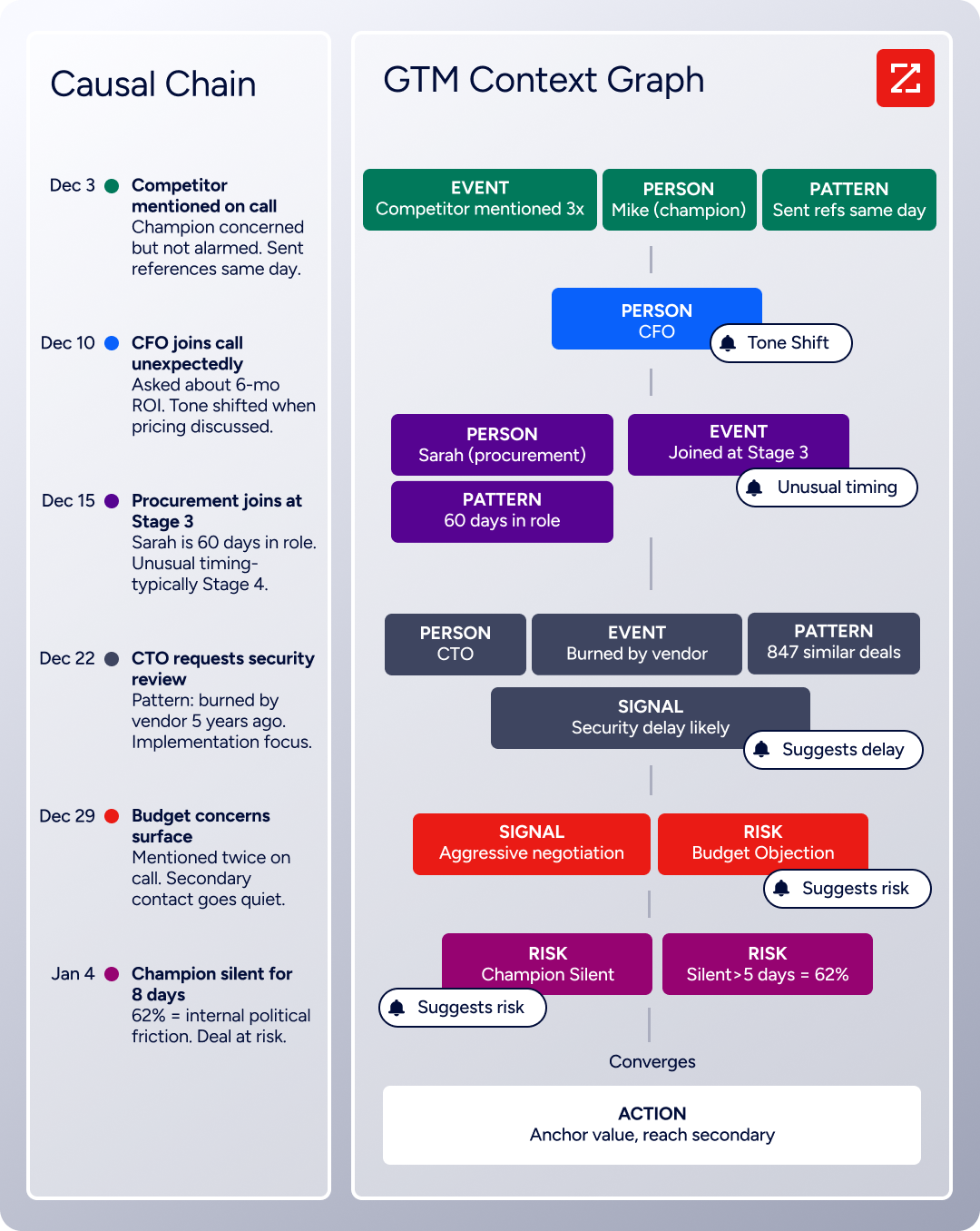
This is where ZoomInfo changes the equation. ZoomInfo's GTM Context Graph processes 1.5B + data points daily, combining its verified B2B data with your CRM records, conversation transcripts, and behavioral signals.
Source: ZoomInfo
The result is an intelligence layer that doesn't just store account data; it reveals why deals move or stall. A CRM records that a deal moved from Stage 3 to Stage 4. The GTM Context Graph captures why: the CFO joined the last call, asked about six-month ROI, and the company just posted three VP job openings that match your buyer profile.
For teams using Copper, ZoomInfo adds the prospecting and intelligence capabilities the CRM was never designed to provide. For teams using Salesforce, ZoomInfo enriches CRM data with verified contacts, intent signals, and AI-driven account insights that Salesforce's native features don't cover on their own.
"ZoomInfo is our one source of truth for account data, and even more so for contact data. There's no other provider in the market that provides you with that level of detail." (Smartsheet)
For a closer look at how Salesforce and ZoomInfo stack up directly, see our Salesforce vs. ZoomInfo comparison.
Pricing reflects different markets
Copper, Salesforce, and ZoomInfo target different buyers at different scales, and their pricing reflects that.
Copper uses straightforward per-seat, per-month pricing:
Basic: $23/seat/month (adds deal pipelines and project management)
Professional: $59/seat/month (adds workflow automation, bulk email, and reporting)
Business: $99/seat/month (adds email series, custom reports, and unlimited contacts)
Contact limits matter: 2,500 on Basic, 15,000 on Professional, and unlimited only on Business. A growing agency that crosses 15,000 contacts faces a $40/seat/month jump before needing other Business-tier features.
Salesforce pricing starts simple and scales fast:
Free Suite: $0 (max 2 users)
Starter Suite: $25/user/month
Pro Suite: $100/user/month
Enterprise: $175/user/month
Unlimited: $350/user/month
Agentforce 1: $550/user/month
Most teams need Enterprise ($175) or above for AI capabilities, pipeline insights, and workflow automation. Add-ons compound: Digital Engagement is $75/user/month, Contact Center is $150/user/month, Agentforce for Service is $125/user/month, and Premier Support costs 30% of net license fees.
Implementation typically requires partners, adding further cost. Salesforce itself acknowledged its pricing model "needed to be easier" to understand.
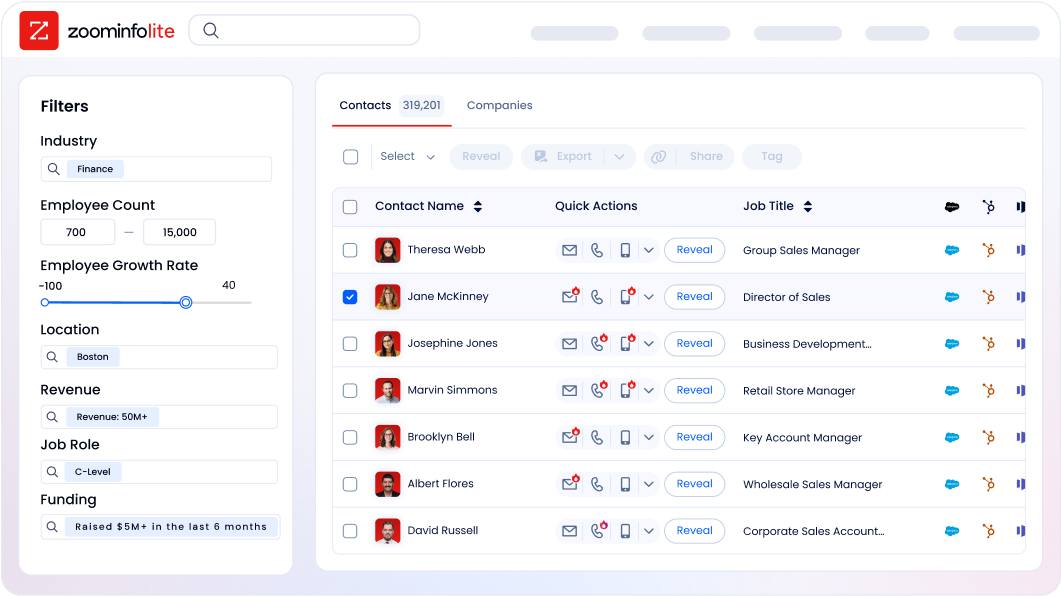
ZoomInfo uses consumption-based pricing with no publicly listed prices. Paid plans are custom-quoted based on seats, credit volume, features, and contract length. The entry point is free: ZoomInfo Lite provides permanent access to the B2B database with 10 monthly export credits, website visitor tracking, and HubSpot integration at no cost. A 7-day free trial of the full platform is also available.
Source: ZoomInfo
The pricing comparison depends on what you're buying. Copper and Salesforce charge for CRM access. ZoomInfo charges for B2B data and intelligence. Many organizations use ZoomInfo alongside their CRM, not instead of it, because the tools solve different problems.
AI capabilities: templates vs. agents vs. intelligence
All three platforms have invested in AI, but at different levels of depth.
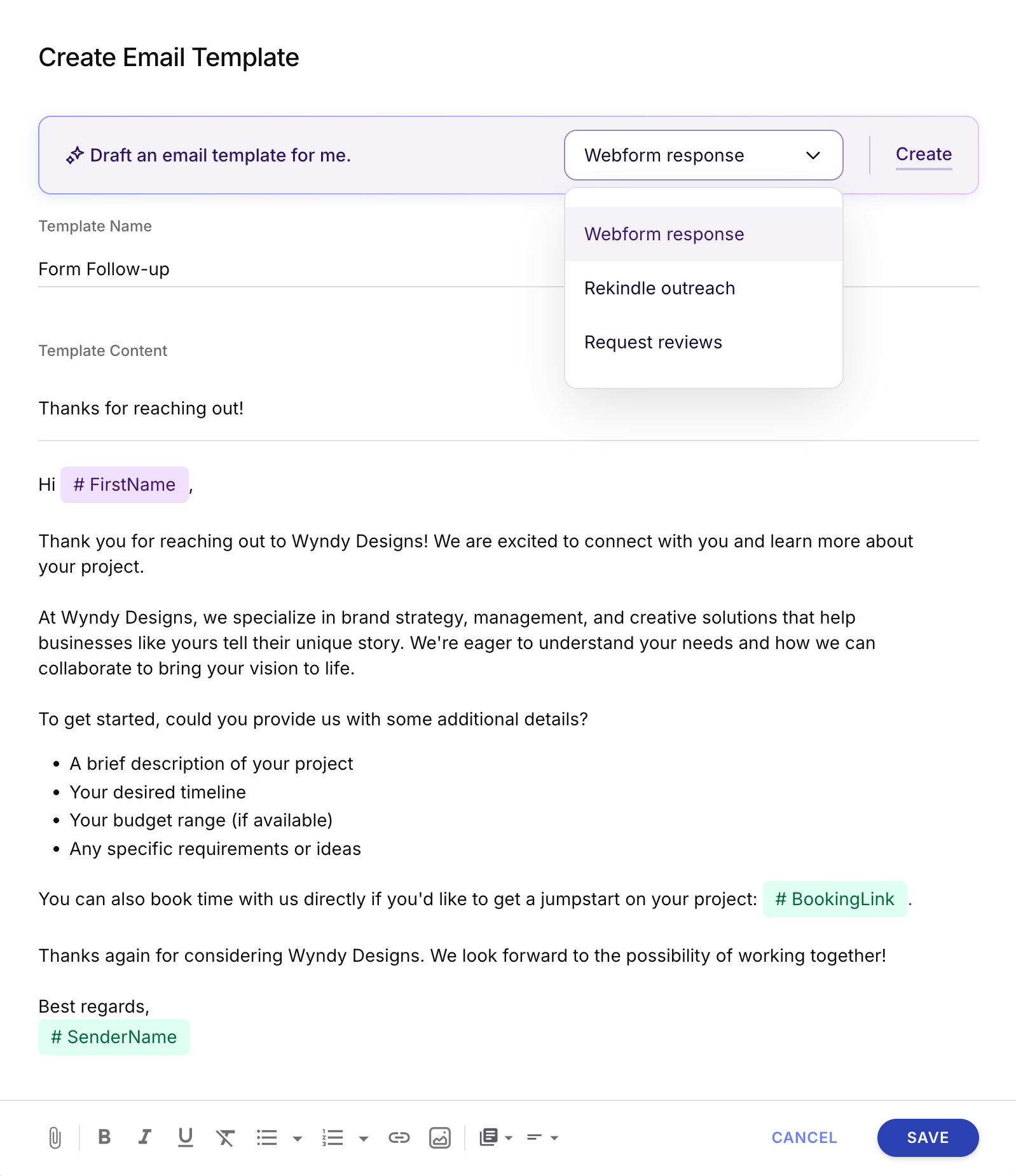
Copper's AI reduces manual work inside the CRM. CopperGPT and Copper Magic generate email templates and rewrite drafts. AI-powered pipeline flags highlight high-value deals and surface stalled opportunities.
Source: Copper
Google Gemini integration adds meeting transcription and relationship summarization.
These features help with day-to-day efficiency but don't extend to lead scoring, predictive deal forecasting, or conversation intelligence.
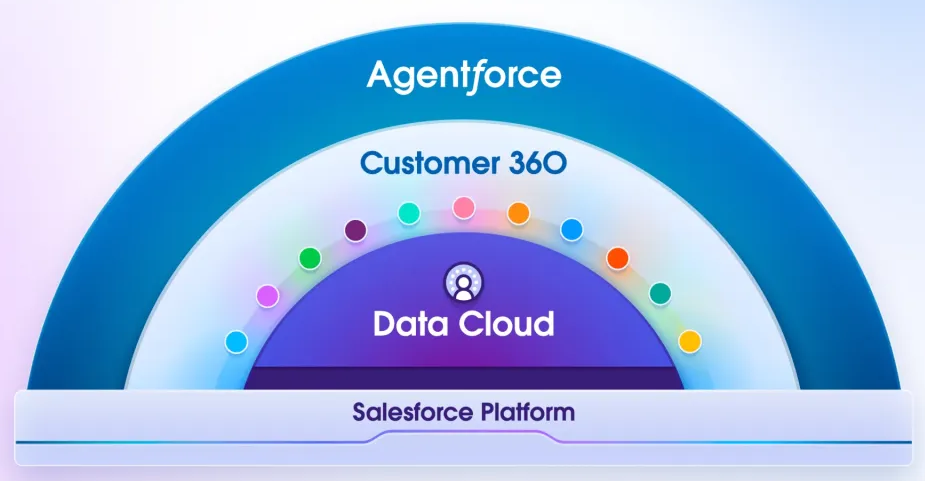
Salesforce's AI is the most ambitious of the three. Agentforce deploys autonomous agents powered by the Atlas Reasoning Engine, handling tasks from prospecting and lead engagement to case resolution and sales coaching. Salesforce reports that its own support operation resolves 85% of requests without human escalation using Agentforce.
Source: Salesforce
The Einstein Trust Layer adds zero data retention with LLM partners, PII masking, and audit trails. But these AI capabilities are gated behind higher tiers or sold as add-ons, and they operate on whatever data exists in your Salesforce instance, which is only as good as what your team has entered.
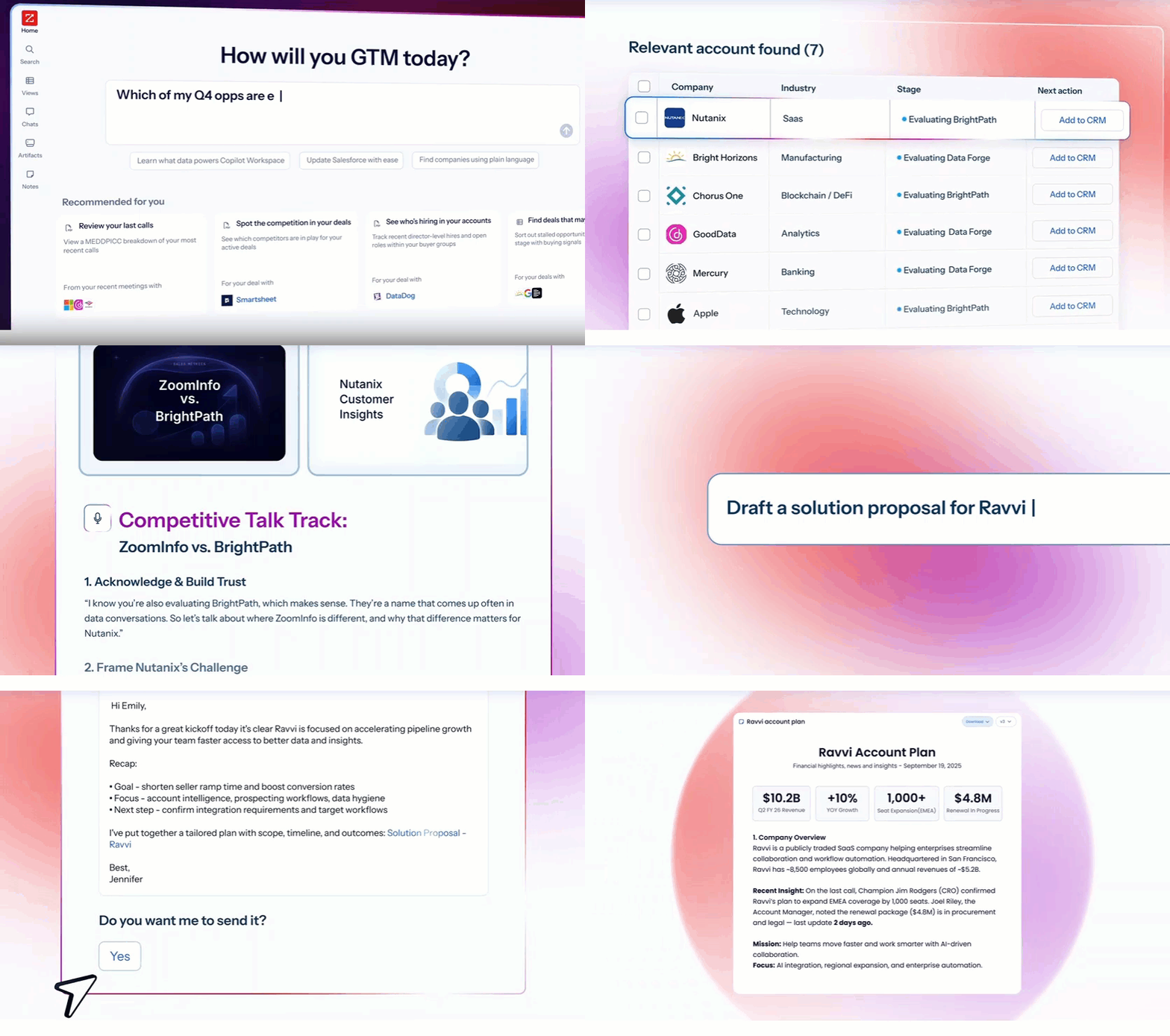
ZoomInfo's AI starts from a different foundation. The GTM Context Graph doesn't just process internal CRM data; it combines your records with ZoomInfo's third-party intelligence, conversation transcripts from Chorus, intent signals, and behavioral data to show why deals move or stall.
Inside GTM Workspace, AI agents handle account research, outreach drafting, CRM updates, and signal monitoring. Inside GTM Studio, marketers describe audiences in natural language and launch multi-channel plays without engineering support. The intelligence is the same regardless of where you access it, and it flows into Copper or Salesforce through native integrations.
Source: ZoomInfo
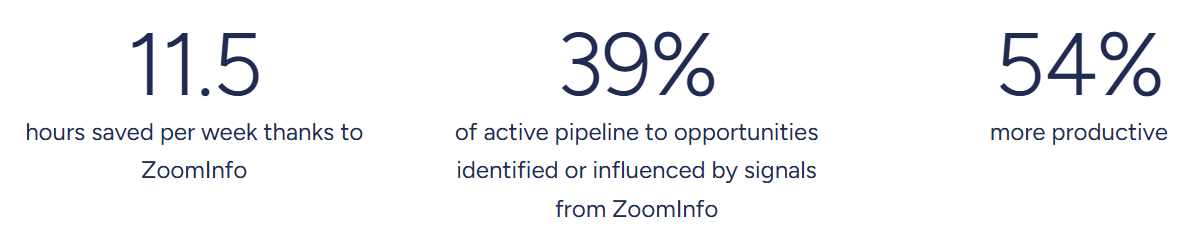
"That combination of our internal CRM data, external signals, and AI that's given all that context has helped us craft very specific account- and persona-based messages. And people have responded to them right away." (Seismic)
Source: ZoomInfo
Integration and ecosystem comparison
How each platform connects to your existing tools reveals its architecture.
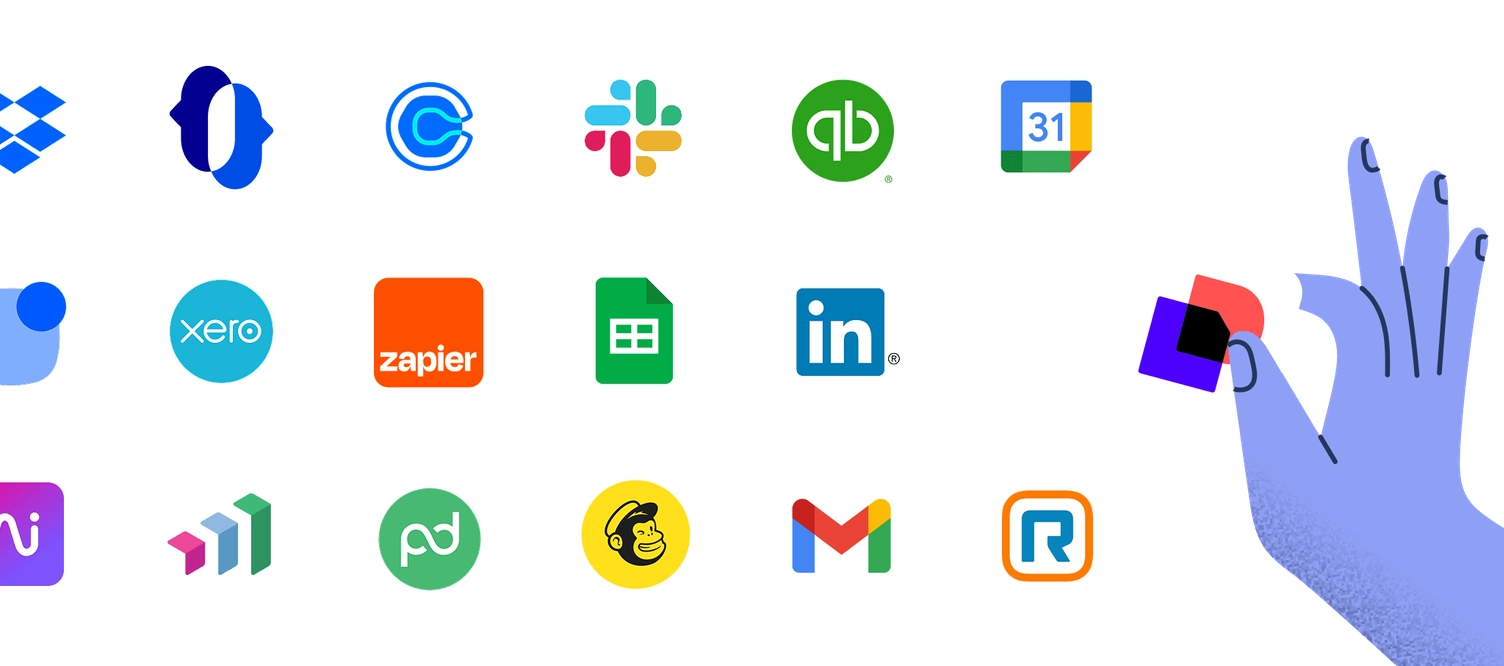
Copper integrates natively with the Google ecosystem: Gmail, Calendar, Drive, Contacts, Sheets, Looker Studio, and Gemini. Beyond Google, it connects to LinkedIn, QuickBooks, DocuSign, PandaDoc, Slack, JustCall, RingCentral, Calendly, Mailchimp, Dropbox, and Zapier. The REST API covers all core CRM objects, and webhooks support event notifications.
Source: Copper
For small teams on Google Workspace with a focused set of tools, this ecosystem is enough. Teams running Microsoft 365 or needing connections to enterprise systems will find gaps.
Salesforce has the largest ecosystem of any CRM. The AppExchange offers 9,000+ apps, and 91% of customers use at least one. MuleSoft provides enterprise integration with hundreds of pre-built connectors. Native integrations cover Google Workspace, Microsoft Outlook and Teams, and Slack (bidirectional CRM data sharing).
Source: Salesforce
The platform's APIs include REST, SOAP, Bulk, Metadata, and Pub/Sub. For organizations running complex, multi-system environments, Salesforce's integration depth is a deciding factor.
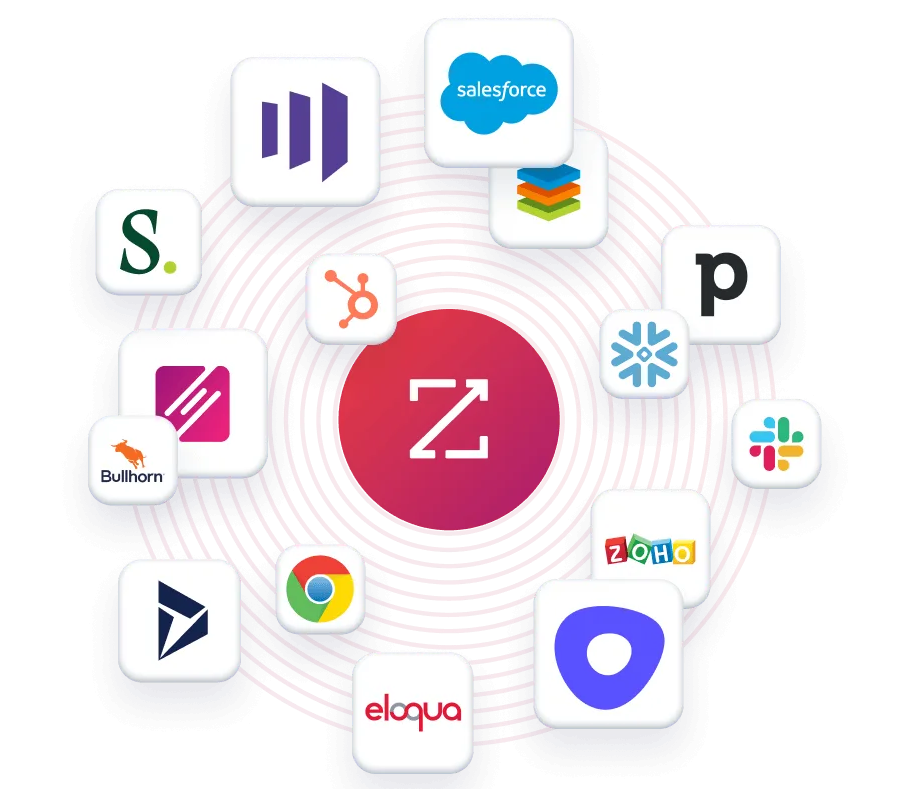
ZoomInfo connects to 120+ integrations across CRM, marketing automation, sales engagement, data warehouse, and communications categories. Featured integrations include Salesforce, HubSpot, Microsoft Dynamics 365, Snowflake, and Gmail.
Source: ZoomInfo
API access is included in all relevant plans, and the MCP server lets any AI agent (including Claude and ChatGPT) access ZoomInfo's intelligence natively. Cloud Partners enable direct data ingestion into AWS, Google Cloud, Snowflake, and Databricks. This means ZoomInfo's data isn't locked inside one application; it flows wherever your team works.
"The plug-and-play aspect of the API means I can integrate it very easily into any process and get information at a moment's notice." (BDO Canada)
Who each platform is built for
The clearest way to choose between these three platforms is to match each one to your situation.
Copper's ideal customer is a service business with 5–50 employees running Google Workspace. Copper targets agencies, consulting firms, commercial production companies, media and creator businesses, corporate development teams, financial services firms, and construction companies.
They share a common trait: revenue depends on repeat client relationships, not high-volume transactional selling. If your team lives in Gmail, needs a CRM they can learn in days, and values project delivery tracking alongside pipeline management, Copper fits.
Copper is not built for Microsoft 365 organizations, large enterprises with 200+ seat sales teams, high-volume B2C operations, or teams needing marketing automation, conversation intelligence, or AI-powered prospecting.
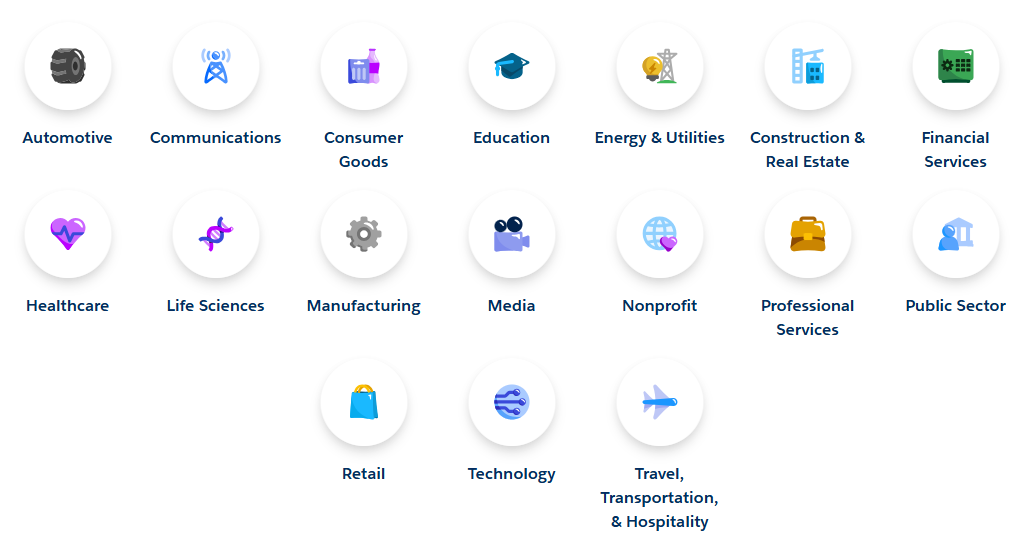
Salesforce's ideal customer is a mid-market to enterprise organization where multiple departments (sales, service, marketing, commerce) need to work from shared customer data. Dedicated industry clouds serve 17 verticals including financial services, healthcare, manufacturing, and retail.
Source: Salesforce
Companies like PepsiCo, FedEx, and Volkswagen run on Salesforce because they need a single platform that scales across thousands of users, integrates with complex enterprise systems, and supports customization through administration and development.
Salesforce is a harder fit for organizations without dedicated admin resources, companies with tight budgets seeking point solutions, or small teams that want to be productive immediately without weeks of setup.
ZoomInfo's ideal customer is a B2B organization where sales, marketing, or RevOps teams need accurate prospect data, buying signals, and intelligence to drive pipeline. Named customers include Adobe, Microsoft, AWS, Snowflake, and Thomson Reuters.

Source: ZoomInfo
ZoomInfo is most valuable for teams doing outbound prospecting, account-based marketing, CRM data enrichment, or territory planning, and it works alongside CRMs like Copper and Salesforce rather than replacing them.
ZoomInfo is not for B2C companies (the data is exclusively B2B) or businesses with no outbound motion or data enrichment need.
Copper vs. Salesforce vs. ZoomInfo: Which should you choose?
The right choice depends on what problem you're solving and where your organization sits today.
Choose Copper if:
You're a small service business (5–50 people) on Google Workspace
Client relationship management and project delivery are your primary needs
You want a CRM your team can use in days, not months
You value simplicity and Gmail integration over feature depth
Your budget is under $100/seat/month
Choose Salesforce if:
You need a platform that covers sales, service, marketing, and commerce
Your organization has or can hire dedicated Salesforce administrators
You're managing complex sales processes across large teams
AI capabilities and enterprise customization are priorities
Integration with a large ecosystem of business applications matters
Add ZoomInfo if:
You need verified B2B contact data and direct dials for prospecting
Your CRM data is incomplete, stale, or missing key accounts
You want buying intent signals that tell you which accounts are actively researching
Your sales team spends too much time researching and not enough time selling
You want AI that understands why deals move, not just that they moved
Start with ZoomInfo Lite for free or request a full trial to see the platform in action.
The distinction matters: Copper and Salesforce are where you manage customer relationships. ZoomInfo is how you find, understand, and engage the right customers in the first place. Many effective sales organizations use ZoomInfo alongside their CRM of choice, because storing data and generating intelligence are two different jobs, and doing both well drives pipeline.
"It's not just the data itself. It's more about the right data at the right time to help us reach out with the right message across that full buyer journey." (Redwood Logistics)
Copper vs. Salesforce vs. ZoomInfo FAQ
What is the core difference between Copper, Salesforce, and ZoomInfo?
Copper is a CRM built for small service businesses on Google Workspace, focused on managing client relationships and project delivery inside Gmail. Salesforce is an enterprise CRM platform covering sales, service, marketing, commerce, and analytics across large organizations.
ZoomInfo is a B2B data intelligence platform that provides verified contact data, buyer intent signals, and AI-powered GTM execution, working alongside CRMs like Copper or Salesforce rather than replacing them.
Which platform is cheapest to get started with?
Copper starts at $23/seat/month, though most teams need the $59/seat Professional plan for automation and reporting. Salesforce offers a free plan for up to 2 users, with paid plans starting at $25/user/month.
ZoomInfo Lite is permanently free with 10 monthly export credits and access to the B2B database. For paid plans, Copper is the most affordable for small teams, while ZoomInfo and Salesforce are custom-quoted and volume-dependent at higher tiers.
Can I use ZoomInfo with Copper or Salesforce?
Yes. ZoomInfo integrates directly with Salesforce through a native connector, and its data can be pushed into Copper through the API or Zapier workflows. ZoomInfo enriches CRM data with verified contacts, company intelligence, and buyer signals. Many organizations use ZoomInfo as the data and intelligence layer alongside their CRM, so reps work from accurate, enriched records with buying context.
Which platform requires the most setup and training?
Salesforce has the steepest learning curve and longest implementation timeline, often requiring trained administrators and partner-led deployments that take weeks to months. Copper is the fastest to deploy, with many teams operational within days thanks to its Gmail-native architecture. ZoomInfo's GTM Workspace deploys in weeks, and ZoomInfo Lite requires no setup beyond connecting an account.
Does Copper work with Microsoft Outlook or Microsoft 365?
No. Copper is built only for Google Workspace and requires Gmail as the primary email platform. There is no comparable integration for Microsoft 365 or Outlook users. Organizations on the Microsoft stack should evaluate Salesforce (which integrates with Outlook and Teams) or other CRM options.
Which platform has the best AI features?
Salesforce has the most advanced CRM-native AI through Agentforce, with autonomous agents for prospecting, coaching, case resolution, and quoting.
ZoomInfo's AI operates on a different layer, using the GTM Context Graph to connect CRM data, conversation intelligence, and third-party signals to surface account insights and draft contextual outreach. Copper's AI is limited to email drafting, pipeline flags, and Google Gemini integration for transcription.
How does each platform handle B2B prospecting data?
Copper relies on contacts added manually, through email interactions, or via LinkedIn Chrome Extension, with basic AI enrichment on new records. Salesforce does not include a native B2B contact database and depends on third-party data providers or AppExchange integrations.
ZoomInfo provides the largest B2B dataset available, with 500 million contacts, 135 million verified phone numbers, and 200 million verified business emails, verified through a multi-source pipeline backed by 300-plus human researchers.
Which platform is best for account-based marketing?
ZoomInfo is the strongest choice for ABM, named a Leader in the Gartner Magic Quadrant for ABM Platforms for two consecutive years. Its native capabilities include intent signal stacking, cross-channel advertising through a built-in DSP, account fit scoring, and contact-level website visitor identification.
Salesforce supports ABM through Marketing Cloud and Data Cloud but requires additional configuration and add-ons. Copper does not offer ABM capabilities.
Want more Copper and Salesforce comparisons? These related breakdowns go deeper:
