
If you're comparing PandaDoc vs. HelloSign (now Dropbox Sign), you're asking a practical question: do you need a tool that handles just the signature, or one that handles the entire document journey from proposal to payment?
These platforms solve different problems. Before choosing, consider:
Do you need to create proposals and quotes, or just collect signatures on existing documents?
Is your sales process simple enough for a template-and-sign workflow, or does it involve configured pricing, approval routing, and deal collaboration?
How important is it that your document tool connects to your CRM and auto-populates deal data?
Are you a developer embedding eSignature into your own product, or a sales team sending contracts from a browser?
Do you have visibility into which prospects are ready to receive a proposal right now?
In short, here's what we recommend:
PandaDoc is a document platform for sales teams that need more than signatures. It covers the full workflow, from proposal creation and CPQ to eSignature, payment collection, and engagement tracking. With 68,000+ customers including Autodesk and PepsiCo, PandaDoc ranks #1 on G2 in proposals, eSignature, and contract management. The tradeoff: its block-based editor can be imprecise with complex formatting, per-seat pricing adds up for larger teams, and its mobile app lags behind the desktop experience.
Dropbox Sign (formerly HelloSign) is an eSignature specialist. Voted #1 for Ease of Use on G2 for four consecutive years, it gets documents signed with little friction for both senders and recipients. Its developer API is considered the fastest eSignature API to implement, making it a top choice for companies embedding signing into their own products. But Dropbox Sign stops at the signature. No proposal creation, no quoting, no payment collection, no deal rooms.
Both platforms speed up the document phase of your sales process. But neither one addresses whether you're sending those documents to the right people at the right time. A well-formatted proposal sent to the wrong buyer, or sent before they're ready, is wasted effort. That's where ZoomInfo comes in.
ZoomInfo is a B2B intelligence platform that works upstream of your document workflow. With 500M contacts, 100M companies, 135M+ verified phone numbers, and 200M+ verified business email addresses, ZoomInfo identifies who your buyers are and surfaces intent signals showing when they're researching solutions. Its GTM Context Graph processes 1.5B+ data points daily, combining this data with your CRM records and conversation history to reveal not just what's happening in a deal, but why. The result: by the time your sales rep opens PandaDoc or Dropbox Sign, they already know they're sending the right document to the right person.
If you want intelligence driving every document, see how ZoomInfo works.
PandaDoc vs. Dropbox Sign vs. ZoomInfo at a glance
PandaDoc | Dropbox Sign | ZoomInfo | |
|---|---|---|---|
Primary function | Document automation, CPQ & eSignature | eSignature | B2B data & sales intelligence |
Starting price | Free (eSign only); $19/user/mo (Starter) | Free (3 requests/mo); $15/mo (Essentials) | Custom-quoted |
Proposal & quote creation | Yes (CPQ, pricing tables, content library) | No | N/A |
eSignature | Unlimited on paid plans, QES available | Unlimited on paid plans | N/A |
Payment collection | Stripe, Square, PayPal at signing | No | N/A |
Contact & company data | No | No | |
Buyer intent signals | Document engagement tracking only | No | Intent data, website visitor tracking |
CRM integration | HubSpot, Salesforce, Pipedrive (bidirectional) | HubSpot, Salesforce, Dynamics (enrichment) | |
Developer API | REST API, SDKs, embedded editing | ||
Compliance | SOC 2, HIPAA, eIDAS, 21 CFR Part 11 | ISO 27001, SOC 2, ISO 27701 | |
Best for | Sales teams needing proposal-to-payment workflow | Teams needing fast, simple signing | Identifying and reaching the right buyers |
PandaDoc covers the full document lifecycle
The core difference between these two platforms isn't about which one handles signatures better. It's about scope.
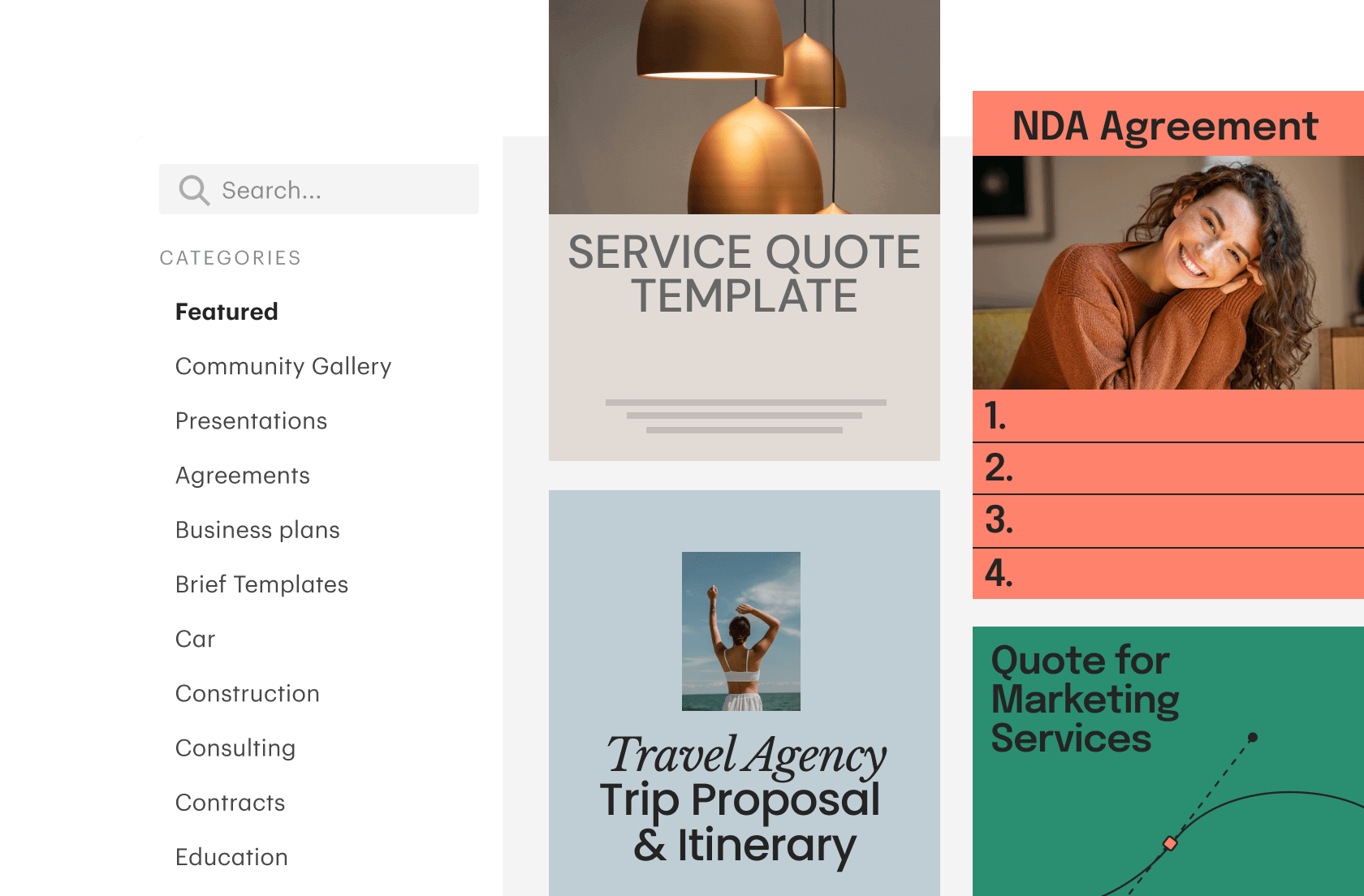
PandaDoc starts before the signature. Sales reps build proposals from 1,000+ templates or create documents from scratch using a drag-and-drop editor. They pull deal data from Salesforce, HubSpot, or Pipedrive through bidirectional CRM sync, so customer names, pricing, and contract terms populate without manual entry.
Source: PandaDoc
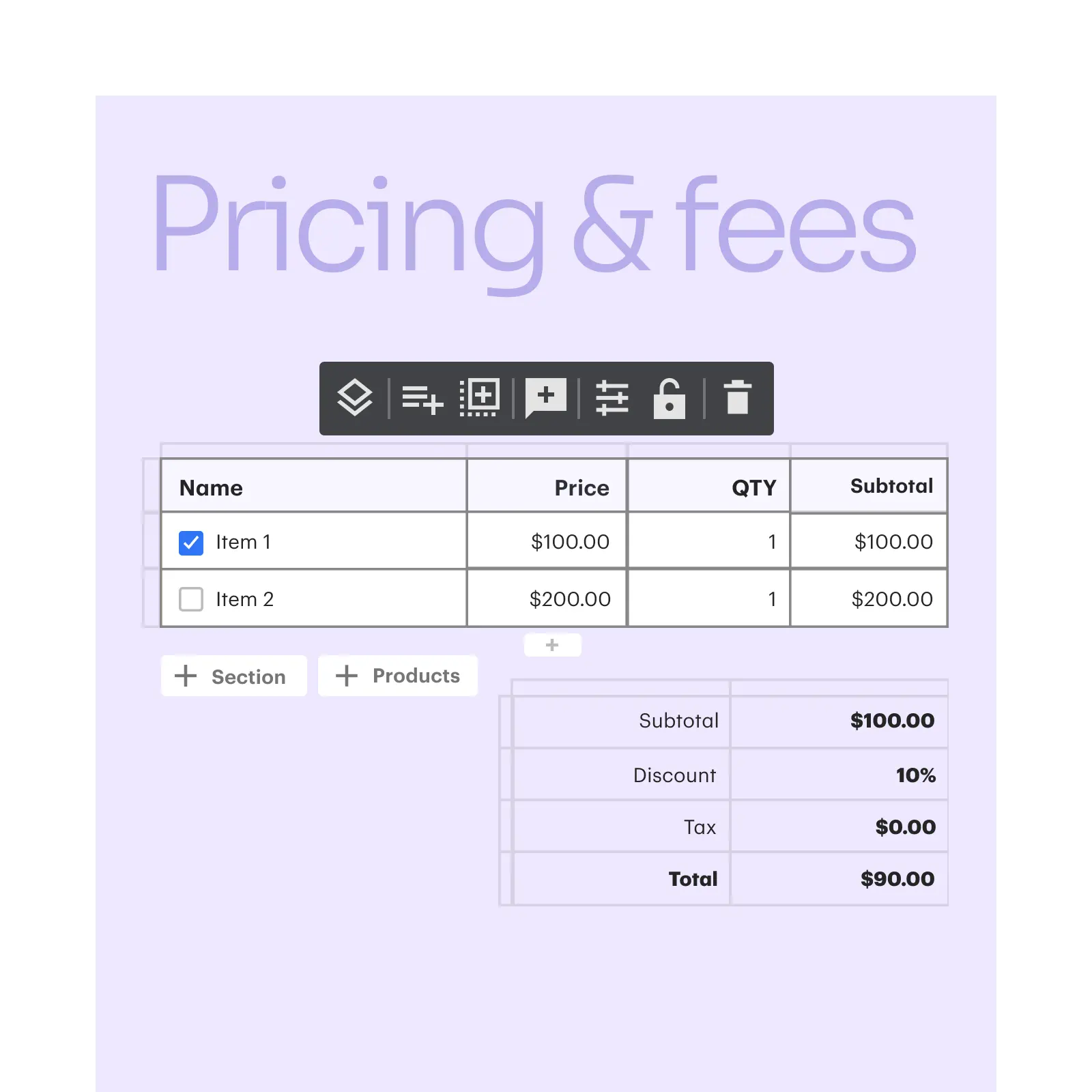
They configure quotes using pricing tables connected to a product catalog, apply discounts within guardrails set by RevOps, route the document through an approval workflow, and send it for signature, all without leaving the platform.
Source: PandaDoc
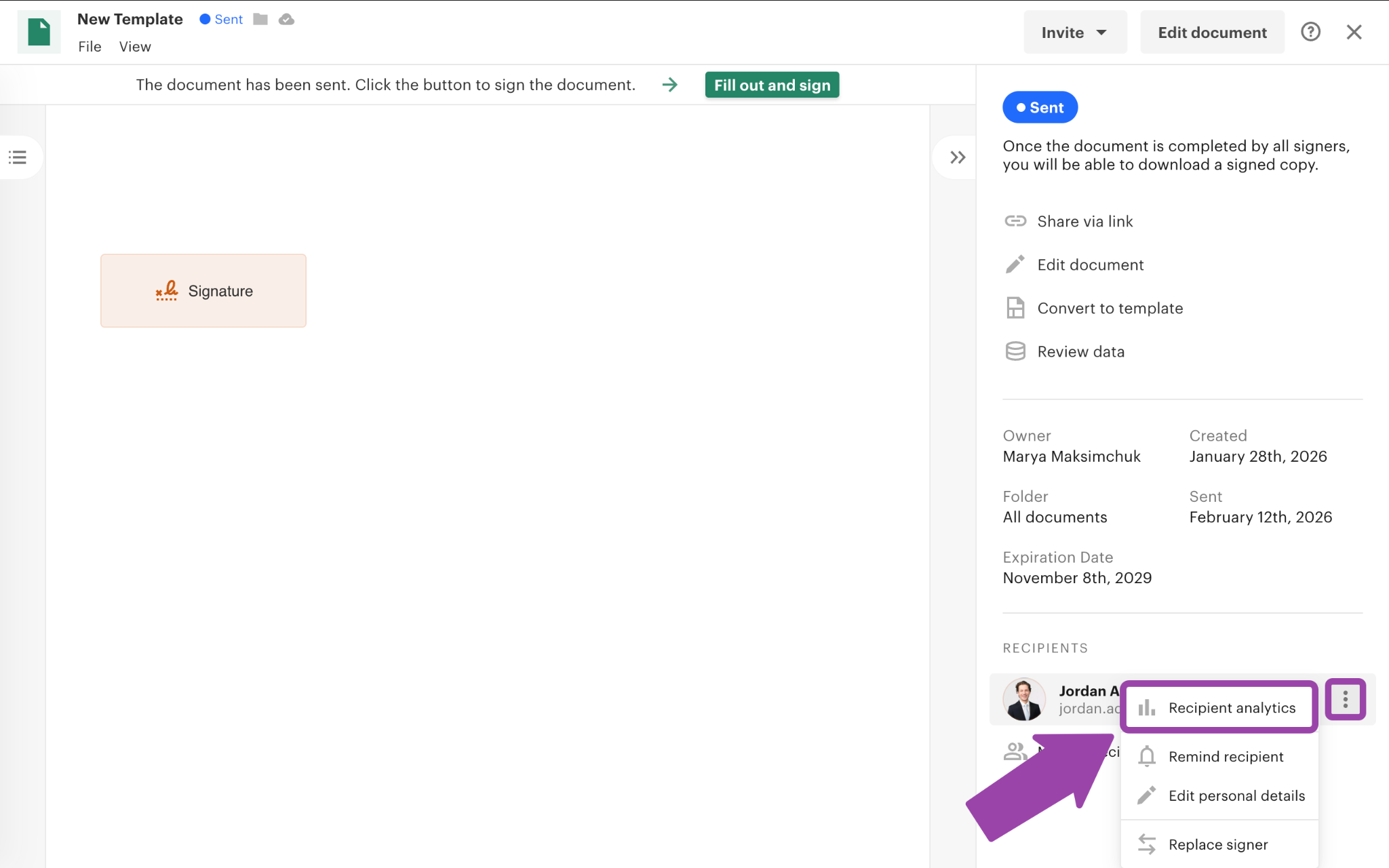
After signing, PandaDoc collects payment through embedded Stripe, Square, or PayPal checkout. Document Insights shows how long the recipient spent on each page, whether they forwarded it, and when they opened it.
Source: PandaDoc
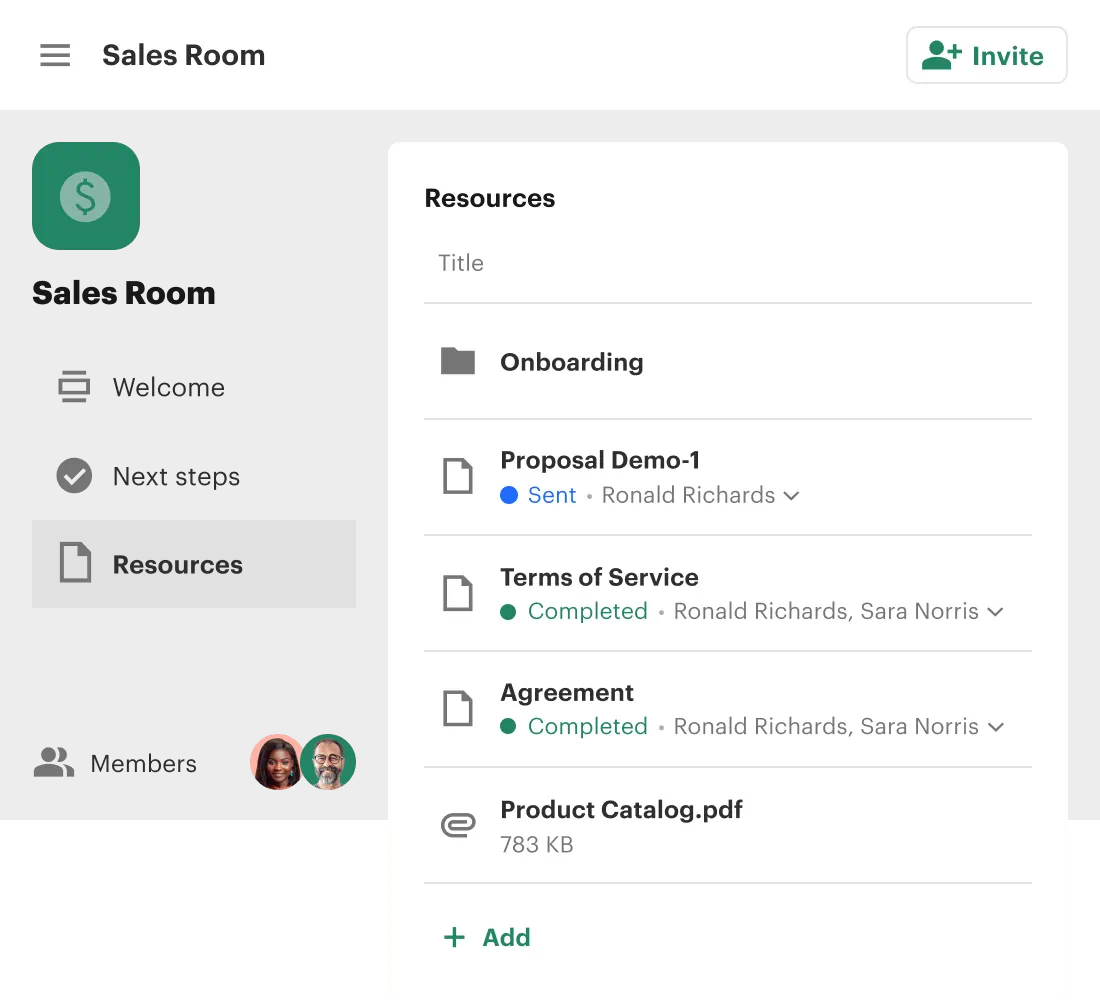
For complex B2B sales, Deal Rooms give buying committees a shared space for proposals, case studies, mutual action plans, and contracts.
Source: PandaDoc
Dropbox Sign doesn't try to do any of this, and that's a deliberate choice. You upload a document created elsewhere, place signature fields, and send. The platform handles the signing phase well. But proposal creation, quoting, payment collection, and deal collaboration happen in other tools.
For teams that already have a proposal tool and just need a signing layer, Dropbox Sign's narrow focus is a strength. For teams that want one platform from quote to cash, PandaDoc eliminates the need to stitch together three or four separate tools.
Dropbox Sign wins on signing speed and simplicity
If all you need is signatures, Dropbox Sign makes the experience nearly frictionless.
Source: Dropbox
The platform has been voted #1 for Ease of Use on G2 for four consecutive years. That ranking reflects a specific design philosophy: no training for senders, no barriers for signers.
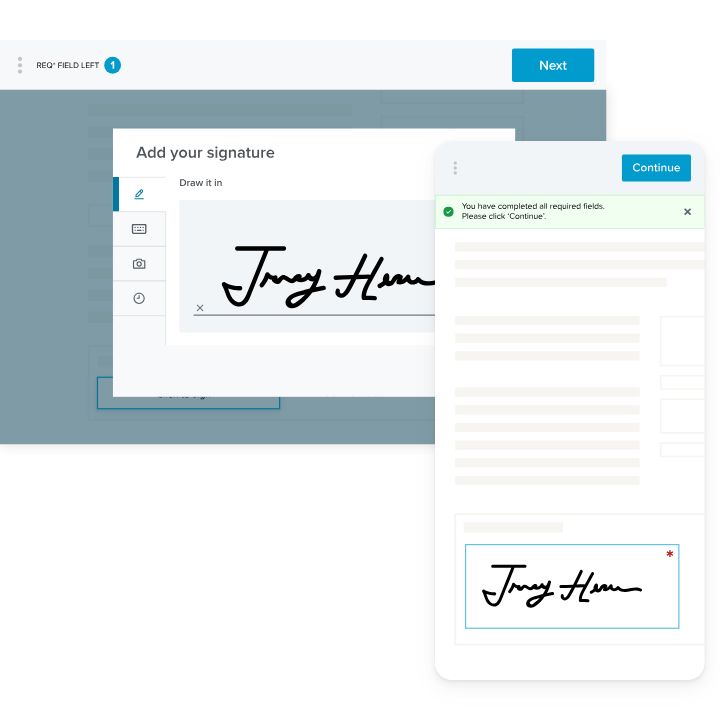
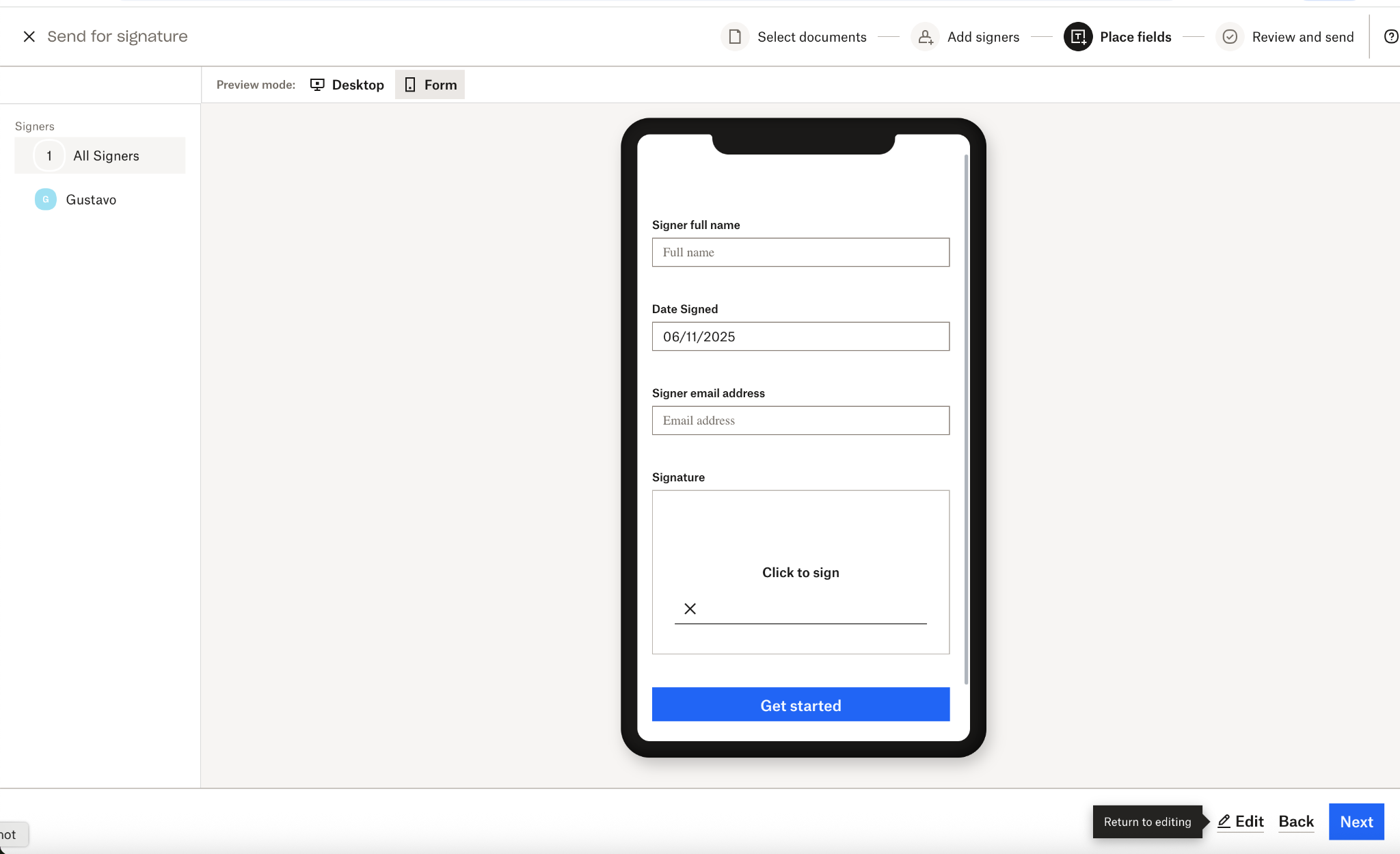
Upload a document, drag signature fields into place, enter the recipient's email, send. Recipients don't need a Dropbox Sign account to sign. They click a link in their email, review the document in their browser, and sign. No app download, no account creation, no confusion.
Source: Dropbox
Dropbox Sign claims contracts get signed up to 80% faster than paper, and its mobile-optimized Form View (launched late 2025) addresses the reality that 60% of signatures happen on phones. Instead of pinching and zooming on a PDF, signers see one field at a time.
PandaDoc's signing experience is solid. Documents get signed 3x faster than with traditional methods, and recipients don't need an account. But PandaDoc is a broader platform, and that breadth adds complexity. Its editor struggles with formatting precision (a complaint raised consistently on G2), and the mobile experience lags behind desktop for document creation.
For developers, the gap is clearer.
Dropbox Sign's API ships with six official SDKs (Node, Python, PHP, .NET, Ruby, Java), interactive "Try it" consoles on every API reference page, and documented implementation times measured in hours. The embedded signing experience renders inside an iFrame, so end users never leave the developer's application.
PandaDoc has a capable API with embedded editing and its own MCP server for AI agent workflows, but Dropbox Sign has the developer experience edge.
Quoting, deal rooms, and payment collection separate PandaDoc from the pack
For sales teams selling configurable or multi-product solutions, PandaDoc's CPQ and deal infrastructure are the differentiators that matter most.
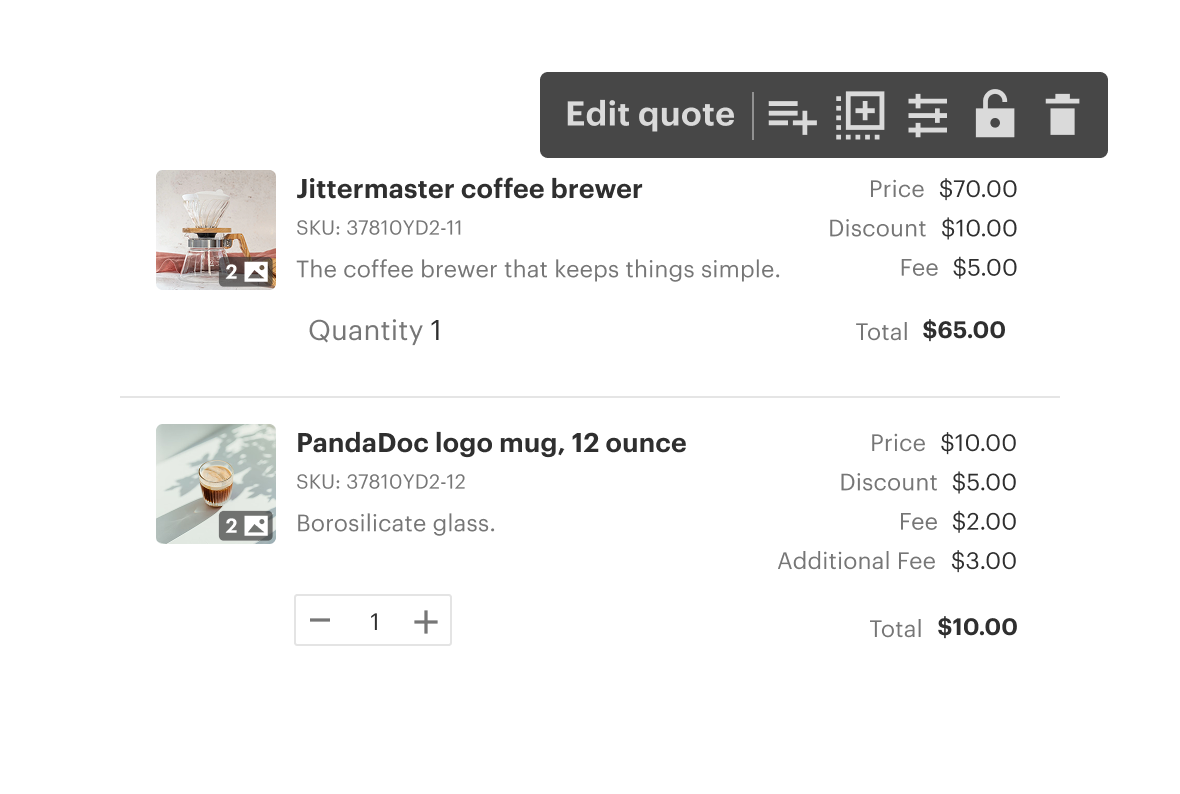
PandaDoc CPQ automates the configure-price-quote workflow inside Salesforce, HubSpot, or Pipedrive. A rules engine applies discounts, enforces pricing guardrails, and adjusts configurations based on a guided selling questionnaire, so reps produce accurate quotes without memorizing the product catalog.
Source: PandaDoc
Conditional approval workflows route quotes to managers when discount thresholds are exceeded, keeping deals moving without unnecessary sign-off.
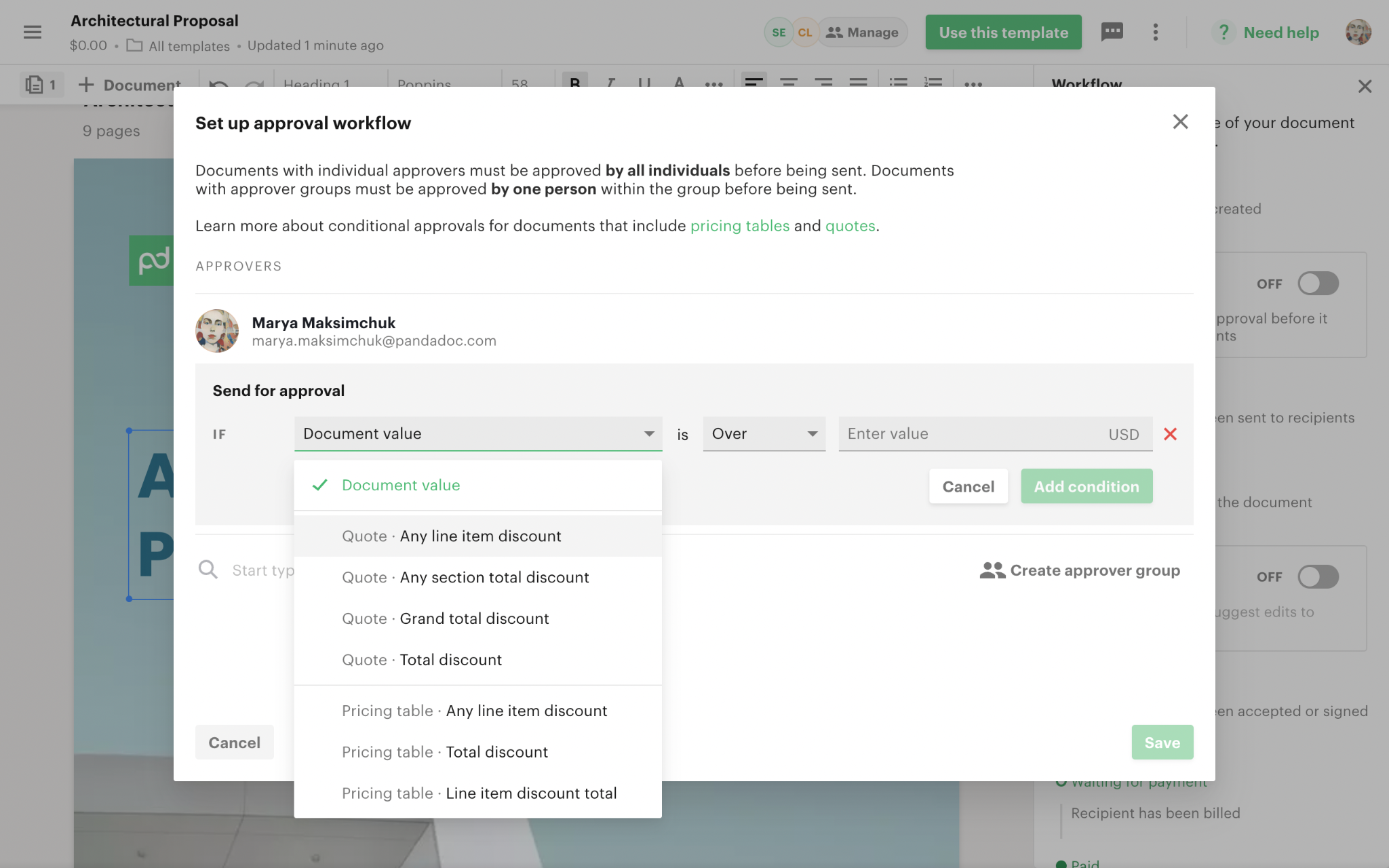
Source: PandaDoc
Deal Rooms address a different problem: the fragmentation of complex B2B sales. Instead of scattering proposals, contracts, case studies, and mutual action plans across email threads and shared drives, sellers create a single branded space where the buying committee can access everything. The Insights dashboard shows which stakeholders viewed which content and how long they spent on each item.
When a deal closes, PandaDoc collects payment at the moment of signing through Stripe, Square, or PayPal, including recurring billing. The contract-to-cash cycle collapses into a single session.
Dropbox Sign offers none of this. No CPQ, no deal rooms, no payment collection. It handles the signing step well, but everything before and after the signature happens elsewhere.
Neither platform answers the most important sales question
PandaDoc helps you create better documents faster. Dropbox Sign helps you get them signed faster. But both platforms assume you already know who to send those documents to and when.
That assumption costs sales teams more than they realize. A proposal sent to a prospect who isn't evaluating solutions sits in an inbox. A contract sent to the wrong stakeholder stalls because the decision-maker never sees it. A quote configured for a company whose budget cycle ended last month wastes everyone's time.
The document itself is the last mile. The intelligence behind it determines whether that last mile leads anywhere.
This is the gap ZoomInfo fills. ZoomInfo provides the data and intelligence that feed the sales workflow upstream of document creation.
The GTM Context Graph processes 1.5B+ data points daily. It combines ZoomInfo's B2B data (500M contacts, 100M companies, 135M+ verified phone numbers, and 200M+ verified business email addresses) with your CRM records, conversation transcripts, and behavioral signals. The result is a single intelligence layer that captures not just what's happening in a deal, but why.
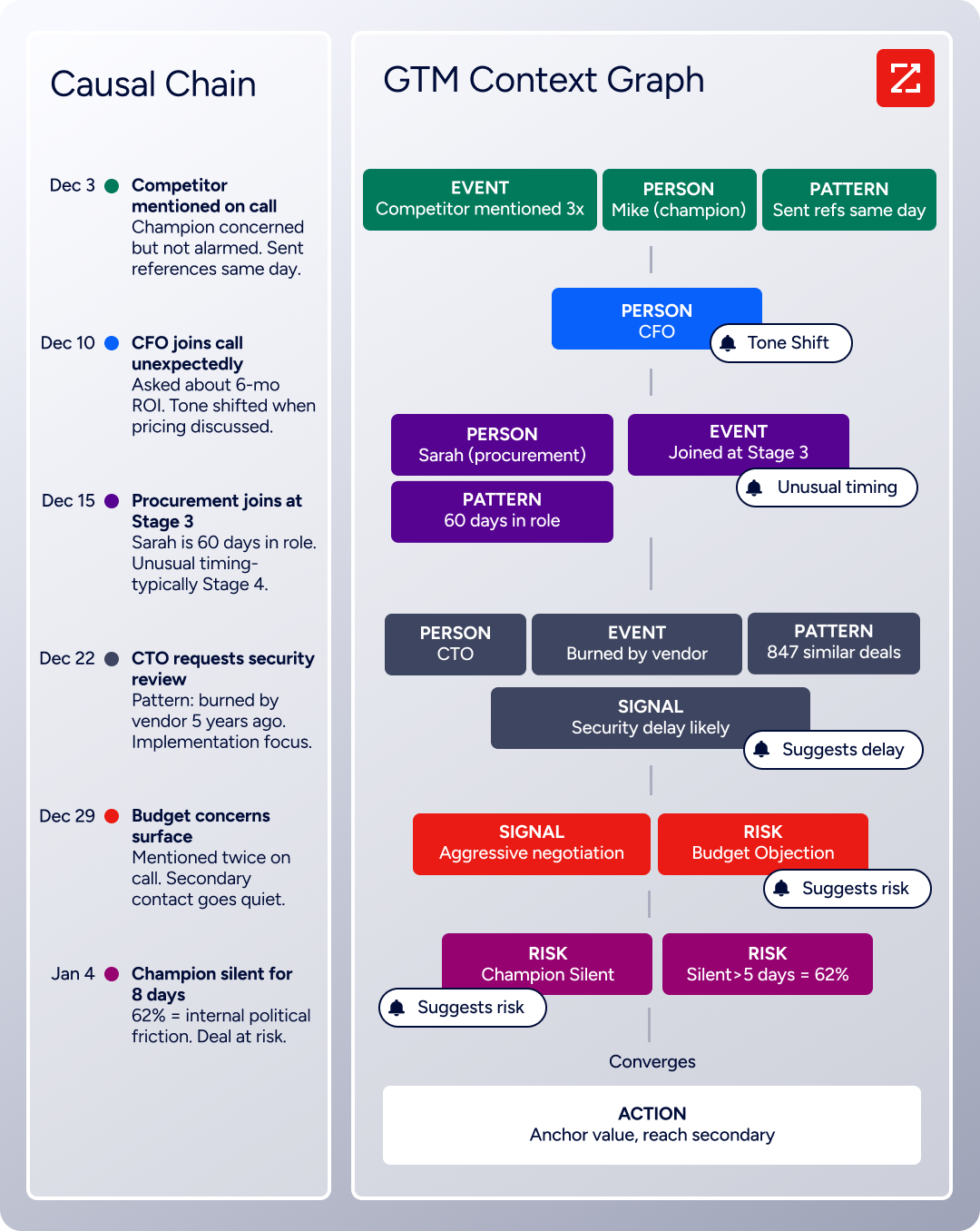
When a CFO joins a late-stage call and asks about ROI timelines, the GTM Context Graph recognizes that executive sponsorship at this stage matches the pattern behind closed-won deals in your segment. That context flows into GTM Workspace, where AI agents draft outreach, prioritize accounts, and surface the signals that indicate a prospect is ready for a proposal.
The practical workflow looks like this: ZoomInfo identifies that a target account is researching solutions (intent signals), surfaces the right contacts in the buying committee (verified data), and enriches your CRM so the deal data is accurate and complete.
When your rep opens PandaDoc or Dropbox Sign to send a proposal, the CRM fields that populate the document are already filled with verified, current information. The proposal goes to the right person, at the right time, with accurate data.
"That combination of our internal CRM data, external signals, and AI that's given all that context has helped us craft very specific account- and persona-based messages. And people have responded to them right away." (Seismic)
ZoomInfo isn't a replacement for PandaDoc or Dropbox Sign. It's the intelligence layer that makes whichever document platform you choose more effective. The best proposal in the world still needs the right recipient and the right timing.
Pricing reflects different priorities
The pricing structures tell you who each platform is built for.
Dropbox Sign is the most affordable entry point. Essentials starts at $15/month (or about $10/month billed annually) for a single user with unlimited signature requests and five templates. Standard adds team management at $25/user/month. Premium is custom-quoted. A free plan allows up to three signature requests per month. For teams that need signatures and nothing else, this is the cheapest option.
PandaDoc tiers its pricing around document workflow depth. A permanent free plan supports unlimited seats for basic eSignatures (capped at 60 documents per year). Starter at $19/user/month adds the audit trail and 24/7 support. Business at $49/seat/month unlocks CRM integrations, approval workflows, and bulk send. Enterprise (custom-quoted) adds CPQ, automations, SSO, and data residency.
The jump from Starter to Business is where most sales teams land, and at $49/seat/month, costs climb quickly for larger teams.
Both platforms charge for overages. PandaDoc bills $2.00 per extra document on Starter annual billing. Dropbox Sign automatically upgrades your account to the next tier if you exceed usage limits.
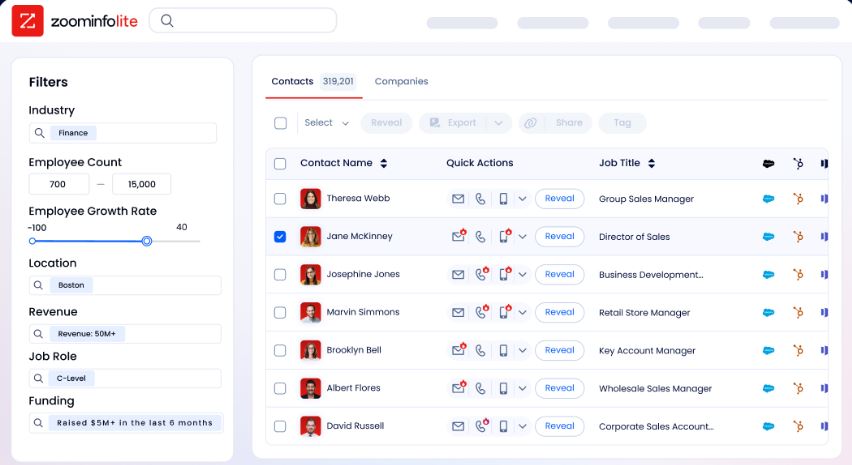
ZoomInfo uses custom-quoted, consumption-based pricing with no published prices. Costs scale with data access, API consumption, and the number of users. The investment is in a different category: you're paying for the intelligence that determines which deals deserve a proposal, not for the document itself. A free tier (ZoomInfo Lite) with 10 monthly export credits lets individual users access the B2B database at no cost.
The real pricing question isn't which tool is cheapest per seat. It's what you're paying for. Dropbox Sign charges for signing. PandaDoc charges for the full document workflow. ZoomInfo charges for the intelligence that makes both more productive.
Integration and developer ecosystems
How well each platform connects to your existing stack matters more than any feature comparison.
PandaDoc has the deepest CRM integrations of the two document platforms. Native CRM connections with HubSpot, Salesforce, and Pipedrive include bidirectional data sync, so document status writes back to CRM pipeline stages automatically.
CPQ integrations for all three CRMs let reps generate quotes without leaving their pipeline view. Beyond CRM, PandaDoc connects to Stripe, Square, PayPal, Greenhouse, BambooHR, Slack, and Zapier for broader automation.
Dropbox Sign integrates with Salesforce, HubSpot, Google Drive, Google Docs, Slack, Greenhouse, and Microsoft OneDrive, plus Zapier for extended reach. The Dropbox ecosystem is the natural differentiator: teams already using Dropbox for file storage get a unified sign-and-store workflow.
For developers, the Dropbox Sign API offers full white-label capability on the Premium plan, embedded requesting and signing via iFrame, and a free test mode with no time limit.
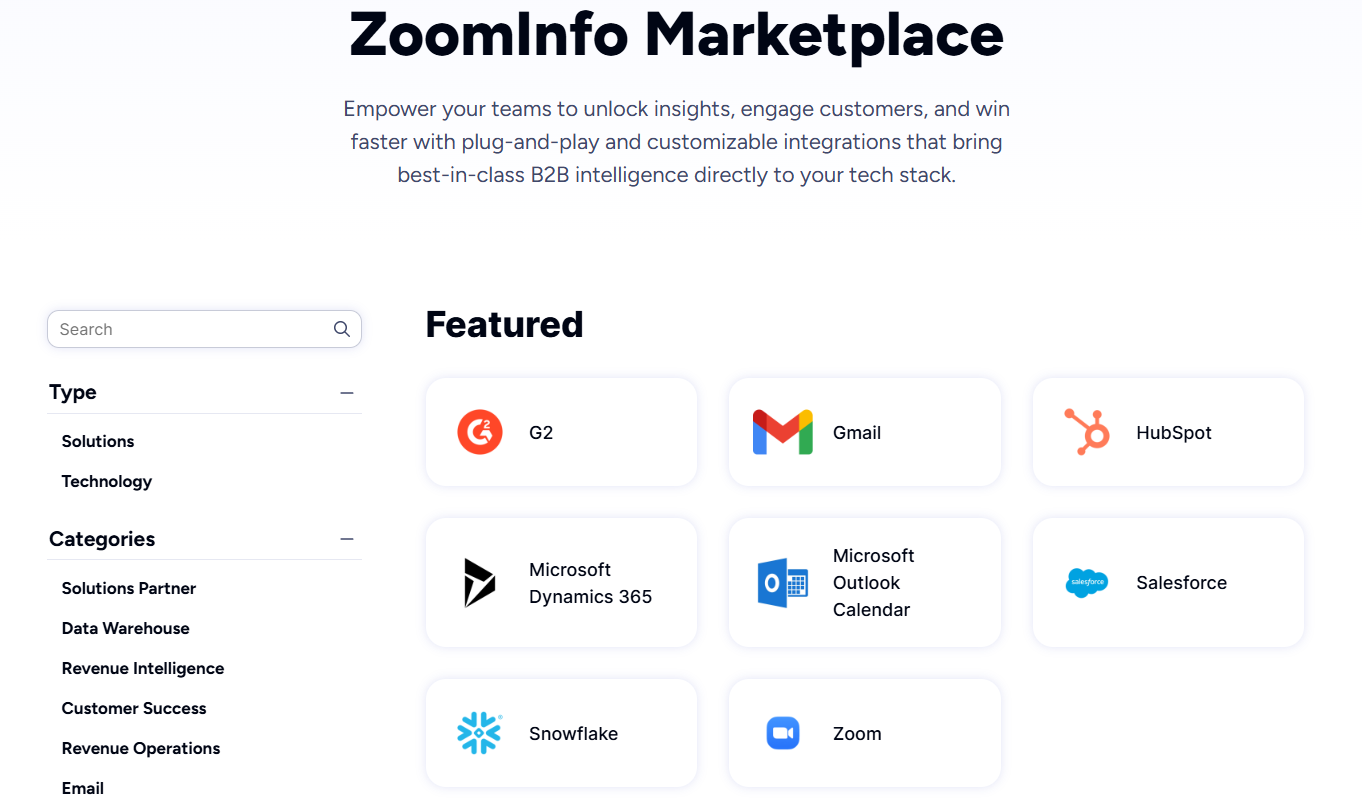
ZoomInfo connects upstream of both platforms. Its 120+ partner integrations include Salesforce, HubSpot, Microsoft Dynamics, Snowflake, and major marketing automation platforms. The Enterprise API provides programmatic access to contact data, company intelligence, and intent signals.
The ZoomInfo MCP server lets AI agents query ZoomInfo's data through natural language, and API access is included in all plans. The practical connection: ZoomInfo enriches your CRM, which feeds PandaDoc or Dropbox Sign with accurate, current deal data.
"The plug-and-play aspect of the API means I can integrate it very easily into any process and get information at a moment's notice." (BDO Canada)
Security and compliance comparison
All three platforms meet the certifications enterprise buyers expect, but each has specific compliance depth worth noting.
Dropbox Sign carries SOC 2 Type II, ISO 27001, ISO 27018, and HIPAA compliance, with eIDAS support for EU-based signatures. Documents are AES-256 encrypted at rest and TLS-encrypted in transit. Tamper-proof audit trails attach permanently to every signature request.
Advanced Signature Details (signer names and timestamps required by the U.S. Social Security Administration) come included on all paid plans, a compliance feature that reportedly requires premium tiers on DocuSign and Adobe Sign.
PandaDoc matches with SOC 2 Type II, HIPAA, GDPR, and eIDAS, and adds 21 CFR Part 11 compliance for FDA-regulated industries in life sciences and pharma. PandaDoc also offers three tiers of eSignature under eIDAS: Basic, Advanced (AES), and Qualified Electronic Signature (QES), the highest legal standard across all 27 EU member states.
Its identity verification suite spans five methods, including government ID biometric checks across 200+ countries. Enterprise customers can select US or EU data residency.
ZoomInfo holds ISO 27001, ISO 27701, SOC 2 Type II, and TRUSTe GDPR and CCPA certifications, all renewed annually. As a registered data broker in California and Vermont, ZoomInfo maintains strict data privacy controls over B2B contact and company data.
For most businesses, both document platforms cover the compliance requirements that matter. PandaDoc has the edge for life sciences (21 CFR Part 11) and high-stakes EU transactions (QES). Dropbox Sign has the edge on ISO certifications and the Dropbox parent company's broader security infrastructure.
PandaDoc vs. Dropbox Sign vs. ZoomInfo: Which should you choose?
The right choice depends on what phase of your sales process needs the most help.
Choose Dropbox Sign if:
You need fast, simple eSignatures without a steep learning curve
Your documents are created elsewhere and just need a signing layer
You're a developer embedding eSignature into your own product
Budget is tight and you need unlimited signing starting at $15/month
Simplicity matters more than workflow breadth
Choose PandaDoc if:
Your sales team creates proposals, quotes, and contracts from scratch
You need CPQ with rules-based pricing inside your CRM
Payment collection at signing would accelerate your cash cycle
You want document engagement analytics and deal room collaboration
You're looking for one platform from quote to signed contract
Add ZoomInfo to either if:
You want verified contact data feeding the CRM fields that populate your documents
Knowing which prospects are researching solutions would change your proposal timing
Your sales team spends too much time figuring out who to send documents to
You need an intelligence layer that connects data, signals, and outreach before the document phase
You want AI that understands your deals, not just your documents
See how ZoomInfo fits your sales workflow with a free trial.
"ZoomInfo's not just a contact data company anymore. They've built a full system of execution. GTM Intelligence works the list, writes the outreach, triggers the play, and helps drive predictable growth." (Levanta)
PandaDoc and Dropbox Sign both solve real problems in the document phase of sales. The question is whether you need the full workflow or just the signature. But the bigger question (the one most teams overlook) is whether you have the right intelligence feeding that workflow in the first place. A great document tool paired with accurate data and timely signals is what turns proposals into closed deals.
PandaDoc vs. Dropbox Sign vs. ZoomInfo FAQ
What is the core difference between PandaDoc and Dropbox Sign?
PandaDoc is a document automation platform covering proposal creation, CPQ, eSignatures, deal rooms, payment collection, and engagement tracking in one workspace. Dropbox Sign (formerly HelloSign) is a focused eSignature tool for fast, simple document signing. PandaDoc is for teams that need to create and manage the entire document lifecycle. Dropbox Sign is for teams that create documents elsewhere and need a signing layer.
Which platform is cheaper for basic eSignatures?
Dropbox Sign starts at $15/month (or about $10/month billed annually) for one user with unlimited signature requests. PandaDoc's Starter plan costs $19/user/month with a permanent free plan capped at 60 documents per year. For pure eSignature needs, Dropbox Sign is the more affordable option. PandaDoc's higher price reflects its broader feature set beyond signing.
Can I create proposals and quotes in Dropbox Sign?
No. Dropbox Sign handles document signing, templates, and audit trails, but includes no proposal creation, quoting, or CPQ. Documents must be created in another tool and uploaded to Dropbox Sign for signature. PandaDoc includes a drag-and-drop editor, 1,000+ templates, pricing tables, a product catalog, and CPQ with rules-based quoting.
How does ZoomInfo relate to PandaDoc and Dropbox Sign?
ZoomInfo is not a document or eSignature tool. It is a B2B data and sales intelligence platform that works upstream of both PandaDoc and Dropbox Sign. ZoomInfo identifies the right prospects, enriches CRM data that populates document fields, and surfaces intent signals indicating when a buyer is ready for a proposal. It makes whichever document platform you choose more effective by ensuring documents reach the right people at the right time.
Which platform has the better developer API?
Dropbox Sign's API is widely considered the faster eSignature API to implement, with six official SDKs, interactive testing consoles, and embedded signing via iFrame. PandaDoc offers a REST API with embedded editing, webhook-based event notifications, and an MCP server for AI agent workflows. For eSignature embedding, Dropbox Sign has the edge. For full document lifecycle automation, PandaDoc's API covers more ground.
Do recipients need an account to sign documents on either platform?
No. Both PandaDoc and Dropbox Sign allow recipients to sign without creating an account or downloading an app. Recipients receive an email with a link, open the document in their browser, and sign on any device. Signing is free for recipients on both platforms.
Which platform is better for regulated industries?
PandaDoc has the broader compliance coverage, including SOC 2, HIPAA, eIDAS, GDPR, and 21 CFR Part 11 for FDA-regulated life sciences. It also offers Qualified Electronic Signatures (QES) for high-assurance EU transactions. Dropbox Sign carries SOC 2, ISO 27001, ISO 27018, HIPAA, and eIDAS, with Advanced Signature Details included on all paid plans. Both platforms support legally binding signatures in the US and EU.
Can PandaDoc collect payments at the time of signing?
Yes. PandaDoc supports embedded payment collection through Stripe, Square, and PayPal inside the document. Recipients can sign and pay in a single session, including recurring billing through Stripe. This feature is available on all plans, including the free tier. Dropbox Sign does not offer payment collection.
Related breakdowns to help you choose:
