
Choosing between Qwilr and PandaDoc for sales proposals comes down to five questions:
Do you want proposals that look and feel like interactive web pages, or polished document files with e-signatures?
Is your priority speed and visual impact, or a document lifecycle covering contracts, CPQ, and compliance?
How important is knowing which sections of your proposal a buyer actually read?
Do you need to collect payment at signing, or handle multi-party contract workflows?
Are you sending proposals to the right people at the right time, or just sending proposals and hoping they land?
In short, here's what we recommend:
Qwilr turns every sales proposal into an interactive web page. Buyers scroll through embedded videos, configure pricing with interactive quote tables, and sign, all from a single link that updates in real time. With 500+ five-star G2 reviews, native CRM integrations for HubSpot, Salesforce, Pipedrive, and Zoho, and block-level engagement analytics that show which sections a buyer spent time on, Qwilr is built for sales teams that want proposals to hold attention and close faster. The trade-off: limited formatting control, weak PDF exports, and no support for complex contract workflows.
PandaDoc covers more of the document lifecycle. From proposals and quotes to contracts, e-signatures, CPQ, and payment collection, PandaDoc handles the arc from first draft to signed deal. With 68,000+ customers, bidirectional CRM integrations, and compliance certifications spanning HIPAA, SOC 2 Type II, eIDAS, and 21 CFR Part 11, it serves sales, legal, HR, and operations teams alike. The trade-off: documents look more traditional than Qwilr's web pages, the block-based editor has known precision issues, and buyer engagement analytics are less granular.
Both platforms help you create and close deals faster. But neither can tell you whether you're sending proposals to the right accounts at the right moment. That's a different problem, and it's where most deals are lost.
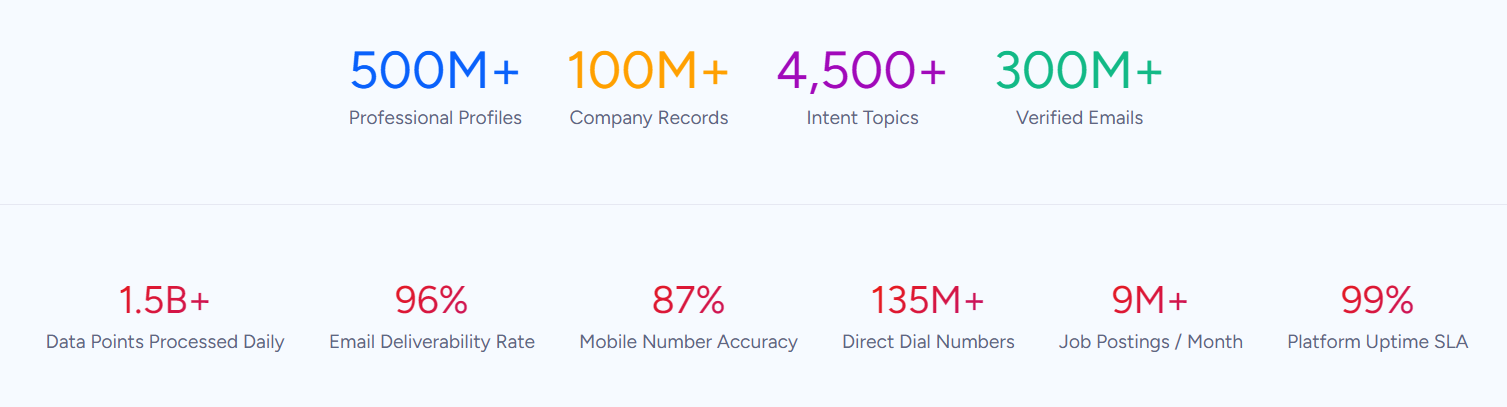
ZoomInfo is an AI go-to-market platform that solves the problem before the proposal: identifying who to sell to, when they're ready to buy, and what matters to them. Built on B2B data covering 500M contacts, 100M companies, 135M+ verified phone numbers, and 200M+ verified business email addresses, ZoomInfo's GTM Context Graph (an intelligence layer) combines this data with your CRM records, conversation transcripts, and behavioral signals to reveal not just what's happening in your pipeline, but why. Sellers access this through GTM Workspace, marketers and RevOps teams through GTM Studio, and any tool through APIs and MCP. For teams using Qwilr or PandaDoc, ZoomInfo ensures your proposals reach verified contacts at accounts showing buying signals, so each proposal has a better chance of closing.
If better-targeted proposals sound like the missing piece of your sales process, see how ZoomInfo works.
Qwilr vs. PandaDoc at a glance
Qwilr | PandaDoc | ZoomInfo | |
|---|---|---|---|
Core approach | Interactive web-page proposals | Document lifecycle platform | AI go-to-market platform |
Proposal format | Live web pages | Traditional documents (PDF/web) | N/A (powers the data behind proposals) |
E-signatures | Built-in, proposal-native | E-signature suite with QES and identity verification | N/A |
CPQ | Interactive quoting | Full CPQ with rules engine (Enterprise) | N/A |
Buyer analytics | Block-level engagement scoring | Page-level view tracking | Buyer intent signals across 210M+ IP-to-Organization pairings |
CRM integrations | HubSpot, Salesforce, Pipedrive, Zoho | HubSpot, Salesforce, Pipedrive, 15+ CRMs | Salesforce, HubSpot, Microsoft Dynamics + 120 marketplace integrations |
Payment collection | QwilrPay (Stripe) | Stripe, Square, PayPal, Authorize.net | N/A |
Starting price | $35/user/month (annual) | $19/user/month (annual) | Custom-quoted; free tier available |
Free plan | 14-day trial only | Permanent free plan (limited) | ZoomInfo Lite (permanent free tier) |
Best for | Sales teams wanting visual impact | Teams needing proposals + contracts + compliance | Ensuring proposals reach the right buyer at the right time |
Interactive web pages vs traditional documents
This is the fundamental divide. Everything else flows from it.
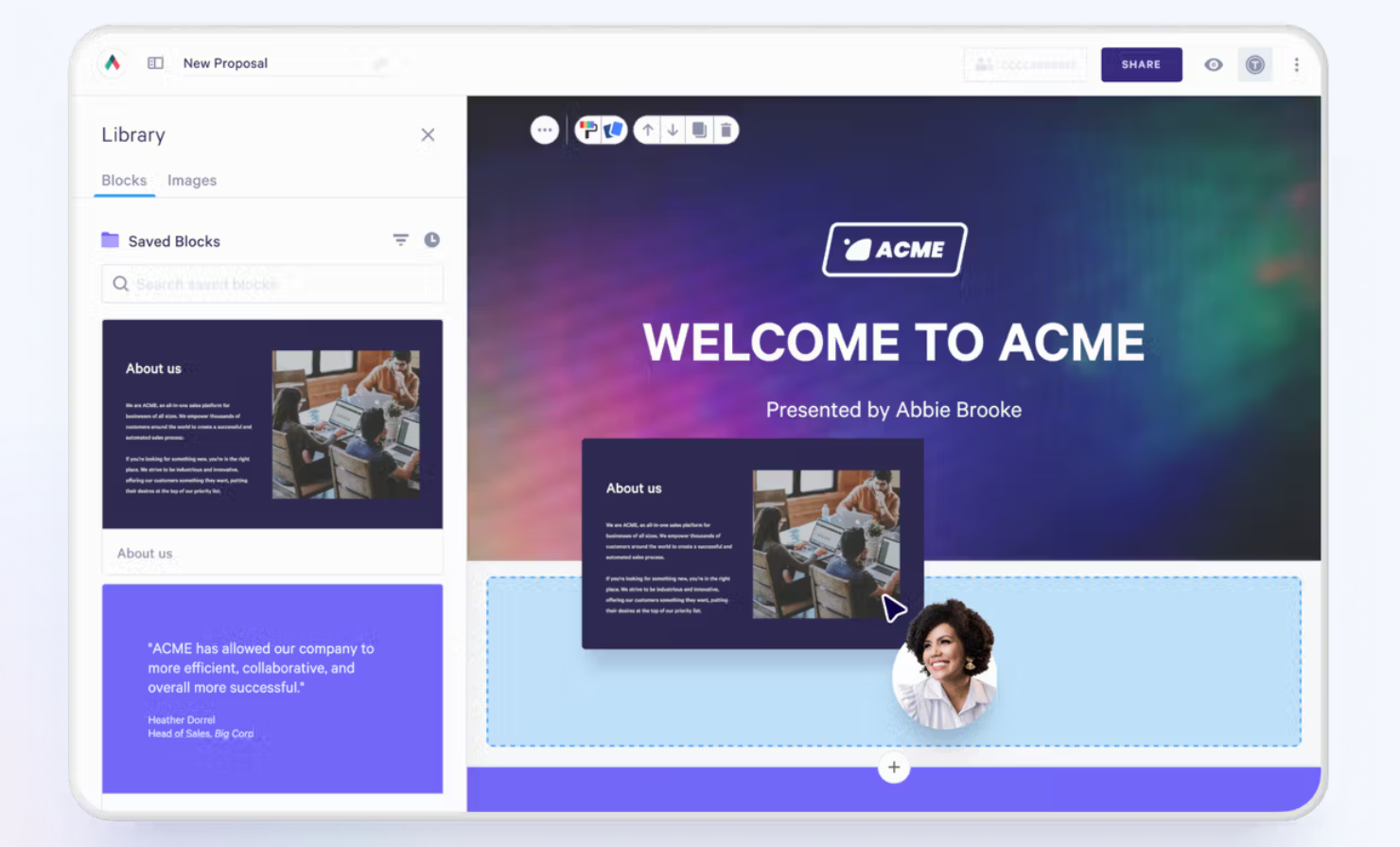
Qwilr proposals are live web pages. A buyer clicks a link and lands on a scrollable, branded page with embedded videos, interactive pricing tables, ROI calculators, and acceptance forms. The proposal looks more like a website than a business document. Because it lives at a URL, the seller can update pricing or add a section after sending without resending anything. The buyer always sees the current version at the same link.
Source: Qwilr
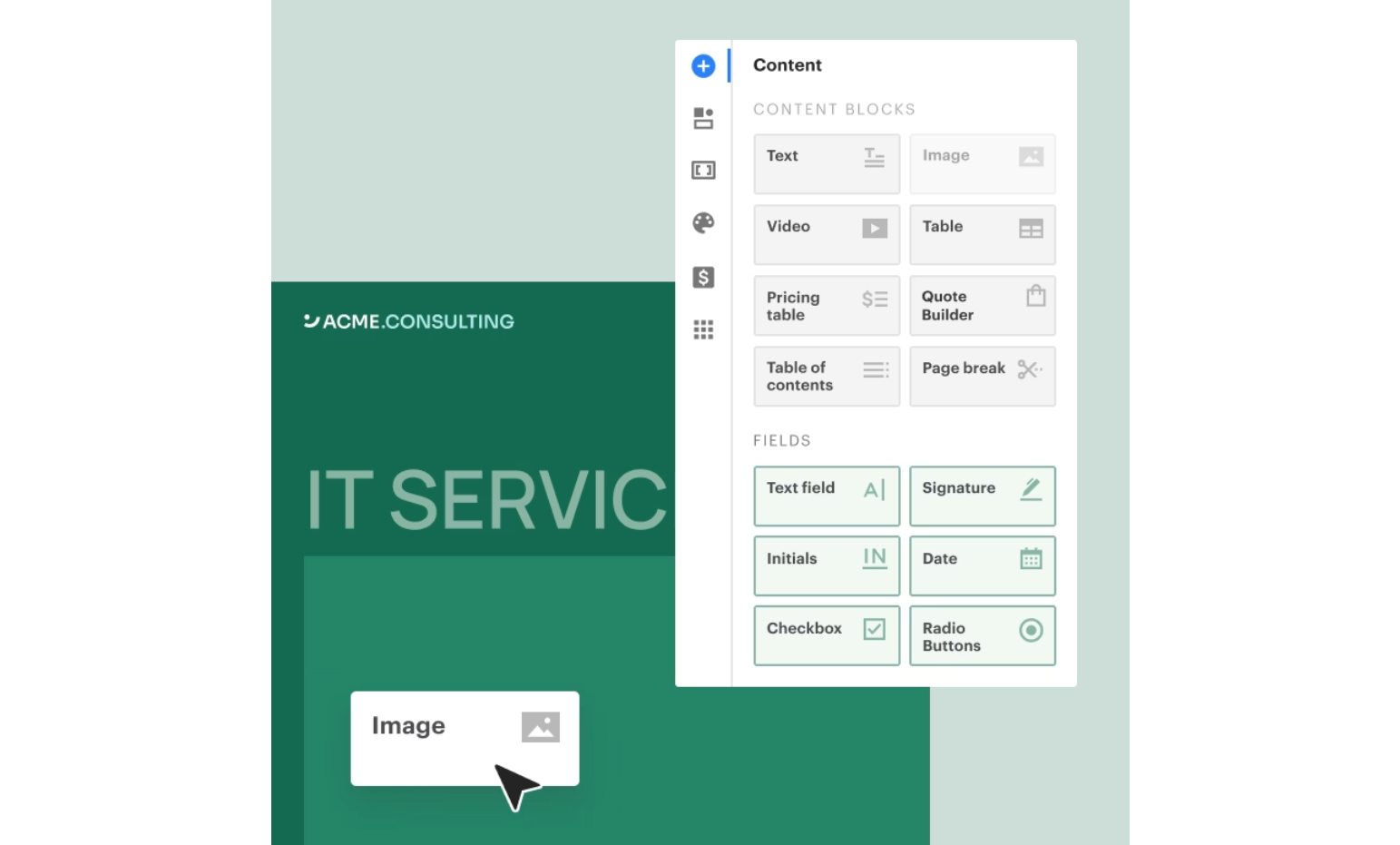
PandaDoc proposals are closer to traditional documents. The drag-and-drop editor uses content blocks to assemble proposals, contracts, and quotes in a format familiar to anyone who's used a word processor. Documents can be viewed in-browser or downloaded as PDFs. The result is polished and professional, but static next to Qwilr's interactive approach.
Source: PandaDoc
For sales teams in visual industries (agencies, SaaS, real estate, events), Qwilr's format is a competitive advantage. When the proposal itself demonstrates your company's sophistication, the web-page format earns its keep.
For teams that need documents to survive outside a browser (legal departments requiring formal PDFs, procurement portals that accept only file uploads, regulated industries where document format is prescribed), PandaDoc's approach is more practical. Qwilr's PDF exports are a known weakness, with G2 and Capterra reviewers reporting formatting issues in tables, lists, and fonts.
Buyer analytics: knowing what your prospect actually read
Both platforms track what happens after you hit send. The depth of that tracking is where they diverge.
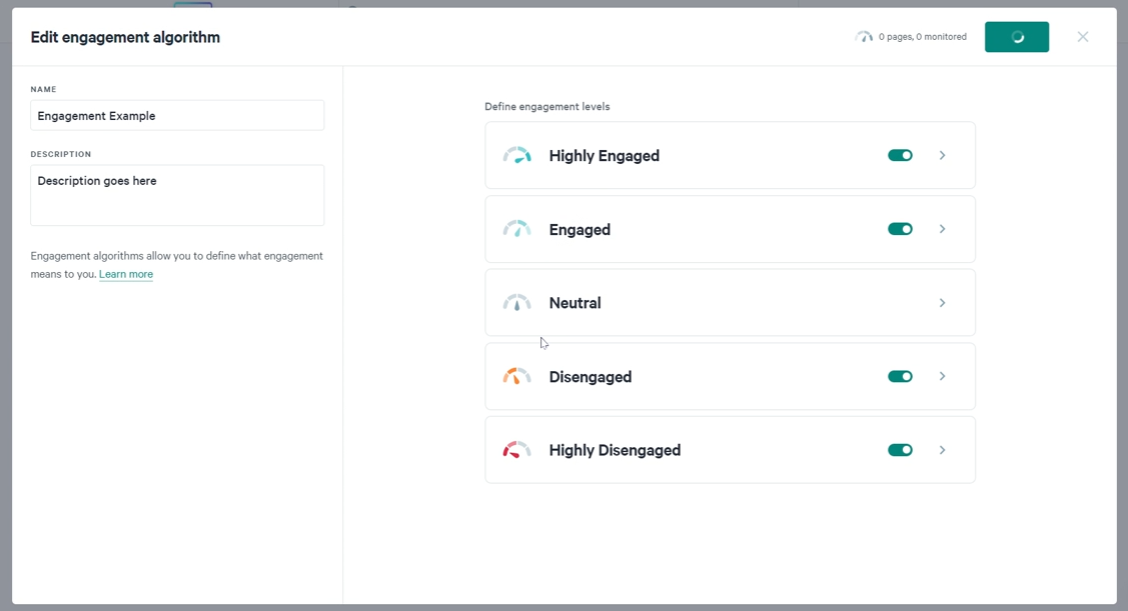
Qwilr's analytics operate at the content-block level. For every viewer session, you see which blocks entered the screen, how long the buyer spent on each, whether they opened accordions, clicked outbound links, used the ROI calculator, or changed values in the quote table. The Activity Timeline reconstructs the buyer's journey through the proposal in chronological order. On top of this raw data, Qwilr's Engagement Algorithm scores each proposal from Highly Engaged to Highly Disengaged, with configurable thresholds based on view count and time spent.
Source: Qwilr
PandaDoc tracks at the page level. Document Insights shows who opened the document and how long they spent on each page. Deal Rooms add engagement data through their Insights dashboard, showing room views, open rates per user, and content interaction counts. It's useful, but less granular than Qwilr's block-by-block breakdown.
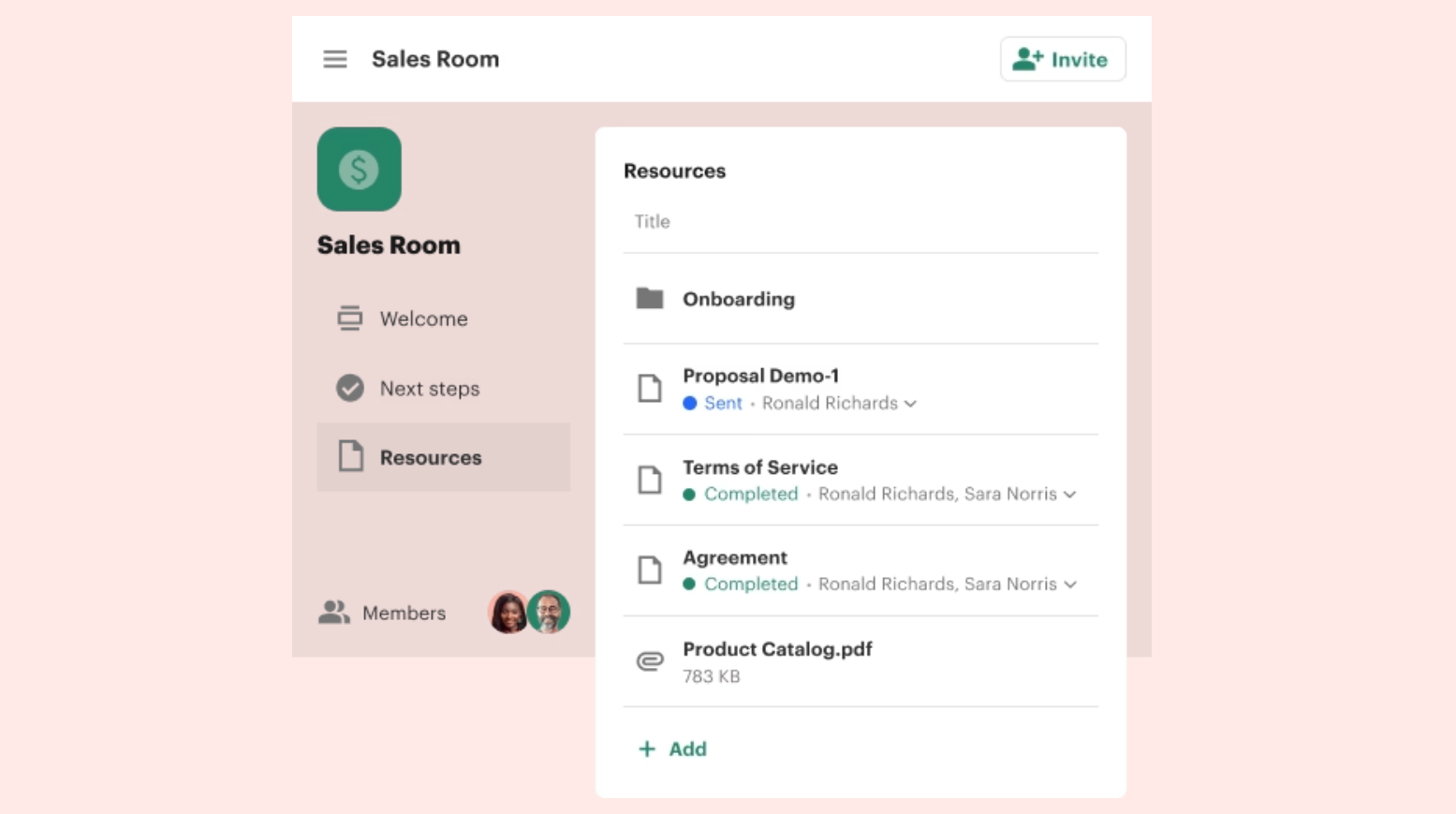
Source: PandaDoc
For sales teams that adjust follow-up based on which sections a buyer lingered on versus skipped, Qwilr provides richer signals. PandaDoc's analytics tell you whether a document was opened and how far the buyer scrolled.
The proposal is only as good as the data behind it
Both Qwilr and PandaDoc pull prospect data from your CRM to personalize proposals. But CRM data is only as accurate as what goes into it, and most CRM data is incomplete.
This is where ZoomInfo fits. ZoomInfo's GTM Context Graph (an intelligence layer that processes 1.5B+ data points daily) combines third-party B2B data with your CRM records, conversation transcripts, and behavioral signals. The result: verified contact information, accurate org charts, and buying signals that tell you when an account is in-market, before you open either proposal tool.
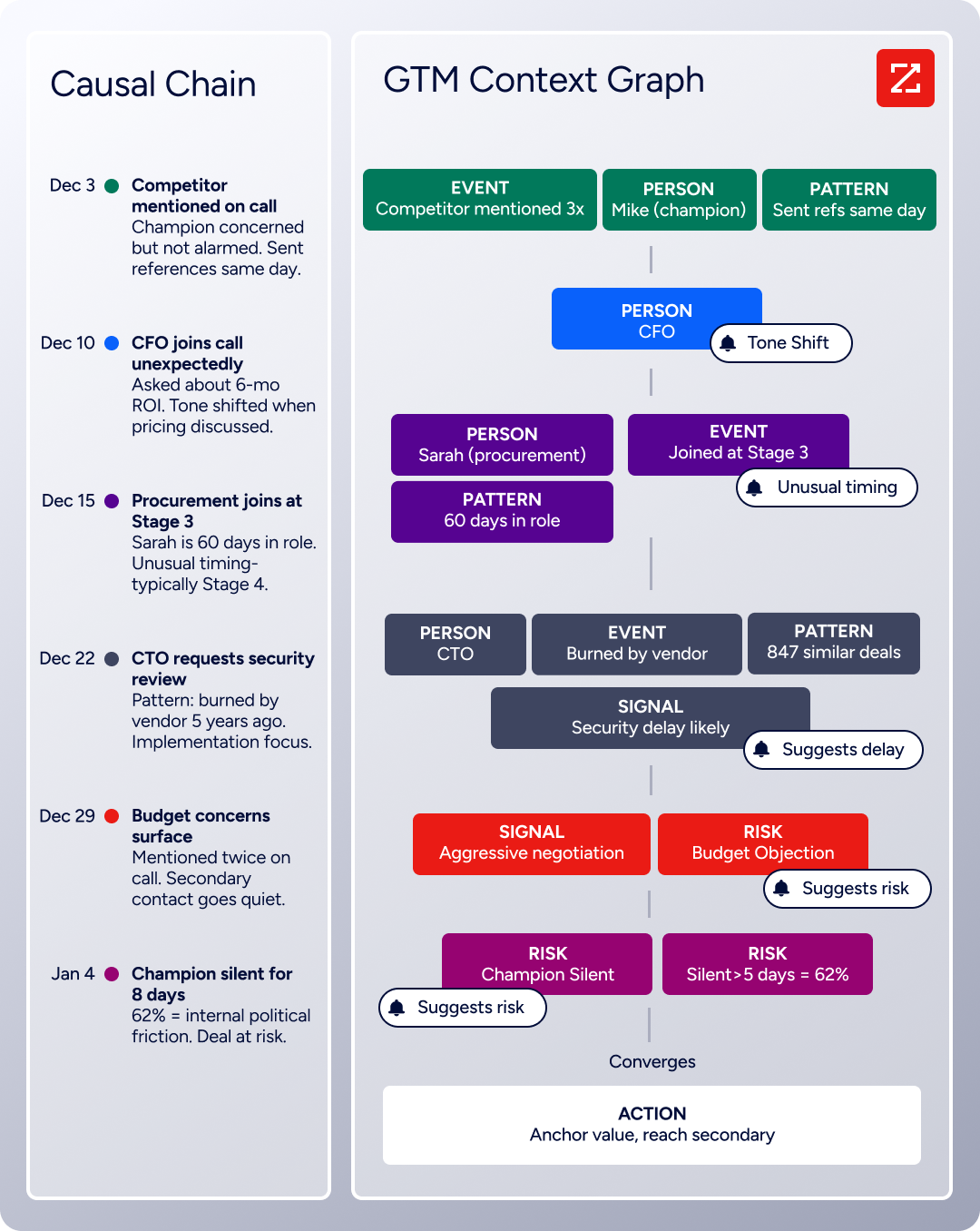
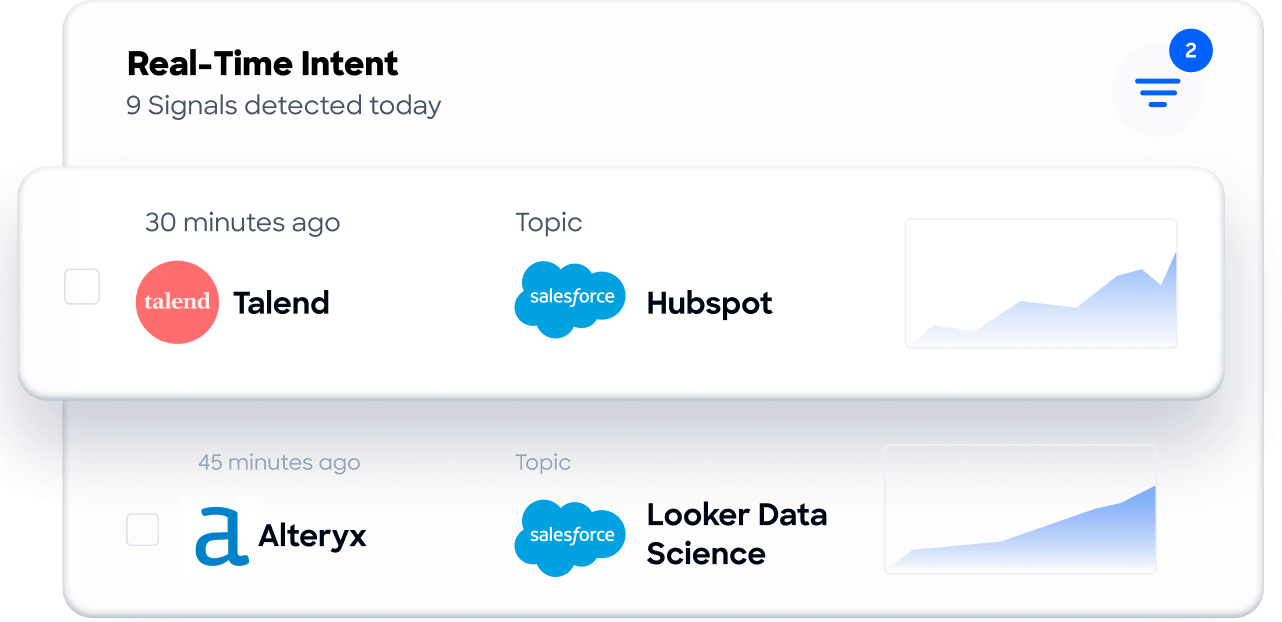
The practical difference: instead of sending a proposal to a contact whose email might bounce or whose title changed three months ago, your CRM contains verified data that flows directly into Qwilr's or PandaDoc's personalization tokens. Instead of guessing which accounts to prioritize, Buyer Intent signals show which companies are researching solutions like yours.
Seismic attributed 39% of active pipeline to opportunities identified or influenced by ZoomInfo signals, with their sales team reporting 54% productivity gains. (Seismic Case Study)
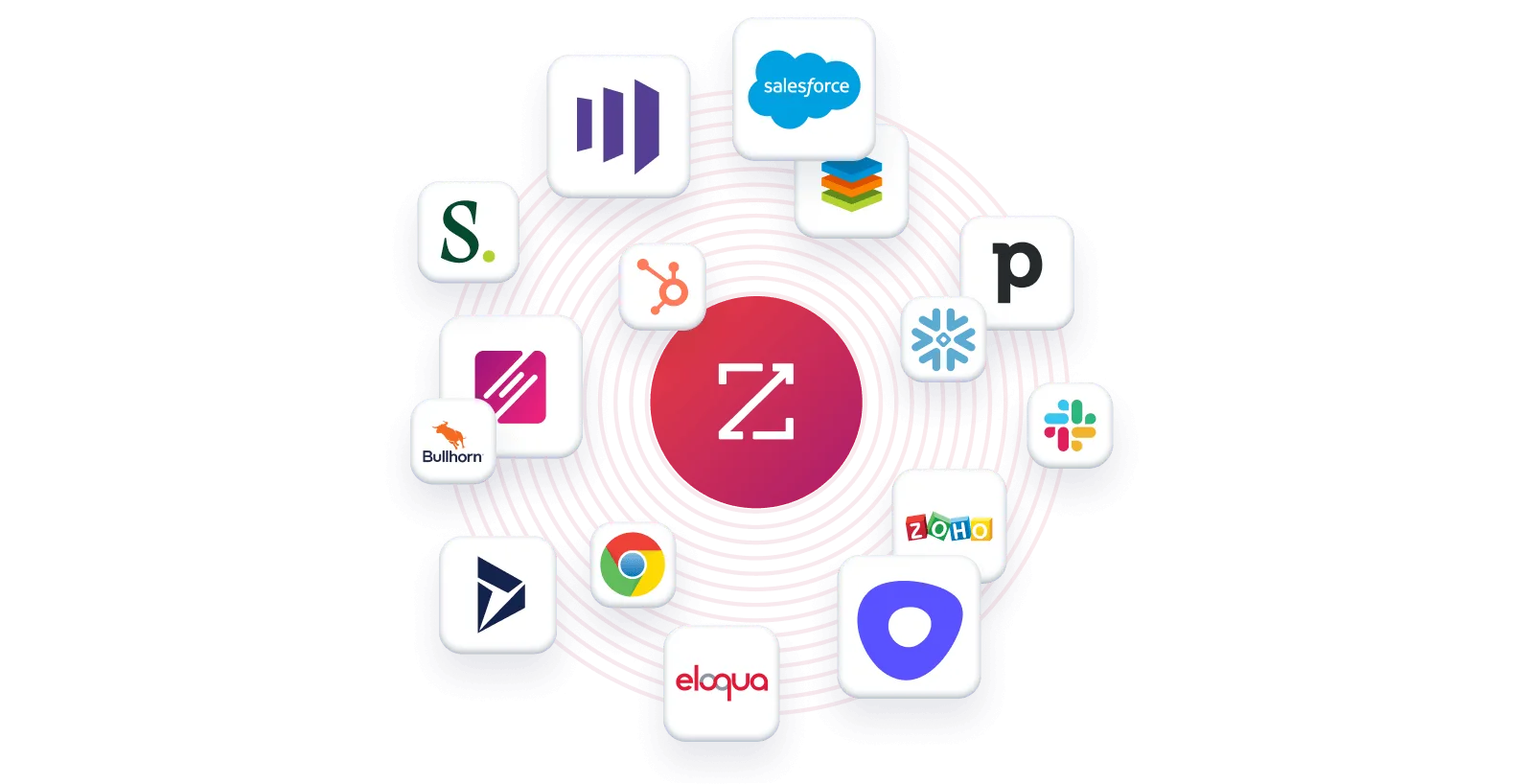
ZoomInfo integrates natively with Salesforce, HubSpot, and Microsoft Dynamics, the same CRMs that Qwilr and PandaDoc connect to. The enrichment happens upstream: ZoomInfo keeps your CRM accurate, and your proposal tool pulls from that clean data.
Quoting and CPQ capabilities
For simple quoting, both platforms work well. For complex quoting, PandaDoc has a clear advantage.
Qwilr's Quote Block embeds interactive pricing directly inside the proposal. Buyers select packages, toggle add-ons, adjust quantities, and watch the total recalculate in real time. The presentation is clean: side-by-side pricing cards, billing frequency toggles, and recurring charge breakdowns that look native to the web-page format. For straightforward deals with a few tiers or optional line items, this is fast and effective.
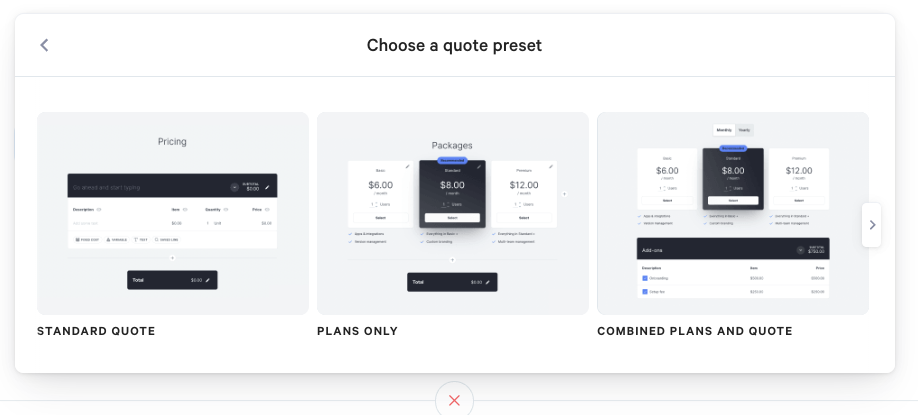
Source: Qwilr
PandaDoc's quoting starts with similar Pricing Tables on lower plans but scales into a full CPQ solution on Enterprise. PandaDoc CPQ includes a rules engine with WHEN/THEN conditional logic, guided selling questionnaires that walk reps through product selection, conditional approval workflows that trigger when discount thresholds are exceeded, and a centralized Product Catalog supporting fixed, volume-based, and subscription pricing. CPQ is available natively inside Salesforce, HubSpot, and Pipedrive.
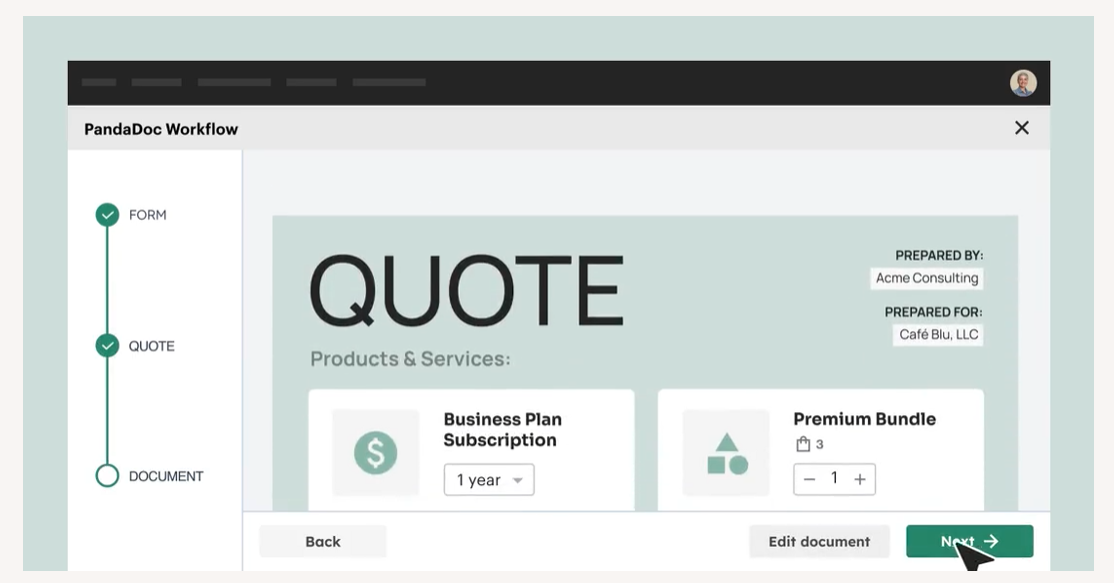
Source: Qwilr
If your sales team handles configurable products, enforced pricing rules, or multi-step approvals before a quote goes out, PandaDoc CPQ handles that natively. Qwilr positions itself as a "lightweight CPQ", appropriate for teams whose quoting doesn't require a rules engine.
E-signatures and contract workflows
PandaDoc is the stronger platform for complex signing workflows. Qwilr covers the basics well.
PandaDoc supports three tiers of electronic signature under the eIDAS framework: Basic, Advanced (AES), and Qualified Electronic Signatures (QES) (the highest legal standard across all 27 EU member states). Identity verification spans five methods: passcode, SMS, email code, Knowledge-Based Authentication, and government ID with biometric facial scanning across 200+ countries. Sequential signing order, in-person signing, and 21 CFR Part 11 compliance for FDA-regulated industries complete a signing infrastructure built for enterprise and regulated use.
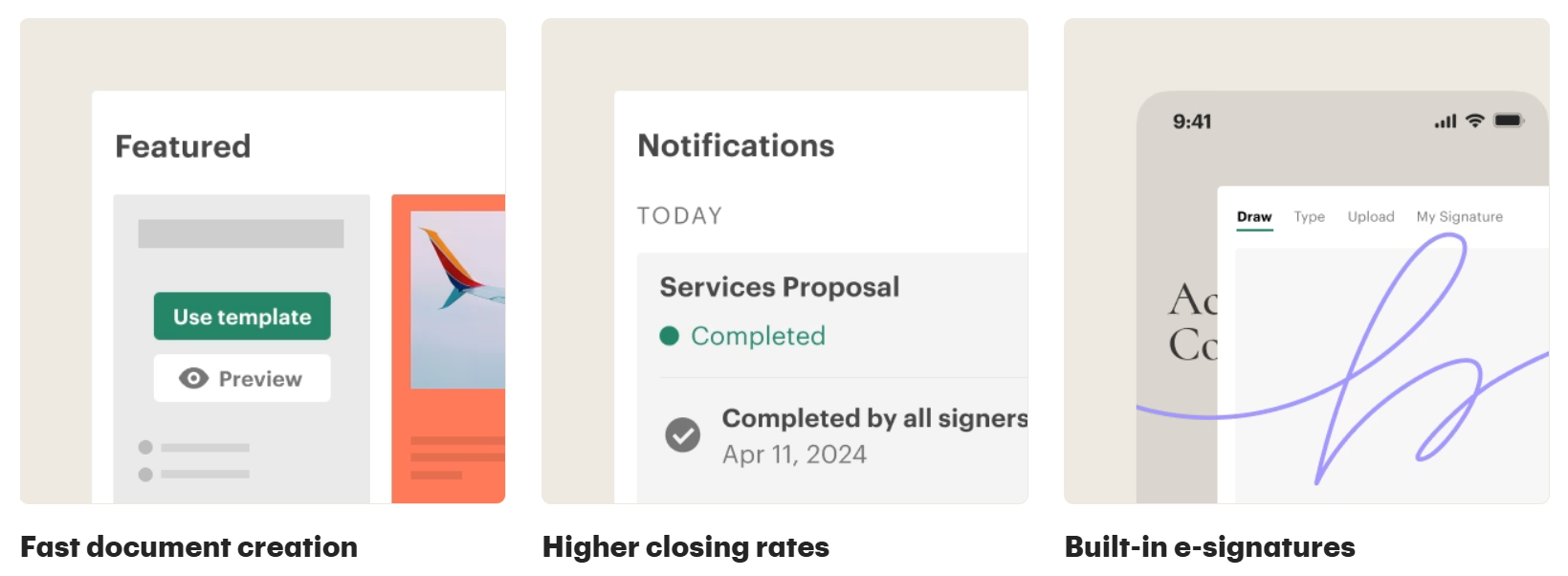
Source: PandaDoc
Qwilr's Agreements module covers the essentials: legally compliant e-signatures meeting the E-SIGN Act, UETA, and eIDAS, multiple signers per document, typed/drawn/uploaded signature options, initialing at specific clauses, and an audit trail documenting the chain of custody. What sets it apart is that the contract lives inside the same interactive proposal. A buyer reviews the pitch, configures pricing, and signs without leaving the page.
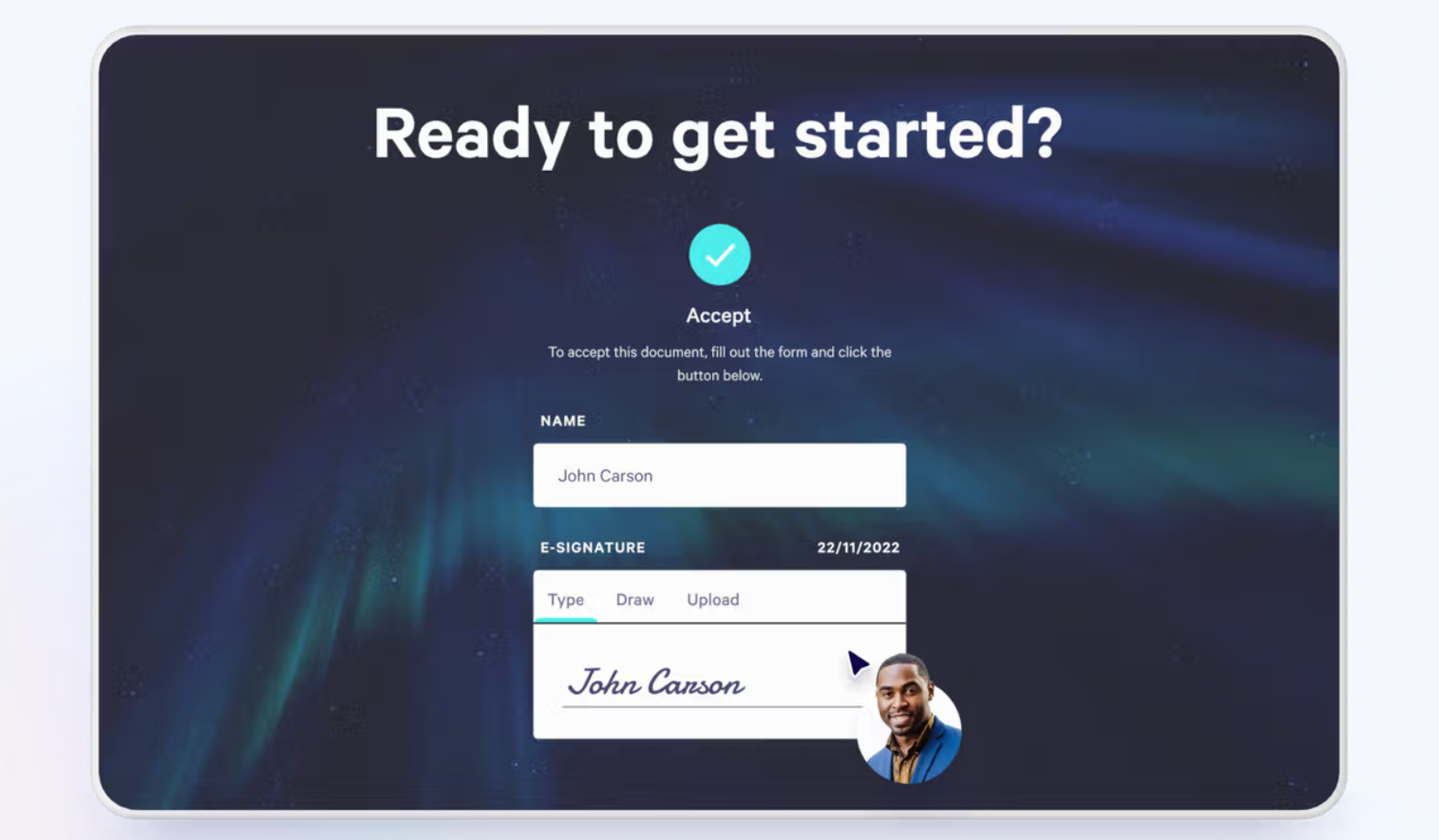
Source: Qwilr
Where Qwilr falls short: no sequential signing order, no in-person signing mode, no advanced identity verification (Enterprise offers domain-restricted access and email verification, but not KBA or biometric ID checks), and no QES support. For proposals with one or a few signers in a straightforward workflow, Qwilr handles it cleanly. For multi-party contracts with compliance requirements, PandaDoc is the stronger choice.
CRM integration and automation
Both platforms integrate with major CRMs, but the automation architectures differ.
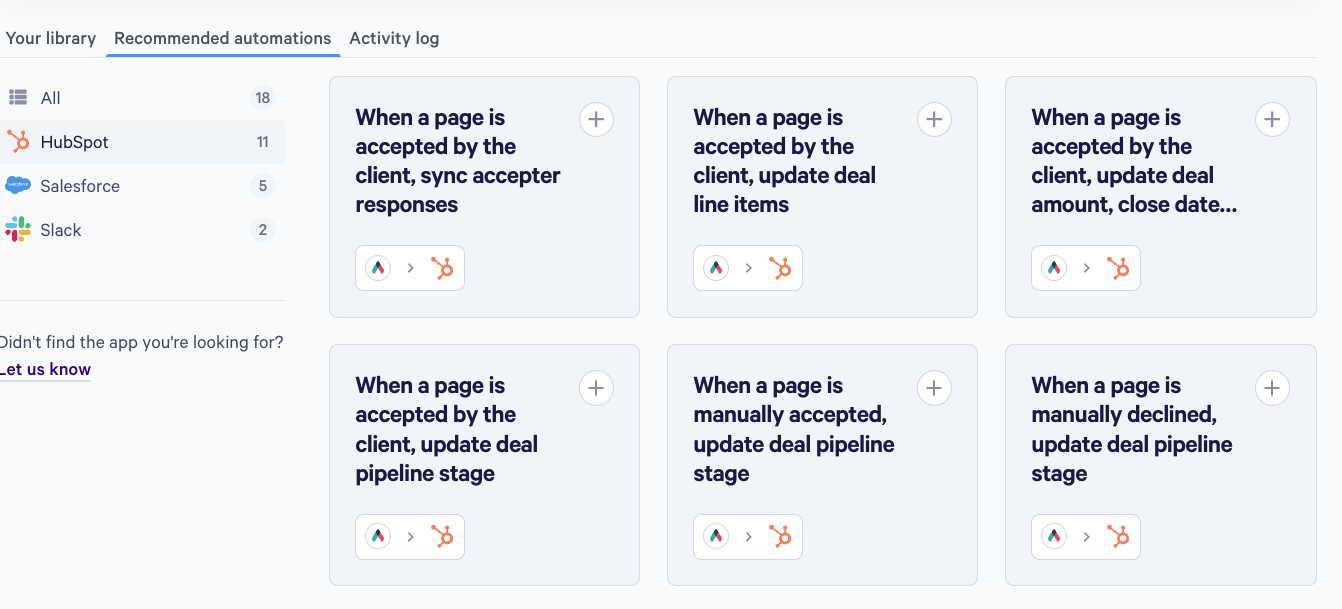
Qwilr's automation centers on event-driven CRM writeback. When a proposal is viewed, accepted, declined, or expires, configured automation rules push updates into HubSpot, Salesforce, or Pipedrive, updating deal stages, syncing payment details, and writing accepted line items back to CRM records. Custom accept form responses map directly to CRM fields, so qualifying data collected at signing becomes structured CRM data without manual entry. Salesforce automations are gated to the Scale plan.
Source: Qwilr
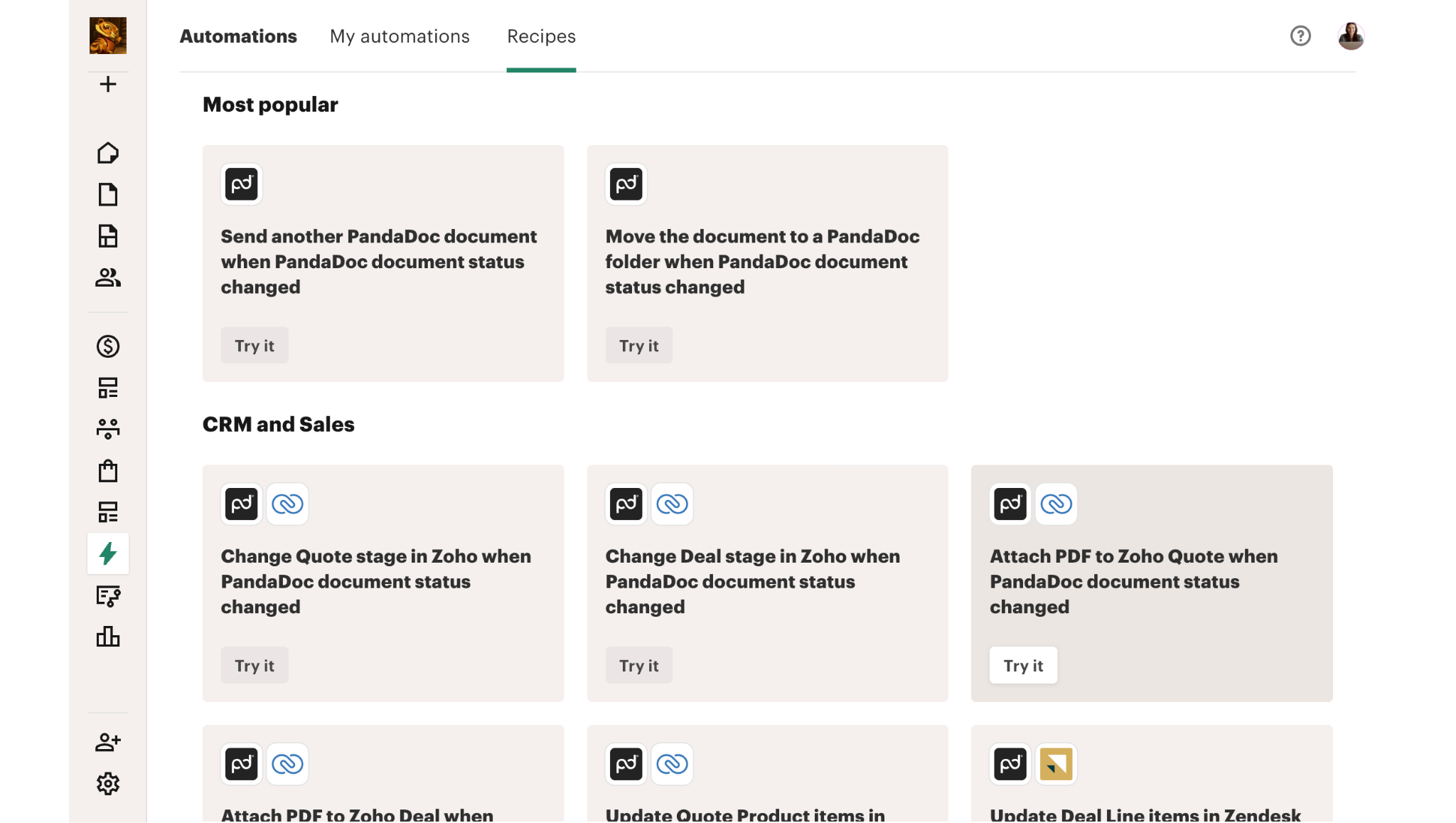
PandaDoc's automation uses a trigger-action recipe model that fires on document status changes (Sent or Completed). Recipes can update deal stages across HubSpot, Salesforce, Pipedrive, Microsoft Dynamics, Zoho, and Zendesk Sell, archive signed PDFs to cloud storage (Google Drive, OneDrive, Dropbox, Box, SharePoint), auto-send follow-up documents, and create records in BambooHR and Greenhouse. Automations are set at the template level, so every document inheriting that template gets the same automation without additional setup. PandaDoc also offers conditional approval workflows that route documents to reviewers based on discount thresholds or deal values.
Source: PandaDoc
PandaDoc covers more integration ground: more CRMs, cloud storage archiving, HR system connections, and conditional approvals. Qwilr's automation is sharper in one area: writing granular buyer interaction data (accepted quote line items, form responses, payment details) back into CRM fields automatically.
Payment collection at the point of acceptance
Both platforms let buyers pay when they accept. The implementations reflect their different philosophies.
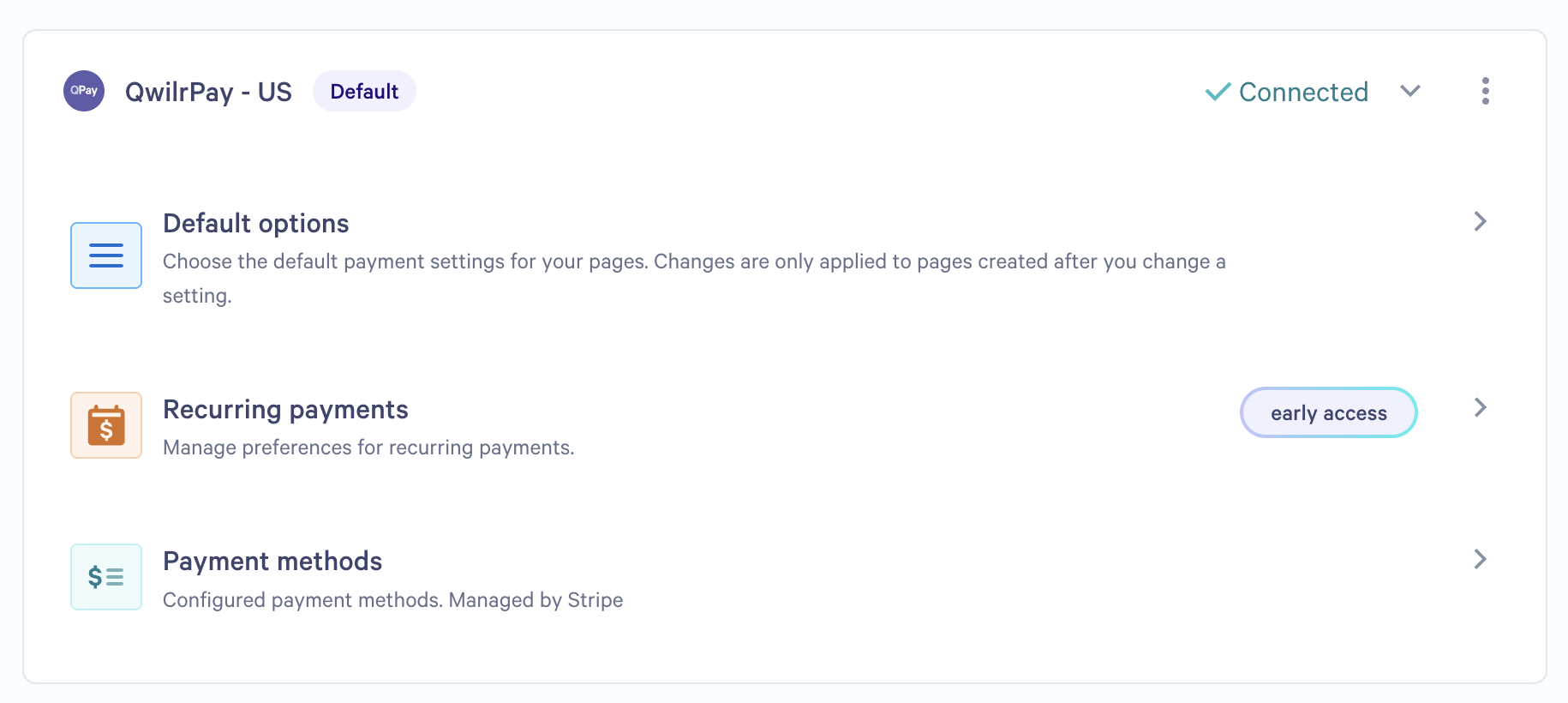
QwilrPay runs on Stripe and embeds checkout directly in the Accept Block. The payment amount pulls automatically from the Quote Block, so there's no manual entry and no risk of quoting one figure and charging another. QwilrPay supports credit cards, Apple Pay, Google Pay, ACH, BECS, and SEPA bank debits. Full payments, partial payments (flat or percentage), and recurring subscriptions with configurable billing frequency are all handled in-proposal.
Source: Qwilr
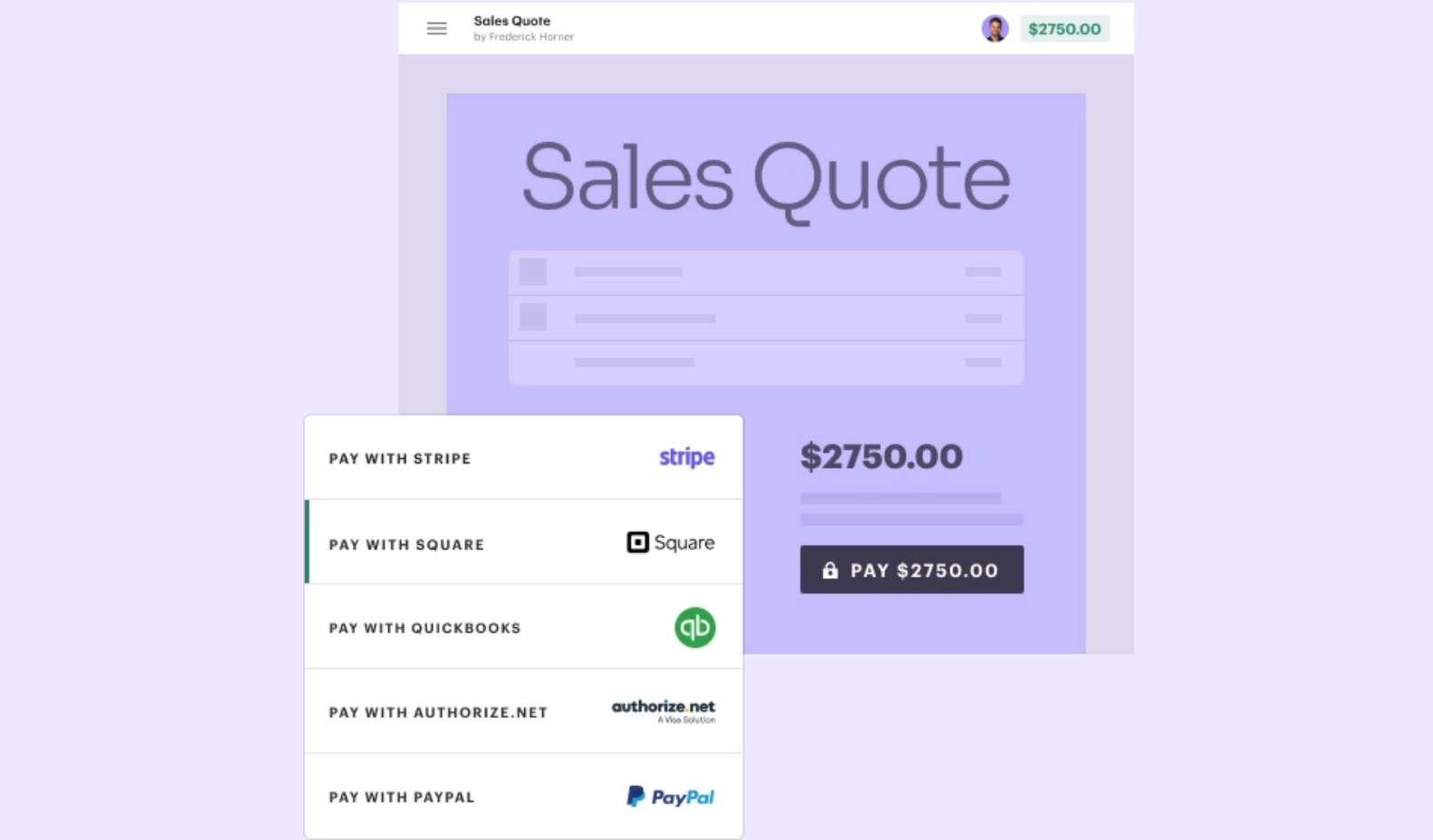
PandaDoc supports a broader set of payment gateways: Stripe, Square, PayPal, Authorize.net, QuickBooks Payments, and FreshBooks. Payments embed in the document alongside e-signature fields, including recurring Stripe billing and Stripe invoicing. Payment collection is available on Free and Starter plans as of March 2026.
Source: PandaDoc
If your team uses Stripe exclusively, both platforms work similarly. If you need PayPal, Square, or other gateways, PandaDoc has broader coverage.
Pricing comparison
Qwilr's pricing is simpler. PandaDoc's has more tiers and more hidden costs.
Qwilr offers three plans:
Starter: $35/user/month (annual billing). Includes the core proposal builder, e-signatures, analytics, QwilrPay, HubSpot, Zoho, and Pipedrive integrations, plus API access (usage costs apply).
Growth: $55/user/month (annual billing only, minimum 5 users). Adds automations, custom branding, identity verification, enhanced reporting, template-level settings, a dedicated Customer Success Manager, and API access.
Scale: $75/user/month (annual billing only, minimum 10 users). Adds Salesforce integration, conditional content, Smart Proposal Engine, AI Prefill, premium design services, team-level permissions, chat support, enhanced API support, and annual document automation credit renewal.
PandaDoc offers four tiers:
Free: $0, unlimited seats. Limited to 60 documents per year, 2 recipients per document, 5 templates, basic e-signatures only. No integrations.
Starter: $19/user/month annual. Adds audit trail, 24/7 support, and unlimited seats.
Business: $49/seat/month annual. Adds custom quotes, approval workflows, bulk send, and CRM integrations.
Enterprise: Custom pricing. Adds CPQ, advanced automations, SSO, custom roles, data residency, QES, and KBA/ID verification.
PandaDoc's lower starting price looks attractive, but the feature set at $19/month is thin: no CRM integrations, no approval workflows, no custom quotes. To get the proposal features most sales teams need, you're comparing Qwilr Starter at $35/user/month against PandaDoc Business at $49/seat/month. At the comparable tier, Qwilr is 30% cheaper and includes interactive quoting, in-proposal payments, and engagement scoring that PandaDoc either doesn't offer or gates to higher plans.
PandaDoc also carries document overage fees on Starter and Business plans: $2.00–$3.50 per additional document depending on plan and billing cadence. And per PandaDoc's MSA, removing licensed users from a subscription does not reduce fees. You're locked into the contracted seat count.
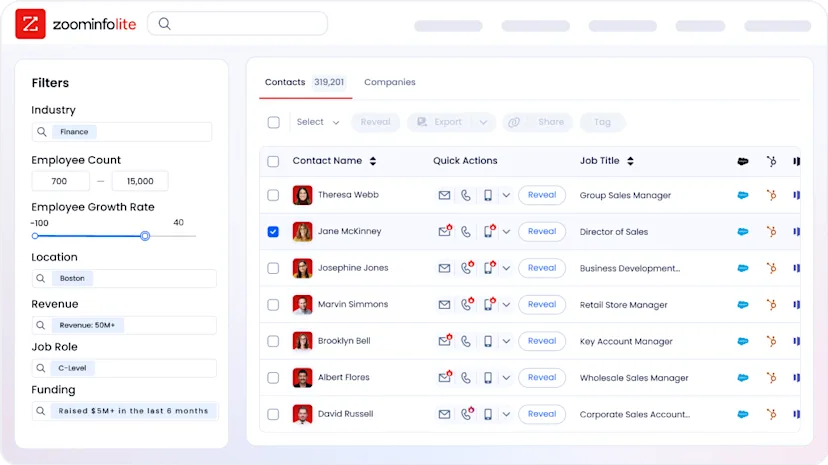
ZoomInfo uses custom-quoted, consumption-based pricing with no published dollar amounts. ZoomInfo Lite is a permanent free tier with access to the B2B database, 10 monthly export credits, advanced search filters, the Chrome extension, and HubSpot integration. No credit card required.
Document collaboration and team workflows
PandaDoc handles larger team workflows more naturally. Qwilr is catching up.
PandaDoc's multi-team workspaces let organizations segment content libraries, templates, and permissions by team or department. Content locking prevents reps from editing pre-approved language. Approval workflows route documents to reviewers in sequence, with conditional logic triggering approvals only when specific thresholds are met. Custom roles with granular permissions are available on Enterprise. Deal Rooms add a shared collaboration space for complex B2B deals, with mutual action plans, task assignments, and per-item engagement tracking.

Source: PandaDoc
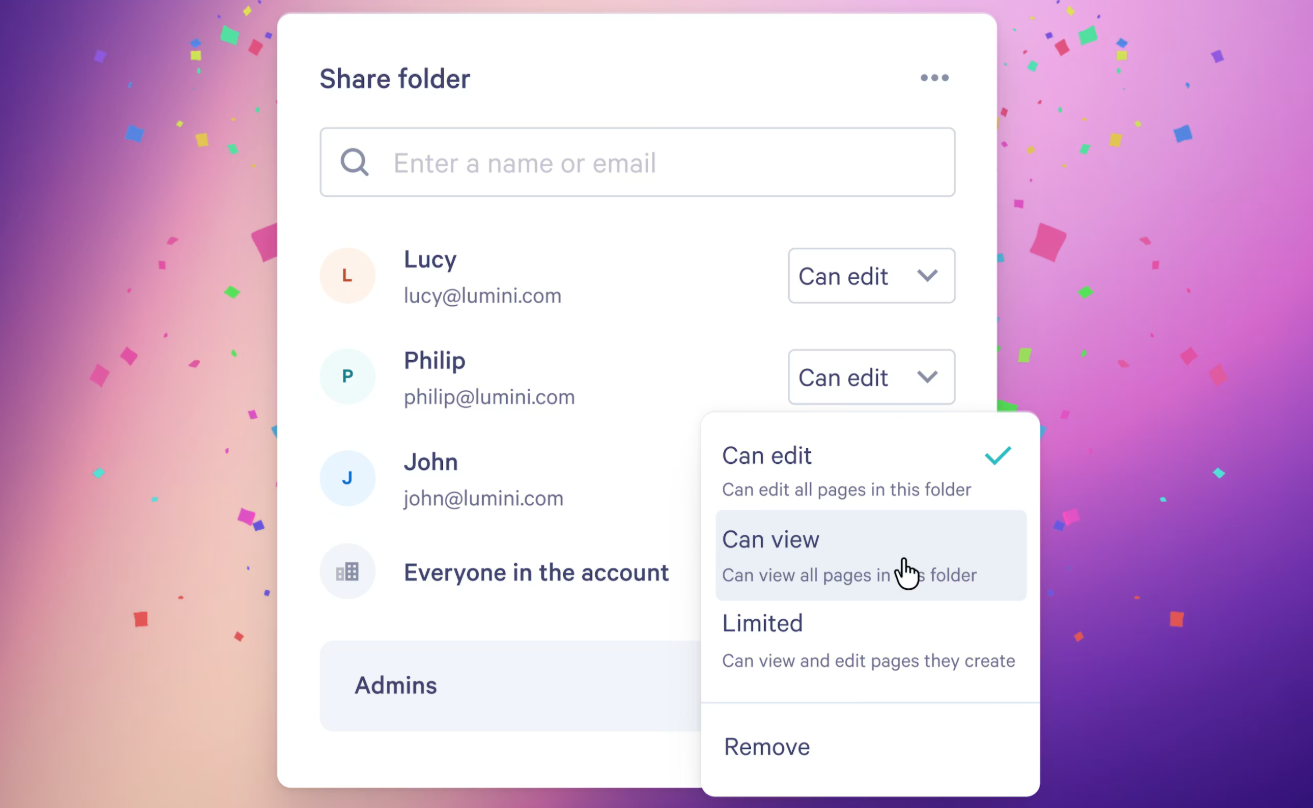
Qwilr's collaboration features are thinner. Folder-level access permissions launched in February 2026, and brand controls enforce consistent visual identity. But internal commenting, version tracking, and structured approval workflows are limited. G2 reviewers note this as a gap for larger teams with complex proposal review processes.
Source: Qwilr
For solo sellers or small teams, neither platform's collaboration limits will slow you down. For organizations with 20+ salespeople, legal review requirements, or multi-department approval chains, PandaDoc provides the governance that Qwilr doesn't yet match.
Where ZoomInfo completes the stack
Qwilr and PandaDoc both optimize what happens after you decide to send a proposal. ZoomInfo optimizes the decisions that lead to that moment.
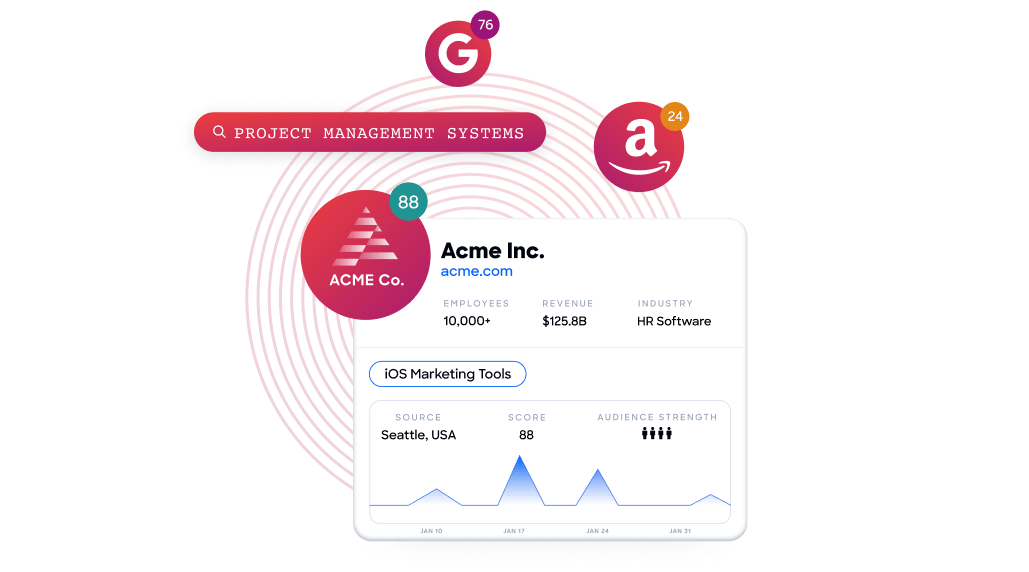
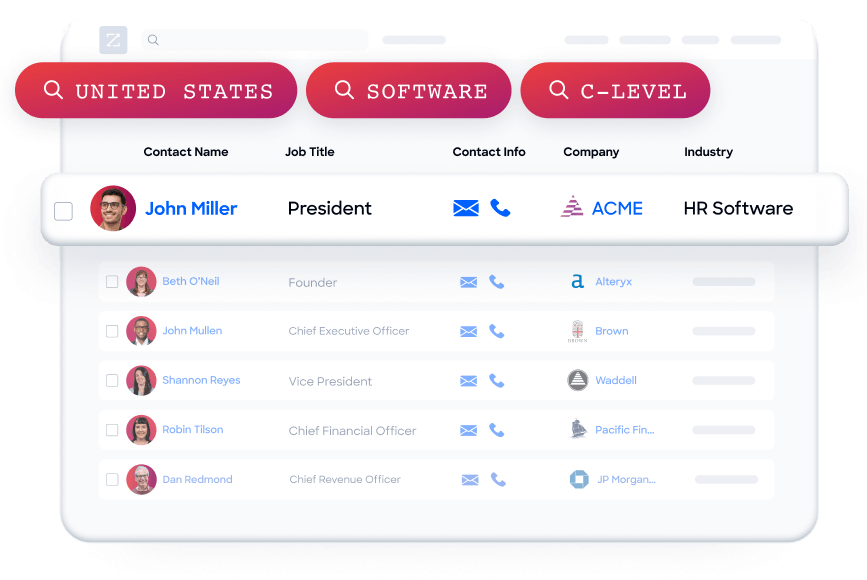
Identifying the right accounts. ZoomInfo's Buyer Intent data tracks signals from 210 million IP-to-Organization pairings and 6 trillion+ new keyword-to-device pairings monthly. Guided Intent identifies topics historically correlated with deal success, so your team targets accounts showing buying behavior rather than broadcasting proposals to a static list.
Reaching verified contacts. A proposal sent to an outdated email address is a wasted proposal. ZoomInfo maintains 200M+ verified business email addresses and 135M+ verified phone numbers, with up to 95% accuracy on first-party data. That accuracy flows into your CRM, which feeds Qwilr's or PandaDoc's personalization tokens.
Understanding the buying committee. Complex B2B deals involve multiple stakeholders. ZoomInfo surfaces department org charts with decision-makers' direct dials and emails, so proposals address the full buying group rather than a single contact who may lack signing authority.
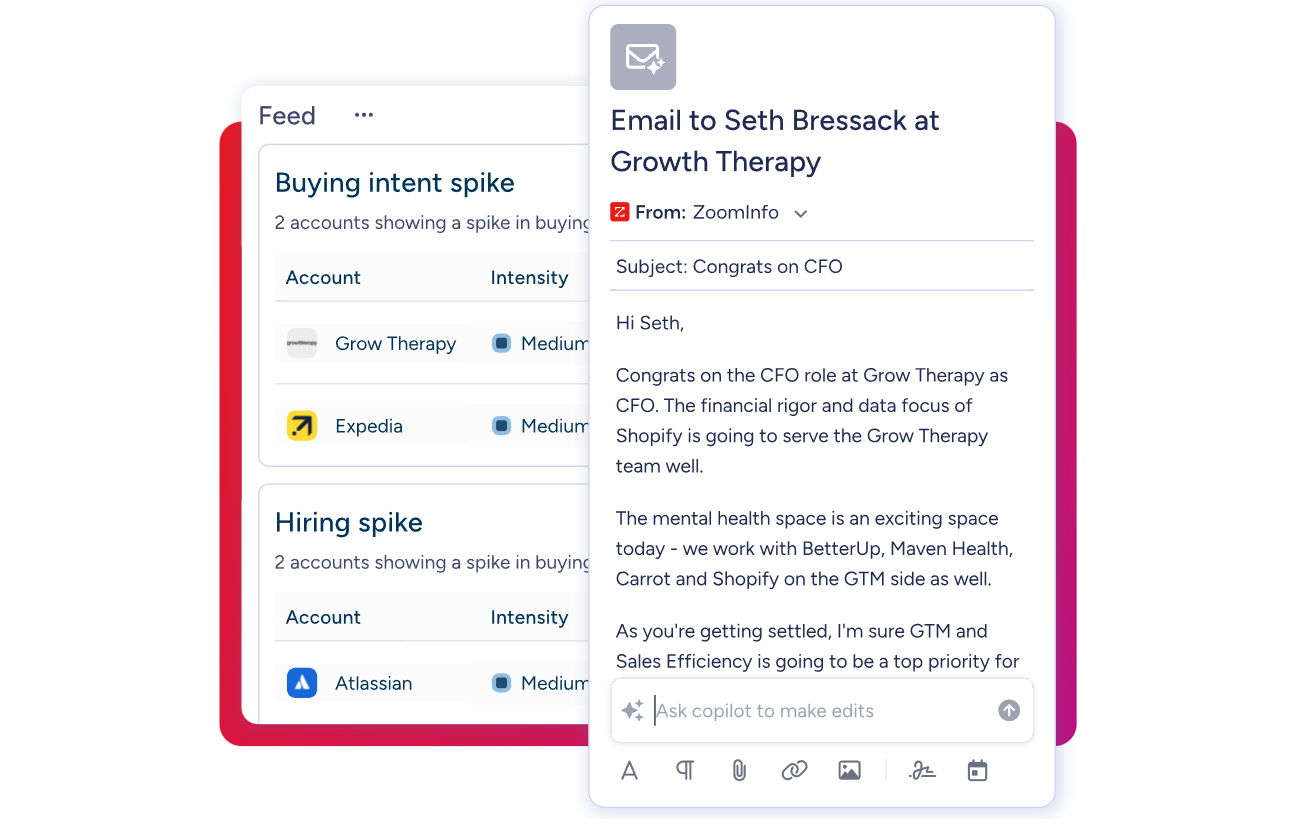
AI-powered execution. GTM Workspace gives sellers a prioritized account feed with AI-drafted outreach addressing specific deal context. GTM Studio lets marketers and RevOps teams define audiences in natural language and launch multi-channel campaigns targeting accounts that match proven win patterns. Both draw from the same GTM Context Graph, so the intelligence stays consistent across every surface.
Vensure scaled their prospecting with ZoomInfo data. Their VP of Revenue Operations noted: "ZoomInfo gives us the information we need to execute. We don't have to go through and spend our time digging. It's already there, so we can be three steps ahead." (Vensure Case Study)
For teams using Qwilr or PandaDoc, ZoomInfo works upstream: enriching the CRM data that powers proposal personalization, surfacing the intent signals that tell you when to send, and mapping the stakeholders who need to see your proposal. The combination is more effective than either layer alone.
Qwilr vs. PandaDoc vs. ZoomInfo: Which should you choose?
The right choice depends on what's slowing your deals down.
Choose Qwilr if:
Visual impact matters, and you want proposals that look like a website, not a document
Your sales team needs block-level buyer analytics to time follow-ups precisely
You want interactive pricing that lets buyers configure their own deal
You prefer a single link that updates in real time over versioned PDF attachments
Your deals are straightforward enough that you don't need full CPQ or complex contract workflows
Choose PandaDoc if:
You need a document lifecycle platform covering proposals, contracts, CPQ, and compliance
Complex signing workflows (QES, identity verification, sequential signing, in-person signing) are requirements
Your team spans sales, legal, and HR, and needs shared workspaces with approval routing
You require certifications like HIPAA, 21 CFR Part 11, or eIDAS QES
Multiple payment gateways beyond Stripe matter to your workflow
Add ZoomInfo if:
You want to send proposals to verified contacts at accounts showing buying intent
Your CRM data is incomplete or stale, and you need accurate contact information flowing into your proposal templates
You want AI-driven account prioritization so your reps know which deals to proposal first
You need visibility into the full buying committee, not just the one contact you happen to know
You want your proposal workflow powered by the same intelligence that drives prospecting, outreach, and pipeline management
Start with ZoomInfo Lite for free, permanent access to the B2B database with no credit card required.
The most effective sales teams don't choose between great proposals and great data. They use both. Qwilr or PandaDoc handles the document: the visual impact, the pricing, the signature, the payment. ZoomInfo handles the intelligence: who to sell to, when to engage, and what matters to them. Together, your proposals reach the right people at the right moment with the right message.
Qwilr vs. PandaDoc vs. ZoomInfo FAQ
What is the core difference between Qwilr and PandaDoc?
Qwilr delivers proposals as interactive web pages with embedded video, live pricing tables, and block-level buyer analytics. PandaDoc is a broader document lifecycle platform covering proposals, contracts, CPQ, e-signatures with QES and advanced identity verification, and multi-gateway payment collection. Qwilr prioritizes visual impact and buyer engagement tracking; PandaDoc prioritizes workflow breadth and compliance.
Which platform is cheaper for a sales team?
At comparable feature levels, Qwilr costs less. Qwilr Starter runs $35/user/month (annual) and includes interactive quoting, e-sign, in-proposal payments, and engagement analytics. PandaDoc Business costs $49/seat/month (annual) for similar proposal capabilities. PandaDoc's Starter plan at $19/user/month is cheaper but lacks CRM integrations, approval workflows, and custom quoting.
How does ZoomInfo fit with Qwilr or PandaDoc?
ZoomInfo is not a proposal tool. It's the intelligence layer that makes proposals more effective. ZoomInfo enriches your CRM with verified contact data, surfaces buyer intent signals showing which accounts are in-market, and maps buying committees so proposals reach the right stakeholders. Both Qwilr and PandaDoc pull data from CRMs that ZoomInfo keeps accurate.
Which platform has better buyer engagement analytics?
Qwilr provides more granular analytics. It tracks engagement at the content-block level, recording which sections each viewer spent time on, whether they interacted with ROI calculators or quote tables, and scoring engagement from Highly Engaged to Highly Disengaged via a configurable algorithm. PandaDoc tracks at the page level: who opened the document, time on each page, and forwarding activity.
Which platform is better for complex contracts and compliance?
PandaDoc is the stronger choice for regulated industries and complex contracts. It supports Qualified Electronic Signatures (QES) across all 27 EU member states, five identity verification methods including biometric ID checks, HIPAA and 21 CFR Part 11 compliance, conditional approval workflows, and US/EU data residency options. Qwilr's signing capabilities are legally compliant but do not include QES, advanced identity verification, or regulatory-specific certifications.
Can I collect payment inside proposals on both platforms?
Yes. Qwilr's QwilrPay supports credit cards, Apple Pay, Google Pay, and bank debits (ACH, BECS, SEPA) through Stripe, with full, partial, and recurring payment options. PandaDoc supports a wider range of gateways including Stripe, Square, PayPal, Authorize.net, QuickBooks Payments, and FreshBooks. Both platforms let buyers sign and pay in a single session.
Which platform is faster to implement?
Qwilr claims the fastest implementation time among the top 10 proposal platforms on G2, with most users productive within minutes of signing up. PandaDoc's drag-and-drop editor is also accessible, though teams report that configuring CRM integrations, approval workflows, and CPQ rules takes longer. ZoomInfo's GTM Workspace deploys in weeks rather than months for CRM integration and data enrichment.
Do I need all three platforms?
Not necessarily. If your main challenge is creating better-looking proposals, Qwilr or PandaDoc alone may suffice. If your challenge is knowing who to send proposals to and when, ZoomInfo fills that gap. The combination is most valuable for B2B sales teams where deal velocity depends on both the quality of the proposal and the accuracy of the targeting behind it.
More PandaDoc comparisons and alternatives:
