
Choosing between Proposify vs. PandaDoc for your sales documents often comes down to five questions:
Do you need a tool that specializes in proposals, or one that covers the full document lifecycle from quotes to contracts to payments?
Is brand control and template governance more important than document volume and automation?
Are your deals simple enough to close with a proposal, or do they require CPQ, deal rooms, and multi-step approval chains?
How critical is CRM integration depth, and which CRM does your team actually use?
Do you have visibility into who you should be sending proposals to in the first place, or are you guessing?
In short, here's what we recommend:
Proposify is designed for sales teams that live and die by their proposals. Its drag-and-drop editor, interactive pricing tables, and section-level engagement analytics let teams create polished proposals in 17 minutes on average and track how prospects interact with them. But Proposify's scope ends at the proposal. It lacks CPQ for complex product configurations, has no native payment collection beyond Stripe, and is still mid-migration to its V3 platform, meaning some features remain in flux.
PandaDoc covers a wider slice of the document-to-revenue workflow. Beyond proposals, it handles contracts, quotes, CPQ, deal rooms, eSignatures, and payment collection through Stripe, Square, and PayPal. PandaDoc serves teams that need one tool for everything from quote generation to signed contract to collected payment. The trade-off: PandaDoc's broader scope means its proposal-specific features (engagement analytics, brand governance) are less specialized than Proposify's. Its editor, while being rebuilt from the ground up, has drawn criticism for formatting problems and limited post-send editing.
Both platforms solve the "last mile" of your sales cycle: getting a document in front of a buyer and getting it signed. But neither addresses whether that proposal reaches the right person at the right time. That's the upstream problem, and it's where ZoomInfo fits.
ZoomInfo is an AI-powered go-to-market platform built on a large B2B data foundation: 500M contacts, 100M companies, 135M+ verified phone numbers, and 200M+ verified business email addresses. Its GTM Context Graph processes 1.5B+ data points daily, combining this data with your CRM records, conversation transcripts, and behavioral signals to reveal not just who your buyers are, but when they're ready to buy and why deals move or stall. Your team accesses this intelligence through GTM Workspace for sellers, GTM Studio for marketers and RevOps, or APIs and MCP in any front-end. ZoomInfo doesn't replace Proposify or PandaDoc; it makes whichever one you choose more effective by ensuring your proposals reach verified decision-makers who are actually in-market.
If feeding your proposal tool with accurate buyer intelligence sounds like the missing piece, see how ZoomInfo works.
Proposify vs. PandaDoc vs. ZoomInfo at a glance
Proposify | PandaDoc | ZoomInfo | |
|---|---|---|---|
Primary function | Proposal management | Document automation & eSignature | B2B data & GTM intelligence |
Core strength | Proposal design, tracking & close rates | Full document lifecycle with CPQ & payments | Buyer data, intent signals & AI-powered GTM |
Starting price | $19/user/month (annual) | $19/user/month (annual) | Custom (consumption-based) |
Free plan | 14-day trial only | Free eSign plan (60 docs/year) | ZoomInfo Lite (permanent, 10 exports/month) |
eSignatures | Built-in on all plans | Built-in on all plans (incl. QES) | Not applicable |
CPQ | Not available | Enterprise plan | Not applicable |
CRM integrations | HubSpot, Salesforce, Pipedrive, Zoho | HubSpot, Salesforce, Pipedrive, Dynamics | Salesforce, HubSpot, Dynamics + 120 more |
Engagement analytics | Section-level time tracking | Page-level view tracking | Buyer intent signals & website visitor ID |
Payment collection | Stripe only | Stripe, Square, PayPal, Authorize.net | Not applicable |
Best for | Sales teams focused on winning proposals | Teams needing end-to-end document workflows | Teams needing accurate buyer data upstream |
Proposify specializes in proposals, PandaDoc covers the full document lifecycle
The fundamental difference between these two platforms is scope.
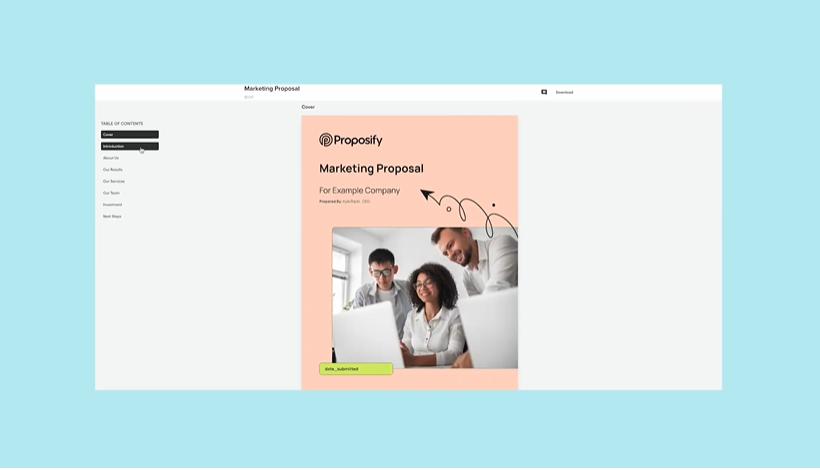
Proposify does one thing: proposals. Every feature (from its template engine to its engagement analytics to its interactive pricing tables) is built for creating, sending, and closing proposals. This focus shows in the details. Proposals arrive as live web pages, not static PDFs, which enables section-by-section engagement tracking.
Source: Proposify
Reps see which sections a prospect lingered on, which pricing options they toggled, and whether they forwarded the proposal to colleagues. That behavioral data drives smarter follow-ups.
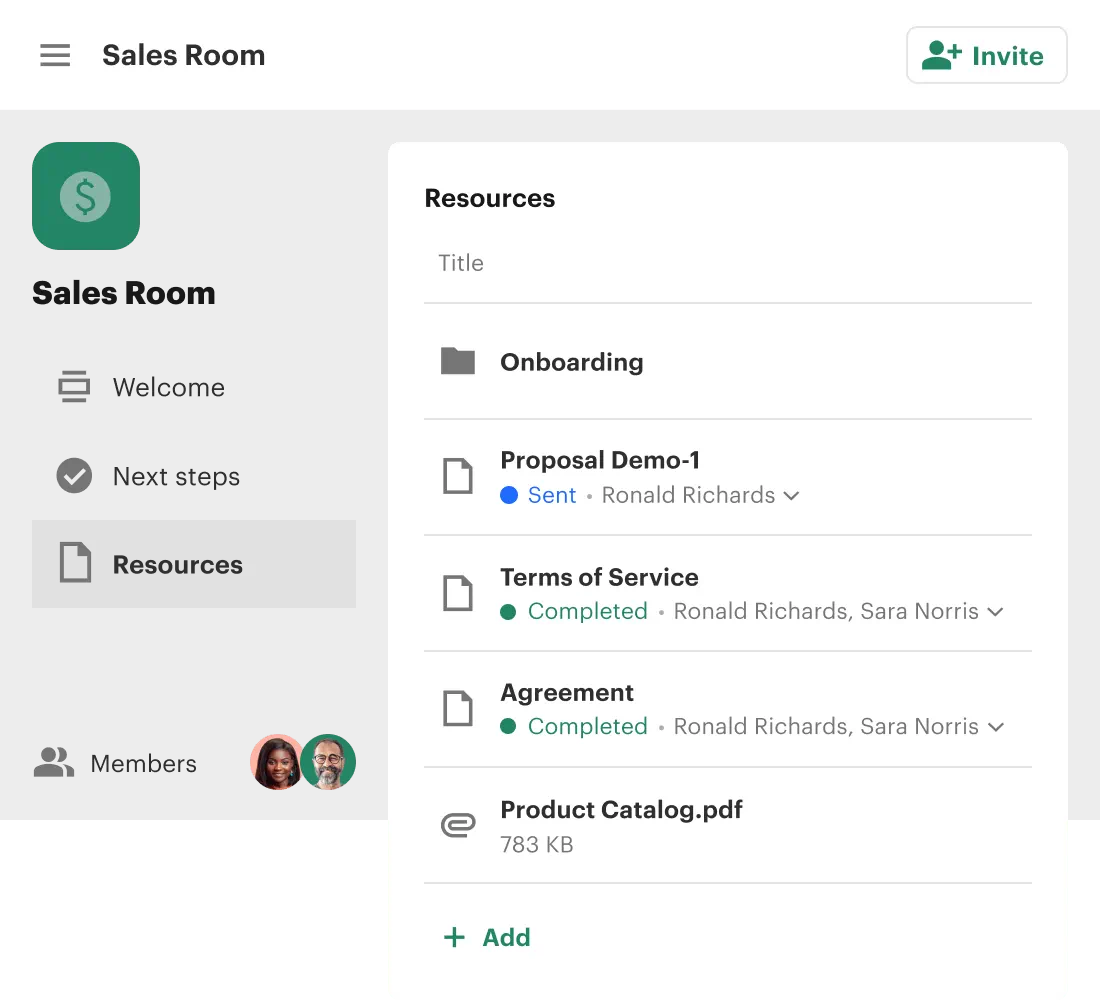
PandaDoc covers more ground. A single account handles proposals, contracts, quotes, NDAs, offer letters, and onboarding paperwork. Its CPQ module (Enterprise plan) automates complex quoting with rules-based pricing logic. Deal Rooms consolidate all deal materials into a branded space with mutual action plans.
Source: PandaDoc
Payment collection at the point of signature collapses the sign-and-pay workflow into one step.
The trade-off is predictable: Proposify's proposals look and feel more polished because that's all it does. PandaDoc's proposals are competent but share an editor designed to handle everything from a one-page NDA to a 50-page services agreement.
For teams whose sales cycle starts and ends with a proposal, Proposify is the sharper instrument. For teams that need proposals plus contracts plus quotes plus payment collection, PandaDoc eliminates the need to stitch together multiple tools.
Engagement analytics tell different stories
Both platforms track what happens after you click send. The difference is what they track and how far down they go.
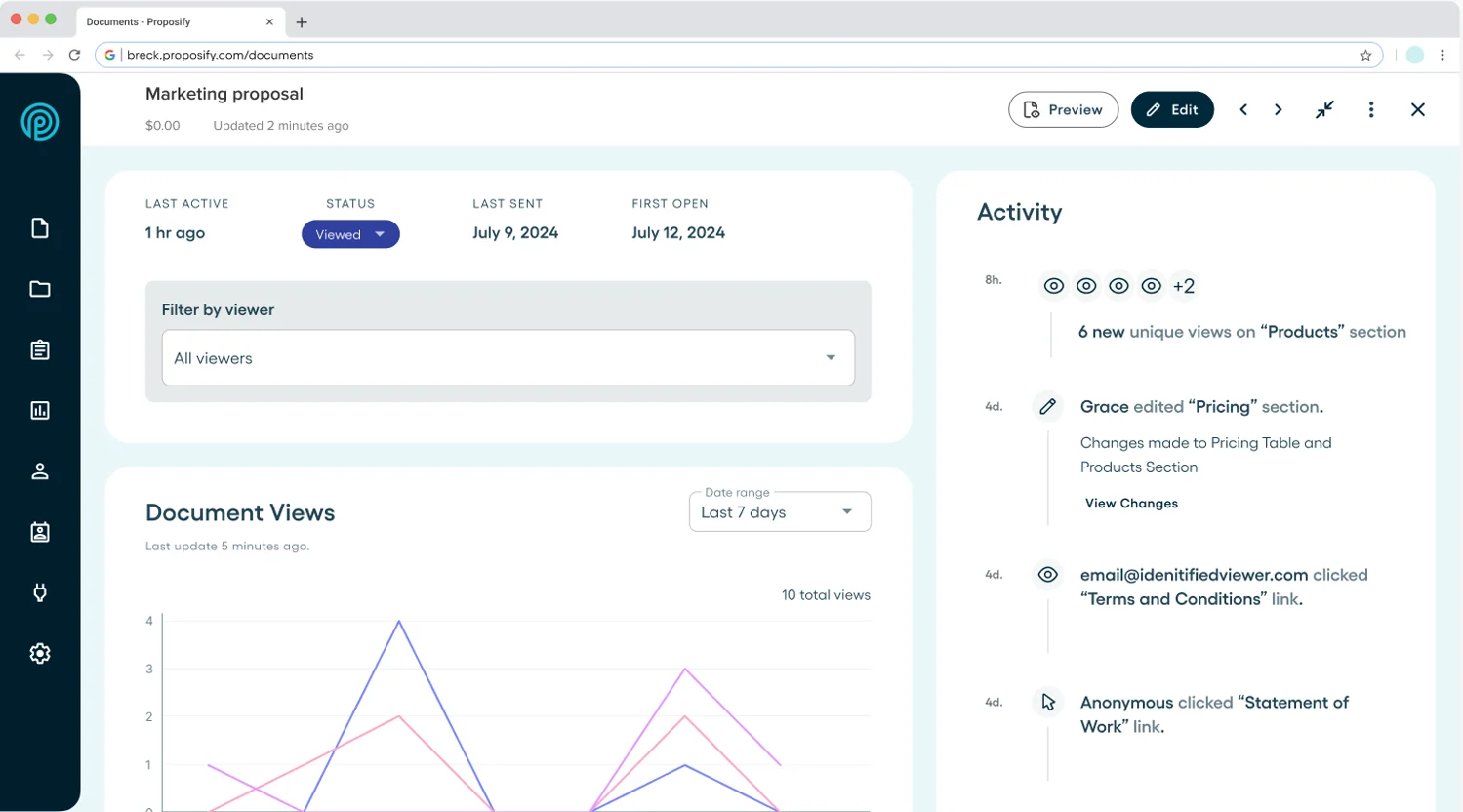
Proposify tracks engagement at the section level. Reps see time spent on each section, number of revisits per section, and a per-recipient view timeline. An optional "Identify to View" gate requires recipients to enter their name and email before accessing the proposal, which surfaces hidden stakeholders who received forwarded copies.
Source: Proposify
This matters in B2B deals where the person you sent the proposal to isn't the only person evaluating it.
Proposify's State of Proposals 2026 report, built on data from 742,137 proposals across 30 industries, provides benchmarks no competitor can match. One finding: winning proposals are viewed an average of 2.5 times before closing, while unsuccessful proposals average 3.5 views. More views, counterintuitively, signal friction rather than interest.
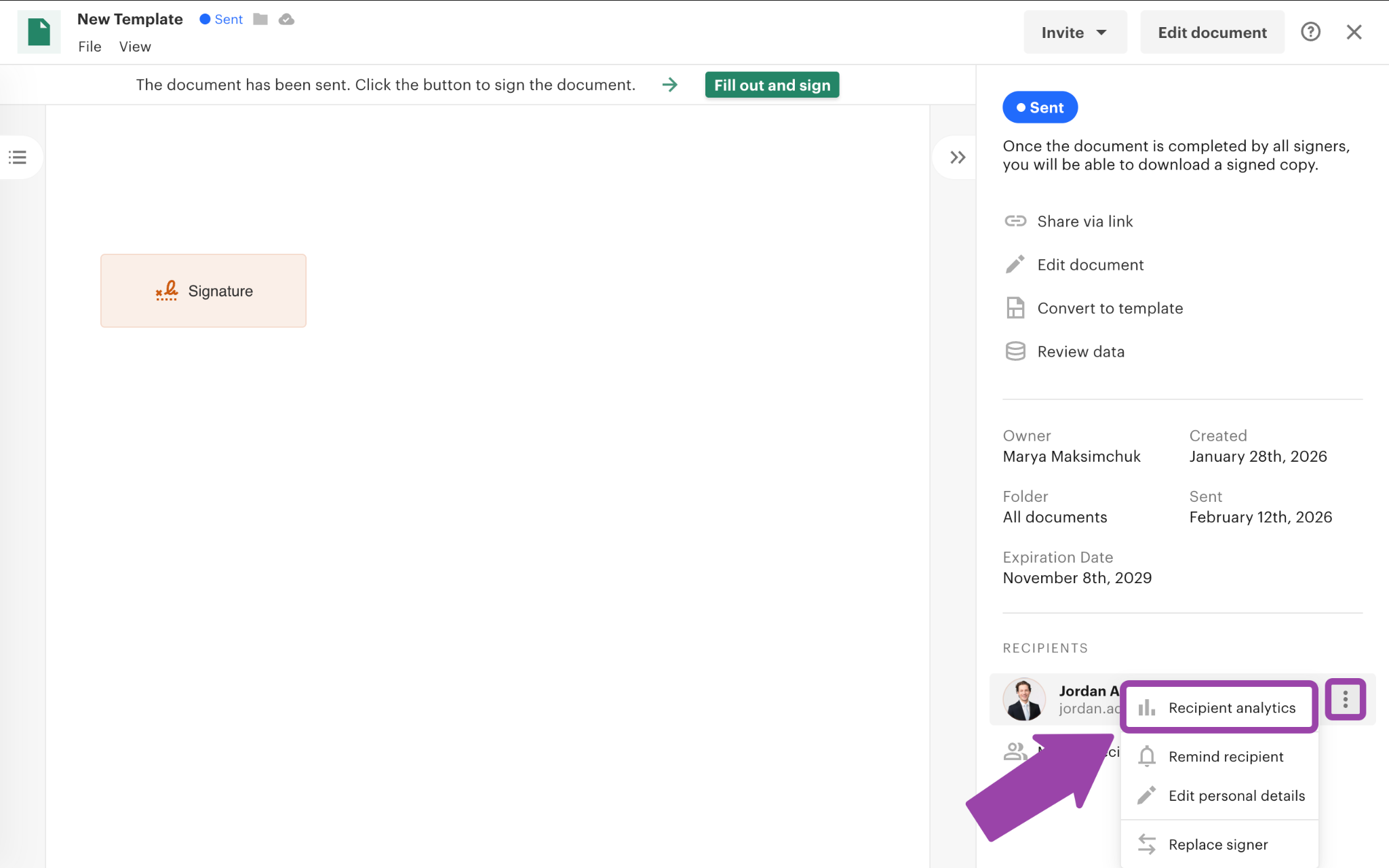
PandaDoc tracks at the page level through Document Insights, showing who viewed a document, how long they spent on each page, and whether they shared it.
Source: PandaDoc
Deal Rooms add a layer: the Insights panel tracks per-item engagement across all materials in the room, not just the primary document.
The practical difference: Proposify tells you the prospect spent four minutes on your pricing section and revisited it twice. PandaDoc tells you the prospect opened page 3 and spent two minutes there. Proposify's granularity is better for proposal-focused follow-up. PandaDoc's tracking covers a wider set of document types across the deal lifecycle.
Interactive pricing works differently in each platform
Both platforms let prospects interact with pricing, but the implementation reflects their different philosophies.
Proposify's interactive pricing tables let buyers toggle optional line items on or off and adjust quantities, with totals recalculating in real time. EverLine, a parking lot maintenance franchise operating across 59 locations, credited this feature for reducing rejected proposals: prospects who could adjust scope to fit their budget were more likely to accept than those facing a fixed price.
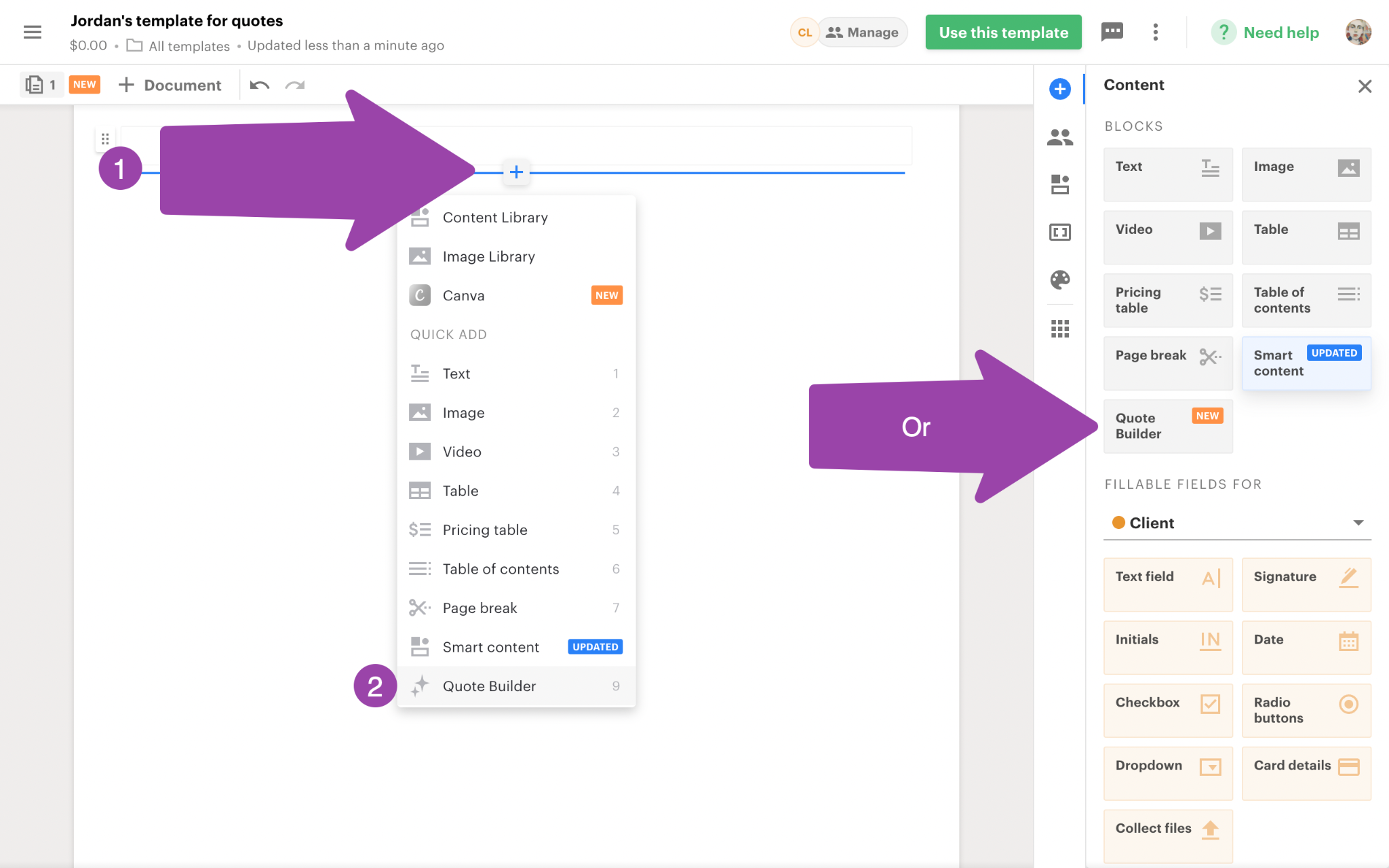
PandaDoc offers similar interactivity, with the added ability to configure volume-based pricing, recurring charges, and multi-option packages. On the Enterprise plan, PandaDoc's CPQ goes further with a rules engine that uses WHEN/THEN logic to apply discounts, enforce bundle requirements, and adjust configurations based on inputs.
The Quote Builder supports up to 500 products per block and integrates with a centralized Product Catalog.
Source: PandaDoc
For straightforward service proposals with a handful of line items, both platforms handle pricing well. For complex product configurations with tiered pricing, volume discounts, and conditional logic, PandaDoc's CPQ is in a different category. Proposify's Product Library is not yet available in V3, and embedded spreadsheets for complex pricing are still on the roadmap.
Neither platform solves the upstream problem
Proposify and PandaDoc both assume you already know who to send your proposal to. They optimize the final steps: create the document, make it look professional, get it signed. But the quality of your proposal workflow depends on the quality of the leads feeding into it.
This is where ZoomInfo operates. Instead of helping you close the deal, ZoomInfo helps you find the right deal to pursue.
ZoomInfo's GTM Context Graph processes 1.5B+ data points daily, combining its B2B data with your CRM records, conversation intelligence, and behavioral signals. The result is a layer that tells sales teams not just who to contact, but when to contact them and what to say.
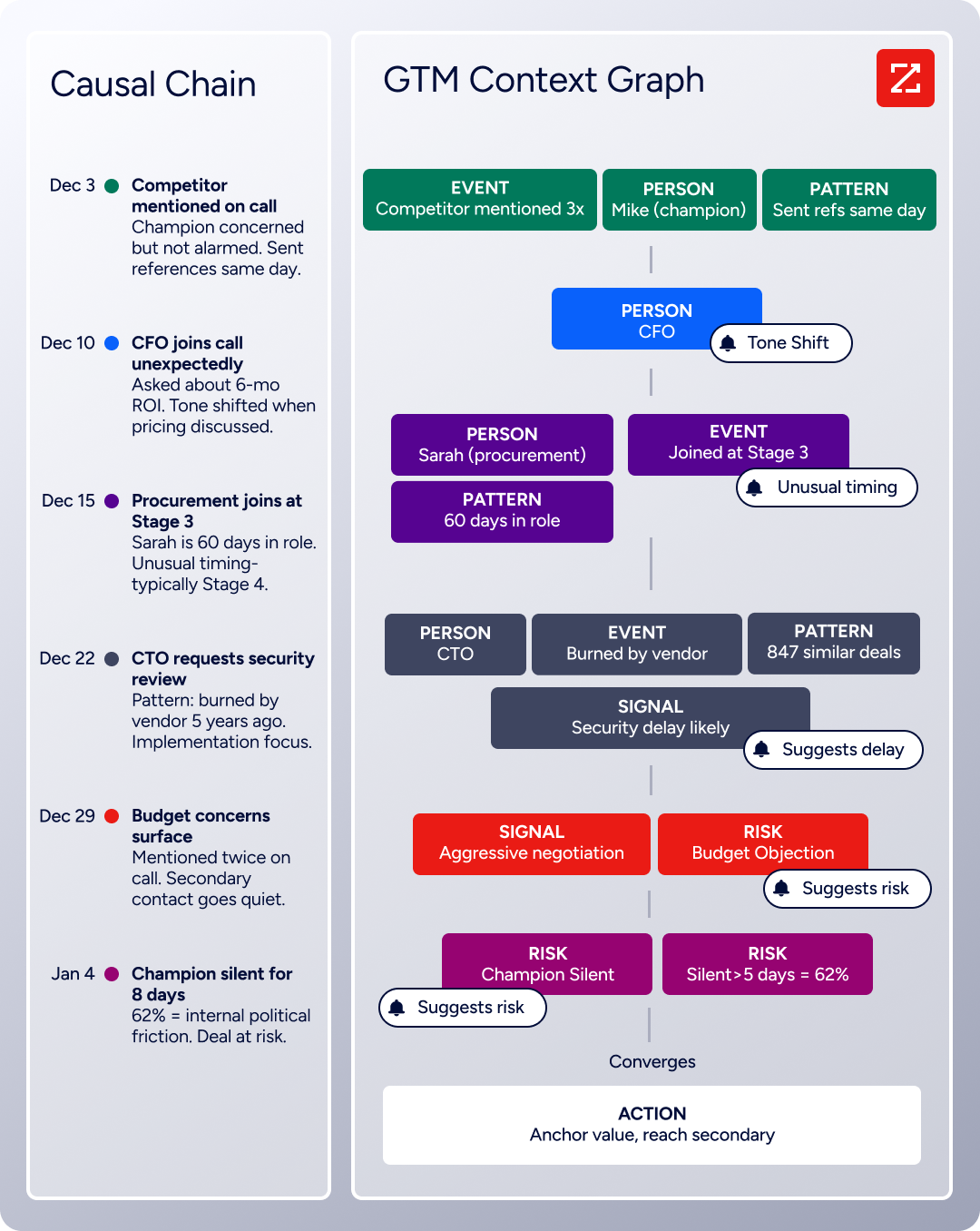
In GTM Workspace, a seller sees a prioritized account feed where AI-drafted outreach already addresses the specific concern the AI identified. An Action Feed streams in-market buyers matched to target criteria, with pre-drafted actions for every signal: a G2 comparison, a funding event, an executive hire.
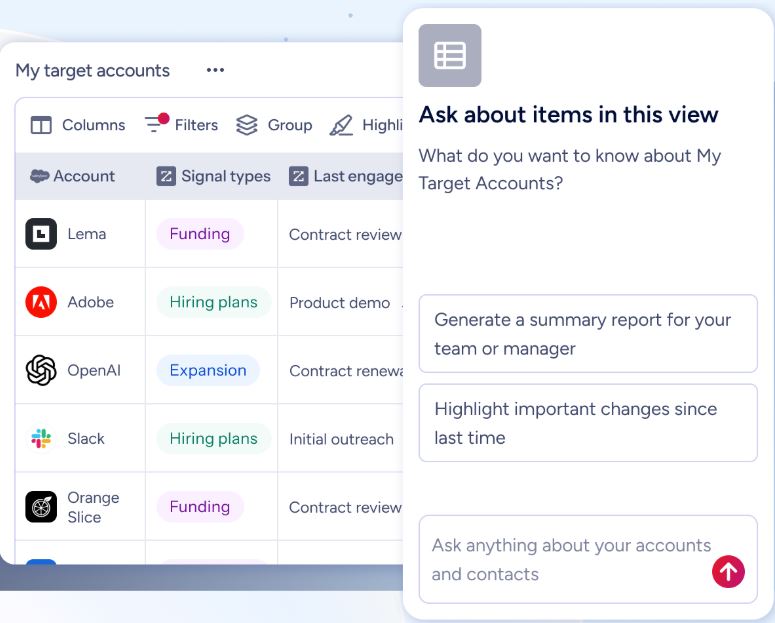
By the time a rep opens Proposify or PandaDoc to draft a proposal, they already know the buying committee, the competitive landscape, and the signals that suggest this deal is ready to move.
"ZoomInfo's not just a contact data company anymore. They've built a full system of execution. GTM Intelligence works the list, writes the outreach, triggers the play, and helps drive predictable growth." (Ian Brodie, CEO & Co-Founder, Levanta)
Template governance and brand control
Both Proposify and PandaDoc let teams build template libraries, but they approach brand enforcement differently.
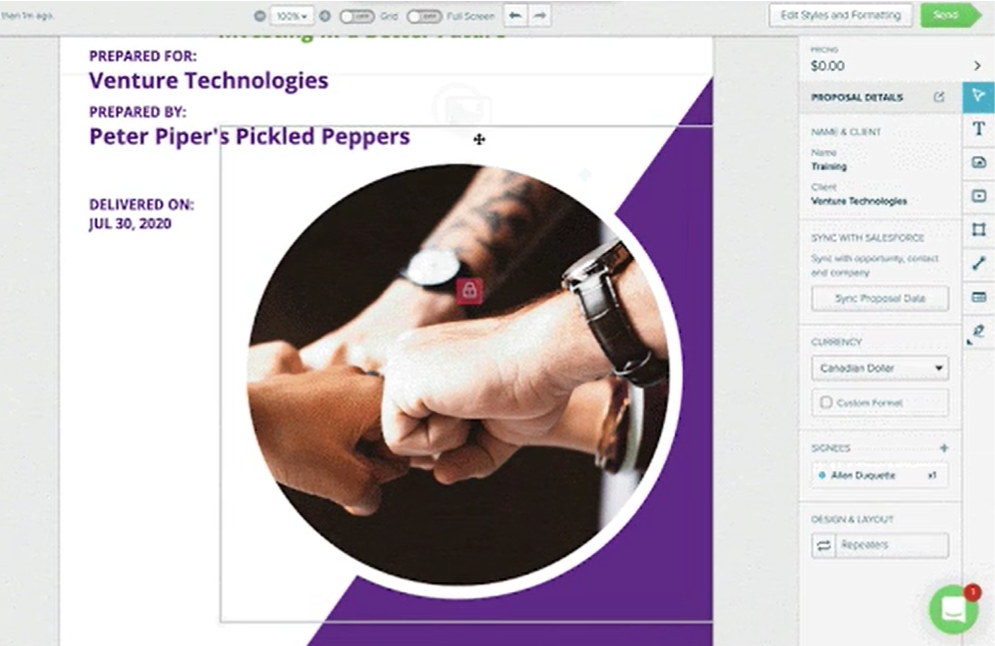
Proposify treats template governance as a core feature. Element-level and block-level locking prevents reps from modifying pricing, legal terms, or brand assets. A centralized content library with role-gated editing rights ensures marketing controls the master content while sales works from copies.
Source: Proposify
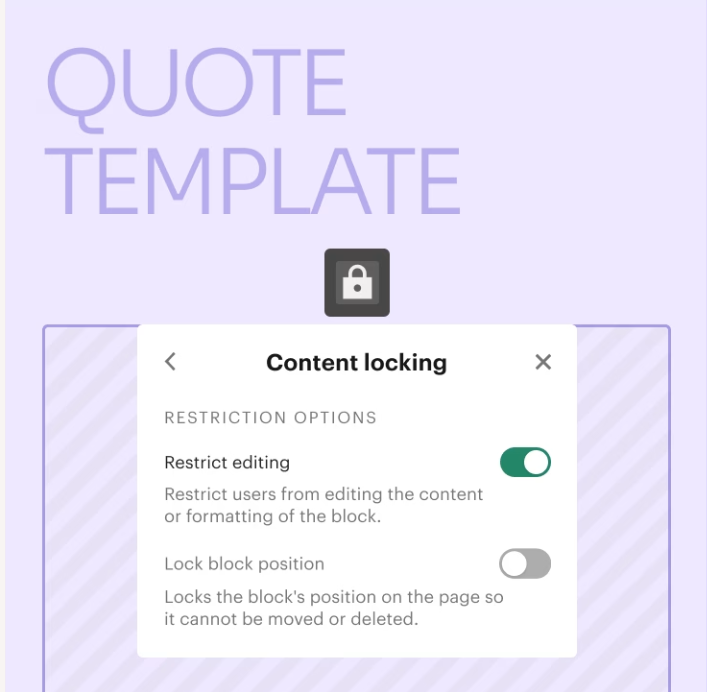
PandaDoc offers similar capabilities through content locking and workspace-scoped content libraries, plus a feature Proposify lacks: Smart Content with conditional logic. On the Enterprise plan, Smart Content automatically includes or excludes document sections based on rules tied to geography, company size, industry, or contract length.
Source: PandaDoc
A proposal for a California-based healthcare company automatically gets HIPAA-specific clauses and California tax calculations without the rep touching anything.
For teams whose primary concern is preventing reps from going off-script, Proposify's locking mechanisms are more focused. For teams that need documents to self-assemble based on deal attributes, PandaDoc's conditional content is stronger.
CRM integration depth varies
Proposify integrates natively with HubSpot, Salesforce, Pipedrive, and Zoho CRM. The HubSpot integration is the deepest: proposals can be created and tracked without leaving HubSpot, with contacts syncing bidirectionally and status events posting to the timeline.
The Salesforce integration is an add-on at $9/user/month on top of the Business plan, which effectively doubles the cost for Salesforce-heavy teams. Capterra reviewers have called it "clunky, difficult to use."
PandaDoc integrates with the same CRMs plus Microsoft Dynamics, and includes CPQ modules built for Salesforce, HubSpot, and Pipedrive. Its two-way sync with Salesforce and HubSpot writes document status back to CRM pipeline records automatically.
ZoomInfo connects to all major CRMs through its Marketplace of 120+ integrations, but serves a different function: enriching CRM records with verified contact data, intent signals, and company attributes.
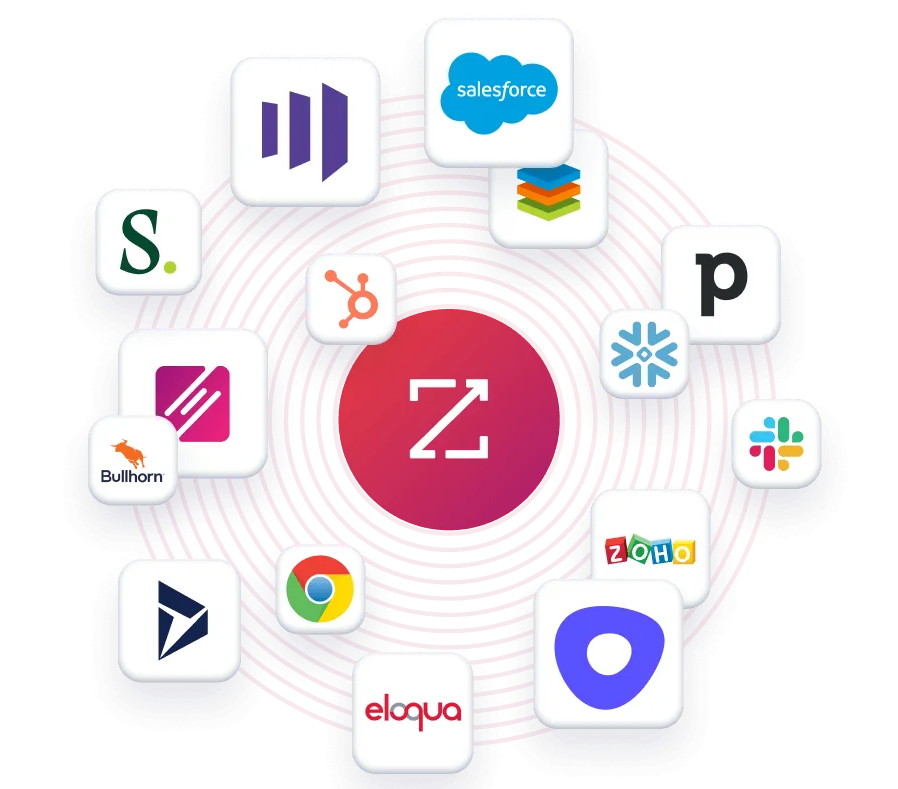
The data ZoomInfo pushes into Salesforce or HubSpot is what makes the downstream integrations with Proposify and PandaDoc more effective, because the contact information and deal context are already accurate and complete.
"Without ZoomInfo, it would be extremely difficult to achieve our business objectives. We wouldn't be able to understand the market, have the right contact data, and make meaningful connections." (Thor Sanderson, Senior Manager of Sales Technology Enablement, Smartsheet)
Automation and workflow comparison
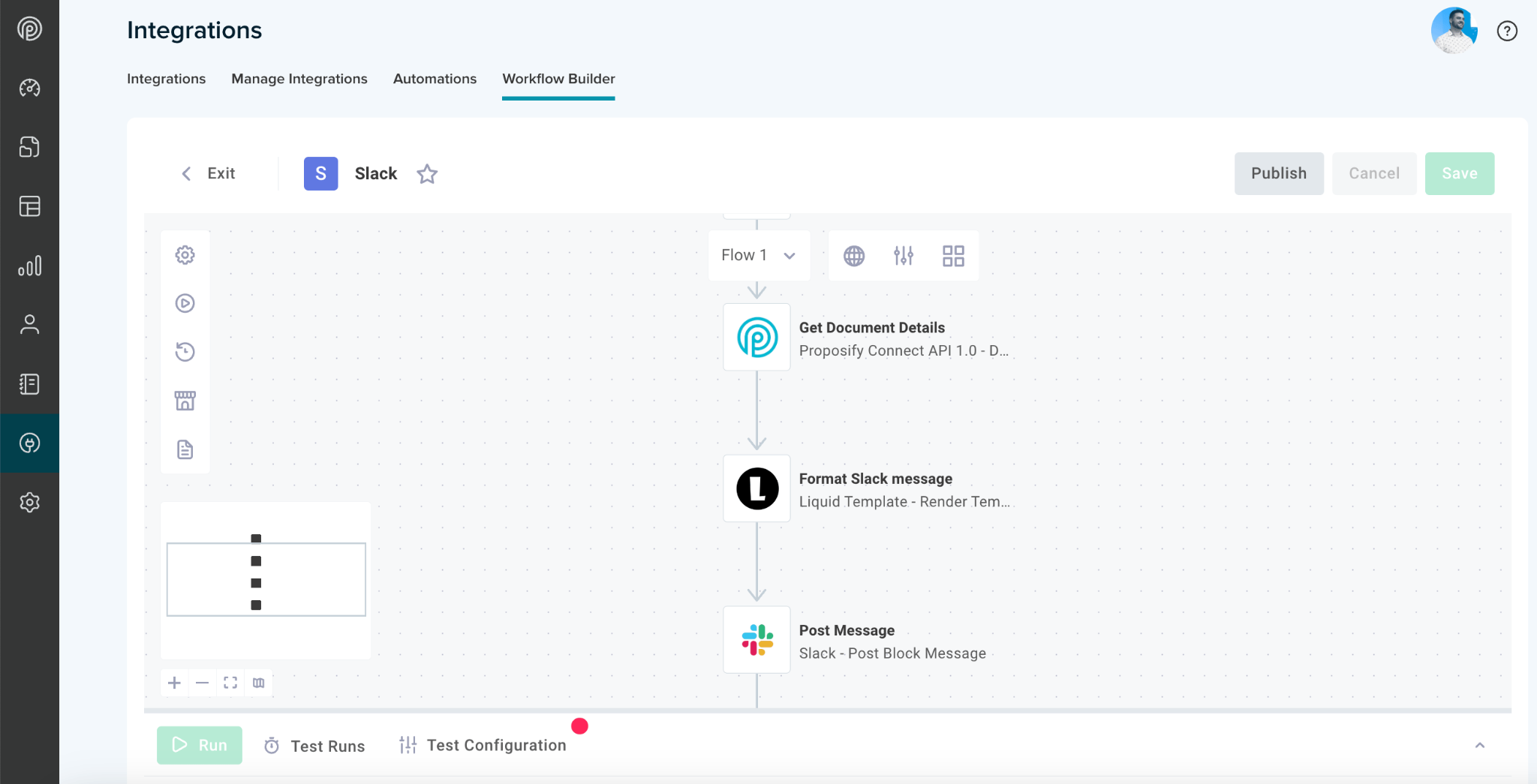
Proposify's native Workflow Builder ships free on all plans, using event-driven rules triggered by document events: a prospect opening or not opening a document, a document being won or lost, a contract expiring.
Source: Proposify
Conditional approval workflows check documents against criteria like deal value thresholds or discount percentages before allowing a send. The automation engine uses plain-English configuration and doesn't require Zapier.
PandaDoc's automation runs on a trigger-action model tied to document status changes (Sent or Completed). Template-level automations are inherited by every document generated from that template. PandaDoc's advantage is its range of external automation targets: HubSpot, Salesforce, Pipedrive, Microsoft Dynamics, Zoho, Zendesk Sell, BambooHR, Greenhouse, and NetSuite.
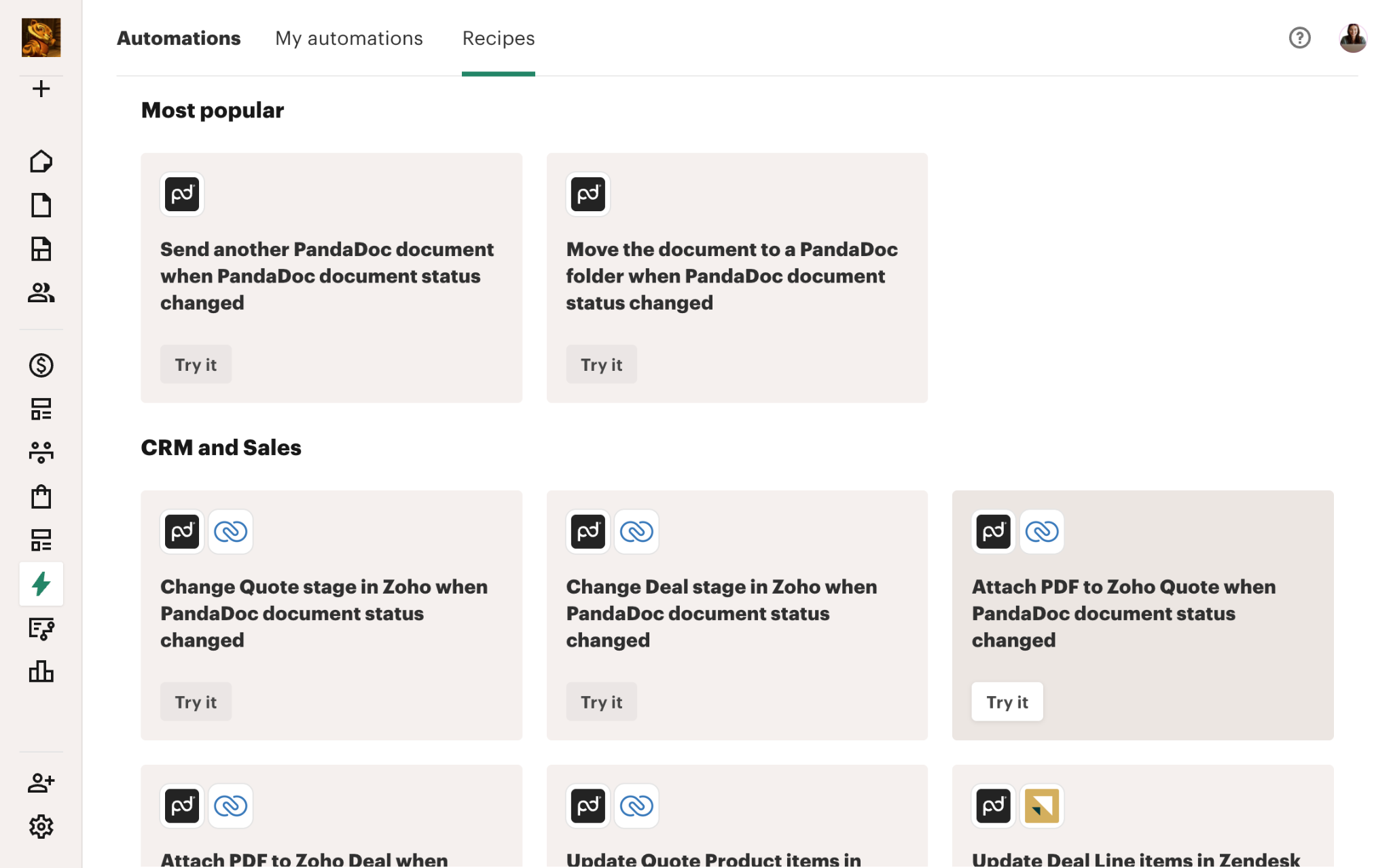
Source: PandaDoc
Completed documents can be saved automatically to Google Drive, OneDrive, Dropbox, Box, or SharePoint. AI contract reading captures renewal dates automatically, setting reminders without manual data entry.
Proposify's automations are simpler and focused on the proposal lifecycle. PandaDoc's automations span a wider range of business systems, which matters for teams that need signed documents to trigger downstream workflows in HR, accounting, or cloud storage.
eSignature capabilities reflect different ambitions
Proposify includes legally binding eSignatures on all plans, compliant with UETA, ESIGN, and eIDAS. The signing experience supports 15+ languages, works on any device without an account, and locks the document upon completion with IP and timestamp logging.
Sandler Training reports a 90% return rate on contract signatures since switching to Proposify. Proposify can also trigger Stripe payment collection at the moment of signing.
PandaDoc's eSignature capabilities go further. Beyond the same baseline compliance, PandaDoc supports three tiers of eSignature under the eIDAS framework: Basic, Advanced (AES), and Qualified Electronic Signature (QES), the highest legal standard (equivalent to a handwritten signature across all 27 EU member states).
PandaDoc also offers five identity verification methods (passcode, SMS, email code, KBA, and government ID with biometric facial scanning across 200+ countries), signing order control, and in-person signing for face-to-face scenarios.
For most proposal workflows, Proposify's eSignature is sufficient. For organizations in regulated industries, international deals requiring QES, or workflows needing identity verification beyond a simple email link, PandaDoc offers a wider compliance toolkit.
Pricing comparison
The pricing structures tell you who each platform is built for.
Proposify charges per user per month across four tiers:
Plan | Price (annual) | Key limits |
|---|---|---|
Basic | $19/user/month | 10 sends/month, 1 collaborator seat |
Team | $41/user/month | Unlimited sends, analytics, integrations |
Business | From $3,900/year | SSO, approval workflows, API, Salesforce add-on ($9/user/month extra) |
Enterprise | Custom | Custom volumes |
PandaDoc also charges per user/seat per month:
Plan | Price (annual) | Key limits |
|---|---|---|
Free | $0 (unlimited seats) | 60 docs/year, 2 recipients/doc, eSign only |
Starter | $19/user/month | Unlimited sends, audit trail |
Business | $49/seat/month | CRM integrations, approval workflows, bulk send |
Enterprise | Custom | CPQ, SSO, data residency, QES |
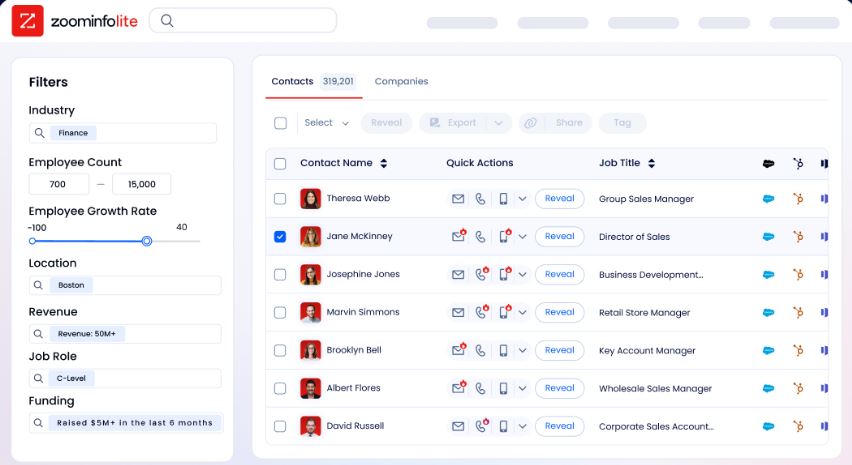
ZoomInfo uses consumption-based pricing with no published rates. ZoomInfo Lite is a permanent free tier with 10 monthly export credits and access to the B2B database. Paid plans scale based on seats, credit volume, features, and contract length.
For small teams sending a handful of proposals per month, Proposify's Basic plan and PandaDoc's Starter plan are identically priced at $19/user/month. The gap widens at the mid-tier: Proposify's Team plan ($41/user/month) includes unlimited sends and analytics, while PandaDoc's Business plan ($49/seat/month) adds CRM integrations and approval workflows.
Proposify's Salesforce users face an extra $9/user/month on top of the Business plan, which stacks up quickly.
PandaDoc's permanent free plan is a real differentiator for individuals who just need basic eSignatures. Proposify has no free plan, only a 14-day trial.
The complete sales document stack
The most effective sales teams don't choose between intelligence and document tools. They stack them.
ZoomInfo identifies the right accounts, surfaces buying intent, and maps the decision-making committee. That intelligence flows into the CRM, which triggers the proposal workflow. Proposify or PandaDoc takes over from there, turning that intelligence into a polished, trackable, signable document.
The difference ZoomInfo makes at the top of this funnel is measurable. Seismic's sales team attributed 39% of active pipeline to opportunities identified or influenced by ZoomInfo signals and reported 54% productivity gains.
Thomson Reuters increased closed-won deals by 40%. Those deals still needed proposals and contracts downstream, but the upstream intelligence determined which deals were worth pursuing.
"That combination of our internal CRM data, external signals, and AI that's given all that context has helped us craft very specific account- and persona-based messages. And people have responded to them right away." (Toby Carrington, Chief Business Officer, Seismic)
Proposify vs. PandaDoc vs. ZoomInfo: Which should you choose?
The right choice depends on where your sales process has the most friction.
Choose Proposify if:
Your sales cycle centers on winning proposals, not managing contracts
Brand governance and template control are critical across distributed teams
Section-level engagement analytics would change how your reps follow up
You need interactive pricing that lets prospects self-select scope
You're primarily a HubSpot shop and want a strong native integration
Choose PandaDoc if:
You need proposals, contracts, quotes, and eSignatures in one platform
Your deals require CPQ with rules-based pricing and guided selling
Payment collection at the point of signature matters to your cash flow
You operate in regulated industries requiring QES or identity verification
You want a permanent free plan to start with basic eSignatures
Add ZoomInfo to either if:
You need verified contact data so proposals reach actual decision-makers
Buyer intent signals would help you prioritize which deals to propose on first
Your CRM data is incomplete and proposals are going to stale contacts
You want AI-powered account research before drafting your next proposal
You're building a GTM stack where intelligence feeds execution
Proposals don't close deals on their own. The document is the final expression of a sales process that starts with finding the right buyer, at the right time, with the right message. Proposify and PandaDoc each handle that final expression well, in different ways. ZoomInfo handles everything that comes before it. The teams that combine both (upstream intelligence with downstream execution) close faster.
Proposify vs. PandaDoc vs. ZoomInfo FAQ
What is the core difference between Proposify and PandaDoc?
Proposify is a proposal-specific platform built around creating, tracking, and closing proposals. PandaDoc is a broader document automation platform covering proposals, contracts, quotes, CPQ, deal rooms, eSignatures, and payment collection.
Proposify offers deeper proposal engagement analytics (section-level tracking), while PandaDoc covers a wider document lifecycle with more automation targets and compliance options.
Which platform is better for complex pricing and quoting?
PandaDoc has a clear advantage. Its Enterprise-tier CPQ includes a rules engine with WHEN/THEN logic, guided selling questionnaires, a centralized Product Catalog, and CRM-native deployments for Salesforce, HubSpot, and Pipedrive.
Proposify offers interactive pricing tables with optional rows and editable quantities, but its Product Library is not yet available in V3 and embedded spreadsheets for complex pricing are still on the roadmap.
How does ZoomInfo fit into a Proposify or PandaDoc workflow?
ZoomInfo is a complementary tool, not a replacement. It provides upstream B2B intelligence (verified contact data, buyer intent signals, org charts, and account research) that feeds into your proposal workflow.
ZoomInfo identifies and prioritizes the accounts worth pursuing, then your proposal tool handles document creation, sending, and signing. ZoomInfo integrates with the same CRMs (Salesforce, HubSpot, Dynamics) that Proposify and PandaDoc connect to.
Which platform has better eSignature capabilities?
PandaDoc offers more advanced eSignature features, including Qualified Electronic Signatures (QES) valid across all 27 EU member states, five identity verification methods (including government ID with biometric facial scanning across 200+ countries), and compliance with HIPAA, GDPR, SOC 2, eIDAS, and 21 CFR Part 11.
Proposify covers UETA, ESIGN, and eIDAS compliance with a simpler signing workflow that works well for standard business proposals.
Which is cheaper for a small sales team?
Both start at $19/user/month on annual billing. The costs diverge at the mid-tier: Proposify's Team plan is $41/user/month for unlimited sends and analytics, while PandaDoc's Business plan is $49/seat/month for CRM integrations and approval workflows. PandaDoc offers a permanent free plan for basic eSignatures (60 documents per year), which Proposify does not match. Proposify's Salesforce integration adds $9/user/month on top of the Business plan.
Which platform has better CRM integration?
PandaDoc has deeper CRM integrations overall, with bidirectional sync for Salesforce and HubSpot, embedded CPQ modules for three CRMs, and native automations that update deal stages and records in six CRM platforms plus HR systems. Proposify's HubSpot integration is strong, but its Salesforce integration is an expensive add-on that reviewers have found difficult to use.
Can I use all three platforms together?
Yes, and many sales teams do. ZoomInfo feeds verified buyer data and intent signals into your CRM. Your CRM triggers the proposal workflow. Proposify or PandaDoc pulls deal data from the CRM to auto-populate templates, then sends, tracks, and captures signatures. The intelligence flows downstream: ZoomInfo tells you who and when, your proposal tool handles what and how.
Which platform is better for franchise or multi-location businesses?
Both handle multi-location operations, but differently. Proposify's Workspaces feature creates isolated instances under one admin umbrella (EverLine used this across 59 franchise locations to standardize proposals while allowing local customization).
PandaDoc's workspace-scoped content libraries and role-based permissions serve a similar function, with the added benefit of Smart Content that adjusts documents automatically based on location-specific rules.
Related breakdowns to help you choose:
