
Choosing between Pipedrive and Pipeliner CRM for your sales team often comes down to five questions:
Do you need a CRM that a small team can set up in a day, or one that handles complex B2B deals with multiple stakeholders?
Is your priority affordable pipeline management, or do you need forecasting, account hierarchy mapping, and buying committee visualization?
How important is it that your CRM knows who to contact, when to reach out, and what to say, not just where each deal stands?
Are you willing to manage your pipeline with whatever data your reps enter manually, or do you want verified intelligence flowing into your CRM on its own?
Do you need a tool that tracks deals, or one that helps you find and win them?
In short, here's what we recommend:
Pipedrive is built for small and mid-sized sales teams that want a CRM they can adopt without training. Its visual, pipeline-first design makes tracking deals intuitive, and pricing starts at $14/month per seat. With 500+ marketplace integrations and a growing AI toolset, Pipedrive handles core pipeline management well. But it doesn't include prospecting data, buyer intent signals, or conversation intelligence. Your pipeline is only as good as what your reps put into it.
Pipeliner CRM (recently rebranded as Coevera) serves mid-market B2B teams with longer sales cycles and multi-stakeholder decisions. It offers seven pipeline views, a visual Buying Center for mapping decision-makers, and built-in workflow automation. The trade-off: a higher starting price ($65/month per seat), a minimum of three users, and a smaller integration ecosystem. Like Pipedrive, it relies on your team to source the contacts and intelligence that fill the pipeline.
Both CRMs organize deals well once they're in your pipeline. But neither answers the three questions that determine whether those deals close: who are the right people to contact, when are they ready to buy, and what should you say to them? That's a different problem, and it requires a different tool.
ZoomInfo is a GTM platform that provides the intelligence layer underneath your CRM. Built on 500M contacts, 100M companies, 135M+ verified phone numbers, and 200M+ verified business email addresses, ZoomInfo gives your team verified data to prospect with, buyer intent signals to prioritize accounts, and a GTM Context Graph that captures not just what happened in a deal but why. Your team can access this intelligence through the GTM Workspace for sellers, GTM Studio for marketers and RevOps, or APIs and MCP in any CRM or third-party tool, including Pipedrive and Pipeliner.
If filling your pipeline with the right prospects and knowing when to engage sounds like the missing piece, see how ZoomInfo works.
Pipedrive vs. Pipeliner CRM vs. ZoomInfo at a glance
Pipedrive | Pipeliner CRM (Coevera) | ZoomInfo | |
|---|---|---|---|
Core purpose | SMB sales pipeline management | Mid-market visual CRM with B2B deal tools | GTM intelligence and execution |
Starting price | $14/month per seat | $65/month per seat (3-user minimum) | Custom pricing; free tier available |
Pipeline views | 3 (Kanban, list, forecast) | 7 (Kanban, compact, list, map, bubble chart, calendar, task board) | AI-prioritized account views + CRM integration |
B2B contact database | None | None | 500M contacts, 200M+ verified emails, 135M+ verified phones |
Buyer intent signals | None | None | 210M IP-to-Organization pairings, 6T+ keyword-to-device pairings monthly |
AI capabilities | AI email writer, AI reports, AI Sales Assistant | Voyager I (free), Voyager II (credit-based agents) | GTM Context Graph, AI agents, conversation intelligence |
Integrations | 500+ marketplace apps | 200+ via Automation Hub | 120+ marketplace integrations, API/MCP access |
Buying center mapping | None | Visual org charts with role and influence tracking | Org charts, buying group intelligence, stakeholder mapping |
Best for | Small teams wanting simple CRM | Mid-market B2B teams with complex deals | Teams that need intelligence to fill and advance their pipeline |
Both CRMs manage your pipeline well, in different ways
Pipedrive and Pipeliner CRM share a philosophy: sales pipelines should be visual, not buried in spreadsheets. But they built that idea for different audiences.
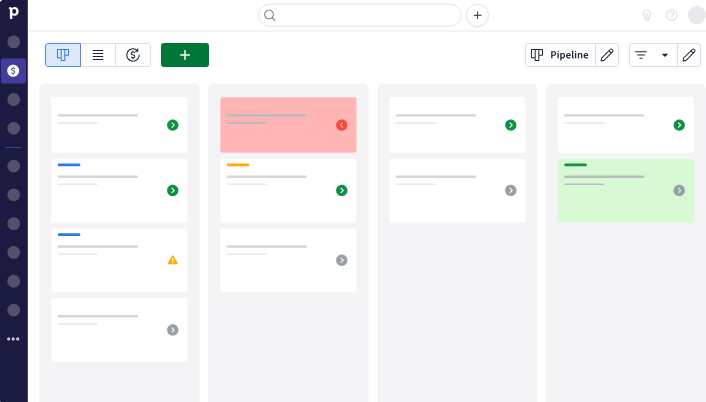
Pipedrive keeps things simple. The default view is a kanban board where deals appear as cards you drag between stages. Colored cues flag deals going cold before reps forget about them.
Source: Pipedrive
You also get list and forecast views, and that's it. For a five-person sales team, this is plenty.
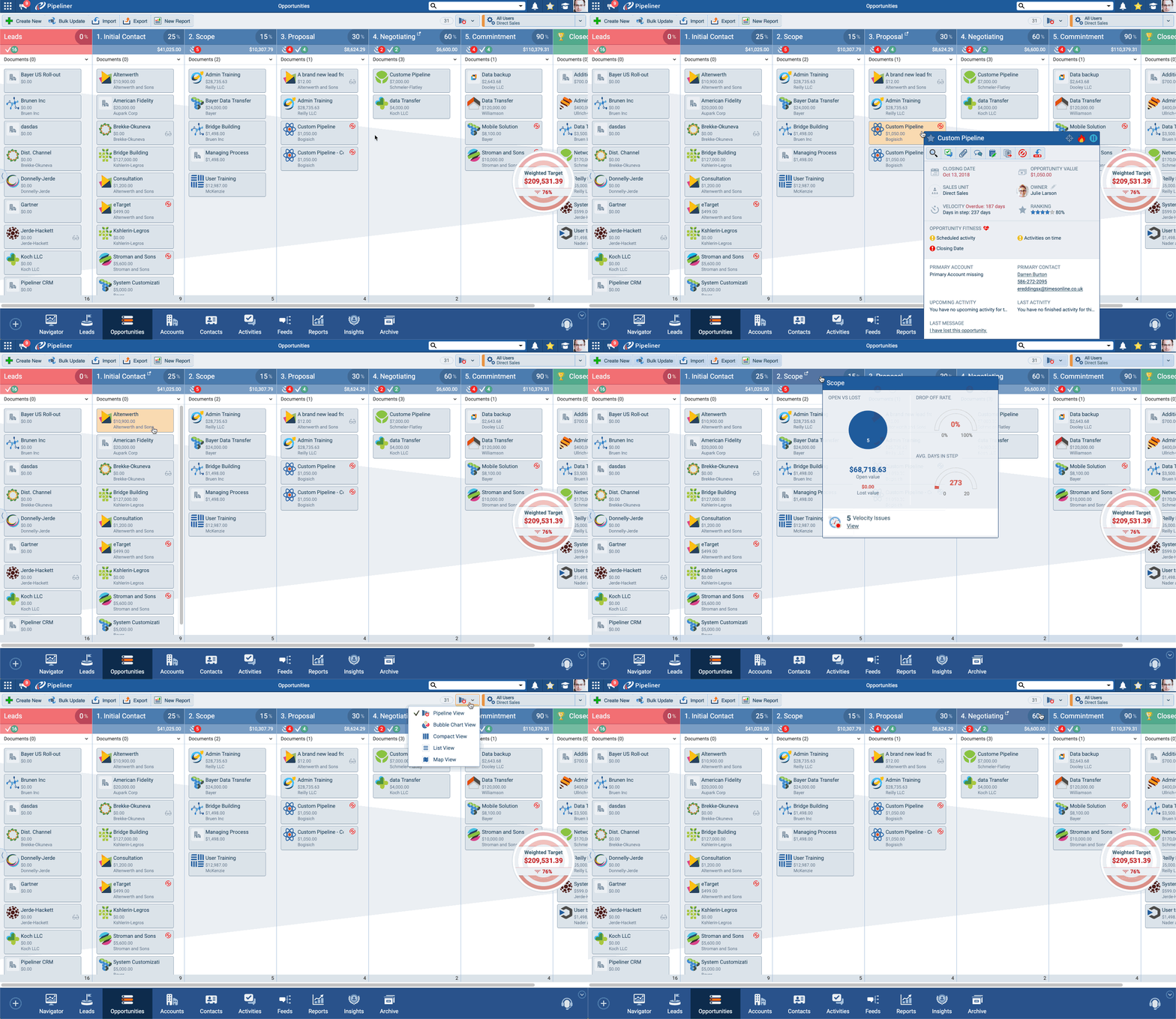
Pipeliner CRM treats the pipeline as a command center. Beyond the standard kanban, it ships seven view types: a Bubble Chart View that plots deals by stage, date, and size at once; a Map View for field teams managing geographic territories; and a Compact View for full record overviews.
Source: Pipeliner CRM
Each pipeline stage displays Quick View summaries showing conversion rates, lost rates, and average velocity on hover, without opening a report. The Dynamic Target widget tracks quota progress in real time as deals move.
For straightforward deal tracking, Pipedrive's simplicity is a strength. For sales managers who need to diagnose why deals stall at specific stages, Pipeliner's depth earns its higher price.
Complex B2B deals need more than a kanban board
This is where Pipeliner CRM pulls ahead of Pipedrive for mid-market teams.
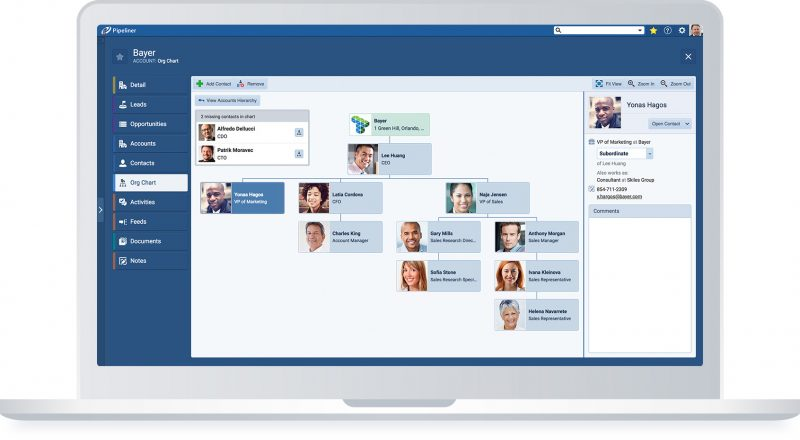
When a deal involves a CFO, a VP of Engineering, a procurement director, and a line-of-business champion, tracking it on a single card isn't enough. Pipeliner's Visual Buying Center shows the decision-making structure for each deal: who's involved, their role, their level of support, and gaps in coverage.
Source: Pipeliner CRM
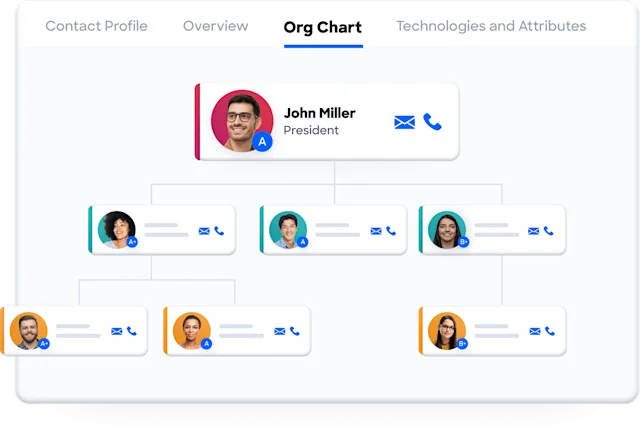
The Contact Org Chart renders the reporting structure of each account with influence indicators and relationship-strength ratings.
Source: Pipeliner CRM
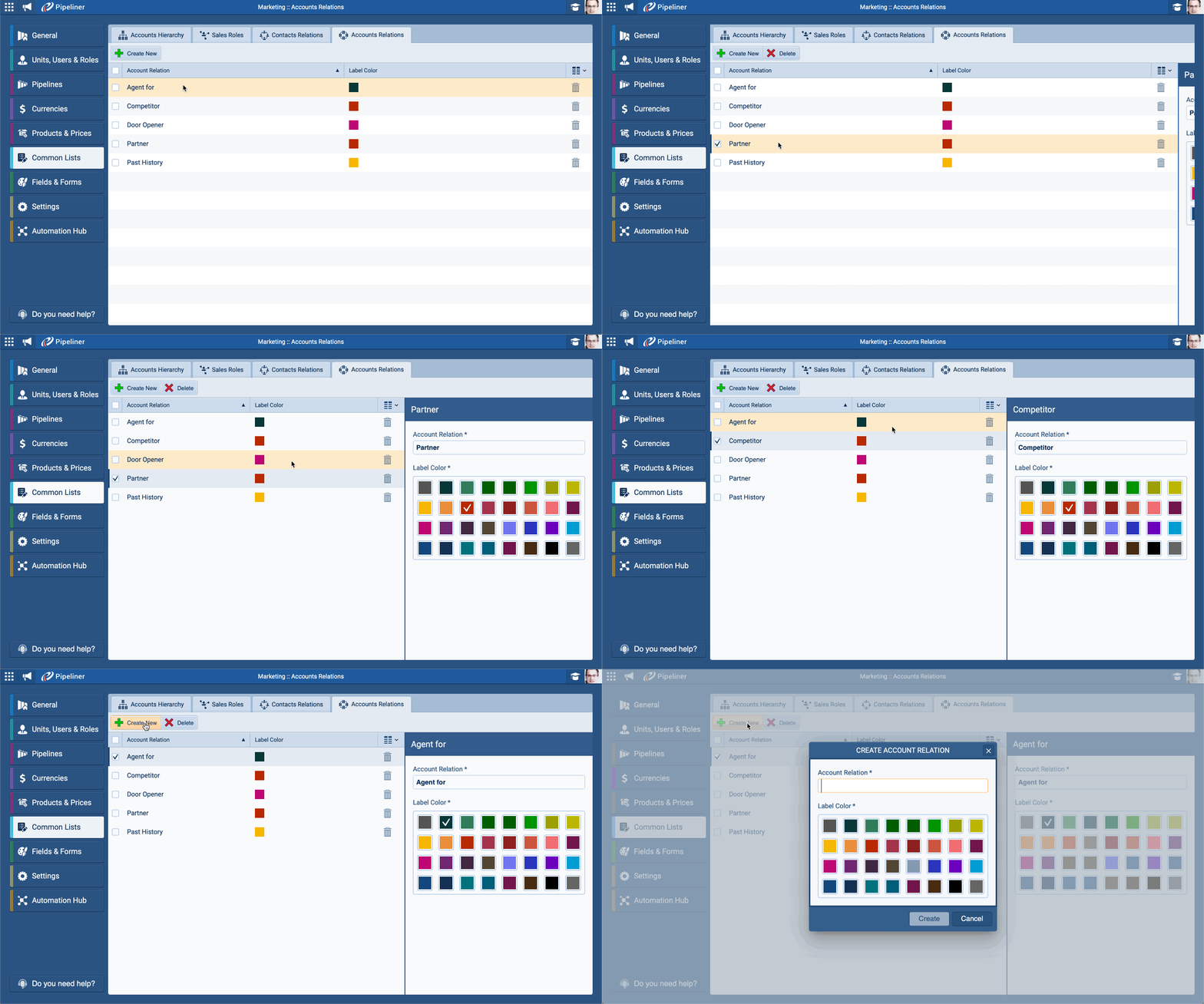
The Account Relation Graph maps company-to-company dependencies, including partners, suppliers, and referral agents.
Pipedrive doesn't have any of this. It tracks contacts and organizations, but there's no way to visualize buying committees, map stakeholder influence, or model parent-child corporate relationships. For B2C sales or simple B2B transactions, this isn't a problem. For enterprise deals with buying committees of six or more, it's a gap.
That said, Pipeliner's buying center shows you the structure of the committee. It doesn't tell you who else should be in the room. Identifying hidden stakeholders, understanding what's driving their decisions, and knowing when they're evaluating alternatives requires a different kind of intelligence.
ZoomInfo's buying group intelligence surfaces hidden stakeholders and whitespace in target accounts. Combined with department org charts and direct contact information for decision-makers, it fills the gaps that even Pipeliner's visual tools can't cover alone.
"We're right in the middle of re-architecting all of our data. ZoomInfo has been a major thought leader and partner in how we approach segmentation, territory planning, and hierarchy clarity." (Ashley Thoren Serita, Director of Sales Operations, Palo Alto Networks)
Ease of setup and administration
Both CRMs position themselves against the complexity of Salesforce. Both deliver on that promise, though at different scales.
Pipedrive offers a 14-day free trial with no credit card. Most teams start using it the same day. The interface assumes you know what a sales pipeline is and lets you get to work. Dedicated onboarding support is available, but only for customers spending more than $1,000/month, which excludes most small teams.
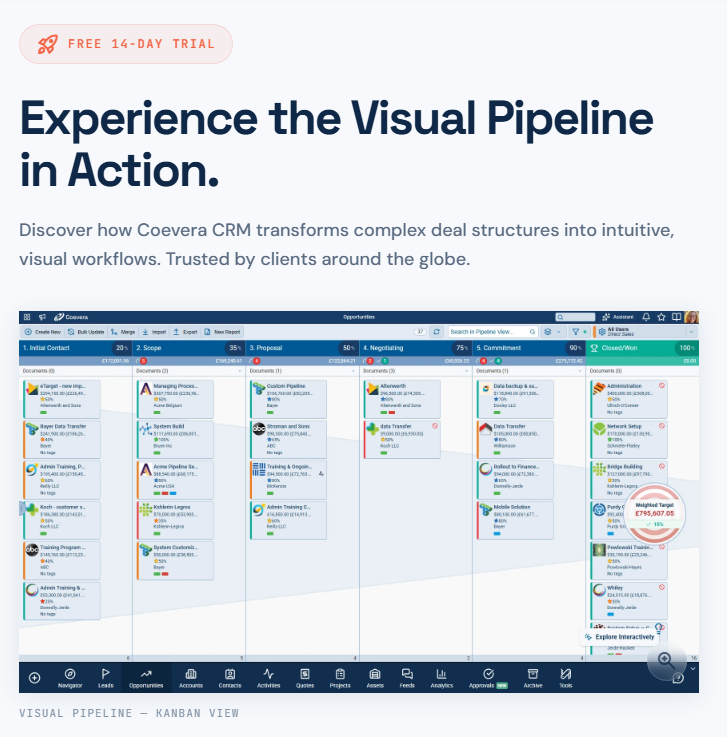
Pipeliner CRM claims "30 Minutes to Onboard a User" and "0 Full-Time Admins Required". Case studies support this: ESP Facility Services went from zero CRM to fully operational with 800 technicians without IT headaches, and EMCS Industries' General Manager built multiple pipelines herself without developer help.
The platform also offers a 14-day free trial with no credit card.
Source: Pipeliner CRM
Both are far simpler to deploy than enterprise CRMs. The difference is audience: Pipedrive is self-serve for small teams, while Pipeliner supports self-service configuration for larger organizations that would typically need a CRM administrator.
AI capabilities follow different philosophies
All three platforms have invested in AI, but their approaches reveal what each product prioritizes.
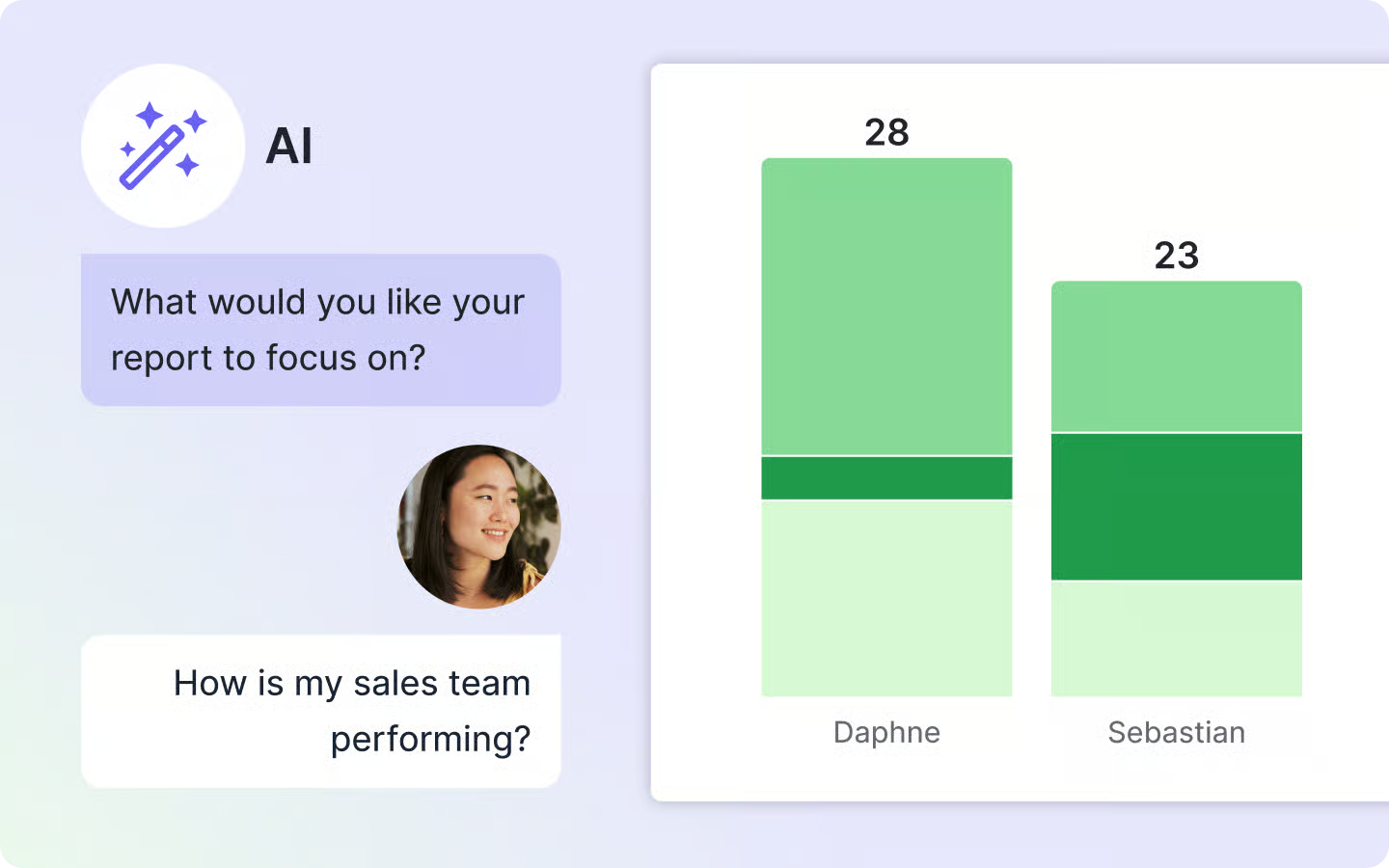
Pipedrive is building toward what it calls an "AI-native CRM." Current features include an AI email writer that generates drafts from prompts, AI-generated reports from natural language, and an AI Sales Assistant that surfaces deal priorities and win probability predictions.
Source: Pipedrive
These tools help reps work faster within the CRM. But the AI features are still maturing: email summarization is labeled BETA, and the AI operates only on data already in Pipedrive.
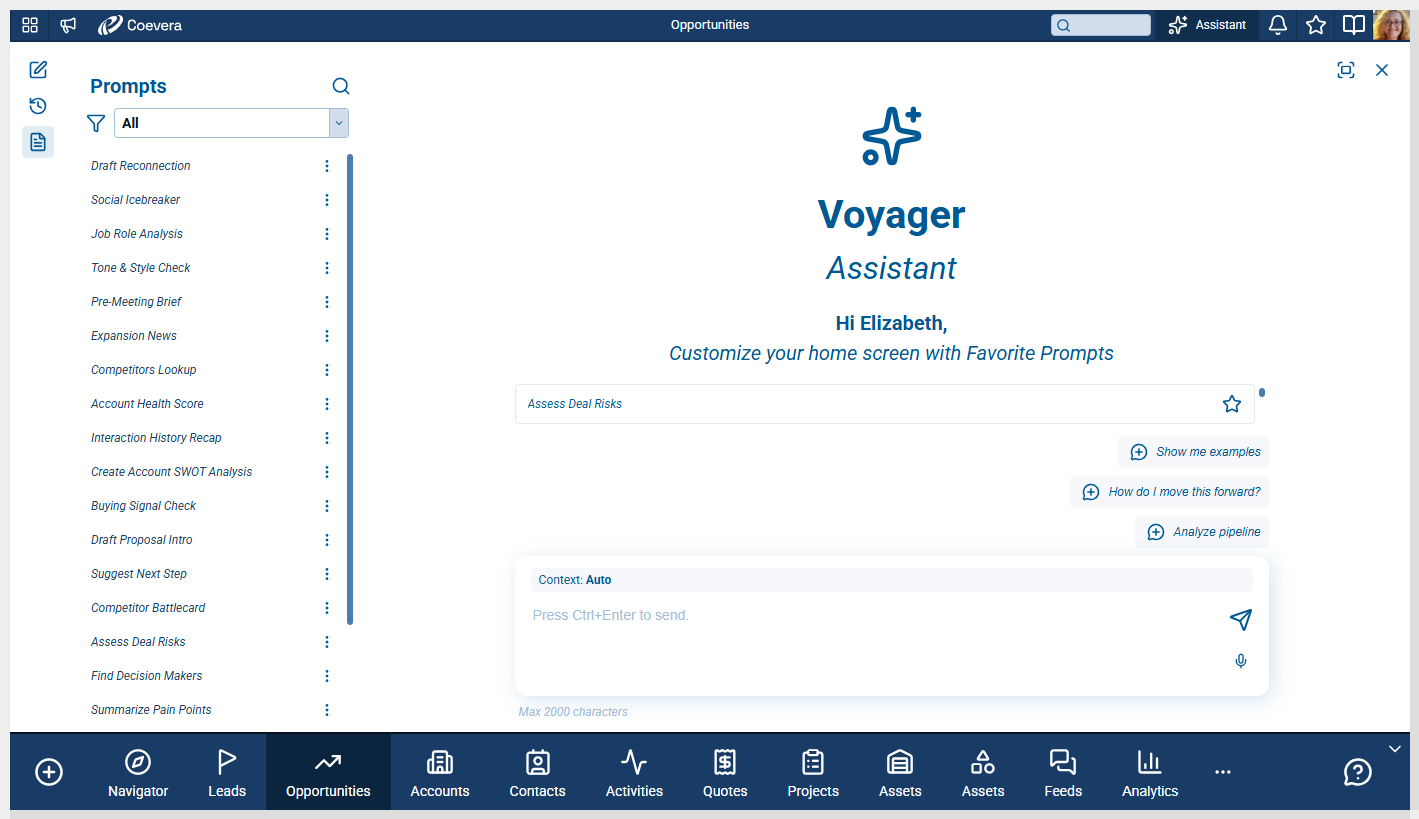
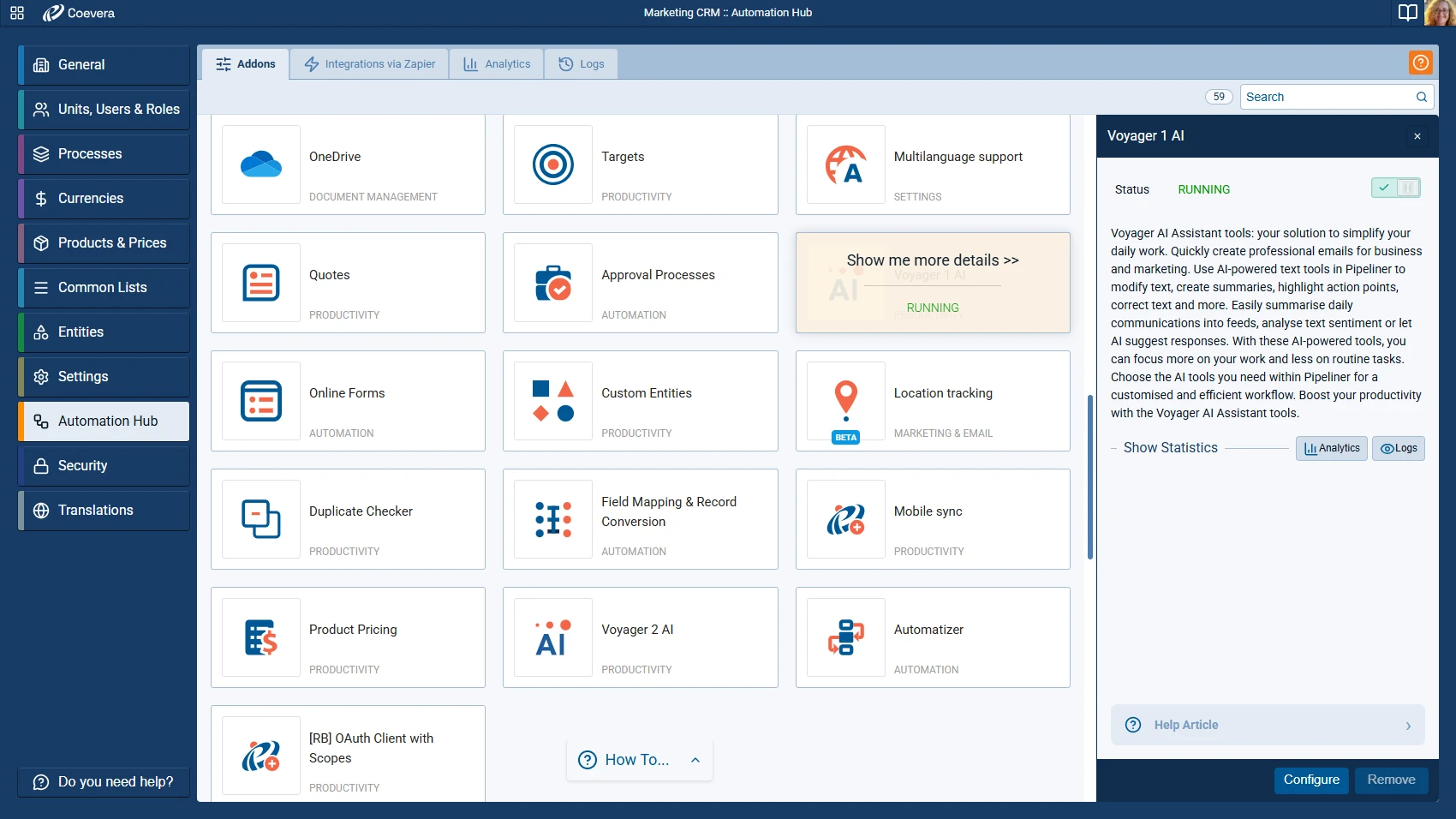
Pipeliner CRM takes a two-tier approach with Voyager AI. Voyager I includes 11 AI features free on all plans: email assistance, speech-to-text, call transcription, document summarization, and an AI Coach that draws on the Sales POP! library of 1,600+ expert episodes.
Source: Pipeliner CRM
Voyager II adds credit-based AI agents, including a Super Agent that orchestrates specialized sub-agents for records, reports, and automation creation. The AI Coach connecting sales methodology content to live deals is a distinctive feature.
ZoomInfo approaches AI differently because it solves a different problem. The GTM Context Graph processes 1.5B+ data points daily, combining CRM records, conversation transcripts, email threads, and third-party intelligence to understand not just what happened in a deal, but why it happened. As ZoomInfo's CPO Dominik Facher puts it: "The CRM recorded the state change. It has no record of why it happened."
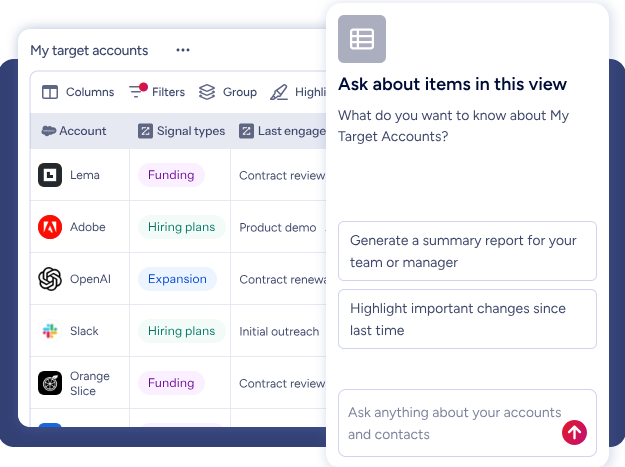
AI agents inside GTM Workspace use that context to draft outreach that addresses concerns surfaced in calls, prioritize accounts based on signal patterns that match your actual wins, and identify next-best actions.
Pipedrive and Pipeliner use AI to work faster inside their CRMs. ZoomInfo uses AI to understand why deals move or stall and what to do about it.
"That combination of our internal CRM data, external signals, and AI that's given all that context has helped us craft very specific account- and persona-based messages. And people have responded to them right away." (Toby Carrington, CBO, Seismic)
The data gap neither CRM can close
Here's the fundamental limitation of any CRM: it only knows what someone tells it.
Pipedrive and Pipeliner CRM both store contacts, track communications, and manage deals well. But neither provides the contacts in the first place. Neither tells you which target accounts are researching solutions right now. Neither verifies that the email address your rep entered six months ago still works.
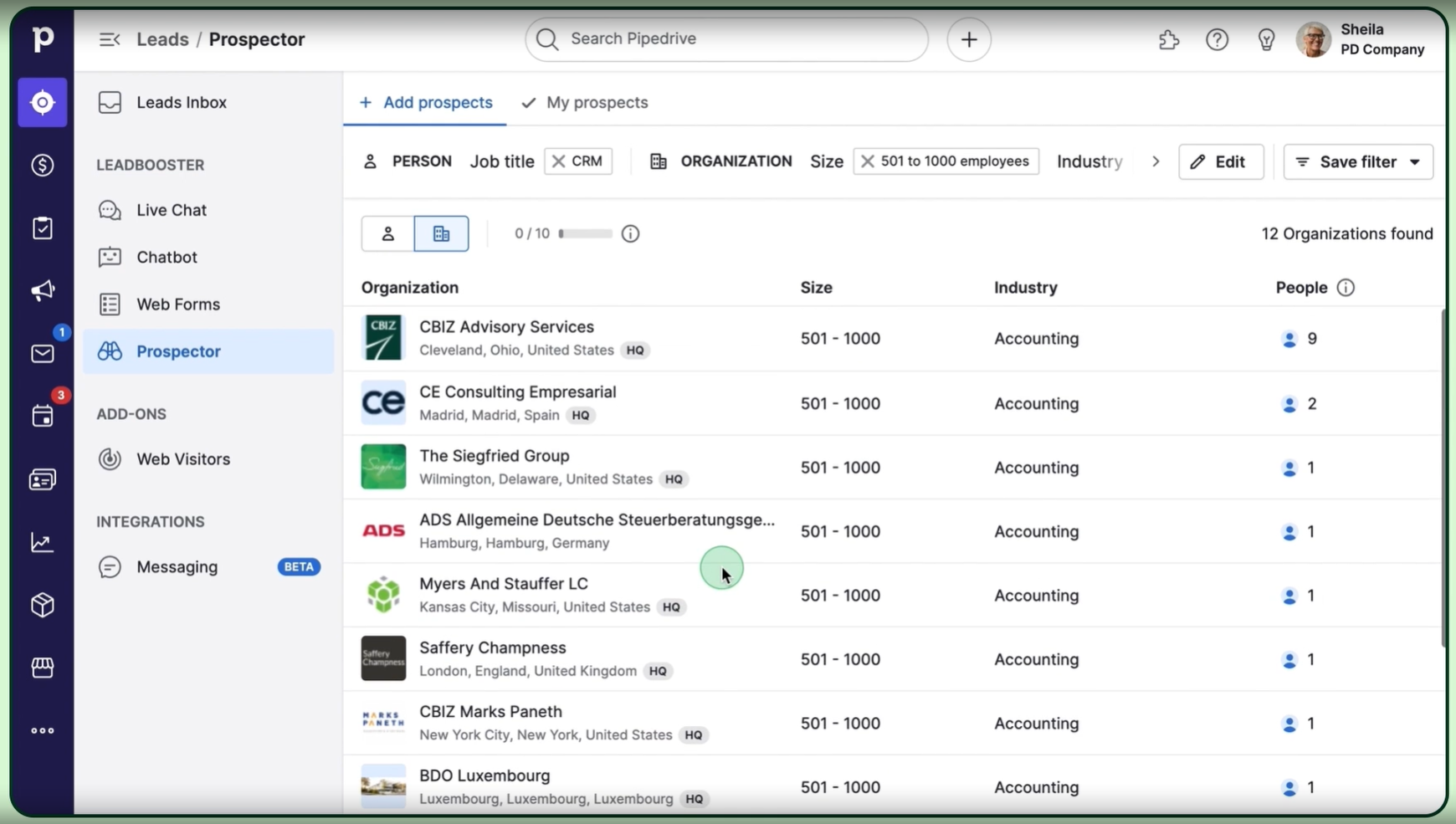
Pipedrive offers a Prospector tool through its LeadBooster add-on, sourcing from a database of over 400 million profiles and 10 million companies. It's a useful add-on for lead generation, included on Premium plans and above or available as a paid add-on on lower tiers.
Source: Pipedrive
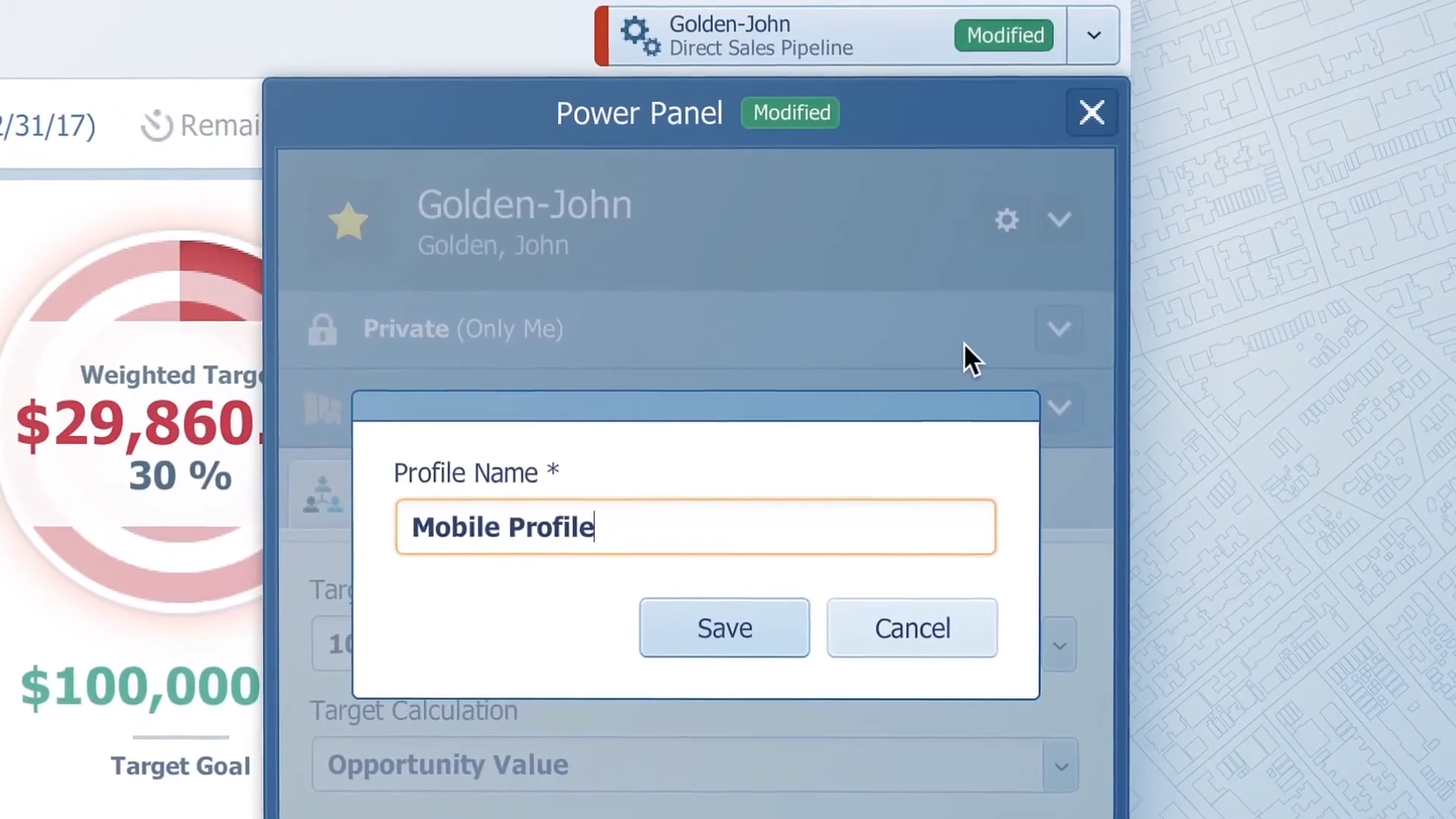
Pipeliner CRM offers an Autoprofiler for contact and company data enrichment, available as a paid add-on on all tiers. It covers basic company attributes, but the depth of enrichment isn't in the same category as dedicated data platforms.
Source: Pipeliner CRM
ZoomInfo was built to solve this problem. The platform spans 500M contacts, 100M companies, 135M+ verified phone numbers, 120M direct-dial phone numbers, and 200M+ verified business email addresses.
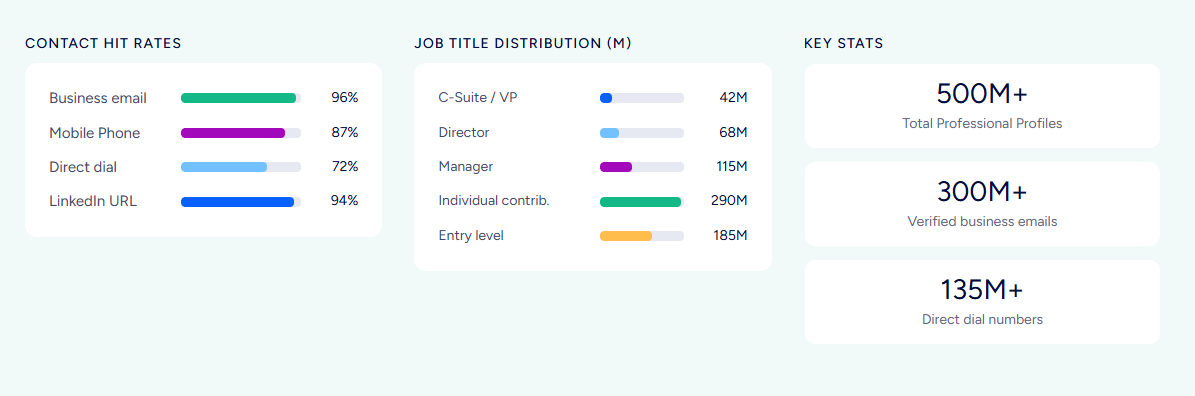
A multi-source verification pipeline backed by 300+ human researchers maintains up to 95% accuracy on first-party data. In a Fortune 500 competitive RFP analyzing 25 million contacts across vendors, the independent consultant concluded that "no other competitor came even close."
Beyond static contact data, ZoomInfo's Intent signals track 210 million IP-to-Organization pairings and 6 trillion+ new keyword-to-device pairings monthly, revealing which companies are researching solutions before they fill out a form.
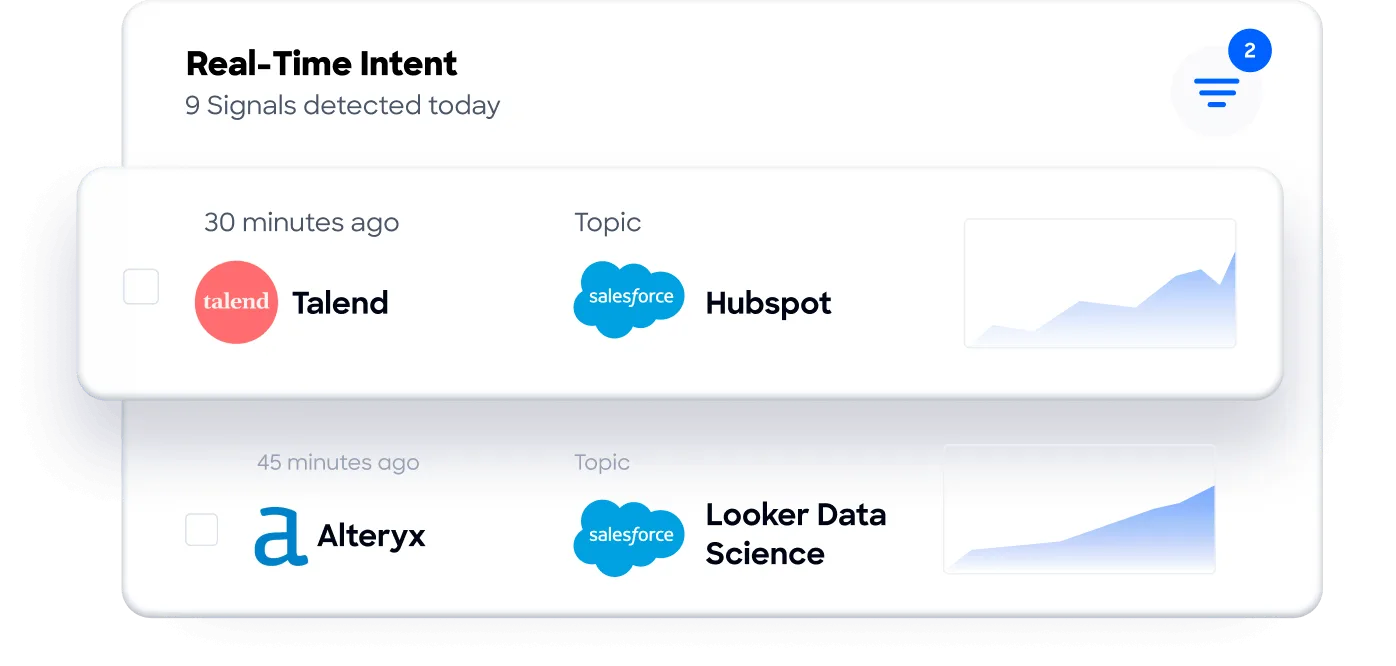
Guided Intent identifies topics historically correlated with deal success rather than requiring manual topic selection.
For sales teams, this means the direct dial actually rings, the email actually lands, and the timing is based on buying signals, not guesswork.
"ZoomInfo gives us the information we need to execute. We don't have to go through and spend our time digging. It's already there, so we can be three steps ahead." (William Kenimer, VP of Revenue Operations, Vensure)
Automation and workflow comparison
Pipedrive's automation engine is available on Growth and above. Workflows use trigger-action rules with if/else branching and "wait until event" conditions. Actions include sending emails, creating activities, updating records, and firing webhooks.
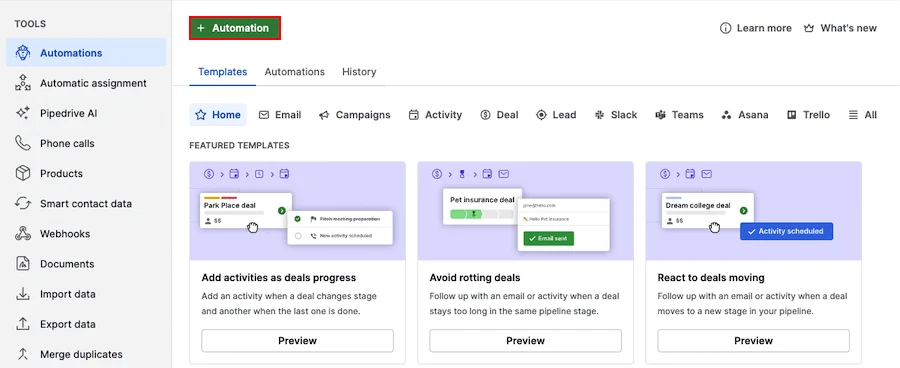
Source: Pipedrive
Native integrations with Slack, Teams, Trello, and Asana reduce the need for middleware. The system is straightforward: when X happens, do Y.
Pipeliner's Automatizer is more capable but available only on Enterprise ($115/month per seat) and Unlimited ($150/month per seat) plans. It supports cross-object automation, process chaining, scheduled triggers, webhook actions, and email-triggered processes.
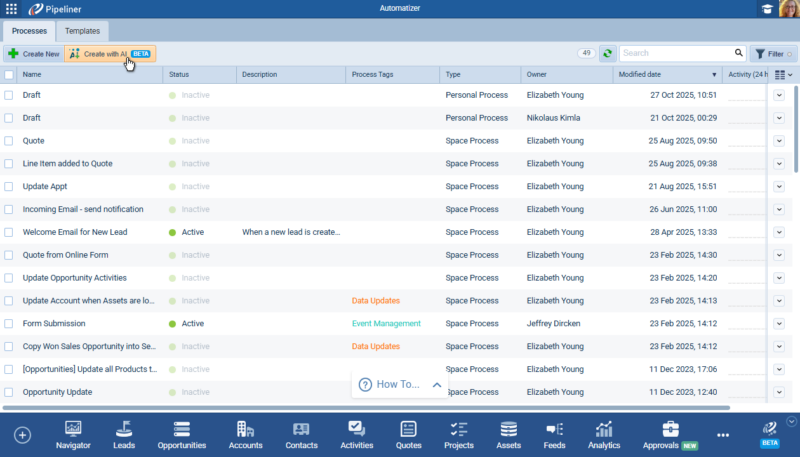
Source: Pipeliner CRM
The AI Automatizer lets users create workflows in natural language, with a mandatory preview-and-approve step before publishing.
ZoomInfo handles a different kind of automation. GTM Studio lets RevOps and marketing teams describe audiences in natural language, launch multi-channel plays, and activate pre-built GTM plays (inbound acceleration, champion tracking, competitive displacement) in one click.
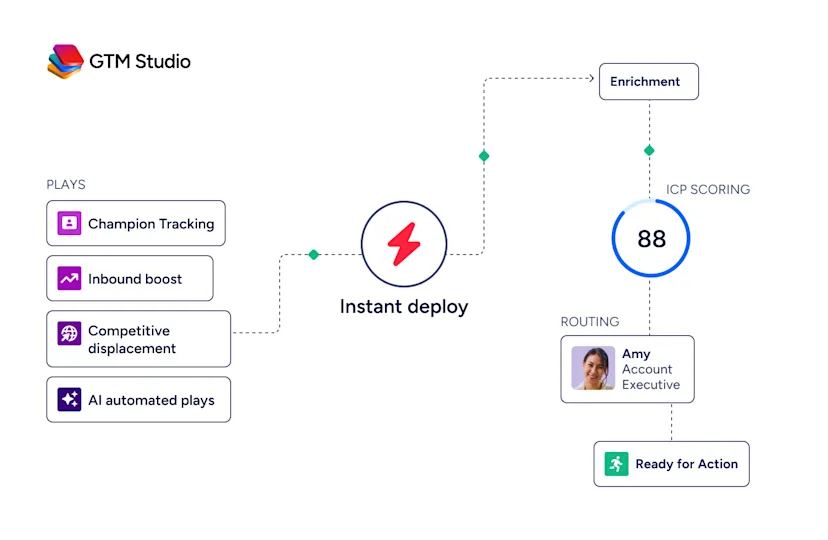
These aren't internal CRM workflows. They're go-to-market motions that trigger across email, calls, ads, and direct mail based on buyer behavior. Expansion plays that used to take three weeks now launch in 30 minutes.
The distinction matters: Pipedrive and Pipeliner automate tasks inside your CRM. ZoomInfo automates the go-to-market motions that drive pipeline into your CRM.
Pricing reflects different value propositions
The cost comparison isn't just about per-seat pricing. It's about what you get at each price point and what you still need to buy separately.
Pipedrive is the most affordable entry point:
Plan | Description |
|---|---|
Lite | $14 per seat/month (annual) |
Growth | Mid-tier (adds email sync, automations, sequences) |
Premium | Higher tier (adds Smart Docs, Projects, LeadBooster) |
Ultimate | Top tier (adds contact enrichment, security alerts) |
Annual billing saves up to 42%. The Campaigns email marketing add-on is always a separate cost. Features like unlimited pipelines, product catalogs, and customizable reports are available on all plans. No free plan exists, but the 14-day trial requires no credit card.
Pipeliner CRM costs more:
Plan | Annual (per seat/month) | Monthly (per seat/month) |
|---|---|---|
$65 | $75 | |
$85 | $100 | |
$115 | $130 | |
$150 | $165 |
The Starter plan requires a minimum of three users, making the floor $195/month. The Automatizer workflow engine isn't available until Enterprise ($115/seat). Paid add-ons include Voyager II AI agents, Map View, calling, business card scanner, and Autoprofiler. Contracts are 12-month terms with auto-renewal, and payments are non-refundable. This billing structure has drawn negative sentiment on review platforms.
Pipeliner argues that its total cost of ownership is 70% lower than Salesforce or HubSpot when you factor in implementation and admin costs. That comparison is fair against enterprise CRMs, though the price premium over Pipedrive is steep for teams that don't need Buying Center visualization or forecasting.
ZoomInfo uses custom, consumption-based pricing with no publicly listed prices. Costs scale around seats, credit volume (1 credit = 1 contact export), and feature tiers. The three product lines (Sales, Marketing, and add-ons like Chorus and Chat) each have their own tier structure.
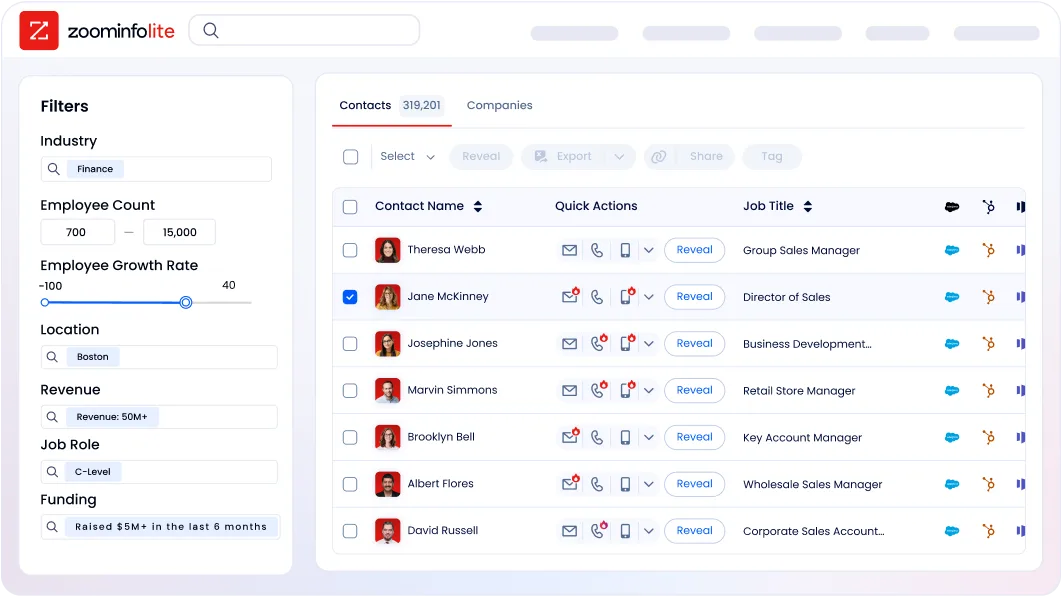
ZoomInfo Lite is a permanent free tier with access to the B2B database, 10 monthly export credits, and basic search. A 7-day free trial of paid features is also available.
ZoomInfo costs more than either CRM, but the comparison isn't apples-to-apples. ZoomInfo provides the data, intelligence, and signals that neither CRM includes. Teams evaluating the combined cost of a CRM plus separate tools for prospecting data, intent signals, and conversation intelligence often find that ZoomInfo consolidates what would otherwise be multiple subscriptions.
Integrations and ecosystem access
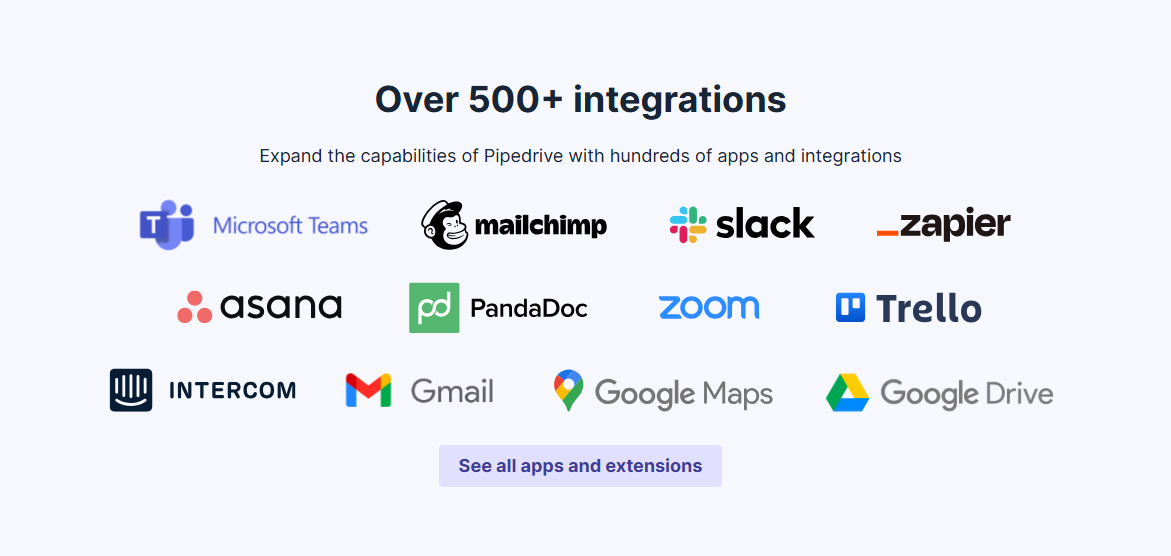
Pipedrive has the broadest marketplace with over 500 integrations: Zapier, Make, Google Meet, Microsoft Teams, Mailchimp, PandaDoc, DocuSign, QuickBooks, Slack, and more.
Source: Pipedrive
A free open API is available on all plans, with API v2 and a Developer Hub for custom builds. For SMBs building a multi-tool stack, Pipedrive connects to most of what you already use.
Pipeliner CRM claims 200+ integrations through its Automation Hub, including native connections for Microsoft and Google stacks, Dropbox, RingCentral, Jira, HubSpot, and PandaDoc.
Source: Pipeliner CRM
It exposes both a REST API and a GraphQL API. But API access isn't available on the Starter plan, and the overall ecosystem is narrower. A Coevera MCP Server has been announced, which will allow AI assistants like Claude and ChatGPT to access live CRM data.
ZoomInfo takes a platform approach. The App Marketplace lists 120+ integrations across CRM, marketing automation, sales engagement, and data warehouses, with featured connections to Salesforce, HubSpot, Microsoft Dynamics 365, Snowflake, and more.
The Enterprise API provides programmatic access to the full data and intelligence layer. The ZoomInfo MCP server connects AI models directly to ZoomInfo's B2B data as a native tool, currently supporting Claude and ChatGPT. API access is included in all relevant plans.
The key difference: Pipedrive and Pipeliner integrate with external tools to extend their CRM. ZoomInfo feeds intelligence into whatever CRM and tools you already use.
"The plug-and-play aspect of the API means I can integrate it very easily into any process and get information at a moment's notice." (Jerry Wilson, Senior Marketing Intelligence Analyst, BDO Canada)
Security and compliance
All three platforms take security seriously, though certifications differ.
Pipedrive holds ISO/IEC 27001:2022, ISO/IEC 27701:2019, SOC 2 Type 2, and SOC 3 certifications. Data is hosted on AWS with separate databases per customer, encrypted with AES-256 at rest and HTTPS in transit. GDPR compliance, EU-US Data Privacy Framework, and DORA compliance for the EU financial sector are included. SSO via SAML 2.0 is available on all plans.
Pipeliner CRM holds ISO 27001:2022 and ISO 9001:2015 certifications. It's GDPR and HIPAA compliant, hosted on AWS across US, Canada, Australia, and Europe, with AES-256 encryption at rest and SSL/TLS 1.2+ in transit. SSO is available only on Enterprise and Unlimited plans. SOC 2 attestation is not referenced on the public security page.
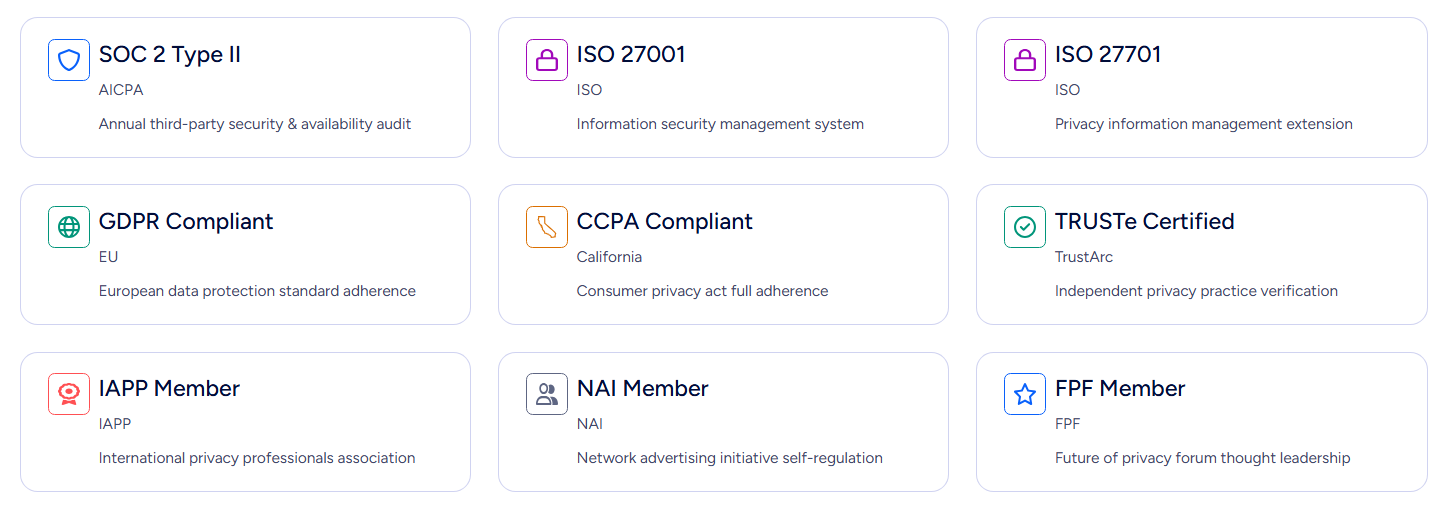
ZoomInfo carries ISO 27001, ISO 27701, SOC 2 Type II, TRUSTe GDPR, and TRUSTe CCPA certifications, all renewed annually. As a registered data broker in California and Vermont, ZoomInfo faces and meets scrutiny that CRM vendors don't. A dedicated Trust Center provides ongoing transparency.
All three platforms state that customer data is not used to train AI models.
Pipedrive vs. Pipeliner CRM vs. ZoomInfo: Which should you choose?
The right choice depends on what problem you're solving.
Choose Pipedrive if:
You run a small sales team that needs a simple, affordable CRM
Your deals are straightforward with one or two decision-makers
You want to get started today without training or onboarding
Your budget is under $50/month per rep
You already have separate tools for prospecting and data
Choose Pipeliner CRM if:
You sell into mid-market or enterprise accounts with multi-stakeholder decisions
Visualizing buying committees and account hierarchies is critical
You want built-in workflow automation without third-party middleware
Your team can commit to a higher per-seat cost for deeper pipeline intelligence
You need forecasting with revenue recognition for phased contracts
Choose ZoomInfo if:
You need verified B2B data to fill your pipeline, not just manage it
Knowing which accounts are in-market would change how you prioritize
You want AI that understands why deals move, not just what stage they're in
Your team needs verified data and buyer signals powering their CRM, whatever that CRM is
You're ready to stop prospecting blind and start selling with context
See ZoomInfo in action with a free trial or explore ZoomInfo Lite at no cost.
A CRM tracks where your deals stand. ZoomInfo tells you where your next deals are, who to talk to, and when they're ready. The most effective sales teams don't choose between them. They use a CRM to manage execution and ZoomInfo to power the intelligence behind it.
Pipedrive vs. Pipeliner CRM vs. ZoomInfo FAQ
What is the main difference between Pipedrive, Pipeliner CRM, and ZoomInfo?
Pipedrive is a sales CRM built for small teams, focused on visual pipeline management starting at $14/month per seat. Pipeliner CRM (Coevera) is a mid-market CRM with seven pipeline views, buying center visualization, and workflow automation, starting at $65/month per seat. ZoomInfo is not a traditional CRM. It's a go-to-market intelligence platform that provides verified B2B contact data, buyer intent signals, and contextual deal intelligence that feeds into whatever CRM you use.
Which platform is best for small sales teams on a budget?
Pipedrive is the clear choice for budget-conscious small teams. Its Lite plan starts at $14/month per seat with no minimum user requirement, and features like unlimited pipelines and custom reports are available on all plans. Pipeliner CRM's minimum of three users at $65/month per seat creates a floor of $195/month. ZoomInfo offers a permanent free tier (ZoomInfo Lite) with 10 monthly export credits for teams that need data but aren't ready for a full subscription.
Can ZoomInfo replace Pipedrive or Pipeliner CRM?
ZoomInfo isn't designed to replace a CRM. It provides the data and signals that power one. ZoomInfo finds the right contacts, identifies buying signals, and provides contextual insights, while CRMs like Pipedrive and Pipeliner manage pipeline stages, deal tracking, and sales activities. Many teams use ZoomInfo alongside their CRM, with ZoomInfo feeding verified data and signals into the pipeline the CRM manages.
Which platform has the best AI features?
Each platform's AI serves a different purpose. Pipedrive offers an AI email writer, AI-generated reports, and an AI Sales Assistant for deal prioritization. Pipeliner CRM includes Voyager I (11 free AI features including email assistance and an AI Coach) and Voyager II (credit-based AI agents for records, reports, and automation). ZoomInfo's AI operates on a larger dataset, using its GTM Context Graph to process 1.5 billion data points daily and provide AI-driven account research, outreach, and deal intelligence based on patterns across thousands of deals.
How do Pipedrive and Pipeliner CRM handle complex B2B deals differently?
Pipedrive tracks deals on kanban boards with basic contact management. It does not offer buying center visualization, org charts, or account hierarchy mapping. Pipeliner CRM is built for complex B2B sales, with a Visual Buying Center showing decision-maker roles and influence, Contact Org Charts with relationship-strength ratings, Account Hierarchy mapping for corporate families, and an Account Matrix View for portfolio segmentation. These features are valuable for deals involving multiple stakeholders.
What buyer intent and prospecting data does each platform include?
Pipedrive offers a Prospector tool through its LeadBooster add-on with over 400 million profiles. Pipeliner CRM offers an Autoprofiler for basic data enrichment. ZoomInfo provides 500 million contacts, 200 million verified business emails, 135 million verified phone numbers, and buyer intent signals tracking 210 million IP-to-Organization pairings. ZoomInfo also offers Guided Intent, which identifies topics correlated with deal success.
Which platform has the strictest contract terms?
Pipeliner CRM has the most restrictive terms: 12-month contracts that auto-renew, non-refundable payments, and no mid-term cancellation or seat reduction. Pipedrive offers both monthly and annual billing, with monthly plans cancelable at any time. ZoomInfo uses annual contracts as standard, with multi-year commitments offering pricing advantages. All three offer free trials before commitment.
Do these platforms integrate with each other?
ZoomInfo integrates with major CRMs including Salesforce, HubSpot, and Microsoft Dynamics, and its API and MCP server allow connections to virtually any application. Pipedrive's 500+ marketplace integrations include ZoomInfo-compatible tools. Pipeliner CRM's Automation Hub supports 200+ integrations. ZoomInfo is designed as an intelligence layer that feeds into CRMs, making it a complement to either Pipedrive or Pipeliner rather than a competitor.
See how Pipedrive compares across other platforms:
