
Teams that run Seamless.AI for prospecting and HubSpot as their CRM usually hit the same problems within a quarter:
contacts researched in Seamless.AI sit in exported spreadsheets instead of flowing into HubSpot records, so reps work from two disconnected systems,
lead data decays in HubSpot while fresher versions exist in Seamless.AI, but no one reconciles the differences,
and when a rep prospects a contact that another rep already added last week, neither one knows.
However the two platforms ended up coexisting (an SDR team adopting Seamless.AI for outbound while the org standardizes on HubSpot, a founder self-sourcing pipeline before a formal RevOps function exists, or different teams choosing tools independently), the longer both run without a connection, the more prospecting effort gets wasted and the harder it becomes to keep HubSpot's CRM data current.
Connecting Seamless.AI and HubSpot closes that gap.
Prospected contacts flow into HubSpot with enriched fields (verified emails, phone numbers, job titles, company data) so reps never re-enter data manually. New leads land in the CRM with enough detail to trigger nurture sequences, route to the right owner, and score accurately from the moment they arrive. Activity stays in one system so managers report on pipeline without cross-referencing exports.
Seamless.AI offers a native HubSpot integration that pushes prospected contacts into HubSpot's CRM with customizable field mappings. Seamless.AI also powers HubSpot's Breeze Prospecting Agent, enabling contact sourcing from within HubSpot itself. For teams wanting more flexibility, third-party automation through Zapier and the Seamless.AI API offer alternative connection methods. Each differs in setup complexity, data flow, and cost.
One problem no connection method solves: every method delivers contacts from Seamless.AI into HubSpot, but none guarantees the data behind those contacts is the most accurate, complete, or current available.
And that is where ZoomInfo comes in. ZoomInfo integrates natively with HubSpot through its marketplace, providing real-time and scheduled enrichment of contact and company records. Its Enterprise API and MCP server extend that same verified data to any workflow or AI agent, backed by a B2B database of 500M contacts, 100M companies, 135M+ verified phone numbers, and 200M+ verified business emails.
This article covers the Seamless.AI-HubSpot integration landscape: which methods are available, what data each one handles, how to set them up, the use cases that justify connecting both platforms, and the limitations to plan for. At the end it also covers how ZoomInfo fits as an alternative data layer for teams evaluating what feeds their CRM.
Let's start with an overview of the integration.
Integration Overview
Source: Seamless.AI
Does a native integration exist?
Yes. Seamless.AI offers a native HubSpot integration that imports prospected contacts into HubSpot's CRM automatically. The integration supports enriched data transfer with customizable field mappings. Seamless.AI also powers HubSpot's Breeze Prospecting Agent, letting users source contacts inside HubSpot.
What data can sync?
Contact records with enriched fields: verified business emails, phone numbers (including mobile and direct dials), job titles, company name, industry, company size, and other company data points. Seamless.AI provides 100+ data points per profile that can map to HubSpot contact and company properties.
Is the sync bidirectional?
No. The integration flows one direction: Seamless.AI to HubSpot. Prospected and enriched contacts push into HubSpot, but HubSpot data does not flow back into Seamless.AI. The CRM Enrich product can re-enrich existing records, but this is a separate workflow, not a bidirectional sync triggered by HubSpot changes.
Is it real-time or batch?
The native integration pushes contacts into HubSpot as reps export them from Seamless.AI, operating in near real-time on a per-action basis. Zapier-based connections trigger within 1 to 15 minutes depending on plan tier. API-based integrations run on whatever schedule the developer configures.
What are the available methods?
Native Seamless.AI-HubSpot integration, HubSpot Breeze Prospecting Agent (powered by Seamless.AI), Zapier automation, and the Seamless.AI API.
Method | Setup Difficulty | Data Flow | Real-time? | Cost |
|---|---|---|---|---|
Native Integration | Low | Seamless.AI to HubSpot | Near real-time (per export) | Included with Seamless.AI subscription |
HubSpot Breeze Agent | Low | Seamless.AI data into HubSpot | Near real-time | HubSpot Sales Hub + Seamless.AI subscription |
Zapier | Medium | One-way per Zap | Near real-time (1-15 min) | From $19.99/mo + Seamless.AI Pro or higher |
Seamless.AI API | High | Custom | Depends on implementation | Developer time + Seamless.AI API add-on |
One distinction worth settling upfront: the native integration and Breeze Agent serve ongoing prospecting workflows where reps push individual contacts or small batches into HubSpot as they work. Zapier handles event-driven automation for specific triggers. The API is the only method that supports custom enrichment workflows, bulk operations, or scheduled data refresh across the CRM.
Integration Methods
Native Seamless.AI-HubSpot Integration
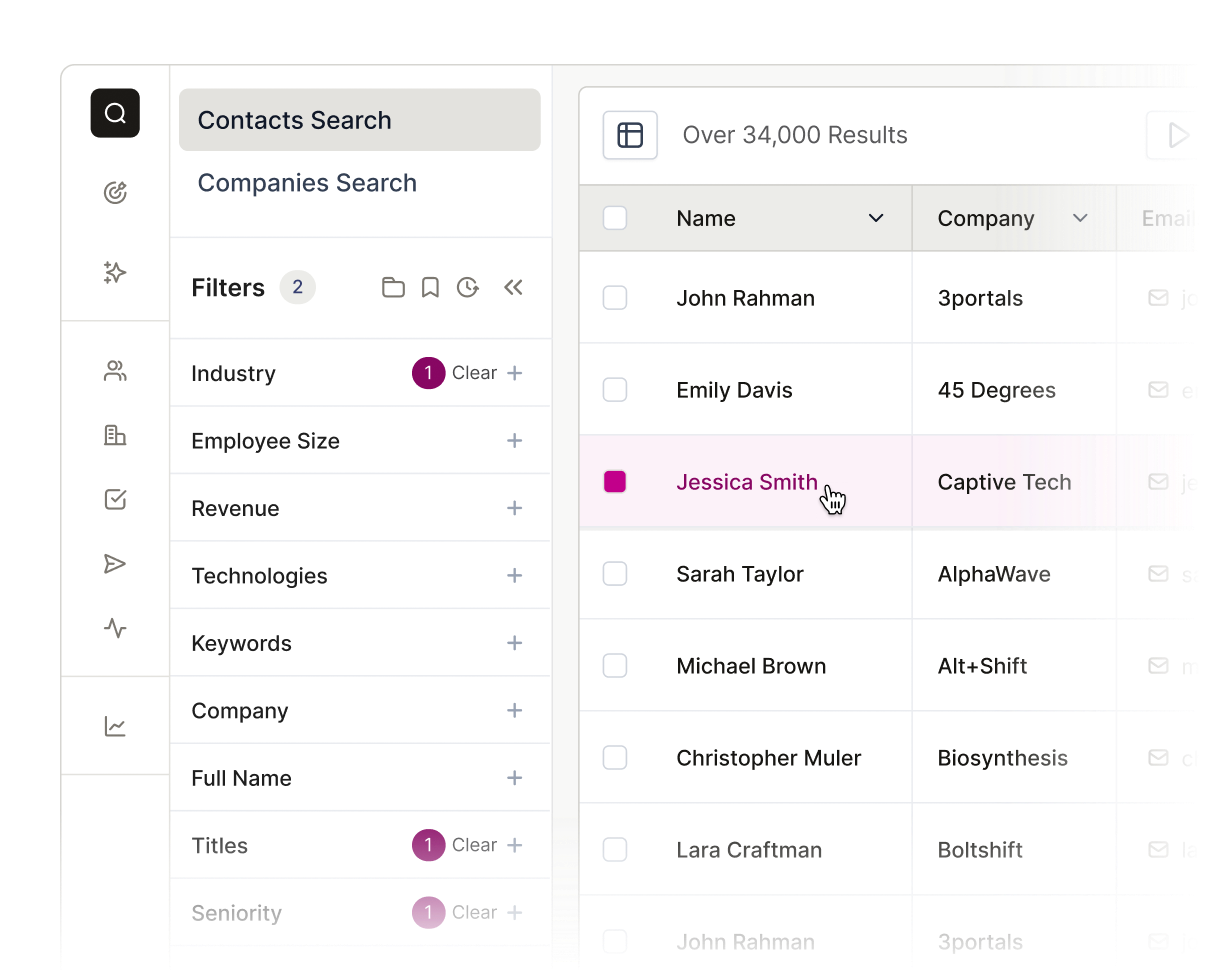
How it works: Seamless.AI's native HubSpot integration connects the two platforms through Seamless.AI's settings. When a user prospects contacts in Seamless.AI (via the web app, Chrome Extension, or Autopilot), they export those contacts to HubSpot with a single click.
Source: Seamless.AI
The integration maps Seamless.AI data fields to HubSpot contact properties, creating or updating records in HubSpot's CRM automatically.
What it syncs: Contact records with verified business emails, phone numbers (mobile, direct dial), job titles, seniority, department, company name, company domain, industry, employee count, revenue range, and LinkedIn profile URLs.
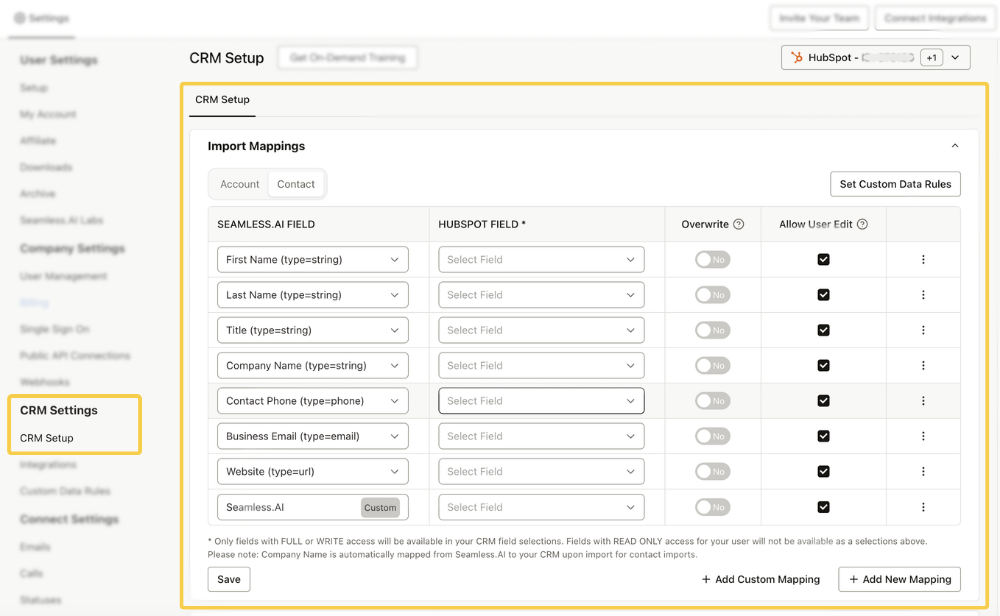
Customizable field mappings let teams control which Seamless.AI data points populate which HubSpot properties.
Source: Seamless.AI
Fits: ongoing prospecting workflow where reps push new contacts into HubSpot as they research; not a bulk migration or CRM-wide enrichment tool.
Setup process:
Log into Seamless.AI and navigate to Settings, then Integrations.
Locate HubSpot in the integrations list and click Connect. Authorize the connection using your HubSpot account credentials via OAuth.
Configure field mappings between Seamless.AI data points and HubSpot contact properties. Standard fields (email, phone, company, title) auto-map; custom HubSpot properties can be mapped manually.
Set default behavior for duplicate records: choose whether the integration creates new contacts, updates existing ones, or skips duplicates based on email matching.
Test by exporting a single contact from Seamless.AI and verifying the record appears in HubSpot with the correct field values.
Enable the integration for your team. Reps can now export contacts to HubSpot from the Seamless.AI web app, Chrome Extension, or Autopilot results.
Strengths: Fastest path from prospecting to CRM record. No third-party tool required. Customizable field mappings give RevOps control over which data enters HubSpot and where. Included with the Seamless.AI subscription at no extra cost.
Limitations: One-directional only (Seamless.AI to HubSpot). Each export is rep-initiated or triggered by Autopilot, not a continuous background sync. Does not enrich existing HubSpot records that were not originally sourced from Seamless.AI. Company records in HubSpot are created or matched based on domain, but the company data flowing through the integration is thinner than what Seamless.AI displays in its own interface.
Best for: SDR and AE teams that prospect in Seamless.AI daily and need contacts in HubSpot immediately for sequencing, nurturing, or ownership assignment. Teams that want a simple connection between their prospecting tool and CRM.
HubSpot Breeze Prospecting Agent (Powered by Seamless.AI)
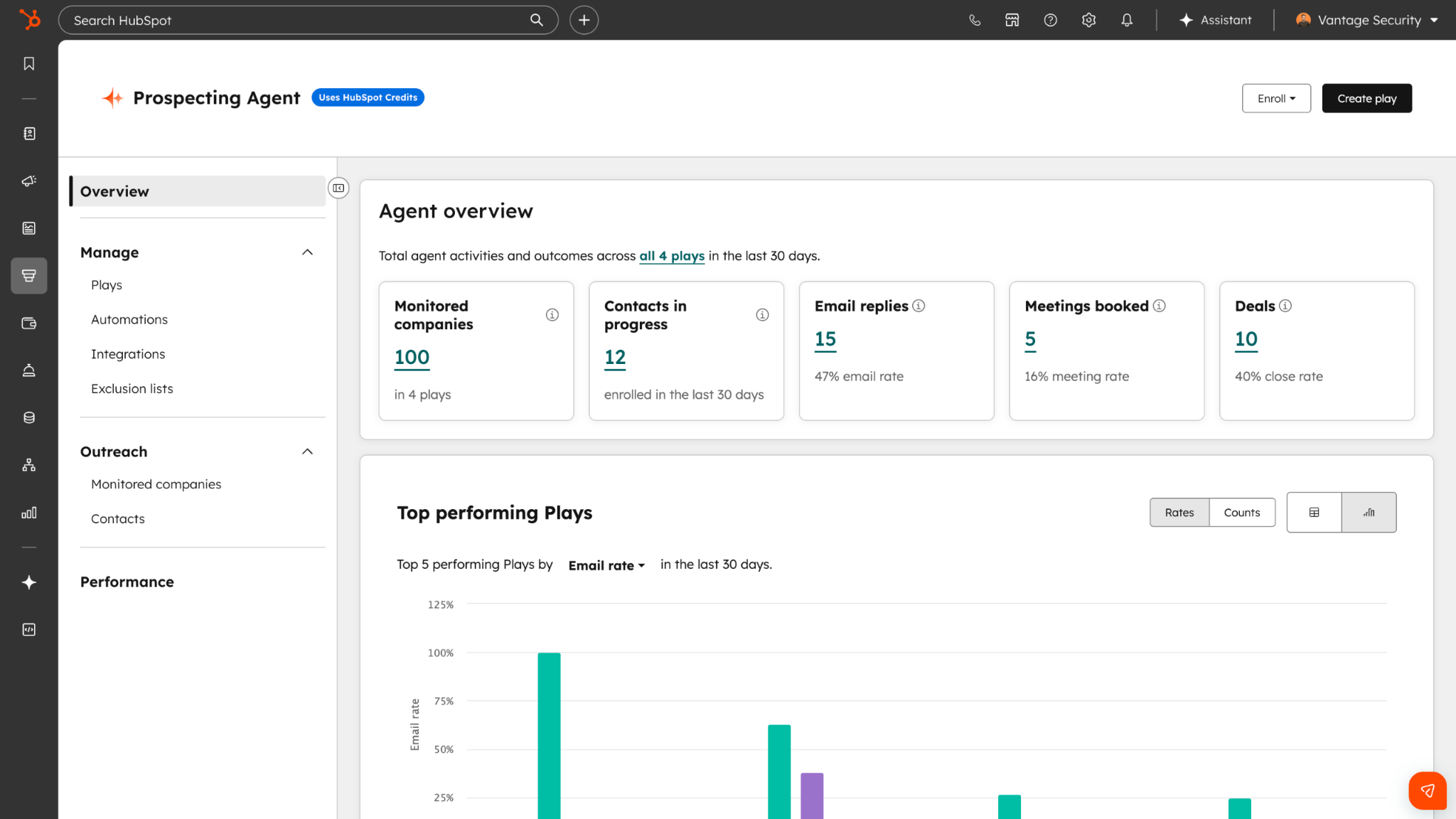
How it works: HubSpot's Breeze Prospecting Agent is an AI agent built into HubSpot Sales Hub that researches prospects, monitors buying signals, and drafts personalized outreach.
Source: HubSpot
Seamless.AI powers the contact data layer behind this agent, letting users source verified contacts inside HubSpot without switching to Seamless.AI's interface.
What it syncs: Contact data sourced by the Breeze Agent (verified emails, phone numbers, job titles, company details) writes directly into HubSpot CRM records. Because the agent operates inside HubSpot, there is no export step; the data lives in HubSpot from the moment the agent surfaces it.
Fits: ongoing prospecting for teams that want to stay inside HubSpot's interface for the entire workflow, from research to outreach.
Setup process:
Confirm your HubSpot account is on a Sales Hub Professional or Enterprise plan, which includes access to Breeze Agents.
Navigate to Breeze settings in HubSpot and activate the Prospecting Agent.
Define your ideal customer profile criteria (industry, company size, job titles, geography) within the agent's configuration.
The agent uses Seamless.AI's data to identify matching contacts and surfaces them inside HubSpot with verified contact information.
Review the agent's recommendations in review mode, or enable autonomous mode for hands-off prospecting.
Contacts the agent sources become HubSpot records automatically, ready for sequences, tasks, or manual outreach.
Strengths: No context-switching between platforms. Prospecting, data sourcing, and outreach all happen inside HubSpot. The Breeze Agent adds AI-driven prioritization and signal monitoring on top of the contact data. Supports both review mode (rep approves each contact) and autonomous mode.
Limitations: Requires HubSpot Sales Hub Professional or Enterprise (not available on Starter or free tiers). The Breeze Agent runs on HubSpot Credits, a consumption-based currency with monthly allotments that vary by plan tier. The Seamless.AI data accessible through the Breeze Agent may differ from what is available in Seamless.AI's own interface. Users do not have direct control over Seamless.AI's search filters or verification process.
Best for: Teams committed to HubSpot as their primary workspace that want AI-assisted prospecting without adopting a separate tool. Organizations already on HubSpot Sales Hub Professional or Enterprise that want to activate prospecting without a new vendor contract.
Zapier
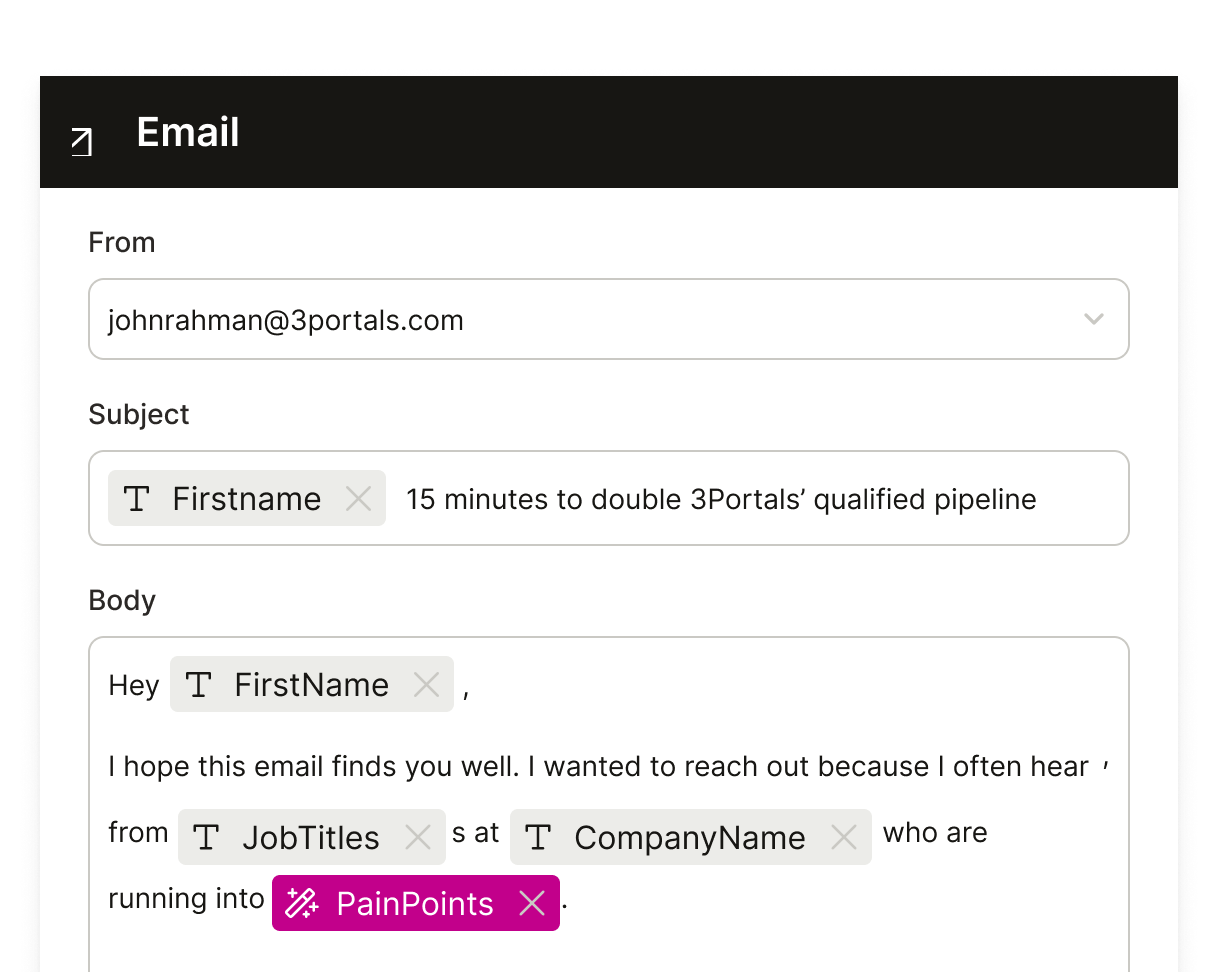
How it works: Zapier connects Seamless.AI and HubSpot through event-driven automations called Zaps. Each Zap pairs a trigger (an event in one app) with one or more actions (what happens in the other). Seamless.AI's Zapier connector enables automation beyond the native integration's manual export flow, such as automatically creating HubSpot contacts whenever a new contact is saved in Seamless.AI.
Source: Zapier
What it syncs: Contact data fields available through the Seamless.AI Zapier connector: name, email, phone numbers, job title, company name, and other profile attributes. Field mapping is configured manually in the Zap setup flow. The specific fields available depend on what Seamless.AI exposes through its Zapier triggers.
Fits: ongoing automation of contact flow from Seamless.AI to HubSpot without manual export; not a bulk migration tool.
Setup process:
Create a Zapier account and connect both your Seamless.AI and HubSpot accounts using OAuth.
Choose Seamless.AI as the trigger app and select the trigger event (e.g., "New Contact" or "New Contact in List").
Choose HubSpot as the action app and select the action (e.g., "Create or Update Contact").
Map fields from the Seamless.AI trigger to HubSpot contact properties. Zapier displays available fields from both sides.
Test the Zap with a sample contact to verify the field mapping produces the expected result in HubSpot.
Turn the Zap on. New contacts matching the trigger criteria flow into HubSpot automatically.
Strengths: Automates the export step that the native integration requires a rep to initiate. Can add conditional logic (filters, formatters) between the trigger and action. Connects Seamless.AI to HubSpot alongside other tools in multi-step workflows (e.g., create a HubSpot contact and add them to a Salesloft sequence in the same Zap).
Limitations: Each Zap handles one trigger-action pair. Zapier charges by task count (each contact synced counts as a task), so high-volume prospecting accumulates costs. No bidirectional sync without duplicate Zaps and loop-prevention logic. Historical contacts created before the Zap was activated do not sync. Zapier adds a dependency on a third-party platform for a connection the native integration handles directly.
Best for: Teams that want hands-free automation of contact flow from Seamless.AI to HubSpot, or teams that need to chain the Seamless.AI-to-HubSpot step with actions in other tools (Slack notifications, Google Sheets logging, SEP enrollment) in a single workflow.
Seamless.AI API
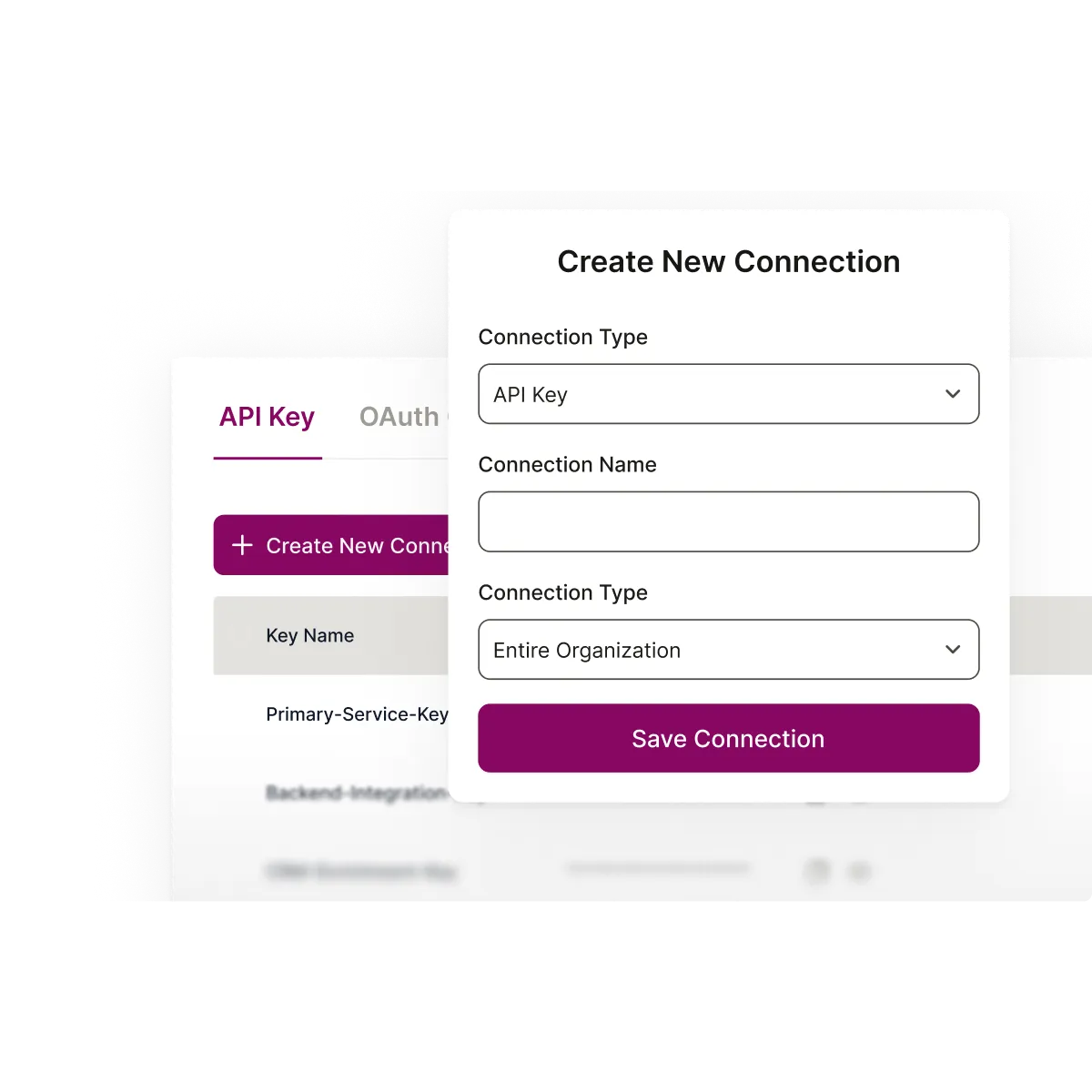
How it works: The Seamless.AI API provides programmatic access to contact and company search, enrichment, and job-change intelligence. Paired with HubSpot's REST API, a custom integration can automate prospecting, enrichment, and CRM record management at whatever scale and schedule the team requires.
Source: Seamless.AI
What it syncs: Anything both APIs expose. The Seamless.AI API returns contact profiles (email, phone, title, company, LinkedIn URL, seniority, revenue range, employee size, tenure, industry codes) and company profiles. HubSpot's API covers all CRM objects (contacts, companies, deals, tickets) with full CRUD operations. A custom build can map Seamless.AI's 100+ data points per profile to any HubSpot property, including custom properties.
Fits: scheduled bulk enrichment of existing HubSpot records, automated prospecting pipelines, or any workflow requiring logic beyond what the native integration or Zapier supports.
Setup process:
Obtain Seamless.AI API credentials (API key or OAuth 2.0) from Settings in the Seamless.AI app. API access requires a Public API license.
Register a HubSpot private app or OAuth app and obtain an access token with scopes for contact and company read/write.
Design the integration workflow: define which contacts to search for in Seamless.AI, which fields to map to HubSpot properties, and how to handle duplicates (upsert by email is recommended).
Build the integration service. Use Seamless.AI's search endpoint to find contacts matching your ICP criteria, then the research endpoint to enrich them, then HubSpot's create/update endpoints to write the enriched records.
Add error handling and rate limit management. Seamless.AI allows 60 requests per minute per endpoint. HubSpot's private app limits range from 100 to 190 requests per 10 seconds depending on plan tier.
Deploy on a schedule (daily, weekly) or trigger on demand. Monitor credit consumption in Seamless.AI and API usage in HubSpot.
Strengths: Full control over data flow, field mapping, and business logic. The only method that supports enriching existing HubSpot records in bulk against Seamless.AI's database. Can implement deduplication, conditional enrichment (only enrich records with missing phone numbers, for example), and custom scheduling. No per-operation fees from a third-party connector.
Limitations: Requires development resources to build and maintain. Seamless.AI API access is a paid add-on, separate from the base subscription. Research calls consume credits (search calls are free). Seamless.AI's API surface is compact (9 REST endpoints), so the integration logic lives entirely in the custom middleware. Both APIs evolve independently and require ongoing maintenance.
Best for: RevOps teams with development resources that need automated, scheduled enrichment of HubSpot's CRM data. Organizations with custom data models, conditional enrichment rules, or high-volume prospecting requirements that exceed what the native integration or Zapier can handle.
Key Use Cases
1. SDR Prospecting Directly into HubSpot Sequences
An SDR researches target accounts in Seamless.AI using filters for industry, title, seniority, and company size. Verified contacts export to HubSpot via the native integration, landing in the CRM with complete profiles.
The SDR immediately enrolls those contacts in a HubSpot Sequence for automated email outreach, without re-entering any data.
Best integration method: Native Seamless.AI-HubSpot integration (per-export, rep-initiated).
2. Always-On Prospecting with Autopilot and Zapier
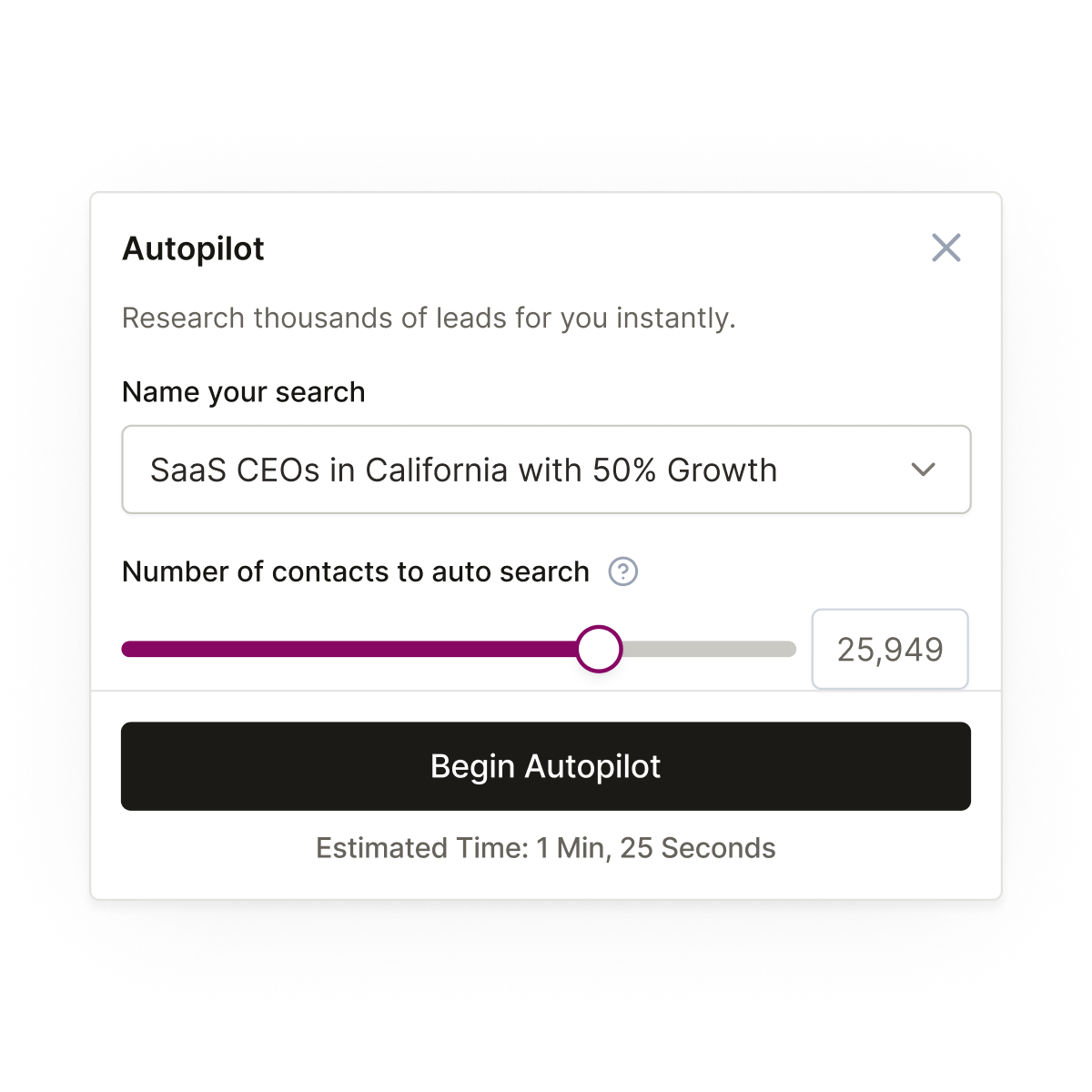
A sales team defines their ideal buyer criteria in Seamless.AI's Autopilot, which finds matching contacts continuously in the background.
Source: Seamless.AI
A Zapier Zap triggers whenever Autopilot adds a new contact, automatically creating a HubSpot record and assigning it to the appropriate rep based on territory rules configured in HubSpot. The pipeline fills without any rep manually exporting contacts.
Best integration method: Zapier (event-triggered automation from Autopilot results).
3. In-HubSpot Prospecting via Breeze Agent
An AE working inside HubSpot uses the Breeze Prospecting Agent to find new contacts at a target account. The agent, powered by Seamless.AI's data, surfaces verified decision-makers with direct dials and business emails. The AE reviews the recommendations, approves the contacts, and drafts personalized outreach, all without leaving HubSpot.
Best integration method: HubSpot Breeze Prospecting Agent (powered by Seamless.AI).
4. Scheduled CRM Enrichment for Data Hygiene
A RevOps team builds a custom integration using the Seamless.AI API to enrich HubSpot records on a weekly schedule. The script queries HubSpot for contacts with missing phone numbers or outdated job titles, searches Seamless.AI for updated data, and writes the enriched fields back into HubSpot. This keeps CRM data current without relying on reps to update records manually.
Best integration method: Seamless.AI API with HubSpot API (custom build, scheduled).
5. Marketing List Building for ABM Campaigns
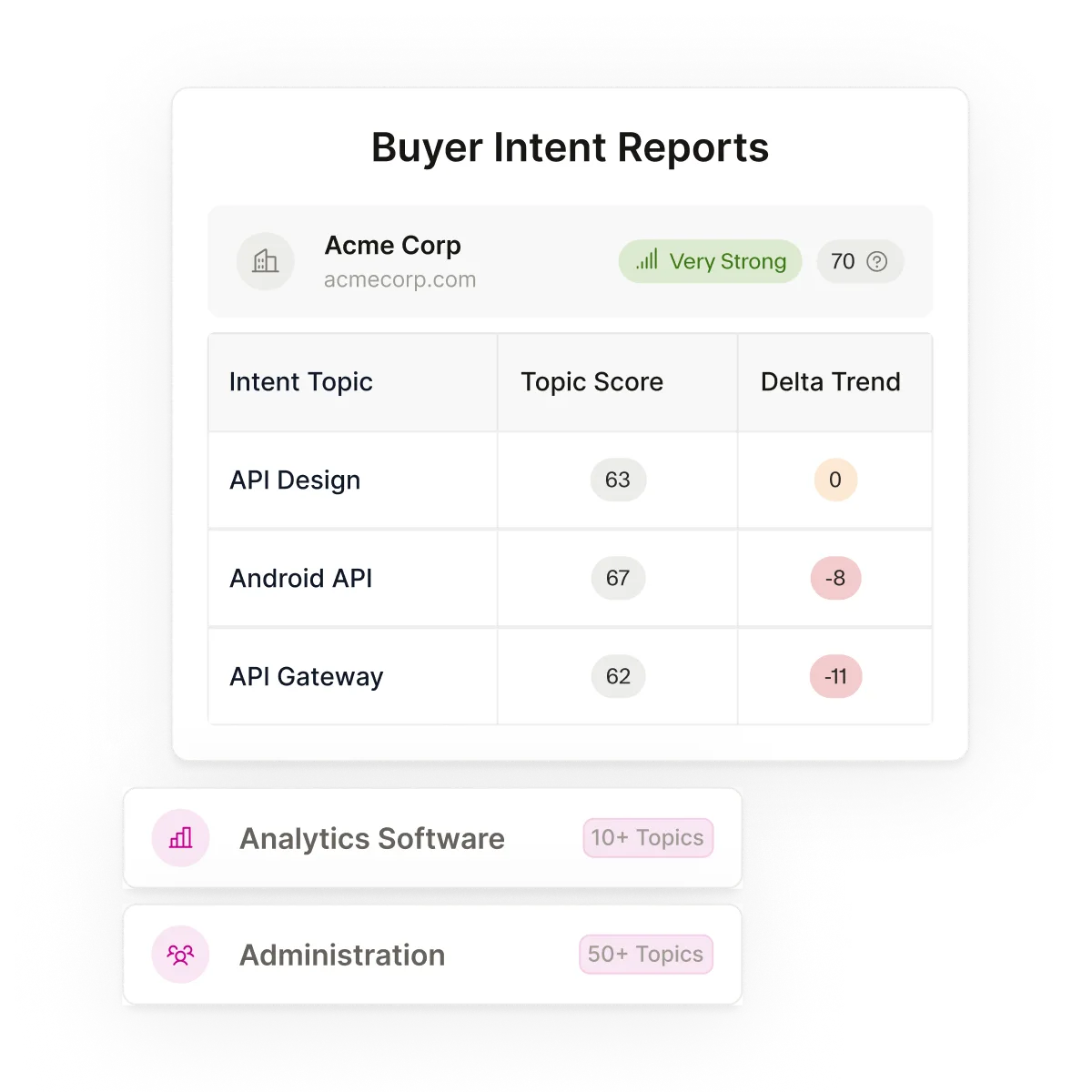
A marketing team uses Seamless.AI's Buyer Intent signals to identify companies actively researching relevant solutions, then exports verified contacts at those companies into HubSpot.
Source: Seamless.AI
The contacts land in a HubSpot smart list that triggers a nurture campaign. Intent-driven targeting replaces broad outreach.
Best integration method: Native integration for manual list exports, or Zapier for automated flow from intent-filtered lists.
Limitations and Considerations
One-Directional Data Flow
Every method moves data from Seamless.AI into HubSpot. None pushes HubSpot data back into Seamless.AI. If a rep updates a contact's phone number in HubSpot, that change does not propagate to Seamless.AI. Teams maintaining both systems need to treat HubSpot as the system of record and Seamless.AI as the prospecting source, not as two-way partners.
Credit Consumption
Seamless.AI operates on a credit-based model where each contact search consumes one credit. The free tier provides 1,000 credits per year. Paid tier credit limits are not publicly disclosed. API research calls also consume credits, though search and polling calls do not. High-volume prospecting or bulk enrichment workflows can burn through credits quickly, especially when combined with Autopilot automation.
Pricing Opacity
Seamless.AI does not publish pricing for its Pro or Enterprise plans. The pricing page lists features by tier but requires a sales conversation for dollar amounts. Key features for the integration (API access, Data Enrichment, Autopilot, Buyer Intent) are paid add-ons, not included in base plans. Teams evaluating total cost need to factor in the base subscription plus add-ons for the specific capabilities they require.
Engagement Hub Maturity
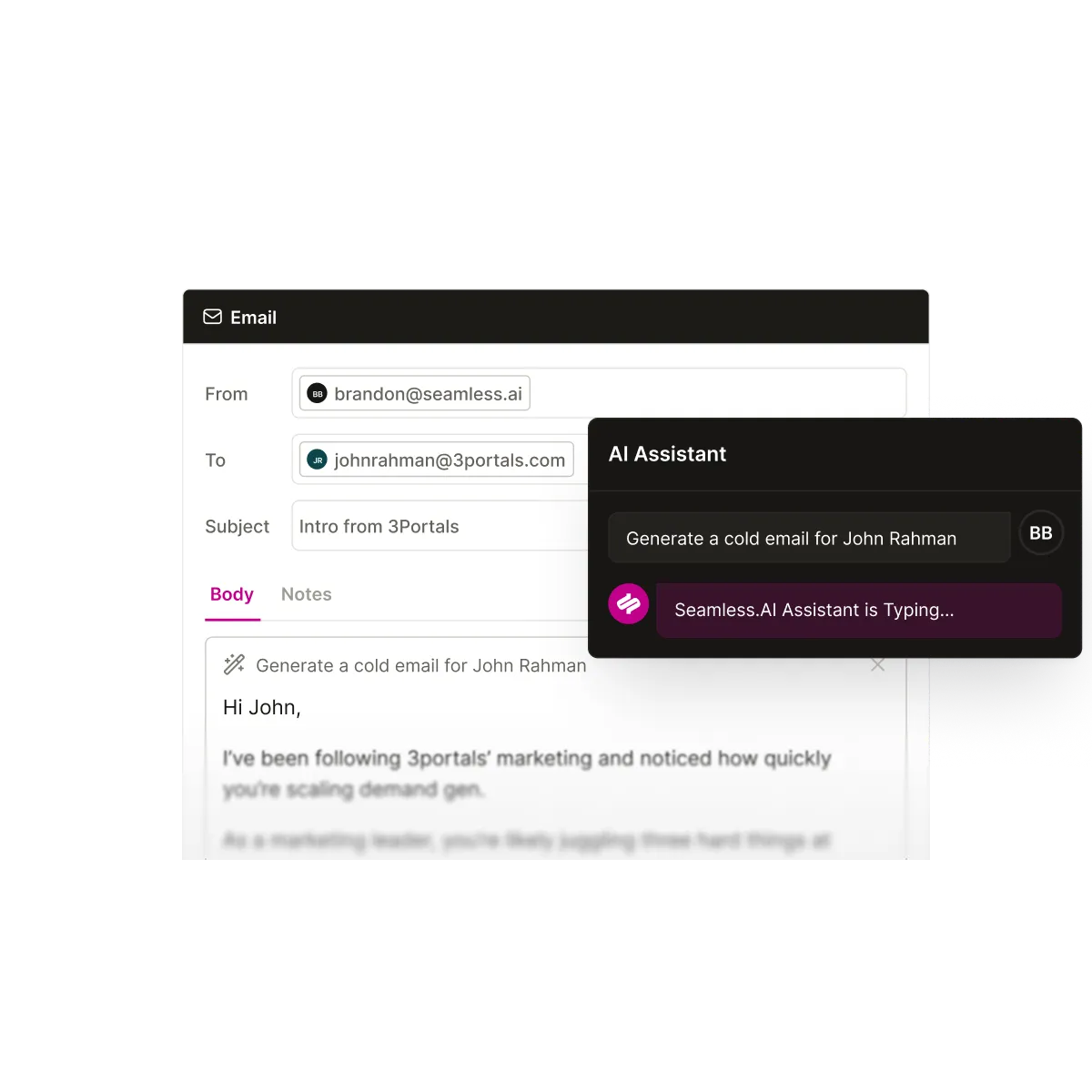
Seamless.AI's Connect engagement platform launched in January 2026 and its VP of Product described it as a "new foundation."
Source: Seamless.AI
Teams relying on HubSpot's Sales Hub for sequencing, calling, and email automation should not expect Connect to replace those workflows. The integration works best when Seamless.AI handles prospecting and HubSpot handles engagement.
HubSpot Plan Requirements
The Breeze Prospecting Agent requires HubSpot Sales Hub Professional or Enterprise. The agent runs on HubSpot Credits, with monthly allotments varying by tier (3,000 credits/month at Professional, 5,000 at Enterprise). Teams on HubSpot Starter or free plans cannot access the Breeze Agent and must use the native Seamless.AI integration or Zapier instead.
Permissions and Access
The native integration requires admin access in Seamless.AI to configure the HubSpot connection and field mappings. On the HubSpot side, the user authorizing the OAuth connection needs permissions to create and edit contacts. API-based integrations require a Seamless.AI Public API license (which must be explicitly enabled on the account) and a HubSpot private app with contact read/write scopes.
Maintenance
Both platforms evolve independently. Seamless.AI's integration surface routes through Zapier for most connections beyond HubSpot, and even the native HubSpot integration's field mapping options may change as either platform updates its data model. HubSpot's date-based API versioning ships breaking changes twice a year (March and September). Custom API integrations require monitoring for changes on both sides.
What No Method Fixes: The Data Source Itself
Every method above delivers Seamless.AI's data into HubSpot. None evaluates whether that data is the most accurate, current, or complete source available. A contact with a stale phone number in Seamless.AI arrives in HubSpot with the same stale phone number. A profile missing company-level detail transfers just as readily as a complete one. The integration ensures the data reaches HubSpot; it does not ensure the data is the best available.
Where ZoomInfo Fits In
Every method in this guide moves data from Seamless.AI into HubSpot. None questions whether the source data is the most accurate or complete. When the integration is live but outreach still bounces, direct dials ring disconnected numbers, and contact profiles lack the company-level depth that lead scoring requires, the bottleneck is no longer the connector.
It is the data feeding it. That is the gap ZoomInfo closes.
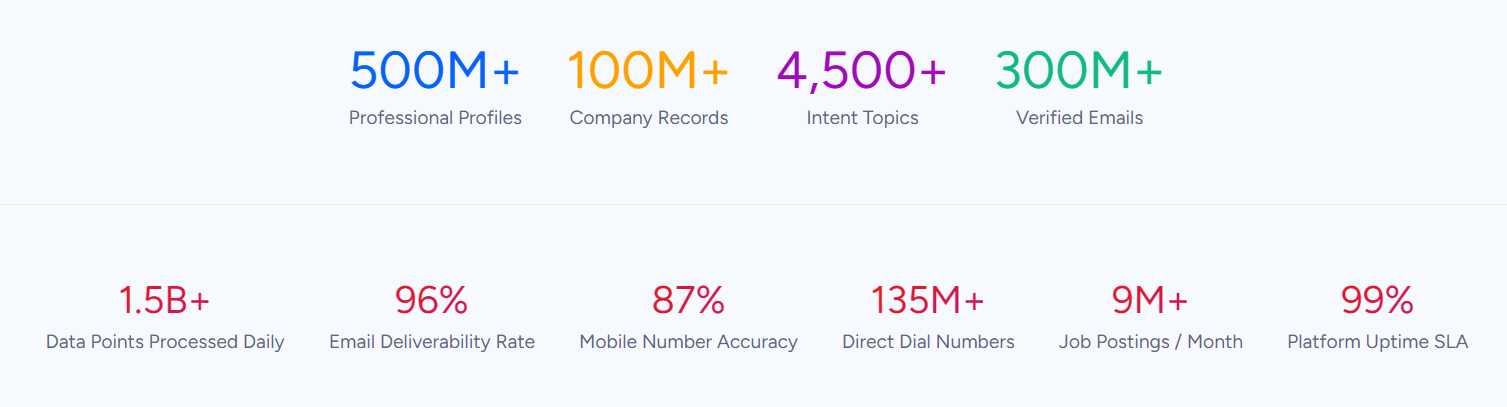
ZoomInfo is a B2B data and go-to-market platform built on 500M contacts, 100M companies, 135M+ verified phone numbers, and 200M+ verified business emails. That data goes through a multi-source verification pipeline backed by 300+ human researchers and reaching up to 95% accuracy on first-party data.
In a Fortune 500 competitive RFP analyzing 25 million contacts across vendors, the independent consultant concluded that "no other competitor came even close."
Where Seamless.AI positions its data engine as a real-time web search that crawls on demand, ZoomInfo runs a multi-source verification pipeline that aggregates from automated ML scanning of 28 million site domains daily, third-party partner data covering 95 million businesses, a community of 200,000+ ZoomInfo Lite users who share data back, and an in-house research team. The two approaches produce different data profiles, and the difference matters most when accuracy at scale determines whether outreach lands or bounces.
ZoomInfo integrates natively with HubSpot through ZoomInfo's marketplace, providing real-time and scheduled enrichment of contact and company records inside HubSpot's CRM. The integration enriches matching records automatically, filling in verified emails, direct dials, company data, technographic profiles, and org chart relationships without a rep initiating each export.
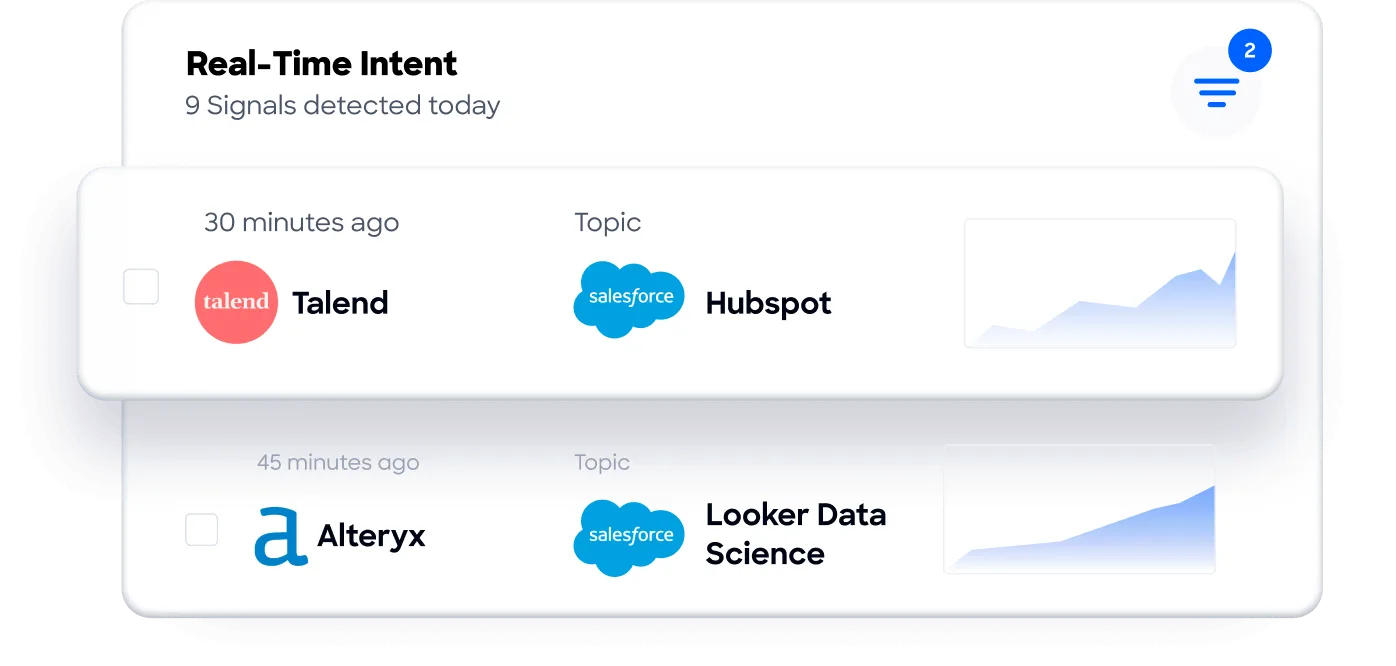
ZoomInfo's Buyer Intent data, tracking signals from 210 million IP-to-Organization pairings, can route into HubSpot to prioritize accounts actively researching relevant solutions.
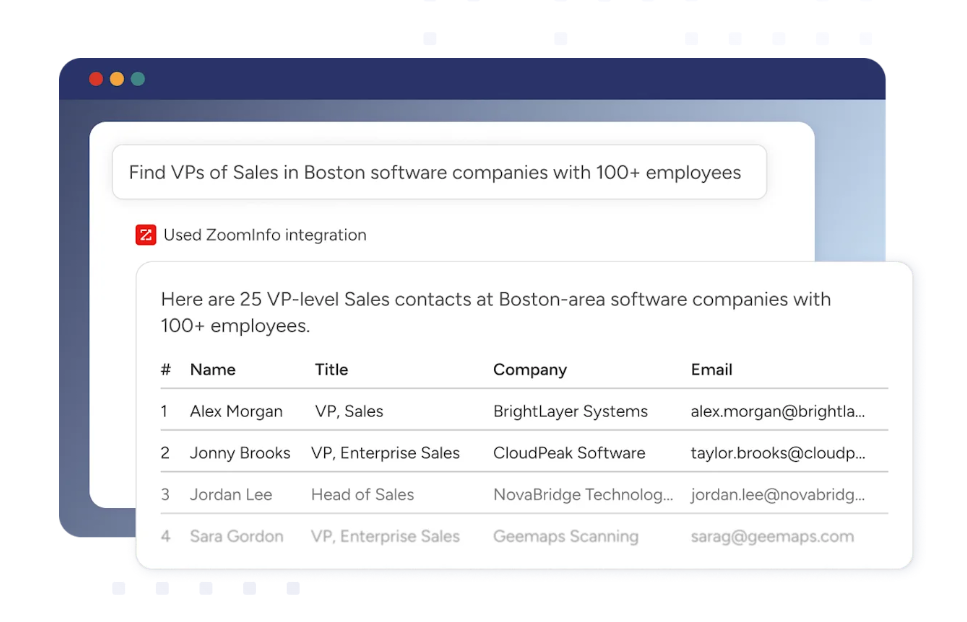
Beyond the native HubSpot integration, ZoomInfo's Enterprise API and MCP server extend the same data to any custom workflow or AI agent.
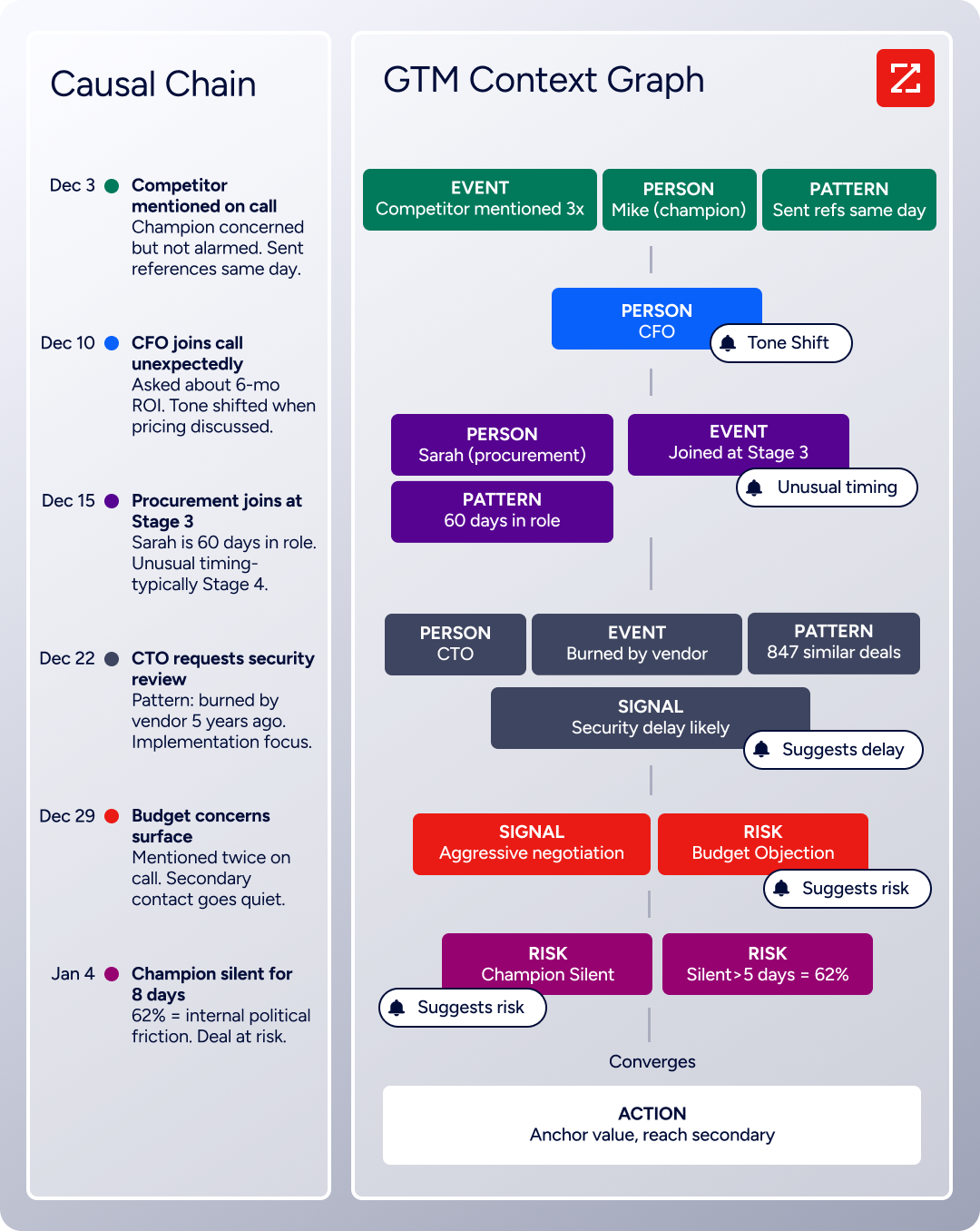
The same data feeds ZoomInfo's GTM Context Graph, which processes 1.5B+ data points daily and unifies third-party intelligence with CRM records, conversation transcripts, and behavioral signals to surface not just what happened in a deal, but why.
For teams evaluating whether Seamless.AI is the right data source for their HubSpot CRM, ZoomInfo is the enterprise-grade alternative: deeper data, native HubSpot enrichment, and a broader intelligence layer built on nearly two decades of B2B data infrastructure.
Seismic's sales team attributed 39% of active pipeline to opportunities identified or influenced by ZoomInfo signals, while boosting productivity by 54% and saving 11.5 hours per week. (Seismic)
Final Verdict
A native integration between Seamless.AI and HubSpot exists, and HubSpot's Breeze Prospecting Agent adds an AI-assisted sourcing layer powered by the same data. For most teams, the right choice depends on where they prefer to work and how much automation they need.
Small teams that prospect in Seamless.AI and want contacts in HubSpot with minimal setup should start with the native integration. It requires no third-party tool, no engineering resources, and is included with the Seamless.AI subscription.
Teams that want hands-free prospecting without leaving HubSpot should activate the Breeze Prospecting Agent, provided they are on HubSpot Sales Hub Professional or Enterprise and accept the HubSpot Credits consumption.
Organizations that need automated, event-driven flows between Seamless.AI and HubSpot (or multi-tool workflows) should use Zapier to chain prospecting triggers to CRM actions alongside other tools in their stack.
RevOps teams with development resources that need scheduled bulk enrichment, custom deduplication, or conditional data logic should build a custom API integration using the Seamless.AI API and HubSpot API.
Before committing to a method, clarify what role each platform plays in your stack.
If Seamless.AI is the prospecting engine and HubSpot is the system of record, the native integration or Breeze Agent handles the job. If the need extends to CRM-wide data quality (enriching records that did not originate from Seamless.AI, refreshing stale fields across the entire database, or layering intent signals on existing accounts), the question shifts from how to connect to what data source to connect. ZoomInfo, with its native HubSpot integration, Enterprise API, and MCP access, is the data enrichment and intelligence layer built for that broader job.
FAQ
Does Seamless.AI have a native integration with HubSpot?
Yes. Seamless.AI offers a native HubSpot integration that pushes prospected contacts into HubSpot's CRM with customizable field mappings. The integration is configured in Seamless.AI's settings and uses OAuth to connect to HubSpot. It is included with Seamless.AI subscriptions at no additional cost.
Can I prospect inside HubSpot without switching to Seamless.AI?
Yes, through HubSpot's Breeze Prospecting Agent, which Seamless.AI's data powers. The agent surfaces verified contacts inside HubSpot based on your ideal customer profile criteria, creates CRM records automatically, and drafts personalized outreach. It requires HubSpot Sales Hub Professional or Enterprise and runs on HubSpot Credits.
What data flows from Seamless.AI to HubSpot?
Contact records with verified business emails, phone numbers (mobile and direct dial), job titles, seniority, department, company name, domain, industry, employee count, revenue range, and LinkedIn profile URLs. Field mappings are customizable, so teams control which Seamless.AI data points populate which HubSpot properties.
Does HubSpot data sync back to Seamless.AI?
No. The integration is one-directional. Contacts and data flow from Seamless.AI into HubSpot, but changes made in HubSpot do not propagate back to Seamless.AI. Teams should treat HubSpot as the system of record for ongoing contact management after the initial import.
Does the integration create duplicate records in HubSpot?
The native integration handles duplicates by matching on email address. When configured, it can update existing HubSpot records instead of creating duplicates. Teams should set the default behavior during setup (create, update, or skip) and use email as the matching key. Zapier also supports a search step before the create step for deduplication.
What does the Seamless.AI API add beyond the native integration?
The API enables scheduled bulk enrichment of existing HubSpot records, custom search-and-import workflows, conditional enrichment logic (e.g., only enrich contacts with missing phone numbers), and integration into broader data pipelines. The native integration is limited to rep-initiated or Autopilot-triggered exports of new contacts. API access is a paid add-on and requires a Public API license.
How does ZoomInfo compare to Seamless.AI as a data source for HubSpot?
ZoomInfo offers a larger verified database (500M contacts, 135M+ verified phone numbers) with a multi-source verification pipeline backed by 300+ human researchers, reaching up to 95% accuracy on first-party data. Its native HubSpot integration provides real-time and scheduled enrichment of existing CRM records, not just new contact imports. ZoomInfo also adds intent data, technographics, org charts, and a GTM Context Graph that Seamless.AI's integration does not provide. Seamless.AI positions its real-time web crawling as a data freshness advantage and offers a lower-friction entry point with its free tier and credit-based model.
For a detailed platform comparison, see our Seamless.AI vs ZoomInfo breakdown.
What does the Seamless.AI-HubSpot integration cost?
The native integration is included with Seamless.AI subscriptions. Seamless.AI does not publish pricing for its Pro or Enterprise plans; all require a sales conversation. Key features for advanced integration use cases (API access, Data Enrichment, Autopilot, Buyer Intent) are paid add-ons. On the HubSpot side, the Breeze Prospecting Agent requires Sales Hub Professional ($100/seat/month annual) or Enterprise ($150/seat/month annual), both with mandatory onboarding fees. Zapier plans start at $19.99/month.
Build out your HubSpot stack:
