
Teams that run Typeform for data collection and HubSpot as their CRM usually discover the same problems within a quarter:
leads captured through Typeform sit in a separate dashboard while reps work from HubSpot, creating a copy-paste bottleneck that delays follow-up,
form responses lack CRM context (lifecycle stage, deal history, prior interactions) that would make them actionable, so marketing and sales treat them as raw inputs rather than qualified signals,
and when a high-intent prospect completes a product quiz or demo request, the lag between submission and CRM entry means the window for timely outreach has already started closing.
However, the two platforms ended up coexisting (a marketing team choosing Typeform for its completion rates while the org standardizes on HubSpot, a product team running research surveys alongside a sales-driven CRM, or separate departments adopting tools independently), the longer both operate without a connection, the wider the gap between captured data and the workflows that act on it.
Connecting Typeform and HubSpot eliminates that gap.
Form responses flow directly into HubSpot contacts, companies, and deals, so every submission populates the CRM record without manual entry. Typeform questions map to HubSpot properties, so lead qualification data (role, budget, company size, product interest) arrives structured and ready for segmentation, scoring, and automated nurture sequences. When a new respondent submits a form, HubSpot can create the contact and trigger workflows immediately, turning data collection into a pipeline event.
Typeform offers a native HubSpot integration that handles direct field mapping and automatic contact creation. For teams that need conditional logic, multi-step workflows, or connections across additional tools, third-party automation platforms like Zapier extend what the native connector covers. Custom API development is also possible, though it requires engineering resources and fits best when neither the native integration nor automation tools can handle the scenario. Each method differs in setup complexity, sync direction, data coverage, and cost.
There is also one problem no connection method solves: the integration moves form responses into CRM records, but it does not verify whether the person who submitted the form provided accurate contact details, still holds that job title, or works at the company they claimed.
And that is where ZoomInfo comes in. ZoomInfo integrates natively with HubSpot through its marketplace, providing CRM enrichment, and offers API and MCP access that can feed verified, enriched data into any workflow, so form-captured leads arrive in the CRM with validated emails, direct dials, firmographics, and intent signals attached.
This article covers the Typeform-HubSpot integration landscape: which methods are available, what data each one handles, how to set them up, the use cases that justify connecting both platforms, and the limitations to plan for. It also covers how ZoomInfo fits in as a data enrichment layer that strengthens the records flowing from Typeform into HubSpot.
Let's start with an overview of the integration.
Integration Overview
Source: Typeform
Does a native integration exist?
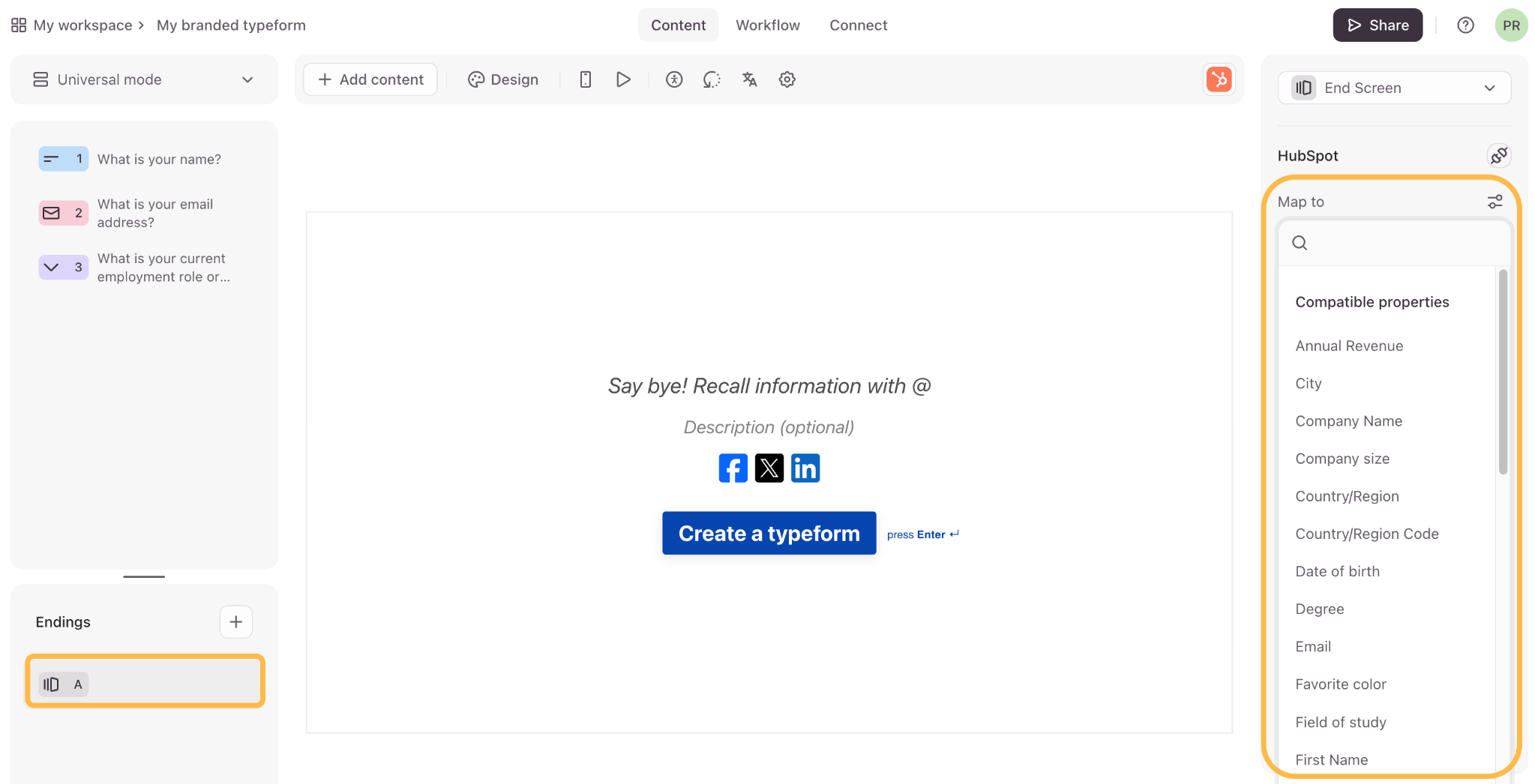
Yes. Typeform offers a native HubSpot integration that syncs form responses automatically to HubSpot contacts, companies, and deals. Typeform questions map directly to HubSpot properties, and the integration is available through both Typeform's integrations hub and the HubSpot App Marketplace.
What data can sync?
Form responses (text answers, multiple-choice selections, ratings, file uploads, and hidden fields) can be mapped to HubSpot contact properties, company properties, and deal fields. Each Typeform question maps to a specific HubSpot property, so structured qualification data (job title, company name, budget range) arrives in the CRM formatted for segmentation and automation.
Is the sync bidirectional?
No. The native integration flows one direction: Typeform to HubSpot. Form submissions push data into HubSpot records, but HubSpot data does not flow back into Typeform. Third-party tools can create separate one-way flows for specific use cases, but bidirectional sync is not a standard configuration for this integration.
Is it real-time or batch?
The native integration pushes form responses into HubSpot as they are submitted, in near real-time. Third-party tools like Zapier trigger within 1 to 15 minutes depending on plan tier.
What are the available methods?
Native Typeform-HubSpot integration, third-party automation (Zapier), and custom API development using both platforms' APIs.
Method | Setup Difficulty | Data Flow | Real-time? | Cost |
|---|---|---|---|---|
Native (Typeform to HubSpot) | Low | Typeform to HubSpot | Near real-time | Included with Typeform paid plans |
Zapier | Medium | One-way per Zap | Near real-time (1-15 min) | From $19.99/mo |
Custom API | High | Fully customizable | Depends on implementation | Developer time + hosting |
One distinction worth settling upfront: the native integration and Zapier both handle ongoing sync of new form submissions as they arrive, making them tools for active lead capture workflows. Neither migrates historical response data into HubSpot. Custom API development is the only path that handles both historical backfill and ongoing sync, though it requires more engineering investment.
Integration Methods
Native Typeform-HubSpot Integration
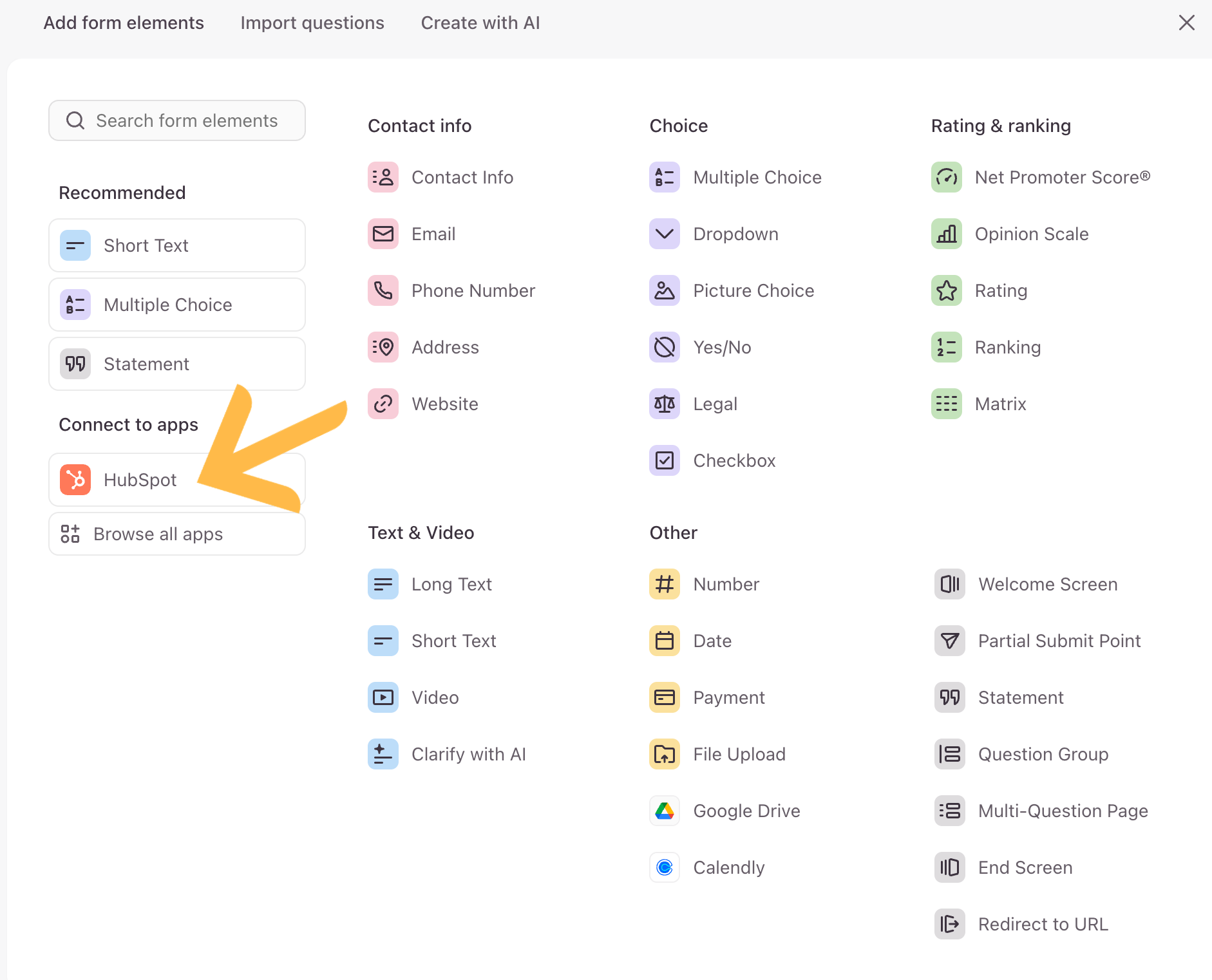
How it works: Typeform's native HubSpot integration connects the two platforms through OAuth authentication. When a respondent submits a Typeform, the integration maps each question to a corresponding HubSpot property and creates or updates a contact record automatically. It supports mapping to contacts, companies, and deals, and can create new records or update existing ones based on email matching.
Source: Typeform
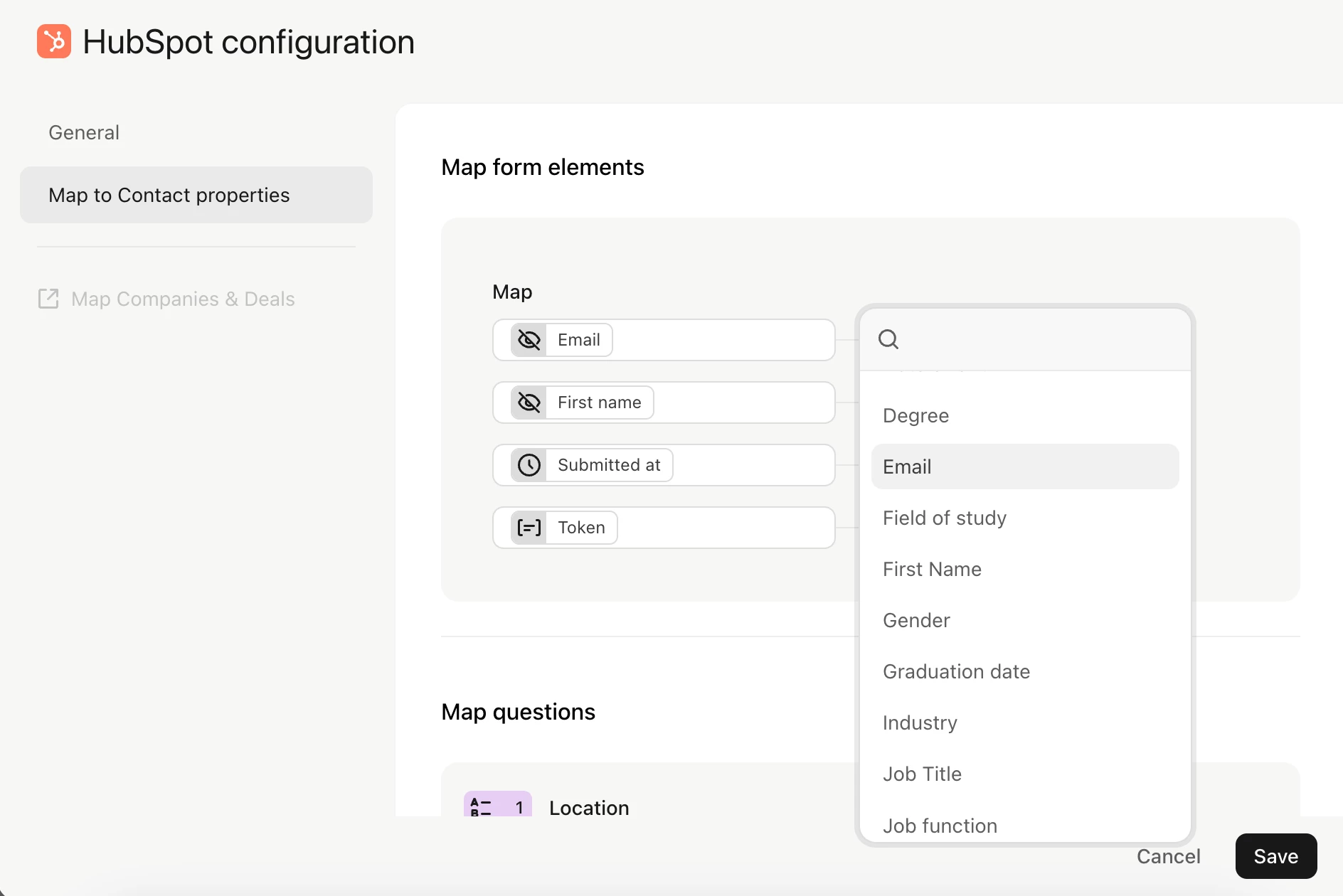
What it syncs: All Typeform question types (text, multiple choice, rating, opinion scale, file upload, date, number, dropdown, yes/no) map to corresponding HubSpot properties. Hidden fields passed through URL parameters also sync, so teams can carry UTM parameters, campaign IDs, or pre-filled data into HubSpot. Contact creation is automatic when the respondent's email does not match an existing HubSpot record.
Source: Typeform
Fits: ongoing sync of new form submissions into HubSpot as part of active lead capture, feedback collection, or qualification workflows; not a migration tool for historical data.
Setup process:
Open the Typeform you want to connect and navigate to the Connect panel. Search for HubSpot in the integrations list and select it.
Authenticate with HubSpot by signing in with your HubSpot account credentials. Grant Typeform permission to access your HubSpot contacts, companies, and deals.
Choose the HubSpot object type you want to map responses to (Contact, Company, or Deal).
Map each Typeform question to a specific HubSpot property. Typeform displays the available HubSpot properties and lets you assign each form field to its target. Ensure the email question maps to the HubSpot email property for contact matching.
Configure whether the integration should create new records, update existing records, or both. For contacts, matching is based on the email address.
Test by submitting a response through the form and verifying the data appears on the correct HubSpot record.
Strengths: First-party integration requiring no third-party tool or additional subscription. Setup takes minutes with no engineering resources. Field mapping is visual and straightforward. Supports all standard Typeform question types and hidden fields. Works with HubSpot's free CRM tier.
Limitations: One-directional sync only (Typeform to HubSpot). Limited to field mapping; cannot trigger HubSpot workflows conditionally based on specific answer values without additional HubSpot workflow configuration after the data lands. Does not support syncing file upload responses as HubSpot attachments in all configurations. Only processes new submissions after activation; historical responses do not sync retroactively.
Best for: Marketing and sales teams that use Typeform for lead capture, event registration, or qualification surveys and want submissions to appear as HubSpot contacts automatically. Teams on any HubSpot tier (including free) that need a fast, no-code connection between their forms and CRM.
Zapier
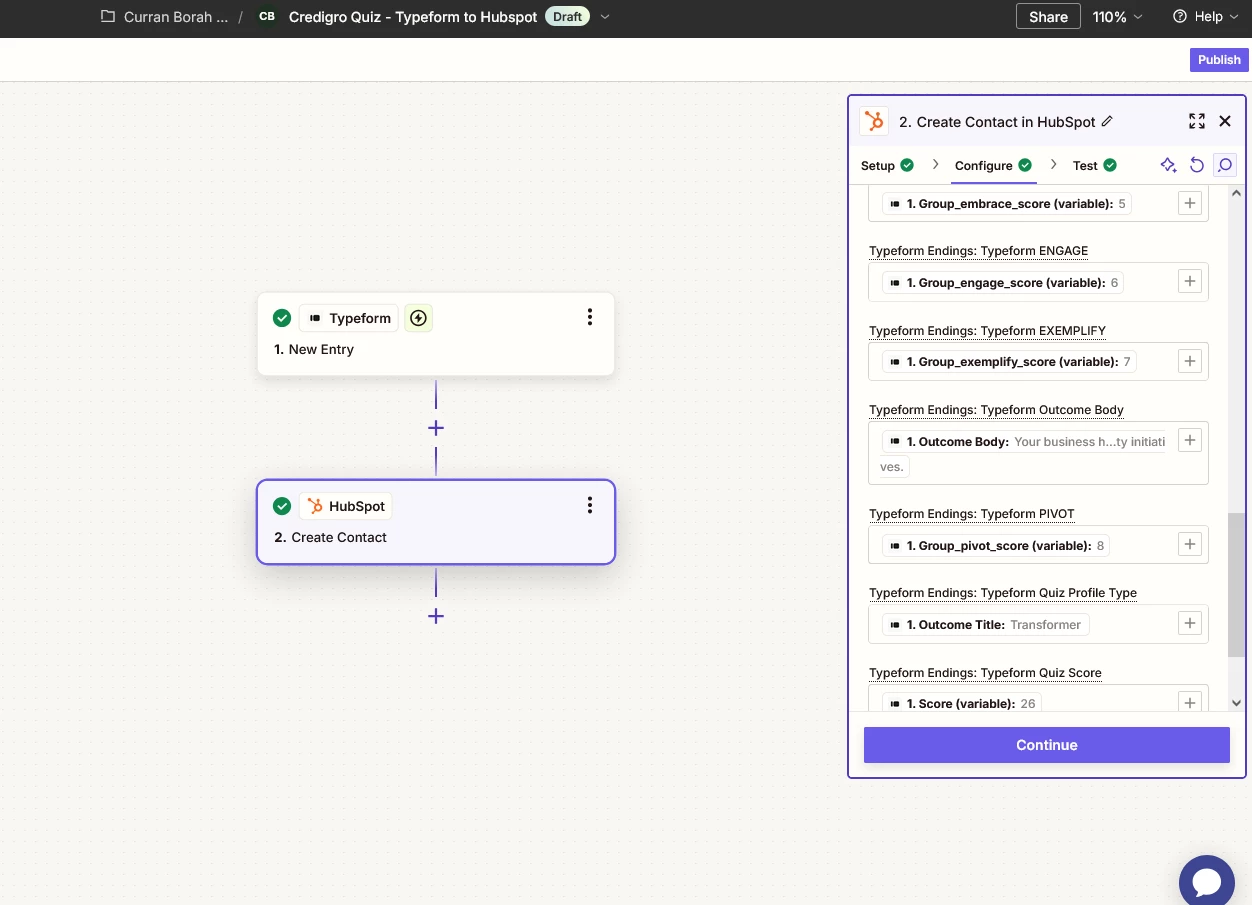
How it works: Zapier connects Typeform and HubSpot through event-driven automations called Zaps. Each Zap pairs a trigger (a new Typeform response) with one or more actions (creating or updating a record in HubSpot). Both platforms are well-supported Zapier connectors, with Typeform's trigger firing on each new submission and HubSpot's actions covering contacts, companies, deals, tickets, and custom objects.
Source: Zapier
What it syncs: Any data captured in a Typeform response can pass to HubSpot, including answer values, hidden fields, metadata (submission date, respondent landing page), and calculated fields. Zapier's formatter steps transform data between platforms (splitting full names into first and last, reformatting dates, converting text to numbers). Multi-step Zaps can create a contact, associate it with a company, and create a deal in a single automation.
Fits: ongoing sync with conditional logic, multi-step workflows, or connections to additional tools beyond HubSpot; not a migration tool for historical data.
Setup process:
Create a Zapier account and connect both your Typeform and HubSpot accounts using OAuth.
Choose Typeform as the trigger app and select "New Entry" as the trigger event. Select the specific Typeform you want to connect.
Choose HubSpot as the action app and select the action (e.g., "Create Contact," "Create or Update Contact," "Create Deal").
Map fields from the Typeform trigger into the corresponding HubSpot fields. Zapier displays all available response data from the trigger step and lets you pull values into any HubSpot property.
Add optional intermediate steps: filters (only process responses where a specific answer matches a condition), formatters (split names, reformat dates), or additional actions (send a Slack notification, add to a Google Sheet).
Test the Zap with a sample response, then turn it on.
Strengths: More flexible than the native integration. Multi-step Zaps can create records across multiple HubSpot objects in sequence. Filters allow conditional processing (e.g., only create a deal if the budget answer exceeds a threshold). Can connect the same Typeform response to HubSpot and other tools simultaneously (Slack, Google Sheets, Salesforce). Works with all HubSpot object types, including custom objects on Enterprise plans.
Limitations: Each Zap handles one trigger-action chain. Zapier charges by task count (each form submission processed counts as a task), and high-volume forms can accumulate costs. Processing delay of 1 to 15 minutes depending on Zapier plan tier. No deduplication logic built in; without a "Create or Update" action, duplicate contacts can accumulate. Historical submissions created before the Zap was activated do not sync.
Best for: Teams that need conditional routing (e.g., only send high-budget leads to HubSpot deals, route product feedback to a different system), multi-step workflows across several tools, or data transformation between Typeform and HubSpot that the native integration does not support.
For a broader look at how HubSpot and Zapier compare as platforms, see our HubSpot vs Zapier comparison.
Custom API Integration
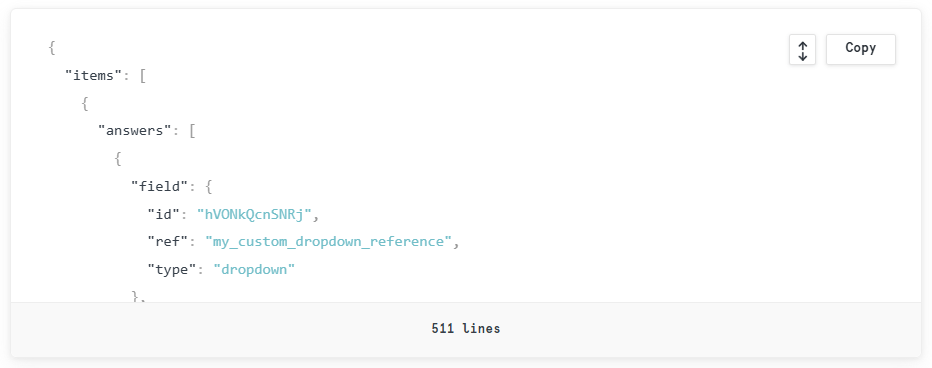
How it works: Both Typeform and HubSpot provide APIs that support programmatic data flow. Typeform's Responses API delivers submission data via pull requests, and its Webhooks API pushes response payloads to a configured URL on submission. HubSpot's REST API supports full CRUD operations on all CRM objects (contacts, companies, deals, tickets, custom objects) with search, association, and pipeline management endpoints. A custom integration connects these APIs through middleware that handles authentication, field mapping, transformation logic, and error recovery.
Source: Typeform
What it syncs: Anything both APIs expose. From Typeform: all response data, hidden fields, metadata, file uploads, and calculated scores. To HubSpot: any standard or custom object, property, association, or pipeline stage. Custom builds can also implement logic that neither the native integration nor Zapier supports, such as deduplication across multiple email fields, conditional object creation based on complex answer combinations, or real-time enrichment from third-party sources before writing to HubSpot.
Fits: both one-time migration of historical response data and ongoing sync; the only method with no ceiling on either.
Setup process:
Generate a Typeform Personal Access Token or register an OAuth application for multi-account access. Create a HubSpot private app with the required scopes (contacts, companies, deals) to obtain an API access token.
Design the field mapping between Typeform questions and HubSpot properties, including data type conversions and any custom transformation rules.
Build the integration service: a server-side application that either polls the Typeform Responses API on a schedule or listens for webhook payloads, transforms the data according to the mapping, and writes to HubSpot via the CRM API.
Implement deduplication logic using HubSpot's Search API to check for existing records before creating new ones, and use upsert patterns where available.
Add error handling, logging, and retry logic. Typeform webhooks retry every 2-3 minutes for up to 10 hours on failure responses. HubSpot API rate limits vary by plan (100 to 190 requests per 10 seconds for private apps, depending on tier).
Deploy, monitor, and maintain. Both platforms evolve their APIs independently (HubSpot introduced date-based API versioning in March 2026 with 18-month support windows per version).
Strengths: Complete control over what syncs, when, and how. Can process historical Typeform responses (the Responses API returns all submissions, not just new ones). Supports complex business logic, multi-object workflows, and cross-system enrichment. No per-operation fees from a third-party connector.
Limitations: Requires development resources to build and maintain. Typeform does not provide a general-purpose open REST API for all features; the Responses API covers submission data but recent submissions (within approximately the last 30 minutes) may not be immediately available via the pull endpoint. API changes on either platform require ongoing maintenance. The initial build takes days to weeks, not minutes.
Best for: Teams with complex data transformation requirements, historical data migration needs, or business logic that neither the native integration nor Zapier can implement. Organizations with in-house development resources and a long-term commitment to a customized form-to-CRM pipeline.
Key Use Cases
1. Inbound Lead Capture and CRM Routing
Marketing teams embed Typeform lead capture forms on landing pages, collecting qualifying data (role, company size, budget, timeline) through Typeform's one-question-at-a-time format. The native HubSpot integration maps each answer to a HubSpot contact property, creating a new contact or updating an existing one the moment the form is submitted. HubSpot workflows then score the lead and route it to the appropriate sales rep based on the qualification data, so follow-up begins within minutes of submission rather than after a manual CSV import.
Best integration method: Native Typeform-HubSpot integration (fastest setup, no third-party dependency).
2. Event Registration with Automated Nurture Sequences
A Typeform event registration form captures attendee information (name, email, company, dietary requirements, session preferences). The native integration or a Zapier Zap pushes registrations into HubSpot, where a workflow enrolls each registrant in a pre-event email sequence (confirmation, logistics, speaker previews). Post-event, the same HubSpot record receives a follow-up survey (also via Typeform), and the combined data feeds into a post-event pipeline for sales outreach to engaged attendees.
Best integration method: Native integration for simple registration-to-CRM sync; Zapier for multi-step workflows that also notify a Slack channel or add registrants to a Google Sheet.
3. Product Recommendation Quizzes Feeding Deal Creation
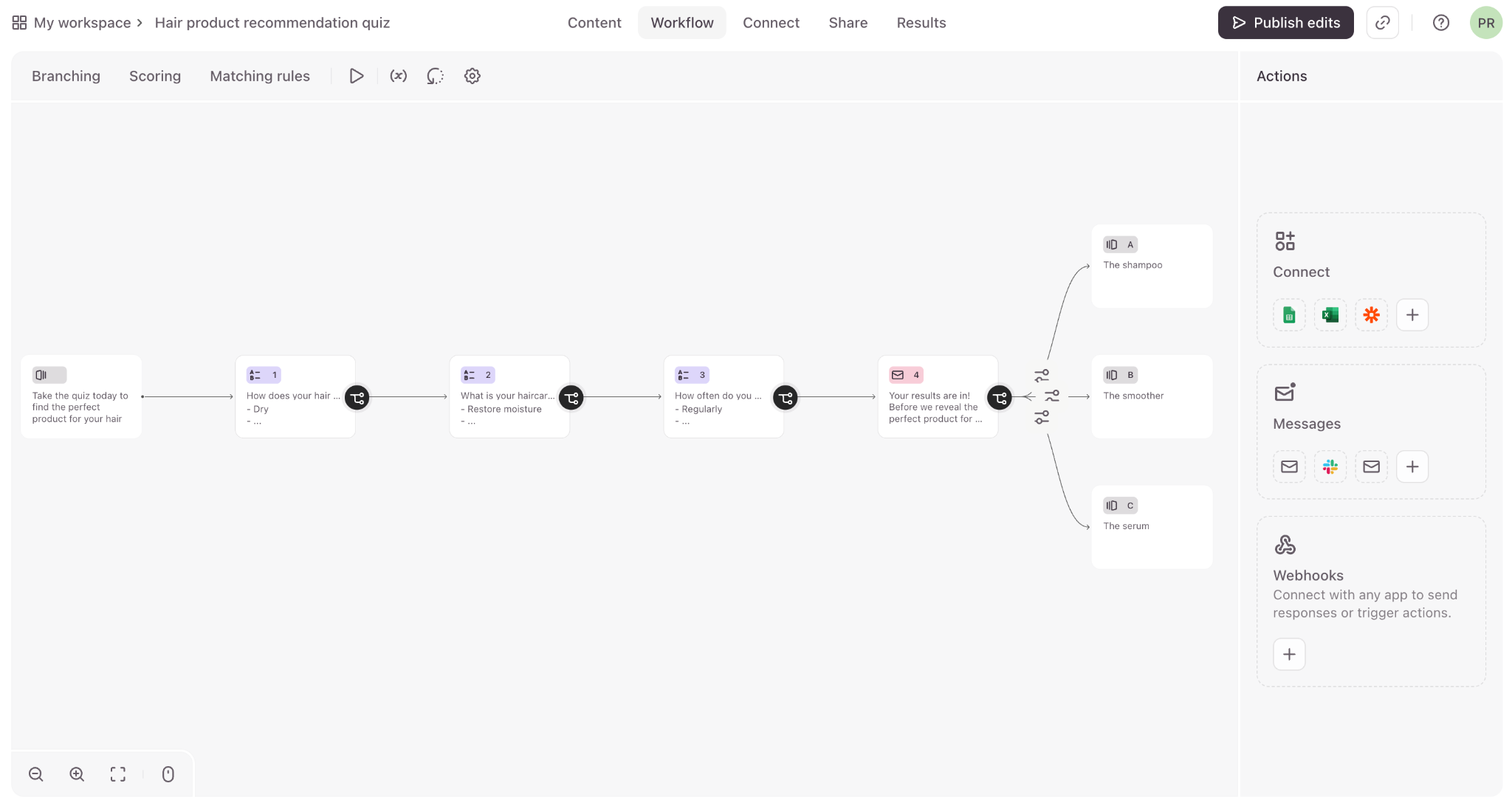
E-commerce and SaaS companies use Typeform's branching logic to build product recommendation quizzes. When a prospect completes the quiz, a Zapier Zap creates a HubSpot contact, associates it with the recommended product, and creates a deal in the appropriate pipeline. The deal record includes the quiz answers (product preferences, budget range, use case) as custom properties, giving the sales rep full context for a personalized follow-up.
Source: Typeform
Best integration method: Zapier (multi-step workflow creating both a contact and a deal with conditional logic based on quiz answers).
4. Customer Feedback Collection Linked to CRM Records
Customer success teams send Typeform NPS or CSAT surveys to existing HubSpot contacts. Hidden fields in the Typeform URL pre-fill the respondent's email and account ID, so the native integration matches the response to the correct HubSpot contact record. The NPS score arrives as a contact property, and a HubSpot workflow triggers an alert for scores below a threshold, enabling outreach before dissatisfaction escalates.
Best integration method: Native Typeform-HubSpot integration (hidden fields carry the matching key; HubSpot workflows handle the conditional follow-up).
5. Multi-Step Application and Screening Processes
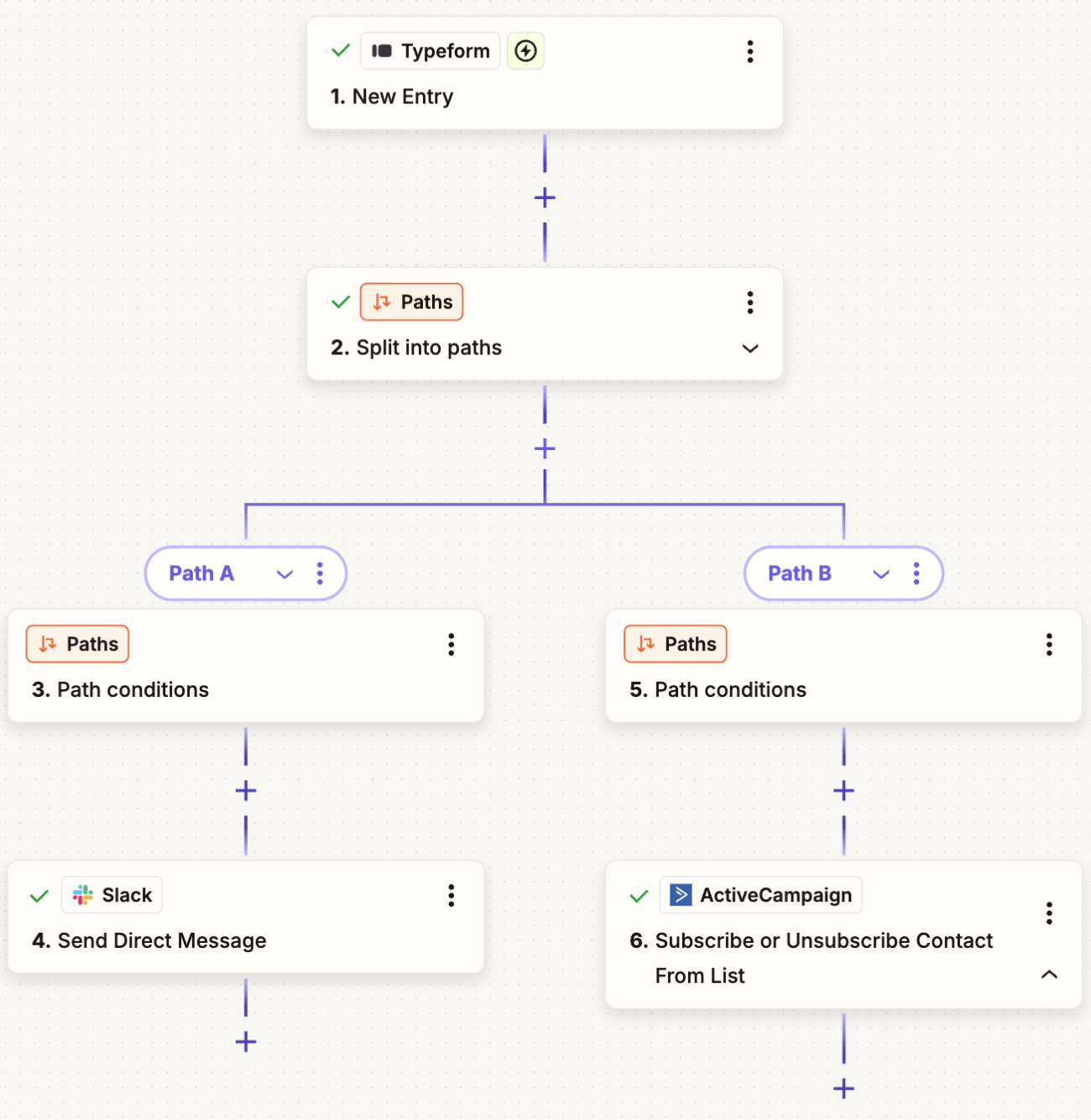
HR teams, grant programs, or partner applications use Typeform for initial screening (qualifications, experience, availability). The integration pushes applicant data into HubSpot as a contact with custom properties tracking application status. Sales or partner managers use HubSpot's pipeline to track each applicant through screening stages, with automated emails at each stage transition. For teams needing to route applicants across departments, Zapier's conditional filters direct data to different HubSpot pipelines based on the applicant's answers.
Source: Zapier
Best integration method: Zapier (conditional routing based on applicant qualifications) or native integration for simpler single-pipeline screening.
Limitations and Considerations
Data That Doesn't Sync Easily
Typeform's conversational format captures rich qualitative data (open-ended text, video responses, audio recordings), but not all of it maps cleanly to HubSpot's property-based data model. Long free-text answers can be pushed into HubSpot text properties, but HubSpot's standard contact properties have character limits that may truncate detailed responses. Video and audio responses collected through Typeform's Video Engagement feature do not have corresponding HubSpot property types and cannot sync through the native integration or Zapier.
Typeform's built-in analytics (completion rates, drop-off points, Smart Insights) stay inside Typeform and do not transfer to HubSpot. Teams that want to analyze form performance alongside CRM data need to work across both platforms.
One-Directional Data Flow
The native integration and Zapier both push data from Typeform to HubSpot, not the other way. HubSpot contact details, deal stages, and lifecycle data do not flow back into Typeform. If a team wants to pre-fill a Typeform with HubSpot data (personalizing a survey for an existing contact), hidden fields must be appended to the form URL using HubSpot personalization tokens in emails or CTAs. This works but requires configuration on the HubSpot side.
Response Volume and Pricing
Typeform's paid plans cap monthly responses (100 on Basic, 1,000 on Plus, 10,000 on Business and Growth Flow). High-traffic lead generation campaigns can hit these ceilings quickly, especially when a single form serves multiple channels. Exceeding the cap requires purchasing response add-ons or upgrading. Zapier adds a second cost layer, charging by task count (each form submission processed counts as a task). Teams running thousands of form submissions per month through Zapier should model the combined Typeform plus Zapier cost against their budget.
On the HubSpot side, the free CRM tier supports the native Typeform integration at no additional cost. Marketing Hub Professional and Enterprise tiers charge based on marketing contact count, so a high-volume Typeform feeding thousands of new contacts into HubSpot can push contact counts past the included tier, triggering overage charges.
Permissions and Access
Setting up the native integration requires admin access on the Typeform workspace and sufficient permissions in HubSpot to authorize OAuth connections and access the target objects (contacts, companies, deals). HubSpot accounts using field-level security (Enterprise tier) must ensure the integration's access scope includes every property being mapped. For Zapier, both platform accounts must authorize the connection, and HubSpot's private app scopes must include the objects the Zap writes to.
Maintenance
Both platforms update independently. HubSpot introduced date-based API versioning in March 2026, with new versions shipping every six months and each version supported for 18 months. Typeform's developer surface evolves through its own changelog. Custom fields added to either platform after the integration is configured will not sync unless the mapping is updated. Zapier Zaps referencing removed or renamed fields will error silently until corrected. Periodic reviews of the integration's field mappings and error logs are necessary to catch drift before it affects data quality.
What No Method Fixes: The Data Itself
Every method above moves form responses from Typeform into HubSpot. None of them checks whether the data the respondent entered is accurate, complete, or current. A prospect who types an outdated job title, misspells their company name, or submits a personal email instead of a business address creates a CRM record that looks complete but is functionally unreliable. The integration delivers whatever the respondent provided, errors and gaps included, into HubSpot.
Where ZoomInfo Fits In
Every method in this guide moves form responses from Typeform into HubSpot. None of them improves the data being moved. When the integration is live but lead records arrive with personal email addresses instead of business domains, outdated job titles, or company names that do not match any company record, the bottleneck is no longer the connector. That is the gap ZoomInfo closes.
ZoomInfo is a B2B data and go-to-market platform built on 500M contacts, 100M companies, 135M+ verified phone numbers, and 200M+ verified business email addresses. That data is verified through a multi-source pipeline backed by 300+ human researchers and reaching up to 95% accuracy on first-party data. For teams running a Typeform-to-HubSpot pipeline, ZoomInfo addresses the data quality layer that no form connector handles.
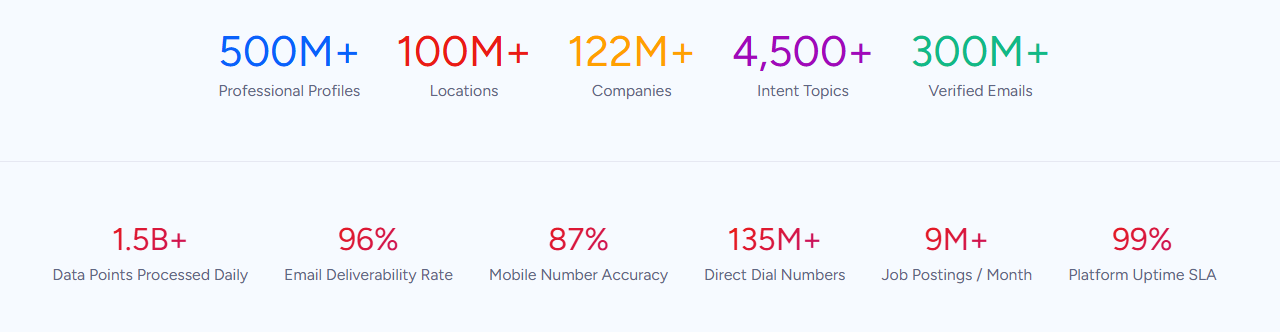
ZoomInfo integrates natively with HubSpot through the HubSpot App Marketplace, providing CRM enrichment that appends verified business emails, direct dials, firmographics, technographics, and org chart data to contact and company records. When a Typeform submission creates a new HubSpot contact with only a name and email address, ZoomInfo's enrichment fills in the rest: verified phone number, current job title, company revenue, employee count, industry classification, and technology stack.
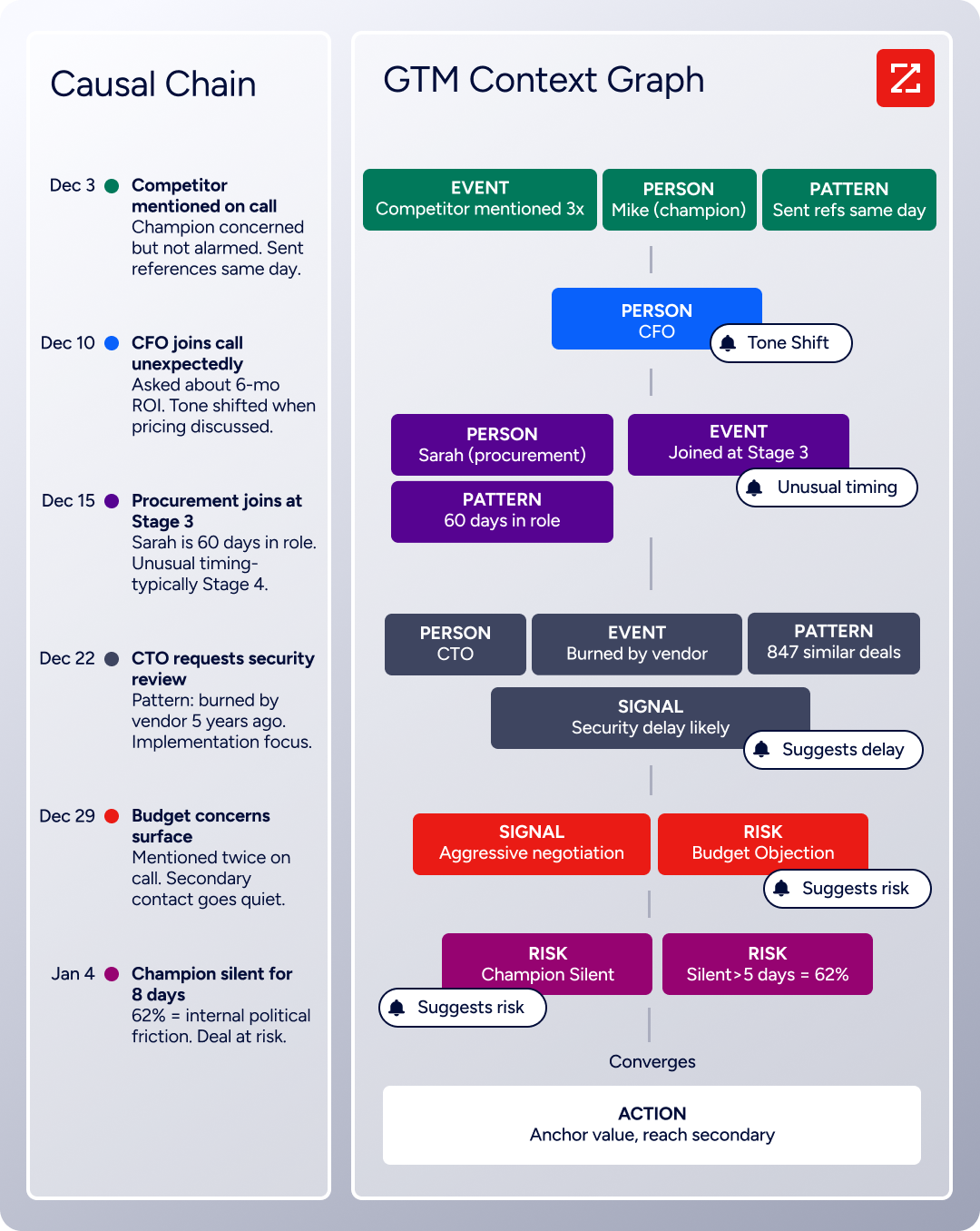
The same data feeds ZoomInfo's GTM Context Graph, which processes 1.5B+ data points daily by fusing ZoomInfo's B2B data with your first-party data (CRM records, conversation transcripts, and behavioral signals) to surface not just what happened in a deal, but why.
In practice, a team running Typeform lead capture forms through HubSpot can use ZoomInfo to enrich every form-captured contact automatically. A respondent who enters "marketing manager" and "acme corp" gets a CRM record with verified title, direct dial, company attributes, and org chart context attached before the first sales touch.
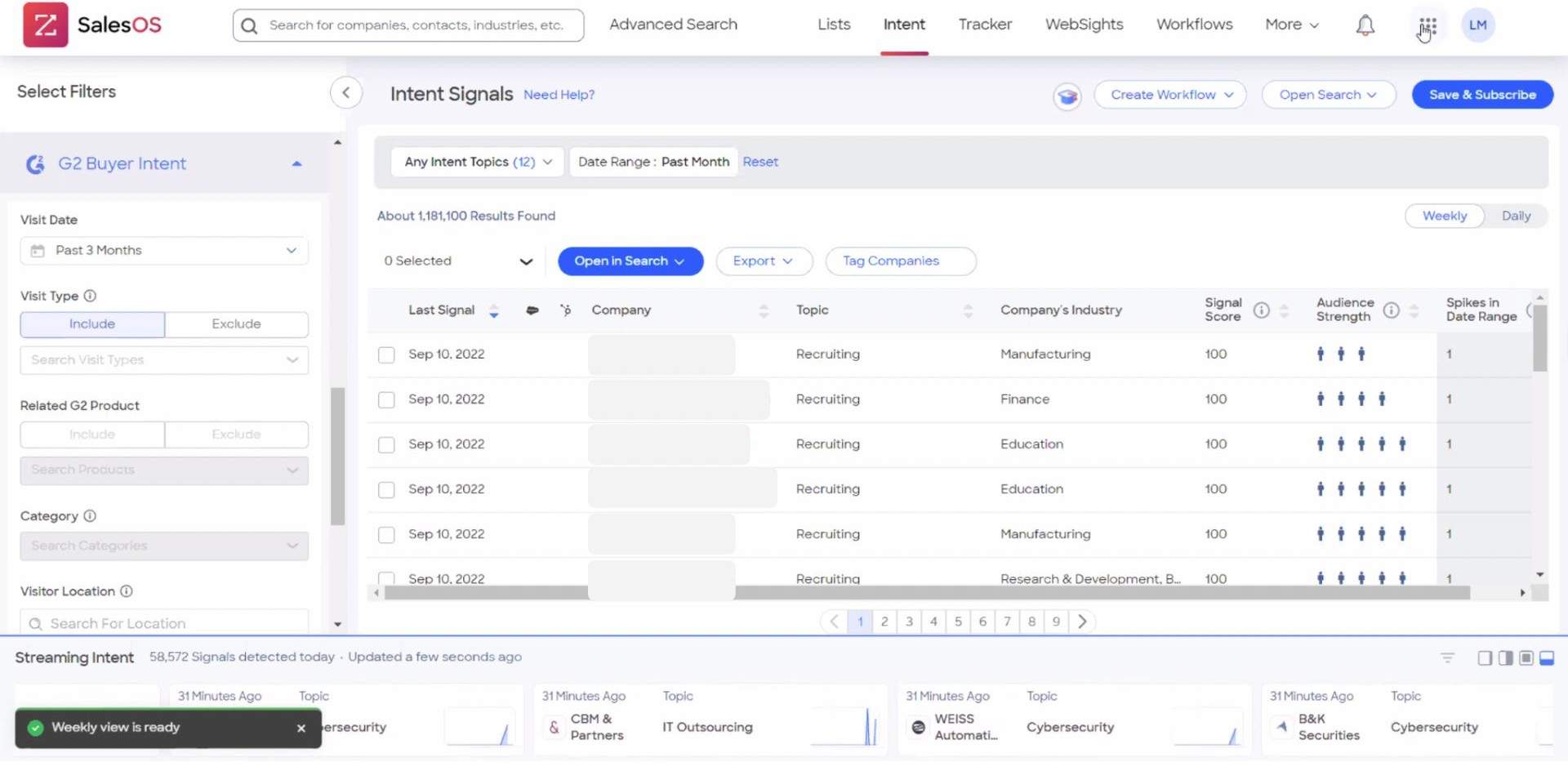
Buyer Intent data from ZoomInfo, tracking signals from 210 million IP-to-Organization pairings, adds another layer: when a form submission comes from a company already showing intent signals for a relevant topic, sales can prioritize that lead over others who submitted the same form with the same answers but from companies showing no buying activity.
Enriched records also make the Typeform-HubSpot integration more effective downstream. HubSpot lead scoring works best when contact properties are complete and consistent. Workflow branching based on company size or industry only functions when those fields are populated. Segmentation for marketing campaigns relies on company attribute data that forms rarely capture in full. ZoomInfo fills those gaps so the automation built on top of the integration operates on accurate, complete data rather than whatever the respondent chose to provide.
Seismic's sales team attributed 39% of active pipeline to opportunities identified or influenced by ZoomInfo signals, while boosting productivity by 54% and saving 11.5 hours per week. (Seismic)
Final Verdict
A native Typeform-HubSpot integration exists and handles the most common use case (form submissions creating or updating HubSpot contacts) with minimal setup. Zapier extends the connection with conditional logic and multi-step workflows. Custom API development covers teams with complex requirements that neither pre-built option supports. For most teams, the right choice depends on scale and complexity.
Small teams running a handful of lead capture or feedback forms should start with the native Typeform-HubSpot integration. It requires no third-party tool, no engineering resources, and works with HubSpot's free CRM tier.
Teams that need conditional routing (only sync certain responses), multi-object creation (contact plus deal in one flow), or connections to tools beyond HubSpot should use Zapier. The added flexibility justifies the per-task cost for mid-volume workflows.
Organizations with complex data models, historical migration requirements, or business logic that pre-built tools cannot implement should invest in a custom API integration using Typeform's webhooks and HubSpot's CRM API.
Before choosing a method, clarify what the form-to-CRM connection needs to accomplish.
If the goal is getting form responses into HubSpot quickly so workflows and reps can act on them, the native integration delivers that in minutes. If the goal is building a lead pipeline with conditional scoring, multi-step nurture, and cross-tool orchestration, Zapier or custom development is the right investment.
Either way, the quality of the data entering HubSpot determines whether downstream automation produces results or just processes noise. ZoomInfo, with its native HubSpot integration and API and MCP access, ensures every form-captured lead arrives in the CRM verified, complete, and ready for action.
FAQ
Does Typeform integrate natively with HubSpot?
Yes. Typeform offers a native HubSpot integration available through both Typeform's Connect panel and the HubSpot App Marketplace. The integration maps Typeform questions to HubSpot properties and automatically creates or updates contact, company, and deal records when a form is submitted. It works with all HubSpot tiers, including the free CRM. Setup requires a paid Typeform plan (Basic or above) and takes a few minutes.
Can I sync historical Typeform responses to HubSpot?
Not through the native integration or Zapier, which only process new submissions created after activation. To migrate historical response data, use the Typeform Responses API to pull past submissions and write them to HubSpot via the HubSpot CRM API. This requires custom development or a third-party data migration tool capable of connecting both APIs.
What Typeform plans support the HubSpot integration?
The native HubSpot integration is available on Typeform's paid plans (Basic at $28/month annual and above). Webhooks, required for custom API integrations, also require a paid plan. Zapier connectivity works on any Typeform plan that supports the Zapier trigger, though certain Typeform features (hidden fields, payment collection) require paid tiers to use within the form itself.
How do I avoid creating duplicate contacts in HubSpot?
The native Typeform-HubSpot integration matches respondents to existing HubSpot contacts by email address. If the email matches an existing record, the integration updates that record rather than creating a new one. In Zapier, use the "Create or Update Contact" action instead of "Create Contact" to achieve the same behavior. For custom API builds, use HubSpot's Search API to check for existing records before creating new ones, and use upsert logic where available.
Can Typeform trigger HubSpot workflows automatically?
Yes, indirectly. The native integration creates or updates HubSpot contact records, and HubSpot workflows can trigger on contact property changes or contact creation events. For example, a Typeform submission that sets a "Lead Source" property to "Product Quiz" can trigger a HubSpot workflow that enrolls the contact in a nurture sequence. The trigger logic lives in HubSpot's workflow builder, not in the Typeform integration itself.
Does the integration support Typeform's hidden fields?
Yes. Hidden fields appended to a Typeform URL (such as UTM parameters, campaign IDs, or pre-filled contact identifiers) are available in the native HubSpot integration's field mapping and in Zapier's trigger data. This makes it possible to carry attribution data and CRM identifiers from HubSpot emails or CTAs into the form response and back into HubSpot, maintaining a closed loop for campaign tracking.
What does the Typeform-HubSpot integration cost?
The native integration is included with Typeform's paid plans (starting at $28/month on annual billing for Basic). Neither Typeform nor HubSpot charges an additional fee for the connection. Zapier plans start at $19.99/month for 750 tasks, with each processed form submission counting as one task. Custom API integrations have no platform fees but require developer time for building, hosting, and maintaining the integration. HubSpot's free CRM tier supports the native integration at no cost.
How does ZoomInfo improve a Typeform-HubSpot workflow?
ZoomInfo solves the data quality problem that no form connector addresses. Form respondents provide whatever information they choose, which may be incomplete, outdated, or inaccurate. ZoomInfo enriches the resulting HubSpot records with verified contact data (business emails, direct dials, current job titles), company attributes (size, revenue, industry), and technographics (technology stack). Its native HubSpot integration handles enrichment automatically, and its Buyer Intent data can prioritize which form-captured leads receive immediate outreach based on active research signals. The result: downstream HubSpot automation (lead scoring, workflow branching, segmentation) operates on complete, accurate records rather than self-reported form data.
See what else plugs into HubSpot:
