

Acuity Scheduling processes over 15 million appointments per month across 280,000+ businesses in beauty, wellness, fitness, coaching, and professional services. Its branded self-scheduling pages, built-in payment collection, and no-show reduction tools cover the booking process from first click to checkout.
But a scheduling platform only captures what happens inside the booking flow.
Acuity records who booked, when, what they paid, and whether they showed up. On its own, it cannot push booking data into your email marketing platform for post-appointment campaigns, sync your appointment calendar with your personal schedule to prevent double-bookings, attribute which marketing channel drove the booking, or move client records into a CRM without manual exports.
The right integrations close those gaps. They turn every booking into a list action, keep your availability accurate across calendars, automate workflows across your tools, and connect ad spend to actual appointments, so you know which channels pay for themselves.
This guide covers the strongest integration for each job Acuity users most commonly need done:
Process payments, enforce no-show fees, and run subscription billing from a single processor
Grow and segment an email list automatically from booking activity
Connect Acuity to 8,000+ apps and automate multi-step workflows without code
Track which marketing channels drive actual bookings with conversion analytics
Keep provider availability accurate by syncing with your personal calendar
Each section covers how the integration connects with Acuity, what data flows between platforms, pricing, and who benefits most.
Best Acuity Scheduling Integrations at a Glance | |
|---|---|
Best Acuity Scheduling Integration for End-to-End Appointment Payment Processing Handles every payment step from deposits at booking through hardware-free tap-to-pay checkout, with card-on-file storage that gives cancellation policies enforcement. | |
Best Acuity Scheduling Integration for Email List Growth and Appointment-Driven Marketing Turns every booking into a tagged subscriber record, enabling segmented post-appointment campaigns and cancellation re-engagement sequences without manual list management. | |
Best Acuity Scheduling Integration for Multi-App Workflow Automation Connects Acuity to 8,000+ apps with no-code automation, routing booking events into CRMs, spreadsheets, project management tools, and communication platforms through multi-step workflows. | |
Best Acuity Scheduling Integration for Marketing Attribution and Booking Conversion Tracking Sends conversion events to GA4 on every booking completion, package purchase, and subscription signup, connecting channel performance to actual appointments booked rather than page views. | |
Best Acuity Scheduling Integration for Keeping Provider Availability Accurate Runs a two-way sync that blocks Acuity time slots when Google Calendar shows a conflict and pushes new Acuity bookings into Google Calendar, so providers manage one schedule instead of two. |
What Is Acuity Scheduling?
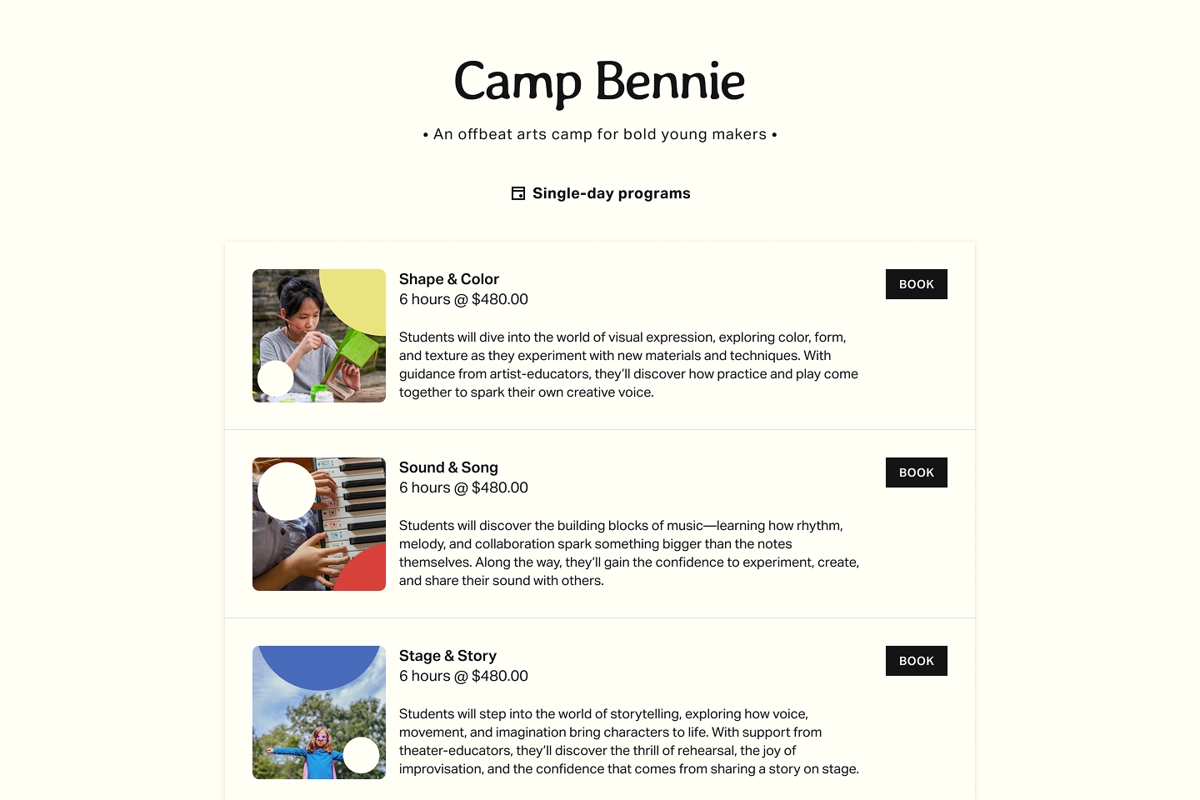
Acuity Scheduling is an online appointment scheduling platform that gives service-based businesses branded self-scheduling pages, built-in payment processing, and automated client management tools. The platform calls itself "scheduling software to power exceptional client experiences", targeting independent professionals and service businesses that sell time directly: beauty practitioners, wellness providers, fitness instructors, coaches, consultants, and educators.
Source: Acuity Scheduling
Acuity is a Squarespace company, acquired in 2019 as Squarespace's first-ever acquisition. It runs as a standalone product that does not require a Squarespace website, though it also offers native integration with Squarespace sites.
Acuity's integrations connect the scheduling layer to the broader tools service businesses depend on.
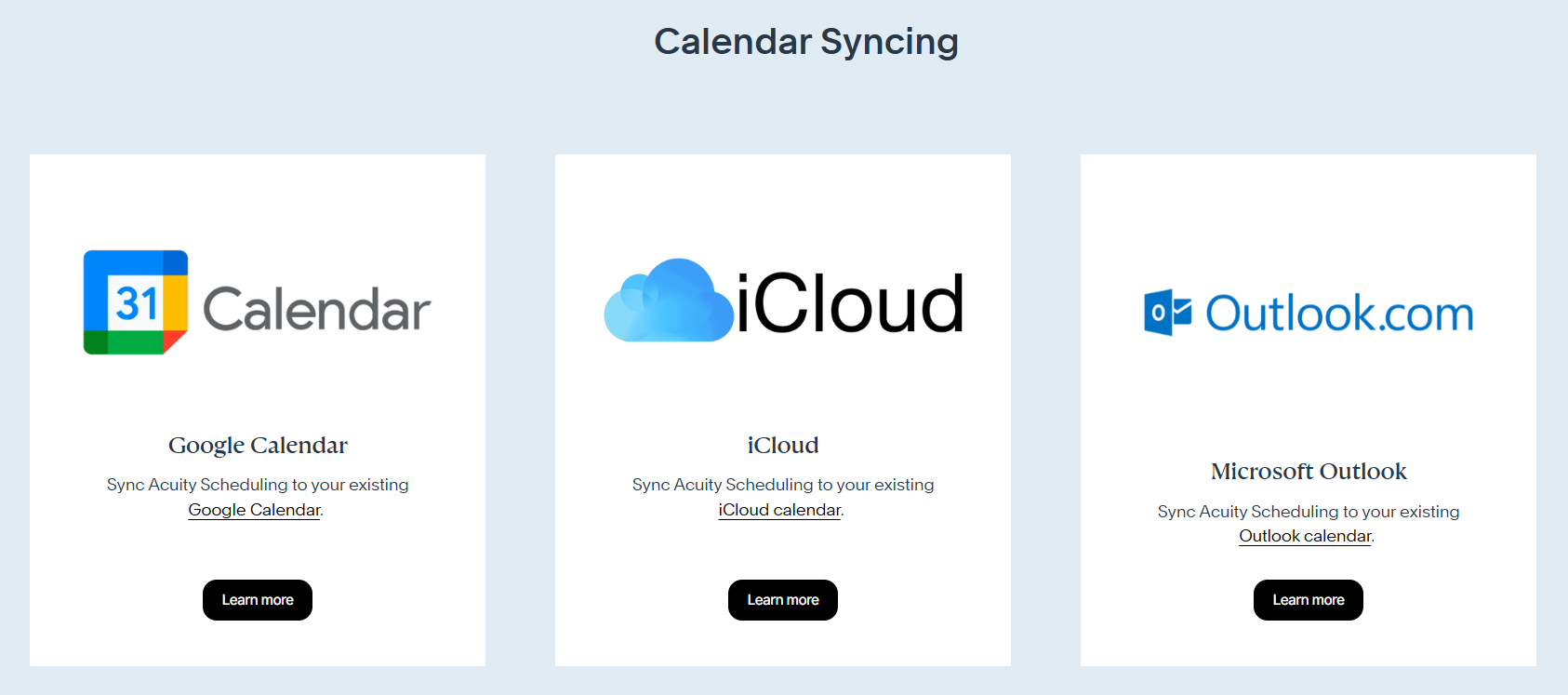
The platform offers native integrations with payment processors (Stripe, Square, PayPal), calendar platforms (Google Calendar, Outlook, iCloud), email marketing tools (Mailchimp, ActiveCampaign, Constant Contact, ConvertKit, Drip), video conferencing (Zoom, Google Meet, GoToMeeting), analytics (Google Analytics, Meta Pixel), and automation platforms (Zapier, Zoho Flow). For developers, Acuity exposes a REST API on its Premium plan with OAuth2 support, webhooks for real-time event notifications, and embeddable scheduling widgets for any website.
Source: Acuity Scheduling
The integration categories available to Acuity users include:
Payment processing: Stripe, Square, PayPal for deposits, prepayments, subscriptions, and in-person checkout
Calendar syncing: Google Calendar, Outlook, iCloud for two-way availability management
Email marketing: Mailchimp, ActiveCampaign, Constant Contact, ConvertKit, Drip, Squarespace Email Campaigns
Video conferencing: Zoom, Google Meet, GoToMeeting for virtual appointment links
Workflow automation: Zapier (500+ apps), Zoho Flow for cross-platform triggers
Analytics and tracking: Google Analytics, Meta Pixel, custom conversion tracking
Social and marketplace booking: Facebook, Instagram, Airbnb Services, ClassPass
Here are the five integrations we selected as the best for extending Acuity across the categories that matter most to service businesses.
1. Stripe: Best Acuity Scheduling Integration for End-to-End Appointment Payment Processing
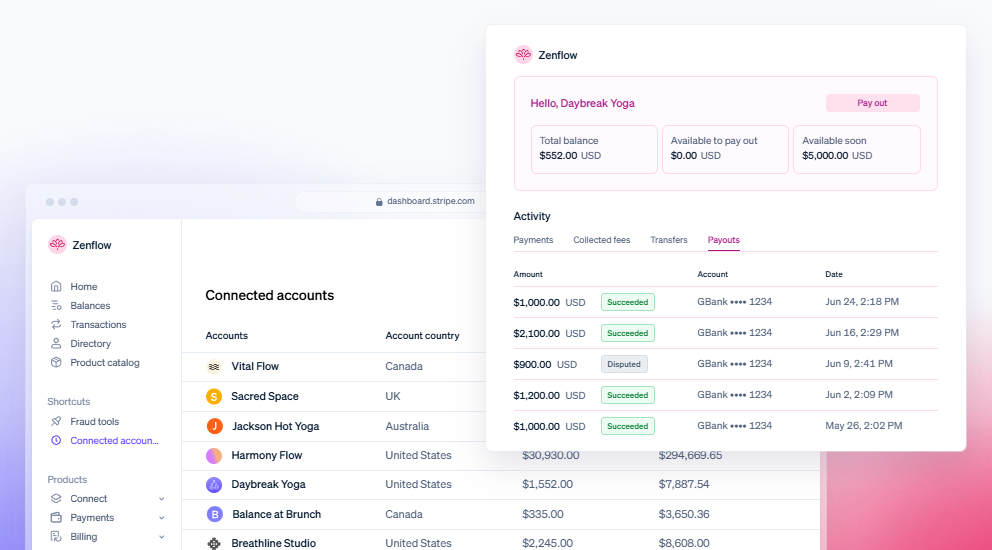
Stripe is a payment processing platform that integrates natively with Acuity Scheduling to handle every payment step in the appointment lifecycle: deposits collected at booking, hardware-free in-person checkout after the service, and automatic no-show fee enforcement when a client fails to appear.
Source: Stripe
Key integration capabilities include:
Clients pay deposits, partial amounts, or full fees directly on the Acuity booking page through Stripe, choosing from credit card, Apple Pay, or Google Pay
Card-on-file storage lets providers charge no-show fees and late cancellation penalties automatically, without chasing clients for payment
Subscription and recurring membership plans created in Acuity bill through Stripe, with Acuity tracking session credits while Stripe manages the billing
Tap-to-pay directly from the Acuity mobile app with no card reader required, with every transaction linked to its appointment record
Built-in tipping at both online booking and in-person checkout, with configurable percentage or flat-amount options
How Stripe Integrates with Acuity Scheduling
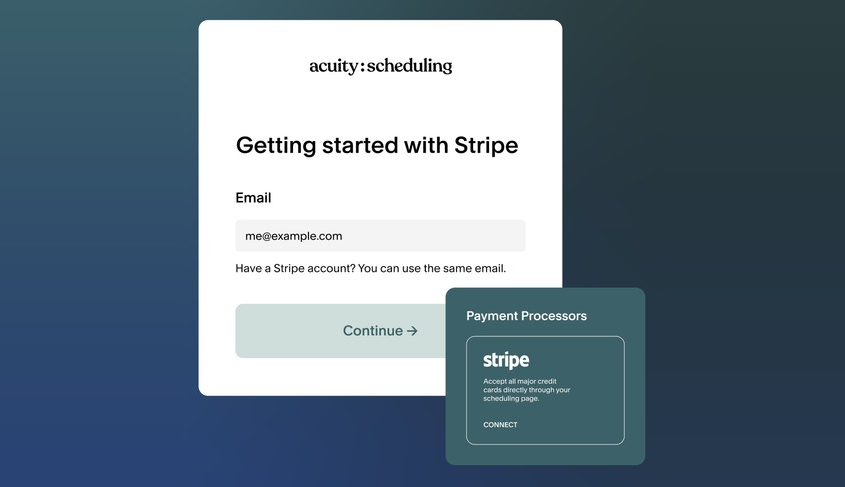
Stripe connects to Acuity through a native integration. You establish the connection from Acuity's Payment Settings panel via OAuth. Once connected, Stripe is available across all Acuity payment touchpoints: online booking pages, the mobile app's checkout tab, subscription billing, and in-person POS. Acuity adds no surcharge on top of Stripe's processing fees.
Source: Acuity Scheduling
1. At-Booking Payment Collection with Apple Pay and Google Pay.
When a client completes the Acuity booking flow, Stripe collects payment before the appointment is confirmed. Business owners configure payment requirements per service: one appointment type can require full prepayment while another accepts only a percentage deposit. At the payment step, clients see Stripe's checkout form supporting credit and debit cards, Apple Pay, and Google Pay. The mobile wallet options appear automatically when detected on the client's device, reducing checkout to a single biometric confirmation.
2. Card-on-File for Automated No-Show and Cancellation Fee Enforcement.
The Stripe integration lets Acuity store a client's credit card at booking without charging immediately. When a client fails to appear or cancels outside the allowed window, the provider charges the stored card directly from the Acuity appointment record or mobile app. No separate payment request is needed.
This capability drives Acuity's no-show reduction claims. The platform reports that 75% of Acuity businesses reduced no-shows through automated reminders, deposit requirements, and stored card enforcement. The card-on-file gives cancellation policies teeth: businesses that previously absorbed no-show losses because chasing payment felt worse than eating the cost now have automatic enforcement with no extra effort.
3. Hardware-Free Tap-to-Pay via the Acuity Mobile App.
The Stripe connection unlocks tap-to-pay directly from the Acuity mobile app on iOS devices. The client holds a contactless card or phone to the provider's iPhone, and the transaction completes without a card reader. This hardware-free capability is exclusive to Stripe among Acuity's three supported processors. Every in-person Stripe transaction links automatically to the corresponding Acuity appointment.
4. Subscription and Membership Billing.
Acuity's subscription and membership tools route recurring billing through Stripe. A business sets up a membership tier, and Stripe handles the automatic monthly charge. Acuity tracks session credits, decrementing as clients book against their plan and restoring credits on renewal. The provider manages everything from Acuity's interface while Stripe handles the billing underneath.
5. Tipping at Online Booking and In-Person Checkout.
The Stripe integration supports gratuity collection at two points: after online booking and at in-person checkout via the mobile app. Tip options appear as configurable percentage buttons or a custom amount field inside Acuity's interface. For service categories where gratuity makes up a meaningful portion of income, embedding tip collection in the booking or checkout flow increases tip rates compared to asking separately after the service.
Stripe Pricing
Stripe uses a pay-as-you-go model with no monthly fees or setup costs:
Standard Plan: 2.9% + $0.30 per successful domestic card transaction, no monthly fee, no contract
Manually entered cards: Standard rate + 0.5%
International cards: Standard rate + 1.5%
Apple Pay and Google Pay: Same rate as standard card transactions
Custom Plan: Interchange-plus pricing at significant volume (contact Stripe sales)
Acuity adds no surcharge on top of Stripe's rates. The Stripe integration is available on all three Acuity self-serve plans (Starter at $16/month, Standard at $27/month, Premium at $49/month, annual billing). Subscription and membership features that use Stripe's recurring billing require Acuity's Standard plan or above.
Who Should Use the Stripe Integration?
Providers who need hardware-free in-person payment: Stripe's tap-to-pay through the Acuity mobile app means no card reader to buy, charge, or carry, which is practical for mobile practitioners working at different locations
Businesses that want cancellation policies with enforcement: Stripe's card-on-file lets Acuity charge stored payment methods for missed appointments automatically, turning a policy statement into a collection mechanism
Service businesses running subscription memberships or session packages: Session tracking (Acuity) and recurring payment processing (Stripe) operate from a single connected account with no manual billing
2. Mailchimp: Best Acuity Scheduling Integration for Email List Growth and Appointment-Driven Marketing
Mailchimp is an email and SMS marketing platform that integrates with Acuity Scheduling to turn every booking into a marketing list action. It grows and segments your email audience based on who books, what they book, and whether they show up.
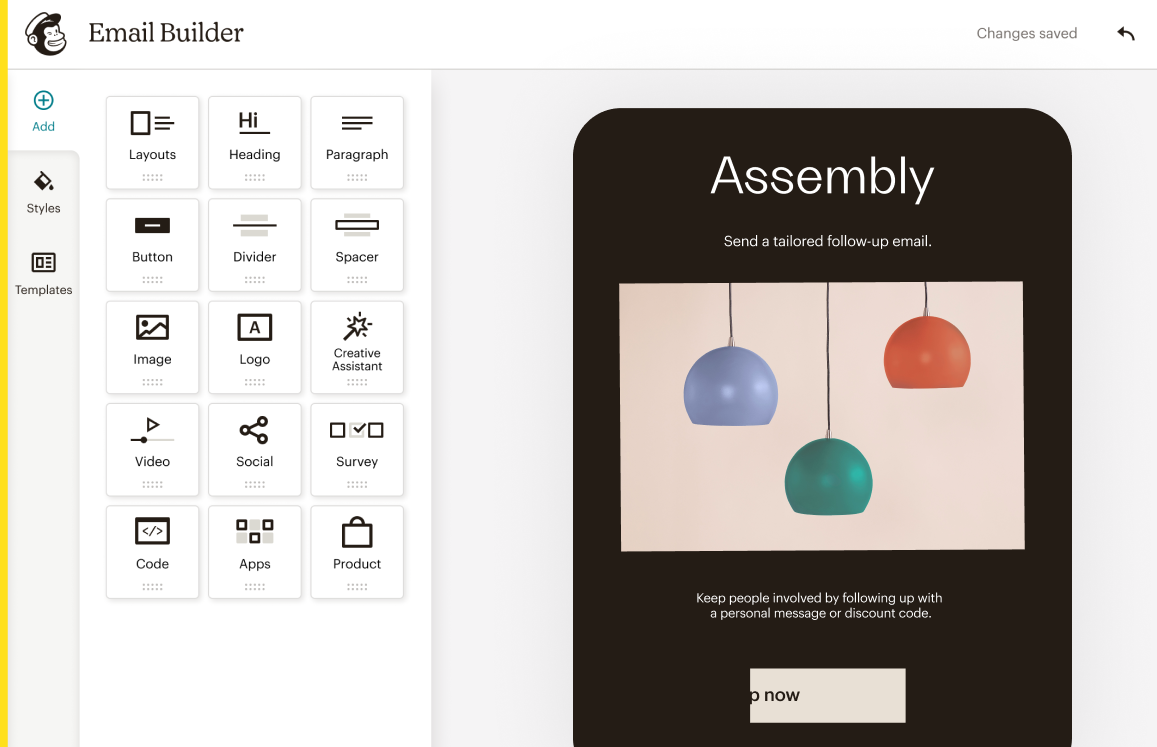
Source: Mailchimp
Key integration capabilities include:
Every new Acuity booking creates or updates a Mailchimp subscriber record, growing the list without manual CSV exports
Appointment type data flows into Mailchimp as subscriber tags at booking, enabling separate campaigns for clients who booked different services
Cancellation events apply a cancellation-specific tag, creating an audience filter for re-engagement campaigns
Post-appointment email automations trigger from the booking event, firing review requests, rebooking prompts, or follow-up offers on configurable delays
How Mailchimp Integrates with Acuity Scheduling
Acuity's native Mailchimp integration is configured directly from Acuity's integrations settings page. No Zapier or separate connector is needed. The business owner authorizes Mailchimp access via OAuth from within Acuity's settings and selects which Mailchimp audience receives subscriber data.
The data flows one direction for contact sync: Acuity pushes event and contact data into Mailchimp, which then applies its own audience management, tagging, segmentation, and automation logic. This is a native integration available on all Acuity plans.
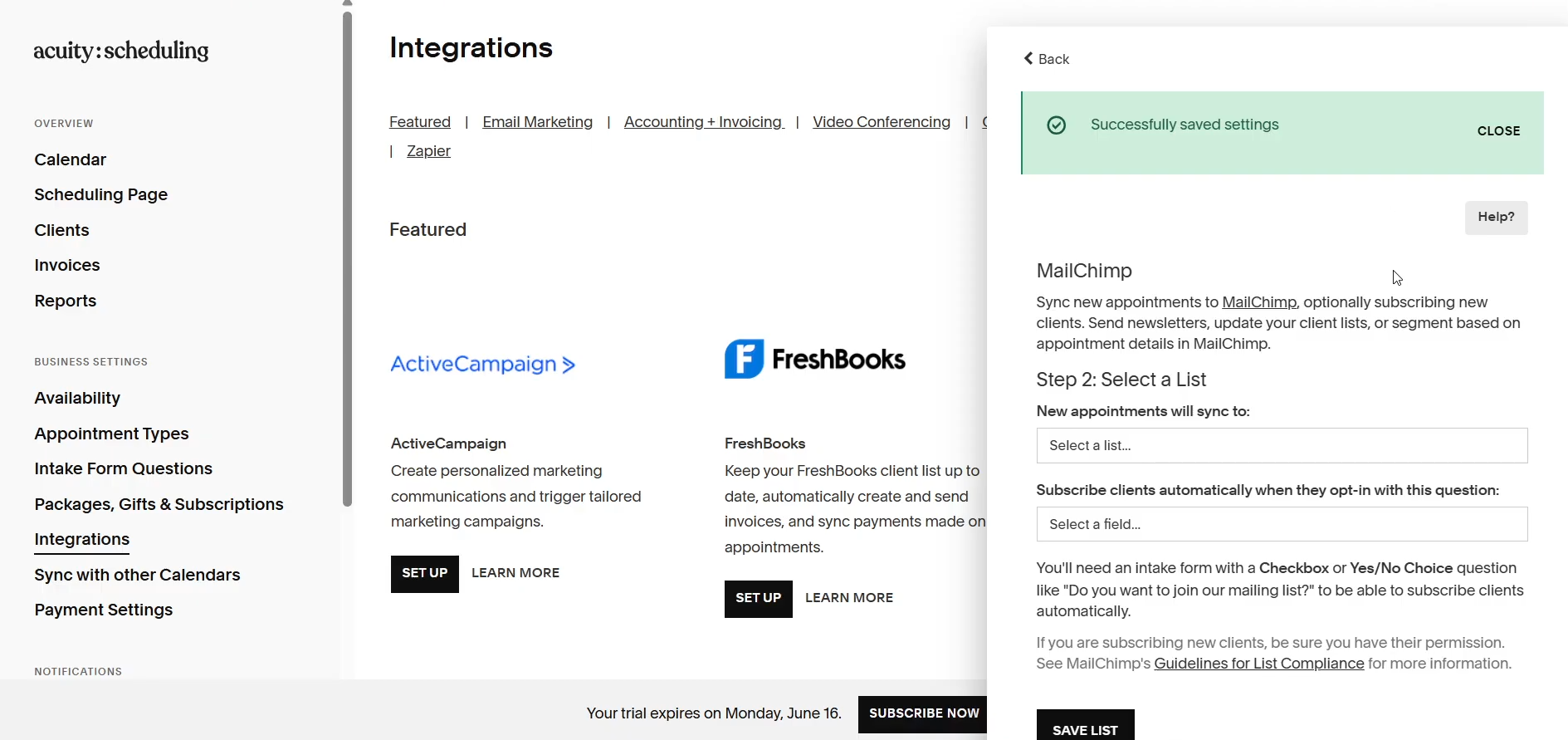
Source: How To Support
1. Automatic Subscriber Sync from Booking Events.
When a client completes a booking in Acuity, their name and email are automatically added to the designated Mailchimp audience (or updated if a record already exists). This removes the main friction between scheduling and email marketing: periodically exporting a client list from Acuity and importing it into Mailchimp. Returning clients are recognized by email address, and their existing record is updated rather than duplicated.
2. Appointment-Type Tagging for List Segmentation.
The integration passes appointment type data as subscriber tags at booking. A client who books a 60-minute massage gets a tag for that type; a client who books a consultation gets a different tag. Tags work as audience-level labels for both one-time campaigns and automation flows. A multi-service business can build a Mailchimp segment of every subscriber tagged with a specific appointment type and target only those contacts with a relevant follow-up offer.
3. Cancellation Event Tags for Re-Engagement Campaigns.
When an appointment is cancelled in Acuity, the integration applies a cancellation tag to the Mailchimp subscriber. Mailchimp's tag-based automation triggers can fire a re-engagement sequence when that tag appears: a win-back offer 48 hours after cancellation, then a second touchpoint at one week if the client hasn't rebooked. The cancellation event acts as both the audience filter and the automation trigger.
4. Post-Appointment Email Automation Sequences.
The booking event from Acuity can start post-appointment automation sequences in Mailchimp. Marketing Automation Flows support tag-based enrollment triggers, so the appointment-type tag applied at booking controls which sequence a client enters after their visit. A post-appointment flow might send a review request at 24 hours, a rebooking prompt at three weeks, and a loyalty offer at 60 days for clients who haven't returned.
Mailchimp Pricing
Mailchimp uses a contact-count-based model where the base price scales with subscriber count:
Free: $0/month, up to 250 contacts, 500 emails/month (automation flows are preview-only, not live)
Essentials: From $13/month at 500 contacts, 10x email send multiplier, up to 4-step automations
Standard: From $20/month at 500 contacts, 12x email send multiplier, up to 200 automation flows with branching, advanced segmentation
Premium: From $350/month at 500 contacts, unlimited contacts and audiences, priority phone support
The Standard plan is the recommended starting point for businesses running appointment-specific automations, since it unlocks the segmentation and multi-branch logic that make Acuity's tag data actionable.
Who Should Use the Mailchimp Integration?
Service businesses that want every booking to grow a segmented email list automatically: the integration eliminates manual contact exports between scheduling and email marketing
Multi-service businesses offering distinct appointment types that want clients who booked different services to receive different post-booking email sequences, using Acuity's appointment-type data as the segmentation driver
Solo practitioners or small teams that need accessible email marketing with a low entry price rather than the complexity of a full marketing CRM
3. Zapier: Best Acuity Scheduling Integration for Multi-App Workflow Automation
Zapier is a no-code automation platform that integrates with Acuity Scheduling to convert booking events into automated triggers across more than 8,000 connected applications, eliminating the manual data entry and cross-platform work that follows every appointment.
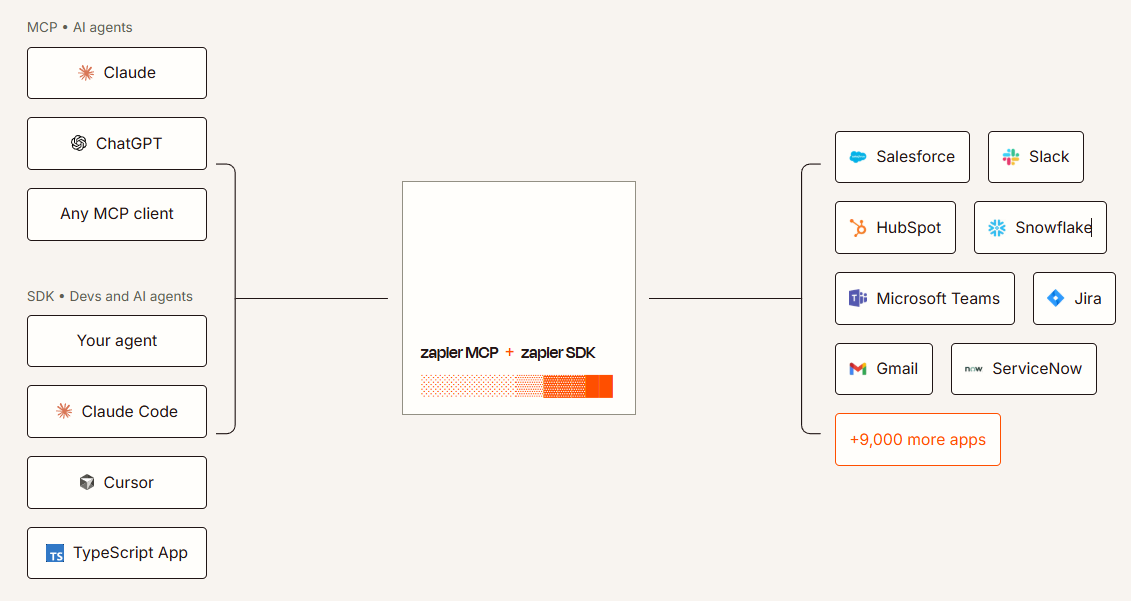
Source: Zapier
Key integration capabilities include:
Five distinct Acuity scheduling events (scheduled, rescheduled, cancelled, changed, and order completed) as separate triggers, so different workflows run for each type of scheduling activity
New bookings create or update contact records in Salesforce, HubSpot, and other CRMs, mapping client name, email, appointment type, and intake form responses into CRM fields
Multi-step Zaps chain an Acuity trigger with actions across multiple platforms in a single workflow
Acuity also works as an action target: external events like form submissions or payment confirmations can create appointments in Acuity
How Zapier Integrates with Acuity Scheduling
Zapier connects to Acuity through a native integration listed on Acuity's integrations page, using Acuity's webhook events as triggers. Authentication happens within Zapier's interface, with no manual API key configuration. Because Acuity's webhooks are instant triggers, Zaps fire in near-real-time on Zapier's Professional plans and above.
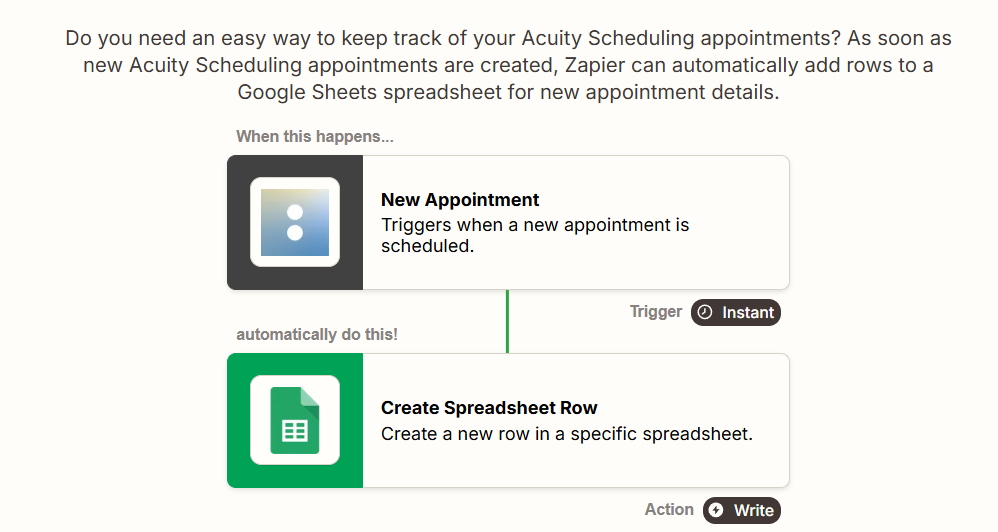
Source: Zapier
1. Event-Specific Workflow Triggers.
Acuity's five webhook events let Zapier run different downstream workflows depending on what happened. A scheduled event can trigger CRM contact creation and a welcome email. A rescheduled event can update the CRM record and notify the assigned staff member in Slack. A canceled event can trigger a win-back sequence. An order.completed event (fired when a client purchases a package or subscription through Acuity's client loyalty tools) can trigger a confirmation notification.
2. CRM Record Creation and Data Sync.
When a new appointment is booked, the webhook payload includes client name, email, phone, appointment type, date, time, calendar, and any intake form responses. Zapier maps these fields directly into CRM records. For businesses connecting Acuity to Salesforce, which Acuity supports only via Zapier with no direct connection, this is the only path to get booking data into Salesforce.
3. Acuity as an Action Target: Inbound Appointment Creation.
Zapier also supports Acuity as an action step. A Typeform submission can trigger a Zap that creates an Acuity appointment. A new deal at a specific CRM pipeline stage can schedule a discovery call automatically. Prospects interacting with other parts of a business's workflow get routed into booked appointments without visiting the Acuity booking page.
Zapier Pricing
Zapier uses task-based pricing where each successful action step consumes one task. Multi-step Zaps require the Professional plan or above:
Free: $0/month, 100 tasks/month, 2-step Zaps only, 15-minute polling interval
Professional: From $19.99/month (annual) for 750 tasks, multi-step Zaps, conditional logic, instant triggers
Team: From $69/month (annual) for 2,000 tasks, shared workspaces for up to 25 users
Enterprise: Custom pricing, unlimited users, SCIM provisioning
A cost note: task consumption scales with both booking volume and workflow depth. A business booking 50 appointments per day running a 4-action Zap consumes roughly 6,000 tasks per month, exhausting the Professional plan's 750-task allotment in under four days. Businesses with significant booking volume should model their consumption before selecting a tier. Overage tasks cost 1.25x the plan's per-task rate.
Who Should Use the Zapier Integration?
Service businesses that need booking data in Salesforce or another CRM without native Acuity support: Zapier is the only supported path for CRMs like Salesforce that lack a direct Acuity connector
Teams whose post-booking workflow spans multiple tools and requires manual steps: Zapier chains these into a single automated sequence triggered by the booking event
Businesses that want Acuity's five event types to drive different downstream workflows, so a cancellation triggers a win-back sequence rather than a welcome message
4. Google Analytics: Best Acuity Scheduling Integration for Marketing Attribution and Booking Conversion Tracking
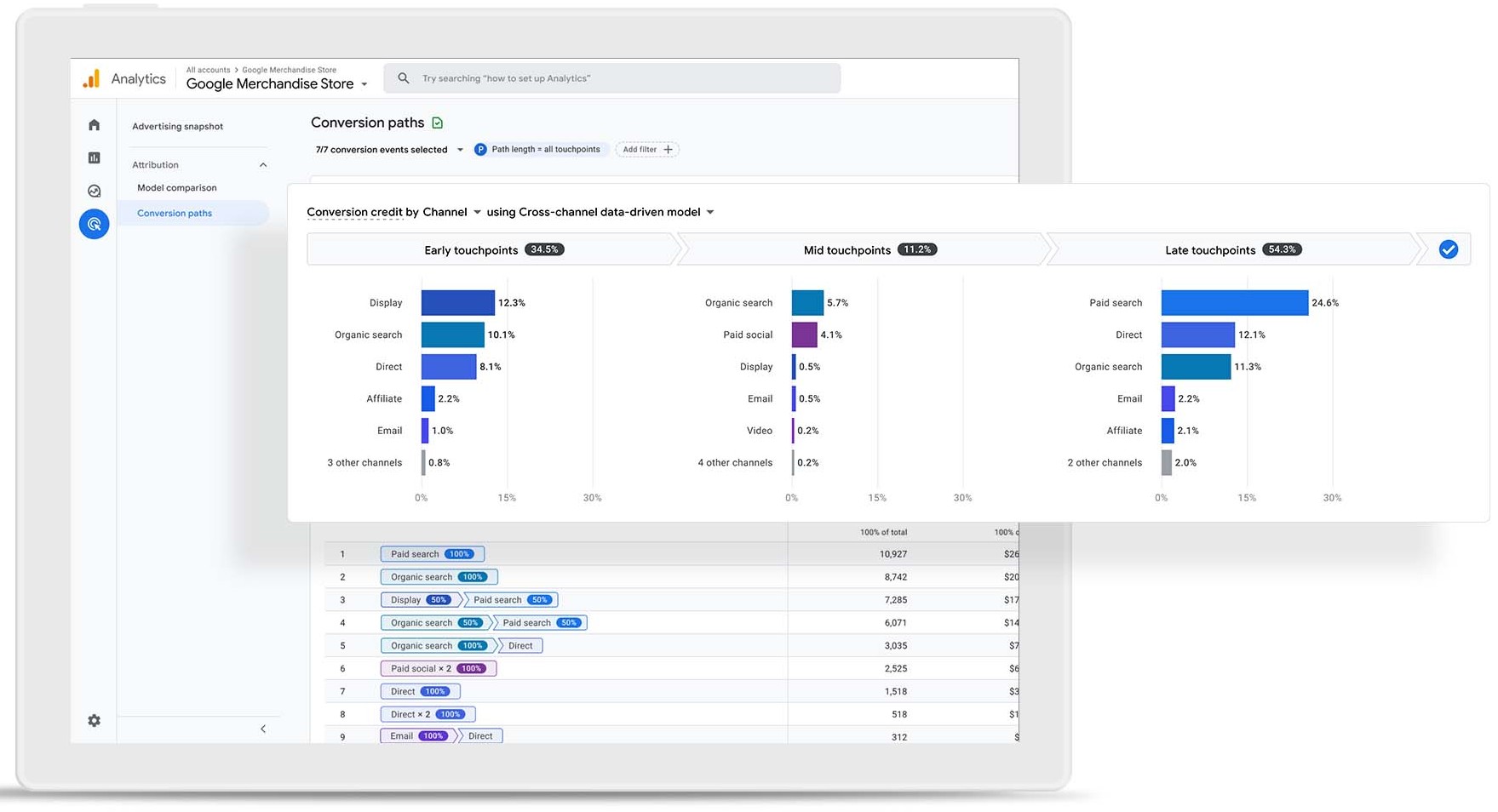
Google Analytics (GA4) integrates with Acuity Scheduling to send conversion events into a GA4 property every time a client completes a booking action, turning the scheduling workflow into a conversion feed for your analytics.
Source: Google Analytics
Key integration capabilities include:
Every booking completion, package purchase, gift certificate sale, and subscription signup fires an event to the linked GA4 property through the native integration, with no custom tagging required
Booking events include parameters such as appointment type and transaction value, enabling funnel analysis and revenue attribution in GA4
Any third-party tracking script (Meta Pixel, Google Ads conversion tags) can run alongside the native GA4 connection through Acuity's custom conversion tracking field
Channel attribution in GA4 builds on actual booking events, not page views
How Google Analytics Integrates with Acuity Scheduling
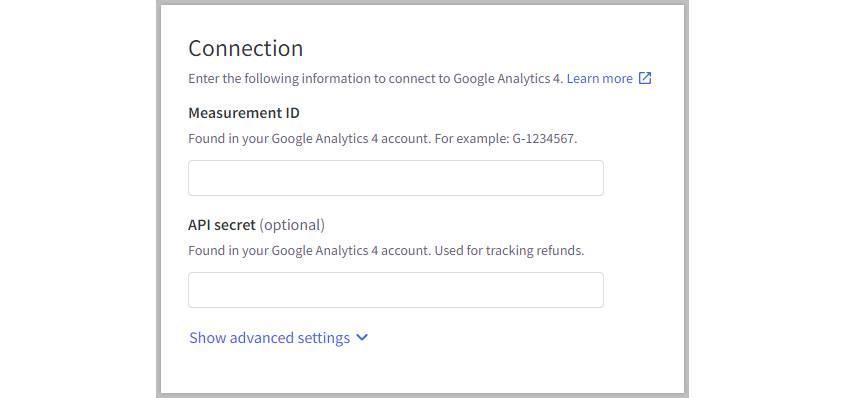
The integration is a native, no-code connection configured inside Acuity's admin settings. No plugin, no third-party connector, and no JavaScript to write. When a client completes a qualifying action on an Acuity booking page, Acuity sends a conversion event to the linked GA4 property via the Measurement Protocol. Setup requires entering a GA4 Measurement ID and an API secret in Acuity's Integrations settings.
Source: Big Commerce
1. Native GA4 Event Firing from Booking Completions.
Once configured, Acuity sends events for every conversion action on any connected booking page. Package purchases, gift certificate sales, and subscription signups all fire separate events, so GA4 receives a complete picture of revenue-generating activity. Each event carries parameters including appointment type and transaction value, so GA4 can distinguish a $50 consultation from a $300 package purchase and a $99/month subscription as separate, valued conversions.
2. Channel Attribution and Funnel Analysis Built on Booking Events.
Because Acuity sends booking completion events to GA4, the platform's traffic acquisition reports and attribution models reflect when a client actually completed a booking. Marketers can use GA4's Advertising Workspace to see which channels contribute to completed bookings and at what revenue values. For businesses running Google Ads campaigns, booking events can feed back as conversion signals, letting automated bidding optimize for actual appointments booked.
3. Simultaneous Multi-Pixel Tracking.
Acuity's custom conversion tracking field accepts any tracking script: Meta Pixel, Google Ads conversion tags, or any third-party pixel. This field fires alongside the native GA4 event on every booking completion. A business running campaigns across Google Ads and Meta can configure GA4, a Meta Pixel, and a Google Ads conversion tag from a single field in Acuity's settings, all firing on the same booking event. No tag manager or developer required.
Google Analytics Pricing
Google Analytics (GA4) operates on a two-tier model:
Standard (Free): No cost. Full GA4 property with event-based data collection, standard reporting, Explorations, Advertising Workspace, and the native Acuity integration. Data retention of 2 or 14 months. BigQuery daily export capped at 1 million events per day.
Analytics 360 (Enterprise): Custom pricing via Google Sales. Adds unsampled Explorations, continuous intraday data freshness, data retention up to 50 months, SLAs, and higher API quotas.
For most Acuity users, the free GA4 tier fully covers the native booking event integration. Analytics 360 is relevant only for organizations with very high booking volumes or complex multi-property reporting needs.
Who Should Use the Google Analytics Integration?
Service businesses running paid campaigns to Acuity booking pages that need conversion data based on actual bookings, not landing page sessions, to measure campaign ROI
Owners who want to know which marketing channels generate appointments and revenue and need GA4's attribution to inform budget allocation across organic, paid, social, and referral
Businesses running campaigns across multiple platforms that want all conversion tracking configured from a single point in Acuity's settings
5. Google Calendar: Best Acuity Scheduling Integration for Keeping Provider Availability Accurate Across Your Entire Schedule
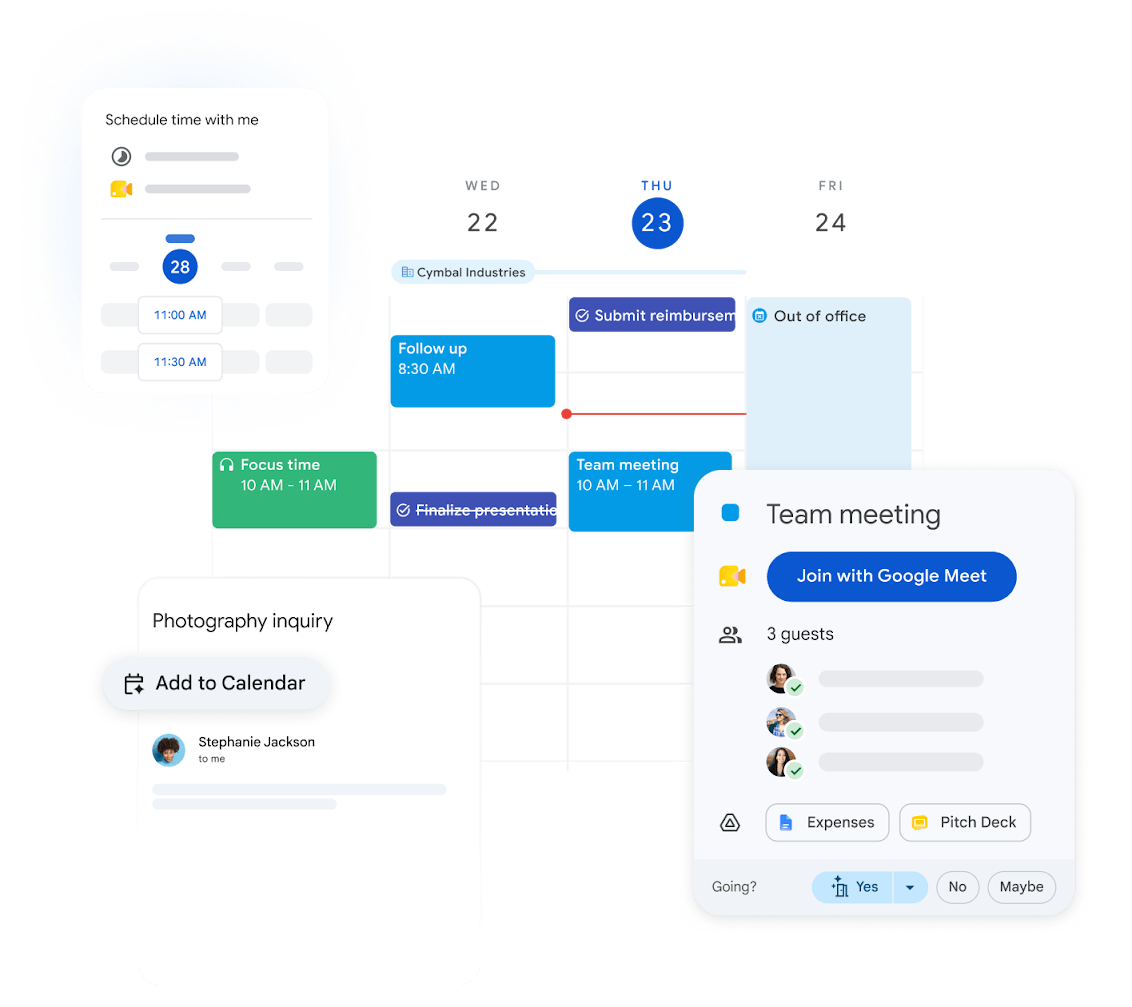
Google Calendar integrates with Acuity Scheduling via a native two-way sync that serves as the single source of availability for each provider. Personal appointments, external meetings, and team commitments in Google Calendar automatically block time in Acuity, so clients can only book slots that are genuinely open.
Source: Google Workspace
Key integration capabilities include:
Any event marked as "Busy" in Google Calendar immediately removes that time from Acuity's bookable availability
Every Acuity appointment is automatically created as a Google Calendar event
Changes in either direction sync in real time without manual updates
In multi-staff accounts, each team member connects their own Google Calendar independently
How Google Calendar Integrates with Acuity Scheduling
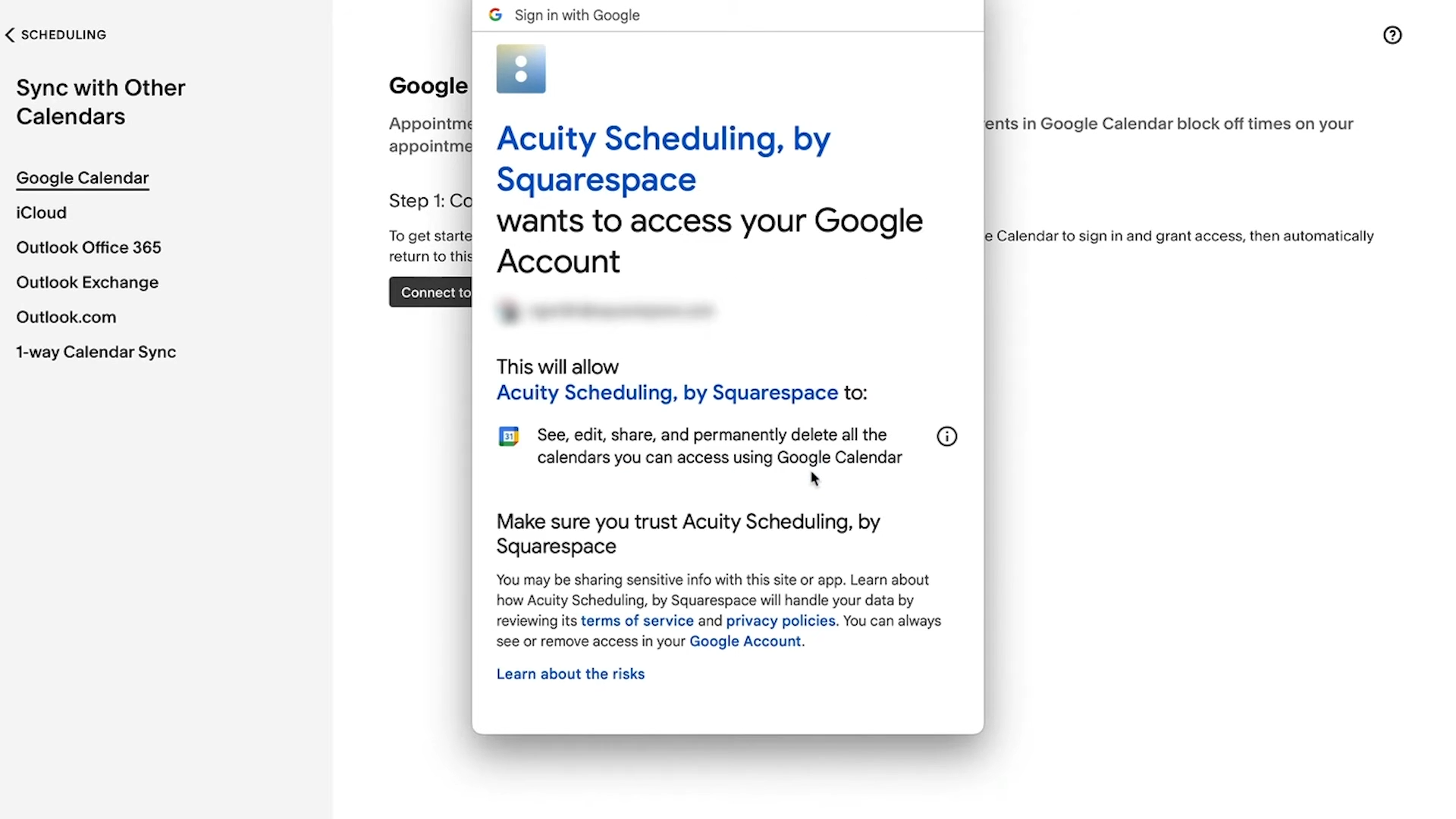
The Google Calendar integration is built directly into Acuity's calendar management settings. Setup requires no developer knowledge, no API credentials, and no middleware: the provider selects Google Calendar and completes Google's OAuth authorization flow. Two-way sync activates immediately. The integration is available on all Acuity paid plans at no additional cost.
Source: Acuity Scheduling
1. Busy-Block Sync: Google Calendar Events as Automatic Availability Blockers.
Acuity treats any event with "Busy" status in the connected Google Calendar as unavailable time. When that event appears, Acuity removes the overlapping slots from its client-facing booking page. A provider adds a physical therapy appointment at 2pm Wednesday to Google Calendar; that slot disappears from Acuity's availability. The double-booking is prevented before it can happen.
Events marked as "Free" (informational notes, reminders) do not trigger a block. Because most Google Calendar events default to "Busy" on creation, the integration works automatically for the majority of real-world commitments.
2. Appointment Push: Acuity Bookings Appearing in Google Calendar.
Every time a client books through Acuity, the appointment is written into the connected Google Calendar with client name, appointment type, and time. Providers who manage their daily schedule in Google Calendar see everything in one place: the 9am internal meeting from Google Calendar, the 10:30am client session from Acuity, and the 3pm coaching call from the booking page.
Rescheduled and cancelled Acuity appointments sync through the full lifecycle. When a client uses the self-reschedule link in their confirmation email, the Google Calendar event updates automatically. Cancellations remove the event. The view stays accurate through every change.
3. Per-Staff Independent Sync in Multi-Staff Accounts.
For businesses on Acuity's Standard (up to 6 calendars), Premium (up to 36), or Enterprise (unlimited) plans, each team member connects their own Google Calendar through their own OAuth authorization. Each person's Acuity availability reflects their own external schedule. When Practitioner A adds a chiropractic appointment at 1pm Thursday to her personal Google Calendar, that slot closes for her in Acuity automatically. The owner does not need to update anyone's availability manually; each practitioner's Google Calendar controls their own schedule.
Google Calendar Pricing
Google Calendar is available as part of two Google offerings:
Free (Personal Google Account): $0. Full Google Calendar access including two-way sync with Acuity. The integration works fully with a free personal Google Account; no paid Google tier is required.
Google Workspace Business Standard: $14/user/month (annual). Adds unlimited native booking pages within Google Calendar, Stripe payment collection, Gemini AI scheduling assistance, and 2 TB pooled storage.
The number of Google Calendars that can sync with Acuity depends on the Acuity plan tier (Starter: 1, Standard: up to 6, Premium: up to 36, Enterprise: unlimited), not the Google subscription level.
Who Should Use the Google Calendar Integration?
Any provider who manages personal commitments in Google Calendar alongside Acuity client bookings: the two-way sync prevents external commitments from creating double-bookings that stay invisible until a conflict surfaces
Providers who want one calendar view of their full day without checking Acuity separately, consolidating client appointments into the app they already check first
Multi-staff Acuity accounts where each team member's availability should reflect their personal schedule: per-staff sync means each practitioner's commitments automatically close their own Acuity slots
Also Worth Considering: ZoomInfo
The integrations above extend Acuity's capabilities for payment processing, email marketing, workflow automation, analytics, and calendar management. But many service businesses also run outbound prospecting or B2B lead generation alongside their appointment work, and that requires a different kind of platform.
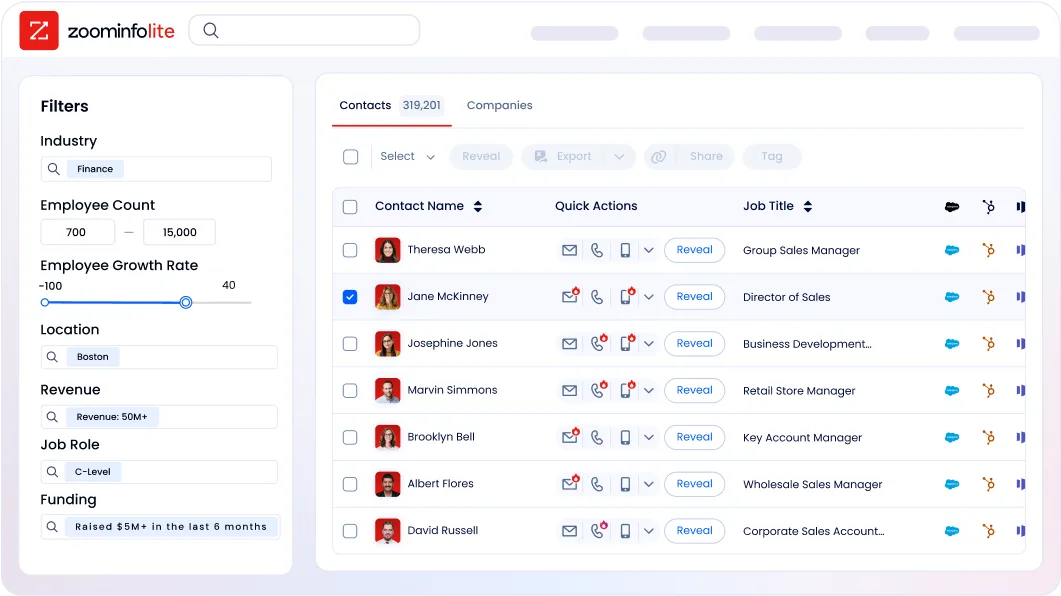
ZoomInfo is a B2B data and go-to-market platform covering 500M contacts, 100M companies, 135M+ verified phone numbers, and 200M+ verified business email addresses. It serves a different function than Acuity's native integration partners. While Acuity's ecosystem manages client bookings and the workflows around them, ZoomInfo finds and reaches prospects before the appointment happens.
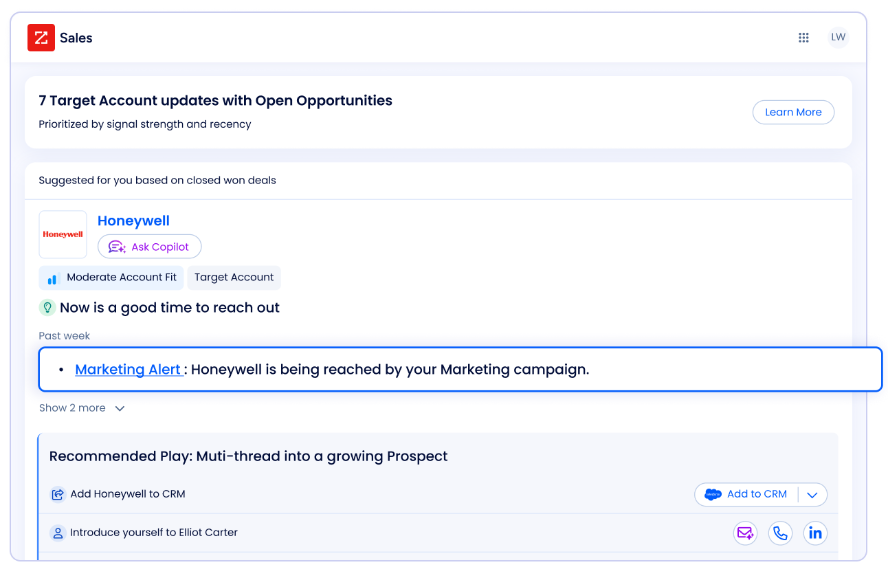
For Acuity users who also work in B2B contexts (consultants, coaches, professional services firms, agencies), ZoomInfo solves the upstream problem: identifying decision-makers at target companies, verifying their contact information, and detecting when those accounts are researching relevant services.
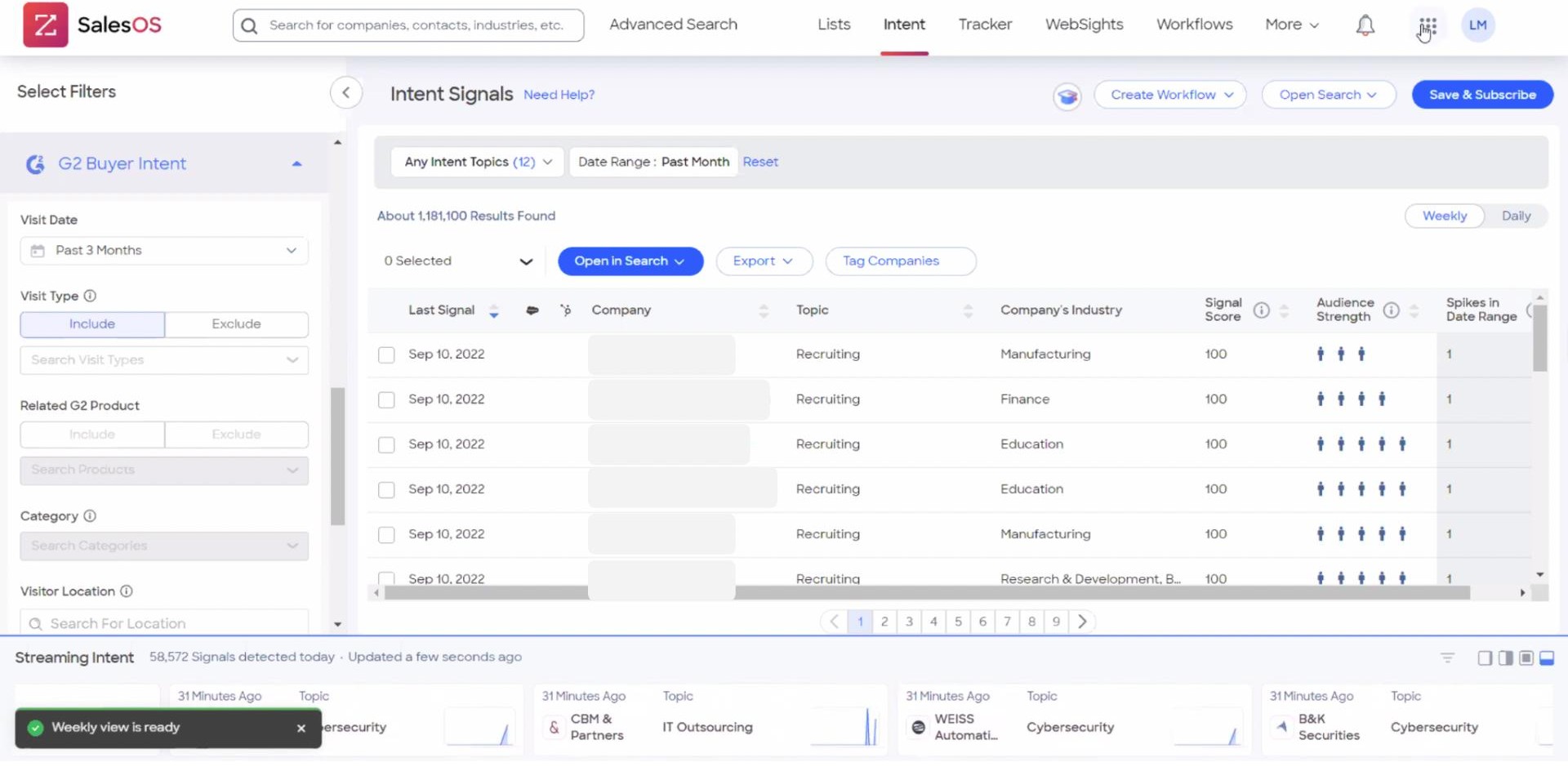
ZoomInfo's Buyer Intent tracks signals from 210 million IP-to-organization pairings and 6 trillion+ new keyword-to-device pairings monthly, surfacing accounts that are in-market now rather than waiting for inbound inquiries.
ZoomInfo uses a consumption-based pricing model with custom quotes. ZoomInfo Lite is a permanent free tier (no credit card, no time limit) with 10 monthly export credits, searches, and the Chrome extension, offering a practical way to evaluate data quality before committing. Professional services firms, consultants, and B2B-facing coaches who use Acuity for client sessions but need verified prospecting data can add ZoomInfo to the pre-booking workflow alongside Acuity's appointment tools.
Final Verdict
The best Acuity Scheduling integrations turn your booking platform into a connected system where payments, marketing, operations, analytics, and calendar management all run from the same scheduling events:
Stripe: end-to-end payment processing with hardware-free tap-to-pay, card-on-file no-show enforcement, and subscription billing
Mailchimp: automatic email list growth and appointment-type segmentation driven by booking activity
Zapier: no-code workflow automation connecting Acuity to 8,000+ apps, including CRMs like Salesforce that lack native Acuity connectors
Google Analytics: marketing attribution built on actual booking events, not page views
Google Calendar: two-way availability sync that prevents double-bookings and consolidates your schedule into one view
These integrations also work together: you can run Stripe for payments, Mailchimp for post-appointment campaigns, Google Calendar for availability, and Google Analytics for attribution on the same Acuity account, each extending the value of the others.
If your business also depends on B2B prospecting to fill the appointment pipeline, ZoomInfo's free Lite tier gives you access to verified contact data, company intelligence, and buyer intent signals that help you reach prospects before they visit your booking page.
Frequently Asked Questions
How many integrations does Acuity Scheduling support?
Acuity Scheduling offers native integrations for payment processing (Stripe, Square, PayPal), calendar syncing (Google Calendar, Outlook, iCloud), email marketing (Mailchimp, ActiveCampaign, Constant Contact, ConvertKit, Drip, Squarespace Email Campaigns), video conferencing (Zoom, Google Meet, GoToMeeting), analytics (Google Analytics, Meta Pixel), CRM (Zoho CRM), accounting (FreshBooks, QuickBooks), and social booking (Facebook, Instagram). Through Zapier, Acuity connects to 8,000+ additional applications. Acuity also exposes a REST API on its Premium plan with webhooks for real-time event notifications.
Do Acuity Scheduling integrations work on all plans?
Many integrations work on all paid plans, including Stripe, Square, PayPal, Google Calendar, Outlook, iCloud, and Mailchimp. Some features are tier-gated: SMS reminders require the Standard plan ($27/month annual) or above, subscription billing requires Standard or above, and API access and custom CSS are exclusive to the Premium plan ($49/month annual). Video conferencing integrations with Zoom, Google Meet, and GoToMeeting are available on all plans including Starter.
Can I use multiple payment processors with Acuity Scheduling?
Acuity supports three processors: Stripe, Square, and PayPal. You connect one at a time from Payment Settings. Each offers different strengths: Stripe provides hardware-free tap-to-pay and card-on-file charging through the mobile app, Square integrates with Square's card reader hardware, and PayPal is widely recognized by international clients. Acuity adds no surcharge on top of any processor's fees.
How does Acuity Scheduling's calendar sync prevent double-bookings?
Acuity's two-way sync with Google Calendar, Outlook, or iCloud checks all connected external calendars before showing available slots to clients. Any event marked "Busy" in the external calendar blocks that time on Acuity's booking page. New Acuity appointments push back to the connected calendar as events. Changes propagate in real time in both directions. In multi-staff accounts, each team member connects their own calendar, so each practitioner's availability reflects their personal schedule.
Can I connect Acuity Scheduling to a CRM?
Acuity offers native CRM integrations with Zoho CRM and Daylite. For Salesforce, HubSpot, and other CRMs without native connectors, Zapier provides the connection, mapping booking data (client name, email, phone, appointment type, intake form responses) into CRM fields. Zapier's event-specific triggers let different CRM actions fire depending on whether an appointment was booked, rescheduled, or cancelled.
Does Acuity Scheduling offer an API for custom integrations?
Acuity exposes a REST API (v1) on the Premium plan ($49/month annual) and Enterprise tier. The API supports appointment creation, availability browsing, calendar blocking, and full CRUD operations. Authentication options include HTTP Basic Auth for single-account integrations and OAuth2 for multi-tenant applications. Webhooks fire on five event types (scheduled, rescheduled, canceled, changed, order.completed) and are signed with HMAC-SHA256 for verification. Official SDKs cover Node.js and PHP.
How can I track which marketing channels generate Acuity bookings?
Connecting GA4 to Acuity sends conversion events on every booking completion, package purchase, and subscription signup. GA4's attribution reports then show which channels (paid search, social, organic, referral, email) drove those bookings and at what revenue. Acuity's custom conversion tracking field also accepts Meta Pixel, Google Ads conversion tags, and any third-party pixel, all firing on each booking completion.
What is the best way to build a B2B prospect pipeline for an Acuity-based consulting business?
For consultants, coaches, and professional services firms that run sessions through Acuity but need qualified prospects, a B2B data platform solves the upstream problem. ZoomInfo provides verified contact data for 500 million contacts and 100 million companies, buyer intent signals showing which accounts research relevant services, and technographic intelligence across 30,000+ technologies. A verification pipeline backed by 300+ human researchers checks the data, reaching up to 95% accuracy on first-party records. ZoomInfo Lite, a permanent free tier with 10 monthly export credits, gives consultants a way to test whether verified prospecting data improves their booking pipeline before committing to a paid plan.
Related guides worth a look:
