
If you're comparing Capsule vs. Pipedrive, you're choosing between two CRMs built for small businesses. That's a reasonable starting point. But the more useful question might be whether a CRM is the tool your sales team needs most right now.
The real questions worth answering first:
Is your main challenge organizing existing contacts, or finding new ones worth pursuing?
Do you need a tool your team can adopt in hours, or one that compounds in value over months?
Are you managing a handful of deals, or trying to identify which accounts to pursue from a market of thousands?
How important is it that your sales tool tells you who to call next and what to say?
Do you need a place to store what happened, or a system that explains why deals move?
Here's what we recommend:
Capsule is the CRM for small businesses that want clarity without complexity. Built in Manchester and refined since 2009, it combines contact management, a visual sales pipeline, and built-in project boards in one interface. G2 reviewers rate its ease of use at 9.4/10, and most teams are productive within hours. Capsule works well for professional services firms, consultants, and small agencies that need to track clients from first conversation through project delivery in the same tool. Where it falls short: automation is limited to stage-based triggers with no conditional branching, reporting stays basic on lower plans, and there's no built-in prospecting database.
Pipedrive is the CRM built by salespeople who were tired of CRMs designed for managers. Its kanban-style pipeline view (which Pipedrive pioneered in CRM software) makes deal tracking visual and intuitive. With 500+ marketplace integrations, if/else automation branching, and a newer Pulse prospecting toolkit for lead scoring and sequences, Pipedrive gives growing sales teams room to scale. 100,000+ companies in 179 countries use it today. The tradeoffs: no native project management or post-sale workflow, marketing automation requires a paid add-on, and expert onboarding is only available to accounts spending more than $1,000/month.
Both are good CRMs. But CRMs, by design, manage the deals you already have. They don't tell you which companies to target, when accounts are researching solutions, or what your buyer's priorities are. If your sales challenge has shifted from "organize what we have" to "find and win the right accounts," a different kind of platform belongs in the conversation.
ZoomInfo is an AI go-to-market platform built on a B2B data foundation of 500M contacts and 100M companies, 135M+ verified phone numbers, 120M direct dials, and 200M+ verified business email addresses, all verified by 300+ human researchers. The direct dial actually rings and the email actually lands. ZoomInfo's GTM Context Graph processes 1.5B+ data points daily, connecting this data with your CRM records, conversation transcripts, and behavioral signals to show not just what's happening in your deals, but why they're moving or stalling. Sellers reach this intelligence through GTM Workspace, where AI agents prioritize accounts, draft outreach, and monitor buying signals. Marketers and RevOps teams use GTM Studio to build and launch campaigns in natural language. For teams building their own tools, APIs and MCP deliver the same intelligence to any application.
If finding and engaging the right accounts matters more than managing the ones you already know, see how ZoomInfo works.
Capsule vs. Pipedrive vs. ZoomInfo at a glance
Capsule | Pipedrive | ZoomInfo | |
|---|---|---|---|
Primary function | CRM with built-in project management | Sales pipeline CRM | AI go-to-market intelligence and execution platform |
Contact database | You build it (250–120K contacts by plan) | You build it (2,500–20K leads+deals per seat) | 500M contacts and 100M companies already in the platform |
Prospecting | LinkedIn Chrome extension, web forms | LeadBooster add-on, Pulse toolkit (400M+ profiles) | 120M direct dials, 200M+ verified emails, buyer intent signals |
Pipeline view | Kanban board (500-card limit) | Kanban, list, and forecast views | GTM Workspace with AI-prioritized account feed |
Automation | Stage-based triggers (Growth+ only) | If/else branching, delays, cross-app triggers | Signal-triggered workflows, AI agents, multi-channel orchestration |
AI capabilities | Email drafting, summaries, enrichment | Sales Assistant, email writer, AI reports | GTM Context Graph, AI agents, buying group intelligence |
Project management | Built into all plans | Add-on (included on Premium+) | Not a project management tool |
Free option | Free plan (2 users, 250 contacts) | 14-day trial only | ZoomInfo Lite (free, 10 credits/month) + 7-day trial |
Starting price | ~$21/user/month (Starter) | $14/seat/month (Lite) | Custom-quoted (consumption-based) |
Best for | Small service businesses (1–20 users) | SMB sales teams with active pipelines | Mid-market and enterprise B2B sales organizations |
Three different philosophies for managing your pipeline
All three platforms let you track deals. How they approach it reveals what each was built for.
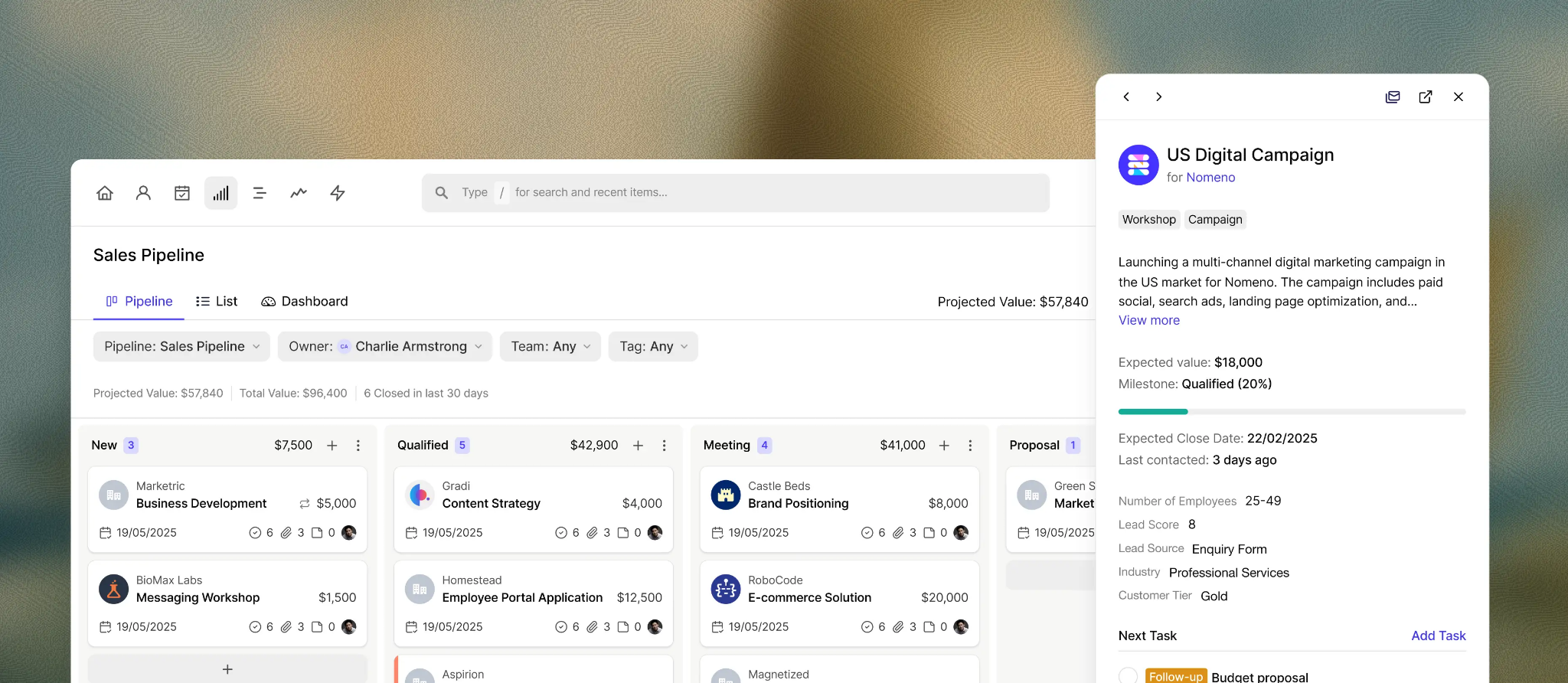
Capsule treats the pipeline as one part of a larger relationship picture. Opportunities sit in a kanban board with customizable milestones, each carrying a probability percentage that feeds revenue forecasting.
Source: Capsule
Deals link directly to contacts and projects, so when you win an opportunity, a workflow automation can create a project board for delivery with the full pre-sale context intact.
Source: Capsule
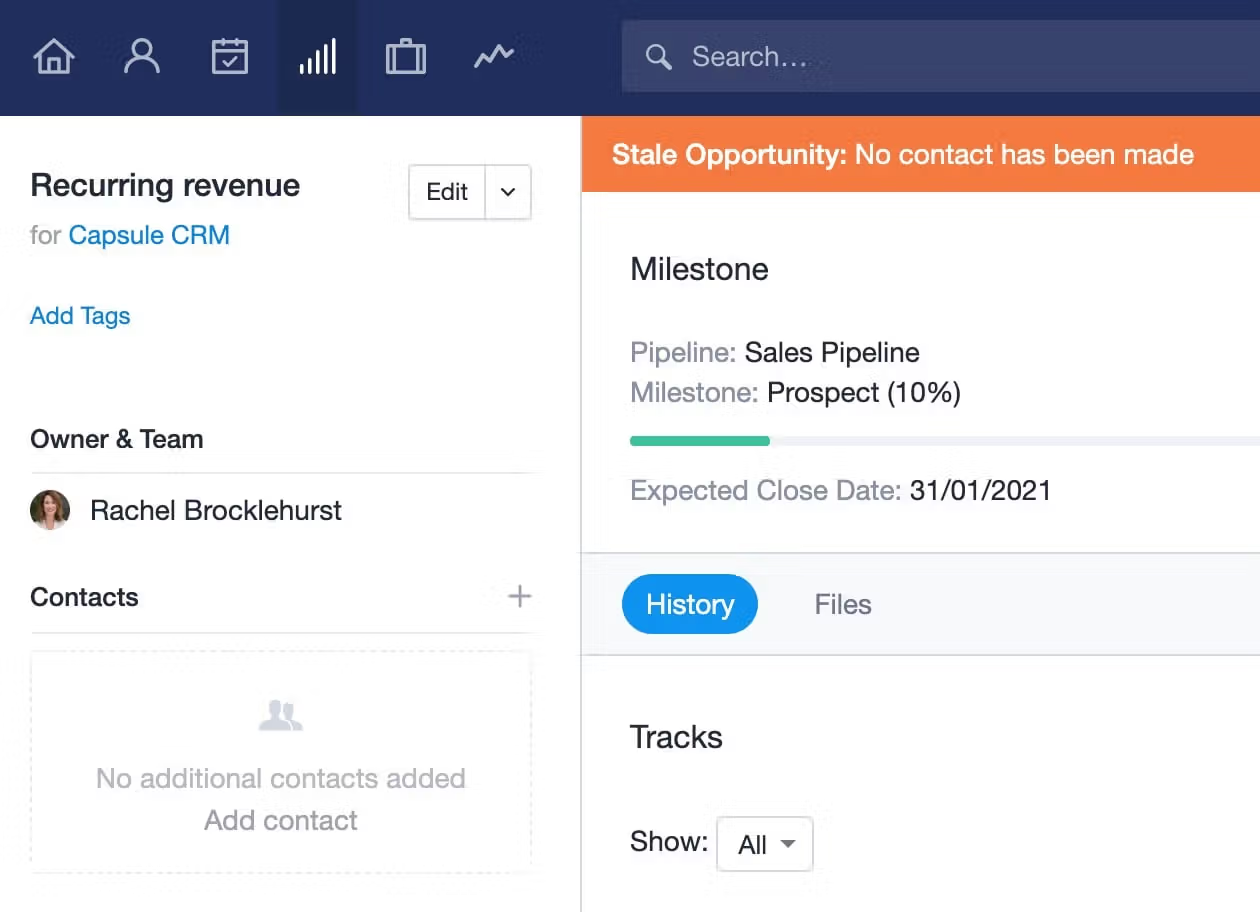
A stale opportunity indicator flags deals going cold, configurable per milestone so you can set tighter follow-up windows at critical stages. For service businesses where winning a deal means delivering a project, this continuity is the point.
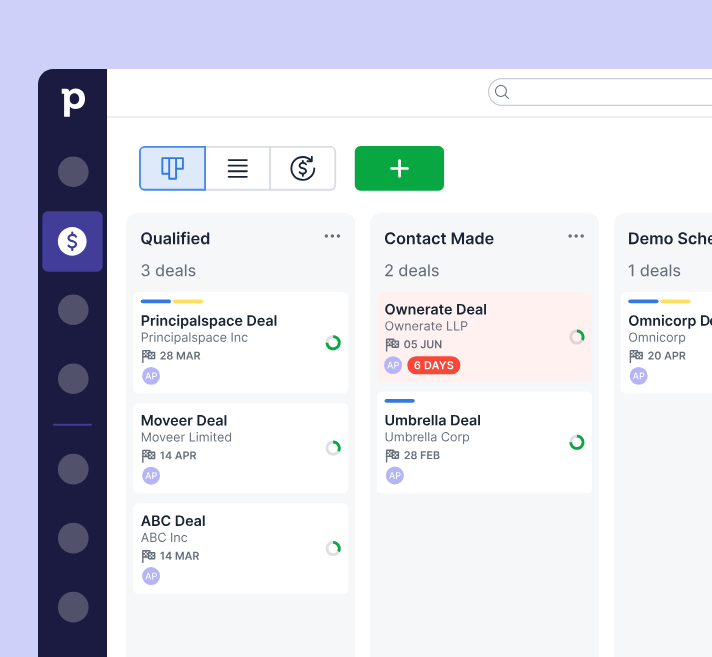
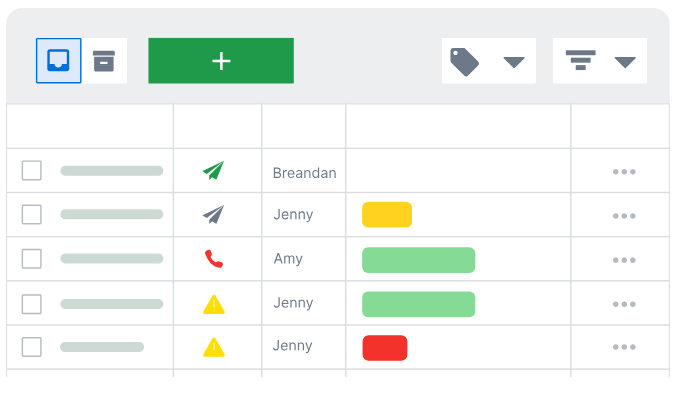
Pipedrive treats the pipeline as the center of gravity. Its visual pipeline is the first thing you see on login. Deal rotting uses colored cues to flag stalling deals.
Source: Pipedrive
Activity-based selling means every interaction attaches to a deal or contact and appears in the built-in calendar. With three views (kanban, list, and forecast), multiple custom pipelines on all plans, and a Leads Inbox that separates unqualified contacts from active deals, Pipedrive keeps the pipeline clean and the next action visible.
Source: Pipedrive
ZoomInfo reframes the pipeline question. Instead of asking "what stage is this deal in?" GTM Workspace asks "which accounts should you be working right now, and why?"
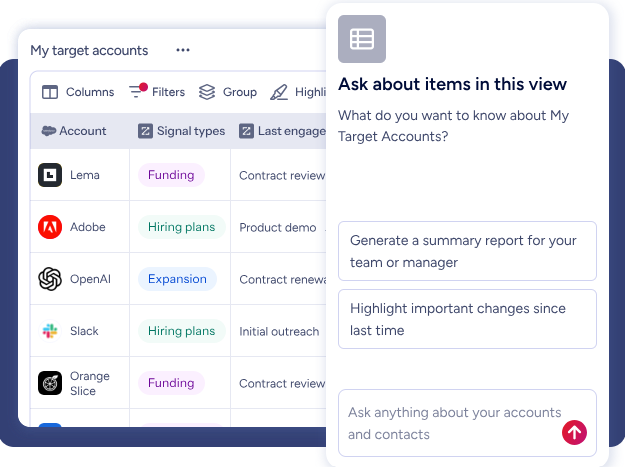
An Action Feed surfaces in-market buyers matched to your target criteria, with pre-drafted actions on every signal (G2 comparisons, funding events, executive hires).
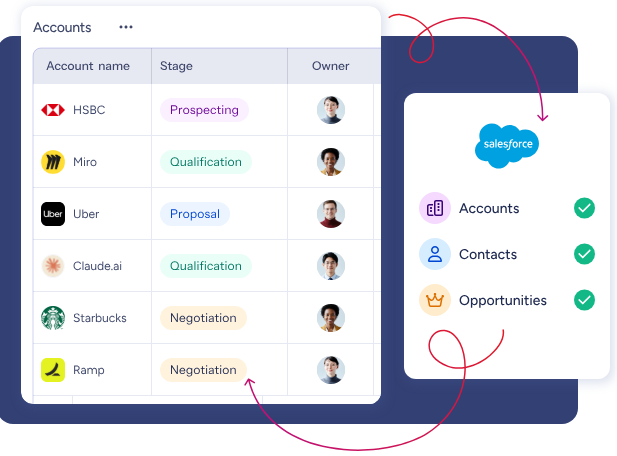
Views combine your CRM data with real-time buying signals so you can filter for intent spikes, technology changes, or personnel movements.
The underlying GTM Context Graph connects your CRM records, conversation history, and ZoomInfo's third-party signals to surface deal risk and opportunity before they show up in stage fields. ZoomInfo integrates natively with Salesforce, HubSpot, and Microsoft Dynamics so CRM record-keeping stays intact while the intelligence layer operates on top.
Spekit found that opportunities at higher-scoring accounts were 43% more likely to become qualified pipeline and moved 58% faster through qualification after adopting ZoomInfo's workspace. (Spekit)
Contact data: what you enter vs. what's already there
This is where the gap between CRMs and a go-to-market intelligence platform becomes structural.
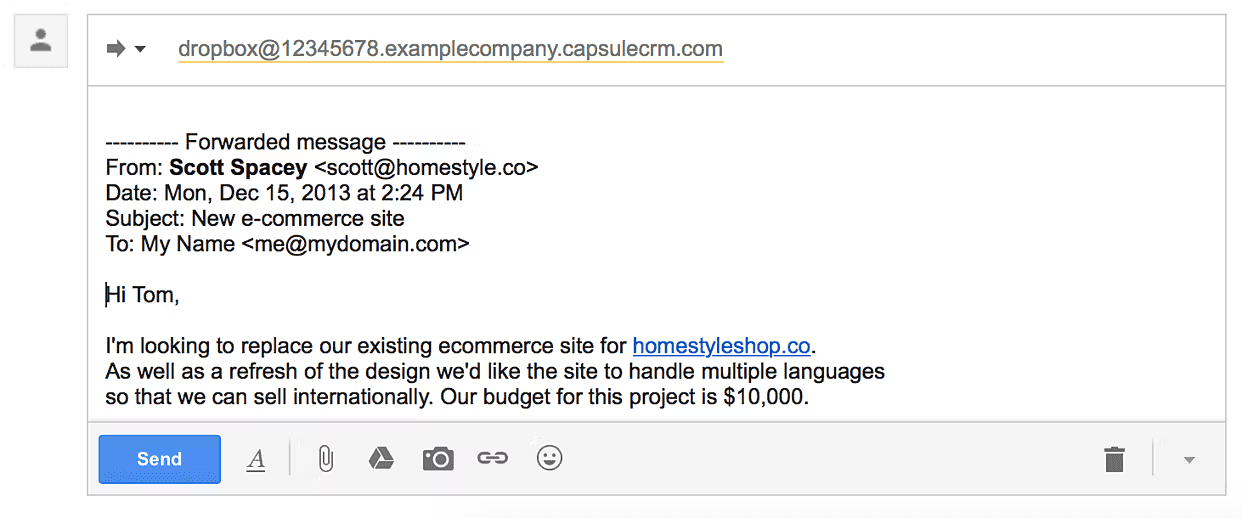
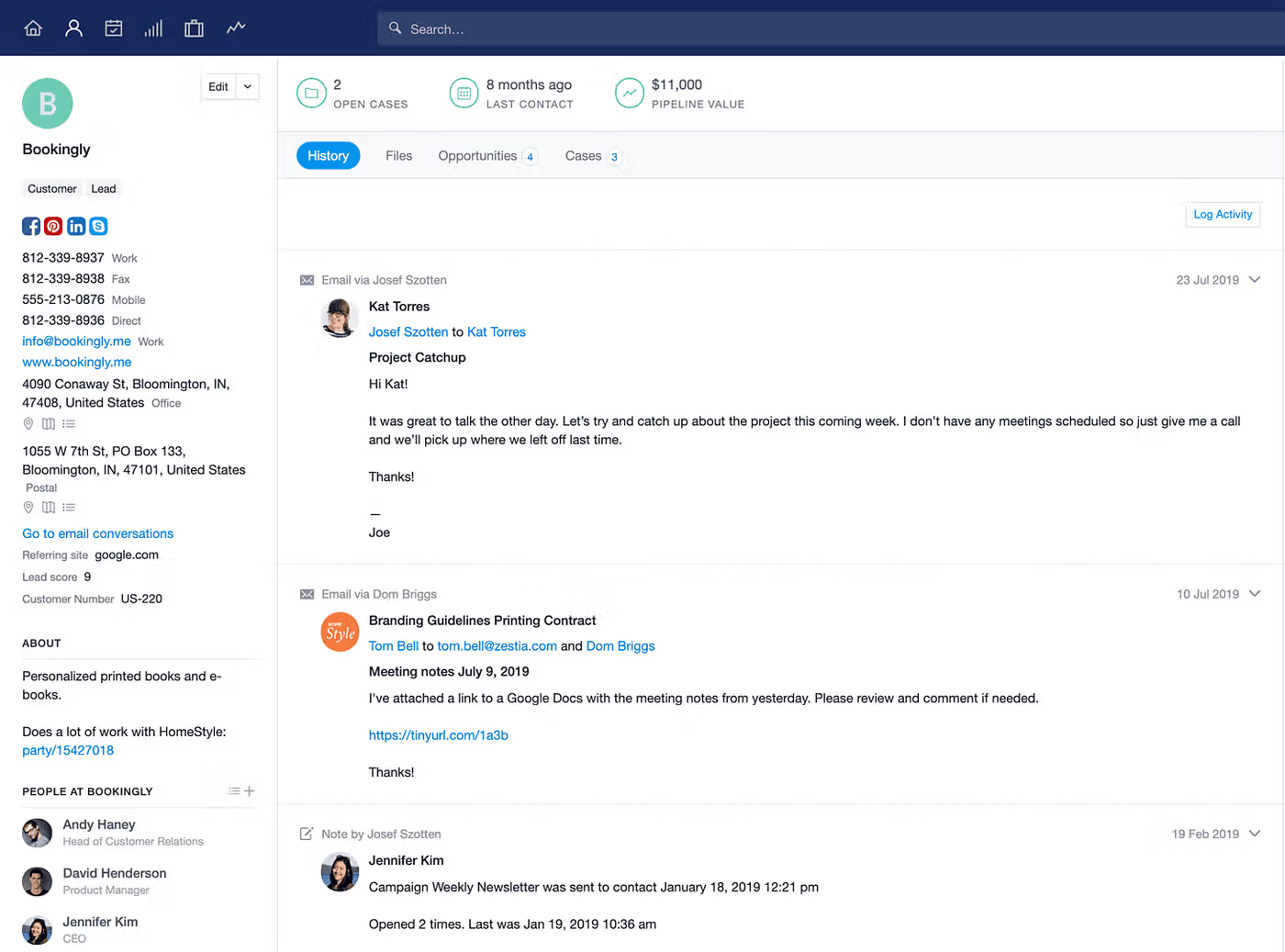
Capsule starts with an empty database. You add contacts manually, via bulk import, or through a Mail Drop Box that creates records from BCCed emails. Once contacts exist, Capsule manages them well.
Source: Capsule
Person and Organization records link bidirectionally, with full activity history rolling up to the company level. DataTags trigger structured data prompts when applied, a practical way to enforce data quality at the moment of categorization.
Source: Capsule
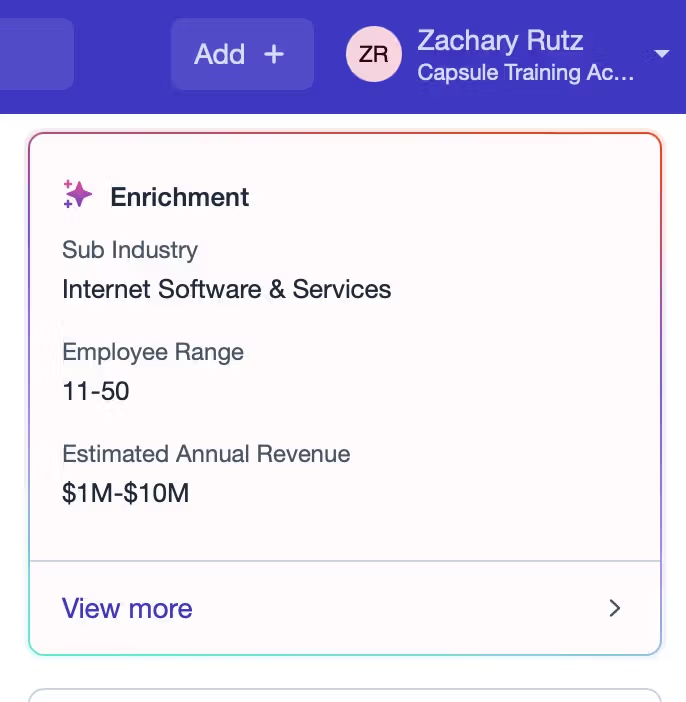
AI Contact Enrichment can surface LinkedIn profiles and job details, but it's limited to 100 enrichments per user on Growth (200 on Advanced and Ultimate). Contact caps range from 250 on Free to 120,000 on Advanced.
Source: Capsule
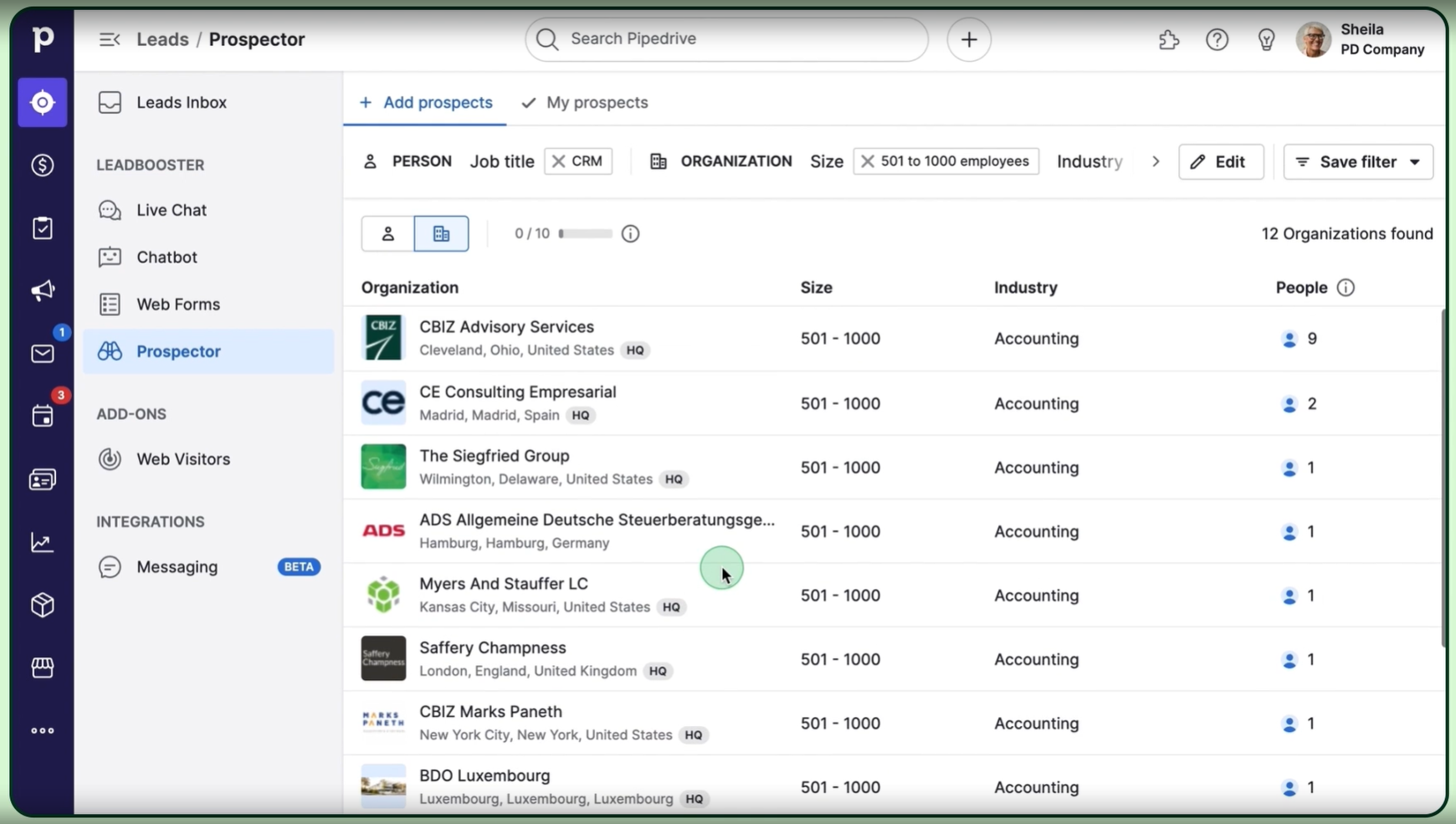
Pipedrive also starts empty but offers more ways to fill the gap. The Prospector tool (part of the LeadBooster add-on) draws from a database of over 400 million profiles and 10 million companies, with an AI engine that verifies and updates up to 800,000 profiles daily.
Source: Pipedrive
Pulse adds data enrichment for firmographic data and custom lead scoring. But enrichment credits are capped (100 on Premium, 500 on Ultimate), and Prospector credits reveal individual contacts one at a time.

Source: Pipedrive
ZoomInfo flips the model. Instead of building a contact database from scratch, you start with access to 500M contacts and 100M companies, 135M+ verified phone numbers, 120M direct dials, and 200M+ verified business email addresses. The data runs through a multi-source verification pipeline that achieves 95% accuracy on first-party data.
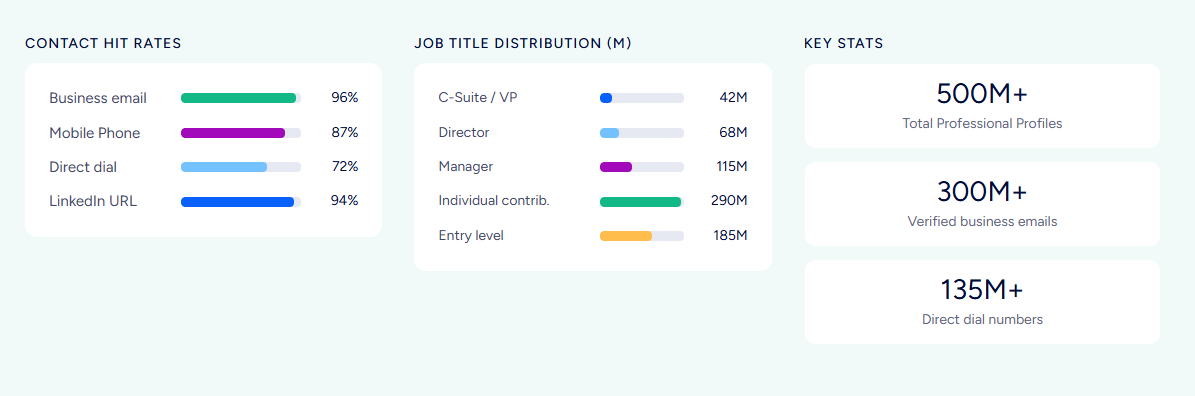
Beyond contact details, ZoomInfo provides technographics across 30,000+ technologies at 30+ million companies, department org charts with decision-makers' direct dials, and buyer intent data tracking signals from 210 million IP-to-Organization pairings.
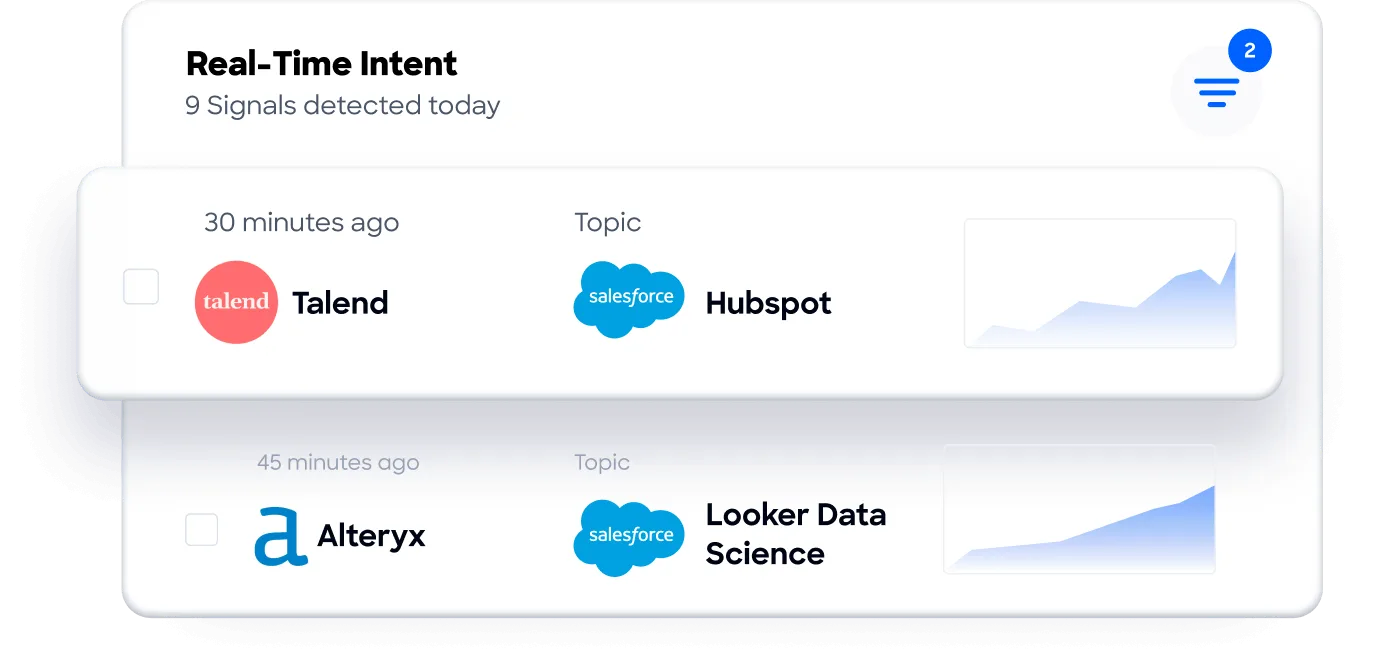
In a Fortune 500 competitive RFP analyzing 25 million contacts across vendors, the independent consultant concluded that "no other competitor came even close."
Vensure scaled prospecting with ZoomInfo's B2B data, eliminating weeks of manual research across multiple spreadsheets and helping the team reach company goals faster. (Vensure)
For a five-person consultancy that already knows its clients, Capsule's contact management is more than enough. For a growing sales team working a defined territory, Pipedrive's Prospector adds useful reach. For organizations targeting specific accounts across industries, ZoomInfo's data layer provides the foundation for precision at scale.
Automation: from stage triggers to signal-driven workflows
Automation is one of the sharpest dividing lines between these three platforms.
Capsule keeps automation simple by design. Workflow Automations follow a trigger-action model tied to pipeline milestones and project stages. When an opportunity reaches a specific stage, automations can assign it to a user, apply a Track (task sequence), send an email template, or create a linked project.
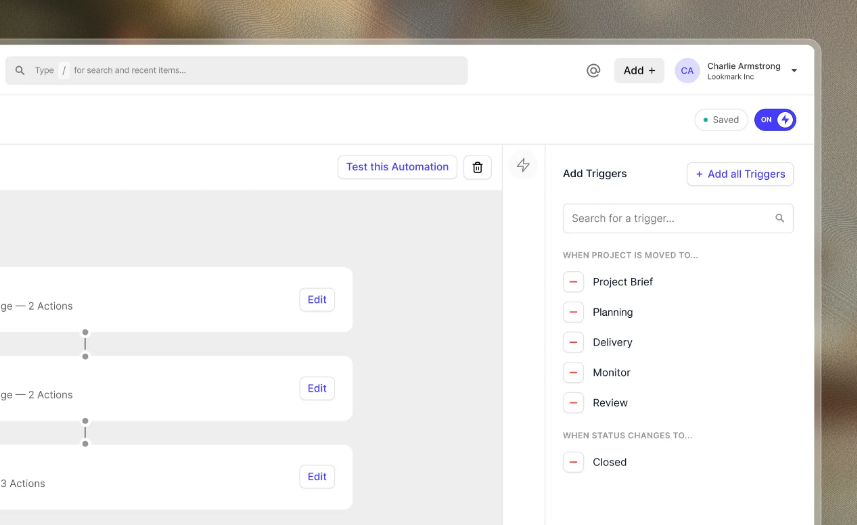
Source: Capsule
A Track-completion gating feature prevents deals from advancing until all checklist items are done, useful for enforcing process compliance. There's a built-in test mode for validation before go-live. What's missing: no conditional branching, no time-delay scheduling, no activity-triggered automations, and no automation at all on Free or Starter plans.
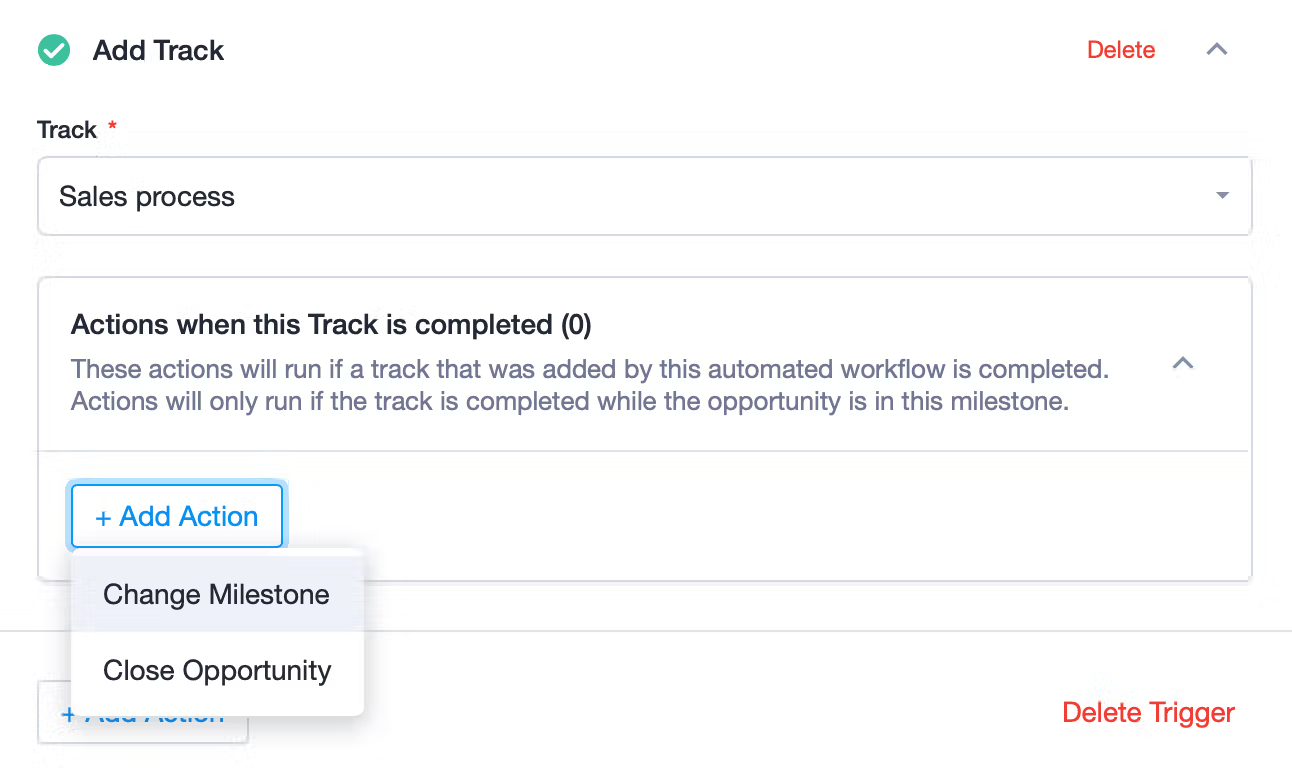
Source: Capsule
Pipedrive goes deeper. If/else branching enables conditional paths within workflows. "Wait until event" conditions hold automations until another trigger fires.
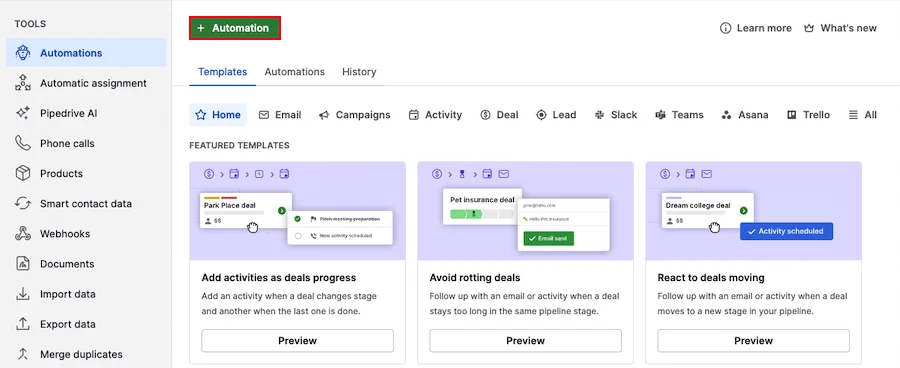
Source: Pipedrive
Date-based triggers handle contract renewals and deadline-driven tasks. Actions include creating records, sending emails, updating fields, triggering Campaigns, creating Projects, firing webhooks, and sending Slack, Teams, Trello, or Asana notifications.
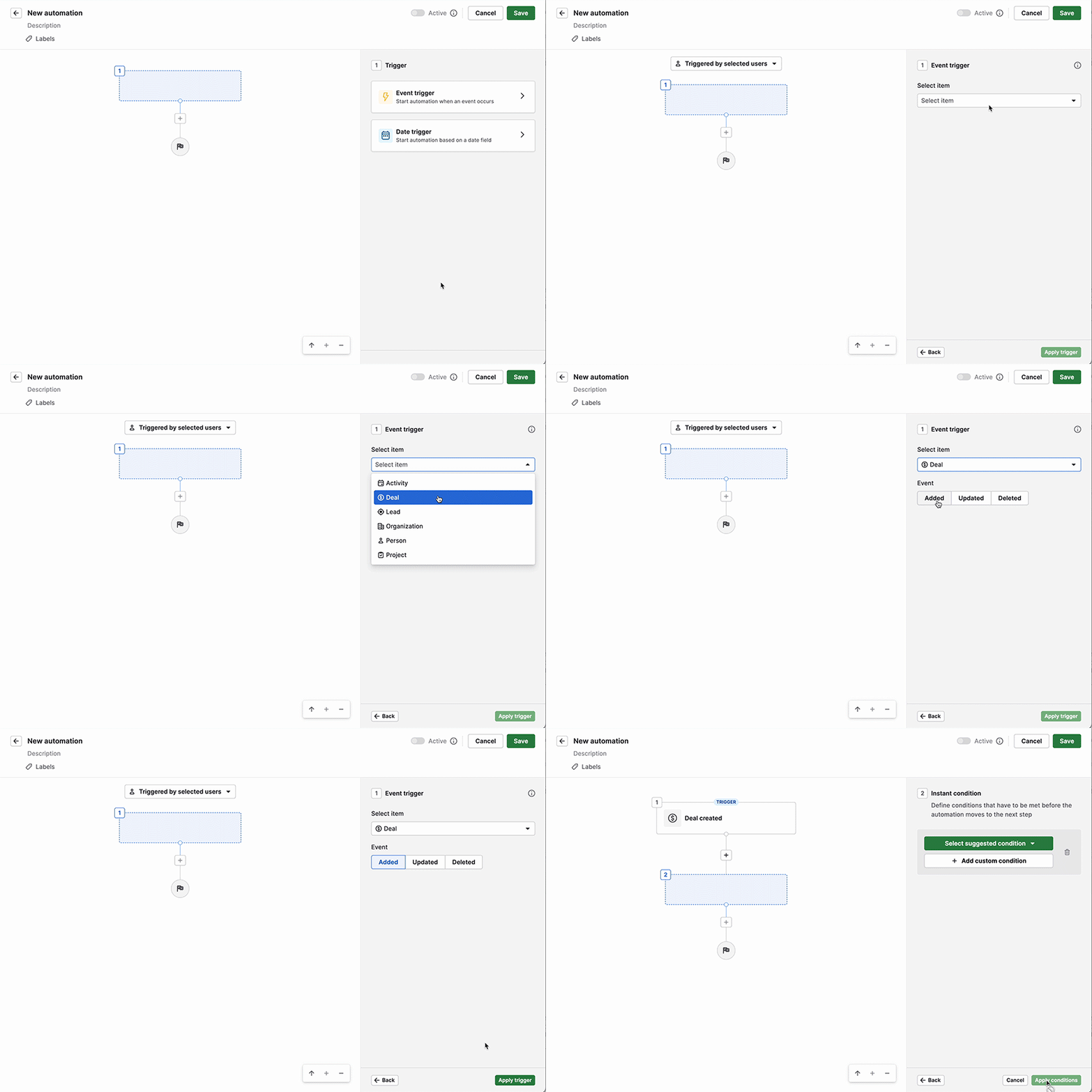
Source: Pipedrive
A library of pre-built workflow templates covers common use cases. Automations start on the Growth plan, with limits from 50 (Growth) up to 250 (Ultimate).
ZoomInfo operates at a different level. Instead of automating based on CRM events, ZoomInfo's workflows respond to buying signals: intent spikes, competitor research, job changes, funding rounds, technology adoption.
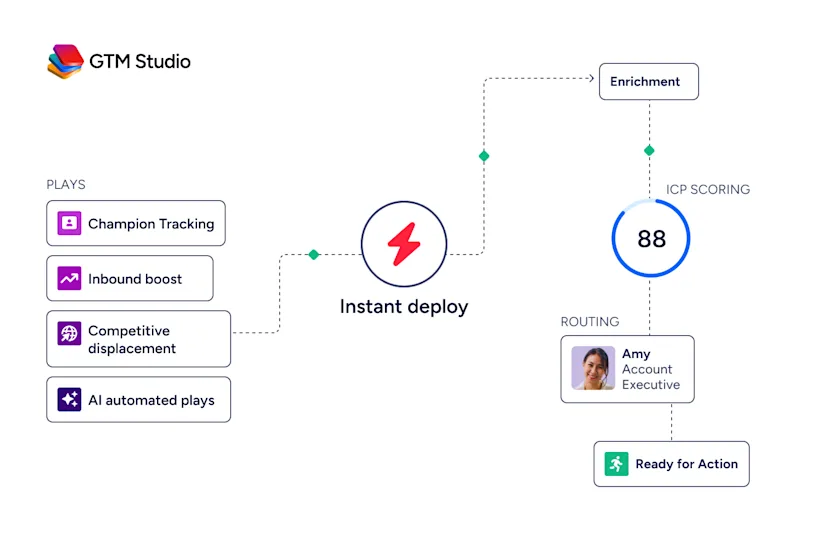
GTM Studio lets marketers and RevOps teams launch pre-built plays (inbound acceleration, champion tracking, competitive displacement, ICP targeting) that run continuously across email, calls, ads, and direct mail. Plays improve as prospects engage.
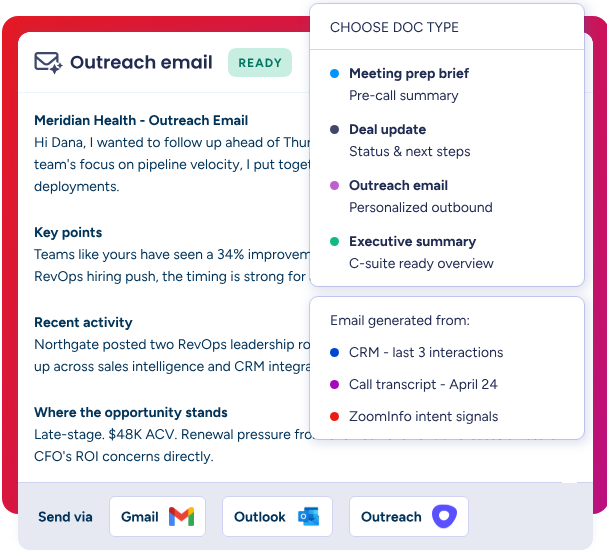
In GTM Workspace, AI agents handle account research, outreach generation, CRM updates, and signal monitoring automatically. Expansion plays that used to take 3 weeks now launch in 30 minutes.
The progression maps to different needs: Capsule automates your internal process, Pipedrive automates your sales workflow, and ZoomInfo automates your go-to-market response to market signals.
AI: practical admin help vs. an intelligence layer
All three platforms have invested in AI. Their ambitions differ.
Capsule takes what CEO Steven Ledgerwood calls a "sensible AI" approach: AI should remove admin burden, not add complexity. AI Email Assist drafts emails from short prompts. AI Summaries compile the last 50 activities on any record into a readable brief (20 summaries per user per month on Growth+).
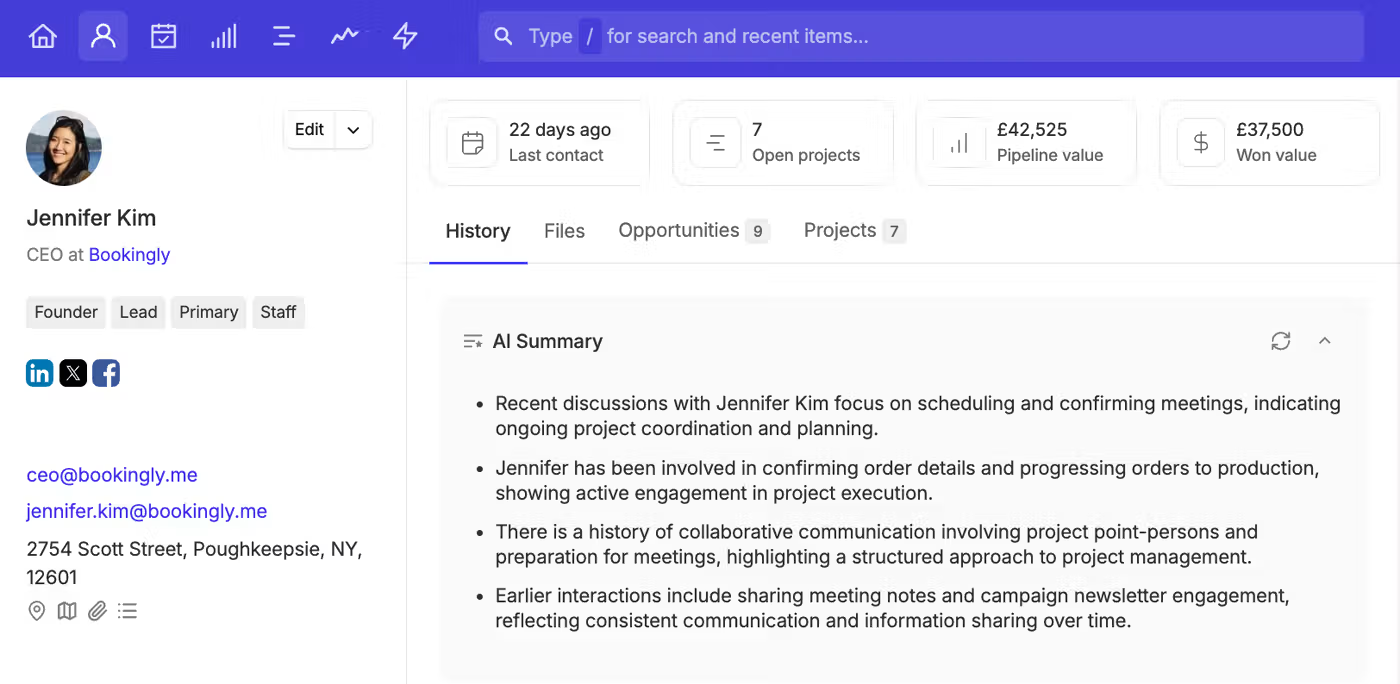
Source: Capsule
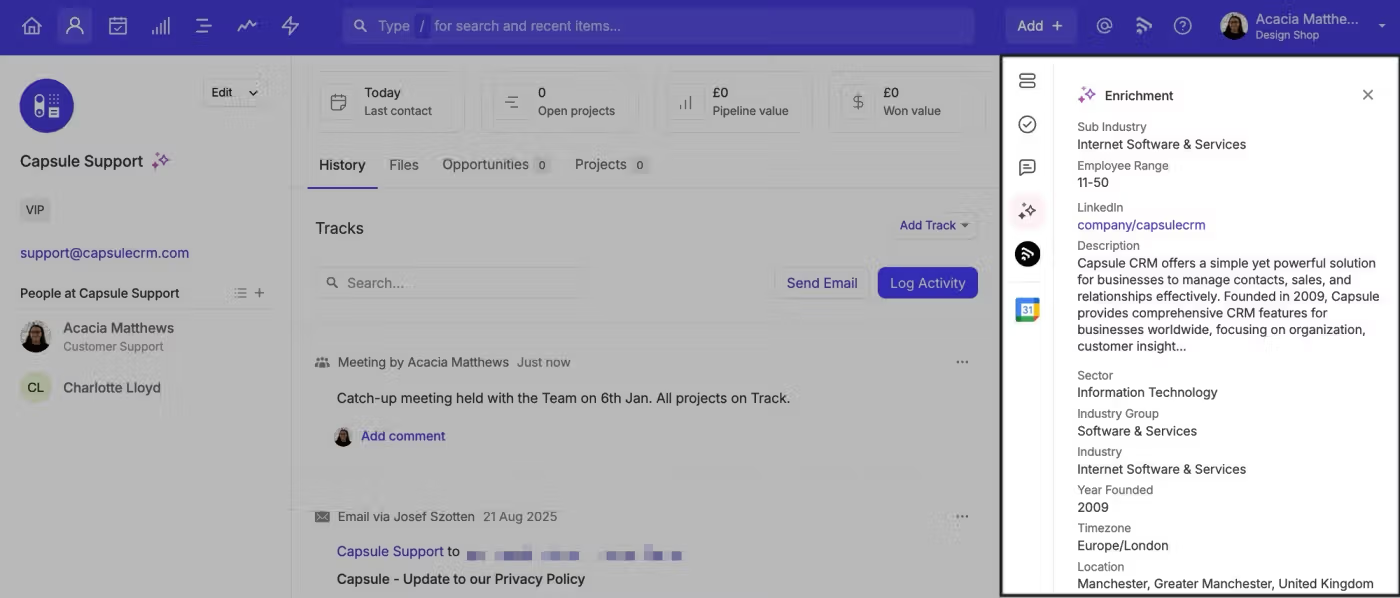
AI Business Enrichment fills company records with industry, employee range, and revenue data. An AI Pipeline Generator builds a pipeline from a plain-language business description.
Source: Capsule
All AI features are optional and can be switched off at the account level. Capsule does not use customer data to train AI models.
Pipedrive pushes further. The AI Sales Assistant operates in two modes: proactive notifications with win probability predictions, deal activity reminders, and progress updates; and a prompt-based chat that can summarize deals, analyze performance, and identify winning patterns.

Source: Pipedrive
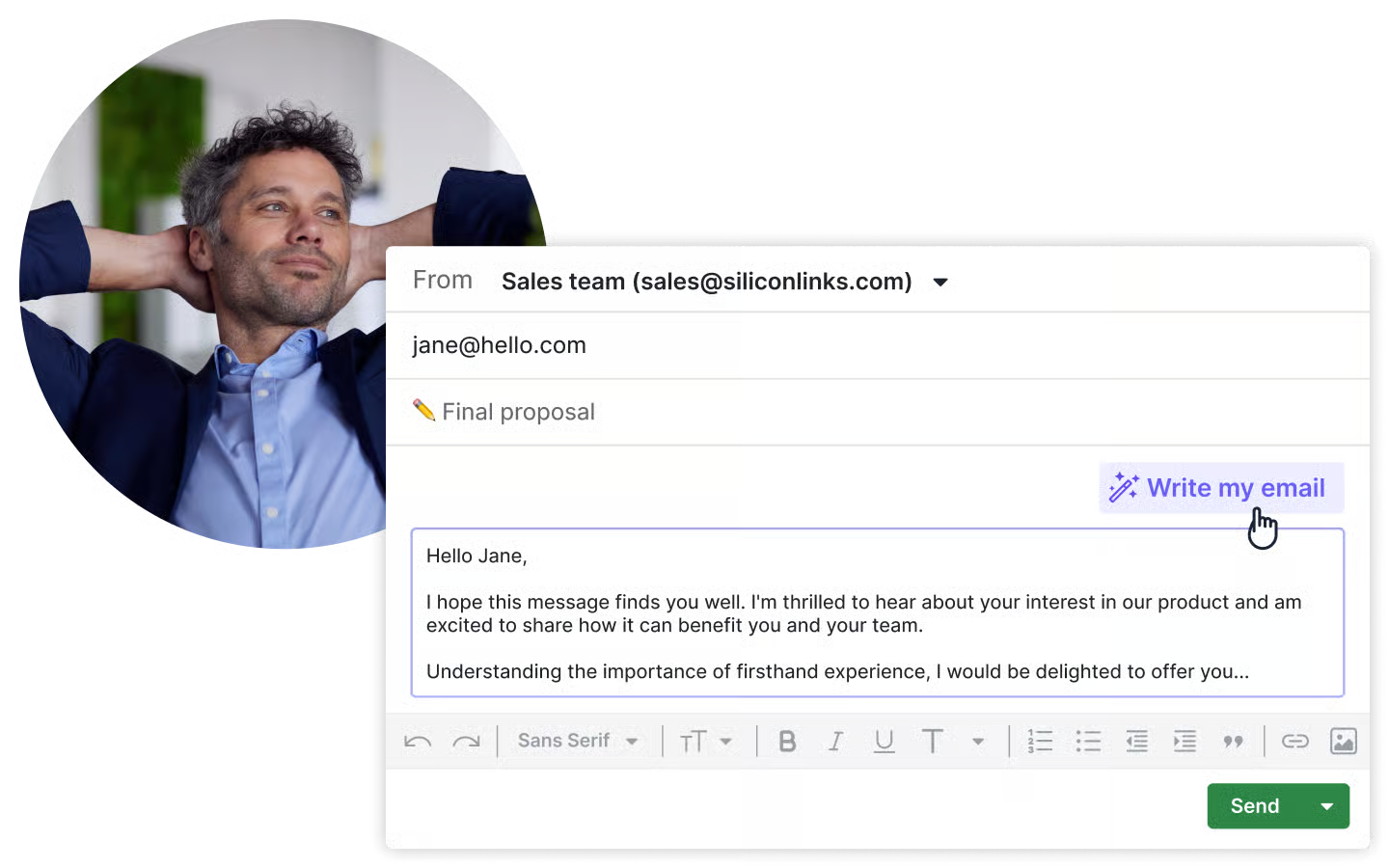
An AI email writer generates drafts with configurable tone and length, while AI email summarization (still in beta) condenses threads into key themes, sentiment, and a readiness-to-buy score.
Source: Pipedrive
AI-powered report generation produces reports from natural-language queries on all plans. A ChatGPT integration lets reps query Pipedrive data directly in ChatGPT (currently unavailable for EU data residency accounts). Pipedrive also does not permit third parties to use client data to train AI models.
ZoomInfo's AI isn't a feature added to a CRM. It's the core of the product. The GTM Context Graph, ZoomInfo's intelligence layer, processes 1.5B+ data points daily, connecting ZoomInfo's B2B data with a customer's CRM records, conversation transcripts, and behavioral signals.
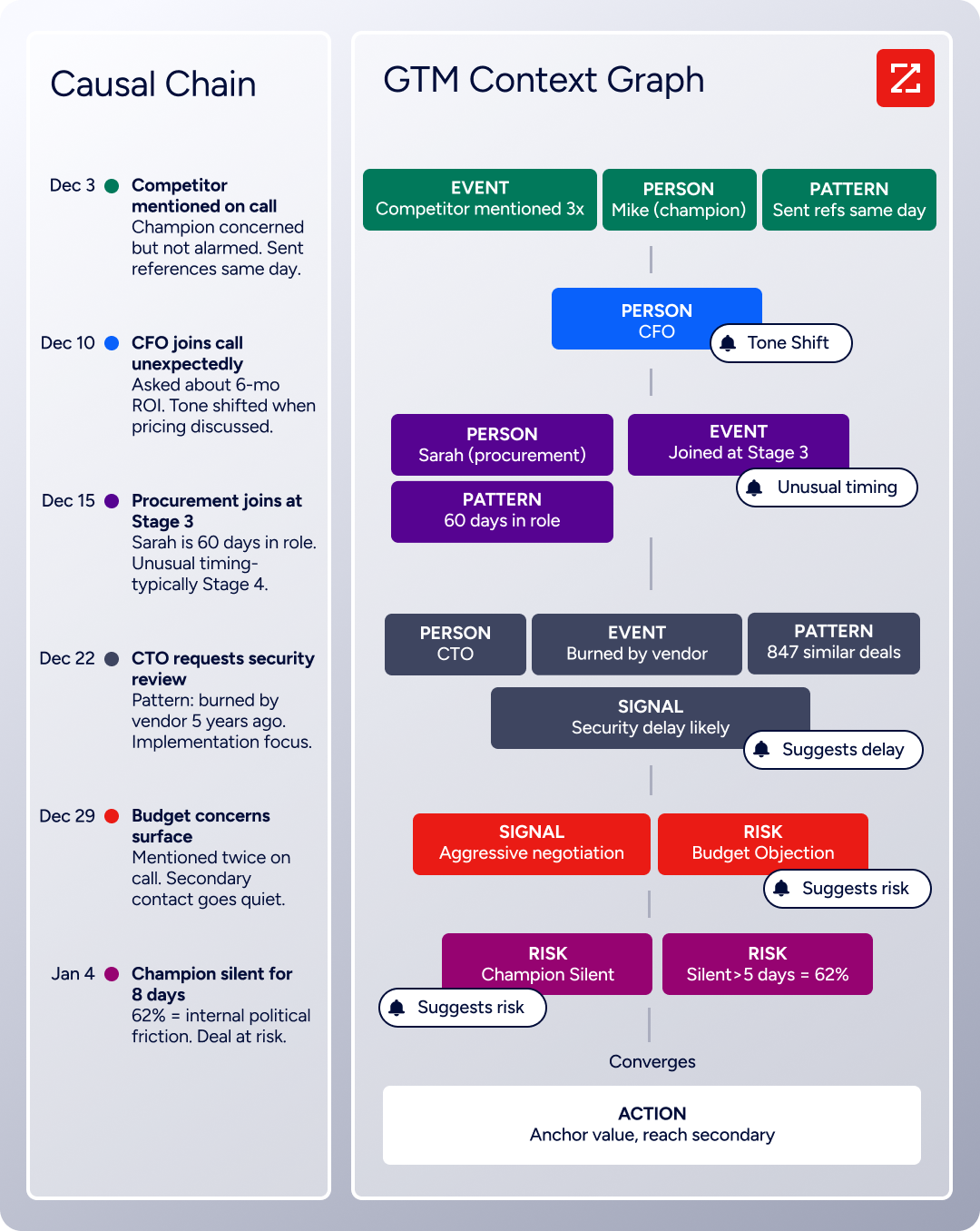
As ZoomInfo's CPO Dominik Facher explains: "The CRM recorded the state change. It has no record of why it happened." The GTM Context Graph captures that context (which stakeholder influenced the deal, what concerns they raised, what similar deals suggest happens next) and makes it actionable.
AI agents inside GTM Workspace automate account research, draft outreach that addresses specific concerns from conversations, and monitor signals across your book of business.
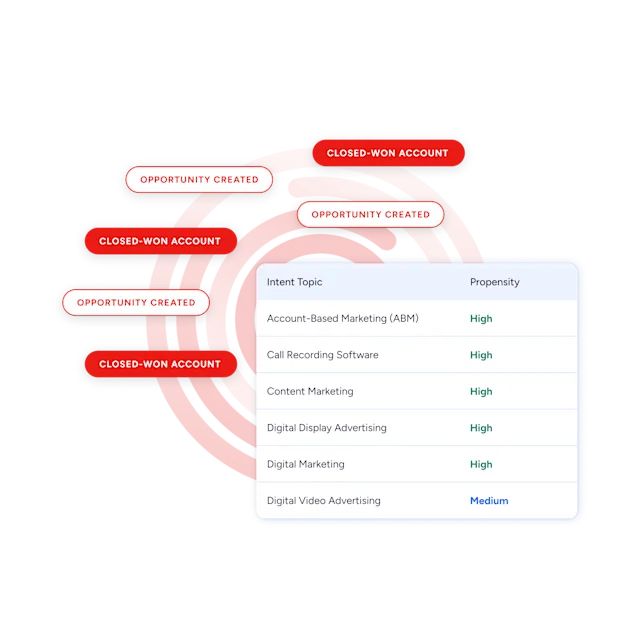
Guided Intent (exclusive to ZoomInfo) identifies topics historically correlated with deal success rather than requiring manual topic selection. Buying group intelligence surfaces hidden stakeholders and whitespace within accounts.
Seismic attributed 39% of active pipeline to opportunities identified or influenced by ZoomInfo signals, with sales team productivity up 54% after combining internal CRM data, external signals, and AI-driven context for personalized outreach. (Seismic)
Capsule's AI helps you write emails faster and prep for calls. Pipedrive's AI helps you prioritize deals and spot patterns. ZoomInfo's AI tells you which accounts to pursue, why they're likely to buy, and what to say when you reach them.
Pricing reflects what each platform is selling
The three pricing models tell you who each platform serves.
Capsule uses per-user, per-month pricing with a permanent free plan. The Free plan supports 2 users and 250 contacts with basic pipeline and project management. Paid plans scale from Starter (30,000 contacts) through Growth, Advanced (120,000 contacts), and Ultimate, with annual billing saving up to 15%. No setup fees, no onboarding costs, no credit card required for the 14-day trial. The Transpond marketing add-on starts from $11/month. For a five-person team on the Growth plan, monthly costs stay predictable.
Pipedrive also prices per seat, per month, starting at $14/seat on Lite. The plan structure runs Lite, Growth, Premium, and Ultimate, with up to 42% discount on annual billing. No free plan exists, only a 14-day trial. Add-ons increase cost: LeadBooster is $32.50/company/month, Campaigns is priced separately, and Web Visitors scales by unique organizations per month. Features like Smart Docs, Projects, and LeadBooster are included on Premium and Ultimate but cost extra on lower plans. Top-ups let you buy additional capacity without upgrading.
ZoomInfo uses a consumption-based pricing model with no published prices. Costs scale around seats, credit volume, features, and contract length. The entry point is ZoomInfo Lite, a permanent free tier with access to the B2B database, 10 monthly export credits, search and filtering, the Chrome extension, and WebSights Lite for up to 10 website visitor reveals per day.
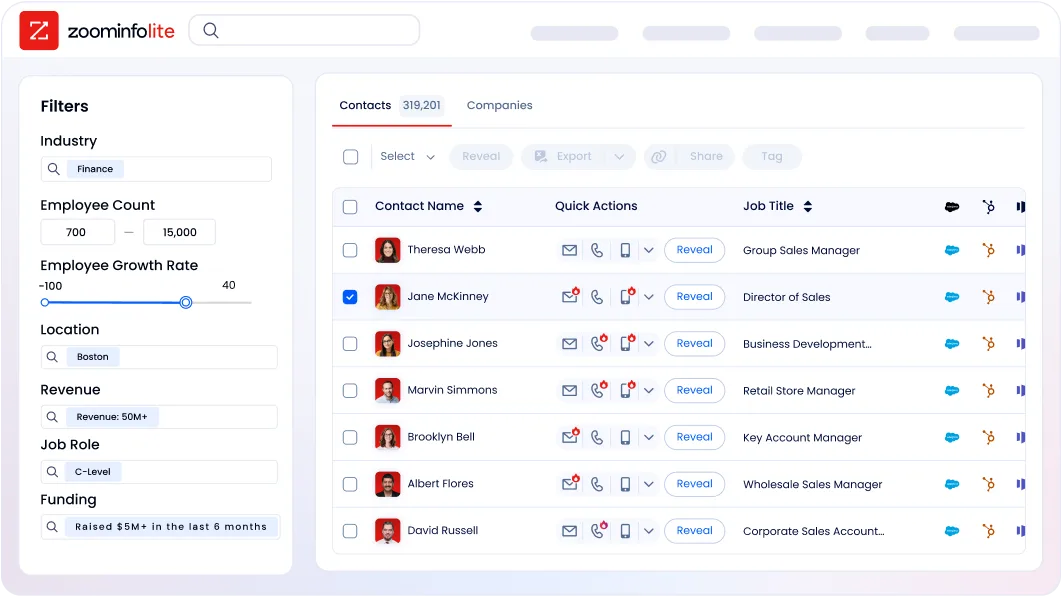
A 7-day free trial provides broader access. Paid plans are organized into Sales tiers (Professional, Advanced, Enterprise) and Marketing tiers (Marketing Demand, ABM Lite, ABM Enterprise), each unlocking deeper intelligence, intent signals, AI features, and dedicated support. API access is included in all relevant plans.
The comparison isn't apples-to-apples because the platforms solve different problems. Capsule and Pipedrive charge for CRM access. ZoomInfo charges for intelligence, data, and execution capability. A team of five might spend $70–500/month on Capsule or Pipedrive to manage their existing pipeline. A team investing in ZoomInfo pays for the ability to identify and prioritize accounts they haven't found yet, at a price point that reflects enterprise-grade data and AI.
Integrations and ecosystem
How each platform connects to the rest of your stack matters as teams grow.
Capsule offers 100+ integrations across accounting (QuickBooks, Xero, FreshBooks, Wave), email (Gmail add-on, Outlook), marketing (Mailchimp, Klaviyo, MailerLite), help desk (Zendesk, Help Scout), and telephony (Aircall, JustCall). Automation platforms like Zapier, Make, and Zoho Flow extend reach further.
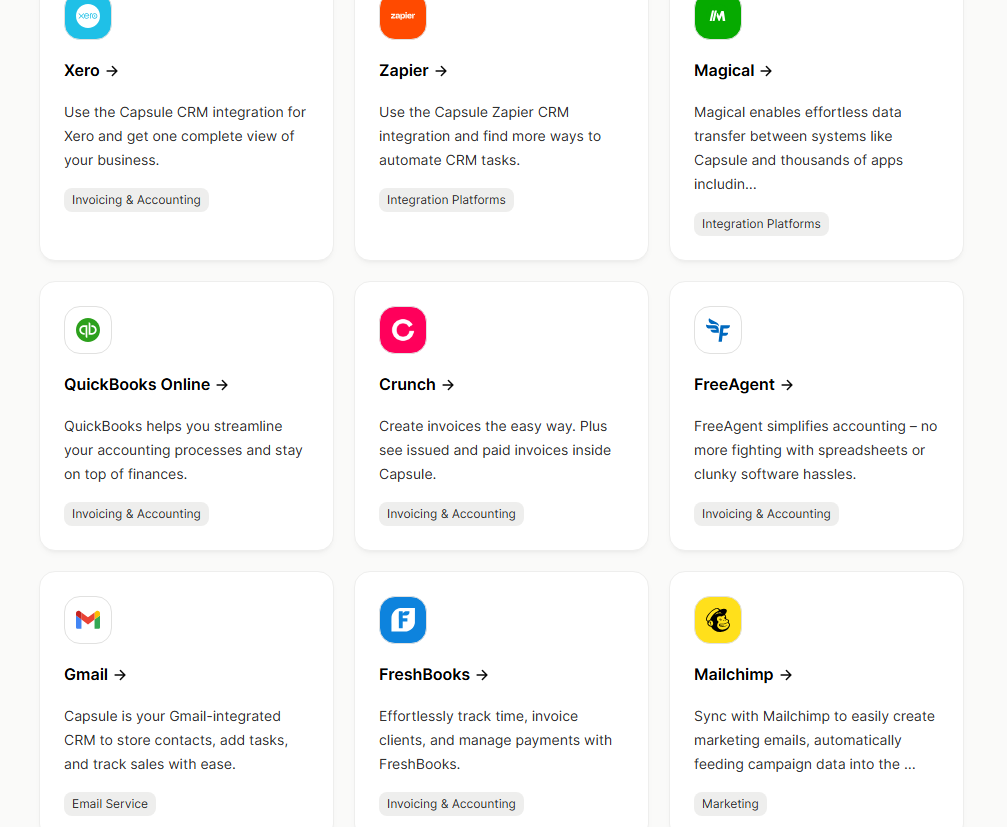
Source: Capsule
The REST API (v2) supports full CRUD operations with OAuth 2.0 authentication and REST hooks for real-time webhooks. For a small business, the integration ecosystem covers the core workflow: accounting tools, email providers, and communication platforms.
Pipedrive has a larger marketplace with over 400 apps. Companies with at least one app installed win 1.5x more deals.
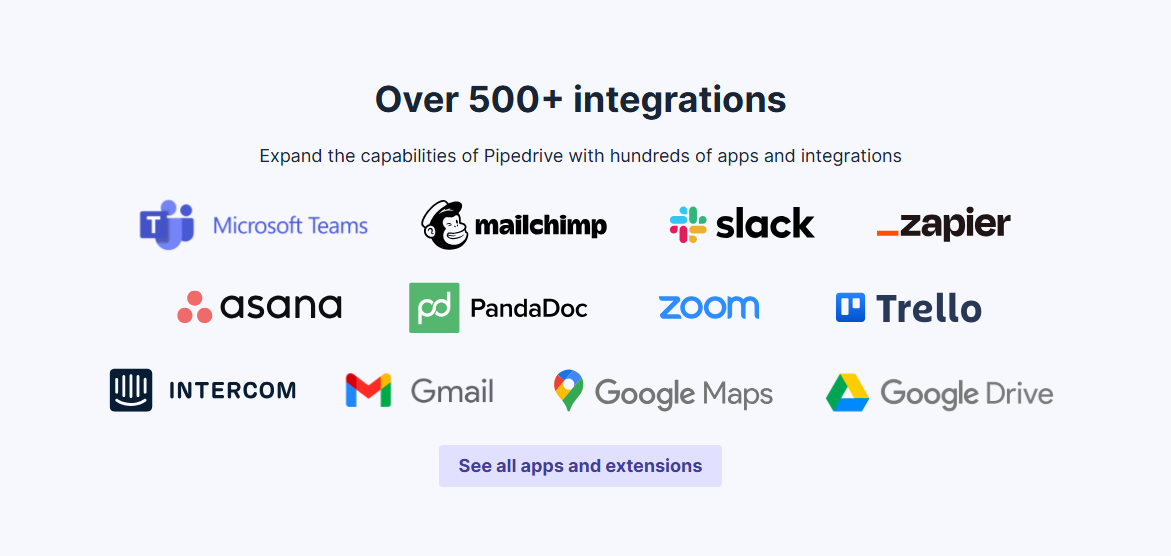
Source: Pipedrive
The RESTful API supports API token and OAuth 2.0 authentication, with Webhooks v2 for real-time event notifications. App extensions let developers embed custom UI directly inside Pipedrive. Native automation integrations with Slack, Teams, Trello, and Asana reduce the need for middleware.
ZoomInfo approaches integrations as infrastructure. The App Marketplace lists 120 partner integrations across CRM, marketing automation, sales engagement, data warehouse, and ATS categories, with connectors for Salesforce, HubSpot, Microsoft Dynamics 365, Snowflake, and Salesloft.
Cloud Partners enable direct data ingestion into AWS, Google Cloud, Snowflake, and Databricks. The Enterprise API provides programmatic access to contact, company, intent, and AI intelligence endpoints. The MCP server connects AI models directly to ZoomInfo's data, listed in the Claude directory and currently supporting Claude and ChatGPT. Where Capsule and Pipedrive connect to your tools, ZoomInfo's data layer can power them.
BDO Canada achieved an 87% reduction in time spent on internal data dashboard updates by integrating ZoomInfo's API directly into their processes. (BDO Canada)
Capsule vs. Pipedrive vs. ZoomInfo: Which should you choose?
The right choice depends on what's actually limiting your sales team.
Choose Capsule if:
You're a small service business (1–20 people) that needs CRM and project management in one tool
Simplicity and fast adoption matter more than advanced automation
Your sales process runs on relationships you've already built
You want a free or low-cost starting point with room to grow
Your team values a clean interface and quick setup over feature depth
Choose Pipedrive if:
Your sales team lives in the pipeline and needs visual deal tracking front and center
You want conditional automation without enterprise complexity
A large integration ecosystem matters for your workflow
You need mobile CRM for field selling with offline support
Your budget fits a per-seat model starting at $14/month
Choose ZoomInfo if:
Your growth depends on finding and engaging the right accounts, not just managing existing contacts
You need verified contact data, direct dials, and intent signals at scale
AI-driven account prioritization and outreach would change how your team sells
You want an intelligence layer that integrates with your existing CRM
Your team is ready to move from reactive pipeline management to proactive go-to-market execution
Start with ZoomInfo Lite for free, or request a demo to see the full platform.
Capsule and Pipedrive answer the question "how do I organize my sales process?" ZoomInfo answers a different one: "how do I find the right accounts, understand what they care about, and reach them before my competitors do?" For many growing B2B teams, that second question is the one that moves revenue.
Capsule vs. Pipedrive vs. ZoomInfo FAQ
What is the core difference between Capsule, Pipedrive, and ZoomInfo?
Capsule is a CRM built for small businesses that combines contact management, sales pipeline tracking, and project management in one tool. Pipedrive is a sales-focused CRM centered on visual pipeline management with stronger automation and a larger integration marketplace. ZoomInfo is an AI go-to-market platform with 500M contacts, 100M companies, and an intelligence layer that identifies which accounts to pursue, when they're in-market, and what to say. It operates in a different category from a CRM.
Which platform is cheapest for a small sales team?
Capsule has a permanent free plan supporting 2 users and 250 contacts, with paid plans starting around $21/user/month. Pipedrive starts at $14/seat/month with no free plan. ZoomInfo Lite is free with 10 monthly export credits and access to the B2B database; paid plans are custom-quoted and priced for mid-market and enterprise organizations. For a team of five on a tight budget, Capsule or Pipedrive will typically cost between $70 and $500 per month depending on the plan tier.
Can ZoomInfo replace a CRM like Capsule or Pipedrive?
ZoomInfo is not a CRM replacement. It integrates natively with Salesforce, HubSpot, and Microsoft Dynamics to enrich your CRM data and trigger workflows. GTM Workspace serves as a seller's workspace for prioritizing accounts, drafting outreach, and monitoring signals, while CRM record-keeping continues in the background. Teams typically use ZoomInfo alongside a CRM, not instead of one.
Which platform has the best automation capabilities?
Pipedrive offers the most flexible CRM automation with if/else branching, date-based triggers, delays, and native integrations with Slack, Teams, Trello, and Asana. Capsule's automation is simpler, limited to stage-based triggers with track-completion gating but no conditional logic. ZoomInfo automates at a different level: signal-triggered workflows in GTM Studio respond to buying intent, job changes, and competitor research across multiple channels, while AI agents in GTM Workspace handle research and outreach automatically.
How do the AI features compare across the three platforms?
Capsule's AI focuses on reducing admin work: email drafting, record summaries, and contact enrichment, following a "sensible AI" philosophy. Pipedrive's AI includes a Sales Assistant with win probability predictions, an email writer, and AI-generated reports from natural language queries. ZoomInfo's AI is the product's foundation: the GTM Context Graph processes 1.5 billion data points daily, connecting CRM data, conversations, and market signals to show which accounts to target, why deals are moving or stalling, and what actions to take next.
Which platform is best for prospecting and finding new leads?
ZoomInfo is in a different category for prospecting, with 500M contacts, 120M direct-dial phone numbers, 200M+ verified business emails, and buyer intent signals tracking 210 million IP-to-Organization pairings. Pipedrive's LeadBooster add-on provides access to over 400 million profiles through its Prospector tool, plus lead scoring through Pulse. Capsule has basic web forms and a LinkedIn Chrome extension but no built-in prospecting database.
Does Capsule or Pipedrive offer project management?
Capsule includes project management on all plans, with kanban boards, task tracks, and direct linking between won deals and project delivery. Pipedrive added Projects as an add-on that is included on Premium and Ultimate plans but costs extra on Lite and Growth. ZoomInfo does not include project management and focuses on intelligence and sales execution.
Which platform has stronger security certifications?
Pipedrive holds ISO/IEC 27001:2022, ISO/IEC 27701:2019, SOC 2 Type 2, and SOC 3 certifications, along with GDPR, EU-US Data Privacy Framework, and DORA compliance. ZoomInfo holds ISO 27001, ISO 27701, SOC 2 Type II, plus TRUSTe GDPR and CCPA validations. Capsule operates on AWS infrastructure and has a detailed GDPR compliance page with a published DPA, but independent Capsule-level ISO 27001 or SOC 2 certification has not been confirmed from available sources.
See how Capsule and Pipedrive stacks up against other tools:
