
Choosing between HubSpot and Zendesk comes down to five questions:
Do you need one platform for marketing, sales, and service, or a dedicated service tool?
Is your priority a unified customer record from first touch to renewal, or the fastest support possible?
Do you need full CRM capabilities alongside your service desk, or will your CRM live elsewhere?
How important is AI-powered service automation versus AI across your entire go-to-market operation?
Does your team have the admin resources to configure a specialized platform, or do you need something adoptable across departments?
In short, here's what we recommend:
HubSpot is the unified customer platform for teams that want marketing, sales, and service sharing the same data. Its Smart CRM connects six product hubs (Marketing, Sales, Service, Content, Data, and Commerce) so a support agent sees the same customer record as the sales rep who closed the deal. That breadth, however, means HubSpot's service features lack the depth of a platform built only for support.
Zendesk is the specialized service platform for teams whose primary challenge is handling customer support at scale. Its Resolution Platform brings together AI agents, workforce management, quality assurance, and a knowledge base trained on roughly 20 billion ticket interactions. Zendesk earned Leader status in the 2025 Gartner Magic Quadrant for CRM Customer Engagement Center. The trade-off: Zendesk doesn't offer marketing automation, content management, or a full CRM, so you'll need other tools for those functions.
Both platforms help you manage customers after they've found you. But neither answers the question that comes first: who should you be talking to, and when are they ready to buy?
ZoomInfo is a B2B intelligence and GTM platform that feeds into whatever CRM or service platform you choose. With 500M contacts, 100M companies, 135M+ verified phone numbers, and 200M+ verified business email addresses, ZoomInfo identifies your best prospects before they raise their hand. Its GTM Context Graph processes 1.5B+ data points daily, combining third-party B2B data with your CRM records, conversation transcripts, and behavioral signals to show not just who your buyers are, but why deals move or stall. ZoomInfo integrates directly with HubSpot and feeds enriched data into your CRM so sales and service teams work from complete, accurate records. Whether you choose HubSpot or Zendesk downstream, ZoomInfo ensures your pipeline rests on verified data rather than guesswork.
If building pipeline on B2B data sounds like the missing piece, see how ZoomInfo works.
HubSpot vs. Zendesk vs. ZoomInfo at a glance
HubSpot | Zendesk | ZoomInfo | |
|---|---|---|---|
Core function | Unified CRM platform (marketing + sales + service) | Customer service platform | B2B data intelligence and GTM execution |
Service capabilities | Help desk, ticketing, knowledge base, customer portal | Omnichannel ticketing, AI agents, WFM, QA, contact center | N/A (feeds data into service platforms) |
CRM | Full Smart CRM with custom objects | Zendesk Sell (basic sales CRM) | GTM Context Graph enriches any CRM |
Marketing automation | Full Marketing Hub with email, social, ads, content | None | Account-based marketing with intent signals |
AI approach | Breeze AI across all hubs | AI agents and Copilot trained on 20B ticket interactions | AI agents for prospecting and deal intelligence |
B2B data | CRM data enrichment from interactions | Ticket and conversation data | 500M contacts, 100M companies, intent signals |
Integrations | 2,000+ app marketplace | 1,800+ app marketplace | 120+ integrations, API, and MCP access |
Starting price | Free CRM; Service Hub from $20/seat/mo | $19/agent/mo (Support); $55/agent/mo (Suite) | Free tier (ZoomInfo Lite); paid plans custom-quoted |
Best for | Teams wanting unified marketing + sales + service | Teams needing specialized service operations | Teams needing B2B prospecting data and intelligence |
A unified platform and a specialized service engine solve different problems
HubSpot and Zendesk start from different premises about how to build a customer-facing operation.
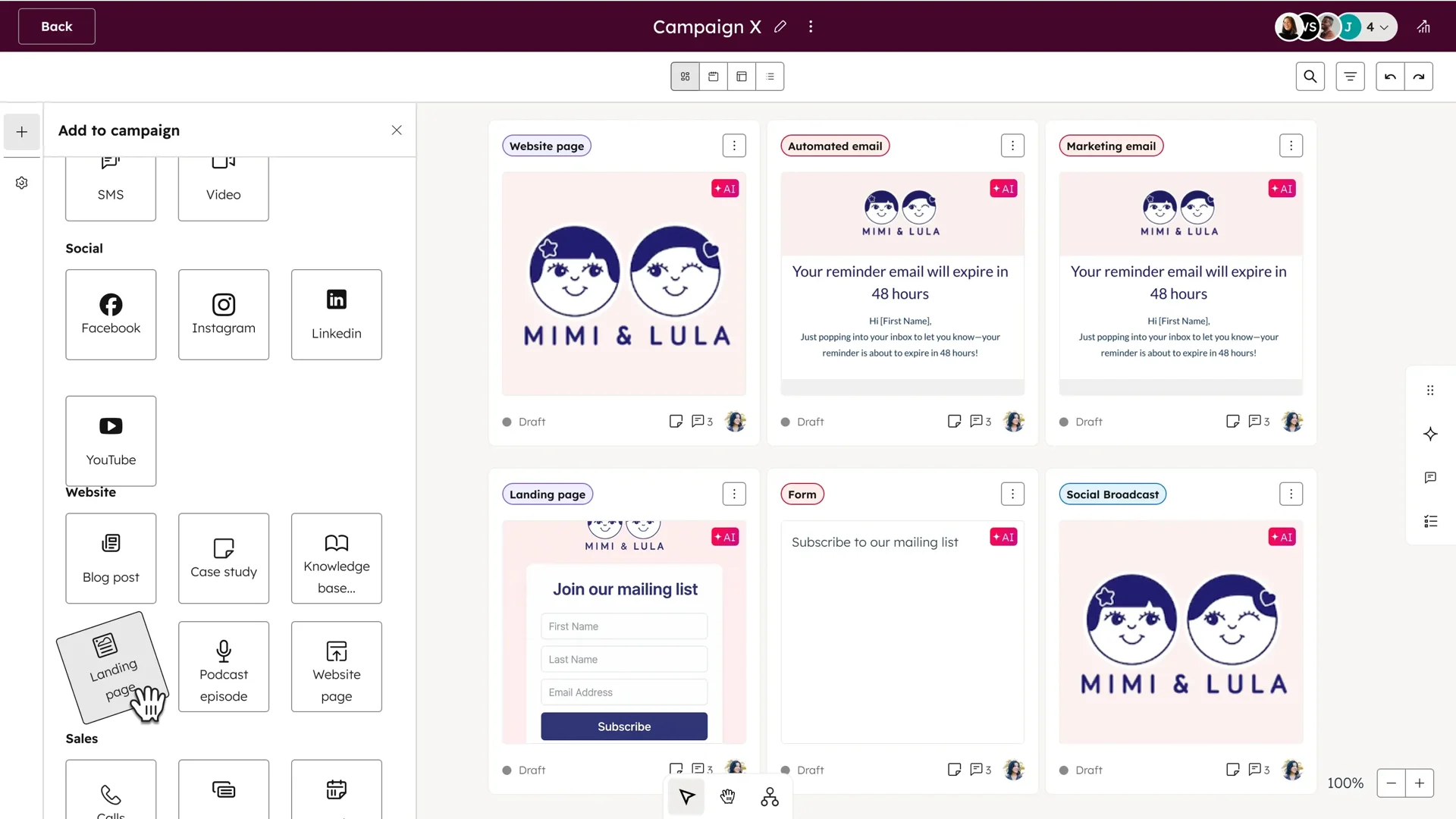
HubSpot's thesis is consolidation. Marketing Hub, Sales Hub, Service Hub, Content Hub, Data Hub, and Commerce Hub all share one Smart CRM. When a marketing lead becomes a sales opportunity becomes a support ticket, the entire history travels with it. No data sync to configure, no middleware to maintain, no reconciliation between separate systems. A service agent can see which blog post brought the customer in, which sales rep closed the deal, and when the customer's renewal date falls.
Source: HubSpot
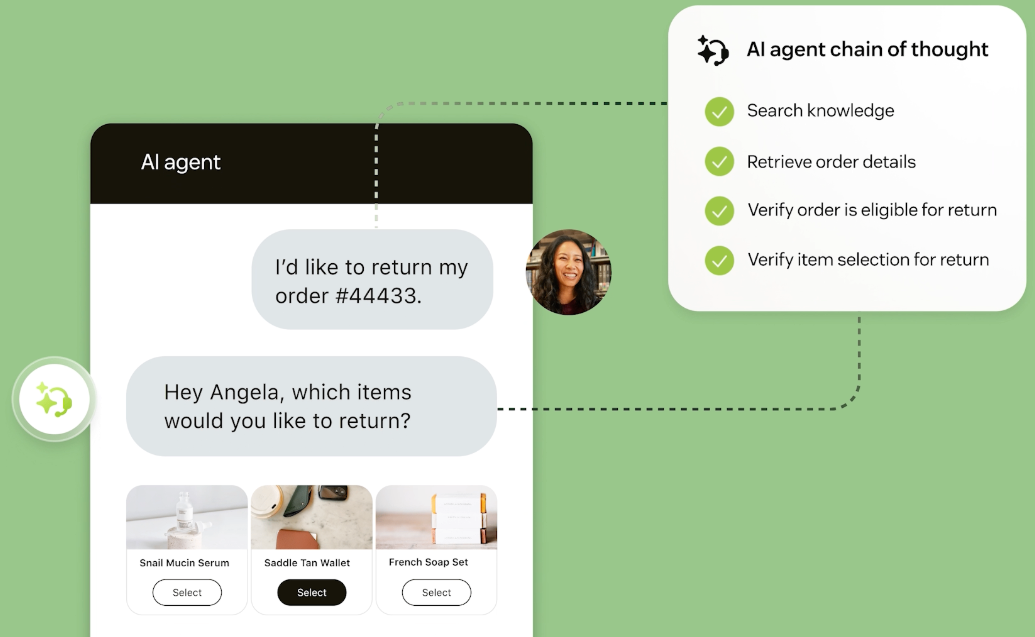
Zendesk's thesis is specialization. Rather than building a CRM with service features bolted on, Zendesk has spent nearly two decades refining one thing: customer service. The Resolution Platform combines ticketing, messaging, voice, knowledge management, workforce management, and quality assurance into a service-specific stack that goes deeper than any generalist platform. Zendesk processes 5 billion automated resolutions per year across its customer base.
Source: Zendesk
The practical result: a 50-person company running marketing, sales, and support likely gets more value from HubSpot's unified approach. A company with 200 support agents handling complex, multi-channel service operations likely needs Zendesk's depth. The question is where your pain is sharpest.
Customer service: HubSpot covers the basics, Zendesk goes deep
Both platforms handle ticketing, live chat, knowledge bases, and customer portals. The differences emerge in the details.
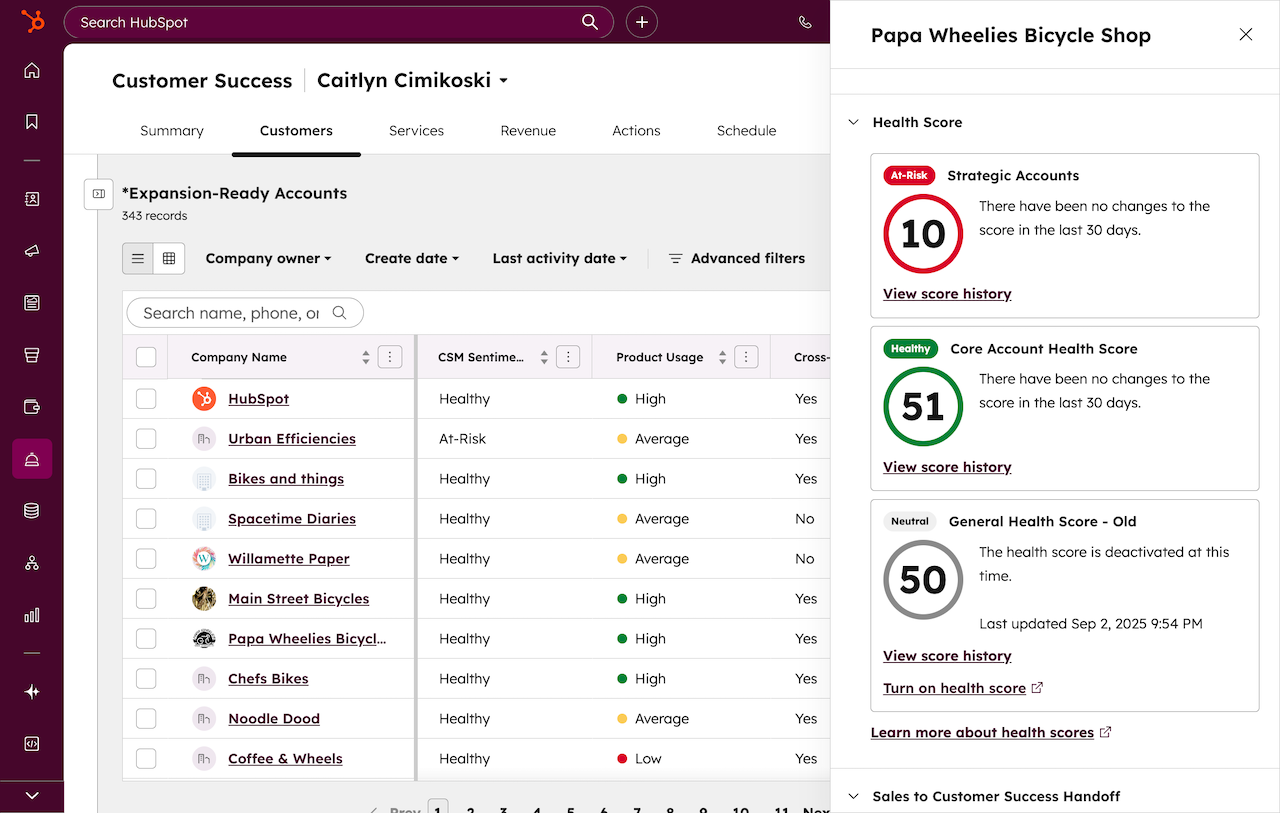
HubSpot Service Hub provides a help desk workspace that connects incoming channels (email, chat, forms, calling, WhatsApp, Facebook Messenger) into a unified queue. Ticket routing, SLA management, and a customer success workspace with health scores give service managers visibility into operations. The Breeze Customer Agent handles inquiries across chat, email, WhatsApp, and Facebook Messenger.
Source: HubSpot
Service Hub's strength is context. Because it sits on the same CRM as Sales Hub and Marketing Hub, agents see the full customer relationship, not just the current ticket. A service rep knows this customer is on an Enterprise plan, signed three months ago, and already contacted sales about an upgrade. That context makes support interactions sharper.
Zendesk offers everything HubSpot does for service, then adds workforce management, quality assurance, an AI-powered contact center, and a voice channel with AI agents that can resolve 50% of voice interactions autonomously. The omnichannel routing engine uses a unified agent status across email, voice, and messaging simultaneously, preventing ticket overload. Workforce Management handles scheduling and forecasting. Quality Assurance automatically scores 100% of interactions, human and AI alike.
For a team managing high-volume, multi-channel support, the tooling gap matters. HubSpot doesn't offer native workforce management, automated quality assurance, or a voice-native contact center. Zendesk does.
AI approaches reflect different strategic bets
HubSpot and Zendesk are both investing heavily in AI, but pointing it in different directions.
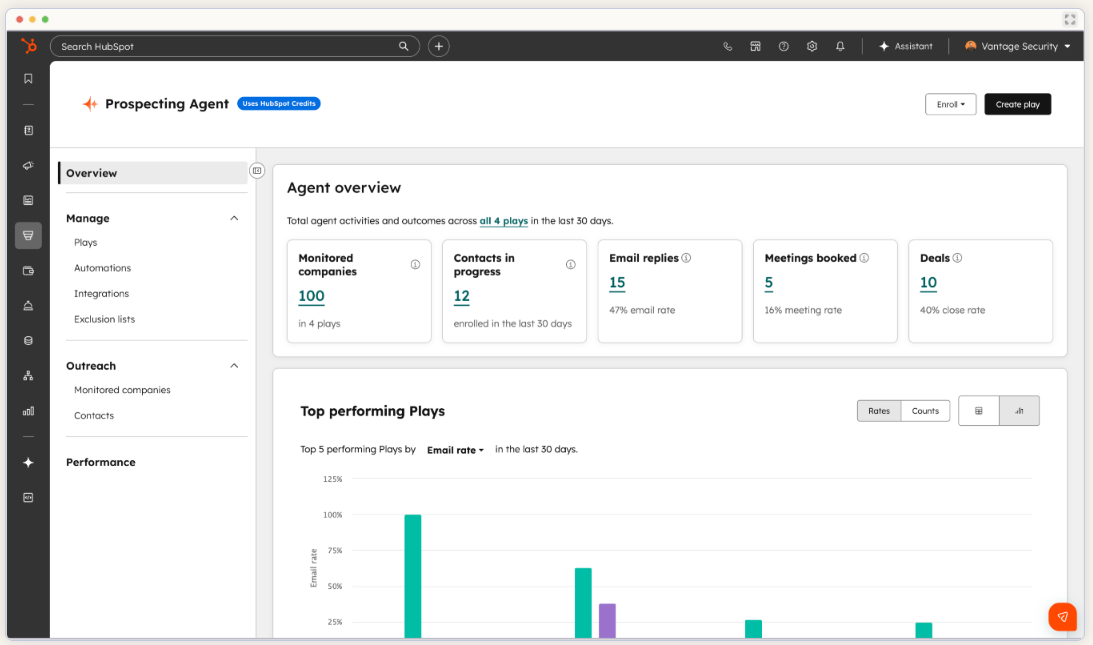
HubSpot's Breeze AI spans the entire platform. The Prospecting Agent researches accounts and drafts outreach. The Content Agent creates marketing content. The Customer Agent handles support inquiries. The Data Agent answers natural-language questions about CRM data. Breeze runs on HubSpot Credits, a consumption-based system included with Professional and Enterprise subscriptions. The advantage is breadth: AI that knows your marketing campaigns can write better support responses because it has context from the entire customer journey.
Source: HubSpot
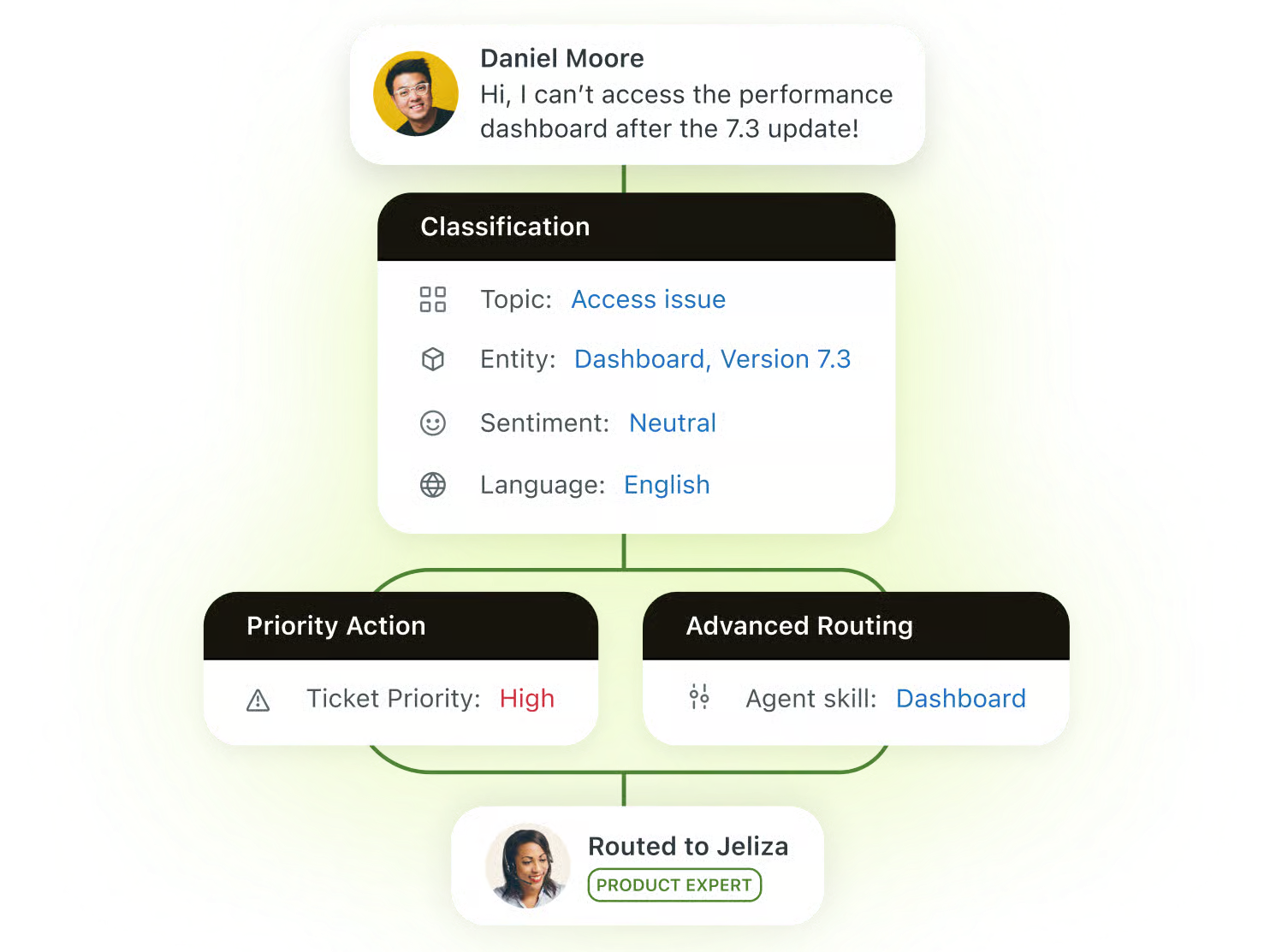
Zendesk's AI is narrower but deeper in service. Its models train on roughly 20 billion ticket interactions, giving it a domain-specific edge that general-purpose AI can't match. The Resolution Learning Loop makes AI agents self-improving: every resolved interaction identifies gaps and refines future responses without manual retraining.
Copilot surfaces guidance the moment a ticket opens, without agents asking for it. Zendesk's Agent Builder lets non-technical admins create custom AI agents in natural language.
Source: Zendesk
The trade-off is clear. HubSpot gives you AI across your go-to-market operation. Zendesk gives you AI that is better trained and more operationally capable for service. If your team's primary challenge is support quality and efficiency, Zendesk's service-specific AI will likely outperform. If you need AI that connects marketing insights to sales outreach to service resolution, HubSpot's cross-platform approach has an edge.
CRM and sales: where the overlap ends
This is HubSpot's strongest point of differentiation.
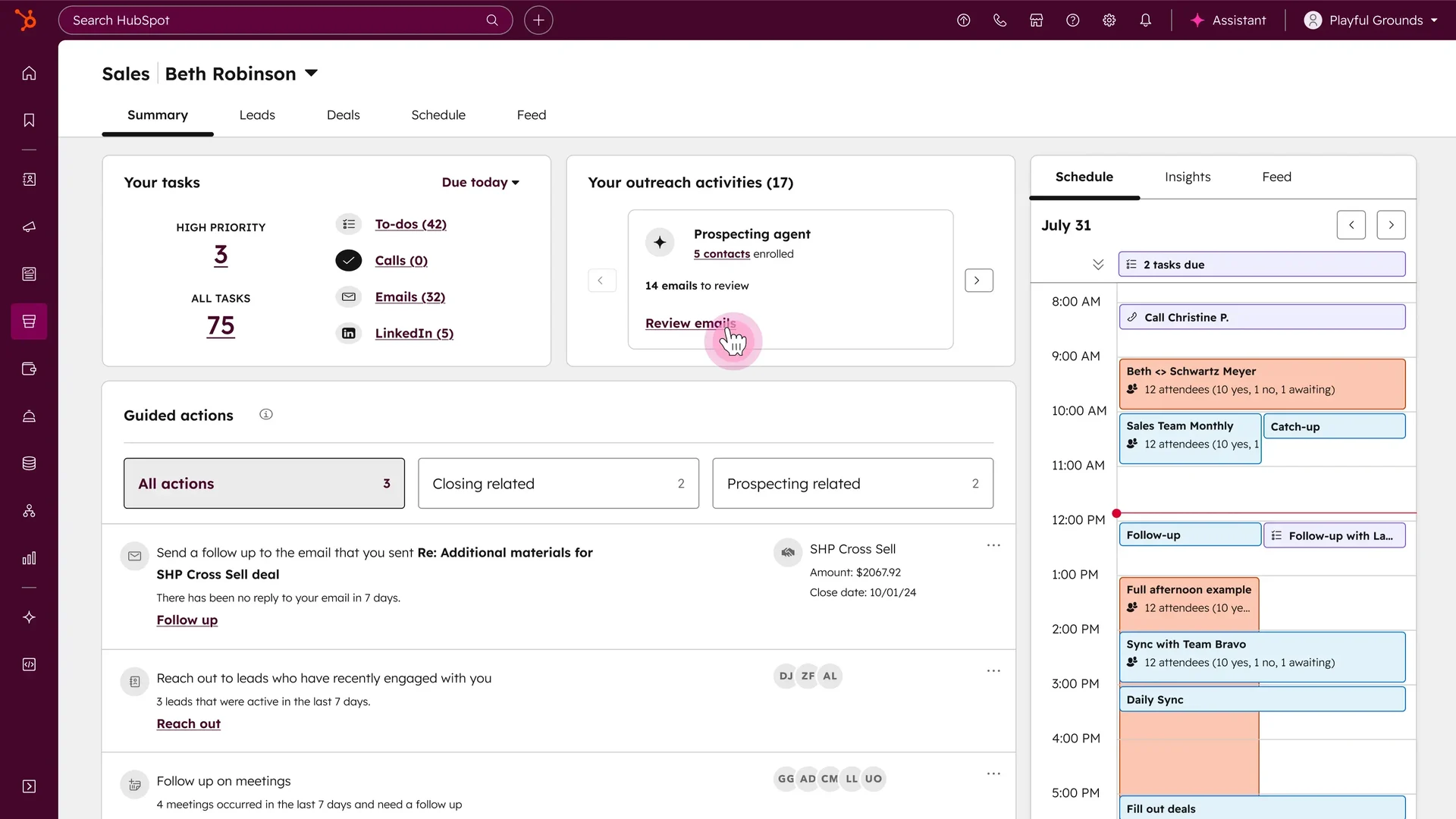
HubSpot's Smart CRM supports up to 15 million contacts (expandable to 50 million), custom objects, field-level permissions, sandbox environments, and SSO. Sales Hub includes pipeline management, sequences, call tracking, CPQ, conversation intelligence, and forecasting. Commerce Hub adds quoting, invoicing, and payment collection. For a B2B company that needs to manage the full cycle from lead generation through deal close through ongoing service, HubSpot handles it without additional vendors.
Source: HubSpot
Zendesk Sell exists, but it's a lightweight CRM acquired in 2018 (originally Base CRM). It covers basic pipeline management and deal tracking but doesn't approach HubSpot's depth in marketing automation, content management, CPQ, or commerce. Most Zendesk customers pair it with a separate CRM.
If your search for "HubSpot vs. Zendesk" is really about finding a complete CRM platform, HubSpot wins by default. Zendesk isn't trying to compete here. But if your search is about finding the best service platform and you already have a CRM, Zendesk's specialization is the point.
The intelligence gap neither platform fills
Both HubSpot and Zendesk help you engage customers you already know about. Neither tells you who you should be pursuing next, or when a prospect is actively researching solutions like yours.
This is where ZoomInfo operates. As a B2B intelligence and GTM platform, ZoomInfo provides the data that sits upstream of both HubSpot and Zendesk. Its GTM Context Graph processes 1.5B+ data points daily, combining third-party B2B data with a customer's own CRM records, conversation transcripts, and behavioral signals. The result: an intelligence layer that captures not just what happened in a deal, but why it happened.
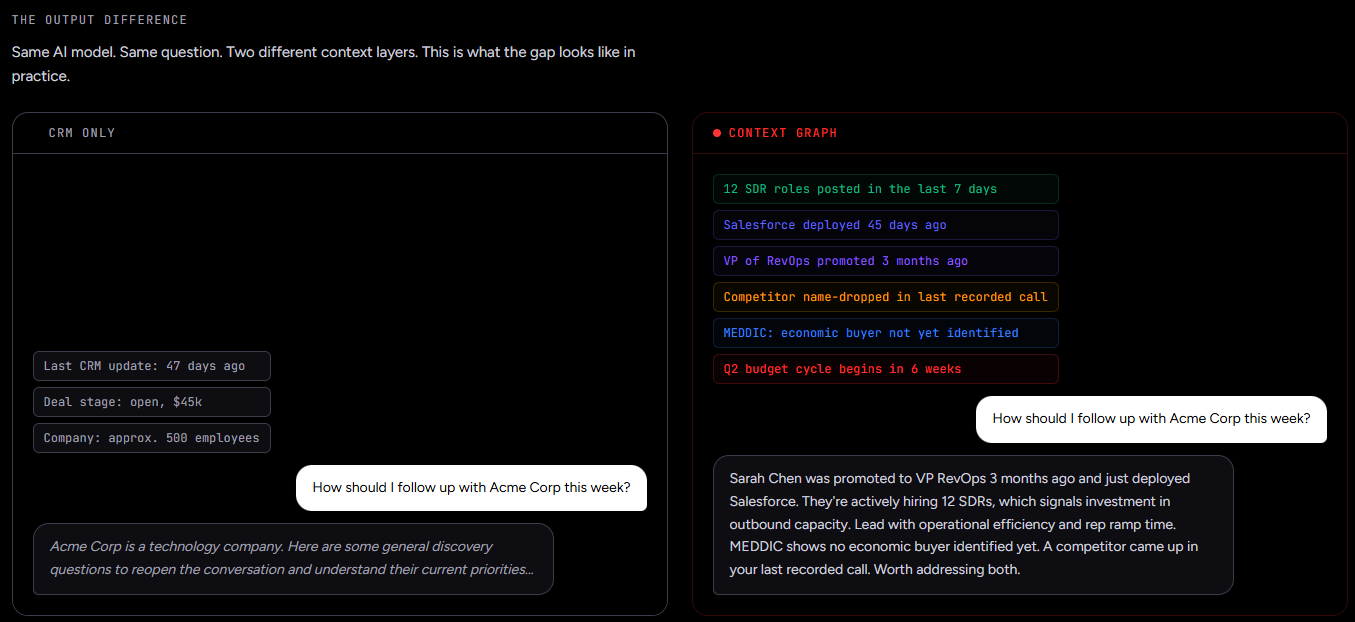
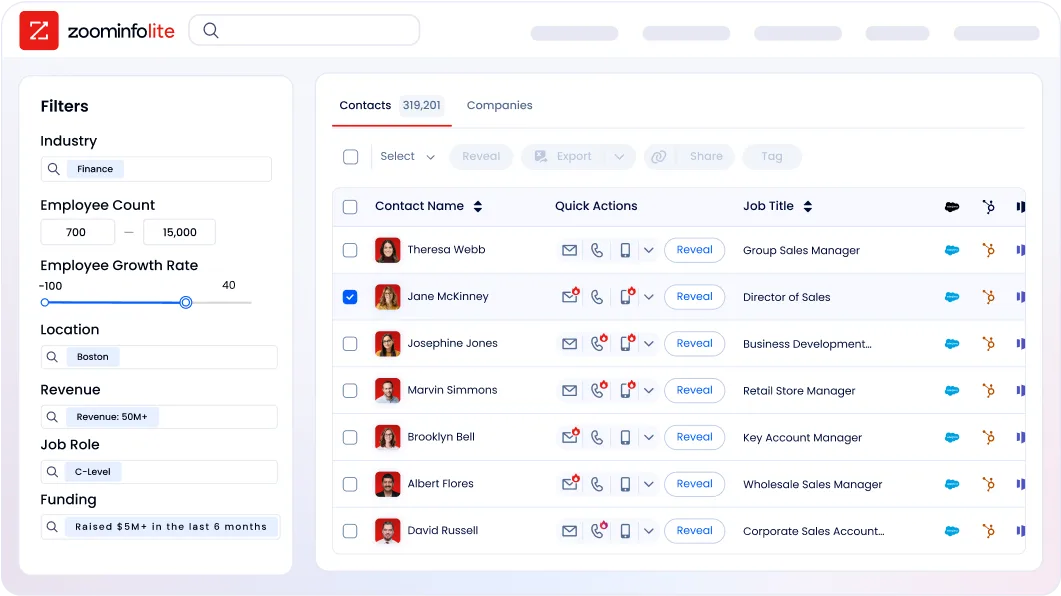
For sales teams, ZoomInfo answers three questions: who to contact, when to engage, and what to say. 120M direct-dial phone numbers and 200M+ verified business email addresses mean the contact data actually connects. Buyer Intent data tracks signals from 210 million IP-to-Organization pairings, identifying companies researching your category before they fill out a form.
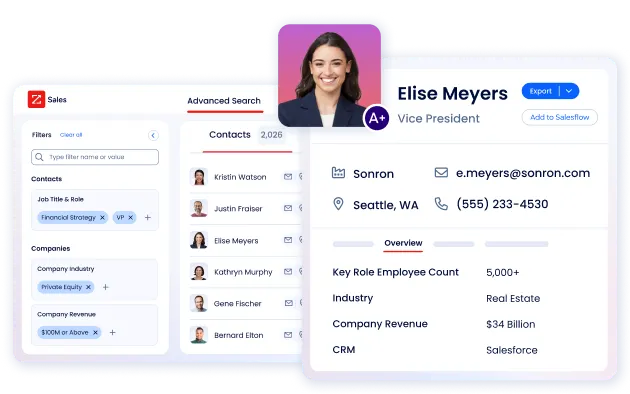
ZoomInfo integrates directly with HubSpot, enriching CRM records with verified contact data, company attributes, technographics, and intent signals. For teams using HubSpot as their CRM, sales reps work from complete, accurate records rather than the incomplete data that Forbes estimates plagues 91% of CRM systems. For teams using Zendesk for service, ZoomInfo's data ensures that when a prospect becomes a customer, the record entering the service workflow is already enriched.
The data quality advantage has been externally validated. In a Fortune 500 competitive RFP analyzing 25 million contacts across vendors, an independent consultant concluded that "no other competitor came even close."
Seismic's sales team boosted productivity by 54%, saved 11.5 hours per week, and attributed 39% of pipeline to ZoomInfo signals. (Seismic Case Study)
Teams access ZoomInfo's intelligence three ways: GTM Workspace for sellers who need AI-driven account prioritization and outreach, GTM Studio for marketers and RevOps teams building audience segments and running campaigns, and APIs and MCP for teams that want the same intelligence inside any tool or AI agent.
Pricing models reflect different buying decisions
All three platforms have complex pricing that rewards careful evaluation.
HubSpot uses a hybrid model combining per-seat, per-hub, and contact-based pricing. The free CRM is a useful starting point with unlimited contacts and basic tools across all hubs. Service Hub starts at $20/seat/month for Starter and scales to $100/seat/month for Professional and $150/seat/month for Enterprise. Mandatory onboarding fees apply at Professional ($1,500) and Enterprise ($3,500).
The cost complexity hits when you combine hubs. Marketing Hub Professional runs $800/month on annual billing with a $3,000 onboarding fee. If you subscribe to hubs at different tiers, all Core Seats are billed at the highest tier's rate, a notable hidden cost. A complete HubSpot deployment across marketing, sales, and service at Professional tier runs well into five figures annually before adding marketing contacts or extra seats.
Zendesk prices per agent per month. Support Team starts at $19/agent/month, but most teams need the full Suite. Suite Team is $55/agent/month, and Suite Professional is $115/agent/month. Suite Enterprise requires custom pricing. Add-ons push costs higher: Copilot is $50/agent/month, and Workforce Management and Quality Assurance are each $50/agent/month. AI agent automated resolutions are included in plan allowances with overage billing for additional usage.
For SMBs comparing the two on service alone: HubSpot's free CRM with Starter Service Hub ($20/seat/month) undercuts Zendesk's Suite Team ($55/agent/month), but you're comparing basic service features against a more capable service stack. At Professional tier, both platforms land in a similar range per agent, but HubSpot includes CRM and marketing capabilities that Zendesk doesn't.
ZoomInfo uses consumption-based pricing with no published prices. The permanent ZoomInfo Lite tier is free with access to the B2B database and 10 monthly export credits. Paid plans are structured around seat count, credit volume, and features. A 7-day free trial provides access to core features beyond Lite. API access is included in all relevant plans.
Integration ecosystems and data flow
Both HubSpot and Zendesk maintain large integration marketplaces, but their integration philosophies differ.
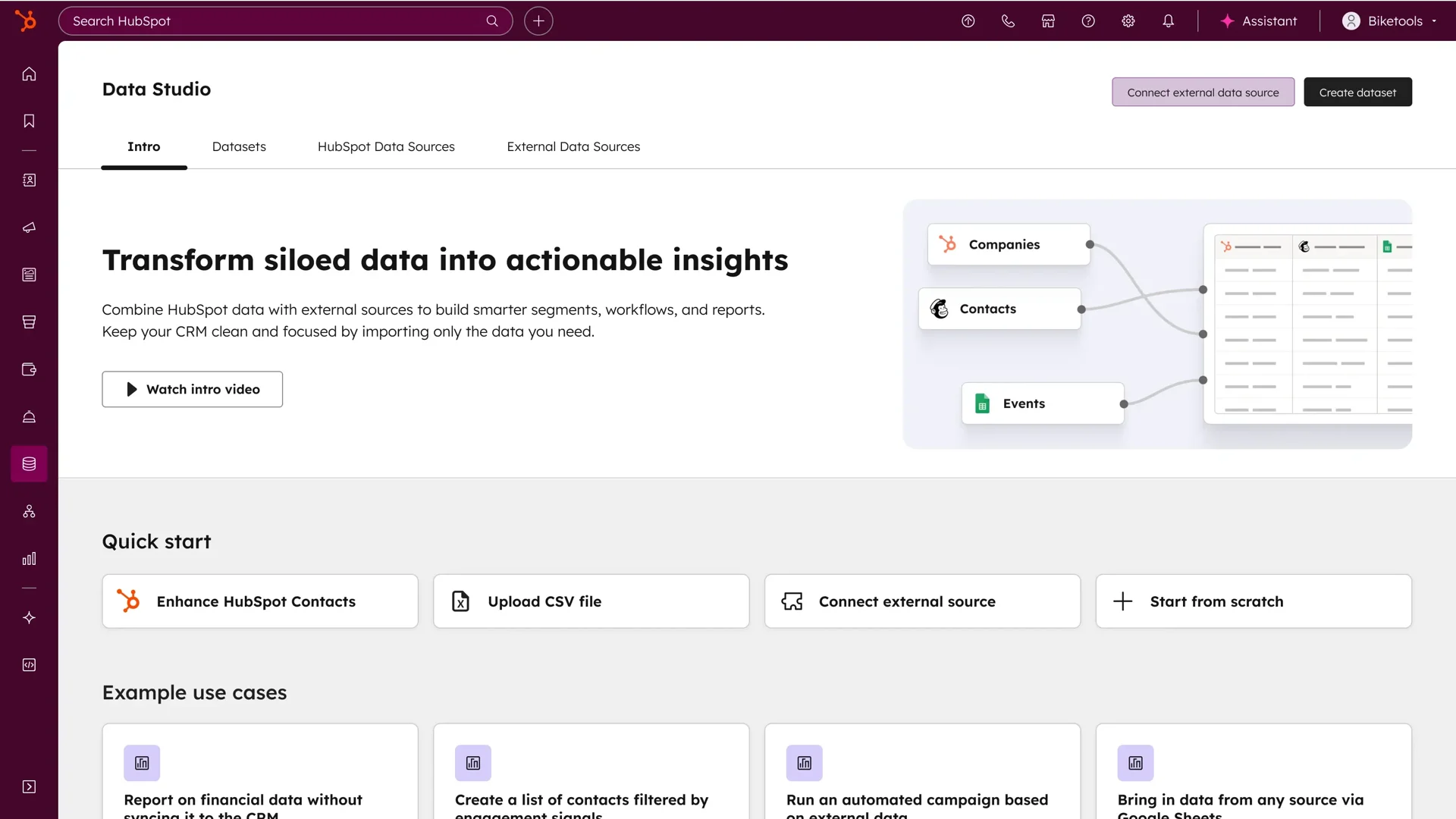
HubSpot's 2,000+ app marketplace with 2.5 million active installs covers the broadest range: CRM connectors, marketing tools, e-commerce platforms, and analytics. The advantage is that integrations feed data into the same Smart CRM, making every connection richer. Data Hub adds programmable automation with native JavaScript/Python execution inside workflows, reducing the need for middleware.
Source: HubSpot
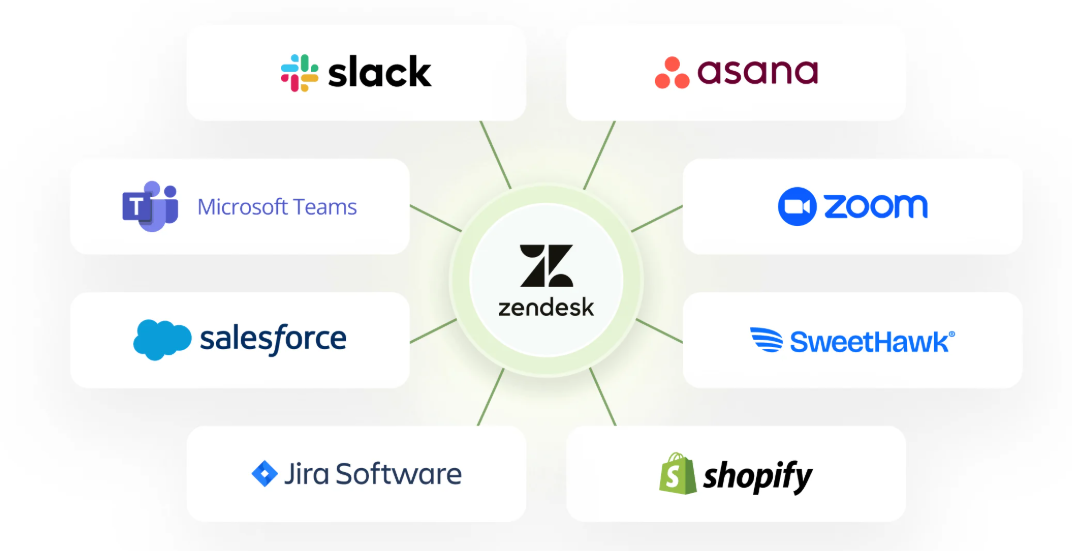
Zendesk's 1,800+ app marketplace is similarly large but service-focused. The REST API and Zendesk Integration Services (ZIS) provide developer-friendly tools for custom workflows. The new Zendesk MCP Server lets external AI platforms like Claude and ChatGPT connect to Zendesk's knowledge and ticket data, a bet on interoperability with the broader AI ecosystem.
Source: Zendesk
ZoomInfo connects to both ecosystems. Its App Marketplace lists 120+ integrations, with Salesforce and HubSpot as featured connections. The Enterprise API and MCP server let ZoomInfo data flow into any CRM, service platform, or AI agent. As CEO Henry Schuck described, a large financial services firm built an internal app using ZoomInfo's MCP server, a use case that would have been invisible before ZoomInfo opened its data infrastructure.
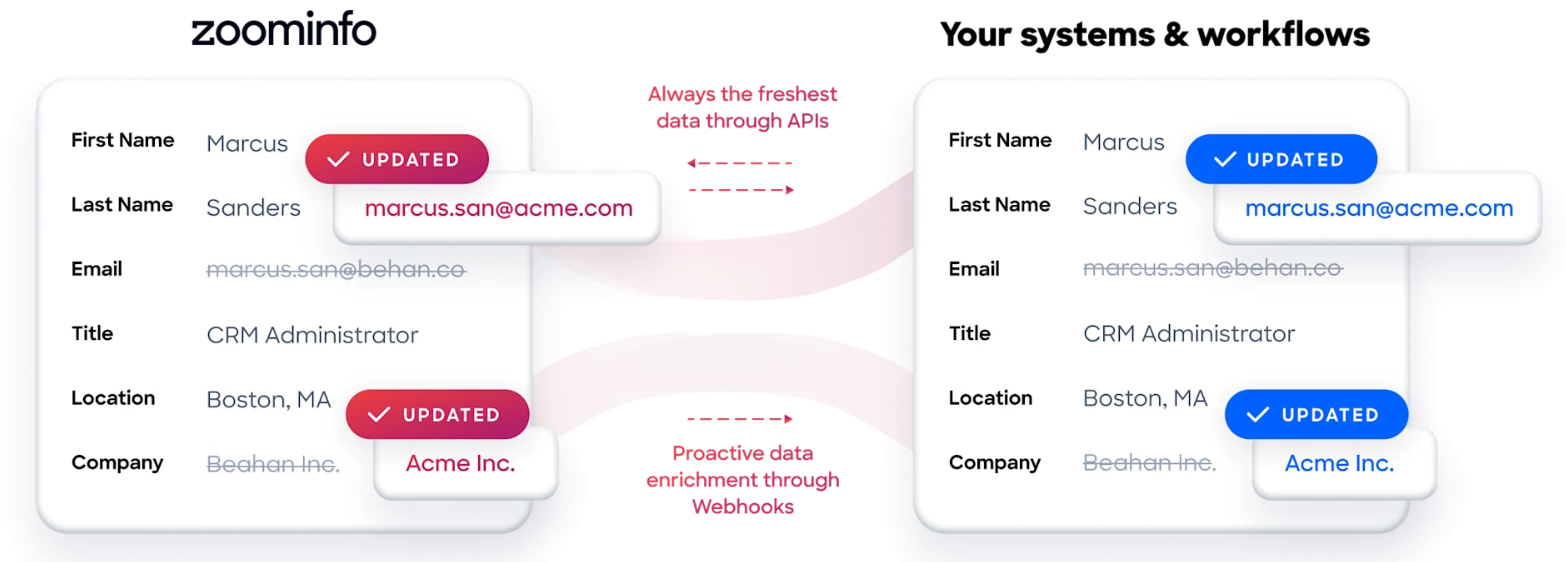
"The plug-and-play aspect of the API means I can integrate it into any process and get information at a moment's notice." — Jerry Wilson, Senior Marketing Intelligence Analyst, BDO Canada (BDO Canada Case Study)
HubSpot vs. Zendesk vs. ZoomInfo: Which should you choose?
These aren't competing options for most teams. They solve different problems along the customer lifecycle.
Choose HubSpot if:
You want marketing, sales, and service on one platform
A shared customer record across all teams is a priority
Your service needs are moderate (not a 200-agent contact center)
You want a free CRM to start with and room to grow into paid tiers
Speed of implementation matters: HubSpot claims 90 days to value vs. 12+ months for legacy systems
Choose Zendesk if:
Customer service is your primary operational challenge
You need workforce management, quality assurance, and voice contact center capabilities
AI-powered service automation at scale is critical to your economics
You already have a separate CRM for sales and marketing
You're in a regulated industry where Zendesk's SOC 2 Type II, ISO 27001, and HIPAA BAA compliance matters
Add ZoomInfo if:
You need accurate B2B contact and company data to power your pipeline
Your sales team spends too much time researching accounts instead of selling
You want intent signals showing which companies are researching your category
Your CRM data is incomplete, outdated, or requires manual enrichment
You're building AI-powered GTM workflows that need verified data as a foundation
Try ZoomInfo free with ZoomInfo Lite or request a demo to see the full platform.
The smartest B2B teams aren't choosing between these platforms. They're layering them: ZoomInfo identifies and enriches prospects, HubSpot or Zendesk manages the engagement and service. The data flows from intelligence to execution to resolution, and the companies that connect these layers outperform those working from fragmented, incomplete records.
"ZoomInfo gives us the information we need to execute. We don't have to spend our time digging. It's already there, so we can be three steps ahead." — William Kenimer, Vice President of Revenue Operations, Vensure (Vensure Case Study)
HubSpot vs. Zendesk vs. ZoomInfo FAQ
What is the core difference between HubSpot and Zendesk?
HubSpot is a unified CRM platform that combines marketing automation, sales pipeline management, customer service, content management, and commerce in a single system sharing one database. Zendesk is a specialized customer service platform offering ticketing, AI agents, workforce management, quality assurance, and a contact center. HubSpot is broader across go-to-market functions; Zendesk is deeper in service operations.
Which platform is better for customer service specifically?
Zendesk offers more advanced service capabilities: AI agents trained on 20 billion ticket interactions, native workforce management, quality assurance that scores 100% of interactions automatically, and an AI-powered contact center with voice support. HubSpot Service Hub covers the fundamentals well (ticketing, knowledge base, live chat, customer portal) but doesn't match Zendesk's depth in operational tooling for large service teams.
Can I use HubSpot and Zendesk together?
Yes. Many companies use HubSpot for CRM, marketing, and sales while running Zendesk for customer service. Both platforms have integrations that sync customer data between systems. Running two platforms, however, means maintaining two systems and ensuring data consistency, which adds operational overhead compared to a single-platform approach.
How does ZoomInfo relate to HubSpot and Zendesk?
ZoomInfo is a B2B data intelligence platform, not a CRM or service tool. It provides verified contact data (500M contacts, 200M+ verified business email addresses, 135M+ verified phone numbers), company intelligence, and buyer intent signals that feed into your CRM and sales workflows. ZoomInfo integrates directly with HubSpot and enriches the contact records that flow through your service platform, whether that's HubSpot Service Hub or Zendesk.
Which platform is cheapest to get started with?
HubSpot offers the most generous free tier: a permanent free CRM with unlimited contacts and basic tools across all hubs. ZoomInfo Lite is also permanently free, with access to the B2B database and 10 monthly export credits. Zendesk offers a 14-day free trial but no permanent free plan. For paid service capabilities, HubSpot Starter Service Hub at $20/seat/month is cheaper than Zendesk Suite Team at $55/agent/month, though Zendesk's entry plan includes more service features at that price.
Which platform has better AI capabilities?
It depends on the use case. Zendesk's AI trains specifically on customer service (20 billion ticket interactions) and includes self-improving AI agents that learn from every resolution. HubSpot's Breeze AI is broader, spanning marketing content generation, sales prospecting, customer service, and CRM data queries. ZoomInfo's AI operates in B2B intelligence, powering account research, intent signal analysis, and AI-drafted outreach through its GTM Context Graph.
Do I need ZoomInfo if I already have HubSpot?
HubSpot's Smart CRM stores and manages customer data but doesn't generate verified B2B contact data, intent signals, or company intelligence. If your sales team needs to find new prospects, verify contact information, or identify companies researching your category, ZoomInfo fills a gap that HubSpot's CRM was not designed to address. ZoomInfo's direct HubSpot integration keeps CRM records enriched and current automatically. For a deeper look at how these two platforms compare, see our HubSpot vs ZoomInfo comparison.
Which platform is best for a B2B company with both sales and service needs?
HubSpot is the strongest single-platform choice for B2B companies needing both sales pipeline management and customer service, since both functions share one CRM and one customer record. For companies needing advanced service operations alongside sales, a combination of HubSpot (CRM and sales) plus Zendesk (service) is common. Adding ZoomInfo to either configuration provides the B2B prospecting data and intelligence that powers the top of the funnel.
Want more HubSpot and Zendesk comparisons? These related breakdowns go deeper:
