

Choosing between Keap and Salesforce for your CRM often comes down to five questions:
Are you a small business owner who handles sales and marketing yourself, or do you have dedicated teams?
Do you need an all-in-one tool that covers email, invoicing, and scheduling, or a platform you can customize to match complex sales processes?
Is your priority automating repetitive follow-up, or building an enterprise operating system around customer data?
Can you invest weeks learning a platform, or do you need something productive within days?
How important is the quality of the contact data inside your CRM, and do you have a strategy for keeping it accurate?
In short, here's what we recommend:
Keap is built for small business owners who wear every hat. It combines CRM, email marketing, text messaging, appointment scheduling, invoicing, and payment processing in one platform, so a single operator or small team can automate lead follow-up and client management without stitching together five separate tools.
Keap has served 200,000+ small businesses for over 20 years, and its Lifecycle Automation framework gives owners a structured growth model rather than a blank canvas. The trade-off: a $299/month starting price, a learning curve that takes weeks, and limited reporting and integrations compared to larger platforms.
Salesforce is the #1 CRM by market share, serving over 150,000 companies from startups to global enterprises. Its Sales Cloud, Service Cloud, Marketing Cloud, and Commerce Cloud give organizations control over every customer touchpoint, with AI-powered agents through Agentforce that handle prospecting, service cases, and coaching autonomously.
Salesforce excels when you need customization, scale, and a 9,000+ app ecosystem. But that depth brings complexity, premium pricing, and the reality that most implementations require dedicated administrators or outside consultants.
Both platforms give you a place to manage customer relationships. Neither gives you the data to fill your pipeline with the right customers. That's a different problem.
ZoomInfo is a B2B go-to-market platform that gives your sales reps the context to walk into every call knowing why the deal is moving, who's championing it, and what's likely to happen next. Marketers can describe audiences in plain language and launch plays against accounts that match your proven win patterns. Leaders can see deal risk before it shows up in CRM stage fields.
That context comes from the GTM Context Graph, an intelligence layer built on a B2B dataset of 500M contacts, 100M companies, 135M+ verified phone numbers, and 200M+ verified business emails, unified with your CRM records, conversation transcripts, and behavioral signals.
Whether you run Keap or Salesforce, your team accesses that intelligence through GTM Workspace for sellers, GTM Studio for marketers and RevOps, or APIs and MCP in any front-end. The CRM you pick determines how you manage relationships. ZoomInfo determines the quality of the relationships you're managing.
If building pipeline with verified data sounds like the missing piece in your CRM strategy, see how ZoomInfo works.
Keap vs. Salesforce at a glance
Keap | Salesforce | ZoomInfo | |
|---|---|---|---|
Built for | Small businesses (1–25 employees) | Mid-market to enterprise | B2B sales, marketing, and RevOps teams of any size |
Core strength | All-in-one automation for small business | Customizable enterprise CRM platform | B2B data intelligence and GTM execution |
Starting price | $299/month (annual) | $0 (Free Suite) to $25/user/month (Starter) | Free tier (ZoomInfo Lite); consumption-based pricing for paid plans |
Marketing automation | Built-in email + SMS + automation builder | Separate Marketing Cloud (starting $1,500/org/month) | GTM Studio for audience orchestration and multi-channel plays |
AI capabilities | AI Content Assistant, SmartSend AI | Agentforce autonomous agents, Einstein AI | GTM Context Graph, AI-powered account research and outreach |
Integrations | ~87 marketplace apps + Zapier | 9,000+ AppExchange apps + MuleSoft | 172+ marketplace integrations + native Salesforce, HubSpot, Dynamics connectors |
Learning curve | Moderate (weeks) | Steep (weeks to months) | Moderate; deploys in weeks |
Mobile app | Contacts and tasks only | Full CRM access | Chrome extension + mobile app |
Best for | Service businesses automating follow-up | Organizations needing customization and scale | Teams that need accurate B2B data to fuel their CRM |
The CRM philosophies are fundamentally different
Keap and Salesforce solve the same problem (managing customer relationships) from opposite starting points.
Keap assumes you're a small business owner who needs to stop losing leads to slow follow-up.
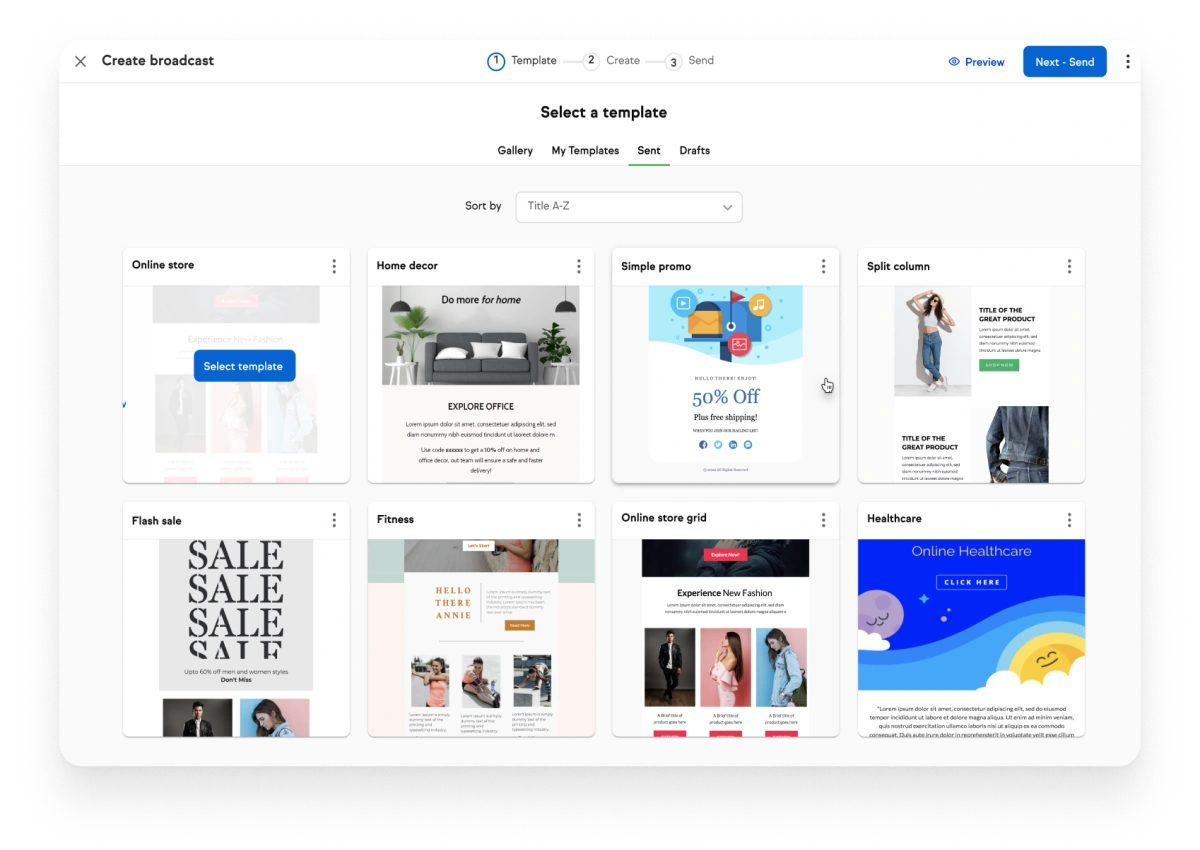
Its design starts with automation: when a lead fills out a form, what happens next? An email goes out. A text follows. An appointment link appears. An invoice gets sent. All of this runs without the owner stepping in, because the owner is also the service provider, the accountant, and the marketing department.
Keap's Lifecycle Automation framework structures this around three stages (Collect Leads, Convert Clients, Create Fans) and provides pre-built templates for common small business workflows.
Source: Keap
Salesforce assumes you have a team, and that team needs a system that adapts to how they sell.
Its design starts with data architecture: custom objects, fields, workflows, permission sets, and reporting hierarchies that mirror your organization's structure. A five-person startup and a 50,000-person enterprise can both run Salesforce, but their instances will look nothing alike.
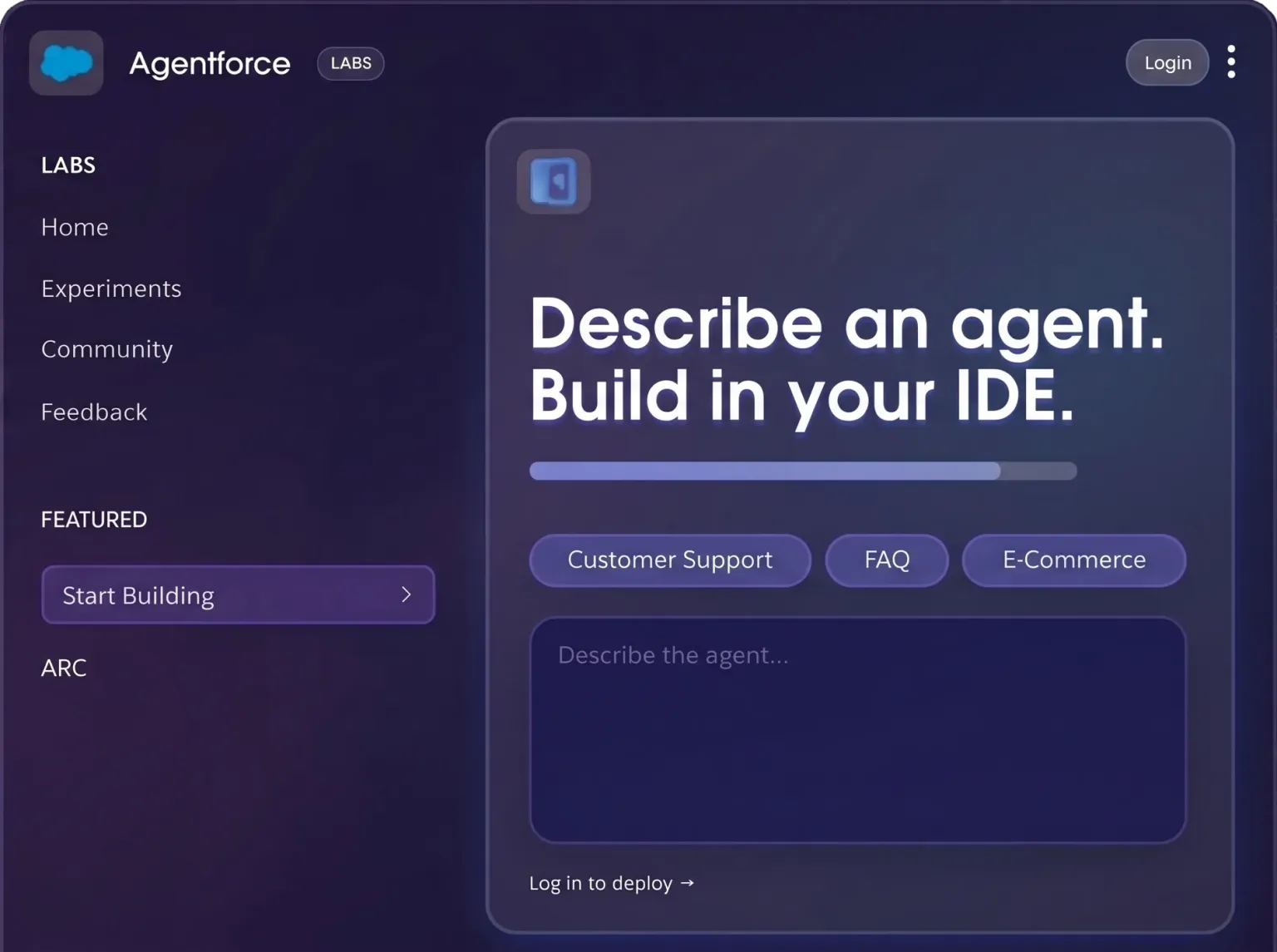
That flexibility is the product. Salesforce has since added Agentforce (autonomous AI agents), Data Cloud (a unified data platform), and Slack (collaboration) to build what it calls the Agentic Enterprise operating system.
Source: Salesforce
The gap between these philosophies creates a common frustration: Keap users who outgrow the platform find Salesforce overwhelming. Salesforce users who just need basic follow-up automation find the platform overbuilt. There's no clean middle ground, which is why the choice matters upfront.
Keap wins on small business simplicity
For a coaching business, a fitness studio, a home services company, or a real estate agent, Keap does something no enterprise CRM can: it replaces four or five separate subscriptions with one platform.
Need automated email sequences? Built in. Need to text clients appointment reminders? Built in. Need to invoice a customer and collect payment? Built in. Need a booking page that syncs with your Google Calendar and triggers follow-up? Built in.
Keap covers CRM, email marketing, text marketing, sales pipeline, appointment scheduling, invoicing, and payments in one subscription, with native processors including PayPal, Stripe, and WePay.
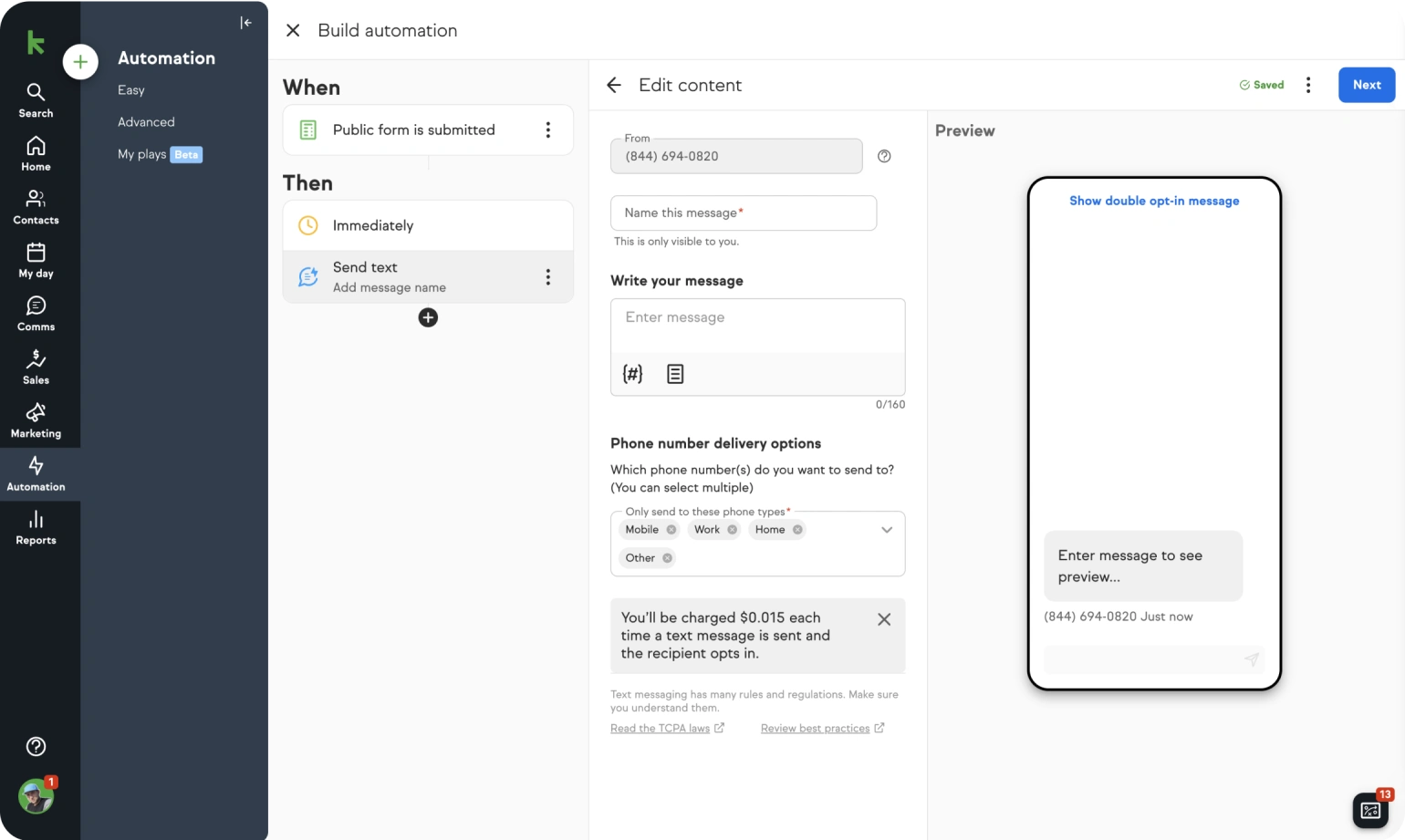
The automation builder is where Keap earns its reputation. G2 users describe the campaign builder as supporting complex branching sequences triggered by behavior, tags, time, and contact field changes. A single automation can send an email, wait for a response, follow up by text if no action is taken, assign a task to a team member, and stop the sequence if the prospect books an appointment.
Easy Automations handle common workflows with one click, while Advanced Automations provide the full builder for custom sequences.
Source: Keap
Keap also includes a dedicated business phone line for calls and texts, with automated texts triggered by contact actions.
The limitations are real. Keap's reporting lacks customization for data-driven teams. The native integration library has about 87 apps, with the rest requiring Zapier. The mobile app covers only contacts and tasks. And multiple Capterra reviewers describe the interface as "a bit outdated," reflecting the platform's Infusionsoft heritage.
Salesforce wins on depth and scale
Where Keap gives you a finished room, Salesforce gives you raw building materials and an architect's license.
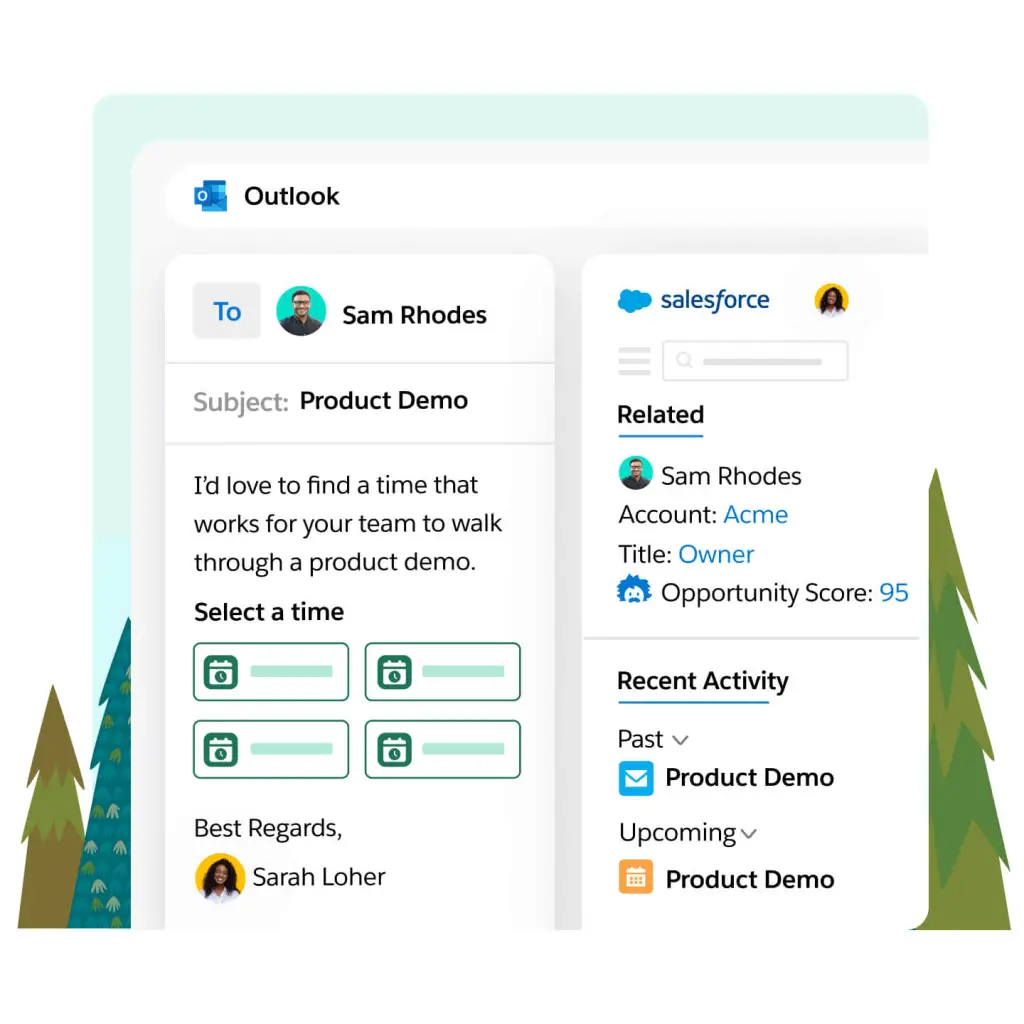
Sales Cloud alone includes lead scoring, opportunity management, pipeline management, forecast management, AI-powered conversation intelligence, territory planning, partner portals, and revenue lifecycle management.
Source: Salesforce
Add Service Cloud for customer support. Add Marketing Cloud for B2B or B2C campaign automation. Add Commerce Cloud for storefronts. Add Data Cloud for unified customer profiles. Add Tableau for analytics. Each product works as a standalone solution; together, they form a platform that can run a global business.
The Atlas Reasoning Engine behind Agentforce doesn't just respond to prompts; it plans, acts, observes results, and adapts.
The AppExchange marketplace hosts 9,000+ apps with 14+ million installs, and 91% of customers use at least one. The Trailhead learning platform offers 1,500+ badges and 60+ certifications. The Trailblazer Community spans 20 million members.
But Salesforce's depth is its challenge. Configuration requires trained administrators. Over 70% of implementations are partner-led, meaning quality and cost depend on the consulting ecosystem. The pricing structure layers user licenses, cloud subscriptions, AI credits, data credits, and support tiers in ways that Salesforce itself acknowledged needed simplifying.
A small business owner who just needs to send follow-up emails and collect payments would spend more time configuring Salesforce than using it.
Pricing reveals who each CRM is designed for
Keap starts at $299/month billed annually for a single plan that includes the full platform and 2 user seats.
Additional users cost $39/month each. Contact-based pricing scales with your list size. There's no free plan (only a trial limited to 25 emails), and cancelling an annual contract early incurs a $299 termination fee. Cancellation must be done verbally with a Keap representative.
Salesforce offers a broader range.
The Free Suite supports up to 2 users at no cost. Starter Suite runs $25/user/month. Pro Suite is $100/user/month. Enterprise is $175/user/month. Unlimited is $350/user/month. Agentforce 1 reaches $550/user/month. Annual contracts are required for Pro Suite and above.
Marketing Cloud starts at $1,500/org/month as a separate subscription. Premier Support costs 30% of net license fees on top of your subscription.
The sticker-price comparison is misleading. Keap at $299/month includes email marketing, text messaging, appointment scheduling, invoicing, and payments. To match that from Salesforce, you'd need Sales Cloud ($175/user/month at Enterprise) plus Marketing Cloud ($1,500+/month) plus a scheduling tool plus a payment processor plus SMS integration.
For a 3-person service business, Keap's bundle costs far less than assembling the same stack on Salesforce.
For a 50-person sales organization, the math reverses. Keap's contact-based pricing and limited reporting make it impractical at scale, while Salesforce's per-user model, customization, and ecosystem become cost-effective relative to the value delivered.
Your CRM is only as good as the data inside it
This is where both Keap and Salesforce share the same blind spot.
Keap captures the leads that come to you.
Salesforce organizes the data you put into it.
Neither tells you which companies are researching solutions like yours right now, who the decision-makers are, or what their verified contact information is. Both give you a filing system. Neither fills the files.
This gap matters more than most CRM comparisons acknowledge. A perfectly automated Keap sequence sent to the wrong contact is wasted effort. A well-configured Salesforce pipeline filled with stale data produces bad forecasts. The CRM is the engine; the data is the fuel.
ZoomInfo solves this at the data layer.
The platform maintains 500M contacts, 100M companies, 135M+ verified phone numbers, and 200M+ verified business email addresses, verified through 300+ human researchers and reaching up to 95% accuracy on first-party data. In a Fortune 500 competitive RFP analyzing 25 million contacts across vendors, the independent consultant concluded that "no other competitor came even close."
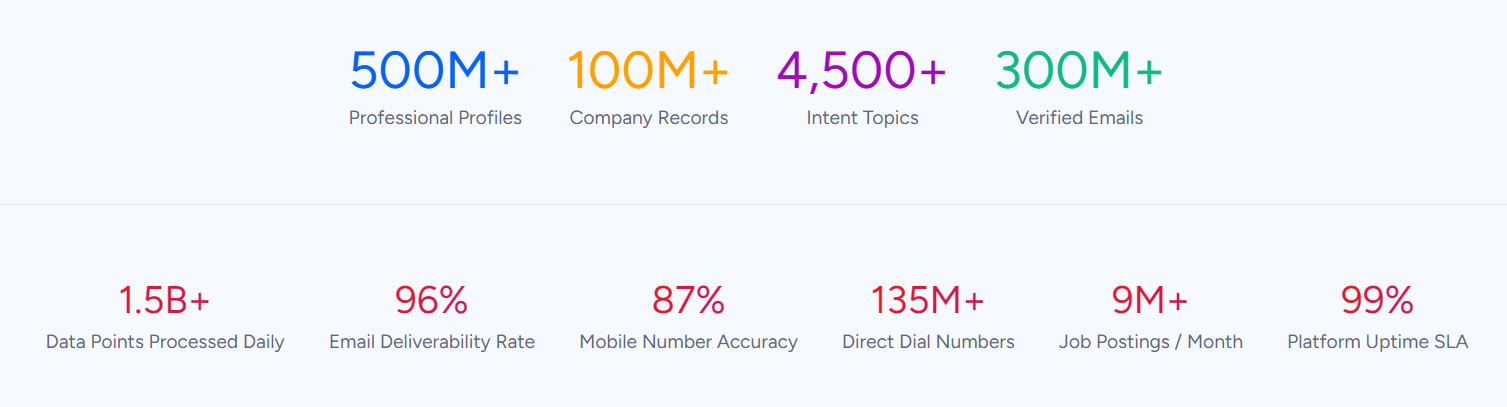
For Salesforce users, ZoomInfo's value compounds through native integration. The ZoomInfo Salesforce connector enriches lead and account records automatically, keeping CRM data current without manual research.
Buyer Intent signals track 210 million IP-to-Organization pairings and 6 trillion+ new keyword-to-device pairings monthly, surfacing companies researching solutions before they fill out a form. GTM Workspace gives sellers a single view of their book of business, with AI agents that draft outreach, research accounts, and update CRM fields without switching tools.
For Keap users, ZoomInfo provides the prospecting intelligence that Keap's smaller integration library can't deliver natively. ZoomInfo data can flow into Keap through Zapier or the Keap REST API, giving small business owners access to the same B2B intelligence that enterprise teams use.
Seismic's sales team attributed 39% of active pipeline to opportunities identified or influenced by ZoomInfo signals and saved 11.5 hours per week per seller. (Seismic)
For a direct look at how Salesforce and ZoomInfo stack up as standalone platforms, see our Salesforce vs. ZoomInfo comparison.
Automation capabilities serve different audiences
Keap's automation is designed for a business owner who wants to set up a workflow once and let it run.
The when-then-stop logic is intuitive: when a prospect fills out a form, send a welcome email and a text reminder; stop when they book an appointment.
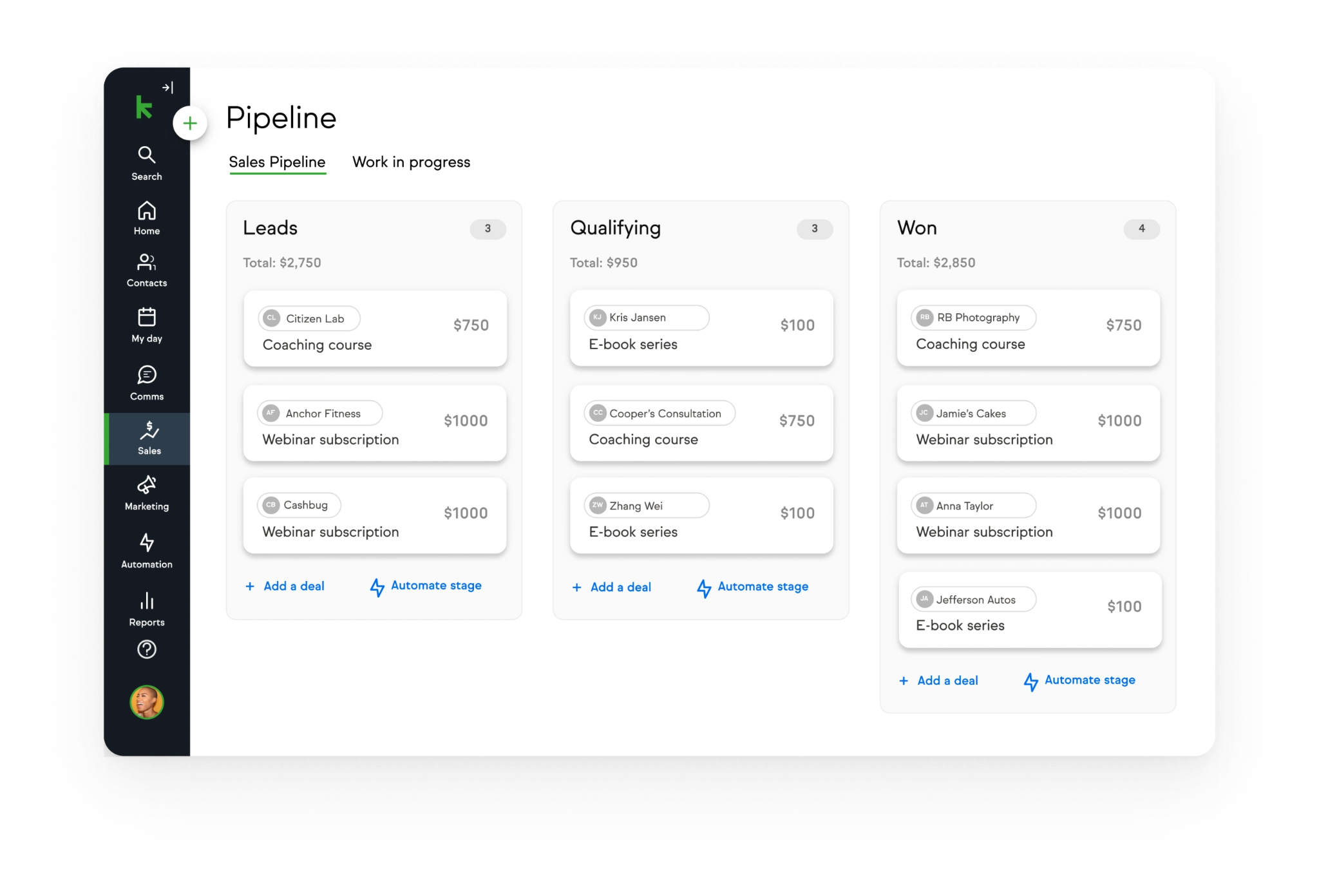
The Sales Pipeline uses a drag-and-drop kanban board where moving a deal between stages fires automated emails, tasks, and notifications. Pipeline-to-pipeline chaining lets a closed-won deal automatically move the client into an onboarding pipeline.
Source: Keap
Salesforce's automation operates at a different scale.
Flow handles process automation with visual builders and Apex code triggers. Agentforce agents go further: they prospect autonomously, engage inbound leads, coach reps during calls, generate quotes 75% faster, and resolve service cases across chat, email, SMS, WhatsApp, and voice. The automation doesn't just fire on events; it reasons about context and decides what to do next.
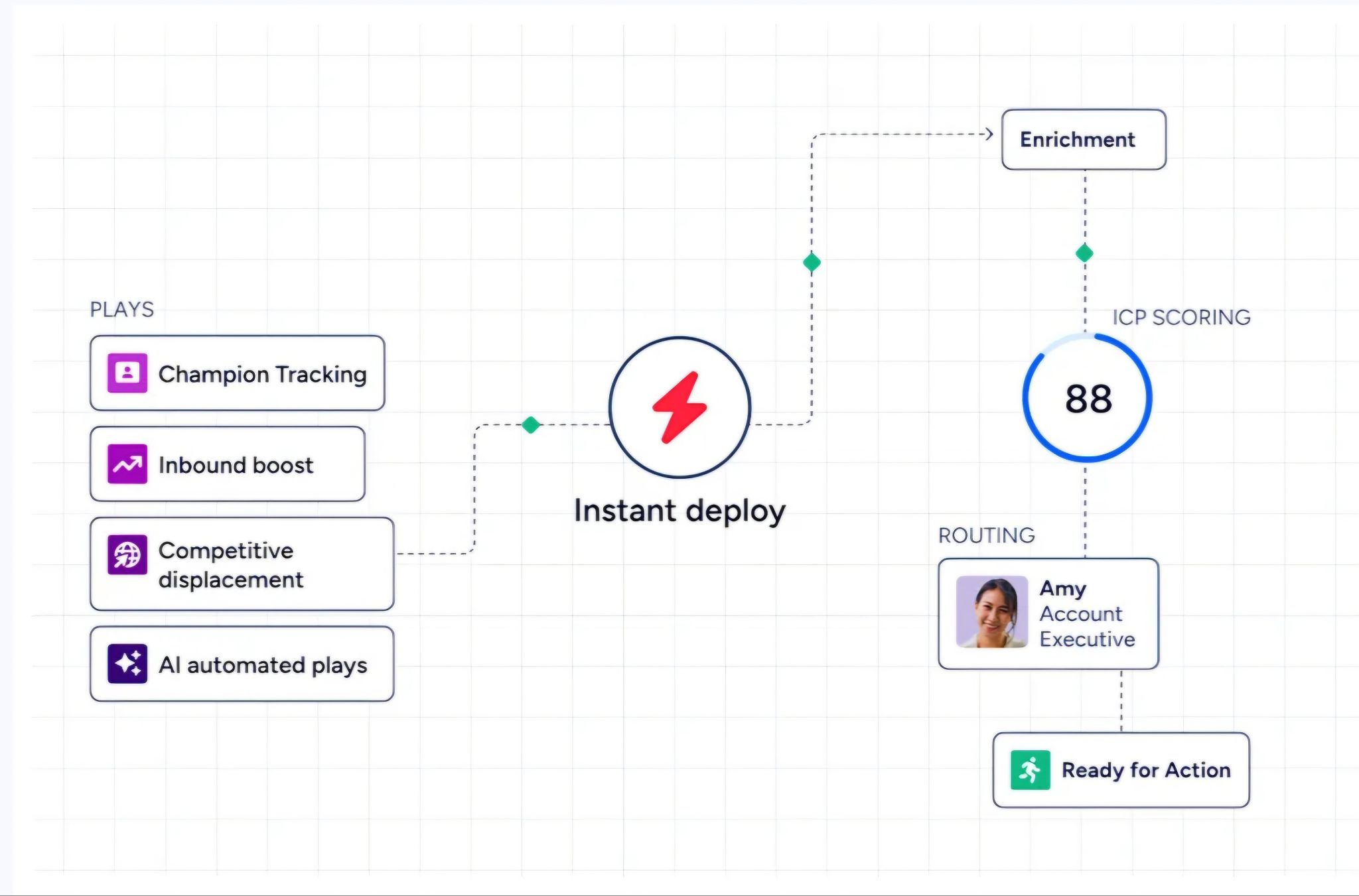
ZoomInfo adds a layer neither CRM provides alone: signal-driven automation.
GTM Studio lets marketers and RevOps teams describe audiences in natural language, define triggers based on buyer behavior (intent spikes, technology changes, funding events, executive hires), and launch multi-channel plays that run automatically.
Source: ZoomInfo
Expansion plays that used to take 3 weeks now launch in 30 minutes. Because the signals come from ZoomInfo's data (not just CRM activity), the automation reacts to what's happening in the market, not just inside your pipeline.
Impartner saved 15 hours using ZoomInfo's automation and saw a 45% increase in website engagement. (Impartner)
Integration ecosystems reflect platform maturity
Keap's integration story is straightforward and limited.
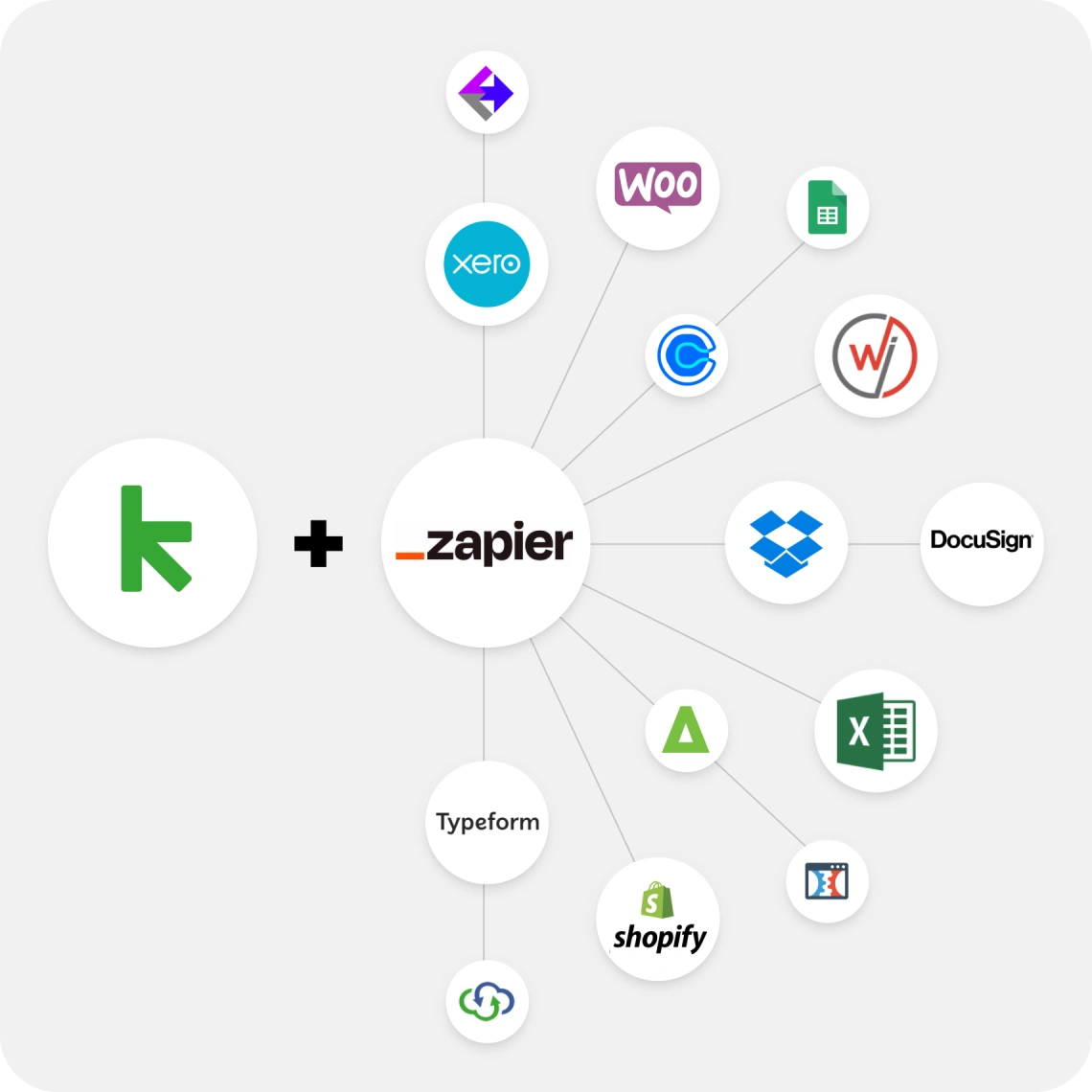
The Keap Marketplace lists about 87 third-party apps covering membership sites, reporting, checkout forms, and lead capture. Notable integrations include Memberium ($77/month), Graphly ($30/month for reporting), and PlusThis ($39/month for campaign add-ons).
Beyond the marketplace, Keap connects to 5,000+ apps via Zapier, which handles most integration needs. The REST API is documented across v1 and v2 versions with SDKs for six languages, but the ecosystem is thin compared to larger platforms.
Source: Keap
Salesforce's integration ecosystem is in a different category.
The AppExchange hosts 9,000+ apps with 14+ million installs, and 91% of customers use at least one. MuleSoft provides API management and integration with hundreds of pre-built connectors. The API portfolio spans 30+ distinct APIs across REST, SOAP, GraphQL, gRPC, and streaming protocols. For organizations with complex tech stacks, Salesforce connects to virtually anything.
ZoomInfo bridges both worlds.
Its Marketplace lists 172+ integrations, with native connectors for Salesforce, HubSpot, and Dynamics 365. The Cloud Partners program delivers data directly into AWS, Google Cloud, Snowflake, and Databricks.
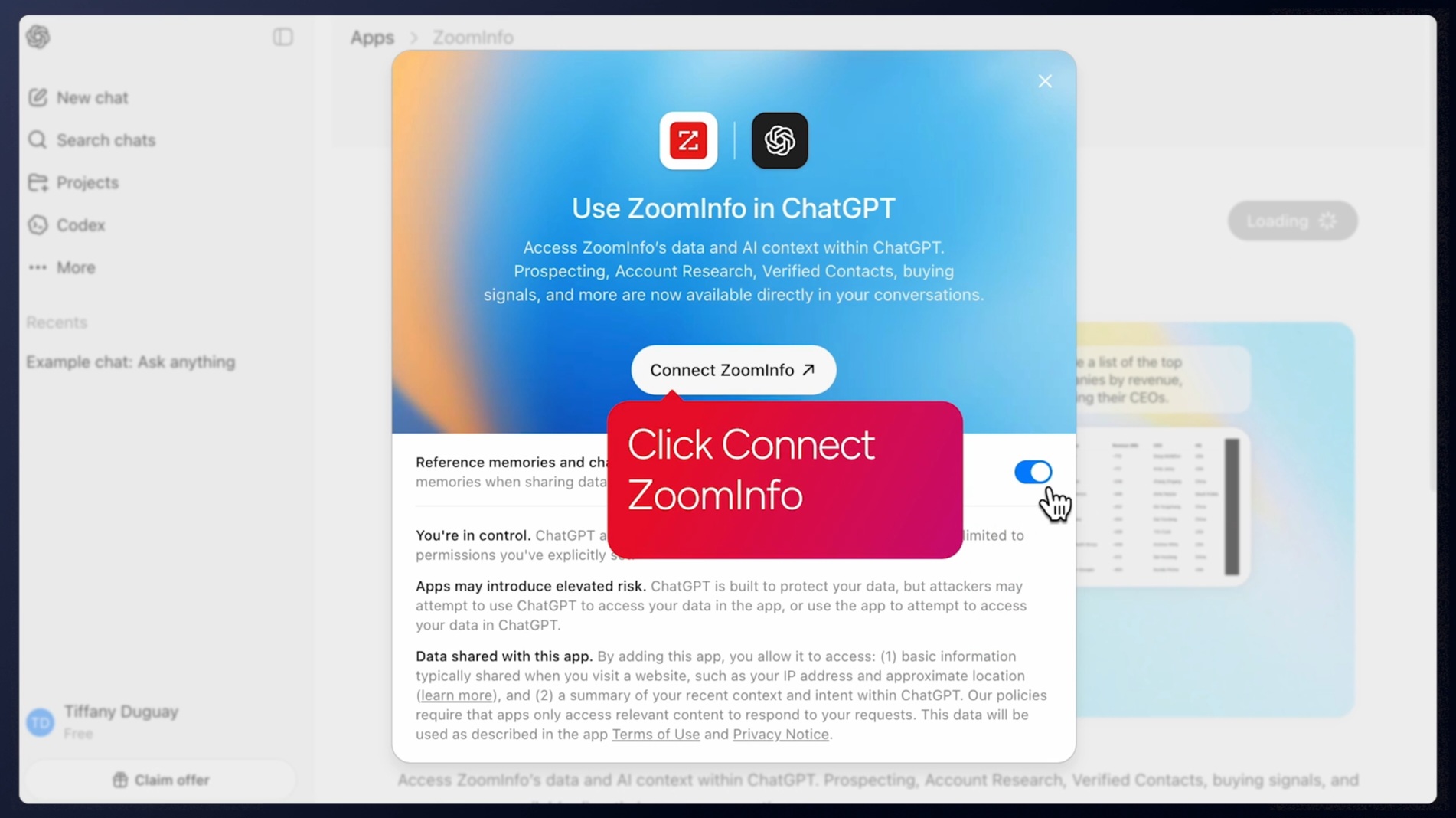
The MCP server connects ZoomInfo's intelligence to any MCP-compatible AI agent, including Claude and ChatGPT, with no custom coding required. API access is included in all relevant plans, making ZoomInfo's data accessible regardless of which CRM, marketing platform, or custom tool a team uses.
Source: ZoomInfo
AI investments point in different directions
Keap has shipped practical AI features aimed at reducing the small business owner's workload: an AI Content Assistant for generating email and SMS copy, SmartSend AI for optimizing send times based on each contact's engagement history, and an Automation Assistant for accelerating campaign setup.
Smart Lead Scoring and Contact Engagement Insights are on the roadmap. These are incremental productivity tools, not a strategic AI platform.
Salesforce has made AI its central bet.
Agentforce represents $800M in ARR growing 169% year-over-year, with the Atlas Reasoning Engine powering autonomous agents that plan, act, observe, and adapt. The Einstein Trust Layer provides zero data retention with LLM partners, PII masking, and toxicity detection. Pre-built agents cover sales, service, marketing, campaigns, IT, and more. This is enterprise AI infrastructure.
ZoomInfo's AI is built for one domain: go-to-market intelligence.
The GTM Context Graph (processing 1.5B+ data points daily) does something neither Keap nor Salesforce can: it captures not just what happened in a deal, but why it happened. A CRM records that a deal moved to Stage 4.
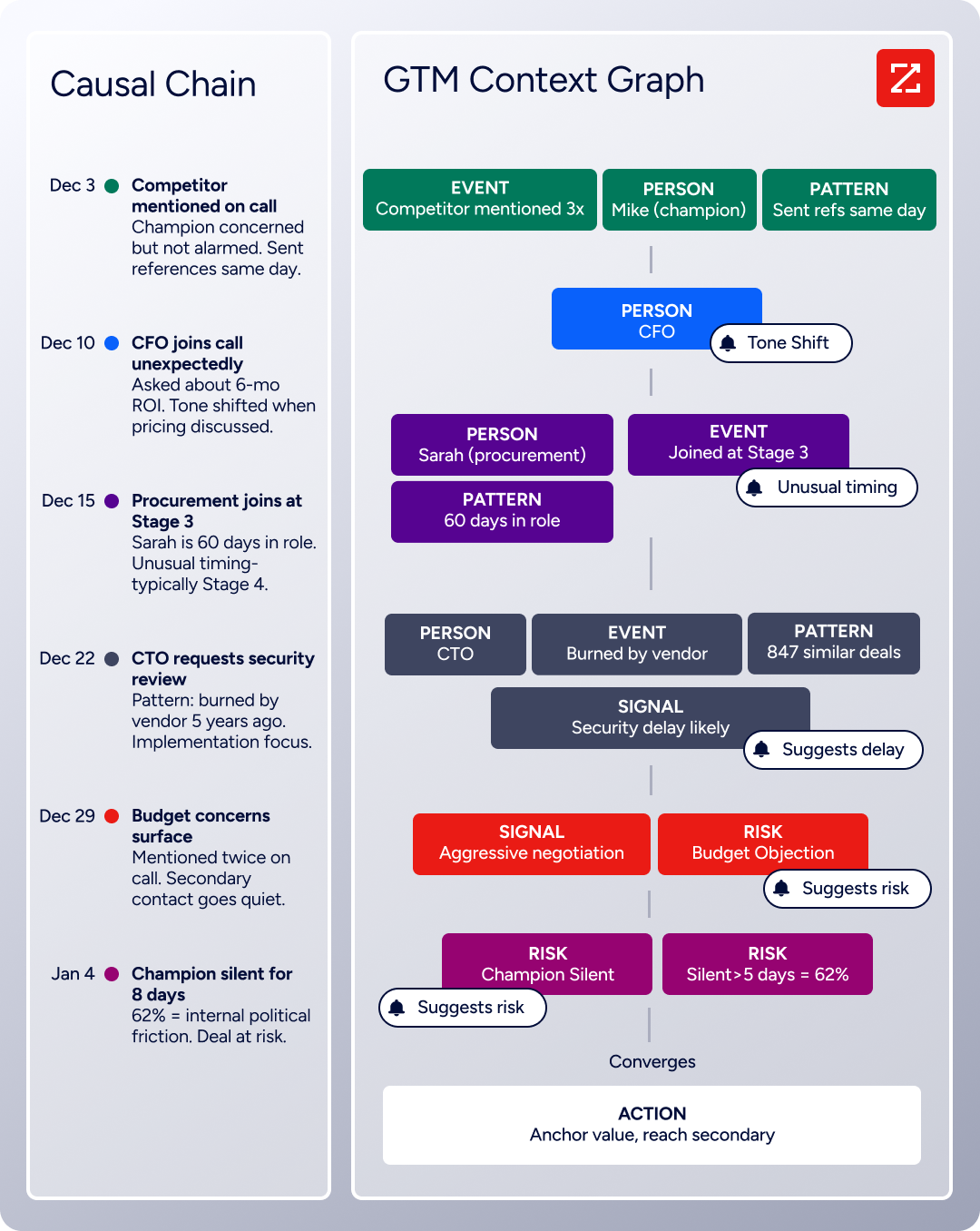
ZoomInfo's intelligence layer reasons that the CFO joining the last call, combined with ROI-focused questions, matches the pattern behind closed-won deals in that segment. That reasoning flows into AI-drafted outreach in GTM Workspace, signal-triggered plays in GTM Studio, and any custom agent via API or MCP.
Spekit saw opportunities at higher-scoring accounts 43% more likely to turn into qualified pipeline, moving 58% faster through qualification. (Spekit)
Support models match each platform's audience
Keap offers chat and phone support, with Keap Academy for self-paced learning, a community forum for peer support, and Play Blueprints for pre-built automation templates.
Premium support through Pro Services ranges from $99/month (quarterly strategy calls) to $1,997+/month (weekly strategy calls with unlimited done-for-you work). The implementation package at $500 includes a business mapping session, 2 done-for-you automations, and up to 15 hours of support.
Salesforce provides three Success Plan tiers: Standard (free, self-service through Trailhead and documentation), Premier (30% of net fees, with 1-hour response time for business-impacting issues), and Signature (custom pricing, with a dedicated Customer Success Manager and 15-minute critical response).
The Trailblazer Community spans 1,300+ local groups in 90 countries.
ZoomInfo's support includes a Help Center with a knowledge base, ZoomInfo University with role-specific learning paths and certifications, and phone support at +1 866-904-9666. Professional services are available through ZoomInfo Labs for complex implementations.

ZoomInfo redesigned its onboarding from 30 to 90 days, producing a 25% improvement in CSAT and winning Rocketlane's Golden Comet award for Best Customer Onboarding Team of 2024.
Keap vs. Salesforce vs. ZoomInfo: Which should you choose?
The best choice depends on your business size, your team structure, and what's holding back your revenue.
Choose Keap if:
You're a small business with 1–25 employees running a service-based operation
You want CRM, email, text, scheduling, and payments in one platform
Automated follow-up is your top priority
You don't have a dedicated CRM administrator
You need a structured growth framework, not a blank canvas
Choose Salesforce if:
Your organization has dedicated sales, marketing, or service teams
You need customization, reporting, and workflow control
You want access to the largest CRM ecosystem of apps, integrations, and consultants
Autonomous AI agents for sales, service, and marketing are part of your strategy
You're prepared to invest in administration, training, and implementation
Add ZoomInfo if:
You need accurate B2B contact data, direct dials, and verified emails to fill your pipeline
You want to know which companies are researching solutions like yours
Your CRM data is incomplete, stale, or limiting your sales team's effectiveness
You want AI that understands why deals move, not just what happened
You need intelligence that works across your CRM, your tools, and your custom workflows
Start with ZoomInfo Lite for free or request a demo to see the full platform.
The CRM question (Keap vs. Salesforce) is about how you manage relationships. The data question (ZoomInfo) is about whether the right relationships are in your system to begin with.
Small businesses that automate follow-up with Keap and enterprise teams that customize their pipeline with Salesforce both see better results when the contacts in their CRM are accurate, accounts are enriched with company and technographic data, and buyer-readiness signals surface before the competition gets there.
Your CRM is only as valuable as what you put into it. ZoomInfo makes sure what goes in is worth managing.
Keap vs. Salesforce vs. ZoomInfo FAQ
What is the core difference between Keap, Salesforce, and ZoomInfo?
Keap is a small business CRM that bundles email marketing, text messaging, appointment scheduling, invoicing, and payments into one platform with built-in automation.
Salesforce is an enterprise CRM platform with customization, multiple product clouds (Sales, Service, Marketing, Commerce), and AI-powered autonomous agents.
ZoomInfo is a B2B data intelligence platform that provides verified contact data, company insights, and buyer intent signals to fuel whichever CRM you use.
Which platform is cheapest for a small business?
Keap starts at $299/month (annual billing) for 2 users with the full platform.
Salesforce offers a free tier for up to 2 users and a Starter Suite at $25/user/month, though marketing automation, payments, and scheduling require separate tools or add-ons.
ZoomInfo Lite is free with 10 monthly export credits and access to the B2B database, and paid plans use consumption-based pricing. For a small service business needing CRM, email, scheduling, and payments in one tool, Keap is typically the most cost-effective single subscription.
Can I use ZoomInfo with Keap or Salesforce?
Yes. ZoomInfo integrates natively with Salesforce for direct CRM enrichment, lead routing, and signal-triggered workflows. For Keap, ZoomInfo data can flow through Zapier or the Keap REST API. ZoomInfo's API and MCP server also let any custom tool or AI agent access the same B2B intelligence.
Which platform has the best marketing automation?
Keap includes marketing automation (email sequences, text campaigns, behavioral triggers) in its base plan, designed for small business owners who manage their own marketing.
Salesforce's Marketing Cloud is a separate product starting at $1,500/org/month, offering enterprise journey orchestration, personalization, and analytics.
ZoomInfo's GTM Studio provides signal-driven orchestration where plays launch automatically based on buyer behavior, intent spikes, and market signals rather than just CRM activity.
How do the platforms handle data quality?
Keap stores and organizes the contacts you add manually, import, or capture through forms, but does not verify or enrich data from external sources.
Salesforce relies on the data you and your team enter, with optional third-party enrichment through AppExchange apps or Data Cloud connectors.
ZoomInfo is built for data quality, maintaining 500M contacts and 100M companies verified through 300+ human researchers and automated ML scanning 28 million site domains daily, with up to 95% accuracy on first-party data.
Is Salesforce overkill for a small business?
It can be. Salesforce's Free Suite and Starter Suite ($25/user/month) provide basic CRM functionality, but meaningful customization, automation, and AI capabilities require Enterprise ($175/user/month) or higher tiers. Implementation typically requires consulting partners, and the platform needs a trained administrator to maintain.
Small businesses that primarily need follow-up automation, invoicing, and scheduling will find Keap more practical and less expensive.
Which platform has better AI capabilities?
Salesforce has the largest AI investment, with Agentforce autonomous agents reaching $800M in annual recurring revenue and covering sales, service, marketing, and IT use cases.
Keap's AI features focus on content generation and send-time optimization for small business workflows.
ZoomInfo's AI is specialized for go-to-market intelligence, with a GTM Context Graph that reasons across CRM data, conversation transcripts, and market signals to explain why deals move or stall and which actions to take next.
What happens if I outgrow Keap?
Keap is designed for businesses with 1–25 employees. Companies approaching 50 employees commonly hit limits on reporting customization, object relationships, and integration depth. The typical migration path is to Salesforce or HubSpot. If you migrate, ZoomInfo can enrich your new CRM with verified data during the transition, since it operates independently of any specific CRM.
Want more Keap and Salesforce comparisons? These related breakdowns go deeper:
