

monday.com serves over 250,000 customers worldwide and generates $1.232 billion in annual revenue. Its Work OS connects project management, CRM, software development, and service management on a single data layer, giving teams one system for managing workflows across departments.
But a work platform only knows what happens inside it.
monday.com tracks task assignments, status changes, due dates, and board activity. On its own, it cannot verify whether a prospect's contact data is accurate, detect which accounts are researching your product category, keep your CRM and project boards synchronized without manual exports, or give developers a live view of code activity alongside sprint progress.
The right integrations close those gaps. They feed your boards verified data, capture activity from external tools, automate workflows across disconnected systems, and connect the platforms your team already uses so information flows instead of fragmenting.
This guide covers the strongest integration for each job monday.com users most commonly need done:
Enrich board records with verified B2B contact data, buyer intent signals, and company intelligence
Surface board activity and project updates in team communication channels
Automate the handoff between CRM pipeline events and project execution boards
Build multi-step automations connecting monday.com to thousands of external apps
Synchronize code repository activity with engineering sprint boards
Keep project schedules and working documents in sync with your productivity suite
Bridge engineering issue tracking with cross-functional project visibility
Each section covers how the integration connects with monday.com, what data flows between the platforms, pricing, and who benefits most.
Best monday.com Integrations at a Glance |
|---|
Best monday.com Integration for B2B Data Enrichment and Go-to-Market Intelligence. Enriches monday.com board items with verified contact data, buyer intent signals, and company intelligence from the largest B2B database, giving your team accurate data and the signals to prioritize accounts that are actively in-market. |
Best monday.com Integration for Real-Time Board Activity Notifications. Routes board event notifications, status changes, and due date alerts into Slack channels, with item creation from Slack messages and DM responses that keep distributed teams informed without requiring them to monitor boards directly. |
Best monday.com Integration for CRM-to-Project Workflow Automation. Automates the handoff between CRM pipeline events and monday.com project boards, creating items with deal data when deals close and syncing contact and company fields so delivery teams always see current account information. |
Best monday.com Integration for Multi-Step Workflow Automation. Extends monday.com's reach to 3,000+ apps with visual, multi-step scenarios featuring conditional branching, data transformation, and bidirectional data flow that go beyond native automation recipes. |
Best monday.com Integration for Engineering Sprint Visibility and Code-to-Board Synchronization. Links pull requests, commits, and CI/CD pipeline status directly to monday dev sprint items, with pre-built automation templates and an Engineering Performance Dashboard that surfaces code health alongside sprint progress. |
Best monday.com Integration for Project Schedule and Document Sync. Synchronizes project deadlines between monday.com boards and Google Calendar while keeping Google Drive documents accessible within board items, eliminating the parallel-maintenance problem. |
Best monday.com Integration for Engineering-to-Project-Management Visibility. Creates a two-way bridge between Jira issue tracking and monday.com project boards with hierarchy preservation, per-field sync direction control, and sync filters so engineering teams stay in Jira while stakeholders get live visibility in monday.com. |
What Is monday.com?
Source: monday.com
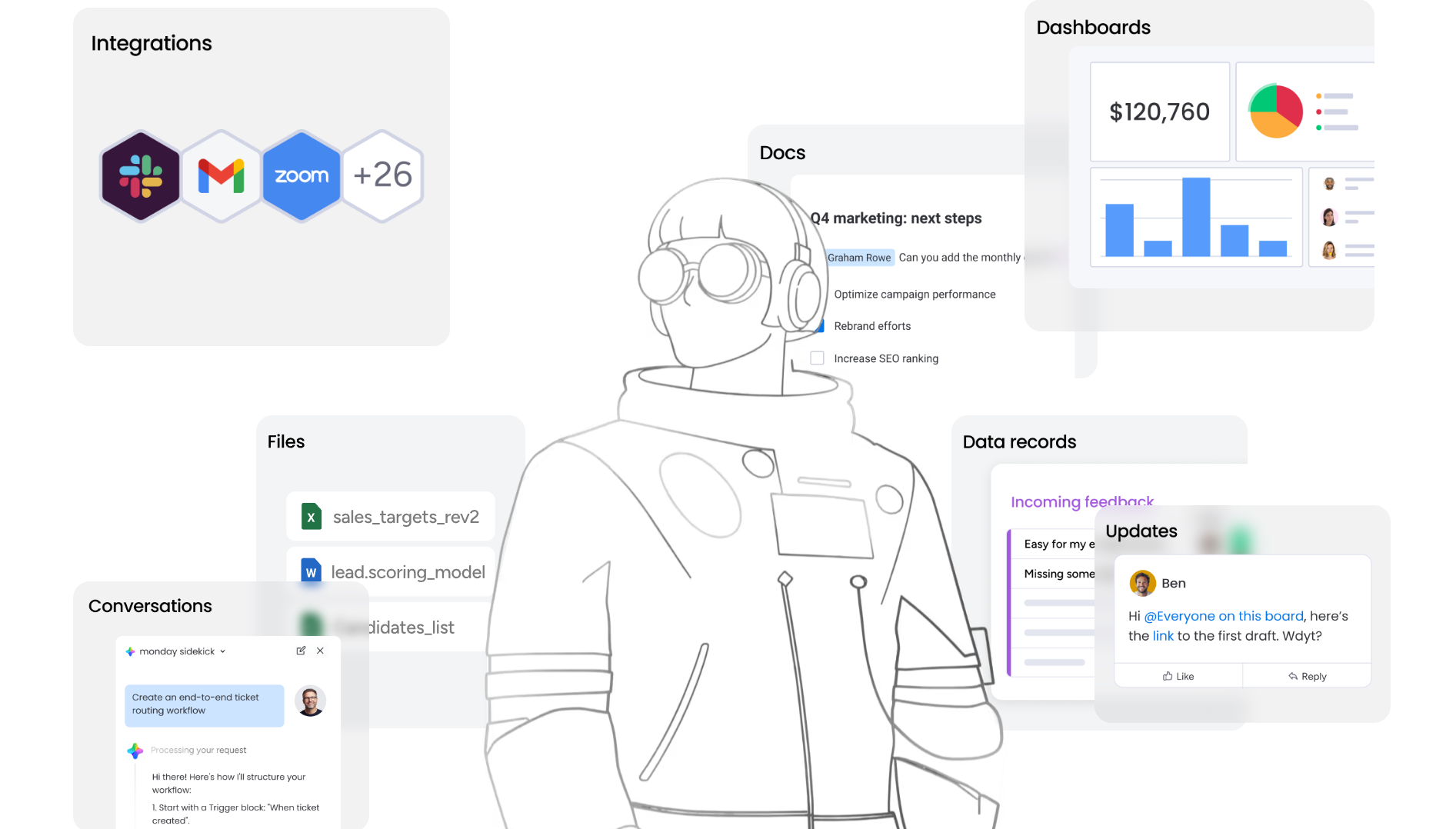
monday.com is a work platform that unifies project management, CRM, software development, and service management on a single data layer.
The company describes itself as "the AI work platform that not only helps manage and orchestrate work, but also does the work for you," serving teams across Marketing, PMO, Sales, Operations, Product, IT, R&D, and HR. monday.com reached $1.232 billion in annual revenue in FY2025 with 27% year-over-year growth, and holds Leader positions in three 2025 Gartner Magic Quadrant reports: Collaborative Work Management, Adaptive Project Management and Reporting, and Marketing Work Management Platforms.
The integration ecosystem is one of monday.com's core strengths.
The monday.com App Marketplace houses 850+ integrations and apps with 1.6 million app installs, spanning project management, CRM, communication, development tools, storage, finance, and more. On the technical side, monday.com exposes a GraphQL API with full CRUD access to boards, items, columns, workspaces, and automations, supports OAuth-based authentication, and provides a monday MCP server that lets external AI agents connect and act on monday.com data. The built-in Automations engine supports no-code trigger-condition-action workflows, and the Autopilot hub gives account-wide visibility into all active automations and integration connections.
Source: monday.com
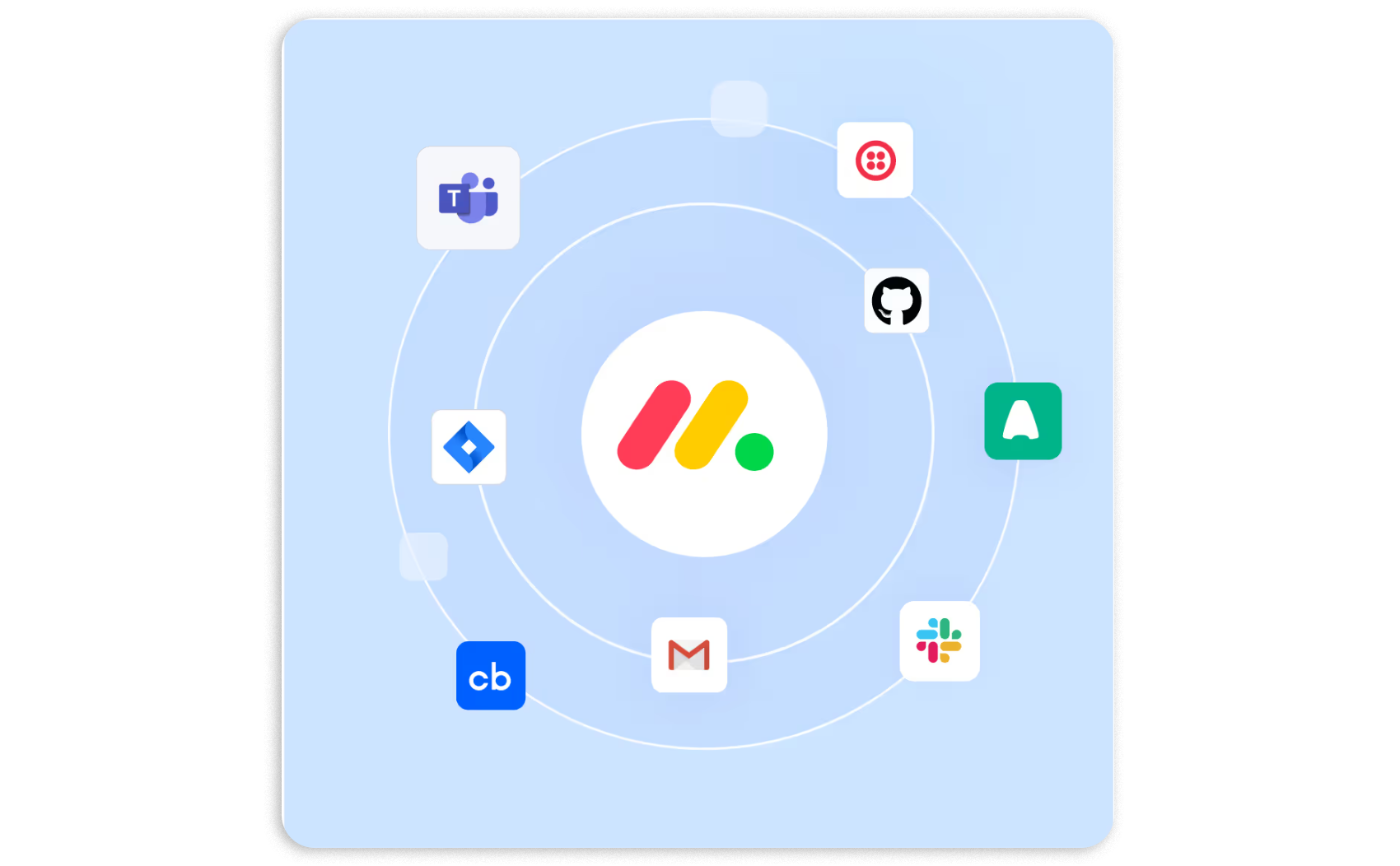
The integration categories available to monday.com users include:
CRM and sales: HubSpot, Salesforce, Pipedrive, lead management, deal pipeline sync
B2B data enrichment: contact intelligence, company intelligence, buyer intent signals
Team communication: Slack, Microsoft Teams, board notifications
Workflow automation: Make, Zapier, custom webhooks, multi-step conditional logic
Software development: GitHub, GitLab, Jira, sprint tracking, CI/CD visibility
Productivity and documents: Google Workspace, Microsoft 365, file sync, calendar integration
AI and agents: monday MCP, Agent Factory, AI-powered columns and workflows
With that ecosystem as context, here are the seven integrations we selected as the best options for extending monday.com across the categories that matter most.
1. ZoomInfo: Best monday.com Integration for B2B Data Enrichment and Go-to-Market Intelligence
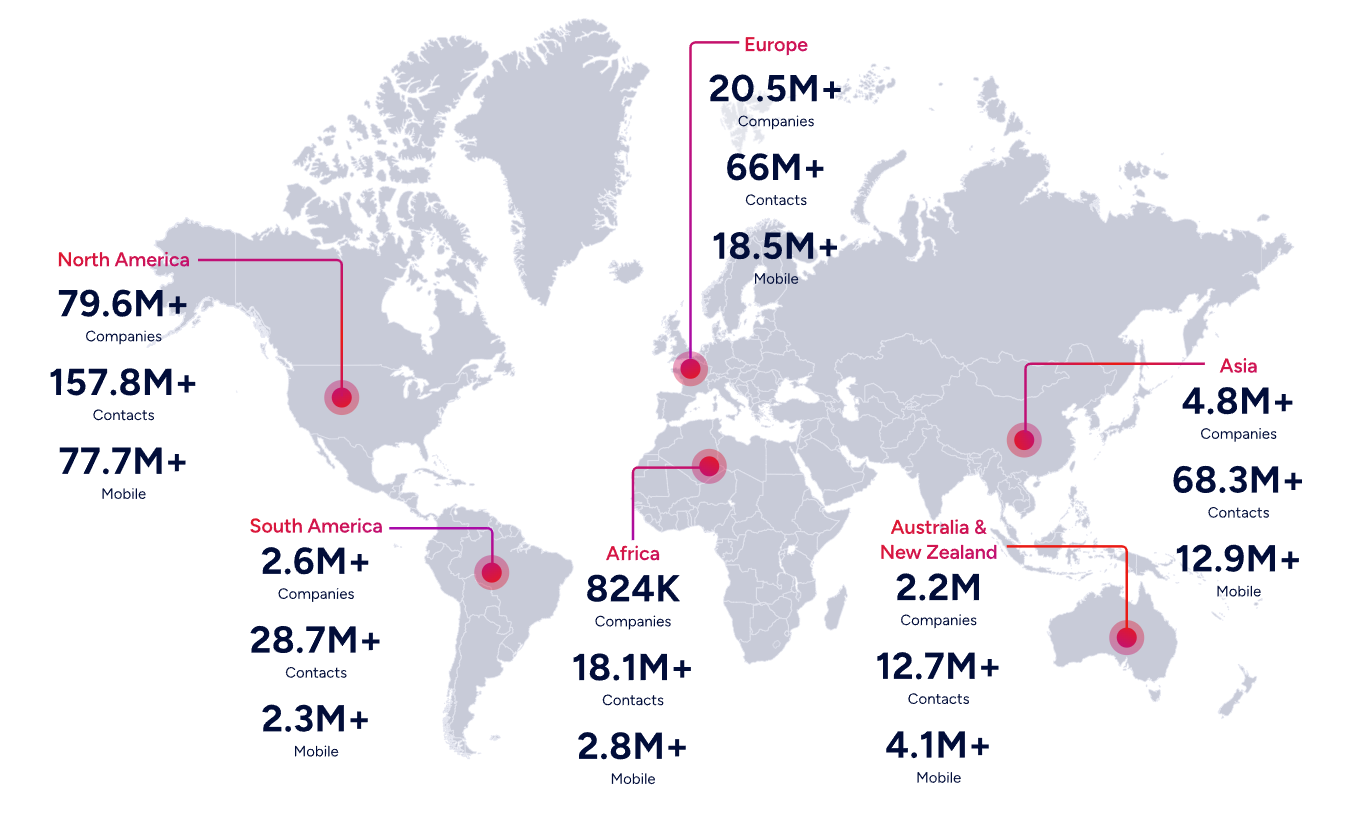
ZoomInfo is a B2B data and go-to-market platform built on 500M contacts, 100M companies, 135M+ verified phone numbers, and 200M+ verified business emails. It integrates natively with monday.com to enrich CRM board items with verified contact and company data, with field mapping and workflow automation support.
Connecting the two platforms unlocks:
Board records backed by verified data, with direct dials, business emails, company attributes, and technographics appended and refreshed automatically
Prioritization by buying signals, so teams work the accounts showing active research activity instead of static lists
Pipeline from traffic you already have, by resolving anonymous website visitors into companies and buying teams
Smarter routing and segmentation, with ZoomInfo attributes powering monday.com automation logic
How ZoomInfo Integrates with monday.com
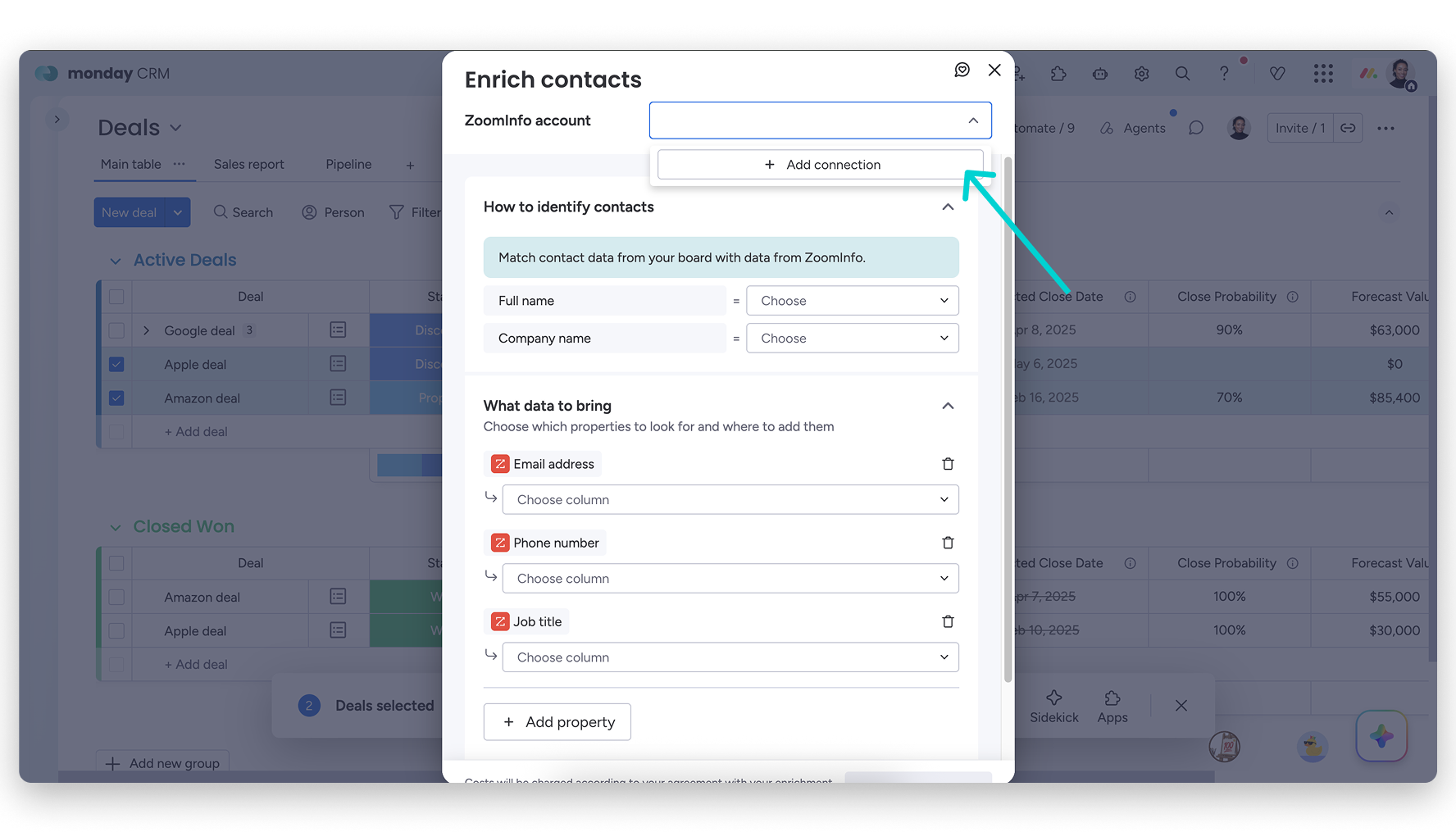
ZoomInfo connects to monday.com through a native integration that enriches board items with verified B2B data, configured with field mapping between ZoomInfo data fields and monday.com board columns. The platforms also integrate via third-party automation tools like Zapier, Make, Tray.ai, and Workato for custom workflow orchestration.
Source: monday.com
Because ZoomInfo maintains the integration as a first-party connector, teams get reliable data delivery without middleware overhead, and updates stay current with platform changes on both sides.
Contact and Company Data Enrichment: Fill the Gaps Your Board Records Cannot Fill Alone
monday.com boards capture the workflow data your team enters: task assignments, deal stages, contact names, and status updates. What boards cannot do is verify whether a phone number still works, detect a job change, or reveal a company's technology stack.
When a new contact or account enters a monday.com board, ZoomInfo appends the verified business email, direct dial, title, department, and seniority, plus company-level attributes and technographic data covering 30,000+ technologies. The enrichment runs continuously through a verification pipeline backed by 300+ human researchers, reaching up to 95% accuracy on first-party data.
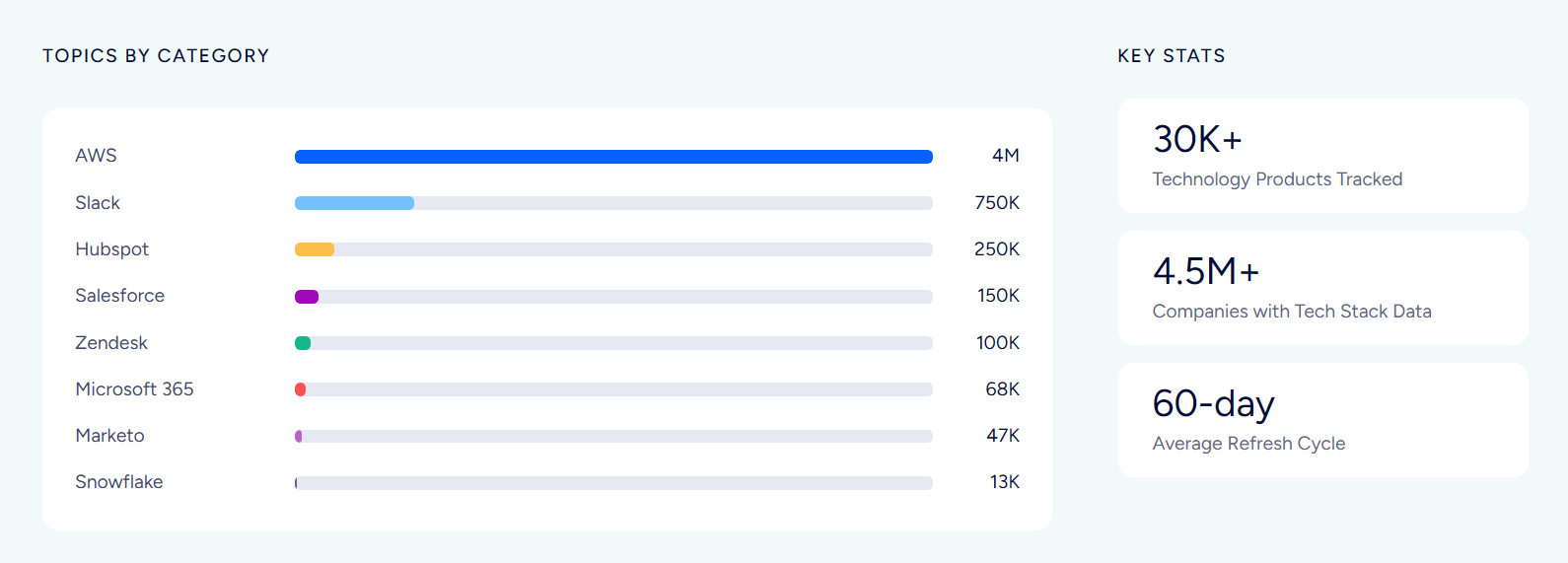
ZoomInfo in action: A sales rep adds a new lead to a monday CRM board with only a name and work email. ZoomInfo appends the direct dial, current title, company profile (a 400-person fintech running Salesforce and Marketo), and three other decision-makers in the department. The rep multi-threads the account before the first call instead of spending 20 minutes researching it manually.
Buyer Intent Data: Identify Accounts That Are Actively In-Market
ZoomInfo's Buyer Intent tracks signals from 210 million IP-to-Organization pairings and 6 trillion+ keyword-to-device pairings monthly, revealing which companies are researching topics relevant to your product.
Those signals flow into monday.com board items, where they inform workflow automations, update lead scores, and surface priority accounts. Guided Intent, exclusive to ZoomInfo, identifies the research topics historically correlated with deal success in your business, so the signals match your actual win patterns rather than generic keyword thresholds.
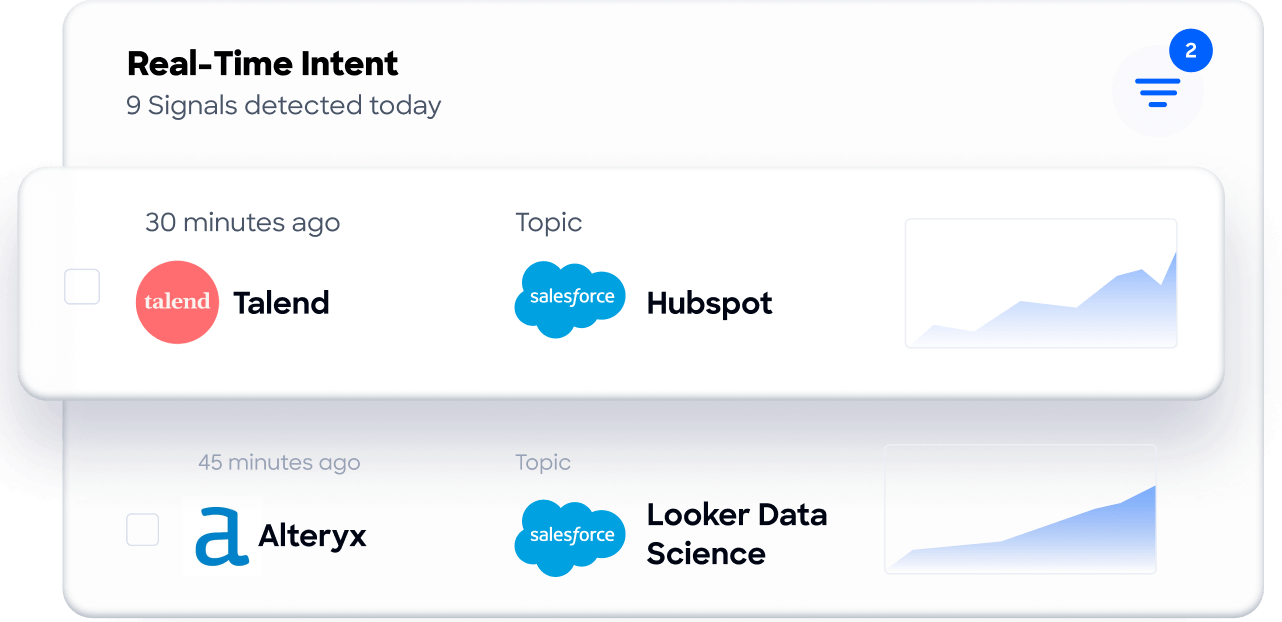
ZoomInfo in action: ZoomInfo detects a target account researching "project management migration" for two weeks. The signal surfaces on the monday CRM board, raises the account's priority, notifies the assigned rep, and triggers an automation that enrolls the primary contact in a switching-focused outreach sequence, all while the buyer is still evaluating.
Website Visitor Identification: Convert Anonymous Traffic into Pipeline
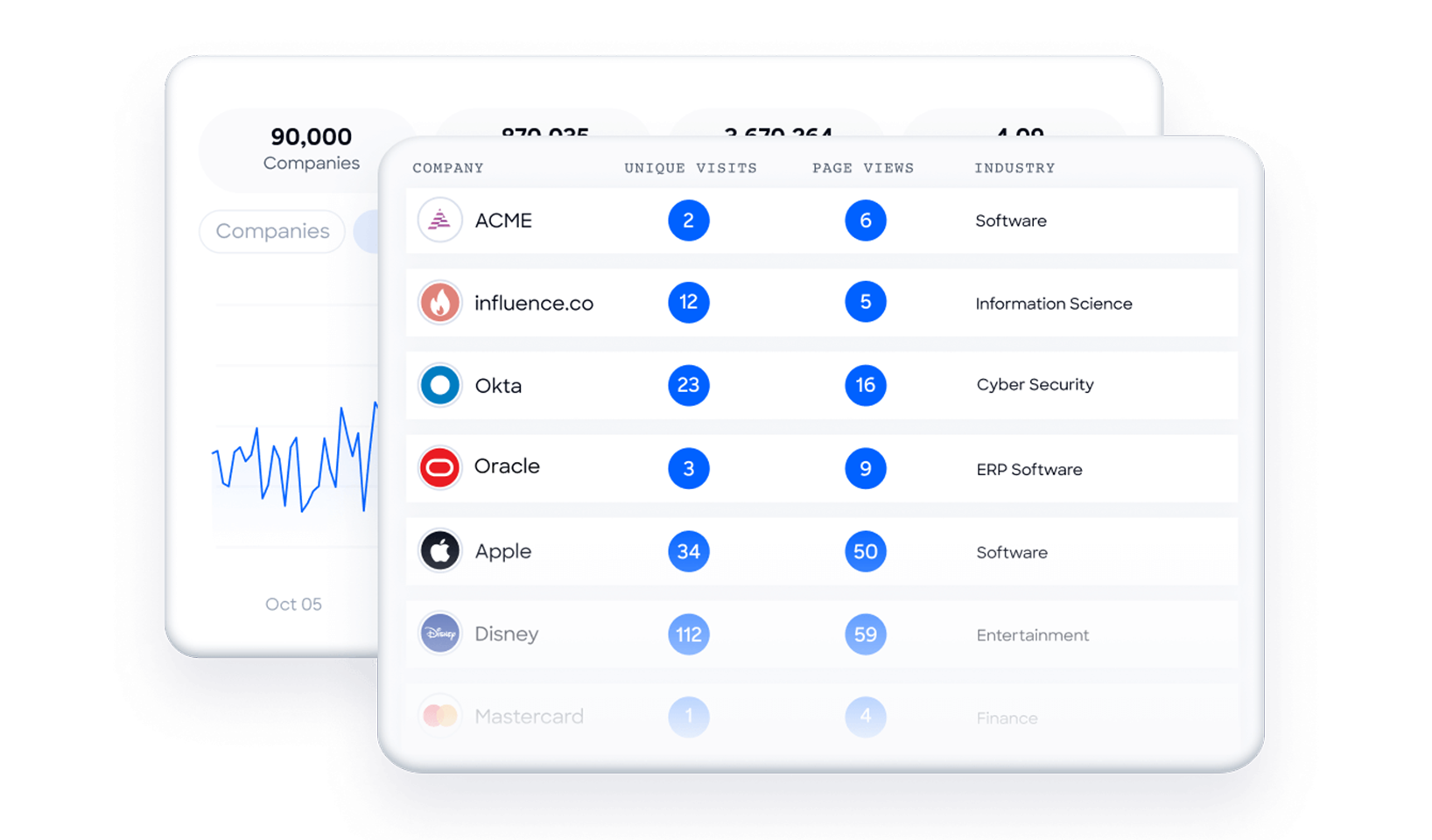
ZoomInfo WebSights resolves anonymous website traffic to companies, including buying-team identification and contact information, with Automatic Traffic Filtering separating genuine company visits from bots. Connected to monday.com, the companies visiting your site (and the pages they viewed) surface alongside your board data, so high-value visitors route to sales while the interest is live.
Workflow Automation and Lead Routing
ZoomInfo attributes (company size, industry, technology stack, intent score) power monday.com automation logic for routing, scoring, and segmentation.
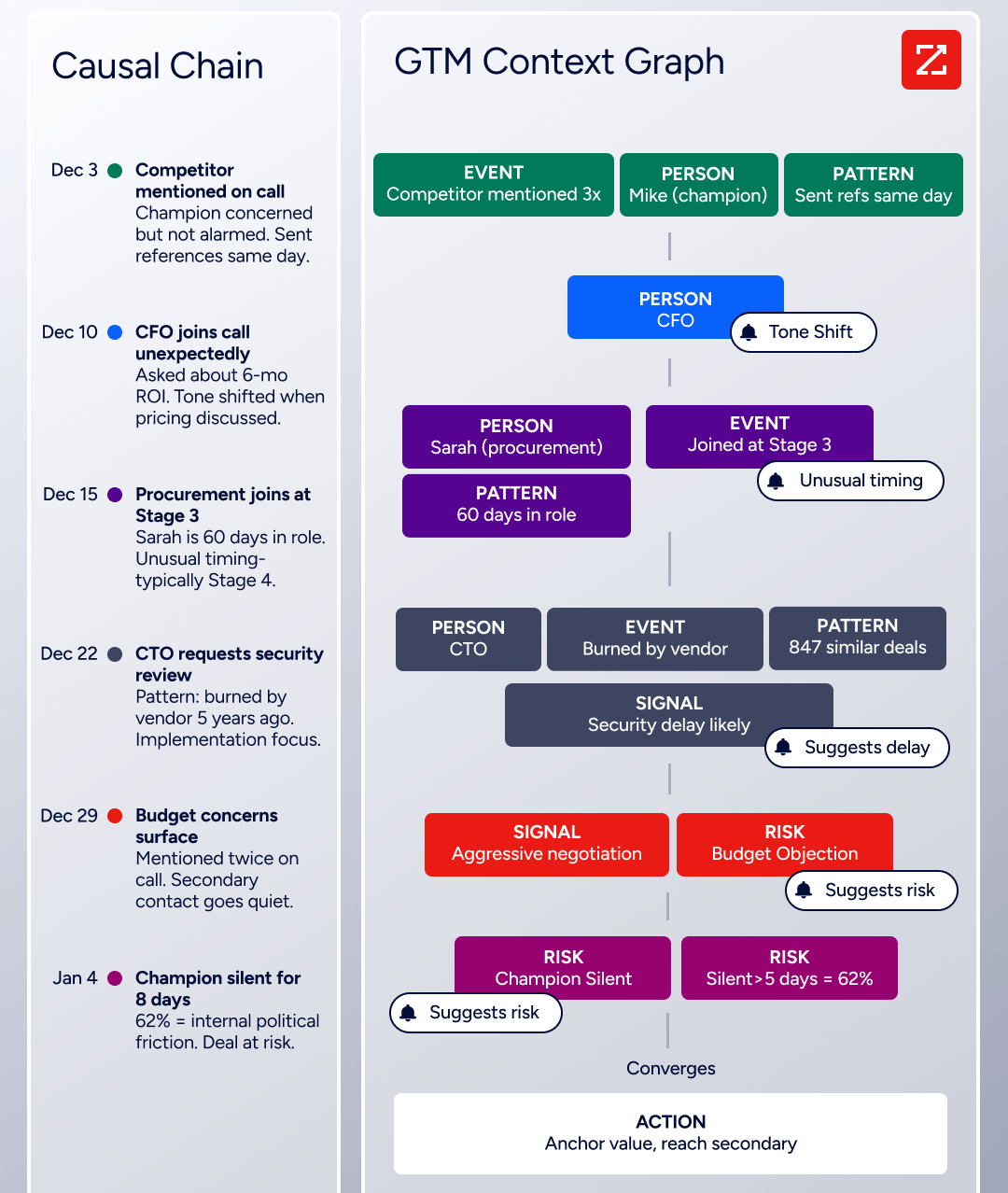
A new contact enriched by ZoomInfo routes automatically to the enterprise team at 1,000+ employees or to SMB below 100, with no manual triage. Scoring models gain company-level context alongside monday.com's workflow signals, and the enrichment feeding your monday.com instance connects to a broader data network: the GTM Context Graph processes 1.5B+ data points daily and combines ZoomInfo's B2B data with CRM records, conversations, and behavioral signals, while GTM Studio, APIs, and MCP expose the same data to any tool or AI agent.
Seismic's sales team attributed 39% of active pipeline to opportunities identified or influenced by ZoomInfo signals, reporting 54% productivity gains. (Seismic Case Study)
ZoomInfo Pricing
ZoomInfo uses a consumption-based pricing model with custom quotes based on usage, users, credit volume, and features.
It is organized into Sales, Marketing, and standalone product lines, each in Professional, Advanced, and Enterprise tiers. The native monday.com integration is available through the ZoomInfo platform, with Advanced adding intent signals and website visitor tracking.
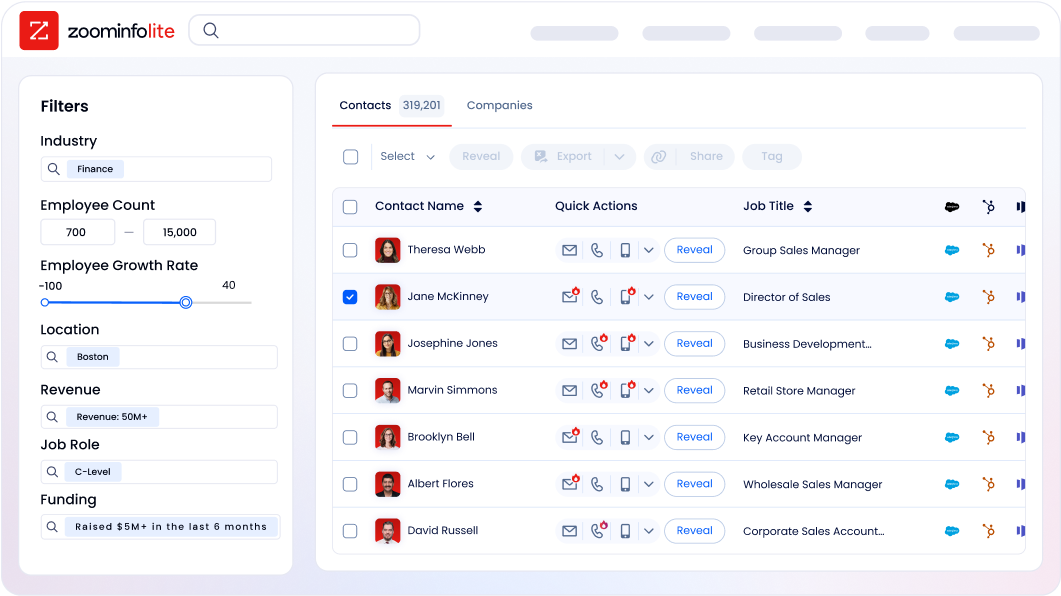
ZoomInfo Lite is a permanent free tier (no credit card, no time limit) with 10 monthly export credits, searches, the Chrome extension, and CRM integrations, a practical way to evaluate data quality before committing. A separate 7-day free trial covers paid features.
Who Should Use the ZoomInfo Integration?
B2B sales teams whose pipeline depends on accurate contact data: enrichment is the difference between verified direct dials and a 30% bounce rate that damages sender reputation
Revenue operations teams that need company attribute, technographic, and intent data powering monday.com lead scoring, routing, and segmentation instead of behavioral signals alone
Marketing teams running account-based campaigns that need dynamic lists of accounts showing buying signals now, not static company lists
2. Slack: Best monday.com Integration for Real-Time Board Activity Notifications
Source: Slack
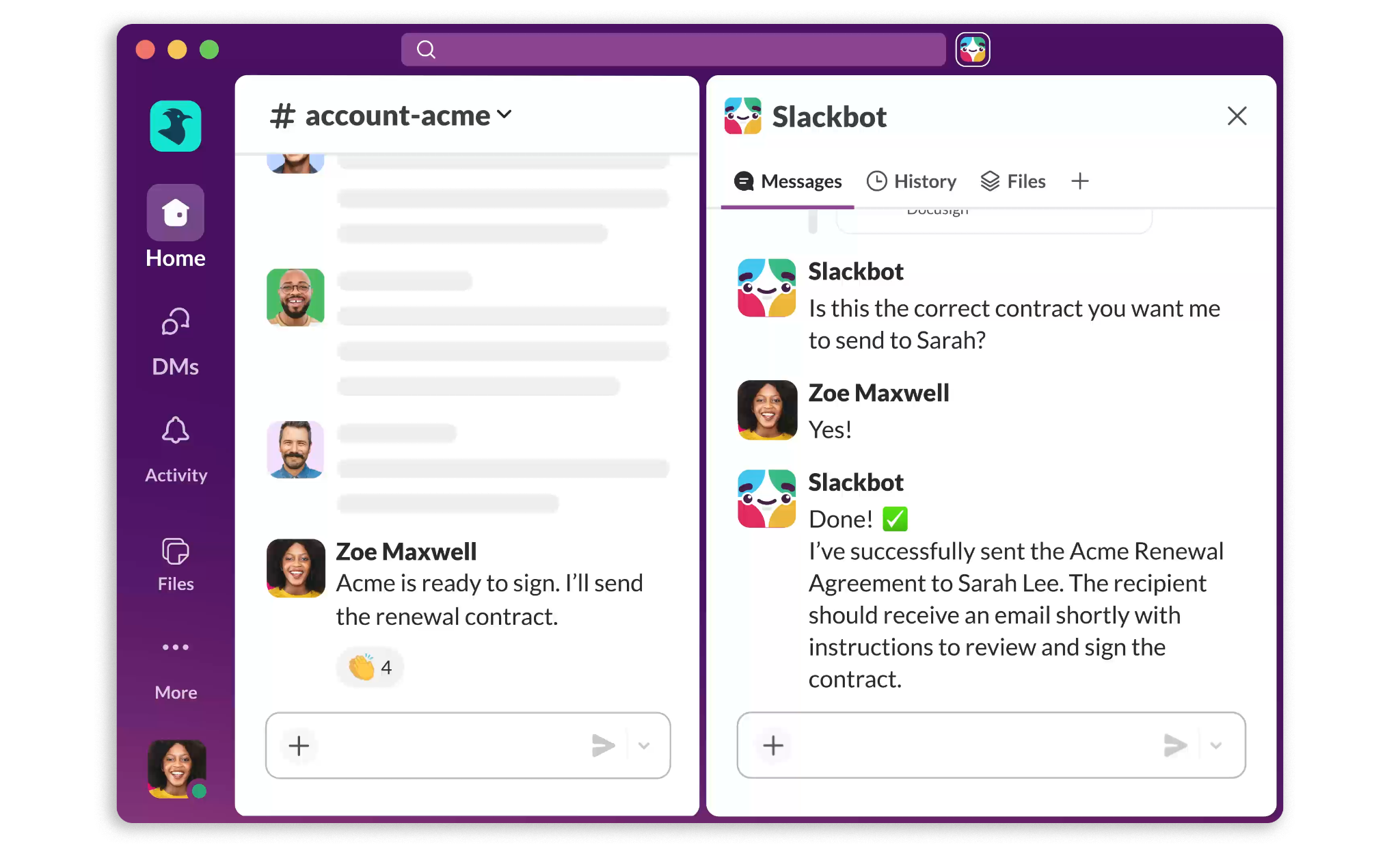
Slack is a channel-based messaging platform that integrates with monday.com to route board activity into the channels where teams already work. Instead of requiring stakeholders to log into monday.com to check item status, the integration pushes board events into Slack, keeping distributed teams informed and letting users respond without leaving their messaging tool.
Key integration capabilities include:
Board event notifications (status changes, new assignments, approaching due dates, comment additions) posted to designated Slack channels with item links
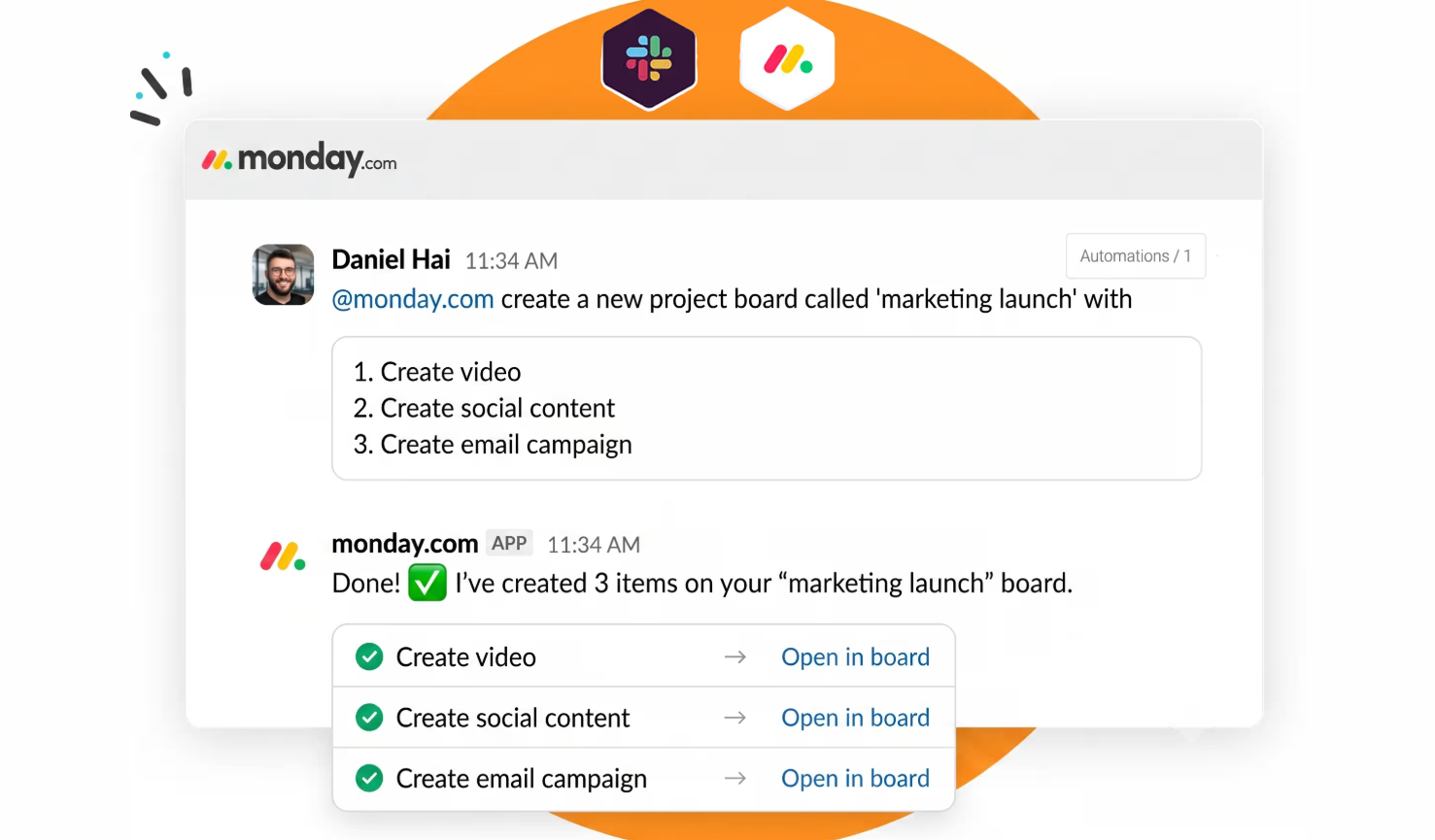
monday.com item creation directly from Slack message threads, preserving conversation context alongside the task
Status updates and comment replies submitted to monday.com board items via Slack direct messages
Automation-driven alerts for specific conditions (overdue items, priority escalations, column value changes) routed to targeted channels or individuals
How Slack Integrates with monday.com
The Slack integration is native, accessible from monday.com's Automations center without third-party middleware. It requires a monday.com Standard plan or above (automation actions are not available on Basic) and a Slack workspace on any tier. Setup is OAuth-based, and monday.com's Autopilot hub provides visibility into all active Slack-connected automations from a single admin view. It is a first-party connector maintained by monday.com.
Source: monday.com
1. Board Event Notifications to Designated Slack Channels.
monday.com's Automations engine routes any configurable board event to a specific Slack channel as a formatted message. Teams configure notifications to fire when a Status column changes, a new item is created, a due date passes, an owner is assigned, or a comment is added. Each notification includes the item name, the triggering event, the originating board, and a direct link to the monday.com item. Separate automations can route notifications from each board to the corresponding Slack channel, keeping cross-board noise contained.
2. Creating monday.com Items from Slack Conversations.
The monday.com Slack app adds a shortcut to individual messages that lets any workspace member create a monday.com item from that message. The creation form pre-populates the item name from the Slack message text, and the user can edit the name, assign an owner, set a status, and add a due date from within Slack. Decisions made in Slack that should become tracked tasks convert at the moment the conversation happens, without navigating to monday.com.
3. Replying to monday.com Notifications via Slack Direct Messages.
monday.com delivers personal board notifications (items assigned to you, updates on items you follow, due date reminders) as Slack direct messages when the integration is enabled. Recipients can reply to updates, change an item's status, and add comments to the board item from within the Slack DM. The action writes back to the monday.com board item in real time, keeping the board current even when team members work primarily in Slack.
Slack Pricing
Slack uses per-seat pricing with a Fair Billing Policy that credits inactive seats on a rolling 28-day window:
Free: $0 (10 app integrations, 90-day message history, 1:1 Huddles only)
Pro: $7.25/user/month (annual) (unlimited history, unlimited apps, group Huddles, 24/7 support)
Business+: $15/user/month (annual) (SAML SSO, SCIM provisioning, custom retention policies, full Slackbot AI agent access)
Enterprise+: Custom pricing (multi-workspace management, native DLP, HIPAA compliance)
For most teams connecting monday.com to Slack, the Pro tier is sufficient. Unlimited app integrations remove the free-plan constraint, and the core notification, item creation, and DM response features all work on Pro.
Who Should Use the Slack Integration?
Distributed or async-first teams where decisions happen in Slack and should convert into tracked monday.com tasks without a context switch
Stakeholders who need board awareness (approvers, executives, cross-functional reviewers) but do not use monday.com daily
Teams managing multiple project boards that want separate Slack channels receiving targeted notifications from each board
3. HubSpot: Best monday.com Integration for CRM-to-Project Workflow Automation
Source: HubSpot
HubSpot is a CRM and customer platform that integrates with monday.com to bridge deal pipeline events and project execution. When a deal moves through HubSpot's pipeline, monday.com boards respond automatically with the right items, assignments, and data already in place.
Key integration capabilities include:
Closed Won deal-to-board automation that creates monday.com board items populated with deal name, contact, company, and deal value when a deal stage changes in HubSpot
Contact and company field sync mapping standard HubSpot CRM properties to monday.com board columns, keeping both platforms consistent
Workflow triggers from HubSpot CRM events (deal stage changes, new contact creation, company record updates) that fire downstream monday.com actions
Bidirectional sync options via the HubSpot Integration Plus app for teams that need monday.com updates to flow back into HubSpot
How HubSpot Integrates with monday.com
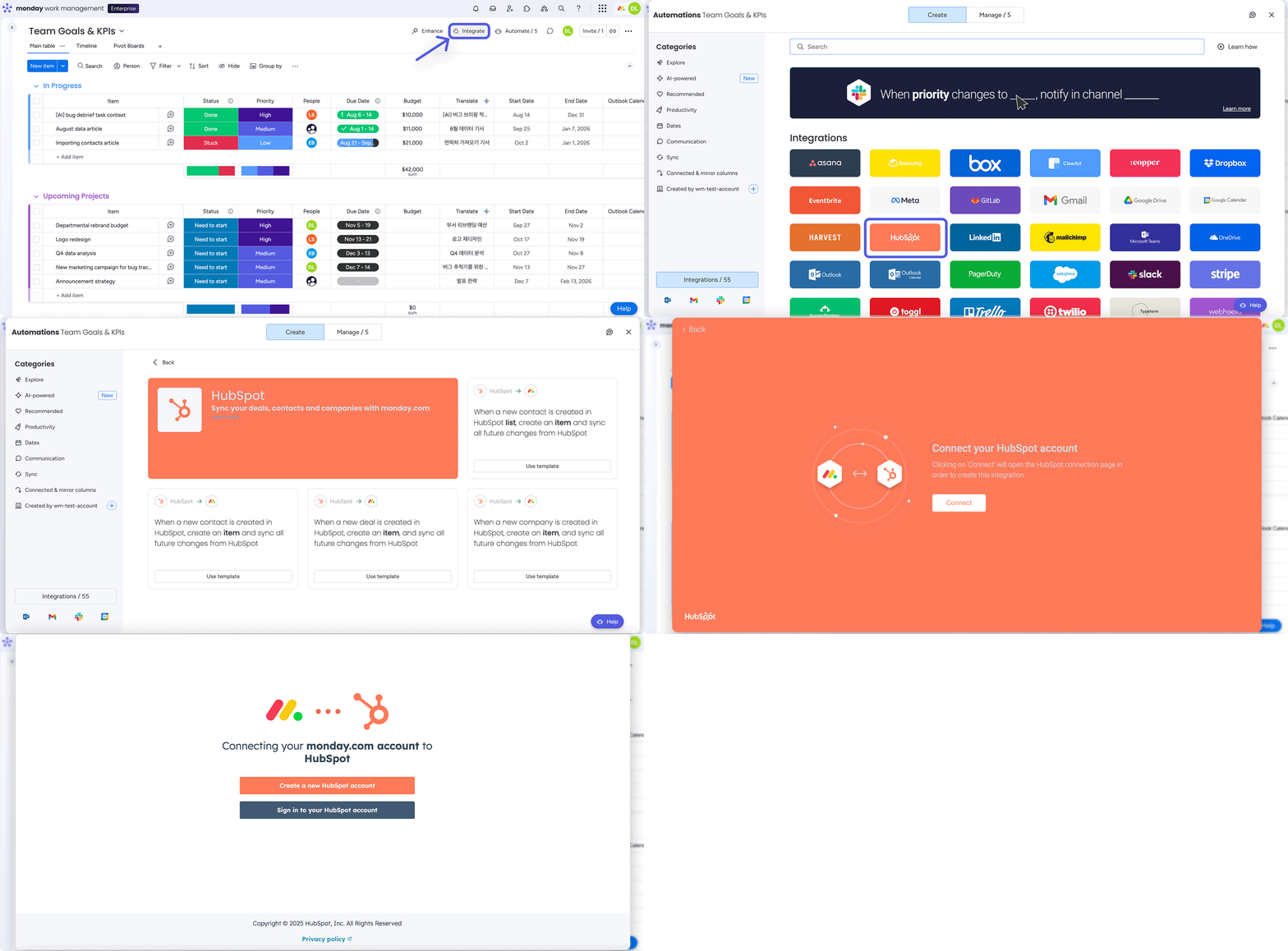
The HubSpot integration is available as a native connection through monday.com's integrations marketplace, configured from any board's integration panel using the no-code recipe builder. The default native integration supports HubSpot data flowing one-way into monday.com as board items. For bidirectional sync, the HubSpot Integration Plus app or third-party connectors like Make and Unito handle two-way data flow.
Source: monday.com
1. Closed Won Deal-to-Board Automation.
When a deal in HubSpot moves to "Closed Won," monday.com automatically creates a new board item in a delivery or onboarding board, pre-populated with the deal name, contact name, company name, and deal value from the HubSpot deal record. The delivery team sees a new item within minutes of the deal closing, with account context already structured across the relevant columns. Teams can add further automated actions to the same trigger: assign the item to a project manager, set a kickoff date, send a Slack notification, or create linked subitems for standard onboarding milestones.
2. Contact and Company Field Sync.
The integration maps HubSpot's standard CRM fields to monday.com board columns: email address to an Email column, company name to Text, deal stage to Status, deal value to Numbers. When a sales rep updates contact information in HubSpot, the corresponding monday.com item reflects that change without manual editing. Customer success managers and project managers working in monday.com always see the same account data the sales team maintains in HubSpot.
3. Bidirectional Sync Configuration.
For revenue operations teams where project milestones in monday.com should advance HubSpot deal stages, the HubSpot Integration Plus app enables two-way sync. The key consideration is field ownership: teams should define which platform owns which fields to prevent conflicts. The native one-way sync uses monday.com automation actions, which count against the plan's monthly quota (250 on Standard, 25,000 on Pro, 250,000 on Enterprise).
4. Workflow Triggers from HubSpot CRM Events.
Beyond deal stage changes, the integration exposes additional CRM event types as trigger options. A new contact created in HubSpot can trigger item creation in a monday.com prospecting board. A company record update can trigger a status change prompting the customer success team to start a new engagement plan. Deals exceeding a defined value automatically route to a senior project manager's board. HubSpot functions as an upstream signal source for monday.com workflows.
HubSpot Pricing
The native monday.com integration connects to HubSpot's standard CRM objects (contacts, companies, deals), which are accessible on HubSpot's free tier and all paid plans:
Free: $0 (up to 2 users, contacts, companies, deals, 1 pipeline; sufficient for basic Closed Won automation)
Sales Hub Starter: $20/seat/month (monthly) or $15/seat/month (annual)
Sales Hub Professional: $100/seat/month (monthly) or $90/seat/month (annual); required for custom deal properties and advanced pipeline event triggers; mandatory $1,500 one-time onboarding fee
Sales Hub Enterprise: $150/seat/month (annual only); required for custom objects; mandatory $3,500 one-time onboarding fee
Teams on HubSpot's free CRM can implement the basic Closed Won trigger and standard field sync without any HubSpot upgrade. Custom deal properties exposed as sync fields require HubSpot Professional or Enterprise.
Who Should Use the HubSpot Integration?
Teams where sales closes deals in HubSpot and delivery executes in monday.com, and the project kickoff should trigger automatically when a deal closes without a manual handoff
Organizations managing both marketing campaigns and client project delivery that want the data chain from lead through closed deal through active project to stay consistent across platforms
Revenue operations teams that need CRM pipeline events to fire downstream monday.com automations (task assignments, status changes, notifications) without manual relay
4. Make: Best monday.com Integration for Multi-Step Workflow Automation
Source: Make
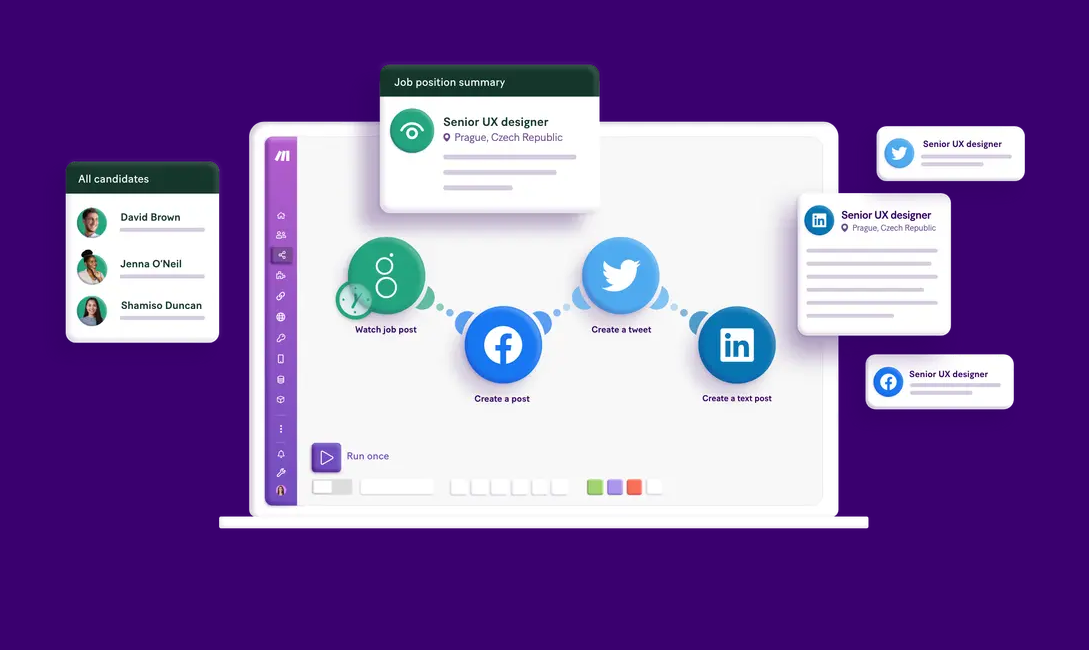
Make is a visual automation platform that integrates with monday.com to connect your boards to nearly any application in your tech stack through multi-step scenarios with conditional branching, data transformations, and real-time processing that go beyond what monday.com's native automation recipes can do.
Key integration capabilities include:
Full CRUD access to monday.com boards, groups, items, and subtasks through drag-and-drop modules
Multi-step conditional logic via Router modules, Filters, Iterators, and Aggregators for workflows that monday.com's single-trigger/single-action builder cannot express
Bidirectional connections to 3,000+ external applications within a single scenario
monday.com AI agent integration as a callable module within Make scenarios
How Make Integrates with monday.com
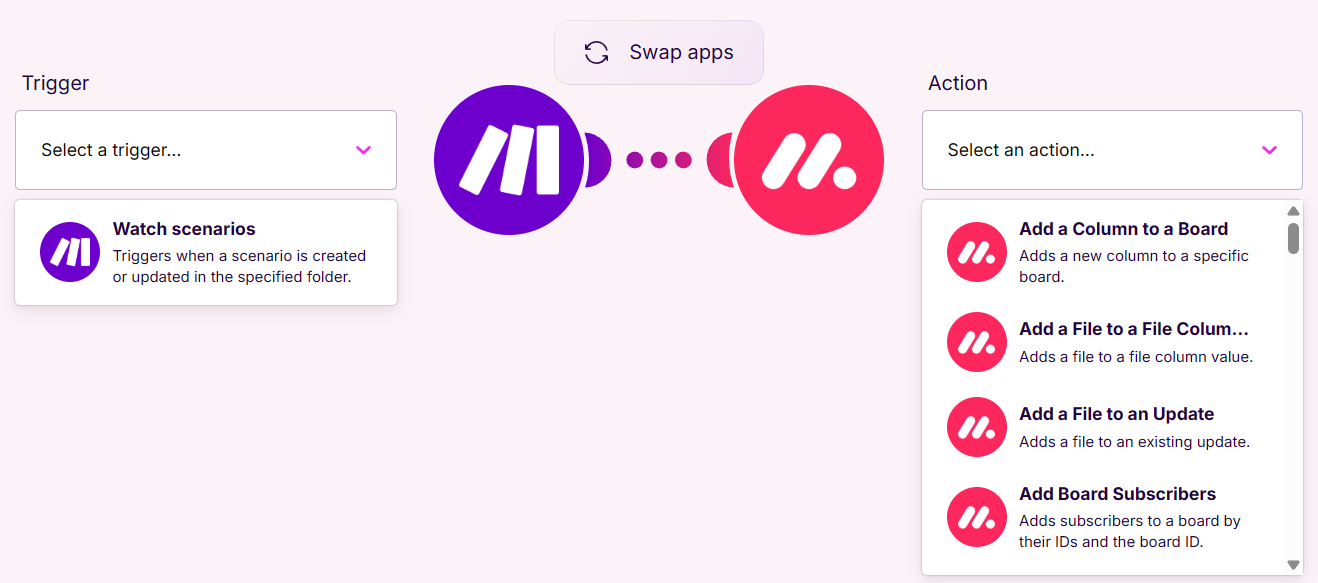
Make connects to monday.com through its pre-built monday.com app, which exposes monday.com as both a trigger source and an action target within Make's visual scenario builder. Authentication is OAuth-based.
Source: Make
1. Visual Scenario Builder with Full monday.com CRUD Access.
Make's drag-and-drop canvas provides a visual orchestration layer where monday.com sits as one node in a larger workflow. On the trigger side, monday.com modules cover core board events: item creation, column value changes, due date arrival, status changes, and board activity log entries. On the action side, the integration covers creating boards, groups, items, and subtasks; updating column values; posting updates; and searching items by column value. A monday.com item creation can fire a Make scenario that pulls enrichment data from external sources and writes it back to specific monday.com columns at creation time, a loop that native automations cannot close.
2. Multi-Step Conditional Logic and Data Transformation.
monday.com's built-in automation recipes follow a linear model: one trigger fires one action. Make's Router module branches a single scenario into multiple parallel paths, each governed by its own filter conditions. A monday.com item status change can route to different downstream apps based on column values. The Iterator and Aggregator pair enables per-item processing of arrays, and inline data transformation reformats dates, concatenates text fields, and applies conditional logic between trigger and action in a single scenario run.
3. Bidirectional Connections to the Broader Tech Stack.
A single Make scenario can connect monday.com to multiple external applications at once. Make's integration library covers 3,000+ pre-built app connectors across CRM, communication, spreadsheets, databases, form tools, payment processors, and project tools, plus a universal HTTP module for any REST API not in the native library. For monday.com users whose stack extends beyond the platform's own 850+ app marketplace, Make provides meaningful additional reach.
Make Pricing
Make uses credit-based pricing where each module execution consumes one credit. All plans support unlimited users:
Free: $0/month (1,000 credits, 2 active scenarios, 15-minute minimum interval)
Core: $12/month (10,000 credits, unlimited scenarios, 1-minute interval, API access)
Pro: $21/month (10,000 credits, priority execution, custom variables, full-text log search)
Teams: $38/month (10,000 credits, team roles, parallel scenario execution)
Enterprise: Custom pricing (on-prem agent, SSO, audit logs, SOC 2 Type II and ISO 27001 certified)
A six-module scenario running every minute on a Core plan consumes approximately 8,640 credits per day. Teams building high-frequency scenarios against monday.com boards should model expected credit consumption before selecting a plan tier.
Who Should Use the Make Integration?
Teams needing automations with conditional branching that monday.com's single-trigger/single-action recipe builder cannot express: routing items to different boards or triggering different actions based on field values
Organizations that need monday.com to exchange data with multiple apps at once within a single workflow run, or with apps not covered by monday.com's native marketplace
Operations or RevOps teams that want a single automation platform governing monday.com workflows and all other cross-stack integrations, rather than maintaining separate tooling per app pair
5. GitHub: Best monday.com Integration for Engineering Sprint Visibility and Code-to-Board Synchronization
Source: GitHub
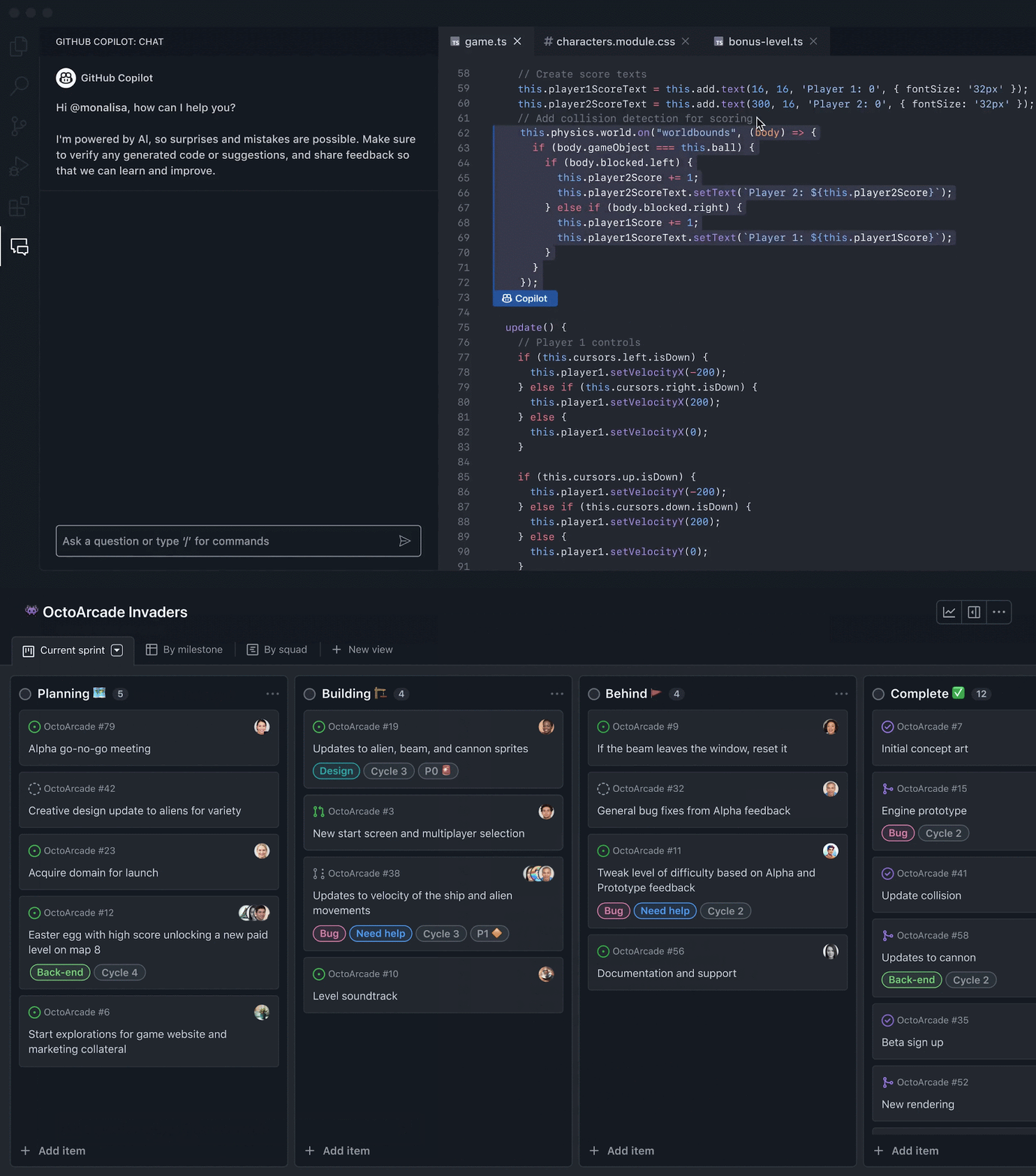
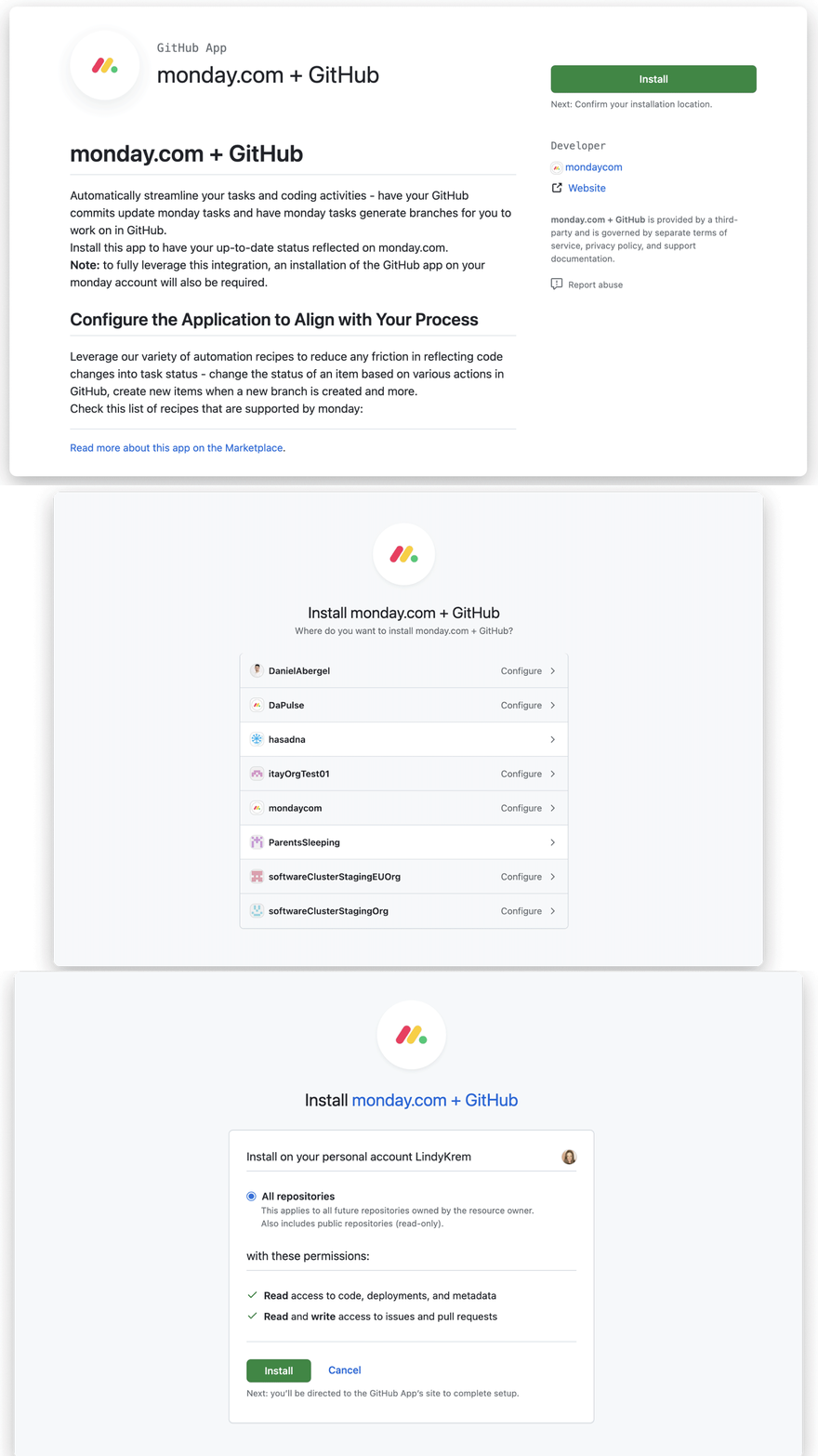
GitHub is a developer platform used by 180 million+ developers and 90% of the Fortune 100 that integrates natively with monday dev to connect pull request activity, commits, CI/CD pipeline status, and repository events directly to sprint board items. The integration gives engineering leads a single view of code health and sprint progress without requiring developers to update status in two separate tools. Key capabilities include:
Automatic PR and commit linking to monday dev sprint items via item ID reference in pull request titles or descriptions
Pre-built automation templates that fire on GitHub events (merged PRs changing sprint item status, labeled issues creating board items)
Engineering Performance Dashboard surfacing GitHub metrics alongside sprint data
Git UI app embedding live branches, commits, PR status, and CI/CD results directly into monday.com item cards
How GitHub Integrates with monday.com
The integration operates through monday dev, monday.com's engineering product, via a one-time native installation from within monday dev settings — a first-party connector requiring no API keys or third-party middleware.
Source: monday.com
1. Item ID-Based PR and Commit Linking.
A developer includes a monday.com item ID in a pull request title or description, and the integration associates that PR with the corresponding sprint item. Any PR status change (opened, submitted for review, approved, merged, closed) reflects on the board without the developer opening monday.com. Branches, commit history, CODEOWNERS-routed reviewer assignments, and review comments all surface on the sprint item.
2. Pre-Built Automation Templates.
Templates fire on GitHub's webhook event system, which covers 75+ event types including pull_request, issues, workflow_run, and check_suite. Merged PRs change linked item status; labeled or opened GitHub issues populate new board items.
3. Engineering Performance Dashboard.
monday dev surfaces GitHub metrics — PR count by status, time-in-review, merge rate, velocity, burndown — alongside sprint data. This matters because GitHub Issues and Projects are consistently identified as lighter on Agile planning depth than dedicated tools, making monday dev the reporting layer GitHub itself doesn't provide.
4. Git UI App Embedded in Item Cards.
The Git UI app displays live branches, commit history, PR status, and GitHub Actions check results inside monday.com item cards — giving product managers and non-engineering stakeholders code-level evidence of progress without GitHub access.
GitHub Pricing
Prices below are from GitHub's pricing page. All tiers support the monday.com integration.
Free: $0/month. Unlimited public and private repos, 2,000 Actions minutes/month, Dependabot, Issues and Projects, community support.
Team: $4/user/month. Adds repository rules, protected branches, required reviewers, draft pull requests, code owners, 3,000 Actions minutes/month, and web-based support.
Enterprise Cloud: Contact sales (30-day free trial). Adds SAML SSO, advanced audit logging, data residency, and 50,000 Actions minutes/month.
Note that GitHub Copilot ($10–$100/user/month) and GitHub Advanced Security are separate add-ons, not bundled with any platform tier.
Who Should Use the GitHub Integration?
Engineering teams using GitHub as their primary repository and running sprints in monday dev, who want PR and commit activity to keep item statuses synchronized automatically
Engineering leads who need combined code-health and sprint-progress reporting without switching between GitHub analytics and monday dev boards
Product managers and non-engineering stakeholders who need visibility into code progress without GitHub seats, via the Git UI app embedded in item cards
6. Google Workspace: Best monday.com Integration for Project Schedule and Document Sync
Source: Google Workspace
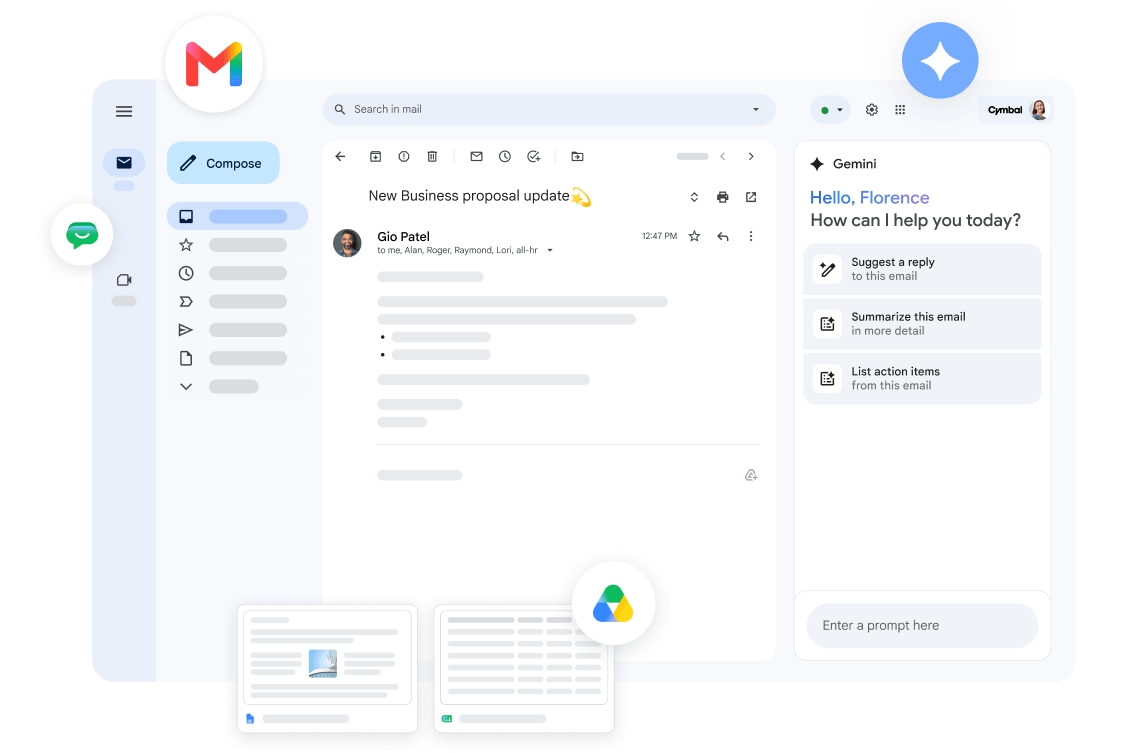
Google Workspace is a cloud productivity and collaboration suite that integrates with monday.com to synchronize project deadlines between boards and Google Calendar while keeping Google Drive documents accessible within board items.
Key integration capabilities include:
Two-way Google Calendar sync that pushes board item due dates to Google Calendar and pulls calendar events into monday.com as board items
Google Drive file attachment within monday.com board items and updates, eliminating version drift
Automated Drive folder management triggered by monday.com project activity
Google Workspace Marketplace Connector for single-sign-on access to monday.com using existing Google credentials
How Google Workspace Integrates with monday.com
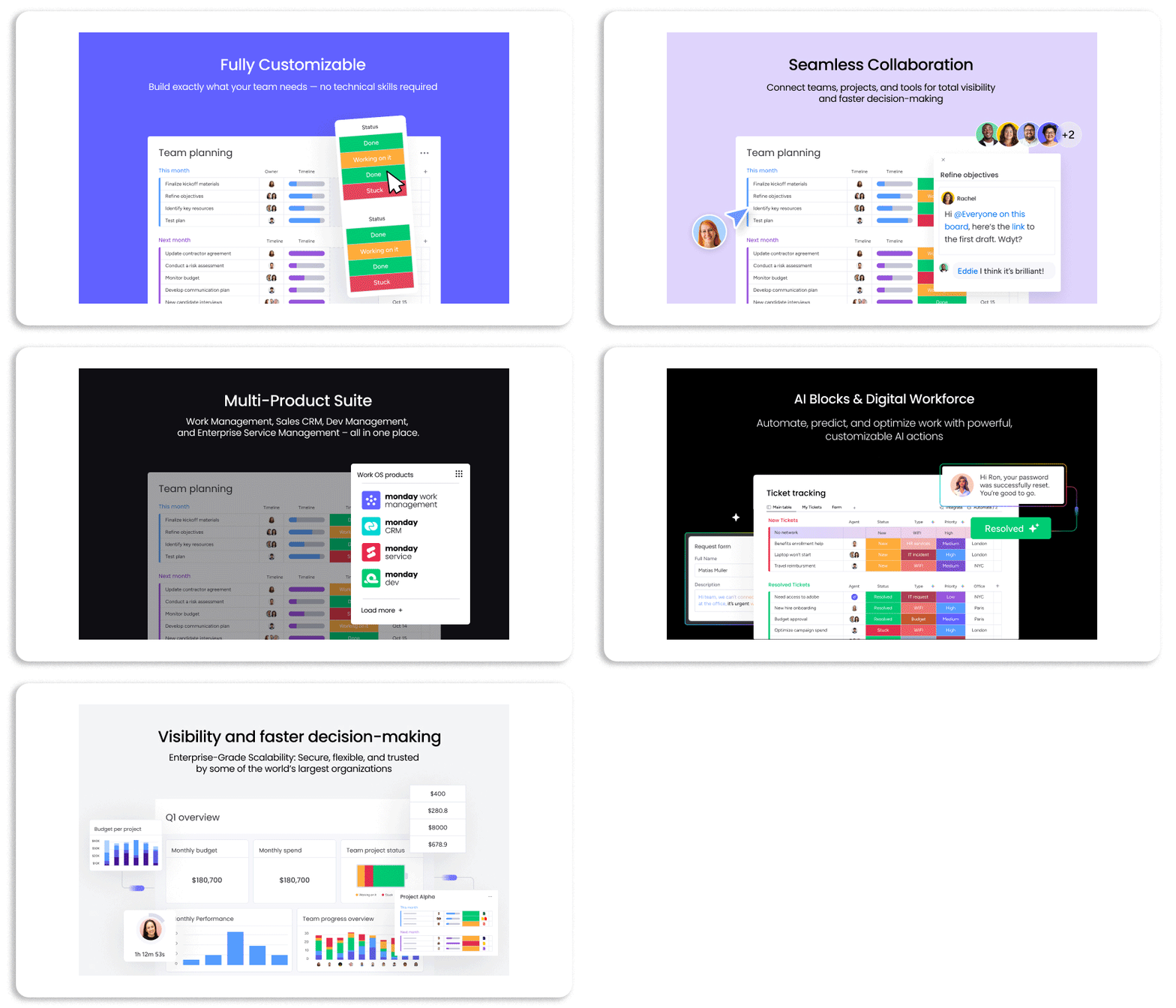
The Google Workspace integration spans three surfaces: Google Calendar (two-way schedule sync), Google Drive (file attachment and folder automation), and the Google Workspace Marketplace (identity and access). Each surface operates through monday.com's native Automations engine with no-code configuration. The integration connects via OAuth.
Source: Google Workspace
1. Google Calendar Two-Way Deadline Sync.
The integration solves the parallel-maintenance problem through a pair of automation templates. The first watches for changes to a board item's due date column and creates a Google Calendar event for the assigned user, populating the event title and date from the item. The second runs in reverse: a new event in a specified Google Calendar creates a corresponding board item. Project managers working in Gantt view and team members working from Google Calendar see the same schedule without maintaining separate entries. When a project manager extends a deadline, the Calendar event updates automatically.
2. Google Drive File Attachment and Folder Automation.
Team members attach Google Drive files (Docs, Sheets, Slides, PDFs) directly to board items from within the monday.com interface. The attachment stores as a Drive link with a thumbnail preview; because the file stays in Drive, there is no version duplication. Automation templates extend this: a monday.com automation can watch for attachments and copy files to a specified Drive folder for project archiving, and a reverse automation creates board items when new files land in a monitored Drive folder.
3. Google Workspace Marketplace Connector.
The official monday.com Connector in the Google Workspace Marketplace lets Google Workspace users access monday.com boards from within Google applications, authenticated through their existing Google account. Domain-wide deployment is available to admins, removing the need for separate monday.com login sessions.
Google Workspace Pricing
Google Workspace uses per-seat pricing, with annual billing saving approximately 16%:
Business Starter: $7/user/month (annual) (30 GB pooled storage, Gmail, Calendar, Drive, Docs, Sheets, Meet)
Business Standard: $14/user/month (annual) (2 TB pooled storage, Gemini AI, Meet recording, Calendar appointment booking)
Business Plus: $22/user/month (annual) (5 TB pooled storage, Google Vault, advanced endpoint management)
Enterprise: Custom pricing (DLP, context-aware access, enterprise data regions)
The Google Workspace plan tier does not gate the monday.com integration. The constraint is on the monday.com side: Calendar and folder automations consume monday.com automation actions, which cap at 250/month on Standard, 25,000/month on Pro, and 250,000/month on Enterprise.
Who Should Use the Google Workspace Integration?
Teams that use Google Calendar as the primary scheduling layer and need project deadlines from monday.com to appear there automatically without manual re-entry
Organizations where working documents live in Google Drive and should be pinned to the specific board items they belong to rather than shared via chat links
Google Workspace organizations where accessing monday.com through Google-authenticated sessions reduces credential friction in daily workflows
7. Jira: Best monday.com Integration for Engineering-to-Project-Management Visibility
Source: Atlassian
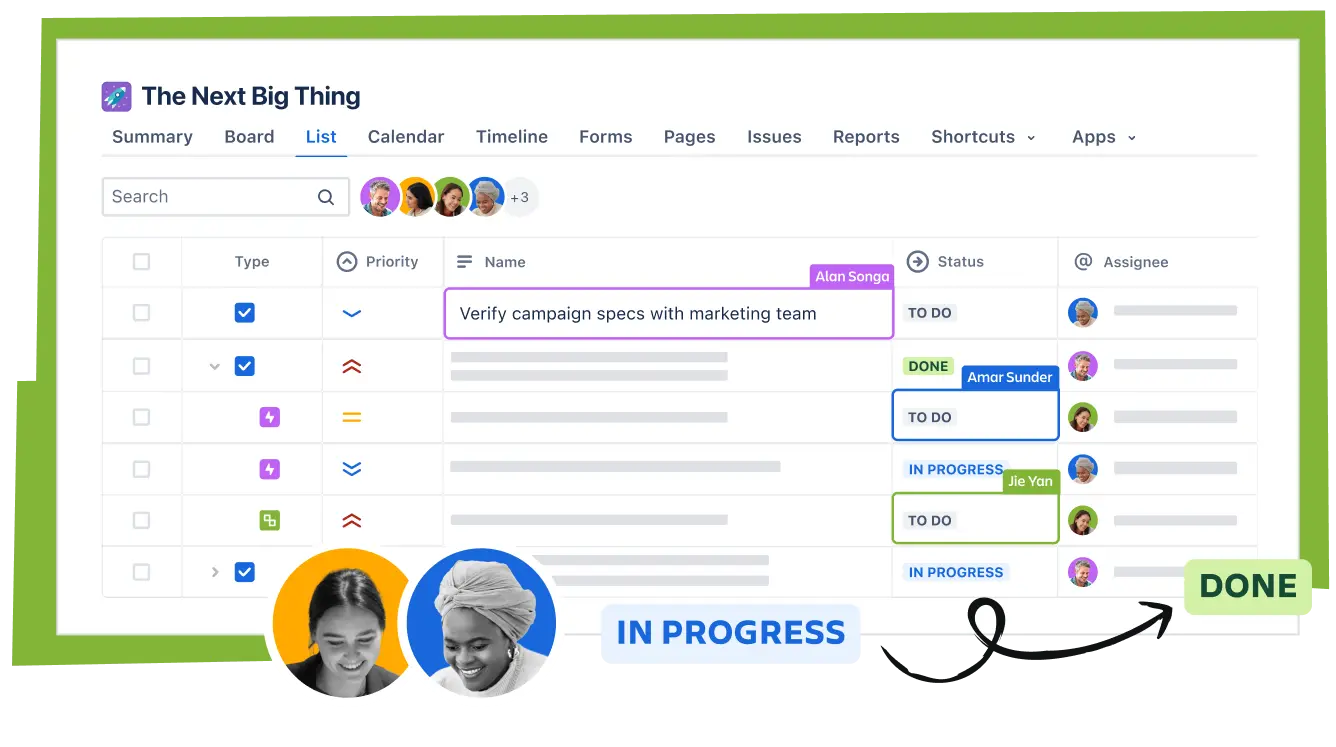
Jira is a project management and issue-tracking platform built by Atlassian that integrates with monday.com to create a two-way bridge between engineering teams and cross-functional stakeholders. Developers keep building in Jira while project managers, operations leads, and executives track the same work in monday.com without duplicating entries or manually syncing updates.
Key integration capabilities include:
Native two-way sync apps for Jira Cloud and Jira Data Center, with status changes reflected in both platforms in real time
Per-field sync direction control so teams configure which fields sync bidirectionally and which sync one-way, preventing accidental overwrites
Hierarchy and relationship preservation maintaining Jira epics, stories, subtasks, and sprint assignments as monday.com items and subitems
Sync filters by issue type, project, label, or status to control exactly which Jira issues surface in monday.com
How Jira Integrates with monday.com
The Jira integration is delivered through monday.com's native integration center, with dedicated sync apps for both Jira Cloud and Jira Data Center. Teams authenticate their Jira instance from within monday.com, select which Jira project to sync, apply filters, and map Jira fields to monday.com columns. monday.com supports two-way sync as a core integration capability for Jira. It is a first-party connector.
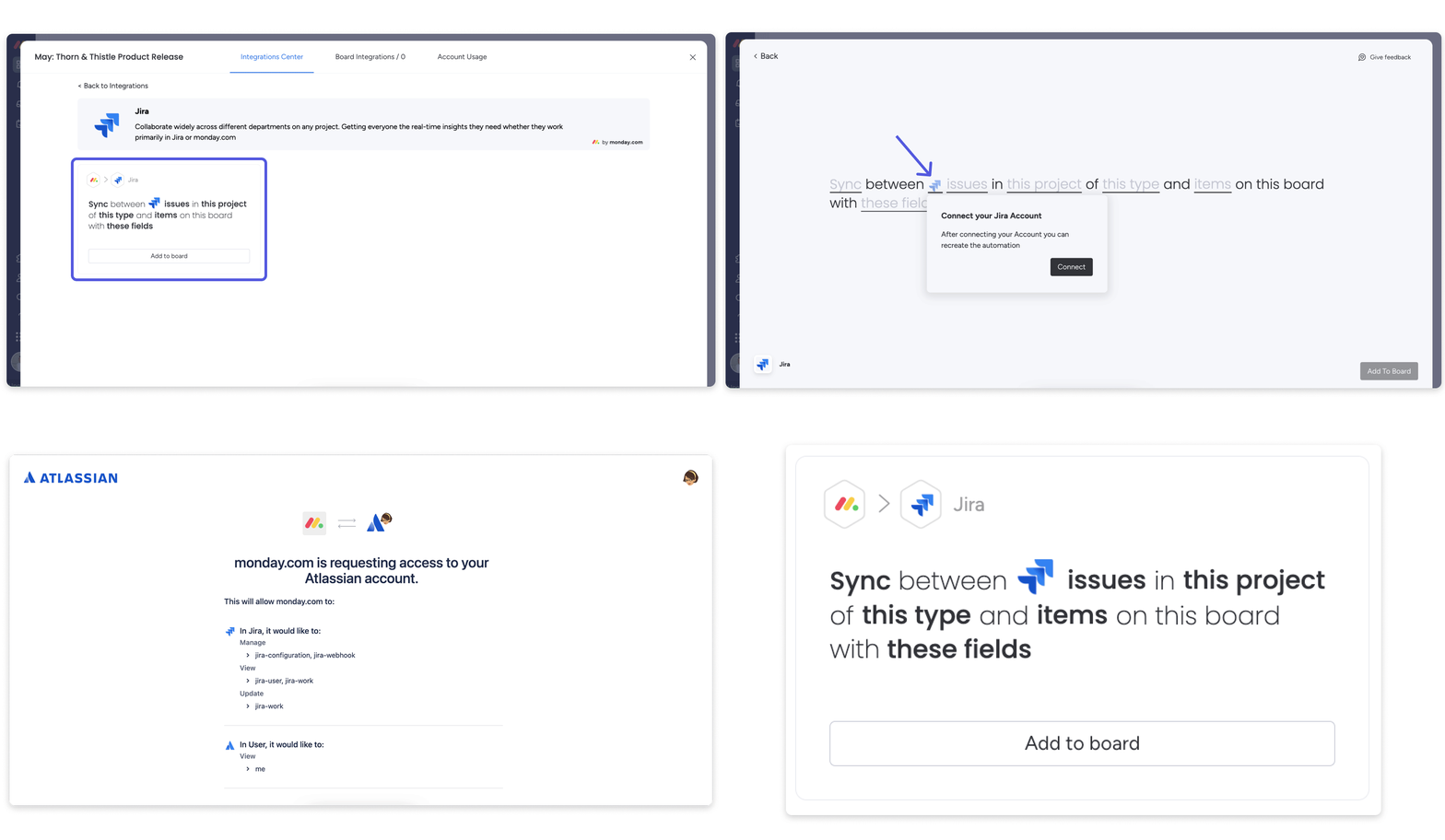
Source: monday.com
1. Bidirectional Issue Sync.
When an engineer moves a Jira issue from "In Progress" to "In Review," that status change surfaces on the corresponding monday.com board item automatically. When a project manager updates a due date in monday.com, that change propagates back to the linked Jira issue. The integration supports both Jira Cloud and Jira Data Center deployments, so enterprise organizations with data residency requirements do not need to choose between their deployment model and monday.com connectivity.
2. Per-Field Sync Direction Control.
Teams explicitly configure which fields are bidirectional and which are one-way. Status, assignee, and sprint fields are often set as Jira-authoritative (syncing one-way into monday.com), because these are engineering decisions that should not be overridden from the project management layer. Comments might be bidirectional so both sides can leave visible notes. This granular control preserves the distinct roles each tool plays and builds trust in the sync as a primary visibility layer.
3. Hierarchy Preservation.
The native sync maps Jira parents and children to monday.com items and subitems. An Epic in Jira surfaces as a parent item on a monday.com board; its Stories appear as subitems beneath it. Sprint assignments carry across, so a project manager can see not just the issue but which sprint it targets and where it sits in the delivery sequence. Without hierarchy preservation, stakeholders get a flat feed of tickets that requires context to interpret; with it, they get a structured view of engineering delivery that matches how the engineering team organizes its work.
4. Sync Filters to Control Backlog Exposure.
Sync filters define exactly which Jira issues flow into monday.com by issue type, project, label, or status. Active Jira instances accumulate thousands of issues; without filtering, the full backlog floods project boards. Filters ensure the monday.com board becomes a curated, stakeholder-relevant view rather than a raw mirror of the Jira instance.
Jira Pricing
Jira uses per-seat, progressive pricing for Cloud subscriptions:
Free: $0/month (up to 10 users, unlimited projects, 100 automation rule runs/month, 2 GB storage)
Standard: $7.91/user/month (Rovo AI, user roles, 1,700 automation rule runs/month, 250 GB storage, 9/5 support)
Premium: $14.54/user/month (cross-team planning, per-user automation limits, unlimited storage, 24/7 critical support)
Enterprise: Custom pricing (Atlassian Analytics, unlimited automation runs, up to 150 Jira sites, 24/7 support)
The Jira integration does not require a paid Jira tier to connect. The Standard tier's automation limits (1,700/month) are sufficient for most integration use cases.
Who Should Use the Jira Integration?
Organizations where engineering runs exclusively in Jira but product managers, marketing, and leadership need live visibility into delivery progress without logging into Jira
Teams managing cross-functional initiatives where engineering deliverables in Jira epics need to appear alongside design tasks and marketing milestones on monday.com program boards
Jira Data Center organizations that need to connect engineering workflows to monday.com without migrating to Jira Cloud
Final Verdict
The best monday.com integrations close gaps your work platform cannot fill on its own:
ZoomInfo: verified B2B data, buyer intent, and go-to-market intelligence enriching every board record; the highest-impact integration on this list if your pipeline depends on data quality
Slack: board activity and deal updates surfaced in the messaging workspace your team already uses
HubSpot: CRM pipeline events triggering project board automations so delivery starts the moment a deal closes
Make: visual, multi-step automation connecting monday.com to 3,000+ apps with conditional branching
GitHub: code activity synced to sprint boards with live PR metrics and an Engineering Performance Dashboard
Google Workspace: project deadlines and working documents kept in sync across Calendar and Drive
Jira: bidirectional engineering visibility with hierarchy preservation and field-level governance
These integrations compound: you might run ZoomInfo for data enrichment, Slack for notifications, HubSpot for CRM handoffs, and GitHub for sprint visibility on the same monday.com instance, each adding a layer of intelligence or automation that makes the others more useful.
If you connect just one, make it the data layer everything else depends on. ZoomInfo's native monday.com integration enriches your board records with verified contact data, buyer intent signals, and company intelligence from 500M contacts and 135M+ verified phone numbers. ZoomInfo Lite is a permanent free tier, so you can test what verified data and live intent signals do for your pipeline before spending anything.
Frequently Asked Questions
How many integrations does monday.com support?
monday.com's App Marketplace houses over 850 integrations and apps with 1.6 million app installs across categories including project management, CRM, communication, development tools, storage, finance, and AI. Beyond the marketplace, monday.com's GraphQL API supports custom integrations with any platform that can make HTTP requests, and the monday MCP server lets AI agents connect and operate within the platform.
Do monday.com integrations work on the free plan?
monday.com's free plan supports up to 2 seats and 3 boards but does not include automations or integrations. Integration-driven automations require the Standard plan ($12/seat/month) or above. The Standard plan includes 250 automation and integration actions per month; Pro includes 25,000; Enterprise includes 250,000. API access is available on all plans, including Free, with daily call limits scaling by tier.
How do monday.com automations work with integrations?
monday.com's Automations engine uses a trigger-condition-action model. When paired with integrations, triggers can come from external tools (a HubSpot deal stage change, a GitHub PR merge) and actions can execute in external tools (posting to a Slack channel, creating a Google Calendar event). The Autopilot hub provides account-wide visibility into all active automations, their run history, and connection health from a single admin view.
Can I connect monday.com to tools that are not in the App Marketplace?
Yes. monday.com's GraphQL API supports custom integrations with any system that can make HTTP requests. For no-code solutions, Make connects monday.com to 3,000+ apps through visual multi-step scenarios, and Zapier extends reach to 8,000+ apps. The monday MCP server also lets any MCP-compatible AI agent connect and operate within the platform.
Does connecting multiple integrations cause performance issues?
Each integration operates independently through its own connection and sync schedule. The primary constraint is the monthly automation and integration action quota, which caps at 250 on Standard, 25,000 on Pro, and 250,000 on Enterprise. When the monthly limit is exhausted, automations and integrations stop running until the next billing cycle. Email notifications go to admins at 50%, 75%, and 100% of usage.
How secure are monday.com integrations?
monday.com uses OAuth 2.0 for third-party app authentication, so integrations never require sharing your monday.com password. The platform holds SOC 1 Type 2, SOC 2 Type 2, ISO 27001, ISO 27701, and HIPAA compliance certifications. Each integration in the App Marketplace goes through a review process, and the monday MCP server security overview documents how AI agents authenticate and operate within existing account permissions.
What is the best way to enrich monday.com board data for B2B teams?
Integrating a dedicated B2B data platform provides the most accurate enrichment. ZoomInfo's native monday.com integration enriches board items with verified emails, direct-dial phone numbers, company attributes, technographic profiles, and buyer intent signals. The enrichment runs continuously through a verification pipeline backed by 300+ human researchers, covering 500 million contacts and 100 million companies. monday.com's built-in CRM data enrichment with Crunchbase covers company-level attributes, but for teams whose pipeline depends on contact-level data accuracy and buying signals, a platform built for B2B intelligence closes the gap between what your boards capture and what your reps need to act on.
Related reads:
