
n8n is a workflow automation platform for technical teams. It combines a visual node-based editor with JavaScript and Python code access, 1,385+ native integrations, and 200,000+ community members building everything from lead enrichment pipelines to multi-agent AI systems. With 176,000+ GitHub stars and enterprise users including Vodafone, Delivery Hero, and Microsoft, the platform proves that code control combined with drag-and-drop speed creates a different kind of tool.
But n8n's power scales with the tools you connect to it.
On its own, n8n orchestrates logic, transforms data, and routes workflows. Connected to the right integrations, it becomes the control layer: verified B2B data flows in, CRM records stay current, AI models reason across your data, teams stay notified, and developer workflows fire without manual intervention. The gap between an n8n canvas and a production automation engine is the integrations feeding it and the platforms acting on its output.
This guide covers the strongest integration for each of the jobs n8n users most commonly need done:
Enrich workflow data with verified B2B contacts, buyer intent signals, and company intelligence
Automate CRM operations with real-time event triggers
Route structured workflow alerts, notifications, and approvals into team channels
Add AI reasoning, generation, and classification to any workflow step
Sync marketing automation and CRM lifecycle data across your stack
Use spreadsheets as no-setup data layers for workflow pipelines
Automate repository management, issue routing, and CI/CD orchestration
Each section covers how the integration connects with n8n, what data flows between the platforms, pricing, and who benefits most.
Best n8n Integrations at a Glance |
|---|
Best n8n Integration for B2B Data Enrichment and Go-to-Market Intelligence Connects to n8n through its Enterprise API and MCP server, enriching workflow data with verified contact information, buyer intent signals, and technographic intelligence so your automation pipelines operate on accurate data rather than stale records. |
Best n8n Integration for Full-Lifecycle CRM Automation Provides native CRUD operations and real-time event triggers across every Salesforce object, letting n8n orchestrate multi-system pipelines that react to CRM changes within seconds and write enriched data back without Apex code or middleware. |
Best n8n Integration for Structured Workflow Alerts and Human-in-the-Loop Approvals Surfaces workflow outputs, exception alerts, and approval requests into Slack channels with Block Kit formatting and interactive responses, turning Slack into where n8n automations get reviewed and approved. |
Best n8n Integration for AI Reasoning and Generation Pairs GPT models with n8n's integration library as callable AI tools, enabling multi-step agents that reason across data sources and generate structured output within deterministic workflow logic. |
Best n8n Integration for Marketing Automation and CRM Lifecycle Syncing Delivers 18 real-time trigger events and 31 action operations for contacts, companies, deals, and tickets, making n8n a middleware layer that routes records into HubSpot from tools with no native connector. |
Best n8n Integration for No-Setup Data Storage and Workflow Pipelines Turns shared spreadsheets into live data layers that trigger n8n workflows on row changes, accumulate enrichment results between execution cycles, and give non-technical stakeholders direct access to workflow inputs and outputs. |
Best n8n Integration for Repository Automation and CI/CD Orchestration Fires n8n workflows on repository events, manages issues and pull requests programmatically, and coordinates multi-system deployment pipelines through GitHub Actions with the Dispatch and Wait pattern. |
What Is n8n?
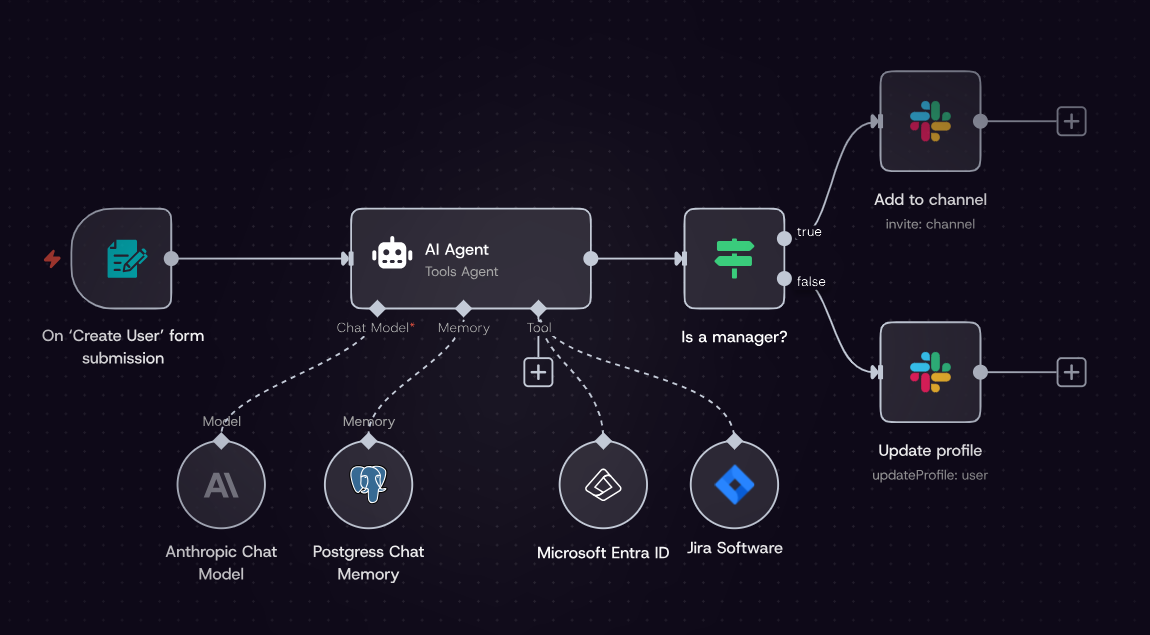
n8n is an AI workflow automation platform for technical teams, combining a visual node-based editor with JavaScript and Python code access in a single workspace.
Source: n8n
The platform calls itself "flexible AI workflow automation for technical teams", serving developers, DevOps engineers, IT operations, and security teams who need both the control of code and the convenience of visual building. n8n raised $240 million in total funding at a $2.5 billion valuation and counts 25% of Fortune 500 companies among its enterprise users.
n8n's integration ecosystem is a core strength.
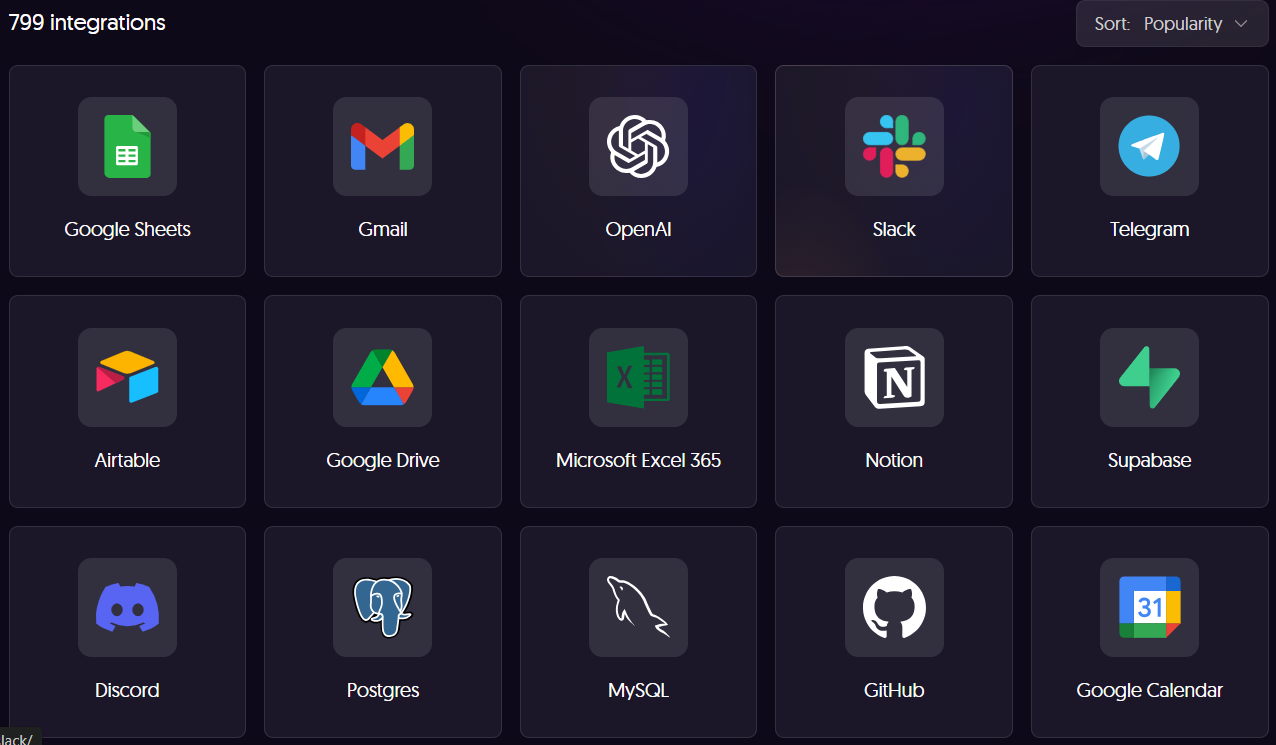
The integration library includes 1,385+ native connectors spanning CRM, communication, AI, databases, developer tools, marketing, and more. Beyond the catalog, n8n's HTTP Request node connects to any REST API, community nodes extend the platform through npm packages, and MCP Client and MCP Server Trigger nodes let AI tools call n8n workflows and vice versa.
The platform is self-hostable via Docker or Kubernetes for data control, or available as a managed cloud service hosted in Frankfurt, Germany. n8n charges per workflow execution regardless of step count, with a permanently free Community Edition for self-hosted deployments.
Source: n8n
The integration categories available to n8n users include:
CRM and sales: Salesforce, HubSpot, Pipedrive, Zoho CRM
Team communication: Slack, Telegram, Discord, Microsoft Teams
AI and language models: OpenAI, Anthropic, Google Gemini, Ollama (self-hosted models)
Productivity and data storage: Google Sheets, Notion, Airtable, PostgreSQL, MySQL
Development and DevOps: GitHub, GitLab, Jira, Linear
Marketing automation: Mailchimp, ActiveCampaign, Brevo
Universal connectivity: HTTP Request, Webhook, MCP Client, GraphQL
With that ecosystem as context, here are the seven integrations we selected as the best options for extending n8n across the categories that matter most to technical teams.
1. ZoomInfo: Best n8n Integration for B2B Data Enrichment and Go-to-Market Intelligence
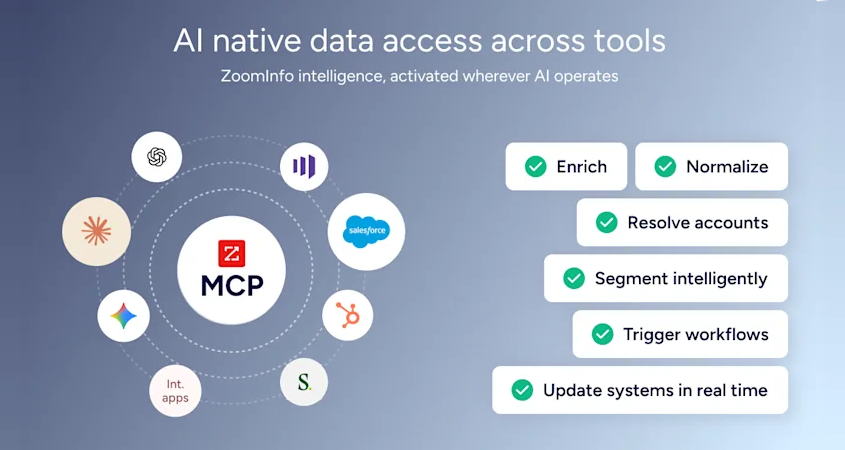
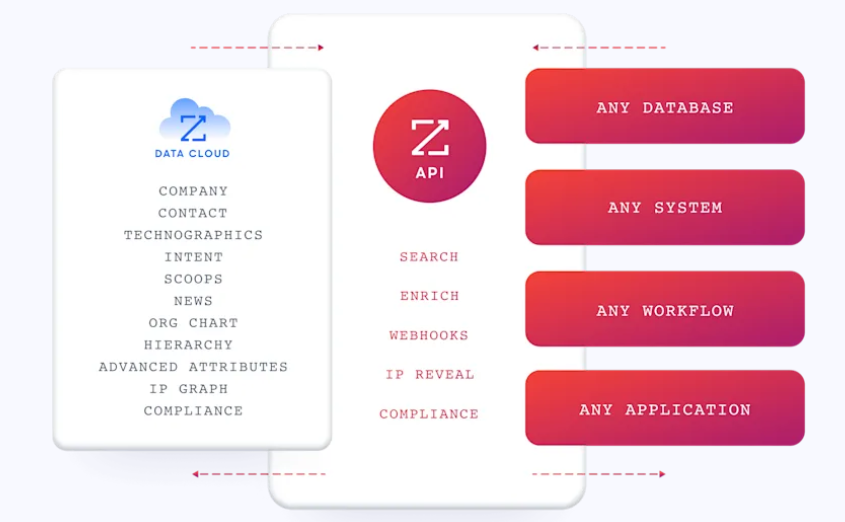
ZoomInfo is a B2B data and go-to-market platform built on 500M contacts, 100M companies, 135M+ verified phone numbers, and 200M+ verified business email addresses. It integrates with n8n through both the ZoomInfo Enterprise API via n8n's HTTP Request node and the ZoomInfo MCP server via n8n's MCP Client node, enriching workflow data with verified contact information, company intelligence, buyer intent signals, and technographic insights.
Source: ZoomInfo
Connecting the two platforms unlocks:
Automated lead enrichment pipelines where n8n pulls prospect lists from a CRM or spreadsheet and ZoomInfo appends verified emails, direct dials, and company attributes in a single workflow execution
Buyer intent signals flowing into n8n's conditional logic for scoring, routing, and prioritization, so workflows target accounts that are actively in-market
Technographic data powering n8n's branching and filtering nodes, enabling workflows that segment by technology stack and trigger personalized outreach accordingly
AI agent workflows where n8n's agent nodes call ZoomInfo's MCP server for real-time account research and contact discovery through natural language
How ZoomInfo Integrates with n8n
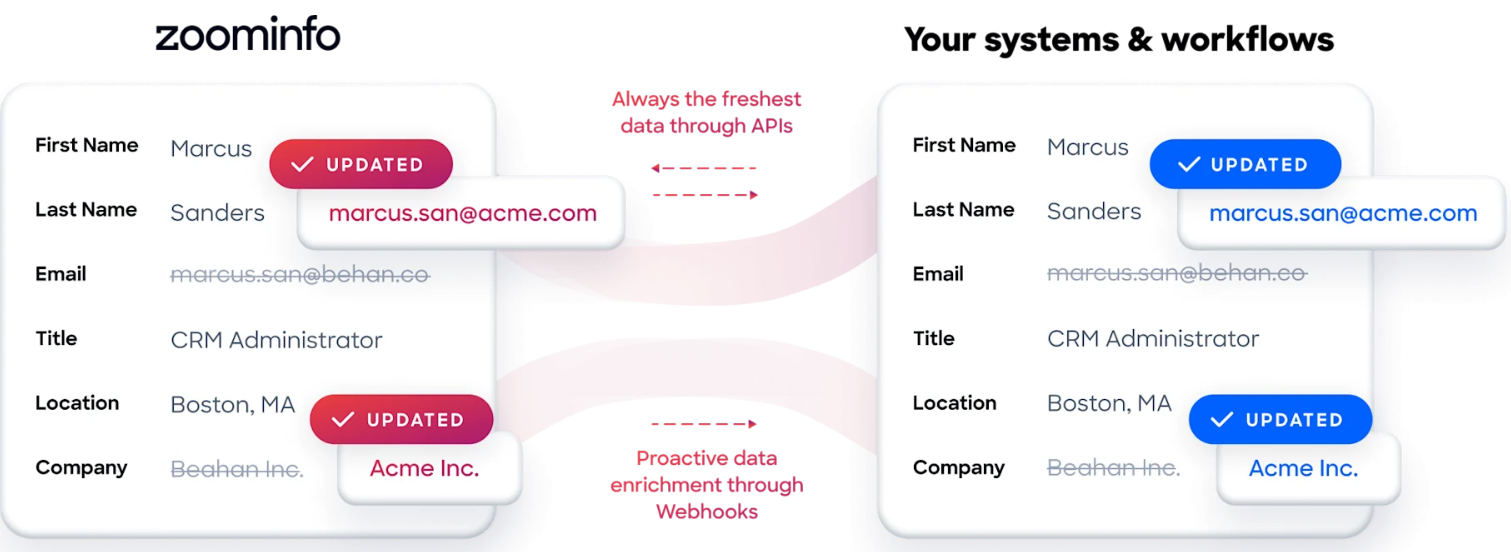
ZoomInfo connects to n8n through two methods. The Enterprise API, documented at docs.zoominfo.com, is accessible via n8n's HTTP Request node, which sends authenticated REST calls to ZoomInfo's endpoints for contact search, company enrichment, intent data, and more. The ZoomInfo MCP server connects through n8n's MCP Client node, exposing ZoomInfo's intelligence to AI agent workflows through natural language tool calls.
Source: ZoomInfo
Pre-built workflow templates on n8n.io demonstrate common patterns, including company data enrichment pipelines that pull domains from Google Sheets, enrich them through ZoomInfo, and write results back. Both connection methods use OAuth 2.0 authentication, with credentials stored in n8n's encrypted credential store.
Contact and Company Data Enrichment: Fill the Data Gaps Your Workflows Cannot Resolve on Their Own
n8n workflows often start with incomplete data: a spreadsheet of company domains, a CRM export with missing phone numbers, or a webhook payload with an email address and nothing else.
ZoomInfo's API appends verified business emails, direct dials, job titles, seniority levels, and department information from 500M contacts and 100M companies, covering revenue, headcount, industry, and parent-child corporate hierarchy. The data flows through a verification pipeline backed by 300+ human researchers, reaching up to 95% accuracy on first-party data.

Source: ZoomInfo
ZoomInfo in action: An n8n workflow pulls 500 new leads from a HubSpot list every morning. The HTTP Request node calls ZoomInfo's Enrich Contacts endpoint for each lead, appending verified direct dials, current job titles, and company attributes. n8n's IF node routes enterprise leads (1,000+ employees) to a Salesforce high-touch sequence and SMB leads to an automated email cadence, with enriched data written back to both CRM records and a Google Sheet for the ops team.
Buyer Intent Data: Identify Accounts That Are Actively In-Market
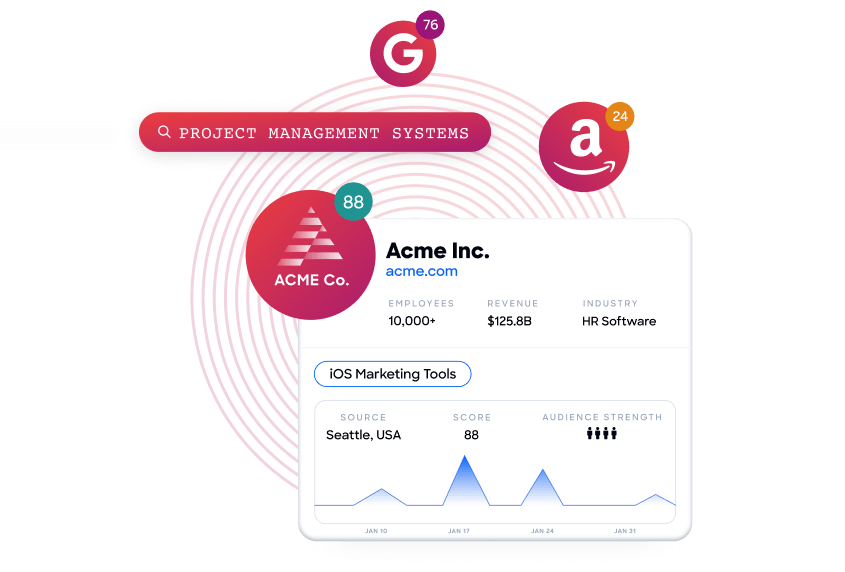
ZoomInfo's Buyer Intent tracks signals from 210 million IP-to-Organization pairings and 6 trillion+ new keyword-to-device pairings monthly, revealing which companies are actively researching topics relevant to your product.
Source: ZoomInfo
In n8n workflows, intent data feeds directly into conditional logic: n8n's Switch node can route high-intent accounts to a sales notification in Slack, enroll them in a priority outreach sequence, or update their CRM score, all based on the intensity and recency of research signals. Guided Intent (exclusive to ZoomInfo) identifies research topics historically correlated with deal success in your business, so n8n workflows prioritize accounts based on your actual win patterns rather than generic keyword thresholds.
Seismic's sales team attributed 39% of active pipeline to opportunities identified or influenced by ZoomInfo signals, reporting 54% productivity gains and saving 11.5 hours per week per seller. (Seismic Case Study)
Technographic Intelligence: Filter and Score Leads by Technology Stack
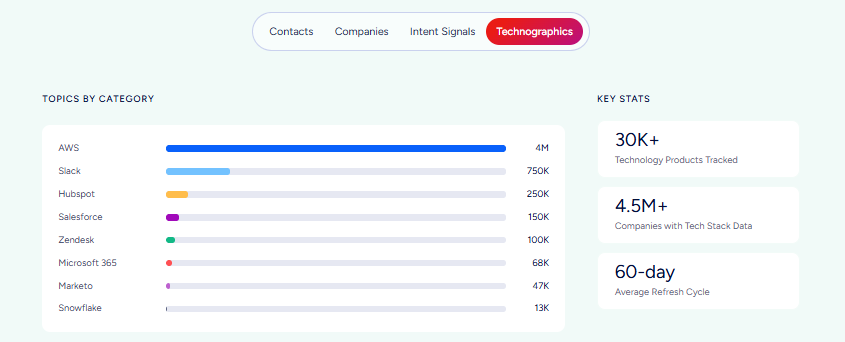
ZoomInfo profiles the tech stack of 30+ million companies, tracking 30,000+ technologies across 200+ categories. In n8n workflows, technographic data becomes a filter and scoring input: enrich a list of target accounts, then use n8n's Code node or IF node to flag companies running a competitor's product, identify accounts using complementary tools, or score ICP fit based on tech stack alignment.
This data updates continuously, with nearly 90% of active pairings refreshed within three months, so n8n workflows built on technographic filters stay current without manual refresh.
ZoomInfo in action: A SaaS company targeting Salesforce users builds an n8n workflow that calls ZoomInfo's Search Companies endpoint filtered by technology ("Salesforce" + "Marketo"), enriches the 200 matching mid-market accounts with contacts at the VP RevOps level, checks intent scores for "CRM integration" research activity, and pushes qualifying accounts with verified direct dials into a Slack channel for the sales team to action that day.
AI Agent and MCP Access: Surface ZoomInfo Intelligence Inside n8n Agent Workflows
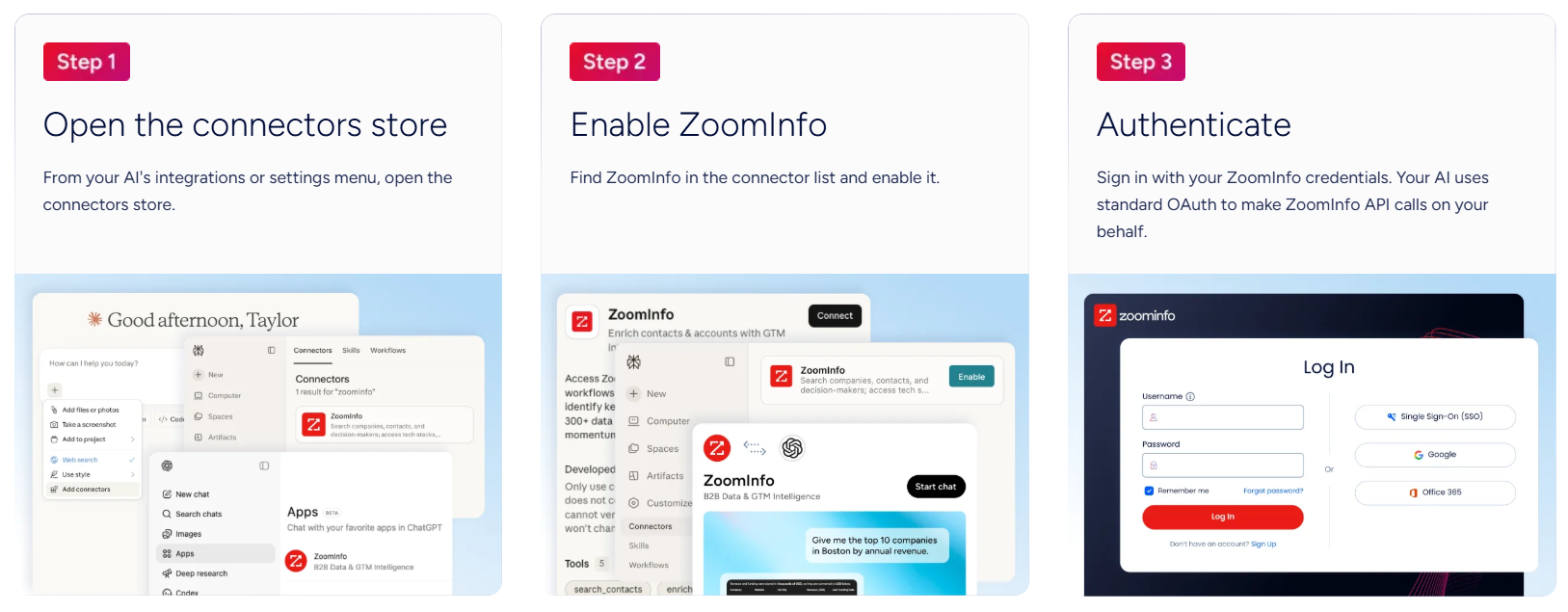
n8n's AI Agent node can call ZoomInfo's MCP server as a tool, so an AI agent running inside an n8n workflow can search for companies, enrich contacts, and research accounts through natural language.
A sales ops team can build an agent that accepts a company name in a chat interface, calls ZoomInfo to pull the account profile, retrieves the buying committee, and drafts a personalized outreach plan, all orchestrated on n8n's canvas with deterministic logic constraining the agent's actions. The MCP tool set covers finding, profiling, and research operations, with access inheriting existing ZoomInfo role-based permissions.
Source: ZoomInfo
ZoomInfo Pricing
ZoomInfo uses a consumption-based pricing model with custom quotes based on usage, users, credit volume, and features. It is organized into Sales, Marketing, and standalone product lines, each in Professional, Advanced, and Enterprise tiers.
API access (which powers the n8n integration via the HTTP Request node) is included in all relevant plans. The Enterprise API product provides deeper programmatic access for high-volume enrichment workflows. The ZoomInfo MCP server requires a Sales or GTM Workspace subscription.
Source: ZoomInfo
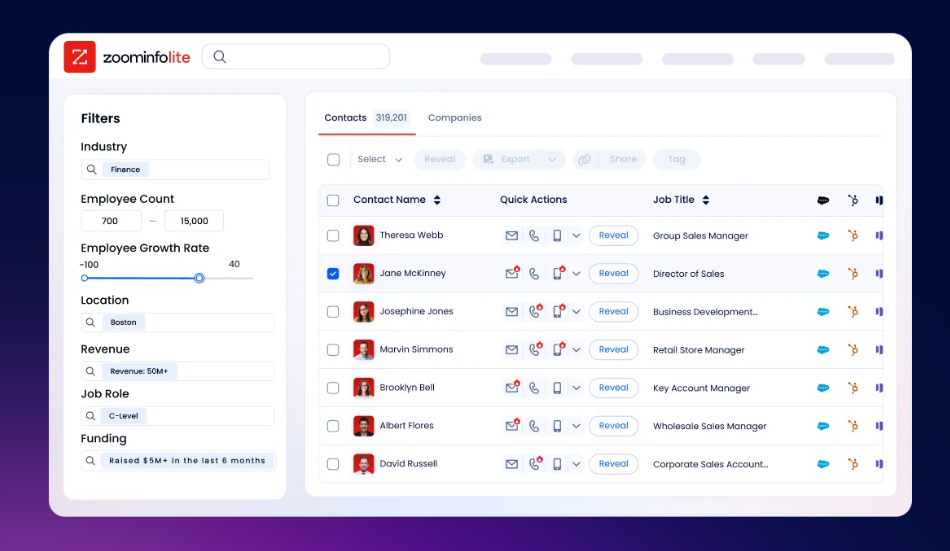
ZoomInfo Lite is a permanent free tier (no credit card, no time limit) with 10 monthly export credits, searches, the Chrome extension, and CRM integrations. A separate 7-day free trial covers paid features including intent data and AI capabilities.
Source: ZoomInfo
Who Should Use the ZoomInfo Integration?
B2B sales and marketing teams building lead enrichment workflows in n8n that need verified contact data, direct dials, and company attributes appended automatically rather than relying on manual research or partial data from smaller providers
Revenue operations teams using n8n to orchestrate multi-step pipelines that need intent signals, technographic data, and company intelligence powering conditional logic, scoring, and routing at every decision point in the workflow
Teams building AI agent workflows in n8n that want their agents to access ZoomInfo's B2B intelligence through the MCP server, enabling natural-language account research and contact discovery inside agent loops
2. Salesforce: Best n8n Integration for Full-Lifecycle CRM Automation
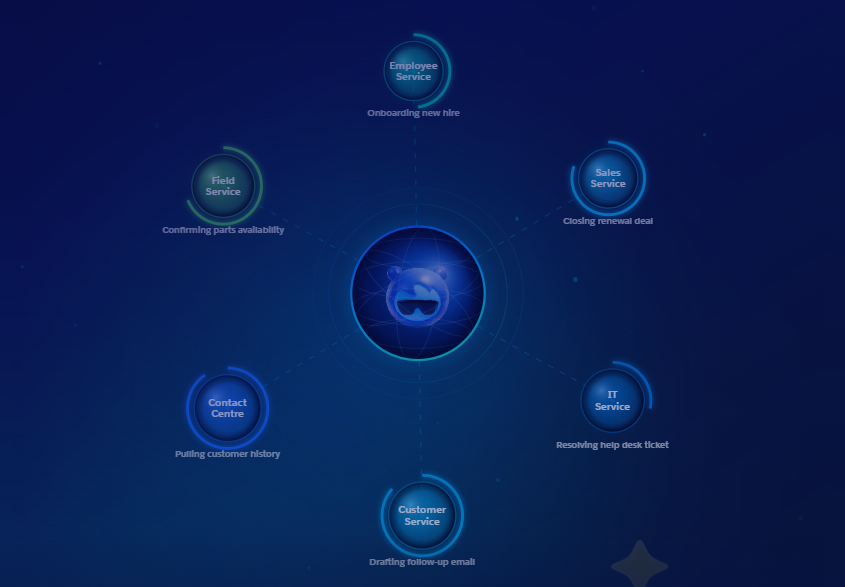
Salesforce is the world's #1 CRM by market share. It integrates with n8n through a native connector, giving technical teams read-write control over every Salesforce object from a visual automation canvas. The integration ships as a built-in node pair (action node + trigger node) and requires no third-party middleware.
Source: Salesforce
Key integration capabilities include:
Native CRUD operations on contacts, leads, opportunities, accounts, cases, and custom objects via n8n's Salesforce node, with SOQL query support for filtering records by any field
A dedicated Salesforce Trigger node that fires n8n workflows in real time when CRM events occur (new lead created, opportunity stage changed, contact updated)
OAuth 2.0 authentication via a Salesforce Connected App, with credentials stored in n8n's encrypted credential store
Cross-system orchestration where a single workflow can call an enrichment API, write data back to Salesforce, and notify a Slack channel without separate middleware
How Salesforce Integrates with n8n
Salesforce connects through a native built-in node using OAuth 2.0. The integration surfaces Salesforce's REST API in a visual interface and handles token refresh automatically. No Apex code or Salesforce-side configuration beyond the Connected App is required. This is a first-party connector maintained in n8n's core node library.
1. Full CRUD on Standard and Custom Objects.
The Salesforce action node supports Create, Read, Update, Delete, and Upsert across contacts, leads, accounts, opportunities, cases, and custom objects. SOQL queries run as a first-class operation, so n8n can pull a filtered slice of CRM data (open leads from the past week, opportunities above a specific deal size) rather than processing all records. Upsert operations against external ID fields prevent duplicate records on repeated runs, making the integration reliable for recurring sync pipelines.
2. Real-Time CRM Event Triggers.
The Salesforce Trigger node subscribes to Salesforce's event stream (Change Data Capture or Platform Events) and fires n8n workflows the moment a record changes. A lead routing workflow that needs to act within seconds of creation uses the Trigger rather than polling on a schedule. Each event payload includes the changed object's properties as structured JSON, so downstream nodes can branch immediately without a secondary API call.
3. Multi-System Orchestration on a Single Canvas.
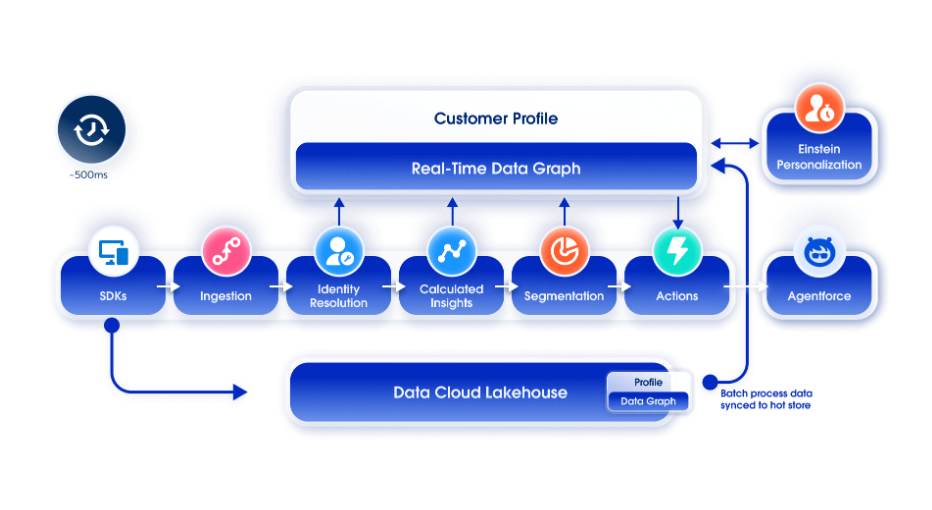
A workflow triggered by a new Salesforce lead can call an enrichment API (such as ZoomInfo), write enriched fields back to the Salesforce record, evaluate routing rules, post a Slack notification, and create a follow-up Task, all within a single n8n execution. n8n replaces the need to split automation logic across Salesforce Flow, a separate iPaaS, and custom scripts.
4. Custom Object Support Without Additional Configuration.
Teams that have built domain-specific objects inside Salesforce (a custom Deal_Room__c, a Partner_Account__c, or a vertical-specific record type) can target those from the same Salesforce node with no special setup. This extends the integration to organizations with complex, customized Salesforce instances.
Source: Salesforce
Salesforce Pricing
Salesforce uses per-user annual contracts:
Starter Suite: $25/user/month (basic CRM; confirm API access entitlement directly with Salesforce)
Pro Suite: $100/user/month (annual; customization, confirmed API access)
Enterprise: $175/user/month (annual; AI features, full API access with per-license allocation)
Unlimited: $350/user/month (annual; full AI suite, Premier Support bundled)
Enterprise and above provide 100,000 API calls per rolling 24-hour period plus per-license stacking, which sustains production-grade n8n automation at volume.
Who Should Use the Salesforce Integration?
Teams managing pipeline in Salesforce that need to enrich, route, or notify based on CRM events without splitting automation logic between Salesforce Flow and a separate tool
Organizations orchestrating workflows across multiple systems where Salesforce is one node among many, and n8n coordinates the sequencing across enrichment, notification, and record updates
Teams with Custom Objects in Salesforce that need their automations to read and write domain-specific records alongside standard CRM objects
3. Slack: Best n8n Integration for Structured Workflow Alerts and Human-in-the-Loop Approvals
Slack is a team communication platform that integrates with n8n to surface workflow outputs, approval requests, and exception alerts directly inside the channels where technical teams work. The integration ships as a native Slack node connecting via OAuth 2.0.
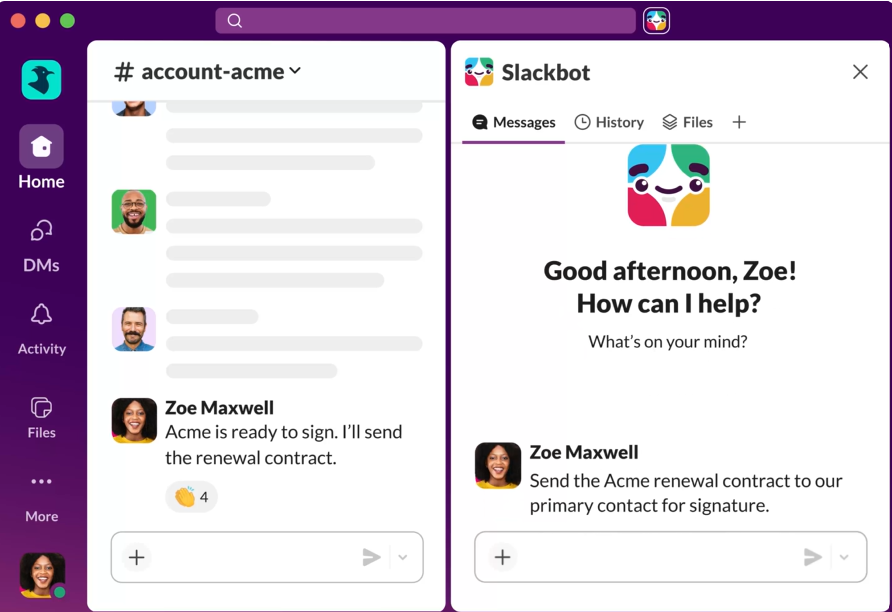
Source: Slack
Key integration capabilities include:
A dedicated Slack Trigger node that starts workflows when messages are posted, reactions are added, or channel events fire
44 action operations covering messages, channels, files, users, and reactions from a single credential
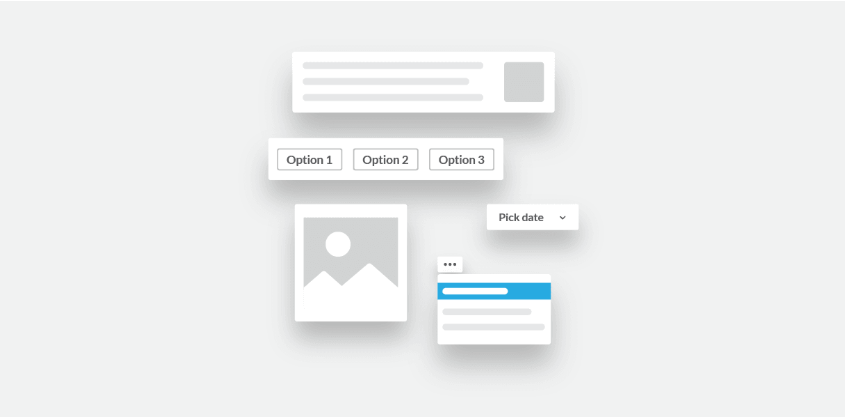
Block Kit message formatting for rich, structured notification payloads with interactive buttons
Bidirectional workflow routing where a team member's Slack response (reaction, message, button click) drives downstream n8n automation
Source: Slack
How Slack Integrates with n8n
Slack connects through n8n's native Slack node using OAuth 2.0 from a Slack app created at api.slack.com/apps. One credential covers every Slack-connected workflow in the n8n instance. The integration is a first-party connector.
1. Event-Driven Workflow Entry via Slack Trigger.
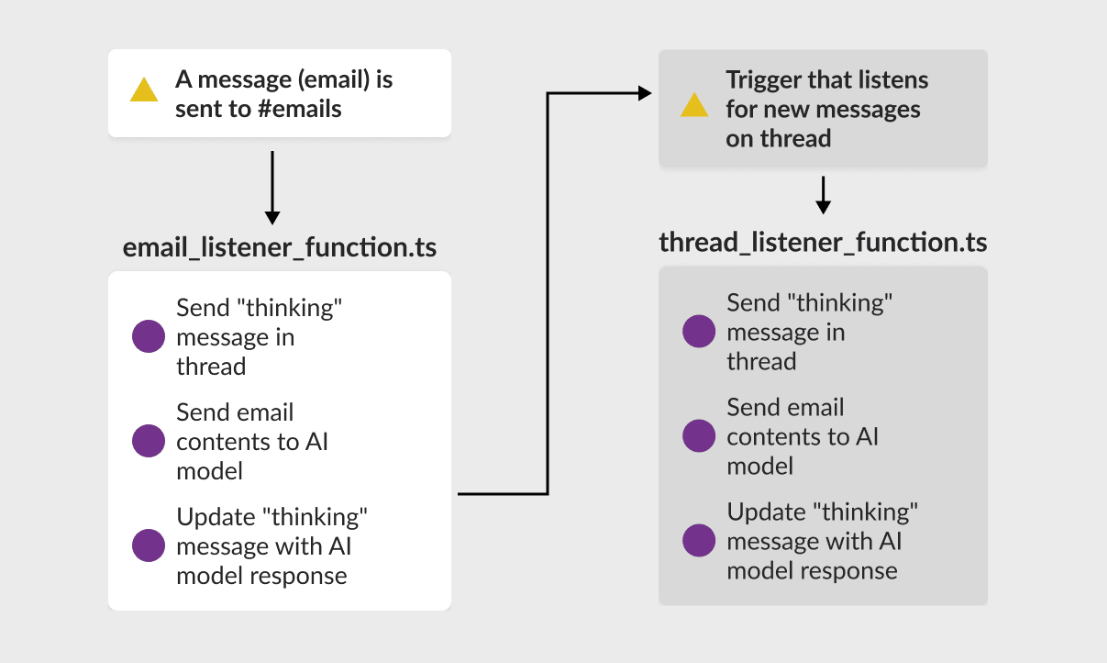
The Slack Trigger node fires n8n workflows on real-time Slack events: a message posted to a specific channel, a reaction emoji added, or a channel event. This enables human-in-the-loop approvals entirely within Slack. An n8n workflow posts a formatted summary to an approvals channel, and when a reviewer reacts with a specific emoji, the Trigger fires a second workflow that routes the record, updates a CRM, or escalates to another channel. The reviewer never leaves Slack.
2. 44 Action Operations Across the Full Workspace.
Operations cover sending and scheduling messages, posting threaded replies, uploading files, managing channels, listing users, and adding reactions. A pipeline monitoring workflow can post a status message when a job starts, upload a log file when it finishes, and add a checkmark reaction to confirm completion, all from the same credential. The scheduling capability helps workflows that aggregate data from multiple sources and deliver morning briefings at a set time.
3. Block Kit Rich Message Formatting.
n8n's Slack node supports passing Block Kit JSON payloads, enabling structured messages with labeled fields, dividers, and action buttons. A deal alert arrives in Slack as a formatted card showing the deal name, value, and stage change alongside "View in CRM" and "Flag for Review" buttons, rather than a wall of text. For workflows surfacing exceptions or approval requests, the difference between a formatted card and a text blob directly affects whether team members engage with the message.
Source: Slack
Slack Pricing
Slack uses per-seat pricing with a Fair Billing Policy that credits inactive seats:
Free: $0 (90-day message history, 10-app limit)
Pro: $7.25/user/month (annual; unlimited history and apps)
Business+: $15/user/month (annual; SAML SSO, custom retention)
Enterprise+: Custom pricing (multi-workspace, DLP, HIPAA compliance)
The n8n integration works on all tiers, including Free. Pro is sufficient for most automation use cases.
Who Should Use the Slack Integration?
Teams that need n8n workflows to surface exceptions and approvals where reviewers can act from Slack without opening n8n or a separate dashboard
Organizations running human-in-the-loop automation where a process should pause, present structured context, and continue based on a reviewer's Slack response
Teams generating workflow outputs (alerts, enriched records, pipeline summaries) that are more useful as formatted Block Kit messages than plain-text notifications
4. OpenAI: Best n8n Integration for AI Reasoning and Generation
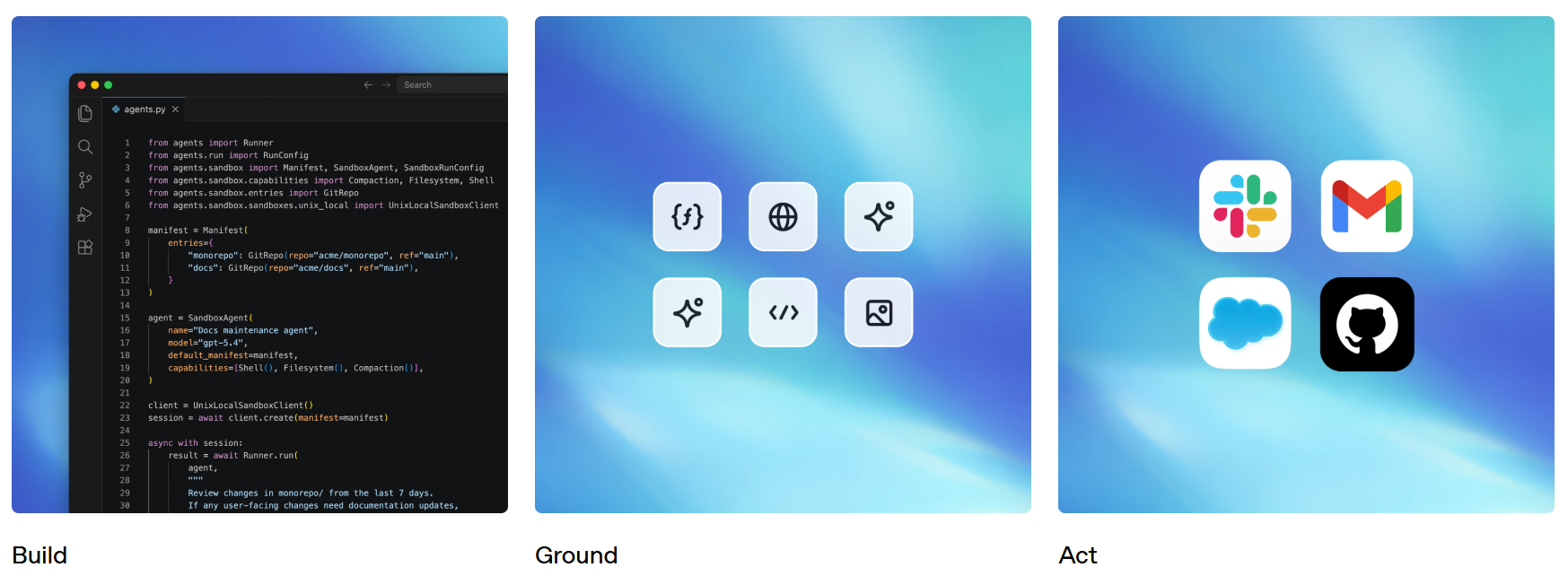
OpenAI is an AI research and deployment company whose API platform integrates with n8n through a native built-in node, giving workflows direct access to GPT models, DALL-E image generation, and Whisper audio transcription. Authentication requires only an OpenAI API key stored in n8n's encrypted credential store.
Source: OpenAI
Key integration capabilities include:
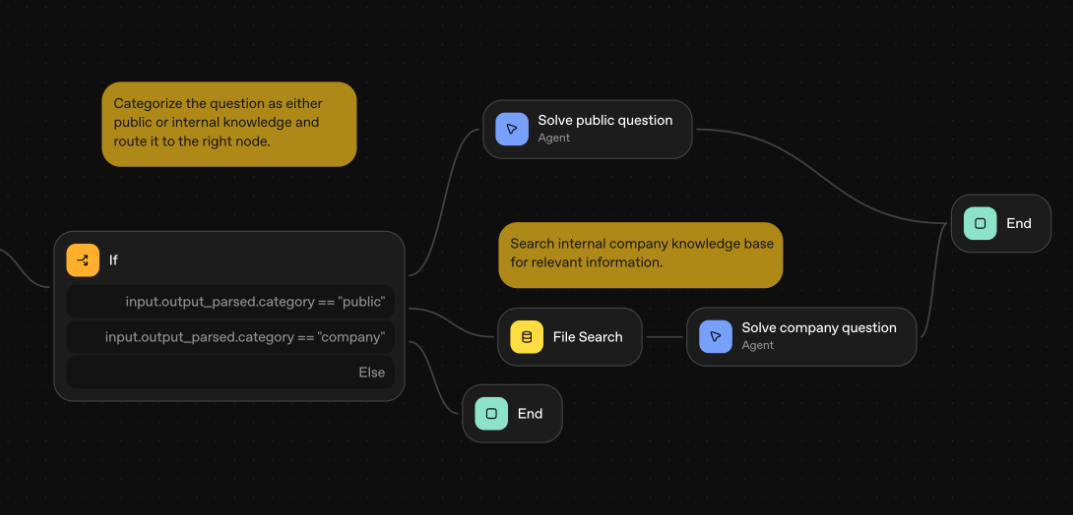
The AI Agent node pairing GPT models with n8n's 1,385+ integration nodes as callable tools, where the model decides which integrations to invoke based on the user's prompt
Chat Completion actions accepting structured JSON from preceding workflow nodes and returning text or schema-validated JSON output
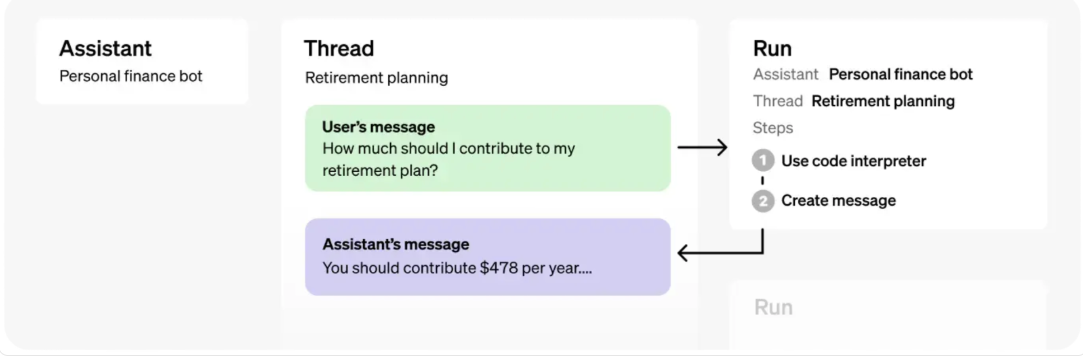
Assistants API support for persistent, multi-turn conversations with thread-level memory and file uploads
DALL-E and Whisper accessible from the same credential for multimodal workflows
Source: OpenAI
How OpenAI Integrates with n8n
OpenAI connects as a native built-in node and as an AI sub-node within n8n's LangChain-based agent framework. A single API key authenticates all operations. This is a first-party integration.
1. AI Agent with Tool Calling.
n8n's AI Agent node with an OpenAI model acts as a reasoning layer that calls connected n8n integrations as tools at runtime. Developers attach tool sub-nodes (Salesforce lookups, HTTP requests, vector store retrievals, entire sub-workflows via the Workflow Tool) and the model selects which to invoke based on the prompt. n8n's IF and Switch nodes validate inputs before the model processes them and filter outputs before they propagate downstream, making agent behavior auditable rather than autonomous.
2. Chat Completion for Structured Data Processing.
The Chat Completion action accepts JSON from a preceding node (a CRM record, a spreadsheet row, a webhook payload) and returns text or structured JSON. This covers document summarization, multi-class classification, draft generation from structured fields, and field extraction. For workflows requiring structured output, recent GPT models support Structured Outputs for schema-enforced responses, eliminating custom validation logic.
3. Assistants API for Stateful Conversations.
The Assistants API enables persistent assistant objects with thread-level memory and file uploads. An n8n workflow can create an Assistant loaded with business documents, and users interact via n8n's Chat Trigger with context carrying across sessions. This pattern suits FAQ interfaces, policy query workflows, and multi-step intake flows where answers in one turn shape the next question.
4. Multimodal Processing Under One Credential.
The same credential covers DALL-E image generation and Whisper audio transcription alongside text models. A feedback workflow can transcribe a voice recording via Whisper, classify the transcript with GPT, and generate a summary, all within one execution and one credential configuration.
Source: OpenAI
OpenAI Pricing
OpenAI charges per token with no platform fee. Costs scale directly with token volume:
GPT-5.5: $5.00 / $30.00 per 1M input/output tokens (highest capability)
GPT-5.4: $2.50 / $15.00 per 1M tokens (balanced; Batch API at 50% discount for non-real-time workloads)
GPT-5.4 mini: $0.75 / $4.50 per 1M tokens (high-volume classification and summarization)
GPT-5.4 nano: $0.20 / $1.25 per 1M tokens (lightweight, cost-sensitive tasks)
An OpenAI API account is required. New accounts start at Tier 1 after a $5 payment, with rate limits increasing as cumulative spend grows. n8n's Split in Batches node paces prompt lists through OpenAI's rate limits without requiring external queue infrastructure.
Who Should Use the OpenAI Integration?
Teams building multi-step AI agents in n8n that need the model to select which integration to call at runtime, using n8n's deterministic logic to constrain agent behavior
Organizations embedding text processing into larger workflows at volume (classifying tickets, summarizing documents, scoring records) where structured JSON flows in and actionable output flows out
Teams building multimodal pipelines that combine transcription, text processing, and image generation under a single API credential
5. HubSpot: Best n8n Integration for Marketing Automation and CRM Lifecycle Syncing
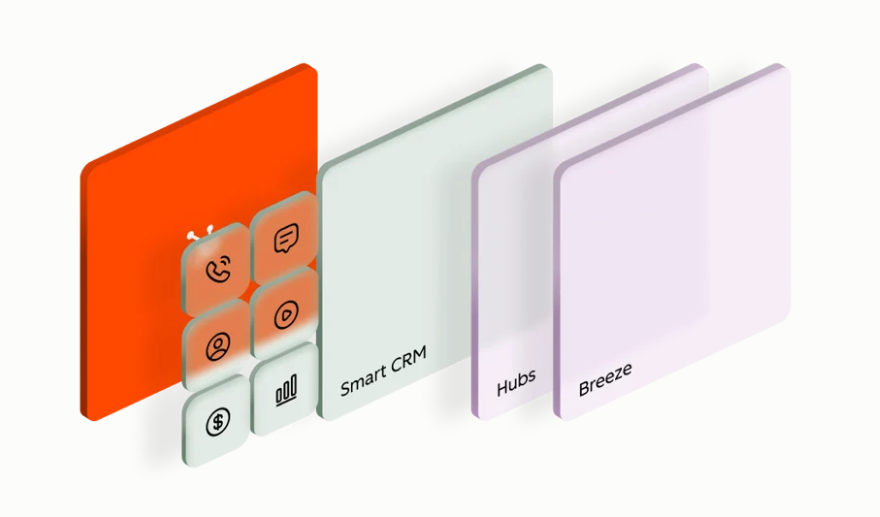
HubSpot is a customer platform that integrates with n8n through a native connector delivering 18 real-time trigger events and 31 action operations across contacts, companies, deals, and tickets. The integration makes n8n a middleware layer that routes records into HubSpot from tools with no native HubSpot connector, and is listed in HubSpot's App Marketplace.
Source: HubSpot
Key integration capabilities include:
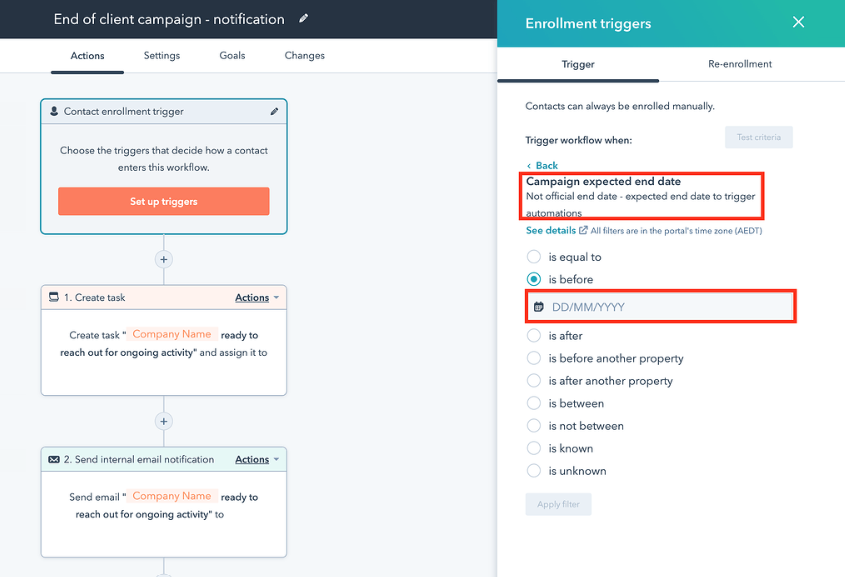
18 real-time HubSpot Trigger events (contact created, deal stage updated, form submitted) firing n8n workflows within seconds of a CRM change
31 action operations covering CRUD on contacts, companies, deals, and tickets, plus property search by any field
Bidirectional sync workflows using n8n's Merge node to resolve field conflicts before writing in both directions
OAuth 2.0 authentication with basic CRUD available at HubSpot's free tier
Source: HubSpot
How HubSpot Integrates with n8n
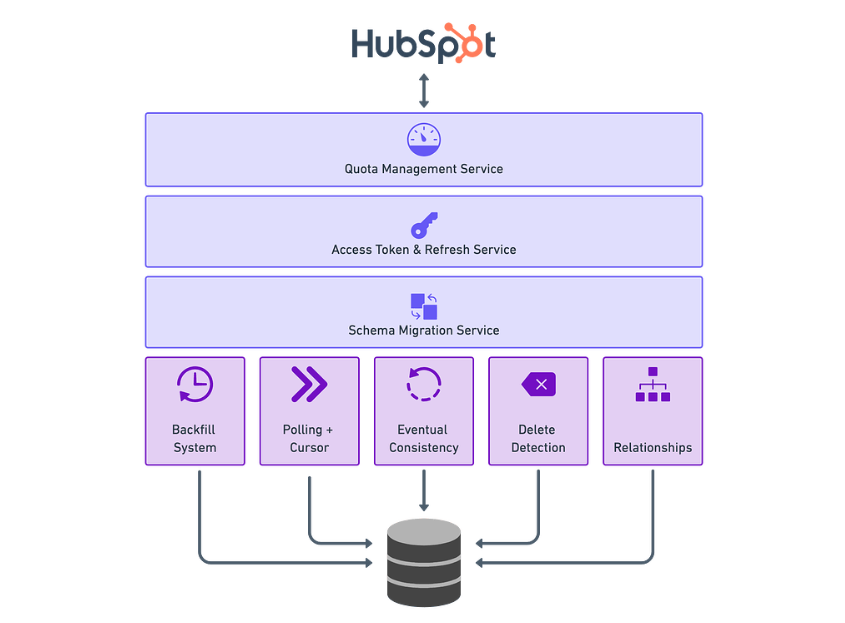
HubSpot connects via OAuth 2.0 through a native built-in node. The trigger node delivers event payloads as structured JSON, and the action node covers 31 operations for reading and writing CRM records. This is a first-party connector.
1. Real-Time Event Triggers Across CRM Objects.
The 18 trigger events span the CRM object model: contact created, contact property changed, deal stage updated, form submitted, and more.
Events deliver within seconds, so a newly submitted form lead can reach a sales rep via Slack before the prospect has moved on. Each payload includes the changed object's properties, enabling downstream nodes to branch by deal size, lifecycle stage, or any custom property without a secondary API call.
2. Full CRUD as Integration Middleware.
The 31 action operations let n8n route records into HubSpot from tools without a native connector. The lookup-before-write pattern (search by email or domain before creating) prevents duplicate records when multiple sources feed into HubSpot simultaneously.
Common pipelines include routing Typeform submissions into HubSpot contacts, syncing Google Sheet rows to deals, and creating support tickets from Slack messages or webhook payloads.
3. Bidirectional Sync with Merge Node Conflict Resolution.
n8n's Merge node compares records from two branches and applies a configurable conflict resolution strategy. A HubSpot contact property change fires the trigger; n8n fetches the corresponding record from an external system (a Postgres table, a warehouse, or a sheet); the Merge node determines which version wins per field; n8n writes the resolved version back to whichever system holds the stale data.
Teams maintaining HubSpot alongside a separate data store can use this pattern instead of designating a single system as master of record.
Source: HubSpot
HubSpot Pricing
HubSpot's free CRM supports OAuth authentication and CRUD on contacts, companies, deals, and tickets:
Free CRM: $0 (up to 1M contacts, API access included, sufficient for most n8n integration use cases)
Starter: from $9/seat/month (annual; removes branding)
Professional: Marketing Hub at $800/month or Sales Hub at $90/seat/month (annual; required for HubSpot's native Workflow sequences)
Enterprise: Marketing Hub at $3,600/month or Sales Hub at $150/seat/month (annual; custom objects, predictive scoring)
Most n8n integrations work at the Free or Starter tier since n8n handles the automation logic. Professional is only needed if HubSpot's own Workflow engine must trigger a sequence after n8n writes a record.
Who Should Use the HubSpot Integration?
Teams using HubSpot as their primary CRM that need to route records into it from external tools (form builders, databases, spreadsheets) with no native HubSpot connector
Organizations needing real-time reaction to CRM events to trigger downstream workflows in Slack, a data warehouse, or a third-party API
Teams running bidirectional sync between HubSpot and another system that need programmatic field conflict resolution rather than a hardcoded master-of-record designation
6. Google Sheets: Best n8n Integration for No-Setup Data Storage and Workflow Pipelines
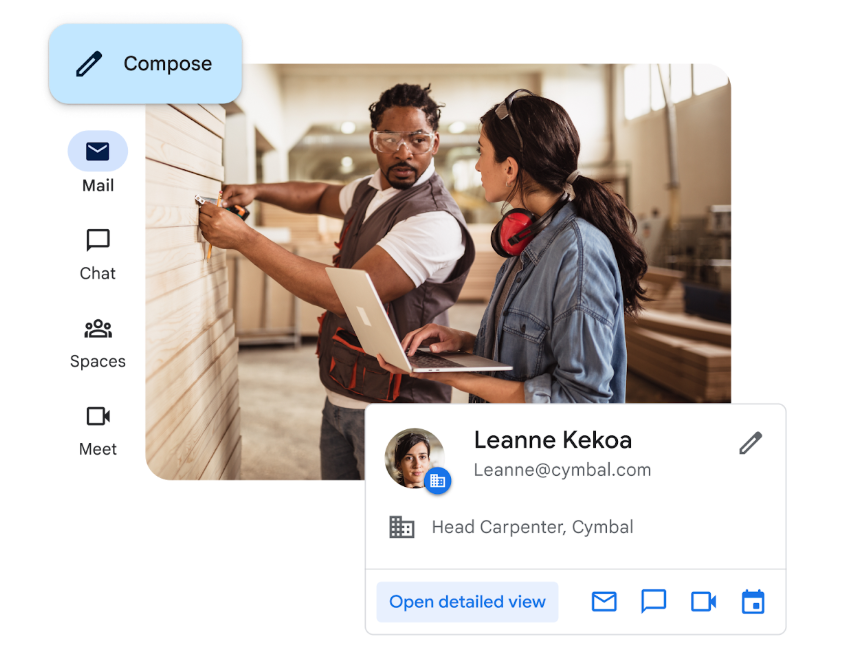
Google Sheets is a cloud spreadsheet application that integrates with n8n through a native node to serve as a no-setup data layer, enabling workflows to trigger on spreadsheet changes, perform CRUD operations on rows, and persist data between workflow executions without a database.
Source: Google
Key integration capabilities include:
A Google Sheets Trigger node that fires workflows when a row is appended or a cell value changes
Full CRUD operations (append, update, upsert, delete, read) with row-level filtering
No-setup accumulation between workflow stages, where Sheets can hold input lists, collect enrichment results, or persist intermediate state
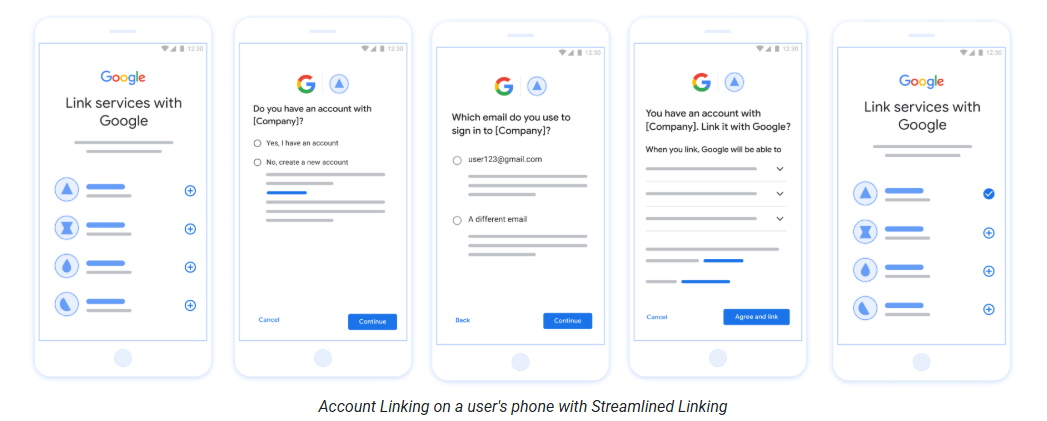
OAuth 2.0 credential setup from any Google account with no API key generation required
Source: Google
How Google Sheets Integrates with n8n
Google Sheets connects through a native built-in node using Google OAuth 2.0. Authentication takes seconds from n8n's credential panel with no service account or admin console access needed. This is a first-party connector.
1. Real-Time Trigger for Spreadsheet Events.
The Trigger node fires when a row is appended or a cell value changes. A team can use a shared sheet as an intake form: operators paste company domains into column A, and n8n picks up each new row, processes it through an enrichment step, and writes results to adjacent columns. The spreadsheet becomes the user interface for non-technical stakeholders who never touch n8n directly.
2. Full CRUD for Data Pipeline Workflows.
Append, Update, Upsert, Delete, and Get operations cover the full lifecycle. A workflow can read a batch of domain names from column A, call an enrichment API for each, write results to columns B through F, and update column G with a timestamp. Upsert operations search for an existing row by key field before writing, preventing duplicates on repeated runs. For more complex setups, Sheets can act as an intermediate accumulator: one workflow collects enriched records throughout the day, and a second scheduled workflow reads the accumulated rows, pushes them to a CRM in bulk, and clears the sheet for the next cycle.
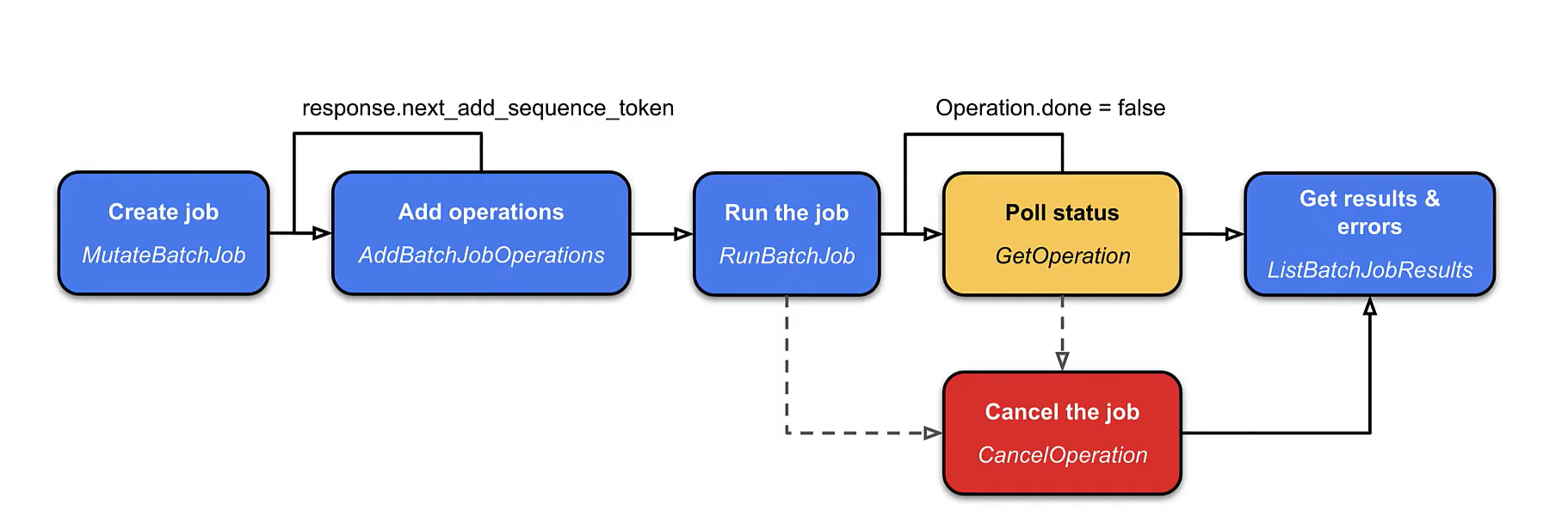
3. Rate Limit Management with Batch Processing.
The Google Sheets API enforces 300 requests per minute per project and 60 per user per project. n8n's Split in Batches node paired with a Wait node spaces operations to stay within these limits, preventing 429 errors that halt workflows mid-execution and leave partially written data. Teams using Sheets as a data layer should treat batch pacing as a requirement for any workflow processing more than 50 rows per execution.
Source: Google
Google Sheets Pricing
Google Sheets is included in every Google Workspace plan and free for personal accounts:
Free (Personal): Full Sheets access including API at no cost; 15 GB pooled storage
Business Standard: $14/user/month (annual; 2 TB storage, admin controls)
Business Plus: $22/user/month (annual; 5 TB storage, Vault for compliance)
The Sheets API v4 is available to any authenticated Google account at no additional cost. Rate limits apply uniformly across all account types.
Who Should Use the Google Sheets Integration?
Teams operating in Google Workspace that want a no-setup intake mechanism where non-technical stakeholders can add records that n8n processes automatically
Organizations needing a lightweight accumulation buffer between workflow stages without provisioning a dedicated database
Teams building operational reporting pipelines where n8n writes processed data into a sheet that stakeholders can view, filter, and share in real time
7. GitHub: Best n8n Integration for Repository Automation and CI/CD Orchestration
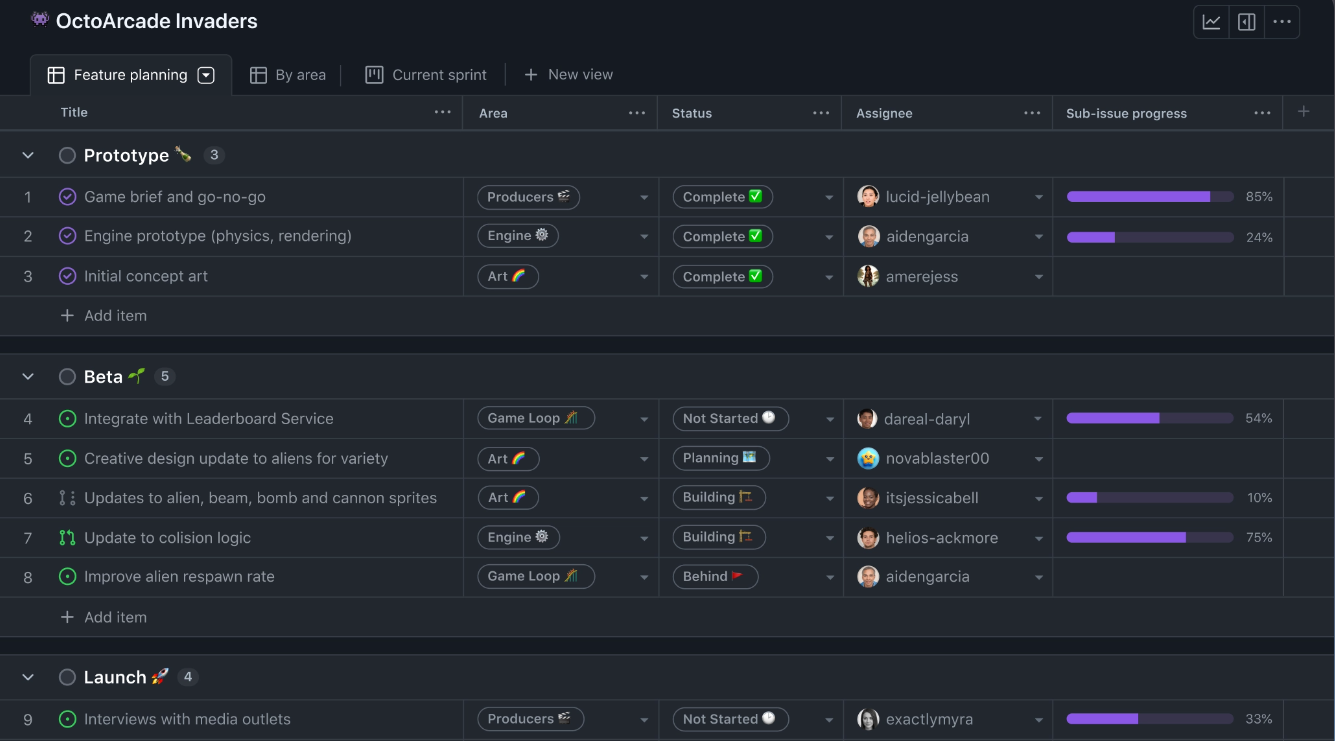
GitHub is a version control and developer collaboration platform that integrates with n8n through a native node with 35 actions spanning issues, pull requests, branches, releases, and file contents, plus a dedicated Trigger node for real-time repository events. n8n Cloud is also listed on the GitHub Marketplace.
Source: GITHUB
Key integration capabilities include:
A GitHub Trigger node firing workflows on push, pull request, issue, and release events in real time
35 action operations covering issue management, PR operations, branch management, file fetching, and release creation
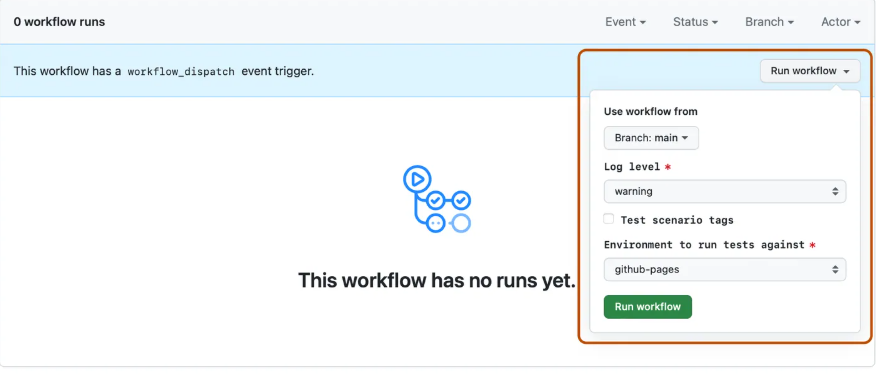
The Dispatch and Wait pattern for orchestrating multi-system deployment pipelines through GitHub Actions
AI-augmented pull request review by fetching diffs, sending them to a connected LLM, and posting structured review comments back to the PR
Source: GITHUB
How GitHub Integrates with n8n
GitHub connects through n8n's native GitHub node using a fine-grained Personal Access Token or OAuth App token. The most practical path is a PAT scoped to exactly the repositories and permission types the workflow requires. This is a first-party connector.
1. Event-Driven Workflow Entry.
The GitHub Trigger node fires on repository webhook events: push, pull request opened, issue created, release published. The webhook payload arrives as structured JSON, so downstream nodes have immediate access to the PR number, author, diff URL, and affected files without a secondary API call. For latency-sensitive automations (AI review comments that need to post before a human opens the PR), firing on the raw event keeps the response time in seconds.
2. Dispatch and Wait for CI/CD Orchestration.
n8n sends a workflow_dispatch event to a GitHub Actions workflow, suspends execution with a Wait node, polls for the Actions job status, and resumes only when the job finishes. This enables sequential pipelines: n8n fires a build, waits for completion, posts a Slack approval message, waits for the approval, triggers a production deploy, and confirms the result. n8n holds the orchestration state across waiting periods, and each step has access to outputs from all prior steps.
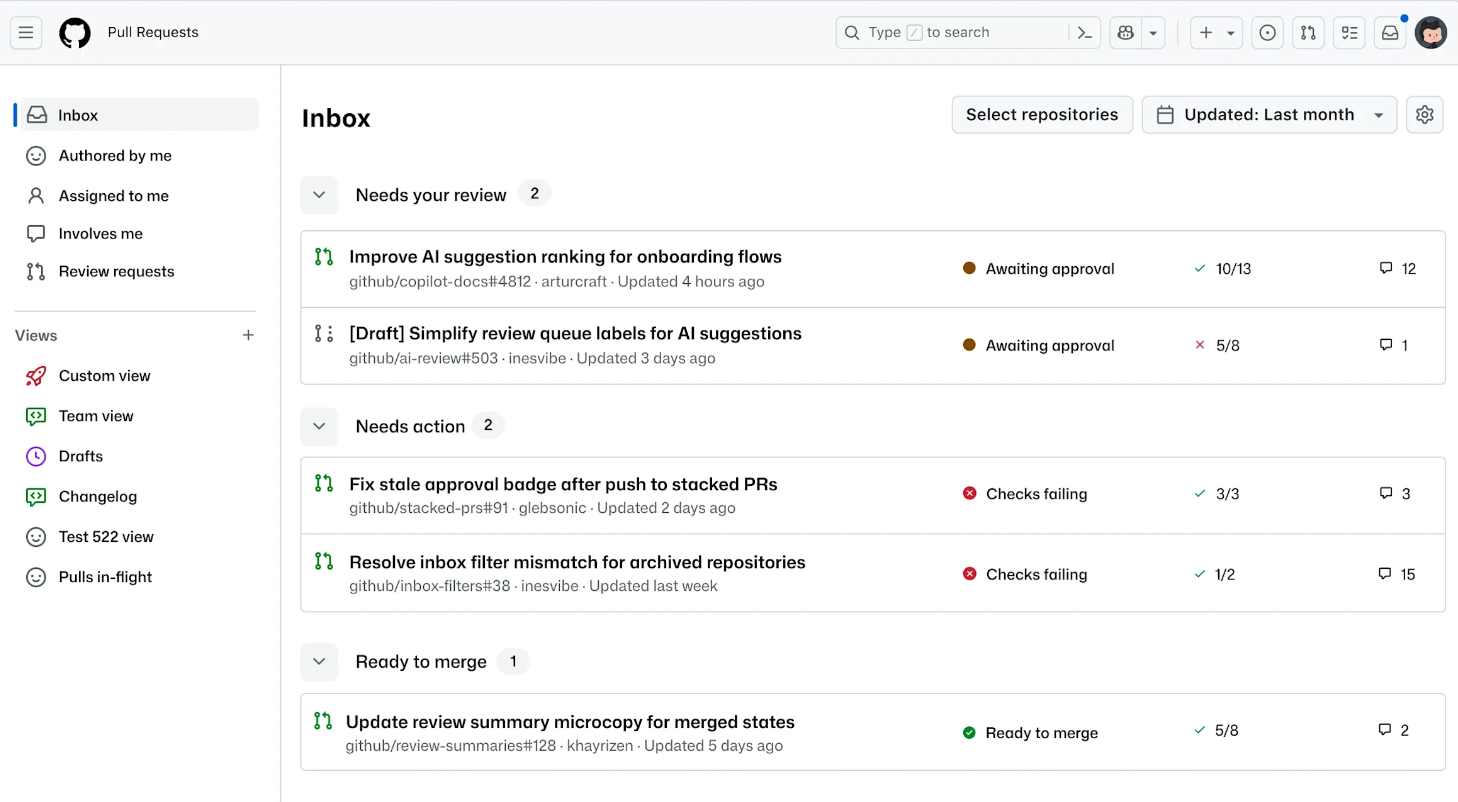
3. AI-Augmented Pull Request Review.
A five-node workflow handles automated code review: GitHub Trigger (pull request opened), GitHub node (get PR files with diffs), LLM node (structured review prompt via OpenAI or Anthropic), GitHub node (post review comment), optional Slack notification. The AI review appears as a formal PR review in GitHub's standard interface, and reviewers can resolve its comments like any human-authored feedback.
4. Bidirectional Issue Management.
n8n can create GitHub Issues from external events (monitoring alerts, form submissions, webhook payloads), update issue labels and assignees based on downstream logic, and close or comment on issues when external conditions are met. This turns n8n into a routing layer between operational alerting systems and GitHub's project management tools.
Source: GITHUB
GitHub Pricing
GitHub is free for public repositories, with paid tiers unlocking governance and Actions minutes:
Free: $0/user/month (unlimited repos, 2,000 Actions minutes/month for private repos)
Team: $4/user/month (3,000 Actions minutes, protected branches, required reviewers)
Enterprise: from $21/user/month (50,000 Actions minutes, SAML SSO, audit logging)
The Free tier is sufficient for most n8n integration use cases. Teams running frequent n8n-triggered Actions jobs on private repositories should budget for Team or Enterprise Actions minute allocations.
Who Should Use the GitHub Integration?
Engineering teams tracking work in GitHub Issues that want n8n to route issue events into Slack, project management tools, or alerting systems
DevOps teams orchestrating multi-system deployment pipelines where GitHub Actions handles CI/CD steps, but human approvals or external API checks sit between stages
Teams wanting automated AI code review where n8n fetches the PR diff, sends it to a connected LLM, and posts a structured review comment before a human reviewer opens the changes
Final Verdict
The best n8n integrations feed verified data into your workflows, connect your CRM and communication tools to the automation canvas, and give AI the ability to reason and act within deterministic logic:
ZoomInfo: verified B2B data, buyer intent, and technographic intelligence enriching every workflow; the highest-value integration on this list if your automation pipelines depend on data quality
Salesforce: lifecycle CRM automation with real-time event triggers, SOQL-powered record access, and custom object support
Slack: structured alerts, Block Kit notifications, and human-in-the-loop approvals inside your team's primary workspace
OpenAI: AI reasoning, generation, and classification embedded in workflow logic with tool-calling agent capabilities
HubSpot: marketing automation and CRM lifecycle syncing with 18 trigger events and middleware-style record routing
Google Sheets: no-setup data storage, intake forms, and accumulation buffers accessible to any Google account
GitHub: repository event automation, CI/CD orchestration, and AI-powered pull request review
These integrations compound: you might run ZoomInfo for data enrichment, Salesforce for CRM sync, Slack for notifications and approvals, and OpenAI for AI reasoning simultaneously in the same n8n instance, each extending the value of the others.
If you're building n8n workflows that depend on accurate B2B data, start with the enrichment layer everything else builds on. ZoomInfo's Enterprise API and MCP server connect directly to n8n, and ZoomInfo Lite is a permanent free tier, so you can test the data quality inside your workflows before committing to a subscription.
Frequently Asked Questions
How many integrations does n8n support?
n8n's integration library includes over 1,385 native connectors spanning CRM, communication, AI, databases, developer tools, marketing, and more. Beyond the catalog, the HTTP Request node connects to any REST API, the Webhook node receives inbound calls from any service, and community nodes extend the platform through npm packages. The MCP Client node adds compatibility with any MCP-enabled AI tool or data provider.
Do n8n integrations work on the free plan?
n8n's self-hosted Community Edition is permanently free with unlimited workflow executions and access to all 1,385+ integrations. On n8n Cloud, the Starter plan (from 20 EUR/month) includes 2,500 executions per month with all integrations available. The free trial provides Pro features at Starter resource limits with no credit card required. API access for programmatic management of n8n itself requires a paid plan.
Can n8n connect to tools that are not in the integration library?
Yes. The HTTP Request node connects to any service with a REST API, configurable with custom methods, headers, authentication, and dynamic parameters. The Webhook node acts as an inbound HTTP endpoint, enabling any external system to trigger an n8n workflow. For AI-native tools, the MCP Client node connects to any MCP-enabled server. Developers can also build and publish custom nodes as npm packages that appear identically to built-in integrations.
How does n8n's execution-based pricing affect integration costs?
n8n charges per workflow execution regardless of how many steps or integration calls happen within it. A 50-step workflow that calls Salesforce, Slack, OpenAI, and Google Sheets counts as one execution. This differs from Zapier's per-task pricing (where each step counts) or Make's per-operation model. For workflows with many integration calls per run, n8n's pricing is more cost-effective at scale. Third-party API costs (OpenAI tokens, Salesforce API limits) are separate from n8n's fees.
Can n8n run entirely on-premise with all integrations?
Yes. n8n is self-hostable via Docker or Kubernetes, and all 1,385+ integrations work identically on self-hosted instances. Credentials are stored in n8n's encrypted local database or connected to external secret managers (HashiCorp Vault, AWS Secrets Manager, Azure Key Vault, Infisical). For AI workflows, self-hosted n8n paired with Ollama enables offline, air-gapped AI automation. Cloud data for managed n8n instances is stored in Frankfurt, Germany.
How does n8n handle rate limits from third-party APIs?
n8n provides built-in tooling for managing rate limits from connected services. The Split in Batches node divides large datasets into configurable chunks, and the Wait node introduces delays between batches. The HTTP Request node includes a Batching option for configuring items per batch and inter-batch delays. For workflows calling APIs with strict per-minute limits (like Google Sheets at 60 requests per user per minute), these pacing mechanisms prevent 429 errors that would halt execution mid-workflow.
What is the best way to enrich n8n workflow data with verified B2B intelligence?
Connecting a dedicated B2B data platform provides the most accurate enrichment for n8n automation pipelines. ZoomInfo's Enterprise API connects to n8n via the HTTP Request node, enriching workflow data with verified emails, direct-dial phone numbers, company data, technographic profiles, and buyer intent signals from a database covering 500 million contacts and 100 million companies. For AI agent workflows, ZoomInfo's MCP server connects through n8n's MCP Client node, enabling agents to search, enrich, and research accounts through natural language. ZoomInfo Lite is a permanent free tier, so teams can evaluate the data quality inside their n8n workflows before committing to a paid subscription.
Keep reading:
