
Choosing between Nimble vs. Pipedrive for your CRM often comes down to five questions:
Are you managing a handful of key relationships, or running a high-volume sales pipeline?
Do you need a CRM that lives inside your email inbox, or one built around a visual deal board?
Is your team solopreneurs and consultants, or dedicated sales reps closing deals?
Do you want basic contact enrichment included, or access to a B2B intelligence layer?
Are you looking for an affordable all-in-one for a small team, or a platform that scales with a growing sales org?
In short, here's what we recommend:
Nimble is built for solopreneurs and small teams who run on relationships. It lives inside your email inbox, LinkedIn, and browser through its Prospector extension, pulling contact data, social profiles, and interaction history into a single record without requiring you to open a separate app. At $24.90/seat/month, Nimble includes CRM, email sequences, workflows, and contact enrichment in one flat rate. Forbes named it the 2025 Best CRM for Solopreneurs and Small Teams. But those strengths come with trade-offs: limited reporting, basic automation logic, and a mobile app that lags behind the desktop experience.
Pipedrive is the pipeline-first CRM for small and mid-sized sales teams who need to track deals, automate follow-ups, and forecast revenue. Pipedrive pioneered the kanban-style pipeline view that became an industry standard, and its activity-based selling approach keeps reps focused on the next action rather than data entry. With 500+ integrations, AI-powered deal recommendations, and plans starting at $14/month per seat, Pipedrive gives growing teams more pipeline capability than Nimble. The gap shows up in prospecting data and buyer intelligence, where Pipedrive relies on add-ons and third-party tools.
Both Nimble and Pipedrive solve the CRM problem well for their audiences. But neither was built to answer the question that sits upstream of every deal: who should you be selling to, and when are they ready to buy? That's a different problem, and it requires a different kind of platform.
ZoomInfo is an AI GTM platform built on the largest B2B data foundation in the industry: 500M contacts, 100M companies, 135M+ verified phone numbers, and 200M+ verified business email addresses. Its GTM Context Graph processes 1.5B+ data points daily, fusing this data with your CRM records, conversation transcripts, and behavioral signals to reveal the full context of your accounts (not just what's happening in your pipeline, but why deals move or stall). Sales teams access this intelligence through GTM Workspace, where AI agents handle account research, draft personalized outreach, and surface the next best action. Marketing and RevOps teams use GTM Studio to build and launch plays in natural language. For teams building beyond ZoomInfo's products, APIs and MCP deliver the same intelligence into any tool.
If your sales strategy depends on knowing who to contact, when to engage, and what to say, see how ZoomInfo works.
Nimble vs. Pipedrive vs. ZoomInfo at a glance
Nimble | Pipedrive | ZoomInfo | |
|---|---|---|---|
Core strength | Relationship management inside your inbox | Visual pipeline and deal tracking | B2B data intelligence and AI-powered GTM |
Starting price | $24.90/seat/month (annual) | $14/seat/month | Custom-quoted; free tier available |
Contact database | 25,000 included; enrichment via Prospector | No native B2B database | 500M contacts, 100M companies |
Pipeline management | Basic deals and workflows | Visual pipeline with deal rotting alerts | GTM Workspace with AI deal intelligence |
Email sequences | Included on all plans | Available from Growth plan | Multi-channel outreach via GTM Workspace |
Buyer intent data | None | Available via Pulse add-on | Native intent data from 210M+ IP-to-Org pairings |
AI capabilities | AI email writing, AI sequences | AI Sales Assistant, AI email writer, AI reports | GTM Context Graph, AI agents, AI outreach |
Integrations | Microsoft 365, Google Workspace, Zapier | 120+ integrations, APIs, MCP | |
Free plan | 14-day trial | 14-day trial | ZoomInfo Lite (permanent free tier) |
Best for | Solopreneurs and small relationship-driven teams | SMB sales teams managing active pipelines | Revenue teams needing data, signals, and AI execution |
Two CRMs built for different kinds of selling
Nimble and Pipedrive represent two distinct philosophies about how salespeople should spend their time.
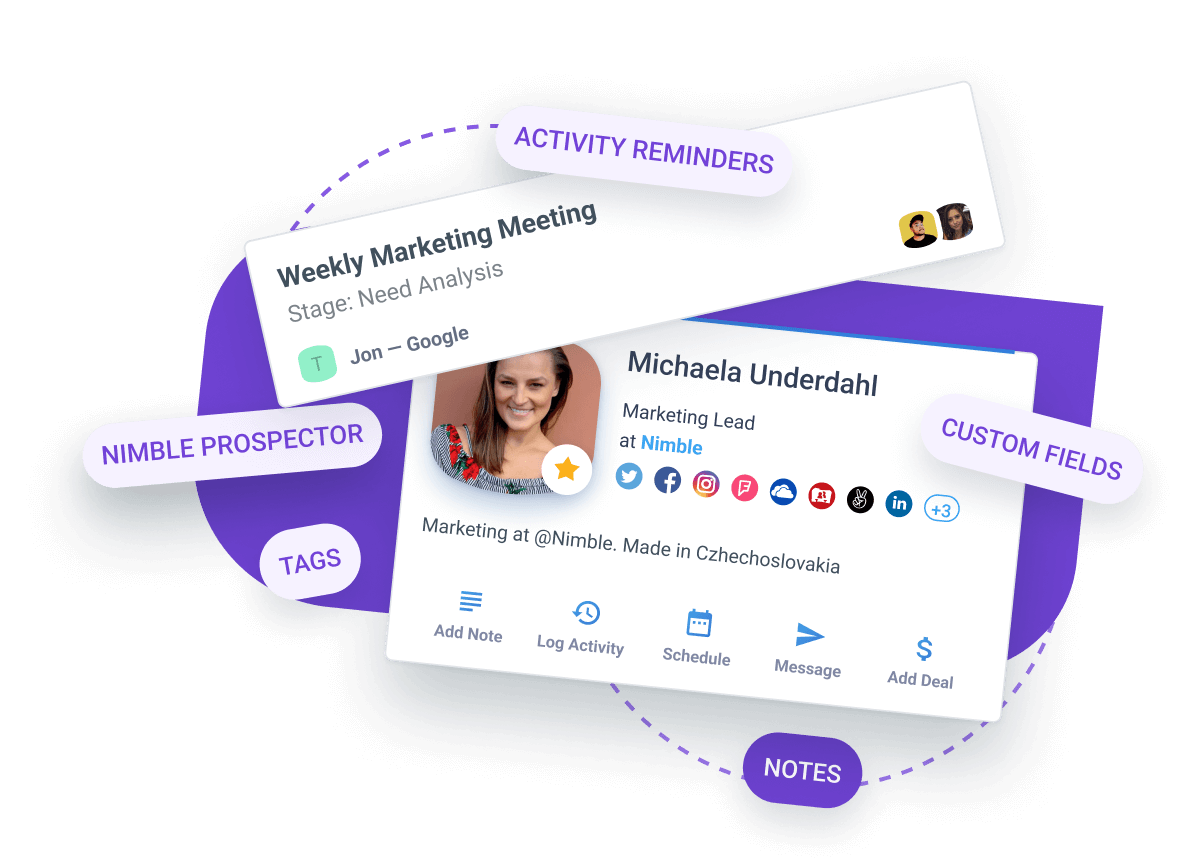
Nimble starts from the relationship.
The product assumes you already know who matters and that your job is to stay connected, follow up at the right intervals, and make sure no important contact slips through the cracks. Its Stay in Touch reminders use color-coded indicators (green, yellow, red) to show how overdue your follow-up is with each contact. The Last Contacted tracker records the most recent interaction across your entire team.
These features serve people who win by maintaining a network: consultants, real estate agents, recruiters, freelancers.
Source: Nimble
Pipedrive starts from the deal.
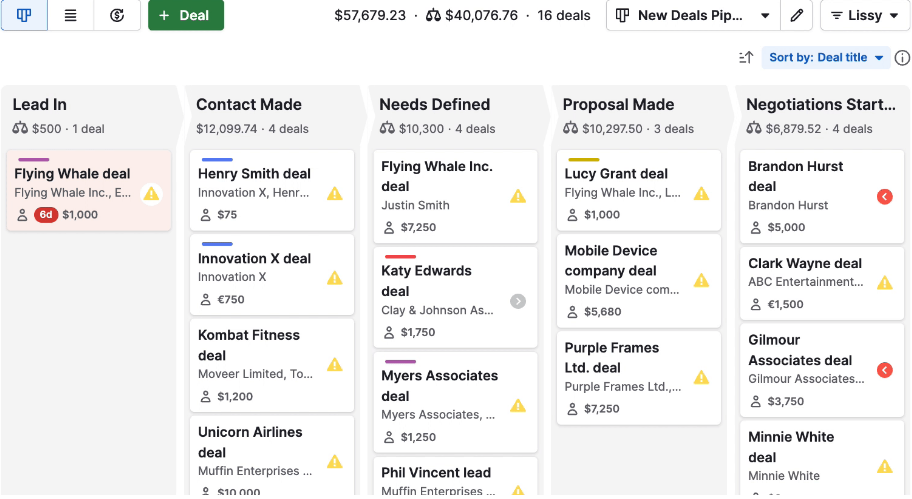
The product assumes you have opportunities to close and that your job is to move them through stages efficiently. The kanban pipeline view shows every deal as a card that moves from left to right. Deals that sit too long in one stage turn red ("deal rotting"), a nudge to take action. Activities (calls, emails, meetings) attach directly to deals, so a rep's calendar and pipeline stay in sync. These features serve people who win by executing a repeatable sales process.
Source: Pipedrive
The difference matters because it shapes every downstream decision: how contacts are organized, what the daily workflow looks like, and where each tool falls short.
Contact management reflects the design divide
Nimble treats every contact as a relationship to nurture. When you add someone, the platform automatically enriches their record with social profiles, company data, revenue, industry, and employee count.
The Prospector browser extension does this from LinkedIn, Gmail, Outlook, or any website, building a full contact record without opening the CRM. Each record includes a Smart Summary, interaction history, tags, deal associations, and file attachments.

Source: Nimble
Nimble uses a tag-based system instead of separate lists, so one contact can belong to multiple groups without duplication. Dynamic saved segments update automatically as contacts meet or stop meeting filter criteria. For a solopreneur managing 500 key relationships, this keeps everything visible without manual list maintenance.
Pipedrive treats contacts as records associated with deals. The platform stores people, organizations, and deal histories in a structured database with custom fields (single option, multiple options, monetary, date, auto-calculated).
Clicking a contact reveals a full interaction timeline, including emails, calls, meetings, and notes. The system is built for volume: teams managing hundreds or thousands of contacts need the filtering, sorting, and reporting that Pipedrive provides.
Source: Pipedrive
Neither platform, however, solves the problem of finding the right contacts in the first place. Nimble's Prospector enriches people you've already identified, using 100 enrichment credits per user per month (additional credits at $10/1,000). Pipedrive's Prospector add-on accesses a database of over 400 million profiles, but it's bundled with the LeadBooster package at $32.50/company/month and limited by credits.
ZoomInfo operates at a different scale.
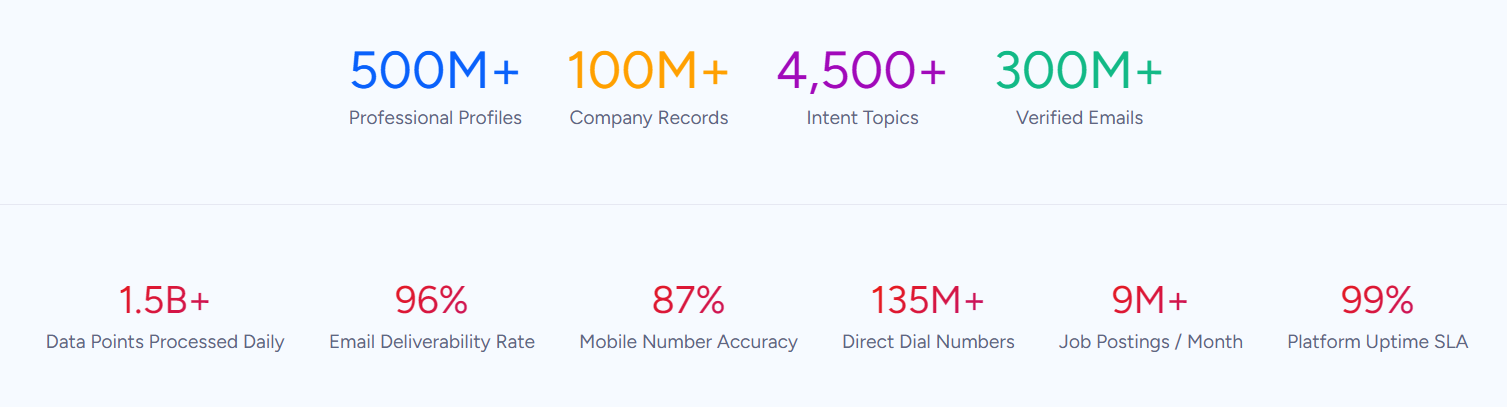
Its B2B database covers 500M contacts and 100M companies, with 135M+ verified phone numbers and 200M+ verified business email addresses. A verification pipeline backed by 300+ human researchers reaches up to 95% accuracy on first-party data. In a Fortune 500 competitive RFP analyzing 25 million contacts across vendors, the independent consultant concluded that "no other competitor came even close."
Source: ZoomInfo
For teams that need to identify the right accounts, map buying committees, and find verified contact data before the first outreach, ZoomInfo provides the intelligence layer that neither Nimble nor Pipedrive was designed to deliver.
"ZoomInfo is our one source of truth for account data, and even more so for contact data. There's no other provider in the market that provides you with that level of detail." (Smartsheet)
Pipeline and deal management comparison
Pipedrive's pipeline is the product's center of gravity. You can create unlimited custom pipelines with custom stages, each tailored to a different sales process or product line.
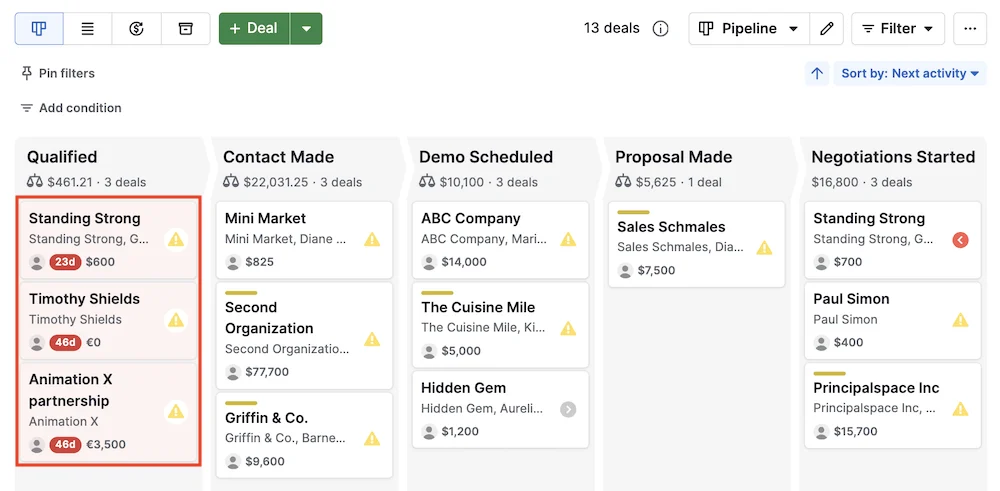
The platform ships three pipeline views: kanban board (the default drag-and-drop view), list view (a spreadsheet-style alternative), and forecast view (projecting expected revenue by close date). Deal cards carry values, win probabilities, expected close dates, associated contacts, and scheduled activities.
The deal rotting feature deserves mention. When a deal sits idle past a user-defined period, it changes color to signal stagnation. For sales managers tracking a team's pipeline, this catches deals that are drifting before they die.
Source: Pipedrive
Pipedrive also includes vertical industry templates for insurance, real estate, auto sales, consulting, and other SMB verticals. These templates ship with pre-built stages and custom fields (Policy Number for insurance, Square Footage for real estate), so specialized teams can start immediately.
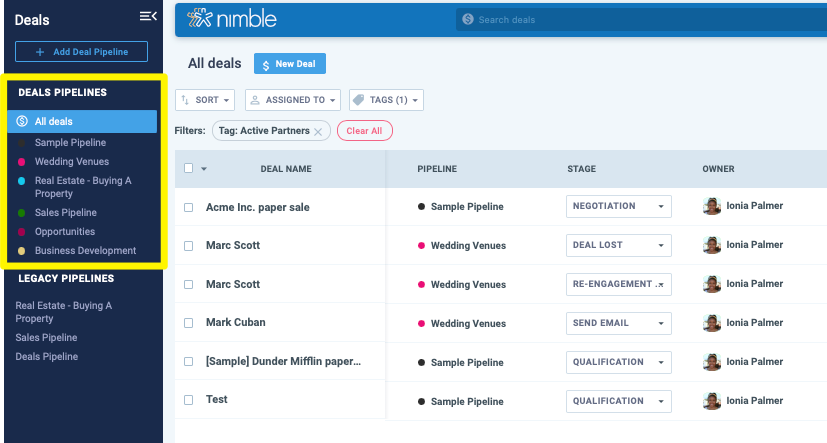
Nimble has deal pipelines too, but they play a supporting role. You can create unlimited pipelines with custom stages, view them in kanban or list format, and track deal values with stuck-deal detection. The reporting dashboard covers pipeline funnel, deals won over time, revenue forecast, and average duration per stage.
Source: Nimble
But Nimble's pipeline lacks Pipedrive's depth.
There's no forecast view. Reporting customization is limited: no attribution reporting, no A/B testing data, no lead source analytics. Nimble acknowledges in its own analysis that HubSpot Marketing Hub Pro offers "landing pages, A/B testing, lead scoring, attribution reporting, and a much deeper marketing automation graph" than Nimble does.
For teams that live in their pipeline, Pipedrive is the stronger choice. For teams that manage a pipeline but spend most of their time on relationship touches, Nimble's lighter approach may be enough.
ZoomInfo takes pipeline intelligence in a different direction.
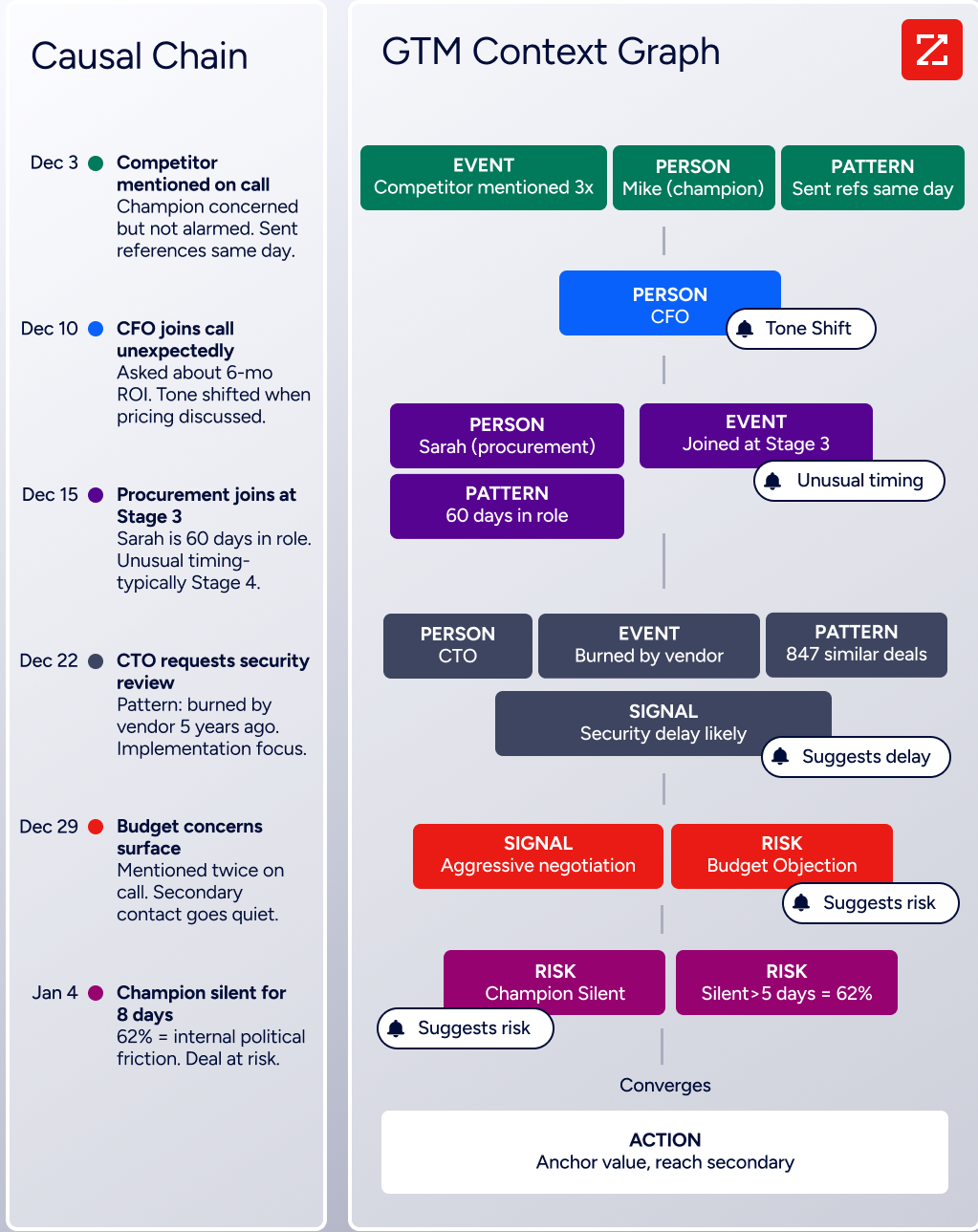
Rather than providing a better pipeline view, the GTM Context Graph adds an intelligence layer to the data already in your CRM. When a deal stage changes, ZoomInfo doesn't just record it: it connects CRM updates with conversation transcripts, intent signals, and behavioral data to surface why deals move or stall. The result is AI that can tell a rep not just which deals are at risk, but why they're stalling and what to do next.
Source: ZoomInfo
"That combination of our internal CRM data, external signals, and AI that's given all that context has helped us craft very specific account- and persona-based messages. And people have responded to them right away." (Seismic)
Automation and sequences operate at different levels
Both Nimble and Pipedrive offer sales automation, but the depth and design differ.
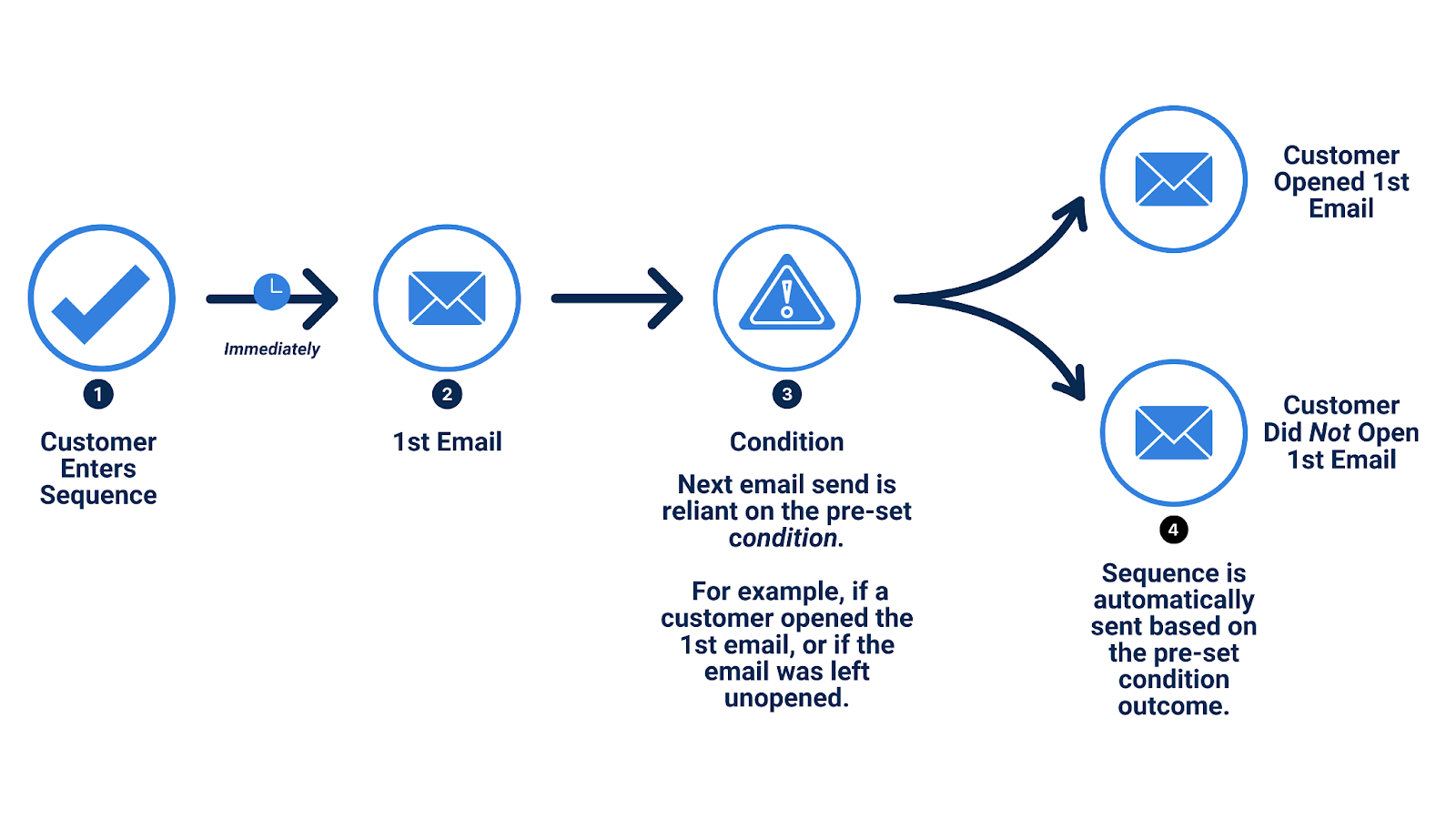
Nimble's Email Sequences are included on the base plan, no upgrade required. You can build multi-step sequences with messages, delays, and if-then/if-else conditions that branch based on whether a contact opened, clicked, bounced, or replied.
The recently launched Sequence Activities (May 2026) extend sequences beyond email, letting you schedule calls, tasks, calendar events, and custom activity types alongside automated emails. The idea: human relationship touches outperform pure automation.
Source: Nimble
Sequences send from the user's own connected email account (Gmail or Outlook), so recipients see personal addresses rather than a marketing platform domain.
Nimble's Workflow automations trigger actions when contacts move between stages in a kanban board: sending messages, creating tasks, assigning tags, firing notifications, or enrolling contacts in sequences. The bidirectional link between workflows and sequences means a stage change can trigger a sequence, and a sequence response can advance a contact to a new stage.
Pipedrive's automation engine is more sophisticated.
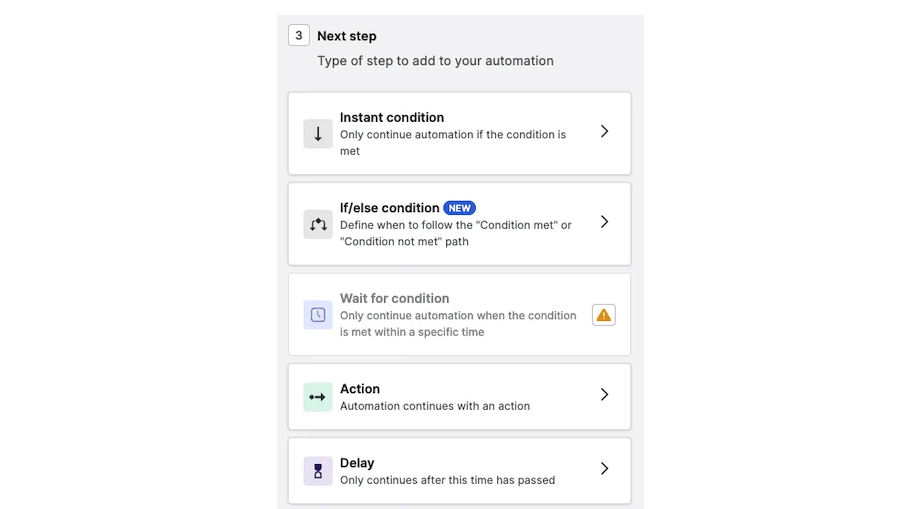
Available from the Growth plan up, automations support both event triggers and date triggers, with if/else branching and "wait until event" conditions that hold an automation until another event occurs. Actions include creating or updating records, sending emails, adding notes, triggering Campaigns, creating Projects, firing webhooks, and sending Slack or Teams notifications. Pre-built templates cover common use cases.
Source: Pipedrive
Pipedrive's Sequences (part of the Pulse toolkit) add automated multi-step follow-up flows of emails and tasks that pause on engagement signals. This auto-pause is a deliberate design choice: instead of running sequences blindly through a contact's inbox, the system stops when the prospect takes action.
For basic outreach automation at a low price, Nimble delivers. For teams needing conditional logic, cross-app triggers, and engagement-aware sequences, Pipedrive offers more.
ZoomInfo automates at a higher level.
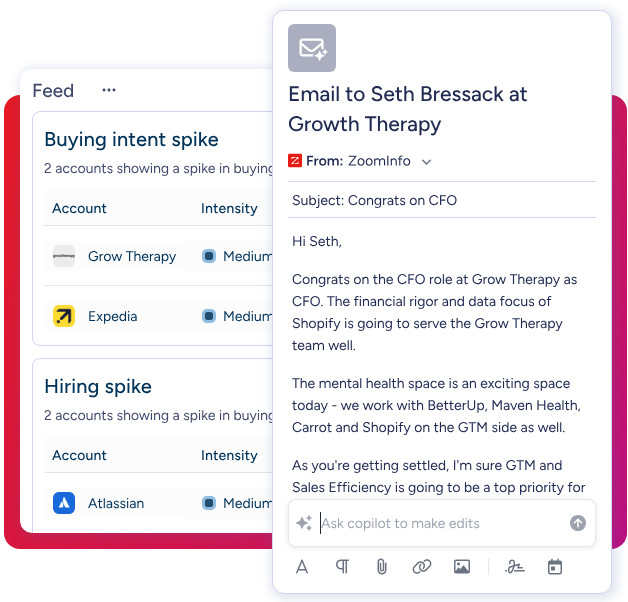
GTM Workspace uses AI agents to handle account research, draft personalized outreach, monitor buying signals, and update CRM fields automatically. GTM Studio lets marketers and RevOps teams build multi-channel plays (email, calls, ads, direct mail) triggered by buyer behavior, launched with natural language prompts instead of manual configuration. Where Nimble and Pipedrive automate tasks within the CRM, ZoomInfo automates the go-to-market motion itself.
Source: ZoomInfo
Email and communication features compared
Email is central to all three platforms, but each treats it differently.
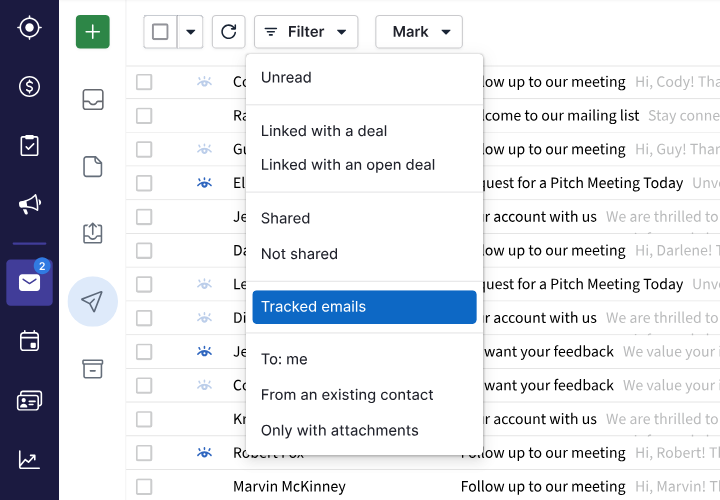
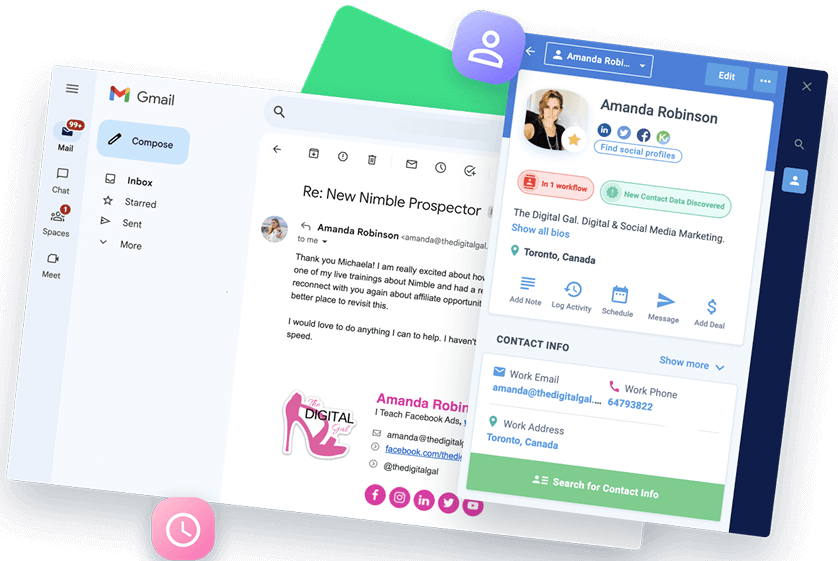
Nimble integrates with Microsoft 365 and Google Workspace, syncing contacts and calendars along with email interactions automatically. The Prospector extension surfaces full contact records inside Gmail, Outlook, and LinkedIn, so users can log notes, set reminders, or send tracked emails without switching tabs.
Source: Nimble
Group messages are capped at 1,000 per license per month on the base plan, with upgrades available. The AI Email Marketing add-on ($15/month company-wide) bypasses these limits by routing campaigns through Nimble's own marketing engine, with drag-and-drop templates and pay-as-you-go pricing based on emails sent rather than list size.
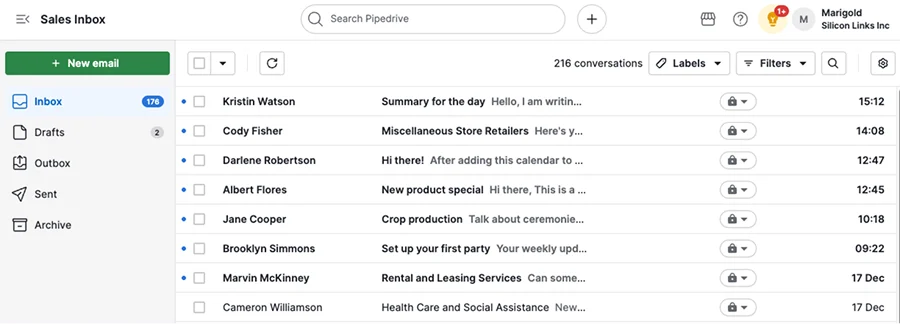
Pipedrive takes email further with a built-in Sales Inbox that connects Gmail, Outlook, Exchange, or any IMAP account. Emails link automatically to deals, leads, or projects. Templates auto-populate with contact and deal fields.
Group email reaches up to 100 contacts at once. The AI email writer generates drafts from brief prompts with configurable tone and length. AI email summarization (currently in beta) condenses long threads into summaries with sentiment analysis and a readiness-to-buy score.
Source: Pipedrive
Pipedrive also includes a meeting scheduler with availability-based booking links that integrate with Zoom, Microsoft Teams, and Google Meet. Smart Docs handles proposals and contracts with merge fields, trackable links, and built-in eSignature.
ZoomInfo's communication layer operates through GTM Workspace, where AI agents draft outreach addressing specific concerns identified by the GTM Context Graph.
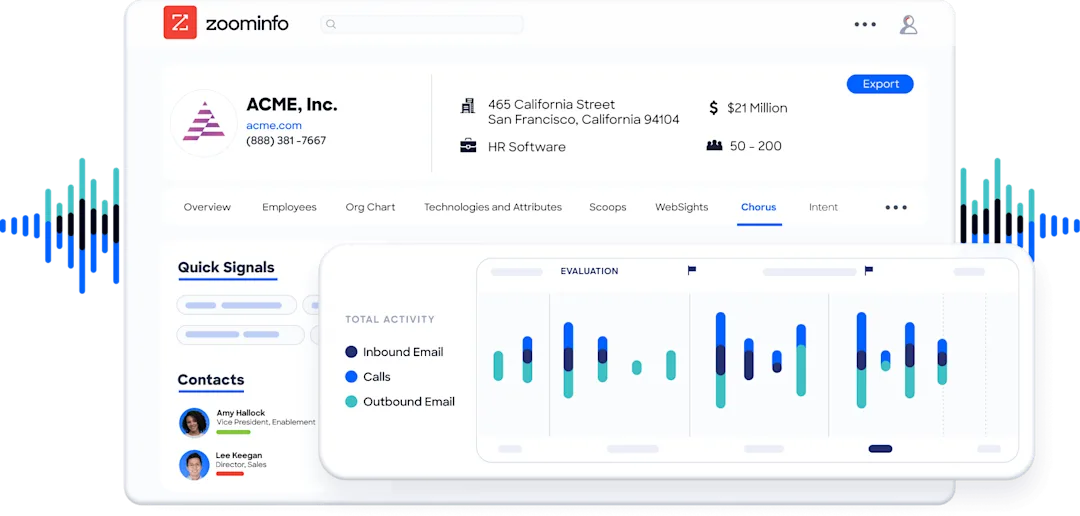
The outreach isn't generated from a generic prompt; it draws on conversation transcripts, intent signals, and deal patterns. Chorus captures every call and meeting, extracting context (who championed the deal, what objections were raised, why momentum shifted) and feeding it back into the intelligence layer.
Source: ZoomInfo
Data, prospecting, and intelligence
This is where the three platforms diverge most sharply.
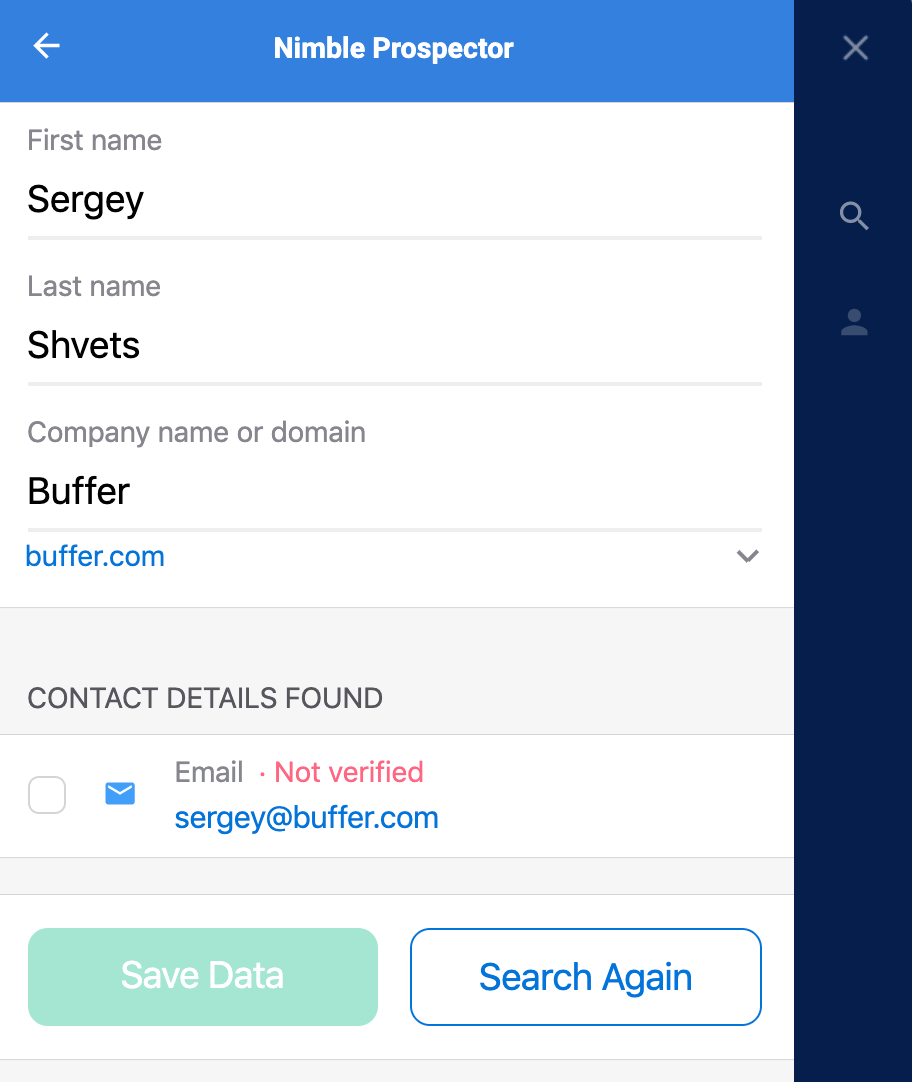
Nimble provides useful but limited prospecting. The Prospector browser extension enriches contacts from LinkedIn and websites with verified emails, phone numbers, and company data.
Each lookup consumes 4 enrichment credits, with 100 credits included per user per month ($10/month per additional 1,000 credits). Emails pass through an eight-step verification pipeline including format validation, MX record checks, and SMTP verification. It's a practical tool for enriching contacts you've already identified, not for discovering new prospects at scale.
Source: Nimble
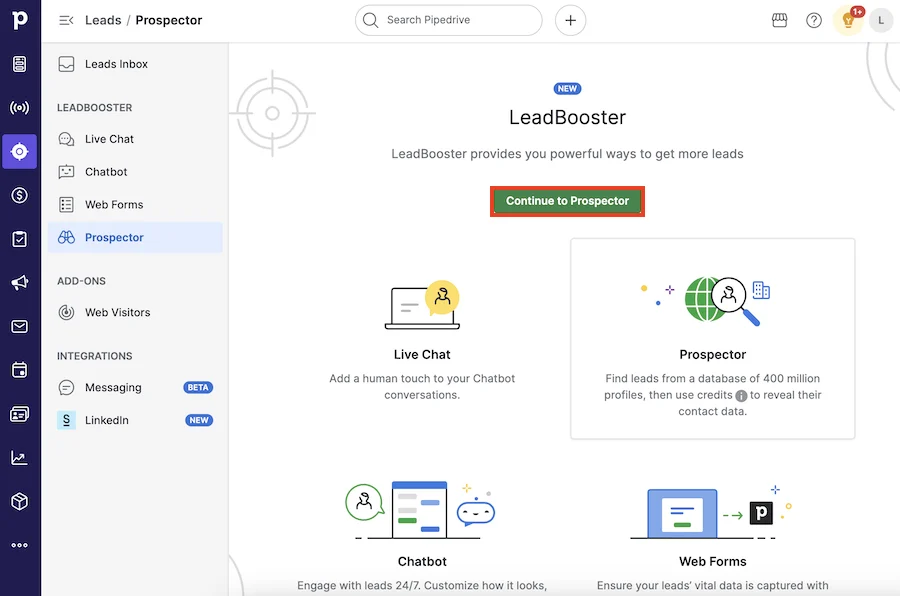
Pipedrive steps up with its Prospector tool (part of the LeadBooster add-on), which draws from over 400 million profiles and 10 million companies. An AI engine verifies and updates up to 800,000 profiles daily. The newer Pulse toolkit adds data enrichment, custom lead scoring, and automated sequences. Pipedrive also offers a Web Visitors add-on that identifies which companies visit your website.
Source: Pipedrive
But neither Nimble nor Pipedrive was built as a data company. Their databases supplement the CRM rather than powering it. Neither offers buyer intent data, technographics, org charts, or the kind of signal intelligence that tells you when a prospect is actively researching solutions.
ZoomInfo was built from the ground up as a data intelligence platform. Beyond the scale of its B2B database (500M contacts, 100M companies), ZoomInfo provides layers of insight that CRM tools don't:
Buyer Intent Data tracking signals from 210M+ IP-to-Org pairings and 6 trillion+ new keyword-to-device pairings sourced monthly. Guided Intent identifies topics historically correlated with deal success.
Technographics profiling the tech stacks of 30+ million companies across 30,000+ technologies.
WebSights resolving anonymous website traffic to companies, including buying team identification and direct contact info.
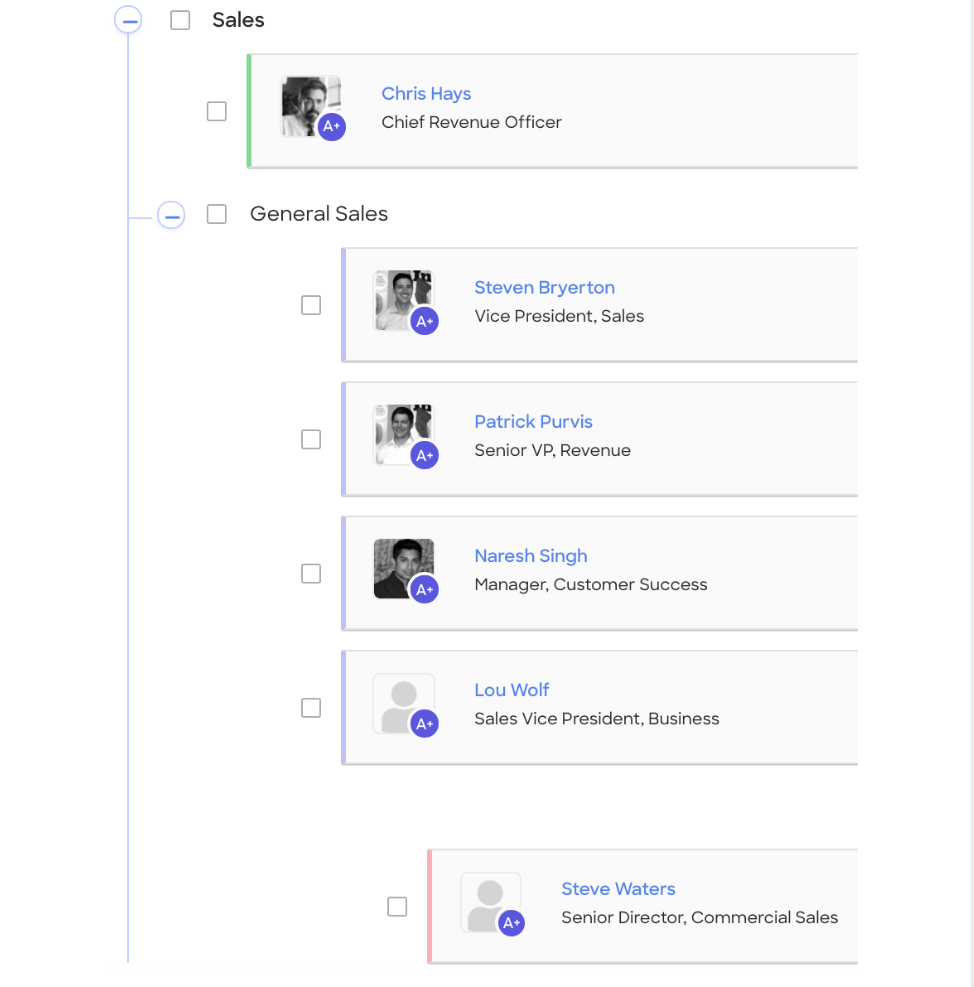
Org Charts and Demographics mapping departmental structures, titles, job functions, and seniority levels for multi-threaded selling.
Source: ZoomInfo
The GTM Context Graph processes 1.5B+ data points daily, connecting all of this data with a customer's own CRM records, conversation intelligence, and behavioral signals. The result doesn't just tell you who to call; it tells you why they're likely to buy right now.
"ZoomInfo gives us the information we need to execute. It's already there, so we can be three steps ahead." (Vensure)
Pricing models reveal different markets
Nimble keeps pricing simple.
One plan, one price: $24.90/seat/month billed annually, $29.90 monthly. All core features are included. Add-ons are priced separately: AI Email Marketing ($15/month company-wide), Web Forms & Web Chat ($12/month per team), additional enrichment credits ($10/month per 1,000), extra contacts beyond 25,000 ($10/month per 10,000), and extra storage beyond 2GB/seat ($10/month per 10GB). A 14-day free trial is available, no credit card required.
The flat-rate model works well for small teams. Nimble's own pricing analysis shows a 5-seat team paying approximately $152/month on Nimble versus $1,300+ on HubSpot for comparable capability. But add-ons accumulate: active users may hit storage limits quickly since Nimble syncs email history into the CRM, and group message upgrades are required above 1,000/user/month.
Pipedrive offers four plans: Lite, Growth, Premium, and Ultimate, with prices scaling by features and usage limits.
Entry starts at $14/seat/month. Key features are gated by tier: email sync, automations, and sequences require Growth; Smart Docs, Projects, and LeadBooster are included on Premium. The Campaigns add-on (email marketing) is always a separate cost, scaling by subscriber count. Annual billing saves up to 42%.
Pipedrive's per-seat model scales predictably, but a team needing email sync, automation, prospecting, and email marketing will land on Premium plus add-ons, which adds up. The upside: Pipedrive doesn't charge for pipeline features that competitors gate behind enterprise tiers (unlimited pipelines, custom fields, and reports are available on lower plans).
ZoomInfo uses a consumption-based pricing model with no published prices.
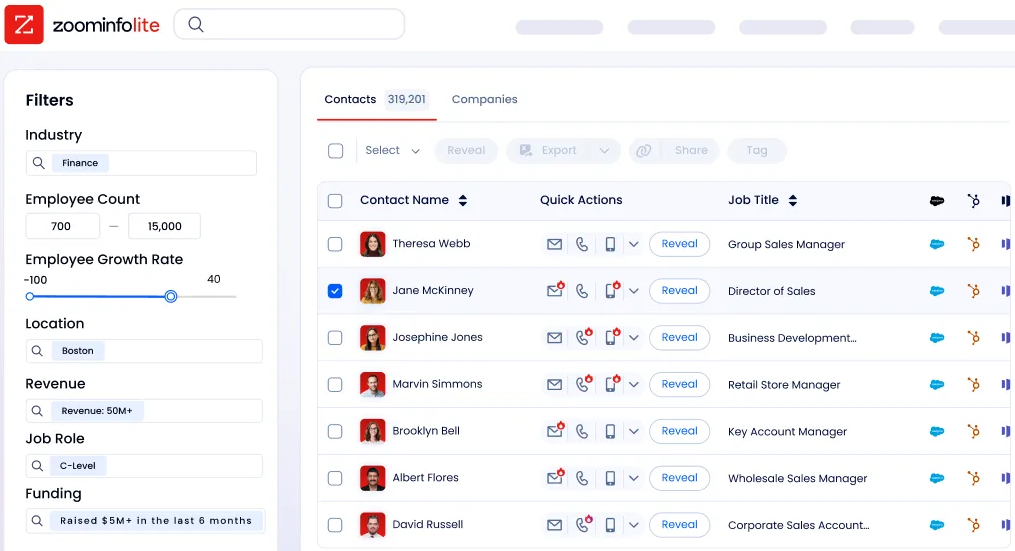
The system is organized around three product lines (Sales, Marketing, and Operations), each with Professional, Advanced, and Enterprise tiers. Credits govern data export (1 credit = 1 profile export; searching and viewing are free). ZoomInfo Lite provides a permanent free tier with 10 monthly export credits, access to the B2B database, the Chrome extension, and HubSpot integration.
Source: ZoomInfo
ZoomInfo is a premium investment. But for revenue teams where data quality directly drives pipeline, the results speak for themselves: Snowflake achieved 200% higher conversion rates on top-scoring accounts; Seismic attributed 39% of active pipeline to ZoomInfo signals.
Security and compliance differ by scale
Pipedrive has the strongest security credentials among the three. The platform holds ISO/IEC 27001:2022, ISO/IEC 27701:2019, SOC 2 Type 2, and SOC 3 certifications, plus DORA compliance for EU financial sector requirements. Data is hosted on AWS with per-customer database separation, encrypted in transit and at rest.
Access controls include SSO via SAML 2.0, two-factor authentication, IP allowlisting, and a dedicated Security Center dashboard. Pipedrive's AI policy states it does not permit third parties to use client data to train AI models.
Nimble is GDPR compliant, certified under the EU-U.S. Data Privacy Framework, and carries the TRUSTe Privacy Seal. Data is stored on Microsoft Azure.
However, Nimble is not HIPAA compliant and does not publish SOC 2 or ISO 27001 certifications. For solopreneurs and small teams in non-regulated industries, this is adequate. For teams in financial services, healthcare, or other regulated sectors, the gap is notable.
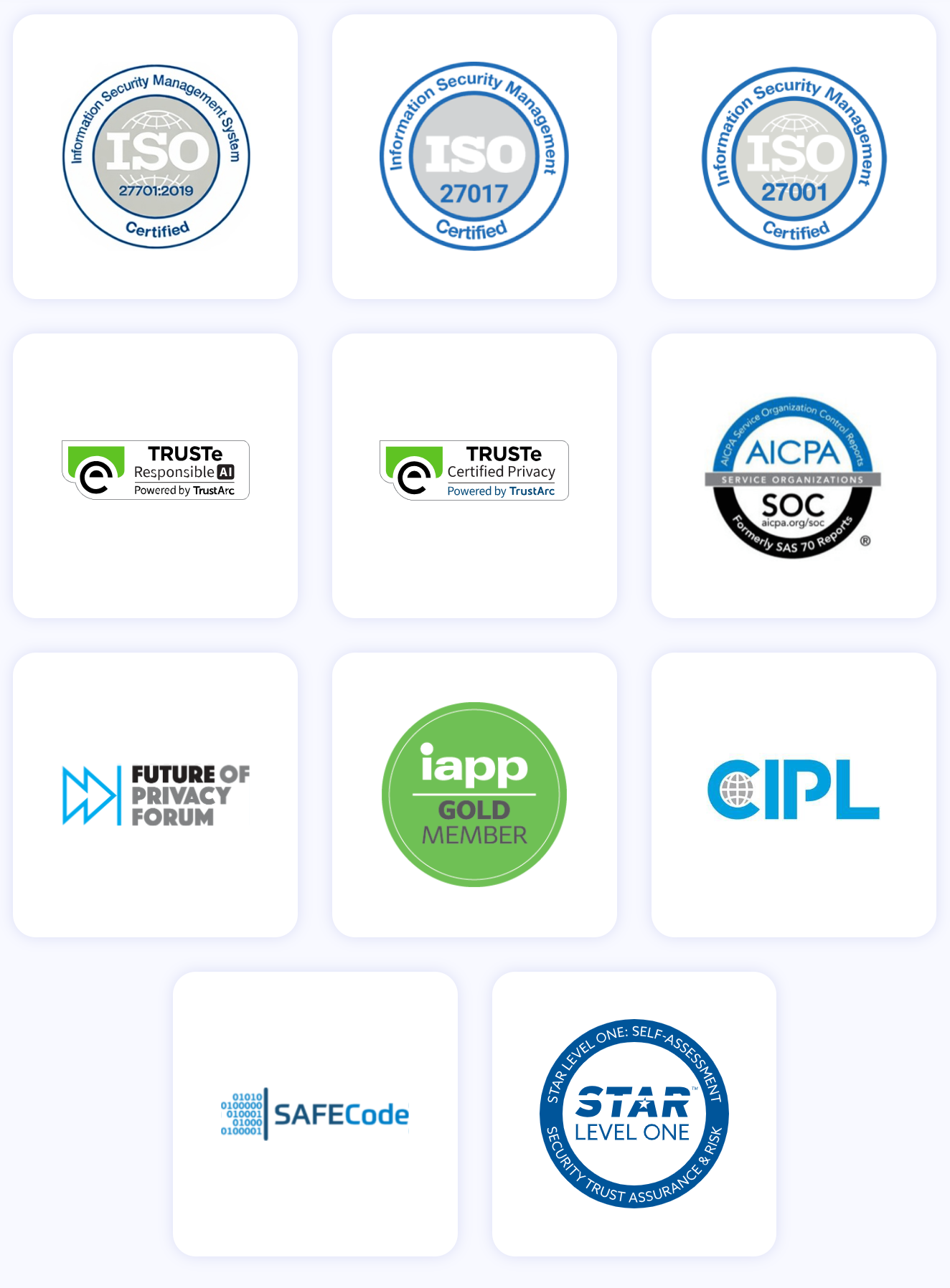
ZoomInfo maintains a certification stack renewed annually: ISO 27001, ISO 27701, SOC 2 Type II, and TRUSTe GDPR and CCPA validations. As a registered data broker in California and Vermont, ZoomInfo applies enterprise-grade privacy controls to its data collection and verification processes.
Mobile, support, and daily usability
Nimble is designed to work where you already work. The Prospector browser extension (Chrome, Firefox, Safari, Edge) and the Outlook add-in and Gmail sidebar app mean most daily CRM activity happens inside email and LinkedIn, not a separate browser tab.
G2 reviewers rate ease of use at 8.9/10 and implementation speed at 9.20. Support includes daily live Q&A webinars, free 1:1 onboarding calls, and email support during business hours (M-F, 9 AM-5 PM PT). No phone support or 24/7 availability.
The mobile app is Nimble's weakest point. Capterra reviewers describe it as "slow, buggy, and less responsive than desktop." For consultants and field professionals who need reliable mobile access, this is a real limitation.
Pipedrive offers a polished mobile experience. The iOS and Android apps support pipeline views, deal editing, calendar sync, in-app calling with automatic call logging, offline mode, a business card scanner (iOS), and a "Nearby" feature that shows geographically close clients. For field sales teams, Pipedrive's mobile app is significantly stronger.
Support scales with plan tier. All users get email support and a chatbot. Growth plans add live chat during business hours. Premium and Ultimate plans include 24/7 live chat and phone support. The Pipedrive Academy offers structured courses with completion certificates.
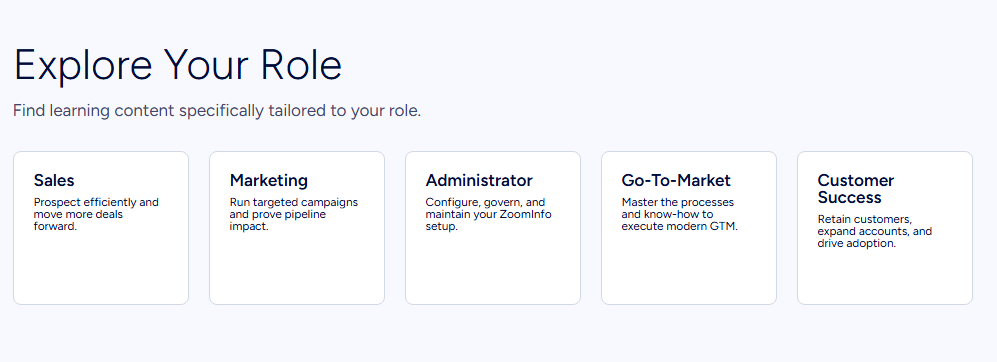
ZoomInfo provides support through a Help Center with knowledge base, ZoomInfo University (role-specific learning paths and certifications), and direct support via phone. The platform's onboarding program (restructured from 30 to 90 days) earned a 25% improvement in customer satisfaction scores and the Rocketlane Golden Comet award for Best Customer Onboarding Team of 2024.
Source: ZoomInfo
Nimble vs. Pipedrive vs. ZoomInfo: Which should you choose?
The right platform depends on your team's size, selling style, and data needs.
Choose Nimble if:
You're a solopreneur, consultant, or small team (1-25 people) who sells through relationships
You want a CRM that works inside Gmail, Outlook, or LinkedIn without a separate app
Flat, predictable pricing matters more than advanced pipeline features
You need basic contact enrichment and email sequences at an affordable price
Your mobile CRM needs are minimal
Choose Pipedrive if:
You run a small to mid-sized sales team with an active deal pipeline
Visual pipeline management and deal tracking are your daily priorities
You need mobile CRM with offline access, in-app calling, and field selling features
Automation with conditional logic and cross-app triggers matters to your workflow
You want 500+ integrations and a mature app marketplace
Choose ZoomInfo if:
Your sales strategy depends on identifying the right accounts and reaching verified decision-makers
You need buyer intent data, technographics, and org charts to prioritize and personalize outreach
You want AI that understands why deals move, not just what stage they're in
Your marketing and RevOps teams need to build and launch GTM plays without engineering support
You're ready to invest in a data intelligence platform that compounds in value over time
See how ZoomInfo works with a free trial.
Nimble and Pipedrive are both capable CRMs that serve their audiences well. Nimble gives relationship-driven professionals a simple, affordable home for their network. Pipedrive gives sales teams a structured pipeline with the visibility and automation they need to close deals consistently.
ZoomInfo operates at a different level. It's the intelligence layer that tells your team who to pursue, when to engage, and why an account is ready to buy. Whether you access it through GTM Workspace, GTM Studio, or APIs and MCP inside your existing tools, ZoomInfo turns data into context that makes every sales conversation more informed and every pipeline decision more confident.
Nimble vs. Pipedrive vs. ZoomInfo FAQ
What is the core difference between Nimble, Pipedrive, and ZoomInfo?
Nimble is a relationship-focused CRM for solopreneurs and small teams, built to work inside email inboxes and LinkedIn.
Pipedrive is a pipeline-first sales CRM for SMB teams managing active deal flow.
ZoomInfo is an AI GTM platform built on the largest B2B data foundation in the industry, providing buyer intelligence, intent signals, and AI-powered execution across sales, marketing, and RevOps.
Which platform is cheapest for a small sales team?
Pipedrive starts lowest at $14/seat/month on its Lite plan. Nimble's single plan costs $24.90/seat/month (annual billing) with all core features included. ZoomInfo offers a permanent free tier (ZoomInfo Lite) with 10 monthly export credits and access to the B2B database, but paid plans are custom-quoted and priced for enterprise and mid-market teams.
Which platform has the best contact and company data?
ZoomInfo leads by a wide margin with 500M contacts, 100M companies, 135M+ verified phone numbers, and 200M+ verified business email addresses, verified through a multi-source pipeline backed by 300+ human researchers. Pipedrive's Prospector add-on accesses over 400 million profiles. Nimble includes basic contact enrichment via its browser extension with 100 credits per user per month.
Which CRM is best for solopreneurs and freelancers?
Nimble is designed for this audience. Its flat pricing ($24.90/seat/month), browser extension that works inside Gmail, Outlook, and LinkedIn, Stay in Touch reminders, and relationship-focused contact records are built for professionals who sell through personal networks rather than high-volume pipelines. Forbes named Nimble the 2025 Best CRM for Solopreneurs and Small Teams.
Which platform has the strongest sales pipeline management?
Pipedrive's pipeline is its defining feature. It pioneered the kanban-style pipeline view in CRM, offers unlimited custom pipelines with deal rotting alerts, three view modes (kanban, list, forecast), and vertical industry templates. Nimble offers basic pipeline features.
ZoomInfo's GTM Workspace provides AI-powered deal intelligence through the GTM Context Graph, surfacing why deals move or stall rather than just displaying their status.
Do any of these platforms offer buyer intent data?
Only ZoomInfo provides native buyer intent data, tracking signals from 210 million IP-to-Organization pairings and 6 trillion+ new keyword-to-device pairings sourced monthly. ZoomInfo's Guided Intent feature identifies topics historically correlated with deal success.
Pipedrive offers limited intent-adjacent features through its Pulse toolkit. Nimble does not offer buyer intent data.
Which platform has the best mobile app?
Pipedrive has the strongest mobile experience, with native iOS and Android apps supporting pipeline views, offline mode, in-app calling with automatic logging, a business card scanner, and a Nearby feature for field selling. Nimble's mobile app is consistently cited in reviews as slow and buggy compared to its desktop experience.
ZoomInfo's mobile presence focuses on its ReachOut Chrome Extension rather than a dedicated mobile CRM app.
How do the platforms compare on security certifications?
Pipedrive holds ISO 27001, ISO 27701, SOC 2 Type 2, SOC 3, and DORA certifications, with AWS hosting and per-customer database separation. ZoomInfo maintains ISO 27001, ISO 27701, SOC 2 Type II, and TRUSTe GDPR/CCPA validations. Nimble is GDPR compliant and certified under the EU-U.S. Data Privacy Framework but does not publish SOC 2 or ISO 27001 certifications, and is not HIPAA compliant.
Comparing Nimble and Pipedrive? These related breakdowns go deeper:
