
Salesloft is a revenue orchestration platform trusted by over 5,000 organizations, including IBM, Stripe, Siemens, and SAP Concur. Its AI-powered Cadence sequencing, Rhythm prioritization engine, Conversations intelligence, and Deals pipeline management give revenue teams one system for creating, converting, and closing pipeline across the full buyer journey.
But even a complete orchestration platform has limits.
Salesloft captures engagement activity, prioritizes seller actions, and manages deals. What it cannot do on its own is verify whether a prospect's phone number still connects, detect which accounts are researching your category this week, keep your CRM records enriched without manual exports, or bridge the dozens of tools in your stack that generate buyer signals outside the platform.
The right integrations close those gaps. They feed your engagement engine verified data it cannot generate alone, capture activity happening in other tools, automate handoffs between marketing and sales, and connect buyer signals from across your stack into a single prioritized workflow.
This guide covers the strongest integration for each of the jobs Salesloft users most commonly need done:
Enrich your engagement workflows with verified B2B contact data, buyer intent signals, and company intelligence
Keep your CRM synchronized with every call, email, and cadence step without manual logging
Embed native LinkedIn outreach steps directly into multi-channel cadences
Bridge marketing automation and CRM data into Salesloft for automated lead handoffs
Layer conversation intelligence and coaching analytics on top of Salesloft calls
Surface cadence events and buyer signals in real-time team channels with inline actions
Connect non-native tools and custom buyer signals into Salesloft without code
Each section walks through how the integration connects with Salesloft, what data flows between the platforms, pricing, and who benefits most.
Best Salesloft Integrations at a Glance | |
|---|---|
Best Salesloft Integration for B2B Data Enrichment and Go-to-Market Intelligence. Enriches Salesloft workflows with verified contact data, buyer intent signals, and company intelligence, routing buying signals directly into Salesloft Rhythm for AI-driven seller prioritization. | |
Best Salesloft Integration for CRM Activity Logging and Pipeline Automation.
Eliminates manual CRM logging with automatic write-back of 30+ activity properties per interaction, bidirectional record sync, CRM field-triggered cadence automation, and in-CRM cadence execution via Salesloft Connect. | |
Best Salesloft Integration for LinkedIn-Native Social Selling. Embeds four native LinkedIn step types (InMail, Connection Request, Profile View, Introduction) directly into Cadence sequences as tracked workflow actions with real-time relationship intelligence via the Smart Panel. | |
Best Salesloft Integration for Marketing-to-Sales Alignment. Bridges HubSpot's marketing automation and CRM data with Salesloft's engagement engine through bidirectional contact sync, automated lifecycle-stage cadence enrollment, and full activity visibility for marketing teams. | |
Best Salesloft Integration for AI Conversation Intelligence and Coaching Analytics. Imports Salesloft dialer recordings into Gong's AI analytics engine for cross-call trend analysis, concept-based signal detection, and coaching workflows that complement Salesloft's native Conversations module. | |
Best Salesloft Integration for Real-Time Cadence Alerts and In-Channel Execution. Pushes cadence events, engagement signals, and prospect status changes into Slack channels with inline actions for email replies, call logging, and alert snoozing, all without leaving the team workspace. | |
Best Salesloft Integration for Connecting Non-Native Tools and Custom Signal Workflows. Extends Salesloft's reach to 8,000+ applications for automated cadence enrollment from external buyer signals, with a no-code path to Salesloft's Rhythm Signals API for custom intent routing. |
What Is Salesloft?
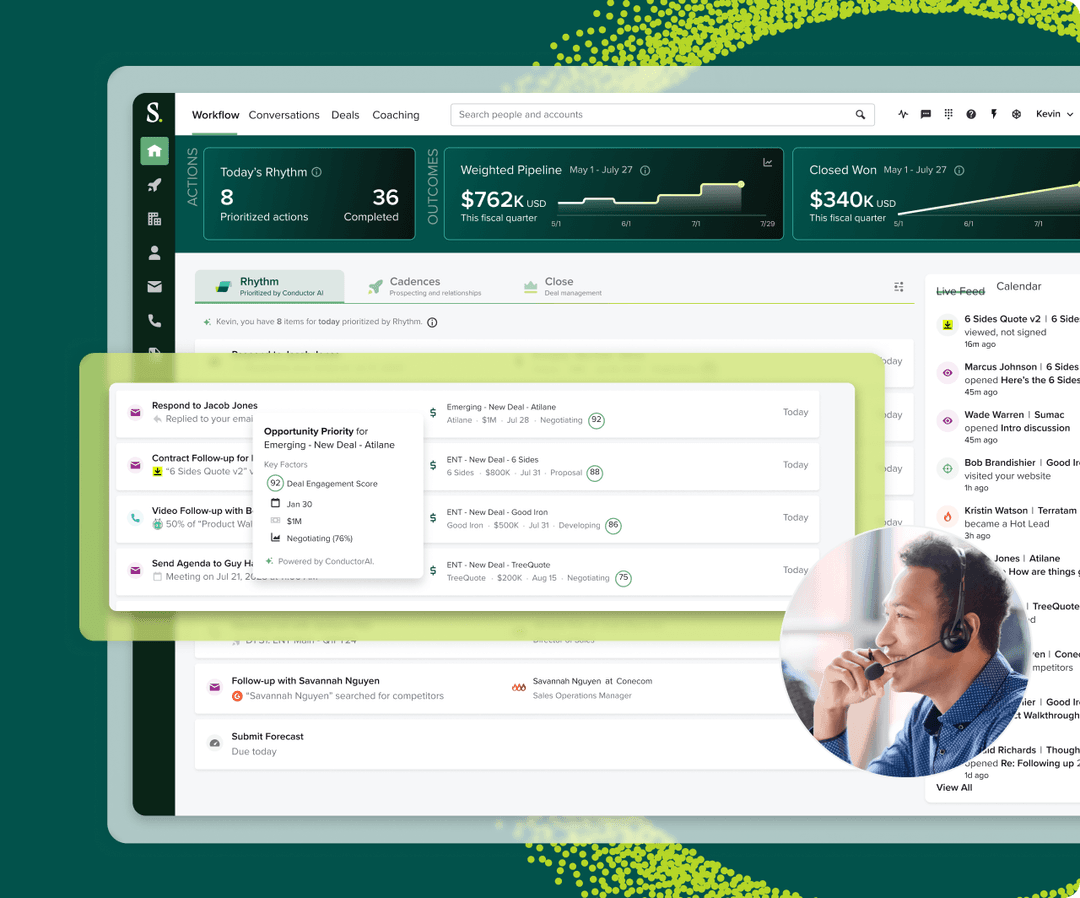
Source: Salesloft
Salesloft is an AI-powered revenue orchestration platform that connects revenue data with AI agents to help sales teams fill their funnel faster, prioritize seller actions, understand deal risks, and drive predictable revenue.
The company positions itself as the Predictive Revenue System, built for the reality that most B2B buyers are 60-70% through their decision process before contacting sellers. Following its December 2025 merger with Clari, the combined platform processes more than 10 billion revenue interactions and 1 trillion data signals, with $10 trillion in revenue under management.
Salesloft's integration ecosystem is one of the platform's real strengths.
The Salesloft Marketplace houses 180+ partner integrations across 16 technology categories, spanning CRM, sales intelligence, marketing automation, conversation intelligence, dialer, video engagement, and more.
On the technical side, Salesloft provides a RESTful public API with over 90 resource groups, 35+ webhook event types, and an open Signals API that lets external systems feed buyer intent data directly into the Rhythm AI prioritization engine.
The Spring 2026 MCP Server opens live Salesloft pipeline data to any MCP-compatible AI tool, including Claude, ChatGPT, Microsoft Copilot, Gemini, and Salesforce Agentforce.
The integration categories available to Salesloft users include:
Sales intelligence and data enrichment: ZoomInfo, Cognism, 6sense, LeadIQ
CRM: Salesforce, HubSpot, Microsoft Dynamics 365
Social selling: LinkedIn Sales Navigator
Conversation intelligence: Gong, native Salesloft Conversations
Team communication: Slack, Microsoft Teams
Workflow automation: Zapier, Tray.AI, Workato
Sales enablement: Highspot, Seismic, Showpad
Video engagement: Vidyard
Buyer intent: G2, UserGems, Influ2
With that ecosystem as context, here are the seven integrations we selected as the best options for extending Salesloft across the categories that matter most to revenue teams.
1. ZoomInfo: Best Salesloft Integration for B2B Data Enrichment and Go-to-Market Intelligence
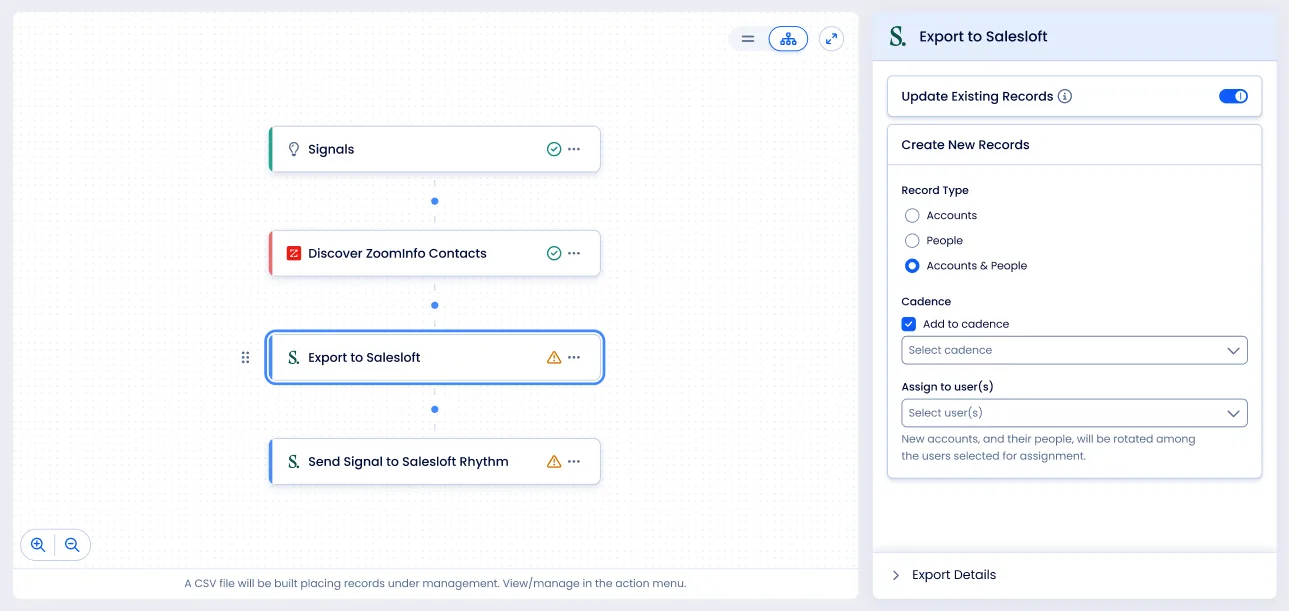
ZoomInfo is an all-in-one go-to-market platform built on a large B2B data foundation: 500M contacts, 100M companies, 135M+ verified phone numbers, and 200M+ verified business email addresses. It integrates natively with Salesloft through connectors listed in both the Salesloft Marketplace and the ZoomInfo App Marketplace, enabling direct contact export, synchronized data flow, AI-powered outreach, and buying signal routing into Salesloft's Rhythm engine.
Connecting the two platforms unlocks:
Cadences fed by verified direct dials and business emails that actually connect, instead of bouncing and damaging sender reputation
Buying signals flowing into Salesloft Rhythm so Conductor AI prioritizes accounts that are actively in-market, not contacts sitting in a static list
One-click export from ZoomInfo's database into Salesloft cadences, eliminating the manual research-to-enrollment pipeline
Firmographic, technographic, and intent data powering Salesloft's automation rules for smarter routing and segmentation
How ZoomInfo Integrates with Salesloft
ZoomInfo connects to Salesloft through a native integration that supports direct contact and account export, bidirectional data synchronization, and signal routing. The integration authenticates via OAuth, and both ZoomInfo and Salesloft maintain it at the platform level.
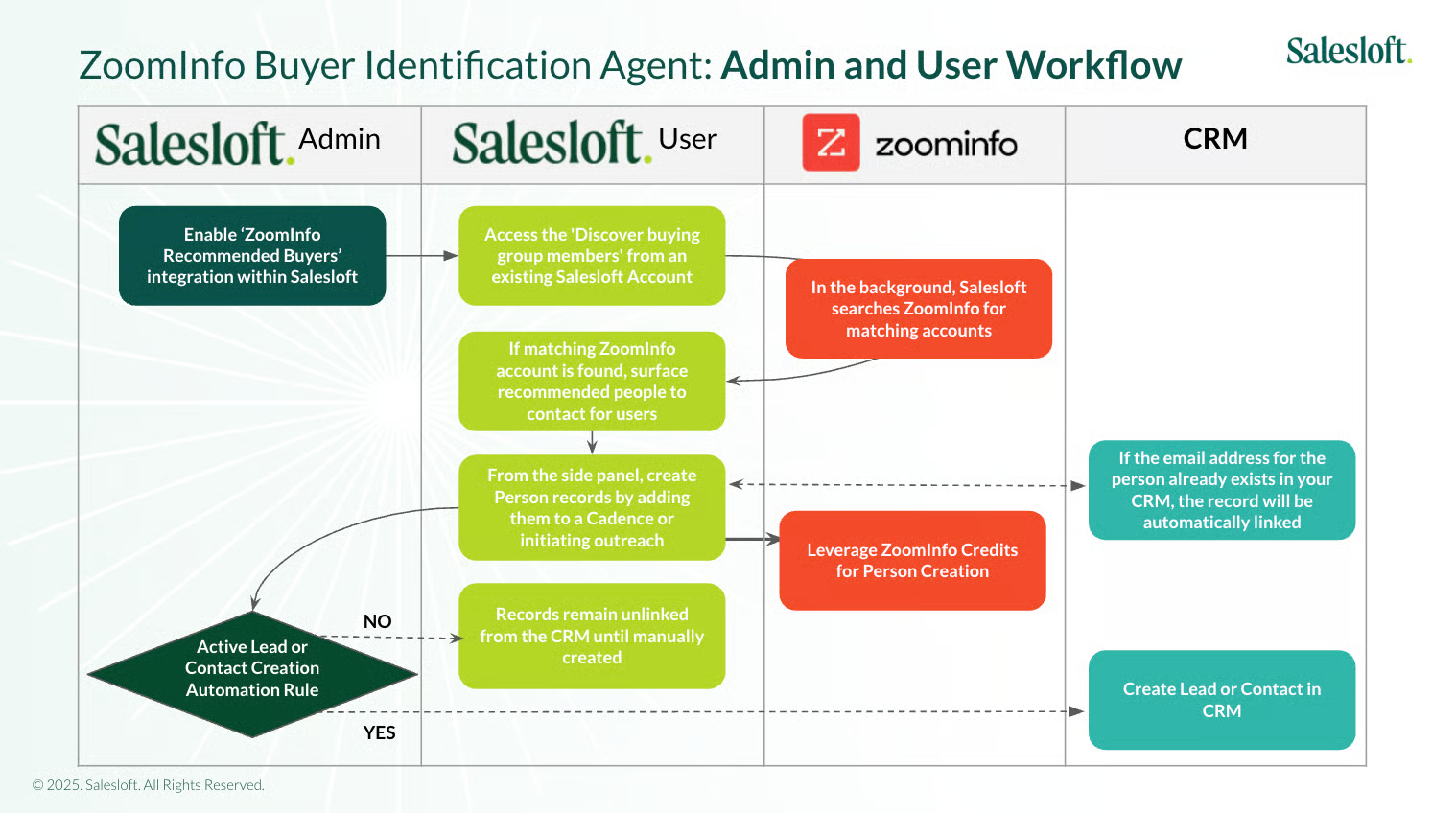
Source: Salesloft
Because it is a first-party connector on both sides, the integration stays current with platform updates without requiring middleware or manual maintenance. ZoomInfo's GTM Workspace (the AI-powered seller workspace) includes the same native Salesloft connection for exporting enriched contacts directly into cadences.
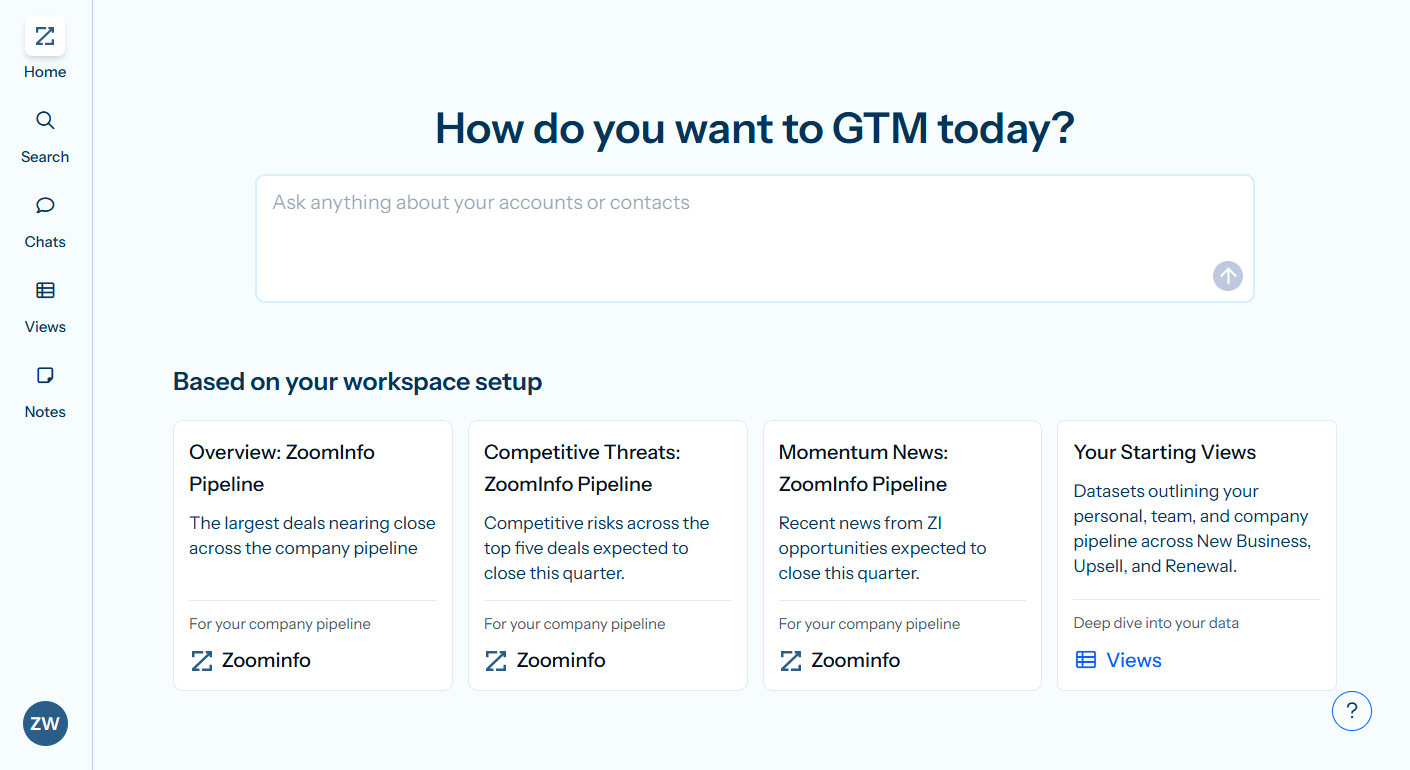
Contact and Company Data Enrichment: Fill the Gaps Your Engagement Platform Cannot Fill Alone
Salesloft's Cadence engine executes outreach. What it cannot do alone is verify whether the phone number in a contact record still rings, catch a job change that happened last week, or reveal a company's technology stack.
ZoomInfo enriches contact records with verified business emails, direct dials, titles, departments, and seniority levels, plus company-level firmographics and technographic data covering 30,000+ technologies. This enrichment flows through a verification pipeline backed by 300+ human researchers, reaching up to 95% accuracy on first-party data.
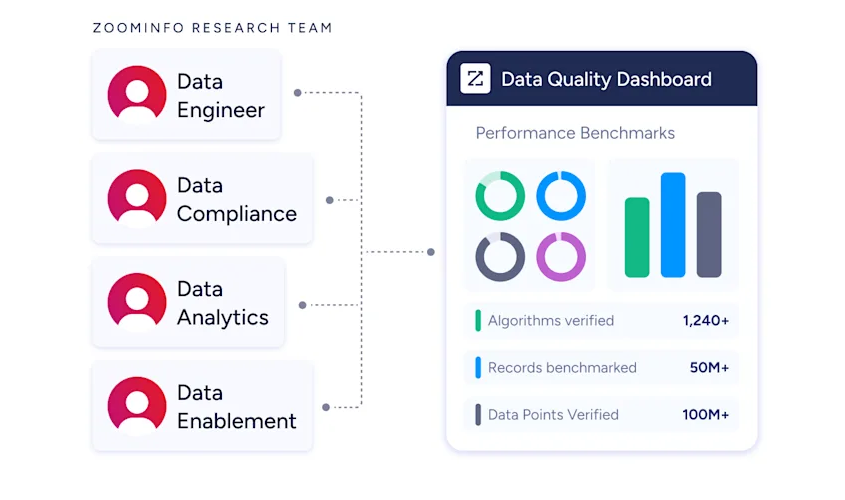
In a Fortune 500 competitive RFP analyzing 25 million contacts across vendors, the independent consultant concluded that "no other competitor came even close."
ZoomInfo in action: An SDR team builds a cadence targeting VP-level RevOps buyers at mid-market SaaS companies. Instead of researching each contact manually, they search ZoomInfo's database by title, seniority, company size, and technology stack, then export the verified results directly into a Salesloft cadence.
Each contact arrives with a direct dial, verified email, company firmographics, and department context, so the first call connects and the first email lands.
Buyer Intent Data: Route In-Market Accounts Into Salesloft Rhythm
ZoomInfo's Buyer Intent tracks signals from 210 million IP-to-Organization pairings and 6 trillion+ new keyword-to-device pairings monthly, revealing which companies are actively researching topics relevant to your product.
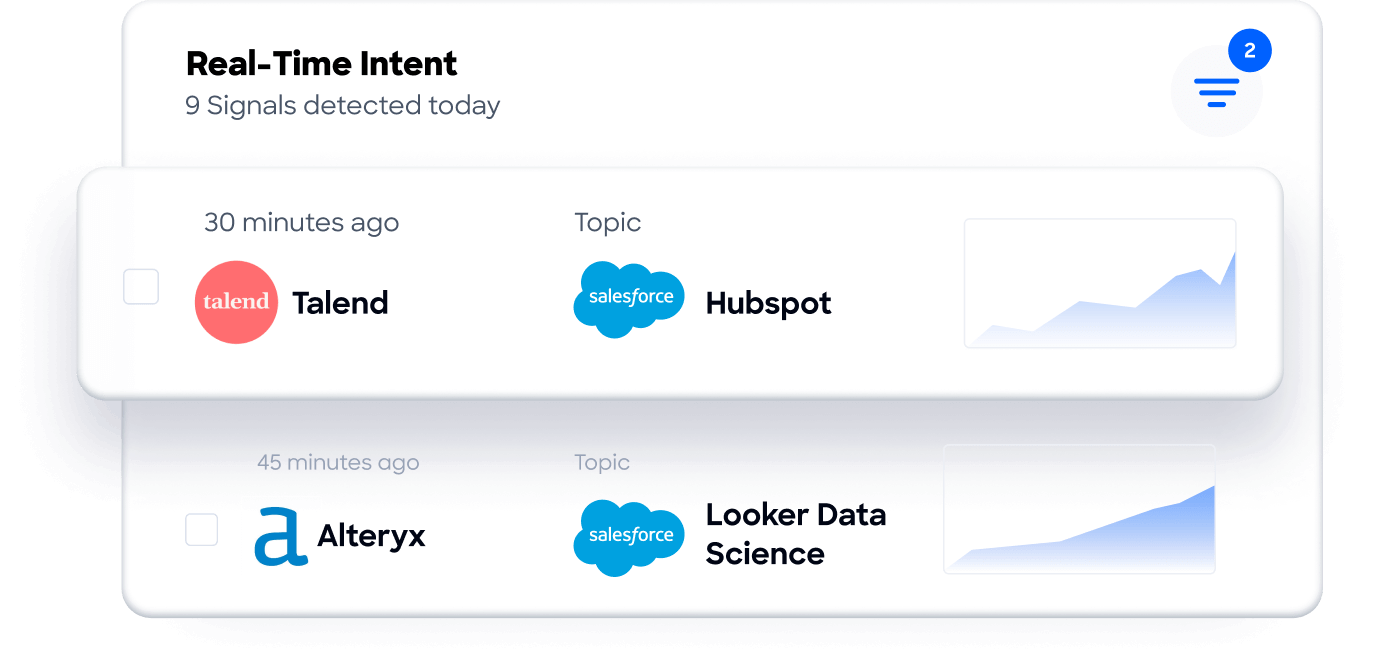
Those signals route directly into Salesloft Rhythm, where Conductor AI factors them into the seller's prioritized action queue.
An account showing high intent for "sales engagement migration" surfaces at the top of the rep's Rhythm feed with a pre-drafted action, rather than sitting buried in a static account list.
Guided Intent, exclusive to ZoomInfo, identifies the research topics historically correlated with deal success in your business, so the signals flowing into Rhythm are calibrated to your actual win patterns rather than generic keyword thresholds.
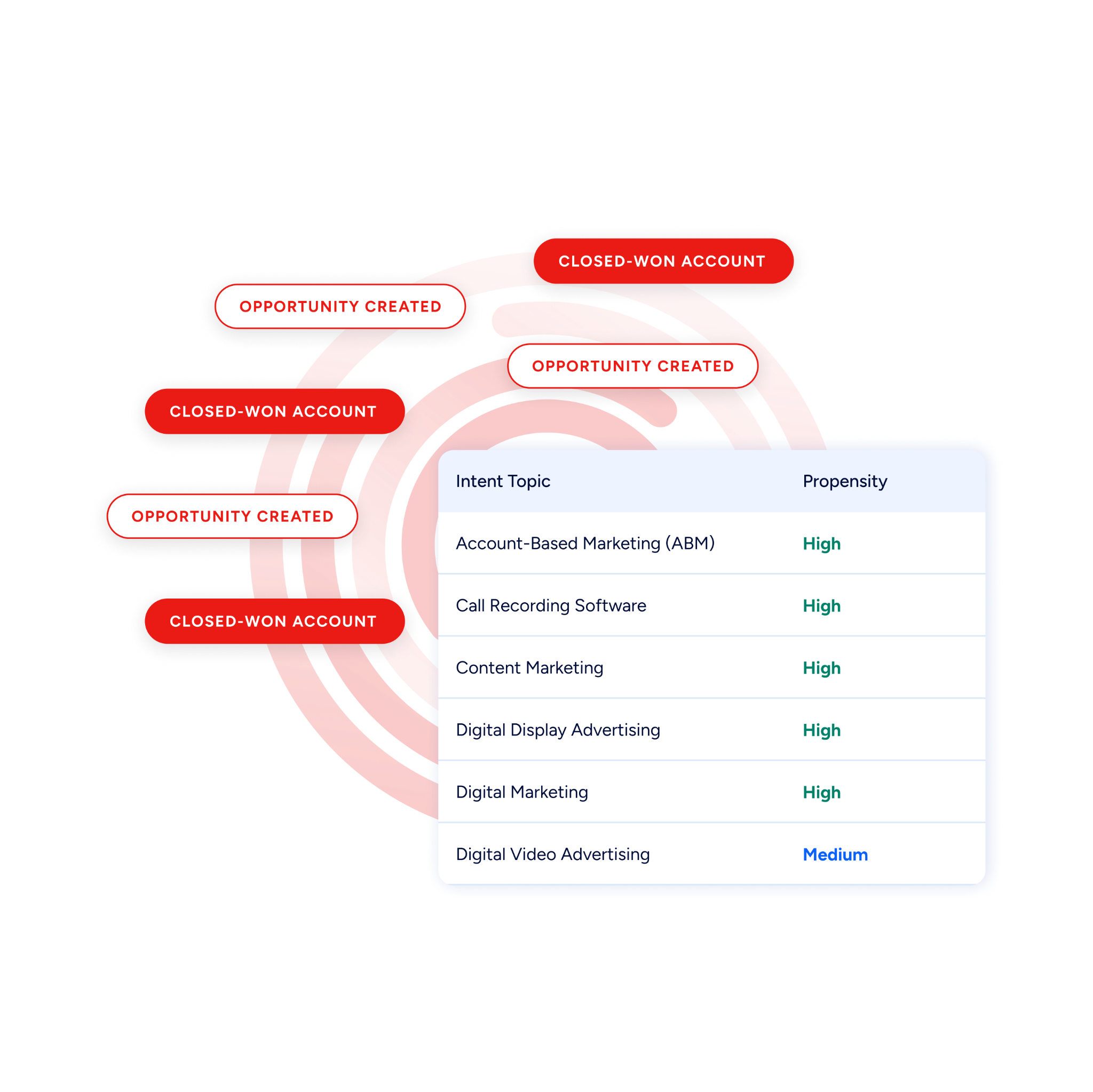
ZoomInfo in action: ZoomInfo detects a target account researching "revenue orchestration platforms" for two weeks. The intent signal routes into Salesloft Rhythm, raises the account's priority score, notifies the assigned AE, and surfaces a task to enroll the primary buying committee contacts into a competitive displacement cadence, all while the buyer is still evaluating.
Website Visitor Identification: Convert Anonymous Traffic into Cadence Enrollments
ZoomInfo WebSights resolves anonymous website traffic to companies and buying teams, with Automatic Traffic Filtering separating genuine company visits from bots. Connected to Salesloft, companies visiting your site can be matched with verified contacts and routed into cadences while the interest is live.
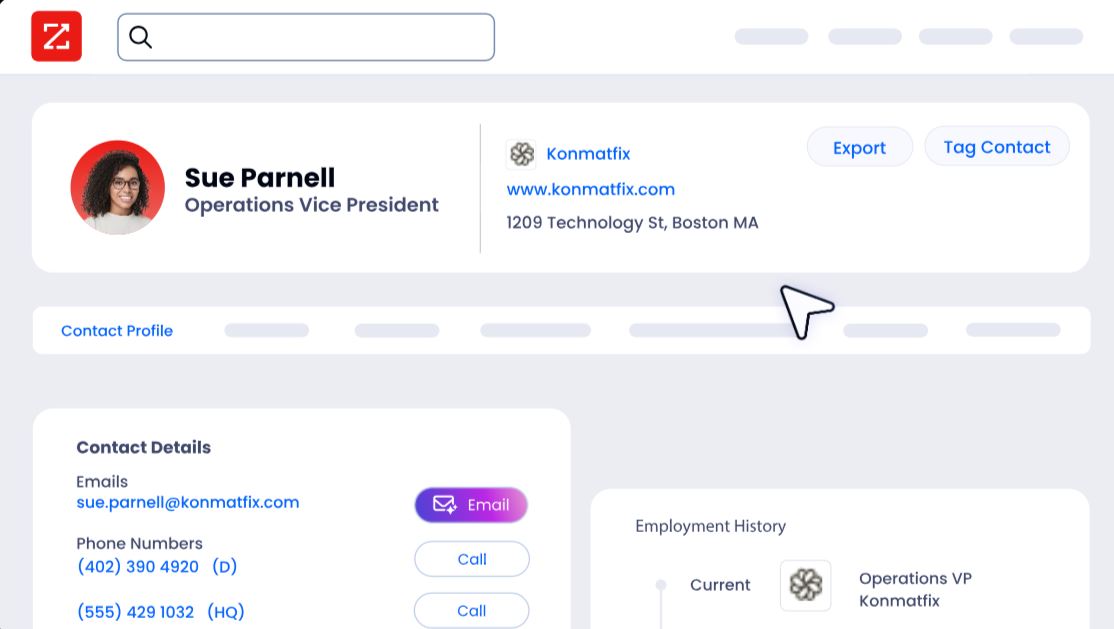
AI-Powered Outreach with Salesloft Delivery
ZoomInfo's GTM Workspace AI agents can draft personalized outreach using the full depth of ZoomInfo's account intelligence, with those emails delivered through Salesloft's sending infrastructure.
The AI drafting your outreach has access to company context, buying signals, and conversation history from ZoomInfo, while Salesloft handles deliverability, tracking, and cadence management.
Beyond the native connector, the enrichment feeding your Salesloft instance is part of a wider intelligence layer: the GTM Context Graph processes 1.5B+ data points daily and fuses ZoomInfo's B2B data with CRM records, conversations, and behavioral signals, while APIs and MCP expose the same intelligence to any tool or AI agent.
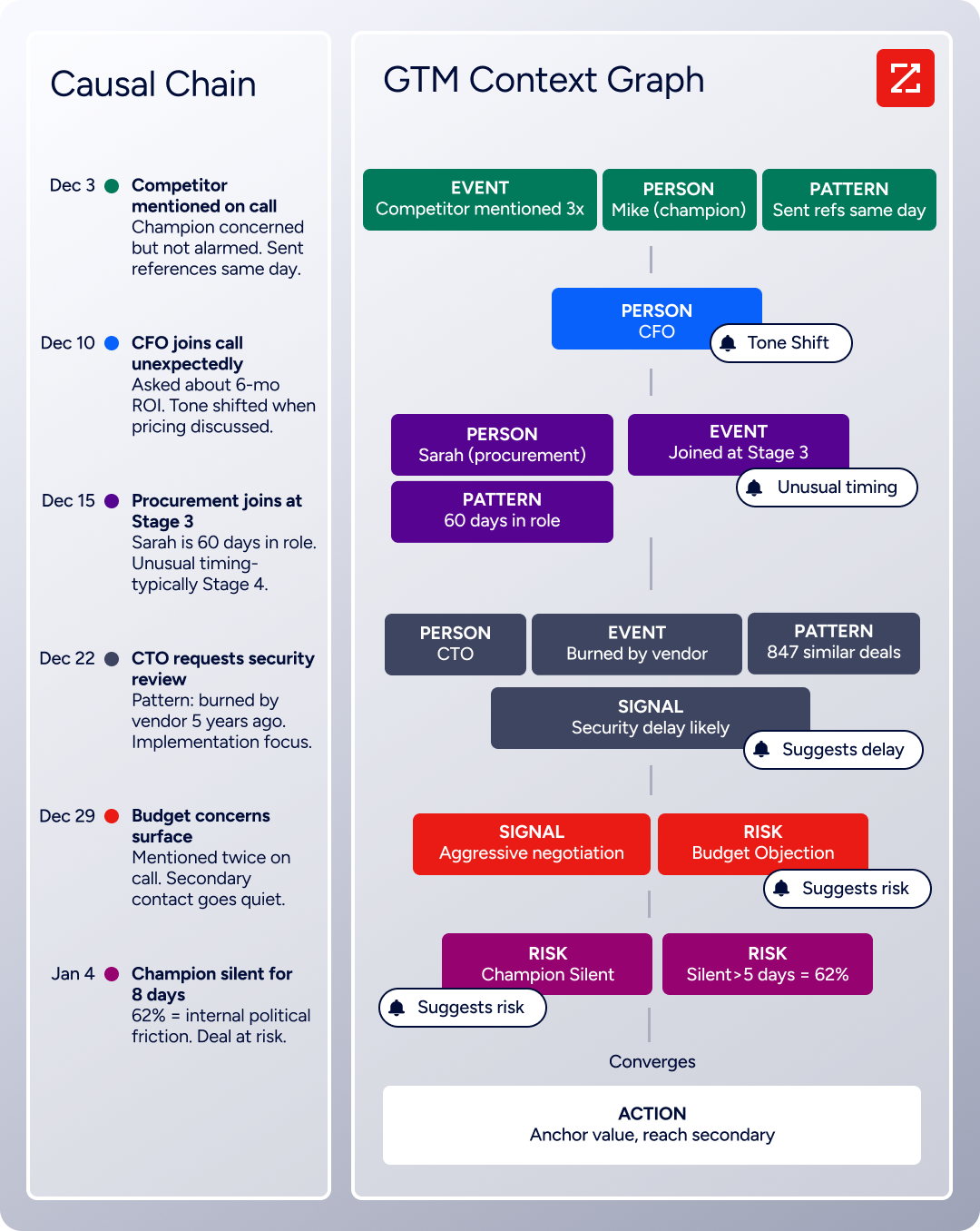
Seismic's sales team attributed 39% of active pipeline to opportunities identified or influenced by ZoomInfo signals, reporting 54% productivity gains and saving 11.5 hours per week per seller. (Seismic Case Study)
ZoomInfo Pricing
ZoomInfo uses a consumption-based pricing model with custom quotes based on usage, users, credit volume, and features.
It is organized into Sales, Marketing, and standalone product lines, each in Professional, Advanced, and Enterprise tiers. The native Salesloft integration is included from Sales Professional up, with Advanced adding intent signals and website visitor tracking.
ZoomInfo Lite is a permanent free tier (no credit card, no time limit) with 10 monthly export credits, searches, the Chrome extension, and CRM integrations, which makes it a practical way to evaluate data quality before committing.
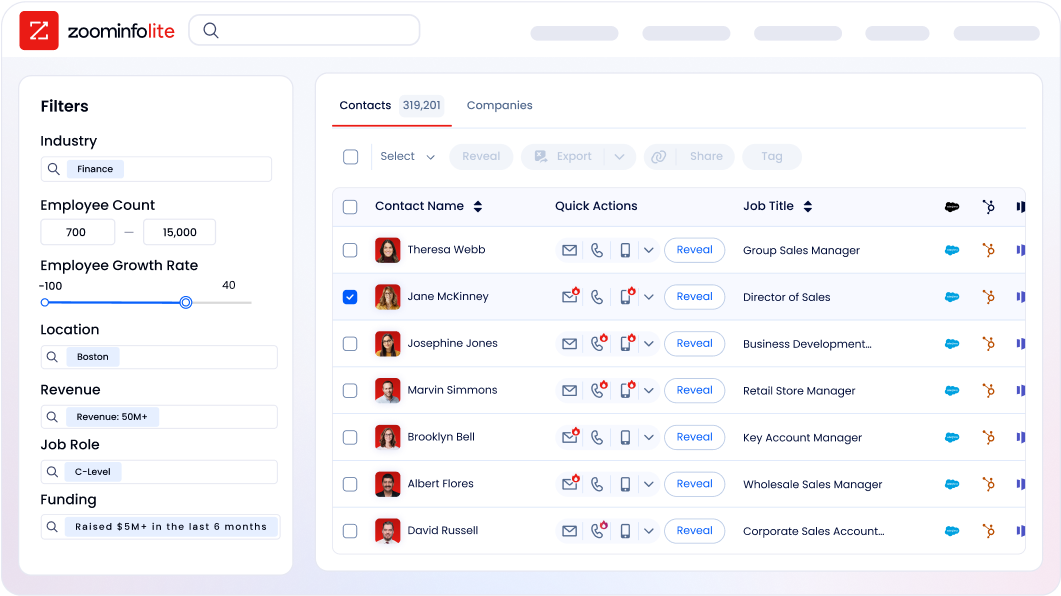
A separate 7-day free trial covers paid features.
Who Should Use the ZoomInfo Integration?
Outbound teams whose cadence performance depends on data accuracy: verified direct dials and emails are the difference between a connected call and a 30% bounce rate that damages sender reputation and buries sequences in spam folders.
Revenue operations teams that need firmographic, technographic, and intent data flowing into Salesloft Rhythm to power AI-driven prioritization, routing, and segmentation instead of behavioral signals alone.
Account-based selling teams that need dynamic prioritization of accounts showing buying signals right now, not static lists based on firmographic criteria alone.
2. Salesforce: Best Salesloft Integration for CRM Activity Logging and Pipeline Automation
Source: Salesloft
Salesforce is the #1 CRM by IDC revenue market share. It integrates with Salesloft to eliminate manual CRM logging, create bidirectional data flow between engagement activity and pipeline records, and let CRM field changes drive cadence automation. The integration is a native first-party connector requiring no third-party middleware.
Key integration capabilities include:
Near real-time bidirectional sync for contacts, leads, accounts, and opportunities, with admin-configurable field mapping that controls which platform wins each data field on conflict
Automatic write-back of every call, email, and cadence step to Salesforce as a Task, pushing over 30 activity properties including call duration, disposition, sentiment, and email engagement counts
CRM field changes triggering Salesloft automation rules for cadence enrollment and removal as deals progress
Opportunity attribution stamping Salesforce Opportunities with cadence data when Contact Roles are active
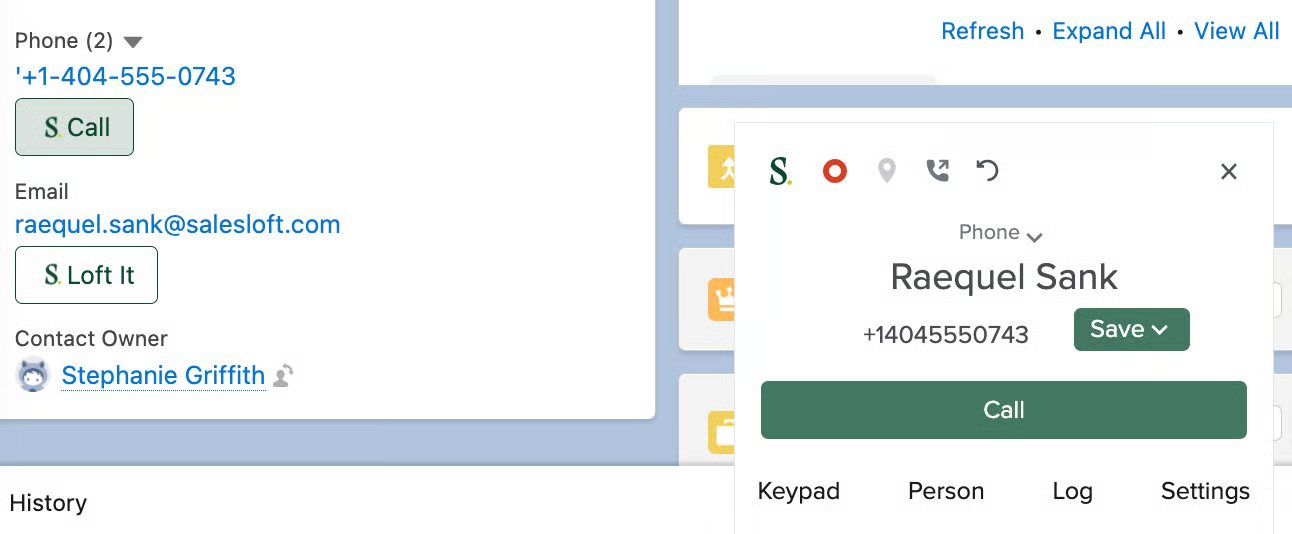
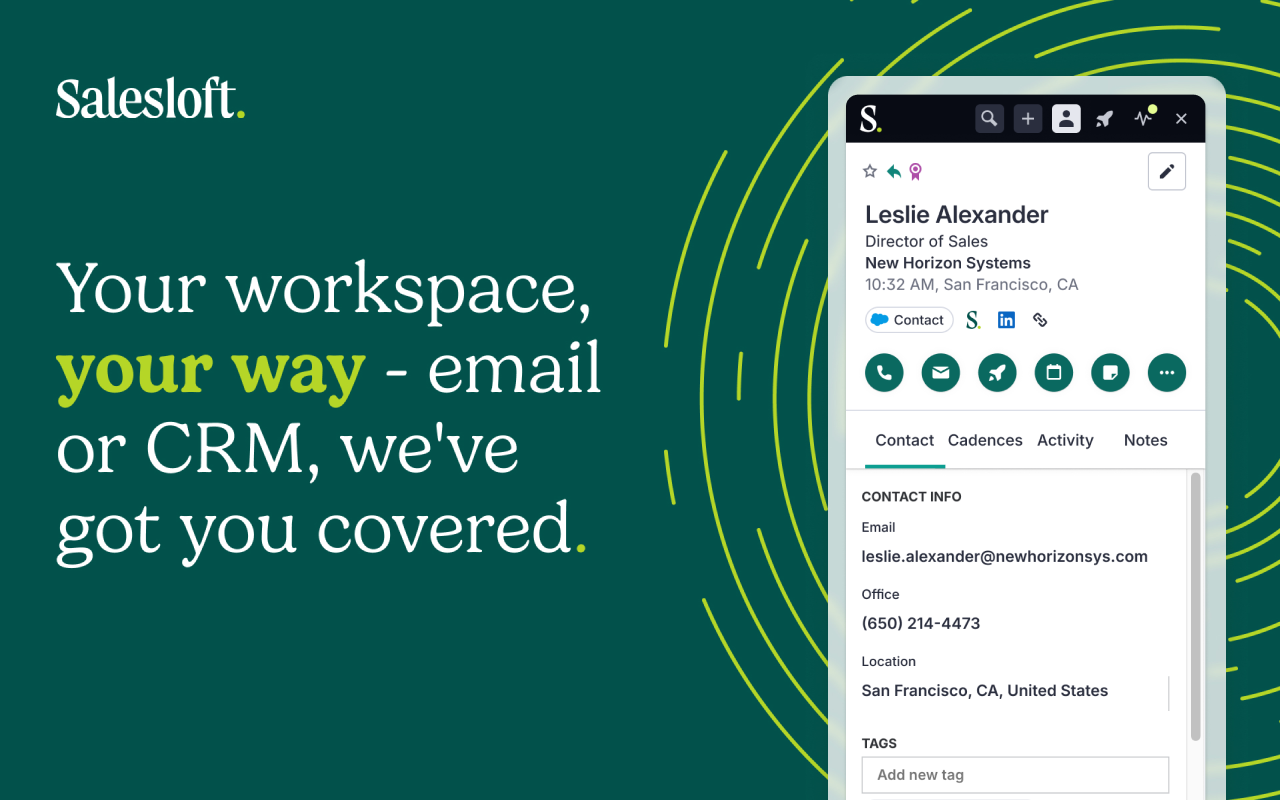
Salesloft Connect Chrome extension surfacing the full cadence workflow inside Salesforce Classic and Lightning
How Salesforce Integrates with Salesloft
The integration connects through Salesforce's REST API via an OAuth-authenticated connected app. It operates bidirectionally: Salesloft reads CRM data to populate cadences and drive enrollment decisions, and writes all activity back to Salesforce in near real-time as Tasks. The integration is a native connector maintained at the platform level.
1. Bidirectional Record Sync with Configurable Field Mapping.
Changes in either system propagate to the other in near real-time. Salesloft admins control which platform wins each data field when a conflict exists: Salesforce might be authoritative for company name and phone number while Salesloft governs email opt-out status.
The opportunity sync surfaces current deal stage, amount, and close date inside the cadence workflow, so reps have CRM context at every touchpoint.
2. Automatic Activity Logging with 30-Plus CRM Properties.
Every call, email, and completed cadence step writes back to Salesforce as a Task with over 30 activity properties: call duration, disposition, sentiment, email subject line, engagement data (opens, clicks, replies), cadence name, step number, and step type.
Automated logging produces uniform activity records across the sales org, a prerequisite for reliable comparative reporting on rep or team performance.
3. CRM Field Changes Triggering Salesloft Automation Rules.
Salesloft's automation rules engine fires based on Salesforce field value changes. When an Opportunity Stage advances from "Proposal Sent" to "Negotiation," Salesloft can enroll associated contacts into a stage-appropriate follow-up cadence. When an Opportunity closes won, it removes those contacts from any active prospecting cadences. This CRM-driven automation is configured entirely within Salesloft's interface with no custom Apex code required.
4. Opportunity Attribution Connecting Cadence Activity to Closed Pipeline.
When Opportunity Contact Roles are active in Salesforce, Salesloft stamps the associated Opportunity with cadence attribution data at close. RevOps teams can build Salesforce reports showing which cadences were running when opportunities closed won, and which outreach patterns appear in deals with shorter cycles.
5. Salesloft Connect: Full Cadence Execution Inside Salesforce.
The Salesloft Connect Chrome extension surfaces Salesloft's complete cadence execution interface as an embedded panel inside both Salesforce Classic and Lightning. Reps can run their entire daily Salesloft workflow without leaving the CRM window, and all activity follows the same automatic write-back behavior.
Source: Salesloft
Salesforce Pricing
Salesforce operates a per-user, per-month subscription model on annual contracts:
Pro Suite: $100/user/month (customization, quoting, forecasting, AppExchange access)
Enterprise: $175/user/month (workflow automation, pipeline insights, AI for sales)
Unlimited: $350/user/month (full AI suite, conversation intelligence, Premier Success plan)
Enterprise-tier or above is the practical minimum for teams wanting CRM field-trigger automation inside Salesloft. A Free Suite exists (up to 2 users) but lacks the API access and workflow automation required for a meaningful Salesloft integration.
Who Should Use the Salesforce Integration?
Enterprise revenue teams running Salesforce as their system of record that need every Salesloft interaction logged automatically with full activity detail, eliminating manual CRM logging
RevOps teams building CRM-driven cadence automation where deal stage progression in Salesforce triggers or removes cadence enrollment without custom code
Organizations that need to connect outreach activity to closed pipeline in Salesforce reporting through opportunity attribution
3. LinkedIn Sales Navigator: Best Salesloft Integration for LinkedIn-Native Social Selling
Source: Salesloft
LinkedIn Sales Navigator is a B2B sales intelligence platform built on LinkedIn's 1.3+ billion member network. It integrates with Salesloft to embed native LinkedIn outreach steps directly into Cadence sequences as tracked workflow actions.
The integration is a native SNAP (Sales Navigator Application Platform) partnership, built directly into the Cadence workflow through LinkedIn's official certified integration program.
Key integration capabilities include:
Four native LinkedIn step types (InMail, Connection Request, Profile View, Introduction) running as tracked Cadence steps alongside email and phone
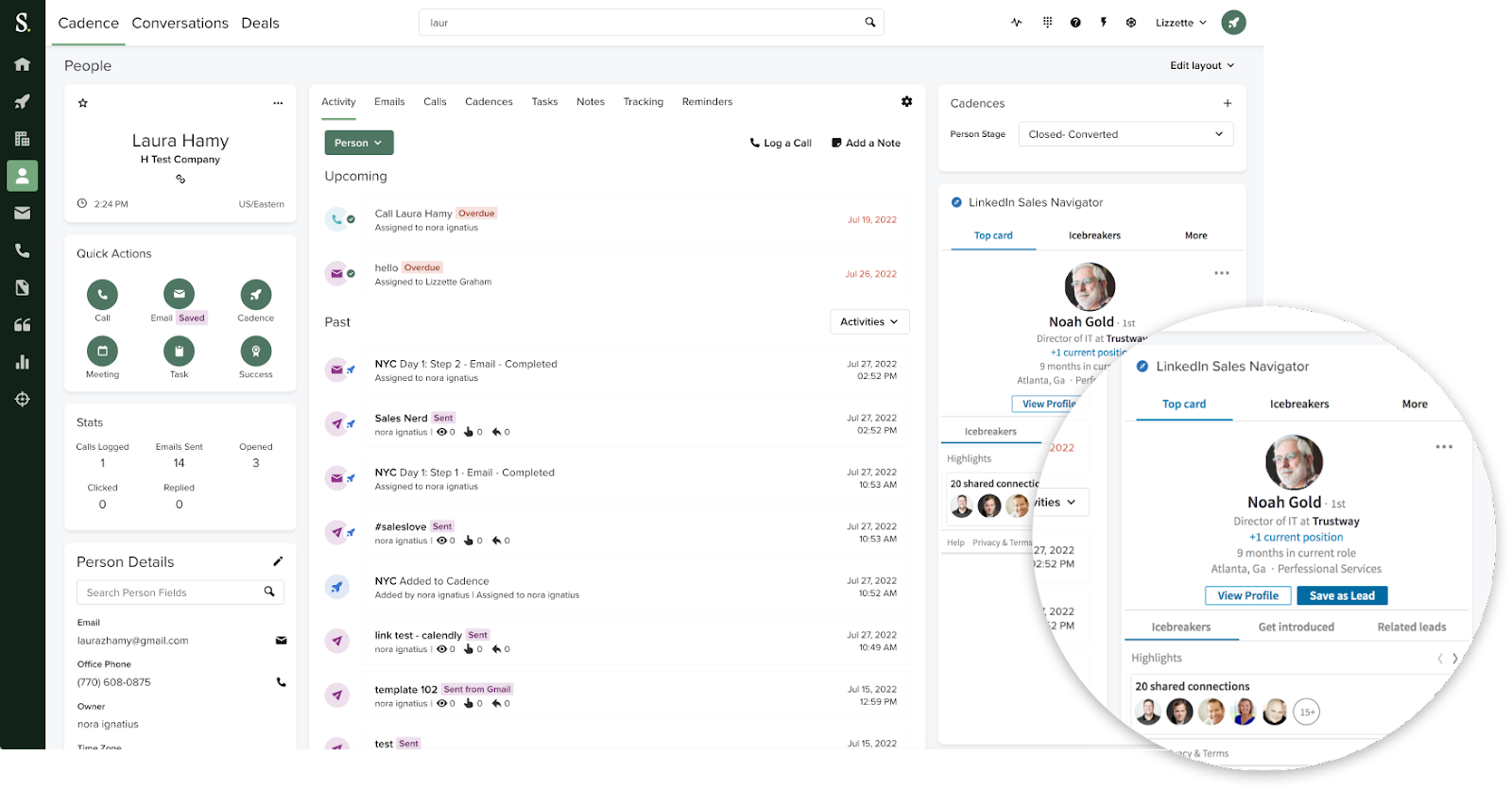
The LinkedIn Smart Panel surfacing mutual connections, shared experiences, and company updates inside the Salesloft interface
Automatic contact matching linking Salesloft contacts to LinkedIn profiles using CRM email and name data
LinkedIn activity writing back to the connected CRM via SNAP Sync Services
How LinkedIn Sales Navigator Integrates with Salesloft
Source: Salesloft
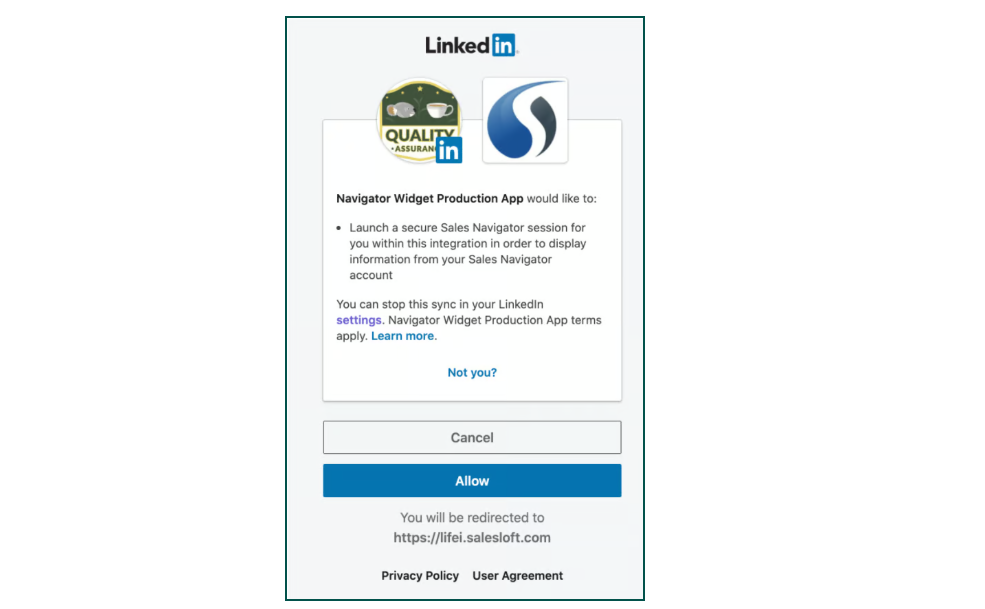
The integration authenticates through LinkedIn's OAuth 2.0 flow on a per-seat basis. Each Salesloft user must have an active LinkedIn Sales Navigator Advanced Plus seat and authenticate their LinkedIn account through the Salesloft interface. This is a native SNAP-certified connection, not a third-party connector.
1. Four Native LinkedIn Step Types Inside Cadences.
LinkedIn step types appear natively inside the Salesloft Cadence builder alongside email, phone, and other standard step types:
InMail: Sends a LinkedIn InMail directly from Salesloft, reaching any LinkedIn member regardless of connection status
Connection Request: Sends a connection request, optionally with a personalized note, typically placed earlier in a cadence to warm the relationship
Profile View: Logs a deliberate profile view as a tracked step, serving as a soft-touch signal
Introduction via Shared Connection: Prompts a warm introduction request through a mutual LinkedIn connection
All four step types appear in Salesloft's sequence reporting and analytics, so LinkedIn touches are measured alongside email open rates and call outcomes in the same Cadence performance view.
2. Smart Panel: LinkedIn Relationship Context Inside Salesloft.
The Smart Panel embeds within the Salesloft interface on contact and account records, displaying current shared connections, TeamLink paths, recent LinkedIn activity from the prospect, and shared professional experiences. Reps see the relationship context inline at the point of outreach instead of switching to LinkedIn in a separate tab.
3. Automatic Contact Matching and CRM Writeback.
The integration auto-matches existing Salesloft contacts to their LinkedIn profiles using email address and full name from the CRM. LinkedIn activity performed through the integration (InMails sent, connection requests dispatched) writes back to the CRM through SNAP Sync Services, keeping the full outreach record unified.
LinkedIn Sales Navigator Pricing
The Salesloft SNAP integration requires Advanced Plus, the highest-tier plan:
Core: $119.99/month or $1,079.88/year per seat (does NOT support the Salesloft integration)
Advanced: $159.99/month or $1,799.88/year per seat (does NOT support the Salesloft integration)
Advanced Plus: Custom pricing, 10+ seat minimum (REQUIRED for the Salesloft integration; includes CRM Sync, Embedded Experiences, and enterprise SSO/SCIM)
Teams cannot trial the Salesloft integration on Core or Advanced plans. For organizations already on Advanced Plus for CRM integration purposes, adding Salesloft steps to existing Cadences is an incremental capability gain at no additional per-seat cost.
Who Should Use the LinkedIn Sales Navigator Integration?
Teams running multi-channel Cadences where LinkedIn is a primary outreach channel that want InMail and connection requests tracked alongside email and phone in the same sequence analytics
Organizations selling into relationship-driven markets where warm introductions and social context influence response rates, and the Smart Panel's TeamLink visibility makes warm-path selling practical at scale
SDR/BDR teams that formally include LinkedIn touches in their cadences but currently track those steps manually outside Salesloft
4. HubSpot: Best Salesloft Integration for Marketing-to-Sales Alignment
Source: Salesloft
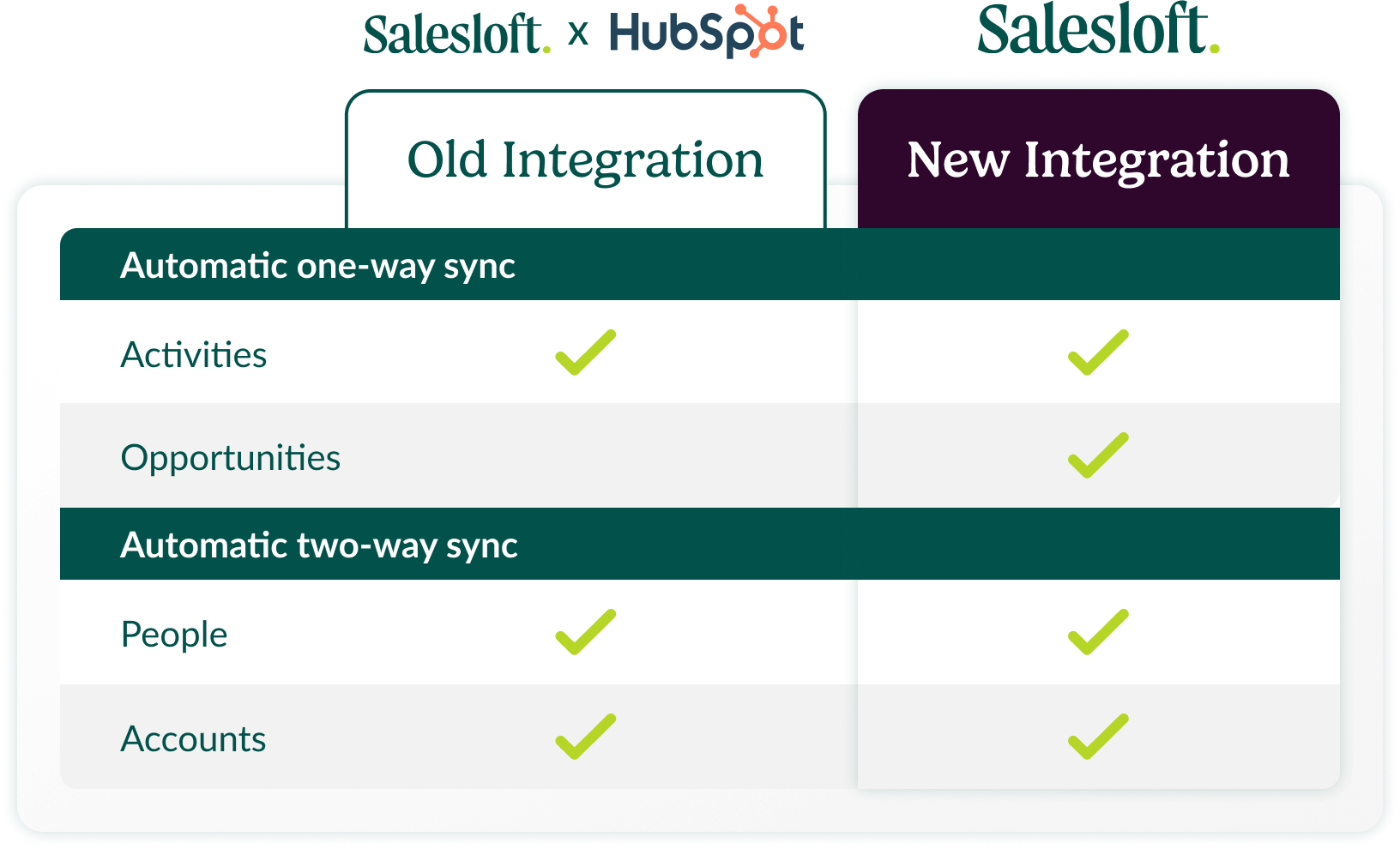
HubSpot is a CRM and customer platform that integrates with Salesloft to bridge marketing automation and CRM data with Salesloft's engagement engine. The integration is now a native connector owned and maintained by Salesloft, resolving a prior reliability issue where sync responsibilities were split between two providers.
Key integration capabilities include:
Bidirectional contact and company sync between HubSpot and Salesloft
Automatic activity logging of Salesloft calls, emails, and meetings back to HubSpot contact timelines
HubSpot lifecycle stage changes triggering Salesloft cadence enrollment for automated marketing-to-sales handoffs
Full sales engagement visibility for marketing teams inside HubSpot without requiring Salesloft seats
How HubSpot Integrates with Salesloft
Source: Salesloft
The integration covers contacts, accounts, activities, and meetings in a bidirectional flow, configured through Salesloft's settings interface without third-party automation platforms. It is a native connector maintained by Salesloft.
1. Bidirectional Contact and Company Sync.
HubSpot contacts and companies sync into Salesloft automatically, giving reps access to the same contact records marketing manages in HubSpot. In the reverse direction, calls, emails, and meetings log to the corresponding HubSpot contact's activity timeline without manual entry.
For teams that have built data models in HubSpot over time (custom properties, lifecycle stage logic, segmentation lists), those properties are available in Salesloft for cadence targeting and contact filtering.
2. Lifecycle Stage Changes Triggering Cadence Enrollment.
When a HubSpot contact advances through a lifecycle stage (for example, from Marketing Qualified Lead to Sales Qualified Lead), the integration can enroll that contact in the matching Salesloft cadence automatically.
This collapses what is typically a multi-step, delay-prone handoff into a real-time automation: a newly qualified lead enters a Salesloft sales cadence within minutes of meeting the qualification threshold.
3. Salesloft Engagement Activity in HubSpot Contact Timelines.
Every Salesloft engagement touch appears as an activity entry in the HubSpot contact record's timeline. Anyone looking at a HubSpot contact can see what engagement has occurred, when, and with what outcome, without switching tools or requesting a report from the sales team.
Marketing can see whether a contact is already in an active sales sequence before adding them to a campaign; sales can see HubSpot marketing history before opening a cadence.
4. Integration Scope vs. Salesforce.
The HubSpot integration is narrower in scope than Salesloft's Salesforce integration. It does not include the 30+ activity property write-back, opportunity attribution stamping, or the Salesloft Connect Chrome extension for in-CRM cadence execution. Teams that need those capabilities should prioritize Salesforce as their primary CRM sync.
HubSpot Pricing
HubSpot uses a hybrid pricing model combining per-seat fees, flat-rate tiers, and marketing contact volume limits:
Marketing Hub:
Starter: $15/seat/month (annual), 1,000 marketing contacts included
Professional: $800/month (annual), 3 Core Seats included, 2,000 marketing contacts, mandatory $3,000 onboarding fee
Enterprise: $3,600/month, 5 Core Seats included, 10,000 marketing contacts, mandatory $7,000 onboarding fee
Sales Hub:
Starter: $9/seat/month (annual)
Professional: $90/seat/month (annual), mandatory $1,500 onboarding fee
Enterprise: $150/seat/month (annual only), mandatory $3,500 onboarding fee
When an account subscribes to multiple Hubs at different tiers, all Core Seats are billed at the rate of the highest subscription tier, which can push total cost beyond what the base pricing suggests. Marketing contact overage costs also apply at $250 per 5,000 additional contacts per month at the Professional tier.
Who Should Use the HubSpot Integration?
Mid-market teams running HubSpot as their primary CRM and marketing automation platform (not Salesforce) that need Salesloft's cadence execution connected to their existing contact data
Organizations where marketing owns lifecycle stages in HubSpot and wants marketing-to-sales handoffs to trigger Salesloft cadence enrollment automatically
Teams where marketing, customer success, or other HubSpot users need visibility into sales engagement activity without requiring Salesloft seats
5. Gong: Best Salesloft Integration for AI Conversation Intelligence and Coaching Analytics
Source: Salesloft
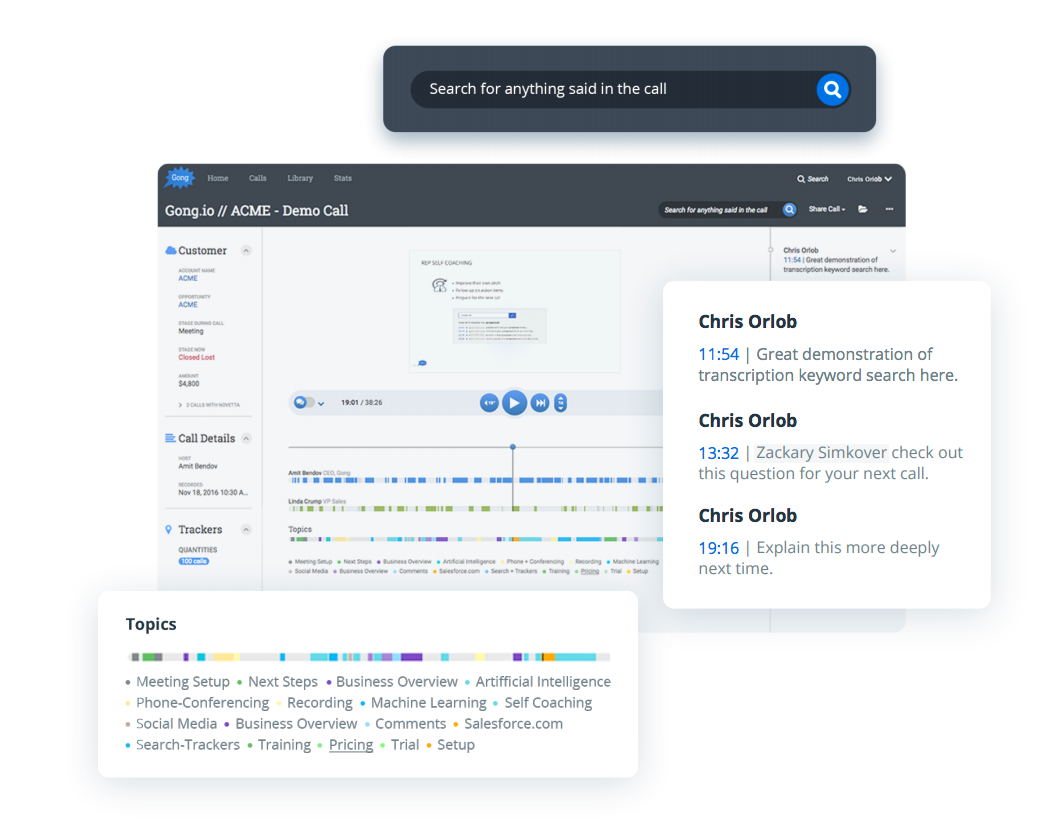
Gong is a Revenue AI platform that integrates with Salesloft to add a conversation intelligence layer on top of every call reps make through the Salesloft dialer.
Gong pulls in recordings, transcribes them, and runs AI analysis across talk ratios, objection patterns, competitor mentions, and buying signals without requiring reps to change how they execute their cadences. The integration is listed in the Gong Collective and the Salesloft Marketplace.
Key integration capabilities include:
Automatic import of Salesloft dialer call recordings into Gong for AI transcription and analysis
Three-month historical call archive import on first connection, giving teams immediate analytical depth
Gong's AI analyzing each imported transcript for sentiment, objection frequency, buying signals, and competitor mentions
Cross-call trend analysis, concept-based Smart Tracker detection, and AI Deal Reviewer correlation between call behavior and deal outcomes
How Gong Integrates with Salesloft
Source: Salesloft
Gong connects to Salesloft through a native API-based integration. A Gong admin configures the connection in Gong's Admin center, and Gong begins pulling all call recordings made through the Salesloft dialer.
There is no recording bot to invite, no separate login for reps, and no changes to how Salesloft cadences or dialer workflows are configured. The integration is a native marketplace connector.
1. Automatic Call Recording Import from the Salesloft Dialer.
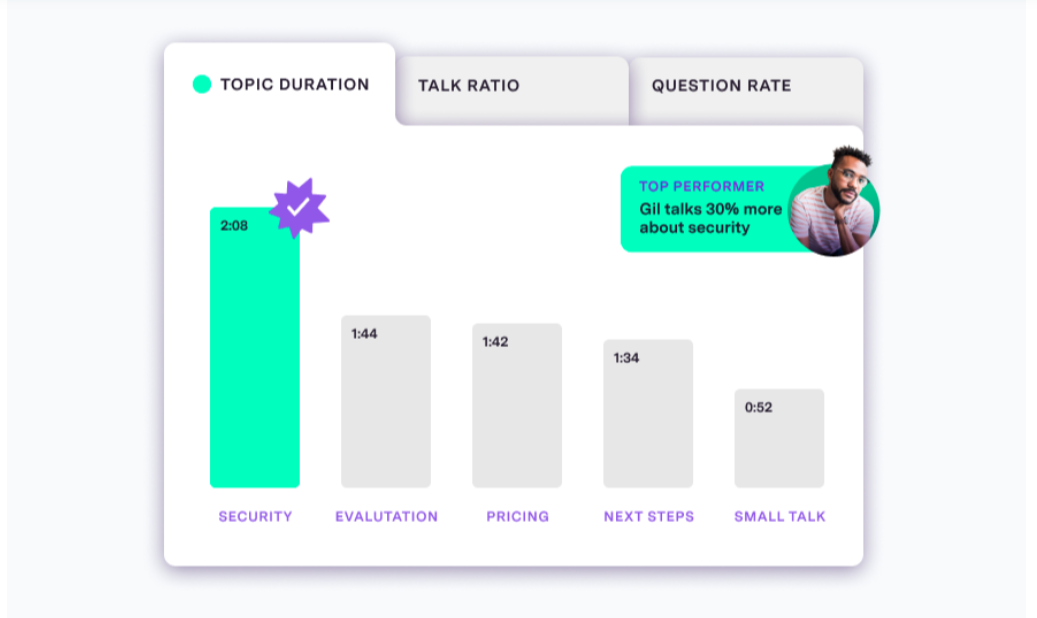
When the integration is active, Gong pulls recordings as they're completed. Reps continue using Salesloft exactly as before: they run cadences, execute call steps through the built-in dialer, and log outcomes. Each completed recording becomes a Gong call record with full AI-generated transcript, speaker diarization, talk ratio breakdown, and analytics.
2. Three-Month Historical Call Archive Import.
On first connection, Gong imports the last three months of Salesloft call recordings. Teams get immediate historical depth: talk ratio patterns, keyword occurrences, competitor mentions, and coaching moments become visible for calls made before the integration existed.
3. Gong AI Conversation Analytics on Salesloft Engagement Data.
Once recordings are in Gong, the full analytics suite runs against them: AI Transcriber producing searchable transcripts, Smart Trackers detecting conceptual themes (not just keyword matches), AI Call Reviewer evaluating rep performance against coaching scorecards, and competitor mention detection across the archive.
What this adds on top of Salesloft's native Conversations module is cross-call trend analysis, AI Deal Reviewer correlation between call behavior and deal outcomes, and the Revenue Graph's ability to connect call data to CRM deal records and forecast signals.
4. One-Directional Primary Data Flow.
The integration is primarily one-directional: Salesloft call recordings flow into Gong. Gong conversation insights do not push back into Salesloft Rhythm task queues or deal records in a structured, automated way. Teams who want conversation intelligence feeding directly into their Salesloft workflow will get more from Salesloft Conversations operating natively.
Gong adds the most value for organizations already running it company-wide, where standardizing all call data into one Gong workspace is a governance requirement.
Gong Pricing
Gong uses a fully quote-based pricing model with no published list prices. Pricing depends on a per-user license fee, a platform fee based on total user count, and selected application modules.
Gong Foundation (required for all customers):
Per-user seat price (custom quote)
Platform fee on top of per-user pricing
Includes the Revenue Graph, call recording and transcription, AI Transcriber, all 15+ Gong Agents, CRM object mapping, and standard integrations including the Salesloft API integration
Application Add-ons (modular, separately priced):
Gong Engage, Gong Forecast, Gong Enable, Gong Data Cloud
The Foundation plan is sufficient to activate the Salesloft integration and run core conversation analytics. The Salesloft integration is included at no extra charge with standard tech stack integrations.
Who Should Use the Gong Integration?
Revenue organizations already running Gong company-wide that need Salesloft dialer calls feeding the same Gong workspace where deal intelligence, coaching analytics, and forecasting already live
Enablement or RevOps teams needing cross-call trend analysis, concept-based Smart Tracker detection, AI Deal Reviewer, or AI Briefer capabilities beyond what Salesloft Conversations provides natively
Sales managers who conduct coaching reviews and track rep development inside Gong and want prospecting calls from Salesloft included in those workflows
6. Slack: Best Salesloft Integration for Real-Time Cadence Alerts and In-Channel Execution
Source: Salesloft
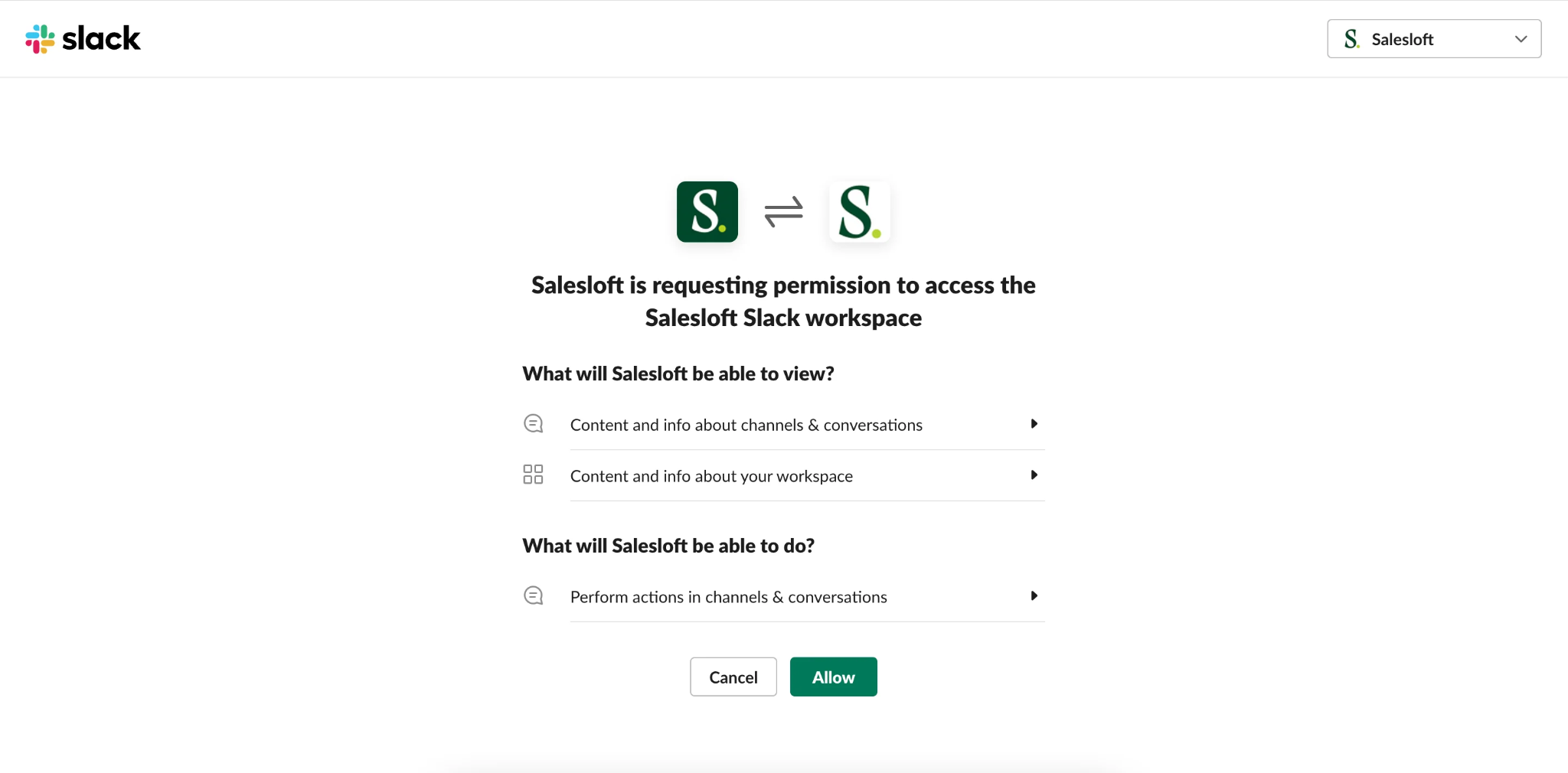
Slack is a team communication platform that integrates with Salesloft to convert cadence events, buyer engagement signals, and prospect status changes into real-time notifications inside the channels where reps already work, with inline actions for responding without switching back to Salesloft.
The integration is native to Salesloft, configured through Salesloft's automation rules engine without third-party middleware.
Key integration capabilities include:
Automation rules triggering customized Slack messages to public channels when defined Salesloft events fire
Dynamic field injection pulling contact name, company name, and event context into each notification
Email opens, bounces, meeting bookings, cadence completions, and contact stage changes all supported as trigger events
Inline actions for email replies, call logging with notes and disposition, and alert snoozing directly from the notification
How Slack Integrates with Salesloft
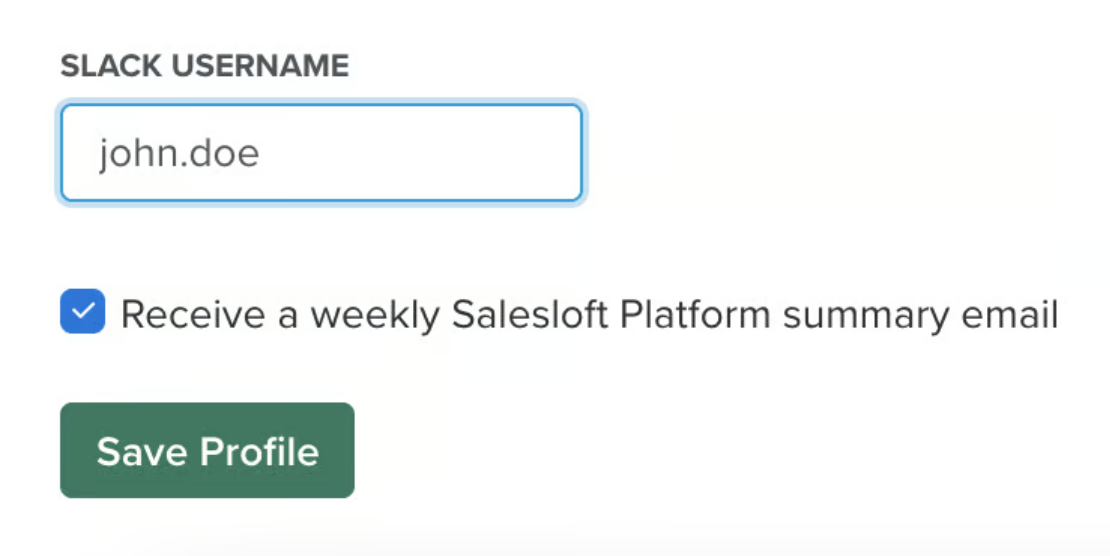
Source: Salesloft
The integration is one-directional at the data layer: Salesloft pushes event notifications into Slack. The inline cadence actions surfaced within notifications (email replies, call logs, snoozes) execute through Salesloft's systems in the background, so all activity is captured and logged in the rep's Salesloft record.
It is a native marketplace connector.
1. Automation Rules: Customized Event-Based Alerts.
Salesloft's automation rules engine is the configuration layer. Admins define which event fires the alert, which public Slack channel receives it, and what information the message contains. Dynamic fields inject live data from the triggering event (contact name, company, event type, email subject line) into each message.
Teams typically build separate rules for each event type, routing to different channels by urgency and audience.
2. Inline Actions: Cadence Responses Without Leaving Slack.
Salesloft's Slack notifications support three inline actions:
Draft and send an email reply: The rep composes and sends a follow-up through Salesloft, logged to the contact record
Log a call with notes and outcome: Structured call log entry in the same format as a Salesloft call log
Snooze the alert: Deferred reminder for later follow-up without losing the signal
For SDR teams managing 150-200+ active contacts across several cadences, inline actions compress the signal-to-response loop. Responding to an email open within minutes of the prospect engaging can improve reply rates compared to responding hours later after the rep's attention has moved elsewhere.
3. Public Channel Routing.
One constraint: Salesloft automation rules can only direct notifications to public Slack channels. Private channels and direct messages are not supported. For teams whose cadence alert workflow routes to shared public channels (the common pattern for SDR squads wanting shared visibility), this does not disrupt the intended use case.
Slack Pricing
Slack uses per-seat pricing with a Fair Billing Policy that credits inactive users on a 28-day rolling window:
Free: $0 (90-day message history, 10-app limit)
Pro: $7.25/user/month annual (unlimited history, unlimited apps, 24/7 support)
Business+: $15/user/month annual (SAML SSO, SCIM, custom retention, 4-hour first response SLA)
Enterprise+: Custom pricing (Enterprise Grid, DLP, HIPAA compliance)
No tier-based unlock is required for the Salesloft integration. The automation rules notification flow is available at Pro and above, the standard operating tier for sales teams.
Who Should Use the Slack Integration?
SDR or AE teams using Slack as their operational home base that need cadence event signals surfaced in real time without platform switches
High-volume outbound teams that want to compress time between a buyer engagement signal and a rep's response using inline actions
Organizations that benefit from shared channel visibility into outbound cadence activity, allowing managers and teammates to monitor activity in real time
7. Zapier: Best Salesloft Integration for Connecting Non-Native Tools and Custom Signal Workflows
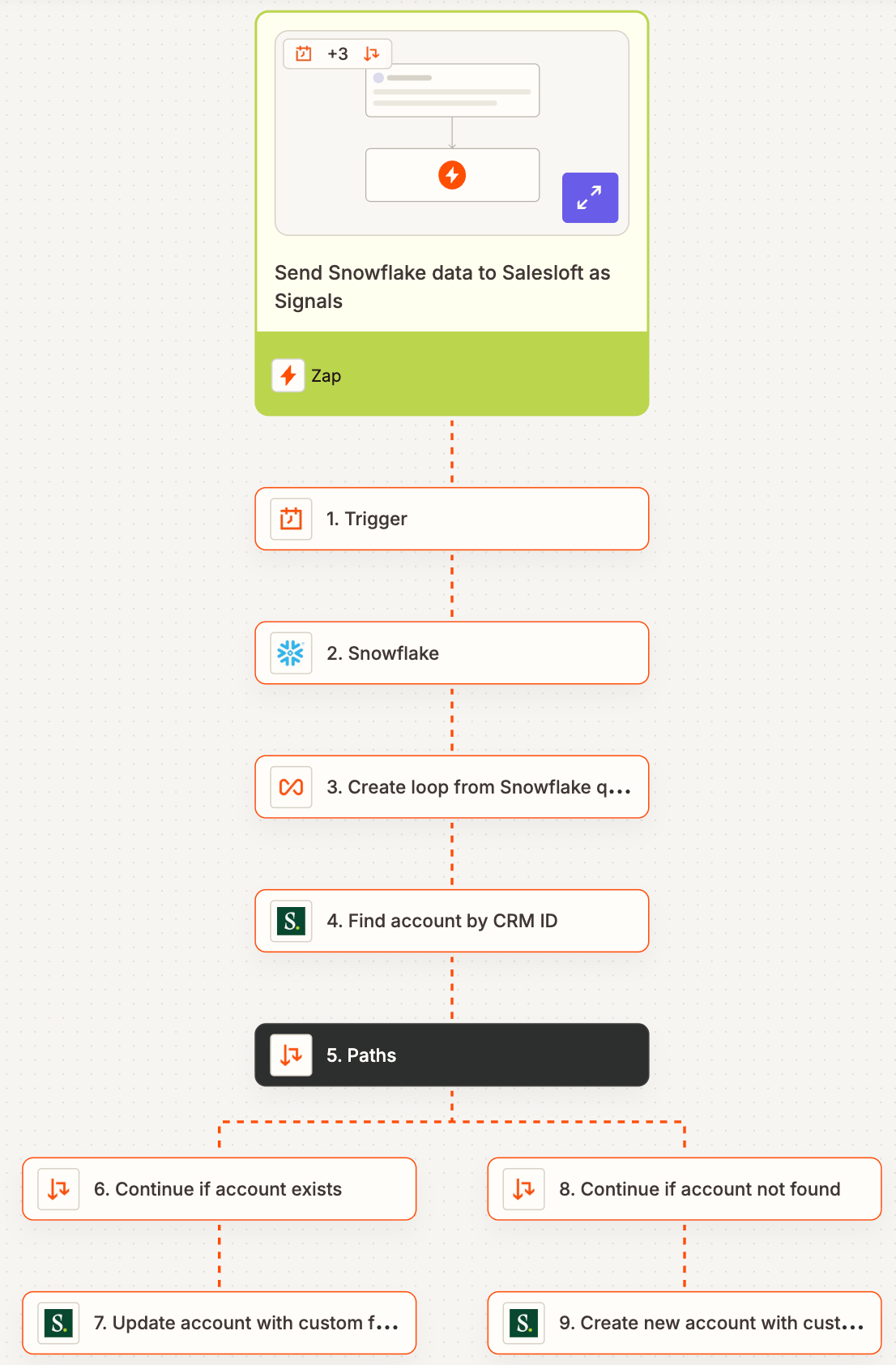
Source: Zapier
Zapier is a no-code workflow automation platform that integrates with Salesloft to link the engagement engine to 8,000+ external applications that Salesloft's native Marketplace does not yet support.
Zapier's Salesloft connector is officially listed on the Salesloft Marketplace, exposing key Salesloft events as Zap triggers and core Salesloft actions as Zap outputs. It is a native marketplace connector.
Key integration capabilities include:
Salesloft events as Zap triggers: new person added, cadence membership updated, cadence step completed, email replied to
Salesloft create-actions as Zap outputs: create person, add to cadence, create account
Automated cadence enrollment from external buyer signals (webinar registrations, form submissions, trial activations) without relying on Salesloft's native connectors
No-code connection path to Salesloft's Rhythm Signals API for custom intent event routing
How Zapier Integrates with Salesloft
Zapier connects through its publicly listed Salesloft app connector, authenticated via OAuth. No API keys, developer portal access, or admin console configuration is required for standard workflows. A basic Zap can be configured in 10-15 minutes by a non-technical RevOps user.
1. Salesloft Triggers and Actions: Connecting Any External App.
Any app in Zapier's 8,000+ catalog can serve as a Salesloft data source or downstream workflow target. A form builder captures a submission and creates the person in Salesloft, adding them to the correct cadence in the same workflow.
A cadence step completion fires a Zap that writes the progression status to a connected database. A replied email creates a task in a project management tool. None of these flows require rep action after publishing.
2. Real-Time Buyer Signal Activation from Non-Native Sources.
The most operationally valuable use case is closing the time gap between an external buyer signal and Salesloft cadence enrollment.
A contact who registers for a webinar, fills out a gated content form, or activates a product trial in a tool without a native Salesloft integration generates a signal that would otherwise sit for hours or days until someone imports it manually.
Zapier eliminates that delay by making the external event the enrollment trigger, with contacts appearing in cadences within the polling interval (2 minutes on Professional plan).
3. No-Code Path to Salesloft's Rhythm Signals API.
Salesloft's Rhythm engine can ingest buyer signals from external systems via its open Signals API. Natively, this requires OAuth app registration and API development. Zapier provides a no-code path: RevOps teams build a Zap that watches a non-native system (a license utilization alert, a BI dashboard condition, a community interaction) and passes that intent event into Rhythm.
The result is a seller-facing prioritized task in their Rhythm feed, sourced from a system with no native Salesloft Marketplace integration.
4. Polling Interval and Plan Considerations.
Zapier's Free plan limits users to two-step Zaps and polls Salesloft's API every 15 minutes. For production enrollment workflows, teams need the Professional plan at minimum for multi-step Zaps and a 2-minute polling interval. The Team plan reduces polling to 1 minute.
Zapier Pricing
Zapier uses task-based pricing where each action step counts as one task:
Free: $0, 100 tasks/month, two-step Zaps only, 15-minute polling
Professional: Starts at $19.99/month annual for 750 tasks, multi-step Zaps, 2-minute polling
Team: Starts at $69/month annual for 2,000 tasks, shared workspace (up to 25 users), 1-minute polling, SAML SSO
Enterprise: Custom pricing, unlimited users, advanced admin controls
Professional is the practical minimum for Salesloft workflows. Teams with high task volumes should model consumption carefully: Zapier charges 1.25x the plan's per-task rate for overages.
Who Should Use the Zapier Integration?
Teams operating tools not covered by Salesloft's 180+ native Marketplace integrations (niche events platforms, regional marketing tools, specialized form builders, proprietary internal systems) that need automated cadence enrollment from those sources
RevOps teams wanting to route custom buyer signals from non-native data systems into Salesloft's Rhythm AI prioritization engine without engineering tickets
Organizations managing a high-variety SaaS stack where a single no-code automation layer connecting long-tail tools to Salesloft is more practical than pursuing individual point integrations
Final Verdict
The best Salesloft integrations feed your engagement engine verified data it cannot generate on its own, connect buyer signals from across your stack, and keep your team executing from a complete picture:
ZoomInfo: verified B2B data, buyer intent, and go-to-market intelligence enriching every cadence and powering Rhythm prioritization; the highest-impact integration on this list if your pipeline depends on data quality
Salesforce: complete CRM activity logging with 30+ properties, bidirectional sync, and in-CRM cadence execution
LinkedIn Sales Navigator: native LinkedIn outreach steps tracked alongside email and phone in the same sequence analytics
HubSpot: marketing-to-sales handoff automation with lifecycle-stage cadence enrollment
Gong: conversation intelligence and cross-call coaching analytics layered on top of Salesloft dialer calls
Slack: real-time cadence alerts with inline actions in the workspace your team already lives in
Zapier: no-code reach into 8,000+ apps and custom Rhythm signal routing where native connectors stop
These integrations also compound: you might run ZoomInfo for data enrichment and intent signals, Salesforce for CRM sync, LinkedIn Sales Navigator for social selling steps, and Slack for real-time alerts on the same Salesloft instance, each adding a layer of intelligence or automation that makes the others more valuable.
If you connect just one, make it the data layer everything else depends on. ZoomInfo's native Salesloft integration enriches your cadences with verified contact data and routes buyer intent signals directly into Rhythm for AI-driven prioritization. ZoomInfo Lite is a permanent free tier, so you can evaluate data quality before spending anything.
Frequently Asked Questions
How many integrations does Salesloft support?
Salesloft's Marketplace houses over 180 partner integrations across 16 technology categories including CRM, sales intelligence, marketing automation, conversation intelligence, dialer, sales enablement, video engagement, and workflow automation.
Beyond the marketplace, Salesloft's public REST API exposes over 90 resource groups with 35+ webhook event types, and the open Signals API lets external systems feed buyer intent data directly into the Rhythm AI prioritization engine. The Spring 2026 MCP Server extends connectivity to any MCP-compatible AI tool.
Do Salesloft integrations work with both Salesforce and HubSpot?
Yes, Salesloft has native integrations with both CRMs, but the depth differs significantly. The Salesforce integration supports over 30 activity properties per interaction, opportunity attribution, CRM field-triggered automation rules, and the Salesloft Connect Chrome extension for in-CRM cadence execution.
The HubSpot integration covers bidirectional contact sync, activity logging, and lifecycle-stage cadence enrollment, but does not include opportunity attribution or in-CRM execution. Teams choosing a CRM to pair with Salesloft should factor this difference into their evaluation.
Can I push external buyer signals into Salesloft's Rhythm AI engine?
Yes. Salesloft's open Signals API allows external systems to feed custom intent events into Conductor AI's prioritization model, where they surface as ranked seller actions in the Rhythm task feed. Native signal partners (G2, UserGems, Highspot, Vidyard, and others) connect directly.
For tools without a native Salesloft integration, no-code platforms like Zapier, Tray.AI, and Workato can bridge the gap without engineering involvement.
Does connecting multiple integrations cause issues in Salesloft?
Each integration operates through its own API connection and sync schedule, so running several simultaneously does not create conflicts. High-volume integrations that make frequent API calls share a team-level rate limit pool of 600 cost points per minute.
Teams running multiple high-frequency integrations should monitor usage through the API Logs dashboard and contact Salesloft's integration support for limit adjustments if needed.
How does Salesloft's MCP Server change the integration landscape?
Launched in Spring 2026, Salesloft's MCP Server opens live pipeline data, deal activity, engagement signals, and call data to any MCP-compatible AI tool, including Claude, ChatGPT, Microsoft Copilot, Gemini, and Salesforce Agentforce.
This positions Salesloft as a real-time revenue data source for the broader AI ecosystem, letting RevOps teams build custom agentic workflows on top of live revenue context without waiting for native integrations.
Are Salesloft integrations secure?
Salesloft uses OAuth 2.0 for third-party app authentication and supports SOC 2 Type II, ISO 27001, ISO 27701, GDPR, and CCPA compliance. Enterprise environments can use SAML-based SSO (Duo, Okta, OneLogin), custom user roles and group permissions, regional security controls, and 24/7 protected data centers with WAF, EDR/XDR, and SIEM monitoring. API access is scoped with granular permissions (accounts:read, cadences:write, conversations:read, and more).
What is the best way to enrich Salesloft contact data for B2B teams?
Integrating a dedicated B2B data platform provides the most accurate enrichment. ZoomInfo's native Salesloft integration enables direct export of verified contacts from a database covering 500 million contacts and 100 million companies, with 135 million+ verified phone numbers and 200 million+ verified business email addresses.
Beyond static enrichment, ZoomInfo's buyer intent signals route directly into Salesloft Rhythm for AI-driven prioritization, so your team acts on accounts showing active research behavior rather than working static lists.
For teams where pipeline depends on data accuracy, connecting ZoomInfo is the difference between cadences built on verified data and sequences sent to contacts who changed jobs three months ago.
More from the blog:
