
Workable serves 35,000+ teams worldwide with a combined ATS and HR platform that covers job posting, AI-powered candidate screening, onboarding, time tracking, and performance reviews. With 2.1 million hires facilitated and back-to-back Forbes Advisor Best AI-Powered Recruiting Platform awards in 2024 and 2025, Workable has shown that mid-market hiring teams don't need enterprise complexity to run a structured, data-driven recruiting operation.
But even a capable ATS only sees what happens inside it.
Workable tracks applications, manages pipelines, scores candidates with its Workable Agent, and handles post-hire HR workflows.
On its own, it cannot sync recruiter activity with LinkedIn Recruiter in real time, run pre-employment background checks without a separate portal, push hiring updates to the messaging tool your team actually lives in, or connect candidate events to the hundreds of business tools outside its native integration set.
The right integrations close those gaps. They feed Workable verified screening data it cannot generate on its own, synchronize activity across disconnected platforms, automate handoffs between recruiting and HR operations, and extend the ATS's reach into every tool your hiring team uses daily.
This guide covers the strongest integration for each of the jobs Workable users most commonly need done:
Unify LinkedIn Recruiter workflows with your ATS pipeline
Run pre-employment background checks without leaving the candidate profile
Surface hiring updates and team coordination in real-time messaging channels
Assess candidates on behavioral, motivational, and cognitive dimensions
Automate the hire-to-onboard handoff into your HRIS
Synchronize interview scheduling and candidate communication with your calendar and email
Connect Workable to thousands of apps through no-code workflow automation
Each section walks through how the integration connects with Workable, what data flows between the platforms, pricing, and who benefits most.
Best Workable Integrations at a Glance | |
|---|---|
Best Workable Integration for LinkedIn Recruiter Workflow Unification. Connects Workable bidirectionally with LinkedIn Recruiter so candidate records, pipeline stages, and InMail history stay synchronized across both platforms, eliminating the tab-switching that costs recruiters hours every week. | |
Best Workable Integration for Pre-Employment Background Screening. Lets recruiting teams order, track, and review candidate background checks from the Workable candidate profile, with AI-assisted adjudication and automated FCRA compliance workflows that remove the need for a separate screening portal. | |
Best Workable Integration for Real-Time Hiring Notifications and Team Coordination. Pushes new application alerts, pipeline stage changes, and interview schedules into Slack channels, keeping hiring managers and interviewers informed without requiring direct ATS access. | |
Best Workable Integration for Multi-Dimensional Behavioral and Cognitive Assessment. Delivers personality, motivation, and cognitive assessments from the Workable pipeline and returns scored results to the candidate profile, giving hiring teams structured behavioral data alongside resume-based screening. | |
Best Workable Integration for Hire-to-Onboard Handoff Automation. Exports hired candidate records from Workable into BambooHR as new employee profiles, automatically activating onboarding workflows, e-signature requests, and HR task assignments without manual data re-entry. | |
Best Workable Integration for Interview Scheduling and Candidate Communication. Synchronizes Google Calendar with Workable for two-way interview scheduling, auto-generates Google Meet links for virtual interviews, and imports Gmail threads into the candidate timeline for full communication visibility. | |
Best Workable Integration for No-Code Recruiting Workflow Automation. Extends Workable's reach to 8,000+ apps with no-code automation, enabling multi-step workflows triggered by candidate events that connect the ATS to tools outside its native integration set. |
What Is Workable?
Source: Workable
Workable is a talent management platform that combines a full applicant tracking system with an HR suite covering onboarding, employee records, time-off management, time tracking, performance reviews, and payroll preparation.
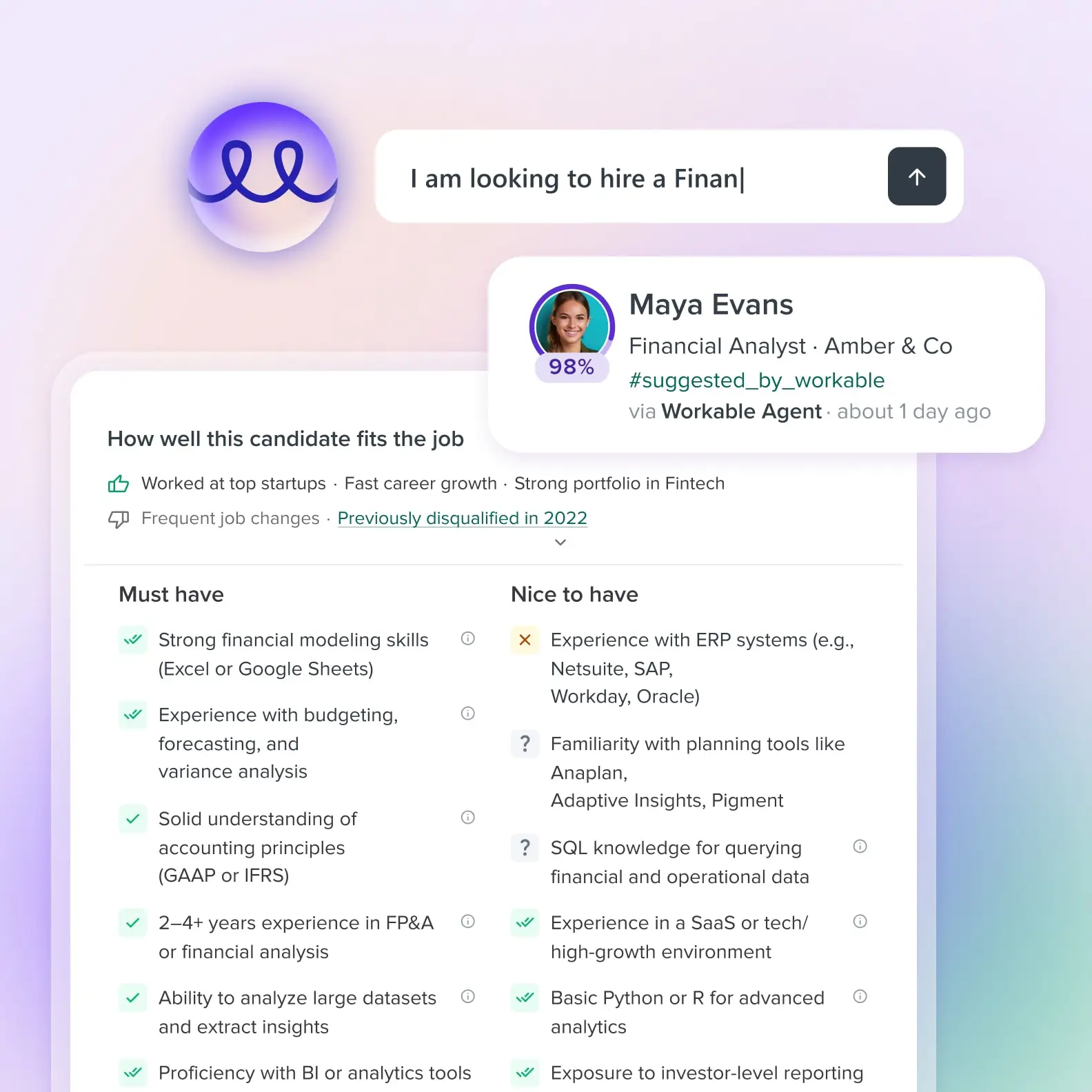
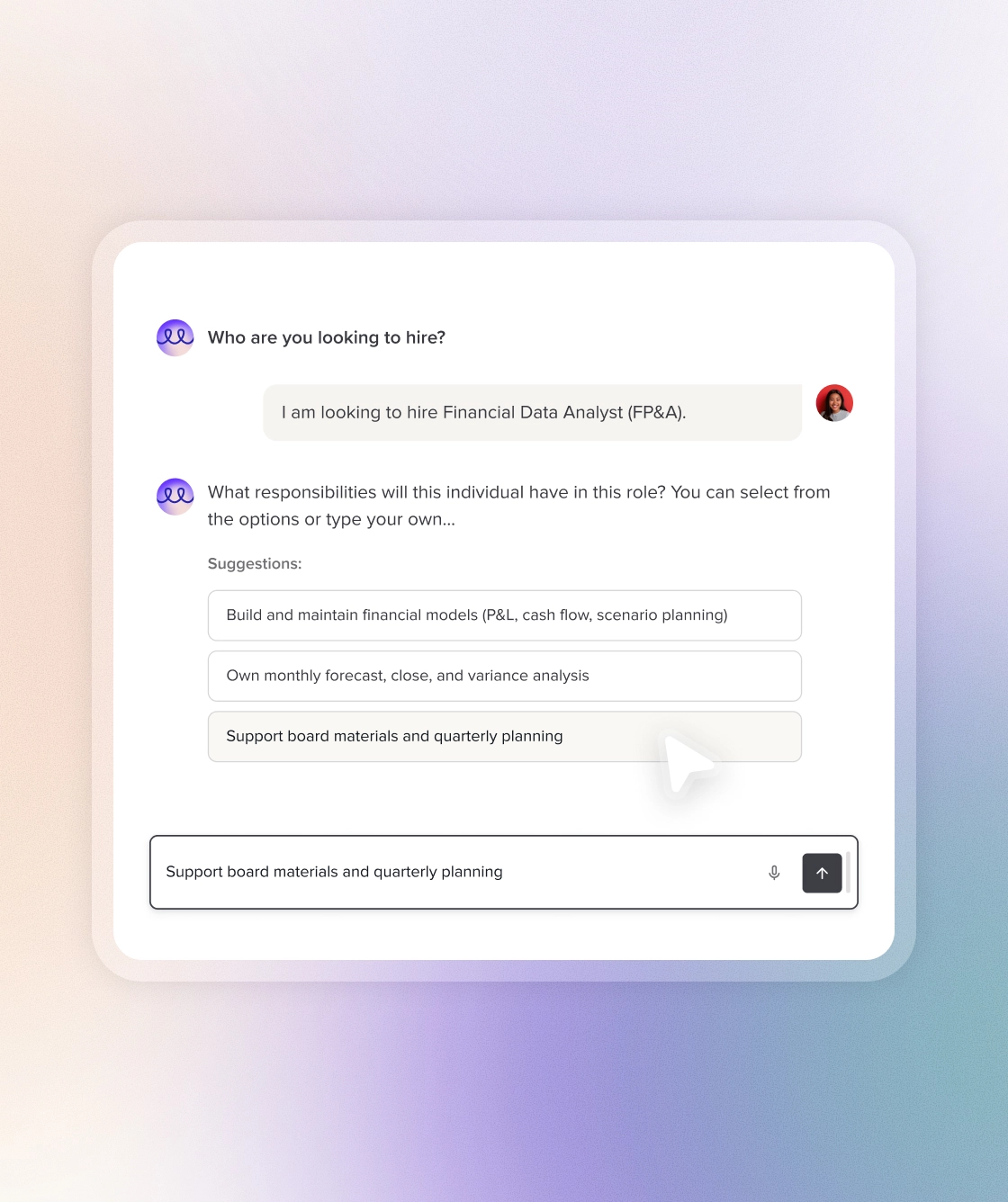
The platform is built around Workable Agent, an AI recruiting assistant that sources candidates from 400M+ profiles, screens applicants against up to 14 job-specific criteria, sends personalized outreach at ~2x the response rate of standard templates, and delivers a scored shortlist with written per-criterion reasoning.
Source: Workable
Founded in 2012 in Athens, Greece, Workable now serves organizations across 100+ countries from offices in Boston, Athens, and London.
Workable's integration ecosystem is one of the platform's clear strengths.
The partner directory lists 70+ native integrations across 17 categories, spanning background checks, assessments, video interviews, sourcing tools, HRIS and payroll, and calendar and email platforms.
On the technical side, Workable offers a REST API (included in all paid plans at no additional cost) covering the full recruitment lifecycle and HR operations, webhooks for event-driven automation, and a native MCP server with 53 tools for AI assistant integration.
Workable also partners with unified API platforms (Apideck, Merge, Unified.to, and Kombo) that provide normalized ATS/HRIS connectors for developers building custom integrations.
The integration categories available to Workable users include:
Sourcing and job distribution: LinkedIn RSC, Indeed, 200+ job boards, Chrome extension, referral portal
Assessments and screening: AssessFirst, Coderbyte, Thomas Assess, Pipplet, science-backed cognitive and personality tests
Background checks: Checkr, Certn, Verified First, Trusted Employees, Veremark
HRIS, onboarding, and payroll: BambooHR, HiBob, ADP Workforce Now, Personio, Xero
Calendar and email: Google Workspace (Gmail, Calendar, Meet), Microsoft 365 (Outlook, Teams)
Team communication: Slack, with real-time pipeline notifications
Workflow automation: Zapier, REST API, webhooks, MCP server
SSO and identity: Okta, Microsoft Entra ID, Google Workspace, OneLogin
With that ecosystem as context, here are the seven integrations we selected as the best options for extending Workable's capabilities across the categories that matter most to hiring teams.
1. LinkedIn RSC: Best Workable Integration for LinkedIn Recruiter Workflow Unification
Source: Workable
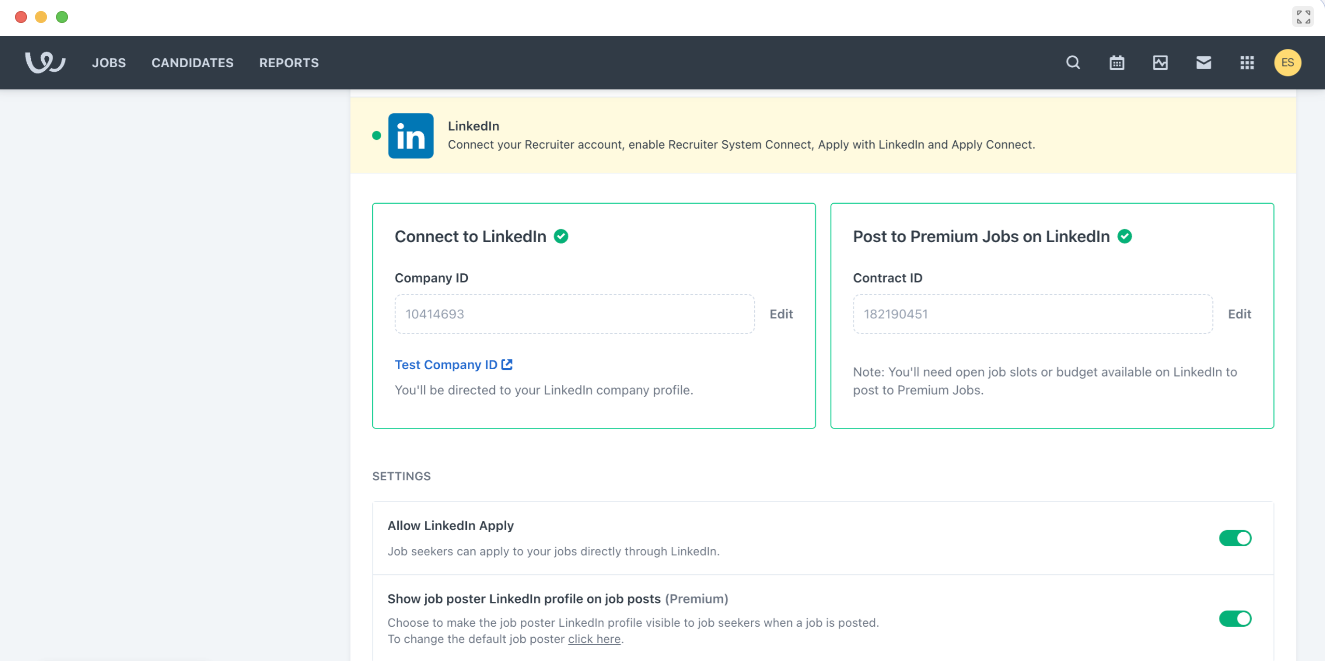
LinkedIn Recruiter System Connect (RSC) is LinkedIn's native ATS integration layer. It connects Workable directly to LinkedIn Recruiter through a bidirectional data bridge. Candidate records, pipeline stages, InMail history, and source attribution stay synchronized between both platforms without manual intervention.
Key integration capabilities include:
Bidirectional candidate data sync keeping Workable and LinkedIn Recruiter aligned automatically
ATS pipeline status visible inside LinkedIn Recruiter for any candidate a recruiter encounters
InMail and recruiter notes imported into the Workable candidate timeline
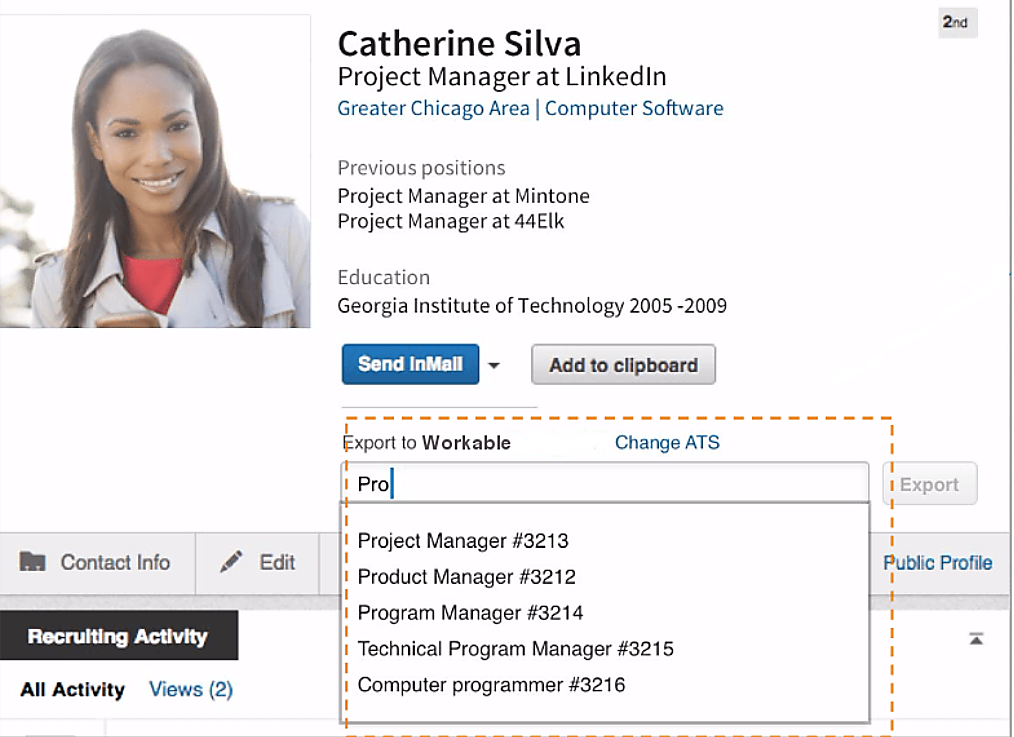
One-click candidate export from LinkedIn Recruiter to Workable's Sourced pipeline stage
ATS-enabled source reporting that tracks which LinkedIn channels produced hires
How LinkedIn RSC Integrates with Workable
Source: Workable
LinkedIn RSC is a certified native integration maintained by LinkedIn and Workable through a formal API agreement. Workable is listed in LinkedIn's RSC certified partner ecosystem. An admin who holds both Workable admin permissions and LinkedIn Recruiter admin access activates the connection through an onboarding widget within Workable.
1. Bidirectional Candidate Data Sync and Timeline Consolidation.
The core mechanic is a bidirectional data sync that keeps three categories of information aligned: job requisition data, candidate identity data, and application stage data. From Workable's side, pipeline stages push to LinkedIn continuously.
From LinkedIn's side, InMail history syncs back into the Workable candidate timeline, and recruiter notes flow into matched Workable records. A recruiter who sends an InMail through LinkedIn Recruiter doesn't copy that communication into Workable manually; it appears automatically in the candidate's Workable profile.
2. In-ATS Indicator: Eliminating Duplicate Outreach.
The In-ATS Indicator lives inside LinkedIn Recruiter. When a recruiter browses candidate profiles, it flags any candidate who already exists in Workable, surfacing their current pipeline stage, any "Do not contact" flags, and prior application history. This prevents duplicate outreach and eliminates the coordination failure where two recruiters independently contact the same candidate for the same role.
3. Workable Profile Widget Inside LinkedIn Recruiter.
The Workable Profile Widget works in the opposite direction. Inside Workable's candidate records, an embedded display shows the candidate's live LinkedIn profile alongside the Workable record. Recruiters can also send InMails from within this widget without opening LinkedIn Recruiter separately.
LinkedIn benchmarks recruiters saving up to 3.5 hours per week once RSC is activated, with RSC-using recruiters seeing a 7% increase in InMail acceptance rates.
4. One-Click Export and ATS-Enabled Source Reporting.
One-Click Export pushes a candidate's profile data from LinkedIn Recruiter into Workable's Sourced pipeline stage with source attribution preserved.
That attribution powers ATS-Enabled Reporting, which combines LinkedIn sourcing activity with Workable pipeline outcomes for full-funnel visibility from sourced through hired. One constraint: One-Click Export is capped at 300 requests per LinkedIn Recruiter seat per month.
LinkedIn RSC Pricing
LinkedIn RSC is included at no additional cost with any qualifying LinkedIn Recruiter license:
LinkedIn Recruiter: quote-based annual contract; includes RSC, unlimited sourcing, 150 InMail credits/seat/month, and 40+ search filters
RSC is not available on Recruiter Lite; it requires Recruiter Corporate, SMB, or Professional Services seats
A LinkedIn Hiring Assistant add-on (separately priced) unlocks Connected Projects, AI evaluation across both pipelines, and evaluation writeback from LinkedIn to Workable.
On the Workable side, RSC is available on the Advanced plan and above at no additional integration fee.
Who Should Use the LinkedIn RSC Integration?
Teams holding LinkedIn Recruiter seats and running multiple concurrent searches where 3.5 hours per recruiter per week recovered from eliminating manual cross-referencing compounds at team scale
Recruiters actively sourcing from LinkedIn who need candidates in Workable without data re-entry, with source attribution intact for downstream analytics
Organizations wanting to measure LinkedIn's actual contribution to hires (not just InMail activity) through full-funnel ATS-Enabled Reporting connecting LinkedIn sourcing data to Workable pipeline outcomes
2. Checkr: Best Workable Integration for Pre-Employment Background Screening
Source: Workable
Checkr is an AI-powered employment background screening platform that integrates natively with Workable. Recruiting teams can order, track, and review candidate background checks without leaving the ATS pipeline.
The connection collapses what is normally a multi-system handoff (ATS to email to screening portal and back) into a single workflow.
Key integration capabilities include:
Background check ordering directly from the Workable candidate profile
Real-time check status (pending, processing, completed, adverse action) visible inside the Workable candidate timeline
Candidate self-service completion flow that removes the recruiter from the data-collection step
Coverage spanning criminal, civil, MVR, employment verification, education verification, and healthcare sanctions checks
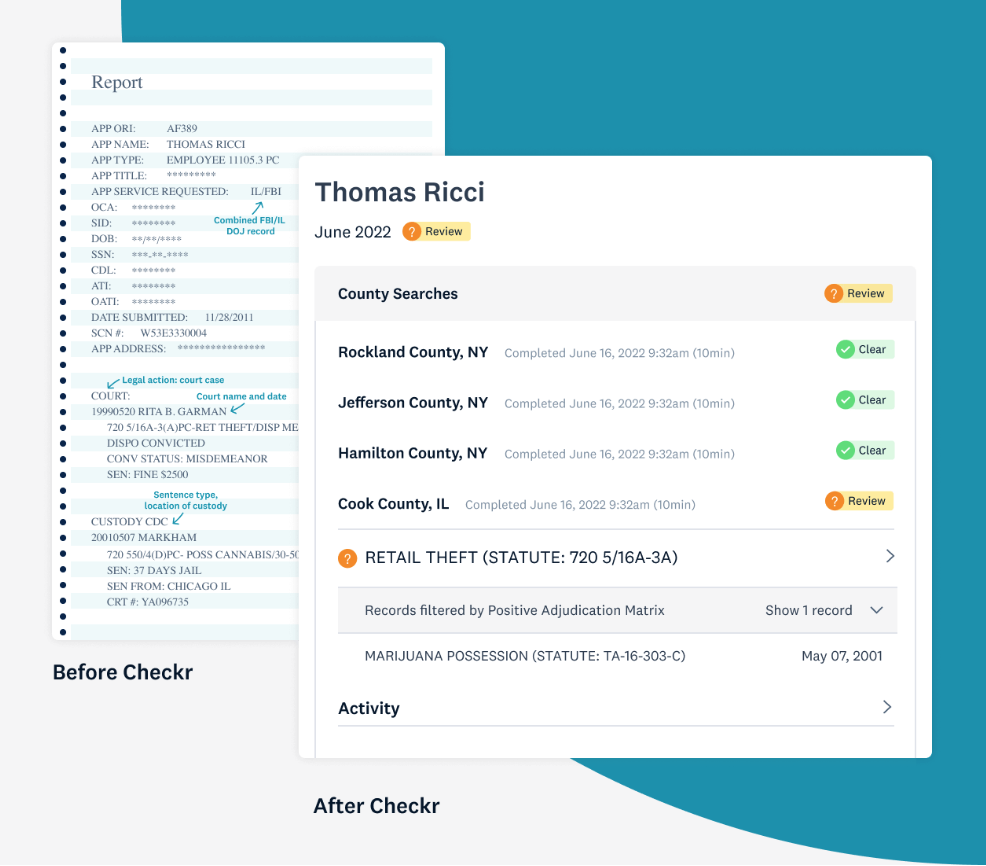
AI-assisted adjudication via Checkr Assess with automated FCRA adverse-action workflows
How Checkr Integrates with Workable
Source: Workable
The Checkr connection is a native, marketplace-listed integration. Workable lists Checkr in its partner directory under Background Checks.
A Workable admin connects their Checkr account from Workable's integrations panel through Checkr's standard OAuth flow, with setup typically taking 1-2 business days. The integration is available across Standard, Premier, and Enterprise plans.
1. Background Check Ordering from the Candidate Profile.
Once connected, recruiters initiate background checks from the candidate's profile in Workable at the offer or pre-hire stage.
The candidate's name, email, and PII already captured in Workable pass automatically to Checkr, so recruiters select a screening package (Basic, Essential, Complete, or custom enterprise) and order without switching tabs or dashboards.
2. Real-Time Status Tracking Inside the Workable Timeline.
After a check is ordered, Checkr pushes status updates back into the Workable candidate timeline: pending, processing, completed, or adverse action initiated. Recruiters monitoring their pipeline see current check status alongside interview notes, scorecards, and other pipeline activity.
Checkr reports that 89% of criminal checks complete within one hour, and 97% of all checks are automated after data retrieval.
3. Candidate Self-Service Completion.
When a recruiter initiates a check, Checkr sends a candidate invitation via SMS or email. The candidate completes identity information, employment history, and FCRA-required consent through Checkr's mobile-optimized, passwordless candidate portal.
Built-in form validation catches errors before submission, and candidates can see check status at the county level themselves, which cuts inbound status inquiries to HR teams by up to 15%.
4. Broad Check Type Coverage.
Through the connection, teams can order any check type Checkr supports: criminal background checks (national, federal, state, county), employment verification, education verification, MVR checks, civil searches, healthcare sanctions (FACIS), and professional license verification.
Checkr also covers international background checks in 200 countries and territories.
5. AI-Assisted Adjudication and FCRA Compliance.
Checkr's ML charge classifier maps inconsistent county-level charge language onto a standardized taxonomy. Assess Lite (included free) covers 7 criminal record categories and reduces manual review by up to 40%.
When a team decides not to move forward based on a report, Checkr automates the full adverse action workflow: pre-adverse action notice, mandatory waiting period management, and post-adverse action notice with full audit logging.
Checkr Pricing
Checkr uses a pay-per-report pricing model with no monthly seat fees or minimum contract requirements:
Basic ($29.99/report): SSN trace, sex offender registry, global watchlist, national criminal database search
Essential ($54.99/report): everything in Basic, plus unlimited county criminal searches
Complete ($89.99/report): everything in Essential, plus state and federal criminal searches
Enterprise (contact sales): custom packages, automated adjudication, dedicated account management
Third-party court and government fees are passed through at cost with no Checkr markup. Employment verification adds $12.50-$50/check; education verification adds $12.50-$25/check. Adjudication tools are priced separately: Assess Lite is free; Assess Standard is $2.49/report; Assess Premium is $4/report.
Who Should Use the Checkr Integration?
Teams initiating background checks at the offer stage who currently manage this through a separate screening portal, manual emails, or spreadsheet tracking
Organizations hiring across multiple role types (office staff, drivers, healthcare workers) that want a single screening vendor whose check menu covers all of them
Recruiting teams of generalist HR staff who need FCRA adverse-action workflows to run automatically without requiring knowledge of FCRA requirements
3. Slack: Best Workable Integration for Real-Time Hiring Notifications and Team Coordination
Source: Workable
Slack is a team messaging platform that integrates with Workable to push hiring pipeline events into the Slack channels where recruiting teams, hiring managers, and interviewers already work. The integration turns Workable's ATS events into structured, real-time Slack messages with candidate context and direct profile links.
Key integration capabilities include:
New application alerts delivered to designated channels with candidate name, role, source, and a Workable profile link
Pipeline stage change notifications that fire automatically when a candidate advances or moves between stages
Interview schedule notifications sent to assigned interviewers with candidate details, time, format, and profile link
Offer approval requests and evaluation prompts actionable from Slack without context-switching
How Slack Integrates with Workable
Source: Workable
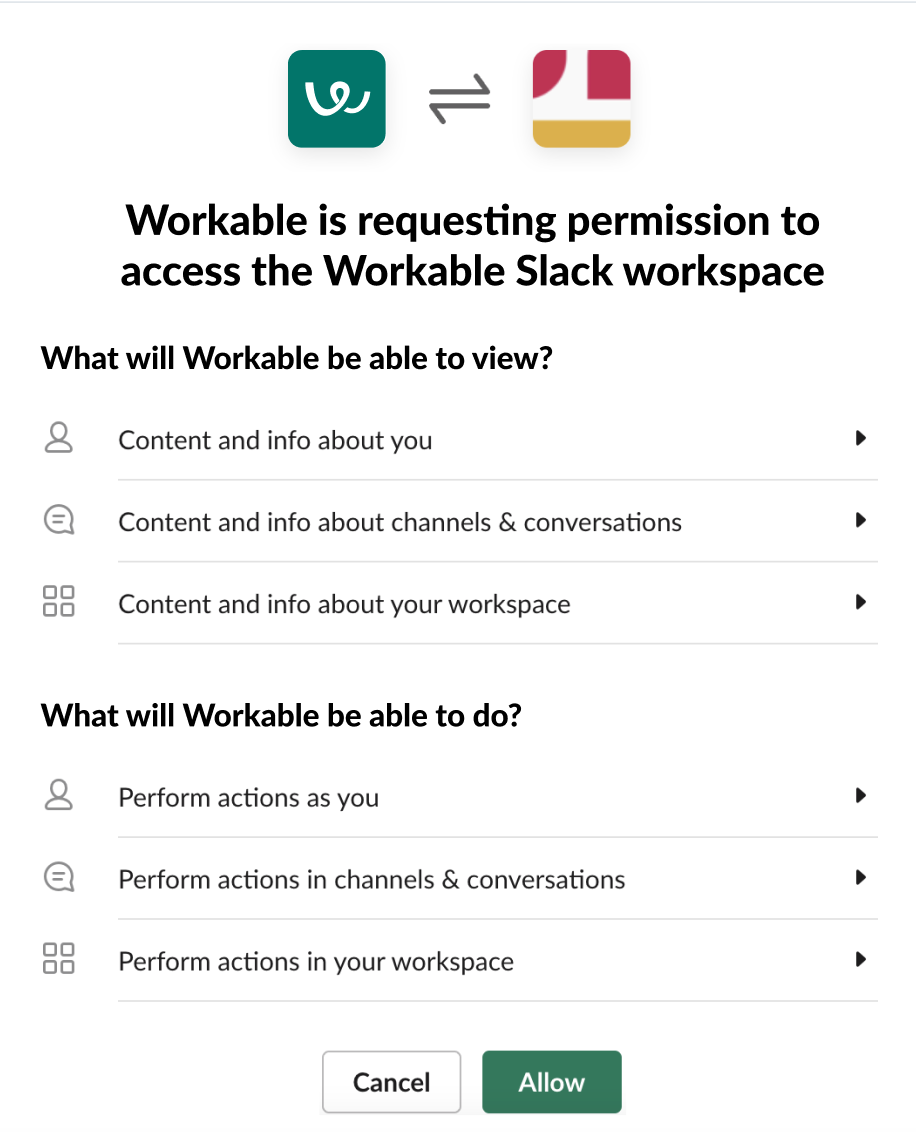
The Slack-Workable integration operates through a native Slack Marketplace app that sends real-time recruiting notifications to Slack channels and allows team members to comment, approve offers, and manage candidates from Slack.
Setup runs through Workable's integrations panel via OAuth authorization. The integration is available across all Workable paid plans.
1. New Application Alerts to Designated Channels.
When a candidate submits an application (through direct apply, Indeed or LinkedIn one-click apply, the company's careers page, or any of Workable's 200+ job board integrations), a structured notification posts into the pre-configured channel.
For organizations managing multiple concurrent requisitions, the channel architecture maps naturally: a #hiring-engineering channel receives alerts for engineering roles while #hiring-sales catches sales pipeline activity.
2. Pipeline Stage Change Notifications.
Every time a candidate moves between pipeline stages, whether a recruiter advances them, Workable Agent auto-advances a high-scoring applicant, or a hiring manager marks someone as Shortlisted, a notification fires to the configured channel.
Hiring managers who have final say on interview invitations don't need a Workable login to know when a candidate has cleared the recruiter screen and is ready for their review.
3. Interview Schedule Notifications.
When an interview is scheduled or updated in Workable, the integration sends a notification to every assigned interviewer with the candidate's name, interview time and format, and a direct link to the candidate's Workable profile.
For multi-part interview loops, this ensures every participant receives consistent information at the same time.
4. Offer Approvals and Candidate Actions from Slack.
The Slack app surfaces offer approval requests and evaluation prompts in Slack, letting hiring managers and stakeholders act without switching to Workable. This closes the gap between notification and response, and is particularly useful for executives or department leads brought in only for final-stage decisions.
Slack Pricing
Slack uses per-seat pricing with a Fair Billing Policy that credits inactive users:
Pro at $7.25/user/month (annual): unlimited message history, unlimited app integrations, group huddles
Business+ at $15/user/month (annual): SAML SSO, SCIM provisioning, custom retention policies, 4-hour priority support SLA
Enterprise+ at custom pricing: multi-workspace management, DLP, HIPAA compliance
The Workable integration works on any paid Slack plan. Free-plan workspaces face a 10-app integration cap and 90-day message history limit that reduce its value for active hiring teams. No additional cost on the Workable side.
Who Should Use the Slack Integration?
Hiring managers, department leads, and interviewers who don't have Workable accounts and need real-time pipeline visibility without direct ATS access
Teams coordinating across multiple simultaneous open roles that need application volume and stage changes surfaced without manual reporting
Organizations that already use Slack as their primary communication tool, keeping hiring coordination inside the tool the team already monitors rather than fragmenting it across email and the ATS
4. AssessFirst: Best Workable Integration for Multi-Dimensional Behavioral and Cognitive Assessment
Source: Workable
AssessFirst is a talent assessment platform that integrates with Workable to deliver behavioral, motivational, and cognitive assessments from the candidate pipeline and return scored, multi-dimensional results to the Workable candidate profile.
Unlike technical screening tools scoped to engineering roles, AssessFirst produces useful output across sales, operations, customer success, and leadership hiring.
Key integration capabilities include:
Automated assessment invitations sent when candidates reach a configured Workable pipeline stage
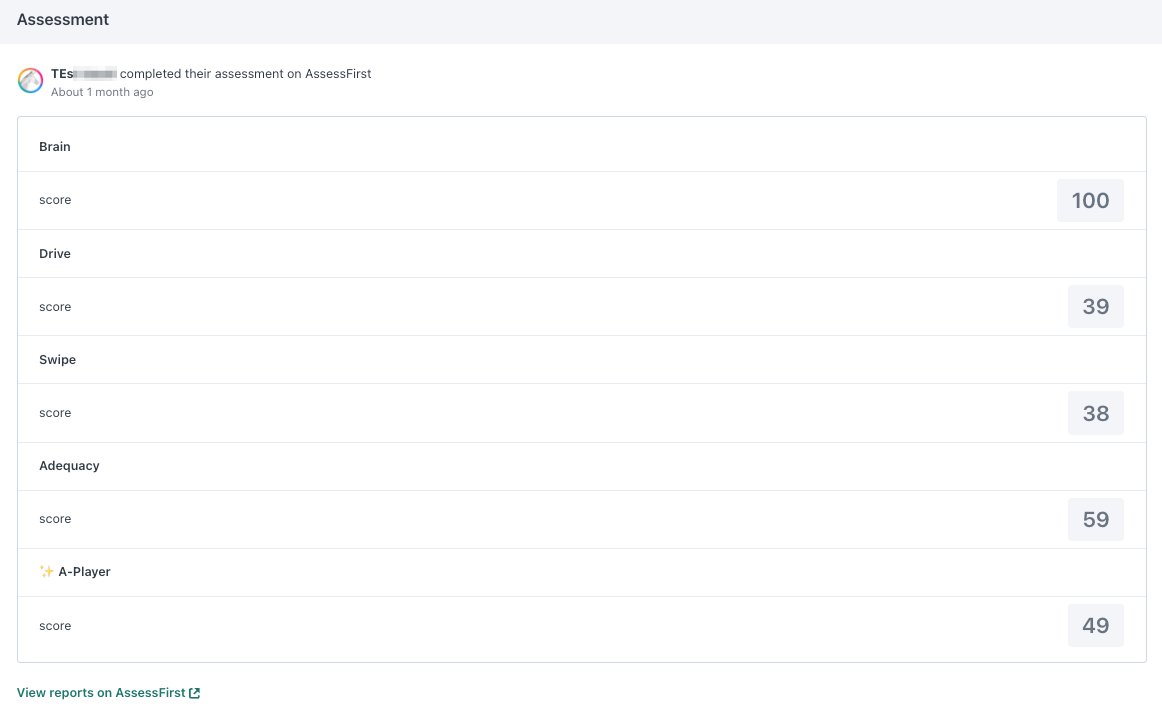
Per-dimension match scores for personality (SWIPE), motivation (DRIVE), and cognitive ability (BRAIN) returned to the Workable candidate timeline
An A-Player benchmark score comparing each candidate against a predictive model of high performers in the same role type
Native connector requiring no middleware, configured through API token exchange between the two platforms
How AssessFirst Integrates with Workable
Source: Workable
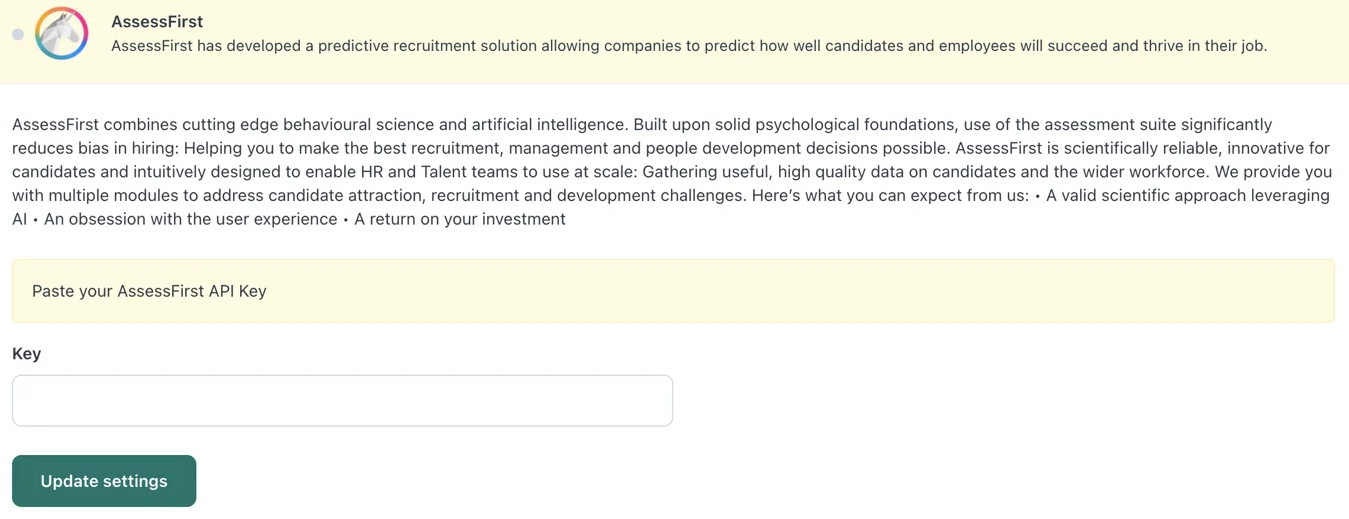
The connection is a native integration activated through an API token exchange: an AssessFirst admin generates a token, which is entered into Workable's Integrations settings panel. Once connected, AssessFirst becomes available as an assessment action inside Workable's pipeline workflow.
1. Stage-Triggered Assessment Delivery.
Assessment invitations go out automatically when candidates reach a configured pipeline stage. AssessFirst sends an invitation email directing the candidate to complete three questionnaires: SWIPE (personality, 5 minutes), DRIVE (motivation, 10 minutes), and BRAIN (cognitive reasoning, 8 minutes). On completion, candidates automatically receive their own feedback report regardless of hiring outcome.
2. Multi-Dimensional Match Scores on the Candidate Timeline.
When a candidate completes all three questionnaires, scored results appear on the Workable candidate timeline and Review tab, broken out by dimension:
SWIPE maps 20 personality dimensions grounded in the Big Five model, predicting 12 professional behaviors including collaboration style and change management
DRIVE maps 20 motivational factors covering what energizes a candidate and what conditions will lead to early disengagement
BRAIN scores reasoning capacity, approach, and speed on a 1-10 scale; AssessFirst positions cognitive ability as the top predictor of job success across role categories
Workable Agent tells the team whether a candidate meets role requirements on paper; AssessFirst adds a behavioral layer showing who that candidate is, what keeps them engaged, and how fast they learn.
3. A-Player Benchmarking Against High Performers.
Beyond individual scores, AssessFirst returns an A-Player benchmark comparing the candidate's full profile against documented high performers in the same role type.
Built on 5M+ professional profiles, organizations can further calibrate the benchmark by training a custom success model using their own high performers. Assessments are audited by Holistic AI and certified bias-free on gender, ethnicity, and their intersection.
AssessFirst Pricing
AssessFirst uses seat-based annual pricing by number of HR users:
Web (from EUR 590/month): 100 candidates/month cap, automatic candidate feedback reports, 2,500+ predefined job profiles, branding customization
Predict (contact pricing, up to 50 HR users): unlimited candidates, adds Talent Mapper, Mobility module, Competency Framework, API access
Automate (contact pricing, unlimited users): all Predict capabilities plus VOICE (AI skills and language assessment)
A 14-day free trial is available. On the Workable side, Assessments+ costs $59/month on the Standard plan; Premier and Enterprise plans bundle assessments at no additional charge.
Who Should Use the AssessFirst Integration?
Teams hiring across multiple role types simultaneously where a single assessment bundle (personality, motivation, cognitive ability) applies to sales, operations, customer success, and management roles without role-specific configurations
Organizations where first-year turnover is a documented cost driver, since the DRIVE assessment surfaces early disengagement risk that resumes and interviews cannot reveal
Teams running DEI-structured hiring processes that want a bias-certified behavioral assessment layer alongside Workable's built-in anonymized screening
5. BambooHR: Best Workable Integration for Hire-to-Onboard Handoff Automation
Source: Workable
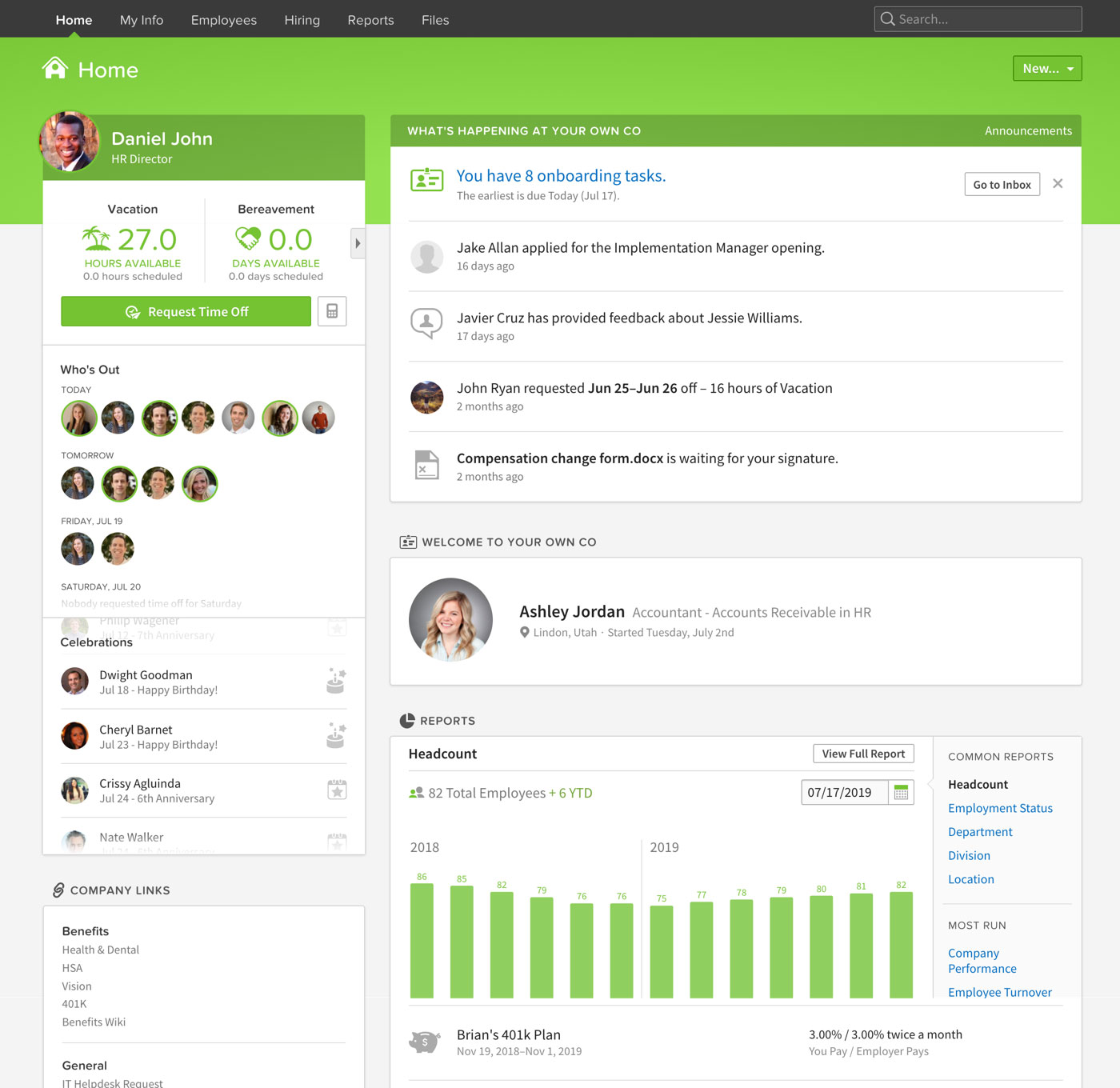
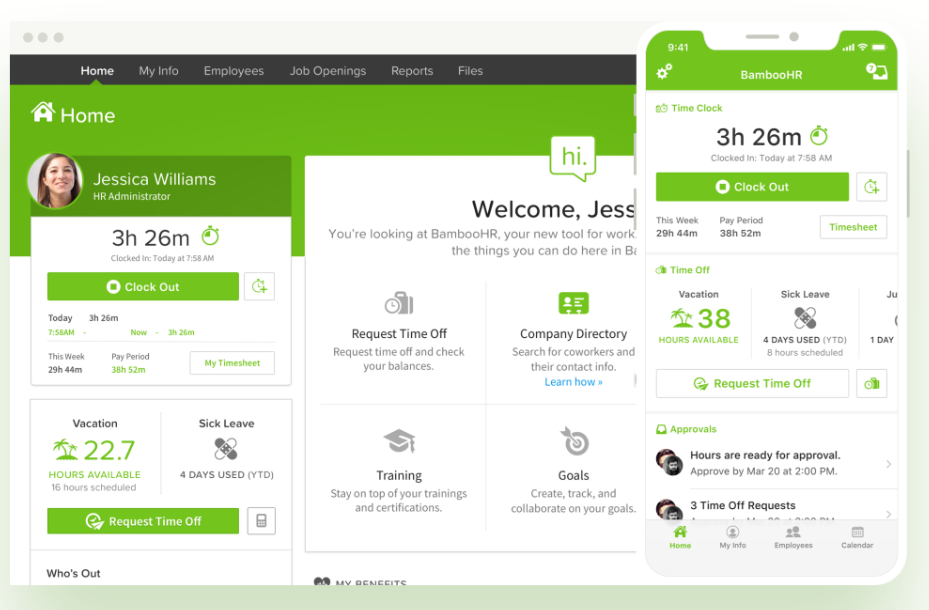
BambooHR is a cloud-based HR platform for small and medium-sized businesses that integrates with Workable to automate the transition of hired candidates into employee records. The connection eliminates the manual data re-entry that typically accumulates at the hire-to-onboard handoff.
Key integration capabilities include:
Automatic or on-demand export of hired candidate records from Workable into BambooHR as new employee profiles
Direct transfer of candidate data (name, email, job title, department, start date) without duplicate entry
Immediate activation of pre-configured BambooHR onboarding workflows, e-signature requests, and HR task assignments
Native no-middleware connection configured through Workable's Integrations settings panel
How BambooHR Integrates with Workable
Source: Workable
The BambooHR connection is a native integration in Workable's partner directory, listed under HRIS, Onboarding, and Payroll. A Workable Super Admin connects the two platforms through Workable's Integrations settings by entering BambooHR account credentials.
On the BambooHR side, API access is bundled with any active subscription at no additional cost. The data flow is one-directional: Workable sends candidate record data to BambooHR at the moment of hire.
1. Candidate Data Export at the Hired Stage.
When a recruiter moves a candidate to the Hired stage, the integration transfers that candidate's core record into BambooHR as a new employee profile. The export can run automatically or manually per-candidate.
Fields that carry across include name, email address, job title, department, and start date. This eliminates an entire class of manual error: mistyped start dates, department names that don't match BambooHR's field taxonomy, and job titles that need reconciliation between ATS and HRIS formats.
2. Automatic Activation of BambooHR Onboarding Workflows.
Once a new employee record exists in BambooHR with a confirmed job title, department, and start date, any onboarding workflows, e-signature requests, and HR task assignments pre-configured for that role type activate automatically.
A new hire can receive their pre-day-one onboarding packet (W-4 tax forms, I-9 verification, direct deposit setup, and company policy acknowledgments) immediately after the Workable-to-BambooHR export completes, without additional action from HR.
BambooHR supports role-specific and department-specific onboarding checklists, so an engineer hired through Workable enters a different checklist than an account executive.
3. Unified Employee Lifecycle.
Once onboarding begins in BambooHR, the same employee record becomes the hub for downstream HR operations: benefits enrollment through BambooHR Benefits Administration, time-off policy assignment, and enrollment in performance review cycles on the Pro tier.
BambooHR Pricing
BambooHR uses a per-employee-per-month pricing model across three tiers:
Core ($10/employee/month): employee records, onboarding workflows, offer letter templates, time-off management, eNPS surveys, AI assistant. Sufficient for the full Workable integration.
Pro ($17/employee/month): everything in Core, plus 360-degree performance reviews, 1:1 documentation, employee recognition and rewards
Elite ($25/employee/month): everything in Pro, plus compensation planning, salary benchmarking via Mercer data, custom dashboards, HR benchmarks from 30,000+ companies
BambooHR Payroll is a separately priced add-on not included in any base tier. A free trial is available.
Who Should Use the BambooHR Integration?
HR teams currently re-entering candidate data manually into a separate HRIS after every hire accepted in Workable, where that process costs time and generates errors at scale
Organizations in the 25-500 employee range that need a single HRIS covering the complete post-hire lifecycle without the complexity of an enterprise HCM platform
Teams wanting BambooHR onboarding workflows to launch automatically the moment a hire is confirmed in Workable, without a separate manual action from HR admin
6. Google Workspace: Best Workable Integration for Interview Scheduling and Candidate Communication
Source: Workable
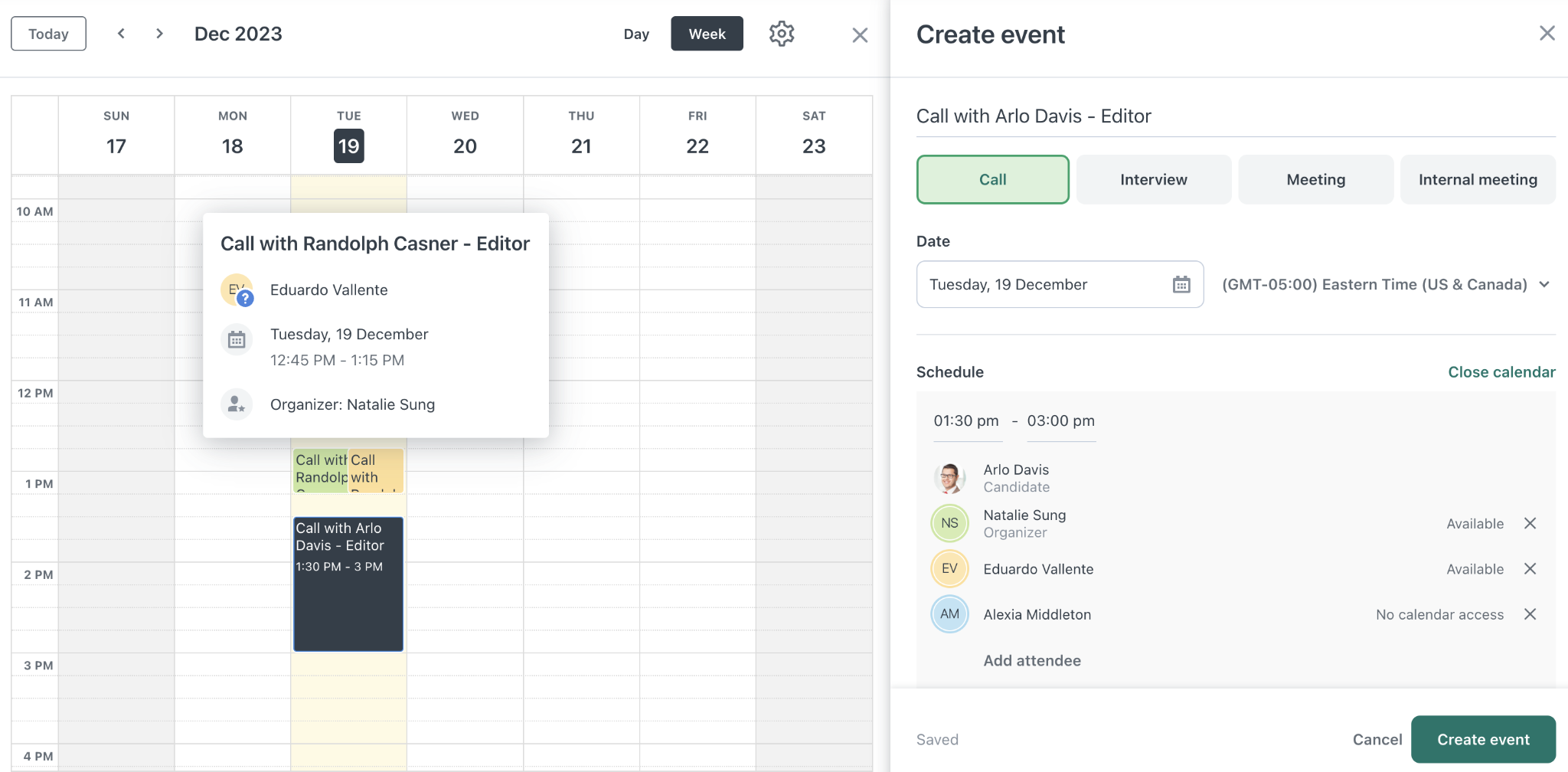
Google Workspace is a cloud productivity suite encompassing Gmail, Google Calendar, Google Meet, Drive, and connected apps. It integrates with Workable to synchronize interview scheduling, automate virtual meeting link generation, and consolidate candidate email communications into the ATS candidate timeline.
Key integration capabilities include:
Two-way Google Calendar sync that creates interview events in interviewers' calendars automatically and reflects changes back into Workable
Candidate self-scheduling against live Google Calendar availability across all assigned interviewers
Gmail thread import into the Workable candidate timeline with automatic capture of subsequent messages
Automatic Google Meet link generation for virtual interview events
How Google Workspace Integrates with Workable
The integration is native to Workable and connects through two-way calendar sync. Each Workable user connects their individual Google account via OAuth from within their profile settings.
The integration is available across all Workable paid plans and requires only a Google Workspace or personal Google account on the interviewer side.
1. Two-Way Google Calendar Sync.
When a recruiter schedules an interview in Workable, the integration pushes that event to every connected interviewer's Google Calendar with candidate name, job title, interview format, and custom details.
The sync runs in both directions: if an interviewer updates the time on Google Calendar, that change propagates back into Workable, keeping the ATS record current without manual reconciliation.
2. Candidate Self-Scheduling from Real Availability.
Candidate self-scheduling in Workable generates a booking link where candidates see available slots. With the Google Workspace integration active, Workable cross-references the connected Google Calendar of each assigned interviewer in real time, so candidates see only time windows where all required interviewers are free.
Workable's built-in time-zone detection shows slots in the candidate's local time.
3. Gmail Thread Import and Communication Logging.
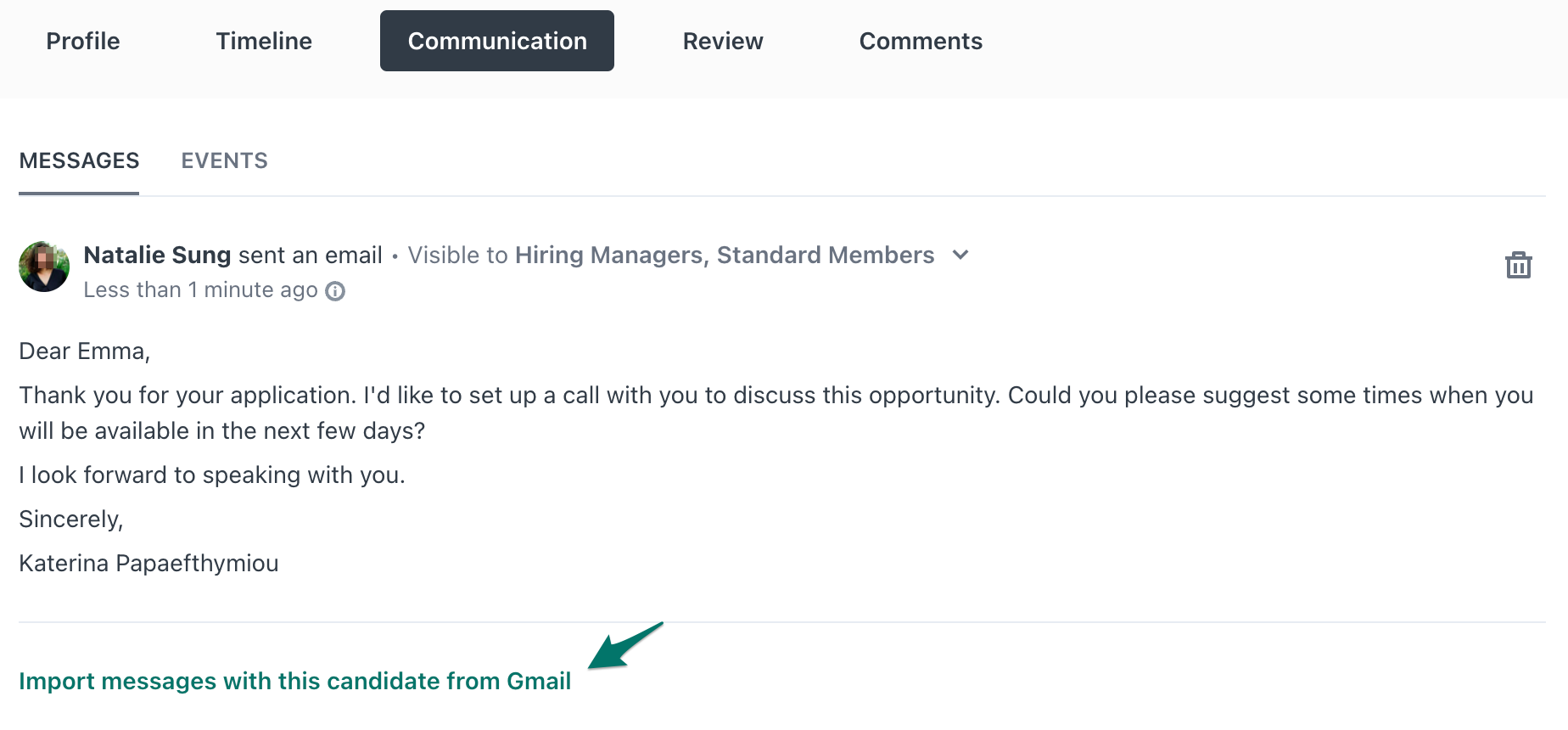
Workable pulls Gmail conversations into the candidate timeline through an import mechanism. Subsequent messages in the same Gmail thread are added automatically without requiring the recruiter to forward each exchange.
Source: Workable
This surfaces pre-application communication history (initial outreach, scheduling exchanges, follow-up questions) inside the ATS where the full hiring team operates.
4. Google Meet Auto-Generated Links.
When a virtual interview is scheduled with the Google Calendar integration active, Google Meet generates a conference link as part of the calendar event creation. That link is included in both the calendar invite sent to interviewers and the confirmation sent to the candidate, with no separate step required.
Google Workspace Pricing
Google Workspace uses per-seat pricing:
Business Starter at $7/user/month (annual): 30 GB pooled storage, Gmail, Calendar, Meet (up to 100 participants)
Business Standard at $14/user/month (annual): 2 TB pooled storage, Meet recording and noise cancellation, eSignature
Business Plus at $22/user/month (annual): 5 TB pooled storage, Vault for eDiscovery, enhanced endpoint management
Enterprise at custom pricing: no user cap, data loss prevention, client-side encryption
The Workable integration does not require a specific Google Workspace tier; the calendar sync and Meet link generation work with standard consumer Google accounts as well. A 14-day free trial is available.
Who Should Use the Google Workspace Integration?
Teams whose interviewers and hiring managers already use Google Calendar as their primary scheduling tool and want two-way sync to eliminate manual calendar entry
Organizations conducting significant interview volume per week where automatic Meet link generation and self-scheduling against live availability reduce coordination overhead
Recruiting teams communicating with candidates via Gmail before they formally enter the ATS, who want that email history visible inside Workable's candidate timeline
7. Zapier: Best Workable Integration for No-Code Recruiting Workflow Automation
Source: Workable
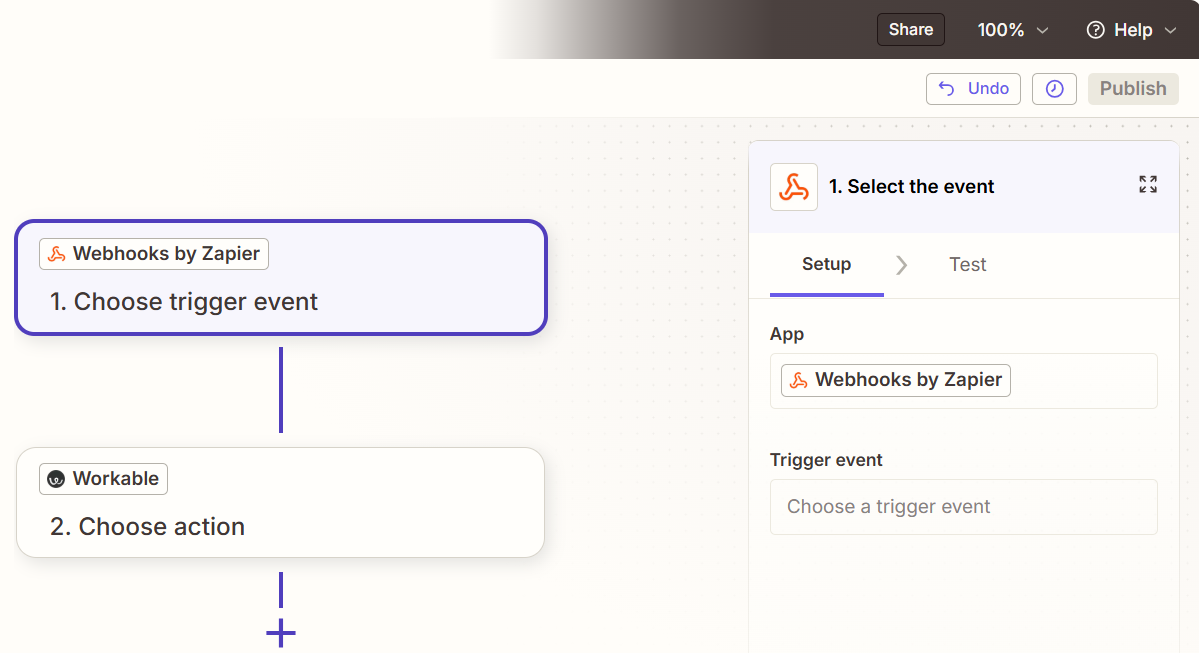
Zapier is a no-code automation platform that integrates with Workable to connect candidate and hiring events inside the ATS to actions across more than 8,000 external applications.
Where Workable's 70+ native integrations cover the most common recruiting stack needs, Zapier acts as the connective layer for everything else: the internal databases, project management tools, and business operations platforms that Workable does not natively support.
Key integration capabilities include:
Event-triggered automations that fire the moment a Workable candidate event occurs (new application, stage change, hire)
Extension of Workable's reach to tools outside its native marketplace
Multi-step workflow chains from a single Workable trigger, updating multiple systems at once
Custom candidate communication sequences at stages and scenarios that Workable's native automation does not reach
How Zapier Integrates with Workable
The Workable-Zapier connection runs through Zapier's native Workable integration, set up with a Workable API access token and the company's subdomain. Workable includes API access across all paid plans at no additional charge.
Zapier accesses Workable through its webhook subscription system, which supports events including candidate_created, candidate_moved, employee_created, onboarding_completed, and timeoff_updated.
1. Event-Triggered Candidate Pipeline Automations.
When a candidate moves to the "Hired" stage in Workable, a Zap can fire within seconds to create that person's record in an HRIS, add a row to a Google Sheets onboarding tracker, and send a Slack notification to the hiring manager, all within a single automated sequence.
Workable's own automation layer triggers on pipeline stage changes within the ATS but does not extend those triggers to external systems beyond its 70+ native partners.
2. Multi-Step Workflow Chains from a Single Event.
Multi-step Zaps let a single Workable event trigger sequential actions across multiple systems.
A "candidate hired" event can create an employee profile in a connected HRIS, send a welcome email via Gmail, create an onboarding project in Asana, post a team announcement to Slack, and add the hire to a Google Sheets headcount tracker.
Paths allow conditional routing: a hire in engineering routes to a different Jira project and Slack channel than a hire in sales, all within a single Zap.
3. Custom Communication Beyond Native Automations.
Workable's native automations attach to pipeline stage changes but cannot trigger based on disqualification reason. Zapier closes this gap by connecting Workable's candidate events to Gmail or Outlook with Paths logic that branches the message based on data fields from the Workable record.
A candidate disqualified for compensation misalignment receives a different message than one disqualified for location. Delay steps enable hold-stage nurture sequences that maintain candidate experience without recruiter intervention.
4. Extending Workable to 8,000+ Apps.
Every company's stack contains tools outside Workable's native integrations. Zapier connects 8,000+ applications, so the combination of native integrations and Zapier covers virtually any tool. The Workable event becomes the trigger, and Zapier maps it into whichever downstream system the company requires without engineering involvement.
Zapier Pricing
Zapier uses task-based pricing where each action step counts as one task:
Free includes 100 tasks/month with 2-step Zaps only; no multi-step, no Paths logic
Professional starts at $19.99/month (annual) for 750 tasks, multi-step Zaps (up to 100 steps), Paths conditional logic, and webhooks
Team starts at $69/month for 2,000 tasks, shared workspace for up to 25 users, shared app connections
A practical sizing note: a 4-step Zap firing on 500 applications per month burns 2,000 tasks, putting a team at the Team plan entry tier.
Who Should Use the Zapier Integration?
Teams whose post-hire workflow requires data to flow into tools outside Workable's 70+ native integrations, including internal databases, department-specific project management platforms, or custom reporting tools
Non-technical HR coordinators or operations staff who need to build and modify automations without engineering support
Organizations wanting differentiated candidate communication at the disqualification-reason level, using conditional logic that Workable's native automation system does not support
Also Worth Considering: ZoomInfo
ZoomInfo is a B2B data and go-to-market platform built on 500M contacts, 100M companies, 135M+ verified phone numbers, and 200M+ verified business email addresses.
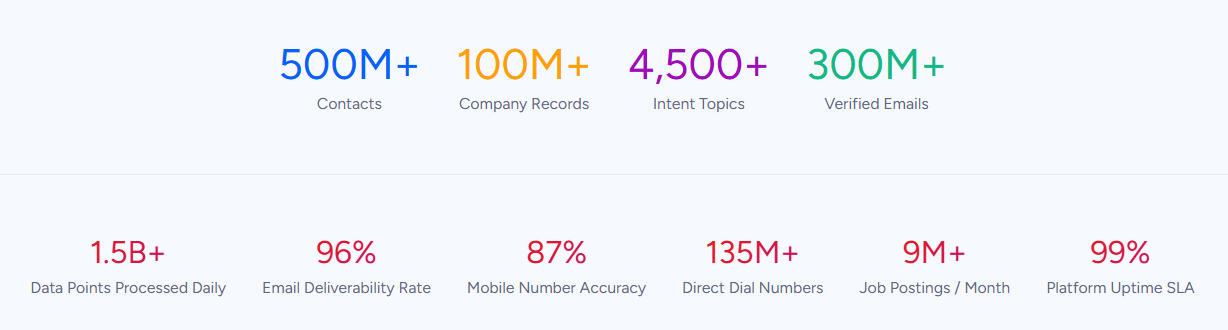
That data fuels ZoomInfo's GTM Context Graph, an intelligence layer that processes 1.5B+ data points daily by fusing B2B data with your first-party CRM and behavioral signals.
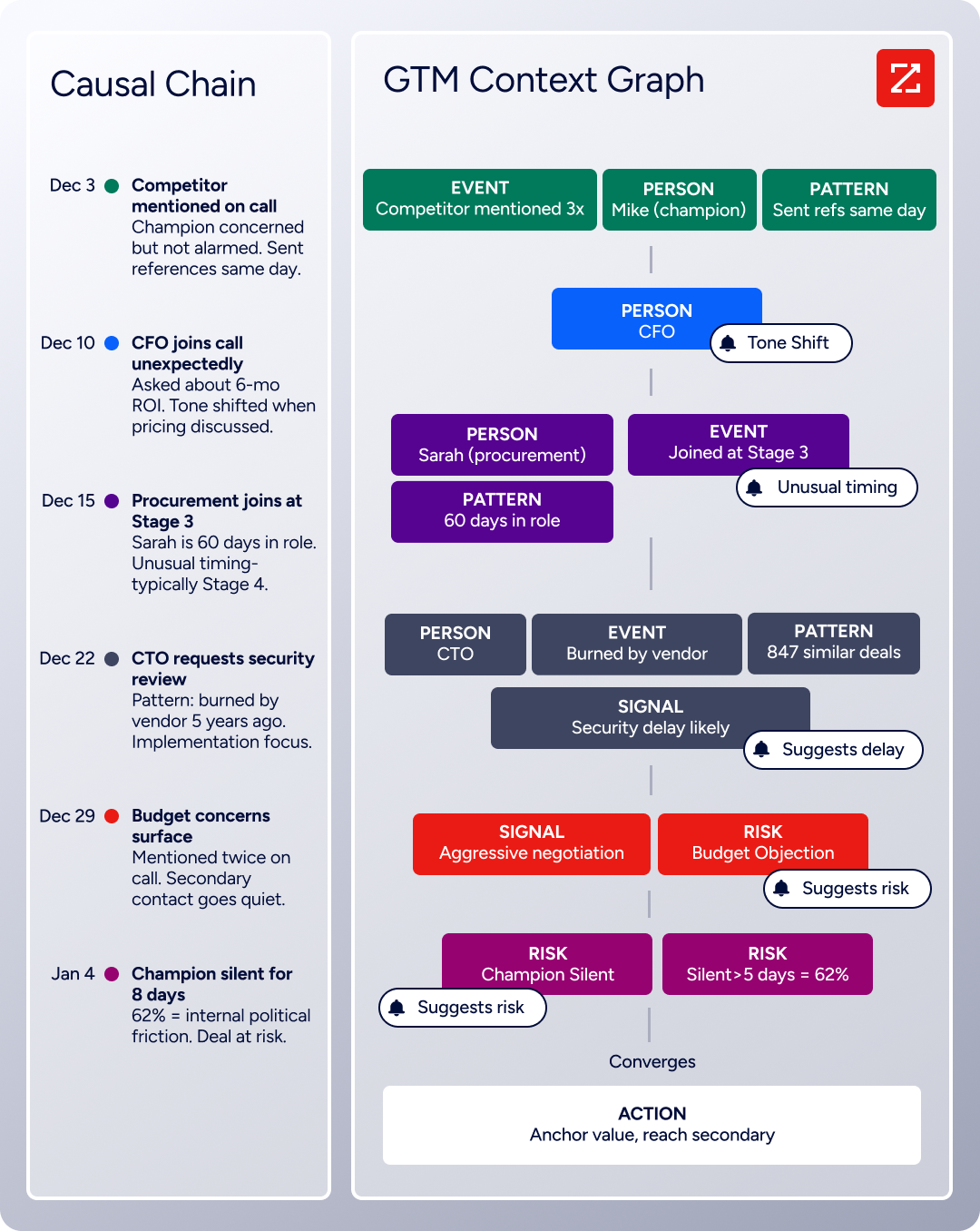
ZoomInfo does not have a direct native integration with Workable, the two platforms serve overlapping audiences in ways that make ZoomInfo worth knowing about for Workable users involved in B2B hiring and go-to-market functions.
Workable helps talent acquisition teams find, screen, and hire candidates. ZoomInfo helps sales, marketing, and revenue operations teams find, engage, and close customers.
For B2B companies running both motions, the two platforms sit in adjacent parts of the same organizational workflow: Workable builds the team, ZoomInfo helps that team generate pipeline.
The connection becomes practical in recruiting operations that depend on company intelligence.
Workable users hiring for B2B sales or account management roles often need company context about target accounts during the hiring process (understanding a candidate's prior company size, industry, or technology stack).
ZoomInfo's data platform, which includes company attributes, technographics, org charts, and buyer intent signals tracked from 210 million IP-to-Organization pairings, provides that intelligence.
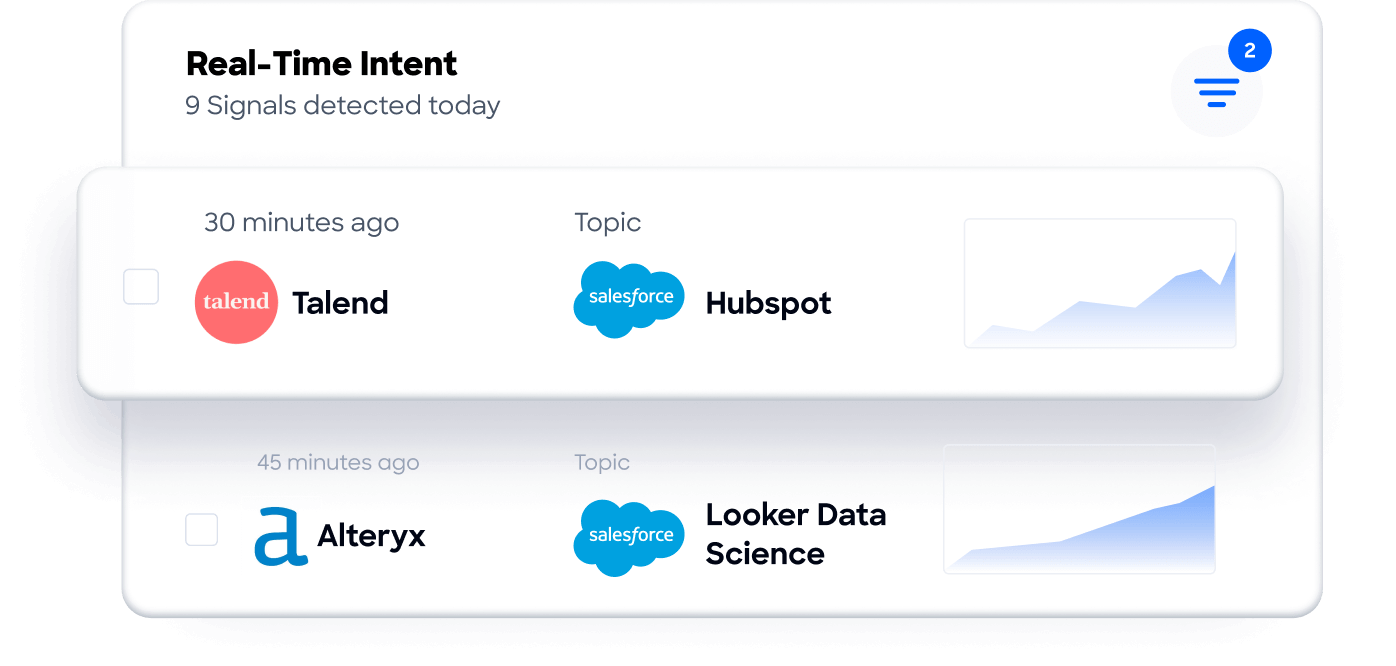
And for companies using Workable to hire revenue teams, equipping those new hires with ZoomInfo from day one gives them immediate access to verified contact data and buying signals rather than starting from a cold database.
For organizations that need data flowing between the two platforms, third-party iPaaS tools like Workato offer connectors for both services.
ZoomInfo also exposes its intelligence through GTM Workspace for sellers, GTM Studio for marketers and RevOps, APIs, and an MCP server.
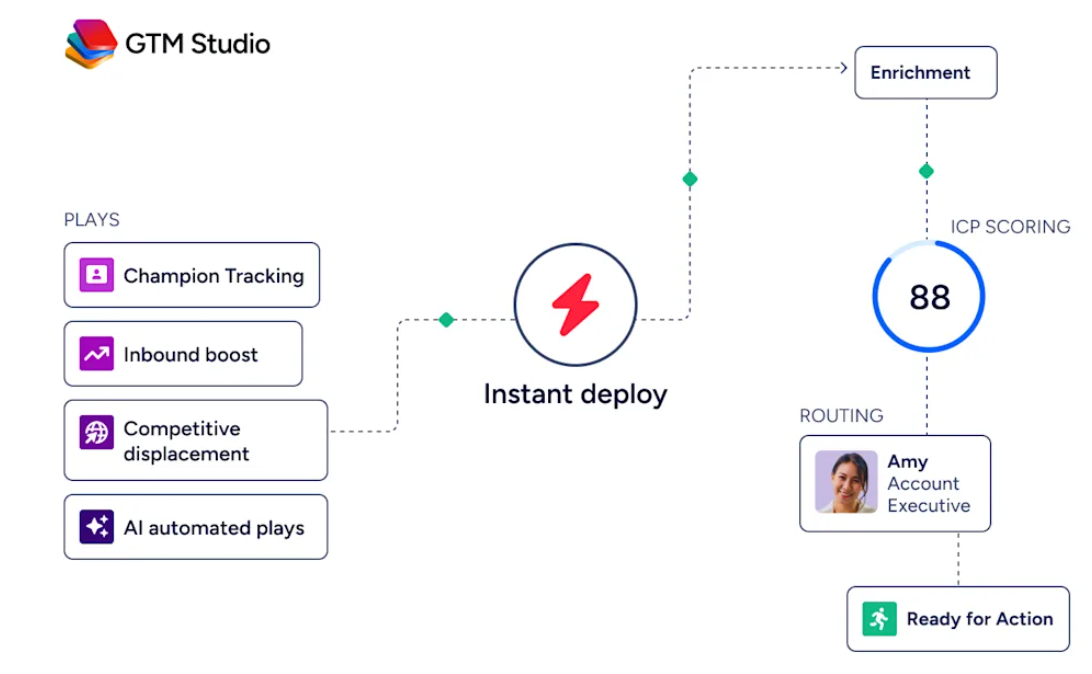
Workable's own MCP server and REST API create additional connection points for teams building custom workflows.
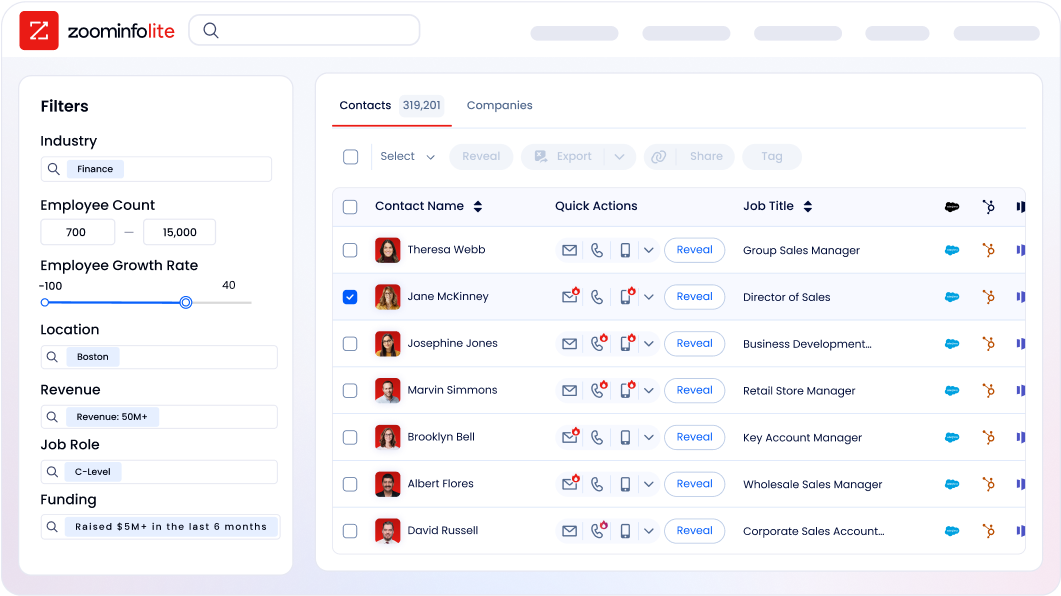
ZoomInfo uses a consumption-based pricing model with custom quotes. ZoomInfo Lite is a permanent free tier (no credit card, no time limit) with 10 monthly export credits, searches, and the Chrome extension, making it a practical way to evaluate the data quality for revenue teams being hired through Workable.
Final Verdict
The best Workable integrations extend your ATS into the systems where hiring decisions, candidate communication, and post-hire operations actually happen:
LinkedIn RSC: bidirectional sync with LinkedIn Recruiter, eliminating platform-switching and unlocking full-funnel source attribution
Checkr: background screening with AI-assisted adjudication and FCRA compliance automation, ordered from the candidate profile
Slack: real-time pipeline notifications, interview alerts, and offer approvals surfaced in the channels your team already monitors
AssessFirst: behavioral, motivational, and cognitive assessments scored on the Workable candidate timeline
BambooHR: automated hire-to-onboard handoff that activates onboarding workflows the moment a candidate reaches Hired
Google Workspace: two-way calendar sync, candidate self-scheduling, Gmail thread import, and automatic Meet link generation
Zapier: no-code reach into 8,000+ apps for the tools that fall outside Workable's native integration set
These integrations compound. You might run LinkedIn RSC for sourcing, Checkr for screening, Slack for notifications, AssessFirst for behavioral evaluation, and Google Workspace for scheduling on the same Workable instance, each adding a layer of capability that makes the others more effective.
If your team is hiring for B2B revenue roles and needs new hires productive from day one, consider pairing Workable with ZoomInfo. ZoomInfo's verified contact data, buyer intent signals, and company intelligence give sales and marketing teams the foundation to generate pipeline immediately. ZoomInfo Lite is a permanent free tier, so you can evaluate the data quality before committing.
Frequently Asked Questions
How many integrations does Workable support?
Workable's partner directory lists 70+ native integrations across 17 categories, spanning background checks, assessments, video interviews, sourcing tools, HRIS and payroll, calendar and email platforms, SSO providers, and more. Beyond native integrations, Workable's REST API (included in all paid plans), webhooks, and MCP server support custom integrations with virtually any platform that has an API.
Unified API platforms like Apideck, Merge, and Kombo provide additional normalized connectors for developers.
Do Workable integrations work on all plans?
Most native integrations, including the REST API, Checkr background checks, Google Workspace calendar sync, Slack notifications, and Zapier connectivity, work across all paid Workable plans (Standard, Premier, Enterprise). LinkedIn RSC requires the Advanced plan.
Certain assessment and feature add-ons (Texting, Video interviews, Assessments) are bundled into Premier and Enterprise but cost extra on the Standard plan. The MCP server is available across all plans at no additional cost.
Can Workable connect to tools not in its partner directory?
Yes. Workable's public REST API covers the full recruitment lifecycle and HR operations, and webhooks enable event-driven connections to any system that can receive HTTP requests. Zapier extends connectivity to 8,000+ apps without code.
Workable's MCP server (53 tools across recruiting, HR, time tracking, and performance reviews) provides an integration surface for AI assistants like Claude and ChatGPT. Unified API platforms (Apideck, Merge, Unified.to, Kombo) offer additional pre-built connectors through a normalized API layer.
How does Workable's integration with LinkedIn RSC differ from the LinkedIn Chrome extension?
The Chrome extension lets recruiters add individual LinkedIn profiles to Workable by downloading a LinkedIn PDF. LinkedIn RSC is a bidirectional integration that keeps candidate records, pipeline stages, and InMail history synchronized between both platforms in real time.
RSC surfaces the In-ATS Indicator inside LinkedIn Recruiter (showing which candidates are already in Workable), enables one-click candidate export to Workable's Sourced stage, and powers ATS-Enabled Reporting that connects LinkedIn sourcing activity to Workable pipeline outcomes. RSC requires a full LinkedIn Recruiter license, while the Chrome extension works with any LinkedIn account.
Can I automate onboarding through Workable integrations?
Workable supports automated onboarding through two paths. For teams using Workable's built-in HR platform, onboarding workflows with tasks, e-signature documents, and milestones are available natively.
For teams using a separate HRIS, native integrations with BambooHR, HiBob, ADP Workforce Now, and Personio automate the hire-to-onboard handoff by exporting hired candidate data into employee records, triggering the HRIS platform's own onboarding workflows automatically.
Are Workable integrations secure?
Workable maintains ISO 27001, ISO 27017, and SOC 2 Type II certifications, with annual partner security assessments conducted by Google, LinkedIn, ADP, and Zoom. The REST API uses Bearer token authentication with scope-based permissions, and the MCP server uses OAuth2 with Dynamic Client Registration.
All traffic is encrypted via HTTPS. Built-in compliance tools cover GDPR, CCPA, EEOC/OFCCP requirements, and the Workable Agent aligns with the EU AI Act.
Does Workable have a free plan or trial for testing integrations?
Workable offers a 15-day free trial with no credit card required. The trial provides access to core platform features, though the Workable Agent is excluded. There is no permanent free plan. Paid plans start at $299/month for the Standard tier (1-20 employees), with Premier at $599/month and Enterprise at $719/month (annual only). All paid plans include API access and most native integrations.
What is the best way to equip new B2B sales hires with prospect data from day one?
For companies using Workable to hire B2B revenue teams, pairing the ATS with a go-to-market intelligence platform accelerates time-to-productivity for new hires.
ZoomInfo provides verified direct dials, business emails, company attributes, technographic profiles, and buyer intent signals from a database spanning 500 million contacts and 100 million companies, backed by a verification pipeline with 300+ human researchers.
New sales hires can start prospecting with accurate, verified data on their first day rather than spending weeks building a contact database from scratch. ZoomInfo Lite offers a permanent free tier to evaluate the data quality before committing to a paid plan.
Related reads:
