
If you're searching for Base CRM vs. HubSpot, you need to know something before reading another word: Base CRM no longer exists as a standalone product. Zendesk acquired it in 2018, rebranded it as Zendesk Sell, and announced on September 9, 2025 that Sell will be permanently retired on August 31, 2027. No new features are planned, and Zendesk will delete all customer data at retirement.
That changes this comparison entirely. Here are the real questions you should be asking:
Are you a current Zendesk Sell user who needs to migrate before the August 2027 deadline?
Do you need a CRM that will still exist and receive updates in two years?
Is a standalone CRM enough, or do you also need data intelligence to fill your pipeline with the right prospects?
How important is it that your sales team has accurate contact data and buying signals, not just a place to log deals?
Do you want a platform your business can grow into, or one you'll outgrow in a year?
In short, here's what we recommend:
Zendesk Sell (formerly Base CRM) made its name as a simple sales CRM with fast setup and a clean interface. Its native integration with Zendesk Support gave teams a shared view of sales and service data. At $19/seat/month, it was an affordable entry point for small sales teams. But with the product sunsetting, choosing Zendesk Sell today means planning a migration within months. 70% of teams deployed Sell in fewer than 8 weeks, and that speed was its greatest strength. Now that same simplicity works against it: there's no future roadmap, no AI development, and no path forward.
HubSpot is a customer platform spanning marketing, sales, service, content, and data management, all built on a shared Smart CRM. For teams outgrowing a basic CRM, HubSpot offers tools Zendesk Sell never had: marketing automation, AI-powered prospecting agents, content management, and commerce features. Its free CRM tier gives teams a starting point with no time limit, and its 288,706 customers across 135+ countries prove it scales. The tradeoff is complexity and cost: per-seat, per-hub pricing with mandatory onboarding fees at Professional and Enterprise tiers can push total costs well beyond what a simple CRM would run.
Both platforms handle the basics of tracking contacts, deals, and pipeline activity. But neither solves the problem that comes before CRM: knowing who to sell to, when to reach out, and what to say. That's where a go-to-market intelligence platform changes the equation.
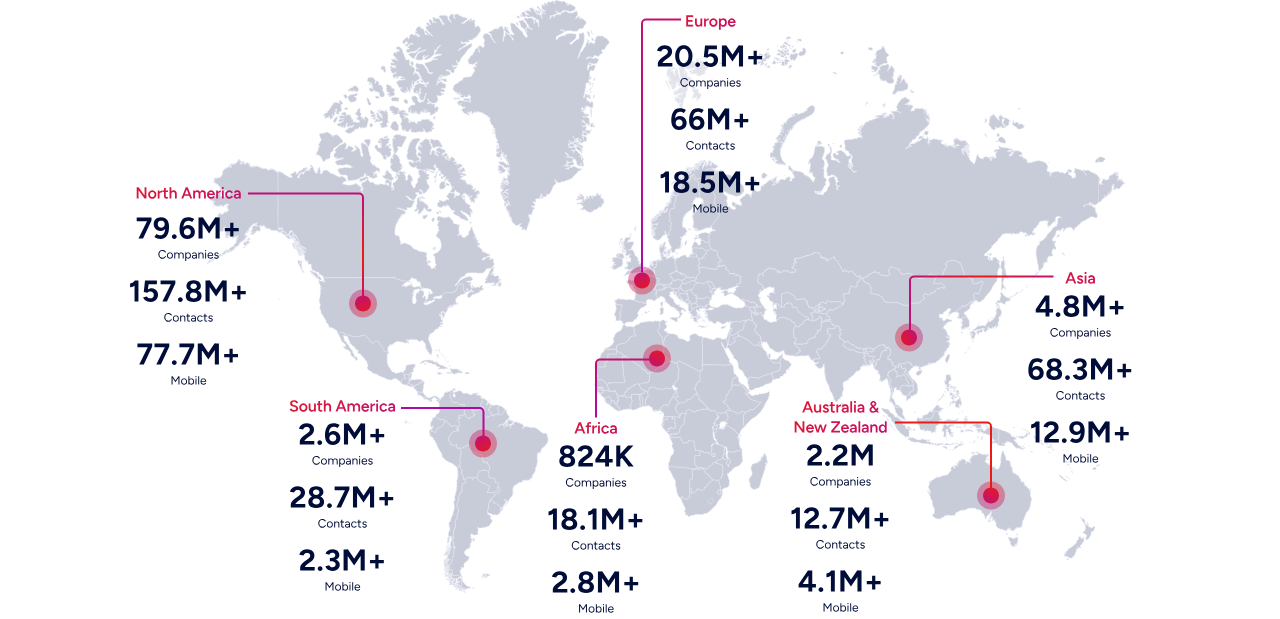
ZoomInfo is a GTM intelligence platform built on a B2B data foundation of 500M contacts, 100M companies, 135M+ verified phone numbers, and 200M+ verified business email addresses. Its GTM Context Graph (an intelligence layer processing 1.5B+ data points daily) combines this data with your CRM records, conversation transcripts, and behavioral signals to reveal not just what happened in your pipeline, but why. Your team accesses this intelligence through GTM Workspace for sellers, GTM Studio for marketers and RevOps, or APIs and MCP in any front-end, including HubSpot and Salesforce. ZoomInfo doesn't replace your CRM. It makes your CRM useful by filling it with verified data instead of guesswork.
If you want your CRM to do more than keep records, see how ZoomInfo works.
Zendesk Sell vs. HubSpot vs. ZoomInfo at a glance
Zendesk Sell (formerly Base CRM) | HubSpot | ZoomInfo | |
|---|---|---|---|
Primary function | Sales CRM | Customer platform (CRM + marketing + service + content) | GTM intelligence platform |
Product status | Retiring August 31, 2027 | Active, $3.13B revenue, growing 19% YoY | Active, $1.25B revenue, publicly traded (NASDAQ: GTM) |
Starting price | $19/seat/month | Free CRM; Sales Hub from $20/seat/month | Custom-quoted; free tier available (ZoomInfo Lite) |
Contact database | Internal CRM records only | Internal CRM records (up to 15M contacts) | 500M contacts, 200M+ verified emails, 135M+ verified phones |
AI capabilities | None (no new development) | Breeze AI agents across all hubs | GTM Context Graph + AI agents in GTM Workspace and Studio |
Buyer intent data | Not available | Limited (via third-party integrations) | Native intent data from 210M IP-to-org pairings |
Marketing automation | Not available | Full marketing automation suite | ABM, display ads, multi-channel orchestration |
Best for | Teams needing a temporary CRM while migrating | Growing businesses wanting an all-in-one platform | Teams that need verified B2B data and intelligence to drive revenue |
The most important fact: Zendesk Sell is shutting down
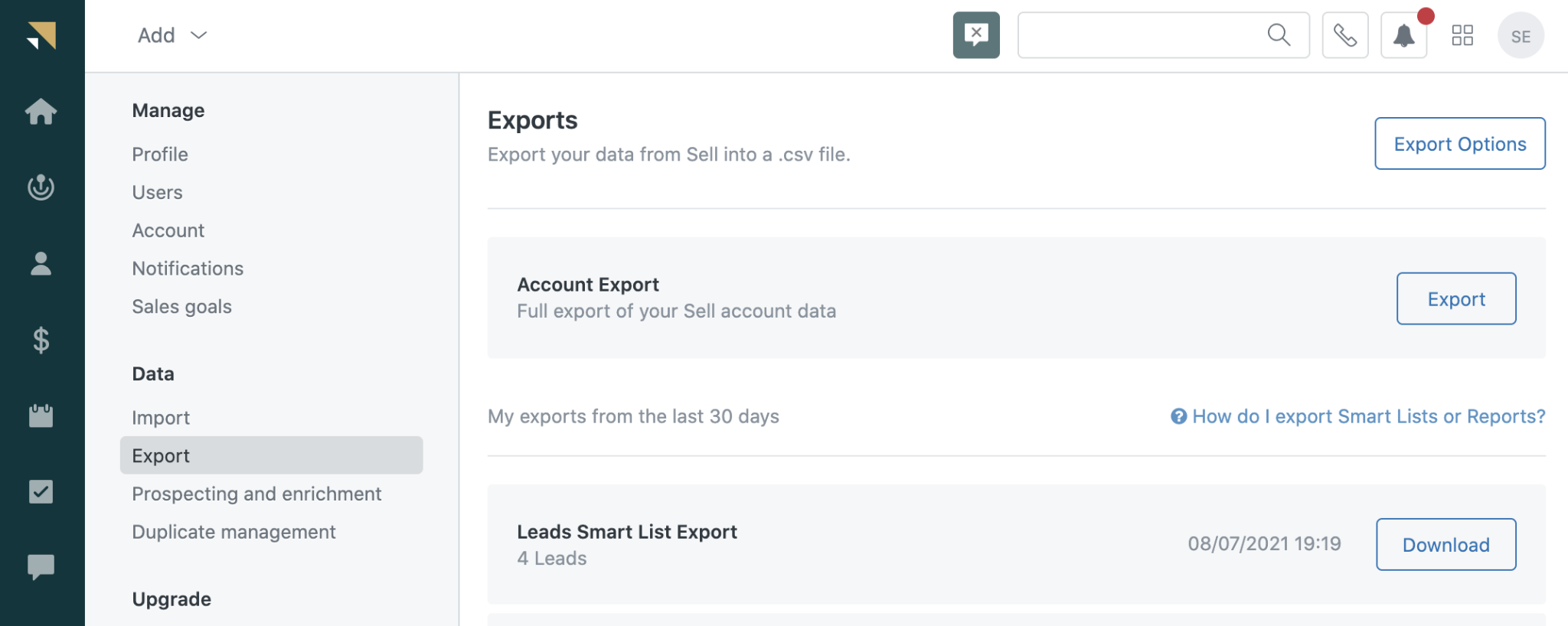
Any honest comparison of Base CRM (Zendesk Sell) and HubSpot in 2026 has to start here. Zendesk officially announced the product's retirement, with a hard end-of-life date of August 31, 2027. After that date, Zendesk will permanently delete all Sell customer data. No new features are in development. The product is in maintenance mode.
This isn't a rumor. Zendesk has shifted its entire R&D investment to AI-first customer service through its Resolution Platform. The signs were visible before the announcement: Zendesk removed the Shopify integration for Sell on April 14, 2025, and pulled the analytics layer (Zendesk Explore) from Sell on January 16, 2024. Zendesk now recommends Pipedrive as the official migration path.
For teams evaluating CRM platforms today, Zendesk Sell is a non-starter for any new purchase. For existing users, the clock is ticking.
Source: Zendesk
What Zendesk Sell did well (and what you'll need to replace)
Base CRM earned a loyal following for good reasons. Understanding its strengths helps clarify what to look for in a replacement.
Fast deployment and simple UX. Zendesk Sell's strongest selling point was speed to productivity. 70% of teams deployed in fewer than 8 weeks, and the interface was clean enough that reps actually used it. For teams that had struggled with CRM adoption on heavier platforms, this mattered.
Built-in sales engagement tools. Unlike many CRMs that charge separately for outreach features, Sell included email sequences, a power dialer, bulk outreach, and a prospecting database of 44M+ businesses and 350M+ prospect records on Growth plans and above. The task player gave reps an uninterrupted work session, showing full context alongside each task with skip and reschedule controls.

Source: Zendesk
Unified sales and support data. For companies already on Zendesk Support, Sell's native integration let sales reps see open support tickets and past service interactions within deal cards.
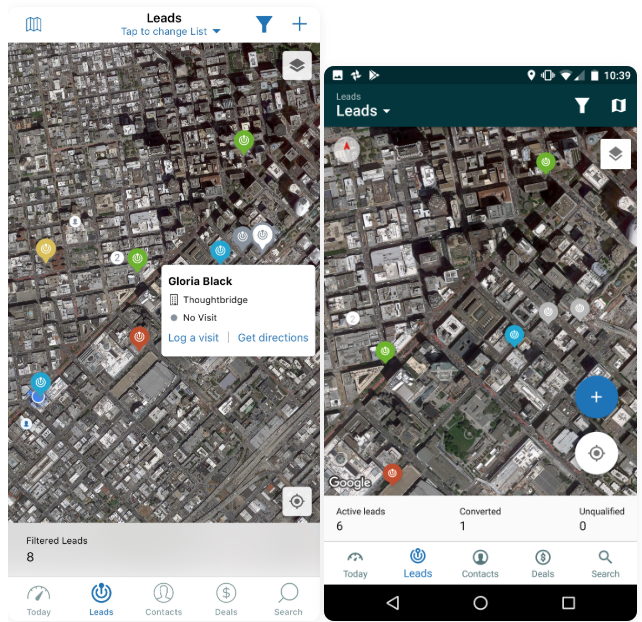
Mobile with geolocation. The mobile app detected nearby contacts through geolocation, tracked visits, and supported on-the-go deal management. For field sales teams, this was a real advantage.
Source: Zendesk
These capabilities need to go somewhere. The question is whether your replacement just covers these basics, or also addresses the gaps Zendesk Sell never filled.
HubSpot covers far more ground than Zendesk Sell ever did
If Zendesk Sell was a focused sales CRM, HubSpot is the entire go-to-market toolkit under one roof. The difference is structural, not incremental.
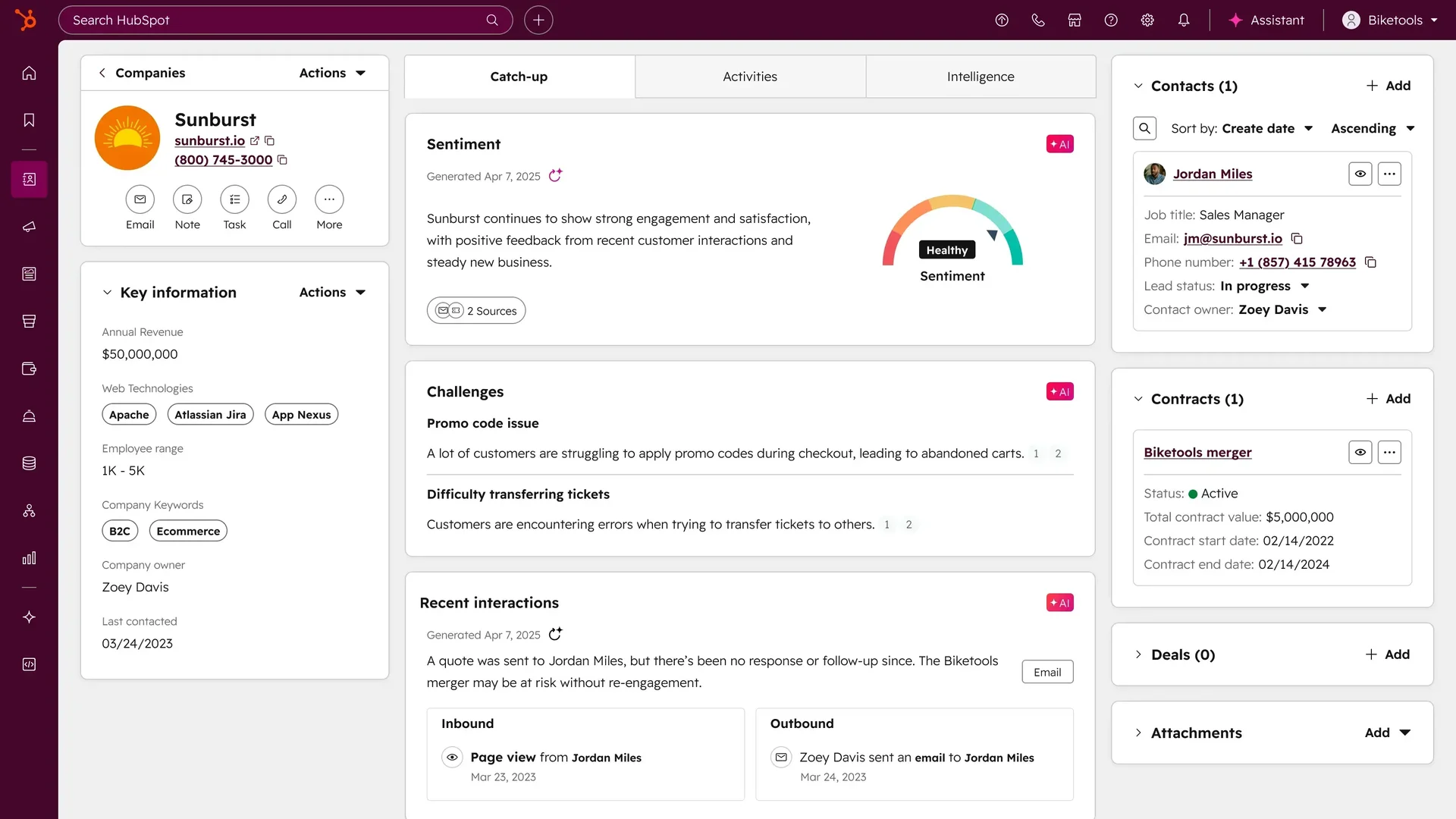
Platform breadth. HubSpot spans six product hubs: Marketing Hub, Sales Hub, Service Hub, Content Hub, Data Hub, and Commerce Hub, all connected through a shared Smart CRM. When a lead fills out a marketing form, that data flows immediately to sales. When a deal closes, service sees the full history. Zendesk Sell achieved this kind of cross-functional visibility only between sales and support, and only for Zendesk customers.
Source: HubSpot
AI that Zendesk Sell never built. While Zendesk Sell sat in maintenance mode, HubSpot launched Breeze, an AI layer that runs across every hub. The Prospecting Agent monitors buying signals, drafts personalized outreach, and operates in review or fully autonomous mode. The Customer Agent resolves customer inquiries across chat, email, and WhatsApp. The Data Agent answers natural-language questions about your CRM data. Zendesk Sell shipped no generative AI or predictive deal scoring before the retirement announcement.
A free tier that's useful. HubSpot's free CRM includes unlimited contacts (up to 1M records), a deal pipeline, email tracking, meeting scheduling, and basic chatbot functionality, with no time limit. Zendesk Sell offered only a 14-day trial. For teams migrating off Sell on a tight budget, HubSpot's free tier is a real landing pad.
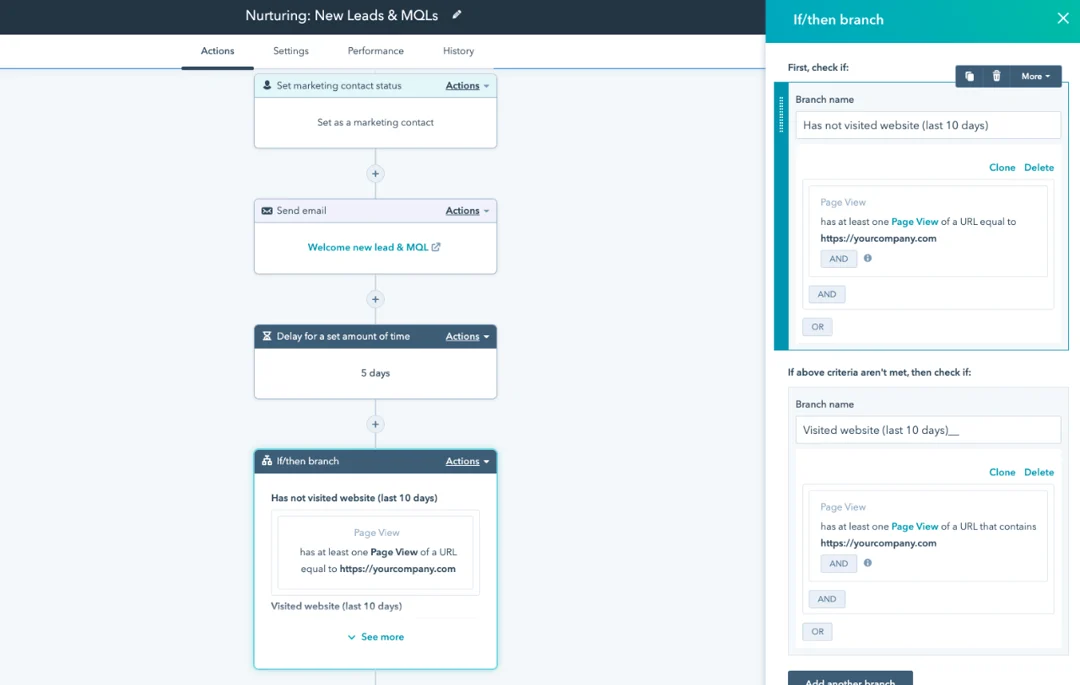
Marketing automation that Sell lacked entirely. Zendesk Sell had no email marketing, no landing page builder, no content management, and no social media tools. HubSpot's Marketing Hub includes workflow automation, forms and landing pages, social media management, and attribution reporting. For growing businesses that need to generate leads (not just track them), this fills a gap Sell never addressed.
Source: HubSpot
Where HubSpot inherits some of Zendesk Sell's limitations
HubSpot and Zendesk Sell share a basic constraint: they depend on the data you put into them. A CRM with empty or inaccurate contact records is a filing cabinet with nothing inside.
Data quality is your problem. HubSpot's Smart CRM includes AI-powered duplicate detection and data enrichment, pulling information from email threads, calls, and web sources. These features help maintain existing records. But HubSpot doesn't tell you which companies are actively researching solutions in your category, who the decision-makers are at your target accounts, or when a prospect is ready to buy. Zendesk Sell's built-in prospecting database of 44M+ businesses tried to address this, but its scope was limited and the data is no longer being updated.
Pricing complexity. HubSpot's per-seat, per-hub pricing with mandatory onboarding fees can surprise buyers. Sales Hub Professional runs $100/seat/month with a $1,500 onboarding fee. Add Marketing Hub Professional at $890/month with a $3,000 onboarding fee, and costs climb fast. When you subscribe to multiple hubs at different tiers, HubSpot bills all Core Seats at the highest tier's rate, a hidden cost multiplier. Zendesk Sell's pricing was simpler: four flat tiers from $19 to $169/seat/month, no onboarding fees in the public documentation.
Neither platform solves the "who to sell to" problem. A CRM records what your sales team does. It doesn't tell them what to do next, which accounts are worth pursuing, or which contacts at those accounts make the decisions. That's a different problem, and it's the one ZoomInfo was built to solve.
ZoomInfo fills the intelligence gap that CRMs leave open
ZoomInfo is not a CRM. It's the intelligence layer that makes your CRM effective.
The difference is straightforward. HubSpot and Zendesk Sell store the contacts and deals your team has already found. ZoomInfo provides the verified B2B data you haven't found yet: 500M contacts, 100M companies, 135M+ verified phone numbers, and 200M+ verified business email addresses. A multi-source verification pipeline backed by 300+ human researchers delivers up to 95% accuracy on first-party data. In a Fortune 500 competitive RFP analyzing 25 million contacts across vendors, the independent consultant concluded that "no other competitor came even close."
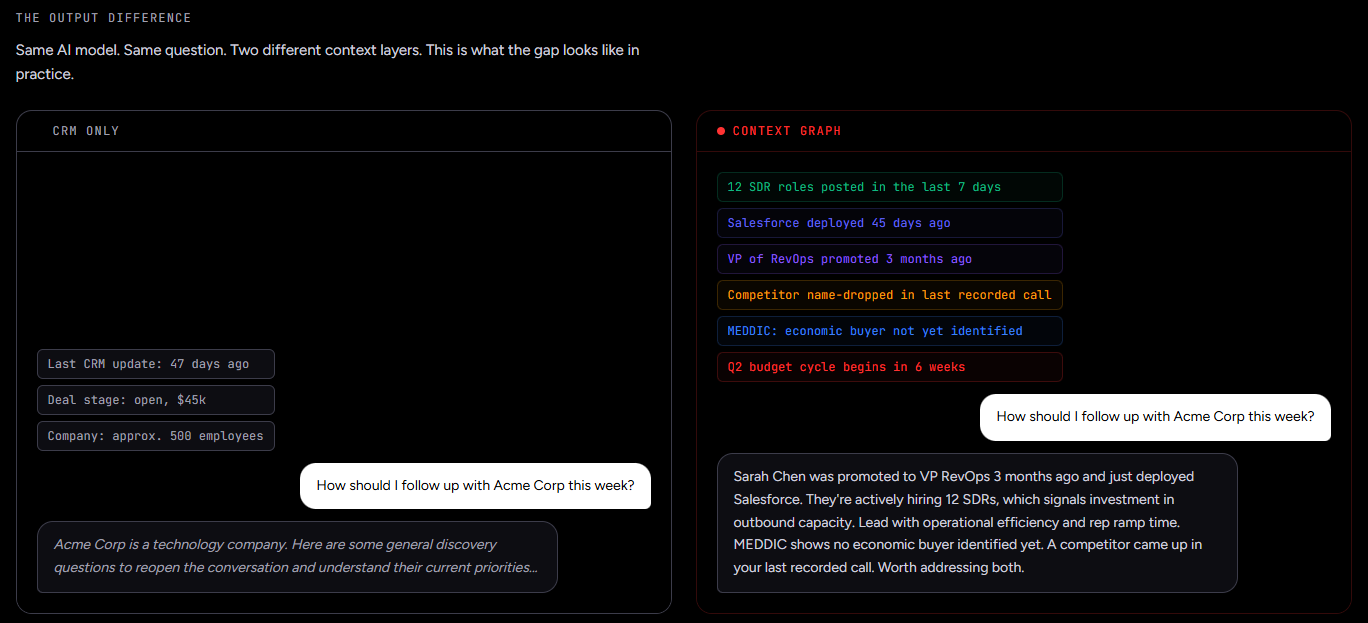
But data alone doesn't close deals. ZoomInfo's GTM Context Graph combines its B2B data with your CRM records, conversation transcripts, and behavioral signals to capture not just what happened in a deal, but why it happened. A CRM records that a deal moved to Stage 3. The GTM Context Graph understands that the CFO joined the last call and asked about six-month ROI, that this pattern matches closed-won deals in your segment, and that third-party signals show the company is hiring new VPs and researching your competitor.
Teams access this intelligence in three ways. GTM Workspace gives sellers AI-drafted outreach and prioritized accounts. GTM Studio gives marketers and RevOps a workspace for building audience segments in natural language and launching multi-channel campaigns. And APIs and MCP deliver the same intelligence into HubSpot, Salesforce, or any other tool your team already uses.
"ZoomInfo's not just a contact data company anymore. They've built a full system of execution. GTM Intelligence actually works the list, writes the outreach, triggers the play, and helps drive predictable growth." (Levanta)
Pipeline building: CRM records vs. GTM intelligence
Here's a practical example of how these tools differ.
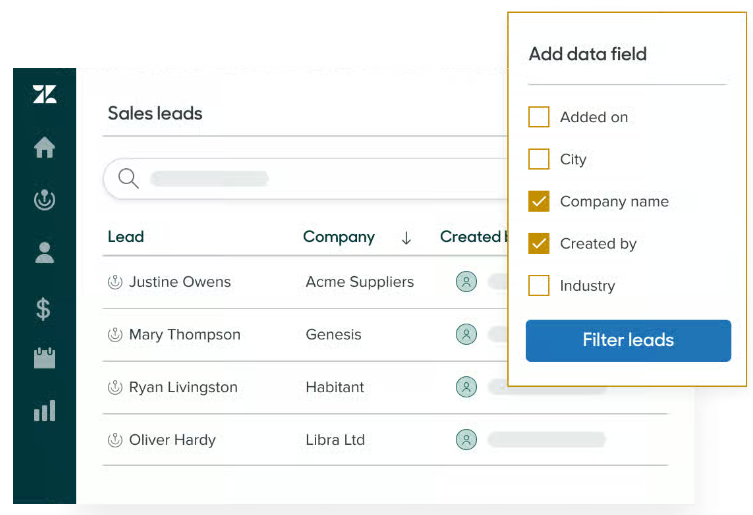
A sales rep using Zendesk Sell would search the built-in prospecting database, find a contact, and add them to a sequence. The database included 44M+ businesses and 350M+ prospect records, with enrichment features to update stale information. It worked, but the data is no longer being updated, and the scope was always narrower than dedicated intelligence platforms.
Source: Zendesk
A rep using HubSpot Sales Hub would use the Breeze Prospecting Agent to research prospects, score them against ideal customer profiles, and draft outreach emails using the complete HubSpot customer history. HubSpot's AI is capable, but it only knows what's already in your HubSpot database. It can't tell you about accounts and contacts that aren't in your system yet.
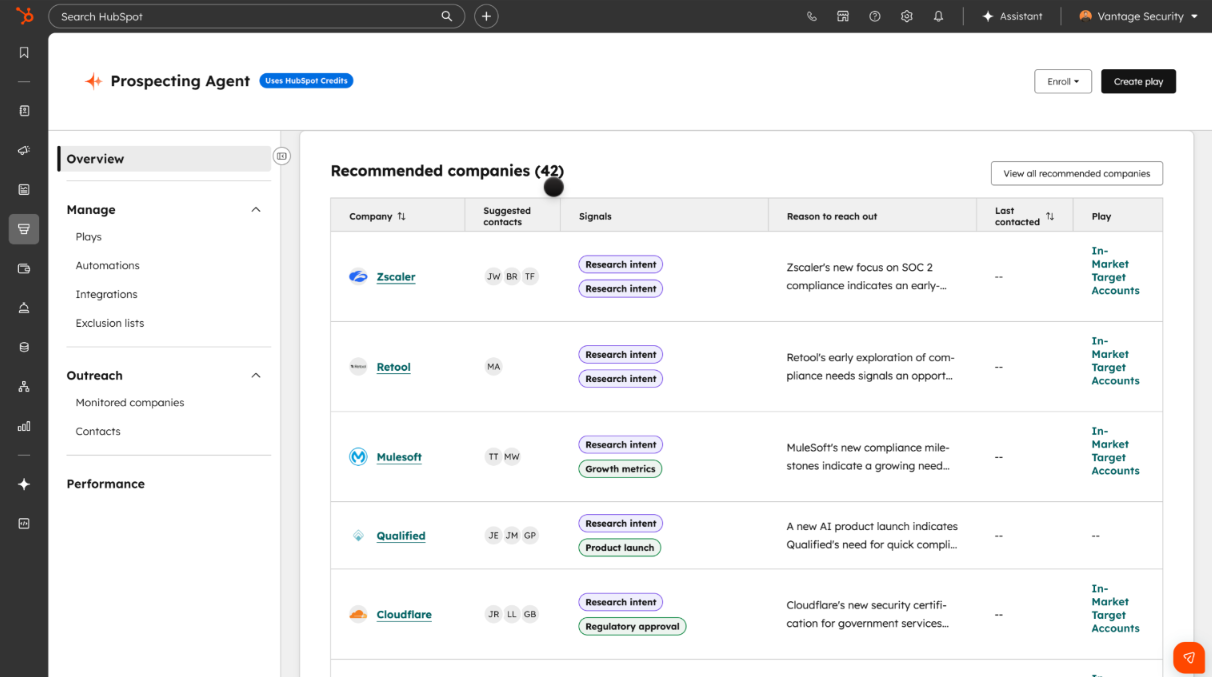
Source: HubSpot
A rep using ZoomInfo's GTM Workspace opens to a prioritized account feed powered by buyer intent data tracking signals from 210 million IP-to-organization pairings. The system identifies which companies are actively researching solutions in your category, surfaces the buying committee from a database of 500M contacts, and AI agents draft outreach addressing the specific concerns identified through the GTM Context Graph. Seismic attributed 39% of active pipeline to opportunities identified or influenced by ZoomInfo signals and reported 54% productivity gains.
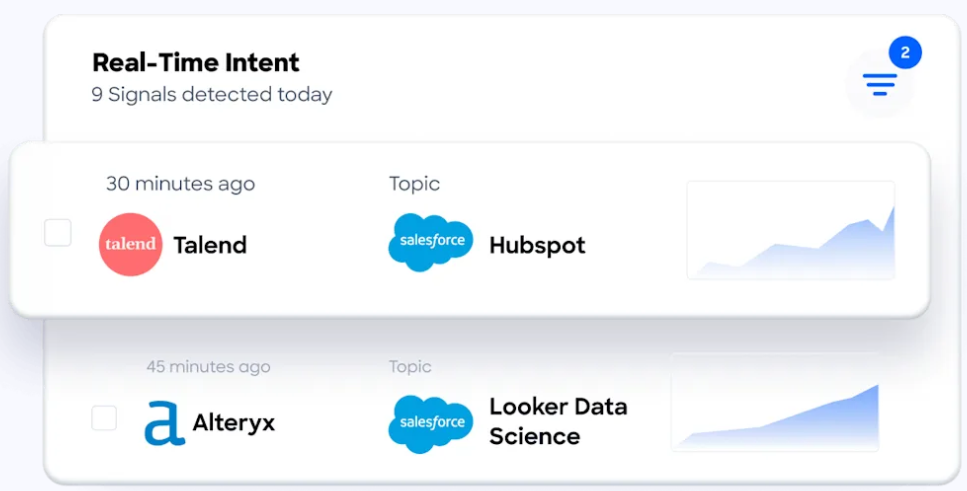
"That combination of our internal CRM data, external signals, and AI that's given all that context has helped us craft very specific account- and persona-based messages. And people have responded to them right away." (Seismic)
Pricing comparison
Zendesk Sell pricing was the simplest of the three. Four tiers, all per-seat:
Plan | Price (Annual) |
|---|---|
Sell Team | $19/seat/month |
Sell Growth | $55/seat/month |
Sell Professional | $115/seat/month |
Sell Enterprise | $169/seat/month |
No mandatory onboarding fees. However, key features were heavily plan-gated: email sequences and the prospecting database required Growth ($55) or above. The power dialer and call scripts required Professional ($115). Advanced reporting and deal loss analysis by source required Enterprise ($169). The 14-day trial included only 4 prospecting credits total.
HubSpot uses a layered pricing model. The free CRM is useful, but scaling up requires buying individual hubs:
Product | Starter | Professional | Enterprise |
|---|---|---|---|
Sales Hub | $20/seat/month | $100/seat/month + $1,500 onboarding | $150/seat/month + $3,500 onboarding |
Marketing Hub | $20/seat/month | $890/month + $3,000 onboarding | $3,600/month + $7,000 onboarding |
Service Hub | $20/seat/month | $100/seat/month + $1,500 onboarding | $150/seat/month + $3,500 onboarding |
The Starter Customer Platform bundle at $20/seat/month includes starter editions of all hubs. For a team of 10 sales reps who also need marketing automation, costs reach several thousand dollars per month once you factor in Professional tiers and onboarding. Remember: when mixing tiers, HubSpot bills all Core Seats at the highest tier's rate.
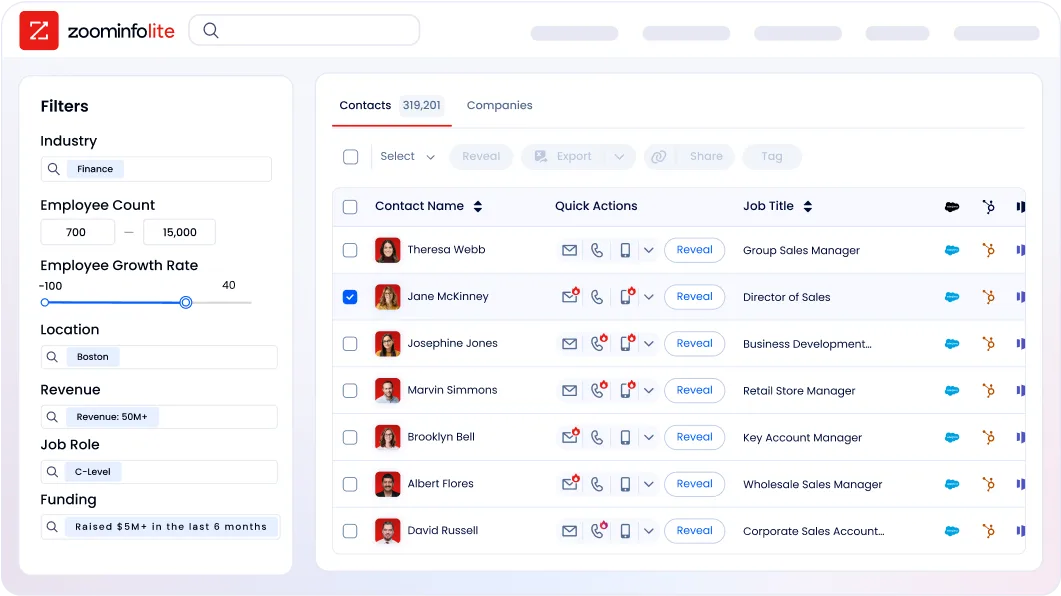
ZoomInfo uses consumption-based pricing with no published prices. Pricing depends on usage patterns, number of seats, monthly credit volume, and features selected. The ZoomInfo Lite free tier provides permanent access to the B2B database with 10 monthly export credits, and a 7-day free trial offers broader access. ZoomInfo is a premium investment, but customers document specific returns: Snowflake achieved 200% higher conversion rates on top-scoring accounts, and Seismic saved 11.5 hours per week per seller.
Integration and ecosystem comparison
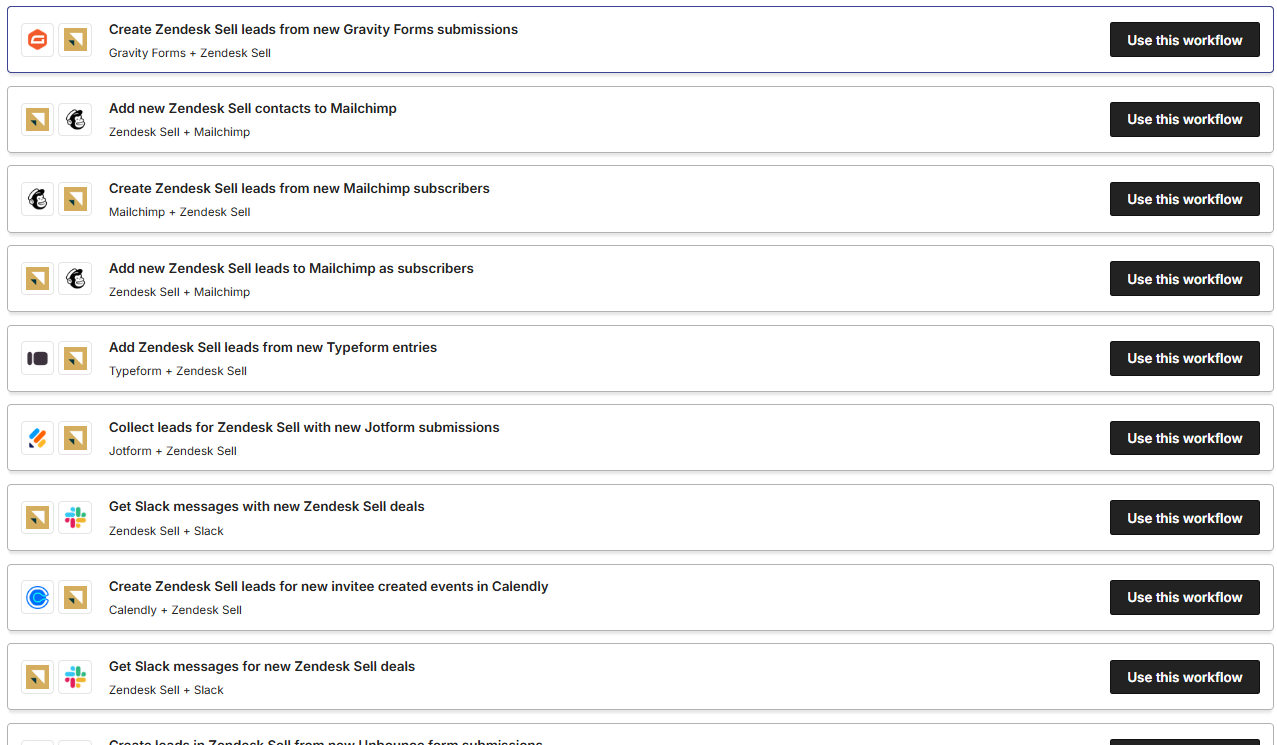
Zendesk Sell offered a solid but narrowing integration ecosystem. Native integrations included Google Workspace (Gmail, Calendar, Contacts, Drive) and Zendesk Support/Chat. Zapier connectivity (Growth plans and above) connected to 750+ apps. The broader Zendesk marketplace listed 1,800+ apps, though most were built for Support rather than Sell. The REST API offered Core, Sync, Firehose, and Search surfaces. But Zendesk was removing integrations (Shopify was cut in April 2025), and no new integrations are being developed.
Source: Zendesk
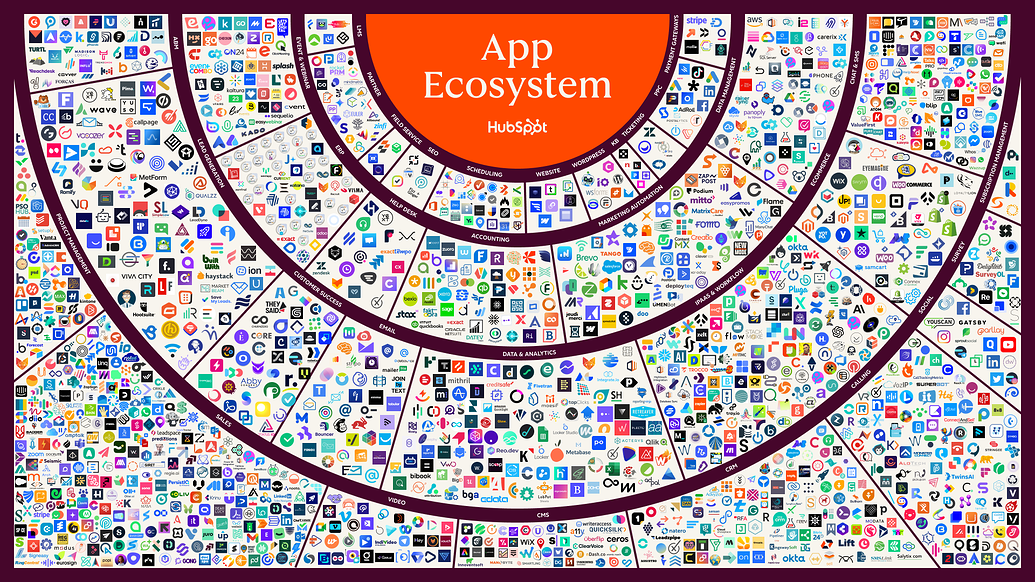
HubSpot has the broadest ecosystem. The App Marketplace offers 2,000+ integrations with 2.5 million active installs. The developer platform supports custom apps, UI extensions, and CMS development. Data Hub provides 100+ data sync integrations with bidirectional, real-time sync and programmable automation (custom JavaScript or Python inside workflows). The Solutions Partner Program and HubSpot Academy (200,000+ certified professionals) create a deep supporting ecosystem.
Source: HubSpot
ZoomInfo integrates with the platforms your GTM stack already relies on. The ZoomInfo App Marketplace covers 120+ integrations across CRM (Salesforce, HubSpot, Microsoft Dynamics), marketing automation (Marketo, Eloqua), sales engagement (Salesloft, Outreach), and data warehouses (Snowflake, Databricks).
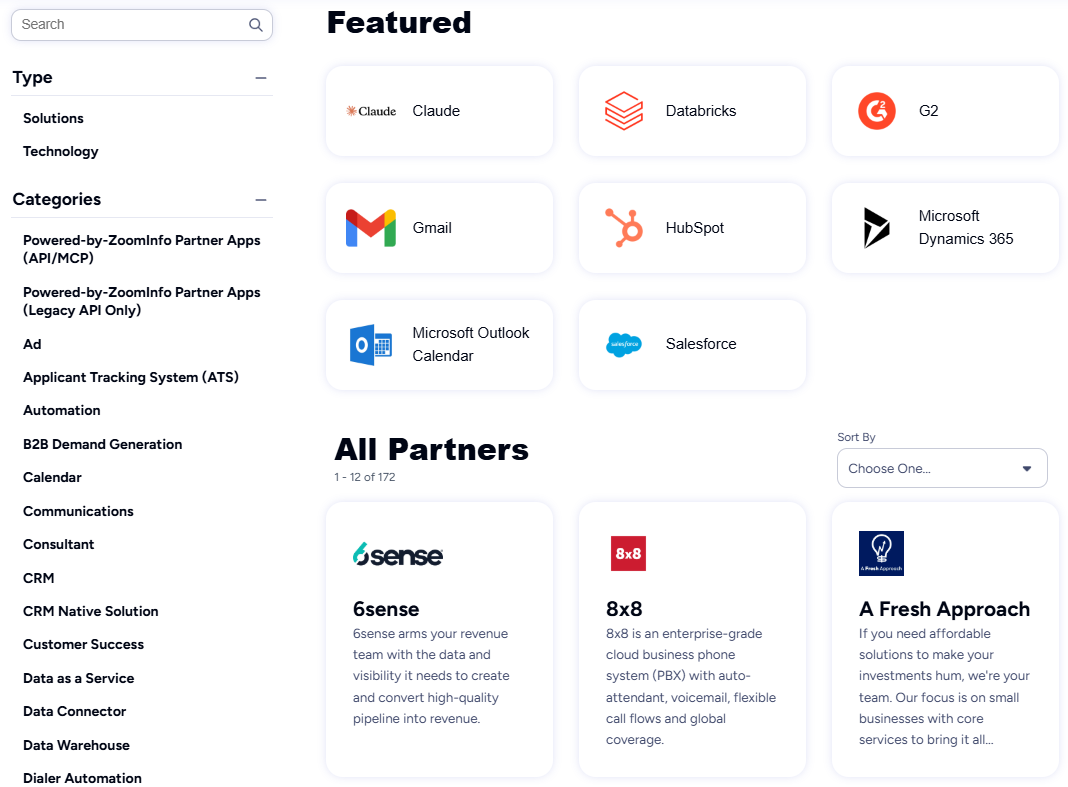
API access is included in all relevant plans, and the MCP server connects ZoomInfo's intelligence directly to AI models including Claude and ChatGPT. ZoomInfo's integration approach centers on making its intelligence available everywhere: the same GTM Context Graph that powers GTM Workspace and GTM Studio flows into any third-party tool through APIs.
"The plug-and-play aspect of the API means I can integrate it very easily into any process and get information at a moment's notice." (BDO Canada)
Who should use what (and when to combine them)
These three platforms occupy different layers of the go-to-market stack. ZoomInfo is the intelligence layer. HubSpot (or your CRM of choice) is the engagement and record-keeping layer. They work together, not in opposition.
If you're migrating off Zendesk Sell, HubSpot is a strong destination. The free CRM covers the basics Sell handled, and Sales Hub Professional adds the automation and reporting that Sell gated behind its top tiers. HubSpot's platform breadth means you gain marketing, service, and content capabilities that Sell never offered. Zendesk recommends Pipedrive as its official migration path, but HubSpot offers more room to grow.
If you need a CRM and nothing else, HubSpot's free tier or Starter plan handles contact management, deal tracking, and basic pipeline reporting. For small teams doing straightforward sales, this may be sufficient.
If your sales team struggles to fill the pipeline, that's a data problem, not a CRM problem. ZoomInfo's 500M contacts, buyer intent signals, and GTM Context Graph solve the upstream challenge of knowing who to sell to, when to engage, and what to say. The intelligence flows into your CRM through native integrations.
The combination of ZoomInfo and HubSpot is where the real leverage sits. ZoomInfo identifies the right accounts and contacts, enriches your HubSpot records with verified data, and surfaces buying signals. HubSpot's automation workflows then engage those contacts with targeted outreach. Your reps work from accurate, complete records instead of manually researching prospects. This is how Thomson Reuters increased closed-won deals by 40% and Databricks reached prospects 50% faster.
Zendesk Sell vs. HubSpot vs. ZoomInfo: Which should you choose?
Choose Zendesk Sell only if:
You're already on Sell and need time to evaluate alternatives
You're using Zendesk Support and need the sales-service integration for the short term
You understand this is a temporary solution with a hard deadline of August 31, 2027
Choose HubSpot if:
You need an all-in-one platform for marketing, sales, and service
You're a growing business that wants to start free and scale
You value ease of use and don't want to manage multiple point solutions
Your team needs marketing automation alongside CRM functionality
Choose ZoomInfo if:
You need B2B data to fill your pipeline
Identifying in-market buyers before they contact you is a priority
You want intelligence that tells reps who to contact, when, and what to say
You need your CRM data enriched and verified automatically
You're ready to invest in the intelligence layer that makes every other GTM tool more effective
See how ZoomInfo's GTM intelligence platform works with a free trial.
A CRM without accurate data is a database of guesses. Data without a CRM is intelligence with nowhere to act. The teams pulling ahead in 2026 aren't choosing between these layers. They're connecting them: using ZoomInfo to identify the right buyers and signals, feeding that intelligence into HubSpot or their CRM of choice, and letting AI-powered workflows handle the outreach. That's the stack that turns pipeline into revenue.
Zendesk Sell vs. HubSpot vs. ZoomInfo FAQ
Is Base CRM still available?
No. Zendesk acquired Base CRM in 2018 and rebranded it as Zendesk Sell. Zendesk announced on September 9, 2025, that Sell will be permanently retired on August 31, 2027. No new features are being developed, and Zendesk will delete all customer data at retirement. Zendesk recommends migrating to Pipedrive.
What is the best CRM to migrate to from Zendesk Sell?
Zendesk officially recommends Pipedrive and provides migration tools to transfer leads, contacts, deals, notes, tasks, and smart list data. HubSpot is another strong option, especially for teams that want marketing automation, AI-powered prospecting, and a free CRM tier to start with. HubSpot's platform breadth covers capabilities that Zendesk Sell never offered.
How does ZoomInfo differ from HubSpot?
HubSpot is a CRM and customer platform that stores and manages your existing contacts, deals, and marketing campaigns. ZoomInfo is a GTM intelligence platform that provides verified B2B data and buying signals your CRM needs to be effective. ZoomInfo covers 500M contacts, 100M companies, and 135M+ verified phone numbers. The two platforms are complementary, not competing: ZoomInfo feeds intelligence into HubSpot through native integrations. For a full side-by-side breakdown, see our HubSpot vs. ZoomInfo comparison.
Which platform is cheapest for a small sales team?
HubSpot's free CRM is the most affordable starting point, with no time limit and no credit card required. Zendesk Sell starts at $19/seat/month but is being retired. ZoomInfo Lite is a permanent free tier with access to the B2B database and 10 monthly export credits. For a team of 5 reps needing basic CRM, HubSpot's free plan is the lowest-cost option.
Can ZoomInfo integrate with HubSpot?
Yes. ZoomInfo has a native HubSpot integration that enriches CRM records with verified contact and company data, syncs buyer intent signals, and automates data updates. ZoomInfo Lite also includes a HubSpot integration at no cost. The integration keeps data flowing from ZoomInfo into HubSpot current without manual updating.
Does HubSpot have a built-in prospecting database like Zendesk Sell did?
HubSpot's Smart CRM includes AI-powered data enrichment that pulls information from emails, calls, and web sources to fill in missing contact and company details. But it does not include a standalone B2B prospecting database comparable to Zendesk Sell's 44M+ business records or ZoomInfo's 500M contacts. For prospecting data at scale, teams pair HubSpot with a data provider like ZoomInfo.
What happens to my data when Zendesk Sell shuts down?
After August 31, 2027, Zendesk will permanently delete all Sell customer data per its data deletion policy. Activity history, appointments, emails, call logs, and documents cannot be exported from Zendesk Sell. Only leads, contacts, deals, notes, tasks, and smart list data can be migrated. Starting migration early gives you more time to preserve critical records.
Which platform has the best AI capabilities for sales?
ZoomInfo and HubSpot both offer AI, but they solve different problems. HubSpot's Breeze Prospecting Agent drafts personalized outreach and monitors buying signals using data already in your HubSpot database. ZoomInfo's GTM Context Graph processes 1.5B+ data points daily, combining CRM data with conversation intelligence, intent signals, and a broad B2B dataset to surface why deals move and which accounts to prioritize. Zendesk Sell has no AI features and will not receive any before retirement.
More CRM comparisons:
