

Choosing between GetResponse vs. HubSpot for your marketing stack often comes down to five questions:
Do you need a dedicated email marketing platform, or a full CRM that connects marketing, sales, and service?
Is your budget $50/month or $500+/month?
Are you a small team running email campaigns, or a growing company that needs pipeline management alongside marketing automation?
Do you already have a CRM, or do you need one built into your marketing platform?
For B2B teams: do you have a reliable source of verified prospect data, or are you marketing to incomplete contact lists?
In short, here's what we recommend:
GetResponse is the right choice for small-to-mid-size businesses, ecommerce brands, and creators who need email marketing, automation, and audience monetization in one package. Starting at $19/month for 1,000 contacts, it bundles email campaigns, a visual automation builder, landing pages, webinars, and an AI-powered course creator under a single subscription. GetResponse claims a 99% deliverability rate backed by over 25 years of sender reputation, and its pricing stays flat as your list grows. The tradeoff: there's no CRM, no sales pipeline tools, and automation falls short when workflows get complex.
HubSpot serves growing companies that need marketing, sales, and customer service working from shared data. Its Smart CRM connects six product hubs (Marketing, Sales, Service, Content, Data, and Commerce) on a single database, so a lead captured by marketing flows directly into a sales pipeline without manual handoff. HubSpot's Breeze AI agents handle tasks from prospecting to customer support. But this carries a price: Marketing Hub Professional starts at $890/month with a mandatory $3,000 onboarding fee, and costs climb as you add seats, hubs, and contacts.
Both platforms give you tools to engage your audience. GetResponse does it affordably for email-first teams. HubSpot does it broadly for multi-department organizations. But for B2B teams, there's a problem neither platform was built to solve: finding the right accounts and contacts to engage in the first place. Your campaigns are only as good as your data, and that's where a different kind of platform becomes essential.
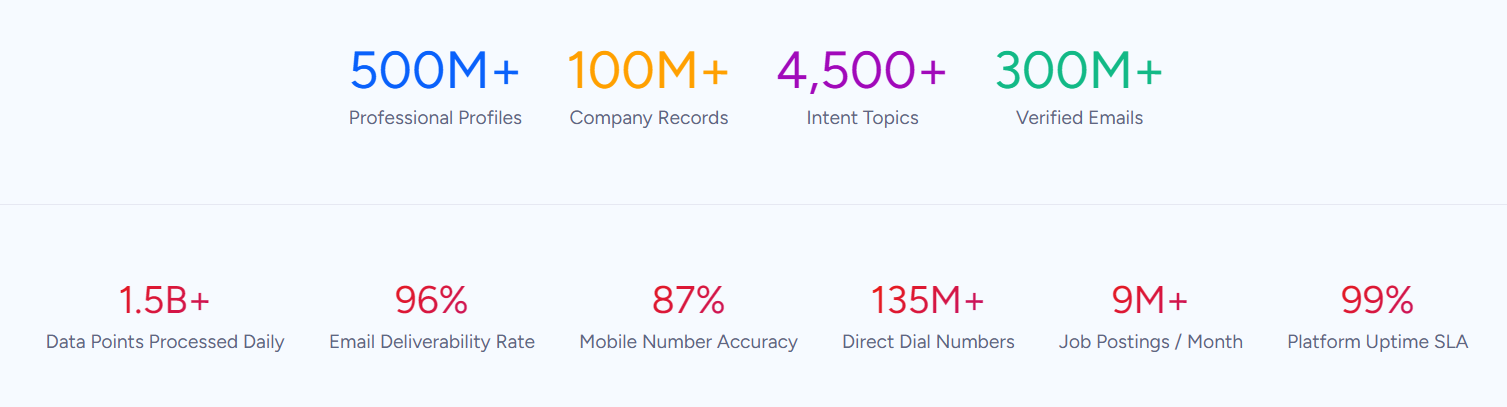
ZoomInfo is a B2B data and GTM platform built on a large data foundation: 500M contacts, 100M companies, 135M+ verified phone numbers, and 200M+ verified business emails. By combining this data with your CRM records, conversation transcripts, and behavioral signals, ZoomInfo's GTM Context Graph (which processes 1.5B+ data points daily) reveals the context behind your accounts. That intelligence shows not just what happened, but why it happened and which actions will move deals forward. Your team can run sales from GTM Workspace, build GTM plays in GTM Studio, or power their own tools through the API and MCP in any front-end. ZoomInfo integrates natively with HubSpot and can feed verified prospect data into GetResponse through exports or workflow connectors.
If building your marketing campaigns on verified B2B data and real-time buying signals sounds like the missing piece, see how ZoomInfo works.
GetResponse vs. HubSpot vs. ZoomInfo at a glance
GetResponse | HubSpot | ZoomInfo | |
|---|---|---|---|
Core purpose | Email marketing & automation | CRM & customer platform | B2B data intelligence & GTM |
Email marketing | Full-featured, 99% deliverability | Included in Marketing Hub | N/A (feeds data to email platforms) |
CRM | None | Full Smart CRM | Integrates with major CRMs |
Sales tools | None | Full Sales Hub with AI agents | GTM Workspace for sellers |
Marketing automation | Visual workflow builder | Workflows + Breeze AI | GTM Studio for marketers |
B2B contact data | None | Basic enrichment | 500M contacts, 200M+ verified emails |
Intent signals | None | Limited | 210M IP-to-org pairings |
AI features | AI email & landing page generation | Breeze AI agents across all hubs | GTM Context Graph + AI agents |
Integrations | 170+ | 2,000+ | 120+ native + API/MCP |
Starting price | $19/mo (1,000 contacts) | $20/seat/mo (Starter) | Custom (consumption-based) |
Free plan | 500 contacts, 2,500 sends/mo | Unlimited contacts, 2 users | ZoomInfo Lite (10 exports/mo) |
Best for | SMBs, creators, ecommerce | Scaling companies | B2B sales & marketing teams |
GetResponse owns email marketing, and keeps adding to it
GetResponse started as an autoresponder in 1997 and has spent nearly three decades refining email delivery. That history shows in the product.
The AI Email Generator, powered by OpenAI, produces complete email drafts (copy, subject line, and image) from a four-step prompt: keywords, industry, tone, layout. No separate OpenAI subscription required.
For scheduling, Perfect Timing analyzes each subscriber's engagement patterns across the entire GetResponse platform (not just your account) and delays delivery up to 23 hours to hit each person's best window. Time Travel takes the opposite approach, delivering at the same local clock time regardless of time zone. Both are available on Marketer plans and above.

Source: GetResponse
Beyond email, GetResponse has expanded into territory most email platforms don't touch.
The AI Course Creator generates course structures from a topic prompt. Native webinar software supports up to 1,000 live attendees without a separate Zoom subscription. Premium newsletter subscriptions let creators charge for exclusive content. This is the dual identity of GetResponse in 2026: email marketing platform and content monetization suite, sold together starting at $69/month on the Creator plan.
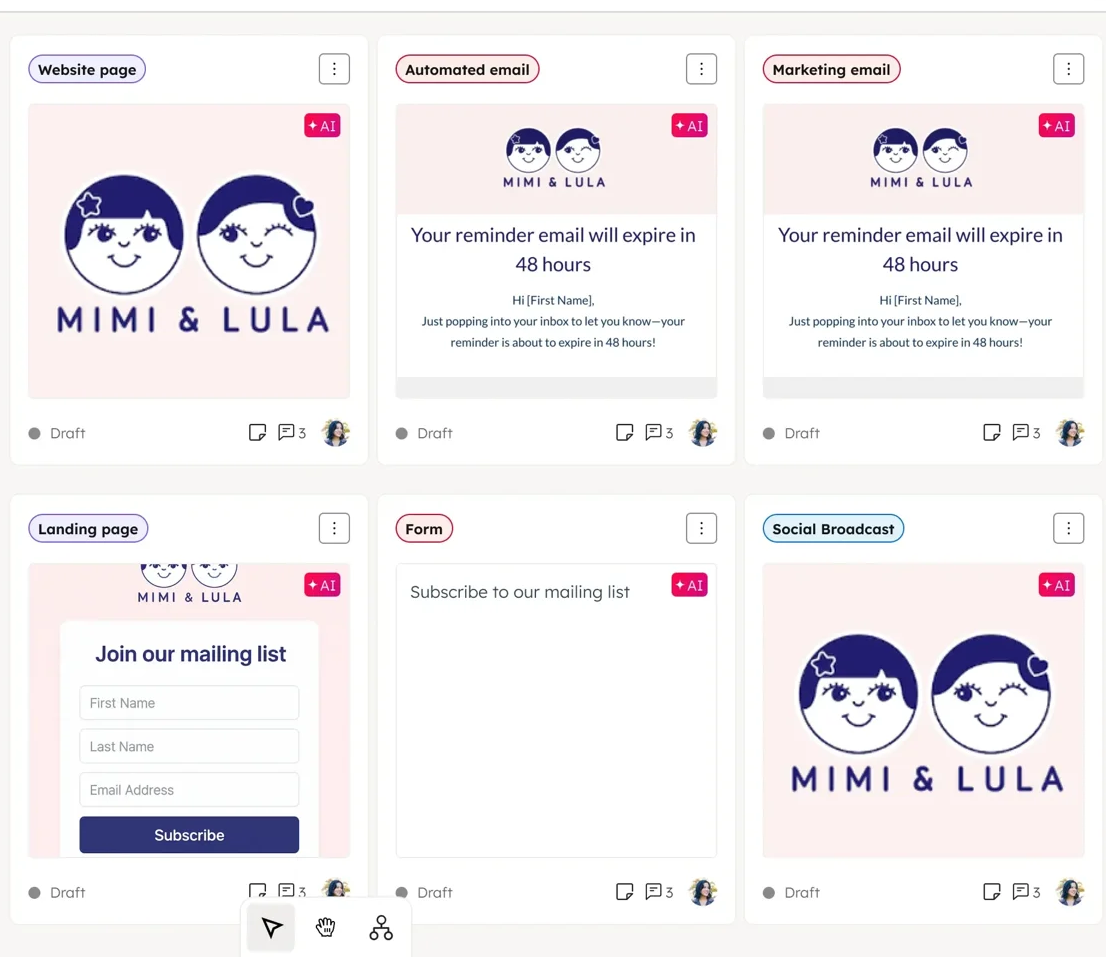
HubSpot includes email marketing inside Marketing Hub, with a drag-and-drop editor, A/B testing, and send-time optimization.
It works well. But email is one of dozens of tools inside HubSpot, not the central focus. For teams whose primary job is sending campaigns and nurturing subscribers, GetResponse offers more specialized depth at a fraction of the cost.
Source: HubSpot
HubSpot is a CRM platform, not just a marketing tool
The fundamental difference between GetResponse and HubSpot is scope. GetResponse is a marketing tool. HubSpot is a business platform.
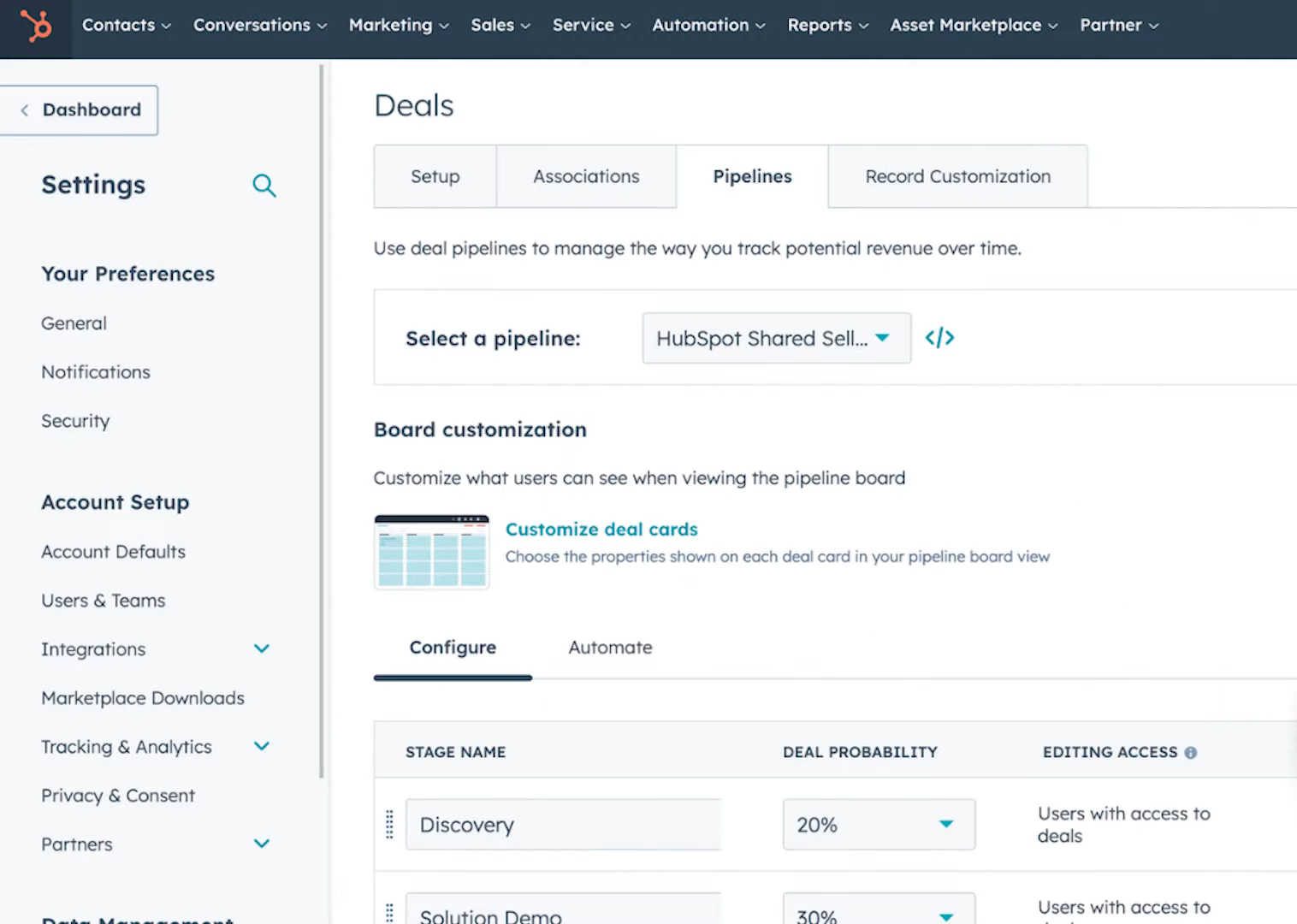
HubSpot's Smart CRM sits at the center, connecting every product hub to a single contact, company, and deal database. When a lead fills out a form on your website, that contact record is immediately visible to sales. When sales closes the deal, service sees the full history. When service resolves a ticket, marketing knows not to send a discount offer the next day.
This connected data layer is what HubSpot calls its primary differentiator.
Source: HubSpot
Sales Hub gives reps deal pipelines, sequences, call tracking, CPQ, and an AI Prospecting Agent that drafts personalized outreach using the full customer history. Service Hub provides a help desk, knowledge base, and a Breeze Customer Agent that resolves over 50% of customer conversations on its own. Content Hub handles websites, blogs, and SEO. Commerce Hub manages quotes, invoicing, and payments.
GetResponse has none of this. No CRM. No sales pipeline. No service desk. No CPQ.
If your team needs to manage the full customer lifecycle from first touch to closed deal to ongoing support, HubSpot is the only option of the two. If your team needs to send great email campaigns and doesn't need CRM infrastructure, GetResponse will do the job for less.
Marketing automation: specialized vs. all-encompassing
Both platforms offer visual automation builders. The implementations reflect their different philosophies.
GetResponse's marketing automation uses a drag-and-drop canvas with three building blocks: conditions (what triggers the workflow), actions (what happens next), and filters (which contacts proceed).
The system supports both email and web channels on the same canvas, so a single workflow can react to an anonymous site visitor (showing a popup, prompting push permission) and then shift into a personalized email nurture sequence once the visitor subscribes. Ecommerce conditions are native: abandoned cart, purchase, product viewed, and category viewed all work without add-ons. Each workflow block displays real-time statistics showing how many contacts have passed through.
Where GetResponse hits limits: segmentation tops out at around seven filters, which restricts targeting precision for power users. Branched, multi-condition behavioral sequences don't match what more specialized automation platforms offer.

Source: GetResponse
HubSpot's workflows operate across the full CRM data model.
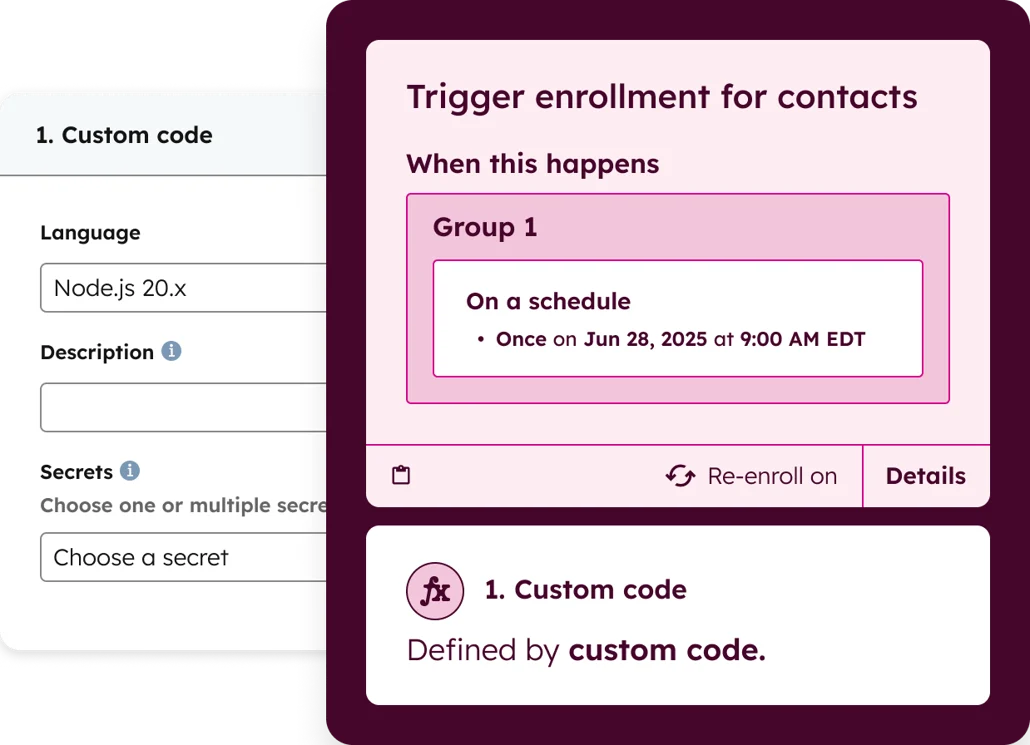
You can trigger automations based on deal stage changes, ticket properties, custom object events, or any combination of the hundreds of contact, company, and deal properties in the Smart CRM. Programmable automation lets developers write custom JavaScript or Python code actions inside workflows for logic that visual builders can't express. The depth is real, but so is the learning curve. Many teams end up using a fraction of its capabilities.
Source: HubSpot
For email sequences, cart recovery, and basic behavioral targeting, GetResponse's automation covers the ground at a lower cost. For multi-department workflows that span marketing, sales, and service triggers on shared CRM data, HubSpot's automation is in a different class.
The upstream data problem neither platform solves
Here's what most GetResponse vs. HubSpot comparisons skip: both platforms assume you already know who to market to. GetResponse captures leads through landing pages, signup forms, and popups. HubSpot captures leads through forms, chatbots, and ad integrations. Both are good at engaging contacts once you have them.
But for B2B teams, the harder problem is finding the right accounts and contacts before they fill out a form. Who are the decision-makers at your target companies? What are their direct phone numbers and verified email addresses? Which accounts are researching solutions like yours right now? Neither GetResponse nor HubSpot was built to answer these questions at scale.
GetResponse has no prospecting database. HubSpot's Smart CRM can enrich records with basic data, but it's not a B2B intelligence platform.
ZoomInfo solves this upstream problem.
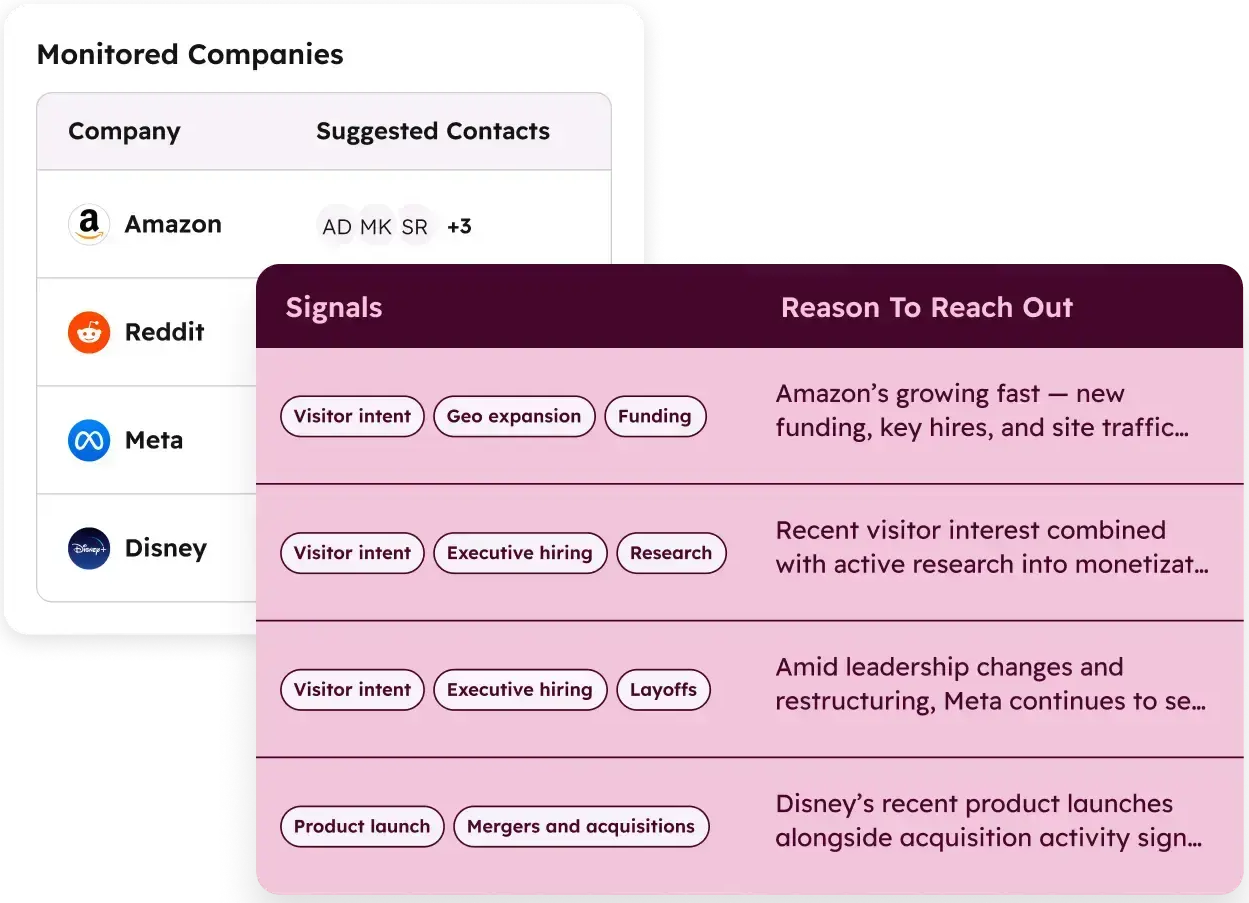
Its database covers 500M contacts and 100M companies, with 120M direct-dial phone numbers and 200M+ verified business email addresses maintained by 300+ human researchers and automated verification reaching up to 95% accuracy. Buyer Intent data tracks signals from 210 million IP-to-Organization pairings, identifying which companies are researching topics related to your product before they visit your website.
Source: ZoomInfo
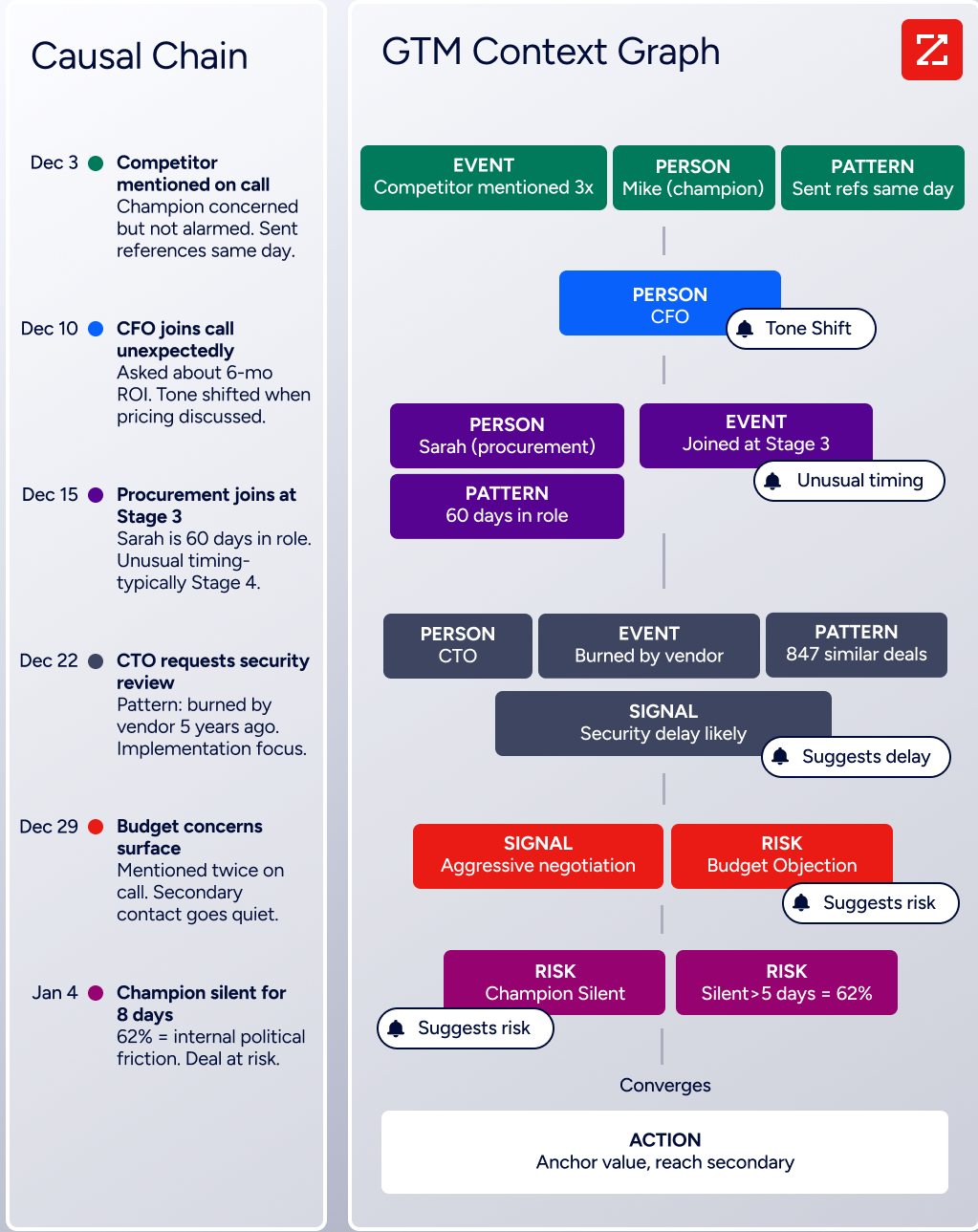
The GTM Context Graph takes this further.
It combines ZoomInfo's third-party data with your CRM records, conversation transcripts, and behavioral signals to capture not just what happened in a deal, but why. A CRM records that a deal moved to Stage 3. The GTM Context Graph identifies that executive sponsorship entering at this stage, combined with ROI-focused questions on the last call, matches the pattern behind closed-won deals in your segment.
For teams using HubSpot, ZoomInfo plugs in directly. The native HubSpot integration enriches CRM records, syncs intent signals, and routes accounts automatically. For teams using GetResponse, ZoomInfo contacts can be exported and imported into campaigns, or connected through workflow tools.
For a full breakdown of how HubSpot and ZoomInfo compare as platforms, see our HubSpot vs. ZoomInfo comparison.
Seismic's sales team attributed 39% of active pipeline to opportunities identified or influenced by ZoomInfo signals, while saving 11.5 hours per week. "That combination of our internal CRM data, external signals, and AI that's given all that context has helped us craft very specific account- and persona-based messages. And people have responded to them right away." (Toby Carrington, CBO, Seismic)
AI capabilities reflect different priorities
All three platforms invest in AI, but their implementations serve different goals.
GetResponse focuses AI on content creation speed.
The AI Email Generator produces complete drafts from keyword inputs. The AI landing page builder generates three design variations from a business description. An AI Web Push Generator creates notification copy tuned by industry. The AI Course Wizard converts existing content into structured courses.
These tools solve a real problem: small teams with limited design and copywriting resources can produce professional marketing assets quickly. All AI features run on OpenAI with no separate subscription.

Source: GetResponse
HubSpot treats AI as a platform-wide layer through Breeze. Rather than generating content alone, Breeze includes specialized agents that run entire workflows.
The Customer Agent handles support inquiries across chat, email, WhatsApp, and voice. The Prospecting Agent monitors buying signals and drafts personalized outreach using the complete HubSpot customer history. The Data Agent answers natural-language questions about your CRM data. These agents run on HubSpot Credits (included monthly by tier, purchasable as add-ons).
Several features (AI-Powered Segmentation, Personalization, Marketing Studio) remain in Beta as of the Fall 2025 Spotlight.
Source: HubSpot
ZoomInfo's AI operates at the intelligence layer rather than the content layer.
The GTM Context Graph doesn't generate marketing emails. It connects your CRM data, conversation intelligence, and ZoomInfo's third-party signals to explain why deals move or stall, which accounts match your win patterns, and what actions are most likely to produce results.
In GTM Workspace, AI agents research accounts, generate follow-ups, and surface next-best actions for sellers. In GTM Studio, marketers describe audiences in natural language and launch multi-channel plays that improve as engagement data accumulates.
Source: ZoomInfo
The distinction matters. GetResponse's AI helps you create content faster. HubSpot's AI helps you automate workflows across departments. ZoomInfo's AI helps you understand which accounts and contacts deserve your attention in the first place.
Integration ecosystems show different stages of maturity
HubSpot has the largest ecosystem: over 2,000 apps with 2.5 million active installs in its marketplace.
Salesforce, Slack, Zoom, LinkedIn, Google Ads, Jira, and hundreds more connect natively. For developers, HubSpot offers official SDKs in six languages (PHP, Java, Ruby, Go, TypeScript, Python), a CLI tool, and a remote MCP server for AI agent development. This is a mature ecosystem.
GetResponse lists 170+ integrations covering ecommerce (Shopify, WooCommerce, Magento, PrestaShop, BigCommerce), CRMs, ad platforms, and forms.
A REST API (v3) provides programmatic access, though official SDKs are limited to PHP and mobile platforms. Zapier bridges the gap for apps without native connectors. The ecosystem works for a marketing-focused tool but is much smaller than HubSpot's.
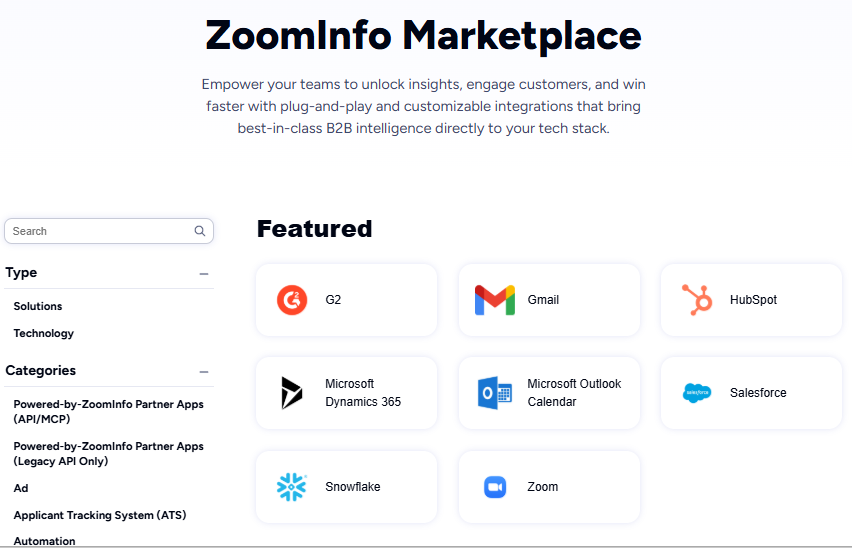
ZoomInfo takes a different approach. Its Marketplace lists 120+ partner integrations across CRMs, marketing automation, sales engagement, and data warehouses.
The key differentiator is programmatic access: the Enterprise API delivers ZoomInfo's data and intelligence into any custom application, and the MCP server connects AI models directly to ZoomInfo's B2B data without custom coding. API access is included in all relevant plans, and Cloud Partners deliver data directly into AWS, Google Cloud, Snowflake, and Databricks. The same intelligence powering ZoomInfo's own products is available in any tool.
Source: ZoomInfo
"The plug-and-play aspect of the API means I can integrate it very easily into any process and get information at a moment's notice." BDO Canada achieved an 87% reduction in time spent on internal data dashboard updates using ZoomInfo's API. (Jerry Wilson, Senior Marketing Intelligence Analyst, BDO Canada)
Pricing tells you who each platform was built for
The pricing structures reveal each platform's target buyer.
GetResponse charges by contact count, not by seat. All paid plans include unlimited email sends. At 1,000 contacts: Starter is $19/month, Marketer is $59/month, Creator is $69/month. Annual billing drops these by roughly 18%. The free plan covers 500 contacts and 2,500 sends per month with no time limit and no credit card required.
GetResponse positions itself as "the only email marketing and automation tool that stays affordable as you get more successful." At 10,000 contacts, Marketer is around $79/month. At the same scale, competitors like Mailchimp and Klaviyo charge more.
The catch: list management quirks can inflate costs. The same email address on two lists counts as two contacts. Exceeding your tier triggers a recurring monthly extension fee even on annual plans. And GetResponse operates a strict no-refund policy, so canceling mid-year on an annual plan forfeits remaining prepaid months.
HubSpot uses a hybrid model: per-seat pricing for most hubs, plus contact-based pricing for Marketing Hub, plus mandatory onboarding fees at Professional and Enterprise tiers. The Starter Customer Platform bundles all hubs at $15/seat/month (annual). But the jump to Professional is steep.
Marketing Hub Professional costs $800/month (annual) for 2,000 marketing contacts, with a one-time $3,000 onboarding fee. Enterprise is $3,600/month with a $7,000 onboarding fee. Add Sales Hub Professional at $90/seat/month and Service Hub Professional at another $90/seat/month, and a 10-person team can reach $2,000+/month before contact overage charges.
A hidden cost worth noting: when subscribing to multiple hubs at different tiers, all Core Seats are billed at the rate of the highest tier. Adding one Enterprise hub reprices every seat in the account.
HubSpot's permanently free CRM is useful (unlimited contacts up to 1M records, basic tools across all hubs), but it caps at two users and adds HubSpot branding to all customer-facing tools.
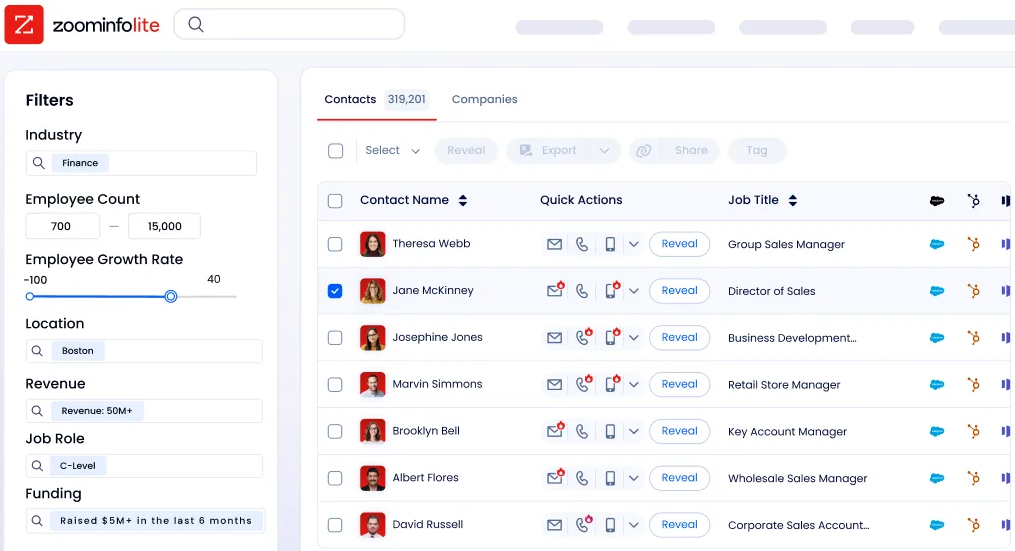
ZoomInfo uses custom-quoted, consumption-based pricing with no published prices. Costs scale around seats, credits, and AI activity. ZoomInfo Lite is a permanent free tier with access to the B2B database and 10 monthly export credits. Paid plans are priced for enterprise buyers, but the data quality justifies the investment for B2B teams where accurate contact data directly drives pipeline.
Source: ZoomInfo
SpringDB enabled their clients to achieve 2x-3x increases in campaign conversions across channels, a 300% increase in database usability, and 30-50% uplift in average deal size using ZoomInfo's enriched data. "You'll get 10x the value if you think of ZoomInfo as a full platform and not just a tool for one team." (John Kotsuros, CEO, SpringDB)
GetResponse vs. HubSpot vs. ZoomInfo: Which should you choose?
The choice depends on what your team actually needs to do every day.
Choose GetResponse if:
Email marketing and automation are your primary needs
You want an affordable tool for campaigns, landing pages, and audience monetization
You're an SMB, ecommerce brand, or creator who doesn't need CRM infrastructure
You value simplicity and fast setup over feature depth
Your budget is under $100/month and you want it to stay there as your list grows
Choose HubSpot if:
You need marketing, sales, and service teams working from shared customer data
A CRM is central to how your business operates
You're a growing company ready to invest in a platform that scales with you
You need multi-channel campaign automation tied to deal pipeline and customer lifecycle
You can commit to the Professional or Enterprise tier for full functionality
Add ZoomInfo if:
Your B2B team needs verified contact data, direct dials, and business emails at scale
You want to identify which accounts are in-market before they visit your website
You need the data layer that makes your GetResponse campaigns or HubSpot workflows reach the right people
You want AI that understands deal context, not just generates content
You're building custom GTM workflows and need data access via API or MCP
See how ZoomInfo's B2B intelligence strengthens your marketing stack.
GetResponse and HubSpot solve the engagement problem. GetResponse does it affordably for email-first teams. HubSpot does it broadly for multi-department organizations. But engagement without accurate targeting is noise.
For B2B teams, ZoomInfo provides the verified data and account intelligence that turns campaigns into pipeline, whether you run them from GetResponse, HubSpot, or any other platform in your stack.
Smartsheet relies on ZoomInfo as their single source of truth for account and contact data. "Without ZoomInfo, it would be extremely difficult, if not impossible, to achieve our business objectives. Without it, we wouldn't be able to understand the market, have the right contact data, and make meaningful connections." (Thor Sanderson, Senior Manager of Sales Technology Enablement, Smartsheet)
GetResponse vs. HubSpot vs. ZoomInfo FAQ
What is the core difference between GetResponse, HubSpot, and ZoomInfo?
GetResponse is an email marketing and automation platform for SMBs and creators, focused on campaigns, landing pages, webinars, and content monetization.
HubSpot is a full CRM and customer platform that connects marketing, sales, service, content, and commerce on a shared database.
ZoomInfo is a B2B data intelligence platform with 500M contacts and 100M companies, providing verified prospect data and buying signals that feed into marketing and sales tools like GetResponse and HubSpot.
Which platform is cheapest to get started with?
GetResponse starts at $19/month for 1,000 contacts with unlimited email sends, and offers a permanent free plan for up to 500 contacts. HubSpot's Starter bundle is $15/seat/month (annual), but the Professional tiers where most functionality lives start at $800-890/month with mandatory onboarding fees of $1,500-$7,000.
ZoomInfo uses custom pricing, though ZoomInfo Lite is a permanent free tier with 10 monthly export credits and access to the B2B database.
Do I need both an email marketing platform and ZoomInfo?
For B2B teams, yes. GetResponse and HubSpot handle engagement: sending emails, running automations, managing pipelines. ZoomInfo handles data: finding verified contacts at target companies, identifying which accounts are researching relevant topics, and enriching your CRM with accurate company and technographic data. Without quality prospect data, even well-built email campaigns underperform.
Which platform is better for ecommerce marketing?
GetResponse has a strong ecommerce focus, with native integrations for Shopify, WooCommerce, Magento, PrestaShop, and BigCommerce. It supports abandoned cart recovery, AI product recommendations, price drop campaigns, and promo codes.
HubSpot also connects to ecommerce platforms and offers Commerce Hub for quoting and payments, but its ecommerce automation is less specialized than GetResponse's dedicated features. ZoomInfo is built for B2B and is not designed for B2C ecommerce.
How does marketing automation compare between GetResponse and HubSpot?
GetResponse offers a visual workflow builder with email and web channel support, ecommerce-native triggers (abandoned cart, purchase, product viewed), and unlimited tags for segmentation. It handles mid-complexity workflows well but is limited by segmentation depth (around seven filters).
HubSpot's automation spans the full CRM data model, supports custom code actions in JavaScript and Python, and can trigger workflows across marketing, sales, and service hubs. HubSpot's automation is more capable but also more complex and expensive.
Can ZoomInfo integrate with both GetResponse and HubSpot?
ZoomInfo has a native integration with HubSpot that syncs contact data, enriches CRM records, and routes intent signals automatically. For GetResponse, ZoomInfo contacts can be exported and imported into campaigns, or connected through workflow connectors like Zapier. The HubSpot integration is deeper and more automated, while the GetResponse connection requires more manual setup.
Which platform has the best AI features?
Each platform's AI serves a different purpose.
GetResponse uses AI to generate email drafts, landing pages, and course content, helping small teams produce marketing assets quickly. HubSpot's Breeze AI includes specialized agents that run full workflows for prospecting, customer service, and data analysis across the platform. ZoomInfo's GTM Context Graph uses AI to connect CRM data, conversation intelligence, and buying signals, identifying which accounts match your win patterns and why deals move or stall.
The best choice depends on whether you need content creation AI, workflow automation AI, or intelligence-layer AI.
Is HubSpot's free CRM worth using?
HubSpot's free CRM provides unlimited contacts (up to 1 million records), basic email integration, one deal pipeline, meeting scheduling, and limited marketing tools. It caps at two users and adds HubSpot branding to customer-facing tools.
For small teams evaluating the platform, it's a genuine entry point. But the meaningful marketing automation, sales sequencing, and AI features require Professional or Enterprise tiers, which start at $800-900/month with mandatory onboarding fees.
More GetResponse comparisons:
