
Your buyers are on your website right now. Some are reading your pricing page. Others are comparing you to a competitor. Most will leave without filling out a form.
B2B live chat is how you talk to them before they leave. It turns anonymous website visits into real-time sales conversations, and when it runs on accurate account data, it pulls qualified leads into your pipeline faster than any other inbound channel.
This guide covers what B2B live chat is, how it differs from consumer chat, what it takes to run a program that produces pipeline, and which platforms are worth evaluating in 2026.
What is B2B live chat?
B2B live chat is real-time messaging between a business buyer and your team through a widget on your website. The buyer asks a question, requests a demo, or pushes back on a competitive claim. Your team answers in seconds rather than hours.
The format looks similar to consumer chat, but the operational reality is different. A retail shopper resolves a question in five minutes and moves on. A B2B buyer often uses chat as one touchpoint across a six-month buying cycle that involves a VP, a director, a procurement lead, and an analyst. The conversation goal is to qualify the visitor, route them to the right rep, and book a meeting.
The operational differences between B2B and B2C chat come down to who is buying, what they need, and how long it takes.
| B2B live chat | B2C live chat |
Buyer type | Buying committees, multiple stakeholders | Individual consumers |
Sales cycle | Weeks to months | Minutes to days |
Deal value | Five to seven figures | Typically under $500 |
Conversation goal | Qualify, route, book a meeting | Resolve issues, close transactions |
Data needed | Firmographics, CRM history, intent signals | Order history, account status |
Personalization | Account-based, role-specific | Name, past purchases |
A chat tool built for B2C will fall short in a B2B environment because it cannot see who the visitor's company is, where they sit in your pipeline, or whether they match your ICP. That context is what makes a chat conversation worth having.
The Importance of B2B Live Chat
Two shifts in B2B buying behavior have made live chat more useful than it was five years ago.
Buyers Research Before They Buy
By the time a prospect lands on your site, the homework is done:
Your blog and product pages
G2 or another review site
A shortlist of two or three vendors
Pricing across competing options
They want answers on the page they are already on, without filling out a form and waiting for someone to call them back.
ZoomInfo's 2025 GTM Intelligence Report found 44% of Millennials, now the largest group in the US labor force, would rather not talk to a salesperson at all when buying for work. Chat meets that preference instead of fighting it.
Speed-to-Lead Wins Deals
Buying intent has a half-life. A prospect on your pricing page right now is comparing you to two other vendors, and every hour you take to follow up gives those vendors more room to make their case.
Most B2B teams still measure follow-up in business days, and a standard form fill builds that delay in by design: the prospect submits, waits, and keeps researching alternatives in the meantime. Live chat collapses that window into seconds while intent is still warm, which is where pipeline gets won or lost. For inbound traffic you are already paying to acquire, the timing change is one of the few ways to materially improve conversion without spending more.
How B2B Live Chat Works
A chat widget on a page is the visible part of the system. Behind it sits routing logic, automation, and integrations that decide who sees what conversation and when.
The typical flow runs like this. A visitor lands on your site. A chatbot greets them, sometimes with a contextual message based on the page. The bot asks qualifying questions to identify who is on the other end: a current customer, a prospect, a job seeker, a vendor. Depending on the answers, it routes the conversation to a live rep, hands off self-serve resources, or books a meeting directly.
The components that matter most are the ones the visitor never sees.
Account Identification
When a known account lands on a page, the chat platform should recognize them before they type. A visitor from a target account who is already in your CRM gets a different experience than a first-time visitor from an unknown company. That recognition is what allows for personalized greetings, account-aware routing, and rep alerts.
Rep Matching
Conversations get routed by territory, account ownership, product specialty, or deal stage. A pricing question from a target account goes to the assigned account executive rather than a shared queue. Without routing logic, chat becomes a high-volume inbox that buries the conversations worth having.
Escalation Paths
Bots handle FAQs, schedule meetings, and share resources. When a conversation needs a human, the bot hands off with full context so the visitor does not have to repeat themselves. The handoff is where most chat programs break down, so it deserves real attention during setup.
Metrics That Matter
Track these weekly. They tell you whether chat is producing pipeline or generating noise.
First response time. Under 30 seconds during business hours is the benchmark.
Chat-to-meeting rate. The metric sales leaders care about most: how many chats convert into scheduled sales meetings.
Qualified leads generated. How many leads from chat meet your qualification criteria.
Conversion rate. The percentage of chat conversations that result in a qualified lead or pipeline opportunity.
Chat volume. Trends over time tell you when to staff up and which pages drive the most conversations.
Resolution rate. For support-oriented chats, what percentage get resolved without escalation.
CSAT. Post-chat surveys flag training gaps and process problems.
B2B Live Chat Use Cases
Three use cases produce the most pipeline impact for marketing and sales teams.
Inbound Lead Qualification
Trigger: A visitor opens a chat on a pricing, product, or demo page.
What happens: A bot asks qualifying questions about company size, role, use case, and timeline, then routes qualified visitors to a sales rep or hands lower-fit visitors to self-serve resources.
Outcome: Sales spends time on qualified opportunities. Marketing gets cleaner attribution on which pages and campaigns produce pipeline.
Account-Based Marketing Engagement
Trigger: A contact from a target account lands on your site.
What happens: The platform identifies the account in real time, triggers a personalized chat experience based on industry or page context, and routes the conversation directly to the account owner.
Outcome: Target accounts get a responsive, account-aware touch instead of a generic form follow-up, which shortens the path to a meeting.
Customer Support and Expansion
Trigger: An existing customer opens a chat with a product or account question.
What happens: A support rep or CSM resolves the question in real time, with full account context pulled from the CRM.
Outcome: Lower ticket volume, faster resolution, and natural openings for expansion when customers surface limitations in their current plan.
Best B2B Live Chat Tools in 2026
The B2B chat market splits into three rough categories: data-rich platforms built for sales acceleration, support-focused platforms built for customer service, and SMB tools built for general-purpose chat. Here are five platforms worth evaluating across those categories.
Tool | Standout feature | Best for | Starting price |
ZoomInfo | Visitor identification via ZoomInfo's B2B data layer | B2B revenue teams who want account-aware chat | Custom (consumption-based); free trial |
Qualified | Piper AI SDR agent + Salesforce-native architecture | Salesforce-native teams with high inbound volume | Custom (three tiers); demo required |
Intercom | Fin AI Agent across chat, email, and WhatsApp | B2B SaaS teams unifying sales and support | $29/seat/month |
HubSpot Chat | Built natively into HubSpot CRM | Teams already running HubSpot | Free; paid from $15/seat/month |
Tidio | Lyro AI agent with multichannel messaging | Small teams wanting simple chat | Free; paid from $24.17/month |
1. ZoomInfo
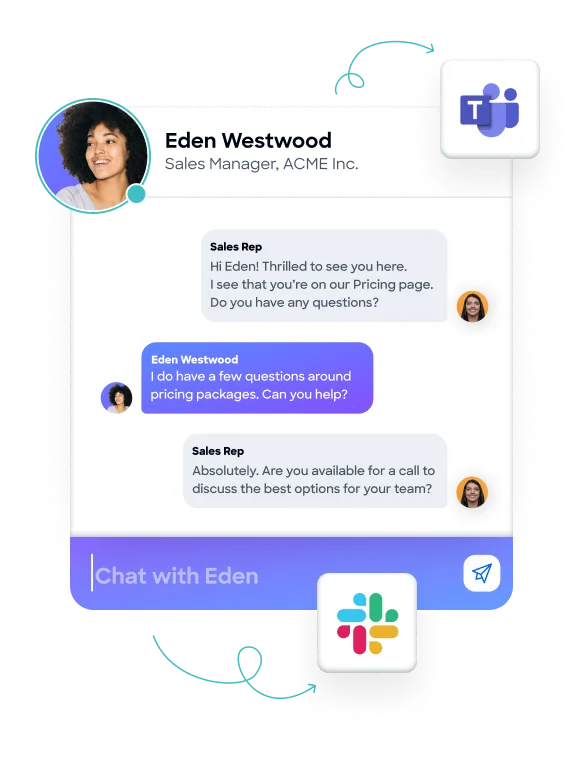
ZoomInfo Chat is the live chat tool inside the broader ZoomInfo GTM platform. It is built for B2B revenue teams who want chat conversations grounded in real account data rather than generic greetings.
The differentiator is the data layer. ZoomInfo identifies anonymous website visitors using firmographic data, technographic profiles, and CRM records before the visitor types a single word. Your team sees the visitor's company, industry, employee count, and whether they are already in your pipeline.
Signal-based triggers fire chat experiences when target accounts hit intent spikes, visit pricing or comparison pages, or match ICP criteria. Real-time Slack and Microsoft Teams alerts notify reps when high-value visitors are browsing, so they can jump into a live conversation while intent is high.
Key features:
Visitor identification using ZoomInfo's B2B data foundation (500M+ contacts, 100M+ companies)
Buying signal triggers tied to intent data and website behavior
Real-time Slack and Teams alerts for target account visits
Native integrations with Salesforce, HubSpot, Outreach, Salesloft, and others
Built-in meeting scheduler to convert conversations into booked demos
Pricing: Consumption-based, tied to usage rather than per-seat licensing. Custom; free trial available.
2. Qualified
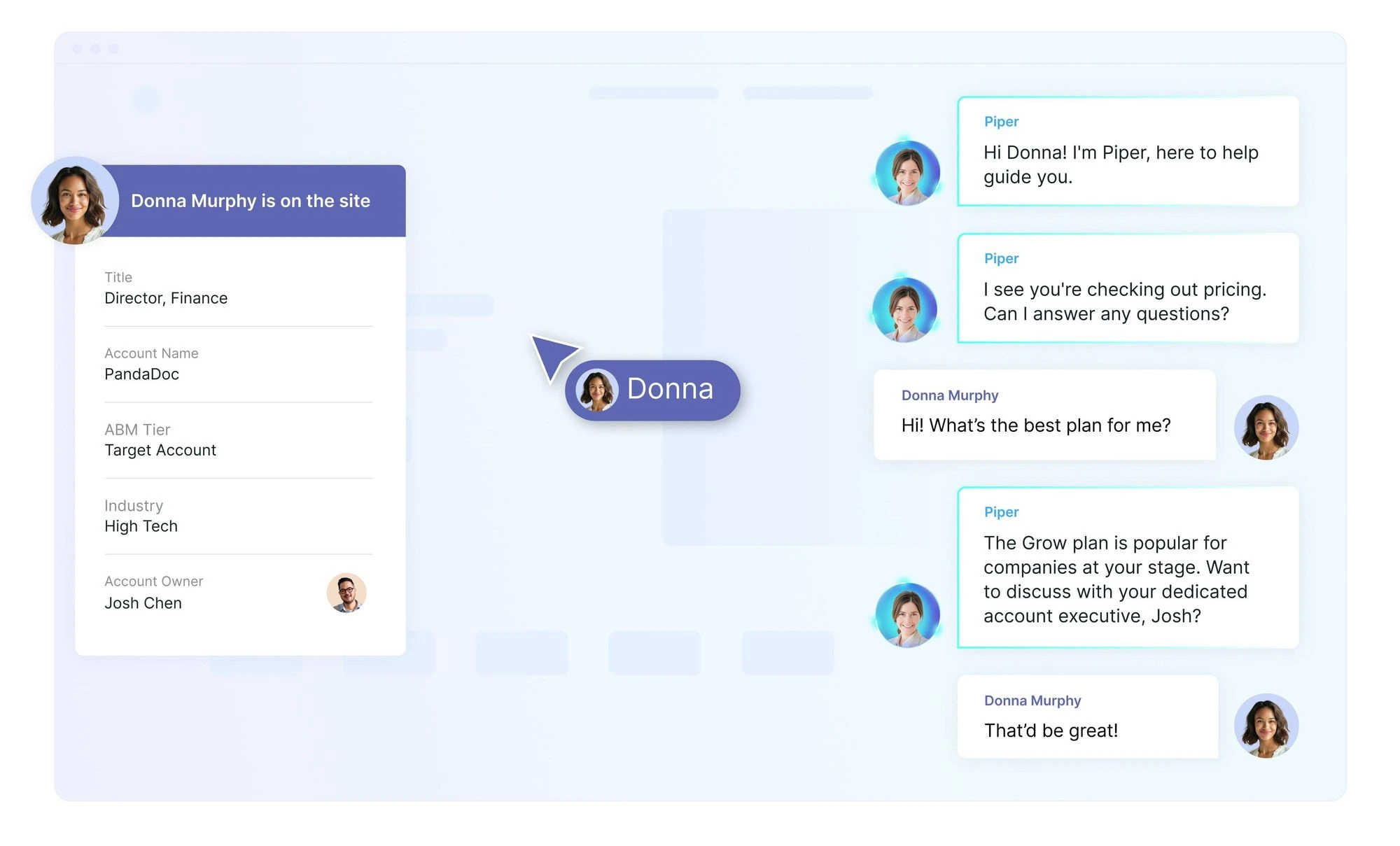
Qualified is a Salesforce-native conversational marketing platform built for B2B revenue teams with inbound traffic and a dedicated SDR or AE team. It is positioned as an agentic marketing platform, with Piper, its AI SDR agent, handling automated qualification and routing.
The strength is Salesforce depth. Qualified writes directly to Salesforce objects, routes based on Salesforce data, and is designed for organizations with complex territory and routing logic. The tradeoff is cost and complexity. Qualified is enterprise-priced and best suited to teams with meaningful inbound volume.
Key features:
Salesforce-native architecture with deep CRM integration
Piper AI SDR agent for automated qualification
Account-based routing and meeting scheduling
Live streams of website visitor activity
Pricing: Three custom-priced tiers (Premier, Enterprise, and Ultimate). Qualified does not publish starting prices; demo required.
3. Intercom
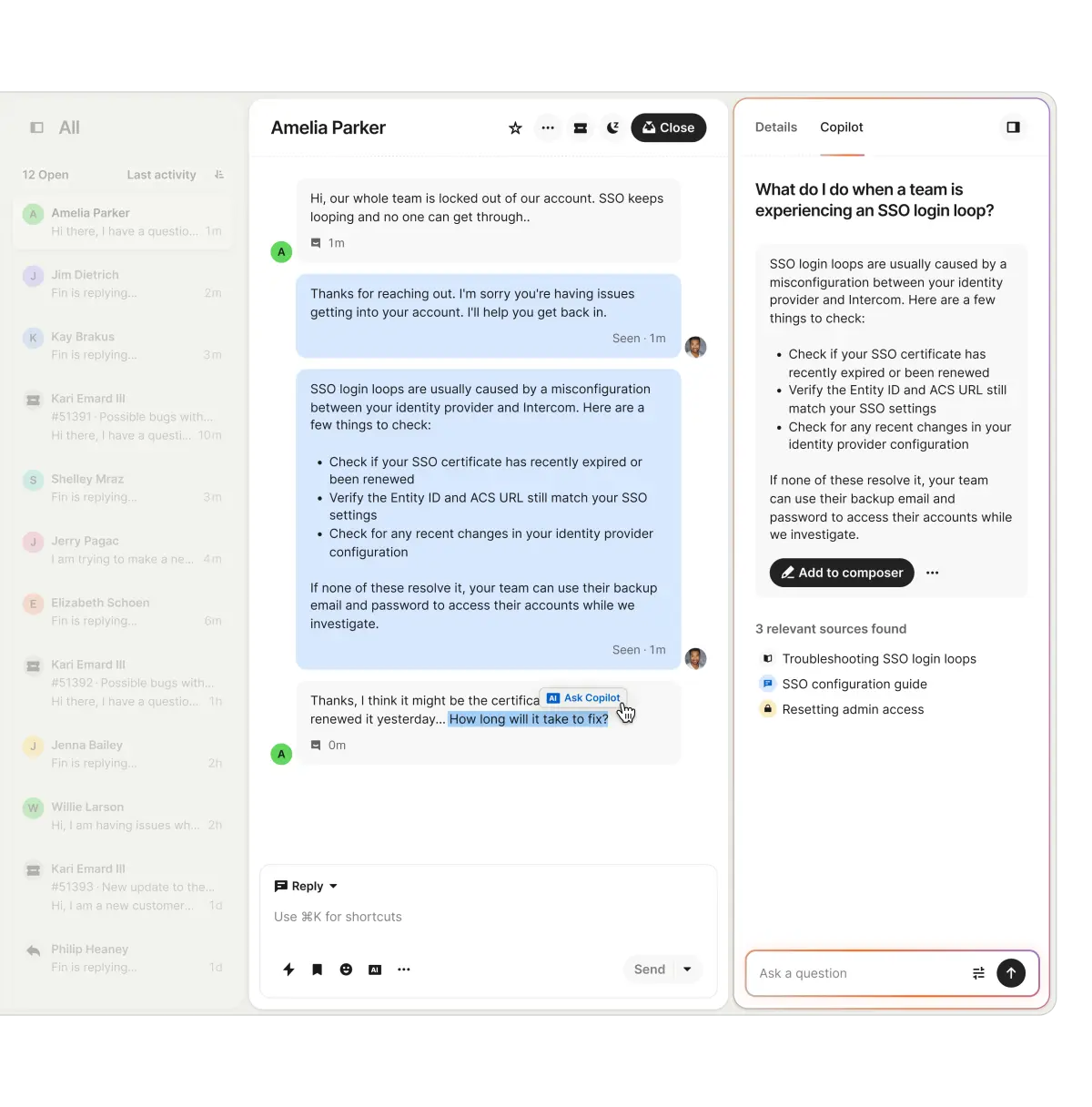
Intercom is one of the most recognizable names in the chat space, with a hybrid sales and support positioning. In 2026, the product is built around Fin, its AI agent that resolves conversations end-to-end across chat, email, WhatsApp, and other channels.
Intercom works well for B2B SaaS companies that want chat for both inbound sales and customer support in one platform. The architecture is messaging-first, which makes it different from sales-acceleration tools like Qualified or ZoomInfo Chat.
Key features:
Fin AI Agent for autonomous resolution across multiple channels
Unified inbox for chat, email, and social
Help center and product tour functionality
Strong B2B SaaS adoption and ecosystem
Pricing: Seat-based plans starting at $29/seat/month (Essential, annual billing), $85/seat (Advanced), and $132/seat (Expert). Fin AI is billed separately at $0.99 per Fin outcome.
4. HubSpot Chat
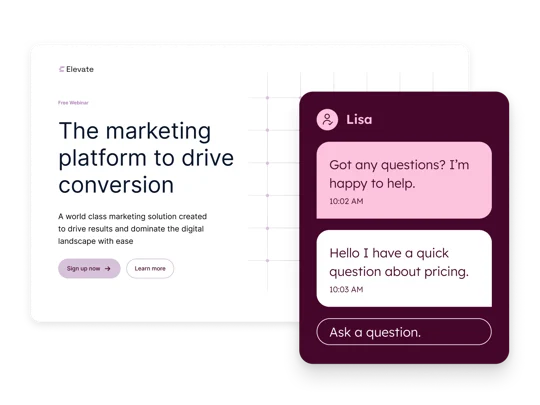
HubSpot Chat is the chat tool bundled with HubSpot's CRM. For teams already running on HubSpot, it is the path of least resistance: native to the CRM, native to the workflows, and free at the entry tier.
The chat product has three layers in 2026: free live chat for human agents, rule-based Chatflows for decision-tree bots, and Breeze Customer Agent, HubSpot's AI agent. Breeze moved to outcome-based pricing in April 2026 at $0.50 per resolved conversation. HubSpot Chat fits teams already committed to HubSpot CRM. Outside that ecosystem, the standalone product is thinner.
Key features:
Free live chat on all HubSpot plans
Native CRM integration with contact timeline logging
Rule-based Chatflows bots for triage
Breeze Customer Agent for AI-powered resolution (Professional and Enterprise tiers)
Pricing: Live chat is free on all plans. Service Hub Starter at $15/seat/month (annual billing), Professional at $90/seat (annual, plus $1,500 onboarding fee), Enterprise at $150/seat. Breeze Customer Agent at $0.50 per resolved conversation.
5. Tidio
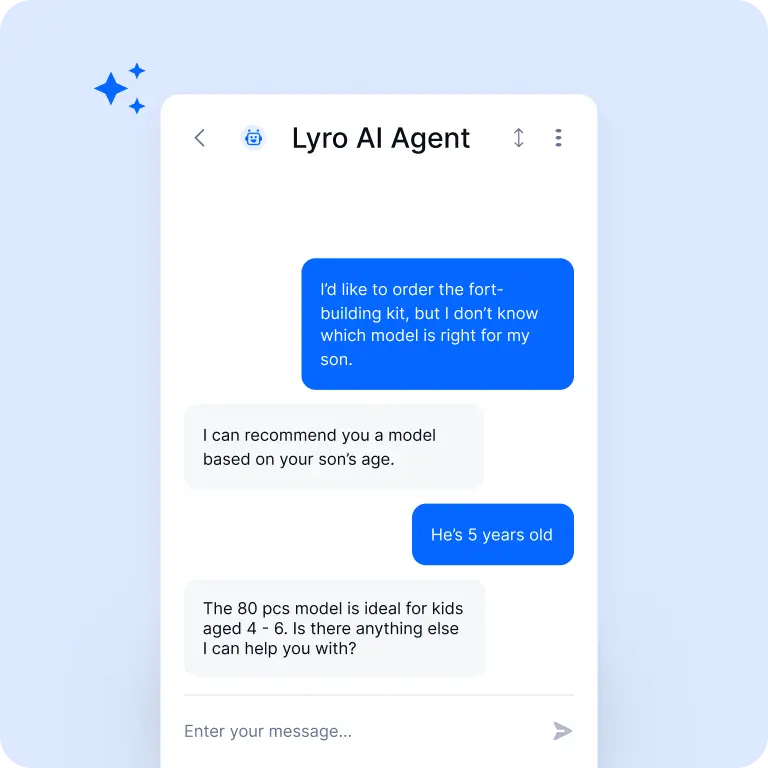
Tidio is the SMB-friendly option, with over 300,000 companies using it across ecommerce, SaaS, and service industries. It is a chat and chatbot platform with Lyro, an AI agent that resolves up to 64% of repetitive customer issues.
Tidio works for smaller teams that want straightforward live chat, basic automation, and multichannel messaging (email, Messenger, Instagram, WhatsApp) without enterprise pricing or complexity. It does not cover ABM or sales acceleration use cases, but for B2B companies in the small business or early growth stage, it is an accessible starting point.
Key features:
Live chat, chatbots, and AI-powered Lyro agent
Multichannel messaging across email and social
Shopify and ecommerce integrations
Free plan available
Pricing: Free plan available. Paid plans start at $24.17/month (Starter, annual billing), $49.17/month (Growth), and $749/month (Plus). Lyro AI is a separate add-on starting at $32.50/month.
How to Implement B2B Live Chat
Picking the right tool is the easy part. Making chat work as a pipeline channel takes more than embedding a widget.
Define what success looks like. Boosting inbound conversion, qualifying leads faster, and deflecting support tickets are three different programs. Your goal shapes routing logic, staffing, and which metrics matter.
Place chat on high-intent pages. Pricing, product, comparison, and demo pages are where serious buyers land. Blog posts and career pages generate volume but rarely produce qualified conversations.
Train your team on chat etiquette. Chat is fast, informal, and direct. Reps need to stay concise, manage multiple conversations at once, and know when to escalate.
Use automation only where it makes sense. Bots work for triage, FAQ deflection, and meeting booking. They break down on nuanced qualification conversations or competitive pushback. Map which conversation types route to bots and which go straight to a rep.
The teams that get the most out of chat treat it like any other inbound channel: with ownership, coverage schedules, and a feedback loop that improves the program over time.
Common Challenges and How to Fix Them
Every chat program runs into the same friction points.
Coverage gaps during off-hours. Live chat is only live when someone is there. Use bots for off-hours coverage, humans for peak hours, and set clear response-time expectations in the widget.
Signal fatigue. When every visit triggers a notification, reps stop responding. Prioritize alerts by signal strength (target accounts, high-intent pages) and filter out the noise so the alerts that fire actually mean something.
Integration complexity. Some chat tools need middleware, custom APIs, or manual CSV exports to sync with your CRM, and that overhead breaks under volume. Vet integration depth before you sign, and ask for proof of bidirectional sync with the specific CRM and SEP your team runs.
Low chat-to-meeting conversion. High chat volume with low meeting bookings usually points to one of three things: bots qualifying too aggressively, reps responding too slowly, or routing sending chats to the wrong owner. Pull 50 lost conversations a month, find where they broke down, and adjust from there.
Build a Chat Program That Produces Pipeline
The right platform depends on what you sell and who you sell to. Qualified and ZoomInfo Chat lean into data and sales acceleration. Intercom and HubSpot Chat cover hybrid sales and support. Tidio handles the SMB end of the market.
The tool decision is the easy one. The harder work is what you build around it: staffing chat like inbound, measuring it like a campaign, and making sure your reps see who they are talking to before they answer. The platforms above are starting points. What you do next decides whether chat produces pipeline or just sits at the bottom of the screen.
ZoomInfo Chat brings firmographic data, intent signals, and CRM context into every conversation. Start a free trial to see what that does for your pipeline.
Frequently Asked Questions
What is the difference between B2B and B2C live chat?
B2C chat resolves transactions. B2B chat qualifies pipeline across a buying committee and a sales cycle that can run months. That difference changes everything about how the tool needs to be configured. Firmographic data, routing logic, and CRM integration are table stakes in B2B and irrelevant in B2C.
How does live chat help B2B teams generate more leads?
Buying intent has a short half-life. A prospect on your pricing page is comparing you to other vendors in real time, and every hour you wait gives those vendors more room. Chat engages that prospect in seconds while intent is still warm, removing the form-fill delay where most inbound leads go cold.
What metrics should B2B teams track for live chat performance?
Start with what connects to revenue: chat-to-meeting conversion rate, qualified leads generated, and first response time. If chats are not turning into booked meetings, volume does not matter. Layer in chat volume by page and CSAT to catch coverage gaps before they affect pipeline.
Can B2B live chat replace contact forms entirely?
No. Some visitors prefer forms for after-hours inquiries or when they are not ready to engage in real time. The smarter approach is running both: chat for high-intent pages during business hours, forms as the fallback.
What is the ROI of implementing B2B live chat?
ROI shows up in faster response times, higher conversion rates from existing traffic, and more meetings booked without increasing spend. The teams that see the strongest returns treat chat like an inbound channel with routing rules and coverage schedules, not a passive widget.
