
Apollo's MCP server connects its 240M+ contact database and sales engagement tools to AI assistants like Claude, ChatGPT, and Perplexity. What sets it apart from most data connectors is write access. The assistant can act on the leads it finds, right inside Apollo, without a separate integration.
ZoomInfo's MCP server takes a different route. It connects the same assistants to first-party verified data and research agents that reason over your CRM and calls, and keeps write-back on a separate surface. The two aren't solving quite the same problem, so this review breaks down what each does well and where that leaves your stack.
What Apollo MCP Is (and What It Does)
Apollo MCP turns Apollo's database and outbound tools into actions your AI assistant can run directly. Instead of describing a lead in the Apollo app, a rep asks for it in the chat they already use, and the assistant handles the search, the enrichment, or the write-back on Apollo's behalf.
Find people and verify their details
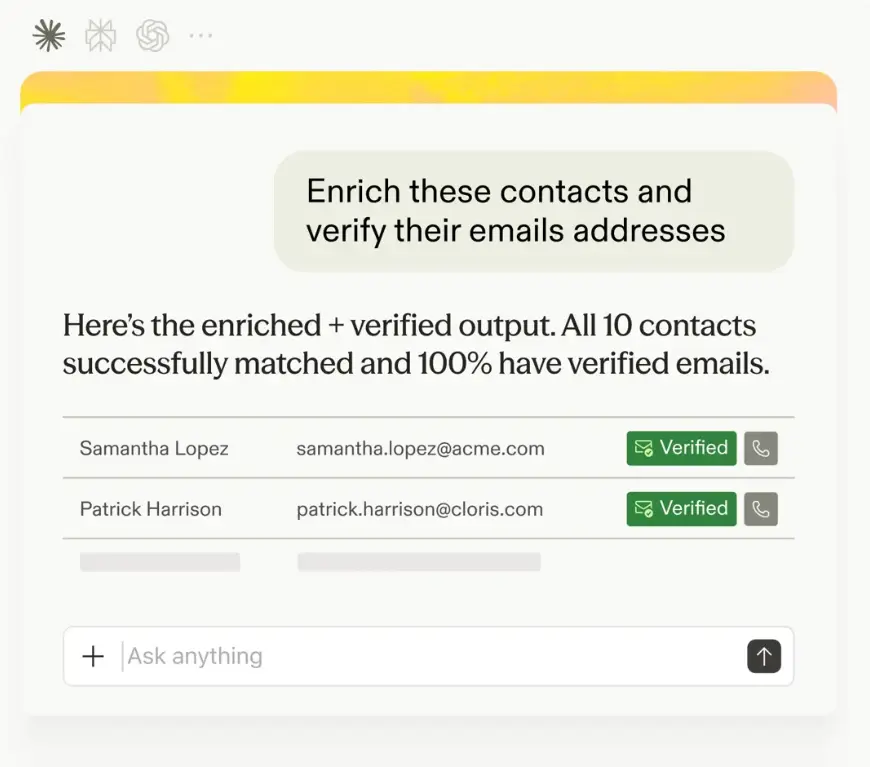
Start from a plain-language description, let the assistant pull the matches, then unlock the details that make them worth acting on.
Search for people, companies, contacts, and sequences from a plain description, for example VPs of Engineering at Series B SaaS companies, or fintech companies with 50 to 200 employees in London.
Enrich a person or company to reveal verified emails, phone numbers, and firmographic detail, one at a time or in bulk.
Source: Apollo.io
Act on what you find, in the same thread
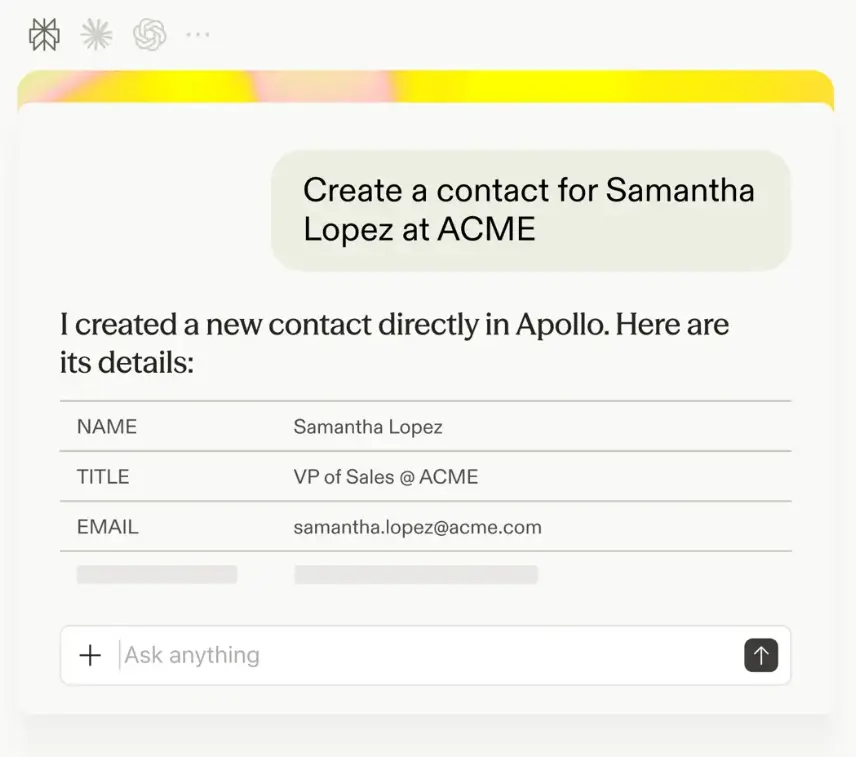
Once you have the right records, the assistant writes straight back to Apollo. No exports, no re-uploading, no jumping into the app.
Create and update records directly, contacts, accounts, deals, and custom objects.
Manage sequences, creating new ones, rewriting messaging for a specific audience, and adding or removing contacts to start or stop outreach.
Send one-off emails, with custom recipients, directly from the conversation.
Manage tasks and lists, creating, completing, or skipping tasks, and grouping records into lists to work later.
Source: Apollo.io
Review calls and track what's working
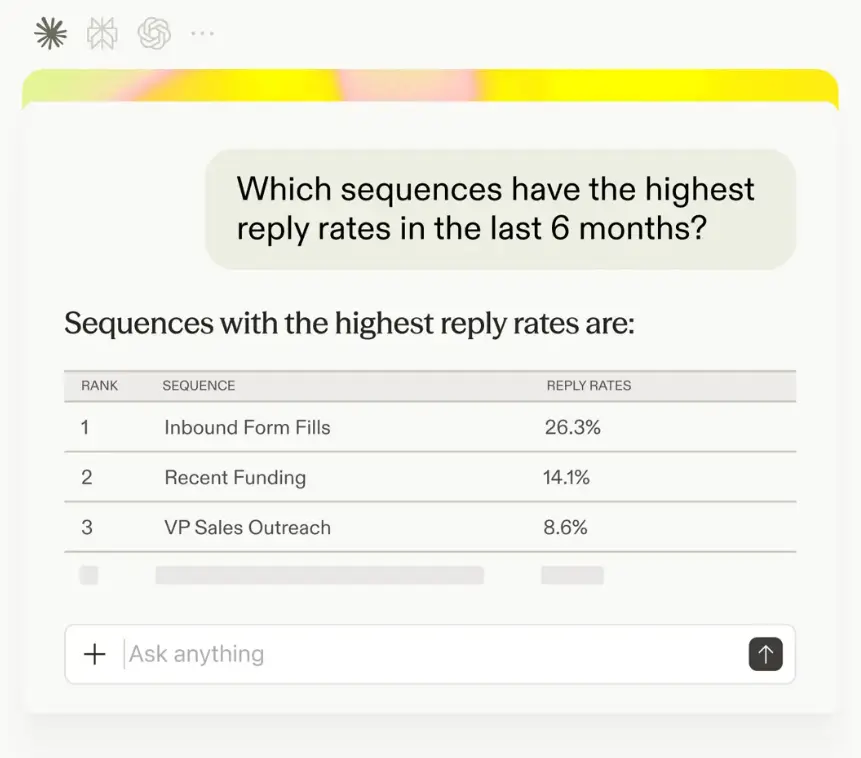
The assistant also reads from Apollo's activity and analytics, so you can pull context and performance without opening the dashboard.
Review calls, pulling transcripts, AI-generated insights, or a recording link for a past conversation.
Check performance, comparing sequences by reply rate, reviewing engagement trends, or checking credit usage.
Source: Apollo.io
The credit model is worth knowing up front. Enrichment actions, company search, company job-posting signals, and conversation AI insights draw from your Apollo plan's credits. Nearly everything else, creating and updating records, managing sequences and lists, sending one-off emails, and working tasks, costs nothing beyond the plan itself.
Weighing your options? Compare the best MCP servers for sales teams to see how each handles data, write-back, and cost.
Three Ways to Connect Without an API Key
How you connect depends on your AI tool, and most routes need nothing more than a login.
Built-in connectors on Claude, ChatGPT, Perplexity, Replit, and Cursor need no setup beyond signing in.
First-party plug-ins add Apollo's tools to coding environments like Codex and Coworker.
A standalone server, reachable by any MCP-compatible client, covers everything else, including Claude Code, Claude Desktop, VS Code with GitHub Copilot, and Antigravity.
Where Apollo MCP Falls Short
Apollo MCP is a strong fit for teams already on Apollo, but before you commit, here are the constraints worth knowing.
One data source. Everything the assistant returns comes from Apollo's own database. There's no multi-provider waterfall behind it, so coverage and accuracy are bounded by what Apollo holds on a given contact or company.
No research or briefing layer. Apollo MCP acts on records; it doesn't synthesize CRM history, calls, and market signals into a reasoned account brief the way a dedicated research agent does.
No destructive actions. Apollo blocks bulk deletes and similar destructive operations to protect your data, so nothing the assistant does can wipe records at scale.
Request and response only. MCP works on demand: the assistant acts when you ask, and nothing runs on its own once the chat is closed. Apollo MCP isn't the place to schedule recurring jobs or trigger-based automations.
Governance is per-action rather than Ops-wide. Most clients let you set each action to always allow, require approval, or block it, and Apollo recommends requiring approval on anything that spends credits. That's real control, but it sits at the individual user's client settings rather than a central admin platform.
Free accounts need a work email. A free Apollo account registered with a personal email can't use search or enrichment through MCP. Paid accounts, and free accounts registered with a work email, aren't affected.
Model training must be off. Apollo requires model training turned off in your AI client before it will connect, worth checking before setup rather than after.
The Alternative: Verified Data Plus Research Agents
ZoomInfo MCP connects the same kind of AI assistants to ZoomInfo's B2B intelligence directly, so an assistant researching an account draws on verified data your revenue team already trusts, rather than one provider's own database alone.
The data it connects to. 600M+ contacts and 100M+ companies, with verified emails and direct dials, intent, Scoops, org charts, and technographics. Search, Lookup, Find Similar, and Recommended Contacts run free; Enrich returns full firmographic and contact detail on up to 25 records per call.
The research agents. Three context agents, Account Research, Contact Research, and Conversation Intelligence, synthesize a large payload into a targeted briefing by blending ZoomInfo's verified data with your own CRM and call history. This is the piece Apollo MCP doesn't have.
Cost and credits. MCP is included with every ZoomInfo subscription at no additional cost. Enrich tools draw one bulk data credit per new record, and Records Under Management (RUM) means re-enriching within 12 months is free. Research agents draw AI action credits proportional to the work, typically 5 to 15 credits per call.
Supported clients. Claude, Claude Code, Claude Cowork, ChatGPT, Codex, Cursor, Microsoft Copilot, Amazon Quick, Gemini Enterprise, Perplexity, Slack, and any custom MCP client. Each user authenticates with their own ZoomInfo login, and admins toggle access per user in the Admin Portal.
When you need write-back or bulk. The MCP tools are read-only, so nothing writes to your CRM automatically. For write-back, bulk exports, and scripted pipelines, ZoomInfo pairs the MCP server with its GTM.AI CLI, a command-line client on the same endpoint, credentials, and credit pool. It's the surface to reach for once you've outgrown ad-hoc chat.
ZoomInfo CPO Dominik Facher runs through the CLI end to end: a company search, a full enrichment job, and an account brief that feeds an engagement sequence.
Prefer the command line? See the best CLI tools for sales and where a CLI beats a chat workflow.
Apollo MCP vs. ZoomInfo MCP
The two overlap on search and enrichment and diverge on almost everything else, from data source and write access to research and cost. Here's how they line up.
Dimension | Apollo MCP | ZoomInfo MCP |
Core model | Apollo's own database, accessed directly | First-party data owned and verified by ZoomInfo |
Data depth | 240M+ contacts in Apollo | 600M+ contacts, 100M+ companies, verified emails and direct dials, intent, Scoops, org charts, technographics |
AI research | None; search, enrich, and act on demand | Account Research, Contact Research, and Conversation Intelligence agents reasoning over verified data plus your CRM and calls |
Action on systems | Full write access: contacts, accounts, deals, sequences, tasks, lists, one-off email | Read-only (write and bulk handled by ZoomInfo CLI or REST API) |
Credit model | Enrichment, company search, job-posting signals, and conversation insights draw credits; most other actions are free | Bulk data credits (1 per new record, 12-month RUM) and AI action credits for research |
Governance | Per-action approval settings in your AI client, following your Apollo permissions | Per-user admin credit limits and package entitlement enforcement |
AI clients | Built-in: Claude, ChatGPT, Perplexity, Replit, Cursor. Plug-ins: Codex, Coworker. Standalone server: any MCP-compatible client | Claude, Claude Code, Claude Cowork, ChatGPT, Codex, Cursor, Copilot, Amazon Quick, Gemini Enterprise, Perplexity, Slack |
Access | Any Apollo plan; free accounts need a work email for search and enrichment | Any ZoomInfo subscription with bulk credits, no extra MCP cost |
Which One Fits Your Stack
Reach for Apollo MCP if:
Your team already runs prospecting and outbound on Apollo and wants to work that data from an AI assistant with minimal setup.
You want an assistant that can act broadly, contacts, deals, sequences, and tasks, from the same conversation that found the lead.
You want something a non-technical rep can connect in minutes, on any Apollo plan with a work email.
Reach for ZoomInfo MCP if:
You want verified first-party data at the source, with intent, Scoops, org charts, and technographics included.
You want research agents that reason over verified data together with your CRM and call history, rather than acting on records without that synthesis.
You need MCP included on a subscription you likely already hold, with Records Under Management so re-enrichment doesn't cost twice.
A team running both gets broad, single-source action from Apollo alongside verified depth and grounded research from ZoomInfo, with each doing the part it's built for.
Ground Your Prospecting in Verified Data
Wherever your AI assistant gets its data, verification decides whether what it returns is worth acting on. ZoomInfo's MCP server connects Claude, ChatGPT, and a dozen other clients to first-party data your revenue team already trusts, with research agents that reason over it alongside your own CRM and calls, included on your existing subscription.
Start building with GTM.AI to connect ZoomInfo's MCP to Claude or ChatGPT on your own data, or see how to connect Claude to your CRM step by step.
FAQ
Which Apollo MCP actions use credits?
Enrichment actions, whether for a single record or in bulk, company search, company job-posting lookups, and conversation AI insights draw from your Apollo plan's credits. Most other actions, creating and updating contacts, accounts, and deals, managing sequences and lists, sending one-off emails, and working tasks, don't cost credits.
Can Apollo MCP write back to Apollo, not just read from it?
Yes, extensively. It can create and update contacts, accounts, and deals, manage sequences and enrollment, send one-off emails, and manage tasks and lists, all directly in your Apollo account. Calls are the exception: Apollo MCP can read call transcripts, insights, and recording links, but it doesn't create or log calls.
Do I need a developer to set up Apollo MCP?
No, for the built-in connectors. Signing into Claude, ChatGPT, or a similar platform and connecting your Apollo account takes a few minutes. The standalone server route, for clients without a built-in connector, involves a bit more configuration.
Can Apollo MCP run automated workflows?
No. MCP is request-and-response: the assistant acts when you prompt it, and nothing runs on a schedule or trigger once the conversation is closed. For recurring jobs or automated pipelines, use Apollo's app-side sequences and automations or its API.
How is ZoomInfo MCP different from Apollo MCP?
Both let an AI assistant search and enrich contacts, so the split is the data source and what each tool does beyond that. Apollo MCP works from Apollo's own database and can write broadly back to it, contacts, deals, sequences, and tasks. ZoomInfo MCP runs on first-party data ZoomInfo owns and verifies, adds research agents that reason over that data plus your CRM and calls, and is read-only, with write-back and bulk work handled through ZoomInfo's CLI or REST API instead.
Can I use Apollo MCP and ZoomInfo MCP together?
Yes. They sit at different layers, broad action on a single dataset versus verified data and research, so running both against the same prospecting and outbound workflow is common rather than redundant.
