
Zoho CRM is one of the most feature-packed CRMs on the market. With 55+ integrated applications, a built-in AI engine (Zia), and pricing that undercuts enterprise competitors by 38-76%, it delivers real value for businesses willing to invest in configuration.
That last part matters. As SoftwareReviews puts it: "Success requires investing time in setup and configuration rather than expecting immediate out-of-box functionality." Zoho's breadth is real, but it can become a tax on productivity for teams that need to move fast, go deep in one capability, or operate at enterprise complexity Zoho's architecture wasn't built to handle.
That's where this guide comes in. Whether you're looking to:
Enrich your pipeline with B2B data and AI-powered intelligence
Scale to enterprise process automation with the largest CRM ecosystem
Get marketing and sales running from shared data on day one with no configuration overhead
Manage deals visually without navigating layers of modules and settings
Equip inside sales reps with native telephony and AI without a setup marathon
Run high-volume outbound calling with built-in Power and Predictive Dialers
Build a custom data model that mirrors your business without admin overhead
We'll explore alternatives that excel in these areas.
Some teams will use these tools alongside Zoho CRM to fill gaps. Others will replace it entirely with a platform better suited to their stage, size, or sales motion. This isn't about finding a "better" CRM; it's about finding the right fit as your requirements become more specific.
Here are the Zoho CRM alternatives worth considering.
The Best Zoho CRM Alternatives
Best Alternative for B2B Data Intelligence and AI-Powered Pipeline Generation We chose ZoomInfo because it provides the largest B2B data platform (500M contacts, 135M+ verified phone numbers) with a GTM Context Graph that reveals why deals move or stall, giving sales teams intelligence Zoho CRM's internal data can't match. |
|---|
Best Alternative for Enterprise Organizations Needing Deep Customization and the Largest Integration Ecosystem We chose Salesforce because its AppExchange (9,000+ apps), Agentforce autonomous AI agents, and Industry Clouds across 17 verticals give enterprise organizations CRM infrastructure that scales with organizational complexity. |
Best Alternative for Teams That Need an Accessible, Marketing-Integrated CRM We chose HubSpot because its functional free CRM tier and natively integrated marketing automation let teams run pipelines the same day they sign up, without the configuration overhead Zoho demands. |
Best Alternative for Small Sales Teams That Want Pipeline Clarity Without Configuration We chose Pipedrive because its visual pipeline-first design, transparent per-seat pricing, and self-service automation let small teams sell from day one without needing a CRM administrator. |
Best Alternative for Growing Teams That Need Native Telephony and AI We chose Freshsales because it bundles built-in cloud telephony, Freddy AI lead scoring, and multi-channel sequences into a single platform with faster deployment than Zoho CRM's configuration cycle. |
Best Alternative for Outbound-Heavy Inside Sales Teams We chose Close because its native Power Dialer, Predictive Dialer, and Chloe AI sales agent give high-volume calling teams an outbound environment no general-purpose CRM can match. |
Best Alternative for Modern GTM Teams That Need a Flexible, AI-Native Data Model We chose Attio because its flexible custom objects and AI-generated fields give PLG, SaaS, and modern GTM teams a data model that mirrors their business without forcing it into a standard Lead-Contact-Deal structure. |
What is Zoho CRM?
Source: Zoho CRM
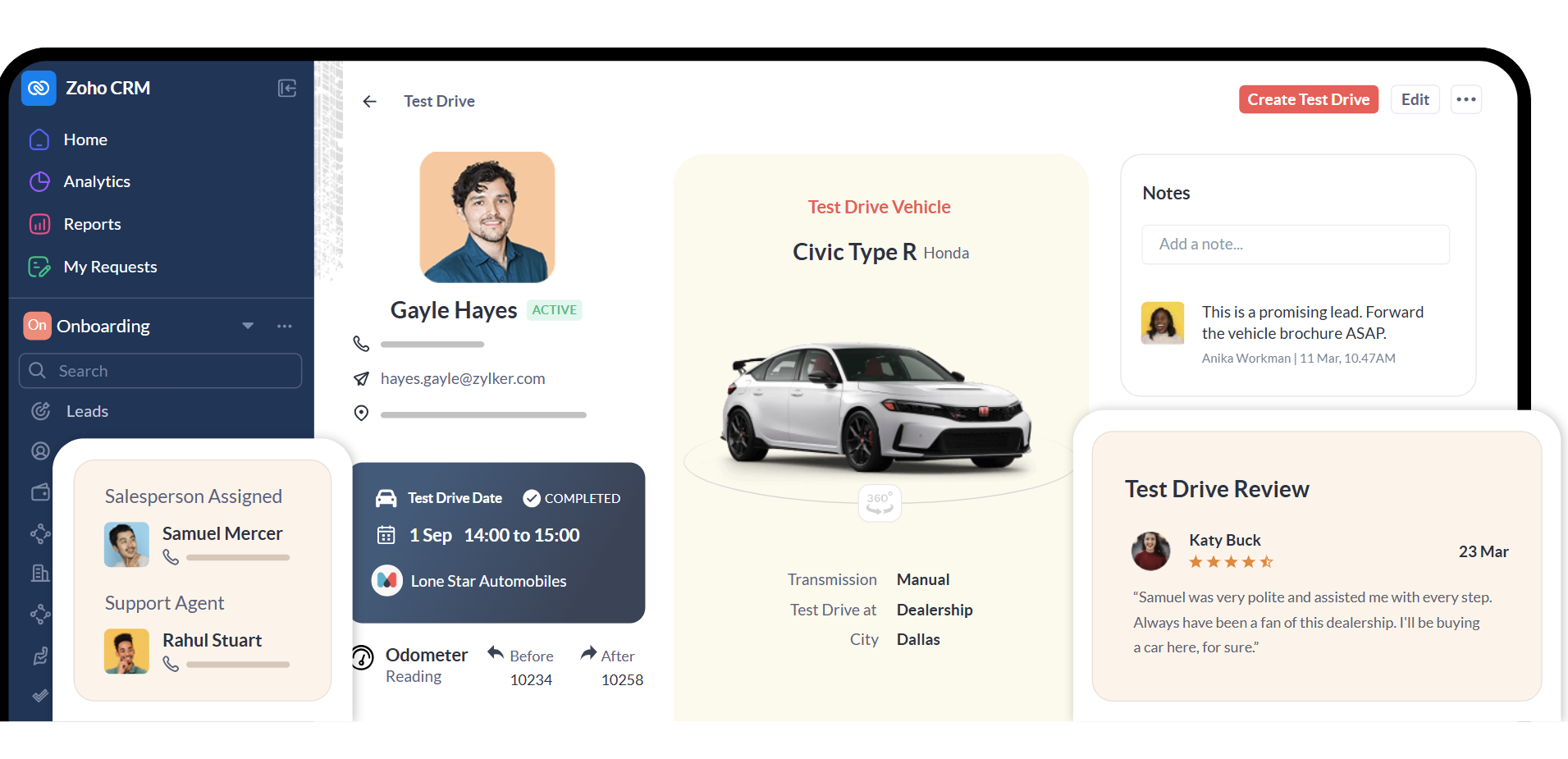
Zoho CRM is a cloud-based CRM platform built around a suite of 55+ business applications, offering sales force automation, marketing automation, analytics, and AI at pricing that undercuts enterprise competitors. It serves 300,000+ businesses worldwide and calls itself "the easiest AI CRM for growth".
Its key features include:
Sales force automation with configurable pipelines, Blueprint process enforcement, territory management, CPQ, and sales forecasting
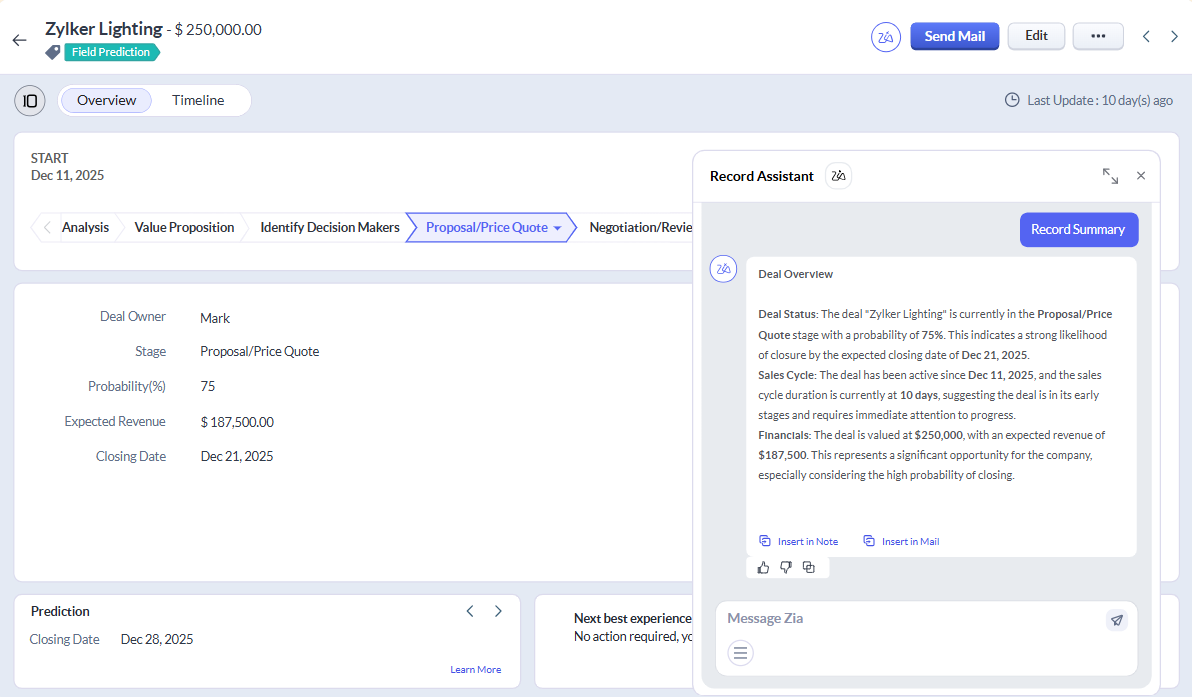
Zia AI covering predictive lead scoring, churn prediction, email sentiment analysis, workflow suggestions, and agentic AI agents via the Zia Agents Store
Source: Zoho CRM
Omnichannel communication spanning email, phone, WhatsApp, SMS, live chat, and social media from a single record view
Journey orchestration via CommandCenter with PathFinder for mapping actual customer journeys across channels
Customization through Canvas Design Studio, Kiosk Studio, Blueprint, and low-code Deluge scripting
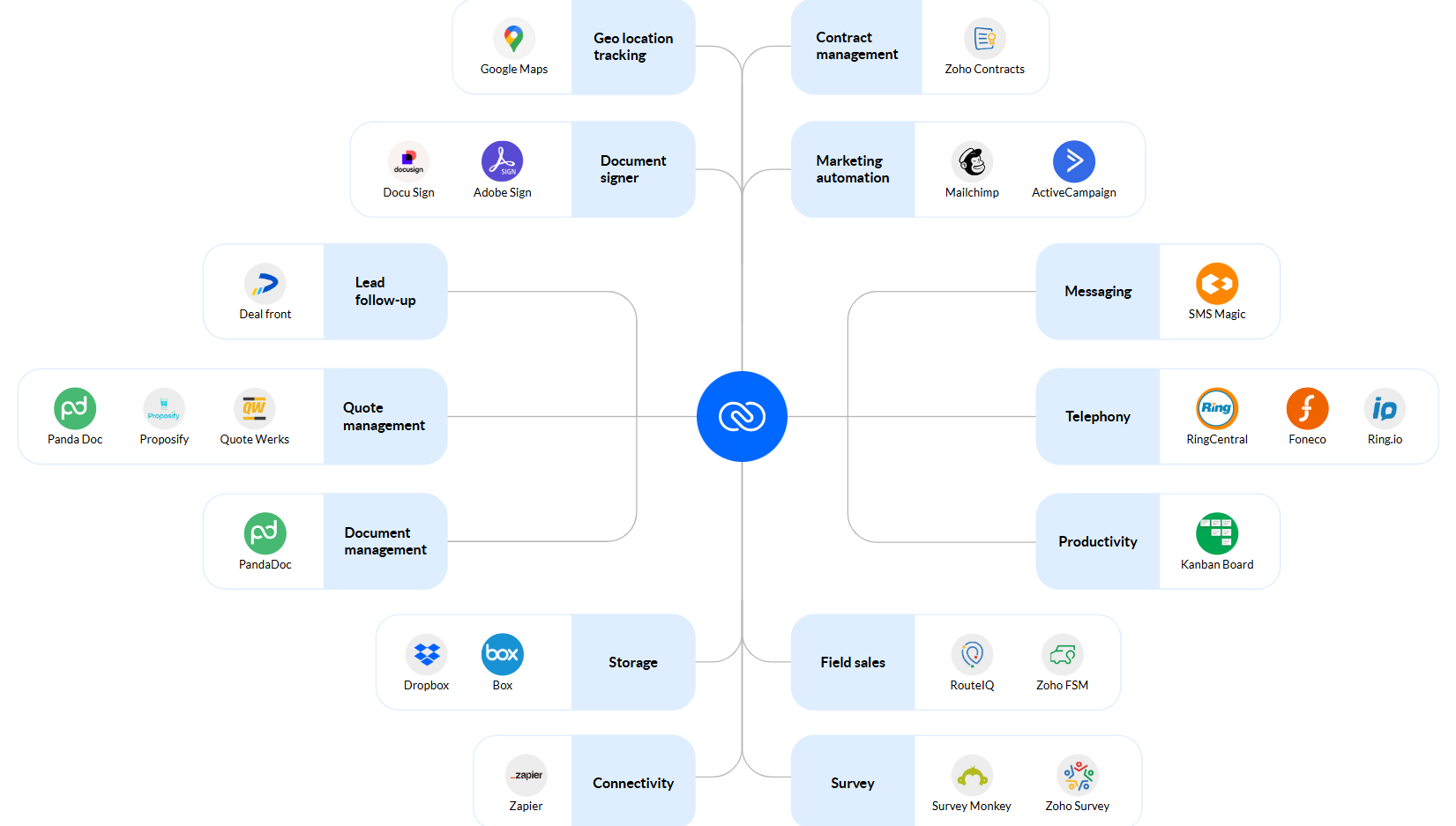
Single-vendor ecosystem with 40+ first-party apps (Zoho Books, Campaigns, Desk, Analytics) and 1,100+ marketplace integrations
Source: Zoho CRM
Zoho CRM connects every module: a lead captured via a web form flows into the CRM, triggers automation sequences, updates territory assignments, and surfaces in forecasting dashboards. For businesses willing to invest in configuration, the depth of that integration across Zoho's ecosystem is a real competitive advantage.
However, as your sales team's needs become more specialized, you may find that specific capabilities require deeper tools. Whether it's B2B data intelligence, enterprise-scale process automation, or a CRM that's productive on day one without admin investment, this article focuses on platforms that go deeper where Zoho CRM's generalist breadth falls short.
Looking for B2B data to power your pipeline? ZoomInfo combines 500M contacts, 135M+ verified phone numbers, and an AI-powered GTM Context Graph that shows you who to contact, when to engage, and what to say. Learn more about ZoomInfo.
How We Curated Our List of Zoho CRM Alternatives
After testing Zoho CRM and researching the market, we focused on tools that do specific jobs well. While Zoho CRM handles many business tasks from a single platform, some teams need stronger tools for:
Enriching their pipeline with verified B2B contact data, buying intent signals, and account intelligence
Running enterprise process automation across complex multi-department sales motions
Getting marketing and sales operational from shared data on day one without a configuration cycle
Managing deals visually with a pipeline-first design that prioritizes selling over system administration
Equipping inside sales reps with native telephony and AI scoring without a third-party dialer setup
Running high-volume outbound calling with Power and Predictive Dialers built into the CRM
Building custom data models and flexible record structures for modern, non-traditional GTM motions
Each tool on this list leads in one of these areas. You might use them alongside Zoho CRM or switch entirely; it depends on what your business needs most.
DISCLAIMER: We aren't covering every single CRM on the market! Our focus is on highlighting alternatives that address some of Zoho CRM's limitations for various use cases. The goal is to provide insights into tools that cater to specific business needs. |
|---|
1. ZoomInfo — Best Alternative for B2B Data Intelligence and AI-Powered Pipeline Generation
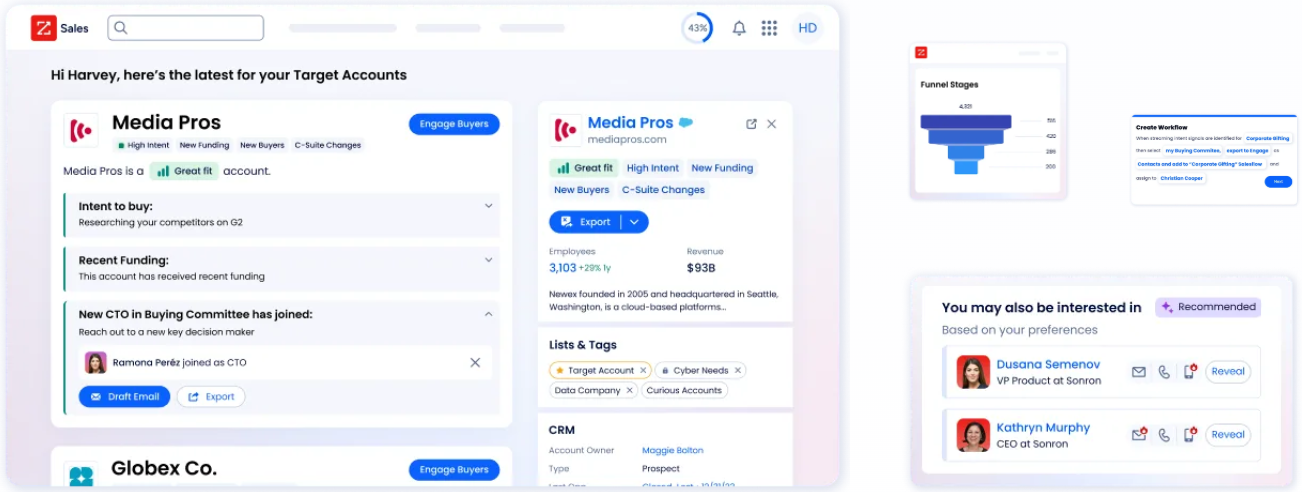
ZoomInfo is an AI GTM platform built on the largest B2B data foundation in the industry. While Zoho CRM manages your existing pipeline, ZoomInfo fills that pipeline with the right accounts and contacts, then helps your team understand why deals move or stall. Its key features include:
B2B data: 500M contacts, 100M companies, 135M+ verified phone numbers, 120M direct-dial phone numbers, and 200M+ verified business email addresses
GTM Context Graph: An intelligence layer that processes 1.5B+ data points daily, fusing ZoomInfo's B2B data with your CRM records, conversation transcripts, and behavioral signals to reveal not just what happened in a deal, but why it happened
Buyer Intent Data: ZoomInfo Intent tracks signals from 210 million IP-to-Organization pairings and 6 trillion+ keyword-to-device pairings sourced monthly, with Guided Intent identifying topics historically correlated with deal success
Universal access: Intelligence available through GTM Workspace for sellers, GTM Studio for marketers and RevOps, and APIs and MCP for any third-party tool or AI agent
For B2B sales teams evaluating Zoho CRM alternatives, ZoomInfo addresses a different problem: Zoho CRM manages the deals you already have; ZoomInfo ensures you're pursuing the right ones with verified data, real-time buying signals, and AI that understands your deal patterns.
Why Choose ZoomInfo Over Zoho CRM for B2B Data Intelligence
Zoho CRM offers a capable internal sales platform. ZoomInfo provides the external intelligence layer that changes how teams identify, prioritize, and engage their best opportunities. Here's where ZoomInfo steps up.
Comprehensive B2B Data: Reach the Right Buyers With Verified Contact Intelligence
Zoho CRM manages the contacts and accounts your team already has. Its Zia AI can enrich records and score leads based on internal CRM data, but the quality of those predictions depends on what's already in the system. If your CRM has incomplete org charts, missing direct dials, or stale company data, your outreach starts from a blind spot.
ZoomInfo operates at a different scale. The platform provides 500M contacts, 100M companies, 135M+ verified phone numbers, and 200M+ verified business email addresses, all processed through a multi-source verification pipeline backed by 300+ human researchers with up to 95% accuracy on first-party data.
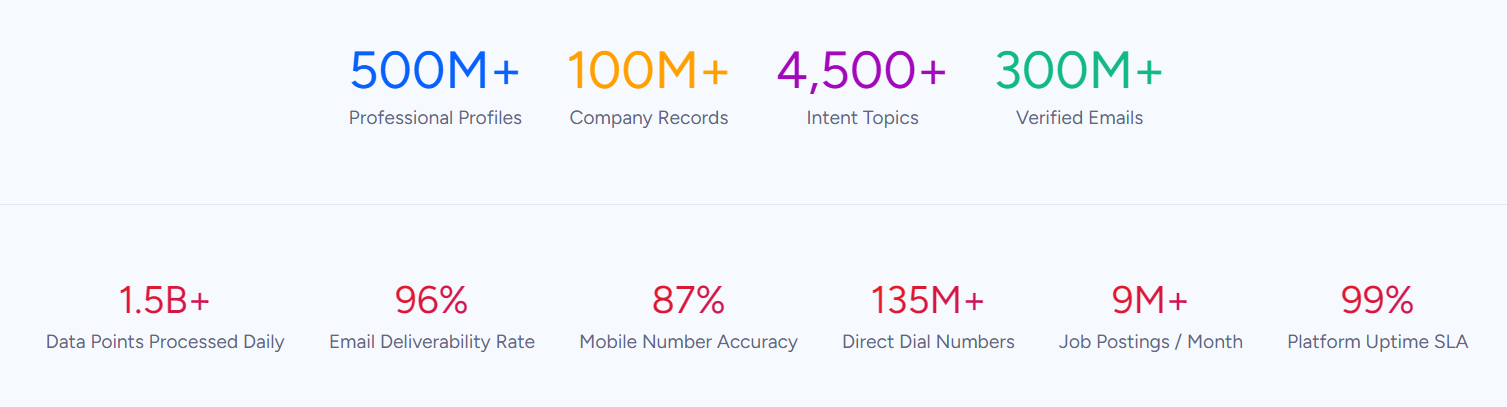
This isn't self-reported accuracy: in a Fortune 500 competitive RFP analyzing 25 million contacts across vendors, the independent consultant concluded that "no other competitor came even close."
For sales reps, the difference shows up at the point of action: the direct dial actually rings and the email actually lands, instead of a 30% bounce rate that damages your sender reputation. RevOps teams don't need to stitch together three vendors and a manual research layer to get a complete account picture. Marketers build TAM models from a continuously verified census of their buyable market, not a theoretical exercise built on stale snapshots.
ZoomInfo in Action: When your team identifies a target account, ZoomInfo surfaces the complete buying committee: verified direct dials, business emails, job titles, reporting structure, and the technologies they use. Instead of sending an SDR to manually research each prospect on LinkedIn, they open GTM Workspace and see who to call, the best time to reach them, and what messaging fits their role. The rep makes a call that connects, references a relevant buying signal, and books a meeting in minutes rather than days of research.
The GTM Context Graph: Understand Why Deals Move, Not Just That They Moved
Zoho CRM's Zia AI is capable at analyzing what's inside your CRM. It scores leads, predicts churn, detects anomalies, and suggests next steps. But every CRM, including Zoho, records deal activity without capturing the context behind it. A CRM knows a deal moved from Stage 3 to Stage 4 and the close date slipped two weeks. It has no record of why.
ZoomInfo's GTM Context Graph captures that "why." It fuses ZoomInfo's B2B data with your CRM records, conversation intelligence from Chorus (every call, meeting, and email), and behavioral signals into a graph that reasons across all of it.
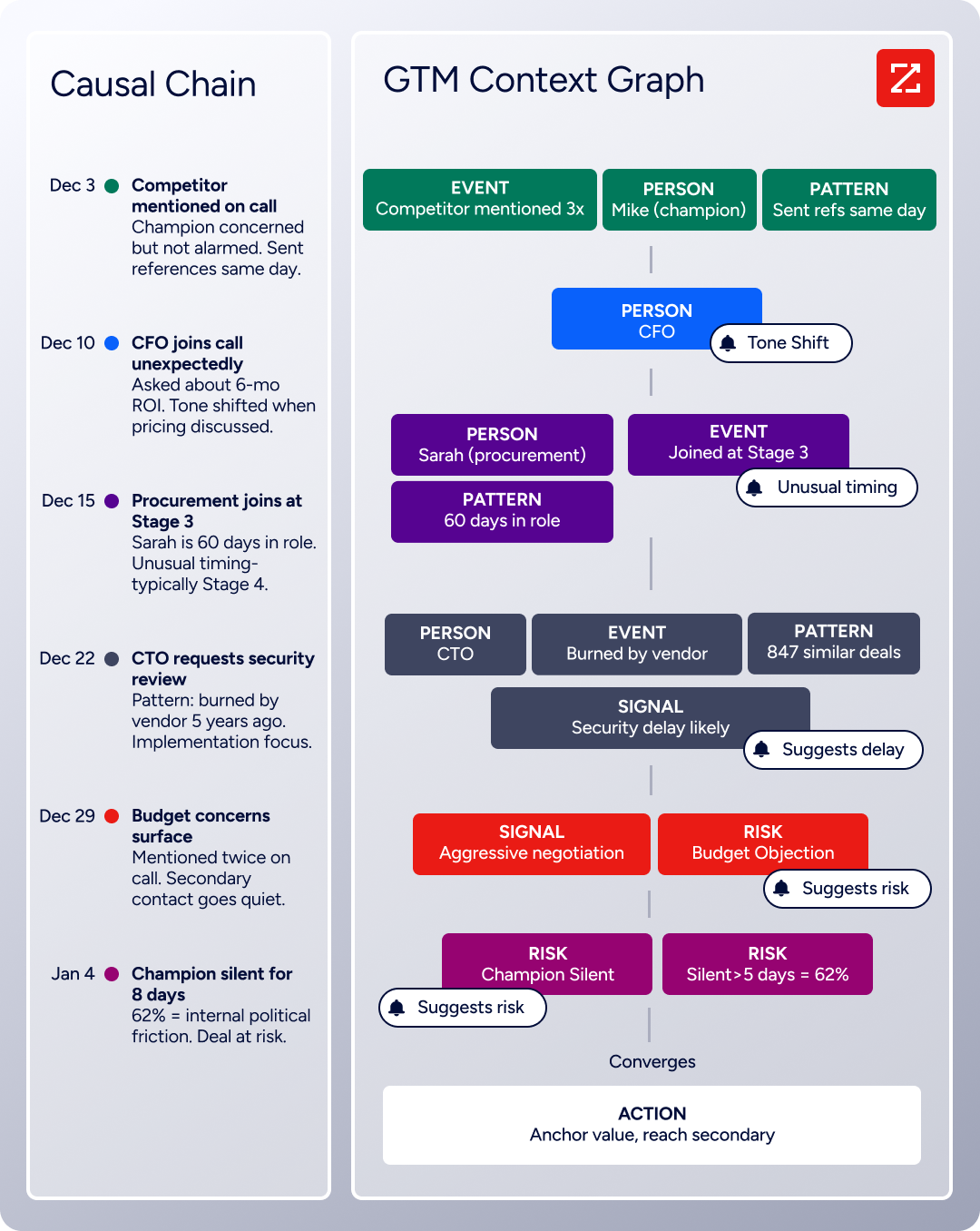
As ZoomInfo's Chief Product Officer Dominik Facher writes: "The CRM recorded the state change. It has no record of why it happened." Perhaps the CFO joined the last call and asked about six-month ROI; that's what accelerated the deal. Perhaps the VP went quiet for eight days during an internal budget battle; that's what almost killed it.
This reasoning connects directly to every action your team takes: the follow-up email addresses the specific concern the CFO raised because the system understands why it matters now. The next GTM play targets accounts whose signal combinations match your actual win patterns, not fifty that tripped a keyword threshold. The forecast weights deals by the strength of buying evidence rather than stage labels and rep optimism.
ZoomInfo in Action: Your team is working a mid-market SaaS deal. GTM Workspace shows that the VP of Engineering joined the last demo call and asked three technical architecture questions, the company just posted two DevOps job listings, and intent data shows they've been researching your competitor's API documentation. The GTM Context Graph connects these signals: this matches the pattern behind 73% of your closed-won deals in this segment. ZoomInfo surfaces this insight, drafts a follow-up referencing the architecture questions, and prioritizes the account above others that look similar on paper but lack the signal convergence.
"It's not just the data itself. It's more about the right data at the right time to help us reach out with the right message across that full buyer journey." (Chelsea Kenyon, Senior Director of Digital Strategy, Redwood Logistics)
Universal Access: Use ZoomInfo Intelligence in Any Tool, Any Workflow
Zoho CRM's data lives inside Zoho. To access it, you work in Zoho's interface. While it integrates with external tools through its marketplace, the intelligence stays within the Zoho ecosystem.
ZoomInfo works on the opposite principle: the same data, the same GTM Context Graph, the same intelligence is available everywhere your team works.
GTM Workspace gives sellers a single surface where prioritized accounts, AI-drafted outreach, and deal execution converge without toggling between tools.
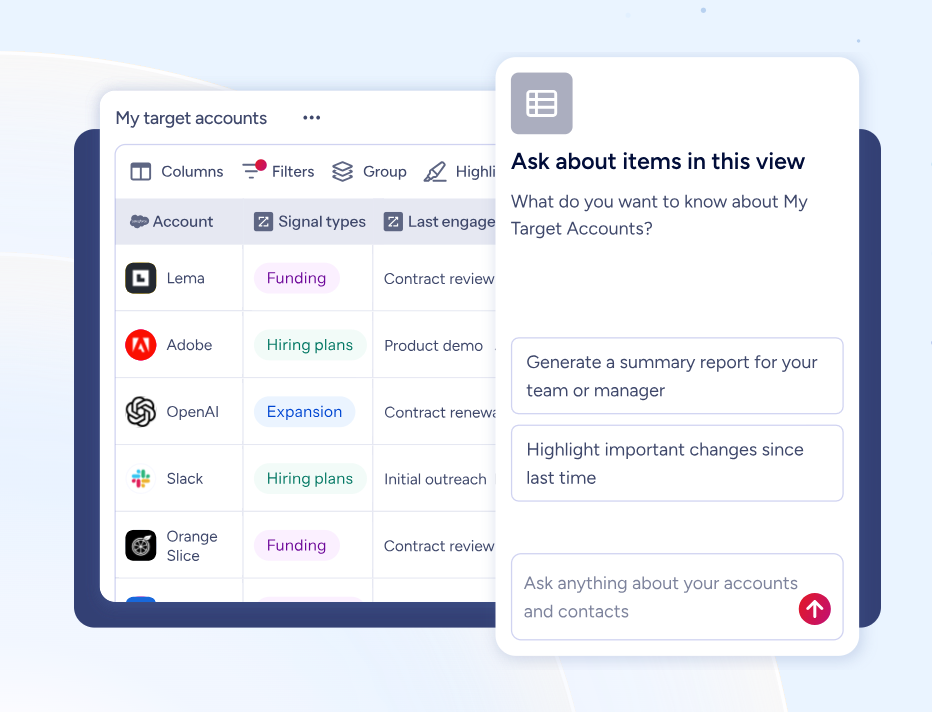
GTM Studio gives marketers and RevOps a builder environment where audience definition, campaign orchestration, and pipeline measurement happen in natural language.
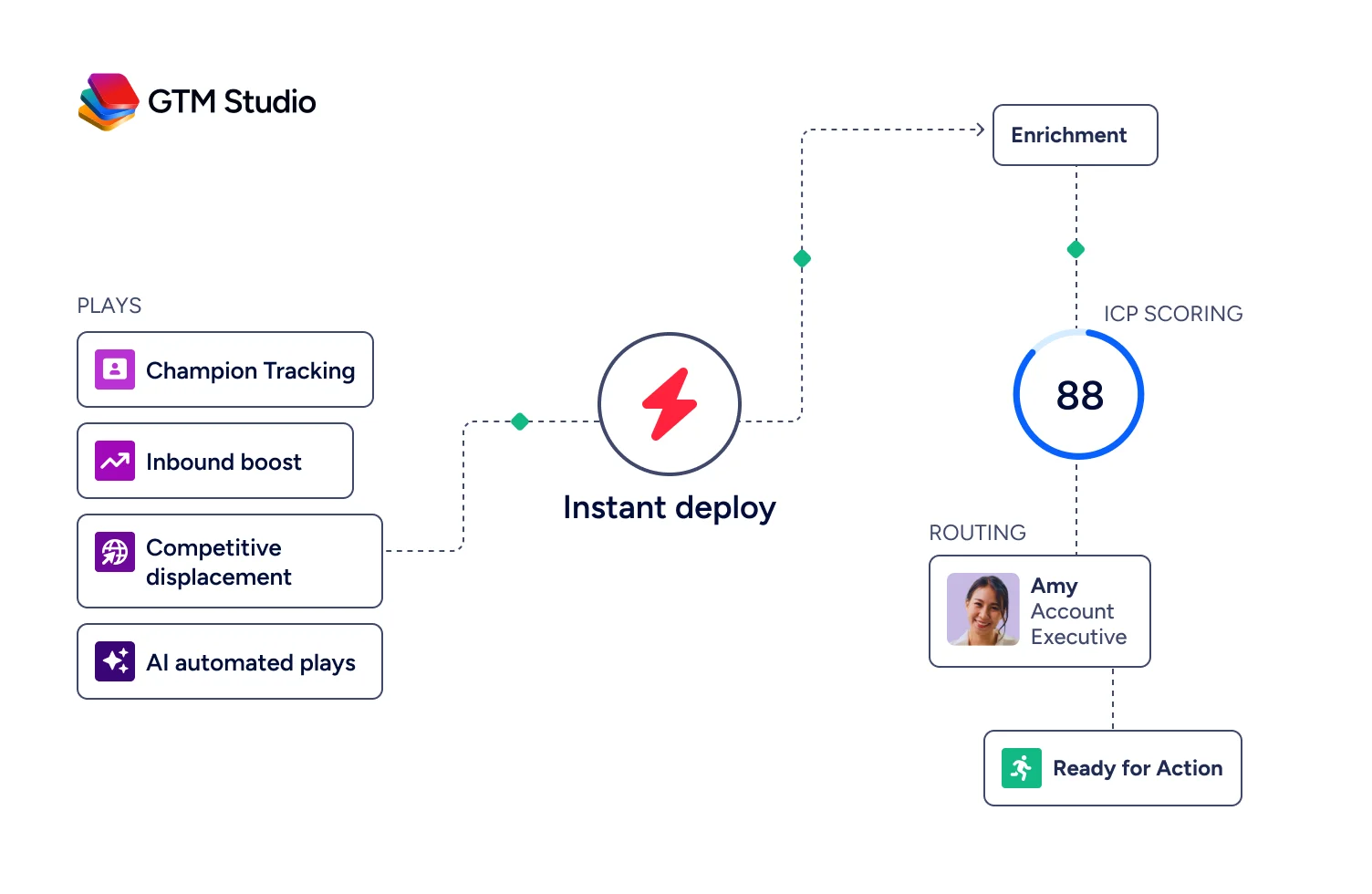
For teams building beyond ZoomInfo's own products, APIs and MCP expose the same intelligence to any custom agent, internal tool, or partner platform.
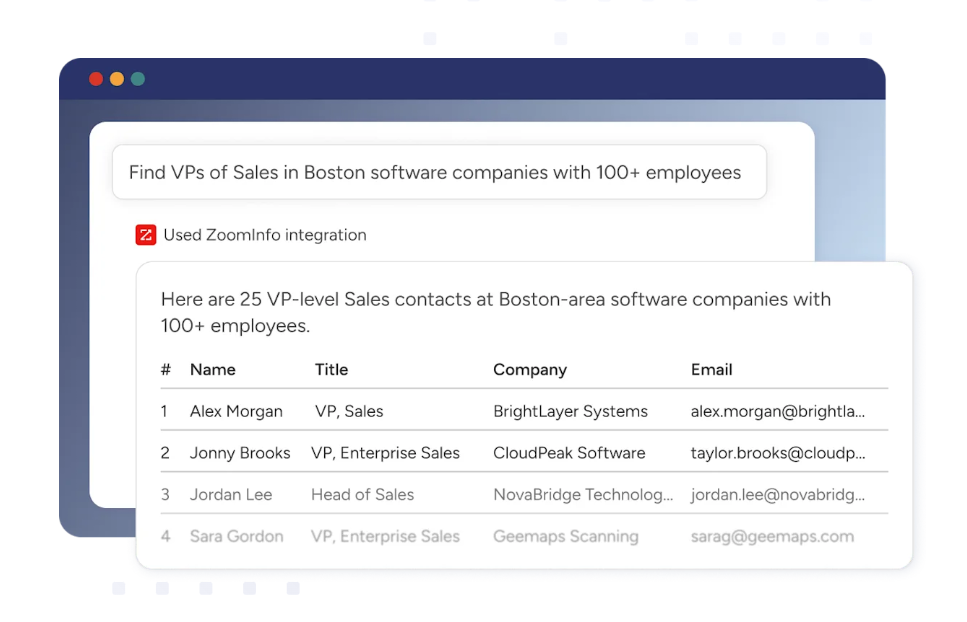
ZoomInfo has added API Access to all relevant plans, so teams can pipe ZoomInfo's data into their existing CRM (including Zoho CRM, HubSpot, or Salesforce), data warehouse, or custom AI agents without being locked into any single front-end.
ZoomInfo in Action: A marketer in GTM Studio describes an audience in plain language: "mid-market SaaS companies in North America with 200-500 employees that use Snowflake and show buying intent for data integration tools." GTM Studio builds the audience, enriches it with verified contacts, and launches a multi-channel play targeting accounts matching the team's closed-won patterns. The same intelligence flows into GTM Workspace, where a seller sees the account with a pre-drafted email addressing the specific use case. An engineer, meanwhile, has plugged the same GTM Context Graph into a custom Slack bot via MCP that alerts the team when a target account's intent score spikes.
"ZoomInfo is our one source of truth for account data, and even more so for contact data. There's no other provider in the market that provides you with that level of detail." (Thor Sanderson, Senior Manager of Sales Technology Enablement, Smartsheet)
NOTE: We looked at other B2B data and intelligence platforms and found Apollo.io and Lusha among frequently recommended options. Apollo.io offers a strong combination of contact data and sales engagement features at a lower price point, while Lusha provides quick, accurate contact enrichment with a user-friendly Chrome extension. However, ZoomInfo's data scale (500M contacts, 135M+ verified phone numbers), its GTM Context Graph that captures why deals move, and its universal access architecture (APIs, MCP, GTM Workspace, GTM Studio) deliver a depth of intelligence that point solutions cannot replicate.
ZoomInfo Pricing
ZoomInfo uses a custom-quoted, consumption-based pricing model with no publicly listed prices. Pricing scales around enterprise license agreements, data access, API consumption, and AI activity. Costs depend on the number of users/seats, monthly credit volume, features, company size, and contract length.
ZoomInfo's pricing page is organized into three product lines:
Sales plans (Professional, Advanced, Enterprise) covering contact and company data, buyer intent, website visitor tracking, AI-powered outreach, and GTM Workspace
Marketing plans (Marketing Demand, ABM Lite, ABM Enterprise) covering audience targeting, display advertising, FormComplete, and GTM Studio orchestration
Add-on products including Chorus (conversation intelligence), Chat (data-powered website chat), and the Enterprise API
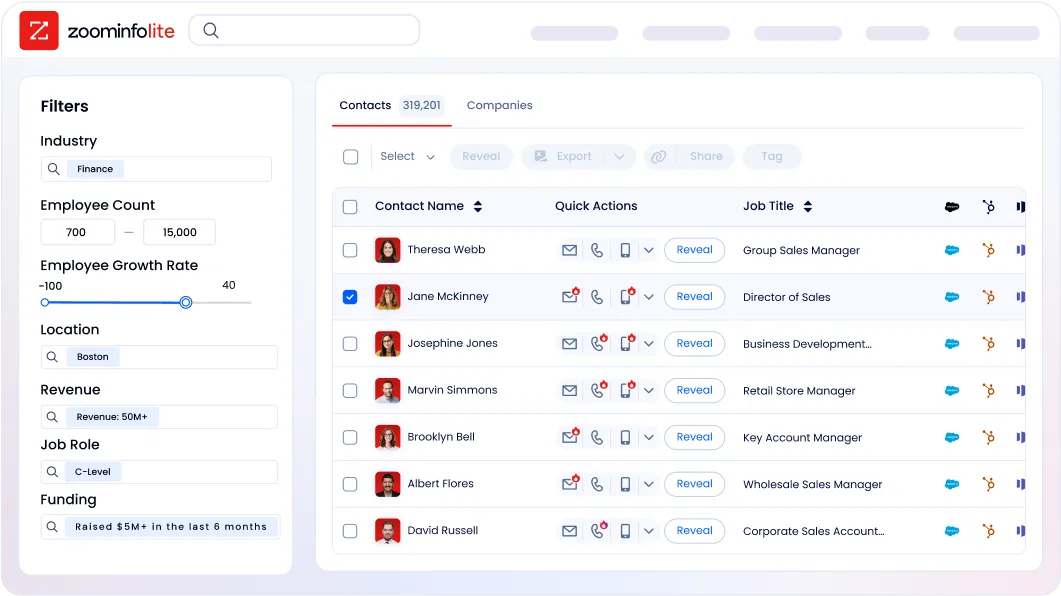
ZoomInfo Lite is a permanent free tier (no credit card, no time limit) with access to the B2B database, 10 monthly export credits, individual and company searches, a Chrome extension, and WebSights Lite. A 7-day free trial of paid plans is also available.
Who Should Use ZoomInfo?
Choose ZoomInfo if:
Your sales team needs verified contact data (direct dials that ring, emails that land) for prospecting at scale, and your current CRM's internal data isn't enough to drive pipeline on its own.
You want AI that understands the context behind your deals, not just the CRM field values, so your outreach, plays, and forecasts reflect why outcomes happen, not just what happened.
You need B2B intelligence available in any tool your team uses (ZoomInfo's own GTM Workspace, your existing CRM, a custom AI agent, or a data warehouse) without being locked into a single interface.
Want to see the buying signals behind your best deals? ZoomInfo's GTM Context Graph reveals who to contact, when to engage, and what to say, powered by 500M contacts and 1.5B+ daily data points. Get started with ZoomInfo.
2. Salesforce — Best Alternative for Enterprise Organizations Needing Deep Customization and the Largest Integration Ecosystem
Source: Salesforce
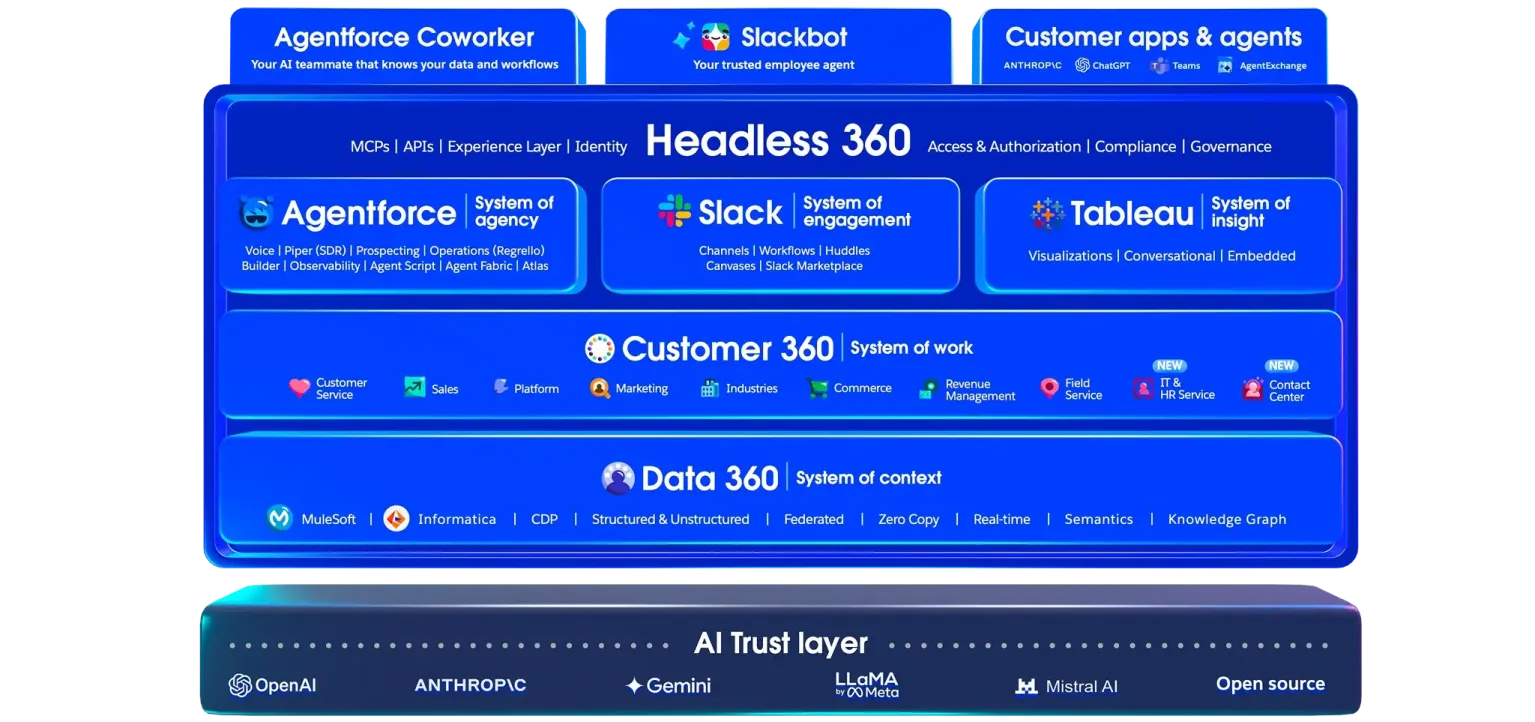
Salesforce is the world's #1 CRM by IDC market share, an enterprise platform that gives complex organizations the process automation depth, AI autonomy, and partner ecosystem scale that Zoho CRM's architecture was never designed to match. Its key capabilities include:
AppExchange with 9,000+ partner apps and 14+ million installs spanning CPQ, PRM, revenue intelligence, and vertical industry applications
Agentforce autonomous AI agents powered by the Atlas Reasoning Engine, handling sales prospecting, lead qualification, and pipeline management
Flow Builder for process automation with cross-object logic, multi-department approval chains, and exception handling
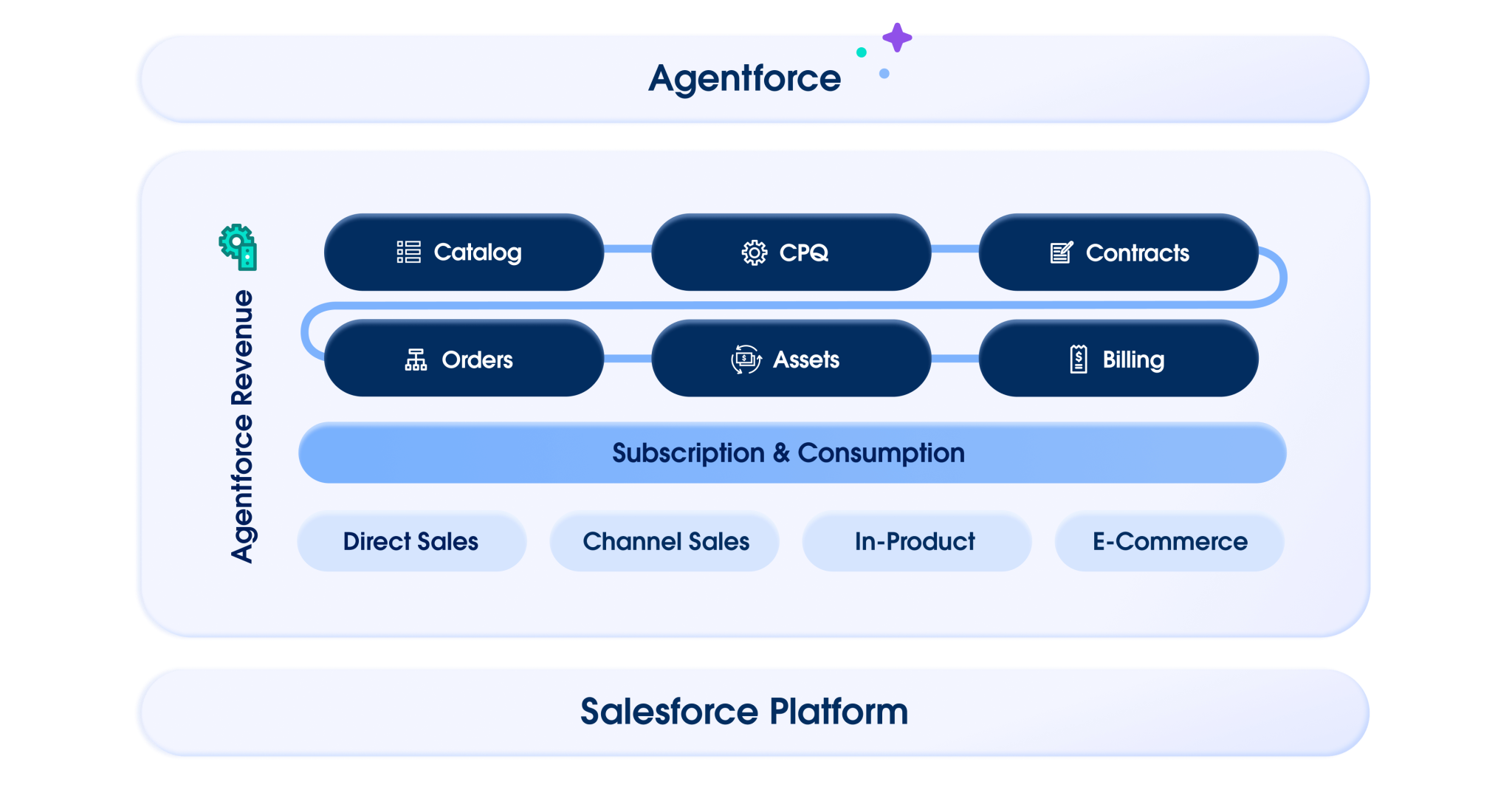
Revenue Cloud for full configure-price-quote with subscription lifecycle management and partner discounting
Industry Clouds across 17 verticals with pre-built data models and compliance features
For organizations with 200+ seats, dedicated RevOps and IT functions, or multi-geography sales motions, Salesforce delivers structural advantages that compound as complexity grows.
For a detailed comparison, see our Salesforce vs Zoho CRM guide.
Why Choose Salesforce Over Zoho CRM for Enterprise Process Architecture
Salesforce stands out in the following areas:
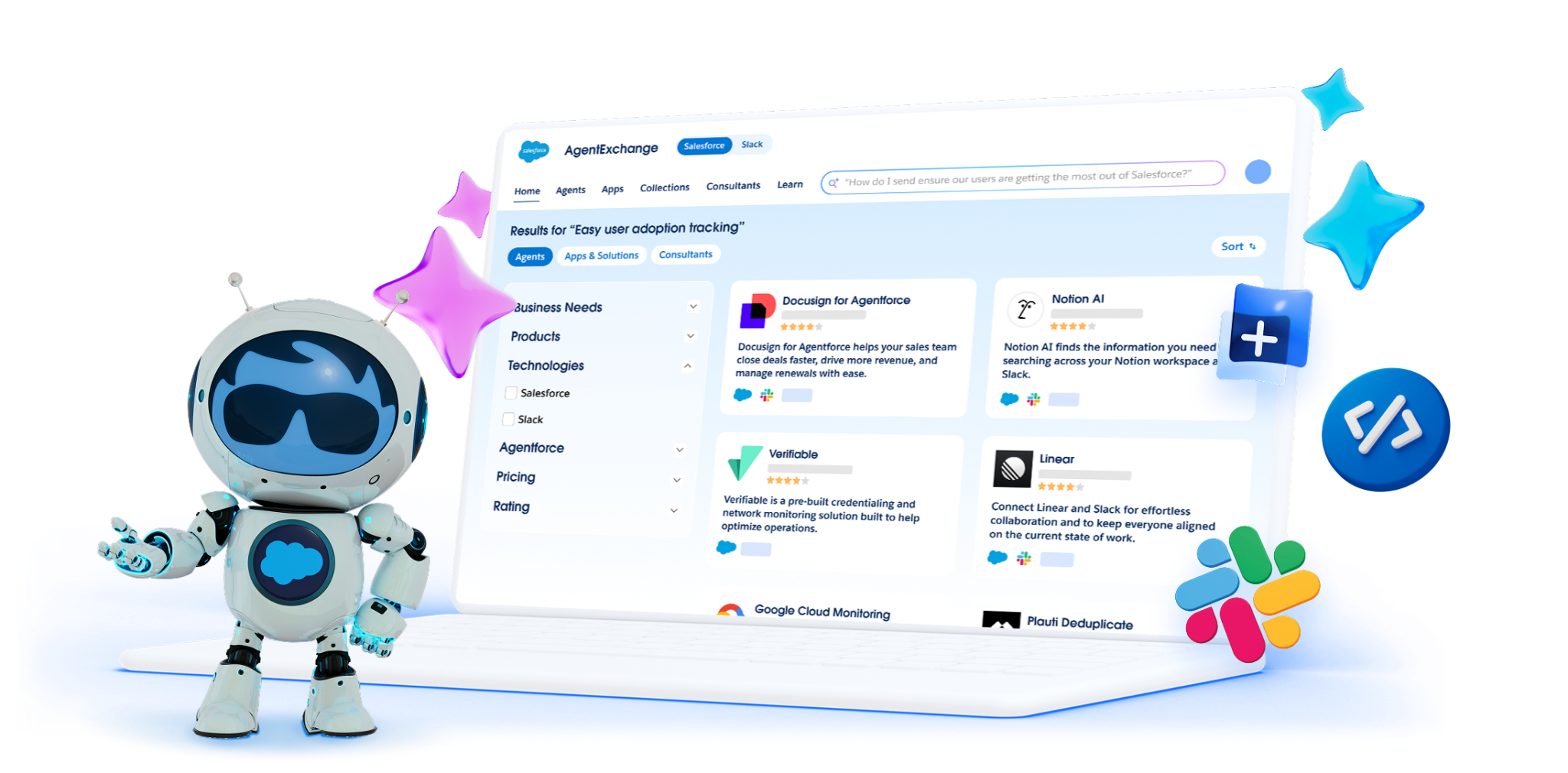
AppExchange Ecosystem Depth: Nine Times the Integration Coverage
Zoho CRM's marketplace offers approximately 1,000 extensions. Salesforce's AppExchange hosts 9,000+ partner apps across a partner ecosystem of 160,000+ companies, 5,000 ISVs, and 7,000 system integrators.
Source: Salesforce
For enterprises needing dedicated CPQ vendors, revenue intelligence, or industry-specific compliance modules, these arrive as pre-built, certified applications rather than custom integration projects. 91% of Salesforce customers use at least one AppExchange app, confirming this is operational infrastructure, not theoretical.
Agentforce: Production-Proven Autonomous AI at Enterprise Scale
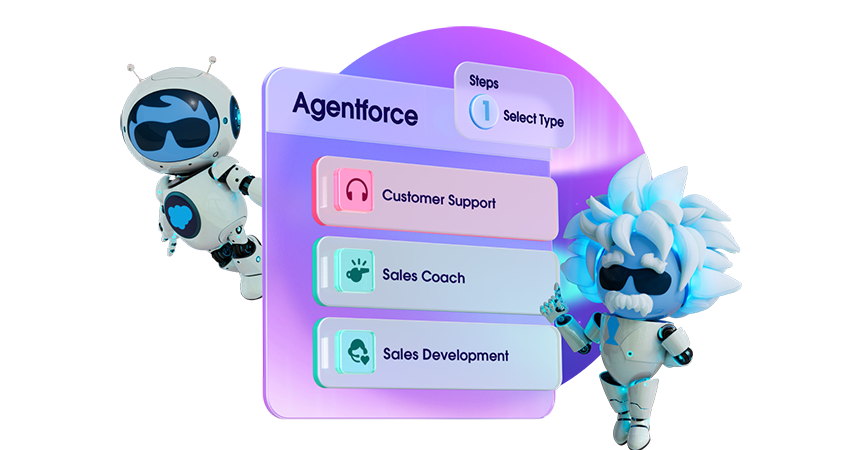
Zoho's Zia AI is broad, but Salesforce's Agentforce operates at a measurably different scale: $800M ARR growing 169% YoY, 29,000 deals closed, and 2.4 billion Agentic Work Units delivered in its first full fiscal year.
The Einstein Trust Layer delivers zero data retention with LLM partners and full audit trails, a requirement in regulated industries.
Source: Salesforce
Flow Builder and Revenue Cloud: Automation at Enterprise Complexity
Zoho's Blueprint is a thoughtful process enforcement tool with stage-gating and stagnation alerts. But Salesforce's Flow Builder handles cross-object automation, multi-department approval chains with exception handling, and API-connected external system orchestration.
Revenue Cloud covers the full CPQ-to-contract lifecycle with 75% faster quoting from Agentforce automation, while Zoho's built-in CPQ hits limits with complex product bundling and multi-tier channel pricing.
Source: Salesforce
NOTE: We also evaluated Microsoft Dynamics 365, which excels at native Microsoft 365 and Azure integration for Microsoft-embedded organizations. However, Salesforce offers the most mature enterprise AI deployment (Agentforce), the deepest AppExchange ecosystem, and the widest range of pre-built vertical industry clouds for organizations needing configurable enterprise infrastructure.
Salesforce Pricing
Salesforce uses a multi-tier, annual-contract pricing model:
Free Suite: $0/user/month (max 2 users) with basic lead, account, and opportunity management
Starter Suite: $25/user/month with unlimited users, AI email sync, and lead routing
Pro Suite: $100/user/month (annual) with customization, quoting, forecasting, and AppExchange access
Enterprise: $175/user/month (annual) with AI for sales, pipeline insights, and workflow automation
Unlimited: $350/user/month (annual) with the full AI suite, conversation intelligence, and Premier Success Plan
Agentforce usage is billed separately: $500 per 100,000 Flex Credits (standard action = 20 credits/$0.10) or $2 per conversation for customer-facing agents. The Premier Success Plan (included with Unlimited, otherwise 30% of net license fees) and partner-led implementation costs should be factored into total cost of ownership.
Who Should Use Salesforce?
Choose Salesforce if:
Your organization has 200+ seats with dedicated CRM administrators and IT or RevOps resources capable of configuring and maintaining a complex enterprise platform.
You need a deep AppExchange ecosystem where CPQ, revenue intelligence, partner management, or industry-specific applications are available as certified, pre-built deployments.
You're running multi-department sales motions where Revenue Cloud's full CPQ-to-contract lifecycle and Territory Management with hierarchical quota structures are requirements.
3. HubSpot — Best Alternative for Teams That Need an Accessible, Marketing-Integrated CRM
Source: HubSpot
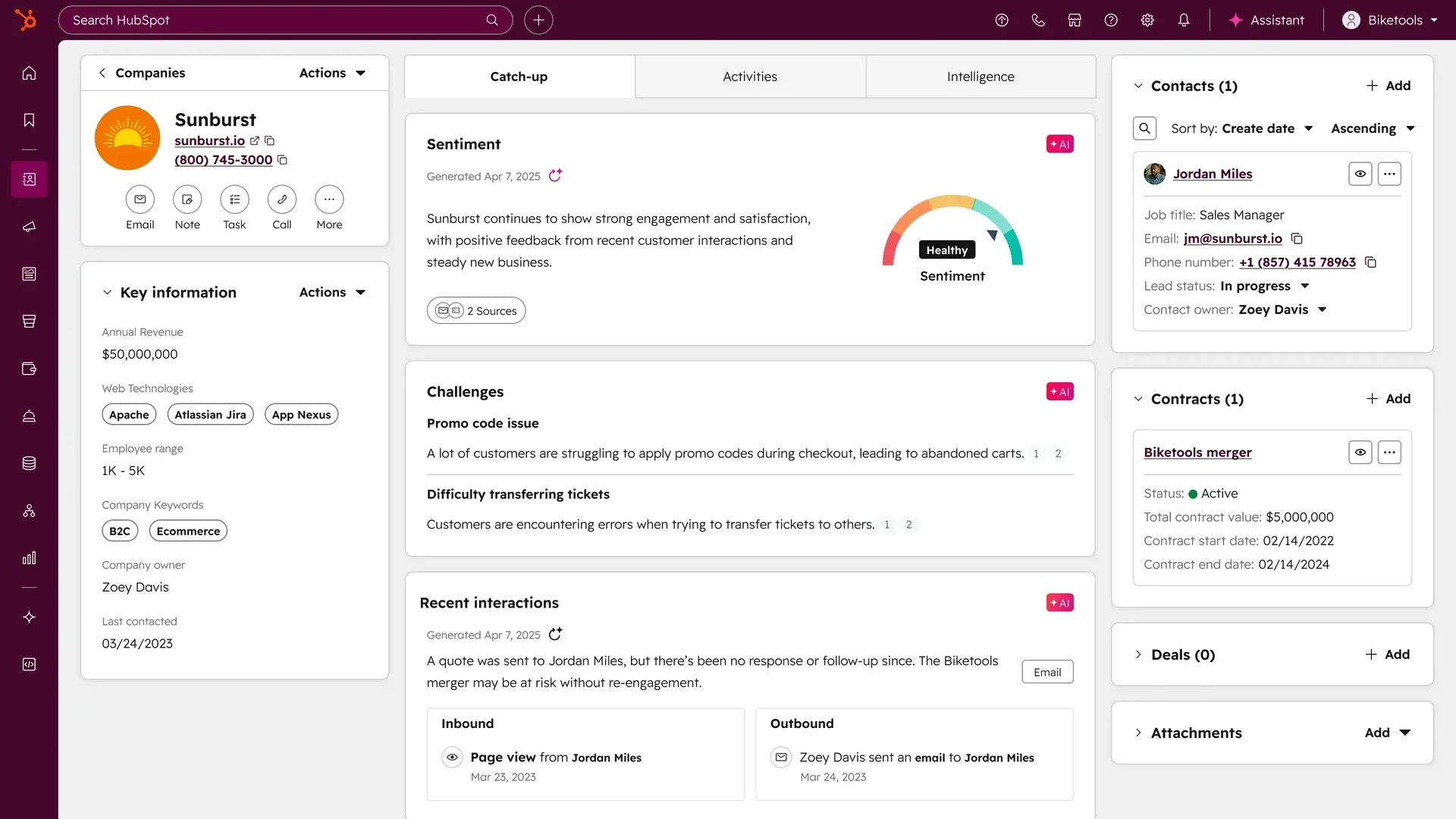
HubSpot is a customer platform that combines a functional free CRM tier with natively integrated marketing automation, sales pipeline management, and AI, all sharing a single data layer. Unlike Zoho CRM, which requires significant configuration investment, HubSpot is designed around out-of-the-box usability: most teams run live pipelines the same day they sign up. Key capabilities include:
A permanently free CRM tier covering deal pipelines, email tracking, live chat, and contact management for up to 1M records
Native marketing automation, landing pages, and email campaigns inside the same platform as the CRM, with no separate product or data sync required
Breeze AI embedded across sales, marketing, and service for email generation, deal summaries, contact enrichment, and autonomous customer agents
An App Marketplace with over 2,000 integrations and 2.5 million active installs
288,706 customers across 135+ countries
Why Choose HubSpot Over Zoho CRM for an Accessible, Marketing-Integrated CRM
HubSpot stands out in the following areas:
A Free CRM Tier That Delivers Real Value Without Configuration Tax
Zoho CRM's free tier caps at 3 users and 5,000 records, excluding custom reports, dashboards, sales forecasting, and Zia AI. Zoho's paid implementation service (Jumpstart) starts at $2,000, signaling that out-of-box simplicity isn't the product's strength.
HubSpot's free CRM covers deal pipelines, email tracking (200 notifications/month), meeting scheduling, live chat, Gmail/Outlook sync, 30 landing pages, and 2,000 email sends/month, permanently and with no credit card required. Teams switching from Zoho who got stuck in a configuration cycle will find HubSpot operational from day one. For a side-by-side look, see our HubSpot vs Zoho CRM comparison.
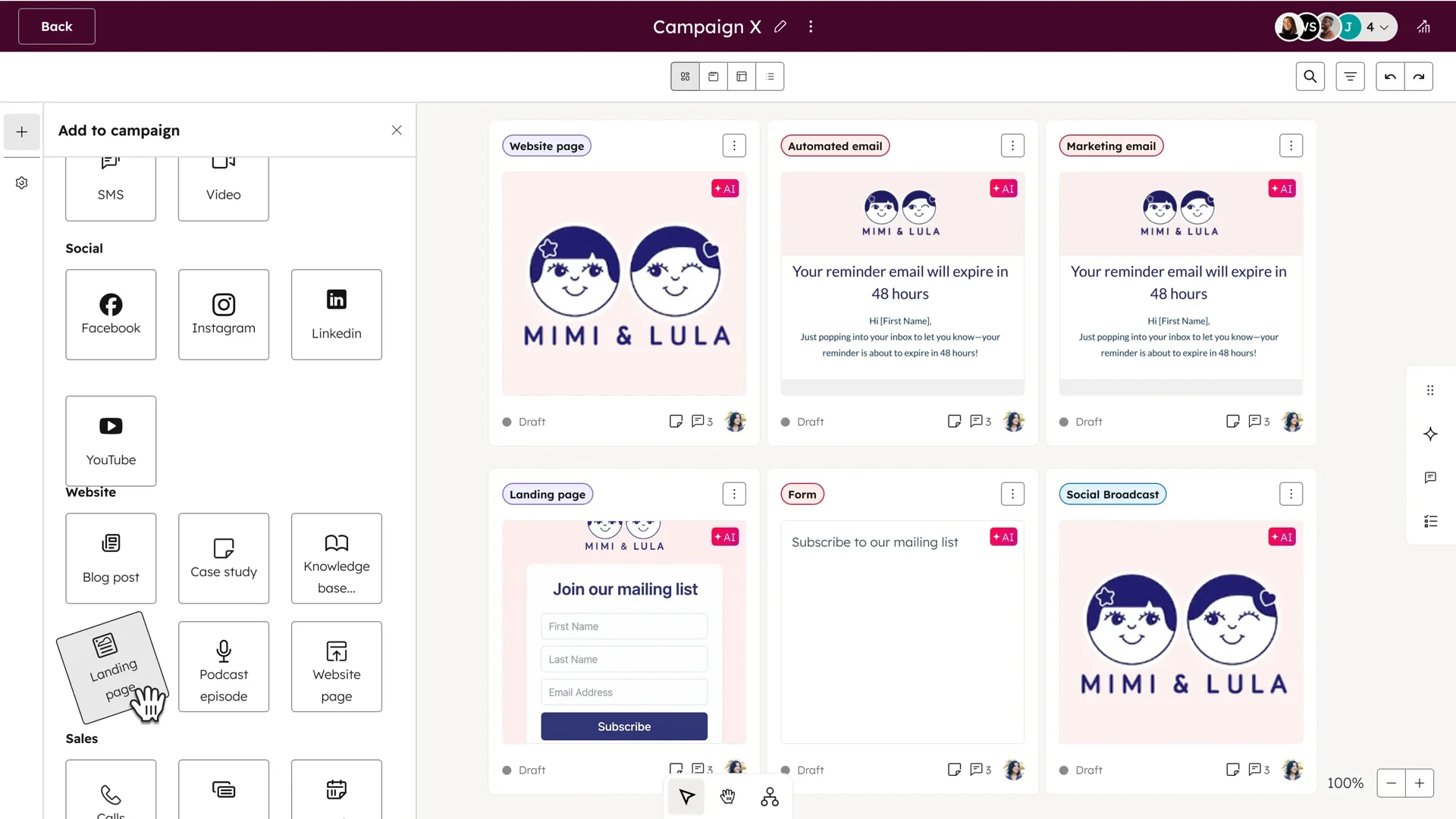
Native Marketing Hub Integration: Marketing and Sales From a Single Data Layer
Zoho CRM users who need email marketing typically rely on Zoho Campaigns, a separate product requiring cross-app data sync.
HubSpot built marketing automation as a native Hub running on the same database as sales and service. A contact captured via a landing page is already in the CRM. Email campaigns, lead nurture sequences, and multi-touch revenue attribution all read from and write to the same contact record.
Source: HubSpot
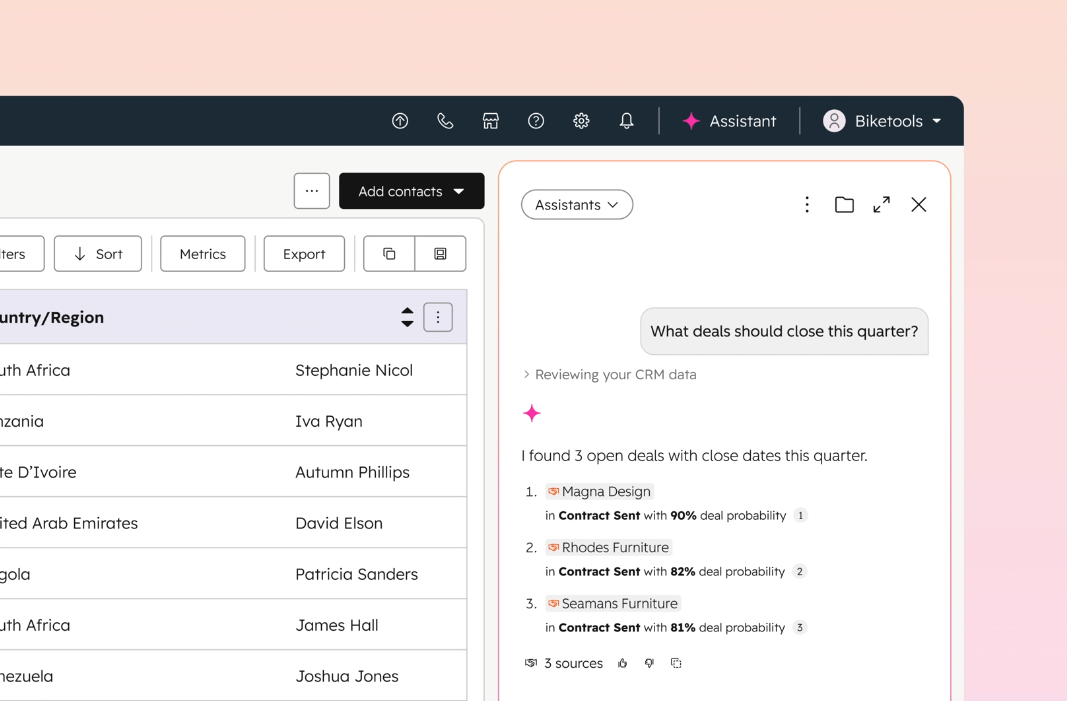
Breeze AI: Platform-Native Intelligence on Unified Customer Data Zoho's Zia AI is capable, but its effectiveness depends on configuration depth.
HubSpot's Breeze AI operates on a broader range of natively captured touchpoints: email threads, website visits, marketing engagement, call recordings, form fills, and chat transcripts. The Breeze Customer Agent reportedly resolves 65%+ of customer inquiries autonomously.
Source: HubSpot
NOTE: We also evaluated Freshsales, which offers a free tier (up to three users) and a clean UI. However, HubSpot's free plan covers a broader range of capabilities and its upgrade path to a full marketing and sales platform is the most widely used in the mid-market segment.
HubSpot Pricing
HubSpot uses a hybrid model combining seat-based and contact-based pricing:
Free (permanent): $0 with deal pipelines, email tracking, live chat, and contact management (up to 1M records, 2-user cap)
Starter Customer Platform: From $10/seat/month, bundling Starter editions of all Hubs with no mandatory onboarding fee
Sales Hub Professional: $100/seat/month with Sequences, CPQ, Conversation Intelligence, and a $1,500 one-time mandatory onboarding fee
Marketing Hub Professional: $890/month flat with 3 Core Seats, 2,000 marketing contacts, full automation, and a $3,000 mandatory onboarding fee
Enterprise tiers: Sales Hub Enterprise at $150/seat/month; Marketing Hub Enterprise at $3,600/month flat
Note: when subscribing to multiple Hubs at different tiers, all Core Seats are billed at the rate of the highest subscription tier. Model total seat costs across all Hubs before committing.
Who Should Use HubSpot?
Choose HubSpot if:
Your team is switching off Zoho CRM because of its configuration-heavy onboarding, and you want marketing and sales running from shared data on day one.
You want an out-of-box AI layer embedded across sales and service without a separate integration, improving as contact and interaction history accumulates.
Your team is small enough that the free CRM tier covers day-to-day needs, with a clear upgrade path to Professional or Enterprise as the company grows.
4. Pipedrive — Best Alternative for Small Sales Teams That Want Pipeline Clarity Without Configuration
Source: Pipedrive
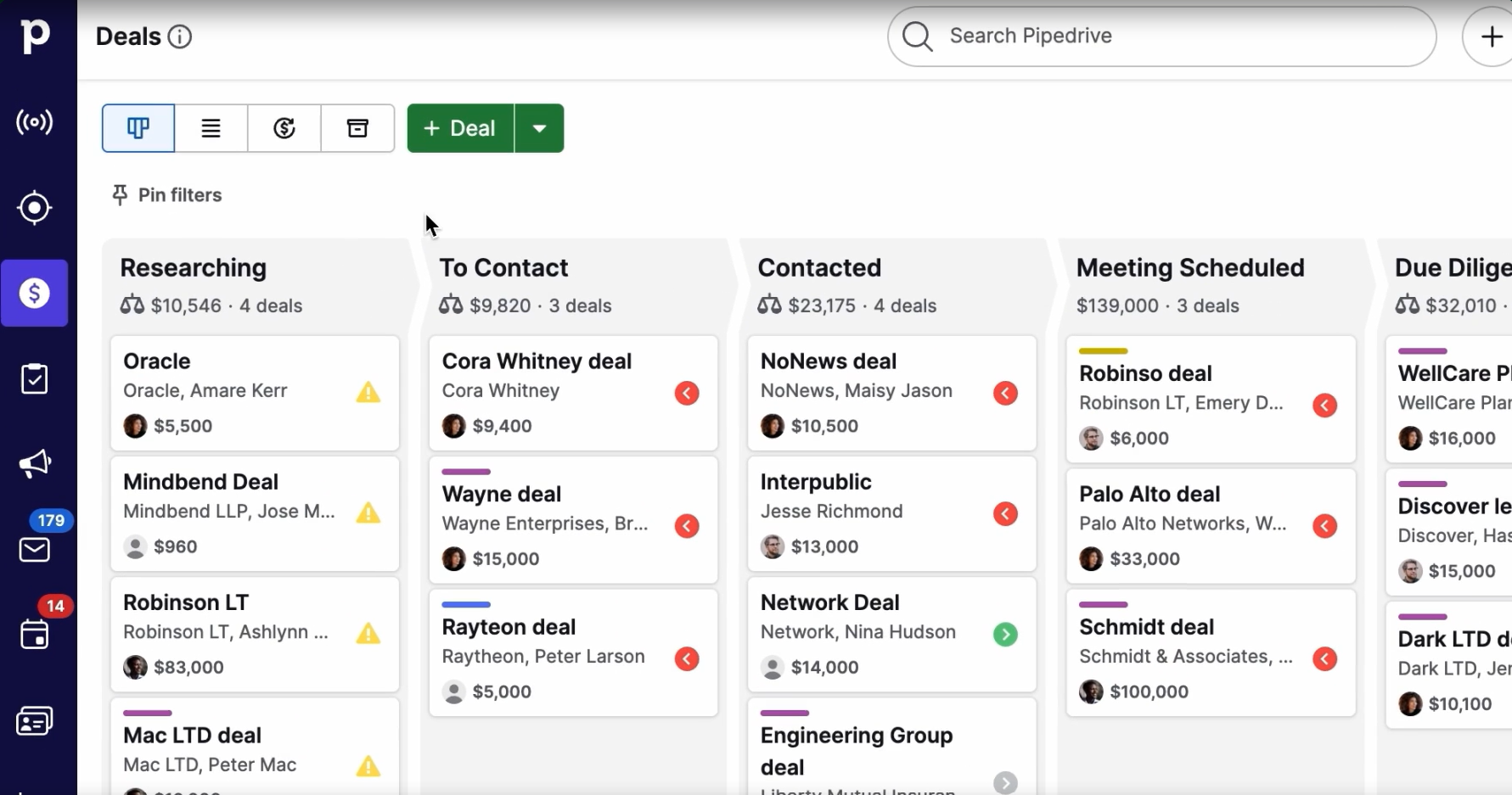
Pipedrive is a visual pipeline-first sales CRM built for small and medium-sized businesses where individual salespeople, not operations teams, run the tool. Five salespeople founded it in 2010, frustrated that CRMs were designed for managers to track reps, not for reps to do their work. Key capabilities include:
Visual kanban deal pipeline with drag-and-drop management and color-coded "deal rotting" alerts
AI Sales Assistant surfacing win probability predictions, at-risk deal flags, and next best actions
Trigger-action workflow automations with if/else branching operable without admin expertise
Smart Docs for proposal creation, trackable links, and built-in eSignature
Per-seat pricing starting at $14/user/month with core features ungated across all tiers
500+ marketplace integrations, ISO/IEC 27001:2022, SOC 2 Type 2, and GDPR compliance
Why Choose Pipedrive Over Zoho CRM for Small Sales Teams
Pipedrive stands out in the following areas:
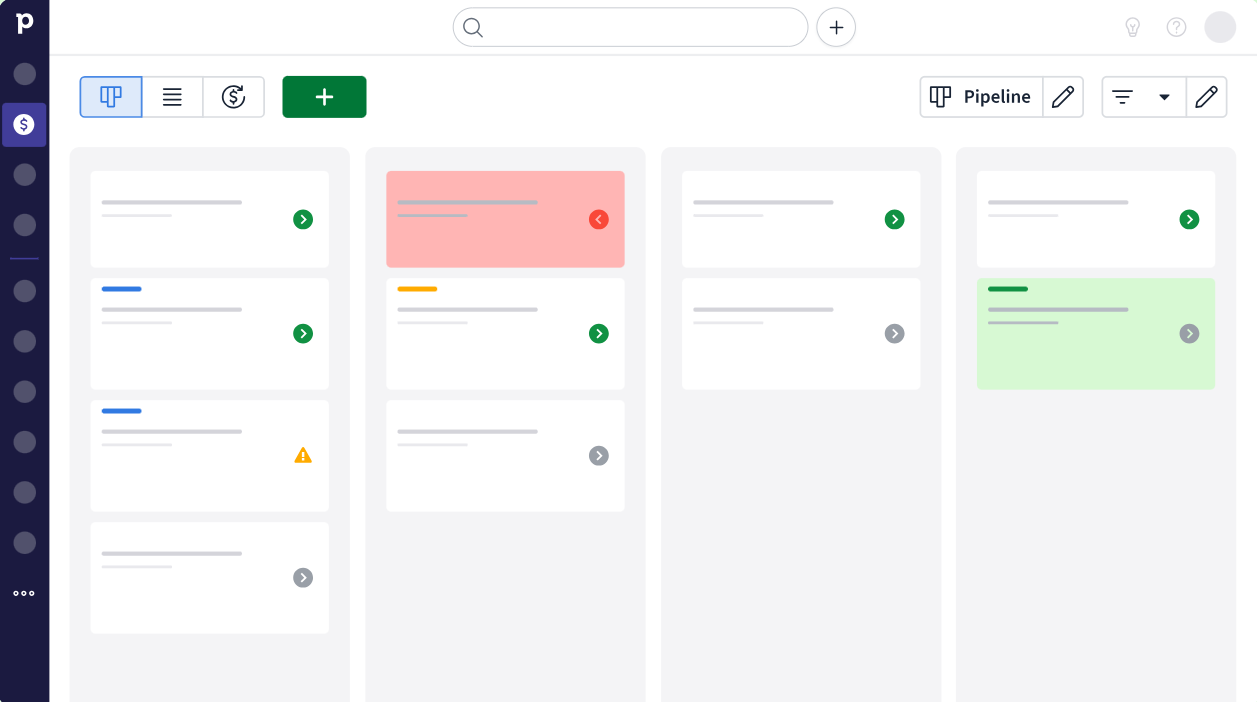
Pipeline Visibility as the Operational Center
Pipedrive pioneered the kanban-style pipeline view in CRM, and the product has never drifted from it. Deals that go idle are flagged as "rotting", and the view shows which deals have no upcoming activity. Zoho CRM's pipeline exists too, but it sits within a multi-module interface spanning 55+ products, territory hierarchies, and Blueprint stages. For small teams that just want to know "where does each deal stand," Pipedrive's three views (kanban, list, and forecast) provide that clarity without the administrative surface area Zoho requires.
Source: Pipedrive
Automation That Works Out of the Box
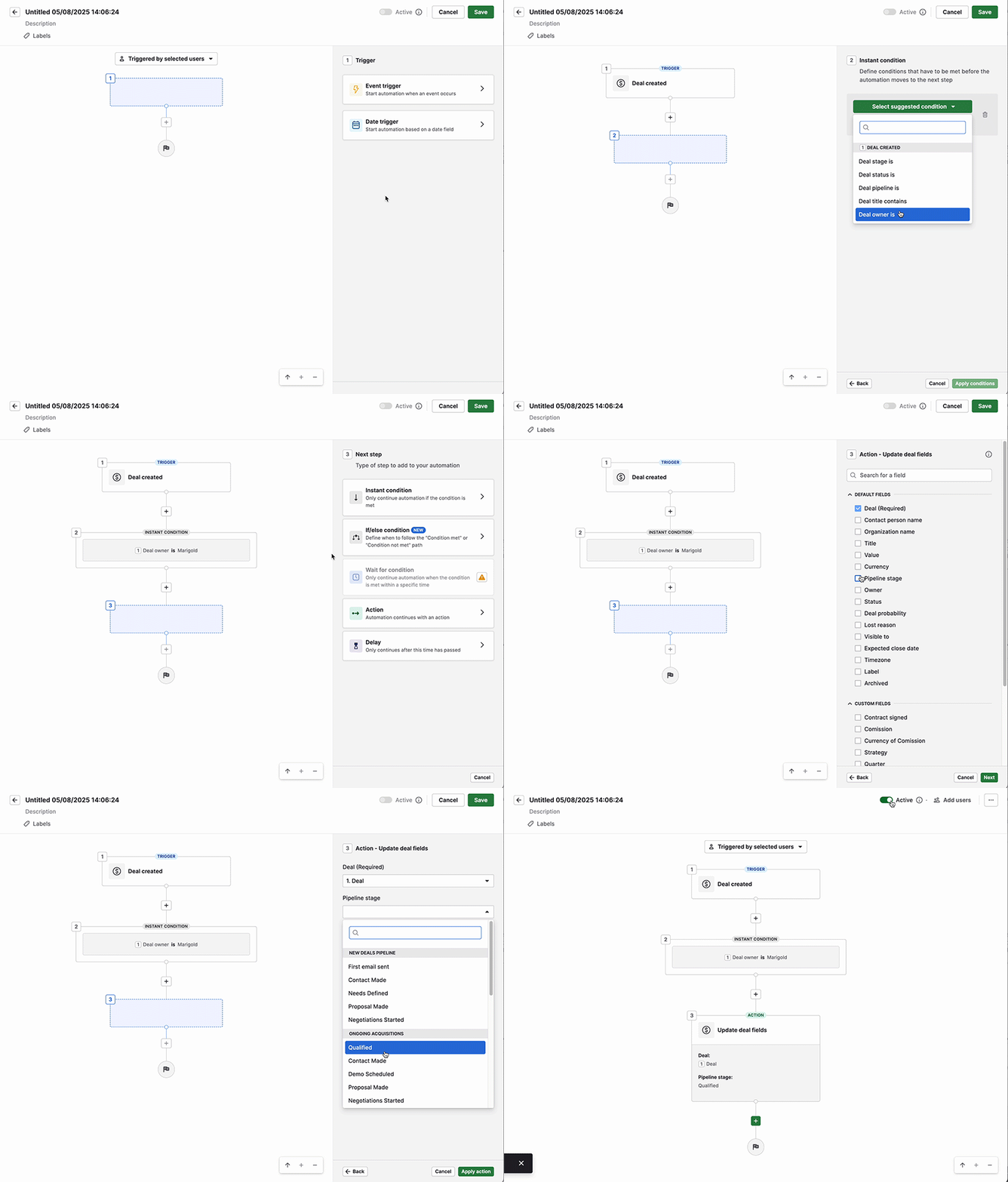
Pipedrive's workflow automation is designed for salespeople to configure themselves. Triggers, conditions with if/else branching, delay steps, and pre-built templates mean a rep setting up a first automation doesn't need to architect it from scratch. Zoho's automation is more powerful (Blueprint, CommandCenter), but that power comes with setup investment a team of five salespeople doesn't have bandwidth for.
Source: Pipedrive
Transparent Per-Seat Pricing Without Usage Metering
Pipedrive starts at $14/user/month. Features that competing CRMs gate behind enterprise plans (unlimited custom pipelines, product catalogs, and custom fields) are available across all tiers. Pipedrive does not delete data when limits are hit; it blocks users from adding more until they upgrade. Zoho CRM's comparable Standard tier starts at the same price, but Blueprint arrives only at Professional ($23), Zia AI only at Enterprise ($40), and additional data storage costs approximately $20/month per GB. For a detailed comparison, see our Pipedrive vs Zoho CRM breakdown.
NOTE: We also evaluated folk CRM and NetHunt CRM. While folk CRM excels for very small teams under twenty wanting a lightweight, contact-centric tool, and NetHunt CRM is compelling for teams running sales inside Gmail, Pipedrive offers the strongest pipeline depth, AI-assisted deal management, and pricing breadth for the widest range of small sales teams.
Pipedrive Pricing
Pipedrive uses per-seat, per-month pricing with four tiers. Annual billing saves up to 42%. A 14-day free trial with full access and no credit card is available. No permanent free plan.
Lite: $14/user/month with customizable pipelines, deal rotting, Leads Inbox, and API access
Growth: Adds email sync, automations with if/else conditions, Sequences, and forecast view
Premium: Adds Smart Docs, Projects, LeadBooster, AI email creation, and phone support
Ultimate: Adds contact data enrichment, security alerts, and the highest usage limits (20,000 leads+deals per seat)
Who Should Use Pipedrive?
Choose Pipedrive if:
Your team is under 100 reps and individual salespeople need to configure and run the CRM with minimal onboarding time.
Your sales process is deal-centric and pipeline-visible: you need to see every deal's stage, health, and next activity at a glance.
You want predictable per-seat pricing with no consumption-based metering or data storage overage fees.
5. Freshsales — Best Alternative for Growing Teams That Need Native Telephony and AI
Source: Freshsales
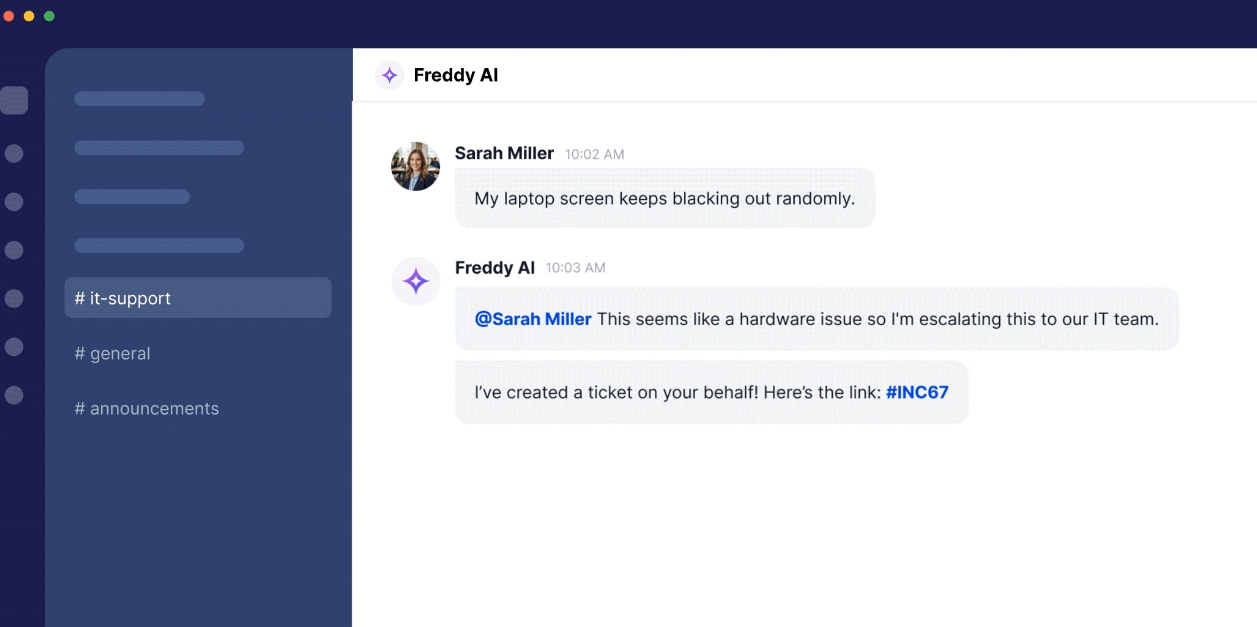
Freshsales is an AI-powered sales CRM built by Freshworks (NASDAQ: FRSH) that bundles native VoIP calling, automated multi-channel sequences, and Freddy AI lead scoring into a single platform priced from $9/user/month. It targets the same SMB and mid-market buyer as Zoho CRM, but makes a different trade-off: less feature depth, faster time-to-value. Key capabilities include:
Built-in cloud telephony with local and toll-free numbers, call recording, and automatic call logging
Freddy AI contact scoring (0-99 scale), deal risk tagging, and AI-written prospecting emails at the Pro tier ($39/user/month)
Multi-channel sales sequences combining email, call reminders, SMS, and LinkedIn tasks
A permanent free plan for up to three users with built-in phone, live chat, and email templates
Native Freshworks ecosystem integration with Freshdesk, Freshmarketer, and Freshchat
Why Choose Freshsales Over Zoho CRM for Growing Sales Teams
Freshsales stands out in the following areas:
Native Telephony Included Across All Plans
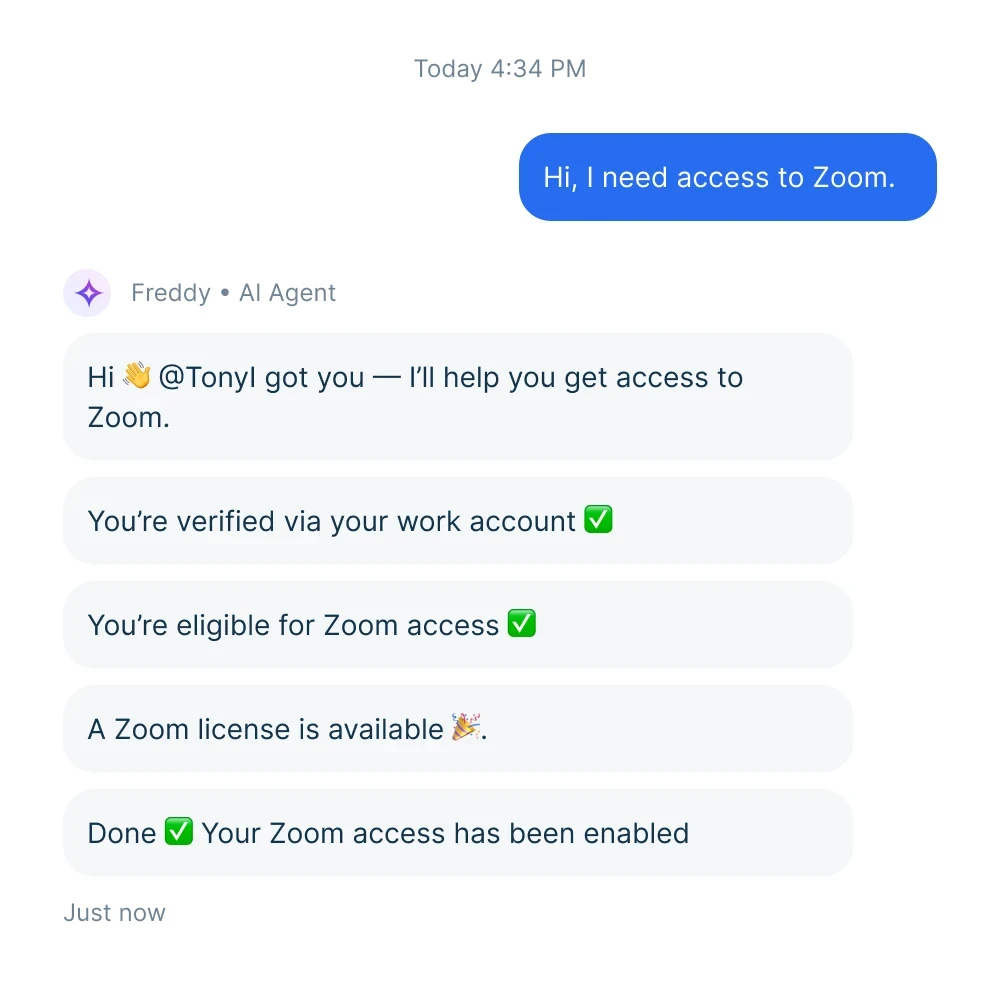
Zoho CRM's phone coverage relies on integrations: teams must configure a third-party telephony provider (Twilio, RingCentral) through the Zoho Marketplace, with a separate billing relationship and data sync dependency. Freshsales ships built-in cloud telephony on every plan, including the free tier. Reps buy local numbers, port existing numbers, or bring their own carrier (BYOC) via an external SIP connection. Calls are automatically logged to the contact record. For inside sales teams, this matters: Freshsales reps can call from day one.
Freddy AI Surfaces at Pro ($39/User), Not at Enterprise
Zoho CRM's primary AI layer (Zia) sits behind the Enterprise plan at $40/user/month. Teams on Standard ($14) or Professional ($23) get Cadences, Blueprint, and CPQ, but Zia scoring and deal predictions aren't available until Enterprise. Freshsales delivers Freddy AI contact scoring, deal insights, and AI-written emails at Pro ($39/user/month), alongside multiple pipelines, sequences, territory management, and BYOC telephony. The full meaningful stack arrives at one tier. For a side-by-side comparison, see our Freshsales vs Zoho CRM guide.
Source: Freshsales
Multi-Channel Sequences Without a Separate Sales Engagement Platform
Freshsales sequences support three types: Classic sequences on fixed day-offsets, Smart sequences that re-evaluate step conditions on every cycle, and Outbound sequences for linear execution. All support email, call reminders, SMS, and LinkedIn tasks in a single cadence, managed from the same contact record. Zoho's Cadences work, but getting them configured as a functioning outbound motion requires understanding how they interact with workflows and lead assignment rules, adding setup time.
NOTE: We also evaluated monday.com CRM and Pipedrive for this slot. While monday.com CRM excels at visual project-management-style pipeline tracking, and Pipedrive is consistently praised for ease of use, Freshsales offers the strongest combination of native telephony and AI-assisted selling for sales-led organizations.
Freshsales Pricing
Free: $0 (up to 3 users, permanent) with built-in phone, live chat, and kanban views
Growth: $11/user/month with contact lifecycle stages, basic workflow automation, and product catalog
Pro: $47/user/month with Freddy AI scoring, deal insights, sequences (10/user), multiple pipelines, and BYOC telephony
Enterprise: $71/user/month with field-level permissions, custom modules, Freddy Forecasting Insights, and sandbox
Who Should Use Freshsales?
Choose Freshsales if:
Your reps call prospects as part of the sales motion and you don't want to configure a separate dialer integration.
Your team needs AI-assisted lead scoring and deal predictions without paying for a full enterprise CRM tier.
You already use or are considering Freshdesk for support or Freshmarketer for email campaigns, as the Freshworks ecosystem shares a single customer record.
6. Close — Best Alternative for Outbound-Heavy Inside Sales Teams
Source: Close
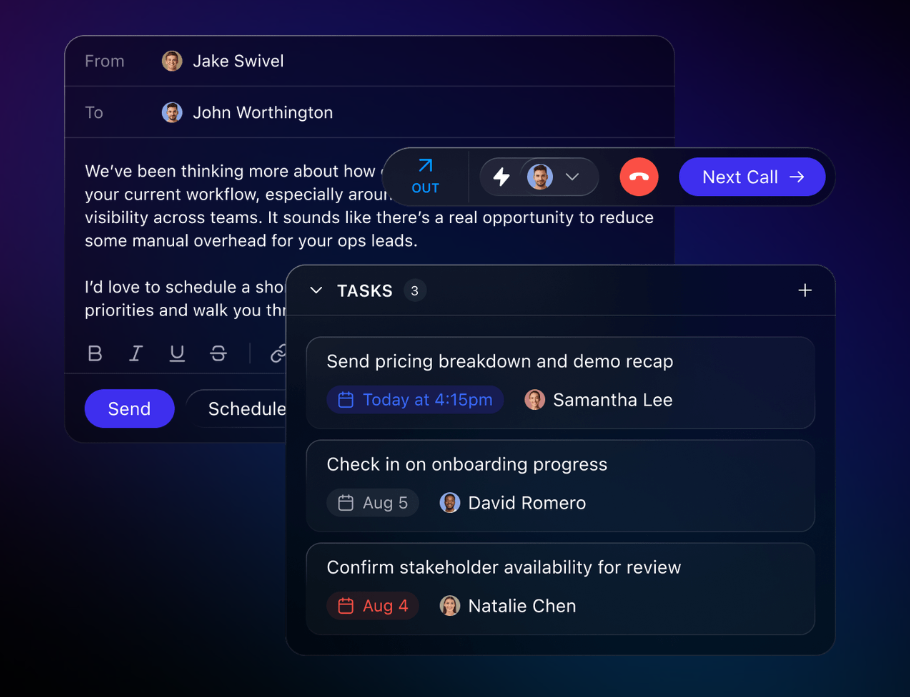
Close is a CRM built for small, scaling B2B sales teams that run a high-volume outbound motion. Unlike Zoho CRM, which is engineered to be configured into almost anything, Close narrows its scope to the act of selling and goes deeper than any general-purpose CRM in that lane. Key capabilities include:
Native Power Dialer that automatically advances reps through a call list
Native Predictive Dialer that calls multiple numbers simultaneously and connects reps only when a live person answers
Chloe AI Sales Agent that calls incoming leads, conducts a qualifying conversation, and books meetings without human SDR involvement
Built-in SMS and email sequencing with multi-touch automated follow-up logic
Minimal configuration overhead; teams are productive within hours, not weeks
Why Choose Close Over Zoho CRM for Outbound-Heavy Inside Sales
Close stands out in the following areas:
Native Dialers That Eliminate Third-Party Telephony Dependency
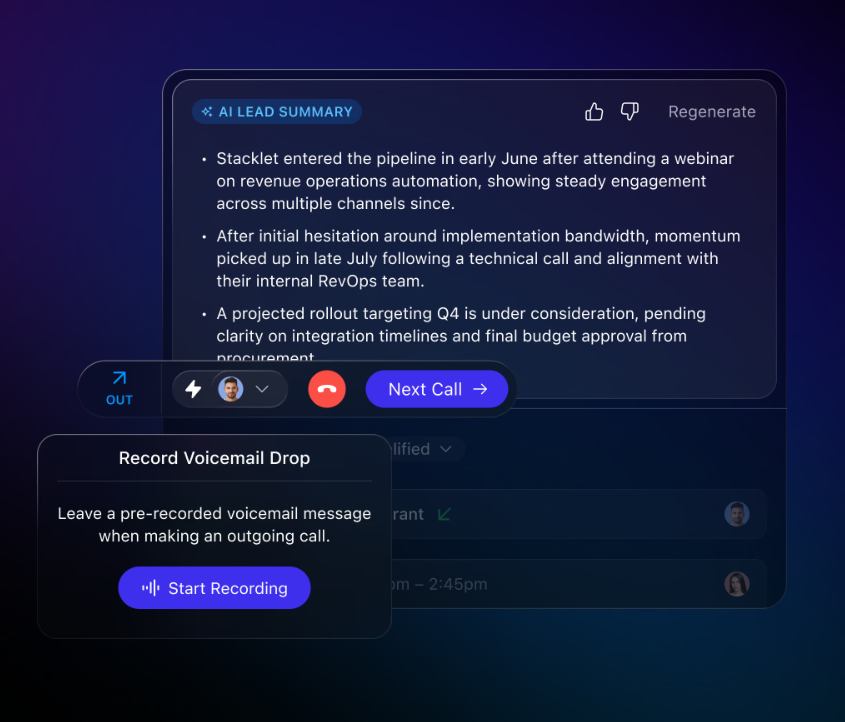
Zoho CRM supports click-to-dial with call logging but does not include a Power Dialer or Predictive Dialer as native features. Teams making 50-100 daily calls must integrate third-party telephony platforms (Aircall, JustCall), each carrying its own cost and sync complexity.
Close ships both a Power Dialer and a Predictive Dialer as native capabilities, built into the CRM so every call is logged and recorded without an integration layer. Teams that consolidate their dialer and CRM into Close typically eliminate a separate telephony subscription.
Source: Close
Immediate Productivity Without a Configuration Runway
Close is designed for "fast-moving teams" and claims to be "50% faster than big CRMs". Close's G2 rating for Ease of Use is 9.3/10 across 2,005 reviews, with an 85% five-star rating. While Zoho CRM's own Jumpstart implementation starts at $200/hour with a $2,000 minimum, Close implementations happen in hours to days without professional services.
Chloe AI Agent: Autonomous Lead Qualification Without Adding Headcount
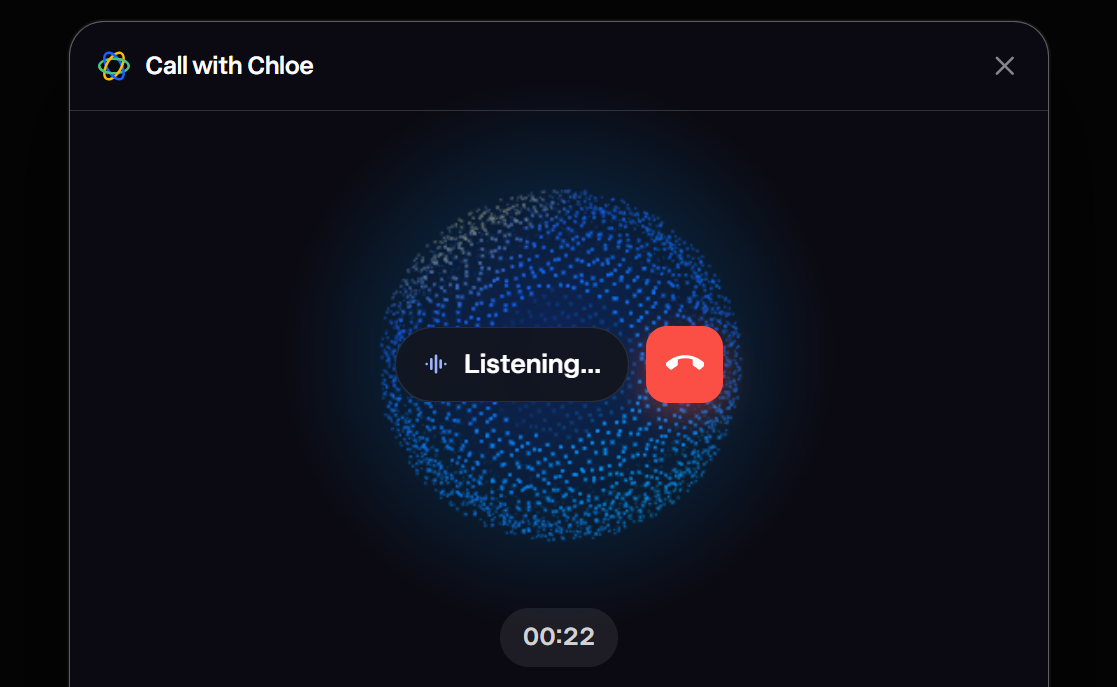
Close's Chloe AI agent handles top-of-funnel qualification calls on its own. When an inbound lead comes in, Chloe calls them, conducts a qualifying conversation, and books a meeting on the rep's calendar.
Source: Close
Zoho's Zia AI focuses on CRM automation and data intelligence, not conducting voice conversations with prospects. For teams handling significant inbound volume, Chloe's ability to reach leads immediately (without SDR availability constraints) and qualify them in real conversation removes a bottleneck most teams solve by hiring.
NOTE: We also evaluated Freshsales and HubSpot Sales Hub for the inside sales slot. While Freshsales offers native telephony and is a strong mid-market option, it serves a broader use case than the pure outbound calling specialist this slot requires. Close offers the most focused outbound calling environment for phone-based prospecting teams.
Close Pricing
Solo: $19/month (monthly), limited to 1 user and 10,000 leads, with built-in calling, email, and SMS
Essentials: $49/month, with unlimited contacts, multiple pipelines, and two-way email sync
Growth (most popular): $109/month, adds automated Workflows, Power Dialer, AI Email Assistant, and Pipeline Guidance
Scale: $149/month, adds role-based permissions, Predictive Dialer, and Custom Objects
Note: calling is billed per minute via Twilio pricing, SMS per unit, and AI tools like Call Assistant carry separate fees ($50/month + $0.02/minute). A 14-day free trial is available.
Who Should Use Close?
Choose Close if:
Your team's primary motion is outbound calling and you need Power or Predictive Dialer built into the CRM, not bolted on via a third-party integration.
You run a small-to-mid-sized B2B inside sales team (1-25 reps) making 50+ calls per day and need all communication logged automatically.
You're paying separately for a CRM and a dialer platform and want to consolidate into a single tool with no data-sync fragility.
7. Attio — Best Alternative for Modern GTM Teams That Need a Flexible, AI-Native Data Model
Source: Attio
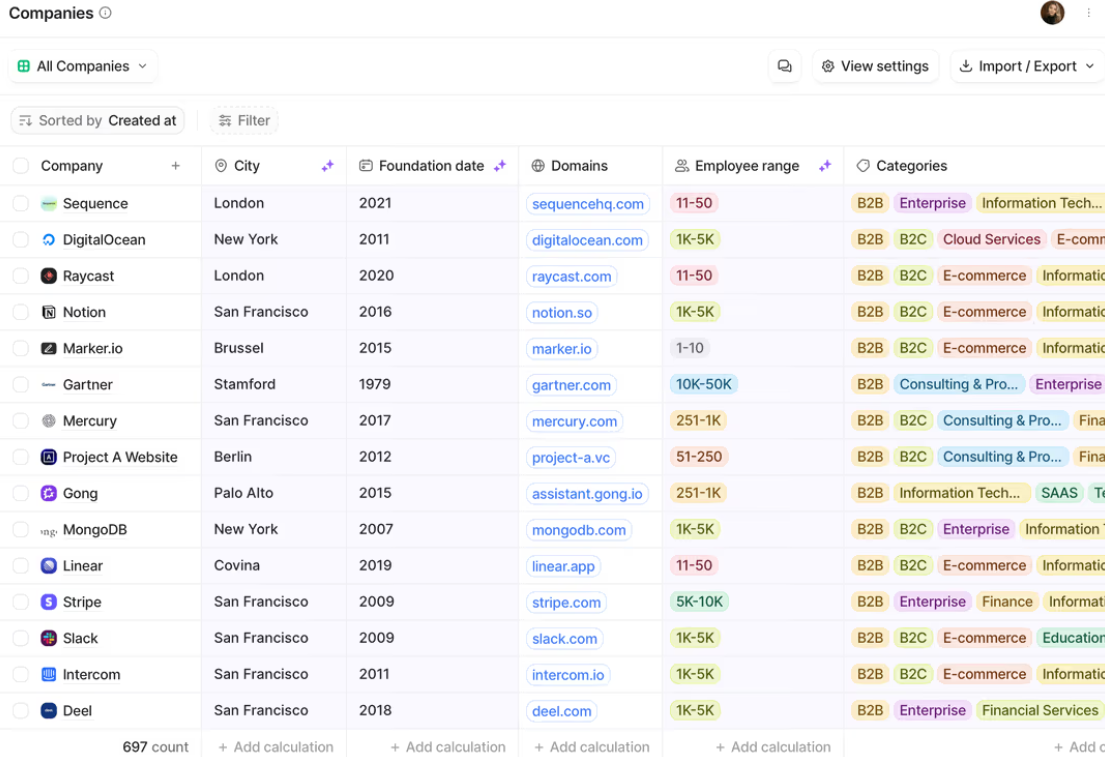
Attio is an AI-native CRM for go-to-market teams that offers the data-model flexibility Zoho CRM promises in theory but buries under layers of admin configuration. Its key capabilities include:
Flexible custom objects, attributes, and relationships buildable without coding or admin expertise
AI-generated fields and AI-powered automation steps embedded at the data layer, not surfaced as a separate panel
Automatic contact and company enrichment on record creation
A clean, keyboard-navigable interface built for low cognitive load
Native real-time sync with Gmail, Outlook, Slack, and GitHub
Call Intelligence with native recording, transcription, and AI-generated insights across Google Meet, Zoom, and Teams
Developer-friendly architecture with a public REST API, App SDK, and hosted MCP server on all plans, including Free
Attio targets startups through Series B (typically 11-250 people) where the GTM team refuses to let software define their workflow. 5,000 paying customers as of August 2025, including Union Square Ventures, confirm product-market fit in the PLG startup and SaaS vertical.
Why Choose Attio Over Zoho CRM for a Flexible, Modern CRM
Attio stands out in the following areas:
A Data Model That Mirrors Your Business
Zoho CRM's Lead, Contact, Account, Deal conversion pathway works for traditional B2B sales, but becomes a liability for PLG companies tracking user activation, VC firms managing deal flow, or B2B marketplaces with buyers, sellers, and transactions running in parallel. Zoho's custom modules are available from Professional upward, but operate inside Zoho's predefined relational logic.
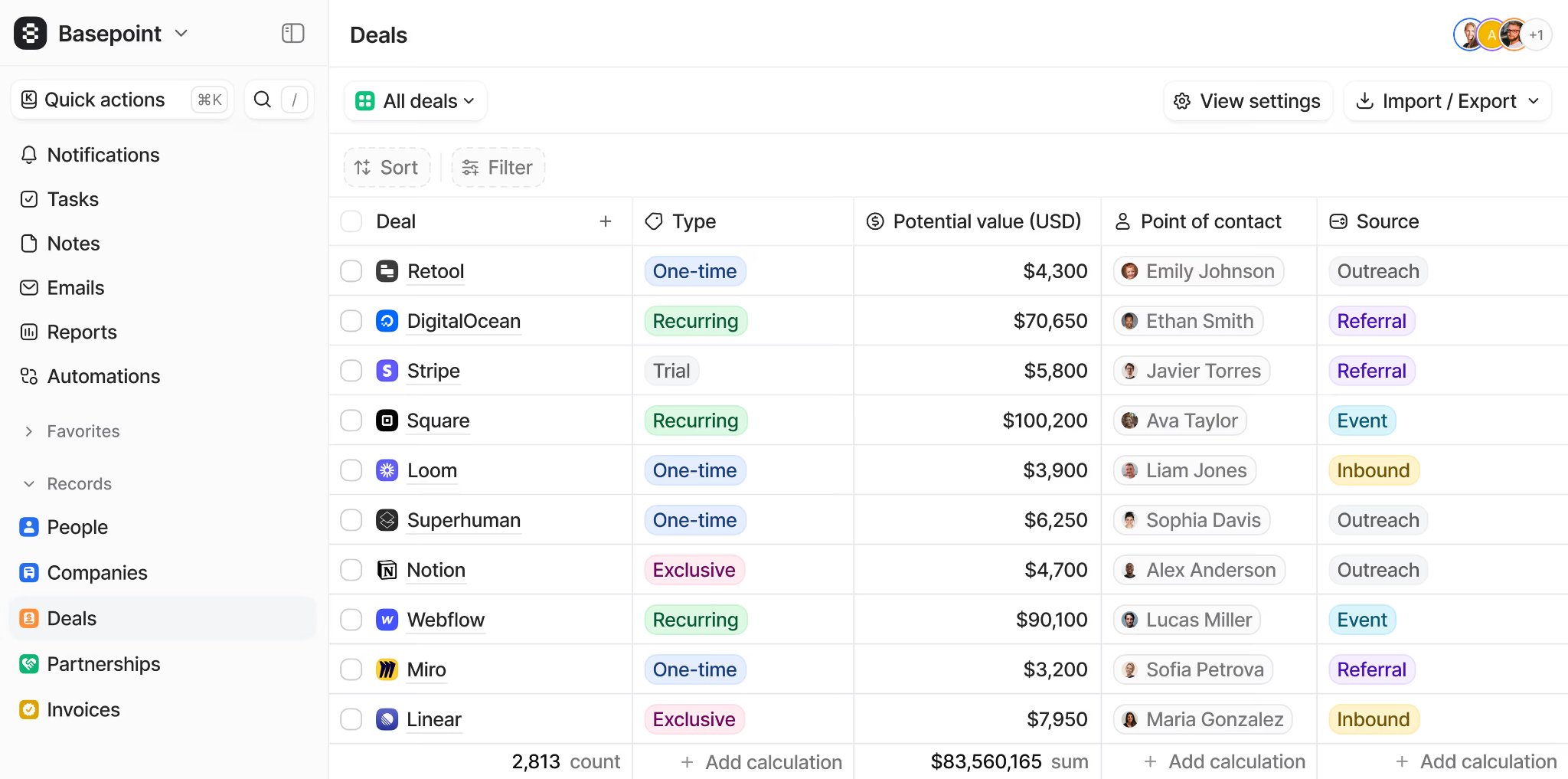
Attio's flexible data model lets teams define objects, 17 attribute types, and any relationship structure without touching code. G2 ranks Attio at 9.4/10 for ease of customization.
Source: Attio
AI Woven Into the Data Model, Not Bolted Onto It
Zoho's Zia AI sits as an intelligence layer on top of a data model built before AI existed. Attio's AI architecture is built on AI primitives from the ground up. Teams add AI-generated fields directly to any record type as first-class attributes. Workflow automation includes native AI classification, summarization, and Research Agent blocks that use AI to answer questions about records using live web research.
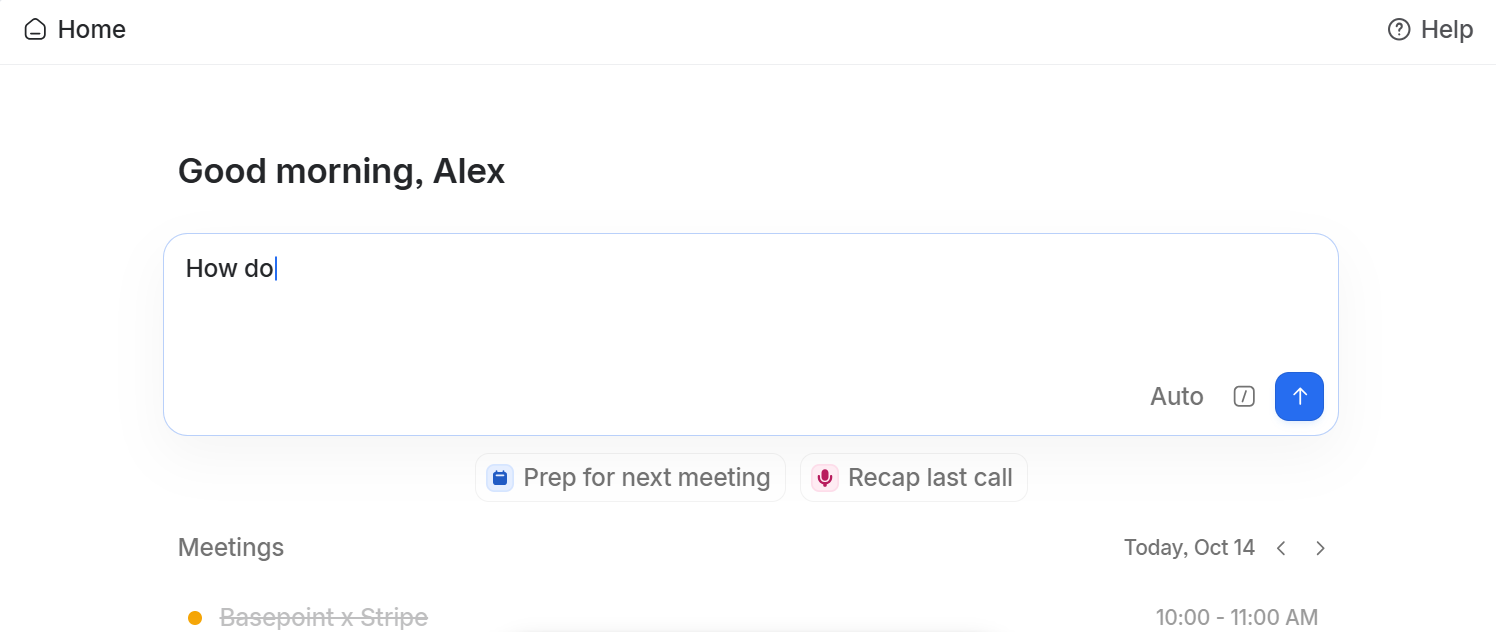
Ask Attio, powered by Universal Context (a semantic index of all CRM records, emails, calls, and notes), handles queries like "prep me for my next meeting with this company" and pulls from every relevant record to generate the answer with source citations.
Source: Attio
A Modern Interface That Reduces Friction Without Sacrificing Power
Zoho CRM's 55+ applications and hundreds of modules create cognitive load even for experienced users. Attio's interface is built around modern productivity design: fast, keyboard-navigable, with inline editing and kanban-style views where quick updates don't require opening a full record. Attio delivers sub-50ms latency even with millions of records, so the speed benefit is measurable.
NOTE: We also evaluated Copper CRM and Folk CRM. While Copper excels for teams embedded in Google Workspace who want minimal setup, and Folk is a strong pick for very small teams, Attio offers the most differentiated technical approach: its AI-native data model and growing traction among startup and PLG teams make it the more compelling alternative in this comparison.
Attio Pricing
Attio uses per-seat pricing billed monthly or annually (20% annual discount). AI features use a credit system separate from seat pricing.
Free: $0/month (up to 3 seats, 50,000 records, 3 custom objects, API and webhook access)
Plus: $36/user/month, with unlimited seats, Ask Attio, AI agents, Call Intelligence, and 250,000 records
Pro: $86/user/month, with email sequences, advanced permissions, 1M records, and up to 100 reports
Enterprise: Custom pricing with unlimited custom objects, SSO, priority support, and migration service
Attio offers an 80% discount on the annual Pro plan for qualifying startups affiliated with partner VC firms.
Who Should Use Attio?
Choose Attio if:
Your GTM motion doesn't fit a standard Lead-Contact-Deal structure: you're running PLG, marketplace dynamics, or investor deal flow where custom objects and flexible relationships are table stakes.
You want AI embedded in the data model itself (as record attributes and automation blocks) rather than a separate AI assistant panel.
Your team is between 10 and 250 people, growing fast, and needs a CRM configurable by a non-technical operator in days rather than months.
Want more Zoho CRM comparisons? Here are our picks:
The Final Verdict
Zoho CRM excels as a feature-rich, value-driven CRM platform. But different teams and stages of growth need more specialized solutions. Based on our research, here are the best alternatives:
ZoomInfo for B2B data intelligence, AI-powered pipeline generation, and the GTM Context Graph that reveals why deals move
Salesforce for enterprise process automation, the deepest AppExchange ecosystem, and production-proven Agentforce autonomous AI
HubSpot for an accessible, marketing-integrated CRM with no configuration friction and a functional free tier
Pipedrive for small sales teams that want visual pipeline clarity and transparent per-seat pricing without admin overhead
Freshsales for growing teams that need native telephony and AI scoring at a competitive price point
Close for outbound-heavy inside sales teams that need Power and Predictive Dialers built into the CRM
Attio for modern GTM teams that need a flexible, AI-native data model for non-traditional sales motions
You don't have to choose between Zoho CRM and these alternatives exclusively. Many businesses use their CRM alongside specialized tools to build their GTM stack. Consider your needs, team size, and growth plans when deciding which solution works best.
Want to fill your pipeline with the right accounts and understand why your best deals close? ZoomInfo delivers 500M contacts, 135M+ verified phone numbers, an AI-powered GTM Context Graph, and universal access through any tool your team uses. Get started with ZoomInfo and give your team the intelligence advantage.
Zoho CRM Alternatives FAQ
Why do businesses look for Zoho CRM alternatives?
Zoho CRM is a capable platform, but its biggest challenge is the configuration investment required before teams can be productive. Businesses also look for alternatives when they need deeper capabilities in specific areas: B2B data for prospecting, enterprise process automation for complex sales motions, native telephony for inside sales teams, or a CRM that delivers value on day one without admin setup.
What is the best overall Zoho CRM alternative?
There is no single best alternative because Zoho CRM covers many different functions. ZoomInfo is the top choice for B2B data intelligence and pipeline generation, Salesforce leads for enterprise customization and ecosystem depth, HubSpot is the strongest option for teams that want marketing and sales running from shared data immediately, and Pipedrive is best for small teams focused on pipeline visibility.
Is there a free alternative to Zoho CRM?
Yes. HubSpot offers a permanently free CRM tier covering deal pipelines, email tracking, live chat, and contact management for up to 1 million records. Freshsales provides a free plan for up to 3 users with built-in phone and live chat. Attio has a free plan for up to 3 seats with 50,000 records, API access, and 3 custom objects. ZoomInfo Lite is also permanently free with access to the B2B database and 10 monthly export credits.
Which Zoho CRM alternative is best for small sales teams?
Pipedrive is built for small sales teams (under 100 reps) who need visual pipeline management without configuration overhead. Its kanban-style deal view, self-service automation, and transparent per-seat pricing starting at $14/user/month make it the most accessible option for teams without a dedicated CRM administrator.
How does Salesforce compare to Zoho CRM for enterprise use?
Salesforce is significantly more capable for enterprise organizations. Its AppExchange hosts 9,000+ apps (versus Zoho's 1,000 extensions), Agentforce has delivered 2.4 billion autonomous work units, and Industry Clouds cover 17 verticals with pre-built data models. However, Salesforce's total cost of ownership is higher: Enterprise plans start at $175/user/month before Agentforce usage, implementation services, and the Premier Success Plan.
Which alternative is best for teams that rely on phone-based sales?
Close is the best option for high-volume phone-based selling, with native Power and Predictive Dialers built into the CRM. Freshsales is a strong second choice, offering built-in cloud telephony across all plans (including free) with BYOC support, though it lacks the Power and Predictive Dialer capabilities Close provides for high-volume calling.
Can ZoomInfo work alongside Zoho CRM?
Yes. ZoomInfo is not a CRM replacement but a B2B data intelligence layer. It integrates with CRMs including Zoho, HubSpot, Salesforce, and Microsoft Dynamics via APIs and native integrations. Teams use ZoomInfo to enrich their CRM with verified contacts, company intelligence, and buying intent signals, then execute from whichever CRM their workflow requires. ZoomInfo's MCP server also enables AI agents in any compatible tool to access the same data.
How does ActiveCampaign compare to Zoho CRM?
ActiveCampaign leads with email-led marketing automation and a lightweight CRM, while Zoho spans 55+ apps across sales, marketing, and support. Teams centered on email automation and deliverability often pick ActiveCampaign; teams needing broader business tooling stay with Zoho.
Is it difficult to migrate from Zoho CRM to one of these alternatives?
Migration complexity depends on what you use Zoho CRM for. Moving a straightforward sales pipeline to Pipedrive or HubSpot is relatively simple, as both offer import tools and guided setup. Enterprise migrations to Salesforce require more planning and typically involve implementation partners. Zoho CRM offers a Zwitch migration tool for inbound migrations, but outbound data export is available through standard CSV export and API access across all tiers.
Looking beyond Zoho CRM? Compare the strongest alternatives side by side:
