

Champion tracking software finds your past buyers, users, and advocates when they change jobs, then alerts your team so you can re-engage before a competitor does.
A contact who already trusts your product lands somewhere new with budget and a problem to solve, which makes the job change one of the highest-converting signals in B2B sales.
This guide ranks eight tools, compares them in a table, and shows how to pick the right one for your CRM and your data.
What Is Champion Tracking Software
Champion tracking software watches the people in your CRM who already trust you, your past buyers, active users, and internal advocates, and flags when they change jobs or get promoted. When someone moves, the tool verifies the change, enriches their new company and role, and routes the alert to the account owner so a rep can act on it.
The signal converts because the rep is not starting cold. The contact already knows the product and often lands with budget and a problem to solve. The catch is that these moves are easy to miss without a system watching for them, and a missed move is missed pipeline. The gap is measurable. ZoomInfo's 2025 Customer Impact Report found that three in four customers surfaced opportunities they would have missed without its data and insights, which added up to a 32% increase in total pipeline.
A working champion tracking motion runs in four stages:
Build a roster of past buyers, active users, and advocates from your CRM.
Monitor them continuously instead of checking LinkedIn by hand.
Qualify each move against your ideal customer profile and route it to an owner.
Re-engage inside the first 90 days, while the champion is still choosing tools for their new team.
How We Evaluated the Tools
We scored each tool on the criteria that decide whether champion tracking actually produces pipeline, based on how these tools work in practice and what teams report they need.
Detection accuracy and data source. Where the signal comes from and how it is verified, since a false positive burns rep trust.
Coverage. Whether it tracks past champions, current contacts, buying-committee members, and new hires, or only a subset.
Freshness. How fast a move is caught and confirmed.
CRM sync and delivery. Whether alerts push into Salesforce, HubSpot, or Slack and land on the right record.
Qualification and routing. Whether it filters moves against your ICP and assigns an owner.
Enrichment depth. How much usable context, such as verified email, phone, and firmographics, arrives with the alert.
Setup and pricing. How much lift it takes to deploy and how the vendor charges.
Comparison Table
The table shows how the eight tools approach champion tracking, who they suit, and what they cost. Detail on each follows.
Tool | Best for | Champion tracking approach | Pricing |
ZoomInfo | Verified detection plus intelligence and workflow in one | Native detection on its own data foundation, run as a built-in Champion Tracking play | Free to start with consumption credits based on usage |
UserGems | Mid-market and enterprise revenue teams | Purpose-built job-change and buying-committee signals with AI scoring | Custom, demo-based |
Champify | Salesforce-native sales orgs | Tracks past customers, exec moves, and new hires inside Salesforce | From $2,000/mo |
Unify GTM | Teams wanting detection plus automated outreach | Job changes as one of 40+ signals feeding AI sequencing | Free; paid from $20/seat/mo |
Apollo | SMB and mid-market on a budget | Apollo Refresh alerts on tracked contacts plus enrichment | Free; paid from $49/seat/mo |
Clay | RevOps teams building custom plays | Job-change signals inside a flexible enrichment and automation engine | Free; paid from $167/mo |
Champions | Teams wanting zero-app CRM sync | Syncs champion job changes straight into the CRM | Custom, demo-based |
Lusha | Teams already using Lusha for contact data | Job-change tracking via Lusha Signals and API, wired into the CRM | Free; paid from $37.45/mo |
The 8 Best Champion Tracking Tools
1. ZoomInfo
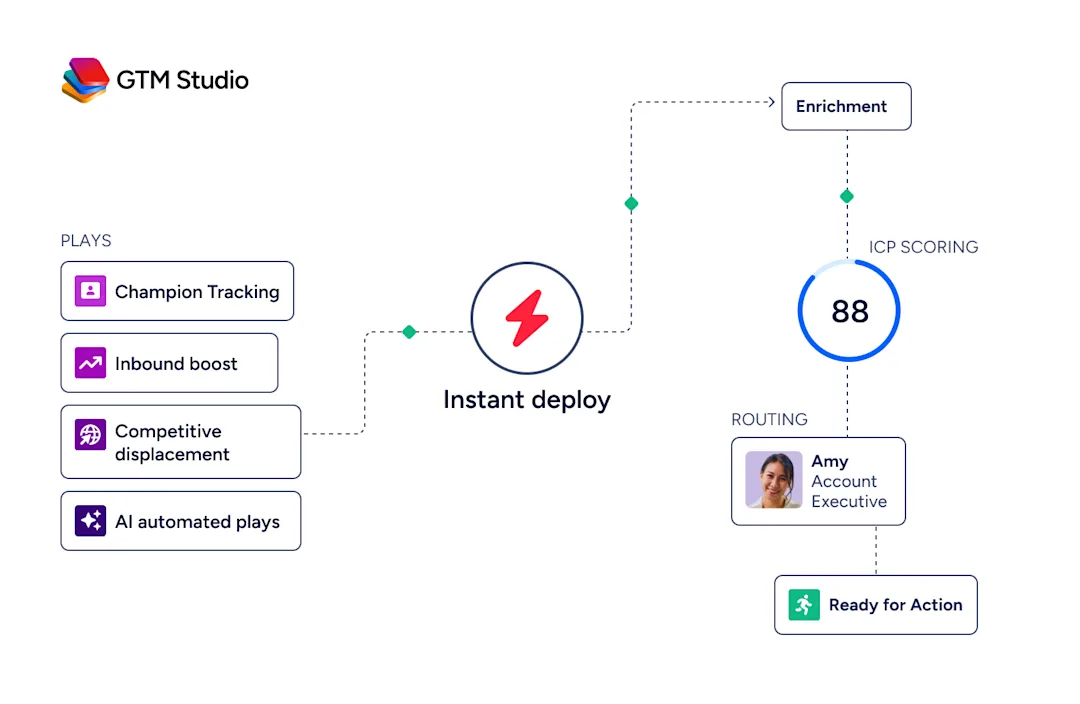
ZoomInfo is an all-in-one AI GTM Platform that detects job changes on its own verified data rather than a licensed third-party feed. It created and owns the GTM Intelligence category, and champion tracking runs as a native play across the platform instead of a separate app.
The platform stacks three layers: a data foundation of 100M+ companies refreshed by scanning 28M domains a day at up to 95% first-party accuracy, the GTM Context Graph that reasons over 1.5B data points a day to show why a move matters, and universal access that delivers the result in a seller workspace, a RevOps studio, or through an API and MCP interface.
Because the detection and the underlying record come from the same source, a champion's move is confirmed before a rep ever sees it, and it arrives with the verified mobile number, direct email, and account context a rep needs to act.
ZoomInfo customers report the payoff of moving on verified signals quickly: a 91% improvement in connect rates after switching to ZoomInfo, and beating competitors to the first touch in 27% of new deals, which is the exact speed advantage champion tracking depends on.

"We use it to find mobile numbers, direct emails, job change signals, anything that helps us break through the noise."
Key features:
Job-change detection verified at the data source before the alert reaches a rep, with the new mobile number and direct email attached.
Native Champion Tracking play in GTM Studio with routing and named ownership, plus job change alerts in Copilot Signals for daily prospecting.
Tracker for weekly verified updates on up to 5,000 tracked contacts per user, and account-level tracking in GTM Workspace for expansion and renewal motions.
Tracked lists built from active champions, former champions across closed-won and closed-lost deals, and buying-committee members at target accounts.
Delivery into Salesforce, HubSpot, Slack, and email, with the GTM Context Graph scoring why each move matters.
Pros:
Moves are verified against ZoomInfo's own data, so freshness and accuracy do not depend on a third-party feed.
Detection, reasoning, and workflow sit in one platform, with automatic routing to an owner and no data dependency to manage.
Each alert arrives with context on why the move matters, plus the verified contact details to reach the champion in their new role.
Cons:
A full GTM platform, so a team that only wants a lightweight job-change feed will use a fraction of it.
Most value comes from adopting the wider workflow rather than the alert alone.
Pricing: ZoomInfo pricing is free to start with consumption credits based on usage.
2. UserGems
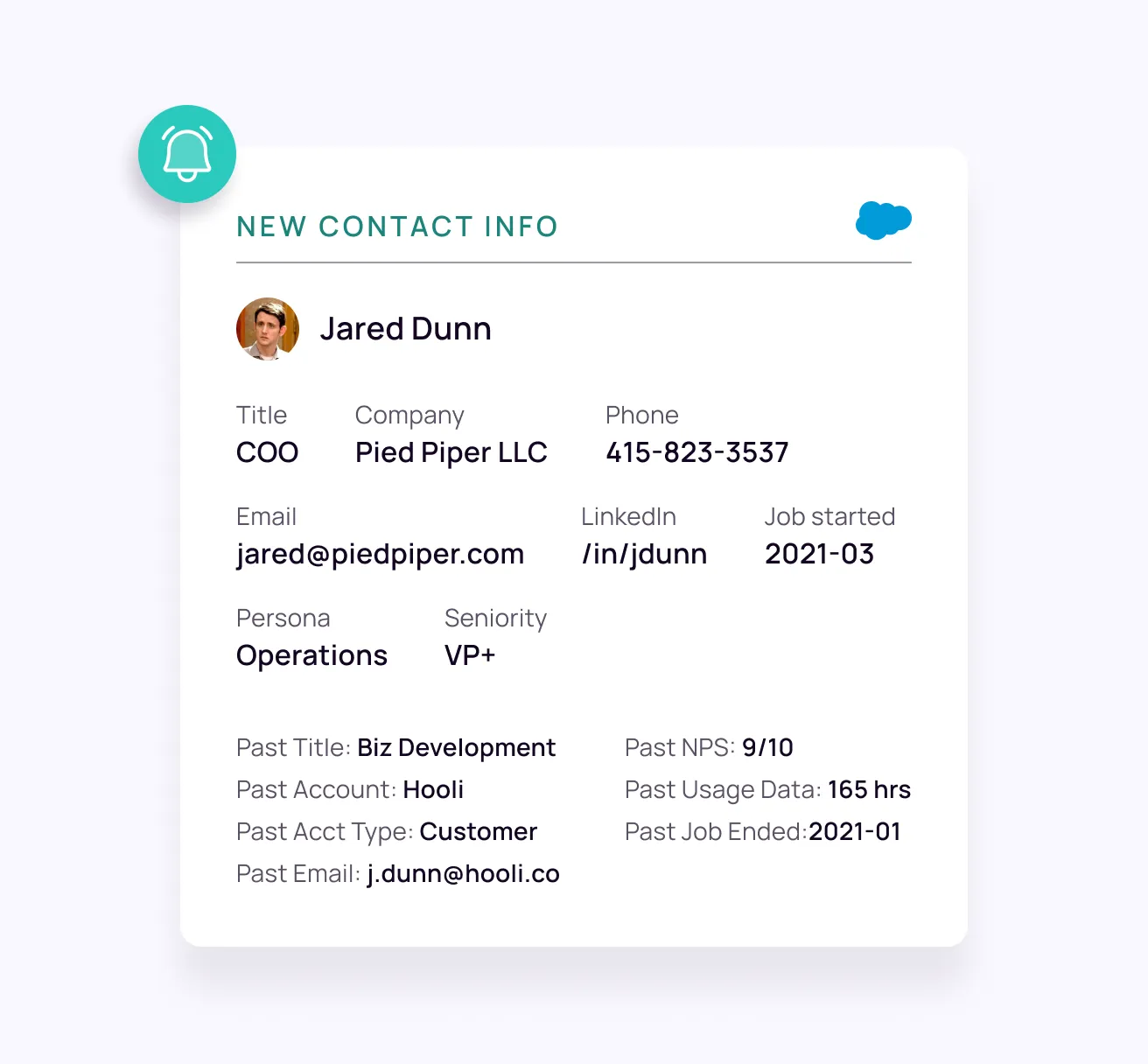
UserGems is the category's most established purpose-built tracker, built to turn relationship signals into pipeline. It monitors your customers, buyers, and past champions for job changes, then scores each move alongside new hires and buying-committee expansion so reps work the ones most likely to convert instead of chasing every alert.
On G2, sellers most often single out champion tracking as the feature they get the most value from, describing former customers who move, get flagged, and become warm pipeline they would otherwise have missed.
Key features:
Job change alerts delivered as one of 30+ native signals, scored so the highest-fit moves surface first.
Account and contact discovery that fills missing buyers and maps the buying committee at target accounts.
Gem-E, an AI agent that learns from your closed-won patterns and prioritizes the signals most likely to convert.
Integrations with Salesforce, HubSpot, Microsoft Dynamics, Outreach, Salesloft, and Gong Engage, with alerts pushed to email and Slack.
Pros:
Reviewers describe high-quality, well-targeted alerts that route to the right rep and save hours of manual tracking.
Turning former customers into warm leads lifts reply rates well above cold outbound.
Cons:
Users note alerts can lag LinkedIn by a few days to a few weeks, and the new company or title is occasionally off, so reps double-check before reaching out.
It is priced for larger teams, and reps sometimes get more alerts than they can action, with limited filtering to cut them to ICP.
Pricing: Custom, demo-based, typically annual, scoped to your contact volume and seats.
Comparing options?
3. Champify
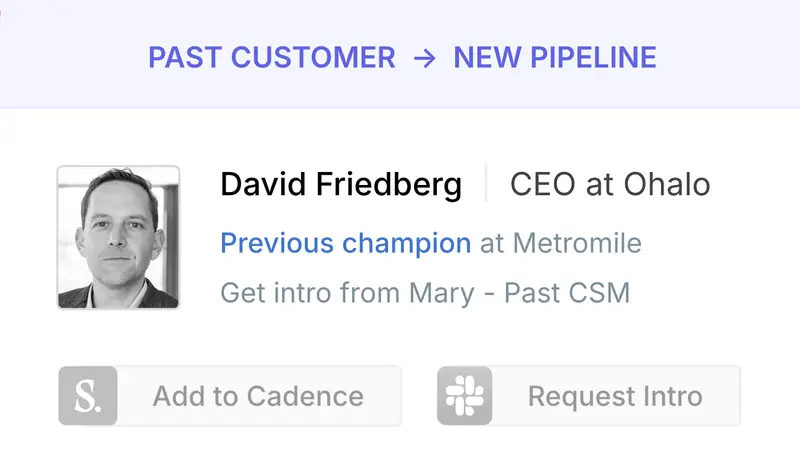
Champify is a purpose-built tracker that lives entirely inside Salesforce, so job changes, past customers, and new-account context appear on the records reps already work, with no separate app to open.
It watches both directions, surfacing former buyers who land at new companies and flagging primary contacts who leave your customer accounts, so one tool builds pipeline and warns you about churn.
On G2, reps point to the specific alerts they act on most, especially champion departed and previous license at a previous company, noting that buyers tend to bring the same tech stack to their next role.
Key features:
Relationship tracking that follows champions between companies and surfaces past customers as warm leads.
Executive-movement and new-hire detection across your target accounts, plus churn signals when a contact leaves a customer.
Buying-committee mapping that surfaces missing contacts, including from calendar data.
Insider AI that reads call transcripts, emails, and CRM records to recommend re-engagement timing and messaging.
Pros:
Salesforce-native, so RevOps keeps one source of truth and reps never leave the CRM.
Reviewers praise the ease of setup, the specific champion and closed-lost alerts, and responsive customer support.
Cons:
Users note it is only as strong as the LinkedIn and CRM data behind it, so gaps can limit the volume of surfaced leads.
A new person joining an account is not always a warm lead, especially out of region, and alerts can get noisy without upfront tuning.
Pricing: Core starts at $2,000/mo, Pro at $3,000/mo, and Enterprise at $6,000/mo, each with an ROI guarantee, quoted after a data test against your CRM.
4. Unify GTM
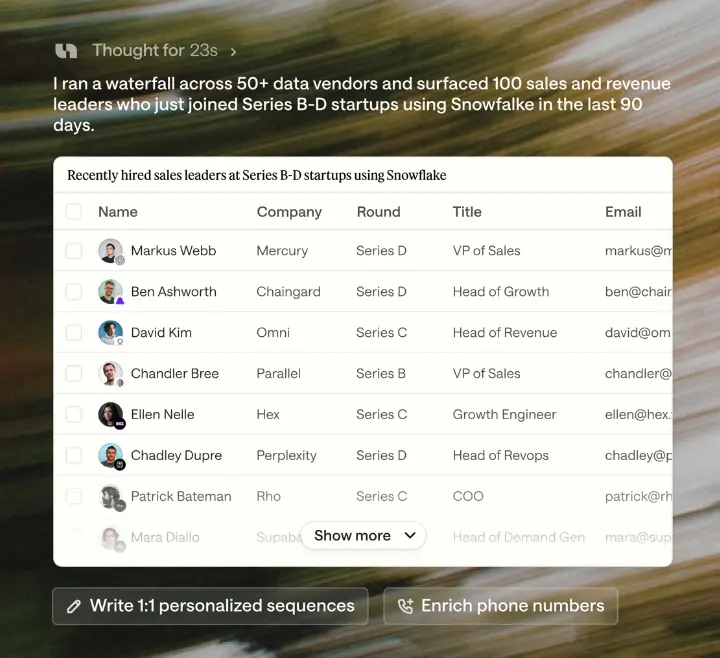
Unify GTM is an AI-native outbound platform that pairs signal detection with automated outreach, so it suits teams that want one system to catch a move and act on it.
It treats a job change as one of more than 40 signals and layers it with hiring, funding, or web activity, so an automated play fires only when a move clears your bar, then prospects, enriches, and sequences the new contact on its own. The company reports teams go from list to send about 90% faster once outreach is triggered by signals instead of static lists.
Key features:
Job-change detection within 40+ data sources that also cover web search, funding, hiring, web visits, and tech stack.
Signal layering and automated plays that prospect, qualify, and sequence in real time when a move fires.
Waterfall enrichment across multiple email and phone vendors with real-time validation, drawing on a pool of more than a billion people.
AI agents and multichannel sequencing that draft and send email and social outreach, with Salesforce and HubSpot integrations.
Pros:
Detection and outreach in one system, which shortens the time from a champion's move to the first touch.
Signal layering qualifies a move against other intent, so reps spend time only on the ones that clear the bar.
Cons:
Broader than a single-purpose tracker, so a team that only wants champion tracking pays for an outbound engine.
The automation and signal setup take more configuration than a plug-in tracker.
Pricing: Free plan, then Base at $20/seat/mo and Pro at $60/seat/mo, with a custom Business plan. Job-change and hiring signals start on the Base plan.
Sizing up Unify GTM? Weigh it against the leading alternatives.
5. Apollo
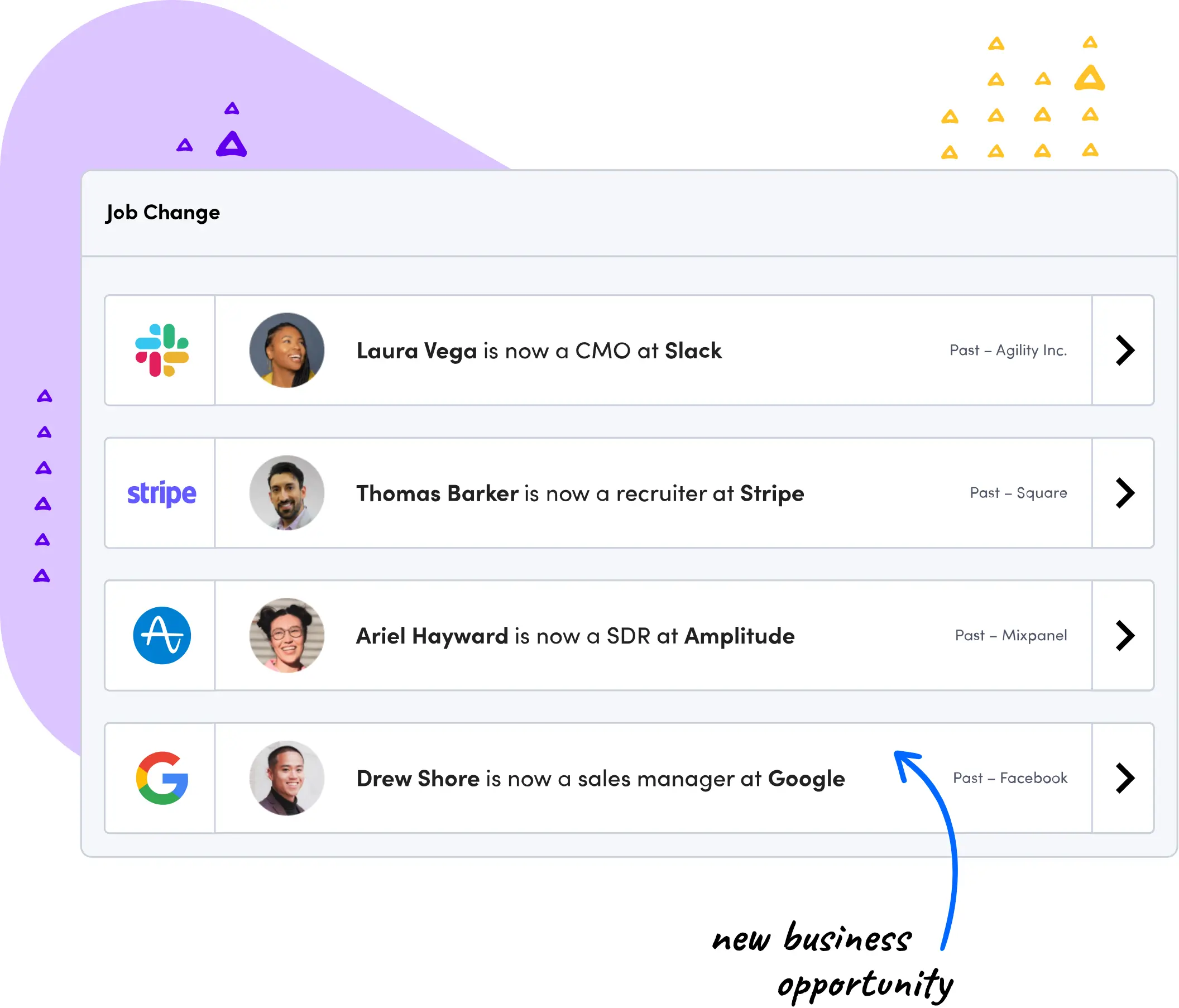
Apollo is an all-in-one prospecting platform that combines a large B2B database, enrichment, and sales engagement, which makes it the value pick for teams that want champion tracking without adding another vendor. Its job-change capability, Apollo Refresh, alerts you when designated contacts move so you can re-engage during the transition.
On G2, users like filtering and prospecting by job change in one place, though several note that job-change tracking sits behind a paid tier and the updates are not always accurate, so it works best as a lighter-touch add-on than a dedicated tracker.
Key features:
Apollo Refresh, which sends alerts when designated contacts change jobs.
Data enrichment across 200+ firmographic and demographic fields, addressing the roughly 20% quarterly data decay Apollo cites.
Enrichment by CRM sync, CSV upload, or REST API.
Integrations with Salesforce and HubSpot, plus Apollo's own engagement and dialer tools.
Pros:
Reviewers value the all-in-one platform and the ability to filter and prospect by job change in one place.
Efficient and affordable for lean teams that want fewer vendors.
Cons:
Job-change tracking sits behind a paid tier, and users report the updates are not always accurate.
Data can go stale, and the breadth of features carries a learning curve for new users.
Pricing: Free plan (900 credits per seat a year), then Basic at $49/seat/mo, Professional at $79/seat/mo, and Organization at $119/seat/mo, billed annually. Job change enrichment starts on the Basic plan.
Choosing between Apollo and a dedicated data platform? See the full Apollo vs ZoomInfo comparison.
6. Clay
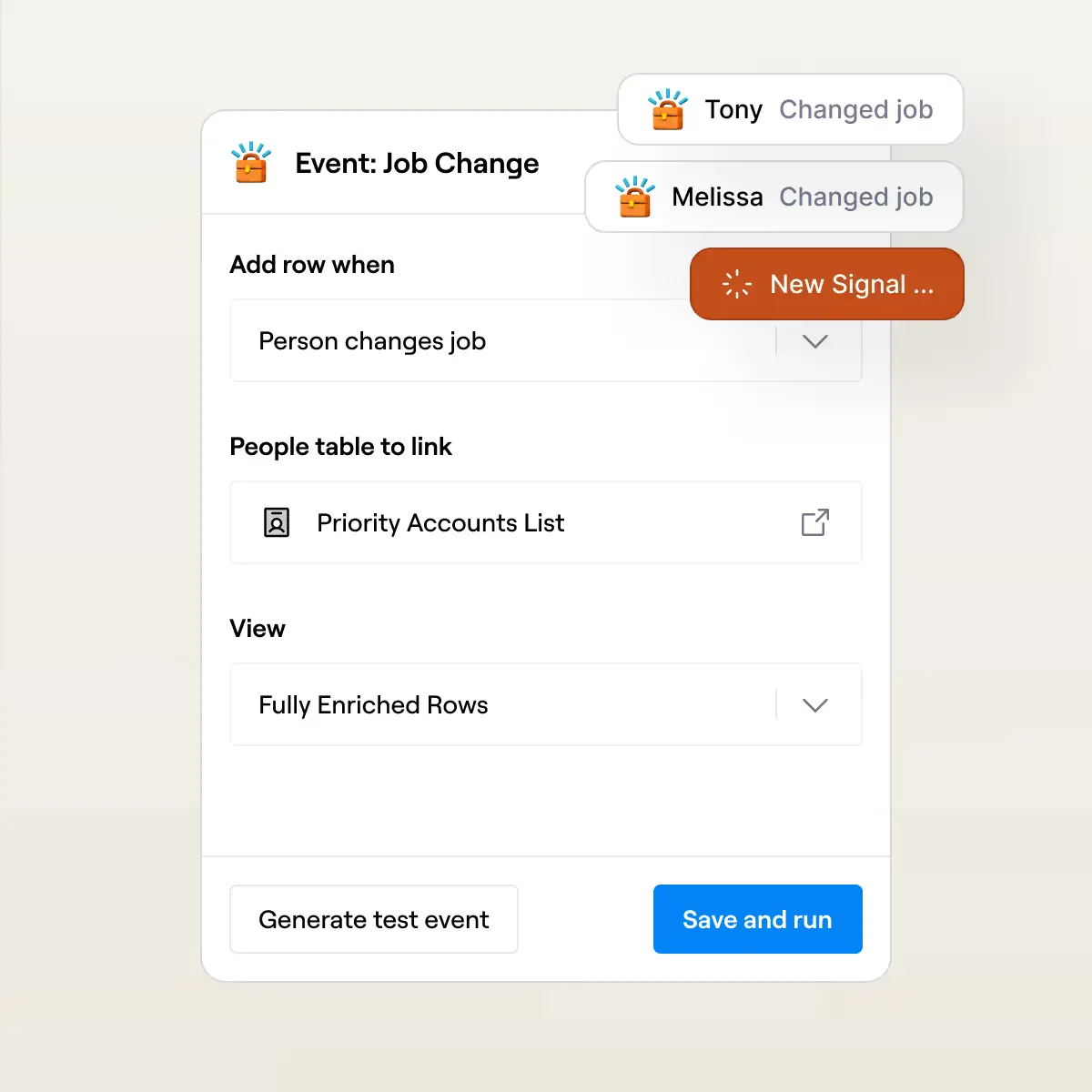
Clay is an enrichment and automation platform rather than a packaged tracker, so champion tracking is one play you assemble from its building blocks.
It pulls from more than 200 data providers, watches for job changes and other triggers, and runs whatever workflow you design on top. That gives RevOps teams near-total control over how a move is qualified and actioned, in exchange for building and maintaining the play themselves.
Key features:
Signals that track job changes, promotions, and other triggers across your lists.
Waterfall enrichment combining more than 200 data providers through one integration for maximum coverage.
Claygent, an AI research agent that enriches and qualifies people and accounts automatically.
CRM enrichment and automation to keep records clean and launch new plays quickly.
Pros:
A common pattern detects a move, qualifies the new company against a headcount or ICP threshold, pulls deal history, and drafts outreach for human approval.
Workflows tune precisely to your motion, with data coverage most single-vendor tools cannot match.
Cons:
A real learning curve, and a credit model where cost rises with enrichment volume.
Better for teams with RevOps capacity than for those who just want a signal in their inbox.
Pricing: Free plan (6,000 actions a year), then usage-based paid tiers: Launch from $167/mo and Growth from $446/mo, plus a custom Enterprise plan, with about 10% off billed annually. Job-change and signal tracking starts on the Launch plan.
Deciding whether Clay is enough on its own? Compare it in the Clay vs ZoomInfo breakdown.
7. Champions
Champions is the most stripped-down option here, and that is the point. It is a lightweight service that syncs customer job changes straight into your CRM with no app and no login to adopt, so alerts appear in the workflow reps already use.
It is newer and carries little third-party review presence, which fits its profile as a fast, low-commitment way to switch on champion alerts across a wide range of CRMs, from Salesforce and HubSpot to Pipedrive, Zoho, Close, and Copper.
Key features:
Job change alerts that notify reps the moment a tracked champion lands somewhere new.
CRM-native sync into Salesforce, HubSpot, Pipedrive, Zoho CRM, Close, and Copper.
Intent-to-move detection that flags likely departures early, plus churn-risk warnings when a key contact leaves.
Buying-committee mapping to identify who replaced a departing champion.
Pros:
Broad CRM support and near-zero setup, with warm leads surfaced from your existing contacts quickly.
Nothing new for reps to learn, since alerts appear inside the CRM they already use.
Cons:
Lightweight by design, with less scoring, orchestration, and outreach automation than heavier platforms, so you may need a separate tool for sequencing and routing.
A thin third-party review presence means less independent validation than the established names carry.
Pricing: Custom, with an ROI guarantee written into the contract, quoted per deployment.
8. Lusha
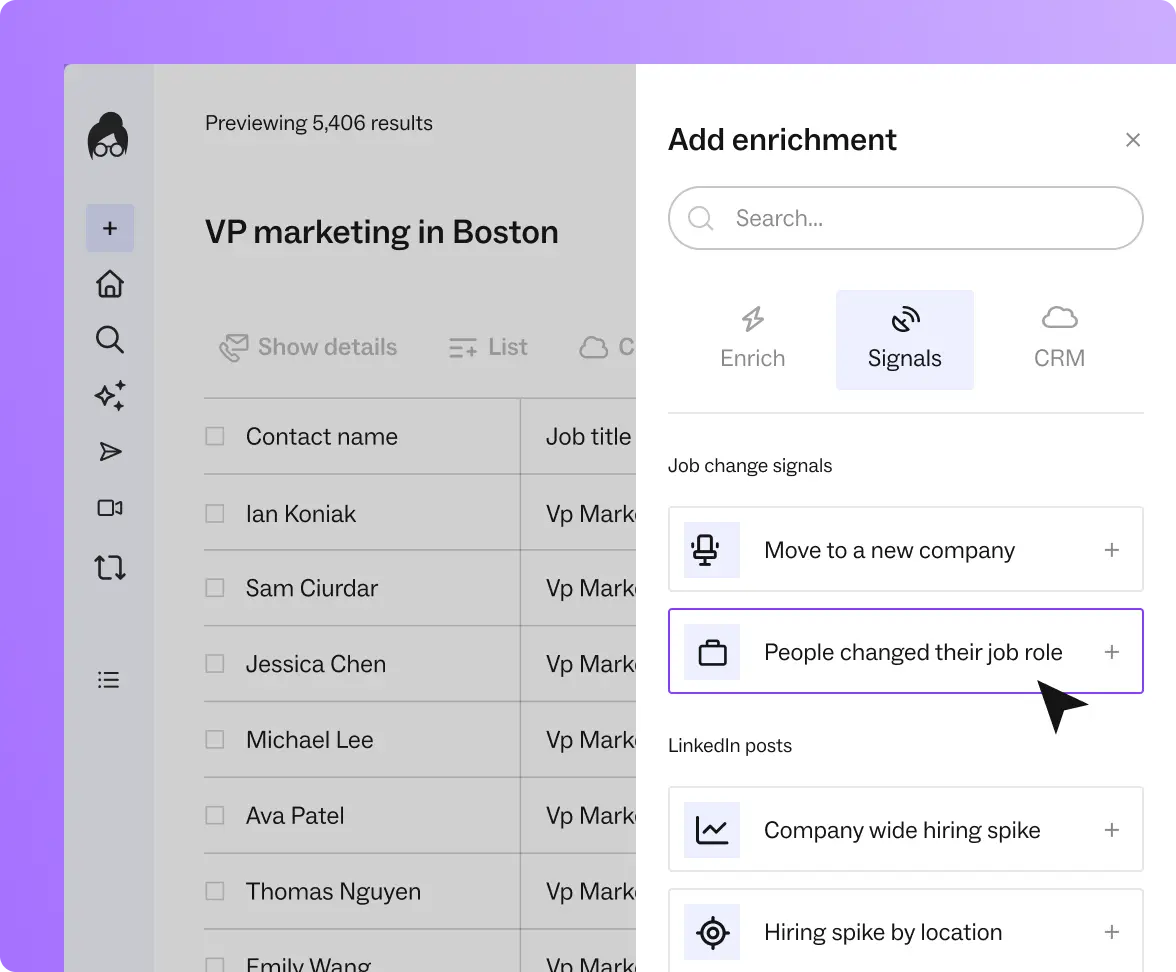
Lusha is a B2B contact data and prospecting platform, and it handles champion tracking through Lusha Signals and its API rather than a packaged tracker. You tag the customers and power users worth watching, and Lusha
Signals detects when one changes jobs, gets promoted, or joins a new company, then enriches the new record and writes it back to your CRM so a rep can act. It fits teams that already run Lusha for contact data and want to wire job-change alerts into the stack they have.
Key features:
Lusha Signals detection of job changes, promotions, and new-company moves across your tracked contacts.
API-based job-change monitoring that enriches the new record with title, company, and direct contact details.
CRM enrichment and write-back to Salesforce and HubSpot, updating the new role, company, and job-change date.
Alerts and tasks through native integrations or Zapier, with Slack notifications and auto-enrollment into
Pros:
Job-change tracking rides on Lusha's own contact data, so alerts arrive with verified title, company, and direct dials.
Flexible delivery through native CRM integrations, Zapier, Slack, and a Chrome extension.
Cons:
Champion tracking is assembled from Signals, the API, and Zapier rather than delivered as a dedicated tracker, so it takes setup.
The signal can lag until the contact updates their profile, so it needs periodic re-checks.
Pricing: Free plan (40 credits a month), then Starter from $37.45/mo, Pro from $52.45/mo, and Premium from $299.95/mo billed yearly, plus a custom Scale plan. Signals and API, which power the job-change tracking, start on the Pro tier. See our Lusha pricing page for the full review.
How to Choose the Right Champion Tracking Tool
Start with your CRM, because the tool has to deliver where reps work. Salesforce-native teams get the cleanest fit from Champify, broad CRM support points to Champions or Apollo, and teams already running Lusha can wire job-change alerts into their stack. If the alert does not land on the right record, adoption stalls.
Then match the tool to your team's capacity. UserGems fits teams that want a scored signal ready to action. Clay fits teams with RevOps talent that want a custom play. Unify GTM fits teams that want detection and outreach in one system. ZoomInfo fits teams that want verified detection, reasoning on why the move matters, and native routing without stitching tools together.
Finally, look under the alert at the data. Coverage, freshness, and accuracy decide how many real opportunities you catch and how much rep trust you keep. Ask every vendor where their data comes from and how job changes are verified, because that answer predicts the quality of every alert. It also ties champion tracking to the wider account motion, from renewals to finding the new decision-maker who replaced a departing champion.
Tracking Champions at the Source With ZoomInfo
Every tool here catches job changes. The difference is the data underneath. ZoomInfo verifies moves against its own data foundation, so the signal is confirmed before it reaches a rep. The GTM Context Graph explains why the move matters, and the built-in Champion Tracking play routes it to an owner inside Salesforce, HubSpot, Slack, or email. Detection, intelligence, and workflow run on one platform instead of a stack of point tools.
See how ZoomInfo turns job changes into pipeline. Book a demo.
Frequently Asked Questions
What is champion tracking software?
Champion tracking software monitors your past buyers, product users, and internal advocates and alerts your sales team when they change jobs, get promoted, or move roles. Because a champion arrives at a new company already familiar with your product, the move is one of the highest-converting signals in B2B sales, and the software turns it into warm pipeline before a competitor notices.
How does champion tracking work?
You build a list of contacts worth watching from your CRM, then the software monitors them continuously for job changes instead of relying on manual LinkedIn checks. When a move is detected, the tool verifies it, enriches the new company and role, qualifies the account against your ideal customer profile, and routes an alert to the right owner so they can reach out inside the champion's first 90 days.
Is champion tracking the same as job change alerts?
Job change alerts are the core signal inside champion tracking, but champion tracking is the wider motion around them. It includes building the roster of who to watch, qualifying the new account, mapping the buying committee, and routing the alert into your workflow, rather than just notifying you that someone moved.
What data do champion tracking tools rely on?
Most tools depend on a foundation of verified contact and company data, either licensed from a third-party provider or owned by the vendor. That data determines how fast moves are caught, how accurate the alerts are, and how much context arrives with each one, which is why the data source matters more than the notification itself.
How much does champion tracking software cost?
Pricing models vary. Dedicated trackers such as UserGems and Champify use custom, demo-based pricing on annual contracts. Broader platforms like Apollo and Clay offer free entry points plus paid tiers that scale with seats or enrichment credits. ZoomInfo pricing is free to start with consumption credits based on usage. Check each vendor's current pricing before you commit.
Which champion tracking tool is best?
The best tool depends on your CRM, your team's capacity, and your data needs. Salesforce-native teams often prefer Champify, teams wanting scored signals lean toward UserGems, and RevOps teams that want a custom play choose Clay. If you want verified detection and reasoning running natively on the data foundation itself, ZoomInfo tracks champions at the source.
